# dsh-session-progress
[English](README.md) | [Tiếng Việt](README.vn.md)
---
## 1. Purpose & Overview
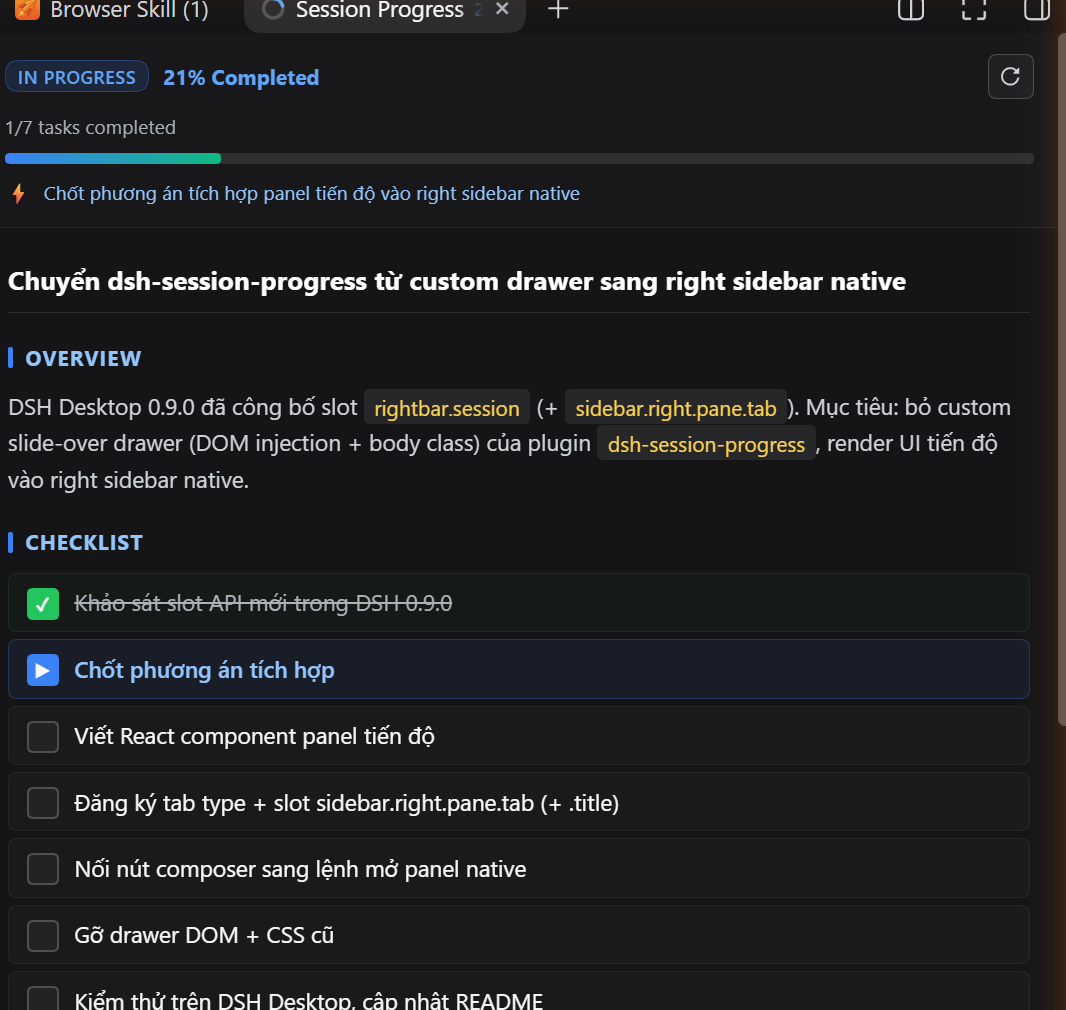
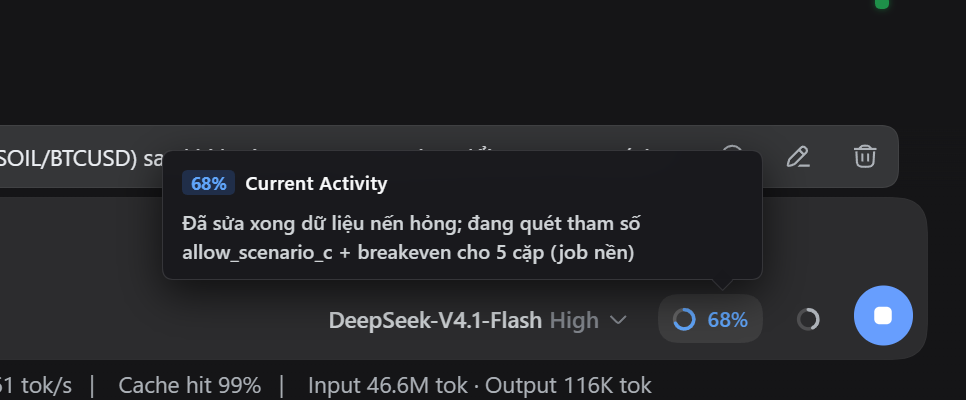
**dsh-session-progress** is a real-time session progress and task tracking plugin for **DeepSeek Harness (DSH / DSH Desktop)**.
In long-running or complex agentic sessions, it is often challenging for users to quickly determine the overall completion status, active subtasks, or upcoming milestones without sifting through extensive conversation logs.
### How it appears
The plugin renders **inside DSH's own right sidebar** — it does not draw an overlay of its own, so it never fights the frame for space:
| Surface | Where it lives |
| --- | --- |
| Progress ring + `%` pill | The composer trailing toolbar, beside the context meter |
| Progress panel | A native right sidebar tab named **Session Progress** |
Clicking the composer control (or the *Click to open the progress panel* hint in its popover) opens that tab and reveals the right column. Being an ordinary sidebar tab, it docks, floats, splits, and follows the session exactly like Files or the document preview.
> **Requirement**: the right sidebar tab slots (`rightbar.session`, `sidebar.right.pane.tab`) must exist in your DSH build — DSH Desktop 0.9.0 or newer.
---
## 2. Installation Guide
### For DSH Desktop
#### Windows (PowerShell)
```powershell
cd "$env:APPDATA\dsh-desktop\harness\profiles\web"
& "$env:APPDATA\dsh-desktop\harness\.desktop-bin\pnpm.cmd" add https://github.com/nguyenduclong-ict/dsh-session-progress
```
#### macOS (Terminal)
```bash
cd "$HOME/Library/Application Support/dsh-desktop/harness/profiles/web"
"$HOME/Library/Application Support/dsh-desktop/harness/.desktop-bin/pnpm" add https://github.com/nguyenduclong-ict/dsh-session-progress
```
#### Linux (Terminal)
```bash
cd "$HOME/.config/dsh-desktop/harness/profiles/web"
"$HOME/.config/dsh-desktop/harness/.desktop-bin/pnpm" add https://github.com/nguyenduclong-ict/dsh-session-progress
```
> **Note**: Restart **DSH Desktop** after installation to activate the plugin.
---
### For DSH CLI (Standalone)
Run the following command in your terminal:
```bash
dsh plugin --profile web add https://github.com/nguyenduclong-ict/dsh-session-progress
```
Or install directly within your Cordis workspace profile:
```bash
pnpm add https://github.com/nguyenduclong-ict/dsh-session-progress
```
---
## License
MIT © [nguyenduclong-ict](https://github.com/nguyenduclong-ict)