# Screen Time Exporter
**Apple Screen Time from your iPhone, iPad and Mac — in your own database, Grafana, Home Assistant and AI assistant.**
One small background agent on your Mac. No cloud service, no account, no ActivityWatch server.
[](https://github.com/nichtlegacy/screentime/actions/workflows/ci.yml)
[](docs/setup.md#requirements)
[](pyproject.toml)
[](grafana/dashboards/screentime.json)
[](docs/home-assistant.md)
[](docs/mcp.md)
[](LICENSE)
[Website](https://screentime.nichtlegacy.com) • [Overview](#overview) • [Features](#features) • [Screenshots](#screenshots) • [Quick start](#quick-start) • [Command line](#command-line) • [AI assistants](#ai-assistants-mcp) • [How it works](#how-it-works) • [Docs](docs/README.md)
## Overview
Apple shows Screen Time on each device, for a week or two, and nowhere else. You cannot keep it, query it, chart it next to other data or trigger anything from it. Yet every Mac signed in to your Apple Account already receives the app usage of your iPhone and iPad through iCloud.
Screen Time Exporter reads those stores on the Mac — Biome for iPhone and iPad, `knowledgeC.db` for the Mac itself — every 15 minutes. It keeps every session in a local SQLite database, names and categorises the apps, and passes the result on to InfluxDB and Grafana, Home Assistant, the terminal, or an AI assistant over MCP.
The project stays deliberately:
- **local-first** — the database lives on your Mac; nothing is sent anywhere unless you configure a sink.
- **read-only towards Apple** — it only reads Apple's stores (`knowledgeC.db` through a temporary copy) and never writes to them.
- **small** — one Python package, one runtime dependency, one launchd agent.
- **honest about what it knows** — Apple keeps a few weeks of history; anything older only exists if the exporter was running.
> Unofficial hobby project. Not affiliated with Apple — see [Disclaimer](#disclaimer).
## Features
- **Every device on one Mac**: iPhones and iPads via iCloud ([Screen Time → Share Across Devices](docs/setup.md#requirements)), plus the Mac itself, each with its own name.
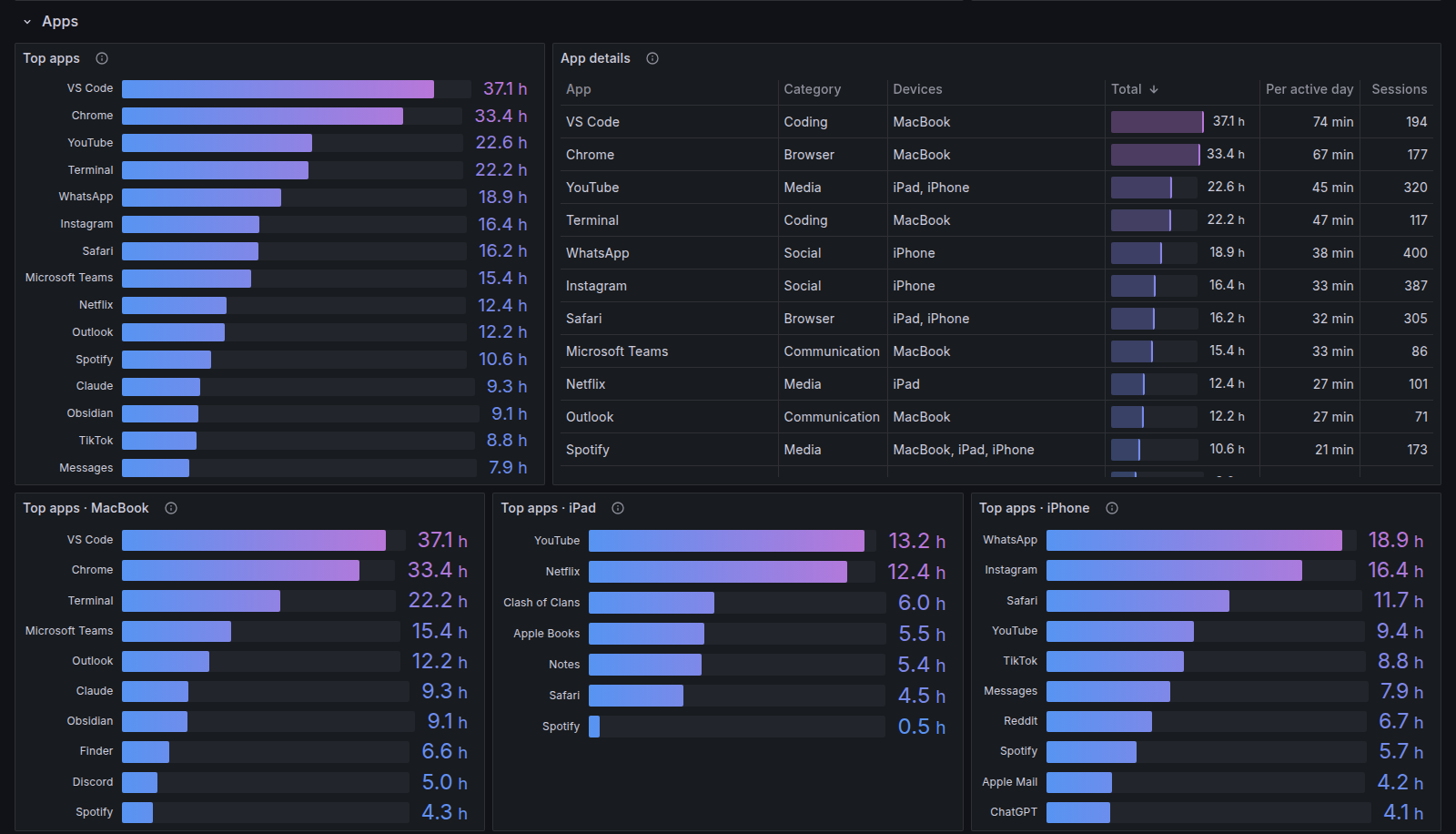
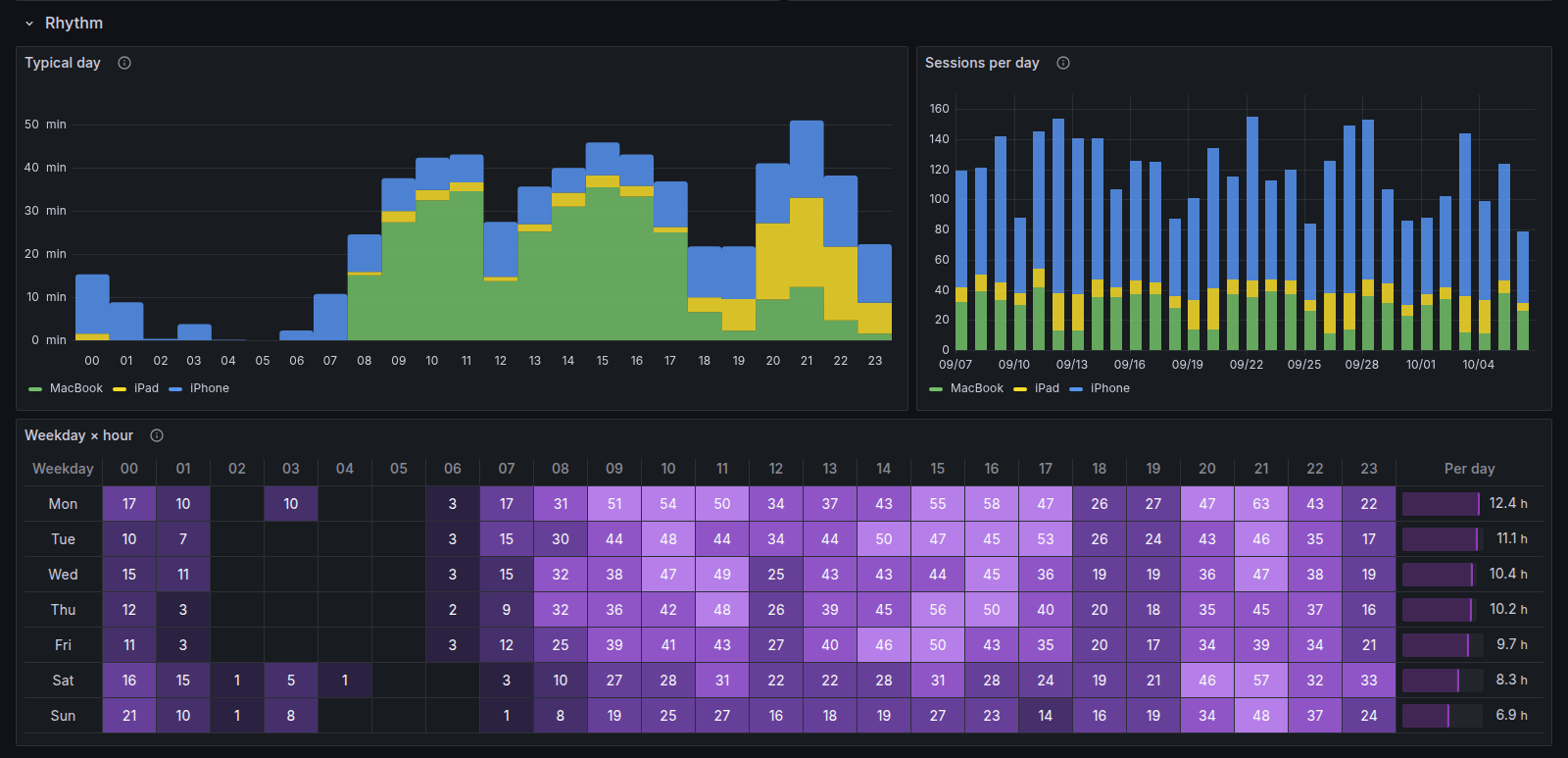
- **Sessions, not just totals**: every app session with start, duration, app and category, aggregated per day, app, category and hour.
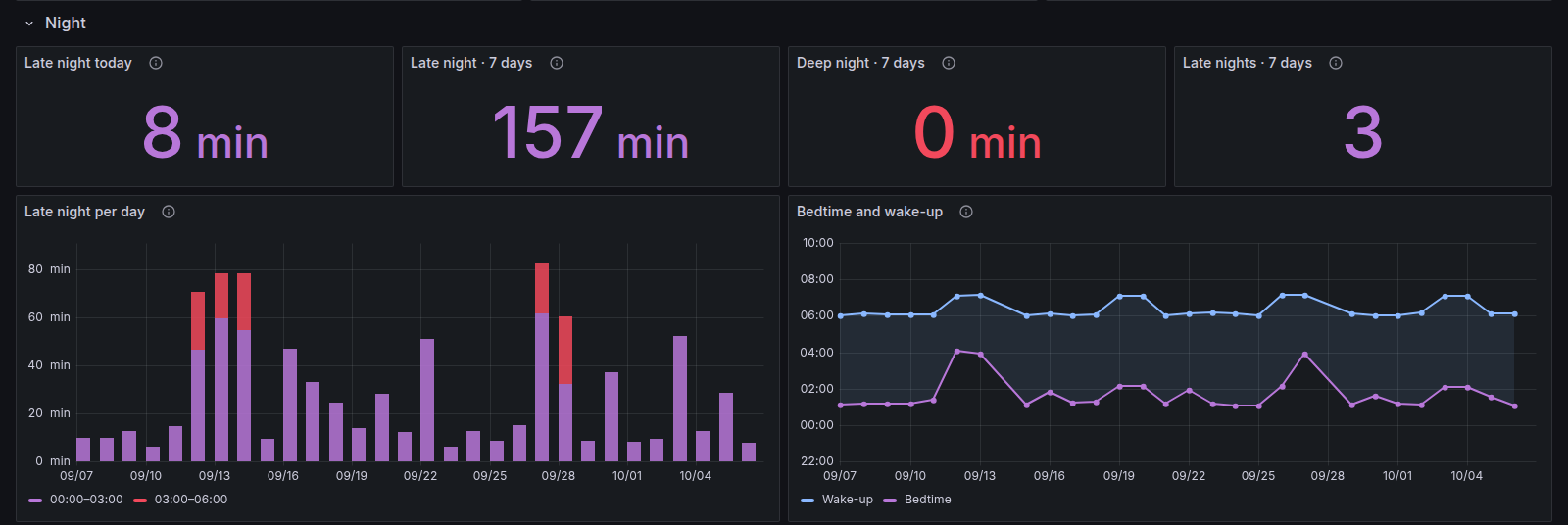
- **Late night and deep night**: use between 00:00–06:00 and 03:00–06:00, plus the night's phone-free window (bedtime and wake-up).
- **Readable app names**: 270+ bundle ids ship with a name and one of 14 categories; unknown ones are named from the installed Mac app or your region's App Store, once, and cached. Your own names go in the config ([docs/apps.md](docs/apps.md)).
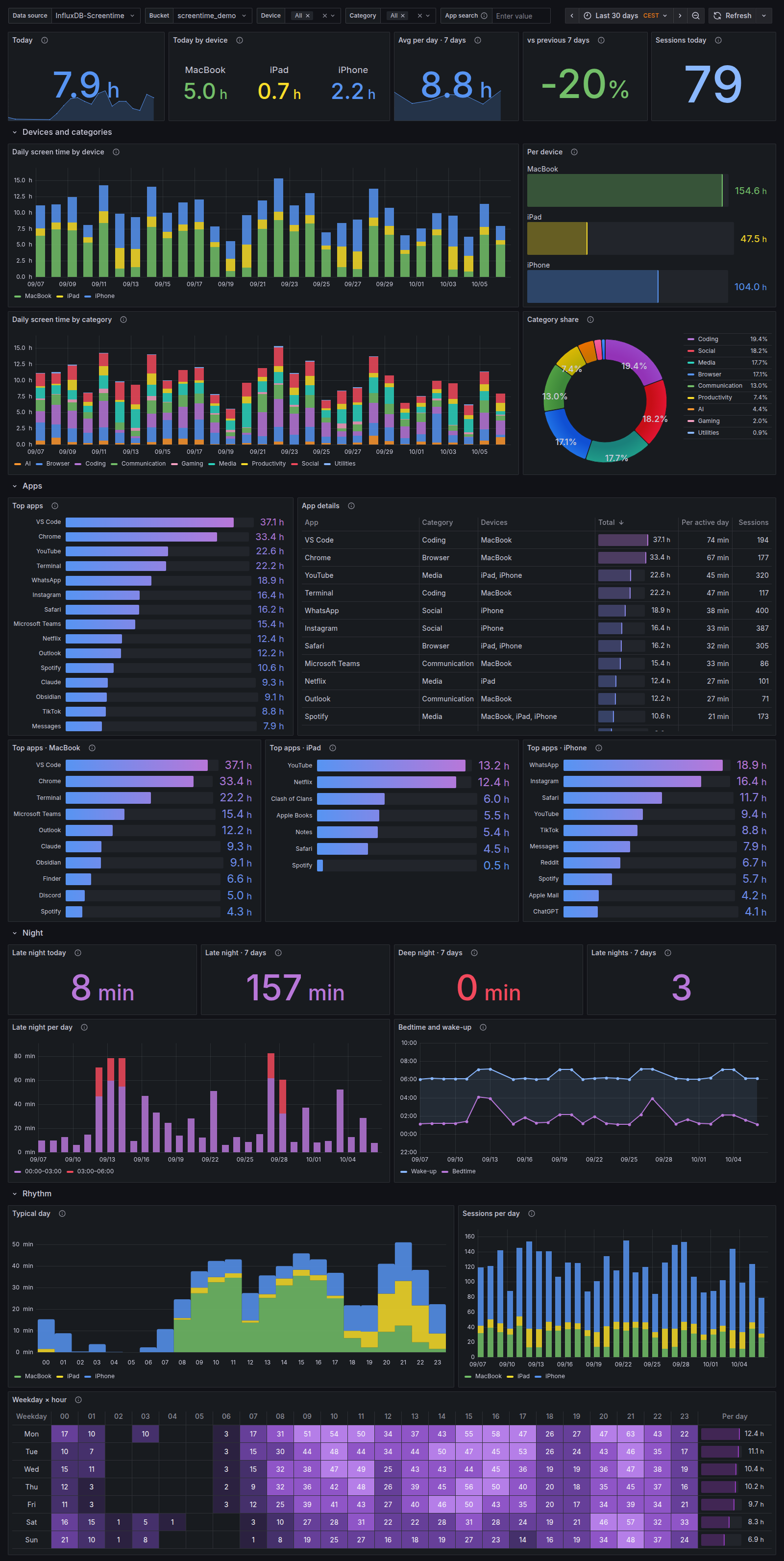
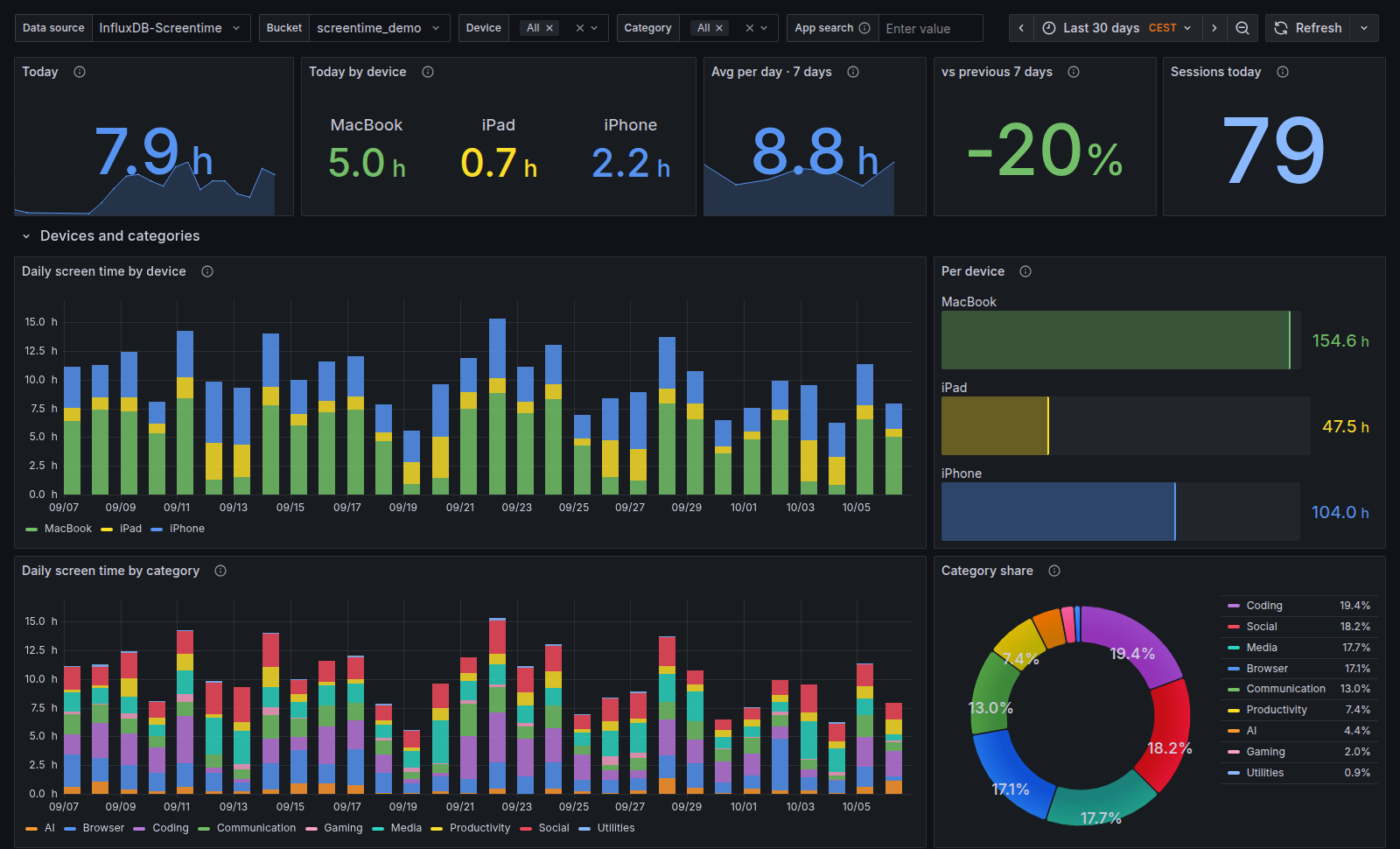
- **Grafana dashboard**: provisioned or importable, with device, category and app filters. A Docker Compose file starts InfluxDB and Grafana with everything wired up.
- **Home Assistant sensors**: total, per device, late and deep night per device, week, top app, categories and last sync — v1 entity ids keep working.
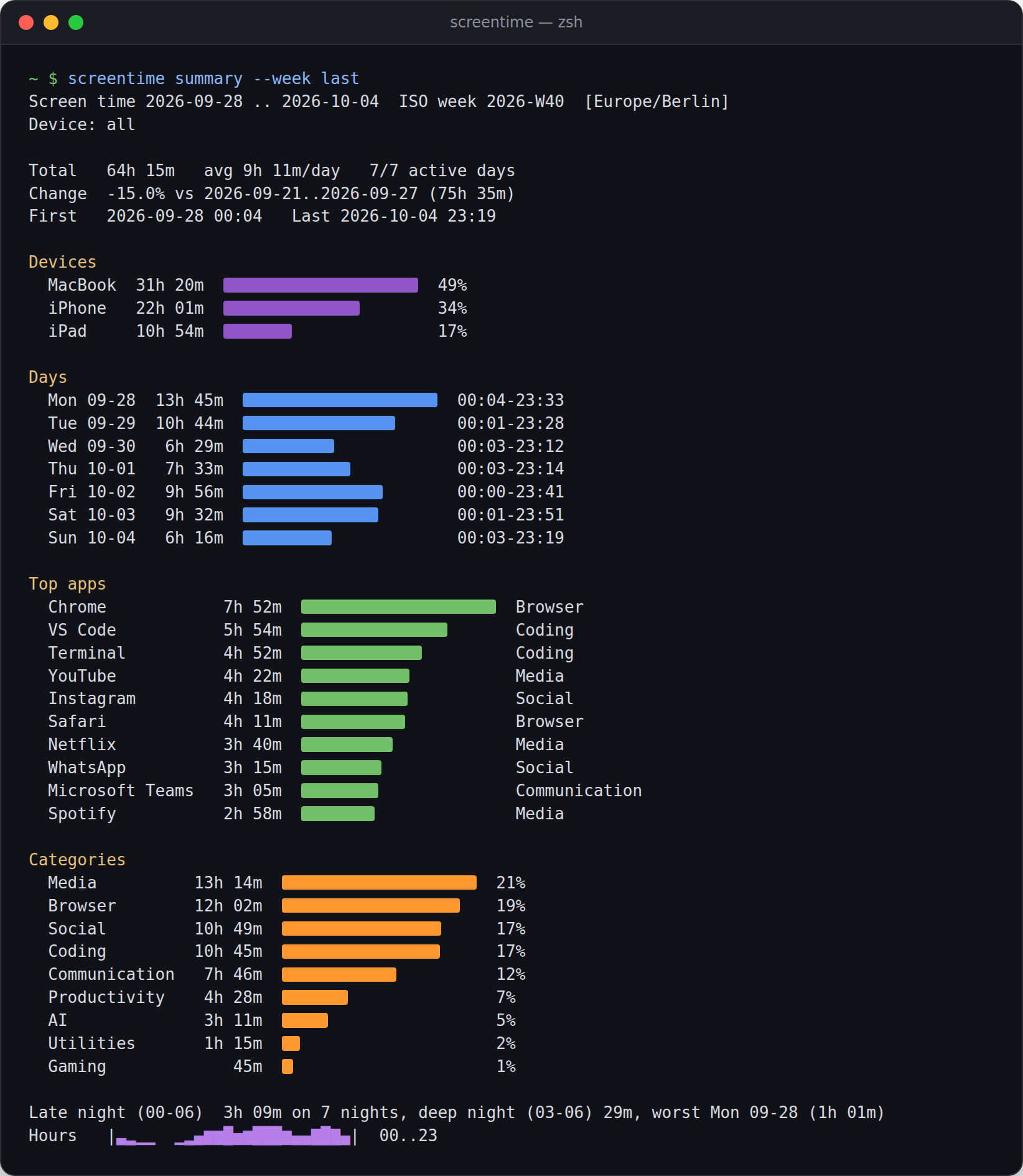
- **Terminal reports**: `screentime summary` for a week, day or range, as text, Markdown or JSON; `screentime dump` as CSV or JSON.
- **MCP server**: Claude, Codex, Cursor and other MCP clients answer questions about your screen time from the local database.
- **One-command setup**: `screentime setup` finds devices, tests the connections, writes the config and installs the agent; `screentime doctor` explains what is wrong.
## Screenshots