# cxnet
[](LICENSE)
[](https://dotnet.microsoft.com/)
[]()
**A real-time network throughput monitor for the terminal, built on [SharpConsoleUI](https://github.com/nickprotop/ConsoleEx).**
### ⭐ If you find cxnet useful, please consider giving it a star! ⭐
It helps others discover the project and motivates continued development.
[](https://github.com/nickprotop/cxnet/stargazers)
See your network breathe — live download/upload throughput as Braille waveforms, with session peaks,
daily totals, per-interface selection, and a border that pulses with your transfer speed. All without
leaving the terminal.
**Watch. Measure. Flow.**
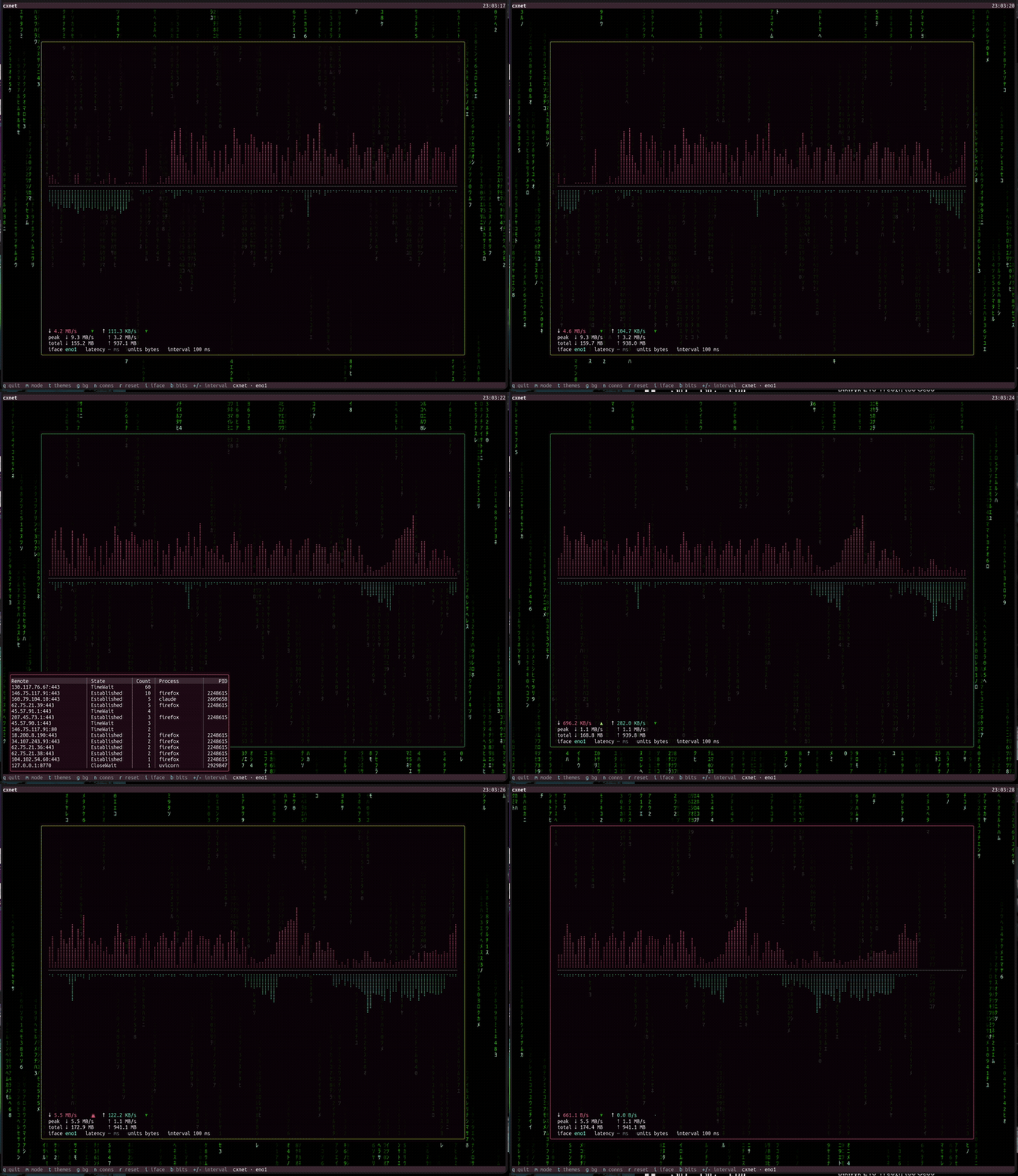
Live throughput waveform, connections & interface pickers, and a Matrix-rain desktop — all in the terminal.
**Built on [SharpConsoleUI](https://github.com/nickprotop/ConsoleEx)** — the .NET terminal application framework. The overlapping windows, the alpha-blended desktop background, the bordered pop-over pickers, and the per-interface tables you see above are all SharpConsoleUI.
## Quick Start
**Option 1: One-line install** (Linux/macOS, no .NET required)
```bash
curl -fsSL https://raw.githubusercontent.com/nickprotop/cxnet/main/install.sh | bash
cxnet
```
**Windows** (PowerShell)
```powershell
irm https://raw.githubusercontent.com/nickprotop/cxnet/main/install.ps1 | iex
```
**Option 2: Build from source** (requires .NET 9)
```bash
git clone https://github.com/nickprotop/cxnet.git
cd cxnet
./build-and-install.sh
cxnet
```
## Features
- **Live download & upload throughput** as high-resolution Braille waveforms
- **Speed-driven border** — the window outline shifts blue → cyan → green → yellow → red with your transfer rate
- **Session peaks & daily totals**, with automatic unit scaling (B/s → GB/s, or bits with `b`)
- **Responsive display modes** — `hero`, `compact`, `mini`, `tiny` — that switch automatically as you resize the terminal (or cycle with `m`)
- **Translucent overlays** — the theme picker and connections panel float over the live graphs, which keep animating *through* the panel (real alpha compositing)
- **Theme-aware** — press `t` for a swatch picker that live-previews as you arrow; the whole monitor (waveforms, stats, border, background) recolours to the selected theme, and `Esc` reverts
- **Active connections panel** — press `n` to see live TCP connections, grouped by peer, with the owning process where it can be resolved
- **Per-interface** monitoring with live switching (`i`); auto-selects the busiest interface
- **Non-interactive modes** — `--json` and `--once` for scripts and status bars
- **Cross-platform** — Linux, macOS, and Windows
## Usage
```sh
cxnet # hero view, auto interface
cxnet --tiny # single-line mode for status bars
cxnet --mini # graphs-only mode
cxnet --compact # compact layout
cxnet --interface eno1 # specify network interface
cxnet --refresh 500ms # sampling interval (default 100ms)
cxnet --bits # display in bits/sec
cxnet --json # single JSON sample, then exit
cxnet --once # single plain-text sample, then exit
cxnet --version
cxnet --help
```
## Keyboard Shortcuts
| Key | Action |
|--------------|---------------------------------|
| `q` / `Ctrl+C` | Quit |
| `m` | Cycle display modes |
| `t` | Theme picker |
| `n` | Active connections panel |
| `r` | Reset session peaks |
| `i` | Cycle network interfaces |
| `b` | Toggle bytes/sec ↔ bits/sec |
| `+` / `-` | Adjust sampling interval |
## Building from Source
cxnet references [SharpConsoleUI](https://github.com/nickprotop/ConsoleEx) as a **local project** when
the `ConsoleEx` repo is checked out as a sibling, and falls back to the published **NuGet package**
otherwise — so it builds either way.
```bash
# Option A: with a local ConsoleEx checkout (sibling directory)
git clone https://github.com/nickprotop/ConsoleEx.git
git clone https://github.com/nickprotop/cxnet.git
cd cxnet && dotnet build cxnet/cxnet.csproj
# Option B: standalone (uses the NuGet package)
git clone https://github.com/nickprotop/cxnet.git
cd cxnet && dotnet build cxnet/cxnet.csproj
```
## Architecture
```
cxnet/
├── cxnet/
│ ├── Program.cs # CLI parsing → TUI or non-interactive (--json/--once)
│ ├── Sampling/ # NetworkSampler (RX/TX counters → bytes/sec) + NetSample
│ ├── State/ # MonitorState (history ring, peaks, totals, units)
│ └── Ui/ # MonitorWindow, DisplayMode, Themes, ThemePicker, ProcessPanel, Format
├── install.sh / install.ps1
├── build-and-install.sh
└── publish.sh # release cutter (version bump + tag)
```
## Uninstall
```bash
# Linux / macOS
curl -fsSL https://raw.githubusercontent.com/nickprotop/cxnet/main/uninstall.sh | bash
```
```powershell
# Windows
irm https://raw.githubusercontent.com/nickprotop/cxnet/main/uninstall.ps1 | iex
```
## License
[MIT](LICENSE) © Nikolaos Protopapas