# cxtop
[](LICENSE)
[](https://dotnet.microsoft.com/)
[]()
**An ntop/btop-inspired terminal system monitor built on [SharpConsoleUI](https://github.com/nickprotop/ConsoleEx).**
### ⭐ If you find cxtop useful, please consider giving it a star! ⭐
It helps others discover the project and motivates continued development.
[](https://github.com/nickprotop/cxtop/stargazers)
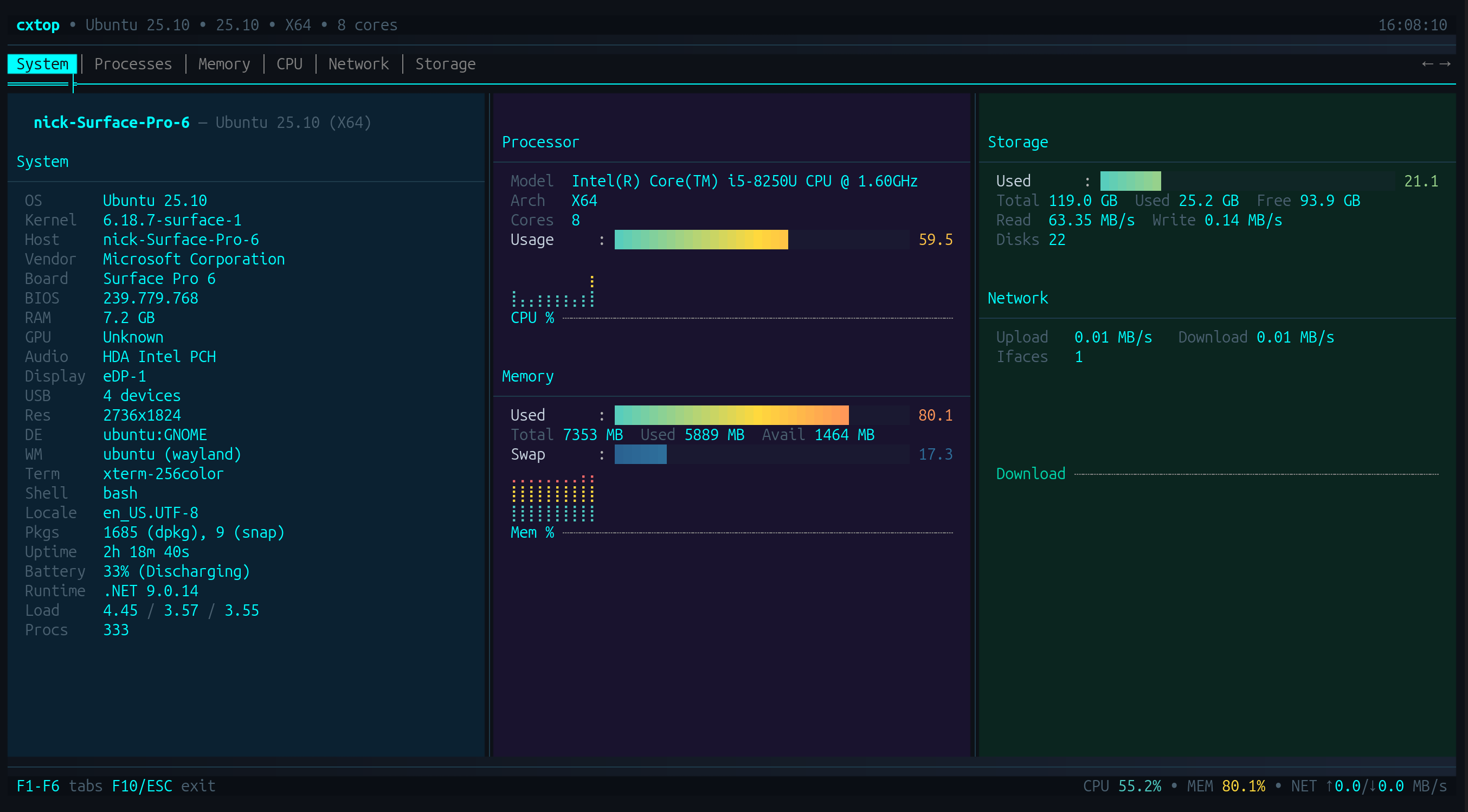
A polished terminal system monitor with a hardware identity dashboard, real-time metrics, sparkline graphs, and process management — all without leaving the terminal.
**Monitor. Manage. Explore.**
## Quick Start
**Option 1: One-line install** (Linux/macOS, no .NET required)
```bash
curl -fsSL https://raw.githubusercontent.com/nickprotop/cxtop/main/install.sh | bash
cxtop
```
**Windows** (PowerShell)
```powershell
irm https://raw.githubusercontent.com/nickprotop/cxtop/main/install.ps1 | iex
```
**Option 2: Build from source** (requires .NET 9)
```bash
git clone https://github.com/nickprotop/cxtop.git
cd cxtop
./build-and-install.sh
cxtop
```
## Features
| | |
|---|---|
| 🖥️ **System Dashboard** | Hardware identity (CPU, GPU, board, BIOS, RAM, audio, display, USB) + live metrics at a glance |
| 📊 **CPU Monitor** | Per-core usage bars, aggregate sparklines, top consumers, user/system/iowait breakdown |
| 🧠 **Memory Monitor** | Used/cached/swap bars with sparklines, buffer and dirty page tracking |
| 🌐 **Network Monitor** | Per-interface upload/download rates, combined sparklines, peak tracking |
| 💾 **Storage Monitor** | Per-disk capacity bars, real-time I/O rates, filesystem details |
| 📋 **Process Manager** | Sortable process list, search/filter, detail panel, SIGTERM/SIGKILL actions |
| 🔍 **Hardware Discovery** | OS, kernel, vendor, board, BIOS, GPU, audio, display, USB, battery, packages, DE, WM, theme |
| 📈 **Sparkline Graphs** | Braille-mode time-series graphs with gradient coloring and history tracking |
| 🎨 **Polished UI** | Gradient backgrounds, semi-transparent panels, smooth bar animations, tab crossfade, bottom fade effect |
| 📐 **Responsive Layout** | Adapts to terminal width and height — 1, 2, or 3 column layouts |
| ⚡ **Cross-Platform** | Linux and Windows support with platform-specific stat collection |
| 🔋 **Battery Aware** | Shows battery percentage and charging status on laptops |
## Keyboard Shortcuts
| Key | Action |
|-----|--------|
| F1-F6 | Switch tabs (System, Processes, Memory, CPU, Network, Storage) |
| Tab | Cycle focus regions (in Processes tab) |
| Enter | Select/activate process |
| S | Cycle sort mode (CPU, Memory, PID, Name) |
| / | Filter processes |
| F10 / ESC | Exit |
## Building from Source
cxtop uses a conditional project reference for [SharpConsoleUI](https://github.com/nickprotop/ConsoleEx):
- **Local development:** If ConsoleEx is cloned as a sibling directory (`../ConsoleEx`), the project reference is used automatically
- **CI/Release builds:** Falls back to the SharpConsoleUI NuGet package
```bash
# Clone both repos as siblings
git clone https://github.com/nickprotop/ConsoleEx.git
git clone https://github.com/nickprotop/cxtop.git
# Build with local ConsoleEx
cd cxtop
dotnet build cxtop/cxtop.csproj
# Or build standalone (uses NuGet)
dotnet build cxtop/cxtop.csproj
```
## Architecture
```
cxtop/
├── cxtop/
│ ├── Program.cs # Entry point
│ ├── Configuration/ # App config
│ ├── Dashboard/ # Main window, tab management
│ ├── Helpers/ # UI constants, history tracking
│ ├── Stats/ # System stats providers
│ │ ├── ISystemStatsProvider # Platform-independent interface
│ │ ├── LinuxSystemStats # /proc, /sys reader
│ │ └── WindowsSystemStats # WMI, Performance Counters
│ └── Tabs/ # Tab implementations
│ ├── SystemInfoTab # Hardware identity dashboard
│ ├── ProcessTab # Process list + management
│ ├── CpuTab # CPU monitoring
│ ├── MemoryTab # Memory monitoring
│ ├── NetworkTab # Network monitoring
│ └── StorageTab # Storage monitoring
├── publish.sh # Release publisher
├── install.sh # Linux/macOS installer
└── build-and-install.sh # Build from source
```
**Key Technologies:** .NET 9, [SharpConsoleUI](https://github.com/nickprotop/ConsoleEx), /proc filesystem (Linux), Performance Counters (Windows)
## Uninstall
**Linux/macOS:**
```bash
cxtop-uninstall.sh
```
**Windows (PowerShell):**
```powershell
& "$env:LOCALAPPDATA\cxtop\cxtop-uninstall.ps1"
```
## License
MIT License. See [LICENSE](LICENSE) for details.