

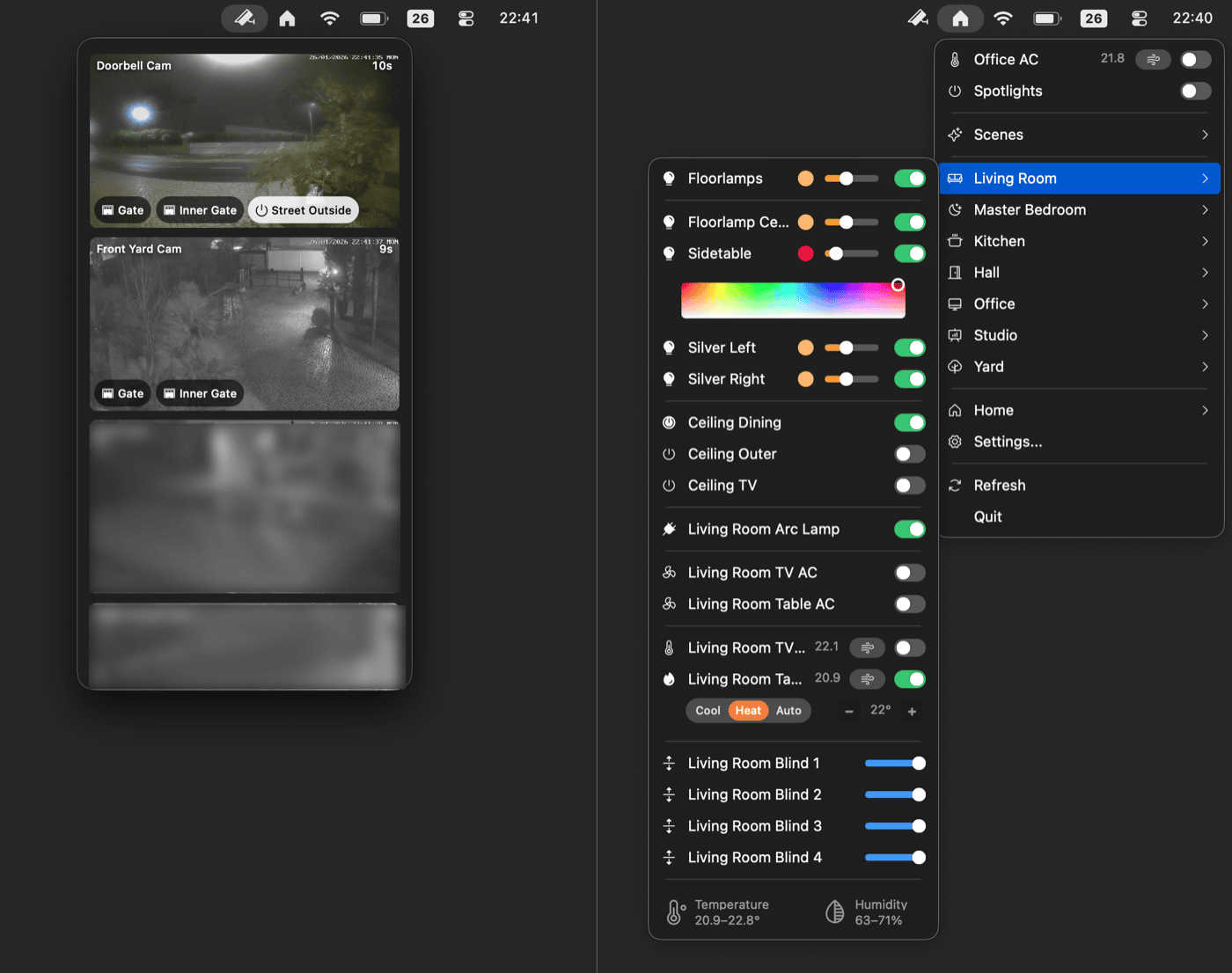
# Itsyhome HomeKit Home Assistant [![Tests](https://github.com/nickustinov/itsyhome-macos/actions/workflows/test.yml/badge.svg)](https://github.com/nickustinov/itsyhome-macos/actions/workflows/test.yml) [![License: MIT](https://img.shields.io/badge/license-MIT-blue.svg)](LICENSE) [![Swift 5.9](https://img.shields.io/badge/swift-5.9-orange.svg)](https://swift.org) [![macOS 14+](https://img.shields.io/badge/macOS-14%2B-brightgreen.svg)](https://www.apple.com/macos/sonoma/) [![Download on the Mac App Store](https://developer.apple.com/app-store/marketing/guidelines/images/badge-download-on-the-mac-app-store.svg)](https://apps.apple.com/app/itsyhome/id6758070650) ![Itsyhome app screenshot](itsyhome-screenshot.png) A native macOS menu bar app for controlling your HomeKit and Home Assistant smart home. **[itsyhome.app](https://itsyhome.app)** ### Also available on iOS and tvOS

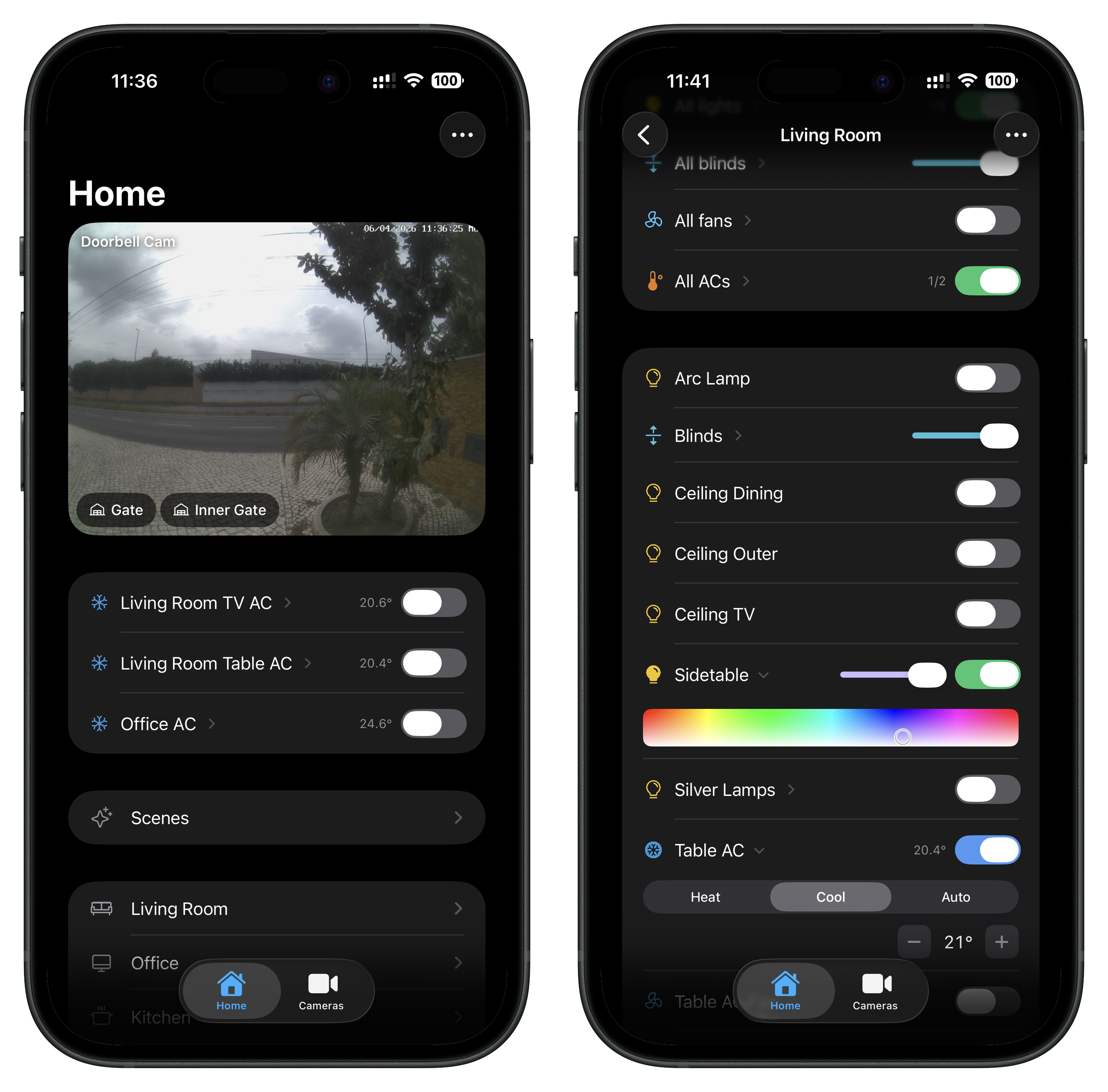
iOS tvOS
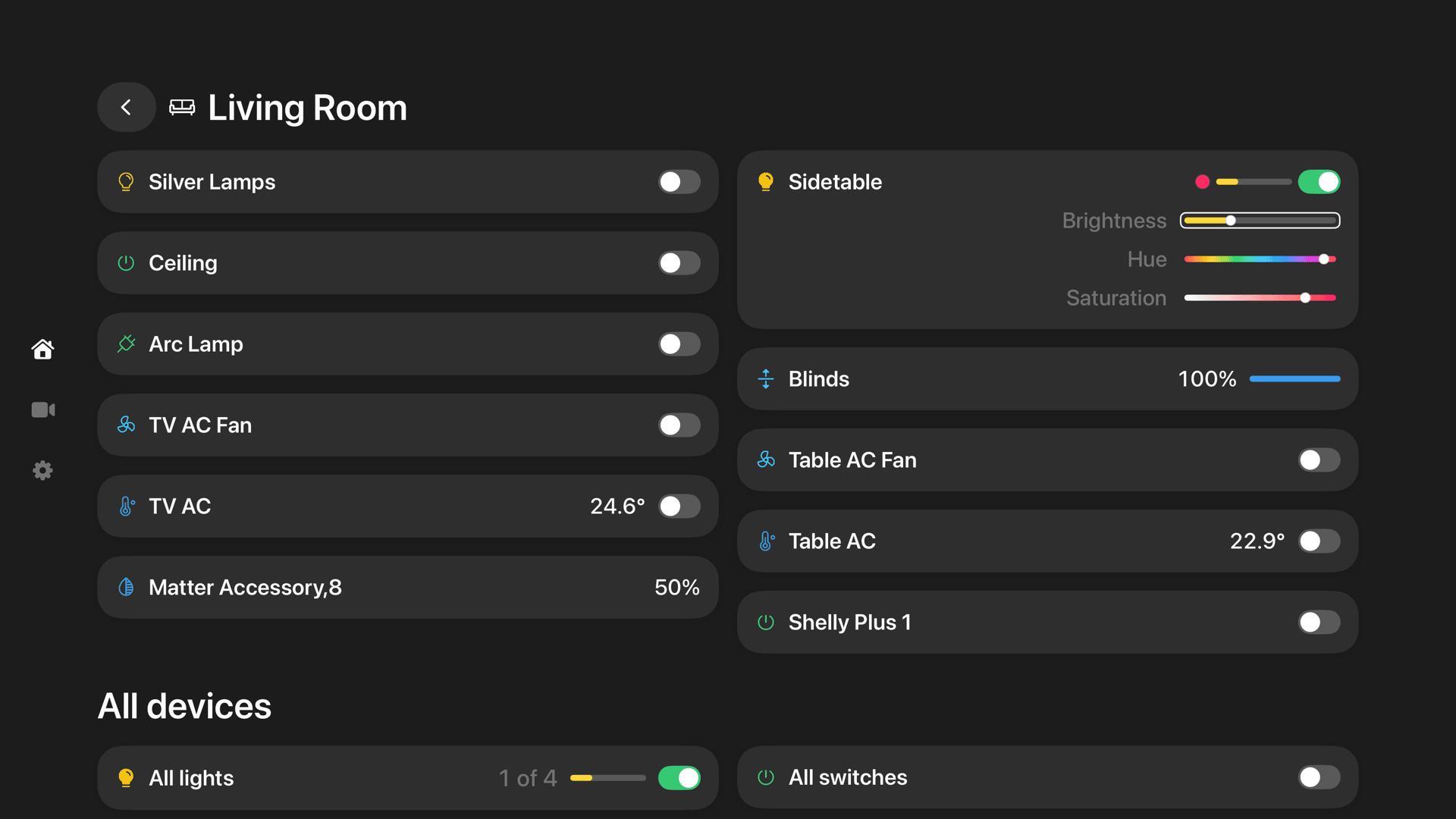
Itsyhome iOS app screenshot Itsyhome tvOS app screenshot
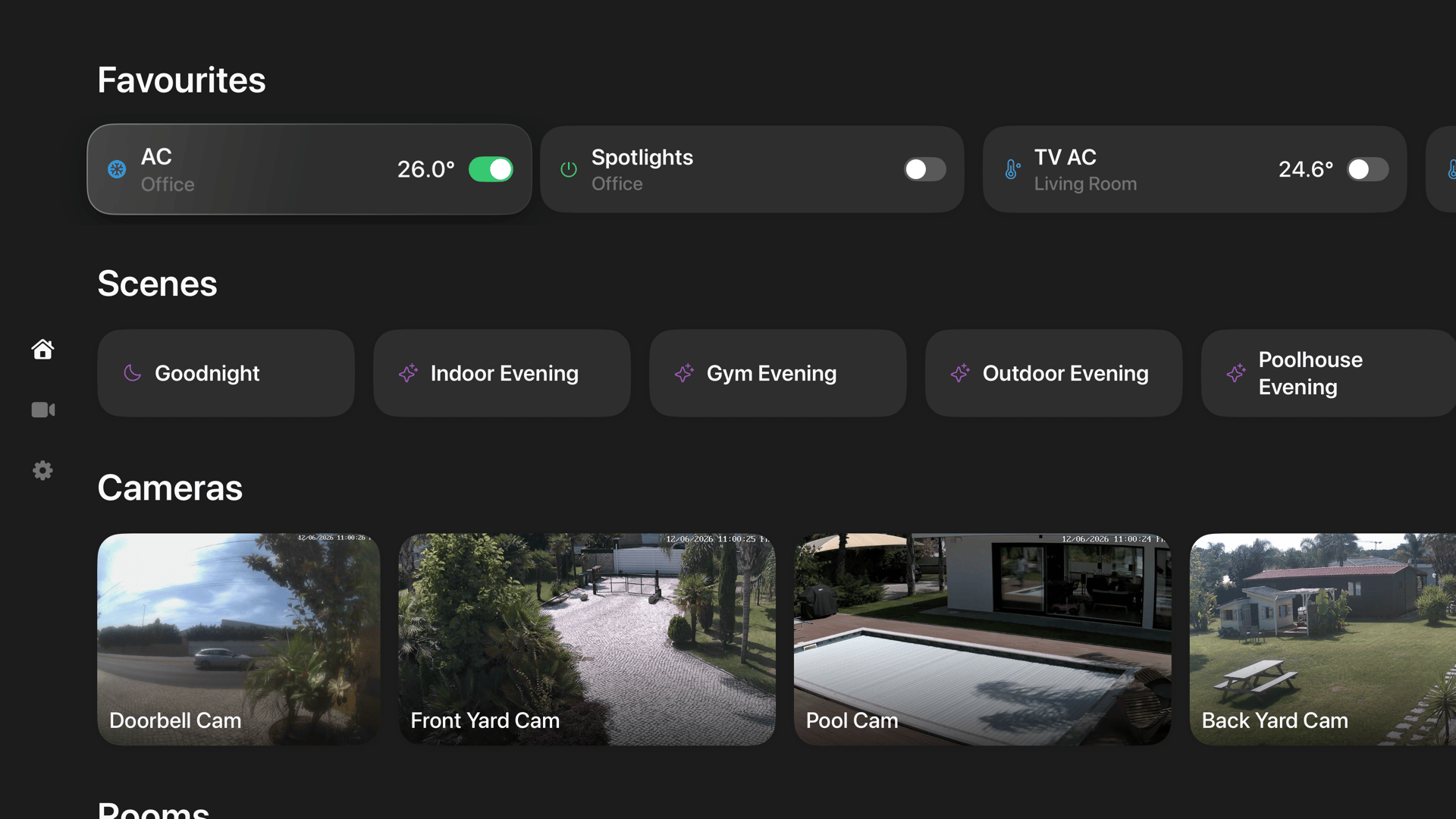
Itsyhome tvOS cameras screenshot
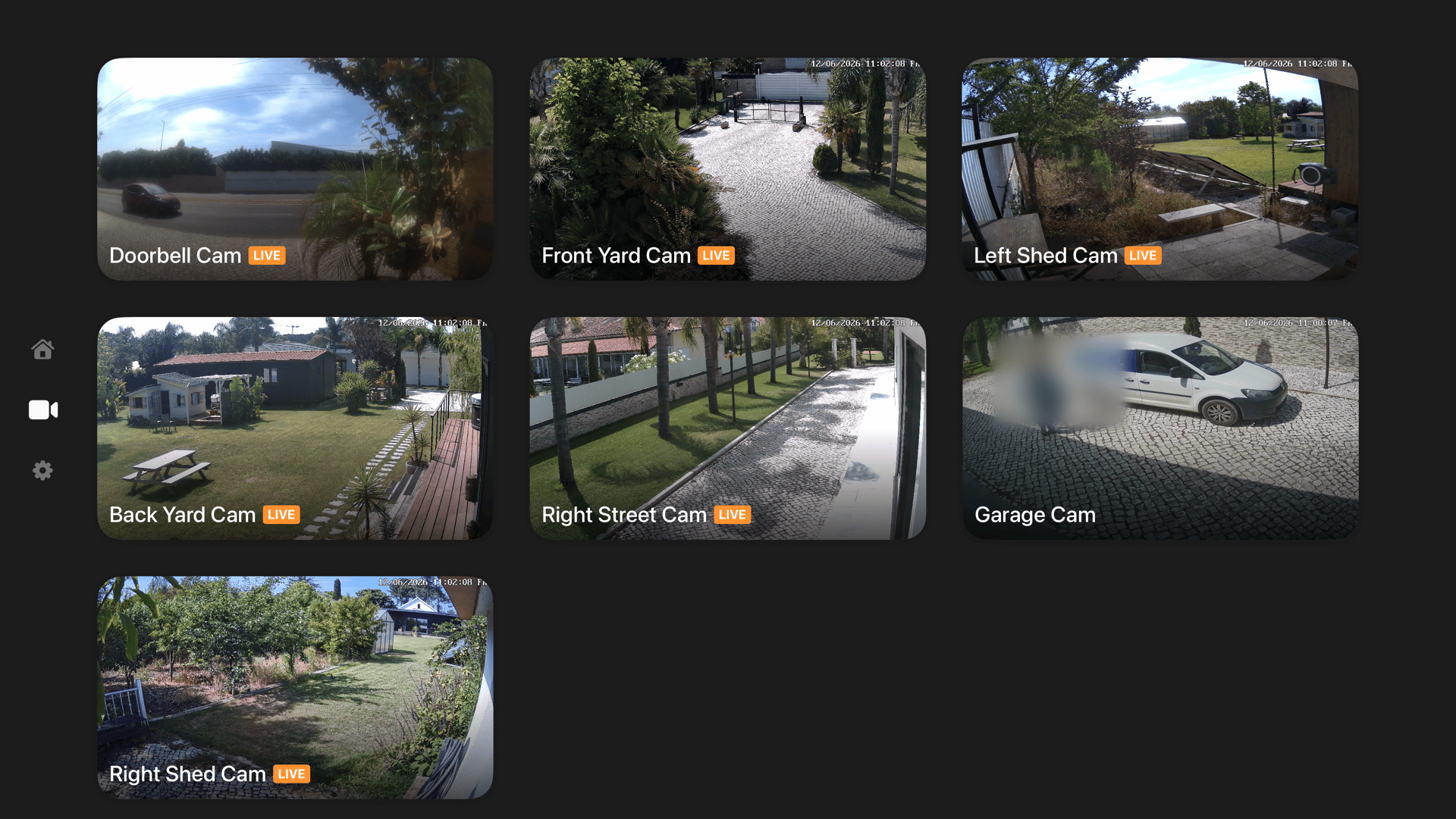
Itsyhome tvOS room screenshot
## Features - **Menu bar access** - Control your smart home from the macOS menu bar - **HomeKit support** - Full integration with Apple HomeKit devices and scenes - **Home Assistant support** - Connect to your Home Assistant server via WebSocket API - **Device groups** - Create custom groups to control multiple devices at once - **Auto groups** - Similar devices are folded into one-click groups ("All lights", "All blinds", ...) at the top level and in every room, with a master toggle and the member devices in a submenu. Reorderable and hideable like any section, on by default - **Scenes** - Execute and toggle scenes with automatic state tracking - **Favourites** - Pin frequently used devices, scenes, and groups to the top of the menu - **Multi-home support** - Switch between multiple HomeKit homes (HomeKit only) - **Native experience** - Built with AppKit for a true macOS look and feel - **Menu bar pinning** - Pin rooms, devices, scenes, groups, or auto groups as separate menu bar items with optional keyboard shortcuts - **Localized** - Available in 12 languages: English, German, Spanish, French, Italian, Japanese, Korean, Polish, Portuguese (Brazil), Russian, Chinese (Simplified and Traditional) - **iCloud sync** - Sync favourites, groups, and settings across your Macs *(Pro)* - **Deeplinks** - Control devices from Shortcuts, Alfred, Raycast, Stream Deck *(Pro)* - **Cameras** - Live multi-stream camera grid with custom layouts and overlay action buttons to control nearby accessories *(Pro)* - **Doorbell notifications** - Automatic camera view with live stream when a doorbell rings *(Pro)* - **Sensors** - Contact, motion, occupancy, leak, smoke, CO and CO2 sensors as read-only rows, with battery indicators and pinnable menu bar readings - **Webhooks/CLI** - Built-in HTTP server with a dedicated CLI tool *(Pro)* - **Event stream (SSE)** - Real-time device state changes via Server-Sent Events for external automation *(Pro)* - **Virtual HomeKit sensors** - Publish Itsyhome's own bridge to Apple Home with virtual sensors, driven by webhooks or built-in automations *(Pro)* - **Sensor history** - 30-day charts for temperature, humidity and binary sensors, right in the menu *(Pro)* - **[Itsytv](https://itsytv.app)** - Free companion app for controlling Apple TV from your menu bar ## Supported devices ### HomeKit | Device type | Features | |-------------|----------| | Lights | On/off, brightness slider, RGB color picker, color temperature picker | | Switches & Outlets | On/off toggle, in-use indicator for outlets | | Fans | On/off, speed slider, auto mode, rotation direction, swing mode | | Thermostats | Off/Heat/Cool/Auto modes, target temperature stepper, heating/cooling thresholds for Auto mode | | AC / Heater-Cooler | Auto/Heat/Cool modes, temperature control, swing mode toggle | | Blinds / Window coverings | Position slider, horizontal/vertical tilt control | | Locks | Lock/unlock toggle with status | | Garage doors | Open/close toggle, status display (opening/closing/stopped), obstruction detection | | Humidifiers & Dehumidifiers | Auto/Humidify/Dehumidify modes, humidity display, water level indicator, swing mode | | Air purifiers | Manual/Auto modes, speed slider, swing mode | | Valves | Open/close toggle, in-use indicator (irrigation, shower, faucet types) | | Security systems | Off/Stay/Away/Night modes, triggered state indicator | | Cameras | Live multi-stream grid with custom layouts, plus overlay action buttons to control nearby accessories *(Pro)* | | Doorbells | Automatic camera view on ring with live stream and configurable chime sound *(Pro)* | | Temperature & Humidity sensors | Summary display per room with ranges, or individual sensor rows | | Binary sensors | Contact, motion, occupancy, leak, smoke, CO and CO2 state rows with state-aware icons | | Battery-powered accessories | Inline battery level indicator next to the device name | ### Home Assistant Connects via WebSocket API for real-time updates. On first launch, choose your platform. Switch anytime in Settings → General. **Setup:** Profile → Security → Long-Lived Access Tokens → Create token → Enter server URL and token in Itsyhome settings. | Entity | Features | |--------|----------| | `light` | On/off, brightness slider, RGB color picker, color temperature picker | | `switch`, `input_boolean` | On/off toggle | | `fan` | On/off, speed slider, direction, oscillation | | `climate` | Off/Heat/Cool/Auto/Fan modes, target temperature, presets | | `cover` (blinds) | Position slider, tilt control | | `cover` (garage/gate) | Open/close toggle, status display (opening/closing/stopped) | | `lock` | Lock/unlock toggle with status | | `humidifier` | On/off, modes, target humidity | | `valve` | Open/close toggle | | `alarm_control_panel` | Off/Stay/Away/Night modes, triggered state indicator | | `camera` | Live snapshots and WebRTC streaming *(Pro)* | | `scene` | Activation with state tracking via scene config | | `binary_sensor` | Contact, motion, occupancy, moisture, smoke and CO classes map to dedicated rows; any other class shows On/Off | | `sensor` | Any numeric sensor (CO2, power, pressure, illuminance, ...) shows its value and unit with a device-class icon | **Notes:** - Entities are automatically grouped by device and area - Cameras require the `stream` integration for live video - Scene state tracking requires scenes created in the Home Assistant UI (not YAML) ## Itsyhome Pro ### Cameras View all your cameras at once in a live grid, right in the menu bar. Every HomeKit camera streams simultaneously; arrange them in 1-3 columns, mark cameras as full-width tiles, and resize the panel by dragging a corner - it stays anchored under the menu bar icon and remembers your size. Clicking a tile opens the camera full-panel with zoom, audio and push-to-talk, claiming the already-running stream so there is no renegotiation delay. Home Assistant cameras show snapshot tiles with tap-to-stream over WebRTC or HLS. Overlay action buttons let you control nearby accessories without leaving the camera view - toggle lights and outlets, open garage doors and gates, or lock and unlock doors. ### Doorbell notifications When a doorbell rings, the camera panel automatically opens in the top-right corner of the screen with a pinned live stream of the doorbell camera. Supports HomeKit doorbells and Home Assistant doorbell events. A configurable chime sound plays on ring. Both the automatic camera display and the sound can be independently toggled in Settings → Cameras. ### Virtual HomeKit sensors & automations Itsyhome can publish its own bridge to Apple Home over HAP, carrying read-only virtual sensors (contact, motion, occupancy, leak, smoke, CO, CO2). Manage them in Settings → HomeKit bridge and pair by scanning a QR code (or typing the setup code); pairings and the bridge identity persist across restarts, with the identity key stored in the Keychain. Sensor state is set by name through the regular webhook verbs, or by built-in automations: "WHEN a HomeKit accessory holds a state FOR a duration THEN set a virtual sensor", with optional re-pulsing - so Apple Home can automate on conditions HomeKit can't compute itself, like "door open for 15 minutes". HomeKit mode only. ### Sensor history Opt-in 30-day history for every sensor, shown as a chart in the sensor's submenu: a line for temperature and humidity (thermostat and AC current temperature included), an on/off timeline for binary sensors, with hover readout and a 24h/7d/30d range toggle. Captured off the existing update path - no extra polling - and stored locally per home. Periods when nothing was recording (app closed, Mac asleep) show as gaps in the chart. Enable it in Settings → Advanced. ### iCloud sync Sync your favourites, hidden items, device groups, shortcuts, and pinned items across all your Macs. ### Deeplinks Control your smart home devices from external apps using URL schemes. Perfect for Shortcuts, Alfred, Raycast, Stream Deck, and other automation tools. Works with both HomeKit and Home Assistant. **URL format:** ``` itsyhome:/// ``` **Actions:** | Action | URL format | Example | |--------|-----------|---------| | Toggle | `itsyhome://toggle//` | `itsyhome://toggle/Office/Spotlights` | | Turn on | `itsyhome://on//` | `itsyhome://on/Kitchen/Light` | | Turn off | `itsyhome://off//` | `itsyhome://off/Bedroom/Lamp` | | Brightness | `itsyhome://brightness/<0-100>//` | `itsyhome://brightness/50/Office/Lamp` | | Position | `itsyhome://position/<0-100>//` | `itsyhome://position/75/Living%20Room/Blinds` | | Speed | `itsyhome://speed/<0-100>//` | `itsyhome://speed/50/Bedroom/Ceiling%20Fan` | | Temperature | `itsyhome://temp///` | `itsyhome://temp/22/Hallway/Thermostat` | | Color | `itsyhome://color////` | `itsyhome://color/120/100/Bedroom/Light` | | Scene | `itsyhome://scene/` | `itsyhome://scene/Goodnight` | | Lock | `itsyhome://lock//` | `itsyhome://lock/Front%20Door` | | Unlock | `itsyhome://unlock//` | `itsyhome://unlock/Front%20Door` | | Open | `itsyhome://open//` | `itsyhome://open/Garage/Door` | | Close | `itsyhome://close//` | `itsyhome://close/Bedroom/Blinds` | | Arm stay | `itsyhome://arm/stay//` | `itsyhome://arm/stay/Hall/Alarm` | | Arm away | `itsyhome://arm/away//` | `itsyhome://arm/away/Hall/Alarm` | | Arm night | `itsyhome://arm/night//` | `itsyhome://arm/night/Hall/Alarm` | | Disarm | `itsyhome://disarm//` | `itsyhome://disarm/Hall/Alarm` | **Target formats:** - `Room/Device` - Device in specific room (e.g., `Office/Spotlights`) - `Room/group.Name` - Group scoped to a room (e.g., `Office/group.All%20Lights`) - `group.Name` - Global group (e.g., `group.Office%20Lights`) **Testing from terminal:** ```bash open "itsyhome://toggle/Office/Spotlights" open "itsyhome://toggle/Office/group.All%20Lights" open "itsyhome://toggle/group.Office%20Lights" open "itsyhome://scene/Goodnight" open "itsyhome://brightness/50/Bedroom/Lamp" ``` **Note:** Spaces in room or device names must be URL-encoded as `%20`. ### Webhooks/CLI A built-in HTTP server that lets you control and query your smart home devices from any tool on your network — terminal, scripts, other apps, or the dedicated [itsyhome CLI](https://github.com/nickustinov/itsyhome-cli). Works with both HomeKit and Home Assistant. Enable the server in Settings → Webhooks/CLI. Default port: `8423`. The server can optionally be bound to a single interface address (e.g. a Tailscale mesh IP) so it's reachable over a private network only. **Control endpoints:** ```bash curl http://localhost:8423/toggle/Office/Spotlights curl http://localhost:8423/on/Kitchen/Light curl http://localhost:8423/off/Bedroom/Lamp curl http://localhost:8423/brightness/50/Office/Lamp curl http://localhost:8423/position/75/Living%20Room/Blinds curl http://localhost:8423/speed/50/Bedroom/Ceiling%20Fan curl http://localhost:8423/temp/22/Hallway/Thermostat curl http://localhost:8423/heat/19/Hallway/Thermostat # heating threshold (auto-mode) curl http://localhost:8423/cool/23/Hallway/Thermostat # cooling threshold (auto-mode) curl http://localhost:8423/mode/auto/Hallway/Thermostat # off | heat | cool | auto | heat_cool | dry | fan_only curl http://localhost:8423/color/120/100/Bedroom/Light curl http://localhost:8423/scene/Goodnight # activate scene curl http://localhost:8423/off/scene/Goodnight # deactivate scene (Apple Home semantics) curl http://localhost:8423/lock/Front%20Door curl http://localhost:8423/unlock/Front%20Door curl http://localhost:8423/open/Garage/Door curl http://localhost:8423/close/Bedroom/Blinds curl http://localhost:8423/arm/stay/Hall/Alarm curl http://localhost:8423/arm/away/Hall/Alarm curl http://localhost:8423/arm/night/Hall/Alarm curl http://localhost:8423/disarm/Hall/Alarm curl http://localhost:8423/refresh ``` **Query endpoints:** | Endpoint | Description | |----------|-------------| | `/status` | Home summary (rooms, devices, reachable/unreachable counts) | | `/list/rooms` | List all rooms, with the Phosphor icon used in the menubar | | `/list/devices` | List all devices with type and reachability | | `/list/devices/` | List devices in a specific room | | `/list/scenes` | List all scenes. Items include `state: { on }` when the scene's "active" state can be computed (HomeKit scenes with a granular action list); omitted otherwise so clients fall back to fire-only | | `/list/groups` | List all device groups (includes room info for room-scoped groups) | | `/list/groups/` | List groups available in a specific room (room-scoped + global) | | `/list/favourites` | List items pinned as favourites (services, device groups, scenes, rooms). Alias: `/list/favorites` | | `/info/` | Detailed device/room info with current state. Battery-powered accessories include `battery` (0-100) and `batteryLow`. For scenes, includes `state: { on }` matching `/list/scenes` | | `/icon/` | PNG of a Phosphor icon. Query params: `?fill=1` for filled variant, `?size=64` for size in pixels | | `/events` | SSE event stream for real-time characteristic changes | List responses respect the user's drag ordering from Settings → Accessories, and hidden items are filtered out (a specific `/info/` lookup still works for hidden items). **Event stream (SSE):** Stream real-time device state changes using [Server-Sent Events](https://developer.mozilla.org/en-US/docs/Web/API/Server-sent_events). Connect with `curl -N` or any SSE client (including `EventSource` in browsers). Only actual value changes are emitted — read refreshes are filtered out. ```bash curl -N http://localhost:8423/events ``` Each event is a JSON object on a `data:` line: ``` data: {"characteristic":"brightness","characteristicId":"ABC-123","device":"Desk Lamp","entityId":"light.desk_lamp","room":"Office","serviceId":"DEF-456","timestamp":"2026-02-09T14:30:00Z","type":"light","value":75} ``` | Field | Description | |-------|-------------| | `device` | Human-readable device name | | `room` | Room the device belongs to | | `type` | Device type (`light`, `switch`, `thermostat`, `blinds`, etc.) | | `characteristic` | Characteristic that changed (`power`, `brightness`, `current-temperature`, etc.) | | `value` | New value (type varies: boolean, integer, double) | | `characteristicId` | UUID of the characteristic | | `serviceId` | UUID of the service | | `entityId` | Home Assistant entity ID (only present for HA devices) | | `timestamp` | ISO 8601 timestamp | Multiple clients can connect simultaneously. A `: heartbeat` comment is sent every 15 seconds to keep connections alive. **Response format:** ```json {"status": "success"} {"status": "error", "message": "device not found"} ``` **CLI tool:** Install the dedicated CLI for a better terminal experience: ```bash brew install nickustinov/tap/itsyhome ``` See [itsyhome-cli](https://github.com/nickustinov/itsyhome-cli) for full documentation. ### Stream Deck Control your smart home devices directly from an Elgato Stream Deck using the [Itsyhome Stream Deck plugin](https://marketplace.elgato.com/product/itsyhome-c1aadf59-d8ef-4ac0-8af2-0e2e0bf950a2). Works with both HomeKit and Home Assistant. Requires the webhook server to be enabled. [![Stream Deck](https://github.com/nickustinov/itsyhome-streamdeck/raw/main/itsyhome-streamdeck.png)](https://marketplace.elgato.com/product/itsyhome-c1aadf59-d8ef-4ac0-8af2-0e2e0bf950a2) **Actions:** | Action | Description | |--------|-------------| | Switch/Outlet | Toggle a switch or outlet on/off | | Execute scene | Trigger a HomeKit scene | | Light | Toggle a light on/off with optional target brightness | | Fan | Toggle a fan on/off with speed display | | Humidifier | Toggle a humidifier/dehumidifier on/off with humidity display | | Lock | Lock/unlock with optimistic feedback | | AC | Toggle thermostat/AC with mode-aware icons (heat/cool/auto) | | Status | Display temperature or humidity readings | | Blinds | Open/close blinds with position display | | Garage door | Open/close garage door with state feedback | | Security system | Arm/disarm a security system with mode selection (HomeKit only) | | Group | Turn on/off a device group with partial count display | Features include color-coded icons per device type, dynamic state display, live state polling, optimistic updates for slow devices (locks, garage doors), custom on/off colors, and optional labels for multi-button setups. Source code: [itsyhome-streamdeck](https://github.com/nickustinov/itsyhome-streamdeck) ### Even Realities G2 Itsyhome is available on [Even Realities G2 smartglasses](https://evenhub.evenrealities.com/landing?package_id=com.itsyhome.eveng2). Control your home hands-free, using the R1 smart ring or your voice: browse rooms with a swipe, toggle lights with a tap, adjust the thermostat – every accessory and group in your house, right from the temple touchpad. [![Itsyhome on Even Realities G2](even-g2.png)](https://evenhub.evenrealities.com/landing?package_id=com.itsyhome.eveng2) ### OpenClaw (AI agent) Control your smart home with natural language via [OpenClaw](https://openclaw.ai). The [itsyhome-control](https://clawhub.ai/skills/itsyhome-control) skill connects your AI agent to the webhook server, enabling commands like "turn off the living room lights" or "set bedroom brightness to 40%". Requires the webhook server to be enabled. ```bash clawhub install itsyhome-control ``` ## Itsytv — the perfect companion
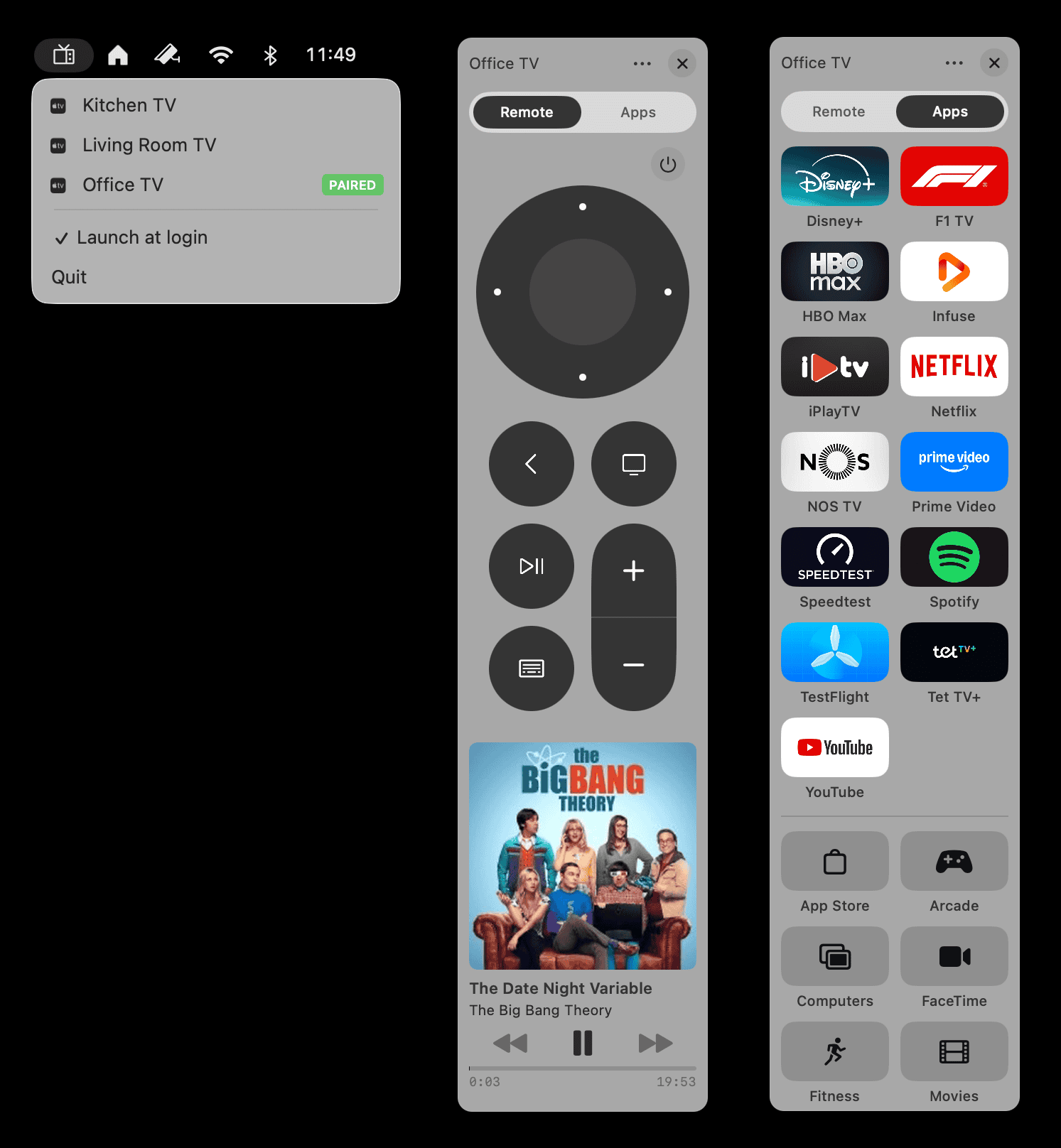
Itsytv app screenshot **[Itsytv](https://itsytv.app)** is a free, open-source macOS menu bar app for controlling Apple TV — the missing remote app for your Mac. - Full D-pad and playback remote - Now playing widget with live progress - Browse and launch Apple TV apps - Keyboard shortcuts for quick control - Text input for searches and passwords - Multi-device support - End-to-end encrypted, no tracking Built with Swift and SwiftUI. Free forever, MIT licensed. **[itsytv.app](https://itsytv.app)** · [GitHub](https://github.com/nickustinov/itsytv-macos)
## Requirements - macOS 14.0 or later - Xcode 15.0 or later - [XcodeGen](https://github.com/yonaskolb/XcodeGen) for project generation - Apple Developer account with HomeKit entitlement (for HomeKit mode) - Home Assistant server with long-lived access token (for Home Assistant mode) ## How it works **HomeKit mode:** 1. The Catalyst app initializes HomeKit and monitors for device updates 2. Device data is serialized to JSON and passed to the macOS plugin 3. The plugin renders custom `NSMenuItem` views with controls 4. User interactions are sent back to the Catalyst app to execute HomeKit commands **Home Assistant mode:** 1. The macOS plugin connects directly to Home Assistant via WebSocket 2. Entity states are fetched and mapped to the common `MenuData` format 3. Real-time state changes are received via WebSocket subscriptions 4. User interactions call Home Assistant services directly via the REST API ## Debugging Startup diagnostics logging can be enabled by setting `StartupLogger.enabled = true` in `macOSBridge/Utilities/StartupLogger.swift`. Logs are emitted via `os_log` with subsystem `com.nickustinov.itsyhome` and category `Startup`, viewable in Console.app or via: ```bash log stream --predicate 'subsystem == "com.nickustinov.itsyhome"' --level info ``` **Home Assistant debugging:** For local testing without real hardware, run the Home Assistant demo: ```bash docker run -d --name homeassistant -p 8123:8123 ghcr.io/home-assistant/home-assistant:stable ``` Then navigate to `http://localhost:8123`, create an account, and generate a long-lived access token. ### Webhook debug endpoints When the webhook server is running, these debug endpoints are available: | Endpoint | Description | |---|---| | `GET /debug/` | Returns characteristics, service type, limits, room, and reachability for a specific device or service matched by name | | `GET /debug/all` | Dumps all accessories with their services, rooms count, and scenes count | | `GET /debug/raw` | Returns the complete raw HomeKit data dump from the iOS bridge including service groups, zones, action sets, and triggers | | `GET /debug/cameras` | Probes all camera entities – snapshot, HLS, and WebRTC connectivity tests with timing. Tokens are redacted. | | `GET /debug/cameras/` | Same as above for a single camera (e.g. `camera.front_door`) | Example using curl: ```bash curl http://localhost:/debug/all curl http://localhost:/debug/Living%20Room%20Light curl http://localhost:/debug/raw curl http://localhost:/debug/cameras curl http://localhost:/debug/cameras/camera.front_door ``` ## License MIT License © 2026 Nick Ustinov - see [LICENSE](LICENSE) for details. ## Author **Nick Ustinov** - Email: nick@ustinov.cc - Website: [itsyhome.app](https://itsyhome.app) - GitHub: [@nickustinov](https://github.com/nickustinov) ## Links - **Website**: [itsyhome.app](https://itsyhome.app) - **Issues**: [GitHub Issues](https://github.com/nickustinov/itsyhome-macos/issues) ## Contributing Contributions are welcome! Please feel free to submit issues and pull requests.