# Itsytv
[](https://github.com/nickustinov/itsytv-macos/releases/latest)
[](https://github.com/nickustinov/itsytv-macos/releases)
[](LICENSE)
[](https://swift.org)
[](https://www.apple.com/macos/sonoma/)
[](https://formulae.brew.sh/cask/itsytv)
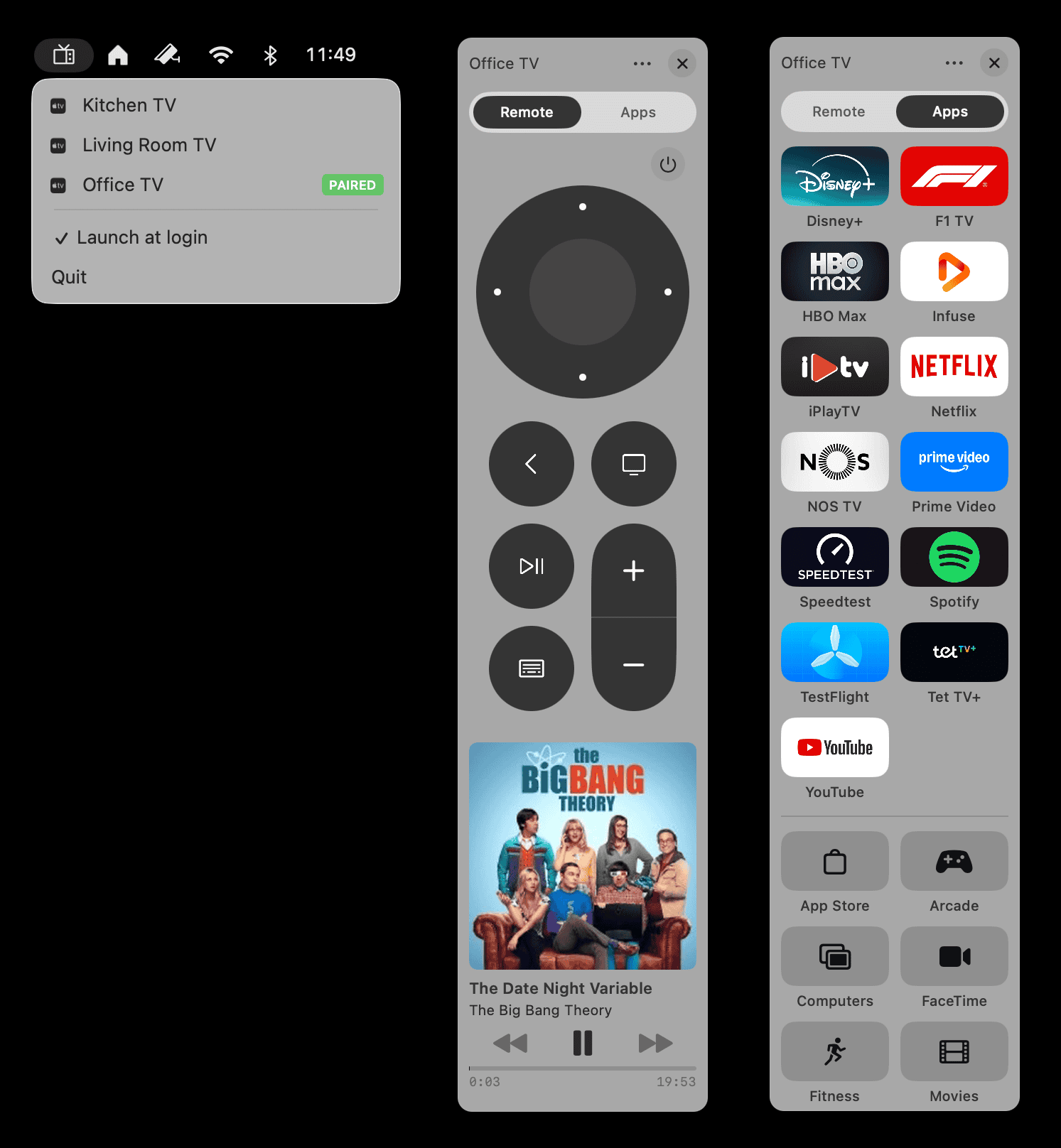
A native macOS menu bar app for controlling your Apple TV. macOS has no built-in Apple TV remote – Itsytv fills the gap: d-pad, keyboard navigation, live text input, now playing, and an app launcher, speaking the same local-network protocol the Siri Remote uses. Free and open source (MIT), installable via Homebrew.
[](https://apps.apple.com/app/itsytv/id6759216148)
## Also on iPhone
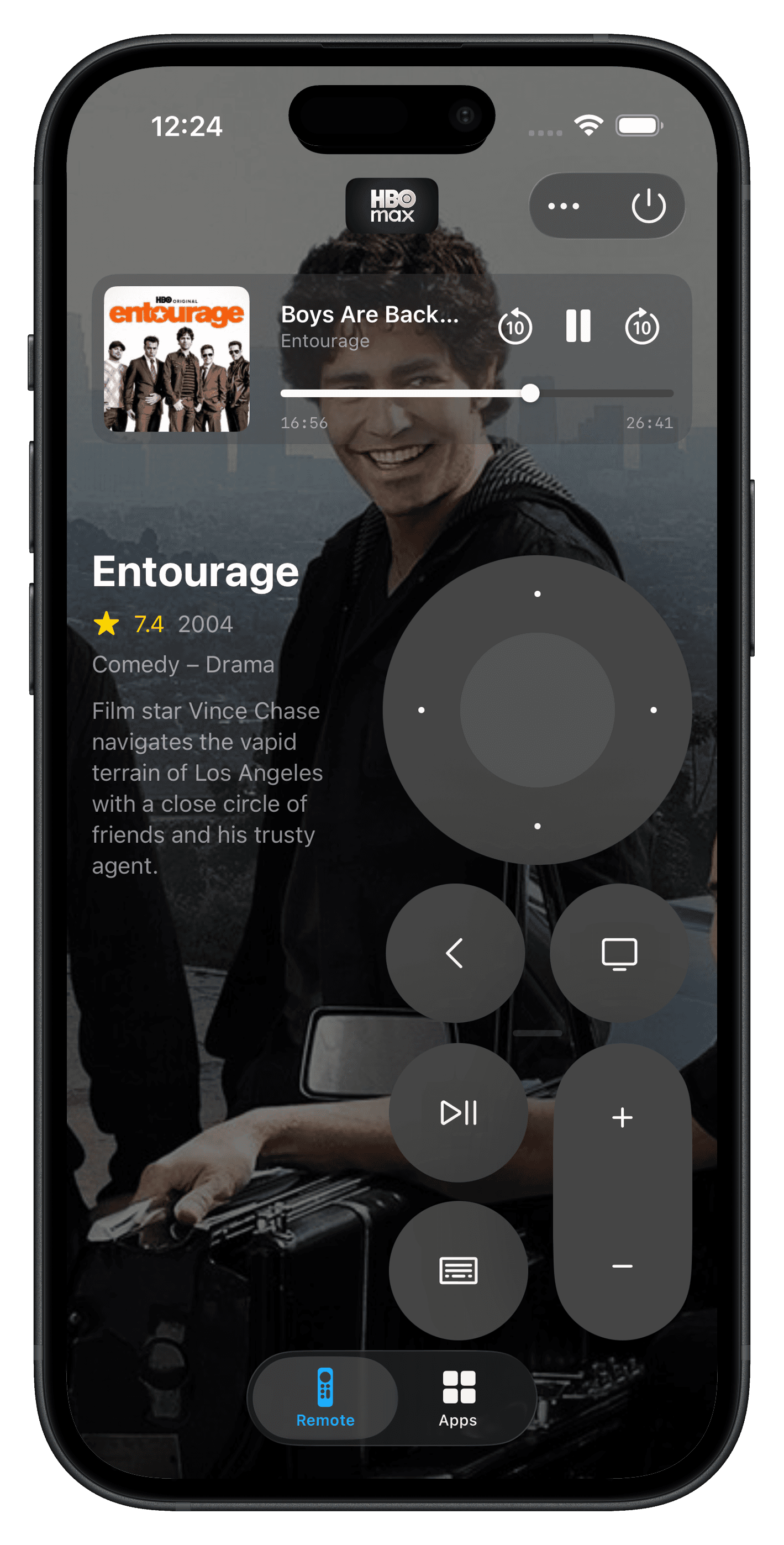
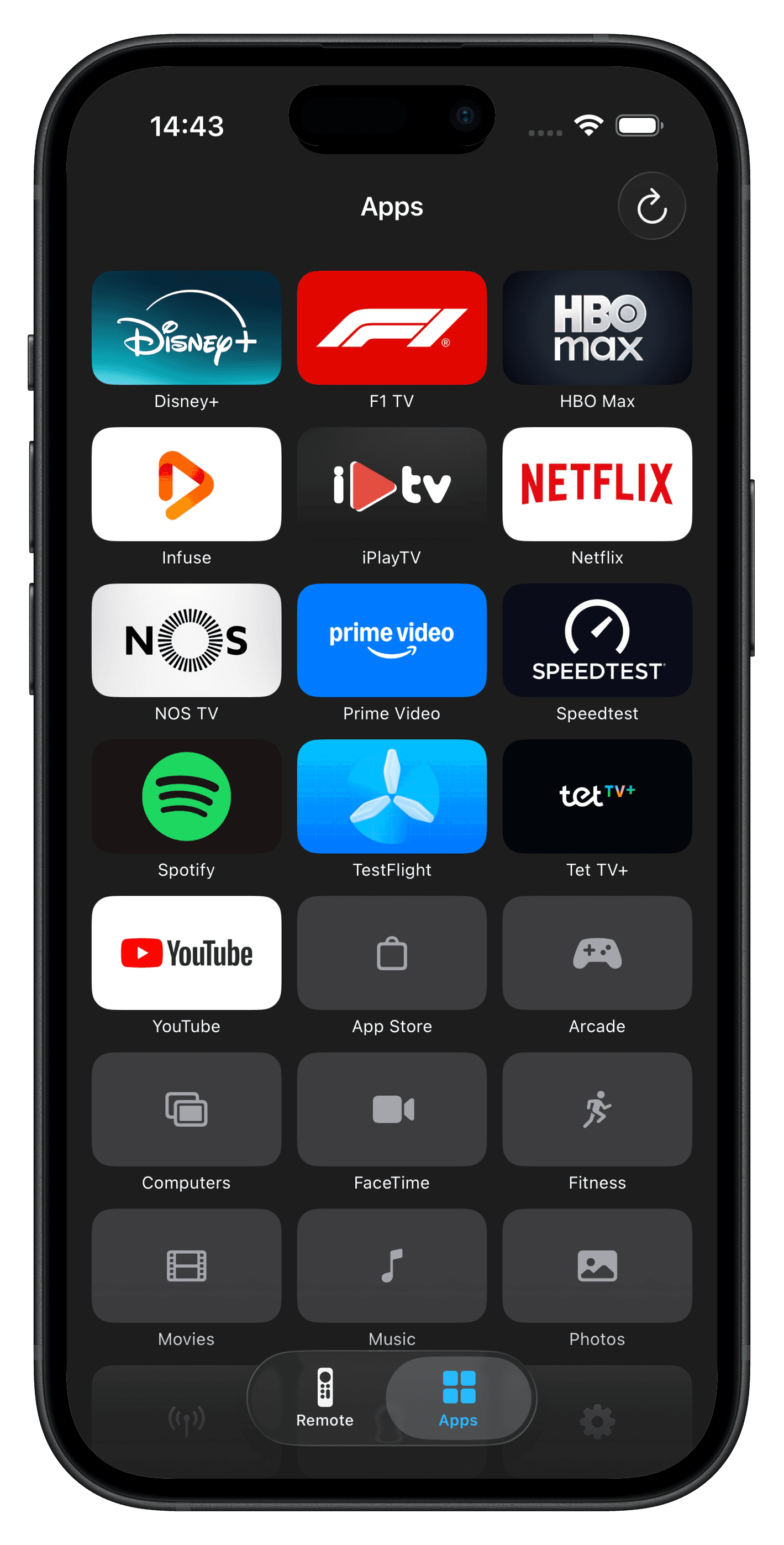
Itsytv is now available on iOS with the same core experience plus features designed for mobile:
- **TMDB lookup** for what's playing – poster art, ratings, and details for movies and TV shows
- **Ergonomic design** for left- and right-handed use
[](https://apps.apple.com/app/itsytv/id6759216148)
## Features
- **Menu bar remote** – control your Apple TV from a compact floating panel
- **D-pad and buttons** – circular d-pad with directional navigation, select, home, menu/back, play/pause
- **Keyboard navigation** – arrow keys, Return, Backspace, Escape, Space mapped to remote buttons
- **Text input** – type directly into Apple TV text fields with a live keyboard
- **Now playing** – artwork, title, artist, progress bar, and playback controls
- **App launcher** – grid of installed apps with icons fetched from the App Store; drag to reorder
- **Multiple devices** – pair and switch between multiple Apple TVs
- **Global hotkeys** – assign keyboard shortcuts to instantly open the remote for specific Apple TVs
- **Per-device panel position** – remembers where you placed the remote for each Apple TV
- **Launch at login** – optional auto-start from the menu bar
- **Unpair** – remove pairing credentials from the panel menu
- **AppleScript & Shortcuts** – script play/pause from anything that runs AppleScript
## AppleScript and Shortcuts automation
Itsytv exposes AppleScript commands, so the Apple TV becomes scriptable from Shortcuts, Keyboard Maestro, Hammerspoon, Raycast, or a plain shell:
```bash
osascript -e 'tell application "itsytv" to pause'
osascript -e 'tell application "itsytv" to play'
```
Both commands are no-ops when nothing is playing, so they are safe to fire blindly. Some ideas:
- A Shortcuts automation that pauses the Apple TV when a calendar meeting starts (Run AppleScript action)
- A Hammerspoon or Keyboard Maestro hotkey that toggles playback without touching a remote
- A cron job or `at` timer that pauses playback at bedtime
There is also a Shortcuts action to open the remote panel for a specific Apple TV – handy on a Stream Deck.
## Perfect companion to Itsyhome
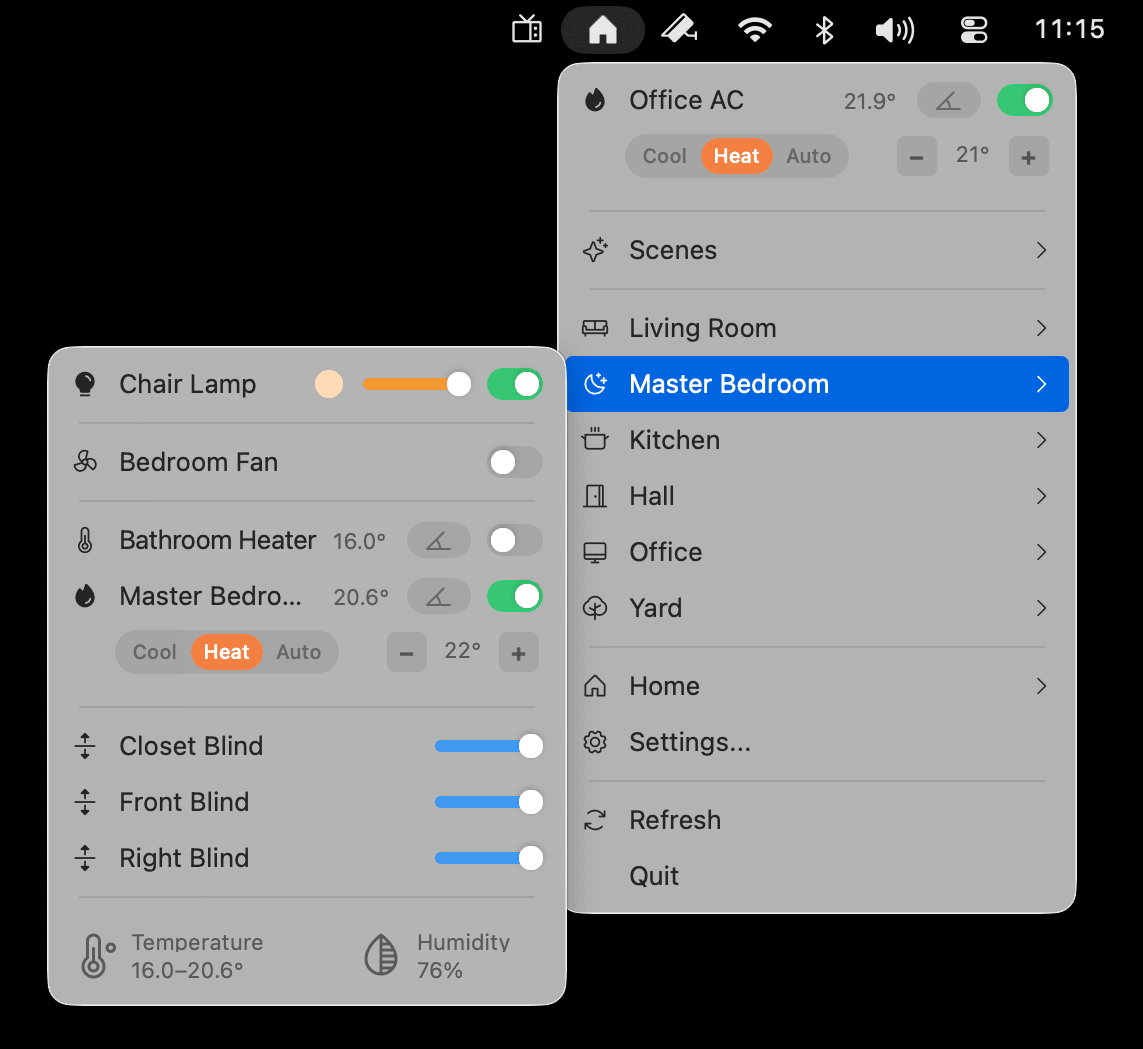
Itsytv pairs naturally with [Itsyhome](https://itsyhome.app) – a free macOS menu bar app for controlling your HomeKit devices. Manage lights, cameras, thermostats, locks, scenes, and 18+ accessory types without ever opening the Home app.
## Install
```bash
brew install --cask itsytv
```
Or download the latest DMG from [GitHub releases](https://github.com/nickustinov/itsytv-macos/releases).
## Troubleshooting
### Apple TV doesn't show a PIN code when pairing
If you send a pairing request but no PIN appears on your TV screen, your Apple TV is likely restricting which devices can connect to it. To fix this:
1. Open **Settings > AirPlay and Apple Home** on your Apple TV
2. Set **Allow access** to **Anyone on the same network**
3. Set **Require Password** to **Off** (after pairing is completed, Require Password can be turned back on)
4. Go to **Settings > General > Restrictions**
5. Set both **AirPlay Settings** and **Remote App Pairing** to **Allow**
The settings in step 2 and 5 need to stay on this value for itsytv to maintain a connection to your Apple TV.
### Remote disappears after a few seconds
If the remote panel closes on its own shortly after connecting, your Apple TV's AirPlay access setting is likely set to **Only people sharing this home**. Open **Settings** on your Apple TV, go to **AirPlay and Apple Home**, and change **Allow access** to **Anyone on the same network**.
### Nothing happens when I launch the app
Itsytv is a menu bar app – it lives in the top-right area of your screen as a small TV icon, not in the Dock. On MacBooks with a notch, macOS hides menu bar icons that don't fit behind the notch – silently, with no warning. If your menu bar is crowded, the itsytv icon may be there but invisible.
To fix this, hold **Cmd** and drag any icons you don't need off the menu bar. Once itsytv appears, Cmd-drag it to the right so it stays visible.
## FAQ
**Is it free?**
On the Mac, yes – free via Homebrew or the DMG, MIT-licensed open source. The [Mac App Store version](https://apps.apple.com/app/itsytv/id6759216148) is a one-time $4.99 universal purchase that also covers iPhone and iPad. No subscription, ads, or in-app purchases anywhere.
**Which Apple TVs work?**
Apple TV 4th generation or later running tvOS 15+, on the same local network as the Mac. Older Apple TVs don't support the protocol.
**Do I need the physical Siri Remote to pair?**
No. The Apple TV shows a four-digit PIN on the TV screen and you type it into Itsytv. Credentials are stored in the macOS Keychain and the connection is end-to-end encrypted.
**How is this different from other Apple TV remote apps?**
Itsytv speaks Apple's native MediaRemote/Companion protocol over the local network – the same one the Siri Remote uses – so input is instant, with no cloud service or polling in between. Most remote apps in this category charge a subscription; Itsytv doesn't, and on the Mac you can read the source to verify what it does.
**Can it change the TV volume?**
Yes, when the Apple TV controls volume over HDMI-CEC (Settings → Remotes and Devices → Volume Control on the Apple TV). Learned infrared volume codes only work from the physical remote, since Macs have no IR blaster.
More guides: [control Apple TV from your Mac](https://itsytv.app/en/guides/control-apple-tv-from-mac) · [Apple TV pairing troubleshooting](https://itsytv.app/en/apple-tv-pairing) · [all Apple TV remote guides](https://itsytv.app/en/guides)
## Architecture
This app is a thin macOS UI layer on top of [itsytv-core](https://github.com/nickustinov/itsytv-core) – a Swift package that implements the Apple TV Companion Link and AirPlay protocols. The same core powers both the macOS and iOS apps.
```
itsytv-macos/
├── itsytvApp.swift # App entry point
├── UI/
│ ├── AppController.swift # NSStatusItem, menu, floating panel, keyboard monitor
│ ├── MenuBarView.swift # SwiftUI views: remote, now playing, app grid
│ └── AppIconLoader.swift # App icons from iTunes Lookup API
├── DesignSystem/
│ ├── DesignSystem.swift # Colours, typography, spacing, sizing tokens
│ └── HighlightingMenuItemView.swift
├── AppIntents/
│ └── OpenRemoteIntent.swift # Shortcuts action to open the remote for a specific Apple TV
├── MRP/
│ └── Proto/ # Protobuf definitions (.proto files)
└── Utilities/
├── UpdateChecker.swift # GitHub release checker
└── HotkeyManager.swift # Global hotkey registration
```
All protocol, crypto, discovery, and device management code lives in [itsytv-core](https://github.com/nickustinov/itsytv-core).
## Requirements
- macOS 14.0 or later
- Xcode 16.0 or later
- [XcodeGen](https://github.com/yonaskolb/XcodeGen) for project generation
- Apple TV running tvOS 15 or later on the same local network
## Setup
### 1. Clone the repositories
```bash
git clone https://github.com/nickustinov/itsytv-macos.git
git clone https://github.com/nickustinov/itsytv-core.git
```
Both repositories must be side by side – the Xcode project references `../itsytv-core` as a local Swift package.
### 2. Install XcodeGen
```bash
brew install xcodegen
```
### 3. Generate the Xcode project
```bash
cd itsytv-macos
xcodegen generate
```
### 4. Open and run
```bash
open itsytv.xcodeproj
```
Select the **itsytv** scheme and run.
## Building
The project uses XcodeGen to generate the Xcode project from `project.yml`. After making changes to project configuration:
```bash
xcodegen generate
```
## Releasing
1. Bump `MARKETING_VERSION` and `CURRENT_PROJECT_VERSION` in `project.yml`
2. Update `CHANGELOG.md`
3. Build, sign, and package the DMG:
```bash
bash scripts/build-release.sh
```
4. Notarize and staple:
```bash
xcrun notarytool submit dist/Itsytv-.dmg \
--apple-id --team-id \
--password --wait
xcrun stapler staple dist/Itsytv-.dmg
```
5. Create the GitHub release:
```bash
gh release create v dist/Itsytv-.dmg \
--title "v" --notes "Release notes here"
```
6. **Homebrew cask** – itsytv is in the official [homebrew-cask](https://formulae.brew.sh/cask/itsytv) repository with autobump enabled. BrewTestBot automatically detects new GitHub releases and opens a PR within ~3 hours. No manual action needed.
## License
MIT License (c) 2026 Nick Ustinov – see [LICENSE](LICENSE) for details.
## Author
**Nick Ustinov** – [@nickustinov](https://github.com/nickustinov)
## Acknowledgements
Protocol implementation informed by [pyatv](https://github.com/postlund/pyatv), the comprehensive Python library for Apple TV control.