---
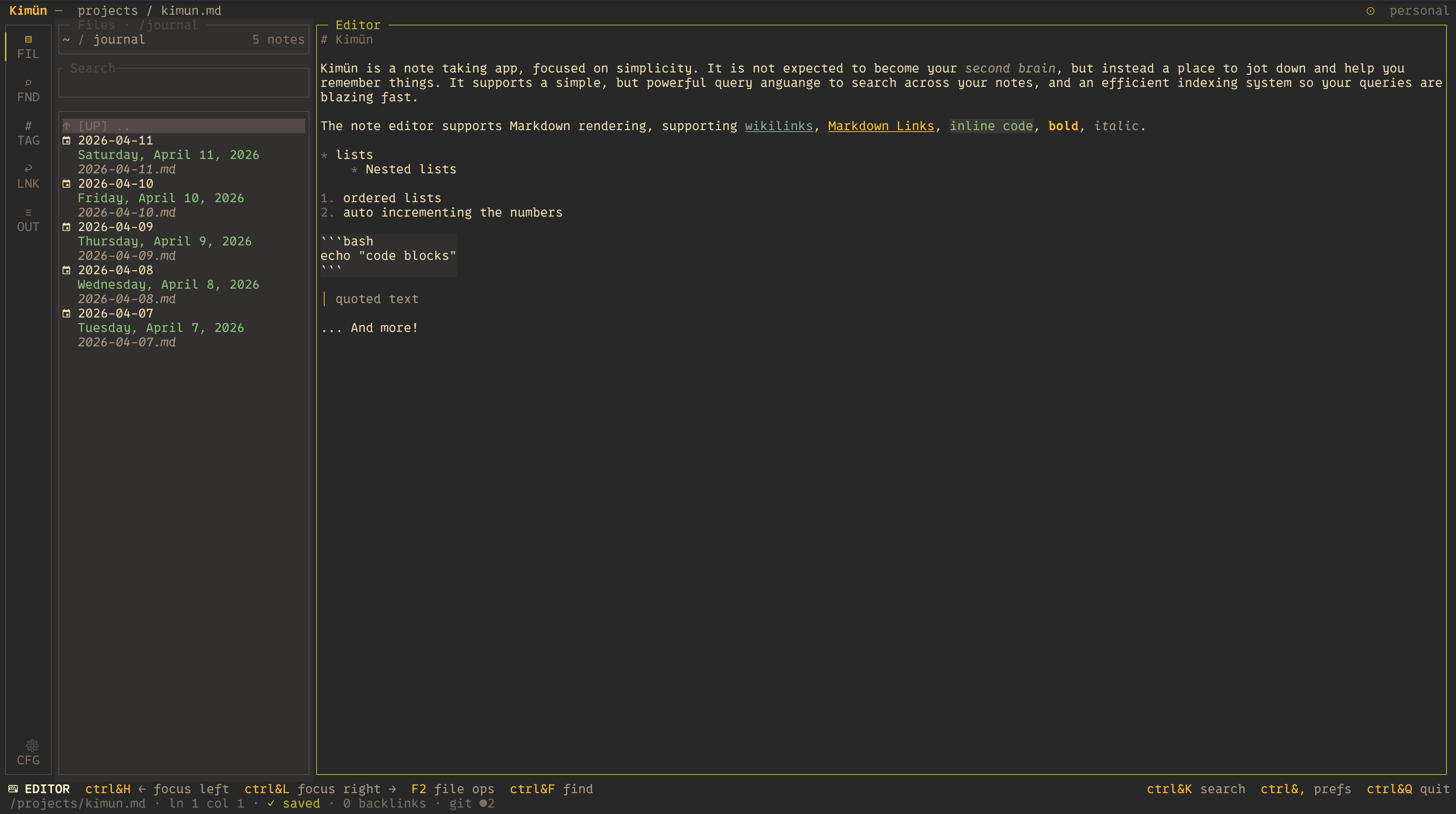
**Kimün** is a fast, terminal-based, batteries included notes application focused on simplicity and powerful search. Local-first; you own the notes.
It doesn't try to be a bloated, all-in-one life-management tool or a _second brain_ (some of us struggle with a single brain already!). Instead, it serves as a minimalist local-first vault that seamlessly weaves into your existing developer terminal environment. Because your notes are stored as plain Markdown files, it plays beautifully alongside tools like **Obsidian**, **Logseq**, or **QOwnNotes** giving you a fast TUI/CLI alternative right in your shell.
### USERS BEWARE: Kimün is in heavy development; configuration and custom themes may break with newer updates. If the app fails to start after an update, remove your configuration file so a new one is generated.
---
## 🚀 Quick Start
Two commands and you're taking notes:
```bash
# 1. Install (macOS & Linux)
curl -fsSL https://kimun.2co.dev/install.sh | sh
# 2. Run
kimun
```
First launch greets you with a little setup screen (I worked on that little
animation more than I'm willing to confess): point it at a folder for
your notes and you're in. Hit `Ctrl+K` to search, `Ctrl+W` to jot something
down quick, type in the file browser search field to filter or create a new
note. That's it, really.
Want the fancy extras, like searching notes by *meaning* and asking questions that
get answered from your own notes? That's the optional server. One more command:
```bash
# 3. (Optional) Semantic search & Ask — installs the server and runs it on login
curl -fsSL https://kimun.2co.dev/install-server.sh | sh -s -- --service
```
Then tell Kimün where to find it: Preferences (`Ctrl+,`) → Server →
`http://localhost:7573`. Kimün works exactly the same without it, just a
little less magic. Heads up: the server downloads its embedding model on first
start (a few hundred MB), so give it a minute.
Prefer Homebrew, Cargo, or Docker (for the server)? All the options are in
[Installation](#installation) below.
---
## 📖 Documentation
Do you want to know more? ⭐️🚀 Check out the official documentation site for
complete user guides, advanced setup steps, and integration tips:
👉 **[Read the Full Documentation Here](https://nico2sh.github.io/kimun/)**
---
## Key Features
* **Super Fast Search:** Local Markdown files are automatically indexed into a local SQLite database for (_almost_) instantaneous full-text, structured, and fuzzy search.
* **Semantic Search & Ask (optional):** Run the companion [Kimün server](server/README.md) to search notes by meaning and ask natural-language questions answered from your own notes (RAG), local embeddings, local or cloud LLM, your choice.
* **Zettelkasten-Ready Linkages:** Seamlessly navigate your knowledge base using `[[wikilinks]]` and standard Markdown links with intuitive keyboard shortcuts. Includes backlink support with interactive previews!
* **AI & MCP Native:** Equipped with a dedicated **Model Context Protocol (MCP) Server** and LLM tools. Let your local or cloud AI models (like Claude Code) scan your notes, run daily reviews, update journals, or synthesize concepts directly.
* **Two Interfaces:**
* **TUI (Terminal User Interface):** An interactive pane for capturing thoughts, browsing workspaces, and previewing files.
* **CLI (Command Line Interface):** Fully scriptable. Pipe outputs, log entries via cron jobs, and manipulate entries using `jq` and shell tools.
* **Workspaces in Context:** Effortlessly separate your notes into distinct contexts (e.g., `Personal` vs `Work`) using multiple independent vaults.
* **Vim ready:** Power users rejoice! You can navigate with `HJKL` and more with either:
* Vim emulation: fully baked in in the app, you have Vim motions, vim Visual mode, even replace mode, and more! While having the rich editor capabilities.
* Embedded Neovim Mode: In case you want to use your own config from Neovim, you can use Neovim in embedded mode too. Although I strongly recommend you use the Vim emulation.
---
### How the TUI looks