 # OMP - OneDrive 媒体播放器

# OMP - OneDrive 媒体播放器


 [](https://ko-fi.com/nini22p)
[English](./README.md) | 中文
**立即体验 OMP:**
* **[网页版](https://nini22p.github.io/omp/)**
* **[微软商店 (PWA)](https://apps.microsoft.com/detail/9p6w6x16q7l9)**
* **[下载 Android APK (PWA)](https://github.com/nini22P/omp/releases/latest/download/OMP-android.apk)**
## 功能
- [x] OneDrive 文件查看
- [x] 音乐播放
- [x] 歌词显示
- [x] 视频播放
- [x] 播放队列
- [x] 黑暗模式
- [x] Media Session
- [x] PWA
- [x] 播放历史同步
- [x] 播放列表同步
- [x] 支持世纪互联版
## 截图
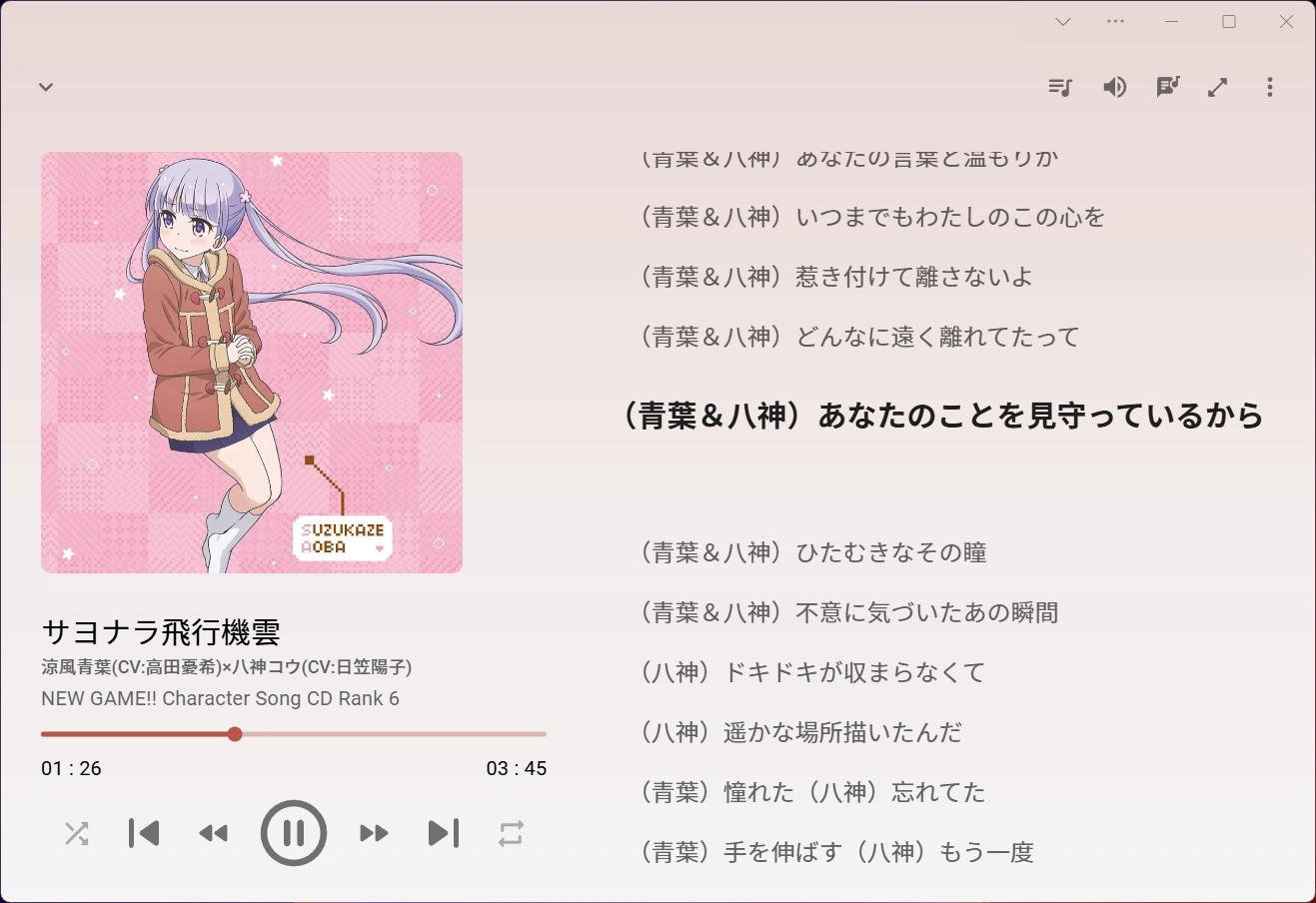
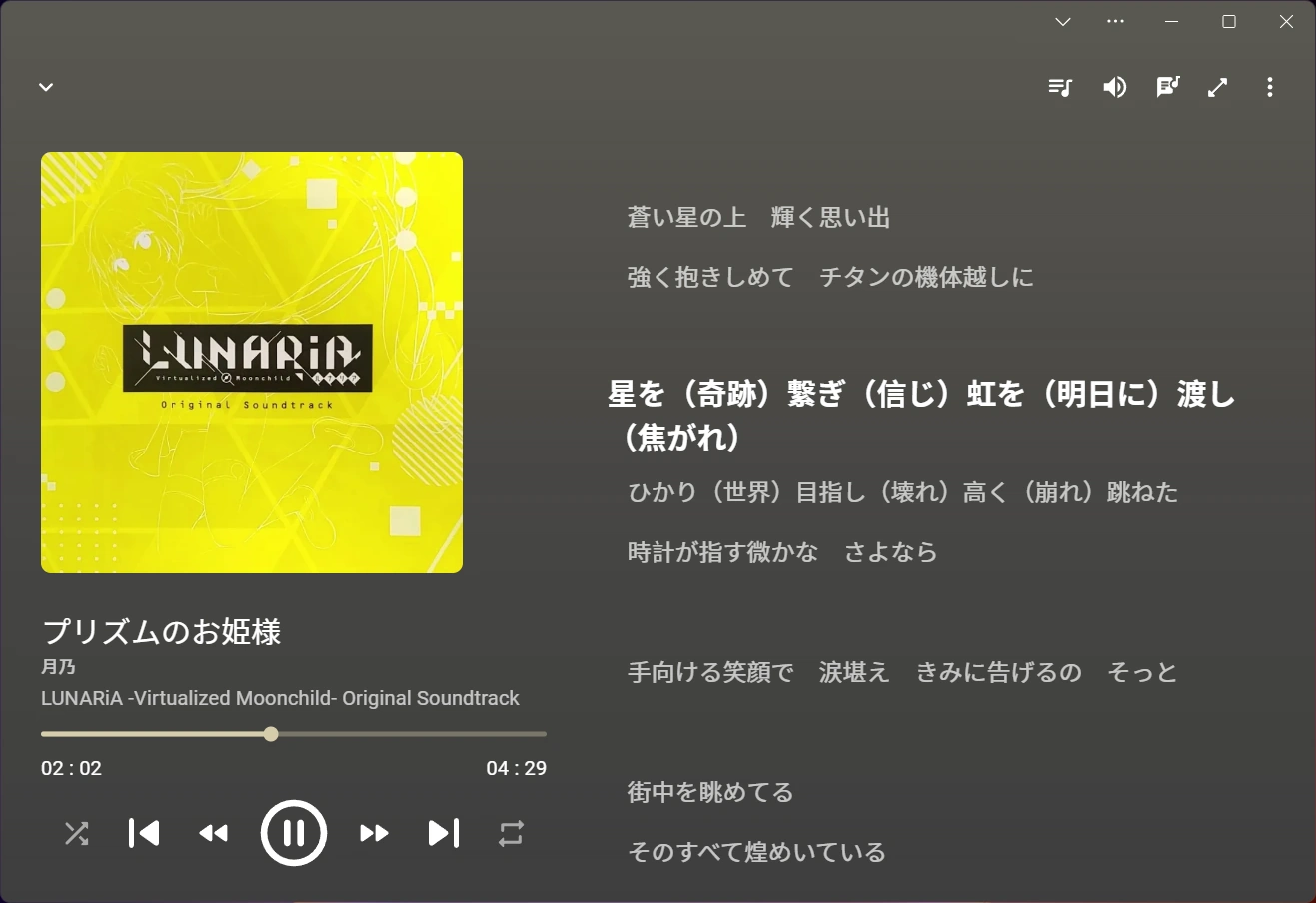
## FAQ
### 我的数据保存在哪里?
OMP 的数据全部保存在你的 OneDrive 中的 `应用 / OMP` 文件夹中。其中 `history.json` 为历史记录,`playlists.json` 为播放列表,如果有数据丢失可以访问 OneDrive 网页版恢复旧版本数据。
## 运行和编译
### 注册应用
1. 打开
2. 进入 `应用注册` 添加一个新应用
3. `支持账户类型` 选择第三项 (`任何组织目录中的帐户和个人 Microsoft 帐户`)
4. `重定向 URI` 选择 `SPA`, url 输入 或者你部署访问的域名
5. `API 权限` 添加 `User.Read` `Files.Read` `Files.ReadWrite.AppFolder`
### 运行开发服务器
在项目路径添加 `.env.development`
```env
ONEDRIVE_AUTH=https://login.microsoftonline.com/common #世纪互联(https://login.partner.microsoftonline.cn/common)
ONEDRIVE_GME=https://graph.microsoft.com #世纪互联(https://microsoftgraph.chinacloudapi.cn)
CLIENT_ID=
REDIRECT_URI=http://localhost:8760
```
运行 `npm i && npm run dev`
### 本地编译
在项目路径添加 `.env`
```env
ONEDRIVE_AUTH=https://login.microsoftonline.com/common #世纪互联(https://login.partner.microsoftonline.cn/common)
ONEDRIVE_GME=https://graph.microsoft.com #世纪互联(https://microsoftgraph.chinacloudapi.cn)
CLIENT_ID=
REDIRECT_URI=
```
运行 `npm i && npm run build`
## 捐赠
这个项目完全免费,如果你觉得好用,欢迎捐赠支持
- [爱发电](https://afdian.com/a/nini22P)
- [Ko-fi](https://ko-fi.com/nini22p)
## 许可
[AGPL 3.0](https://github.com/nini22P/omp/blob/main/LICENSE)
## 隐私政策
[隐私政策](https://github.com/nini22P/omp/blob/main/PRIVACY_CN.md)
## Star History
[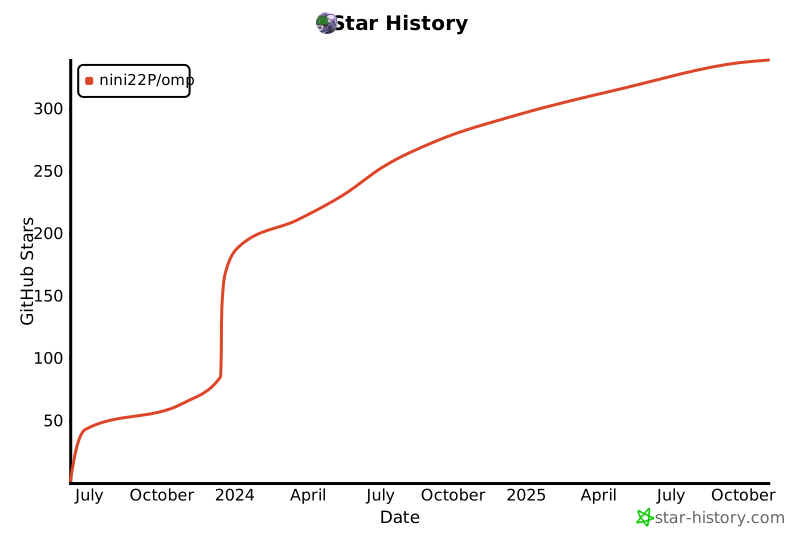](https://star-history.com/#nini22P/omp&Date)
[](https://ko-fi.com/nini22p)
[English](./README.md) | 中文
**立即体验 OMP:**
* **[网页版](https://nini22p.github.io/omp/)**
* **[微软商店 (PWA)](https://apps.microsoft.com/detail/9p6w6x16q7l9)**
* **[下载 Android APK (PWA)](https://github.com/nini22P/omp/releases/latest/download/OMP-android.apk)**
## 功能
- [x] OneDrive 文件查看
- [x] 音乐播放
- [x] 歌词显示
- [x] 视频播放
- [x] 播放队列
- [x] 黑暗模式
- [x] Media Session
- [x] PWA
- [x] 播放历史同步
- [x] 播放列表同步
- [x] 支持世纪互联版
## 截图


## FAQ
### 我的数据保存在哪里?
OMP 的数据全部保存在你的 OneDrive 中的 `应用 / OMP` 文件夹中。其中 `history.json` 为历史记录,`playlists.json` 为播放列表,如果有数据丢失可以访问 OneDrive 网页版恢复旧版本数据。
## 运行和编译
### 注册应用
1. 打开
2. 进入 `应用注册` 添加一个新应用
3. `支持账户类型` 选择第三项 (`任何组织目录中的帐户和个人 Microsoft 帐户`)
4. `重定向 URI` 选择 `SPA`, url 输入 或者你部署访问的域名
5. `API 权限` 添加 `User.Read` `Files.Read` `Files.ReadWrite.AppFolder`
### 运行开发服务器
在项目路径添加 `.env.development`
```env
ONEDRIVE_AUTH=https://login.microsoftonline.com/common #世纪互联(https://login.partner.microsoftonline.cn/common)
ONEDRIVE_GME=https://graph.microsoft.com #世纪互联(https://microsoftgraph.chinacloudapi.cn)
CLIENT_ID=
REDIRECT_URI=http://localhost:8760
```
运行 `npm i && npm run dev`
### 本地编译
在项目路径添加 `.env`
```env
ONEDRIVE_AUTH=https://login.microsoftonline.com/common #世纪互联(https://login.partner.microsoftonline.cn/common)
ONEDRIVE_GME=https://graph.microsoft.com #世纪互联(https://microsoftgraph.chinacloudapi.cn)
CLIENT_ID=
REDIRECT_URI=
```
运行 `npm i && npm run build`
## 捐赠
这个项目完全免费,如果你觉得好用,欢迎捐赠支持
- [爱发电](https://afdian.com/a/nini22P)
- [Ko-fi](https://ko-fi.com/nini22p)
## 许可
[AGPL 3.0](https://github.com/nini22P/omp/blob/main/LICENSE)
## 隐私政策
[隐私政策](https://github.com/nini22P/omp/blob/main/PRIVACY_CN.md)
## Star History
[](https://star-history.com/#nini22P/omp&Date)