

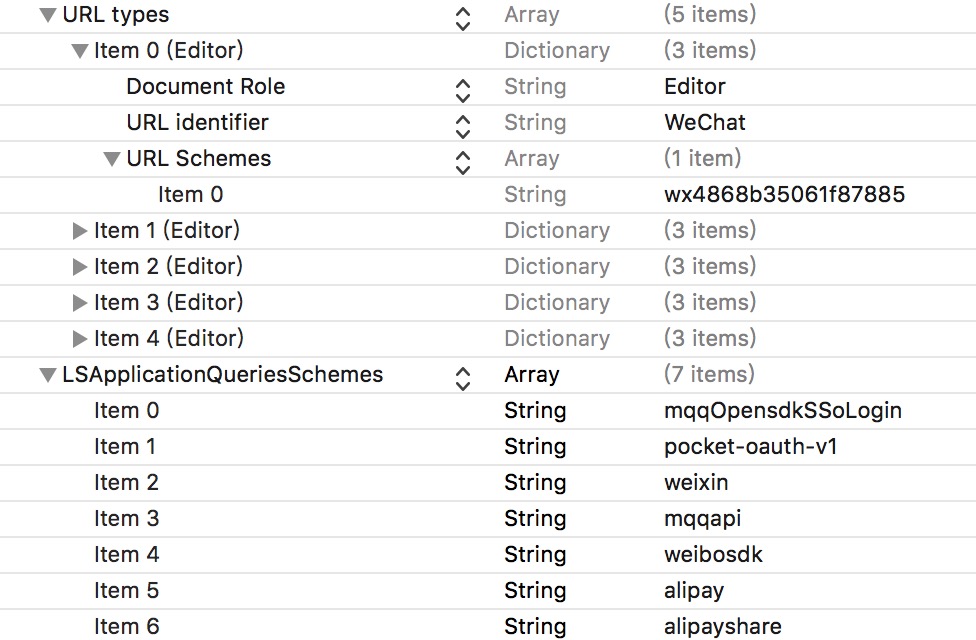
 You should also add `weixinULAPI` once you enabled Universal Link of your WeChat App.
2. Register account: // it's not necessary to do it here, but for the sake of convenience
```swift
func application(_ application: UIApplication, didFinishLaunchingWithOptions launchOptions: [UIApplicationLaunchOptionsKey: Any]?) -> Bool {
MonkeyKing.regsiterAccount(
.weChat(
appID: "xxx",
appKey: "yyy",
miniAppID: nil,
universalLink: nil // FIXME: You have to adopt Universal Link otherwise your app name becomes "Unauthorized App"(未验证应用)...
)
)
return true
}
```
3. Append the following code to handle callbacks:
```swift
// AppDelegate.swift
func application(_ app: UIApplication, open url: URL, options: [UIApplicationOpenURLOptionsKey : Any] = [:]) -> Bool {
//func application(_ application: UIApplication, open url: URL, sourceApplication: String?, annotation: Any) -> Bool { // only for iOS 8
return MonkeyKing.handleOpenURL(url)
}
```
Remember to handle userActivities if you are using `UIScene` in your project:
```swift
// SceneDelegate.swift
func scene(_ scene: UIScene, continue userActivity: NSUserActivity) {
MonkeyKing.handleOpenUserActivity(userActivity)
}
```
4. Prepare your message and ask MonkeyKing to deliver it:
```swift
@IBAction func shareURLToWeChatSession(sender: UIButton) {
MonkeyKing.registerAccount(.weChat(appID: "xxx", appKey: "yyy", miniAppID: nil)) // you can do it here (just before deliver)
let message = MonkeyKing.Message.weChat(.session(info: (
title: "Session",
description: "Hello Session",
thumbnail: UIImage(named: "rabbit"),
media: .url(URL(string: "http://www.apple.com/cn")!)
)))
MonkeyKing.deliver(message) { success in
print("shareURLToWeChatSession success: \(success)")
}
}
```
It's done!
### OAuth
Example: Weibo OAuth
```swift
MonkeyKing.oauth(for: .weibo) { (oauthInfo, response, error) -> Void in
print("OAuthInfo \(oauthInfo) error \(error)")
// Now, you can use the token to fetch info.
}
```
or, WeChat OAuth for code only
``` swift
MonkeyKing.weChatOAuthForCode { [weak self] (code, error) in
guard let code = code else {
return
}
// TODO: fetch info with code
}
```
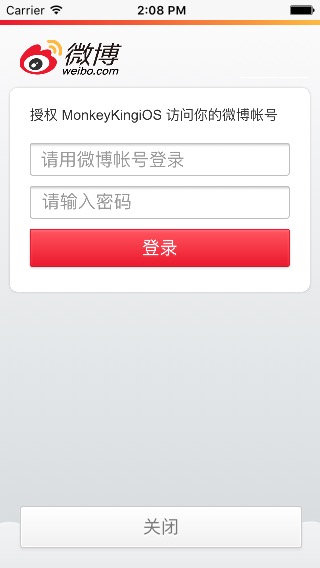
If the user doesn't have Weibo App installed on their devices then MonkeyKing will use web OAuth:
You should also add `weixinULAPI` once you enabled Universal Link of your WeChat App.
2. Register account: // it's not necessary to do it here, but for the sake of convenience
```swift
func application(_ application: UIApplication, didFinishLaunchingWithOptions launchOptions: [UIApplicationLaunchOptionsKey: Any]?) -> Bool {
MonkeyKing.regsiterAccount(
.weChat(
appID: "xxx",
appKey: "yyy",
miniAppID: nil,
universalLink: nil // FIXME: You have to adopt Universal Link otherwise your app name becomes "Unauthorized App"(未验证应用)...
)
)
return true
}
```
3. Append the following code to handle callbacks:
```swift
// AppDelegate.swift
func application(_ app: UIApplication, open url: URL, options: [UIApplicationOpenURLOptionsKey : Any] = [:]) -> Bool {
//func application(_ application: UIApplication, open url: URL, sourceApplication: String?, annotation: Any) -> Bool { // only for iOS 8
return MonkeyKing.handleOpenURL(url)
}
```
Remember to handle userActivities if you are using `UIScene` in your project:
```swift
// SceneDelegate.swift
func scene(_ scene: UIScene, continue userActivity: NSUserActivity) {
MonkeyKing.handleOpenUserActivity(userActivity)
}
```
4. Prepare your message and ask MonkeyKing to deliver it:
```swift
@IBAction func shareURLToWeChatSession(sender: UIButton) {
MonkeyKing.registerAccount(.weChat(appID: "xxx", appKey: "yyy", miniAppID: nil)) // you can do it here (just before deliver)
let message = MonkeyKing.Message.weChat(.session(info: (
title: "Session",
description: "Hello Session",
thumbnail: UIImage(named: "rabbit"),
media: .url(URL(string: "http://www.apple.com/cn")!)
)))
MonkeyKing.deliver(message) { success in
print("shareURLToWeChatSession success: \(success)")
}
}
```
It's done!
### OAuth
Example: Weibo OAuth
```swift
MonkeyKing.oauth(for: .weibo) { (oauthInfo, response, error) -> Void in
print("OAuthInfo \(oauthInfo) error \(error)")
// Now, you can use the token to fetch info.
}
```
or, WeChat OAuth for code only
``` swift
MonkeyKing.weChatOAuthForCode { [weak self] (code, error) in
guard let code = code else {
return
}
// TODO: fetch info with code
}
```
If the user doesn't have Weibo App installed on their devices then MonkeyKing will use web OAuth:
 ### Pay
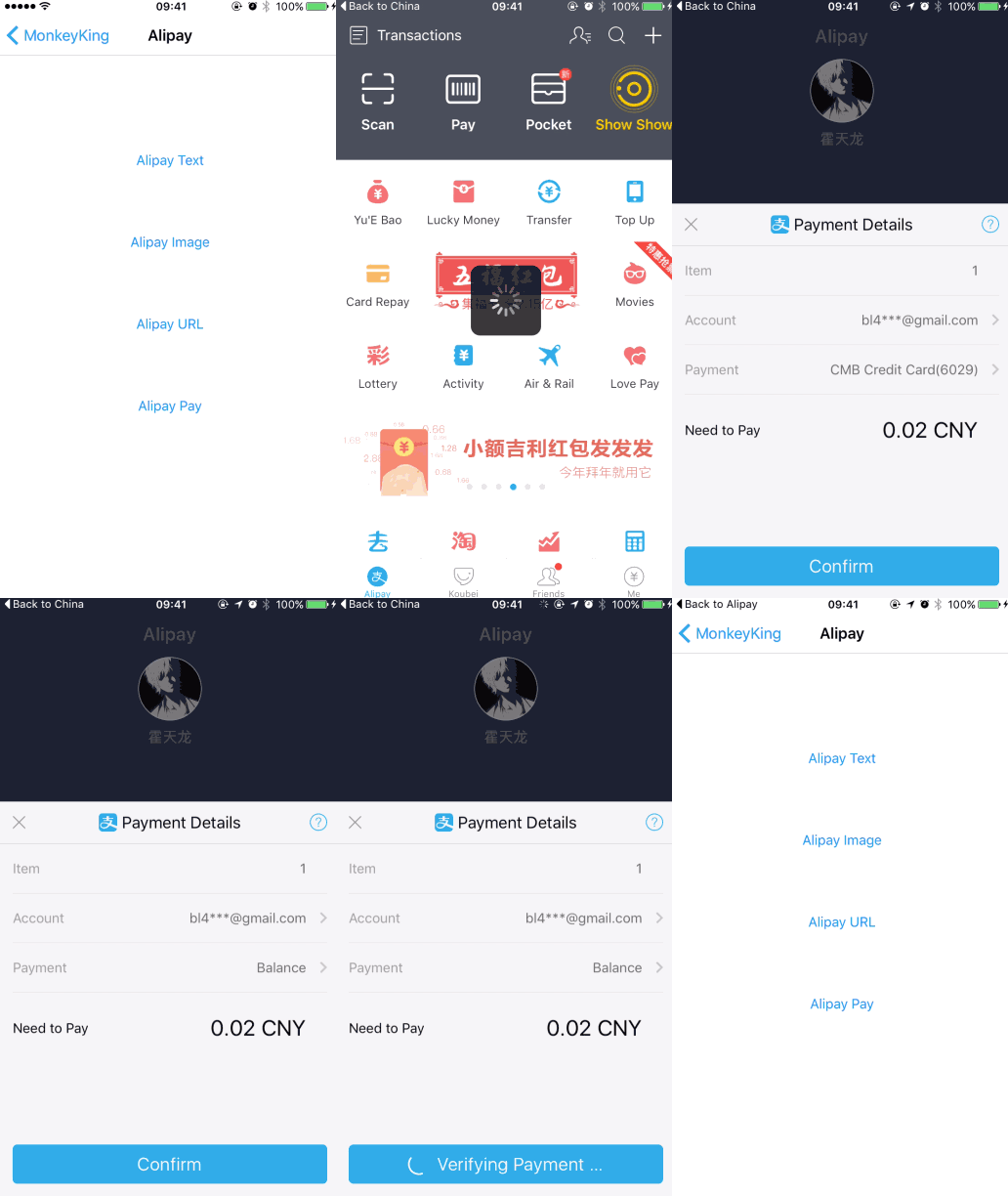
Example: Alipay
```swift
let order = MonkeyKing.Order.alipay(urlString: urlString, scheme: nil)
MonkeyKing.deliver(order) { result in
print("result: \(result)")
}
```
> You need to configure `pay.php` in a remote server. You can find an example of `pay.php` at the Demo project.
### Pay
Example: Alipay
```swift
let order = MonkeyKing.Order.alipay(urlString: urlString, scheme: nil)
MonkeyKing.deliver(order) { result in
print("result: \(result)")
}
```
> You need to configure `pay.php` in a remote server. You can find an example of `pay.php` at the Demo project.
 ### Launch WeChat Mini App
``` swift
let path = "..."
MonkeyKing.launch(.weChat(.miniApp(username: "gh_XXX", path: path, type: .release))) { result in
switch result {
case .success:
break
case .failure(let error):
print("error:", error)
}
}
```
Note that `username` has a `gh_` prefix (原始ID).
### More
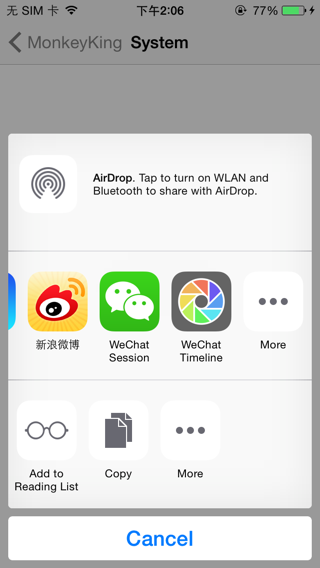
If you like to use `UIActivityViewController` for sharing then MonkeyKing has `AnyActivity` which can help you.
### Launch WeChat Mini App
``` swift
let path = "..."
MonkeyKing.launch(.weChat(.miniApp(username: "gh_XXX", path: path, type: .release))) { result in
switch result {
case .success:
break
case .failure(let error):
print("error:", error)
}
}
```
Note that `username` has a `gh_` prefix (原始ID).
### More
If you like to use `UIActivityViewController` for sharing then MonkeyKing has `AnyActivity` which can help you.
 Check the demo for more information.
## Installation
### Carthage
```ogdl
github "nixzhu/MonkeyKing"
```
### CocoaPods
```ruby
pod 'MonkeyKing'
```
### Swift Package Manager
```
https://github.com/nixzhu/MonkeyKing
```
## Contributors
Thanks to all the [contributors](https://github.com/nixzhu/MonkeyKing/graphs/contributors).
## Credits
WeChat logos from [WeChat-Logo](https://github.com/RayPS/WeChat-Logo) by Ray.
## License
MonkeyKing is available under the [MIT License][mitLink]. See the LICENSE file for more info.
[mitLink]:http://opensource.org/licenses/MIT
Check the demo for more information.
## Installation
### Carthage
```ogdl
github "nixzhu/MonkeyKing"
```
### CocoaPods
```ruby
pod 'MonkeyKing'
```
### Swift Package Manager
```
https://github.com/nixzhu/MonkeyKing
```
## Contributors
Thanks to all the [contributors](https://github.com/nixzhu/MonkeyKing/graphs/contributors).
## Credits
WeChat logos from [WeChat-Logo](https://github.com/RayPS/WeChat-Logo) by Ray.
## License
MonkeyKing is available under the [MIT License][mitLink]. See the LICENSE file for more info.
[mitLink]:http://opensource.org/licenses/MIT