# GCP Cost MCP Server
> **Note**: This is an unofficial project and is not affiliated with, endorsed by, or supported by Google or the Genkit team.
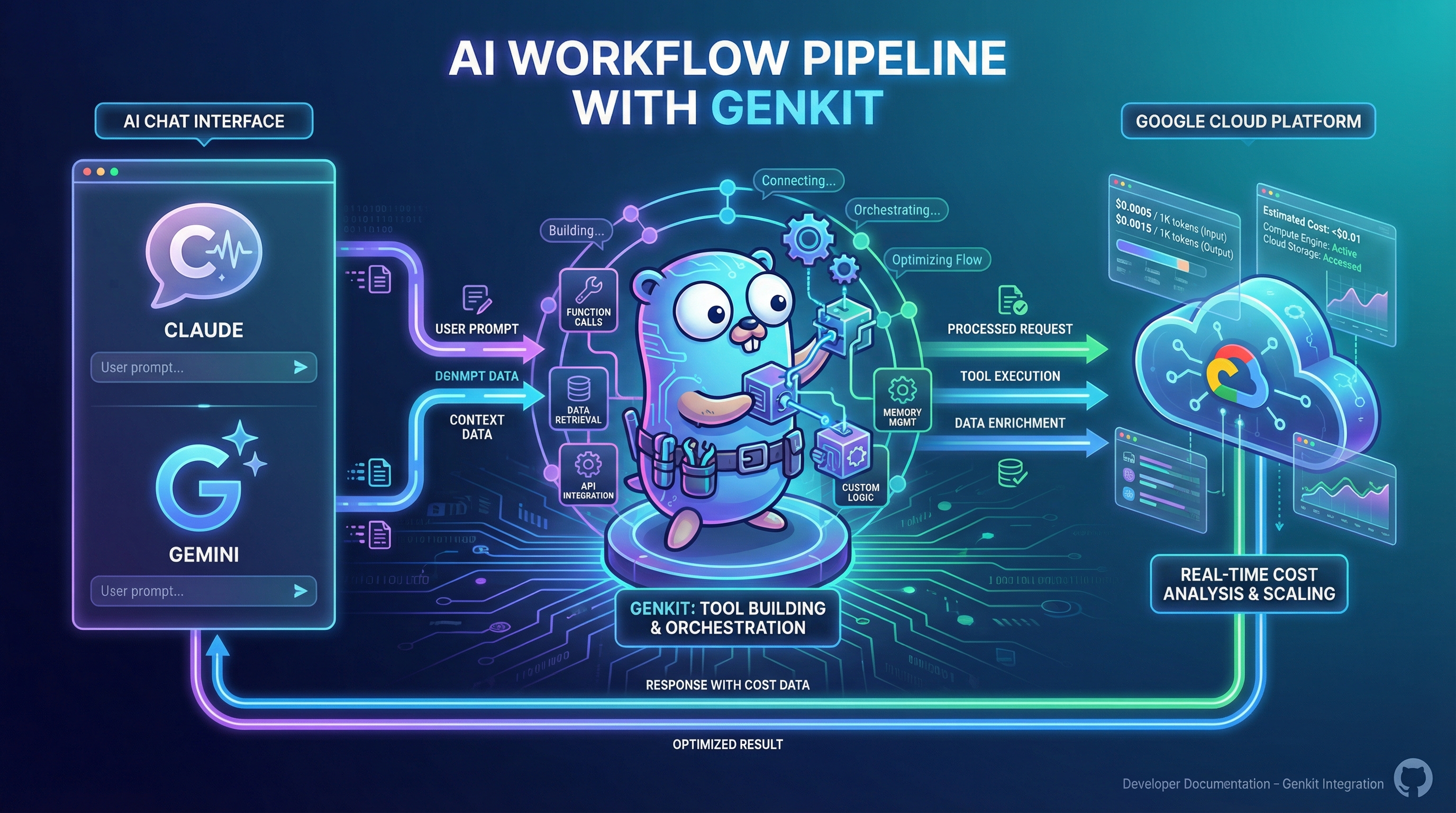
An MCP (Model Context Protocol) server for estimating Google Cloud running costs.
Instead of manually using the [Google Cloud Pricing Calculator](https://cloud.google.com/products/calculator), you can get GCP cost estimates directly from AI assistants like Claude Desktop, Gemini CLI, or Cursor.
## Features
### Available Tools
| Tool | Description |
|------|-------------|
| `get_estimation_guide` | **Start here!** Dynamically generates estimation guides from SKU analysis for any GCP service |
| `classify_resource_cost` | Classifies Terraform resource billing behavior and estimates an authorized-count baseline |
| `list_services` | Lists all available Google Cloud services with their IDs |
| `list_skus` | Lists SKUs (billable items) for a specific service |
| `get_sku_price` | Gets pricing details for a specific SKU |
| `estimate_cost` | Calculates cost based on SKU and usage amount, **with automatic free tier deduction** |
### Tool Relationships
Each tool is **independent and stateless**. AI assistants autonomously decide which tools to call and in what order based on context:
```mermaid
graph TB
guide["get_estimation_guide
─────────────────
IN: service_name
OUT: required params, pricing
factors, free tier info, tips
─────────────────
Internally resolves
service & SKU lookup"]
classify["classify_resource_cost
─────────────────
IN: Terraform resource type,
resource attributes
OUT: billing trigger, SKU,
warnings, monthly estimate"]
services["list_services
─────────────────
IN: name filter (opt)
OUT: service_id, display_name"]
skus["list_skus
─────────────────
IN: service_id, region, keyword
OUT: sku_id, display_name,
categories, regions"]
price["get_sku_price
─────────────────
IN: sku_id, currency
OUT: price/unit, pricing tiers"]
cost["estimate_cost
─────────────────
IN: sku_id, usage_amount
OUT: estimated cost with
automatic free tier deduction
─────────────────
Internally resolves pricing"]
services -- "service_id" --> skus
skus -- "sku_id" --> price
skus -- "sku_id" --> cost
```
> **Solid arrows** show data flow — one tool's output feeds another's input. `get_estimation_guide` and `estimate_cost` are **self-contained**: they internally resolve their own dependencies, reducing round-trips.
| Use Case | How AI Uses the Tools |
|----------|----------------------|
| **Quick estimate** | `get_estimation_guide` → gather user requirements → `estimate_cost` |
| **Multi-service** | Multiple `get_estimation_guide` + `estimate_cost` calls **in parallel** |
| **Explore pricing** | `list_services` → `list_skus` → `get_sku_price` |
| **Direct calculation** | `estimate_cost` with a known SKU ID |
| **Terraform cost review** | `classify_resource_cost` for each resource and inspect existence-based billing warnings |
### Supported Services
`get_estimation_guide` works with **any Google Cloud service**:
- **Dynamic Guide Generation**: Guides are generated dynamically by analyzing SKUs from the Cloud Billing Catalog API
- **Free Tier Information**: Automatically fetched from GCP documentation and included in the guide
- **Universal Coverage**: Works with all GCP services - no hardcoded service list
- **Catalog-absent products**: A small curated supplemental catalog covers products missing from the Cloud Billing Catalog API (currently License Manager / Microsoft Office SPLA). These use synthetic `SUPPLEMENTAL-*` IDs and expose `billing_model=existence` when cost accrues from resource existence (e.g. `license_count`), not metered runtime.
The tool analyzes available SKUs to determine:
- Required parameters (region, instance type, storage, etc.)
- Pricing factors and billing dimensions
- Free tier quotas (when available)
- Cost optimization tips
> **Note**: Supplemental list prices are taken from official Google Cloud documentation and may lag docs updates. Prefer the `source_url` on supplemental SKU/price responses when verifying.
#### Terraform resource cost classification
`classify_resource_cost` accepts a Terraform resource type (or full resource address) plus known attributes. It distinguishes an unsupported classification from a free resource: `matched=false` means only that no rule exists yet.
The initial rule covers `google_license_manager_configuration`:
```json
{
"resource_type": "google_license_manager_configuration.office",
"product": "Office2021ProfessionalPlus",
"license_count": 10
}
```
The response reports `billing_model=existence`, identifies `license_count` as the quantity field, and returns a `$214.00` authorized-count baseline for the calendar month using the supplemental Office SPLA price. It is not a bill forecast: overages and current-month count reductions require billing history and usage data. If `product` or `license_count` is unknown during planning, the tool reports the missing attributes without inventing product-specific billing behavior or an estimate.
## Quick Start
### Prerequisites
- Google Cloud SDK (`gcloud`) installed
- Application Default Credentials configured
> **Note**: No Google Cloud project setup or API enablement is required. This server accesses public pricing data using OAuth authentication.
### 1. Set up Authentication
```bash
gcloud auth application-default login
```
### 2. Install
Choose the installation method that best fits your environment:
#### Option A: Homebrew (macOS/Linux) — Recommended
The easiest way to install on macOS or Linux:
```bash
brew tap nozomi-koborinai/tap
brew install gcp-cost-mcp-server
```
The binary will be installed to `/opt/homebrew/bin/gcp-cost-mcp-server` (Apple Silicon) or `/usr/local/bin/gcp-cost-mcp-server` (Intel/Linux).
**Upgrading to the latest version:**
```bash
# Update tap to fetch the latest Formula
brew update
# Check the available version
brew info gcp-cost-mcp-server
# Upgrade to the latest version
brew upgrade gcp-cost-mcp-server
```
> **Note**: Always run `brew update` first to ensure you get the latest version. Without it, Homebrew uses cached Formula information.
#### Option B: Download pre-built binary
Download from [GitHub Releases](https://github.com/nozomi-koborinai/gcp-cost-mcp-server/releases) for your platform:
| Binary | Platform | Architecture |
|--------|----------|--------------|
| `gcp-cost-mcp-server-darwin-arm64` | macOS | Apple Silicon (M1/M2/M3/M4) |
| `gcp-cost-mcp-server-darwin-amd64` | macOS | Intel |
| `gcp-cost-mcp-server-linux-amd64` | Linux | x86_64 |
| `gcp-cost-mcp-server-windows-amd64.exe` | Windows | x86_64 |
> **macOS users**: After downloading, remove the quarantine attribute:
> ```bash
> chmod +x gcp-cost-mcp-server-darwin-*
> xattr -d com.apple.quarantine gcp-cost-mcp-server-darwin-*
> ```
#### Option C: Build from source
Requires Go 1.21+:
```bash
git clone https://github.com/nozomi-koborinai/gcp-cost-mcp-server.git
cd gcp-cost-mcp-server
go build -o gcp-cost-mcp-server .
```
### 3. Configure Your MCP Client
Find your binary path first:
```bash
# If installed via Homebrew
which gcp-cost-mcp-server
# Output: /opt/homebrew/bin/gcp-cost-mcp-server (Apple Silicon)
# /usr/local/bin/gcp-cost-mcp-server (Intel/Linux)
```
#### Claude Desktop
Add to `~/Library/Application Support/Claude/claude_desktop_config.json`:
```json
{
"mcpServers": {
"gcp-cost": {
"command": "/opt/homebrew/bin/gcp-cost-mcp-server"
}
}
}
```
#### Cursor
Add to `.cursor/mcp.json` in your project or global config:
```json
{
"mcpServers": {
"gcp-cost": {
"command": "/opt/homebrew/bin/gcp-cost-mcp-server"
}
}
}
```
#### Gemini CLI
Add to `~/.gemini/settings.json`:
```json
{
"mcpServers": {
"gcp-cost": {
"command": "/opt/homebrew/bin/gcp-cost-mcp-server"
}
}
}
```
> **Note**: Replace `/opt/homebrew/bin/gcp-cost-mcp-server` with your actual binary path if different.
## Usage Examples
### Basic Cost Estimation (Conversational)
Start with a simple question - the AI will guide you through the details:
```
You: "How much would Cloud Run cost for 2 instances?"
AI: "To estimate Cloud Run costs accurately, I need a few more details:
- Region: Where will this be deployed? (e.g., asia-northeast1, us-central1)
- vCPU: How many vCPUs per instance? (e.g., 1, 2, 4)
- Memory: How much memory per instance? (e.g., 1 GiB, 2 GiB)
- Billing type: Instance-based or request-based?
- Monthly usage: Will it run 24/7 (730 hours) or less?"
You: "Tokyo region, 1 vCPU, 2GB memory, instance-based, 24/7"
AI: "Based on your requirements for 2 Cloud Run instances in Tokyo (asia-northeast1):
📊 Cost Breakdown:
- vCPU: 2 vCPU × 2,628,000 sec = 5,256,000 vCPU-seconds
Free tier applied: -180,000 vCPU-seconds
Billable: 5,076,000 vCPU-seconds × $0.000024 = $121.82/month
- Memory: 4 GiB × 2,628,000 sec = 10,512,000 GiB-seconds
Free tier applied: -360,000 GiB-seconds
Billable: 10,152,000 GiB-seconds × $0.0000025 = $25.38/month
💰 Total estimated: ~$147.20/month (free tier already applied)
💡 Tip: Cloud Run's free tier (180,000 vCPU-sec + 360,000 GiB-sec/month)
has been automatically deducted from your estimate."
```
### Explore Services and SKUs
```
You: "What's the service ID for Compute Engine?"
You: "List the available SKUs for Compute Engine in Tokyo region"
You: "How much would an n2-standard-4 instance cost for 730 hours?"
```
### Any GCP Service
All services work with dynamic guide generation:
```
You: "How much would Vertex AI cost for my ML training?"
AI: "I'll generate an estimation guide for Vertex AI by analyzing available SKUs...
Based on my analysis, to estimate Vertex AI costs, I need:
1. Region: Where will training run?
2. Machine type: What accelerator type? (e.g., NVIDIA T4, A100)
3. Training hours: How long will training take?
4. Storage: How much training data?
Free tier note: Vertex AI offers $300 in free credits for new users.
Would you like me to list the specific SKUs available for Vertex AI?"
```
### Architecture Diagram Estimation (Multi-Service)
Upload an architecture diagram and get a complete cost breakdown:
```
You: [Upload architecture diagram image]
"Please estimate the monthly cost for this architecture"
AI: "I've analyzed your architecture diagram. Here are the GCP services identified:
- Cloud Run (Application layer)
- Cloud SQL (Database)
- Cloud Storage (Static files)
- Cloud Load Balancing (Traffic distribution)
To provide an accurate estimate, I need some details:
🌏 Common Settings:
- Region: Is asia-northeast1 (Tokyo) okay?
📦 Cloud Run:
- vCPUs: 1? 2? 4?
- Memory: 1GB? 2GB? 4GB?
- Instance count: How many instances?
- Uptime: 24/7 or specific hours only?
🗄️ Cloud SQL:
- Database type: MySQL? PostgreSQL?
- Machine type: Dev (db-f1-micro)? Production (db-custom-2-4096)?
- Storage: How many GB needed?
- High Availability (HA): Required?"
You: "Tokyo region, Cloud Run with 1vCPU/2GB × 2 instances running 24/7,
Cloud SQL PostgreSQL db-custom-2-4096, 100GB SSD with HA,
Cloud Storage 50GB Standard"
AI: "Thank you! Here's your estimate (free tiers automatically applied):
| Service | Configuration | Monthly Cost |
|--------------------|--------------------------------|--------------|
| Cloud Run | 2 × 1vCPU × 2GB (24/7) | $147.20 ✨ |
| Cloud SQL | PostgreSQL, 2vCPU/4GB, 100GB HA| $178.50 |
| Cloud Storage | 50GB Standard | $0.00 ✨ |
| Cloud Load Balancing| Base + traffic | $18.00 |
| **Total** | | **$343.70** |
✨ = Free tier applied
💡 Cost Optimization Tips:
- Cloud Run: Set min instances to 0 to reduce idle costs
- Cloud SQL: Disable HA for ~50% savings (dev environments)
- Consider 1yr/3yr Committed Use Discounts (CUDs) for up to 57% off"
```
This workflow:
1. AI analyzes the architecture diagram to identify GCP services
2. AI asks about shared parameters (region) first, then service-specific details
3. AI calculates costs for each service using the MCP tools
4. AI presents a consolidated breakdown with total and optimization tips
## Authentication Options
### Using Application Default Credentials (Recommended)
This is the simplest option for personal use:
```bash
gcloud auth application-default login
```
### Using a Service Account
For production or automated environments, use a service account:
```json
{
"mcpServers": {
"gcp-cost": {
"command": "/path/to/gcp-cost-mcp-server",
"env": {
"GOOGLE_APPLICATION_CREDENTIALS": "/path/to/service-account.json"
}
}
}
}
```
**Required IAM Role** (only for custom/contract pricing):
- `roles/billing.viewer` (Billing Account Viewer)
> For public pricing data, no IAM roles are required.
---
## Architecture
### Project Structure
```
gcp-cost-mcp-server/
├── main.go # Entry point, tool registration
├── internal/
│ ├── freetier/ # Free tier information retrieval
│ │ ├── service.go # FreeTierService with 24h cache
│ │ ├── search.go # DuckDuckGo search client
│ │ ├── scraper.go # GCP documentation scraper
│ │ └── patterns.go # Regex patterns for extraction
│ ├── pricing/
│ │ ├── client.go # Cloud Billing Catalog API client
│ │ └── supplemental/ # Curated Catalog-absent pricing (License Manager / Office SPLA)
│ └── tools/
│ ├── deps.go # Consumer-side interfaces (PricingClient, FreeTierProvider)
│ ├── supplemental_client.go # Merges supplemental catalog into PricingClient
│ ├── classify_resource_cost.go # Terraform resource cost classification
│ ├── get_estimation_guide.go # Dynamic guide generator
│ ├── guide_builder.go # SKU analysis for guide generation
│ ├── service_lookup.go # Service name → service ID resolution
│ ├── estimate_cost.go # Cost calc + free tier
│ ├── list_services.go
│ ├── list_skus.go
│ └── get_sku_price.go
```
### Tool Design
```mermaid
flowchart TB
subgraph MCP["MCP Server Tools"]
direction TB
Guide["get_estimation_guide
─────────────────
• Dynamic SKU analysis
• Free tier info included
• Self-contained"]
Classify["classify_resource_cost
─────────────────
• Terraform resource rules
• Existence-billing warnings
• Monthly estimate when possible"]
Services["list_services
─────────────────
Returns: service IDs"]
SKUs["list_skus
─────────────────
Returns: SKU IDs, regions"]
Price["get_sku_price
─────────────────
Returns: price/unit, tiers"]
Cost["estimate_cost
─────────────────
• Auto free tier deduction
• Tiered pricing support
• Self-contained"]
Services --> SKUs
SKUs --> Price
SKUs --> Cost
end
subgraph External["External Services"]
Billing["Google Cloud Billing API v2beta
cloudbilling.googleapis.com"]
Docs["GCP Documentation
(for free tier info)"]
DDG["DuckDuckGo Search
(fallback for doc discovery)"]
end
MCP --> Billing
Guide -.-> Docs
Guide -.-> DDG
Cost -.-> Docs
Cost -.-> DDG
```
### Data Flow
```mermaid
sequenceDiagram
participant User
participant AI as AI Assistant
participant MCP as MCP Server
participant API as Cloud Billing API
participant Docs as GCP Docs
User->>AI: "How much would Cloud Run cost?"
AI->>MCP: get_estimation_guide("Cloud Run")
MCP->>API: ListSKUs(Cloud Run)
API-->>MCP: SKU list
MCP->>Docs: Fetch free tier info
Docs-->>MCP: Free tier data
MCP-->>AI: Dynamic guide + free tier
AI->>User: "I need: region, vCPU, memory..."
User->>AI: "Tokyo, 1vCPU, 2GB, 24/7"
AI->>MCP: list_services()
MCP->>API: ListServices
API-->>MCP: Service IDs
AI->>MCP: list_skus(service_id)
MCP->>API: ListSKUs
API-->>MCP: SKU details
AI->>MCP: estimate_cost(sku_id, usage)
MCP->>MCP: Apply free tier deduction
MCP-->>AI: Cost with free tier applied
AI->>User: "Estimated: $147.20/month (free tier applied)"
```
### Key Components
| Component | Description |
|-----------|-------------|
| **get_estimation_guide** | Dynamically generates guides by analyzing SKUs from Cloud Billing API. Includes free tier information fetched from GCP documentation. |
| **list_services** | Queries the Cloud Billing API for all available services. Returns service IDs needed to query SKUs. |
| **list_skus** | Lists SKUs for a specific service. Filterable by region and category. |
| **get_sku_price** | Gets detailed pricing for a specific SKU. Supports multiple currencies (USD, JPY, EUR, etc.). |
| **estimate_cost** | Calculates final cost with automatic free tier deduction. Handles tiered pricing calculations. |
| **FreeTierService** | Fetches free tier information via DuckDuckGo search + GCP doc scraping. Caches results for 24 hours. |
---
## Development
### Build
```bash
go build -o gcp-cost-mcp-server .
```
### Test
```bash
# Run all tests
go test -v ./...
# With coverage
go test -cover ./...
```
### Test with MCP Inspector
```bash
npx @modelcontextprotocol/inspector ./gcp-cost-mcp-server
```
### Cross-compile
```bash
# macOS (Apple Silicon)
GOOS=darwin GOARCH=arm64 go build -o dist/gcp-cost-mcp-server-darwin-arm64 .
# macOS (Intel)
GOOS=darwin GOARCH=amd64 go build -o dist/gcp-cost-mcp-server-darwin-amd64 .
# Linux (x86_64)
GOOS=linux GOARCH=amd64 go build -o dist/gcp-cost-mcp-server-linux-amd64 .
# Windows (x86_64)
GOOS=windows GOARCH=amd64 go build -o dist/gcp-cost-mcp-server-windows-amd64.exe .
```
### Release Process
Releases are automated via [GoReleaser](https://goreleaser.com/) and GitHub Actions.
**To create a new release:**
```bash
# 1. Create and push a tag
git tag v0.6.0
git push origin v0.6.0
```
This will automatically:
1. Build binaries for all platforms (darwin/linux/windows, amd64/arm64)
2. Create a GitHub Release with changelog
3. Update the [homebrew-tap](https://github.com/nozomi-koborinai/homebrew-tap) Formula
**Prerequisites for homebrew-tap automation:**
- A GitHub Personal Access Token (PAT) with `repo` scope
- Store it as `HOMEBREW_TAP_TOKEN` in repository secrets
### Local Development
```bash
# Build
go build -o gcp-cost-mcp-server .
# Run locally
./gcp-cost-mcp-server
# Test GoReleaser config (dry run)
goreleaser release --snapshot --clean
```
## Why Genkit for Go?
This MCP server is built with [Genkit for Go](https://github.com/firebase/genkit/tree/main/go) rather than using the raw [mcp-go](https://github.com/mark3labs/mcp-go) library directly. Here's why:
### Type-Safe Tool Definitions
Genkit automatically generates JSON schemas from Go struct tags, eliminating manual schema definitions:
```go
// Genkit: Type-safe with auto-generated schema
genkit.DefineTool(g, "list_skus", "Lists SKUs for a service",
func(ctx *ai.ToolContext, input struct {
ServiceID string `json:"service_id" jsonschema_description:"The service ID"`
PageSize int `json:"page_size,omitempty"`
}) (*Output, error) {
// Implementation
})
```
### Automatic MCP Bridge
Genkit's MCP plugin automatically discovers tools from the registry and converts them to MCP format—no manual registration required.
### Unified Ecosystem
| Feature | Benefit |
|---------|---------|
| **Genkit UI** | Debug and test tools visually during development |
| **Tracing** | Automatic execution tracing and observability |
| **AI Model Integration** | Seamlessly connect with Gemini, Bedrock, OpenAI |
| **MCP Host** | Consume other MCP servers in the same codebase |
### Tool Interruption Support
Genkit's `ToolContext` provides interrupt/resume capabilities for long-running operations—useful for user confirmation flows.
### Future-Proof
The same tool definitions work as:
- MCP Server tools (for Claude Desktop, Cursor, Gemini CLI)
- Genkit Flow components (for AI agent workflows)
- HTTP API endpoints (via `genkit.Handler`)
For more details, see the [Genkit MCP Plugin documentation](https://github.com/firebase/genkit/tree/main/go/plugins/mcp).
## License
MIT License