# Google Search Console MCP Server — The Complete Guide (2026)
> **Summarize with AI:** [ChatGPT](https://chatgpt.com/?q=Summarize%20the%20Google%20Search%20Console%20MCP%20server%20guide%20at%20https%3A%2F%2Fseo.geniedial.in%2Fblog%2Fgoogle-search-console-mcp-server%20for%20SEO%20setup) · [Perplexity](https://www.perplexity.ai/?q=Summarize%20the%20Google%20Search%20Console%20MCP%20server%20guide%20at%20https%3A%2F%2Fseo.geniedial.in%2Fblog%2Fgoogle-search-console-mcp-server) · [Claude](https://claude.ai/new?q=Summarize%20the%20Google%20Search%20Console%20MCP%20server%20guide%20at%20https%3A%2F%2Fseo.geniedial.in%2Fblog%2Fgoogle-search-console-mcp-server) · [Grok](https://grok.com/?q=Summarize%20the%20Google%20Search%20Console%20MCP%20server%20guide%20at%20https%3A%2F%2Fseo.geniedial.in%2Fblog%2Fgoogle-search-console-mcp-server)
> **Quick answer:** A **Google Search Console MCP server** is a [Model Context Protocol](https://modelcontextprotocol.io/) connector that exposes live GSC data (and optionally GA4) as tools your AI assistant can call. Ask Claude, Cursor, or Codex questions like *"What queries dropped this week?"* and get real Search Console answers — no CSV exports, no tab switching.
>
> **Fastest path (recommended):** [**GenieSeo**](https://seo.geniedial.in/signup) — hosted, **free during beta**, 60-second setup, GSC + GA4, no credit card.
>
> **Full control:** self-host with `uvx mcp-search-console` (see [self-hosted setup](#self-hosted-setup--open-source)).
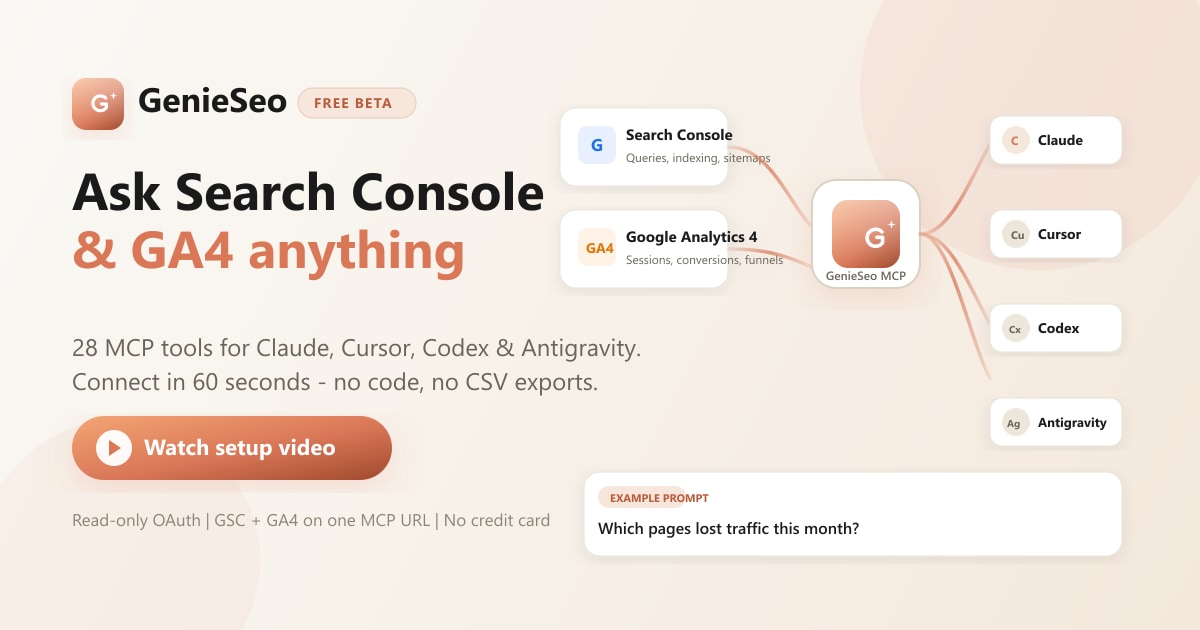
> **GenieSeo beta — free right now:** All **28 tools** (21 Search Console + 7 GA4), one personal MCP URL, works in Claude on the web, Cursor, Codex, and Antigravity. [**Start free →**](https://seo.geniedial.in/signup)
**Last updated:** June 11, 2026 · **Reading time:** ~18 minutes · **Skill level:** Beginner-friendly
This guide covers everything you need to connect **Google Search Console** (and optionally **GA4**) to **Claude**, **Cursor**, or **Codex** using the **Model Context Protocol (MCP)** — including a free hosted option, self-hosted install, 28 tool references, copy-paste prompts, and a video walkthrough.
---
## Table of contents
1. [Video walkthrough — 60-second setup](#video-walkthrough--60-second-setup)
2. [What is a Google Search Console MCP server?](#what-is-a-google-search-console-mcp-server)
3. [What does it cost? (free options)](#what-does-it-cost-free-options)
4. [Why SEOs and developers use MCP for Search Console](#why-seos-and-developers-use-mcp-for-search-console)
5. [Google Analytics 4 on the same MCP URL](#google-analytics-4-on-the-same-mcp-url)
6. [All 28 MCP tools (reference)](#all-28-mcp-tools-reference)
7. [Hosted vs self-hosted: which should you choose?](#hosted-vs-self-hosted-which-should-you-choose)
8. [60-second setup — GenieSeo (hosted)](#60-second-setup--genieseo-hosted)
9. [Self-hosted setup — open source](#self-hosted-setup--open-source)
10. [Connect to Claude, Cursor, Codex & Antigravity](#connect-to-claude-cursor-codex--antigravity)
11. [Sample prompts and SEO workflows](#sample-prompts-and-seo-workflows)
12. [Use cases by role](#use-cases-by-role)
13. [Security, privacy, and permissions](#security-privacy-and-permissions)
14. [Pricing](#pricing)
15. [Comparisons](#comparisons)
16. [Architecture](#architecture)
17. [FAQ](#faq)
18. [Resources and links](#resources-and-links)
---
## Video walkthrough — 60-second setup
Prefer to watch instead of read? **Click the poster below** to watch the [GenieSeo](https://seo.geniedial.in/signup) setup video — sign up, connect Google OAuth, copy your MCP URL, paste into Claude. **Free during beta**, no credit card.
*Covers: Google sign-in → MCP URL generation → Claude Settings → Connectors → your first Search Console query.*
> **Self-hosted users:** The setup video shows the hosted flow end-to-end. For `uvx` or clone installs, jump to [self-hosted setup](#self-hosted-setup--open-source) — credential setup takes 15–45 minutes.
---
## What is a Google Search Console MCP server?
You open Google Search Console, add a filter, change the date range, export a CSV, build a pivot — and thirty minutes later you have answered one question that should have taken ten seconds.
What if you could just *ask*?
*"Which pages lost traffic this month?"* · *"What keywords am I close to ranking on page one?"* · *"Are any URLs cannibalising each other?"*
**Model Context Protocol (MCP)** is an open standard that lets AI clients connect to external data and tools over a single URL or local process — think of it as USB for AI. A **Google Search Console MCP server** implements that protocol for GSC: it translates natural-language requests from your AI into Google Search Console API calls and returns structured JSON your model can reason over.
You set it up once. After that, you ask questions in plain English and get answers from your **real** Search Console data — not generic training-data guesses.
```mermaid
flowchart LR
A[You in Claude / Cursor / Codex] --> B[MCP client]
B --> C[Google Search Console MCP Server]
C --> D[Google Search Console API]
C --> E[Google Analytics 4 API]
D --> F[Queries, clicks, indexing, sitemaps]
E --> G[Sessions, conversions, funnels]
F --> C
G --> C
C --> B
B --> A
```
**What you get:**
| Without MCP | With a GSC MCP server |
|-------------|----------------------|
| Export CSV from GSC, paste into chat | Ask *"Top 20 queries last 28 days with CTR under 2%"* |
| Manual URL Inspection one URL at a time | Batch-inspect 10 URLs in one tool call |
| Switch between GSC and GA4 tabs | Cross-reference clicks (GSC) with conversions (GA4) in one conversation |
| Static screenshots for stakeholders | AI generates tables, summaries, and recommendations from live data |
### What you can do
Connect [**GenieSeo**](https://seo.geniedial.in/signup) to Claude, Cursor, or Codex and work from **live** Search Console and GA4 data — track rankings, fix indexing, spot content opportunities, cross-reference traffic with conversions, and run SEO workflows in plain English.
This is **not a chatbot product**. [GenieSeo](https://seo.geniedial.in) and self-hosted GSC MCP servers are **connectors**. The conversation stays inside Claude, Cursor, Codex, or Antigravity — your AI gains superpowers, not a new UI to learn.
---
## What does it cost? (free options)
Everything you need to get started is free.
| Item | Cost |
|------|------|
| Google Search Console API | Free |
| Google Analytics 4 API | Free |
| [**GenieSeo**](https://seo.geniedial.in/signup) (hosted MCP, **beta**) | **Free — no credit card** |
| Self-hosted (`uvx mcp-search-console`) | Free (MIT license) |
| Claude / Cursor (many plans) | Free tier works for testing |
The only real “cost” is setup time: **~60 seconds** on [GenieSeo](https://seo.geniedial.in/signup), or **15–45 minutes** if you self-host with Google Cloud OAuth.
---
## Why SEOs and developers use MCP for Search Console
### Problems MCP solves
1. **Context switching** — GSC UI is built for humans clicking filters, not for agents running repeatable audits across dozens of properties.
2. **Export friction** — Search Analytics caps exports; URL Inspection is one URL per click.
3. **Analysis gap** — Raw data in a spreadsheet still needs an analyst. MCP puts the analyst (your LLM) on the same pipe as the data.
4. **Cross-channel blind spots** — Search Console shows who clicked; GA4 shows what happened next. A combined MCP URL closes that loop.
### Who benefits
| Role | Typical workflow |
|------|------------------|
| **SEO specialist** | Weekly rank reviews, cannibalization checks, content opportunity mining |
| **Agency account manager** | Multi-client audits, client-ready summaries, indexing triage |
| **Developer** | Indexing errors, canonical issues, and fixes — in the same IDE as the code |
| **Content marketer** | Query-to-page mapping, CTR optimization, briefs from real search demand |
| **Startup founder** | Organic growth snapshots without hiring an SEO tool stack |
---
---
## Google Analytics 4 on the same MCP URL
Most open-source GSC MCP servers are **Search Console only**. The stack documented here adds **7 GA4 tools** on the **same MCP endpoint** and **same Google OAuth consent** (`webmasters.readonly` + `analytics.readonly`).
**Why pair GSC + GA4?**
| Data source | Answers |
|-------------|---------|
| **Google Search Console** | Which queries and pages earn impressions and clicks; indexing status; sitemap health |
| **Google Analytics 4** | Sessions, engaged users, conversions, revenue, realtime traffic, funnels |
**Example cross-reference prompt:**
> *"For my top 10 organic landing pages by clicks (last 28 days), pull GA4 engaged sessions and conversion rate. Flag pages with high clicks but conversion rate below site average."*
That single question uses GSC search analytics and GA4 `run_ga4_report` — impossible in one step without a combined connector.
**Disable GA4** (self-hosted only): set `GSC_DISABLE_GA4=true` to expose GSC tools only.
---
## All 28 MCP tools (reference)
Call `get_capabilities` first in any session — it returns auth status and the full tool list.
### Authentication (1 tool)
| Tool | Description |
|------|-------------|
| `reauthenticate` | Re-run OAuth browser login; use when tokens expire or you need to switch Google accounts |
### Google Search Console — Properties (3 tools)
| Tool | Parameters | Description |
|------|------------|-------------|
| `list_properties` | — | List all GSC properties (start here for `site_url`) |
| `get_site_details` | `site_url` | Verification and ownership details |
| `get_creator_info` | — | Server metadata and attribution |
### Google Search Console — Analytics & reporting (5 tools)
| Tool | Example question | Description |
|------|------------------|-------------|
| `get_search_analytics` | *"Top 20 queries last 28 days with CTR under 2%"* | Top queries/pages with clicks, impressions, CTR, position |
| `get_performance_overview` | *"How is my site doing this month?"* | High-level KPI snapshot |
| `compare_search_periods` | *"Which queries improved vs last month?"* | Period-over-period deltas |
| `get_search_by_page_query` | *"What keywords drive traffic to /pricing?"* | Queries driving traffic to one page |
| `get_advanced_search_analytics` | *"Top US mobile queries in the last 90 days"* | Multi-dimension analytics (country, device, query, page) |
### Google Search Console — URL inspection & indexing (3 tools)
| Tool | Example question | Description |
|------|------------------|-------------|
| `inspect_url_enhanced` | *"Is this URL indexed and what is the canonical?"* | Full crawl/index/canonical/mobile/structured-data status |
| `batch_url_inspection` | *"Inspect my top 10 pages by clicks"* | Bulk inspection in one call (up to 10 URLs) |
| `check_indexing_issues` | *"Which of these URLs have indexing problems?"* | Prioritized indexing problem summary |
### Google Search Console — Sitemaps (5 tools)
| Tool | Key parameters | Description |
|------|----------------|-------------|
| `get_sitemaps` | `site_url` | List sitemaps |
| `list_sitemaps_enhanced` | `site_url` | Detailed sitemap status, errors, warnings |
| `get_sitemap_details` | `site_url`, `sitemap_url` | Single sitemap deep dive |
| `submit_sitemap` | `site_url`, `sitemap_url` | Submit a sitemap |
| `manage_sitemaps` | `site_url`, `action` | Submit or delete sitemaps |
### Google Search Console — Destructive (disabled by default, 2 tools)
Requires `GSC_ALLOW_DESTRUCTIVE=true`:
| Tool | Description |
|------|-------------|
| `add_site` | Add a property to GSC |
| `delete_site` | Remove a property from GSC |
### Google Analytics 4 (7 tools)
| Tool | Key parameters | Description |
|------|----------------|-------------|
| `list_ga4_properties` | — | All GA4 properties on the connected account (start here) |
| `get_ga4_property_details` | `property_id` | Time zone, currency, industry, parent account |
| `get_ga4_custom_dimensions_and_metrics` | `property_id` | Custom definitions on the property |
| `list_ga4_ads_links` | `property_id` | Linked Google Ads accounts |
| `list_ga4_property_annotations` | `property_id` | Date markers for data-affecting events |
| `run_ga4_report` | `property_id`, dimensions, metrics, dates | Flexible reporting (sessions, users, revenue, etc.) |
| `run_ga4_realtime_report` | `property_id` | Last ~30 minutes of live activity |
| `run_ga4_funnel_report` | `property_id`, funnel steps | Step-by-step conversion funnel |
### Meta (1 tool)
| Tool | Description |
|------|-------------|
| `get_capabilities` | Full tool catalog + live auth status — **call this first** |
---
## Hosted vs self-hosted: which should you choose?
| Factor | [GenieSeo](https://seo.geniedial.in/signup) (hosted, **free beta**) | Self-hosted (`uvx mcp-search-console`) |
|--------|---------------------------------------------------------------------|----------------------------------------|
| **Setup time** | ~60 seconds | 15–45 minutes (Google Cloud + client config) |
| **Python / terminal** | Not required | Required (`uvx` or clone) |
| **GA4 tools** | Included (7 tools) | Included in this stack |
| **Claude on the web** (claude.ai) | Yes — HTTPS MCP URL | No by default (stdio = Desktop only) |
| **Claude Desktop** | Yes | Yes |
| **Cursor** | Yes | Yes (with local config) |
| **OAuth** | One-click Google sign-in | Manual `client_secrets.json` |
| **Token storage** | Managed securely by [GenieSeo](https://seo.geniedial.in) | Local `token.json` on your machine |
| **Cost** | **Free during beta** (no credit card) | Free (MIT license) |
| **Best for** | SEOs, agencies, fast onboarding | Developers, air-gapped, custom deployments |
**Recommendation:**
- Choose [**GenieSeo**](https://seo.geniedial.in/signup) if you want to query in under a minute, need GA4 + GSC together, use Claude on the web, or share access with non-technical teammates — **currently free in beta**.
- Choose **self-hosted** if you need full control over credentials, custom Docker deployments, or zero dependency on a hosted service.
---
## 60-second setup — GenieSeo (hosted)
[GenieSeo](https://seo.geniedial.in/signup) is the hosted Google Search Console MCP server with GA4 — one personal MCP URL, Streamable HTTP transport, no `client_secrets.json`. **Free during beta** (no credit card).
### Watch first (recommended)
**Click the image** to follow along — under two minutes from sign-up to your first Claude query.
### Steps
1. **Sign up** at [seo.geniedial.in/signup](https://seo.geniedial.in/signup) — **free beta**, no credit card
2. **Connect Google** — single OAuth screen for Search Console + Analytics read access
3. **Copy your MCP URL** from the [GenieSeo](https://seo.geniedial.in) dashboard (format: `https://seo.geniedial.in/mcp/u/YOUR_TOKEN`)
4. **Paste into your AI client** (see [client guides below](#connect-to-claude-cursor-codex--antigravity))
5. **Ask your first question:** *"List my Search Console properties"* or *"Call get_capabilities"*
### MCP config snippet (any Streamable HTTP client)
```json
{
"mcpServers": {
"genieseo": {
"url": "https://seo.geniedial.in/mcp/u/YOUR_TOKEN"
}
}
}
```
Replace `YOUR_TOKEN` with the token from your [GenieSeo](https://seo.geniedial.in) dashboard.
**Transport:** Streamable HTTP (MCP spec 2025-03-26) — single `/mcp` endpoint for POST (JSON-RPC), GET (streaming), DELETE (session end).
---
## Self-hosted setup — open source
The open-source **Google Search Console MCP server** runs locally via `uvx` or from a cloned repo. GA4 tools load automatically unless `GSC_DISABLE_GA4=true`.
### Prerequisites
- Python 3.11+
- [uv](https://docs.astral.sh/uv/) (recommended) or virtualenv
- Google Cloud project with **Search Console API** enabled
- For GA4: **Google Analytics Data API** and **Google Analytics Admin API** enabled on the same project
### Option A — OAuth (recommended for individuals)
1. [Google Cloud Console](https://console.cloud.google.com/) → Create/select project
2. Enable [Search Console API](https://console.cloud.google.com/apis/library/searchconsole.googleapis.com)
3. Enable Analytics Data API and Analytics Admin API (for GA4 tools)
4. Credentials → Create → **OAuth client ID** → Desktop app
5. Download JSON → save as e.g. `~/Documents/client_secrets.json`
6. On first run, browser opens for Google login; token saved to platform config dir
### Option B — Service account (automation / teams)
1. Create service account + download JSON key
2. Add service account email to each GSC property (Settings → Users → Full access)
3. For GA4: grant **Viewer** (or higher) in GA4 Admin for each property
4. Set `GSC_CREDENTIALS_PATH` and `GSC_SKIP_OAUTH=true`
### Install with uvx (fastest self-hosted)
```bash
# Install uv
curl -LsSf https://astral.sh/uv/install.sh | sh
source $HOME/.local/bin/env
# Verify
uv --version
which uvx
```
**Claude Desktop** (`~/Library/Application Support/Claude/claude_desktop_config.json` on macOS):
```json
{
"mcpServers": {
"gscServer": {
"command": "/FULL/PATH/TO/uvx",
"args": ["mcp-search-console"],
"env": {
"GSC_OAUTH_CLIENT_SECRETS_FILE": "/full/path/to/client_secrets.json"
}
}
}
}
```
Use the **full path** from `which uvx` — GUI apps do not read your shell `PATH`.
**Service account variant:**
```json
{
"mcpServers": {
"gscServer": {
"command": "/FULL/PATH/TO/uvx",
"args": ["mcp-search-console"],
"env": {
"GSC_CREDENTIALS_PATH": "/full/path/to/service_account.json",
"GSC_SKIP_OAUTH": "true"
}
}
}
}
```
### Clone and run locally
Prefer **`uvx mcp-search-console`** when you only need to run the server — no clone required (see [Option A above](#install-with-uvx-fastest-self-hosted)).
To modify source code locally:
```bash
git clone https://github.com/AminForou/mcp-gsc.git
cd mcp-gsc
uv venv .venv
uv pip install -r requirements.txt
uv run python gsc_server.py
```
### Environment variables
| Variable | Default | Description |
|----------|---------|-------------|
| `GSC_OAUTH_CLIENT_SECRETS_FILE` | — | Path to OAuth client secrets JSON |
| `GSC_CREDENTIALS_PATH` | — | Path to service account JSON |
| `GSC_SKIP_OAUTH` | `false` | Force service account mode |
| `GSC_DATA_STATE` | `all` | `all` = GSC dashboard parity; `final` = confirmed data only (2–3 day lag) |
| `GSC_ALLOW_DESTRUCTIVE` | `false` | Enable `add_site`, `delete_site`, sitemap delete |
| `GSC_DISABLE_GA4` | `false` | Skip GA4 tool registration |
| `MCP_TRANSPORT` | `stdio` | Set `streamable-http` for remote/Docker |
| `MCP_HOST` | `127.0.0.1` | Bind host for HTTP transport |
| `MCP_PORT` | `3001` | Bind port for HTTP transport |
### Docker (remote / container)
```bash
docker build -t mcp-gsc .
docker run \
-e MCP_TRANSPORT=streamable-http \
-e MCP_HOST=0.0.0.0 \
-e MCP_PORT=3001 \
-e GSC_CREDENTIALS_PATH=/app/credentials.json \
-v /path/to/credentials.json:/app/credentials.json \
-p 3001:3001 \
mcp-gsc
```
Endpoint: `http://:3001/mcp`
> **Note:** Deprecated `sse` transport is removed. Use `streamable-http` only.
### Cursor Marketplace skills (self-hosted in Cursor)
Search `mcp-search-console` in the Cursor Marketplace for bundled skills:
| Skill | Invoke with | Purpose |
|-------|-------------|---------|
| `seo-weekly-report` | *"Run the SEO weekly report for example.com"* | 28-day performance + period comparison |
| `cannibalization-check` | *"Check keyword cannibalization on example.com"* | Competing pages per query |
| `indexing-audit` | *"Audit indexing for my top pages"* | Batch inspect top URLs |
| `content-opportunities` | *"Find content opportunities for example.com"* | Position 11–20 + high impressions |
### Verify installation
Ask your AI: **"List my GSC properties"** or **"Call get_capabilities"**.
---
## Connect to Claude, Cursor, Codex & Antigravity
### Claude (web — claude.ai)
Requires **Streamable HTTP** URL ([GenieSeo](https://seo.geniedial.in/signup) hosted). Local stdio servers do not work in the browser.
1. Claude → **Settings** → **Connectors** → **Add custom MCP**
2. Name: `GenieSeo`
3. URL: `https://seo.geniedial.in/mcp/u/YOUR_TOKEN`
4. Save → start a new chat → ask about Search Console data
Full guide: [Connect Search Console to Claude](https://seo.geniedial.in/integrations/claude)
### Claude Desktop
- **Hosted:** same URL as above in MCP settings
- **Self-hosted:** `claude_desktop_config.json` with `uvx` + env vars (see [self-hosted](#self-hosted-setup--open-source))
### Cursor
1. **Settings** → **MCP** → **Add MCP server**
2. Name: `GenieSeo`
3. URL: your [GenieSeo](https://seo.geniedial.in) MCP URL (or local streamable-http endpoint)
4. Use in Chat or **Composer (Agent mode)** — agents call MCP tools directly
Full guide: [Connect Search Console to Cursor](https://seo.geniedial.in/integrations/cursor)
### Codex CLI
`~/.codex/config.toml`:
```toml
[mcp_servers.genieseo]
url = "https://seo.geniedial.in/mcp/u/YOUR_TOKEN"
enabled = true
```
Self-hosted OAuth:
```toml
[mcp_servers.gscServer]
command = "/FULL/PATH/TO/uvx"
args = ["mcp-search-console"]
enabled = true
env = { GSC_OAUTH_CLIENT_SECRETS_FILE = "/full/path/to/client_secrets.json" }
```
### Antigravity
Add the same [GenieSeo](https://seo.geniedial.in/signup) MCP URL in Antigravity MCP settings. One URL works across all Streamable HTTP clients.
---
## Sample prompts and SEO workflows
### Search performance
```
Show me the top 20 search queries for [site] in the last 30 days.
Highlight any with CTR below 2% and suggest title tag improvements.
```
```
Compare my site's Search Console performance between last month and the month before.
Which queries improved position the most? Which pages lost clicks?
```
```
Find queries with high impressions but average position below 10,
filtered to mobile traffic in the United States only.
```
### Indexing and technical SEO
```
Check these URLs for indexing issues:
https://example.com/product
https://example.com/services
https://example.com/about
Group results by issue type and prioritize fixes by estimated traffic impact.
```
```
Inspect my top 20 pages by clicks (last 28 days) for indexing status.
Return a table: URL, index status, canonical, last crawl, recommended action.
```
### Sitemaps
```
List all sitemaps for [site], flag any with errors or warnings,
and recommend which sitemap entries to investigate first.
```
### GA4 analytics
```
List my GA4 properties, then for property [ID] run a report:
sessions and conversions by landing page for the last 28 days, organic traffic only.
```
```
Show realtime active users on [property] broken down by country.
```
### GSC + GA4 cross-reference
```
Pull my top 15 organic landing pages by GSC clicks (last 28 days).
For each, get GA4 engaged sessions and conversion rate.
Flag high-click / low-conversion pages and suggest hypotheses.
```
### Agency weekly review
```
For client site [site_url]:
1. Top 50 queries this week vs last week
2. Flag positions that dropped more than 3 places
3. List affected URLs
4. Draft a 3-bullet client email summary
```
---
## Use cases by role
### SEO agency
- **Weekly rank reviews** across many client properties without CSV exports
- **Technical audits** — batch URL inspection + GA4 traffic triage
- **Client reports** — structured markdown or JSON your AI formats for decks
Guide: [AI-powered SEO workflows for agencies](https://seo.geniedial.in/use-cases/seo-agency)
### Freelance SEO
- Cannibalization detection, content gap analysis, indexing triage on a laptop between calls
### Developer
- Diagnose indexing, canonical, and structured-data issues inside Cursor while editing the fix
Guide: [Developers + Search Console in Cursor](https://seo.geniedial.in/use-cases/developer)
### Content marketer
- Query-to-page mapping, CTR optimization from real Search Console demand data
### Startup
- Organic growth snapshots and content prioritization without a full SEO tool subscription
---
## Security, privacy, and permissions
### OAuth scopes (read-only by default)
| Scope | Access |
|-------|--------|
| `webmasters.readonly` | Search Console data (analytics, inspection, sitemaps) |
| `analytics.readonly` | GA4 reports and property metadata |
Write operations (submit sitemap, add/delete site) require explicit server configuration (`GSC_ALLOW_DESTRUCTIVE=true`) on self-hosted deployments.
### [GenieSeo](https://seo.geniedial.in) hosted
- OAuth tokens encrypted at rest
- Per-user MCP URL — tokens not shared between accounts
- Revoke access anytime via Google Account permissions or the [GenieSeo](https://seo.geniedial.in) dashboard
- No selling of Google data; connector-only architecture
### Self-hosted
- Tokens stored locally (`token.json` in platform user config directory)
- You control network exposure (default: stdio, no open ports)
- Docker/HTTP deployments: secure credentials volume and TLS termination at your edge
---
## Pricing
| Plan | Price | Includes |
|------|-------|----------|
| **[GenieSeo](https://seo.geniedial.in/signup) Beta** | **Free (no credit card)** | 28 tools, GSC + GA4, hosted MCP URL, all verified properties on connected Google account — **free during beta** |
| **GenieSeo Pro** (roadmap) | TBD | Team workspaces, higher limits, priority support |
| **Self-hosted** | Free (MIT) | Full codebase, unlimited properties, your infrastructure costs only |
Details: [seo.geniedial.in/pricing](https://seo.geniedial.in/pricing)
Claude and Cursor are billed separately by Anthropic and Cursor. [GenieSeo](https://seo.geniedial.in) is only the data connector — **free during beta**.
---
## Comparisons
### [GenieSeo](https://seo.geniedial.in/signup) vs self-hosted GSC-only MCP servers
| | [GenieSeo](https://seo.geniedial.in/signup) (hosted, **free beta**) | Typical self-hosted GSC MCP |
|---|---------------------------------------------------------------------|-----------------------------|
| GA4 | Yes (7 tools) | Usually no |
| Claude web | Yes | No (stdio default) |
| Setup | ~60s | ~30 min |
| Package | Hosted URL | `uvx mcp-search-console` or local clone |
Full comparison: [GenieSeo vs other GSC MCP servers](https://seo.geniedial.in/vs/mcp-gsc)
### [GenieSeo](https://seo.geniedial.in) vs Advanced GSC Visualizer (Chrome extension)
| | [GenieSeo](https://seo.geniedial.in) MCP | Advanced GSC Visualizer |
|---|--------------|-------------------------|
| Where it runs | Claude, Cursor, Codex | Inside GSC browser tab |
| AI workflows | Yes | No |
| GA4 | Yes | No |
Full comparison: [GenieSeo vs Advanced GSC](https://seo.geniedial.in/vs/advancedgsc)
### Best Google Search Console MCP servers (2026 roundup)
See the curated comparison: [Best GSC MCP servers 2026](https://seo.geniedial.in/blog/best-google-search-console-mcp-servers-2026)
---
## Architecture
### Single-file MCP server (self-hosted core)
The server is built with [FastMCP](https://github.com/jlowin/fastmcp) — no custom framework. Core modules:
| File | Role |
|------|------|
| `gsc_server.py` | GSC tools, OAuth/service-account auth, MCP transport |
| `ga4_tools.py` | GA4 tools registered on the same FastMCP instance |
**Auth order:**
1. OAuth `token.json` (hosted or local)
2. Service account JSON (`GSC_CREDENTIALS_PATH`) when `GSC_SKIP_OAUTH=true` or OAuth unavailable
**Response format:** All data tools return `json.dumps(structured_data)` — optimized for LLM reasoning, not prose.
### [GenieSeo](https://seo.geniedial.in) hosted stack (high level)
[GenieSeo](https://seo.geniedial.in) is a **managed cloud connector**. You keep using Claude, Cursor, or Codex as usual — [GenieSeo](https://seo.geniedial.in/signup) handles Google OAuth, secure token storage, and the MCP endpoint that talks to Google Search Console and GA4 on your behalf.
```mermaid
flowchart LR
A[You in Claude / Cursor / Codex] --> B[Your personal GenieSeo MCP URL]
B --> C[GenieSeo managed service]
C --> D[Google Search Console API]
C --> E[Google Analytics 4 API]
D --> C
E --> C
C --> B
B --> A
```
**What you control:** which Google account to connect, when to revoke access, and every question you ask in your AI client.
**What [GenieSeo](https://seo.geniedial.in) handles:** OAuth, encrypted credential storage, uptime, and keeping the MCP tools in sync with Google APIs — so you never manage `client_secrets.json` or local tokens.
---
## FAQ
### What is a Google Search Console MCP server?
A server that implements the Model Context Protocol to expose Google Search Console (and optionally GA4) as callable tools inside AI assistants like Claude and Cursor.
### What is the best Google Search Console MCP server in 2026?
For **fastest setup and GA4**: [GenieSeo](https://seo.geniedial.in/signup) (hosted, **free beta**, 28 tools, Claude web compatible). For **full local control**: self-host with `uvx mcp-search-console` (see [self-hosted setup](#self-hosted-setup--open-source)).
### How do I connect Google Search Console to Claude?
Sign up at [GenieSeo](https://seo.geniedial.in/signup), connect Google OAuth, copy your MCP URL, paste into Claude Settings → Connectors → Add custom MCP. Under 60 seconds. [Step-by-step guide](https://seo.geniedial.in/integrations/claude) · [Setup video](https://www.canva.com/design/DAHKHC_Qoc8/KHo05lC_MV9ODlrpQZfX8Q/watch?utm_content=DAHKHC_Qoc8&utm_campaign=designshare&utm_medium=embeds&utm_source=link).
### Does this work with Claude on the web (claude.ai)?
Yes with **[GenieSeo](https://seo.geniedial.in/signup)** (HTTPS Streamable HTTP URL). Self-hosted stdio servers only work in **Claude Desktop**, not the browser.
### Does this work with Cursor?
Yes. Add your MCP URL in Cursor Settings → MCP. Composer agent mode can call all GSC and GA4 tools. [Cursor guide](https://seo.geniedial.in/integrations/cursor).
### How many tools are included?
**28 total:** 21 Google Search Console + 7 Google Analytics 4 on one MCP URL.
### Is Google Analytics included?
Yes in this stack ([GenieSeo](https://seo.geniedial.in/signup) hosted and the `mcp-search-console` / `uvx` package). Most other GSC-only MCP servers do not include GA4.
### Is my Google data safe?
OAuth tokens are read-only scopes. Hosted tokens are encrypted at rest. Revoke anytime via Google Account or your dashboard. Self-hosted tokens stay on your machine.
### Is there a free option?
Yes — **[GenieSeo](https://seo.geniedial.in/signup) is free during beta** (no credit card); self-hosted is MIT-licensed and free forever.
### Do I need Python?
Not for [GenieSeo](https://seo.geniedial.in/signup) hosted. Yes for self-hosted (`uvx` or clone).
### What is MCP?
[Model Context Protocol](https://modelcontextprotocol.io/) — an open standard for AI clients to connect to external tools and data sources.
### Can I use multiple Google accounts?
[GenieSeo](https://seo.geniedial.in/signup): one Google account per user today; multi-account workspaces on roadmap. Self-hosted: reauthenticate or use separate configs.
### What is `get_capabilities`?
A meta-tool that returns all available tools, grouped by category, plus live authentication status. Call it first when debugging or onboarding.
### Why am I getting `spawn uvx ENOENT`?
Your AI client cannot find `uvx` in PATH. Use the full path from `which uvx` in your MCP config.
### Can I disable destructive GSC operations?
Yes — they are **off by default**. Set `GSC_ALLOW_DESTRUCTIVE=true` only if you need add/delete site or delete sitemap.
### What transport should I use for remote deployment?
`MCP_TRANSPORT=streamable-http`. The deprecated `sse` transport is no longer supported.
### Where is the open-source code?
Install with **`uvx mcp-search-console`** (PyPI). To hack on source, clone a local copy — see [clone and run locally](#clone-and-run-locally). The MIT-licensed server powers both self-hosted and [GenieSeo](https://seo.geniedial.in/signup) hosted deployments.
### How is this different from exporting GSC CSV?
MCP returns structured JSON directly to your AI — no manual export, no row limits in chat, and the model can chain multiple tool calls (inspect → analyze → recommend) in one conversation.
### Can agencies use this for clients?
Yes. Connect a Google account with access to client properties; each team member can have their own MCP URL. Switch properties mid-conversation by naming the `site_url`.
---
## Resources and links
### Product
| Resource | URL |
|----------|-----|
| **[GenieSeo](https://seo.geniedial.in/signup) — Get started (free beta)** | https://seo.geniedial.in/signup |
| **[GenieSeo](https://seo.geniedial.in) homepage** | https://seo.geniedial.in |
| **Pricing** | https://seo.geniedial.in/pricing |
| **Recipe library (copy-paste prompts)** | https://seo.geniedial.in/recipes |
| **Setup video** | [Watch setup video](https://www.canva.com/design/DAHKHC_Qoc8/KHo05lC_MV9ODlrpQZfX8Q/watch?utm_content=DAHKHC_Qoc8&utm_campaign=designshare&utm_medium=embeds&utm_source=link) |
### Self-hosted (open source)
| Resource | URL |
|----------|-----|
| **PyPI package (recommended)** | `uvx mcp-search-console` |
| **License** | MIT |
| **Clone for development** | See [clone and run locally](#clone-and-run-locally) |
### Setup guides
| Client | URL |
|--------|-----|
| Claude | https://seo.geniedial.in/integrations/claude |
| Cursor | https://seo.geniedial.in/integrations/cursor |
| Codex | https://seo.geniedial.in/integrations/codex |
| ChatGPT | https://seo.geniedial.in/integrations/chatgpt |
| All integrations | https://seo.geniedial.in/integrations |
### Blog and SEO content
| Topic | URL |
|-------|-----|
| GSC MCP overview | https://seo.geniedial.in/blog/google-search-console-mcp-server |
| Connect GSC to Claude | https://seo.geniedial.in/blog/connect-google-search-console-to-claude-ai |
| GA4 MCP server | https://seo.geniedial.in/blog/ga4-mcp-server-claude-cursor |
| Best GSC MCP servers 2026 | https://seo.geniedial.in/blog/best-google-search-console-mcp-servers-2026 |
### Support
- Email: support@geniedial.in
- Founder: [Nirav Modi on LinkedIn](https://www.linkedin.com/in/nrvmodi/)
---
## Changelog (server)
| Version | Highlights |
|---------|------------|
| **Next** | Streamable HTTP transport; `sse` removed |
| **0.3.2** | OAuth fix for uvx; `get_capabilities` tool; better auth errors |
| **0.3.0** | Cursor Marketplace plugin; 4 SEO skills; structured JSON output |
| **0.2.x** | Safety mode for destructive ops; Docker; HTTP transport |
| **0.1.0** | Initial 19 GSC tools; OAuth + service account |
---
*Built by [Peakenza Software Services](https://seo.geniedial.in/about). [GenieSeo](https://seo.geniedial.in/signup) is **free during beta**. Self-hosted stack is MIT-licensed. Questions: support@geniedial.in*