
Stress tests and temperature plots for the Raspberry Pi
[](https://pypi.org/project/stressberry) [](https://pypi.org/pypi/stressberry/) [](https://github.com/nschloe/stressberry) [](https://pypistats.org/packages/stressberry) [](https://github.com/nschloe/stressberry/actions?query=workflow%3Aci) [](https://codecov.io/gh/nschloe/stressberry) [](https://github.com/psf/black) There are a million ways to cool down your Raspberry Pi: Small heat sinks, specific cases, and some [extreme DIY solutions](https://youtu.be/WfQMLInuwws). stressberry is a package for testing the core temperature under different loads, and it produces nice plots which can easily be compared. ### Raspberry Pi 4B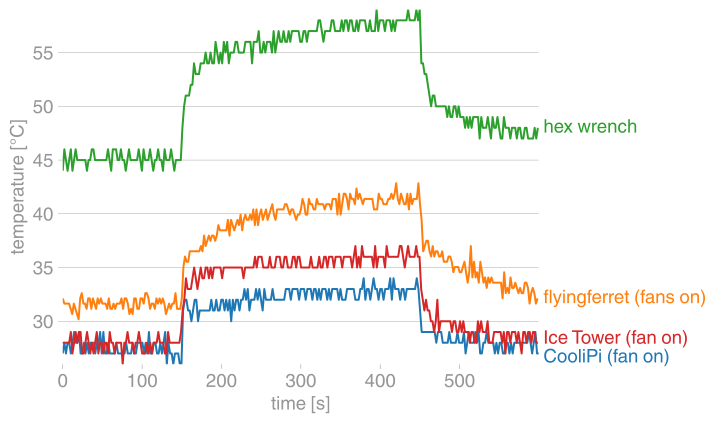 |
| 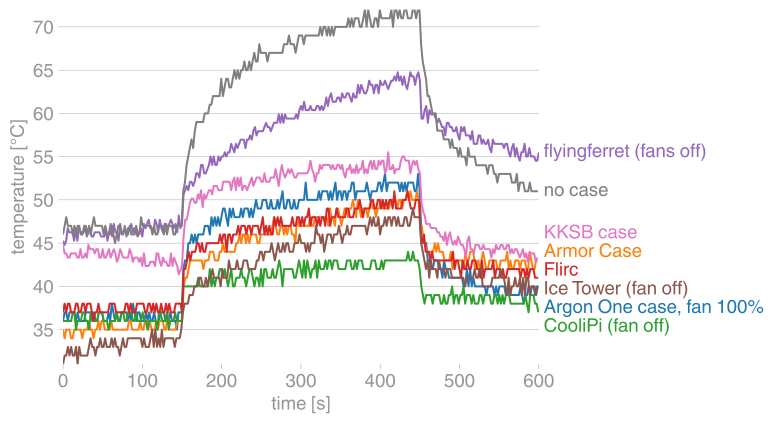 :--------------------------------------:|:----------------------:|
active | passive
:--------------------------------------:|:----------------------:|
active | passive
 |
|  |
| 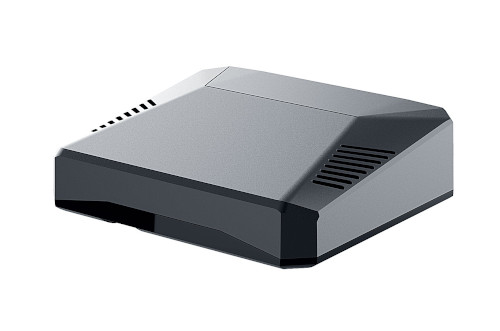 :--------------------------------------:|:----------------------:|:------:|
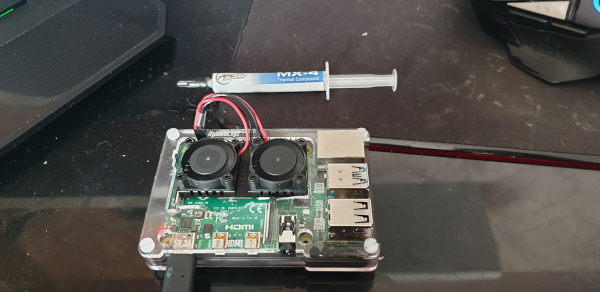
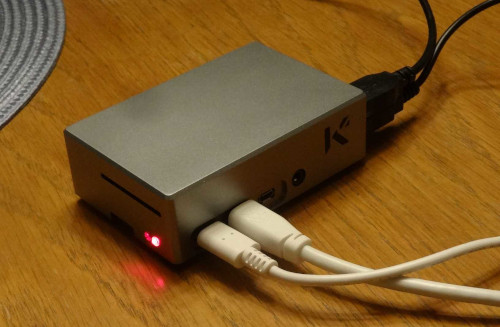
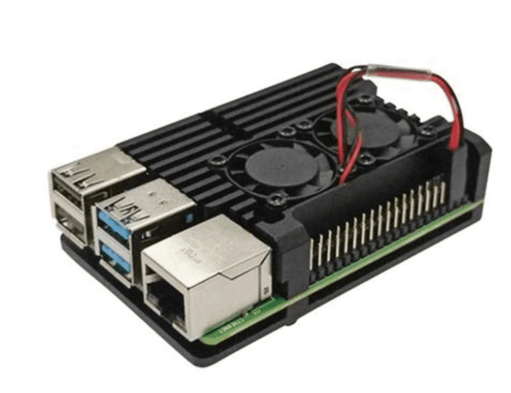
custom case with fans (@flyingferret, [#21](https://github.com/nschloe/stressberry/issues/21)) | [KKSB case](https://kksb-cases.com/products/kksb-raspberry-pi-4-case-aluminium) (@JohBod, [#31](https://github.com/nschloe/stressberry/issues/31)) | [Argon One case](https://www.argon40.com/argon1/argon-one-pi4.html) (@jholloway, [#37](https://github.com/nschloe/stressberry/issues/37))
:--------------------------------------:|:----------------------:|:------:|
custom case with fans (@flyingferret, [#21](https://github.com/nschloe/stressberry/issues/21)) | [KKSB case](https://kksb-cases.com/products/kksb-raspberry-pi-4-case-aluminium) (@JohBod, [#31](https://github.com/nschloe/stressberry/issues/31)) | [Argon One case](https://www.argon40.com/argon1/argon-one-pi4.html) (@jholloway, [#37](https://github.com/nschloe/stressberry/issues/37))
 |
| 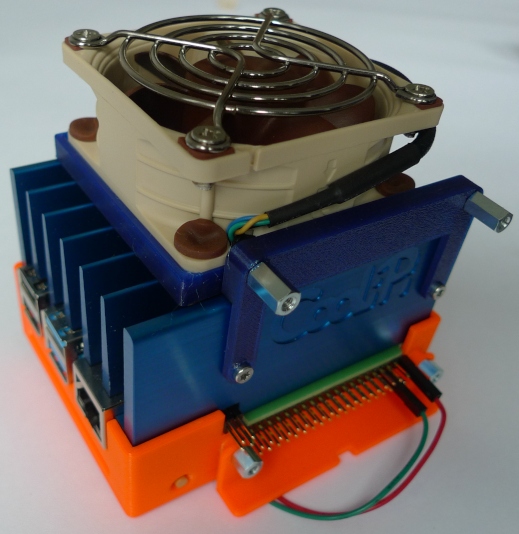 |
| 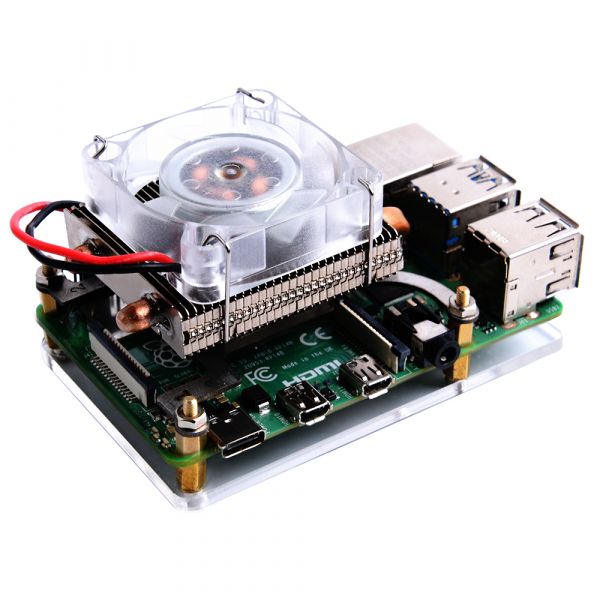 [hex wrench case](https://www.amazon.ca/Aluminum-Model-Raspberry-Wrench-Enclosure/dp/B07W6FT1DD?th=1) (@patrickpoirier51, [#45](https://github.com/nschloe/stressberry/issues/45)) | [CooliPi](https://www.coolipi.com/) (@CooliPi, [#47](https://github.com/nschloe/stressberry/issues/47), [#48](https://github.com/nschloe/stressberry/issues/48)) | [low-profile ice tower case](https://www.aliexpress.com/i/4000288119233.html) (@leonhess, [#54](https://github.com/nschloe/stressberry/issues/54))
 |
| 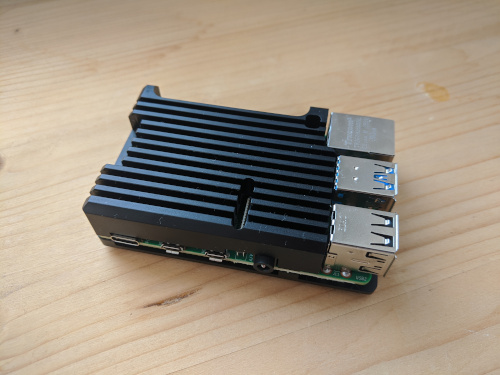 |
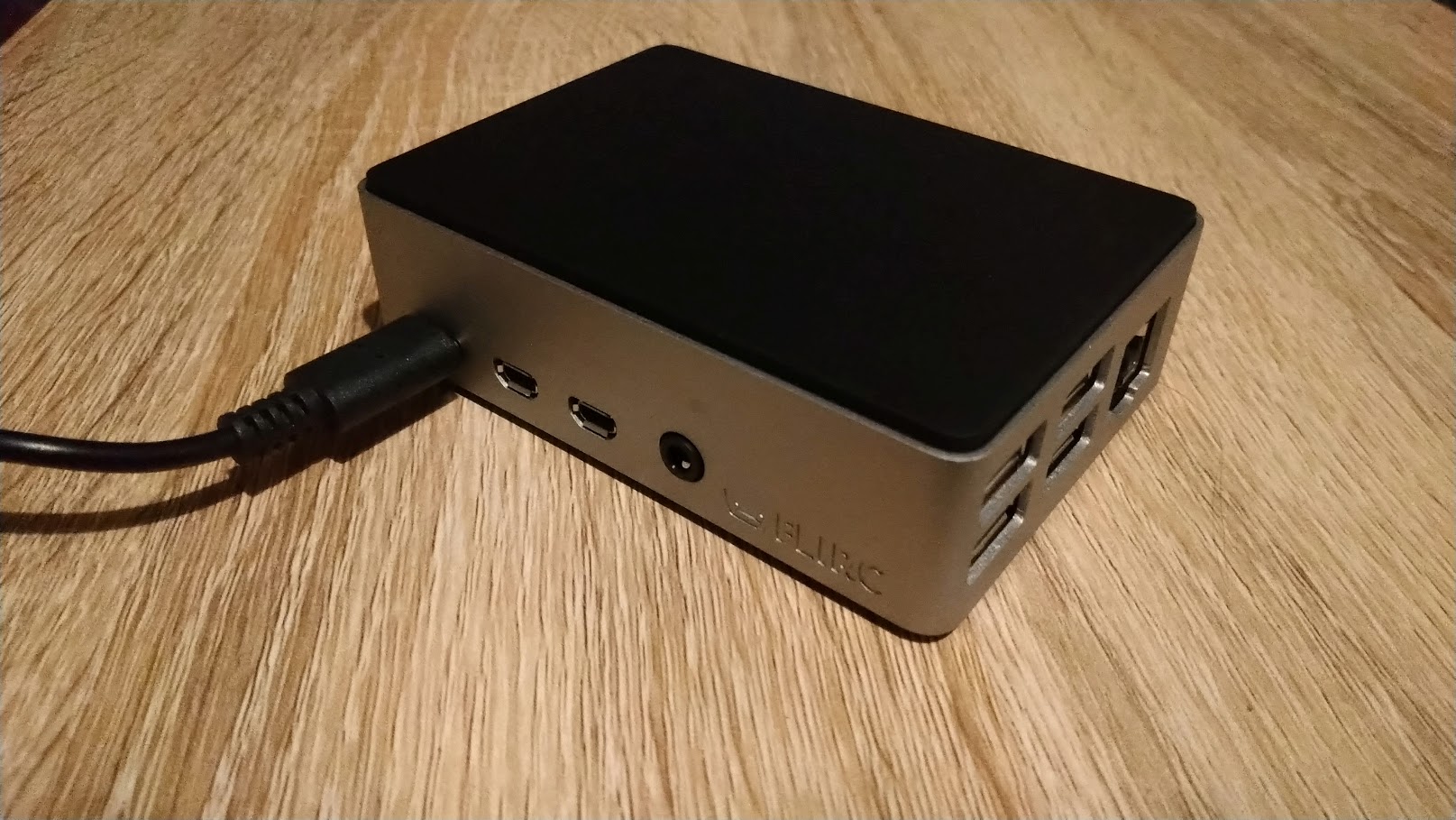
[Flirc case](https://flirc.tv/more/raspberry-pi-4-case) (@RichardKav, [#73](https://github.com/nschloe/stressberry/issues/73)) | [Armor Case](https://www.amazon.com/Geekworm-Raspberry-Computer-Aluminum-Compatible/dp/B07VD568FB) |
### Raspberry Pi 3B+
|
[Flirc case](https://flirc.tv/more/raspberry-pi-4-case) (@RichardKav, [#73](https://github.com/nschloe/stressberry/issues/73)) | [Armor Case](https://www.amazon.com/Geekworm-Raspberry-Computer-Aluminum-Compatible/dp/B07VD568FB) |
### Raspberry Pi 3B+
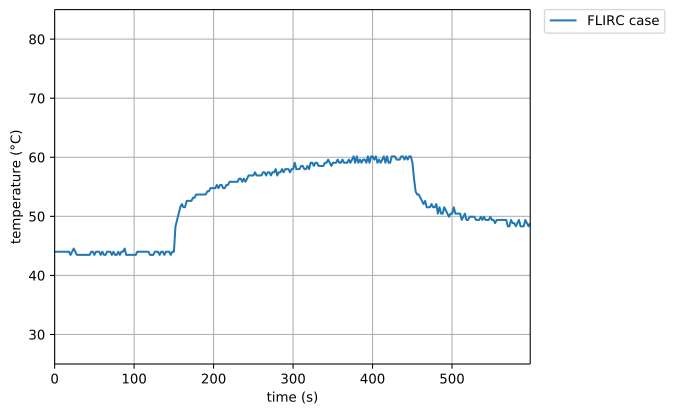 #### FLIRC case
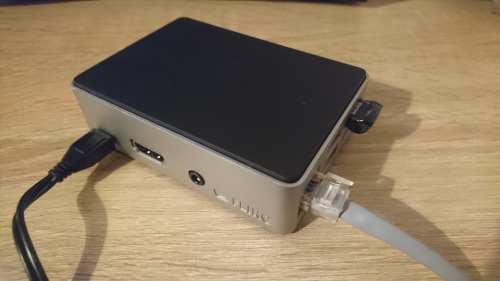 The famous [FLIRC case](https://flirc.tv/more/raspberry-pi-case).
Thanks to @RichardKav for the measurements!
### Raspberry Pi 3B
The famous [FLIRC case](https://flirc.tv/more/raspberry-pi-case).
Thanks to @RichardKav for the measurements!
### Raspberry Pi 3B
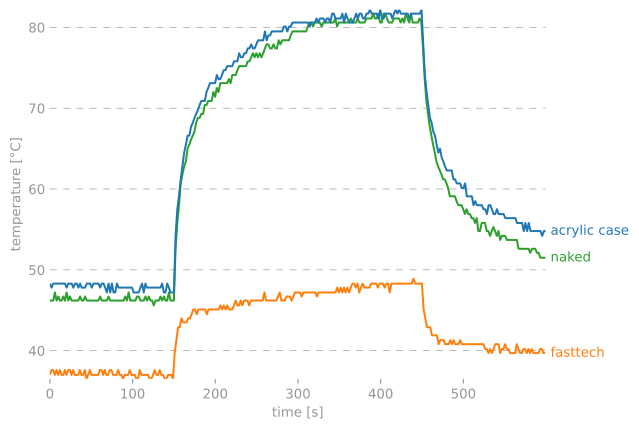
 |
|  |
| 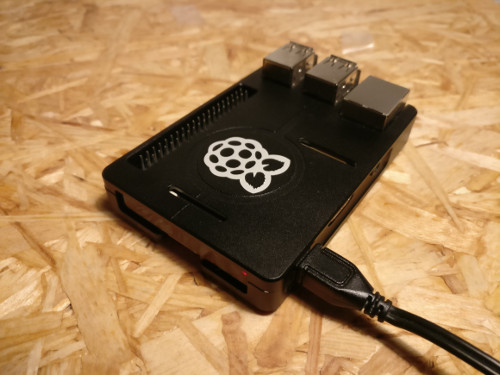 :-------------------:|:------------------:|:----------:|
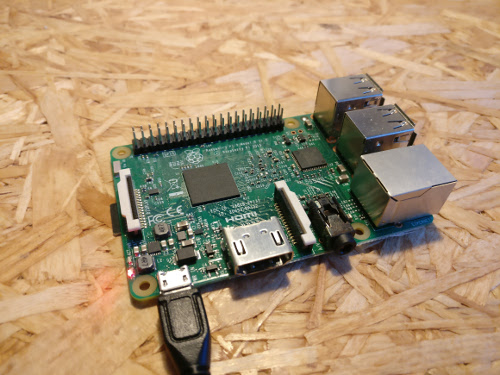
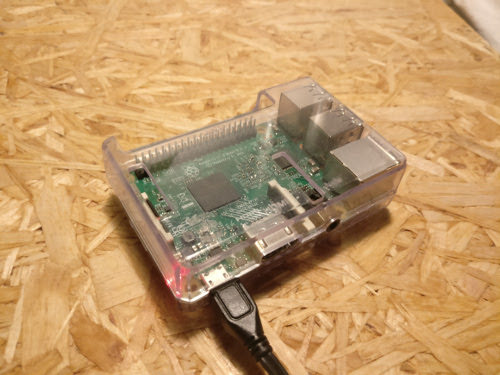
No fans, heat sinks, or case. | Your average acrylic case from eBay. | [FastTech case](https://www.fasttech.com/p/5299000), full-body aluminum alloy with heat pads for CPU and RAM.
### How to
To run stressberry on your computer, simply install it with
```bash
[sudo] apt install stress
python3 -m pip install stressberry
```
Users of [Arch Linux ARM](https://archlinuxarm.org/) can install from the official repos
```
[sudo] pacman -S stressberry
```
and run it with
```
stressberry-run out.dat
stressberry-plot out.dat -o out.png
```
(Use `MPLBACKEND=Agg stressberry-plot out.dat -o out.png` if you're running the script
on the Raspberry Pi itself.)
If it your computer can't find the stressberry tools after installation,
you might have to add the directory `$HOME/.local/bin` to your path:
```
export PATH=$PATH:/home/pi/.local/bin
```
(You can also put this line in your `.bashrc`.)
The run lets the CPU idle for a bit, then stresses it with maximum load for 5 minutes,
and lets it cool down afterwards. The entire process takes 10 minutes. The resulting
data is displayed to a screen or, if specified, written to a PNG file.
If you'd like to submit your own data for display here, feel free to [open an
issue](https://github.com/nschloe/stressberry/issues) and include the data file, a
photograph of your setup, and perhaps some further information.
### Testing
To run the tests, just check out this repository and type
```
pytest
```
### License
This software is published under the [GPLv3 license](https://www.gnu.org/licenses/gpl-3.0.en.html).
:-------------------:|:------------------:|:----------:|
No fans, heat sinks, or case. | Your average acrylic case from eBay. | [FastTech case](https://www.fasttech.com/p/5299000), full-body aluminum alloy with heat pads for CPU and RAM.
### How to
To run stressberry on your computer, simply install it with
```bash
[sudo] apt install stress
python3 -m pip install stressberry
```
Users of [Arch Linux ARM](https://archlinuxarm.org/) can install from the official repos
```
[sudo] pacman -S stressberry
```
and run it with
```
stressberry-run out.dat
stressberry-plot out.dat -o out.png
```
(Use `MPLBACKEND=Agg stressberry-plot out.dat -o out.png` if you're running the script
on the Raspberry Pi itself.)
If it your computer can't find the stressberry tools after installation,
you might have to add the directory `$HOME/.local/bin` to your path:
```
export PATH=$PATH:/home/pi/.local/bin
```
(You can also put this line in your `.bashrc`.)
The run lets the CPU idle for a bit, then stresses it with maximum load for 5 minutes,
and lets it cool down afterwards. The entire process takes 10 minutes. The resulting
data is displayed to a screen or, if specified, written to a PNG file.
If you'd like to submit your own data for display here, feel free to [open an
issue](https://github.com/nschloe/stressberry/issues) and include the data file, a
photograph of your setup, and perhaps some further information.
### Testing
To run the tests, just check out this repository and type
```
pytest
```
### License
This software is published under the [GPLv3 license](https://www.gnu.org/licenses/gpl-3.0.en.html).