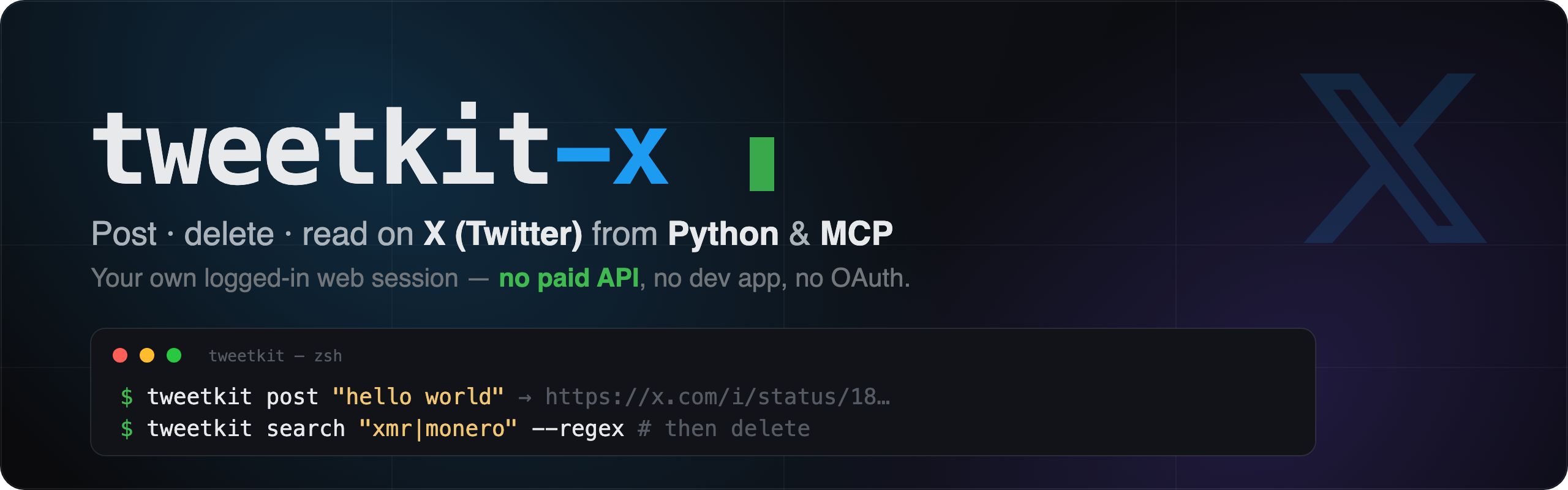
tweetkit-x
Post, delete & read on X (Twitter) — from Python and as an MCP server — using your own logged-in browser session.
No paid API. No developer app. No OAuth dance. Just your session cookie.





Quick start ·
Get your cookie ·
Python ·
CLI ·
MCP server ·
How it works ·
Disclaimer
---
## Why
Since **February 6, 2026**, X's official API has **no free tier for new developers** — it's pay-per-use: **~$0.015 per post, ~$0.20 per post with a link**, plus per-read charges. For publishing *your own* tweets (a bot posting your content, a scheduled thread, a cleanup script that deletes old posts), that's a recurring bill for something your browser already does for free.
**tweetkit-x** skips the API entirely. It replays the exact internal HTTP calls your browser makes when you click **Post**, **Delete**, or scroll your profile — authenticated with the session cookie you already have. Post, delete, and read the full timeline, at **zero API cost**.
> ⚠️ Automating your web session is **against X's Terms of Service**. This is a grey-area tool for personal automation. **Account risk is entirely yours.** See the [Disclaimer](#disclaimer).
---
## Features
- ✅ **Post** — text, **up to 4 images**, **GIF & video** (with **alt text**), replies, **threads**, **quote-tweets**, **long-form note tweets**, and **scheduled** tweets
- 🗑️ **Delete** — one id, a list of ids, or "find matching & delete" cleanup loops
- ❤️ **Engage** — like, retweet, bookmark, **follow, block, mute, pin** — each with an undo
- 🌐 **Search all of X** — the real `SearchTimeline` (operators like `from:`, `min_faves:`, `filter:media`), plus local regex over your own tweets
- 📖 **Read** — your **home feed**, any timeline, a tweet's **replies/conversation**, **followers/following**, **likers/retweeters**, **bookmarks**, a user's **likes**, **notifications**, and full **profiles**
- 🔌 **MCP server** — **40 tools**; drop into Claude Desktop / Claude Code / Cursor; tools that **explain the cookie** and set it up with one paste
- 🔑 **Frictionless auth** — paste a `Cookie:` header, drop a **HAR** file, or a **storage-dump zip**; store in a file or the macOS **Keychain**
- 🐍 **Python API** *and* a **CLI** (`tweetkit …`)
- 🪶 Tiny footprint — no headless browser, no Selenium
---
## Quick start
```bash
pip install "tweetkit-x[mcp]" # or: pip install tweetkit-x (library + CLI only)
# 1. Import your session cookie (three ways — see the next section)
tweetkit import --paste # paste the Cookie: header, Ctrl-D
# or: tweetkit import --file x.com.har
# or: tweetkit import --file storagedump_x.com.zip --keychain tweetkit
# 2. Verify (no network call)
tweetkit whoami
# {"ready": true, "user_id": "1986...", "ct0_len": 160}
# 3. Use it
tweetkit post "hello world 👋"
tweetkit search "xmr|monero" --regex # your tweets that match
tweetkit delete 2063240404980445603
```
---
## Getting your session cookie
The **only** secret tweetkit needs is your X **session cookie** — the same `Cookie:` header your logged-in browser sends. It must contain **at least two** values:
| Cookie | What it is | Required | HttpOnly? |
|---|---|---|---|
| `auth_token` | your login/session token | **yes** | **yes** (hidden from `document.cookie`) |
| `ct0` | CSRF token (sent back as `x-csrf-token`) | **yes** | no |
| `twid` | your user id (`u=`) — lets tweetkit read *your* timeline with no extra lookup | recommended | no |
| `guest_id`, `kdt`, `att`, `personalization_id` | misc session state | optional | mixed |
> ❗ `auth_token` is **HttpOnly**, so a `document.cookie` copy in the JS console will **NOT** include it. Use one of the reliable methods below.
### Method A — copy the `Cookie:` header (most reliable, one paste)
1. Open **x.com** while logged in.
2. Open **DevTools (F12)** → the **Network** tab.
3. Click any request to `x.com` (e.g. `HomeTimeline`).
4. Under **Request Headers**, find **`cookie:`** and copy the **entire** value.
5. Feed it in:
```bash
tweetkit import --paste
# paste the cookie header, then press Ctrl-D
```
### Method B — an F12 "Preserve log" HAR file
1. Open **x.com** logged in → **DevTools (F12)** → **Network**.
2. Tick **"Preserve log"**, then reload / click around so requests are captured.
3. **Right-click any request → "Save all as HAR"** (or use the ⬇ export icon).
4. Import it:
```bash
tweetkit import --file ~/Downloads/x.com.har
```
> Modern Chrome can **redact cookies** from exported HARs. If tweetkit reports `auth_token` missing, either enable **"Allow to generate HAR with sensitive data"** in the Network settings, or fall back to **Method A** / **Method C**.
### Method C — the **storagedump** browser extension (zip)
The easiest no-DevTools route. **[storagedump](https://chromewebstore.google.com/detail/storagedump/kihoghfekemdccfnpjefmggehpgnjnab)** (a Chrome extension built by this project's author) exports a tab's browser storage — including the **HttpOnly** `auth_token`, which `document.cookie` can't reach — as a `.zip` containing `cookies.json`. On x.com (logged in), click the extension → export, then:
```bash
tweetkit import --file storagedump_x.com_2026-07-05.zip
```
tweetkit reads the extension's native format, `{ "data": [ { "key": "...", "value": "..." }, ... ] }`, and also accepts a plain list or a `{name: value}` map. Cookie-Editor / EditThisCookie JSON exports (`--file export.json`) work too.
> Install: **[storagedump on the Chrome Web Store](https://chromewebstore.google.com/detail/storagedump/kihoghfekemdccfnpjefmggehpgnjnab)**.
### Where the cookie is stored
By default `tweetkit import` writes **`~/.config/tweetkit/cookie.txt`** (chmod `600`; also git-ignored). Prefer the **macOS Keychain**? Add `--keychain `:
```bash
tweetkit import --paste --keychain tweetkit
export TWEETKIT_COOKIE_KEYCHAIN=tweetkit
```
Resolution order at runtime (first hit wins): explicit arg → `TWEETKIT_COOKIE` → `TWEETKIT_COOKIE_FILE` → `./cookie.txt` → `~/.config/tweetkit/cookie.txt` → Keychain (`TWEETKIT_COOKIE_KEYCHAIN`).
---
## Python usage
```python
from tweetkit_x import TweetKit
tk = TweetKit(keychain_slug="tweetkit") # or cookie="auth_token=...; ct0=..."
tk.whoami() # {'ready': True, 'user_id': '...', 'ct0_len': 160}
# post
tk.post("hello world")
tk.post("with a picture", image_path="chart.png")
tk.post("a reply", reply_to="1800000000000000000")
# thread — strings or (text, image_path) tuples; each replies to the previous
tk.post_thread(["1/ intro", ("2/ chart", "chart.png"), "3/ outro"])
# read
mine = tk.get_tweets(limit=100) # your tweets, newest first
theirs = tk.get_tweets(username="jack", limit=50) # anyone's
# search (local filter over the timeline — no paid search API)
hits = tk.search("monero") # substring
hits = tk.search(r"xmr|monero", regex=True) # regex
# delete
tk.delete("1800000000000000000")
tk.delete_many([t["id"] for t in hits])
# quote-tweet
tk.quote("this is great", quote_tweet_id="1800000000000000000")
# engage (each has an undo)
tk.like("1800000000000000000"); tk.unlike("1800000000000000000")
tk.retweet("1800000000000000000"); tk.unretweet("1800000000000000000")
tk.bookmark("1800000000000000000"); tk.unbookmark("1800000000000000000")
# read a single tweet, and search ALL of X (real search + operators)
tk.get_tweet("1800000000000000000")
tk.search_x("mcp server", latest=True, limit=40)
tk.search_x("from:jack min_faves:1000") # X search operators work
```
Every write returns `{'ok': True, 'id': '...', 'url': '...'}` on success, or `{'ok': False, 'status': ..., 'error': '...'}` on failure — easy to log or retry.
See [`examples/`](examples/) for a full "find my $XMR tweets and delete them" cleanup loop.
---
## CLI usage
```bash
tweetkit whoami
tweetkit post "just some text"
tweetkit post "text + media" --image pic.png
tweetkit post "a reply" --reply-to 1800000000000000000
tweetkit thread thread.txt # tweets separated by blank lines
tweetkit delete 1800000000000000000 1800000000000000001
tweetkit tweets --limit 100 # your tweets
tweetkit tweets @jack --limit 50 # someone else's
tweetkit search monero # your tweets containing "monero"
tweetkit search "xmr|monero" --regex
tweetkit searchx "mcp server" --latest # search ALL of X (real search + operators)
tweetkit get 1800000000000000000 # one tweet by id
tweetkit quote "great thread" 1800000000000000000
tweetkit like 1800000000000000000 # also: unlike / retweet / unretweet / bookmark / unbookmark
```
A `thread.txt` is just tweets separated by **blank lines**.
---
## MCP server
tweetkit ships a first-class **MCP server** so an AI client can post/delete/read for you — and it **walks the user through auth**, explaining what the cookie is and setting it up with a single paste.
### Configure your client
**Claude Desktop / Claude Code / Cursor** — add to your MCP config (`claude_desktop_config.json`, `.mcp.json`, …):
```jsonc
{
"mcpServers": {
"tweetkit": {
"command": "uvx",
"args": ["--from", "tweetkit-x[mcp]", "tweetkit-mcp"],
"env": { "TWEETKIT_COOKIE_KEYCHAIN": "tweetkit" }
}
}
}
```
Already `pip install`ed? Use the console script directly:
```jsonc
{ "mcpServers": { "tweetkit": { "command": "tweetkit-mcp",
"env": { "TWEETKIT_COOKIE_KEYCHAIN": "tweetkit" } } } }
```
If you don't set any cookie env var, that's fine — the server starts unauthenticated and asks the user to set the cookie from inside the chat (below).
### Frictionless auth, from inside the chat
The server **describes each value** and offers the lowest-effort path. A typical first run:
1. The client calls **`auth_status`** → *not authenticated*.
2. The server’s instructions tell the assistant to ask you for your cookie and explain **what `auth_token` and `ct0` are** and how to copy them.
3. You paste the `Cookie:` header once → **`set_session_cookie("")`** → stored (Keychain or file) and activated. Or point **`import_cookie_from_file("~/Downloads/x.com.har")`** at a HAR / storage-dump zip.
The raw cookie is never echoed back.
### Tools
| Tool | What it does |
|---|---|
| `auth_status` | Is a valid session loaded? (call first) |
| `set_session_cookie(cookie_header)` | Set auth from a pasted `Cookie:` header — explains exactly what to copy |
| `import_cookie_from_file(path)` | Set auth from a HAR / storage-dump `.zip` / cookie JSON |
| `post_tweet(text, image_path?, reply_to?)` | Post a tweet (optional image / reply) |
| `post_thread(tweets[])` | Post a thread |
| `quote_tweet(text, quote_tweet_id, image_path?)` | Quote-tweet an existing tweet |
| `delete_tweet(tweet_id)` / `delete_tweets(ids[])` | Delete tweets |
| `like_tweet` / `unlike_tweet` / `retweet` / `unretweet` / `bookmark_tweet` / `unbookmark_tweet` | Engage (each reversible) |
| `get_my_tweets(limit?)` / `get_user_tweets(username, limit?)` | Read a timeline |
| `get_tweet(tweet_id)` | Fetch one tweet by id |
| `search_my_tweets(query, regex?, limit?)` | Find your own tweets (local filter — great for cleanup) |
| `search_x(query, latest?, limit?)` | Search **all of X** (real search, supports operators) |
| `post_note` / `schedule_tweet` / `unschedule_tweet` | Long-form note tweets; schedule / cancel |
| `follow_user` / `unfollow_user` / `block_user` / `unblock_user` / `mute_user` / `unmute_user` | Social-graph actions |
| `pin_tweet` / `unpin_tweet` | Pin / unpin to your profile |
| `get_home_timeline` / `get_replies` / `get_notifications` / `get_bookmarks` | Feeds & conversations |
| `get_user_profile` / `get_followers` / `get_following` / `get_likers` / `get_retweeters` / `get_user_likes` | People & profiles |
> **Not (yet) supported:** DMs, polls (create/vote), Lists, profile editing, Spaces, hide-reply. These need a captured HAR of that exact action to pin down the endpoint — easy to add on request.
---
## How it works
When you act in the browser, x.com calls a handful of internal endpoints. tweetkit reproduces them 1:1:
1. **`x-client-transaction-id`** — X requires an anti-bot header derived from the page's `ondemand.s` JS and a home fetch. Generated with the standalone [`x-client-transaction-id`](https://pypi.org/project/x-client-transaction-id/) package.
2. **Media upload** (images) — `POST upload.x.com/i/media/upload.json` as `INIT` → `APPEND` → `FINALIZE`, yielding a `media_id`.
3. **Write / delete** — `POST /i/api/graphql//CreateTweet` and `.../DeleteTweet`.
4. **Read** — `GET /i/api/graphql//UserTweets` (paginated by cursor), plus `UserByScreenName` to resolve `@handles`.
Auth is just your **cookie** + the public web **bearer** token (the same non-secret bearer embedded in x.com for every visitor) + the **`ct0`** CSRF value echoed as `x-csrf-token`.
```
your cookie ──► x-client-transaction-id ──► CreateTweet / DeleteTweet / UserTweets ──► result
```
> The GraphQL **query IDs** live in [`tweetkit_x/constants.py`](tweetkit_x/constants.py). X rotates them every few weeks; if a call starts failing, refresh them from a fresh HAR (the file has step-by-step notes).
---
## Security
- The cookie is the only secret. It's stored **chmod 600** in `~/.config/tweetkit/cookie.txt` or the macOS **Keychain**, and `.gitignore` blocks `cookie.txt`, `.env`, `*.har`, and `*.zip`.
- tweetkit **never prints** the cookie value — importers report only which cookies were found and their lengths.
- The bundled **bearer** is X's public web bearer, identical for every visitor — not a secret.
---
## Disclaimer
This project automates your **own** X web session for **personal** use. Automating the web session is **against X's Terms of Service**, and using it may put your account at risk of rate-limiting, suspension, or ban. **You are solely responsible** for how you use it. Provided **as-is**, without warranty. Not affiliated with X Corp.
## License
[MIT](LICENSE) © 2026 ns0bj