---
keywords: file, fileattachment, attachment
---
# Files
Load files — whether static or generated dynamically by a [data loader](./data-loaders) — using the built-in `FileAttachment` function. This is available by default in Markdown, but you can import it explicitly like so:
```js echo
import {FileAttachment} from "observablehq:stdlib";
```
The `FileAttachment` function takes a path and returns a file handle. This handle exposes:
* `name` - the file’s name (such as `volcano.json`),
* `mimeType` - [MIME type](https://developer.mozilla.org/en-US/docs/Web/HTTP/Basics_of_HTTP/MIME_types) (such as `application/json`),
* `lastModified` - modification time (in milliseconds since epoch), and
* `size` - size in bytes .
```js echo
FileAttachment("volcano.json")
```
Like a [local import](./imports#local-imports), the path is relative to the calling code’s source file: either the page’s Markdown file or the imported local JavaScript module. To load a remote file, use [`fetch`](https://developer.mozilla.org/en-US/docs/Web/API/Fetch_API), or use a [data loader](./data-loaders) to download the file at build time.
Calling `FileAttachment` doesn’t actually load the file; the contents are only loaded when you invoke a [file contents method](#supported-formats). For example, to load a JSON file:
```js echo
const volcano = FileAttachment("volcano.json").json();
```
The value of `volcano` above is a [promise](./reactivity#promises). In other code blocks, the promise is implicitly awaited and hence you can refer to the resolved value directly.
```js echo
volcano
```
## Static analysis
The `FileAttachment` function can _only_ be passed a static string literal; constructing a dynamic path such as FileAttachment(\`frame$\{i}.png\`) is invalid syntax. Static analysis is used to invoke [data loaders](./data-loaders) at build time, and ensures that only referenced files are included in the generated output during build. This also allows a content hash in the file name for cache breaking during deploy.
If you have multiple files, you can enumerate them explicitly like so:
```js run=false
const frames = [
FileAttachment("frame1.png"),
FileAttachment("frame2.png"),
FileAttachment("frame3.png"),
FileAttachment("frame4.png"),
FileAttachment("frame5.png"),
FileAttachment("frame6.png"),
FileAttachment("frame7.png"),
FileAttachment("frame8.png"),
FileAttachment("frame9.png")
];
```
None of the files in `frames` above are loaded until a [content method](#supported-formats) is invoked, for example by saying `frames[0].image()`.
For missing files, `file.size` and `file.lastModified` are undefined. The `file.mimeType` is determined by checking the file extension against the [`mime-db` media type database](https://github.com/jshttp/mime-db); it defaults to `application/octet-stream`.
## Supported formats
`FileAttachment` supports a variety of methods for loading file contents:
| method | return type
| - | -
| [`file.arquero`][arquero] | Arquero [`Table`][arquero-table]
| [`file.arrayBuffer`][binary] | [`ArrayBuffer`][array-buffer]
| [`file.arrow`][arrow] | Arrow [`Table`][arrow-table]
| [`file.blob`][binary] | [`Blob`][blob]
| [`file.csv`][csv] | [`Array`][array]
| [`file.dsv`][csv] | [`Array`][array]
| [`file.html`][markup] | [`Document`][document]
| [`file.image`][media] | [`HTMLImageElement`][image]
| [`file.json`][json] | [`Array`][array], [`Object`][object], _etc._
| [`file.parquet`][arrow] | Arrow [`Table`][arrow-table]
| [`file.sqlite`][sqlite] | [`SQLiteDatabaseClient`][sqlite]
| [`file.stream`][binary] | [`ReadableStream`][stream]
| [`file.text`][text] | [`string`][string]
| [`file.tsv`][csv] | [`Array`][array]
| [`file.xlsx`][xlsx] | [`Workbook`][xlsx]
| [`file.xml`][markup] | [`Document`][document]
| [`file.zip`][zip] | [`ZipArchive`][zip]
[arquero]: ./lib/arquero
[arquero-table]: https://idl.uw.edu/arquero/api/#table
[array-buffer]: https://developer.mozilla.org/en-US/docs/Web/JavaScript/Reference/Global_Objects/ArrayBuffer
[arrow-table]: https://arrow.apache.org/docs/js/classes/Arrow.dom.Table.html
[blob]: https://developer.mozilla.org/en-US/docs/Web/API/Blob
[array]: https://developer.mozilla.org/en-US/docs/Web/JavaScript/Reference/Global_Objects/Array
[document]: https://developer.mozilla.org/en-US/docs/Web/API/Document
[image]: https://developer.mozilla.org/en-US/docs/Web/API/HTMLImageElement
[object]: https://developer.mozilla.org/en-US/docs/Web/JavaScript/Reference/Global_Objects/Object
[stream]: https://developer.mozilla.org/en-US/docs/Web/API/ReadableStream
[string]: https://developer.mozilla.org/en-US/docs/Web/JavaScript/Reference/Global_Objects/String
[binary]: #binary-formats
[basic]: #basic-formats
[arrow]: ./lib/arrow
[csv]: ./lib/csv
[markup]: #markup
[media]: #media
[json]: #json
[sqlite]: ./lib/sqlite
[text]: #text
[xlsx]: ./lib/xlsx
[zip]: ./lib/zip
The contents of a file often dictate the appropriate method — for example, an Excel XLSX file is almost always read with `file.xlsx`. When multiple methods are valid, choose based on your needs. For example, you can load a CSV file using `file.arquero` to load it into [Arquero](./lib/arquero), or even using `file.text` to implement parsing yourself.
In addition to the above, you can get the resolved absolute URL of the file using `file.href`:
```js echo
FileAttachment("volcano.json").href
```
See [file-based routing](#routing) for additional details.
## Basic formats
The following common basic formats are supported natively.
### Text
To load a humble text file, use `file.text`:
```js echo
const hello = FileAttachment("hello.txt").text();
```
```js echo
hello
```
By default, `file.text` expects the file to be encoded in [UTF-8](https://en.wikipedia.org/wiki/UTF-8). To use a different encoding, pass the [desired encoding](https://developer.mozilla.org/en-US/docs/Web/API/Encoding_API/Encodings) name to `file.text`.
```js echo
const pryvit = FileAttachment("pryvit.txt").text("utf-16be");
```
```js echo
pryvit
```
### JSON
To load a [JSON (JavaScript Object Notation)](https://www.json.org/) file, use `file.json`
```js echo
FileAttachment("volcano.json").json()
```
A common gotcha with JSON is that it has no built-in date type; dates are therefore typically represented as ISO 8601 strings, or as a number of milliseconds or seconds since UNIX epoch.
### Media
To display an image, you can use a static image in [Markdown](./markdown) such as `` or `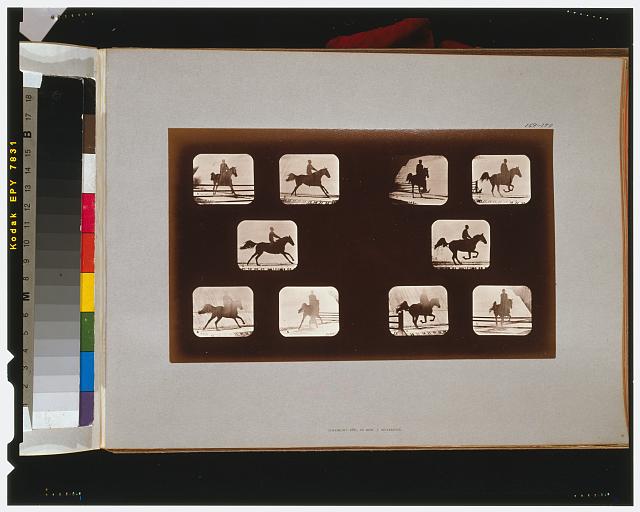`. Likewise, you can use a `video` or `audio` element. Per [file-based routing](#routing), static references to these files are automatically detected and therefore these files will be included in the built output.
```html run=false
```
If you want to manipulate an image in JavaScript, use `file.image`. For example, below we load an image and invert the RGB channel values.
```js echo
const canvas = document.querySelector("#horse-canvas");
const context = canvas.getContext("2d");
const horse = await FileAttachment("horse.jpg").image();
context.drawImage(horse, 0, 0, canvas.width, canvas.height);
const data = context.getImageData(0, 0, canvas.width, canvas.height);
for (let j = 0, k = 0; j < canvas.height; ++j) {
for (let i = 0; i < canvas.width; ++i, k += 4) {
data.data[k + 0] = 255 - data.data[k + 0];
data.data[k + 1] = 255 - data.data[k + 1];
data.data[k + 2] = 255 - data.data[k + 2];
}
}
context.putImageData(data, 0, 0);
```
(The images above are from [Eadweard Muybridge](https://www.loc.gov/search/?fa=contributor:muybridge,+eadweard)’s studies of animal locomotion.)
### Markup
The `file.xml` method reads an XML file and returns a promise to a [`Document`](https://developer.mozilla.org/en-US/docs/Web/API/Document); it takes a single argument with the file’s MIME-type, which defaults to `"application/xml"`. The `file.html` method similarly reads an [HTML](https://developer.mozilla.org/en-US/docs/Web/HTML) file; it is equivalent to `file.xml("text/html")`.
## Binary formats
Load binary data using `file.blob` to get a [`Blob`][blob], or `file.arrayBuffer` to get an [`ArrayBuffer`][array-buffer]. For example, to read [Exif](https://en.wikipedia.org/wiki/Exif) image metadata with [ExifReader](https://github.com/mattiasw/ExifReader):
```js echo
import ExifReader from "npm:exifreader";
const buffer = await FileAttachment("horse.jpg").arrayBuffer();
const tags = ExifReader.load(buffer);
display(tags);
```
To read a file incrementally, get a [`ReadableStream`][stream] with `file.stream`. For example, to count the number of bytes in a file:
```js echo
const stream = await FileAttachment("horse.jpg").stream();
const reader = stream.getReader();
let total = 0;
while (true) {
const {done, value} = await reader.read();
if (done) break;
total += value.length;
}
display(total);
```
## Routing
Attached files live in the source root (typically `src`) alongside your Markdown pages. For example, say `index.md` has some JavaScript code that references `FileAttachment("quakes.csv")`:
```ini
.
├─ src
│ ├─ index.md
│ └─ quakes.csv
└─ …
```
On build, any files referenced by `FileAttachment` will automatically be copied to the `_file` folder under the output root (`dist`), here resulting in:
```ini
.
├─ dist
│ ├─ _file
│ │ └─ quakes.e5f2eb94.csv
│ ├─ _observablehq
│ │ └─ … # additional assets
│ └─ index.html
└─ …
```
`FileAttachment` references are automatically rewritten during build; for example, a reference to `quakes.csv` might be replaced with `_file/quakes.e5f2eb94.csv`. (As with imports, file names are given a content hash, here `e5f2eb94`, to improve performance.) Only the files you reference statically are copied to the output root (`dist`), so nothing extra or unused is included in the built site.
[Imported local modules](./imports#local-imports) can use `FileAttachment`, too. In this case, the path to the file is _relative to the importing module_ in the same fashion as `import`; this is accomplished by resolving relative paths at runtime with [`import.meta.url`](https://developer.mozilla.org/en-US/docs/Web/JavaScript/Reference/Operators/import.meta).
Some additional assets are automatically promoted to file attachments and copied to `_file`. For example, if you have a `` declared statically in a Markdown page, the `style.css` file will be copied to `_file`, too (and the file name given a content hash). The HTML elements eligible for file attachments are `audio`, `img`, `link`, `picture`, and `video`.
 ` or ``. Likewise, you can use a `video` or `audio` element. Per [file-based routing](#routing), static references to these files are automatically detected and therefore these files will be included in the built output.
```html run=false
```
If you want to manipulate an image in JavaScript, use `file.image`. For example, below we load an image and invert the RGB channel values.
```js echo
const canvas = document.querySelector("#horse-canvas");
const context = canvas.getContext("2d");
const horse = await FileAttachment("horse.jpg").image();
context.drawImage(horse, 0, 0, canvas.width, canvas.height);
const data = context.getImageData(0, 0, canvas.width, canvas.height);
for (let j = 0, k = 0; j < canvas.height; ++j) {
for (let i = 0; i < canvas.width; ++i, k += 4) {
data.data[k + 0] = 255 - data.data[k + 0];
data.data[k + 1] = 255 - data.data[k + 1];
data.data[k + 2] = 255 - data.data[k + 2];
}
}
context.putImageData(data, 0, 0);
```
(The images above are from [Eadweard Muybridge](https://www.loc.gov/search/?fa=contributor:muybridge,+eadweard)’s studies of animal locomotion.)
### Markup
The `file.xml` method reads an XML file and returns a promise to a [`Document`](https://developer.mozilla.org/en-US/docs/Web/API/Document); it takes a single argument with the file’s MIME-type, which defaults to `"application/xml"`. The `file.html` method similarly reads an [HTML](https://developer.mozilla.org/en-US/docs/Web/HTML) file; it is equivalent to `file.xml("text/html")`.
## Binary formats
Load binary data using `file.blob` to get a [`Blob`][blob], or `file.arrayBuffer` to get an [`ArrayBuffer`][array-buffer]. For example, to read [Exif](https://en.wikipedia.org/wiki/Exif) image metadata with [ExifReader](https://github.com/mattiasw/ExifReader):
```js echo
import ExifReader from "npm:exifreader";
const buffer = await FileAttachment("horse.jpg").arrayBuffer();
const tags = ExifReader.load(buffer);
display(tags);
```
To read a file incrementally, get a [`ReadableStream`][stream] with `file.stream`. For example, to count the number of bytes in a file:
```js echo
const stream = await FileAttachment("horse.jpg").stream();
const reader = stream.getReader();
let total = 0;
while (true) {
const {done, value} = await reader.read();
if (done) break;
total += value.length;
}
display(total);
```
## Routing
Attached files live in the source root (typically `src`) alongside your Markdown pages. For example, say `index.md` has some JavaScript code that references `FileAttachment("quakes.csv")`:
```ini
.
├─ src
│ ├─ index.md
│ └─ quakes.csv
└─ …
```
On build, any files referenced by `FileAttachment` will automatically be copied to the `_file` folder under the output root (`dist`), here resulting in:
```ini
.
├─ dist
│ ├─ _file
│ │ └─ quakes.e5f2eb94.csv
│ ├─ _observablehq
│ │ └─ … # additional assets
│ └─ index.html
└─ …
```
`FileAttachment` references are automatically rewritten during build; for example, a reference to `quakes.csv` might be replaced with `_file/quakes.e5f2eb94.csv`. (As with imports, file names are given a content hash, here `e5f2eb94`, to improve performance.) Only the files you reference statically are copied to the output root (`dist`), so nothing extra or unused is included in the built site.
[Imported local modules](./imports#local-imports) can use `FileAttachment`, too. In this case, the path to the file is _relative to the importing module_ in the same fashion as `import`; this is accomplished by resolving relative paths at runtime with [`import.meta.url`](https://developer.mozilla.org/en-US/docs/Web/JavaScript/Reference/Operators/import.meta).
Some additional assets are automatically promoted to file attachments and copied to `_file`. For example, if you have a `` declared statically in a Markdown page, the `style.css` file will be copied to `_file`, too (and the file name given a content hash). The HTML elements eligible for file attachments are `audio`, `img`, `link`, `picture`, and `video`.