 ## Features
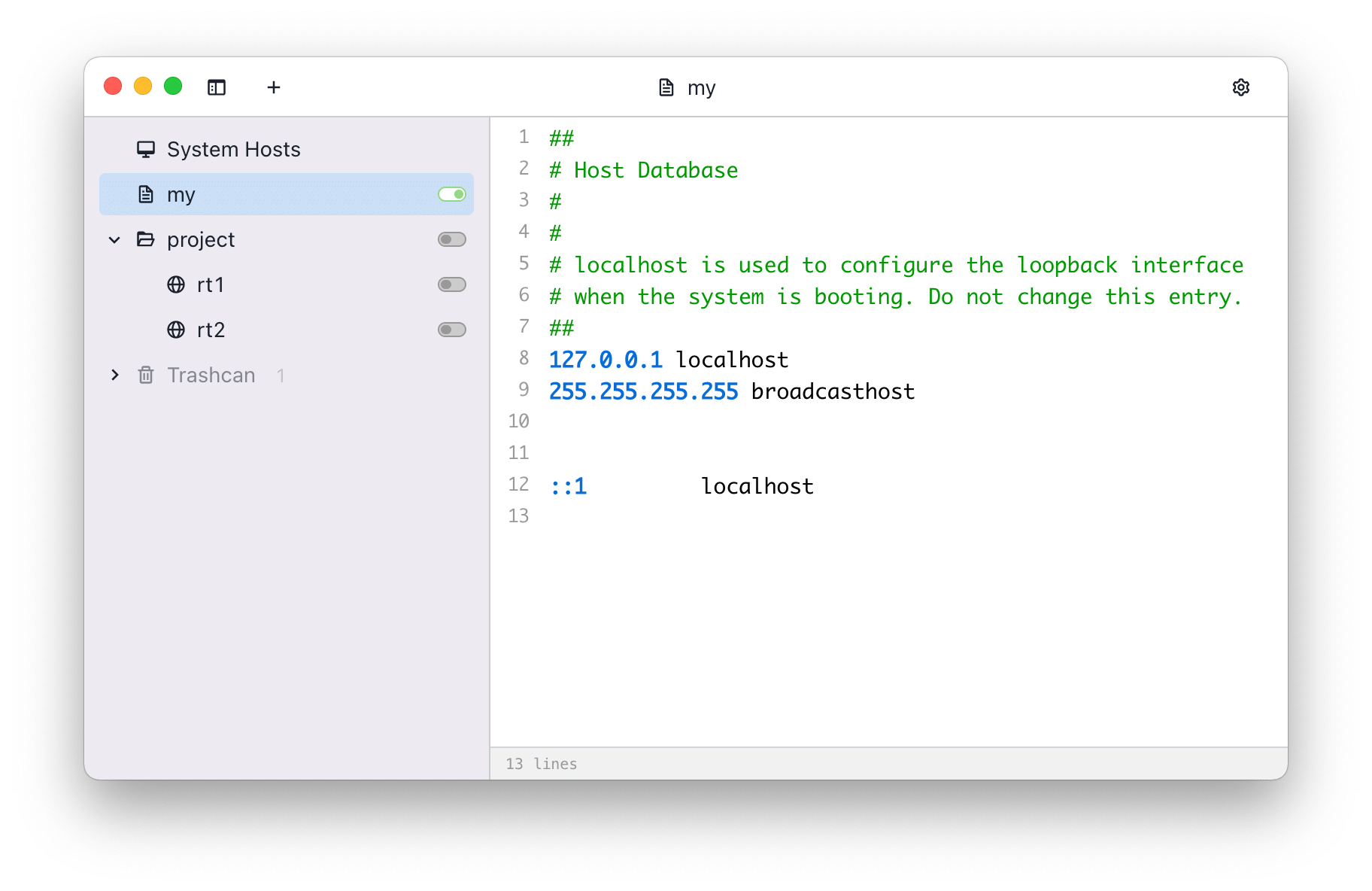
- Manage system, local, remote, group, and folder hosts entries
- Switch hosts quickly from the main window or system tray
- Syntax highlighting for hosts files
- Find and replace across hosts entries
- Refresh remote hosts manually, on a schedule, or at startup
- Import/export hosts data, including importing backups from a URL
- Move entries to the trashcan and restore or delete them later
- Preferences for write mode, proxy, update checks, launch at login, post-apply commands, and the local HTTP API
## Install
### Download
You can download the source code and build it yourself, or download the built version from following
links:
- [SwitchHosts Download Page (GitHub release)](https://github.com/oldj/SwitchHosts/releases)
You can also install the built version using the [package manager Chocolatey](https://community.chocolatey.org/packages/switchhosts):
```powershell
choco install switchhosts
```
## Backup
SwitchHosts stores data at `~/.SwitchHosts` (Or folder `.SwitchHosts` under the current user's home
path on Windows). In the v5 data layout:
- `~/.SwitchHosts/manifest.json` stores the hosts tree
- `~/.SwitchHosts/entries/` stores local and remote hosts content
- `~/.SwitchHosts/trashcan.json` stores trashcan entries
- `~/.SwitchHosts/internal/config.json` stores preferences
- `~/.SwitchHosts/internal/histories/` stores system hosts and command run history
For a complete manual backup, copy the whole `~/.SwitchHosts` folder. The in-app export creates a hosts data backup JSON; it does not include preferences or histories.
## Develop and build
### Prerequisites
- [Node.js](https://nodejs.org/)
- [Rust](https://www.rust-lang.org/tools/install)
- Tauri system dependencies, see [Tauri Prerequisites](https://v2.tauri.app/start/prerequisites/)
### Development
- Run `npm install` to install dependencies
- Run `npm run tauri:dev` to start the app in development mode
### Build and package
- Run `npm run tauri:build` to create a production build
- The packaged files will be in `./src-tauri/target/release/bundle/`
```bash
# development
npm run tauri:dev
# production build
npm run tauri:build
```
## Copyright
SwitchHosts is a free and open source software, it is released under the [Apache License](./LICENSE).
## Features
- Manage system, local, remote, group, and folder hosts entries
- Switch hosts quickly from the main window or system tray
- Syntax highlighting for hosts files
- Find and replace across hosts entries
- Refresh remote hosts manually, on a schedule, or at startup
- Import/export hosts data, including importing backups from a URL
- Move entries to the trashcan and restore or delete them later
- Preferences for write mode, proxy, update checks, launch at login, post-apply commands, and the local HTTP API
## Install
### Download
You can download the source code and build it yourself, or download the built version from following
links:
- [SwitchHosts Download Page (GitHub release)](https://github.com/oldj/SwitchHosts/releases)
You can also install the built version using the [package manager Chocolatey](https://community.chocolatey.org/packages/switchhosts):
```powershell
choco install switchhosts
```
## Backup
SwitchHosts stores data at `~/.SwitchHosts` (Or folder `.SwitchHosts` under the current user's home
path on Windows). In the v5 data layout:
- `~/.SwitchHosts/manifest.json` stores the hosts tree
- `~/.SwitchHosts/entries/` stores local and remote hosts content
- `~/.SwitchHosts/trashcan.json` stores trashcan entries
- `~/.SwitchHosts/internal/config.json` stores preferences
- `~/.SwitchHosts/internal/histories/` stores system hosts and command run history
For a complete manual backup, copy the whole `~/.SwitchHosts` folder. The in-app export creates a hosts data backup JSON; it does not include preferences or histories.
## Develop and build
### Prerequisites
- [Node.js](https://nodejs.org/)
- [Rust](https://www.rust-lang.org/tools/install)
- Tauri system dependencies, see [Tauri Prerequisites](https://v2.tauri.app/start/prerequisites/)
### Development
- Run `npm install` to install dependencies
- Run `npm run tauri:dev` to start the app in development mode
### Build and package
- Run `npm run tauri:build` to create a production build
- The packaged files will be in `./src-tauri/target/release/bundle/`
```bash
# development
npm run tauri:dev
# production build
npm run tauri:build
```
## Copyright
SwitchHosts is a free and open source software, it is released under the [Apache License](./LICENSE).