# calrs
[](https://github.com/olivierlambert/calrs/actions/workflows/ci.yml)
[](https://codecov.io/gh/olivierlambert/calrs)
**Fast, self-hostable scheduling. Like Cal.com, but written in Rust.**
> _"Your time, your stack."_
`calrs` is an open-source scheduling platform built in Rust. Connect your CalDAV calendar (Nextcloud, Fastmail, BlueMind, iCloud...), define bookable meeting types, and share a link. No Node.js, no PostgreSQL, no subscription.
## Star History
## Screenshots
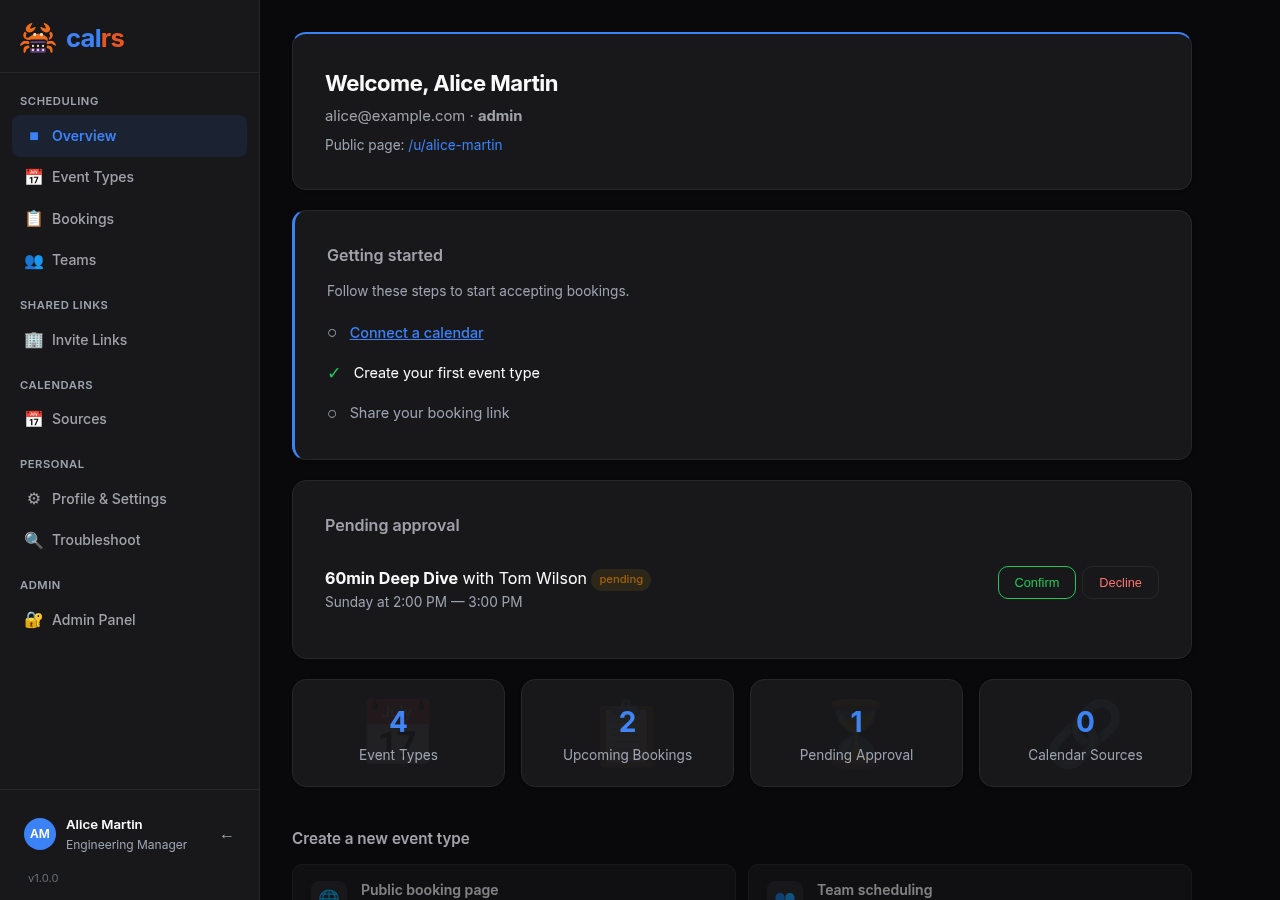
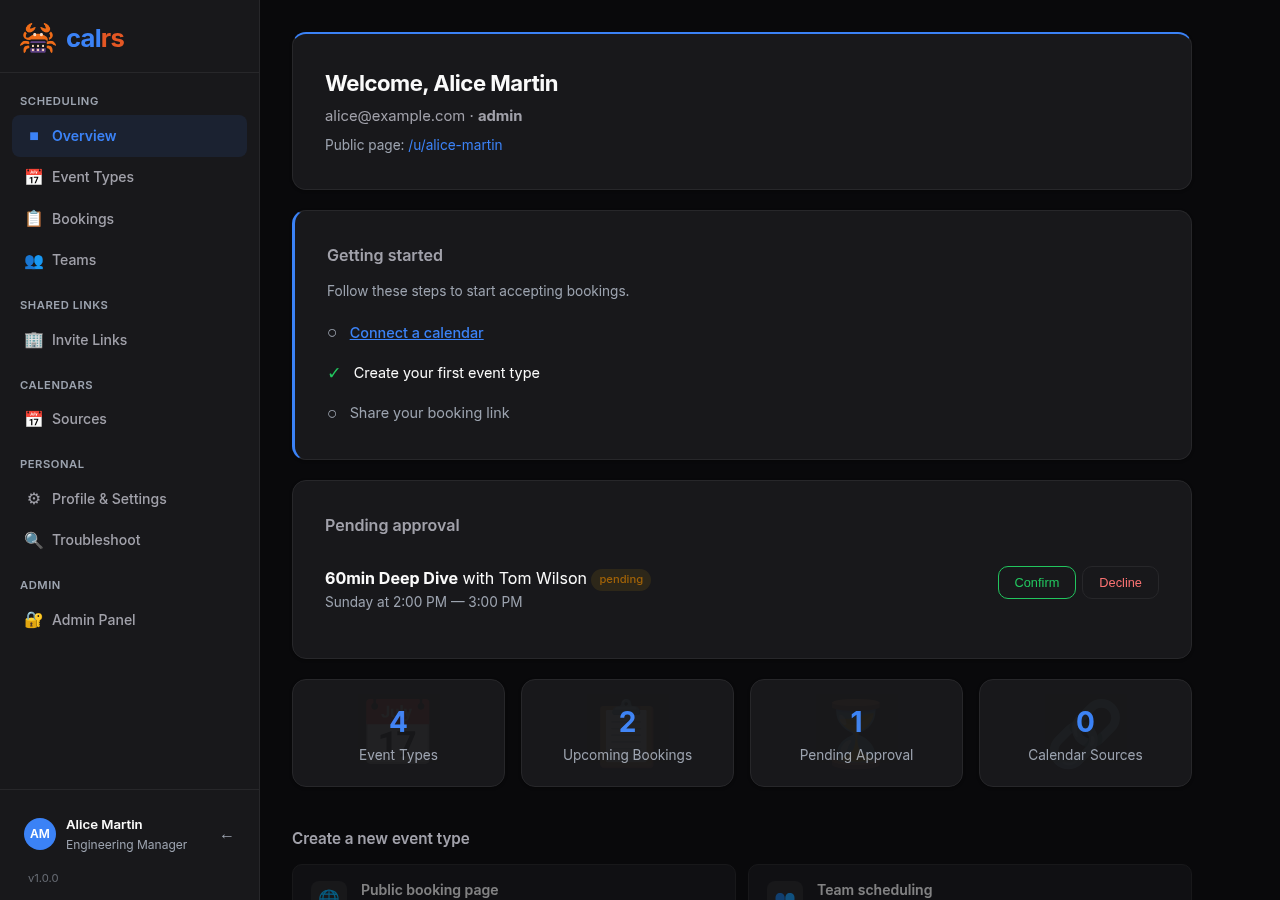
Dashboard
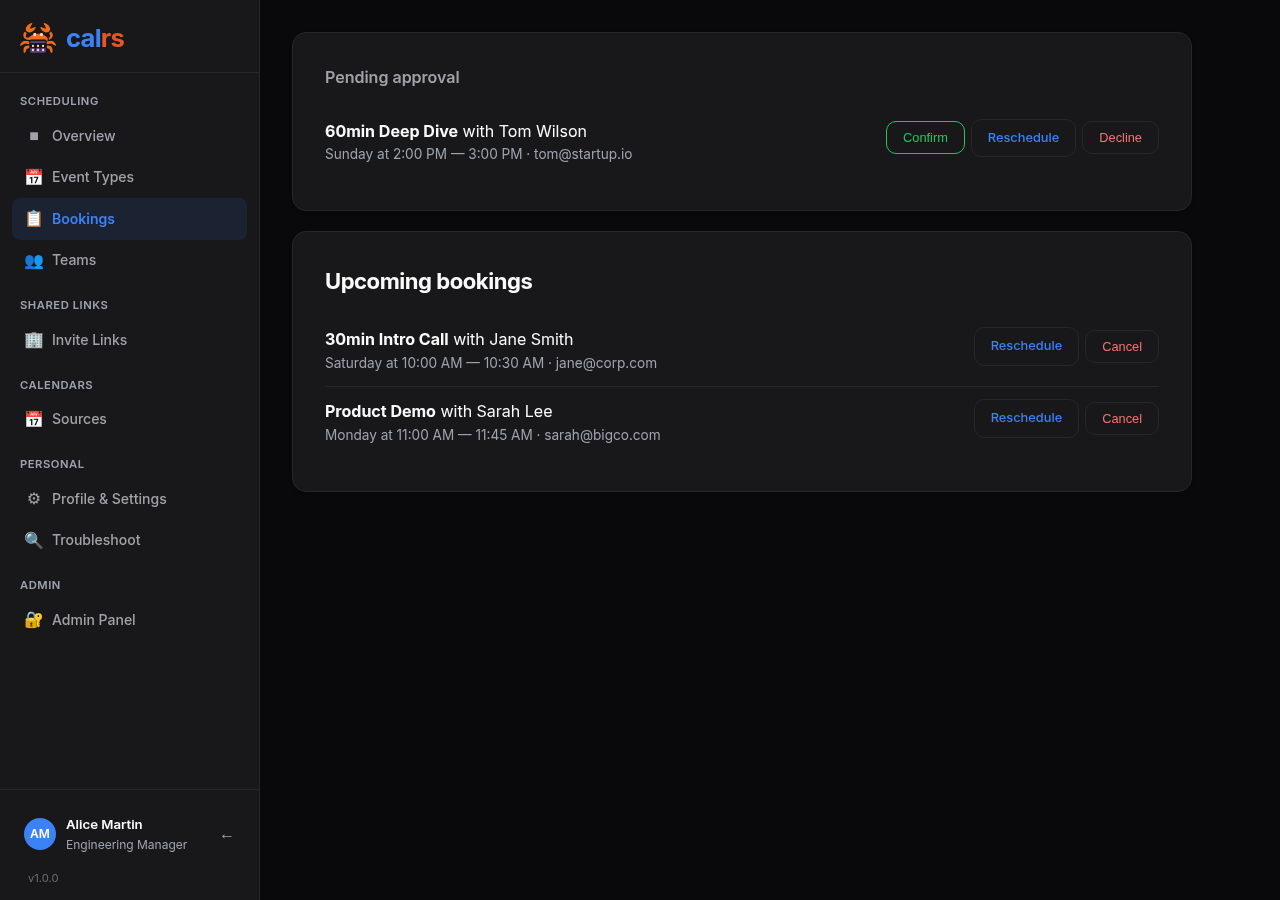
Bookings
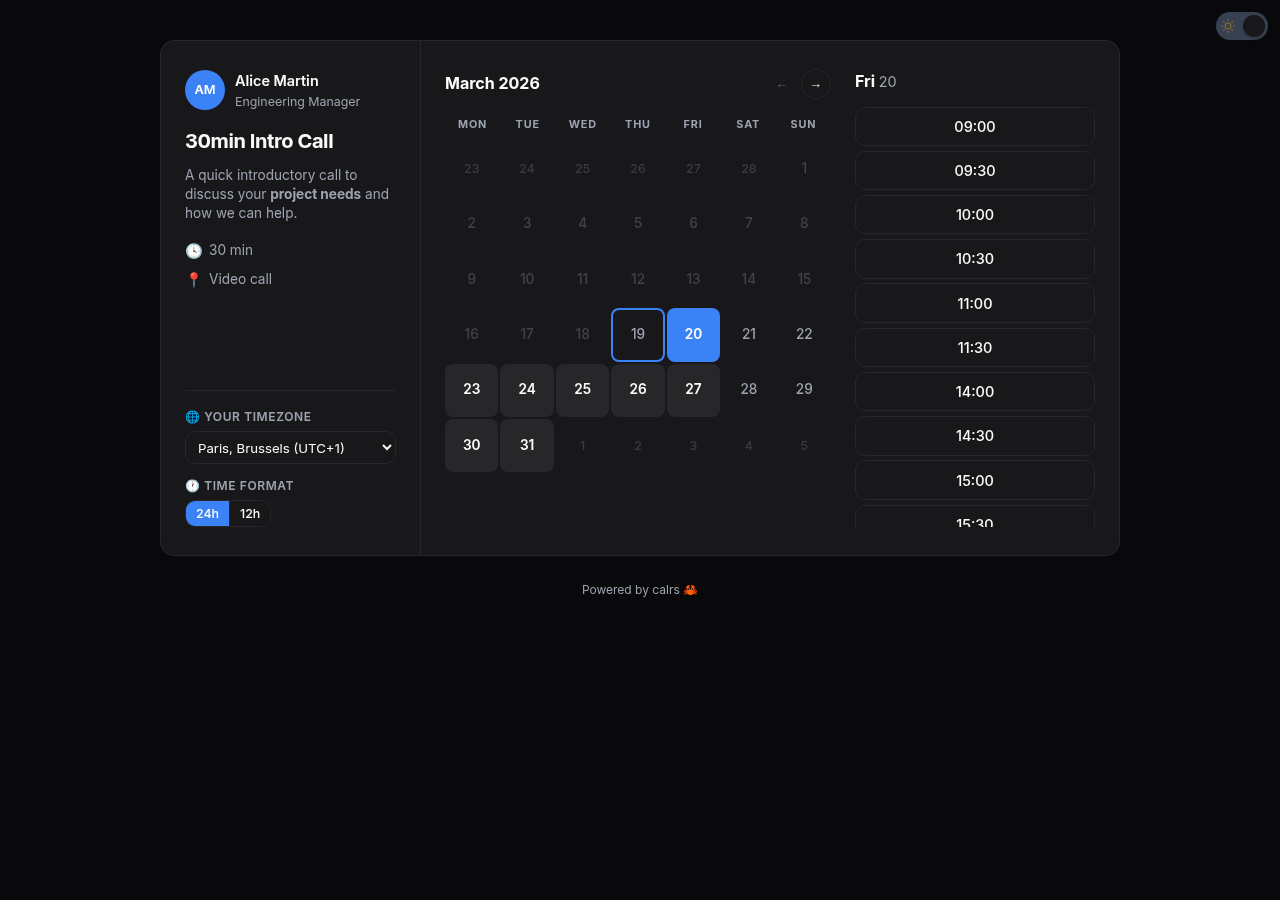
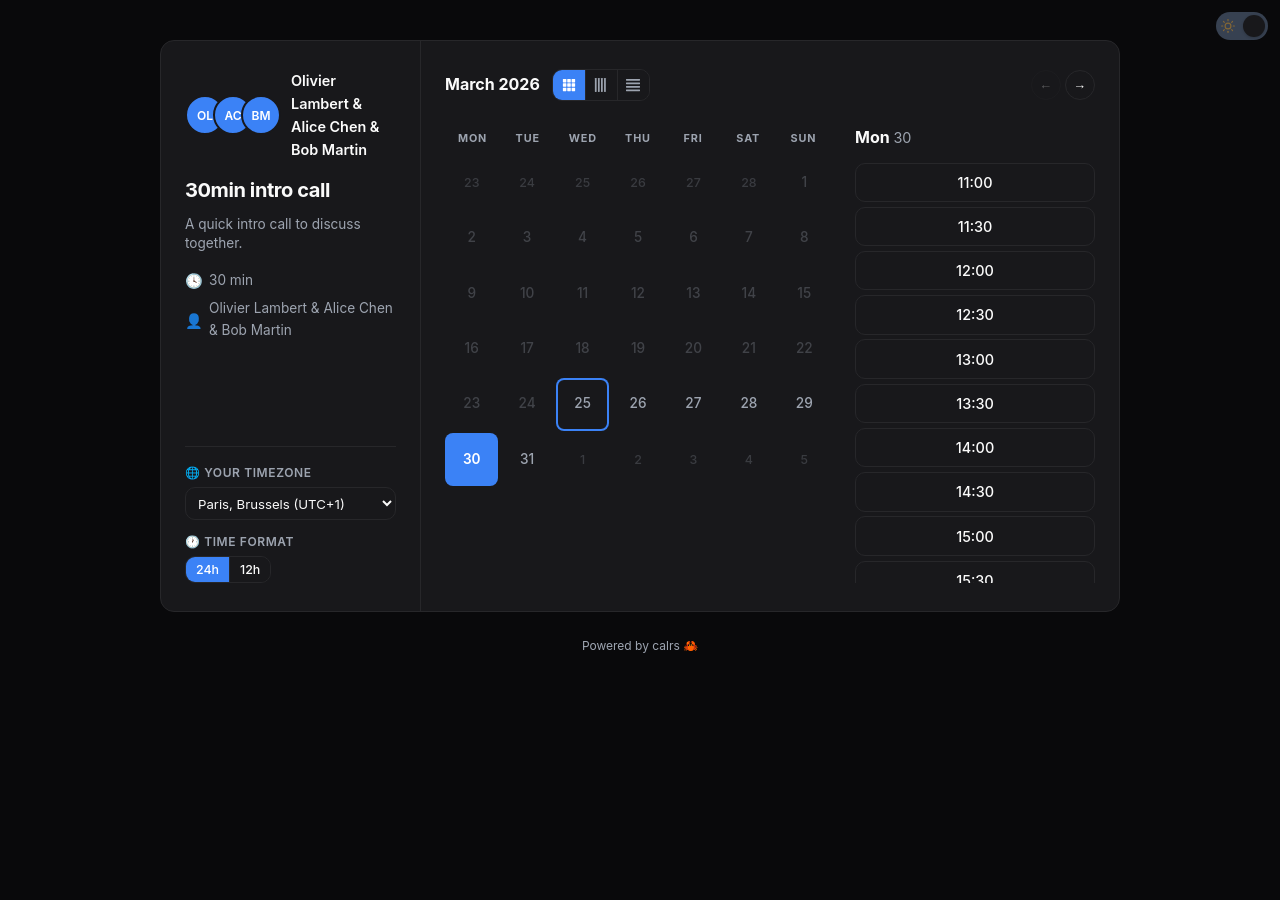
Slot picker
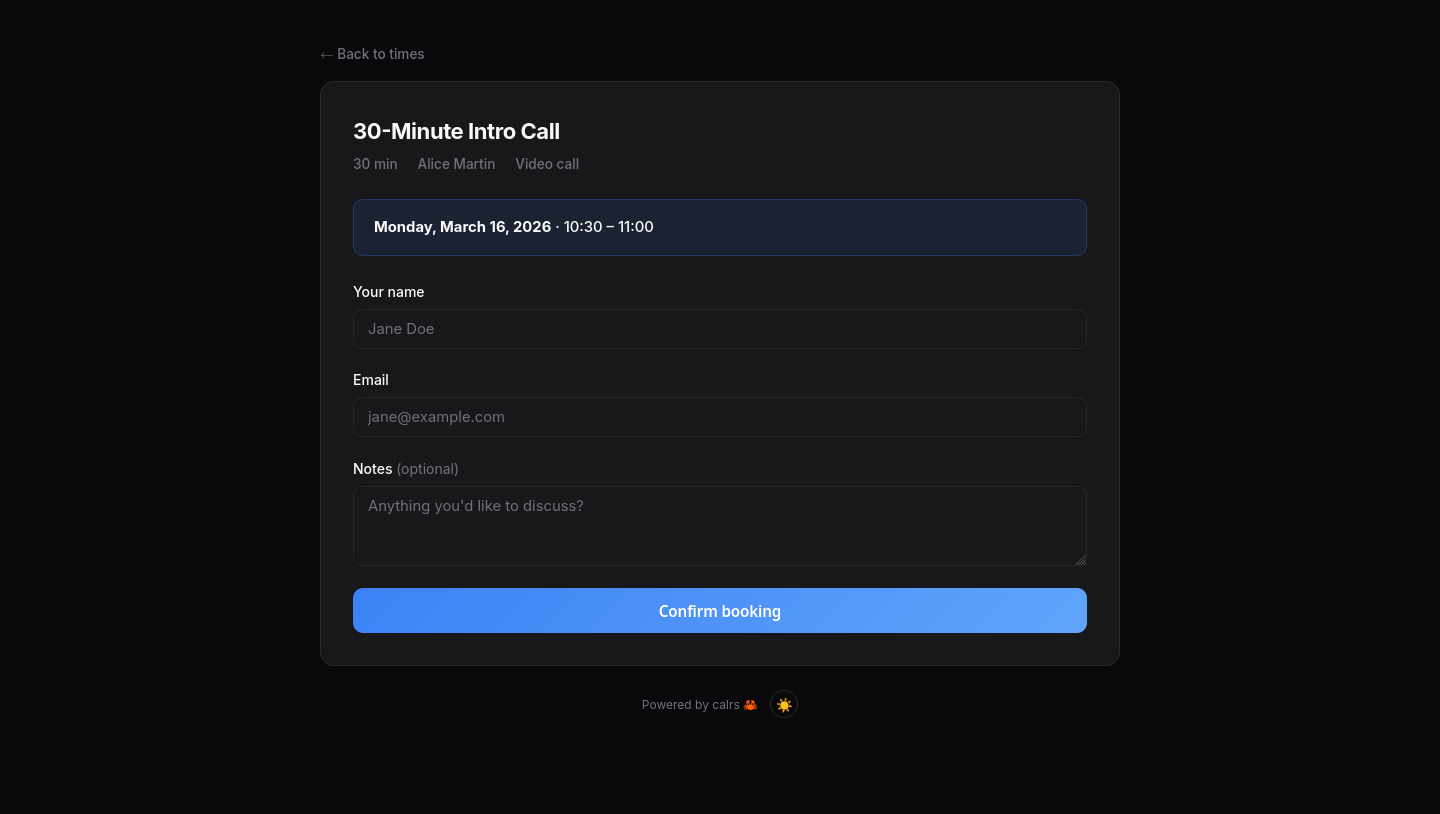
Booking form
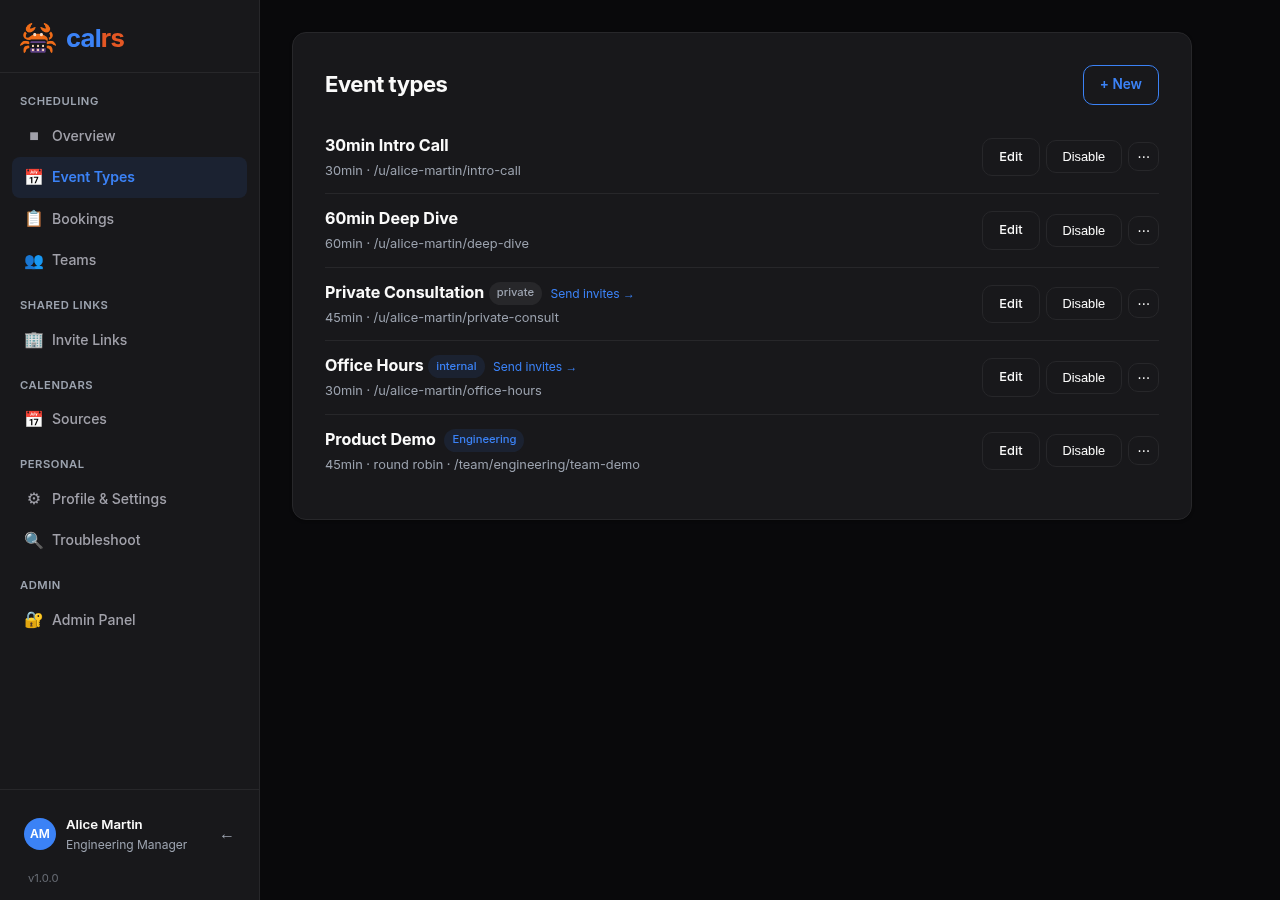
Event types
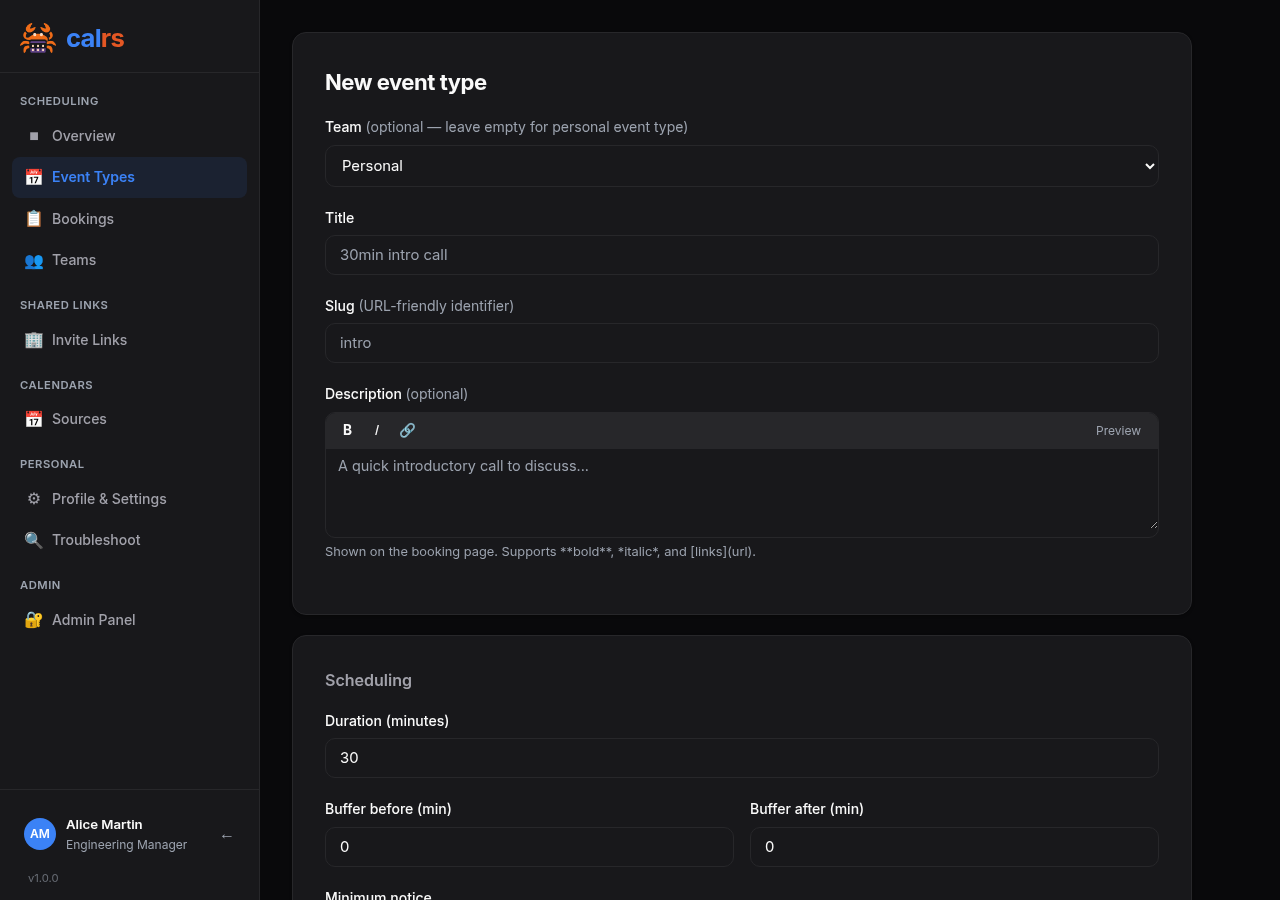
Event type editor
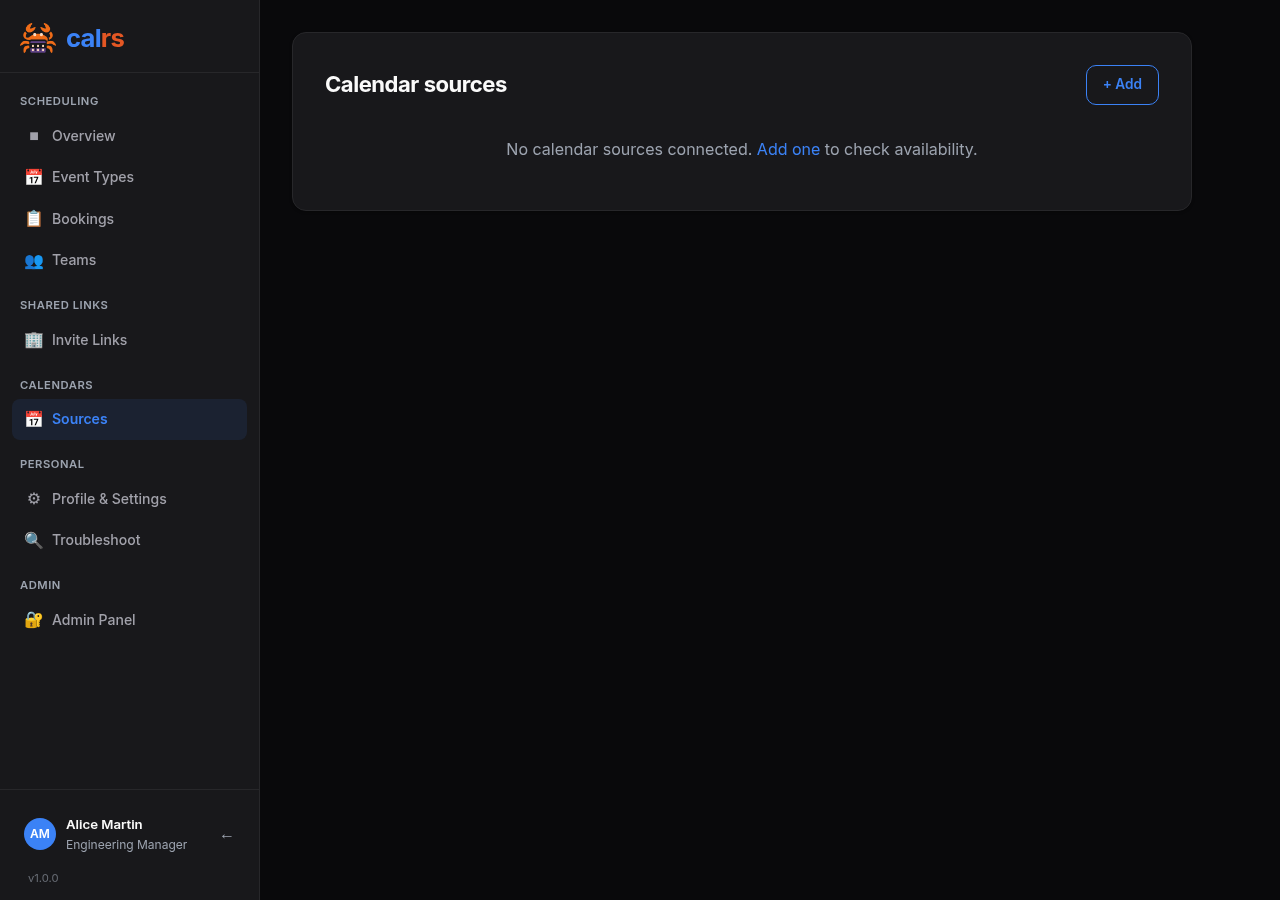
Calendar sources
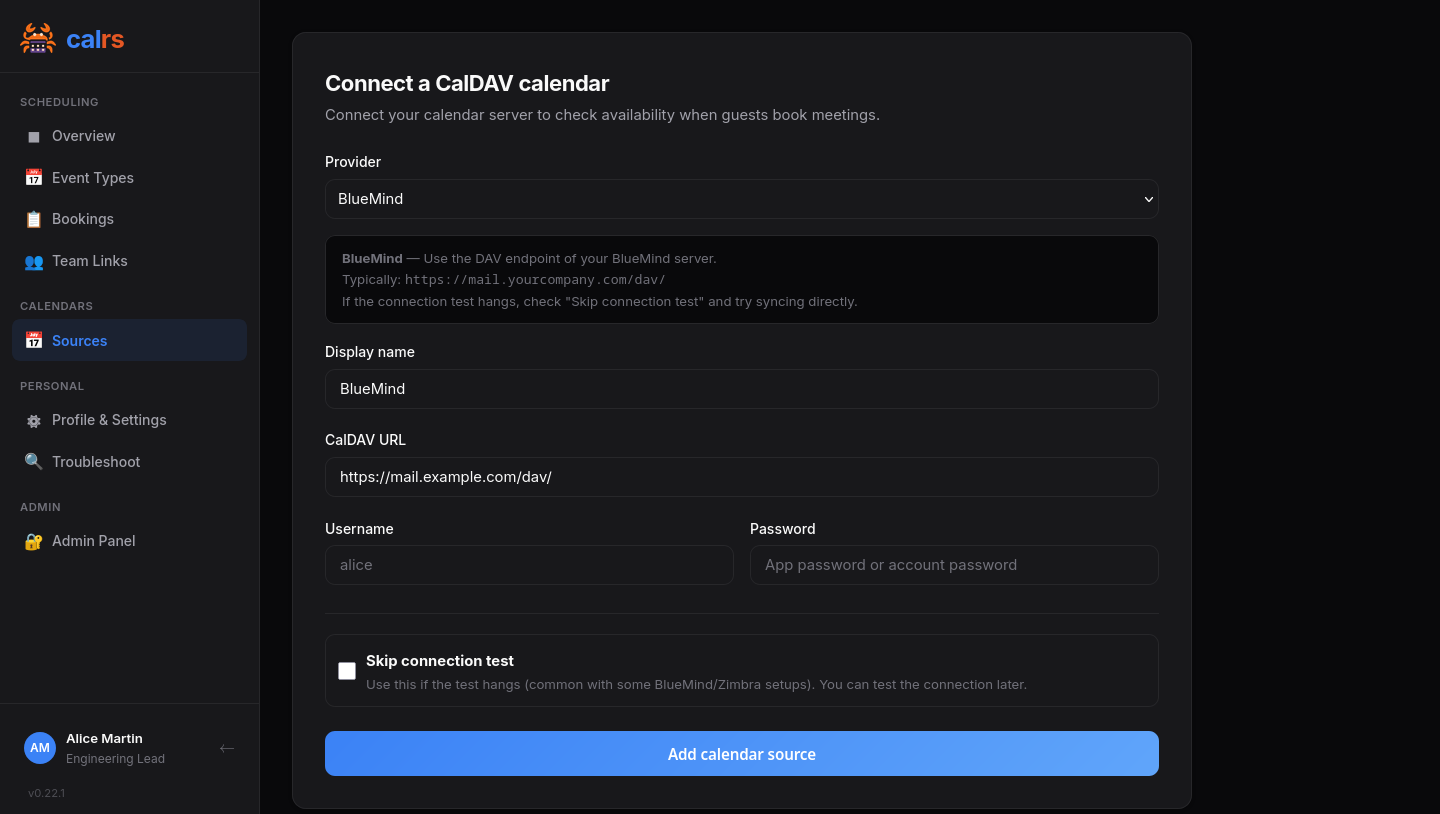
Add CalDAV source
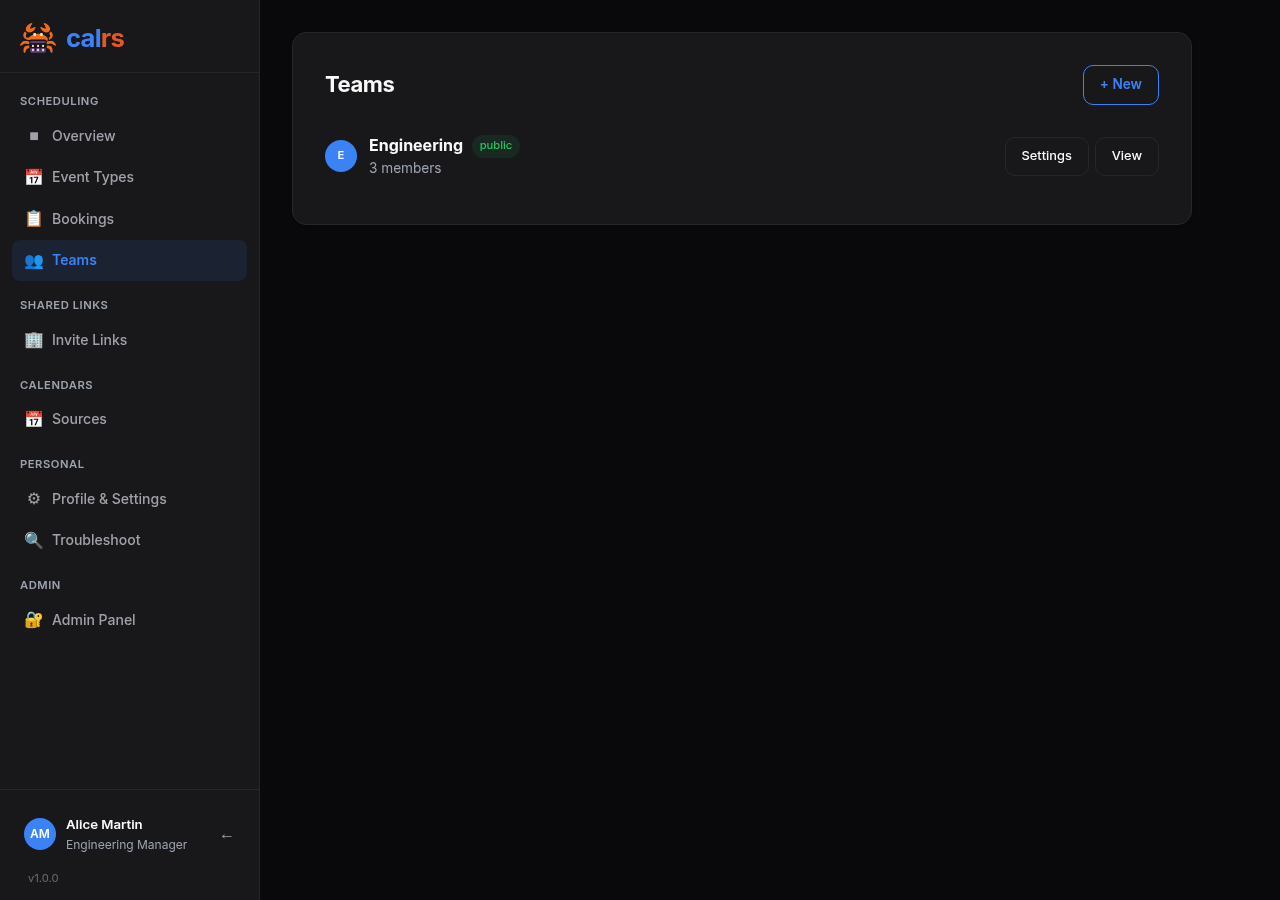
Teams
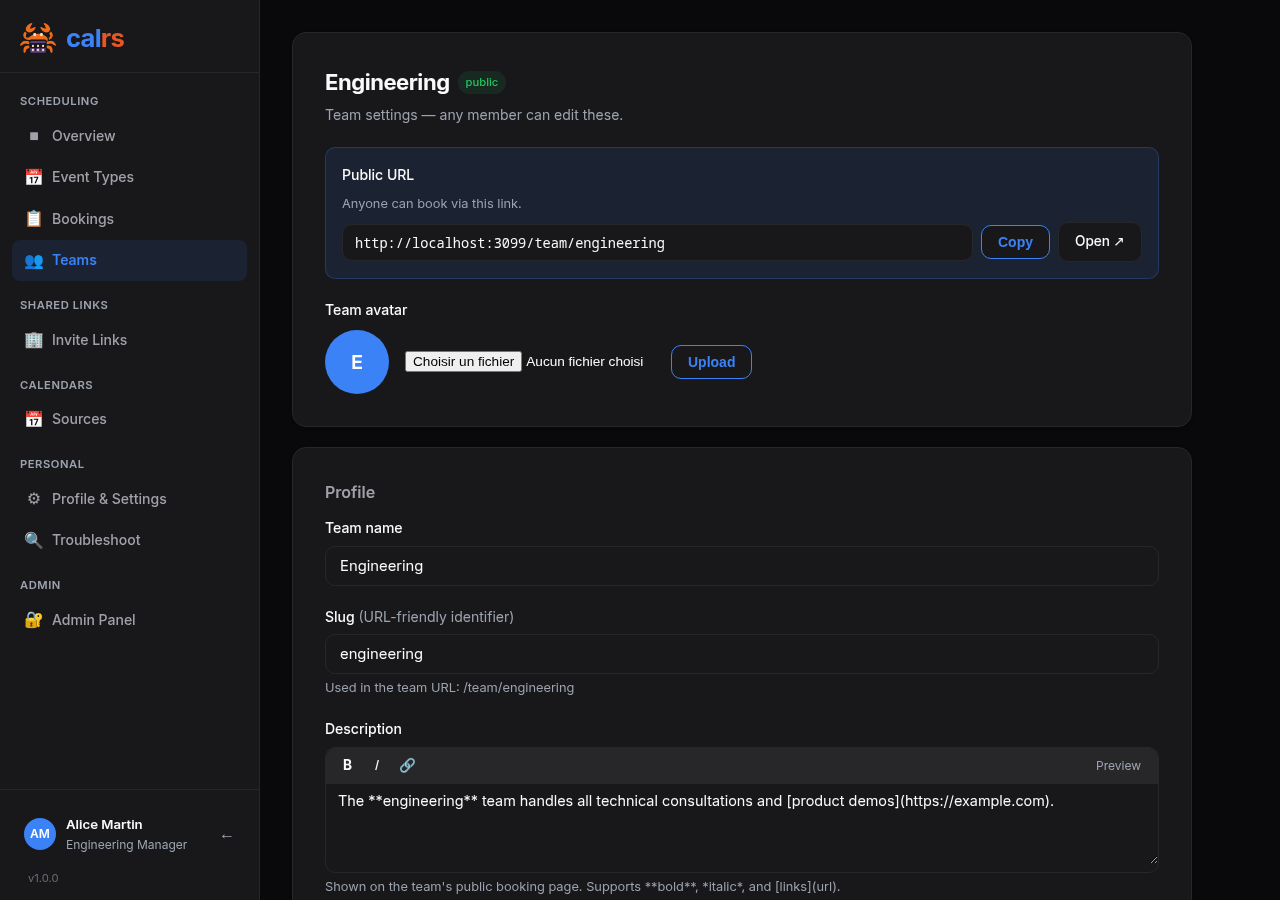
Team settings
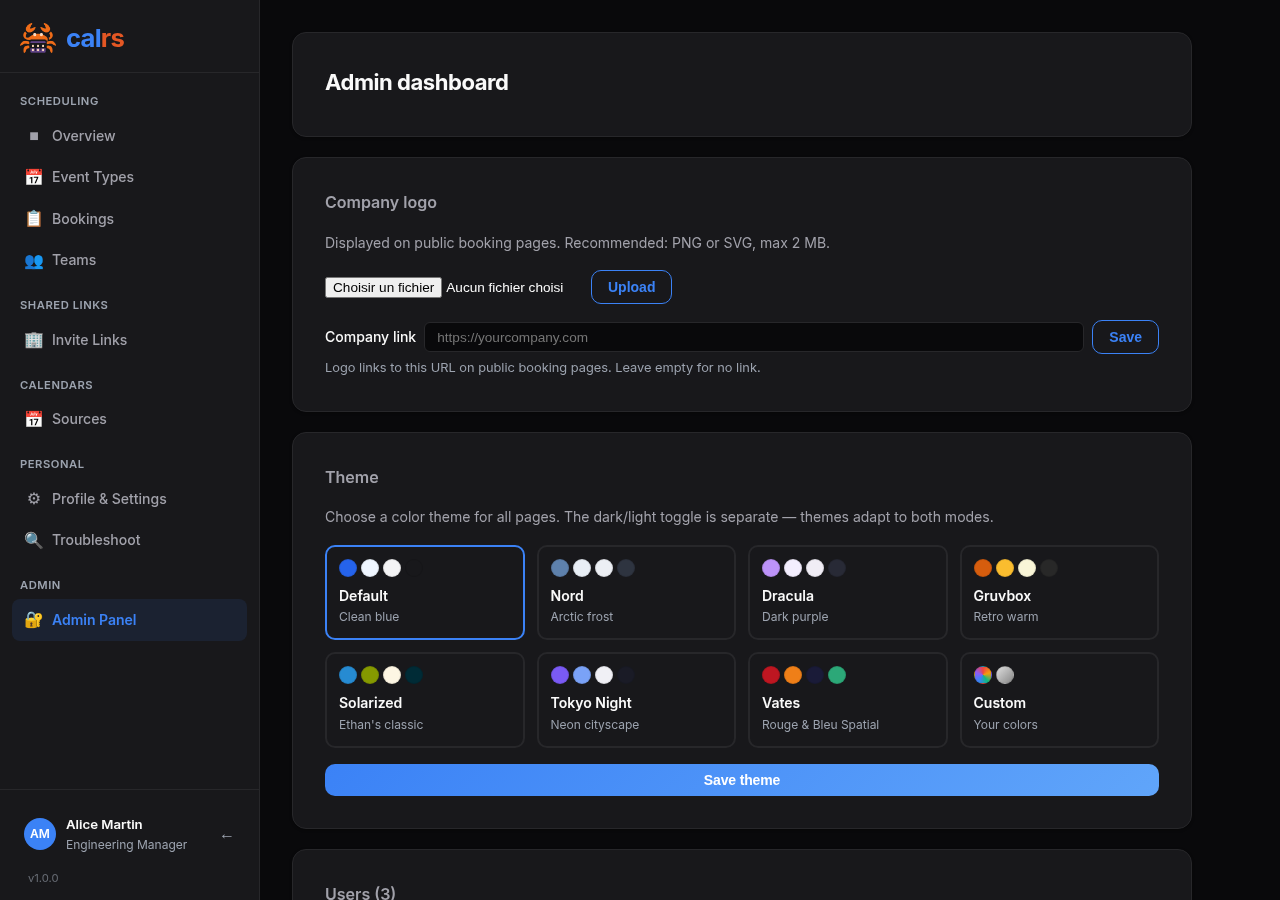
Admin panel
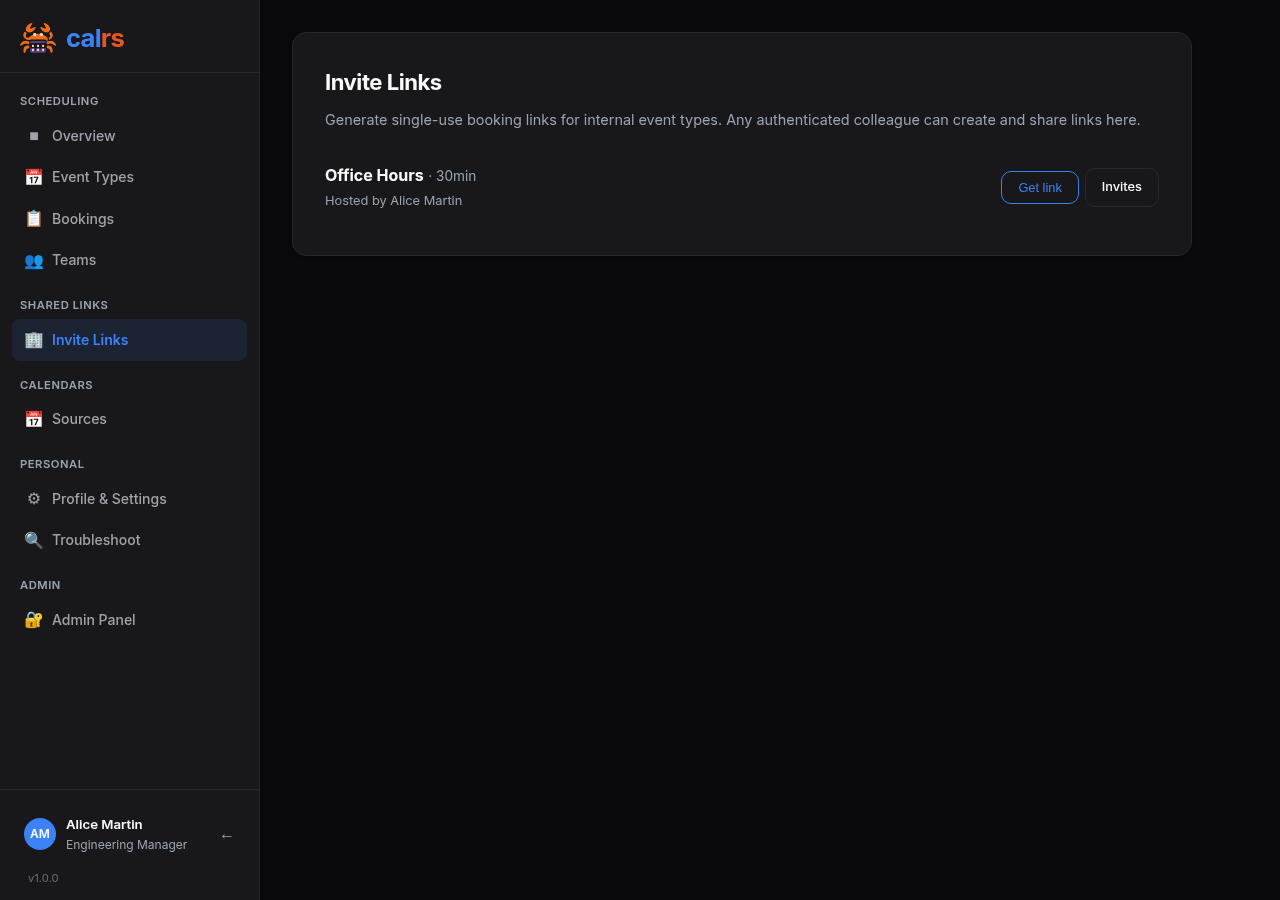
Invite Links
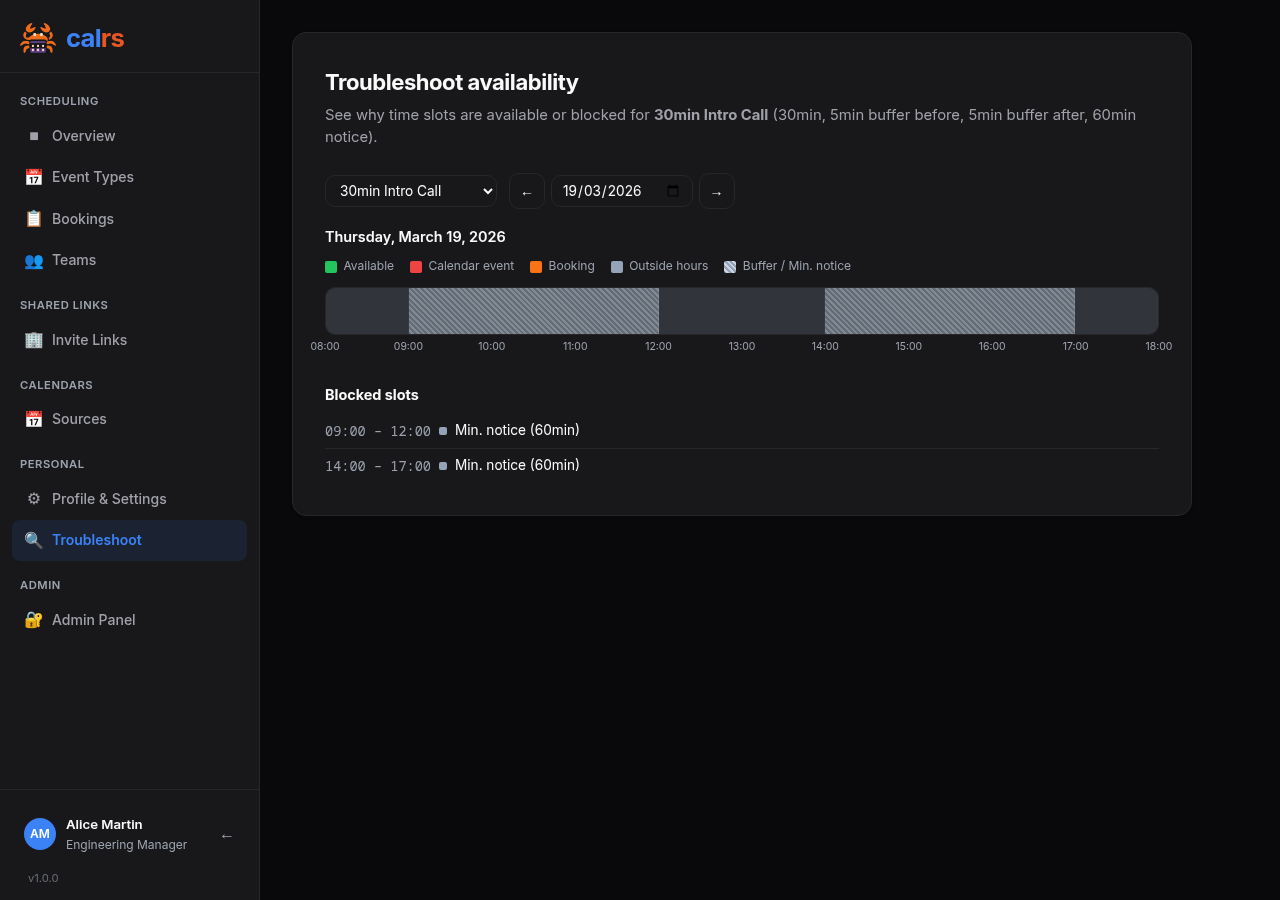
Availability troubleshoot
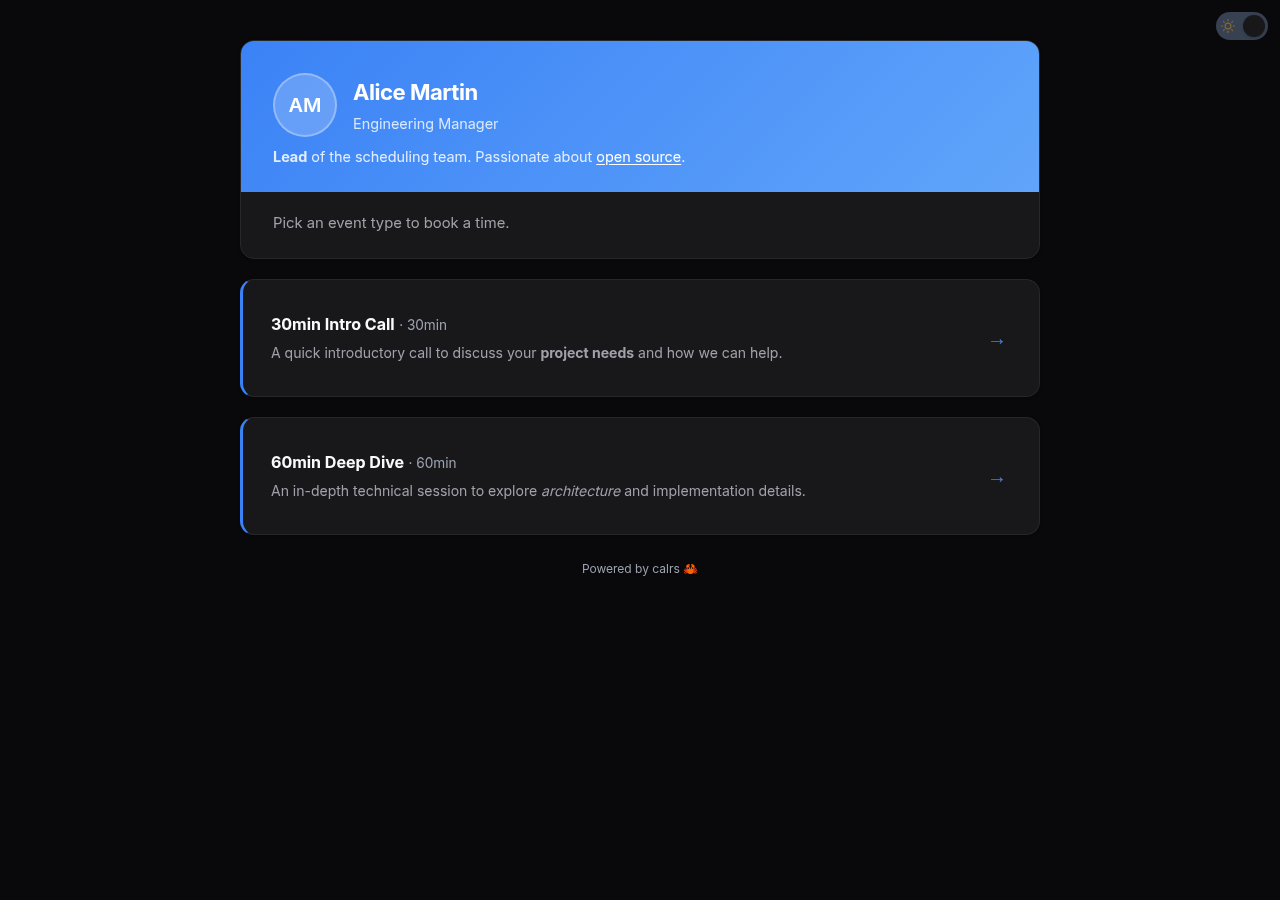
Public profile
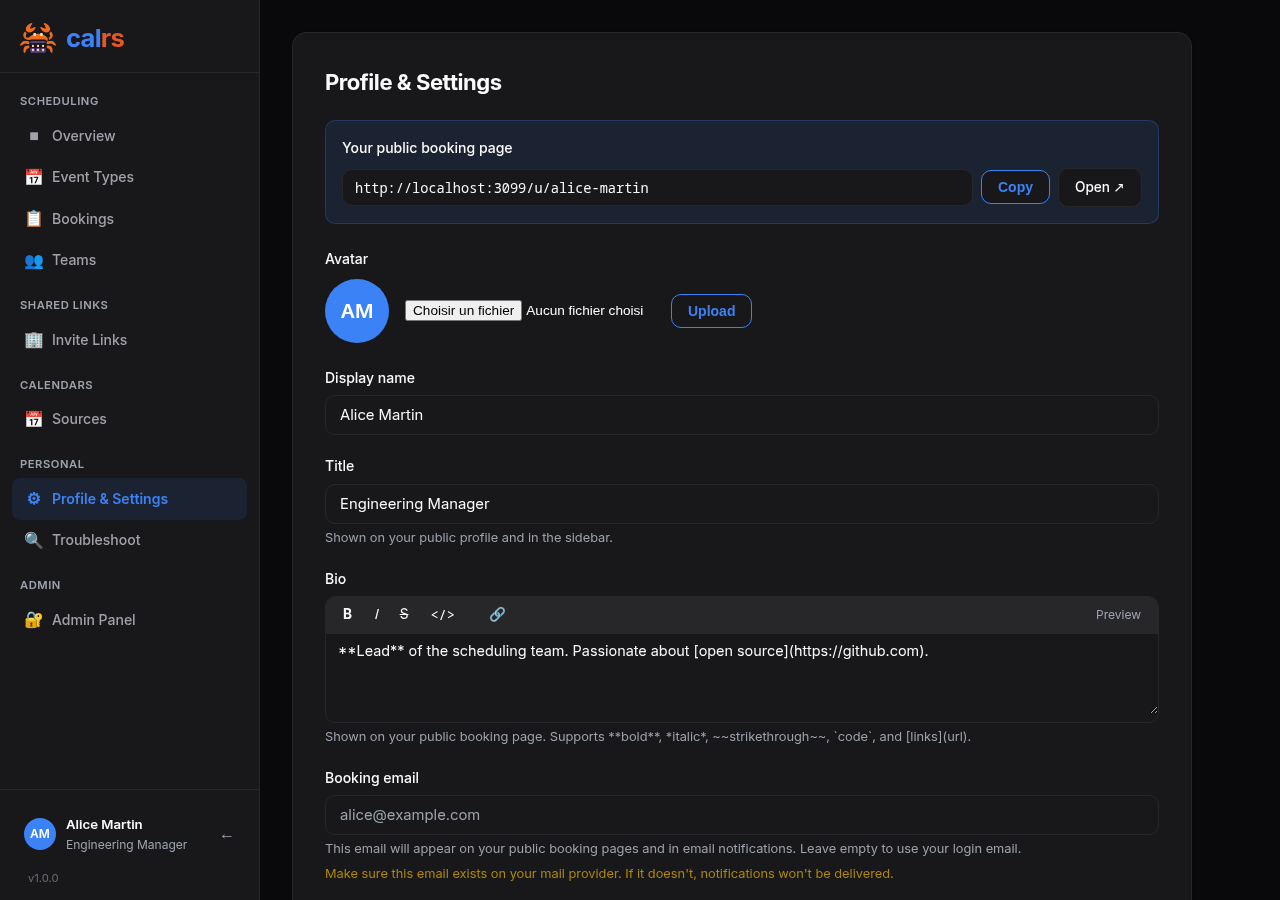
Profile & Settings
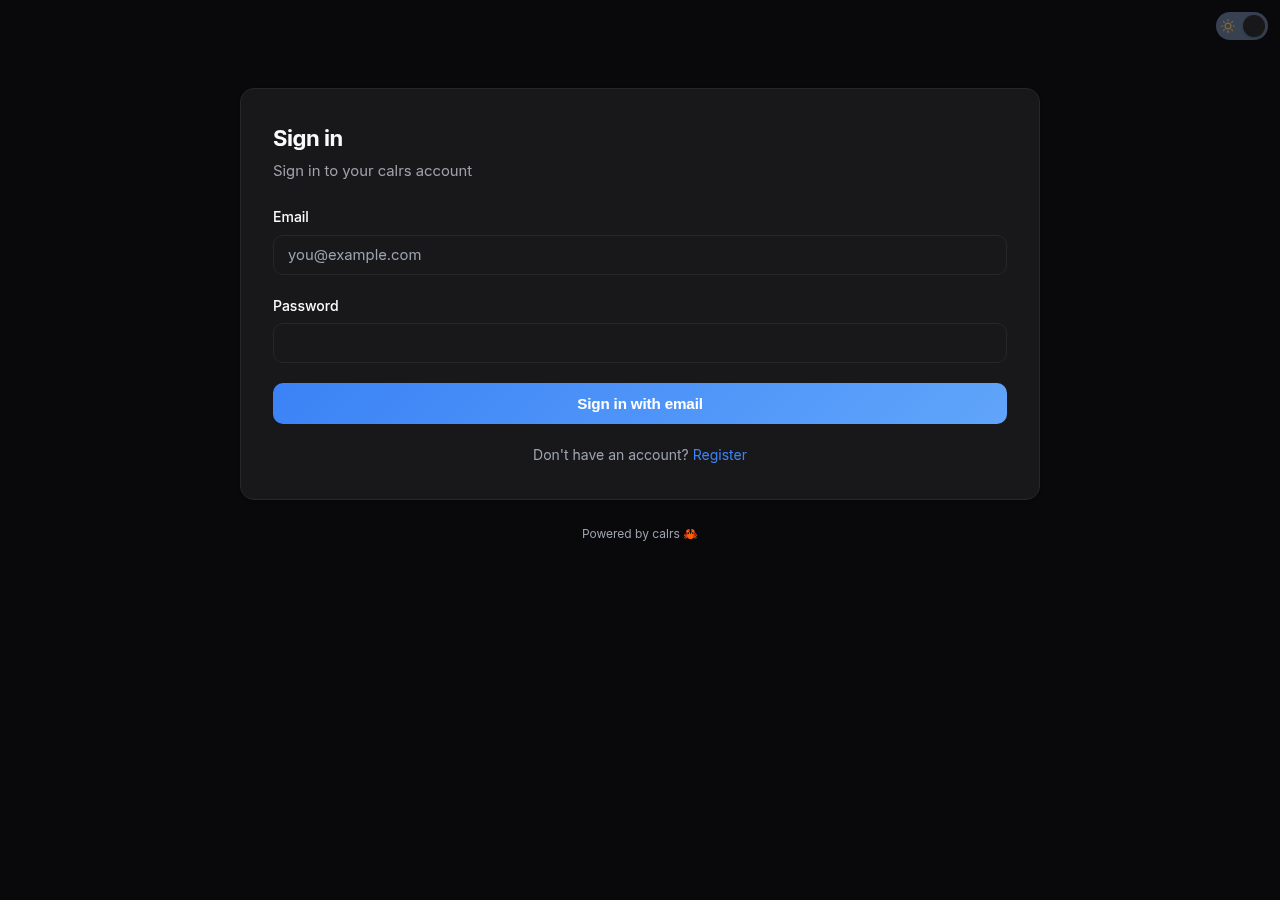
Login
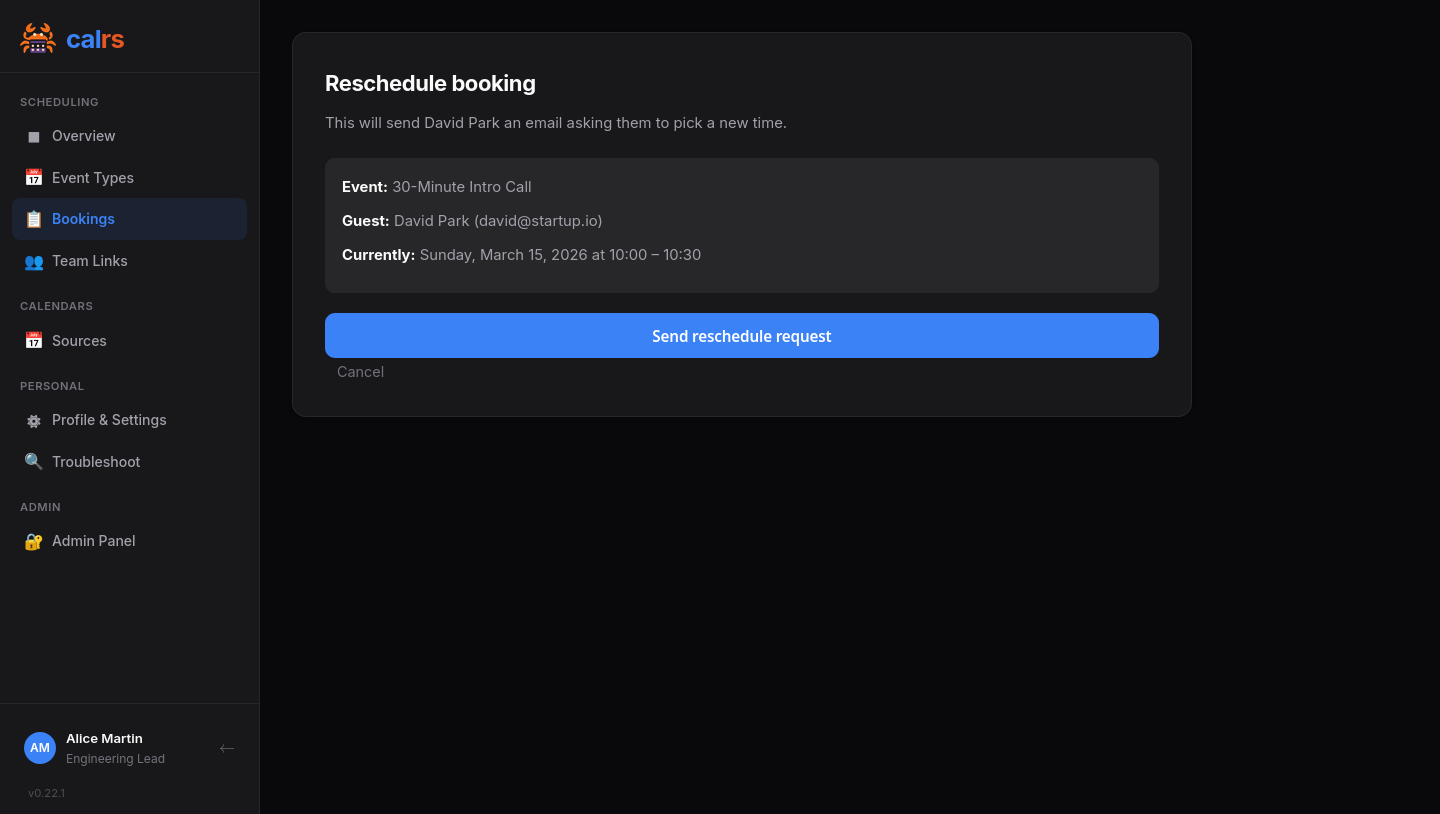
Reschedule slot picker
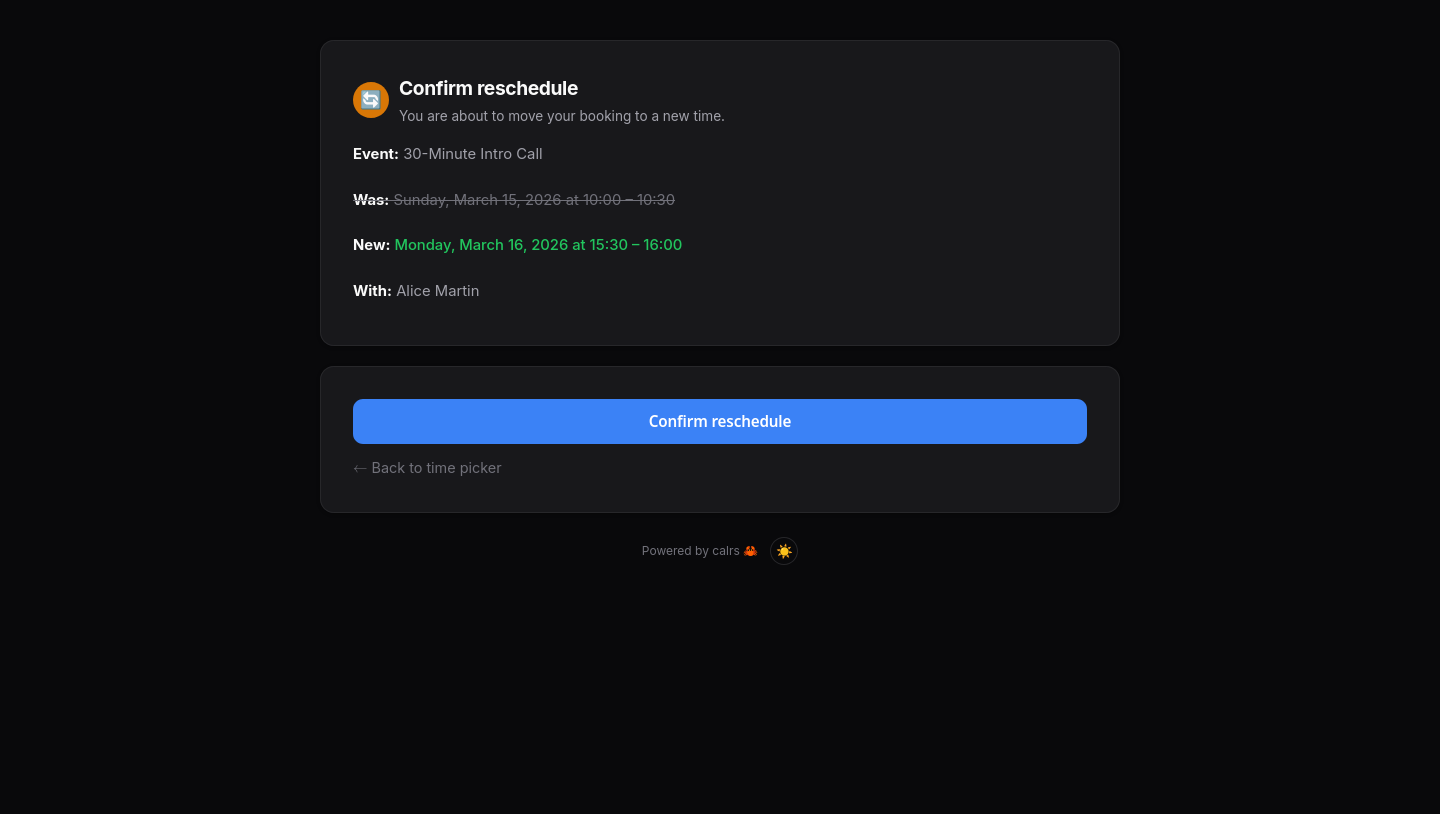
Reschedule confirmation
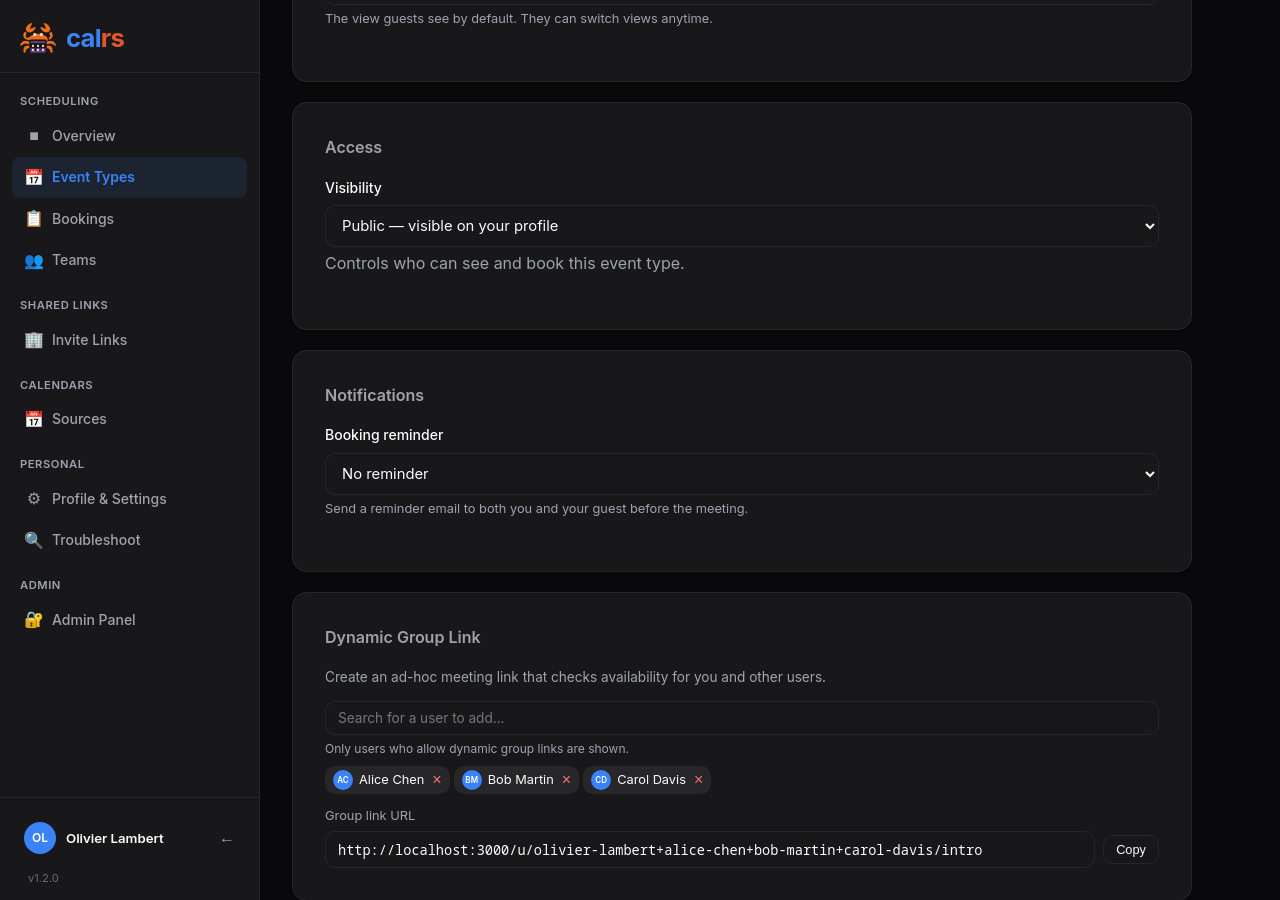
Dynamic group link
Dynamic group link builder
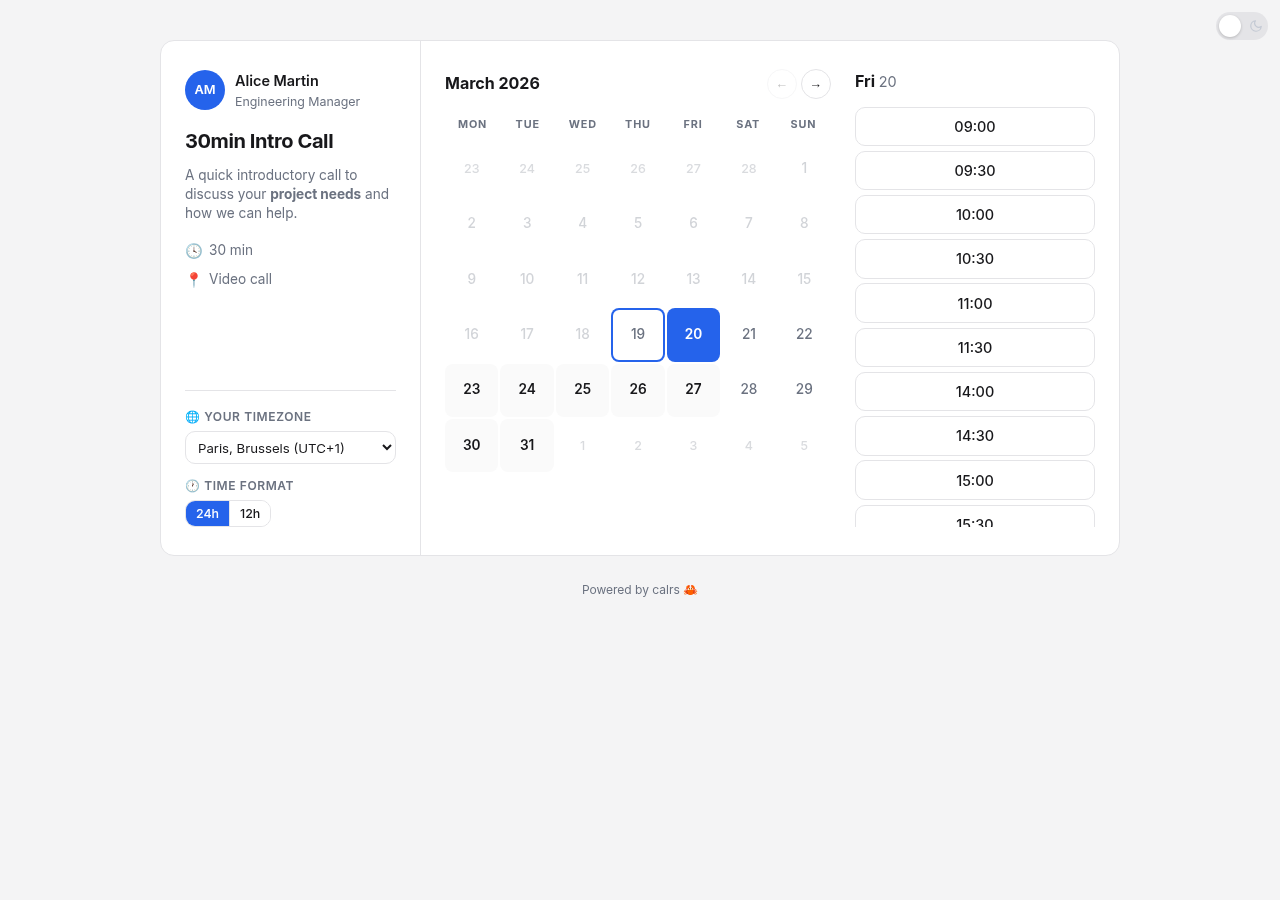
Light mode
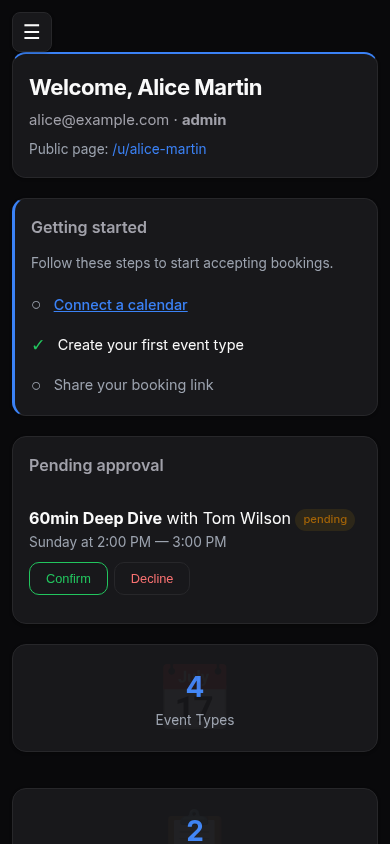
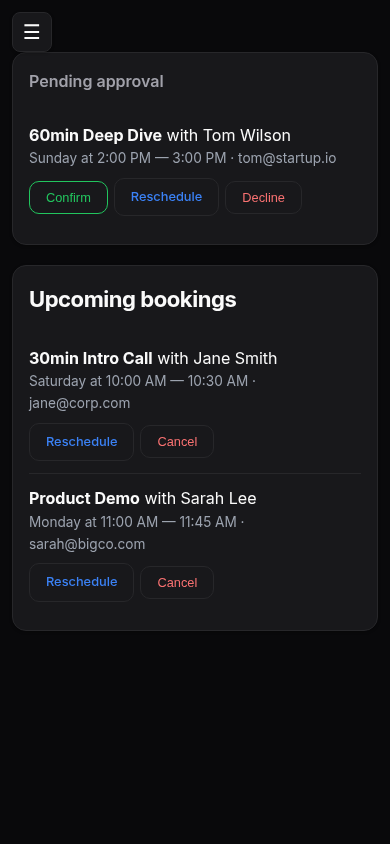
Mobile dashboard
Mobile bookings
## Features
### Scheduling
- **Event types** — bookable meeting templates with duration, buffer times, minimum notice, and availability schedule
- **Per-event-type calendar selection** — choose which calendars block availability for each event type (e.g. only check work calendar for work meetings); defaults to all calendars if none selected
- **First day of the week**: set per site, user or event type, used by every calendar view and availability editor
- **Availability engine** — free/busy computation from availability rules + synced calendar events
- **Recurring event support** — RRULE expansion (DAILY/WEEKLY/MONTHLY with INTERVAL, UNTIL, COUNT, BYDAY, EXDATE)
- **Conflict detection** — validates against both calendar events and existing bookings
- **Pending bookings** — optional confirmation mode: host approves or declines from the dashboard or directly from the email
- **Reschedule** — guests and hosts can reschedule bookings without cancelling. Guests pick a new slot and the host approves; hosts reschedule instantly. Tokens are regenerated, CalDAV events are updated in place, and both parties are notified
- **Timezone support** — guest timezone picker with browser auto-detection, times displayed in the visitor's timezone
- **Timezone-aware CalDAV events** — events are stored with their original calendar timezone and converted to your host timezone for availability checks, so a 10:00 New York event correctly blocks 16:00 in Paris
- **Availability troubleshoot** — visual timeline showing why slots are available or blocked, with event details
- **Calendar view toggle** — guests can switch between month grid, week columns, and column (list) views on the slot picker. Hosts set the default view per event type
- **Booking limits** — cap bookings per day/week/month/year, or show only the earliest slot per day (one slot per day mode)
- **Bookable date range** — limit an event type to fixed dates (trade fairs, conferences, open-house weeks); the booking page opens on the range, and the event type leaves your profile once it is over
- **Dynamic group links** — combine usernames in a URL (`/u/alice+bob/intro`) for instant collective meetings without creating a team. All participants' calendars are intersected. Autocomplete user picker in the event type editor, opt-out toggle in settings
### CalDAV integration
- **CalDAV sync** — pull-based sync from any CalDAV server (Nextcloud, BlueMind, Fastmail, iCloud, Zimbra, SOGo, Radicale, Baikal...), with multi-VEVENT support for recurring event modifications
- **On-demand sync** — booking pages automatically sync the host's calendars if stale (>5 min), using RFC 4791 time-range filtering to fetch only future events
- **CalDAV write-back** — confirmed bookings pushed to the host's calendar, deleted on cancellation
- **Calendar source management** — add, test, sync, and remove sources from the web dashboard or CLI
- **Calendar selection per source**: pick which calendars of a source are synced (useful when the server returns colleagues' calendars too); the others are never fetched and never block availability
- **Provider presets** — selecting BlueMind, Nextcloud, etc. auto-fills the CalDAV URL and shows setup tips
- **Auto-discovery** — principal URL and calendar-home-set discovered via PROPFIND (RFC 4791)
### MCP integration
Connect an OAuth-capable MCP client to `https://your-calrs-host/mcp` using
**Streamable HTTP**, sign in to calrs, and approve access. Clients register
automatically; there are no API keys, client secrets, or additional OAuth settings
to configure. The server runs as part of `calrs serve`.
Tools: `list_event_types`, `create_invite_link` (single-use, seven-day invites for internal/private events),
and `get_calendar_blocks` (your cached busy intervals). See the
[MCP guide](docs/src/mcp.md) for permissions, examples, and protocol details.
### Web interface
- **Web booking page** — public slot picker, booking form, and confirmation page
- **User dashboard** — manage event types, calendar sources, pending approvals, and upcoming bookings
- **Admin dashboard** — user management, auth settings, OIDC config, SMTP status, default guest email footer, user impersonation
- **Event type management** — create/edit from the dashboard with availability schedule, location, and confirmation toggle
- **Location support** — video link, phone, in-person, or custom — displayed on booking pages, emails, and `.ics` invites
- **Dark/light theme** — automatic via system preference, with manual toggle (System/Light/Dark) on public pages and dashboard settings
- **Theme engine** — 7 built-in themes (Default, Nord, Dracula, Gruvbox, Solarized, Tokyo Night, Vates) plus custom colors, configurable from the admin dashboard. Every theme adapts to both dark and light modes
- **Cal.com-style slot picker** — 3-panel layout (meeting info sidebar, calendar, time slots) with switchable month/week/column views, dynamic timezone labels with UTC offsets, filled calendar grid with clickable prev/next navigation
### Meeting types
calrs supports seven distinct booking scenarios. Each serves a different use case — there is no overlap:
| Type | Who books? | How do they find it? | Assigned to | Example |
|---|---|---|---|---|
| **Personal (public)** | Anyone | Listed on your profile | You | Freelancer "30min intro call" |
| **Personal (internal)** | Invited guests only | Any colleague generates a link | You | Senior engineer: any teammate can share a "Code Review" link with an external contributor |
| **Personal (private)** | Invited guests only | You send an invite link | You | Executive coaching for selected clients |
| **Team (public)** | Anyone | Listed on team page | Round-robin (least busy) | Public "Support Call" page |
| **Team (internal)** | Invited guests only | Any employee generates a link | Round-robin (least busy) | Cross-team: Sales shares Support booking links with customers |
| **Team (private)** | Invited guests only | Owner sends an invite link | Round-robin (least busy) | Demo team: sales manager sends links to qualified leads |
| **Dynamic group** | Anyone with the URL | Ad-hoc link: `/u/alice+bob/slug` | Event type owner | One-off sales call needing engineering support |
### Teams
- **Unified Teams** — create teams from OIDC groups, hand-picked users, or both. Public or private visibility
- **Scheduling modes** — round-robin (any member free, least-busy assignment) or collective (all members must be free)
- **Team admin role** — team admins manage event types and settings without needing global admin
- **Multi-timezone teams** — set a wide availability window and let each member's synced CalDAV calendar handle the actual blocking
- **Public team pages** — bookable at `/team/{slug}/{event-slug}`
- **Private teams** — require an invite token link, preventing unsolicited external bookings of your colleagues
#### Setting up team scheduling
1. **Create a team** — go to **Teams** in the sidebar, click **New team**. Name it, pick public or private visibility, and add members (individual users and/or OIDC groups) from the unified search bar.
2. **Create a team event type** — go to **Event Types**, click **New event type**, and select your team as the owner. Choose a scheduling mode:
- **Round-robin** — picks the least-busy available member (with optional per-member weight priority)
- **Collective** — requires *all* members to be free at the same time
3. **Share the booking link** — public teams are bookable at `/team/{slug}/{event-slug}`. Private teams use an invite token link from the team settings page.
Each team member's CalDAV calendars are checked for conflicts. The availability rules and overrides on the event type apply to all members.
### Visibility & invites
- **Public** — listed on your profile or team page, bookable by anyone with the URL
- **Internal** — not listed publicly. Available for both personal and team event types. Any authenticated colleague can generate a single-use booking link from the **Invite Links** page and share it with an external contact (e.g., paste in Slack or a support ticket). The link expires after 7 days and can't be reused. Unlike private event types where only the owner distributes the link, internal lets **anyone in the organization** be a link distributor — ideal for cross-team services (support, IT help desk) and personal event types that colleagues need to share on your behalf
- **Private** — not listed publicly. Only the event type owner or team admin can send invite links to specific guests
- **Booking invites** — tokenized links with guest name, email, optional message, expiration, and usage limits. Guest info auto-filled on the booking form
- **Quick link generation** — one-click "Get link" on the Invite Links page and invite management page generates a single-use invite URL and copies it to clipboard. No form to fill
- **Booking directory and favorites**: colleagues find the meetings they can share (public and internal, personal and team), search by person, team or title, copy a public link or get a fresh invite for an internal one, and star the ones they use on their dashboard
- **Availability overrides** — block specific dates (holidays, conferences) or set custom hours per event type. Overrides replace weekly rules for that day
> **Private team vs internal event type:** A private team gates access at the **team level** — the team admin shares one invite link covering all the team's event types. Internal visibility gates access at the **event type level** — any authenticated employee can generate per-event-type links on the fly from the Organization dashboard. Use private teams when you want controlled distribution by a team admin. Use internal when you want self-serve link generation across the org (e.g., any Sales rep can generate a Support Call link for a customer).
### Authentication
- **Local accounts** — email/password with Argon2 hashing, server-side sessions, HttpOnly cookies
- **Two-factor authentication** — optional TOTP for local accounts, recovery codes, and an admin policy requiring enrollment; OIDC MFA remains delegated to the identity provider. See [setup and recovery](docs/src/authentication.md#two-factor-authentication-totp)
- **OIDC / SSO** — OpenID Connect via Keycloak, Authentik, etc. (authorization code + PKCE, auto-discovery)
- **User roles** — admin/user, first registered user becomes admin
- **Registration controls** — enable/disable open registration, restrict by email domain
### Notifications
- **Email notifications** — HTML emails with plain text fallback and `.ics` calendar invites on booking, cancellation, and approval
- **Email approve/decline** — approve or decline pending bookings directly from the notification email (token-based, no login required)
- **Guest self-cancellation** — guests can cancel or reschedule their own bookings via links in the confirmation email
- **Reschedule notifications** — rescheduled booking emails include old and new times, updated `.ics` invites, and reschedule/cancel action buttons
- **Additional attendees** — guests can invite additional people to bookings (configurable per event type: 0/1/3/5/10 max). Additional guests receive ICS invites and appear on the confirmation page
- **Booking reminders** — automated email reminders before meetings, configurable per event type (1h / 4h / 1 day / 2 days)
- **Guest email footer**: a short note (bold, italic, links) added to every email guests receive, such as contact details or directions. Set per event type with an admin-set instance default; one text for all languages
- **SMTP configuration** — configure from CLI or admin dashboard
### Security
- **Credential encryption** — CalDAV and SMTP passwords encrypted at rest with AES-256-GCM; secret key auto-generated or provided via `CALRS_SECRET_KEY`
- **Hidden password input** — passwords never echoed to the terminal
- **Privacy-first CAPTCHA** — optional [Cap](https://trycap.dev) integration (self-hosted, proof-of-work, no GAFAM). When configured, a `` is shown on all booking pages and the token is verified server-to-server before any booking is processed. Disabled by default — no widget, no network call if unconfigured
### Localization
- **Multi-language UI**: the whole application, guest side and host side, in English, French, Spanish, Polish, German (informal "du" and formal "Sie"), Italian, Estonian, Brazilian Portuguese and Dutch. Strings are managed via [Fluent](https://projectfluent.org/) and embedded in the binary at compile time, so no runtime files to ship
- **Automatic language detection**: guests get their browser's language (RFC 7231 `Accept-Language` with q-weights). Authenticated users can override the choice in **Profile & Settings**
- **Community-driven translations**: contributed by pull request, no separate platform to sign up for. See [Contributing a translation](#contributing-a-translation)
### Quality
- **Automated test suite** — 500+ tests covering web handlers, CLI commands, auth lifecycle, email rendering, RRULE expansion, iCal parsing, timezone conversion, availability computation, slot generation, database migrations, rate limiting, and more
- **CI pipeline** — every push and pull request runs `cargo fmt`, `cargo clippy`, `cargo test`, and template validation via [GitHub Actions](https://github.com/olivierlambert/calrs/actions/workflows/ci.yml)
- **Docker images** — pre-built multi-arch images (`amd64` + `arm64`) published to [GHCR](https://github.com/olivierlambert/calrs/pkgs/container/calrs) on every release
### Infrastructure
- **SQLite storage** — single-file WAL-mode database, zero ops
- **CLI** — full command set for headless operation (init, source, sync, event-type, booking, config, user)
- **Single binary** — no runtime dependencies beyond the binary itself
- **Structured logging** — `tracing` + `tower-http` for request-level observability, configurable via `RUST_LOG`
## Install
### Docker / Podman (recommended)
Pre-built images are available on [GitHub Container Registry](https://github.com/olivierlambert/calrs/pkgs/container/calrs) for `amd64` and `arm64`:
```bash
docker run -d --name calrs \
-p 3000:3000 \
-v calrs-data:/var/lib/calrs \
-e CALRS_BASE_URL=https://cal.example.com \
ghcr.io/olivierlambert/calrs:latest
```
> **Podman** works as a drop-in replacement — just use `podman` instead of `docker` in all commands.
Then visit `http://localhost:3000`, register an account, and add your calendars from the dashboard.
### Docker Compose / Podman Compose
```yaml
services:
calrs:
image: ghcr.io/olivierlambert/calrs:latest
ports:
- "3000:3000"
volumes:
- calrs-data:/var/lib/calrs
environment:
- CALRS_BASE_URL=https://cal.example.com
restart: unless-stopped
volumes:
calrs-data:
```
Works with both `docker compose` and `podman-compose`.
> To build from source instead, replace `image: ghcr.io/olivierlambert/calrs:latest` with `build: .` (or use `docker build -t calrs .`).
### Binary + systemd
```bash
# Build from source
cargo build --release
# Install
sudo cp target/release/calrs /usr/local/bin/
sudo cp -r templates /var/lib/calrs/templates
# Create a system user
sudo useradd -r -s /bin/false -m -d /var/lib/calrs calrs
# Install and configure the service
sudo cp calrs.service /etc/systemd/system/
sudo systemctl daemon-reload
sudo systemctl enable --now calrs
```
Edit `/etc/systemd/system/calrs.service` to set `CALRS_BASE_URL` to your public URL. The service runs on port 3000 by default — put a reverse proxy in front for TLS (see [Reverse proxy](#reverse-proxy) below).
### From source (development)
```bash
cargo build --release
calrs serve --port 3000
```
Then register at `http://localhost:3000` — the first user becomes admin.
### Build the documentation
```bash
# Install mdBook (one time)
cargo install mdbook
# Build and serve the docs
cd docs
mdbook serve --open
```
This builds the user documentation from `docs/src/` and opens it in your browser. The docs are also available as static HTML in `docs/book/`.
## CLI quick start
Once installed, you can manage everything from the web UI or use the CLI:
```bash
# Connect your CalDAV calendar
calrs source add --url https://nextcloud.example.com/remote.php/dav \
--username alice --name "My Calendar"
# Pull events
calrs sync
# Create a bookable meeting type
calrs event-type create --title "30min intro call" --slug intro --duration 30
# Check your availability
calrs event-type slots intro
# Book a slot
calrs booking create intro --date 2026-03-20 --time 14:00 \
--name "Jane Doe" --email jane@example.com
```
## Connecting your calendar
calrs connects to any CalDAV server. You need the **DAV root URL** for your provider — not a calendar-specific or public link. When adding a source from the web dashboard, selecting a provider auto-fills the URL pattern.
### Common CalDAV URLs
- **BlueMind** — `https://mail.yourcompany.com/dav/`
- **Nextcloud** — `https://cloud.example.com/remote.php/dav`
- **Fastmail** — `https://caldav.fastmail.com/dav/calendars/user/you@fastmail.com/` (use an app-specific password)
- **iCloud** — `https://caldav.icloud.com/` (use an app-specific password from appleid.apple.com)
- **Zimbra** — `https://mail.example.com/dav/`
- **SOGo** — `https://mail.example.com/SOGo/dav/`
- **Radicale** — `https://cal.example.com/`
- **Baikal** — `https://cal.example.com/dav.php/` (use the DAV root, not a specific calendar URL)
calrs auto-discovers your principal URL and calendar-home-set via PROPFIND (RFC 4791). If the connection test hangs or fails, use the "skip connection test" option and try syncing directly.
**Google Calendar is not currently supported.** Google dropped Basic Auth for CalDAV in 2020 and now requires OAuth2, and Google "app passwords" only work for IMAP/SMTP. To use Google Calendar availability in calrs, bridge it through a CalDAV server that can subscribe to a Google calendar (for example, Nextcloud's calendar app).
**Microsoft 365 / Outlook connects natively through Microsoft Graph and OAuth2.** See the [Microsoft Calendar setup guide](docs/src/microsoft-calendar.md). This is separate from **Microsoft Exchange on-premises (EWS)**.
## OIDC setup (Keycloak example)
1. In your Keycloak realm, create a new **OpenID Connect** client:
- **Client ID**: `calrs`
- **Client authentication**: ON (confidential)
- **Valid redirect URIs**: `https://your-calrs-host/auth/oidc/callback`
- **Web origins**: `https://your-calrs-host`
2. Copy the **Client secret** from the Credentials tab.
3. Configure calrs:
```bash
calrs config oidc \
--issuer-url https://keycloak.example.com/realms/your-realm \
--client-id calrs \
--client-secret YOUR_CLIENT_SECRET \
--enabled true \
--auto-register true
```
4. Set the base URL and start:
```bash
export CALRS_BASE_URL=https://your-calrs-host
calrs serve --port 3000
```
The login page will show a "Sign in with SSO" button. With `--auto-register true`, users are created automatically on first OIDC login. Existing local users are linked by email.
## Captcha setup (Cap / trycap.dev)
calrs integrates [Cap](https://trycap.dev), a self-hosted proof-of-work CAPTCHA that requires no third-party service and collects no user data. The widget appears only on booking pages — never on the dashboard or registration form.
**The feature is opt-in.** If you do not configure it, the booking flow works exactly as before: no widget, no network call.
### 1. Deploy a Cap instance
Cap is distributed as a Docker image. Minimal compose example:
```yaml
services:
cap:
image: ghcr.io/trycap/cap:latest
ports:
- "3001:3001"
environment:
CAP_SECRET: your-secret-key
```
Create a site in the Cap dashboard and note the **site key** and **secret**.
### 2. Configure calrs
Go to **Admin panel → Captcha** and fill in:
| Field | Example | Notes |
|---|---|---|
| Instance URL | `https://captcha.example.com` | Base URL of your Cap server |
| Site key | `xxxxxxxx-xxxx-xxxx-xxxx-xxxxxxxxxxxx` | From the Cap dashboard |
| Secret | `your-secret-key` | Encrypted at rest with AES-256-GCM |
| Widget script URL | *(leave empty)* | Defaults to `https://cdn.jsdelivr.net/npm/cap-widget`. Override for air-gapped deployments. |
| Widget WASM URL | *(leave empty)* | Where the widget loads its WASM solver from. By default the widget fetches it from cdn.jsdelivr.net even when everything else is self-hosted; point it at the WASM file your Cap server serves (see Cap's [asset server](https://trycap.dev/guide/standalone/options.html#asset-server) docs) to keep booking pages fully self-hosted. |
Click **Save captcha settings**. All changes — including the widget script URL — take effect immediately, no restart required.
To disable, clear the Instance URL, Site key, and Secret fields and save.
### How verification works
1. The guest completes the proof-of-work challenge in the browser (the Cap widget handles this automatically, with a WASM solver for speed)
2. The widget writes the resulting token into a hidden `cap-token` form field
3. On submit, calrs calls `POST //siteverify` with the token and the secret (server-to-server, never exposed to the browser)
4. If verification fails, the guest sees the standard error page — no booking is created
### Content-Security-Policy
calrs sets a strict CSP on all responses. When Cap is configured, the following directives are added and updated automatically on every save:
| Directive | Added value | Why |
|---|---|---|
| `script-src` | `'wasm-unsafe-eval' ` | The widget JS loads from an external origin; `wasm-unsafe-eval` allows the WASM proof-of-work solver |
| `worker-src` | `blob:` | The widget spawns a Web Worker via a blob URL to run the solver off the main thread |
| `connect-src` | ` []` | The browser fetches the WASM binary (from the widget CDN, or from the Widget WASM URL's origin when one is set) and sends the solved token to the Cap server |
When captcha is disabled, none of these directives are present — the CSP reverts to its strict baseline immediately after saving.
---
## Reverse proxy
calrs listens on HTTP (port 3000 by default). Use a reverse proxy for TLS termination.
### Caddy
The simplest option — automatic HTTPS with Let's Encrypt:
```
cal.example.com {
reverse_proxy localhost:3000
}
```
Save as `/etc/caddy/Caddyfile` and reload: `sudo systemctl reload caddy`.
### Nginx
```nginx
server {
listen 443 ssl http2;
server_name cal.example.com;
ssl_certificate /etc/letsencrypt/live/cal.example.com/fullchain.pem;
ssl_certificate_key /etc/letsencrypt/live/cal.example.com/privkey.pem;
# Room for the 2 MB logo and avatar uploads (nginx's default is 1 MB).
client_max_body_size 3m;
location / {
proxy_pass http://127.0.0.1:3000;
proxy_set_header Host $host;
proxy_set_header X-Real-IP $remote_addr;
proxy_set_header X-Forwarded-For $proxy_add_x_forwarded_for;
proxy_set_header X-Forwarded-Proto $scheme;
}
}
server {
listen 80;
server_name cal.example.com;
return 301 https://$host$request_uri;
}
```
Get certificates with certbot: `sudo certbot --nginx -d cal.example.com`.
> **Important:** Set `CALRS_BASE_URL` to your public URL (e.g. `https://cal.example.com`) so that OIDC redirect URIs and email links point to the right host.
## Observability
calrs uses structured logging via the `tracing` crate. All log output goes to stderr and is captured by systemd journal, Docker logs, or any log aggregator.
### Configuration
Set the log level via the `RUST_LOG` environment variable:
```bash
# Default (recommended for production)
RUST_LOG=calrs=info,tower_http=info
# Verbose (debug HTTP requests + internal events)
RUST_LOG=calrs=debug,tower_http=debug
# Quiet (errors only)
RUST_LOG=calrs=error
```
### Log categories
| Category | Level | Events |
|----------|-------|--------|
| **Auth** | info/warn | Login success/failure, registration, logout, OIDC login |
| **Bookings** | info | Created, cancelled, approved, declined, guest self-cancel, reminder sent |
| **CalDAV** | info/error | Sync started/completed, write-back success/failure, source added/removed |
| **Admin** | info/warn | Role changes, user enable/disable, auth/OIDC config updates, impersonation |
| **Email** | debug/error | Delivery success, send failures |
| **HTTP** | info | Every request via `tower-http` TraceLayer (method, path, status, latency) |
| **Database** | info | Migration applied on startup |
| **Server** | info | Startup, shutdown |
### Example output
```
2026-03-12T14:30:00Z INFO calrs: calrs server listening on 127.0.0.1:3000
2026-03-12T14:30:05Z INFO calrs::auth: user login email=alice@example.com ip=192.168.1.1
2026-03-12T14:31:00Z INFO calrs::web::booking: booking created booking_id=a1b2c3 event_type=intro guest=bob@example.com
2026-03-12T14:31:01Z INFO tower_http::trace: response{method=POST path="/u/alice/intro/book" status=200 latency="45ms"}
2026-03-12T14:31:02Z ERROR calrs::web::calendar_push: CalDAV write-back failed uid=a1b2c3@calrs error="connection refused"
2026-03-12T14:32:00Z WARN calrs::auth: login failed email=eve@example.com ip=10.0.0.5
2026-03-12T15:00:00Z WARN calrs::web::booking: rate limited ip=10.0.0.5
```
## CLI reference
```
calrs source add [--no-test] Connect a CalDAV calendar
calrs source list List connected sources
calrs source remove Remove a source
calrs source test Test a connection
calrs sync [--full] Pull latest events from CalDAV
calrs event-type create Define a new bookable meeting
calrs event-type list List your event types
calrs event-type slots Show available slots
calrs calendar show [--from] [--to] View your calendar
calrs booking create Book a slot
calrs booking list [--upcoming] View bookings
calrs booking cancel Cancel a booking
calrs config smtp Configure SMTP for email notifications
calrs config show Show current configuration
calrs config smtp-test Send a test email
calrs config auth Configure registration/domain restrictions
calrs config oidc Configure OIDC (SSO via Keycloak, etc.)
calrs user list List users
calrs user create Create a user
calrs user set-password Set a user's password
calrs user promote Promote user to admin
calrs serve [--host 127.0.0.1] [--port 3000] Start the web booking server
```
## Architecture
```
calrs/
├── Cargo.toml
├── migrations/ SQLite schema (incremental, timestamped)
├── templates/ Minijinja HTML templates
│ ├── base.html Base layout + CSS (dark mode)
│ ├── auth/ Login + registration
│ ├── dashboard_base.html Sidebar layout for all dashboard pages
│ ├── dashboard_overview.html Overview with stats
│ ├── dashboard_event_types.html Event types listing
│ ├── dashboard_bookings.html Bookings listing
│ ├── dashboard_sources.html Calendar sources
│ ├── dashboard_teams.html Teams listing
│ ├── dashboard_internal.html Internal/organization event types
│ ├── admin.html Admin panel
│ ├── settings.html Profile & settings
│ ├── event_type_form.html Create/edit event types
│ ├── invite_form.html Invite management (send + list)
│ ├── overrides.html Date overrides per event type
│ ├── source_form.html Add CalDAV source (provider presets)
│ ├── source_test.html Connection test / sync results
│ ├── source_write_setup.html Write-back calendar selection
│ ├── team_form.html Create/manage teams
│ ├── team_settings.html Team settings (members, groups)
│ ├── team_profile.html Public team page
│ ├── profile.html Public user profile
│ ├── troubleshoot.html Availability troubleshoot timeline
│ ├── slots.html Slot picker (timezone aware)
│ ├── book.html Booking form
│ ├── confirmed.html Confirmation / pending page
│ ├── booking_approved.html Email approve success
│ ├── booking_decline_form.html Email decline form
│ ├── booking_declined.html Email decline success
│ ├── booking_cancel_form.html Guest self-cancel form
│ ├── booking_cancelled_guest.html Guest cancel success
│ ├── booking_host_reschedule.html Host reschedule page
│ ├── booking_reschedule_confirm.html Reschedule confirmation
│ └── booking_action_error.html Invalid/expired token error
└── src/
├── main.rs CLI entry point (clap)
├── db.rs SQLite connection + migrations
├── models.rs Domain types
├── auth.rs Authentication (local + OIDC)
├── email/ SMTP email with .ics invites + HTML templates
├── rrule.rs Recurring event expansion (RRULE)
├── utils.rs Shared utilities (iCal splitting/parsing)
├── caldav/mod.rs CalDAV client (RFC 4791) + write-back
├── web/ Axum web server, one file per area
└── commands/ CLI subcommands
```
Contributing code? Start with [ARCHITECTURE.md](ARCHITECTURE.md): which file owns what, the main concepts, and where to add a route, an email, a translatable string or a migration.
**Storage:** SQLite (WAL mode). Single file, zero ops.
**CalDAV:** Pull-based sync for free/busy, write-back for confirmed bookings.
## Roadmap
- [x] CalDAV sync (pull) with auto-discovery
- [x] Availability engine with conflict detection
- [x] Recurring event expansion (RRULE)
- [x] Email notifications with `.ics` invites
- [x] Web booking page with dark mode
- [x] Authentication (local + OIDC/SSO)
- [x] User and group management
- [x] Team event types (combined availability + round-robin)
- [x] Timezone support (guest picker + CalDAV event timezone conversion)
- [x] Calendar source management from the web UI
- [x] Docker image + systemd service
- [x] CalDAV write-back (push confirmed bookings to your calendar)
- [x] Availability troubleshoot page
- [x] HTML emails with action buttons
- [x] Email approve/decline for pending bookings
- [x] Admin impersonation
- [x] Per-event-type calendar selection
- [x] Unified Teams (public/private, round-robin/collective, team admin role)
- [x] Private event types with invite links
- [x] Cal.com-style slot picker (month calendar, 3-panel layout)
- [x] Dark/light theme toggle
- [x] Theme engine (7 presets + custom colors)
- [x] Additional attendees on bookings
- [x] Reschedule flow (change date/time without cancelling)
- [x] Availability overrides (block specific dates, set custom hours)
- [x] Three-level visibility (public / internal / private) with quick invite link generation
- [x] Calendar view toggle (month / week / column)
- [x] Booking frequency limits + one slot per day
- [x] Webhooks (signed HTTP callbacks on booking events, per event type or per user), see [Webhooks](docs/src/webhooks.md)
- [x] Delta sync using CalDAV `sync-token` / `ctag`
- [x] Multi-language support (i18n) — see [Localization](#localization)
- [ ] REST API for third-party integrations
## Localization
calrs ships with nine complete translations: English, French, Spanish, Polish, German, Italian, Estonian, Brazilian Portuguese and Dutch. Strings live in [Fluent](https://projectfluent.org/) `.ftl` files under `i18n/` and are embedded in the binary at compile time, so there are no runtime translation files to deploy.
German comes in two registers: **Deutsch** addresses the reader as "du", **Deutsch (Sie)** as "Sie", as most businesses in Germany, Austria and Switzerland address their customers. Browsers only ask for "German", so visitors get "du" unless the instance chooses otherwise. An admin can set **German form of address** to *Formal (Sie)* under System settings, after which every visitor whose browser asks for German is addressed as "Sie": on all public pages, in the bookings they make, and in every email they receive. A single user can also pick *Deutsch (Sie)* as their language in Profile & Settings and set their public booking pages to *Always my language*.
Each of these nine locales carries all 2004 message ids. A test holds them there, so a release cannot ship a half-translated language. Formal German is the exception by design: `i18n/de-formal/` is an overlay on `de` that only carries the messages addressing the reader and reads every other message from `de`. Do not copy unchanged German messages into it; a test rejects an override identical to `de`.
### Translation quality
| Locale | Status |
|---|---|
| English | Source language |
| French | Human-translated and reviewed |
| Brazilian Portuguese | Contributed by a native speaker |
| Spanish, Polish, German, Italian, Estonian, Dutch | Complete, but machine-seeded. Native-speaker review very welcome |
Complete is not the same as good. The machine-seeded locales are grammatical and internally consistent, and they have been checked for the things automated translation usually gets wrong: the register stays informal throughout, Polish carries the plural categories its grammar needs rather than English's two, and sentences that interpolate a value avoid agreeing with it. What they have not had is a native speaker reading them in context, on the actual pages. If one of those is your language, the section below is for you.
### How language is selected
| Visitor | Source of truth |
|---|---|
| Guest (not logged in) | Browser `Accept-Language` header, with q-weights honoured |
| Logged-in user with no preference set | Same as above |
| Logged-in user with a preference set | The user's choice in **Profile & Settings** |
Untranslated keys fall back to English at runtime, so a partial translation never breaks a page. Shipped locales are never partial, but the fallback keeps a work-in-progress branch usable.
### Contributing a translation
Everything happens in this repository through a pull request. There is no separate platform to sign up for, and the six people who have contributed translations so far all did it this way.
Base your work on the **`i18n` branch**, not `main`. It is permanent, it normally sits exactly at `main`, and it exists so new strings can settle before a release picks them up.
#### Improving a language that already ships
1. Fork the repo and branch off `i18n`
2. Edit `i18n/{code}/main.ftl`. The message id is on the left of the `=` and never changes; only the text to its right gets translated
3. Run `cargo test i18n::`
4. Open a pull request against `i18n`
You do not need to touch Rust, and you do not need to translate everything. A pull request fixing one awkward sentence is worth sending.
#### Adding a new language
Four steps, and the order matters. Doing them out of order fails the build in a way that looks like the project is broken:
1. **Translate first.** Copy `i18n/en/main.ftl` to `i18n/{code}/main.ftl` and translate every value, keeping the ids exactly as they are.
2. **Then register it.** Add one line to `SUPPORTED_LANGS` in `src/i18n.rs`: the code, the language's own name for itself (`Eesti`, not `Estonian`), and an `include_str!` of the new file.
3. **Declare its plural categories.** Add the locale to the `required` table in `plural_messages_carry_the_locale_categories` in `src/i18n.rs`. Most languages need `one, other`; Polish needs `one, few, many`. The [CLDR plural rules chart](https://www.unicode.org/cldr/charts/47/supplemental/language_plural_rules.html) is the reference.
4. Run `cargo test i18n::`
Step 1 comes before step 2 for a reason: the coverage test demands every key the moment a locale appears in `SUPPORTED_LANGS`, so registering an empty file fails with 2004 errors at once.
That is the whole change on the calrs side. The language then appears in the **Profile & Settings** dropdown and is matched against `Accept-Language` automatically.
#### Using an LLM to help
This is fine, and it is how five of the current locales started. It is also why native review matters more than volume. Three things a model reliably gets wrong here:
- **Fluent syntax is easy to break.** A placeable such as `{ $count }` must survive verbatim, including the spaces. A literal brace has to be written `{"{"}`, because a bare `{` starts a placeable. There are no backslash escapes: a newline is `{"\u000A"}`, not `\n`.
- **Plurals are not a translation of English plurals.** English selects two forms; Polish selects three for integers. Copying the English `one`/`other` shape into Polish produces text that reads wrong at 2 and at 5. Write the categories your language actually uses.
- **Register drifts.** All locales here address the reader informally (du, tu, tú, ty, você, sa), except French (vous) and the separate formal German file `i18n/de-formal/` (Sie). A German string that addresses the reader also needs its "Sie" form in `i18n/de-formal/` (an overlay on `de`; the tests flag a missing one). Models default to the formal register in German and Spanish unless told otherwise, and the result is a page that switches politeness level halfway down.
The test suite checks structure, not meaning. It will catch a missing key, a broken placeable and a missing plural category. It cannot tell you that a sentence is stilted, that a term is wrong for your industry, or that a word is right in Portugal and wrong in Brazil. Say in the pull request description if a translation is machine-seeded, so reviewers know what they are reading.
### For developers
- Translation source lives in `i18n/{lang}/main.ftl`, one file per language, kebab-case message ids
- Loader and language detection: `src/i18n.rs`. Templates use `{{ t("message-id", arg=value) }}`; the active language reaches the template as `lang`
- New translatable strings land on the `i18n` branch first, then merge into `main`. The flow is one-directional: never merge `main` into `i18n`
- Adding a key costs nine translations, not one. The coverage test fails until every locale has a value, which is deliberate: a half-translated page is worse than an English one, because nobody notices it is wrong
- Run `cargo test i18n::` before pushing. It checks key coverage across all nine locales, that every template still loads, and that plural messages carry the categories each language needs
## License
AGPL-3.0 — free to use, modify, and self-host. Contributions welcome.