
GenUI for DeepSeek Harness

Generative UI for DeepSeek Harness (DSH)
Interactive, rich components rendered inline alongside the model's textual responses.

[![npm version](https://img.shields.io/npm/v/@changfenhuang/dsh-genui.svg?style=flat-square&color=3B82F6)](https://www.npmjs.com/package/@changfenhuang/dsh-genui) [![DSH Compatibility](https://img.shields.io/badge/DSH-^0.2.0--rc.1%20||%20^0.2.1--rc.1-10B981?style=flat-square)](https://github.com/omdsh-dev/dsh-genui) [![License: MIT](https://img.shields.io/badge/License-MIT-amber.svg?style=flat-square)](LICENSE) [![TypeScript](https://img.shields.io/badge/TypeScript-Ready-blue?style=flat-square&logo=typescript)](https://www.typescriptlang.org/) [![Topic: dsh-plugin](https://img.shields.io/badge/ecosystem-dsh--plugin-purple?style=flat-square)](https://github.com/topics/dsh-plugin)

English · 简体中文

🌐 Live Product Site · 🎬 Real Demo · 🚀 Quick Start · 🧩 Feature Matrix · 📖 Component Syntax (SKILL.md)

--- `dsh-genui` turns DeepSeek Harness (DSH) assistant replies into **safe, fully interactive UI surfaces**. Ask “How are this month’s orders doing?”, and instead of plain text or raw code blocks, the response streams out an **interactive sortable data table**, **audio/video players**, **draggable function plots**, **self-grading quizzes**, or a **persistent workspace dock** — all embedded seamlessly within the conversation. --- ## 🎬 Real Interface Showcase > [!NOTE] > **Real Interface Captures:** All recordings and screenshots below are captured directly from real DSH interface rendering — no conceptual mockups or faked pre-renders. ### 40-Second Walkthrough
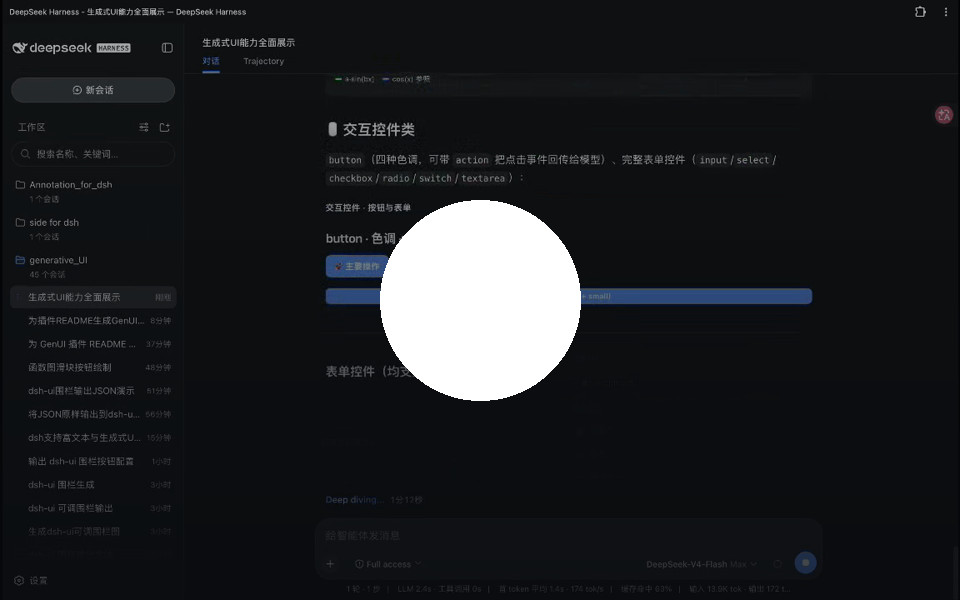
https://github.com/user-attachments/assets/f5db33ec-7471-4d4a-a85b-79c9962ab4ef

Preview of the complete dsh-genui walkthrough video
(Click the thumbnail to download the original MP4 if the GitHub video player fails to load. The prompt sequence is documented in demo-prompts.md.)

### Three Concrete Real Outputs | 1. Monitoring Panel: Answer is the Dashboard | 2. Function Plot: Drag to Redraw Instantly | 3. Composable Hierarchy: Work Surface | | :--- | :--- | :--- | | ![Monitoring Panel](./assets/showcase-panel.png) | ![Function Plot](./assets/showcase-plot.png) | ![Composable Hierarchy](./assets/showcase.png) | | **Data Insights:** Eyebrow stats, filterable/drill-down service table, grouped totals, and spark/ring cells directly live in the assistant reply. | **Zero-Latency Exploration:** `plot` draws mathematical curves; drag parameter sliders to re-calculate and redraw locally in real time. | **Structured Hierarchy:** Display quotes, stat cards, ring progress, and labeled chapter dividers composed declaratively by the model. | --- ## ✨ Before vs. After | Scenario | Plain Text Response | With dsh-genui | | :--- | :--- | :--- | | **Business Overview** | “Revenue this month is ¥128,430 (+12.4% MoM); conversion rate is slightly dipping…” | One line of concise prose + 3 stat cards (revenue/orders/conversion), a trend chart, and a progress bar rendered right beside it. | | **Data Exploration** | Type another prompt to ask the model to re-sort or filter. | Click table headers to **sort numbers locally**, or use the search box to filter rows in real time. | | **Parameter Tuning** | Re-prompt the model and wait for another full generation. | Drag sliders to see curves update in **sub-millisecond speed** with animation preview. | | **Next Actions** | Copy text and manually perform follow-up tasks elsewhere. | Click interactive action buttons (e.g. “Refresh”, “Switch View”) to trigger **bidirectional model event loops**. | --- ## 🚀 Quick Start ### 1. Prerequisites Ensure your environment meets the following requirements: - **DSH Version**: `^0.2.0-rc.1 || ^0.2.1-rc.1` (verified against `dsh-v0.2.0-rc.1` and `dsh-v0.2.1-rc.3`) - **pnpm on PATH**: The `dsh plugin` CLI requires pnpm. If missing: run `corepack enable` or `npm i -g pnpm`, then **open a new terminal** and confirm `pnpm -v` prints a version number. ### 2. Install & Activate Run a single command in your terminal (all dependencies are fetched automatically): ```sh # Public npm package (works without an npm account) dsh plugin --profile web add @changfenhuang/dsh-genui ``` > [!TIP] > **Adding only as a Node package?** Run `npm install @changfenhuang/dsh-genui`. Note that `npm install` only adds the dependency and does not register the plugin with DSH; use the `dsh plugin add` command above for DSH integration. ### 3. Verify in 60 Seconds 1. Restart the DSH web service and **hard refresh** your browser (`Cmd + Shift + R` or `Ctrl + F5`). 2. In a **new conversation session**, send: ```text Use dsh-ui to draw a stats dashboard with a sortable service table. ``` 3. **Expected result**: The reply renders an in-place interactive dashboard rather than a plain code block. 4. **Console activation check**: Open your browser Developer Tools Console and look for `[genui] client active; fence-channel=dom`. --- > [!WARNING] > ### ⚠️ Installation Pitfalls to Avoid > > 1. **Watch the Package Scope (Crucial)**: > The package must be **`@changfenhuang/dsh-genui`**. npm hosts an unrelated, unscoped package named `dsh-genui` (a Vue/OpenTiny implementation by another maintainer); installing it will fail due to incompatible host peer dependencies. > 2. **Do Not Use `link:` on a Freshly Cloned Directory**: > `link:` alone does not bundle or resolve peer assets (mermaid, three.js, React). Use npm for standard usage; reserve `link:` strictly for local development (see [Developer Guide](#-developer-guide)). > 3. **Migrating from Legacy `@omdsh-dev`**: > If you installed from GitHub or the old org name before v0.9.2, clean up the stale key: > ```sh > dsh plugin --profile web remove @omdsh-dev/dsh-genui > dsh plugin --profile web add @changfenhuang/dsh-genui > ``` --- ## 🧩 Capability Matrix Every component and behavior is guarded by the strict `dsh-ui` specification. See [SKILL.md](./SKILL.md) for full JSON schema details. ``` dsh-genui Capabilities ├── 🌊 1. Streaming & Realtime Mounting ├── 🎨 2. 30+ Component Ecosystem ├── ⚡ 3. Local-First Responsiveness ├── 🔄 4. Bidirectional Action Event Loop ├── 📌 5. Persistent Session Workspace & Templates └── 🛡️ 6. Sandboxing, Guards & Self-Healing ``` ### 1. 🌊 Streaming & Realtime Mounting - **Answer-as-UI**: Components stream into the conversation as tokens arrive, mounting incrementally without waiting for the full reply to finish. - **Graceful Fallback**: If the plugin is absent or disabled, fences degrade cleanly to standard Markdown code blocks without breaking the chat history. ### 2. 🎨 30+ Component Ecosystem - **Display & Typography**: Hero banner, Stat cards (`stat` with eyebrow labels, deltas, and sparklines), Tables, Timelines, Code Diffs, Step progress, File trees (interactive expand/collapse), Callouts, and Badges. - **Content Font Size**: Card typography grows with the host's Appearance → Content Font Size setting above 17px. At 17px or below, each component keeps its existing size. Standalone HTML exports keep their existing sizes. - **Advanced Tables**: - Click headers to **sort locally** (ascending / descending / reset) with smart parsing for numbers, currency, commas, percentages, and `k/m/b` units; - Columns support inline progress bars (`bar`), rings (`ring`), sparklines (`spark`), and badges; - One-click data export (Copy Markdown / CSV) and instant client-side text filtering (`filter`). - **ECharts Integration (`echart`)**: - **Preset Mode**: Shorthand presets (`bar`, `line`, `area`, `pie`, `scatter`, `radar`, `gauge`, `funnel`, `treemap`, `sankey`, `graph`, `heatmap`, `bigline`, `wordCloud`) that adapt automatically to host light/dark themes; - **Full Option Mode**: Full native ECharts options for advanced features like DataZoom and VisualMap; - **On-Demand Lazy Loading**: The ~1 MB ECharts engine is loaded asynchronously only when an `echart` block is encountered. - **Mathematical Function Plots (`plot`)**: - Multi-series plotting with expressions (trig, log, exp, power); - **Live Parameter Sliders**: Drag sliders to redraw curves instantly at 60 FPS; supports auto-animation loops. - **Mermaid & 3D Visuals**: Flowcharts, sequence diagrams, and lightweight 3D models with on-demand asset loading. - **Native Galleries**: `carousel` composes existing cards and forms in a responsive, keyboard-navigable horizontal track; `image-group` opens images in a local lightbox with focus restoration. Navigation does not invoke model actions. [Examples and verification](docs/gallery.md). - **Native Media**: Inline playback for accessible audio and video URLs, with poster images, aspect ratios, and controls. - **KaTeX Math Rendering**: Inline math (`$...$`) and display blocks (`$$...$$`), supporting matrices and multi-line equations. ### 3. ⚡ Local-First Responsiveness - **Zero-Latency Interactions**: State transitions that the frontend can handle alone (sorting, filtering, accordion toggling, slider redraws, tab switches) execute **entirely client-side** without round-trips to the model. - **Quizzes & Submission (`quiz` / `submit`)**: - Single quizzes evaluate instantly with explanations and retry options; - Multi-question assessments support batch grading and progress tracking with the `groups` schema. - **Durable Persistence**: User inputs, form fields, and quiz states persist across page reloads via session fingerprints (LRU cache of 200 blocks). ### 4. 🔄 Bidirectional Action Event Loop - **Closed-Loop Interactions**: Interactive elements equipped with an `action` payload package user events back to the model to trigger follow-up reasoning. - **Honest UI Guarantee**: Buttons without an `action` render disabled to eliminate "dead clicks"; active buttons show immediate visual feedback upon trigger. - **Debounced Delivery**: Discrete taps send immediately; continuous slider drags apply trailing-edge debounce to prevent message flooding. ### 5. 📌 Persistent Session Workspace & Templates - **Session Dock Panel**: Open a persistent dock above the composer via `/panel` or `panel: true`; resize by dragging its border; append tabs incrementally with `append: true`. - **Template Center & Badges**: - **Templates**: Browse 11 pre-built scenario templates directly from the dock to kickstart prompts; - **Achievements**: Unlock 12 built-in local exploration badges as you interact with various components. ### 6. 🛡️ Sandboxing, Guards & Self-Healing - **Security by Design**: Strictly whitelisted JSON components; zero script injection or `eval`; **strict prohibition of passwords or secret collection**. - **Same-Turn Fence Steering**: If a generated fence fails validation, diagnostic errors are fed back to the model within the **same turn** so it can self-correct (can be disabled via `fenceFeedback: false`). - **Resilient Fallbacks**: Malformed nodes are safely discarded while siblings render normally (single node errors never crash the fence); Mermaid syntax glitches are automatically repaired. --- ## 💻 Quick Examples ### Example 1: Executive KPI Dashboard The model emits the following `dsh-ui` code block: ```dsh-ui { "title": "Q3 2026 Executive Overview", "items": [ { "type": "row", "items": [ { "type": "stat", "label": "Total Revenue", "value": "¥128,430", "delta": "+12.4%", "spark": [40, 55, 60, 85, 120] }, { "type": "stat", "label": "Completed Orders", "value": "1,024", "delta": "-3.1%", "spark": [90, 85, 80, 75, 70] }, { "type": "progress", "label": "Quarterly Target", "value": 82, "variant": "ring" } ] } ] } ``` ### Example 2: ECharts Revenue Trend ```dsh-ui { "title": "Revenue Breakdown", "items": [ { "type": "echart", "title": "Monthly Performance", "preset": "bar", "data": [ { "label": "Jan", "value": 98 }, { "label": "Feb", "value": 112 }, { "label": "Mar", "value": 128 }, { "label": "Apr", "value": 145 }, { "label": "May", "value": 160 } ] } ] } ``` > For the comprehensive specification and full component catalog, refer to [SKILL.md](./SKILL.md). --- ## ⚙️ Architecture & How It Works ```mermaid sequenceDiagram autonumber actor User as User participant Host as DSH Host / LLM participant DOM as Conversation DOM participant GenUI as GenUI Client Renderer participant Assets as On-Demand Assets (ECharts/Three) User->>Host: Prompt (e.g. "Analyze recent order trends") Host-->>DOM: Streams Markdown prose & ```dsh-ui fence DOM->>GenUI: Detects fence and normalizes schema against whitelist alt Requires Heavy Engines GenUI->>Assets: Dynamically fetches engine bundles Assets-->>GenUI: Assets loaded end GenUI->>DOM: Mounts React component tree incrementally opt Client-Side Local Actions User->>GenUI: Sort table / Drag plot slider / Answer quiz GenUI-->>User: Instant sub-millisecond local update end opt Model Action Feedback User->>GenUI: Click interactive action button GenUI->>Host: Dispatches structured action payload Host-->>DOM: Model responds with next-step reasoning / updates panel end ``` ### Artifact Exporting Completed GenUI blocks can be exported on demand: - **Standalone `.html`**: Inlines the lightweight renderer, CSS styles, KaTeX fonts, and required chart engines so the interactive UI can be viewed and tested offline in any browser. - **`.genui.json`**: Retains the normalized specification and durable interaction states for storage and portability. --- ## 🧑‍💻 Developer Guide ### Local Development (Link Mode) ```sh git clone https://github.com/omdsh-dev/dsh-genui.git cd dsh-genui pnpm install # Build and link into your DSH web profile dsh plugin --profile web add link:$PWD ``` ### Useful Commands ```sh pnpm run check # Type checks + full unit test suite + build pnpm run test # Run Vitest unit tests pnpm run check:host-api dsh-v0.2.1-rc.3 # Check the current published DSH API node scripts/verify-pack.mjs --keep # Verify and inspect npm tarball ``` ### End-to-End (E2E) Testing - **Visual E2E Smoke (No Model API Key Required)**: ```sh npx tsx scripts/e2e-visual.mts # Boots headless Chrome, tests gallery rendering and asserts interactions ``` - **Real-Model Integration E2E**: ```sh export DSH_ROOT=/path/to/deepseek-harness-0.2.1-rc.3 export DSH_BIN="$DSH_ROOT/apps/cli/lib/bin.js" DEEPSEEK_API_KEY=sk-... node scripts/e2e.mjs ``` ### Advanced Profile Configurations To customize plugin behaviors, add configurations under `cordis.patch.yml` in your profile: ```yaml - id: genui name: '@changfenhuang/dsh-genui' config: renderUiTool: false # Disable registering the render_ui tool card (fences and panel remain active) fenceFeedback: false # Disable automatic same-turn steer correction on malformed fences ``` ### Embedding into Other Applications You can import `GenuiBlock`, `GenuiActionContext`, and `processGenuiSpec` from `@changfenhuang/dsh-genui/embed` to embed the renderer into any React application supporting CSS Modules. --- ### Sidechat surfaces (optional) GenUI can render settled `dsh-ui` fences on provider-declared sidechat surfaces. BetterSidebar uses its `registerSidechatSurfaceAdapter` capability; other providers can expose the optional `genuiSidechat` Cordis service. Each surface carries its owning thread identity and prompt callback, so actions and interaction state stay within that child thread. Streaming rows and unsupported or invalid fences keep their original Markdown. See [the sidechat surface adapter contract](docs/sidechat-surfaces.md). BetterSidebar support requires a release containing [its provider implementation](https://github.com/omdsh-dev/DSH-better-sidebar/pull/1033); the released 0.28.0 does not expose `registerSidechatSurfaceAdapter`. The DSH native Side Chat provider must expose `genuiSidechat` to enable this integration. ## ❓ FAQ & Troubleshooting
Q: Why are dsh-ui fences still showing up as raw code blocks? 1. Open your browser Developer Tools (F12) and inspect the Console. 2. Search for the log `[genui] client active; fence-channel=dom`: - **If missing**: The client bundle was not activated by the host. Verify that `dsh plugin list` shows the plugin as active, restart DSH web, and hard refresh your browser; - **If present**: Check whether the code block language identifier is strictly `dsh-ui` and that its body contains valid JSON.
Q: Error: "pnpm not found on PATH"? DSH plugin management calls `pnpm` under the hood. Run `corepack enable` or `npm i -g pnpm`, then **open a new terminal window** before running `dsh plugin add`.
Q: npm install returns 404? The package is public and requires no login. Verify the package name via `npm view @changfenhuang/dsh-genui version`. If a version was published very recently, allow a few moments for registry mirrors to synchronize.
Q: 3D scene, Mermaid, or ECharts does not render? Heavier engines are lazy-loaded through plugin-provided static routes upon their first appearance. Hard refresh your browser (`Cmd + Shift + R`). If the issue persists, reinstall the package: ```sh dsh plugin --profile web remove @changfenhuang/dsh-genui dsh plugin --profile web add @changfenhuang/dsh-genui ```
Q: The chat screen goes blank when rendering a fence? This version strictly requires DSH `^0.2.0-rc.1 || ^0.2.1-rc.1`. Older host versions lack necessary React slot/context capabilities; please upgrade DSH.
--- ## 🗺️ Roadmap Evaluation | Exploration Area | Decision | Rationale | | :--- | :---: | :--- | | **Incremental Diff Patching** | Declined | A fence costs only 200–800 tokens; resending is fast and safe. Teaching models a patch diff protocol introduces high friction and hallucination rates. | | **Granular Action Delivery** | ✅ Done | Discrete gestures send immediately; continuous slider drags apply trailing-edge debounce to keep chat context clean. | | **Cross-Session Replay Persistence** | Declined | Resetting on replay is the more natural expectation when the model updates the UI; state is preserved seamlessly during streaming. | | **Separate Gallery / i18n Strings** | Declined | The component gallery is covered by `demo-prompts`, `gallery.ts`, and README screenshots; the core bundle carries only 6 built-in UI strings. | --- ## 🔗 Links & Community - [Linux.do Community Discussion](https://linux.do) - Visit the [Live Product Site](https://omdsh-dev.github.io/dsh-genui/) to explore more demos. --- ## 📄 License This project is licensed under the [MIT License](LICENSE).

