Prowl
Your terminal wasn't built for agents. Until now.
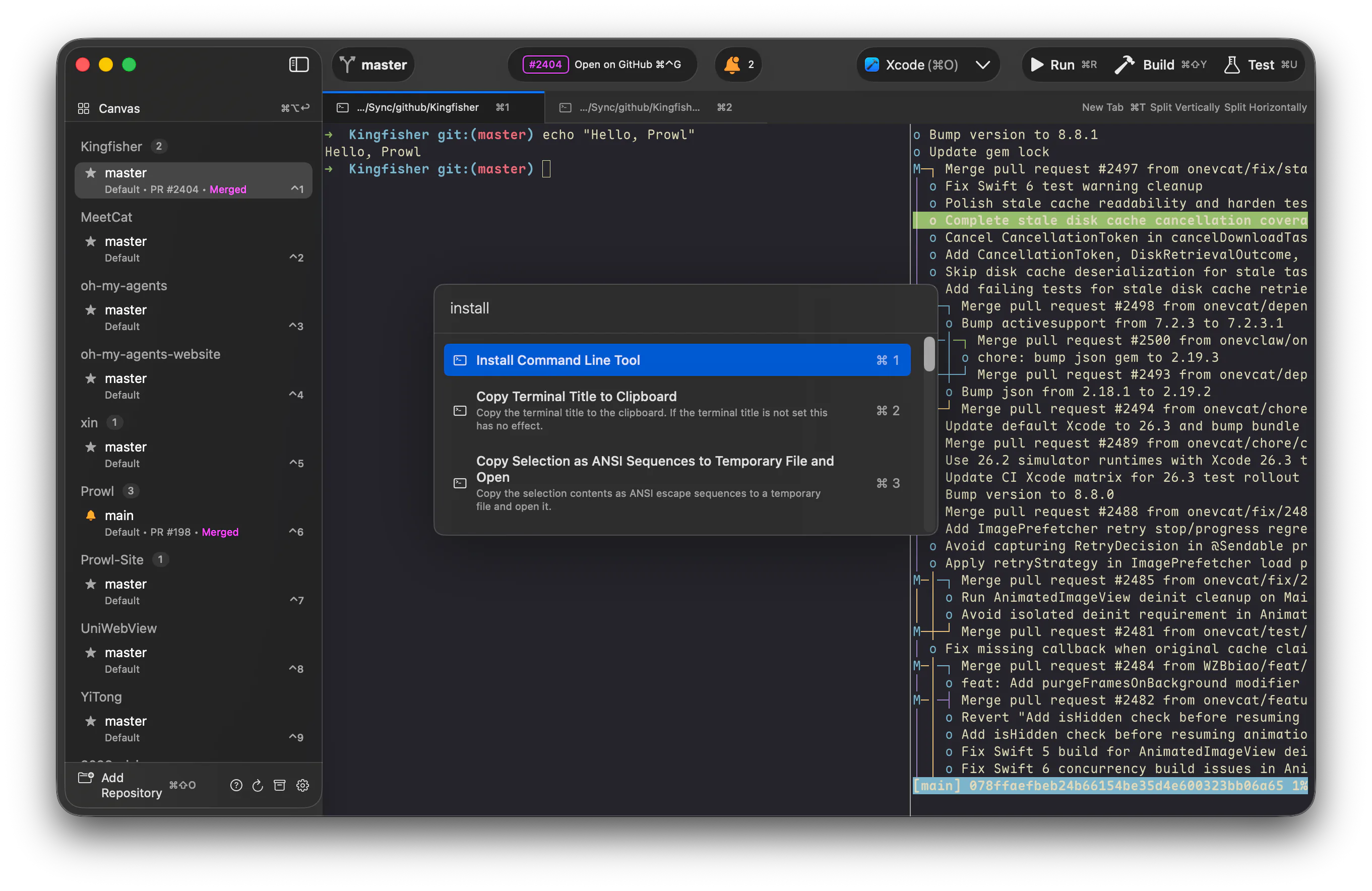
A native macOS command center for running AI coding agents in parallel.
Download
·
Watch Demo
·
Website
·
brew install --cask onevcat/tap/prowl
---
## 🐾 Meet Prowl through your agent
Prefer to learn the agentic way instead of scrolling? Hand this prompt to your coding agent (Claude Code, Codex, …) or any AI assistant — it reads Prowl's full documentation and gives you a tailored introduction:
```text
Read Prowl's documentation and introduce it to me.
Prowl is a native macOS command center for running many AI coding agents in parallel. Its full manual lives here:
https://raw.githubusercontent.com/onevcat/Prowl/refs/heads/main/docs/README.md
Fetch that index and read it (it links to an overview and per-feature manuals in the same docs/ folder — read the relevant ones). Then:
1. Briefly tell me what Prowl is and why it's worth my time.
2. Based on what you know about how I work, suggest 3–4 Prowl features that would genuinely help me, each with a one-line "how".
3. Then answer my follow-up questions, consulting the matching doc.
Reply in my preferred language.
```
> Already installed Prowl? Your agent can read the same docs straight from the app bundle — choose **Help → Ask Agent About Prowl** in the app to copy a version localized to your language.
## Why Prowl?
You're not just typing commands anymore — you're orchestrating Claude Code, Codex, and friends across repos, branches, and ideas. Prowl is the terminal built for that.
## Highlights
### 🖼 Canvas — every agent, at a glance
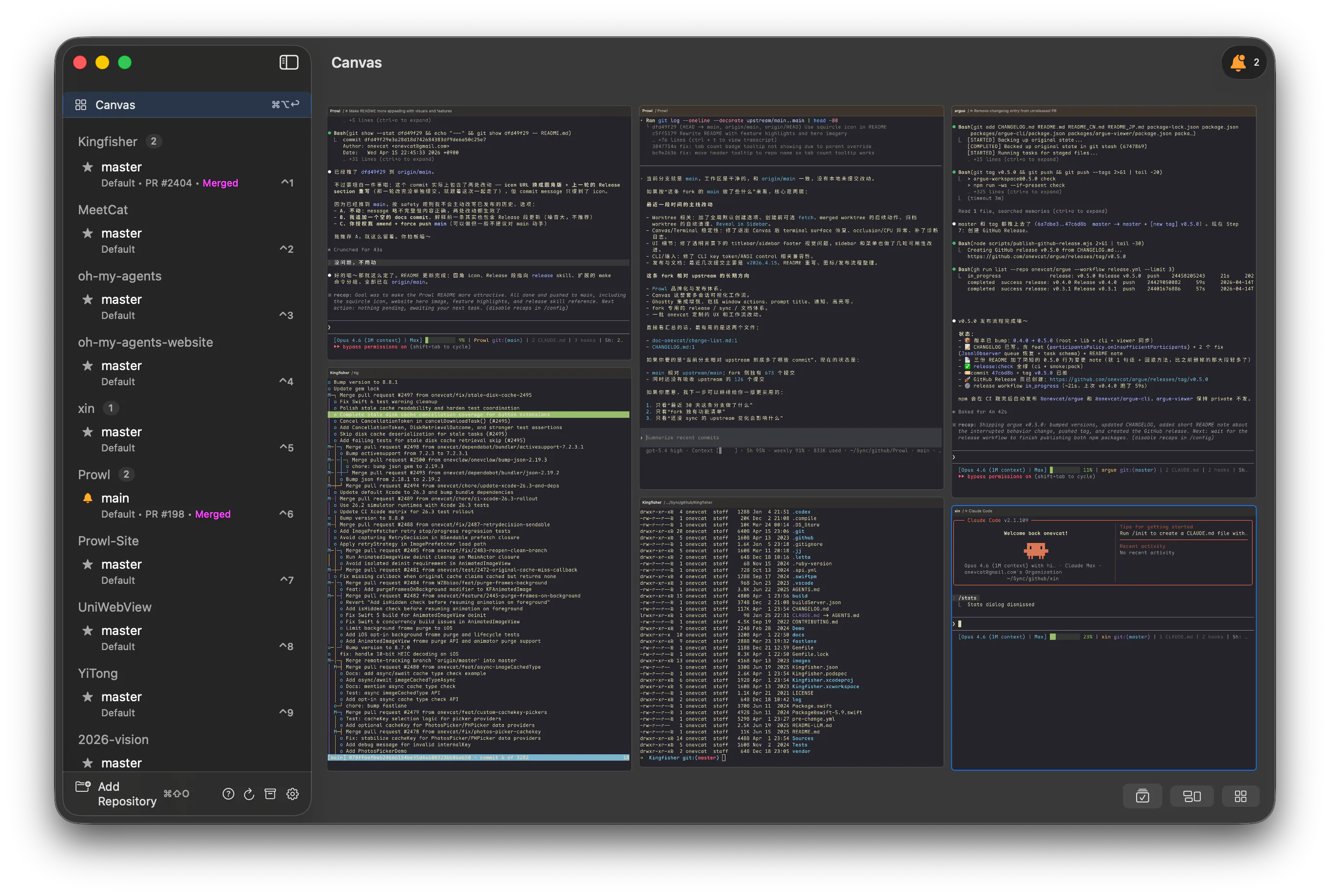 Three agents running, one just finished — _where_? Canvas gives you a bird's-eye view where every card is a **live, interactive terminal**, not a screenshot. Finished tasks light up the moment they complete, and you can broadcast a single command to every agent at once.
### 📚 Shelf — your worktrees, lined up like books on a shelf
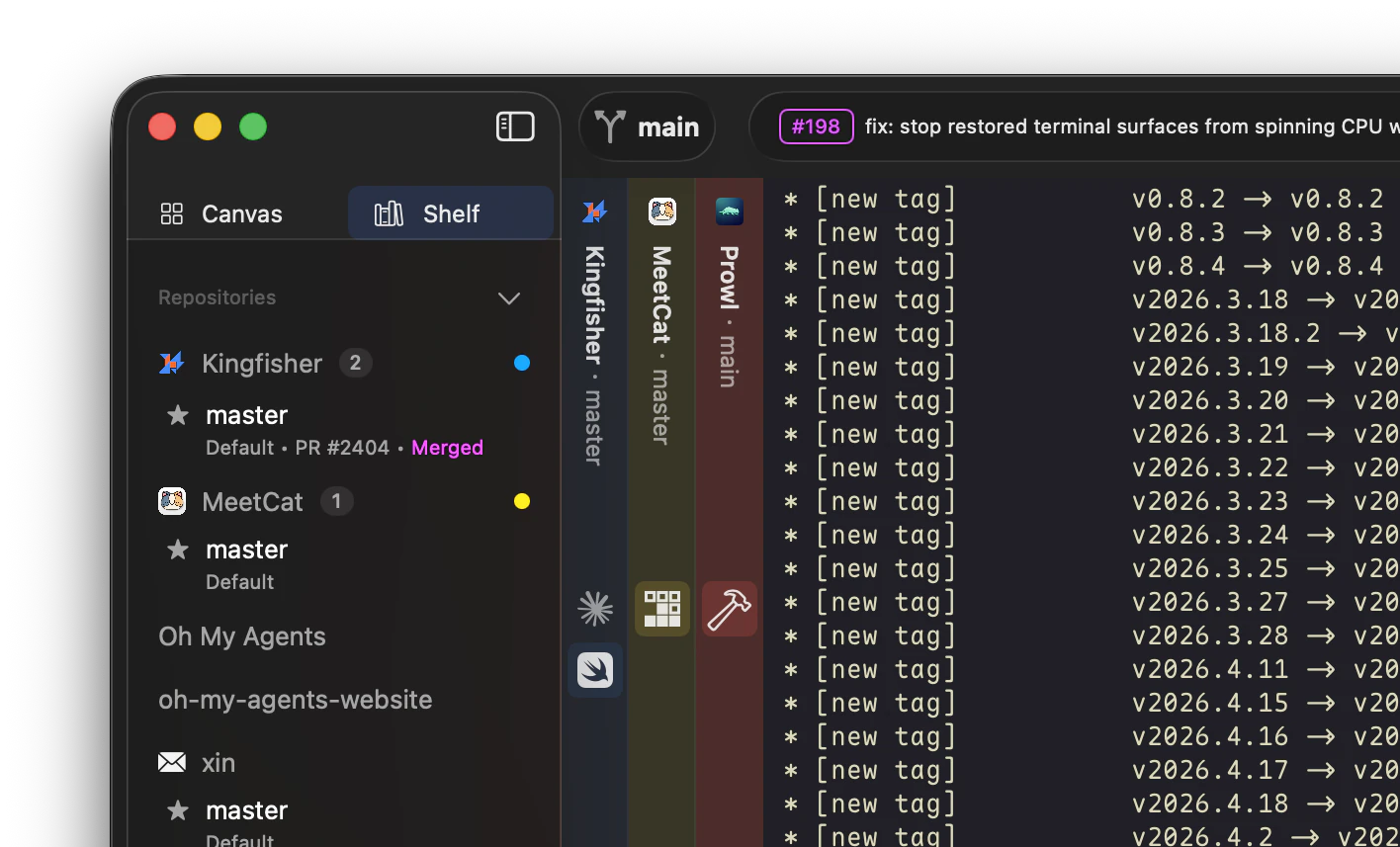 Every worktree becomes a vertical **spine** stacked on the side, with its tabs nested underneath. Flip through your stack from the keyboard — **`⌘⌃←` / `⌘⌃→` cycles books · `⌘⌃↑` / `⌘⌃↓` cycles tabs** — so when you've got six agents in flight, you triage them one keystroke at a time, never losing your place.
### ⚡ Custom Actions — one keystroke, any workflow
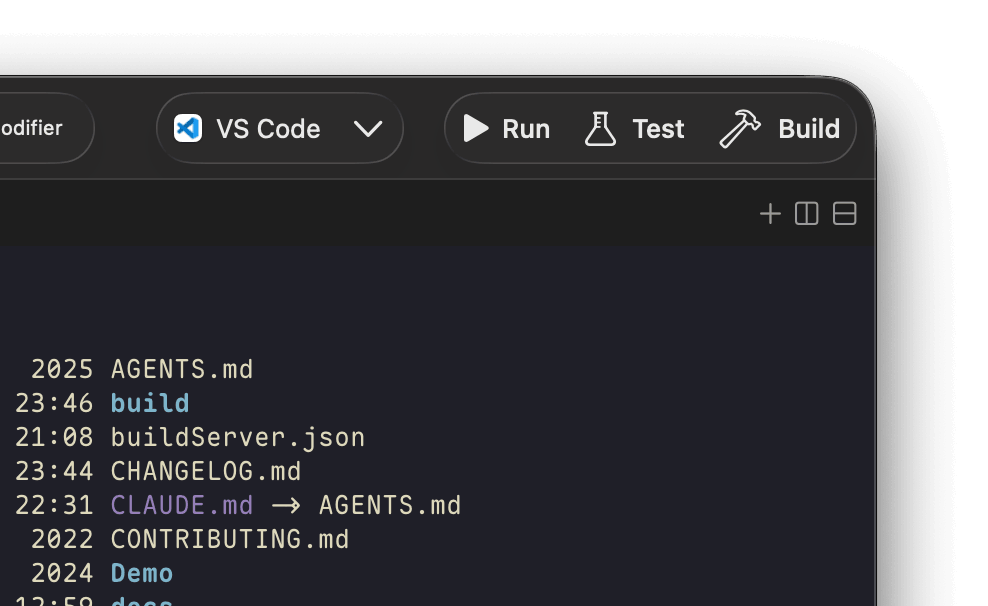 Pin `swift build`, `npm test`, or `claude -p "review this diff"` to a button and bind it to `⌘B`. Set it up once per repo and stop typing the same thing every day. Pair with `claude -p` / `codex exec` to turn your terminal into a daily AI-powered assistant.
### 🤖 CLI — let your agents drive the terminal
Your agent needs to run a test, read the output, and decide what's next. Prowl ships with a `prowl` CLI so both you and your agents can control the terminal programmatically:
```bash
prowl list # discover panes & their status
prowl send "npm test" --capture # execute & capture output in one shot
prowl read # read screen content on demand
prowl key # send keystrokes programmatically
```
Teach your agent when and how to drive Prowl by installing the bundled `prowl-cli` skill with [`skills`](https://github.com/vercel-labs/skills): `npx skills add onevcat/Prowl --skill prowl-cli`.
### And the stuff you'd expect, done right
- **Full Native** — powered by libghostty. No Electron, no web views. CJK-safe out of the box.
- **Vertical Tabs** — repos, branches, and worktrees in a sidebar. Never lose context.
- **Git Worktree first-class** — spin up a parallel branch for a new agent in one click.
- **Agent Reminder** — macOS notification the moment an agent finishes.
- **Auto-updates** — Sparkle keeps you on the latest release.
## Install
**Download:** [Prowl.dmg](https://github.com/onevcat/Prowl/releases/latest/download/Prowl.dmg) (notarized)
**Homebrew:**
```bash
brew install --cask onevcat/tap/prowl
```
## Requirements
macOS 26.0+
---
## For Developers
A personal fork of [Supacode](https://github.com/supabitapp/supacode), built on [The Composable Architecture](https://github.com/pointfreeco/swift-composable-architecture) and [libghostty](https://github.com/ghostty-org/ghostty), maintained for daily use. Requires [mise](https://mise.jdx.dev/) for dev tooling.
### Build & run
```bash
make build-ghostty-xcframework # Build GhosttyKit from Zig source
make build-app # Build the macOS app (Debug)
make run-app # Build, install, and launch Debug from /Applications/Prowl Debug.app
make install-debug # Build Debug and install to /Applications/Prowl Debug.app
make install-dev-build # Alias-compatible Debug install target
make install-release # Build Release, sign locally, install to /Applications
```
### Develop & test
```bash
make check # Format changed Swift files, then run swift-format lint + SwiftLint
make format-changed # Format changed Swift files only
make format # Full-tree Swift format cleanup
make lint # SwiftLint only
make test # Run app/unit tests
make log-stream # Stream app logs (subsystem: com.onevcat.prowl)
```
### CLI
```bash
make build-cli # Build `prowl` CLI via SwiftPM
make test-cli-smoke # Quick CLI smoke checks
make test-cli-integration # End-to-end CLI socket integration tests
```
### Ghostty sync
```bash
make ensure-ghostty # Fast SHA check (auto-run by build-app/test)
make sync-ghostty # Force rebuild + clear DerivedData
```
### Release
Day-to-day releases are driven by the `release` [Claude Code](https://claude.com/product/claude-code) skill defined in [`.claude/skills/release/SKILL.md`](.claude/skills/release/SKILL.md). It wraps two scripts you can also run directly:
```bash
./scripts/release-notes.sh # Generate user-facing notes → build/release-notes.md
./scripts/release.sh # Bump, build, sign, notarize, DMG, appcast, GitHub Release, Prowl-Site update
```
The skill walks the flow interactively: verify branch & tree state, confirm the version, review the generated notes, then run `release.sh`. All fork releases are notarized.