# 𝗙𝗶𝗻𝗱𝗲𝗿 𝗚𝗼
Checkout https://indiegoodies.com/
## Description
- A macOS app and Finder Sync Extension to open Terminal, iTerm, Hyper from Finder
- Support macOS 10.12
## How to install
- Get the binary from https://github.com/onmyway133/FinderGo/releases
## How to use
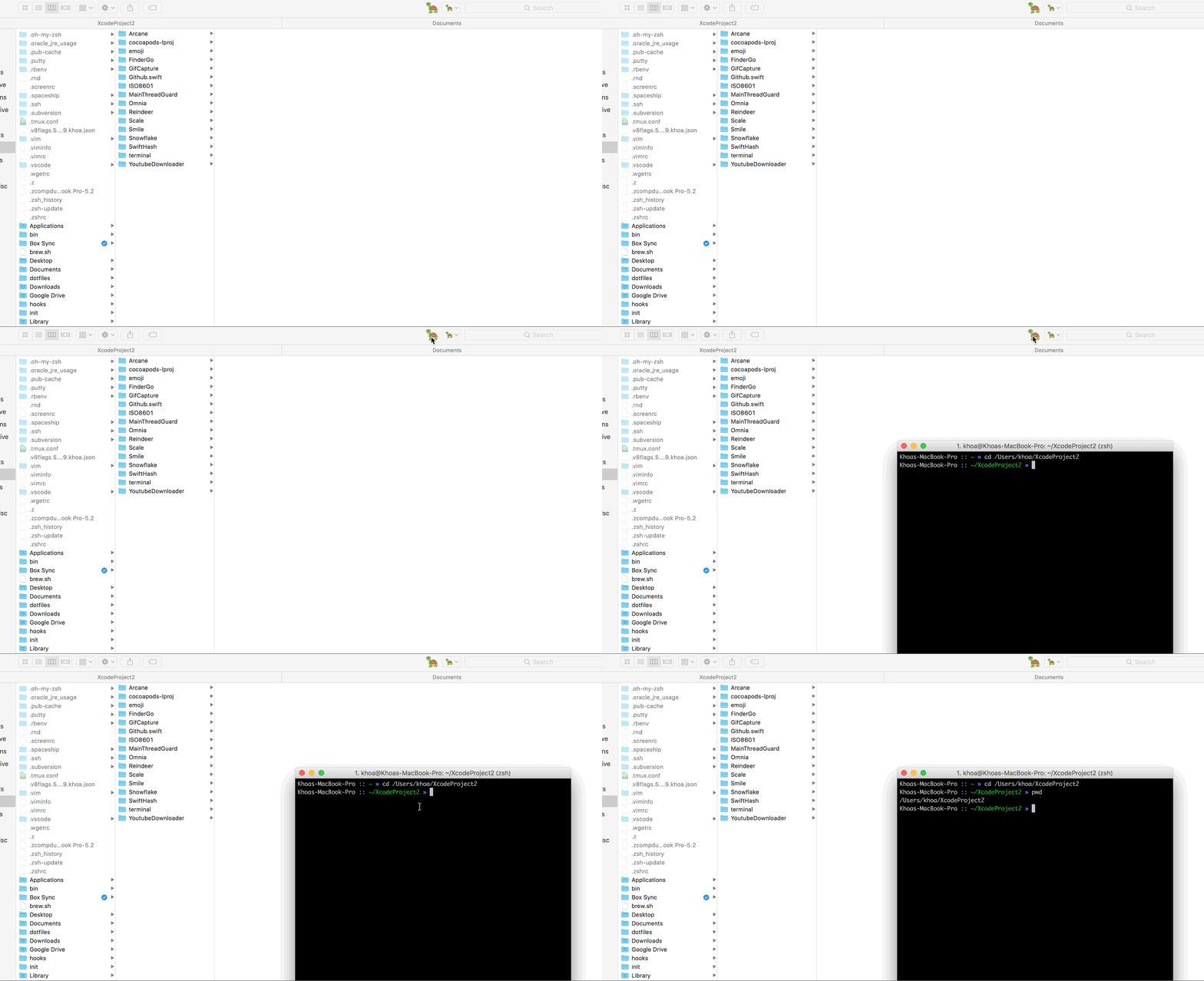
### As a macOS application
- Support `iTerm` for now
#### How to use
- Right click on app to open, because this is not from AppStore
- Cmd+Drag app icon into Finder toolbar
#### How to change default terminal
Run either of these to change your default terminal that FinderGo uses
```
defaults write com.onmyway133.FinderGo terminal Terminal
defaults write com.onmyway133.FinderGo terminal iTerm
defaults write com.onmyway133.FinderGo terminal Hyper
```
#### How to change icon
- Follow https://github.com/onmyway133/FinderGo/issues/7
### As a Finder Sync Extension
- [x] Go to Terminal
- [x] Go to iTerm
- [x] Go to Hyper
#### How to use
- Because of sandbox, we need to copy scripts from `FinderSyncExtension/Scripts` in project to `/Library/Application Scripts/com.onmyway133.FinderGo.FinderSyncExtension` by running
```sh
curl -fsSL https://raw.githubusercontent.com/onmyway133/FinderGo/master/install.sh | sh
```
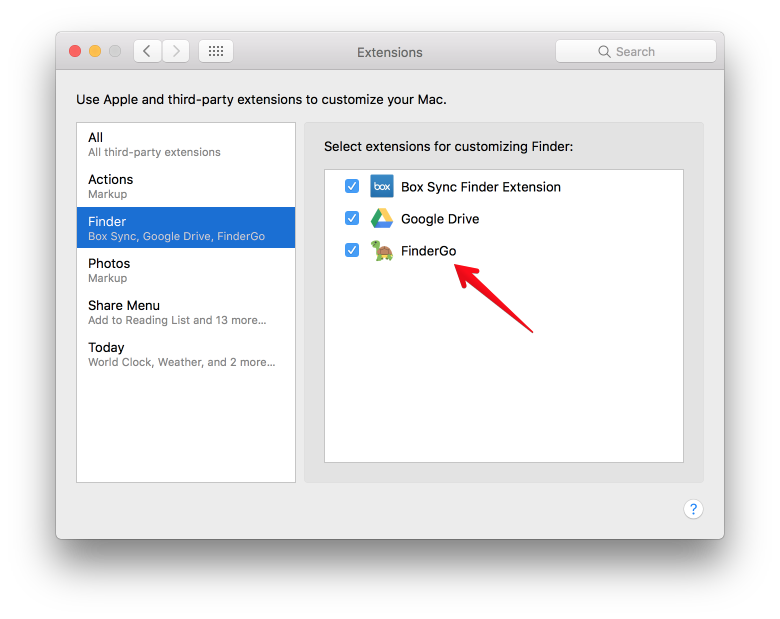
- Check for `System Preferences` -> `Extensions` -> `Finder` to enable `FinderGo` if it is not enabled yet
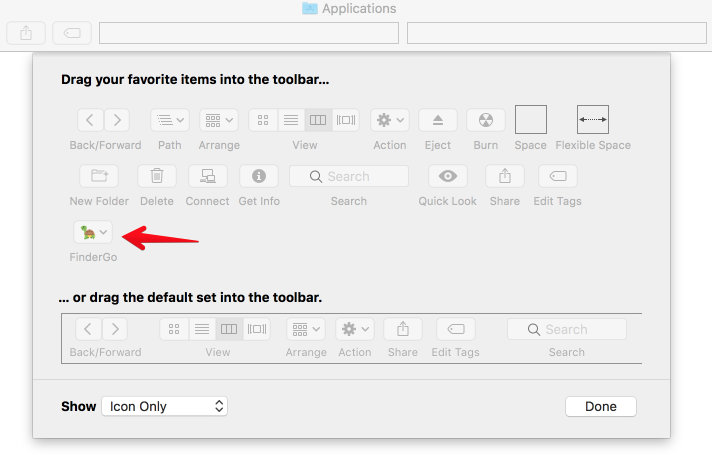
- Right click on Finder toolbar -> `Customize Toolbar`, then Cmd+Drag `FinderGo` onto toolbar
## Credit
- Icon http://emojione.com/
## Author
Khoa Pham, onmyway133@gmail.com
## License
**FinderGo** is available under the MIT license. See the [LICENSE](https://github.com/onmyway133/FinderGo/blob/master/LICENSE.md) file for more info.