# GifCapture
❤️ Support my app ❤️
- [Push Hero - pure Swift native macOS application to test push notifications](https://www.producthunt.com/posts/push-hero-2)
- [Quick Access - Organise files in the Mac menu bar](https://www.producthunt.com/posts/quick-access)
- [Frame recorder - Recorder gif and video with frame](https://www.producthunt.com/posts/frame-recorder)
- [Other apps](https://onmyway133.github.io/projects/)
❤️❤️😇😍🤘❤️❤️
## Description
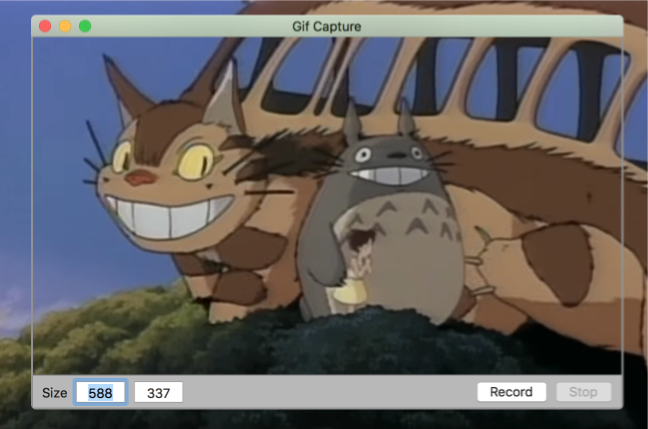
- Gif capture app for macOS
- Featured on Product Hunt https://www.producthunt.com/posts/gifcapture
- Featured on Softpedia http://mac.softpedia.com/get/Graphics/GifCapture.shtml
### Features
- [x] Resizable window
- [x] Key equivalence
- [x] Open captured gif from notification banner
- [x] Preferences
- [ ] Progress HUD
- [ ] Multiple screens
- [ ] Select application to capture
### Demo
## How to install
#### Manually
- Get the binary from https://github.com/onmyway133/GifCapture/releases
#### Brew Cask
- Run `brew install --cask gifcapture`
## How to use
- Drag and resize to specify capture window
- Press Cmd+R to start recording
- Press Cmd+S to stop and save
## Credit
- Icon http://emojione.com/
- NSGIF https://github.com/NSRare/NSGIF
## Author
Khoa Pham, onmyway133@gmail.com
## License
**GifCapture** is available under the MIT license. See the [LICENSE](https://github.com/onmyway133/GifCapture/blob/master/LICENSE.md) file for more info.