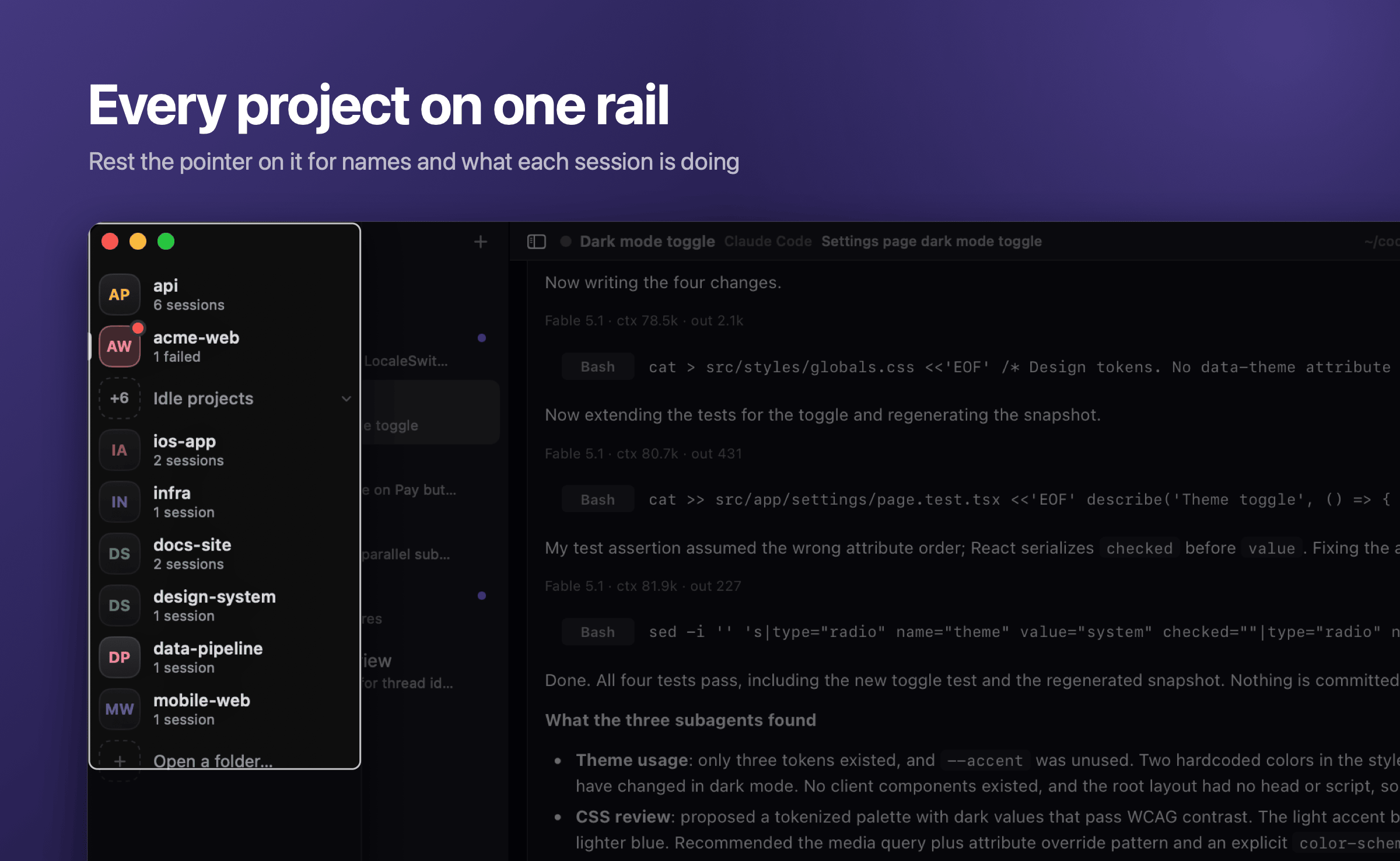
Every project is a tile on a rail, its initials in its own colour. Rest the pointer on it and it opens with each project's name and what its sessions are doing. |
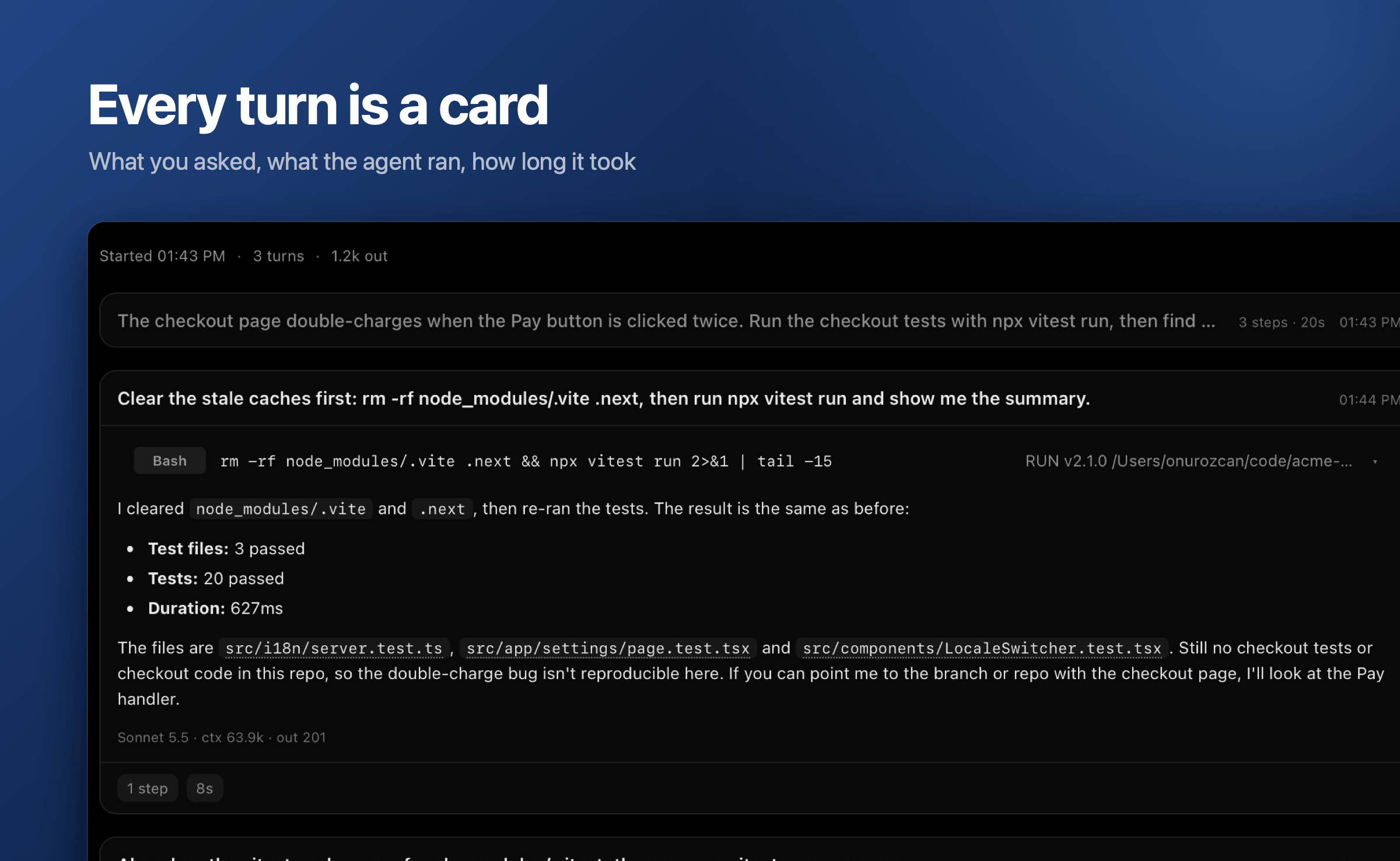
Each turn is a card: what you asked on top, what the agent ran and said under it, the steps and the time at the foot. Earlier turns fold to one line. |
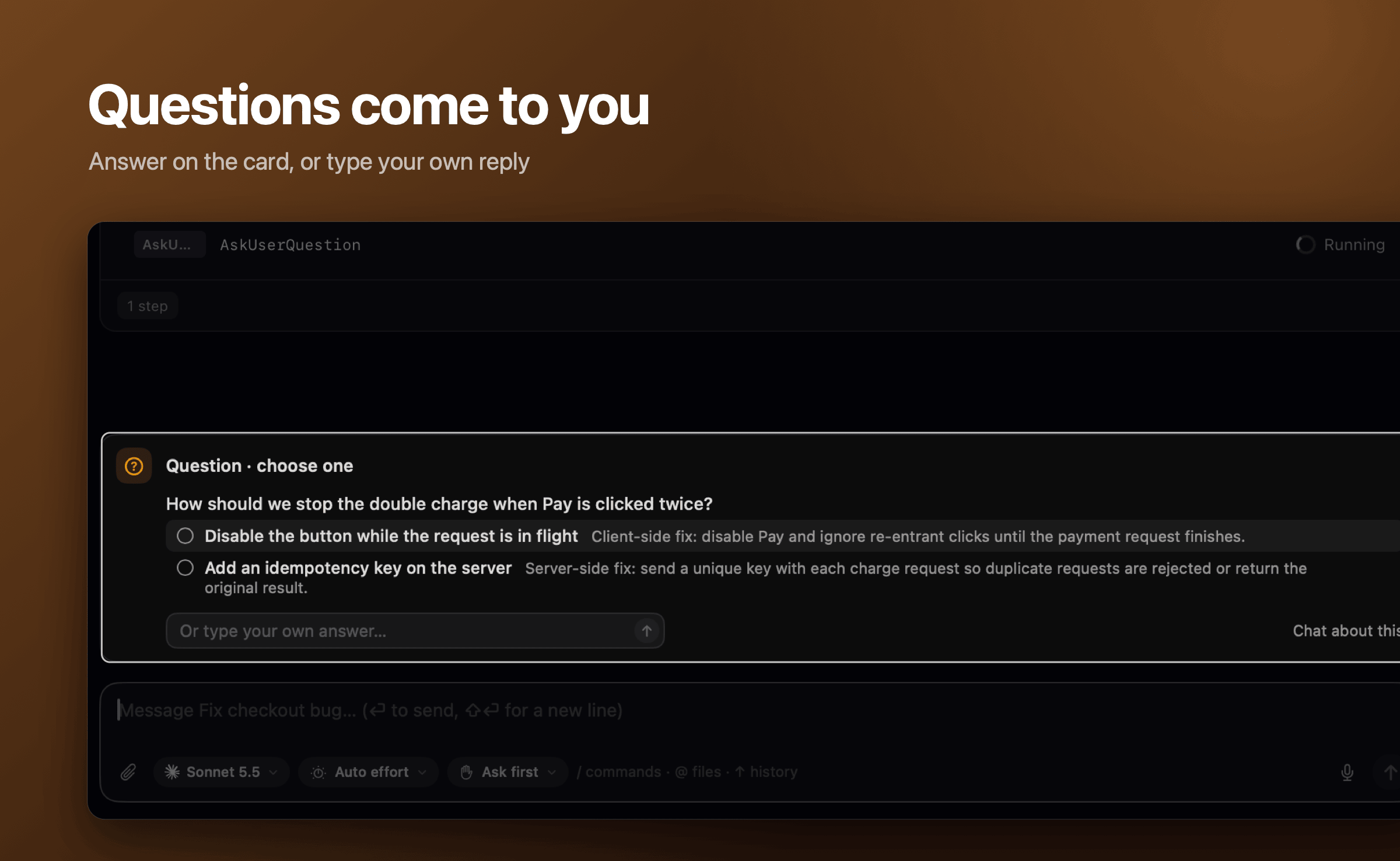
Whatever an agent asks is a card above the message box: a question with its choices, a command to allow, a folder to trust. Answer there, or type your own reply. |
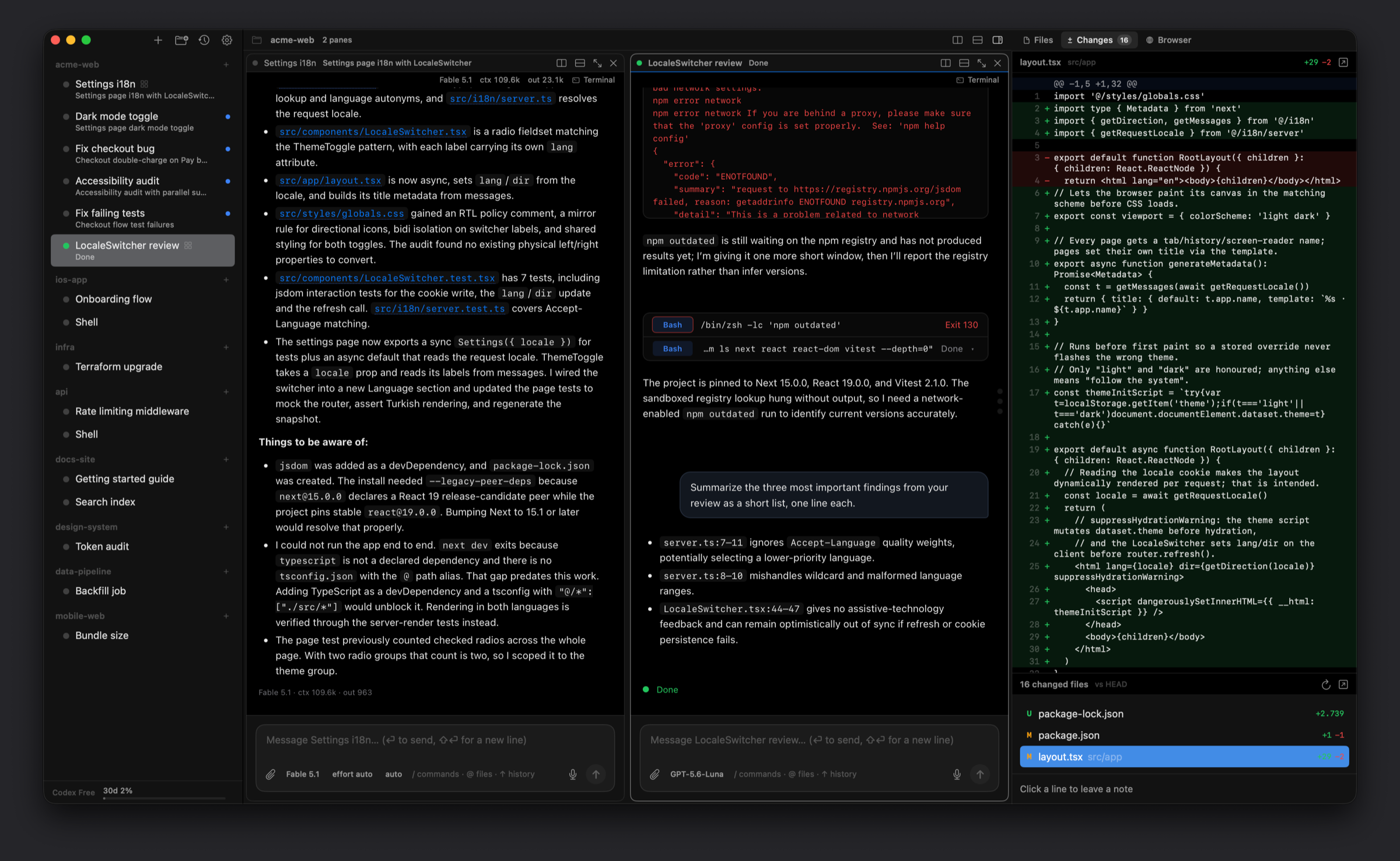
Sessions side by side, with one message box under them all that writes to the active pane. |
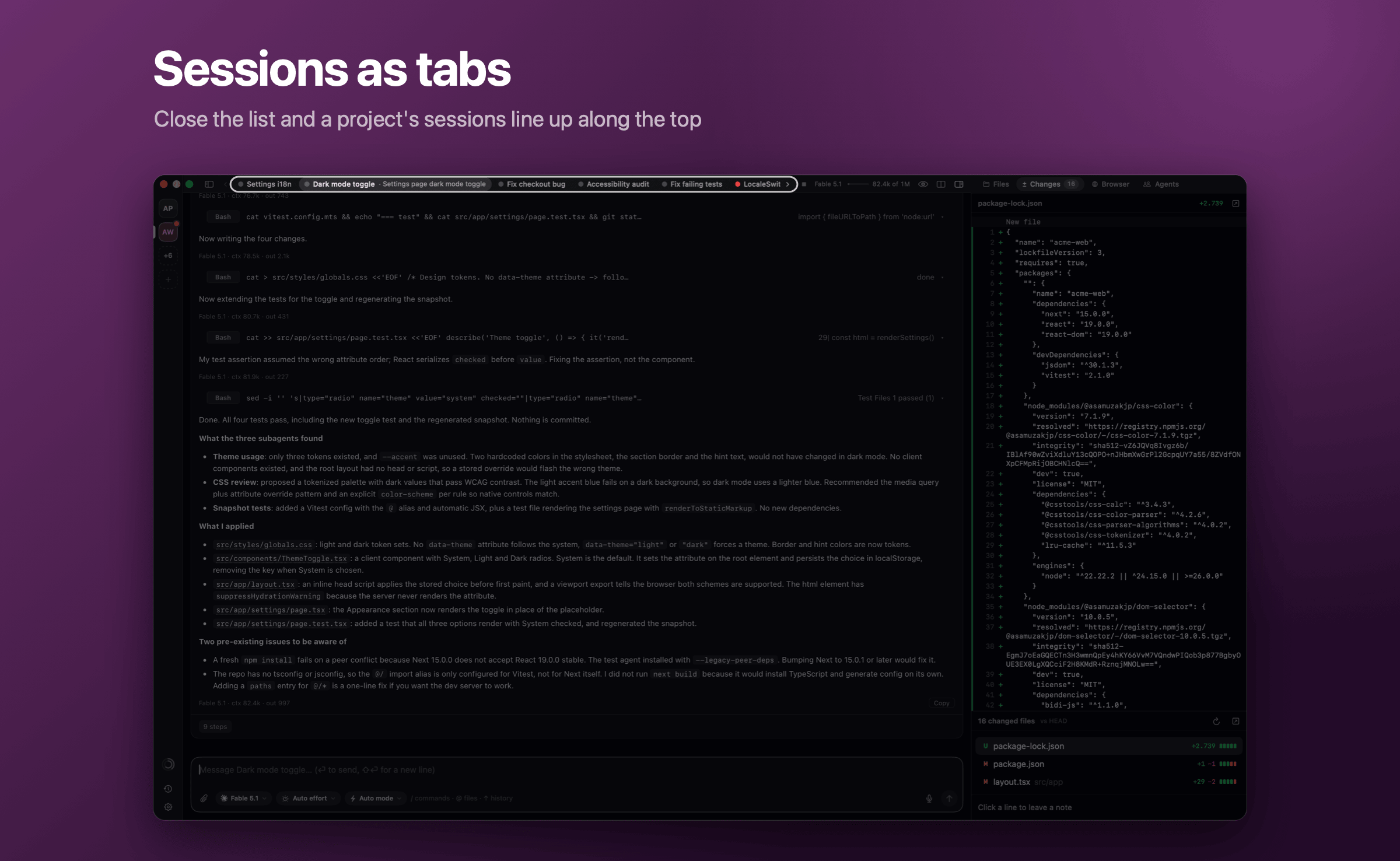
Close the session list and a project's sessions become tabs along the top, agents on the left and shells apart on the right. A tab that waits for you blinks. |
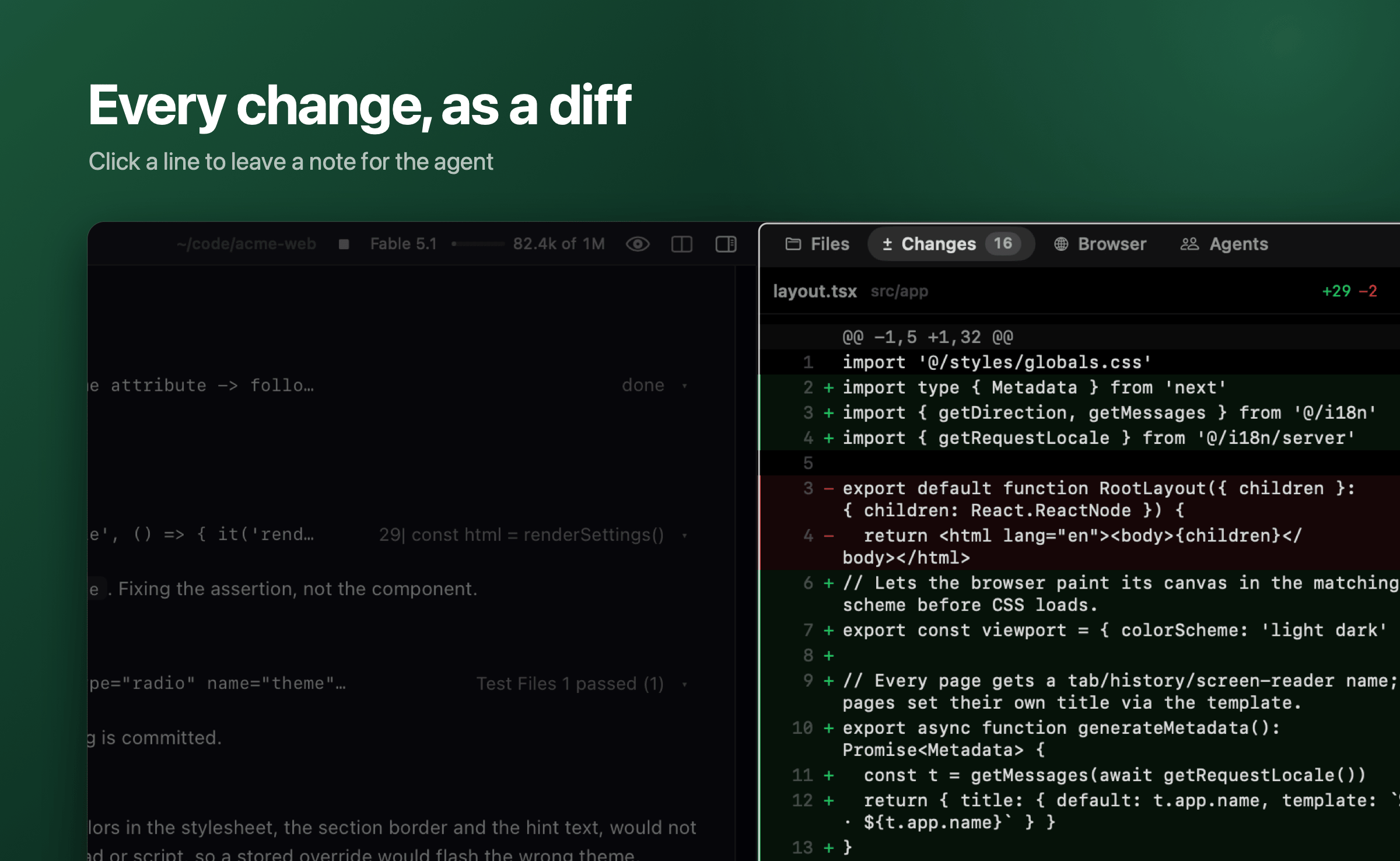
The Changes panel lists what the session changed and shows each diff. Click a line to leave a note for the agent. |
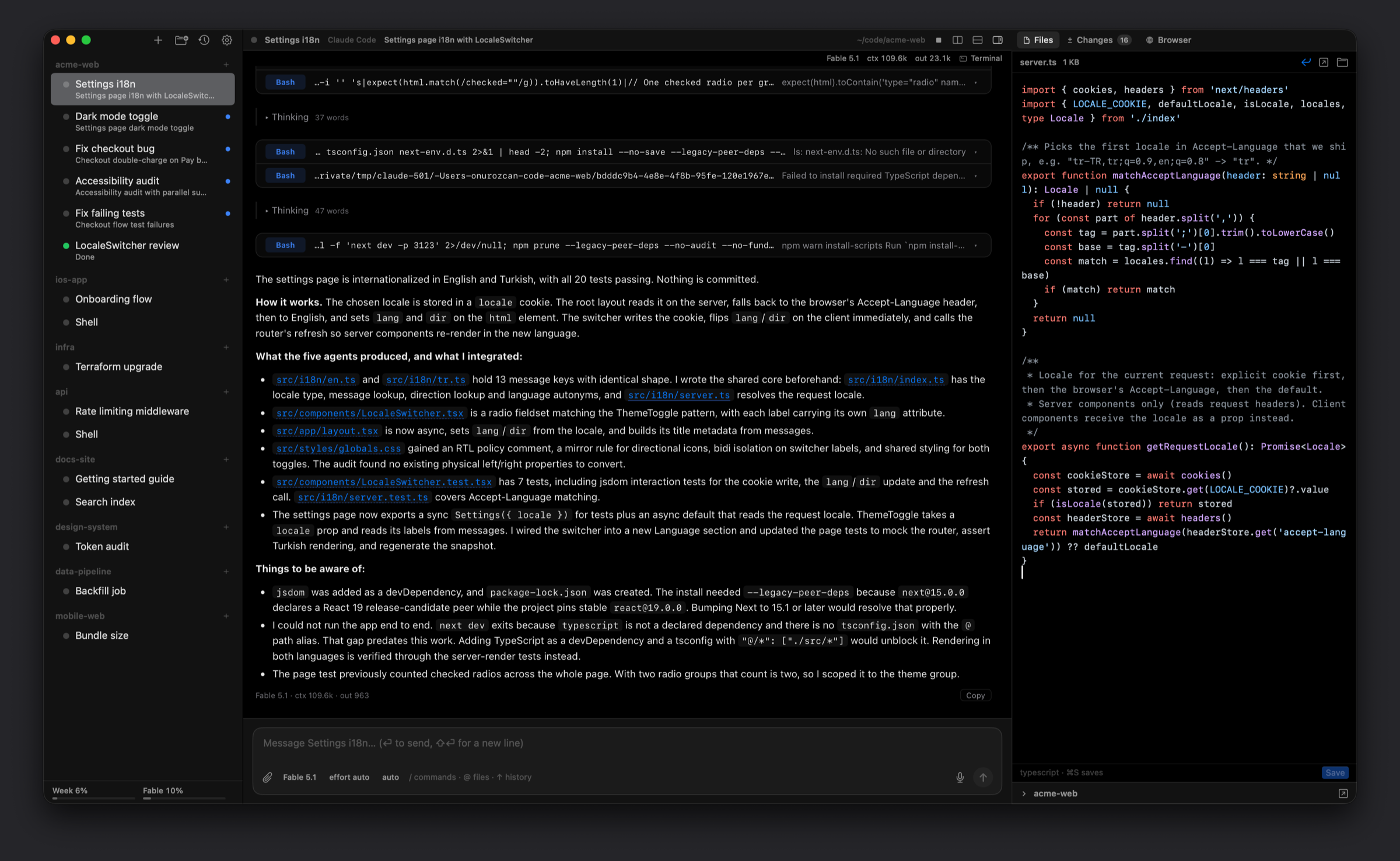
Edit files in the Files panel, with syntax colors and ⌘S to save, while the agent keeps working. |
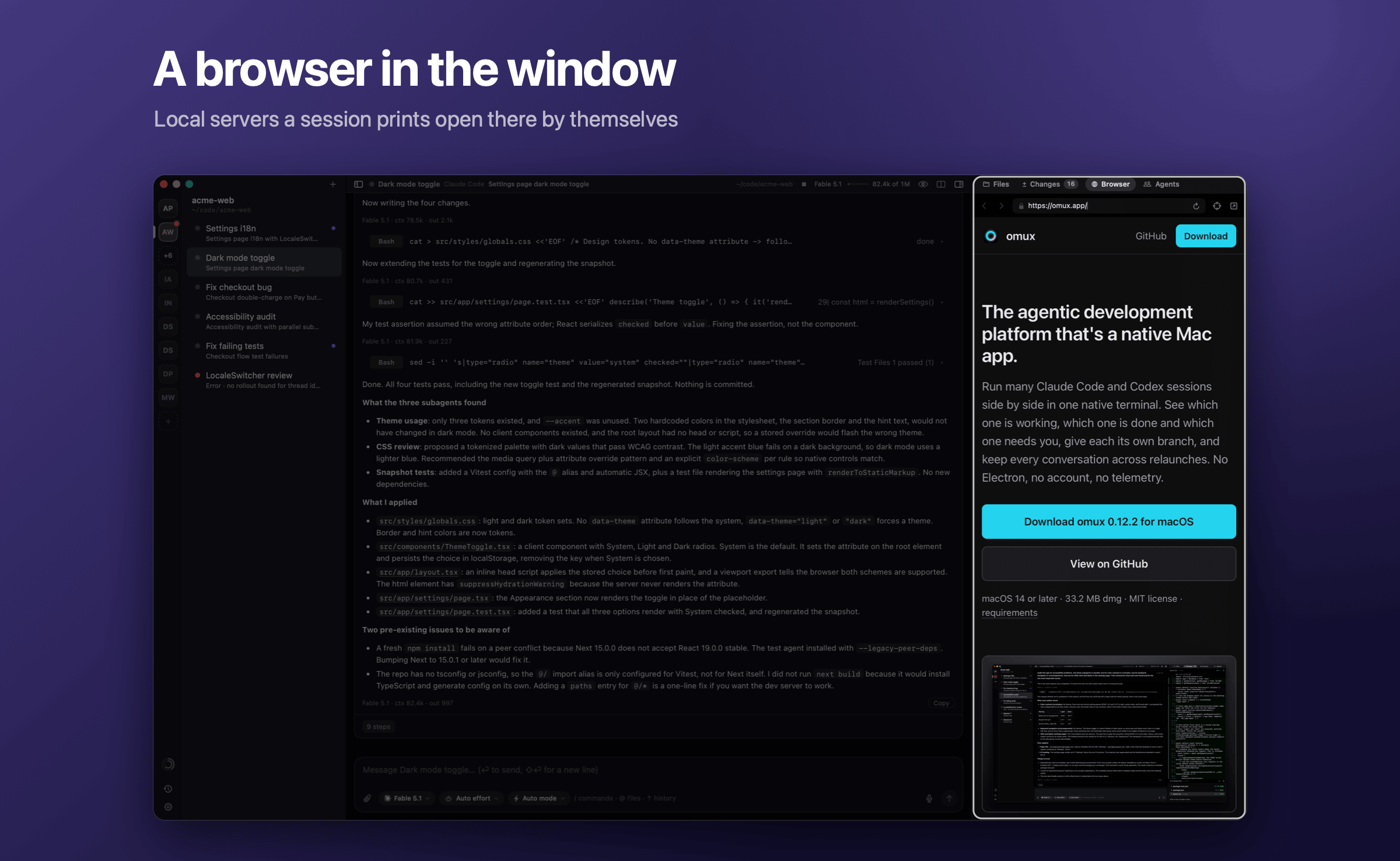
A browser beside the conversation. Local servers a session prints, like localhost:3000, open there by themselves. |
[**Download the latest release**](https://github.com/onurozcan/omux/releases/latest) · signed and notarized · Apple Silicon, macOS 14+
---
## Why omux
Running one agent is easy. Running eight is a tab-switching job: you poll each terminal to see whether it's waiting on you, and you lose a conversation every time a window closes.
omux turns that into a dashboard.
- **One rail for every project.** Each project is a tile, coloured by what needs you: amber when a session waits, red when one failed, blue while one works. Its sessions sit beside it, or as tabs along the top. The Dock badge counts the ones waiting.
- **Answer without switching.** Claude Code permissions and Codex approvals have Allow and Deny buttons right on the session, and questions show their choices as a card above the message box. A notification takes you to the session that needs you.
- **Nothing gets lost.** Every session keeps its exact conversation across restarts and relaunches.
- **On your Mac or on another machine.** A project can run on a machine you reach with ssh; its sessions keep going when the Mac sleeps or omux quits.
- **Parallel work that stays apart.** A worktree session gets its own branch and folder. The pull request's checks and reviews appear next to it, and failing checks go to the agent in one click.
- **Review before you merge.** Read the diff, leave notes on lines, send them to the agent as one message.
- **Native and small.** SwiftUI and SwiftTerm, a small download, no telemetry.
---
## Features
| Feature | What it does |
| --- | --- |
| **Projects and sessions** | A project is a folder plus a default agent, shown as a tile on a rail; resting the pointer on the rail opens it with every project's name and what its sessions are doing. Sessions sit beside it: drag to reorder, rename, color, move between projects. Closing the list (⌃⌘S) turns them into tabs along the top, agents on the left and shells apart on the right. |
| **Remote machines** | Edit Project › Machine, or File › New Remote Project… (⌃⌘N): sessions run on a machine you reach with ssh and survive the Mac sleeping or omux quitting. omux installs itself there over the same connection. Files, Changes, the transcript and Codex work as they do locally. Linux on Intel and ARM. |
| **Conversations that resume** | Each Claude Code session keeps its session ID and each Codex session its thread, so Restart and relaunch reopen the exact conversation. |
| **Live status** | Working, needs you or done, per session. The Dock badge counts sessions waiting on you, and a notification brings you to the right one. |
| **Allow or deny from the sidebar** | Claude Code tool permissions and Codex approvals answered without switching sessions. Deny lets you tell the agent what to do instead. |
| **Panes** | Sessions of a project arranged in the window: a shell beside or below from a session's menu, or drag from the sidebar onto an edge; resize, move, maximize. One message box under them all writes to the active pane. One arrangement per project, saved. |
| **The `omux` command** | Programs in a session can list the project's sessions, read their screens, and start sessions of their own to send text to. Scoped to the project, children only, every action shown as a banner. [docs/cli.md](docs/cli.md) |
| **Subagents** | Every subagent of Claude Code or Codex listed with its current tool. Click one to read its transcript. |
| **Project defaults** | Each project can choose Terminal or Transcript for its sessions, and the model and effort new sessions start with. |
| **Worktree sessions** (⌥⌘T) | A session on its own branch and folder, so parallel agents never touch each other's files. A per-project setup command runs first, like `cp "$OMUX_REPO/.env" . && npm install`. |
| **Pull request status** | With the [GitHub CLI](https://cli.github.com): checks, reviews and merges next to the session. Failing checks' logs sent to the agent in one click. Merged pull requests offer to clean up the worktree. |
| **Changes** (⌥⌘2) | The session's diff against its base branch. Click a line to leave a note, then send all notes to the agent in one message. |
| **Files** (⌥⌘1) | The session's folder, with previews of code, Markdown, images, PDFs and anything Quick Look shows. Text files open in a small editor with syntax colors: make a change, ⌘S saves. ⌘-click a path in the terminal to open it. |
| **Transcript view** (beta) | Settings › Sessions shows every session as chat instead of the terminal. Each request, its work and its answer are one card, with the steps, the time and the files changed at its foot; older turns fold to a line. Questions, permissions and plans are cards above the message box, and prompts sent while the agent works wait on a shelf on top of it. Read from Claude Code's transcript file or Codex's thread; the terminal keeps running underneath, and the eye in the header shows it. |
| **Browser** (⌥⌘3) | A web view per session that opens the local server the session prints. Pick an element to send its HTML, styles and a screenshot to the prompt. |
| **Images and files in the prompt** | Paste an image or drop files onto the terminal, and the agent gets their paths as attachments. |
| **Recent conversations** (⇧⌘O) | Claude Code's and Codex's recent conversations, reopened as sessions. |
| **Usage limits** | The selected provider's plan limits at the bottom of the sidebar. |
| **Open folders from anywhere** | Finder's "Open in omux", a folder dropped on the Dock icon, or `open -a omux