
[English](../README.md) | [简体中文](README.zh-CN.md) | [日本語](README.ja.md) | [Русский](README.ru.md) | [Français](README.fr.md)
[](../LICENSE.txt)




[](https://oomol.com/apps)
[](https://oomol.com/apps)
OpenConnector は AI Agent 向けのオープンソース connector gateway であり、Composio の代替です。
ユーザーのアプリアカウントを一度接続すれば、1,000+ の provider と 10,000+ の事前定義済み Action を含む共有
catalog を Agent とアプリケーションに公開できます。
アプリコードには [Connector SDK](https://github.com/oomol-lab/connector-sdk)、ローカル
Agent の relay には [oo CLI](https://github.com/oomol-lab/oo-cli)、Agent host には
MCP、custom client には HTTP/OpenAPI、管理とデバッグにはローカル Web Console を使います。
- credential、scope、schema、policy、実行ログを検査可能な runtime 内に保持します。
- ローカル、Fly.io、Cloudflare 互換 infrastructure、または OOMOL hosted runtime で実行できます。
- オープンソース版と commercial SaaS 版で同じ provider id、Action id、schema、contract を使います。
## 提供するもの
- すぐに使える connector catalog。GitHub、Gmail、Notion、BigQuery、Google Analytics、Supabase、Airtable、Slack
などをカバーします。
- 1 つの runtime に集約された credential 管理:API key、OAuth2、custom credential、認証不要の provider。
- 検査、拡張できる Action contract:request/response schema、required scope、遅延読み込みされる executor source。
- 本番利用向けの runtime control:connection identity、scope、runtime token、action allow/block
policy、一時ファイル転送、redacted run log。
- ローカル Docker / Node.js、Fly.io の永続 SQLite、Cloudflare Workers / D1 / R2 / Static Assets、OOMOL hosted
runtime へのデプロイ。
## 適している場面
OpenConnector は、provider credential を Agent process に渡さずに、Agent がユーザーの既存ツールへ継続的にアクセスする必要がある製品に適しています。
- work app、developer tool、data system、communication platform、AI service を横断して再利用可能なアクセスを必要とする
Agent 製品。
- ユーザーアプリへのアクセスに、安定して検査可能な Action contract を必要とする Agent workflow 搭載製品。
- hosted auth で素早く始めつつ、将来的な private または self-hosted runtime control を確保したいチーム。
## 開発者向けツール
| ツール | 用途 |
| ----------------------------------------------------------- | -------------------------------------------------------------------------------------------------------------------------------------------------------------------------- |
| [Connector SDK](https://github.com/oomol-lab/connector-sdk) | 軽量 TypeScript HTTP client。self-hosted runtime には `OpenConnector`、OOMOL hosted personal / SaaS end-user connection には `Connector` / `ProjectConnector` を使います。 |
| [oo CLI](https://github.com/oomol-lab/oo-cli) | ローカル Agent の connector Action relay です。`oo connector` は OOMOL hosted または self-hosted OpenConnector runtime の Action を検索、確認、実行できます。 |
| MCP | `http://localhost:3000/mcp` から MCP 対応 Agent host へ app Action を公開します。 |
| HTTP / OpenAPI | `/v1/actions/*` を直接呼び出すか、生成された `/openapi.json` document を確認します。 |
Endpoint、response envelope、auth header、MCP tool、Action guide の例は
[runtime-api.md](runtime-api.md) を参照してください。
## Dashboard プレビュー
OpenConnector には、connectors の閲覧、credentials の設定、runtime token の作成、runtime usage
の確認に使えるローカル Dashboard が含まれます。
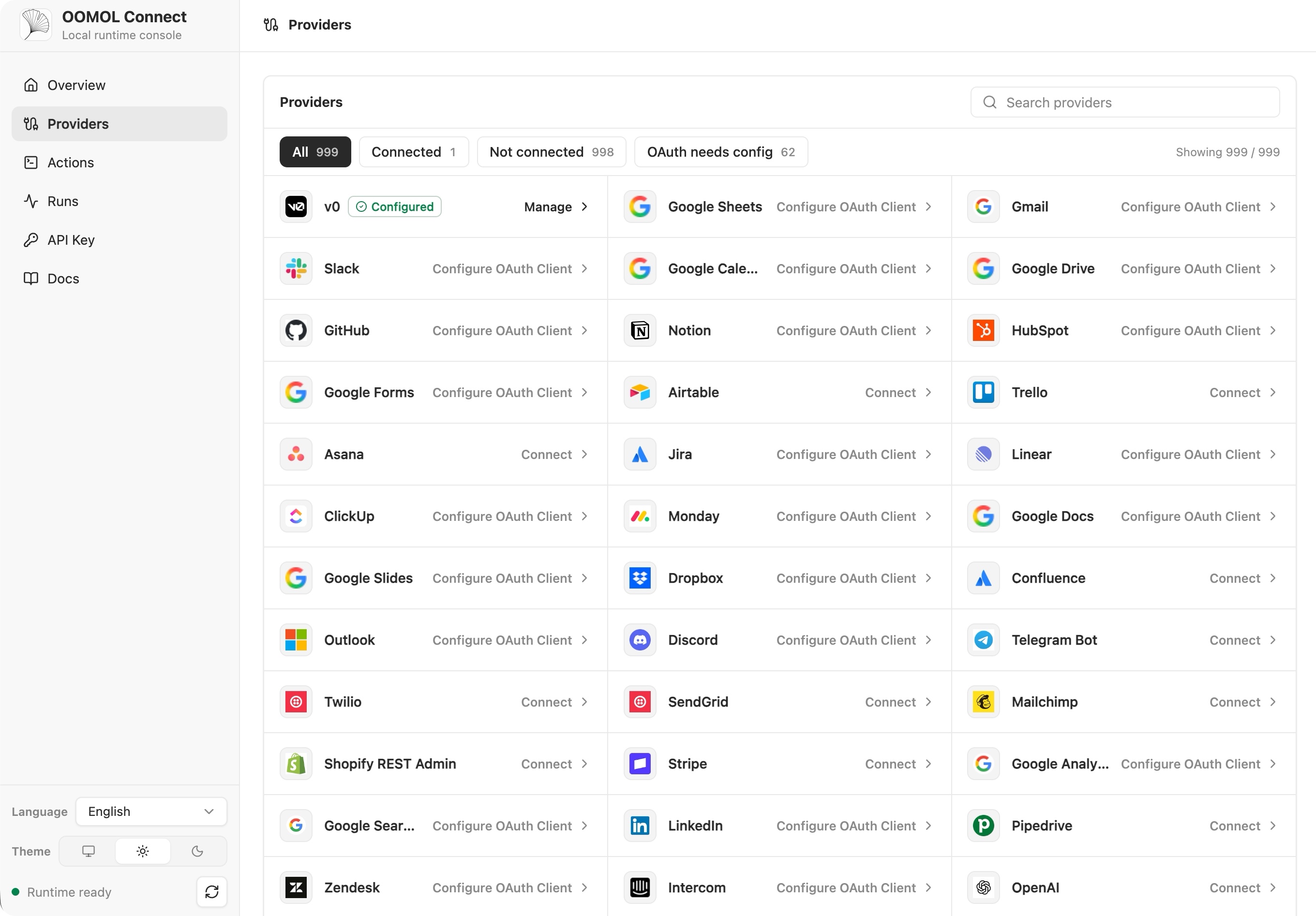
### Connector Catalog
Connector catalog では、利用可能な services の確認、provider の検索、Actions と credential setup
への移動を一か所から行えます。
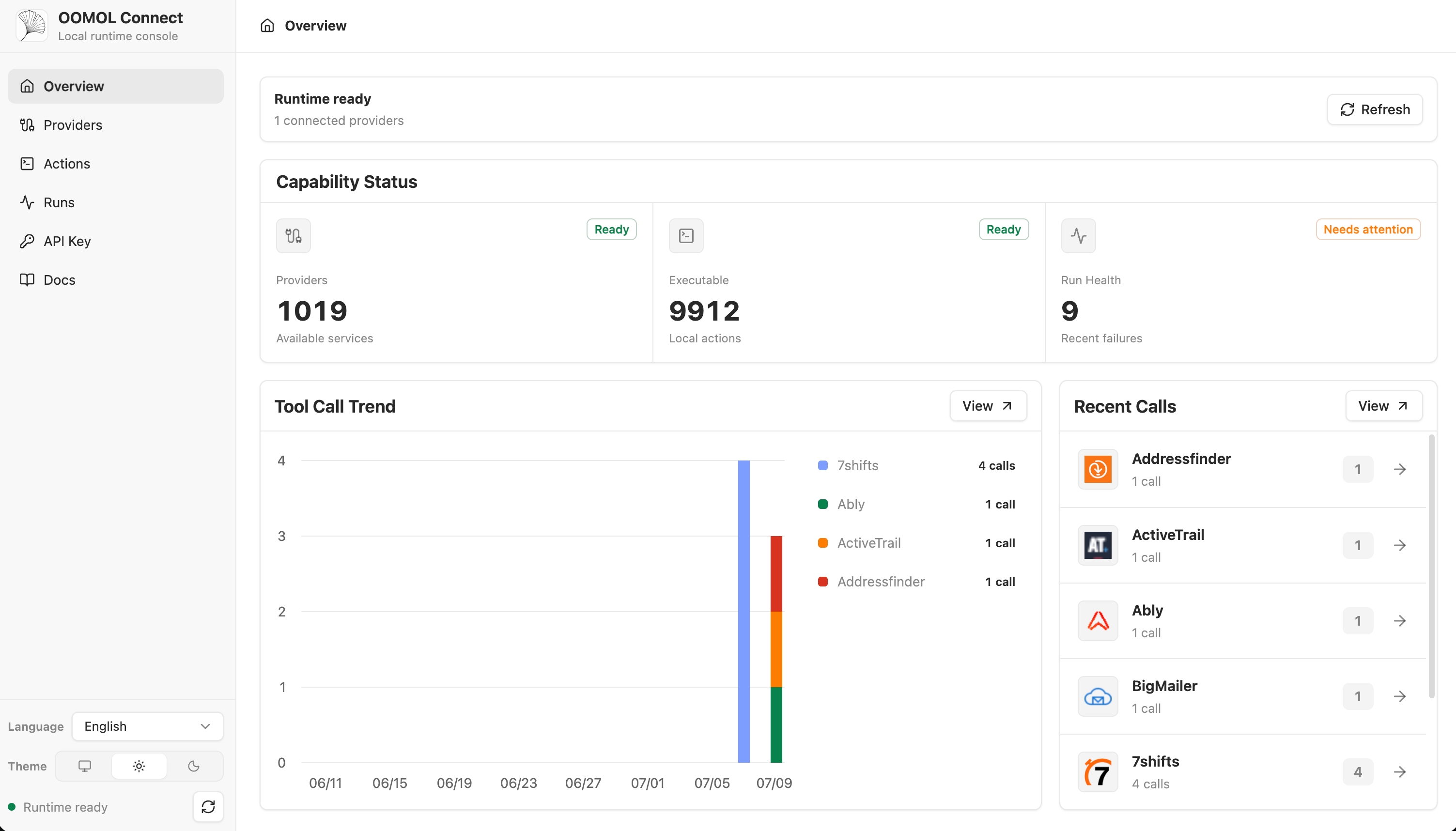
### Usage Overview
デプロイ後は Overview page で runtime readiness、available providers、executable
Actions、recent failures、tool call trends、recent calls を確認できます。
Provider 名と商標はそれぞれの権利者に帰属し、識別と相互運用性のためにのみ使用されています。
## 仕組み
```mermaid
flowchart LR
Agent["AI Agent / App"] -->|"SDK / CLI / MCP / HTTP"| Gateway["OpenConnector Gateway"]
Gateway --> Auth["Credential & OAuth Boundary"]
Gateway --> Catalog["Provider Catalog"]
Gateway --> Actions["Open-source Action Executors"]
Gateway --> Policy["Tokens, Scopes, Allow/Block Policy"]
Gateway --> Logs["Run Logs"]
Actions --> Providers["1,000+ Providers"]
Console["Web Console"] --> Gateway
Cloudflare["Cloudflare Workers, D1, R2"] -. deploy .-> Gateway
```
App と Agent は Action を発見し、schema と scope を確認し、connection alias を選択して gateway
経由で実行します。provider secret は runtime 境界の内側に留まり、Agent には実行に必要な metadata、安全な account label、実行結果だけが渡されます。
## 利用パス
| パス | 適している対象 | 含まれるもの |
| --------------------------- | ------------------------------------------ | ------------------------------------------------------------------------------------------------------------------------------------------------------------------- |
| オープンソース self-host | 完全な制御を求める開発者とチーム | ローカル Docker または Node runtime、SQLite storage、MCP、HTTP、OpenAPI、Web Console |
| Fly.io self-host | hosted Docker runtime を求めるチーム | Node Docker runtime、Fly volume 上の SQLite storage、TLS、health check、MCP、HTTP、OpenAPI、Web Console |
| Cloudflare 互換デプロイ | 軽量な hosted runtime を求めるチーム | Workers runtime、D1 state、R2 transit file、console 用 Static Assets |
| [OOMOL](https://oomol.com/) | OAuth 承認やローンチ期限に制約があるチーム | Hosted auth と runtime infrastructure。同じ provider と Action contract を使い、後で private または self-hosted deployment へ移行できるオープンソース互換 interface |
## Cloudflare クイックスタート動画
[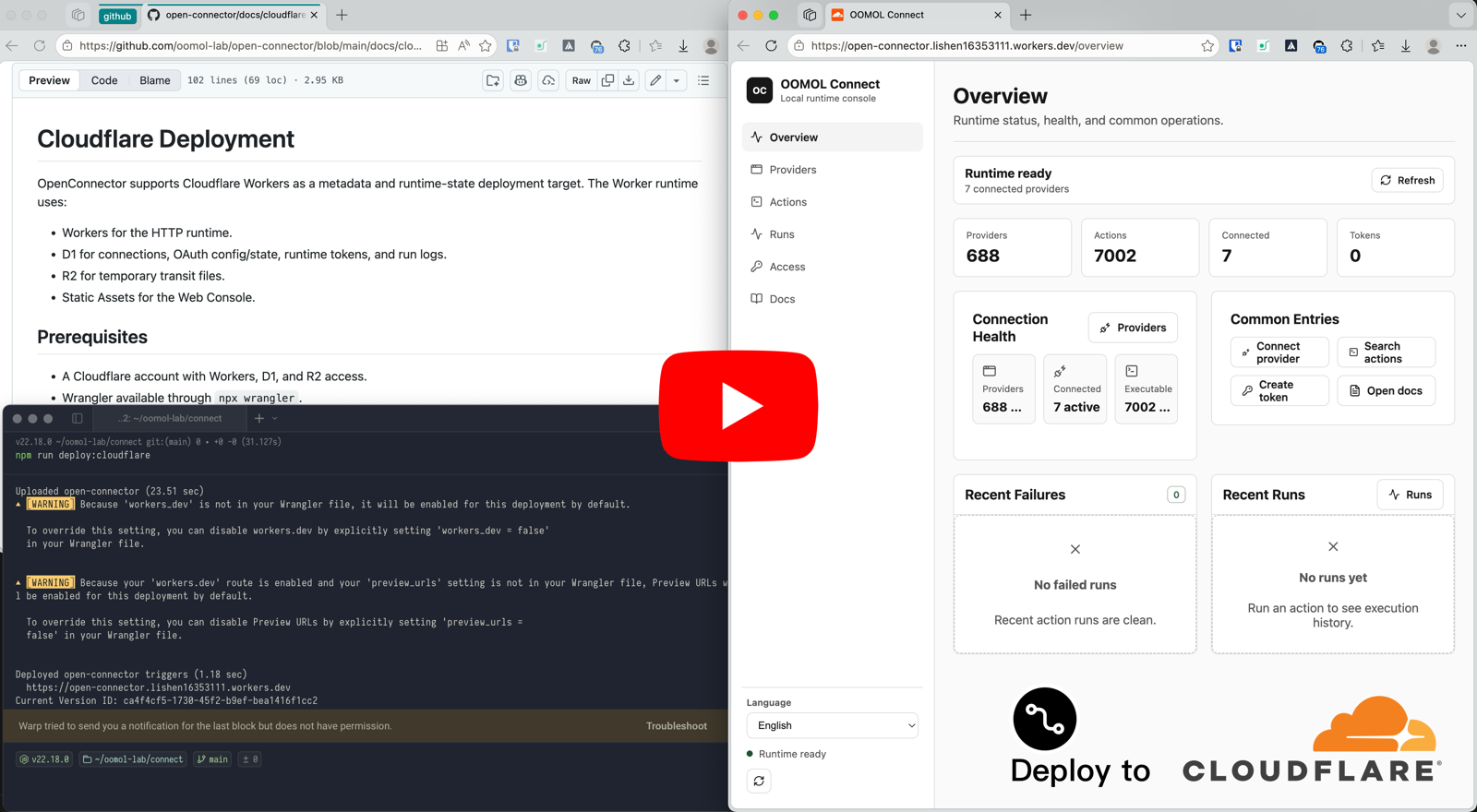](https://www.youtube.com/watch?v=R0V1ZdCuTgc)
[Cloudflare Workers deployment walkthrough](https://www.youtube.com/watch?v=R0V1ZdCuTgc) では、
OpenConnector を Cloudflare の Workers、D1、R2、Web Console で起動する手順を示します。動画は
[cloudflare.md](cloudflare.md) と同じ流れです。Cloudflare resource を作成し、
`wrangler.example.jsonc` を `wrangler.local.jsonc` へコピーし、D1 migration を適用し、必要な secret
を設定して `npm run deploy:cloudflare` を実行します。
## クイックスタート
Docker Compose で runtime を起動します。
```bash
docker compose up --build
```
ローカル console と生成された API reference を開きます。
```text
http://localhost:3000
http://localhost:3000/docs
```
認証不要の Action を実行して runtime を確認します。
```bash
curl -s -X POST http://localhost:3000/v1/actions/hackernews.get_top_stories \
-H 'content-type: application/json' \
-d '{"input":{}}'
```
完全なローカルセットアップ、最初の provider connection、OAuth flow、runtime settings は
[quickstart.md](quickstart.md) を参照してください。
## Provider を接続する
GitHub は personal access token を使用できるため、最も簡単な credential 付きの例です。
```bash
curl -s -X PUT http://localhost:3000/api/connections/github \
-H 'content-type: application/json' \
-d '{"authType":"api_key","values":{"apiKey":"github_pat_..."}}'
curl -s -X POST http://localhost:3000/v1/actions/github.get_current_user \
-H 'content-type: application/json' \
-d '{"input":{}}'
```
OAuth2 app、named connection、credential encryption、token refresh、action policy については、
[credentials.md](credentials.md) と [configuration.md](configuration.md) を参照してください。
## Web Console
runtime 起動後に `http://localhost:3000` を開きます。console では provider browsing、API key と OAuth
client configuration、runtime token 作成、Action schema inspection、Action debugging、recent run review、
生成された OpenAPI と MCP metadata へのアクセスができます。
## Cloudflare デプロイ
OpenConnector は Cloudflare にデプロイできます。Workers が runtime を実行し、D1 が state を保存し、R2 が transit file
を扱い、Static Assets が Web Console を配信します。
resource 作成、migration、secret、ローカル Worker preview、remote deployment については
[cloudflare.md](cloudflare.md) を参照してください。
## Fly.io デプロイ
OpenConnector は Fly.io にもデプロイできます。Node Docker runtime を使い、SQLite data を Fly
volume に永続化します。
Fly app 作成、volume、secret、deployment、custom domain、scaling については
[fly-io.md](fly-io.md) を参照してください。
## 先に接続せず直接使う場合
上記の path は、connector を自分たちの product、runtime、または enterprise infrastructure に統合する
team 向けです。SaaS connection の体験をまず試したい場合や、日々の業務でそのまま使いたい場合は、先に
OpenConnector を deploy したり、SDK、CLI、MCP、HTTP API を統合したりする必要はありません。
[Wanta](https://wanta.ai/) は、同じ 1,000+ SaaS/provider coverage を使う desktop product entry point です。
account を接続すれば、自然言語で connected tool を検索、整理、生成、同期できます。
| やりたいこと | Wanta が提供するもの |
| -------------------------------------- | -------------------------------------------------------------------------------------------------------------- |
| 1,000+ SaaS connection を直接試す | runtime の deploy や SDK/CLI integration なしで、同じ SaaS/provider coverage を利用できます。 |
| 日々の業務で Agent を使う | email、chat、docs、data、project、support、developer tool、marketing tool を自然言語で横断できます。 |
| 接続済み capability を team で共有する | connection と access scope を一度設定すれば、teammate は setup なしで使え、key、token、credential は隠れます。 |
## ドキュメント
- [クイックスタート](quickstart.md)
- [開発者向けツール](sdk-cli.md)
- [Gmail OAuth と SDK チュートリアル(英語)](gmail-oauth-sdk.md)
- [Runtime API と MCP](runtime-api.md)
- [Fly.io デプロイ](fly-io.md)
- [Cloudflare デプロイ](cloudflare.md)
- [設定](configuration.md)
- [Credential と OAuth](credentials.md)
- [Catalog format](catalog-format.md)
- [Verification language](verification.md)
- [コントリビューション](../CONTRIBUTING.md)
- [行動規範](../CODE_OF_CONDUCT.md)
- [セキュリティ](../SECURITY.md)
## 開発
Node.js 22 以上を使用してください。
```bash
npm install
npm run dev
```
Local API runtime は `http://localhost:3000` で待ち受けます。Web Console dev server は
`http://localhost:5173` で待ち受け、API requests を runtime に proxy します。
pull request を開く前に実行します。
```bash
npm run fix-check
npm test
```
Provider code は `src/providers/