# CList
A Cloudflare-native storage aggregation panel with WebDAV, multi-drive support, file preview, sharing, audit logs, and admin controls.
简体中文
·
Deployment
·
WebDAV
·
GitHub Actions





## Overview
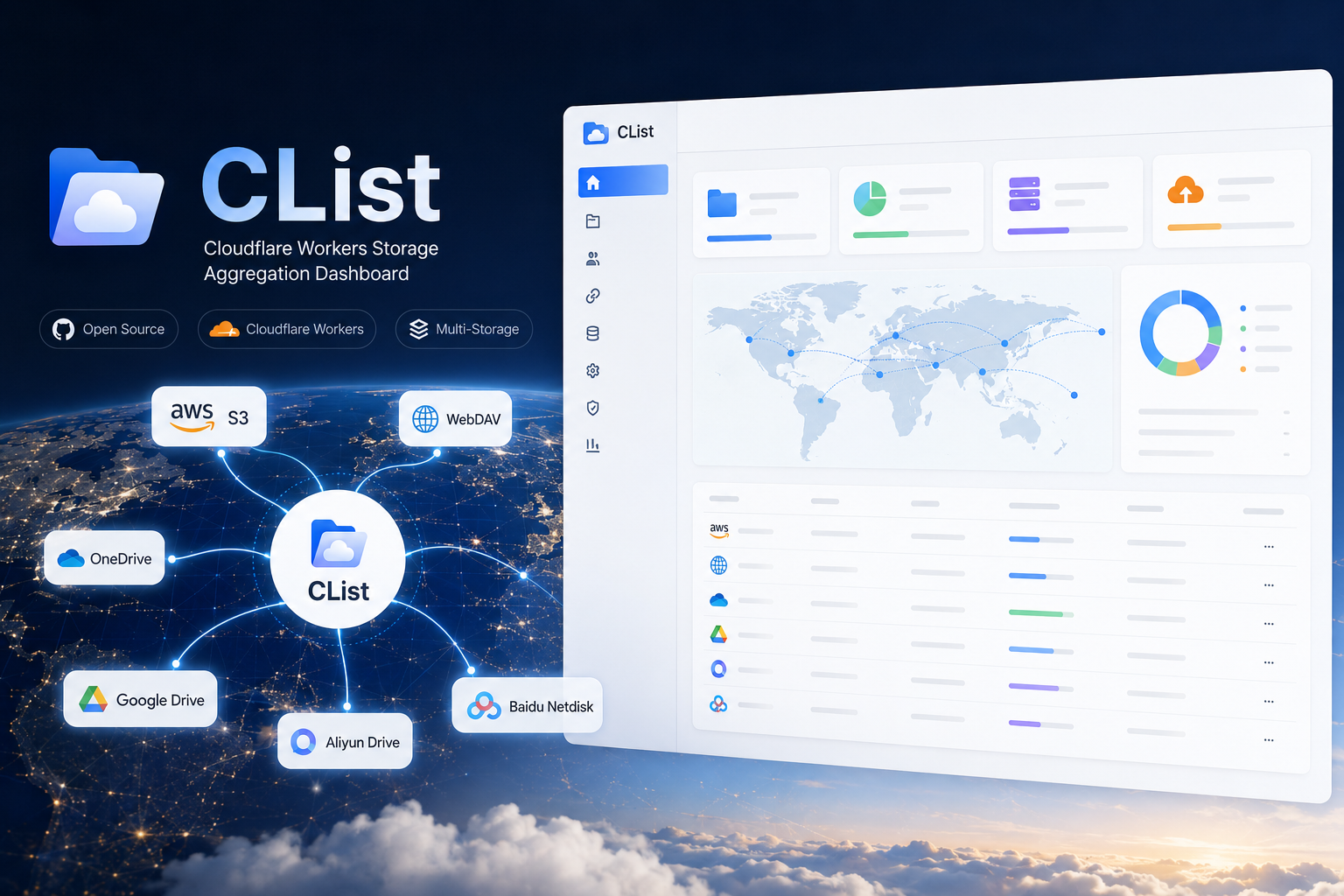
CList turns Cloudflare Workers + D1 into a lightweight cloud storage aggregation service. It gives you a single web UI and WebDAV endpoint for S3-compatible storage, WebDAV servers, OneDrive, Google Drive, Aliyun Drive, and Baidu Netdisk.
It is designed for small personal data centers, public download mirrors, private file hubs, and edge-hosted storage dashboards where running a traditional server is overkill.
```mermaid
flowchart LR
Browser[Web UI] --> Worker[Cloudflare Worker]
WebDAV[WebDAV Client] --> Worker
Worker --> D1[(Cloudflare D1)]
Worker --> S3[S3 Compatible]
Worker --> DAV[WebDAV Upstream]
Worker --> OD[OneDrive]
Worker --> GD[Google Drive]
Worker --> AD[Aliyun Drive]
Worker --> BD[Baidu Netdisk]
```
## Highlights
- Multi-storage file browser with public and private permission controls
- WebDAV server endpoint for desktop sync tools, mobile file managers, and CLI clients
- S3-compatible storage support, including custom endpoint and base path
- Drive integrations for OneDrive, Google Drive, Aliyun Drive, and Baidu Netdisk
- File upload, download, folder creation, rename, move, copy, and delete workflows
- Preview support for common text, markdown, code, image, audio, video, and document files
- Public share links with token-based access
- Storage statistics with visual charts for total size, file count, folder count, and file type distribution
- Audit logs for admin actions and file operations
- Cloudflare D1 persistence and Workers edge deployment
- GitHub Actions deployment guide for repeatable releases
## Supported Backends
| Backend | Browse | Upload | Rename / Move | Notes |
| --- | --- | --- | --- | --- |
| S3 compatible | Yes | Yes | Yes | Works with R2-like and S3-compatible endpoints |
| WebDAV upstream | Yes | Yes | Yes | Also exposed through CList's own WebDAV server |
| OneDrive | Yes | Yes | Yes | Supports online refresh API or custom OAuth app |
| Google Drive | Yes | Yes | Yes | Supports online refresh API or custom OAuth app |
| Aliyun Drive | Yes | Yes | Yes | Uses Aliyun Open API style token refresh |
| Baidu Netdisk | Yes | Yes | Yes | Supports refresh token based access |
## Quick Start
### 1. Clone and Install
```bash
git clone https://github.com/ooyyh/Cloudflare-Clist.git
cd Cloudflare-Clist
npm install
```
### 2. Create a D1 Database
```bash
npx wrangler login
npx wrangler d1 create clist
```
Keep the returned `database_id`; it is used in the next step.
### 3. Configure Wrangler
Create your production config from the example:
```bash
cp wrangler.jsonc.example wrangler.jsonc
```
Then copy the D1 `database_id` returned by Wrangler into `wrangler.jsonc`.
Recommended production shape:
```jsonc
{
"$schema": "node_modules/wrangler/config-schema.json",
"name": "clist",
"main": "./workers/app.ts",
"compatibility_date": "2025-04-04",
"keep_vars": true,
"d1_databases": [
{
"binding": "DB",
"database_name": "clist",
"database_id": "your-d1-database-id",
"migrations_dir": "./migrations"
}
]
}
```
Use Cloudflare Dashboard or Wrangler secrets/vars for runtime values. Keeping `keep_vars: true` avoids overwriting Dashboard-managed variables during deploys.
### 4. Apply Database Migrations
```bash
npx wrangler d1 migrations apply clist --remote
```
### 5. Deploy
```bash
npm run build
npx wrangler deploy
```
## Environment Variables
| Variable | Required | Example | Description |
| --- | --- | --- | --- |
| `DB` | Yes | D1 binding | Cloudflare D1 database binding |
| `ADMIN_USERNAME` | Yes | `admin` | Admin login username |
| `ADMIN_PASSWORD` | Yes | `change-me` | Admin login password |
| `SITE_TITLE` | No | `CList` | Site title shown in the UI |
| `SITE_ANNOUNCEMENT` | No | `Welcome` | Announcement text shown to visitors |
| `CHUNK_SIZE_MB` | No | `10` | Browser upload chunk size |
| `WEBDAV_ENABLED` | No | `true` | Enables the WebDAV server endpoint |
| `WEBDAV_USERNAME` | No | `webdav` | WebDAV username; falls back to admin username |
| `WEBDAV_PASSWORD` | No | `secret` | WebDAV password; falls back to admin password |
## WebDAV
When `WEBDAV_ENABLED` is set to `"true"`, CList exposes storage backends through WebDAV:
```text
https://your-domain.example/dav/0/ # all storages
https://your-domain.example/dav/{storageId}/ # one storage
```
Important details:
- WebDAV URLs should end with a trailing slash.
- Use Basic Auth with `WEBDAV_USERNAME` / `WEBDAV_PASSWORD`.
- Desktop clients such as Windows WebDAV, macOS Finder, Cyberduck, RaiDrive, NetDrive, and many mobile file managers can connect directly.
- CList supports `OPTIONS`, `PROPFIND`, `GET`, `HEAD`, `PUT`, `DELETE`, `MKCOL`, `COPY`, and `MOVE`.
More details: [docs/webdav.md](./docs/webdav.md)
## Drive Configuration Notes
CList follows the OpenList-style driver flow for cloud drive token refresh:
- Online refresh API is enabled by default for OneDrive, Google Drive, Aliyun Drive, and Baidu Netdisk.
- Existing OpenList-style `api_url_address` values are accepted alongside CList's `api_address`.
- If no local `client_id` and `client_secret` are configured, CList automatically falls back to the online refresh API.
- Refreshed tokens are persisted into storage state so repeated browsing does not require re-login.
## Development
```bash
npm run dev
```
Useful checks:
```bash
npm run build
npm run typecheck
npx wrangler deploy --dry-run
```
## Project Structure
```text
app/
components/ React components
lib/ storage clients, auth, audit, utilities
routes/ React Router routes and API endpoints
workers/
app.ts Cloudflare Worker entry
migrations/ D1 migrations
docs/ deployment and WebDAV docs
public/ static assets
```
## Documentation
- [Deployment Guide](./docs/deployment.md)
- [Configuration Guide](./docs/configuration.md)
- [WebDAV Guide](./docs/webdav.md)
- [GitHub Actions Deployment](./GITHUB_WORKFLOW_DEPLOY.md)
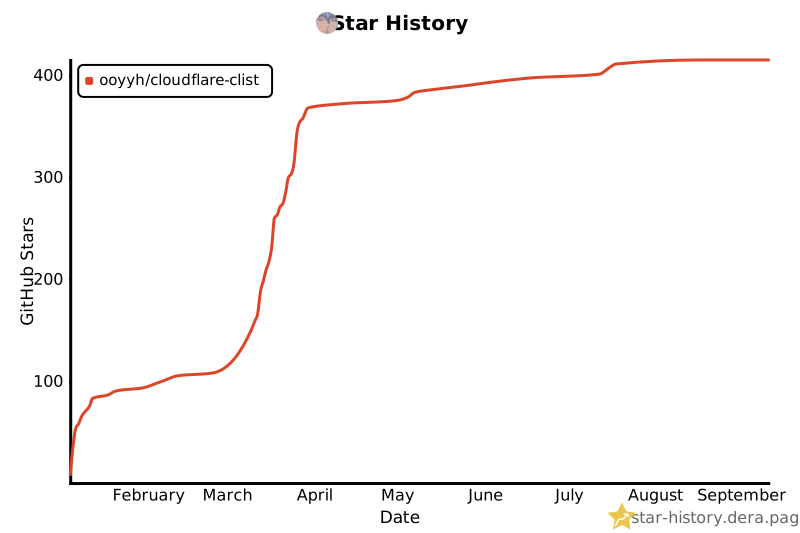
## Star History
 ## Support
- GitHub Issues: [ooyyh/Cloudflare-Clist/issues](https://github.com/ooyyh/Cloudflare-Clist/issues)
- Author: [@ooyyh](https://github.com/ooyyh)
- Email: laowan345@gmail.com
## License
CList is released under the [MIT License](./LICENSE).
## Support
- GitHub Issues: [ooyyh/Cloudflare-Clist/issues](https://github.com/ooyyh/Cloudflare-Clist/issues)
- Author: [@ooyyh](https://github.com/ooyyh)
- Email: laowan345@gmail.com
## License
CList is released under the [MIT License](./LICENSE).