Cezar:協調數百個 AI 編碼代理,全天候 24/7。
示範 ·
快速開始 ·
文件 ·
問題回報
English | 简体中文 | 繁體中文
一個面向 Claude Code、Codex、OpenCode 及其他編碼代理的控制台。
在本機或 VPS 上執行代理,自動化多步驟工作流程,
並讓它們在你離開時繼續工作。
> 本文譯自 README.md @ 33aee0ee;如有出入,以英文版為準。





▶ 觀看影片:認識 cezar,你的全新平行編碼工具。
## 功能特色
- 💯 免費且開源。
- 🖥️ 使用你自己登入的 `claude`、`codex`、`opencode` 或 `pi` 帳號,不需要 API key。
- ☁️ 在 VPS 上輕鬆架設,即使闔上筆電,代理也能繼續工作。
- 📱 完整響應式設計,用手機就能啟動與檢視任務。
- 🔀 每個任務都有自己的 git worktree,多個代理可以同時作業;多出來的任務會排入佇列。
- 🤖 開啟 **Autonomous**(自主運行)後,執行過程不會停下來詢問,會直接跑完。
- 📡 即時觀看執行過程:代理輸出、工具呼叫、token 與成本。
- 🏁 同一個任務執行 2 次或 3 次,比較 diff 後保留最好的版本。
- 🧩 Skills 是 Markdown 檔案,工作流程則是簡短的 YAML 檔案。每個步驟都能混搭不同的代理。
- 🐙 直接針對 GitHub issue 執行代理。不會自動合併任何內容。
- 📂 一個座艙介面管理所有專案。
- 💾 不需要資料庫。所有內容都以一般檔案的形式儲存在 `.ai/cezar/` 中。
## 螢幕截圖
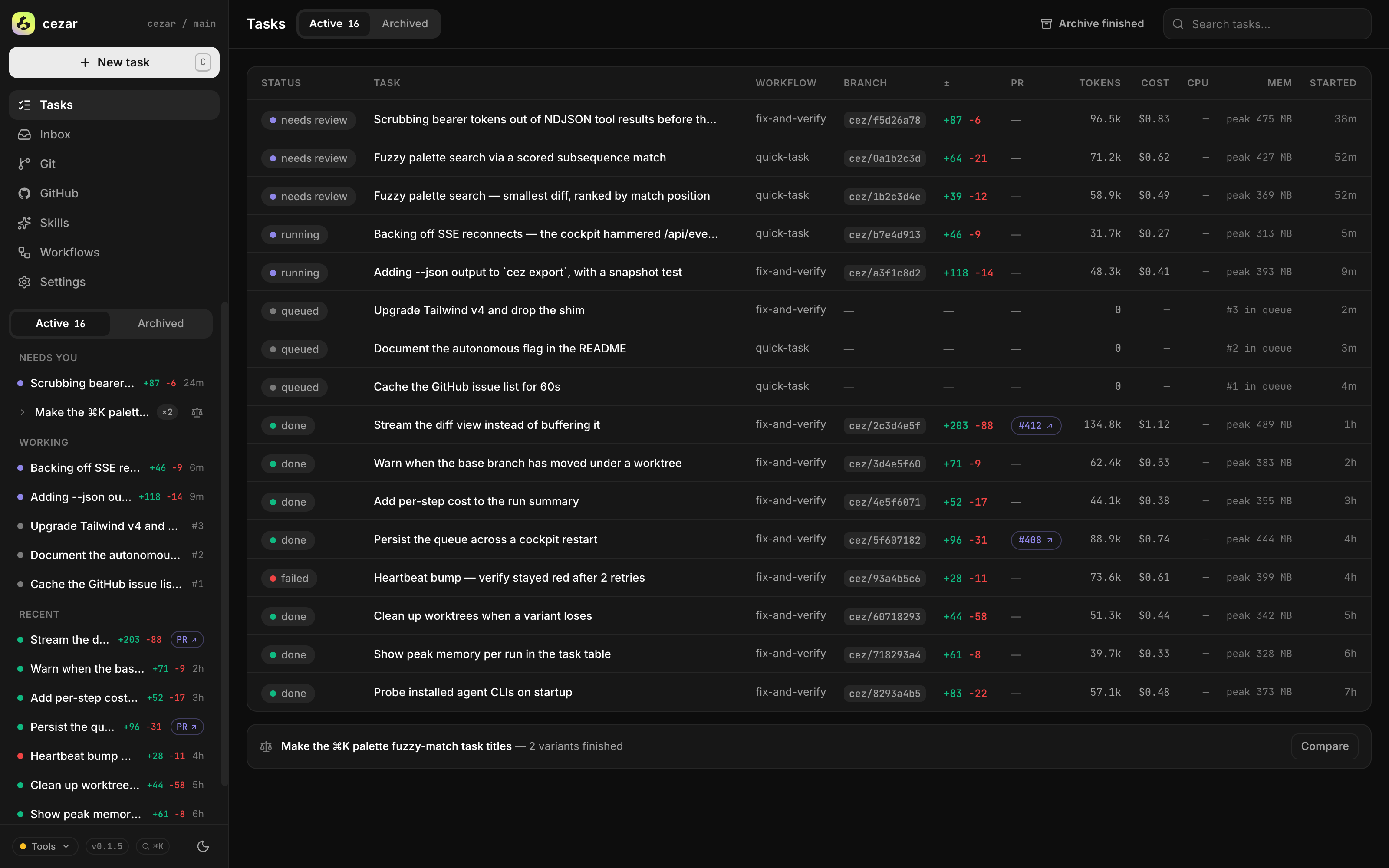
**平行任務** —— 執行並排入佇列的大量任務,每個任務都有自己的 git worktree。
[](docs/screenshots/task-view.png)
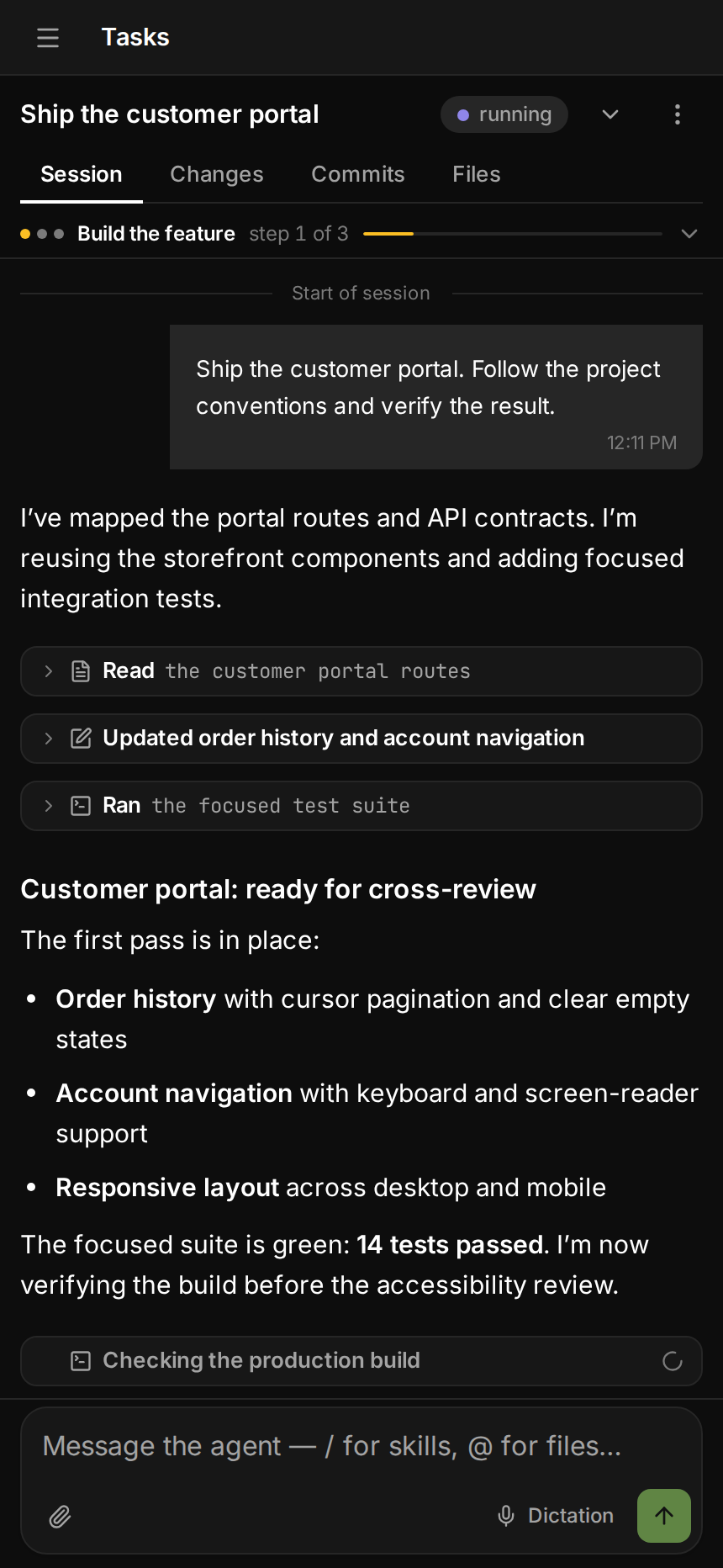
**即時執行** —— 每個步驟、每次工具呼叫和每個 token,都即時呈現。
[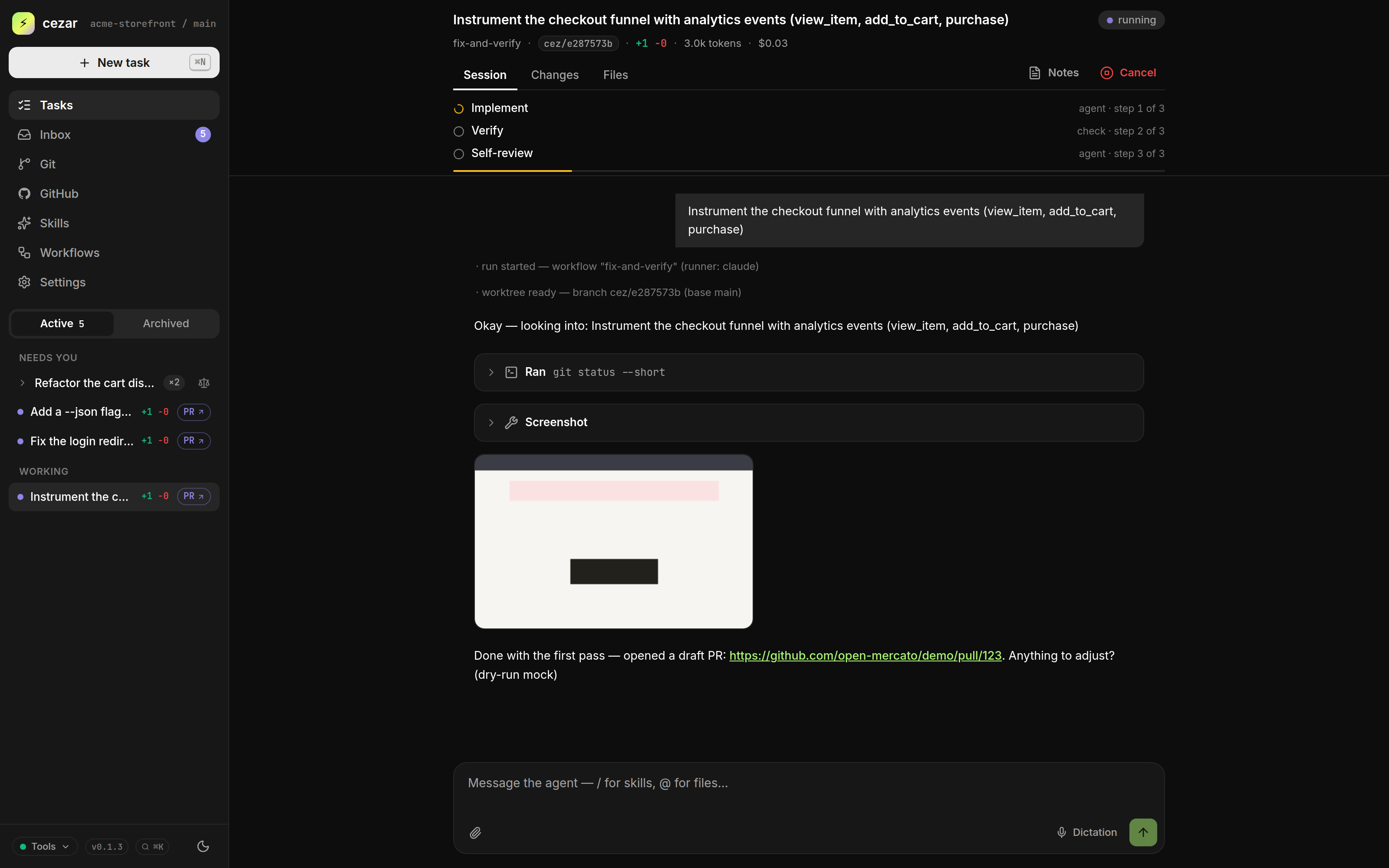](docs/screenshots/live-run.png)
**變體比較** —— 同一個任務執行 2 次或 3 次,保留最好的 diff。
[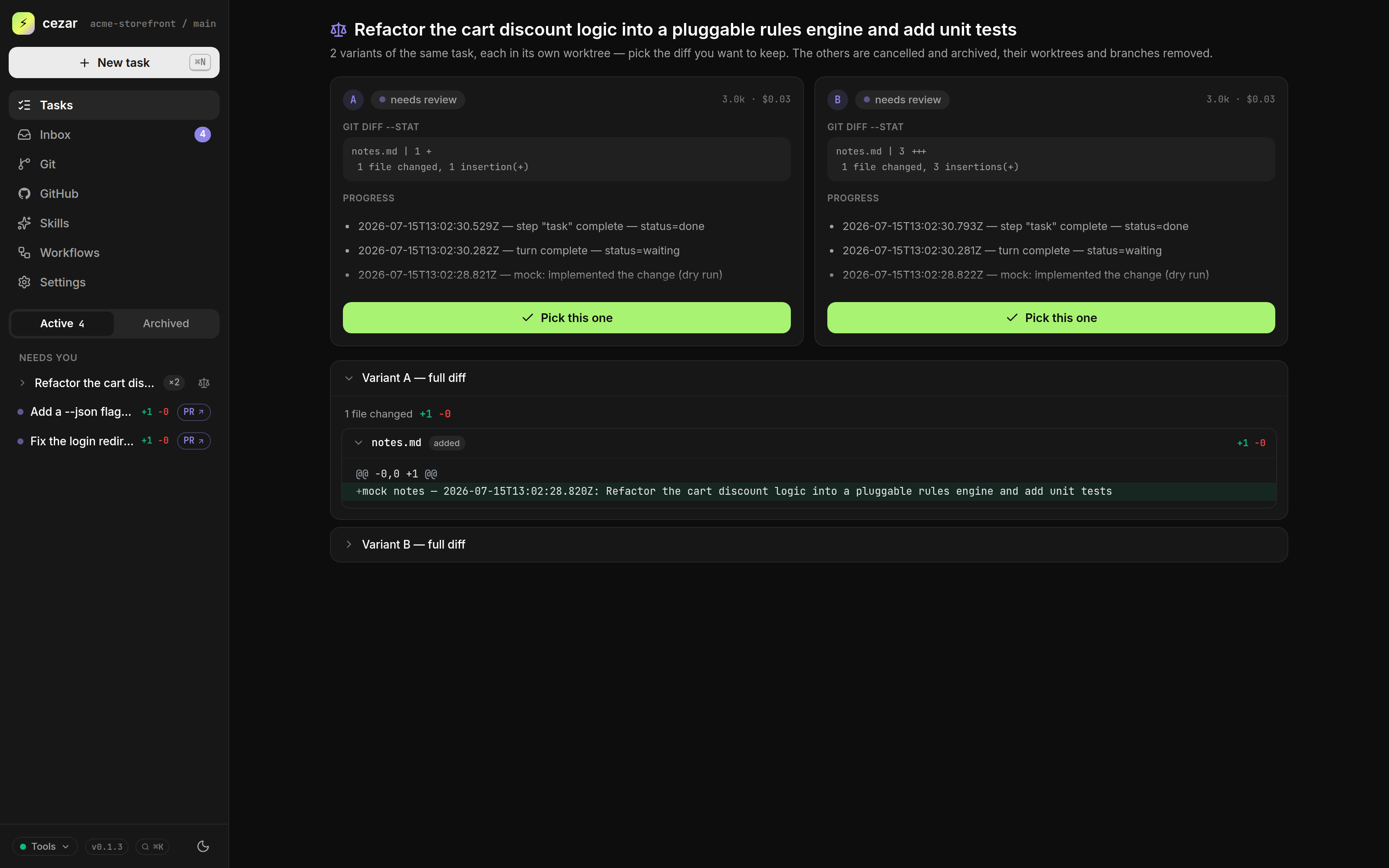](docs/screenshots/variants-compare.png)
**工作流程** —— 把 Skills 與檢查拖曳成一條鏈,儲存為 YAML。
[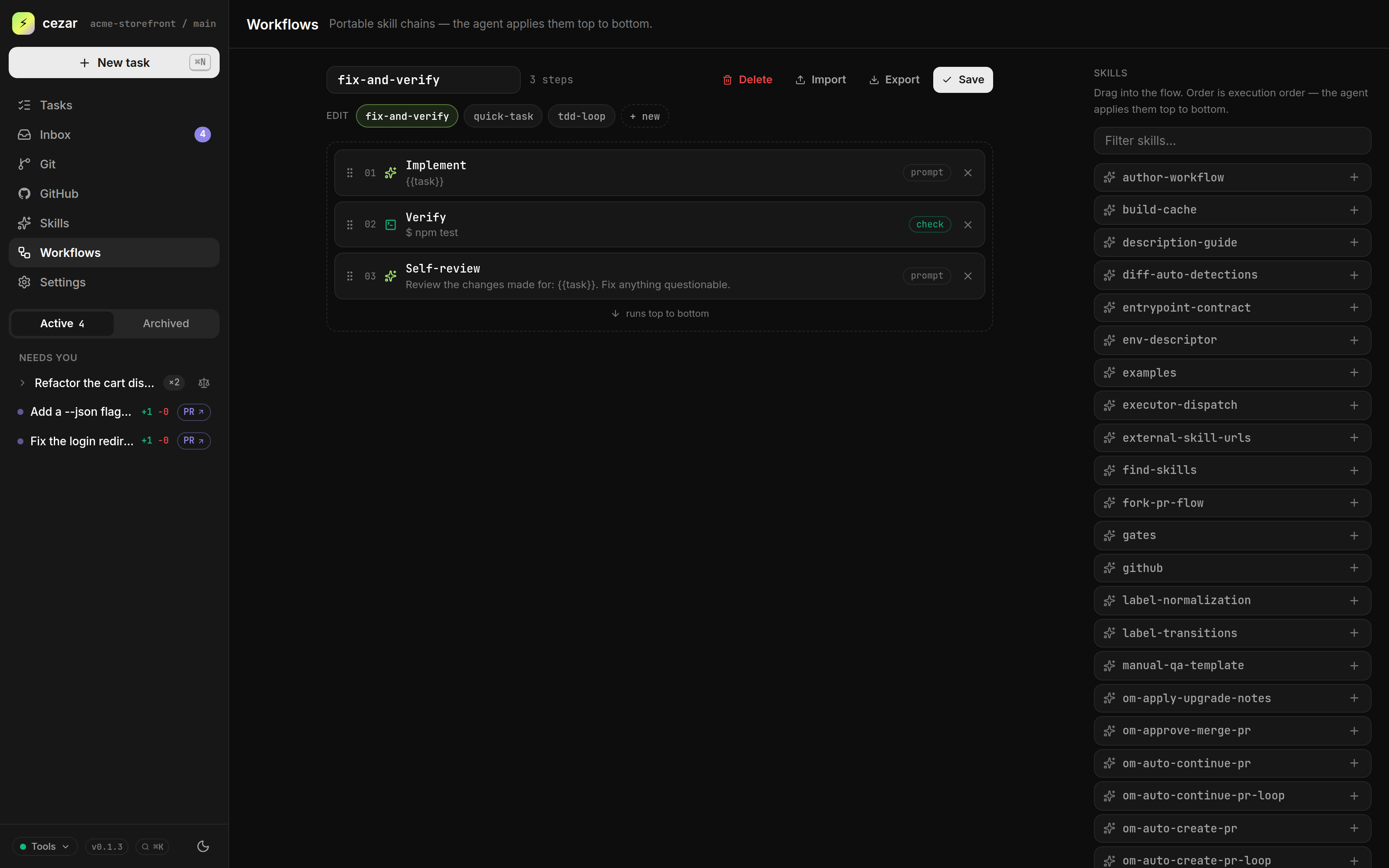](docs/screenshots/workflow-builder.png)
**GitHub** —— 一鍵把開啟中的 issue 交給代理。
[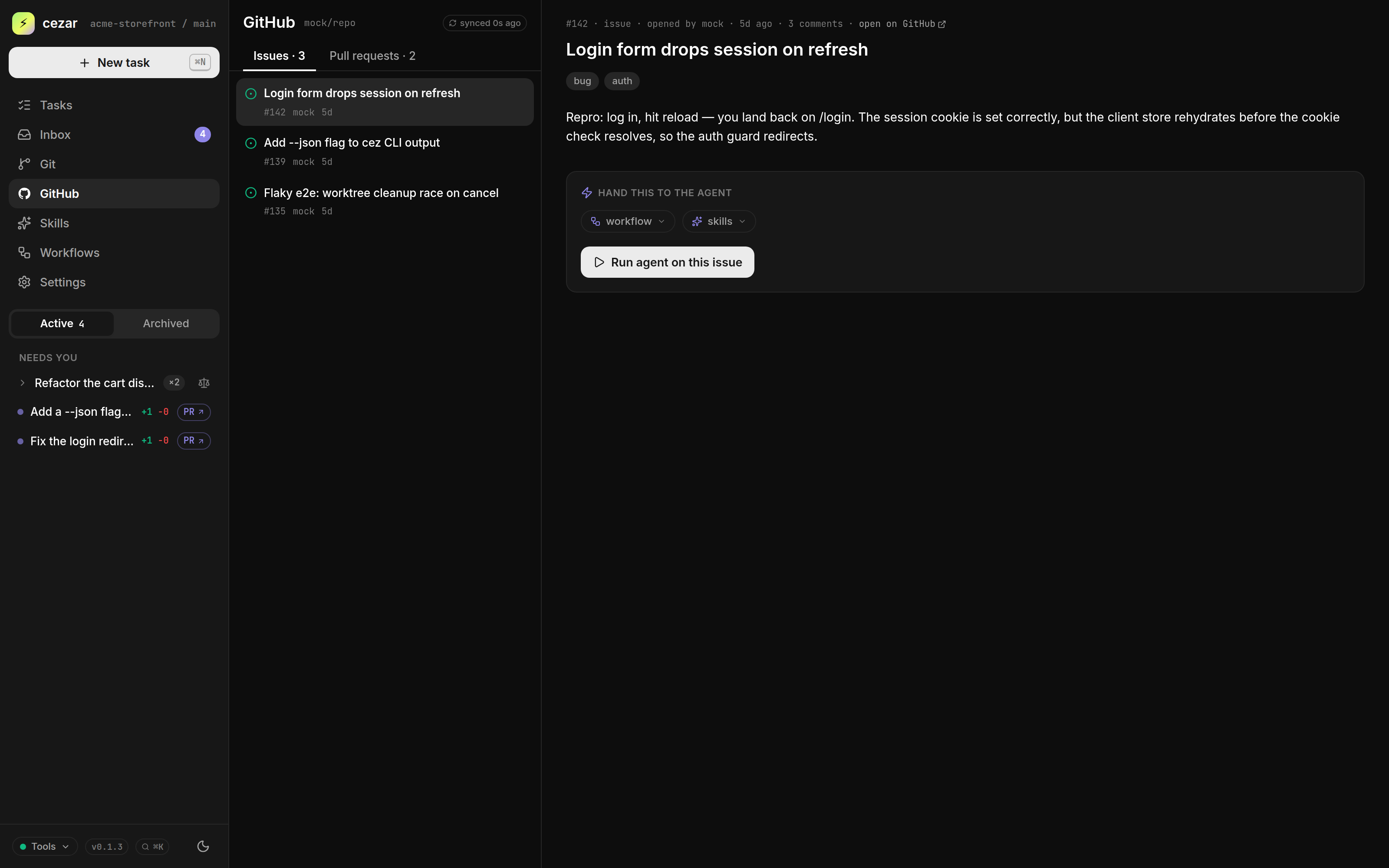](docs/screenshots/github-issues.png)
**Skills + Autonomous** —— 挑選一套現成流程,開啟 Autonomous 後就能離開。
[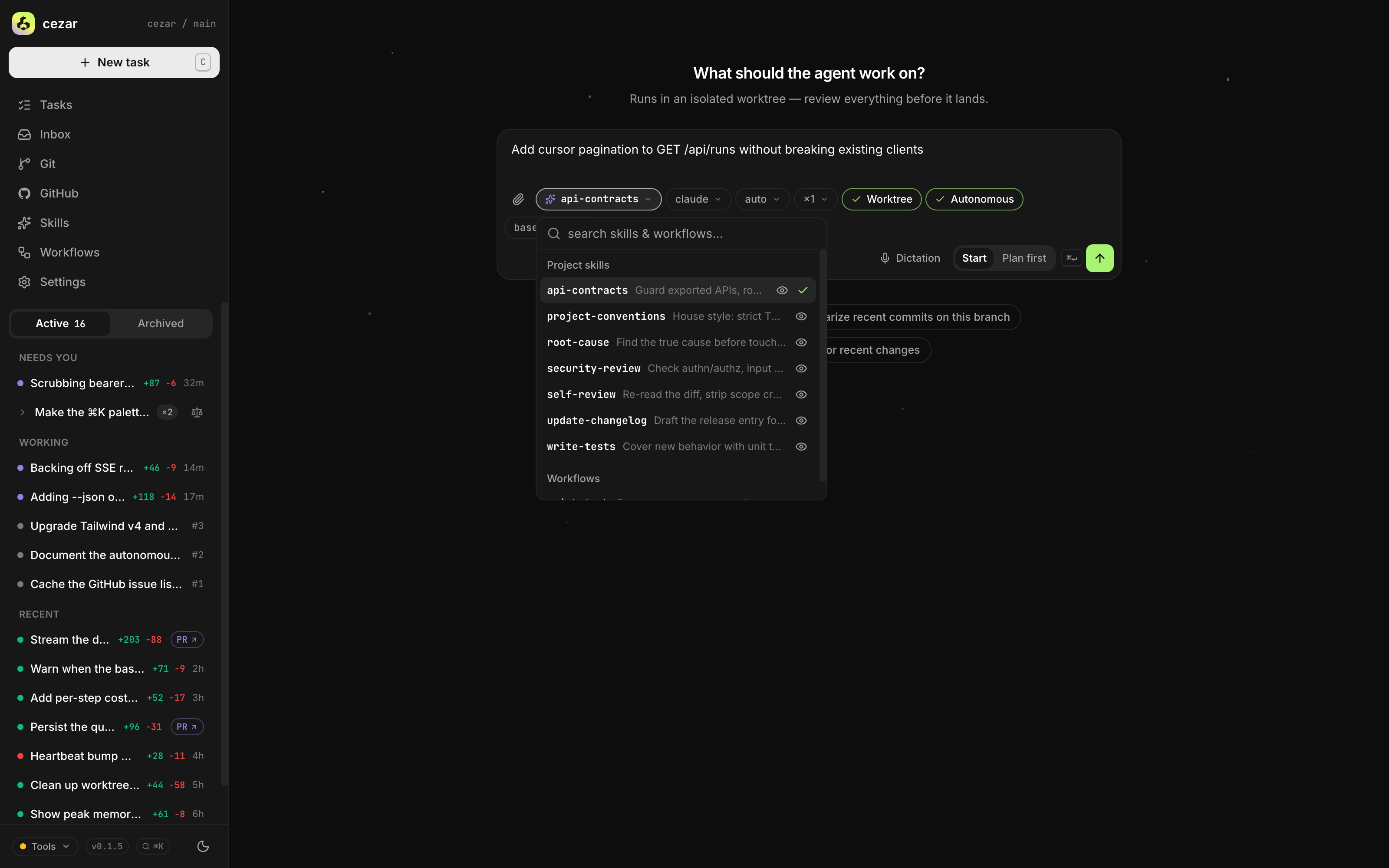](docs/screenshots/skills-autonomous.png)
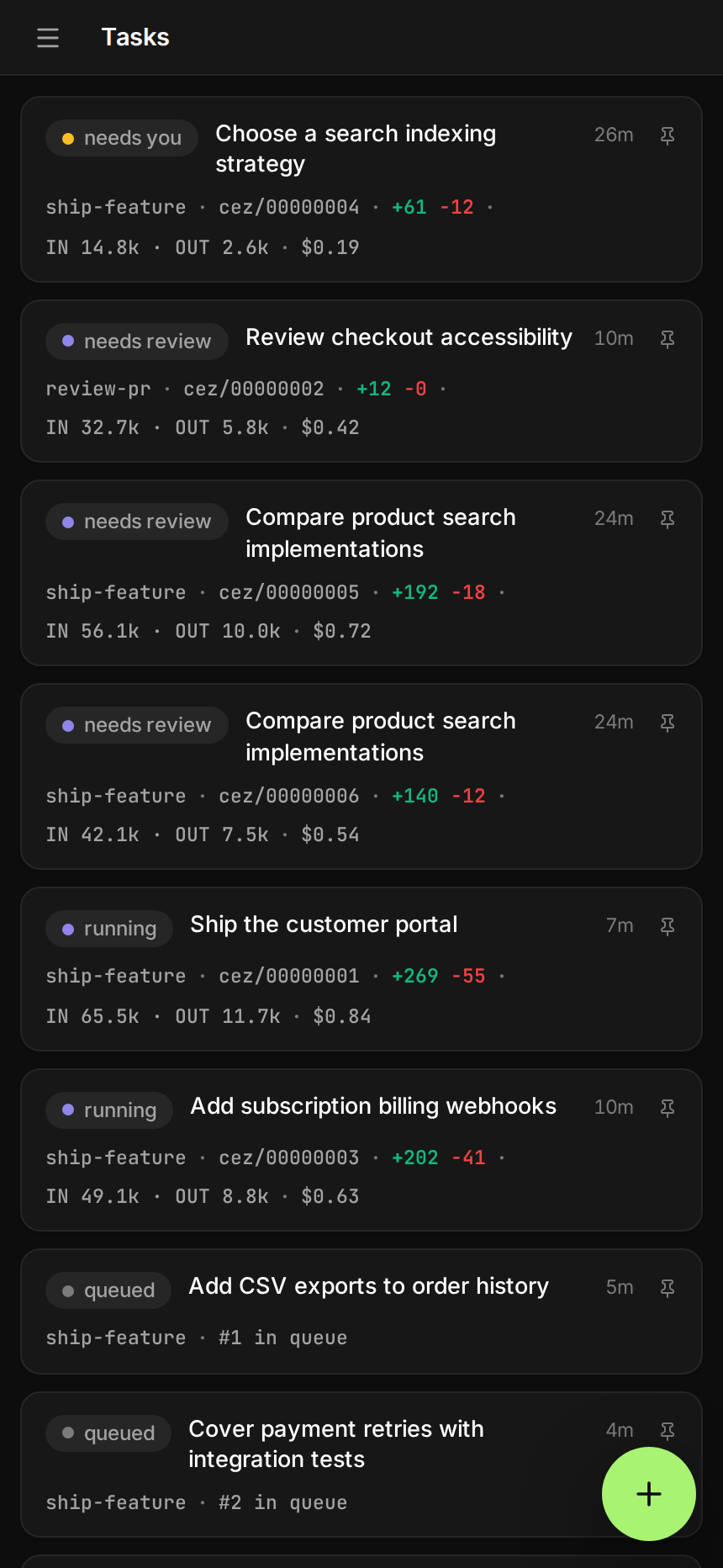
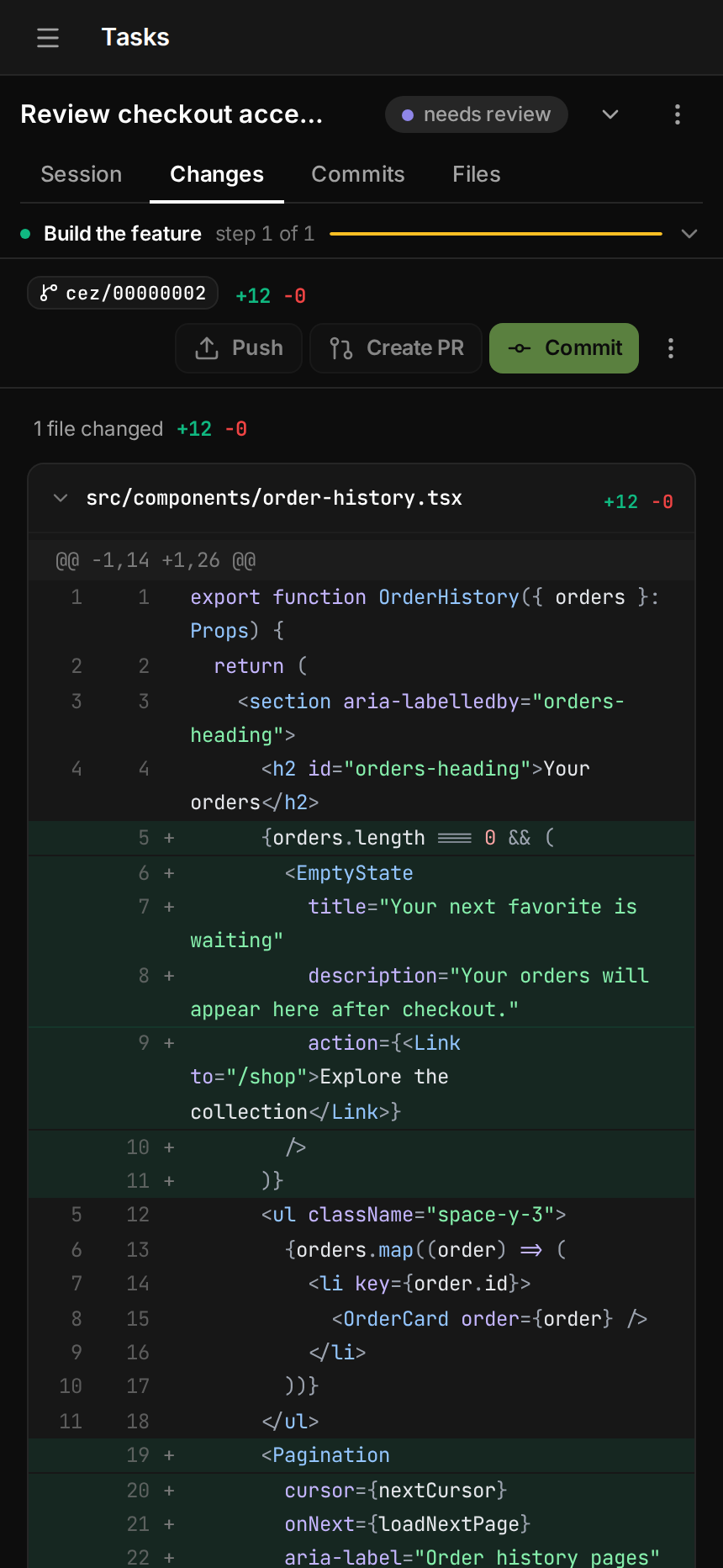
**在手機上** —— 同樣的座艙介面,從任務清單到 diff 都能操作。
## 快速開始
你需要 **Node 20+**,以及至少一個已登入的 agent CLI:
[Claude Code](https://github.com/anthropics/claude-code)、[Codex](https://github.com/openai/codex)、
[OpenCode](https://opencode.ai) 或 [pi](https://github.com/badlogic/pi-mono)。
`git` 與 `gh` 是選用的。
```bash
cd your-repo
npx cezar-run
```
這會在 `http://localhost:4321` 開啟座艙。輸入任務、選擇工作流程,然後按下 **Start**。
```bash
npx cezar-run run "add a --json flag to the export command" # headless, no browser
npx cezar-run init # scaffold .ai/cezar/
npx cezar-run@nightly # try tonight's build
```
> 只是想先逛逛嗎?執行 `CEZ_DRY_RUN=1 npx cezar-run`。它會使用內建的 mock agent,不需要登入。
### 在伺服器上執行
```bash
npx cezar-run server-install --platform ubuntu-vps
```
這會設定好 HTTPS、登入機制與系統服務,讓你從任何地方開啟座艙,包括手機。
我們準備了 [Ubuntu VPS](docs/server-install/ubuntu-vps.md) 與 [macOS + ngrok](docs/server-install/macosx-ngrok.md) 兩份指南。
## 運作方式
1. **你描述任務。** 直接輸入、附加檔案,或從 GitHub issue 開始。
2. **cezar 執行工作流程**(agent 步驟加上 shell 檢查),在全新的 git worktree 中使用你自己的 agent CLI 完成。
3. **座艙會即時串流每一個步驟。** 如果檢查失敗,代理會看到錯誤並重試。
4. **你檢查結果。** 閱讀 diff、回傳修改意見,或開啟一個 draft PR。
工作流程是 `.ai/cezar/workflows/` 中的小型 YAML 檔案:
```yaml
name: fix-and-verify
steps:
- id: implement
prompt: "{{task}}"
skill: project-conventions # optional: a Markdown skill from .ai/skills
runner: codex # optional: which agent runs this step
- id: verify
command: "npm test" # exit 0 = pass
onFail: { retry: implement, max: 2 }
```
內建的 `quick-task` 工作流程不需要任何設定就能執行。
## 文件
其餘內容都收錄在[參考文件](docs/reference.md):
[設定](docs/reference.md#configuration-optional)、
[環境變數](docs/reference.md#how-it-runs-agents)、
[agent 後端](docs/reference.md#coding-agent-backends)、
[多專案](docs/reference.md#multiple-projects-one-cockpit)、
[遠端存取](docs/reference.md#remote-access-host-cezar-on-a-server)和
[本機開發](docs/reference.md#local-development)。
## 貢獻指南
- 發現 bug 或少了什麼功能?[開啟 issue](https://github.com/open-mercato/cezar/issues)。
- 想貢獻一份心力?歡迎提交 PR。可以先參考[本機開發](docs/reference.md#local-development):
```bash
git clone https://github.com/open-mercato/cezar.git && cd cezar
npm install
npm run dev
```
## 授權條款
**MIT** © Patryk Lewczuk。完整條文請見 [LICENSE](LICENSE)。
## Jira 與 Linear
在設定中連接專案的 issue 追蹤服務,即可瀏覽 issue、啟動工作流程並設定事件自動化。請參閱[設定、權限與復原](docs/issue-trackers.md)。