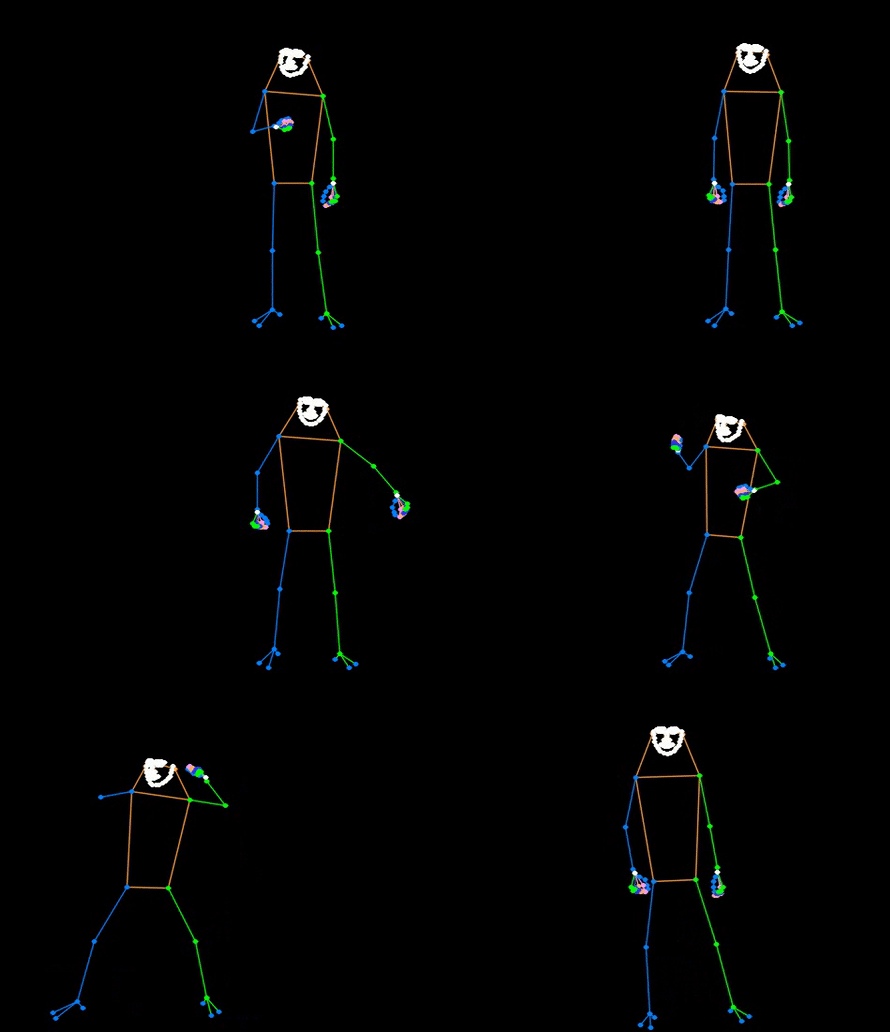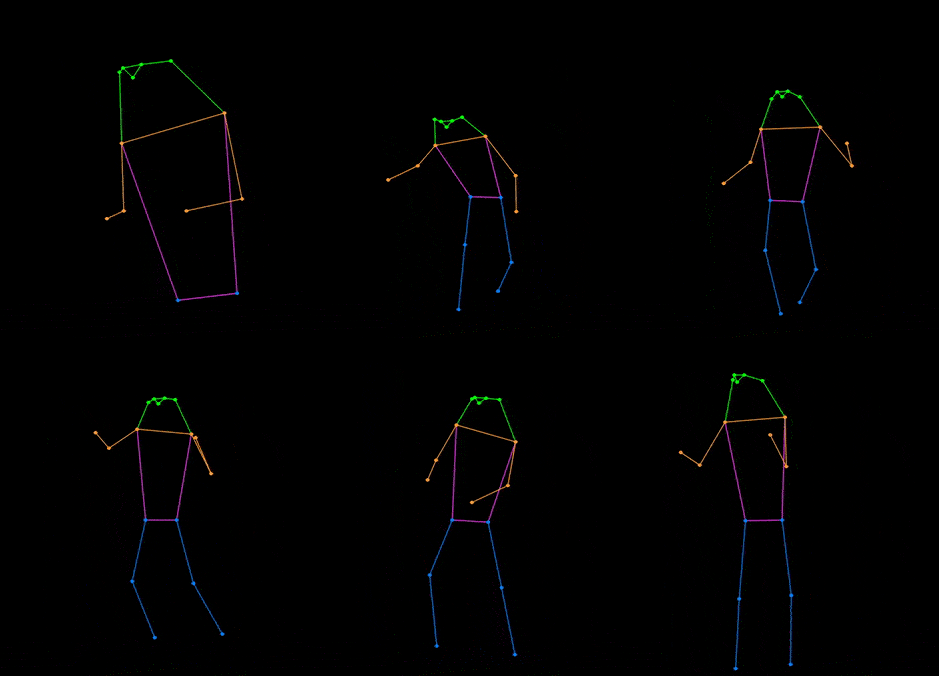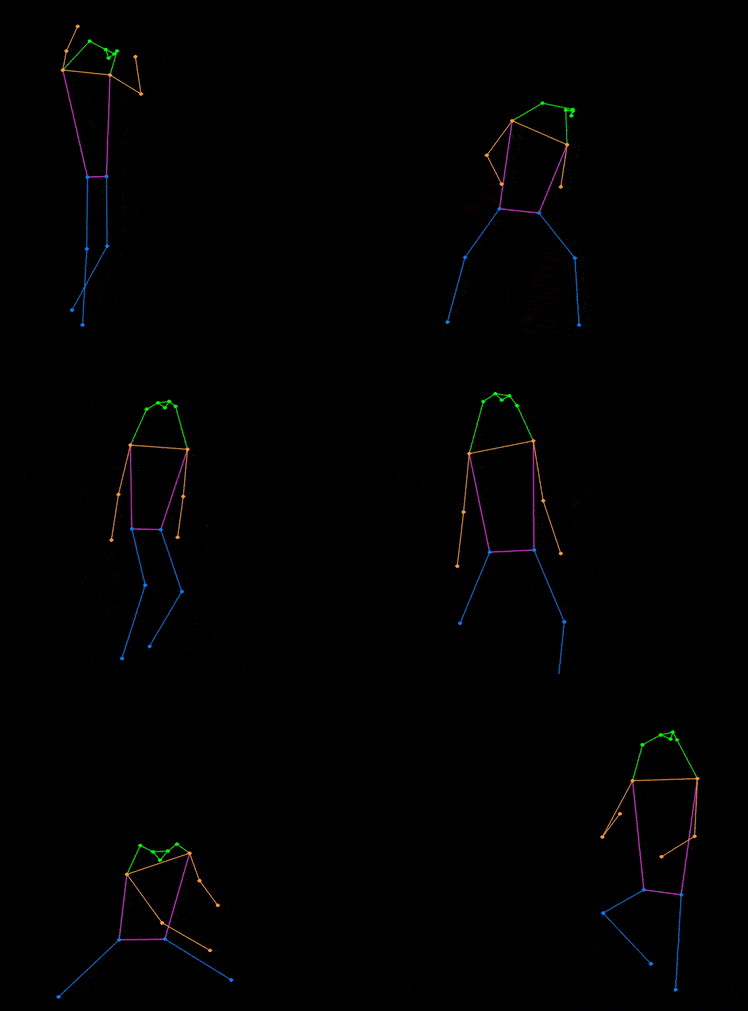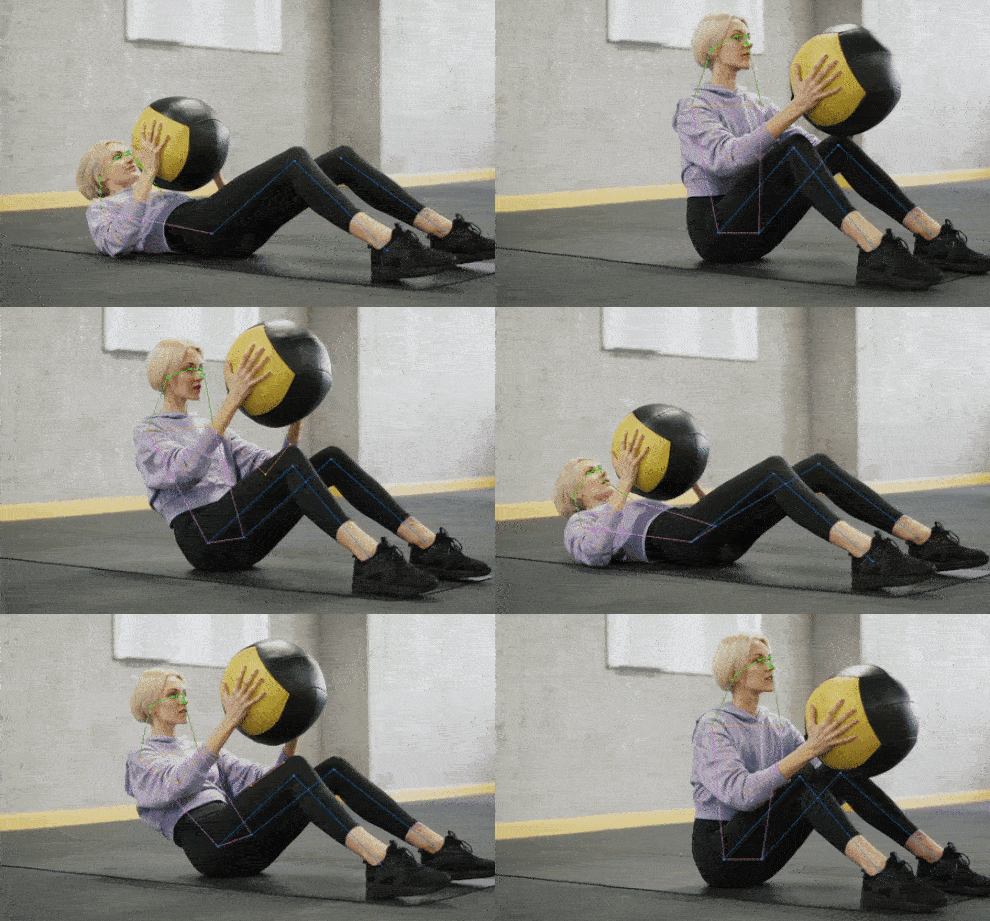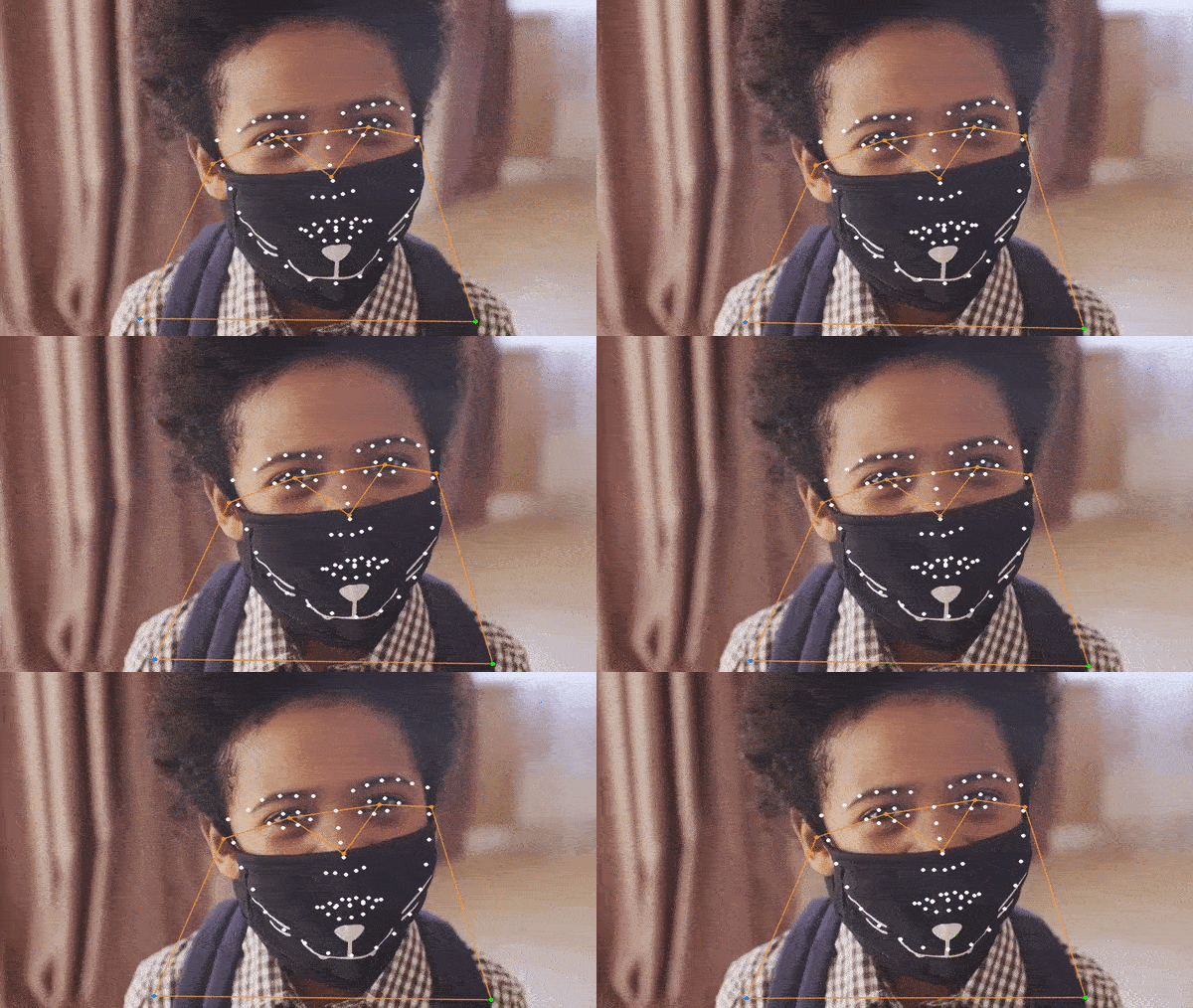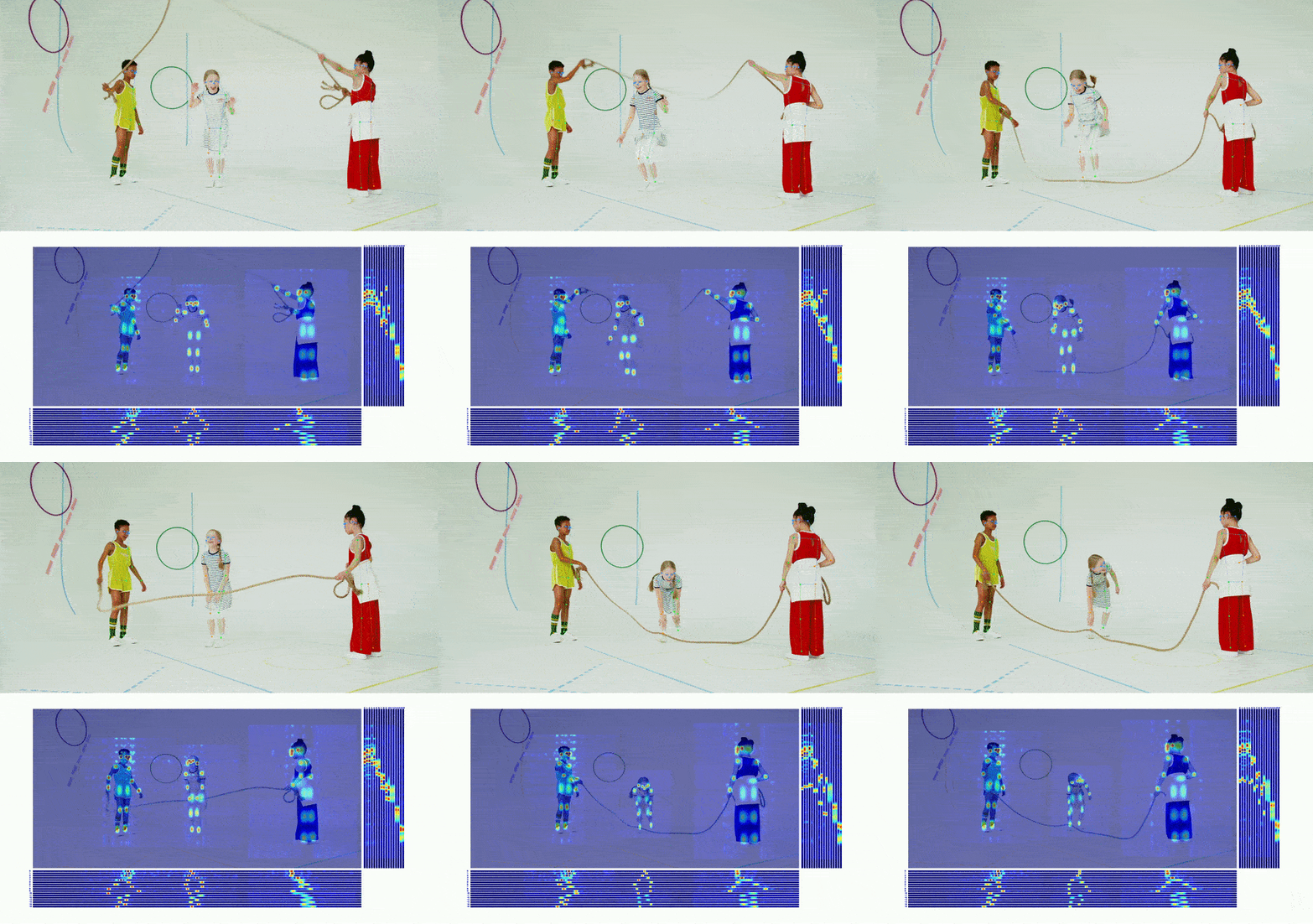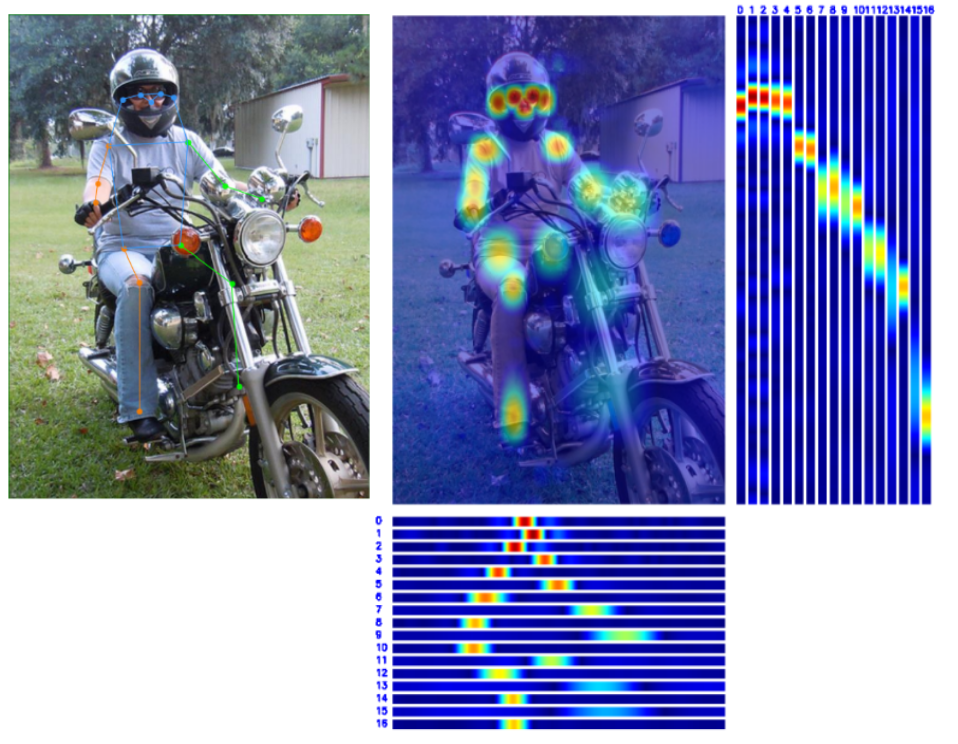
- Discord Group:
- 🙌 https://discord.gg/raweFPmdzG 🙌
## ⚡ Pipeline 性能 [🔝](#-table-of-contents)
**说明**
- Pipeline 速度测试时开启了隔帧检测策略,默认检测间隔为 5 帧。
- 环境配置:
- torch >= 1.7.1
- onnxruntime 1.12.1
- TensorRT 8.4.3.1
- cuDNN 8.3.2
- CUDA 11.3
- **更新**:我们推荐你使用混合数据集训练的 `Body8` 模型,性能高于下表中提供的模型,[传送门](#人体-2d-关键点)。
| Detection Config | Pose Config | Input Size
(Det/Pose) | Model AP
(COCO) | Pipeline AP
(COCO) | Params (M)
(Det/Pose) | Flops (G)
(Det/Pose) | ORT-Latency(ms)
(i7-11700) | TRT-FP16-Latency(ms)
(GTX 1660Ti) | Download |
| :------------------------------------------------------------------ | :---------------------------------------------------------------------------- | :---------------------------: | :---------------------: | :------------------------: | :---------------------------: | :--------------------------: | :--------------------------------: | :---------------------------------------: | :------------------------------------------------------------------------------------------------------------------------------------------------------------------------------------------------------------------------------------------------------------------------: |
| [RTMDet-nano](./rtmdet/person/rtmdet_nano_320-8xb32_coco-person.py) | [RTMPose-t](./rtmpose/body_2d_keypoint/rtmpose-t_8xb256-420e_coco-256x192.py) | 320x320
256x192 | 40.3
67.1 | 64.4 | 0.99
3.34 | 0.31
0.36 | 12.403 | 2.467 | [det](https://download.openmmlab.com/mmpose/v1/projects/rtmpose/rtmdet_nano_8xb32-100e_coco-obj365-person-05d8511e.pth)
[pose](https://download.openmmlab.com/mmpose/v1/projects/rtmposev1/rtmpose-tiny_simcc-aic-coco_pt-aic-coco_420e-256x192-cfc8f33d_20230126.pth) |
| [RTMDet-nano](./rtmdet/person/rtmdet_nano_320-8xb32_coco-person.py) | [RTMPose-s](./rtmpose/body_2d_keypoint/rtmpose-s_8xb256-420e_coco-256x192.py) | 320x320
256x192 | 40.3
71.1 | 68.5 | 0.99
5.47 | 0.31
0.68 | 16.658 | 2.730 | [det](https://download.openmmlab.com/mmpose/v1/projects/rtmpose/rtmdet_nano_8xb32-100e_coco-obj365-person-05d8511e.pth)
[pose](https://download.openmmlab.com/mmpose/v1/projects/rtmposev1/rtmpose-s_simcc-aic-coco_pt-aic-coco_420e-256x192-fcb2599b_20230126.pth) |
| [RTMDet-nano](./rtmdet/person/rtmdet_nano_320-8xb32_coco-person.py) | [RTMPose-m](./rtmpose/body_2d_keypoint/rtmpose-m_8xb256-420e_coco-256x192.py) | 320x320
256x192 | 40.3
75.3 | 73.2 | 0.99
13.59 | 0.31
1.93 | 26.613 | 4.312 | [det](https://download.openmmlab.com/mmpose/v1/projects/rtmpose/rtmdet_nano_8xb32-100e_coco-obj365-person-05d8511e.pth)
[pose](https://download.openmmlab.com/mmpose/v1/projects/rtmposev1/rtmpose-m_simcc-aic-coco_pt-aic-coco_420e-256x192-63eb25f7_20230126.pth) |
| [RTMDet-nano](./rtmdet/person/rtmdet_nano_320-8xb32_coco-person.py) | [RTMPose-l](./rtmpose/body_2d_keypoint/rtmpose-l_8xb256-420e_coco-256x192.py) | 320x320
256x192 | 40.3
76.3 | 74.2 | 0.99
27.66 | 0.31
4.16 | 36.311 | 4.644 | [det](https://download.openmmlab.com/mmpose/v1/projects/rtmpose/rtmdet_nano_8xb32-100e_coco-obj365-person-05d8511e.pth)
[pose](https://download.openmmlab.com/mmpose/v1/projects/rtmposev1/rtmpose-l_simcc-aic-coco_pt-aic-coco_420e-256x192-f016ffe0_20230126.pth) |
| [RTMDet-m](./rtmdet/person/rtmdet_m_640-8xb32_coco-person.py) | [RTMPose-m](./rtmpose/body_2d_keypoint/rtmpose-m_8xb256-420e_coco-256x192.py) | 640x640
256x192 | 62.5
75.3 | 75.7 | 24.66
13.59 | 38.95
1.93 | - | 6.923 | [det](https://download.openmmlab.com/mmpose/v1/projects/rtmpose/rtmdet_m_8xb32-100e_coco-obj365-person-235e8209.pth)
[pose](https://download.openmmlab.com/mmpose/v1/projects/rtmposev1/rtmpose-m_simcc-aic-coco_pt-aic-coco_420e-256x192-63eb25f7_20230126.pth) |
| [RTMDet-m](./rtmdet/person/rtmdet_m_640-8xb32_coco-person.py) | [RTMPose-l](./rtmpose/body_2d_keypoint/rtmpose-l_8xb256-420e_coco-256x192.py) | 640x640
256x192 | 62.5
76.3 | 76.6 | 24.66
27.66 | 38.95
4.16 | - | 7.204 | [det](https://download.openmmlab.com/mmpose/v1/projects/rtmpose/rtmdet_m_8xb32-100e_coco-obj365-person-235e8209.pth)
[pose](https://download.openmmlab.com/mmpose/v1/projects/rtmposev1/rtmpose-l_simcc-aic-coco_pt-aic-coco_420e-256x192-f016ffe0_20230126.pth) |
## 📊 模型库 [🔝](#-table-of-contents)
**说明**
- 此处提供的模型采用了多数据集联合训练以提高性能,模型指标不适用于学术比较。
- 表格中为开启了 Flip Test 的测试结果。
- RTMPose 在更多公开数据集上的性能指标可以前往 [Model Zoo](https://mmpose.readthedocs.io/en/latest/model_zoo_papers/algorithms.html) 查看。
- RTMPose 在更多硬件平台上的推理速度可以前往 [Benchmark](./benchmark/README_CN.md) 查看。
- 如果你有希望我们支持的数据集,欢迎[联系我们](https://uua478.fanqier.cn/f/xxmynrki)/[Google Questionnaire](https://docs.google.com/forms/d/e/1FAIpQLSfzwWr3eNlDzhU98qzk2Eph44Zio6hi5r0iSwfO9wSARkHdWg/viewform?usp=sf_link)!
### 人体 2d 关键点
#### 17 Keypoints
- 关键点骨架定义遵循 [COCO](http://cocodataset.org/). 详情见 [meta info](/configs/_base_/datasets/coco.py).
- 
AIC+COCO
| Config | Input Size | AP
(COCO) | PCK@0.1
(Body8) | AUC
(Body8) | Params
(M) | FLOPS
(G) | ORT-Latency
(ms)
(i7-11700) | TRT-FP16-Latency
(ms)
(GTX 1660Ti) | ncnn-FP16-Latency
(ms)
(Snapdragon 865) | Download |
| :---------------------------------------------------------------------------: | :--------: | :---------------: | :---------------------: | :-----------------: | :----------------: | :---------------: | :-----------------------------------------: | :------------------------------------------------: | :-----------------------------------------------------: | :-------------------------------------------------------------------------------------------------------------------------------------------: |
| [RTMPose-t](./rtmpose/body_2d_keypoint/rtmpose-t_8xb256-420e_coco-256x192.py) | 256x192 | 68.5 | 91.28 | 63.38 | 3.34 | 0.36 | 3.20 | 1.06 | 9.02 | [pth](https://download.openmmlab.com/mmpose/v1/projects/rtmposev1/rtmpose-tiny_simcc-aic-coco_pt-aic-coco_420e-256x192-cfc8f33d_20230126.pth) |
| [RTMPose-s](./rtmpose/body_2d_keypoint/rtmpose-s_8xb256-420e_coco-256x192.py) | 256x192 | 72.2 | 92.95 | 66.19 | 5.47 | 0.68 | 4.48 | 1.39 | 13.89 | [pth](https://download.openmmlab.com/mmpose/v1/projects/rtmposev1/rtmpose-s_simcc-aic-coco_pt-aic-coco_420e-256x192-fcb2599b_20230126.pth) |
| [RTMPose-m](./rtmpose/body_2d_keypoint/rtmpose-m_8xb256-420e_coco-256x192.py) | 256x192 | 75.8 | 94.13 | 68.53 | 13.59 | 1.93 | 11.06 | 2.29 | 26.44 | [pth](https://download.openmmlab.com/mmpose/v1/projects/rtmposev1/rtmpose-m_simcc-aic-coco_pt-aic-coco_420e-256x192-63eb25f7_20230126.pth) |
| [RTMPose-l](./rtmpose/body_2d_keypoint/rtmpose-l_8xb256-420e_coco-256x192.py) | 256x192 | 76.5 | 94.35 | 68.98 | 27.66 | 4.16 | 18.85 | 3.46 | 45.37 | [pth](https://download.openmmlab.com/mmpose/v1/projects/rtmposev1/rtmpose-l_simcc-aic-coco_pt-aic-coco_420e-256x192-f016ffe0_20230126.pth) |
| [RTMPose-m](./rtmpose/body_2d_keypoint/rtmpose-m_8xb256-420e_coco-384x288.py) | 384x288 | 77.0 | 94.32 | 69.85 | 13.72 | 4.33 | 24.78 | 3.66 | - | [pth](https://download.openmmlab.com/mmpose/v1/projects/rtmposev1/rtmpose-m_simcc-aic-coco_pt-aic-coco_420e-384x288-a62a0b32_20230228.pth) |
| [RTMPose-l](./rtmpose/body_2d_keypoint/rtmpose-l_8xb256-420e_coco-384x288.py) | 384x288 | 77.3 | 94.54 | 70.14 | 27.79 | 9.35 | - | 6.05 | - | [pth](https://download.openmmlab.com/mmpose/v1/projects/rtmposev1/rtmpose-l_simcc-aic-coco_pt-aic-coco_420e-384x288-97d6cb0f_20230228.pth) |
Body8
- `*` 代表模型在 7 个开源数据集上训练得到:
- [AI Challenger](https://mmpose.readthedocs.io/en/latest/dataset_zoo/2d_body_keypoint.html#aic)
- [MS COCO](https://mmpose.readthedocs.io/en/latest/dataset_zoo/2d_body_keypoint.html#coco)
- [CrowdPose](https://mmpose.readthedocs.io/en/latest/dataset_zoo/2d_body_keypoint.html#crowdpose)
- [MPII](https://mmpose.readthedocs.io/en/latest/dataset_zoo/2d_body_keypoint.html#mpii)
- [sub-JHMDB](https://mmpose.readthedocs.io/en/latest/dataset_zoo/2d_body_keypoint.html#sub-jhmdb-dataset)
- [Halpe](https://mmpose.readthedocs.io/en/latest/dataset_zoo/2d_wholebody_keypoint.html#halpe)
- [PoseTrack18](https://mmpose.readthedocs.io/en/latest/dataset_zoo/2d_body_keypoint.html#posetrack18)
- `Body8` 代表除了以上提到的 7 个数据集,再加上 [OCHuman](https://mmpose.readthedocs.io/en/latest/dataset_zoo/2d_body_keypoint.html#ochuman) 合并后一起进行评测得到的指标。
| Config | Input Size | AP
(COCO) | PCK@0.1
(Body8) | AUC
(Body8) | Params
(M) | FLOPS
(G) | ORT-Latency
(ms)
(i7-11700) | TRT-FP16-Latency
(ms)
(GTX 1660Ti) | ncnn-FP16-Latency
(ms)
(Snapdragon 865) | Download |
| :-----------------------------------------------------------------------------: | :--------: | :---------------: | :---------------------: | :-----------------: | :----------------: | :---------------: | :-----------------------------------------: | :------------------------------------------------: | :-----------------------------------------------------: | :------------------------------------------------------------------------------------------------------------------------------------------------------------------------------------------------------------------------------------------------------------------------------------: |
| [RTMPose-t\*](./rtmpose/body_2d_keypoint/rtmpose-t_8xb256-420e_coco-256x192.py) | 256x192 | 65.9 | 91.44 | 63.18 | 3.34 | 0.36 | 3.20 | 1.06 | 9.02 | [pth](https://download.openmmlab.com/mmpose/v1/projects/rtmposev1/rtmpose-t_simcc-body7_pt-body7_420e-256x192-026a1439_20230504.pth)
[onnx](https://download.openmmlab.com/mmpose/v1/projects/rtmposev1/onnx_sdk/rtmpose-t_simcc-body7_pt-body7_420e-256x192-026a1439_20230504.zip) |
| [RTMPose-s\*](./rtmpose/body_2d_keypoint/rtmpose-s_8xb256-420e_coco-256x192.py) | 256x192 | 69.7 | 92.45 | 65.15 | 5.47 | 0.68 | 4.48 | 1.39 | 13.89 | [pth](https://download.openmmlab.com/mmpose/v1/projects/rtmposev1/rtmpose-s_simcc-body7_pt-body7_420e-256x192-acd4a1ef_20230504.pth)
[onnx](https://download.openmmlab.com/mmpose/v1/projects/rtmposev1/onnx_sdk/rtmpose-s_simcc-body7_pt-body7_420e-256x192-acd4a1ef_20230504.zip) |
| [RTMPose-m\*](./rtmpose/body_2d_keypoint/rtmpose-m_8xb256-420e_coco-256x192.py) | 256x192 | 74.9 | 94.25 | 68.59 | 13.59 | 1.93 | 11.06 | 2.29 | 26.44 | [pth](https://download.openmmlab.com/mmpose/v1/projects/rtmposev1/rtmpose-m_simcc-body7_pt-body7_420e-256x192-e48f03d0_20230504.pth)
[onnx](https://download.openmmlab.com/mmpose/v1/projects/rtmposev1/onnx_sdk/rtmpose-m_simcc-body7_pt-body7_420e-256x192-e48f03d0_20230504.zip) |
| [RTMPose-l\*](./rtmpose/body_2d_keypoint/rtmpose-l_8xb256-420e_coco-256x192.py) | 256x192 | 76.7 | 95.08 | 70.14 | 27.66 | 4.16 | 18.85 | 3.46 | 45.37 | [pth](https://download.openmmlab.com/mmpose/v1/projects/rtmposev1/rtmpose-l_simcc-body7_pt-body7_420e-256x192-4dba18fc_20230504.pth)
[onnx](https://download.openmmlab.com/mmpose/v1/projects/rtmposev1/onnx_sdk/rtmpose-l_simcc-body7_pt-body7_420e-256x192-4dba18fc_20230504.zip) |
| [RTMPose-m\*](./rtmpose/body_2d_keypoint/rtmpose-m_8xb256-420e_coco-384x288.py) | 384x288 | 76.6 | 94.64 | 70.38 | 13.72 | 4.33 | 24.78 | 3.66 | - | [pth](https://download.openmmlab.com/mmpose/v1/projects/rtmposev1/rtmpose-m_simcc-body7_pt-body7_420e-384x288-65e718c4_20230504.pth)
[onnx](https://download.openmmlab.com/mmpose/v1/projects/rtmposev1/onnx_sdk/rtmpose-m_simcc-body7_pt-body7_420e-384x288-65e718c4_20230504.zip) |
| [RTMPose-l\*](./rtmpose/body_2d_keypoint/rtmpose-l_8xb256-420e_coco-384x288.py) | 384x288 | 78.3 | 95.36 | 71.58 | 27.79 | 9.35 | - | 6.05 | - | [pth](https://download.openmmlab.com/mmpose/v1/projects/rtmposev1/rtmpose-l_simcc-body7_pt-body7_420e-384x288-3f5a1437_20230504.pth)
[onnx](https://download.openmmlab.com/mmpose/v1/projects/rtmposev1/onnx_sdk/rtmpose-l_simcc-body7_pt-body7_420e-384x288-3f5a1437_20230504.zip) |
| [RTMPose-x\*](./rtmpose/body_2d_keypoint/rtmpose-x_8xb256-700e_coco-384x288.py) | 384x288 | 78.8 | - | - | 49.43 | 17.22 | - | - | - | [pth](https://download.openmmlab.com/mmpose/v1/projects/rtmposev1/rtmpose-x_simcc-body7_pt-body7_700e-384x288-71d7b7e9_20230629.pth)
[onnx](https://download.openmmlab.com/mmpose/v1/projects/rtmposev1/onnx_sdk/rtmpose-x_simcc-body7_pt-body7_700e-384x288-71d7b7e9_20230629.zip) |
Human-Art
- 面向艺术图片的人体姿态估计 RTMPose 模型由 [Human-Art](https://github.com/IDEA-Research/HumanArt) 提供。
-  人体检测模型:
| Detection Config | Input Size | Model AP
(OneHand10K) | Flops
(G) | ORT-Latency
(ms)
(i7-11700) | TRT-FP16-Latency
(ms)
(GTX 1660Ti) | Download |
| :---------------------------: | :--------: | :---------------------------: | :---------------: | :-----------------------------------------: | :------------------------------------------------: | :--------------------: |
| [RTMDet-tiny](./rtmdet/person/rtmdet_tiny_8xb32-300e_humanart.py) | 640x640 | 46.6 | - | - | - | [Det Model](https://download.openmmlab.com/mmpose/v1/projects/rtmposev1/rtmdet_tiny_8xb32-300e_humanart-7da5554e.pth) |
| [RTMDet-s](./rtmdet/person/rtmdet_s_8xb32-300e_humanart.py) | 640x640 | 50.6 | - | - | - | [Det Model](https://download.openmmlab.com/mmpose/v1/projects/rtmposev1/rtmdet_s_8xb32-300e_humanart-af5bd52d.pth) |
| [YOLOX-nano](./yolox/humanart/yolox_nano_8xb8-300e_humanart.py) | 640x640 | 38.9 | - | - | - | [Det Model](https://download.openmmlab.com/mmpose/v1/projects/rtmposev1/yolox_nano_8xb8-300e_humanart-40f6f0d0.pth) |
| [YOLOX-tiny](./yolox/humanart/yolox_tiny_8xb8-300e_humanart.py) | 640x640 | 47.7 | - | - | - | [Det Model](https://download.openmmlab.com/mmpose/v1/projects/rtmposev1/yolox_tiny_8xb8-300e_humanart-6f3252f9.pth) |
| [YOLOX-s](./yolox/humanart/yolox_s_8xb8-300e_humanart.py) | 640x640 | 54.6 | - | - | - | [Det Model](https://download.openmmlab.com/mmpose/v1/projects/rtmposev1/yolox_s_8xb8-300e_humanart-3ef259a7.pth) |
| [YOLOX-m](./yolox/humanart/yolox_m_8xb8-300e_humanart.py) | 640x640 | 59.1 | - | - | - | [Det Model](https://download.openmmlab.com/mmpose/v1/projects/rtmposev1/yolox_m_8xb8-300e_humanart-c2c7a14a.pth) |
| [YOLOX-l](./yolox/humanart/yolox_l_8xb8-300e_humanart.py) | 640x640 | 60.2 | - | - | - | [Det Model](https://download.openmmlab.com/mmpose/v1/projects/rtmposev1/yolox_l_8xb8-300e_humanart-ce1d7a62.pth) |
| [YOLOX-x](./yolox/humanart/yolox_x_8xb8-300e_humanart.py) | 640x640 | 61.3 | - | - | - | [Det Model](https://download.openmmlab.com/mmpose/v1/projects/rtmposev1/yolox_x_8xb8-300e_humanart-a39d44ed.pth) |
人体姿态估计模型:
| Config | Input Size | AP
(Human-Art GT) | Params
(M) | FLOPS
(G) | ORT-Latency
(ms)
(i7-11700) | TRT-FP16-Latency
(ms)
(GTX 1660Ti) | ncnn-FP16-Latency
(ms)
(Snapdragon 865) | Download |
| :-----------------------------------------------------------------------------: | :--------: | :-----------------------: | :----------------: | :---------------: | :-----------------------------------------: | :------------------------------------------------: | :-----------------------------------------------------: | :--------------------------------------------------------------------------------------------------------------------------------------------------------------------------------------------------------------------------------------------------------------------------: |
| [RTMPose-t\*](./rtmpose/body_2d_keypoint/rtmpose-t_8xb256-420e_coco-256x192.py) | 256x192 | 65.5 | 3.34 | 0.36 | 3.20 | 1.06 | 9.02 | [pth](https://download.openmmlab.com/mmpose/v1/projects/rtmposev1/rtmpose-t_8xb256-420e_humanart-256x192-60b68c98_20230612.pth)
[onnx](https://download.openmmlab.com/mmpose/v1/projects/rtmposev1/onnx_sdk/rtmpose-t_8xb256-420e_humanart-256x192-60b68c98_20230612.zip) |
| [RTMPose-s\*](./rtmpose/body_2d_keypoint/rtmpose-s_8xb256-420e_coco-256x192.py) | 256x192 | 69.8 | 5.47 | 0.68 | 4.48 | 1.39 | 13.89 | [pth](https://download.openmmlab.com/mmpose/v1/projects/rtmposev1/rtmpose-s_8xb256-420e_humanart-256x192-5a3ac943_20230611.pth)
[onnx](https://download.openmmlab.com/mmpose/v1/projects/rtmposev1/onnx_sdk/rtmpose-s_8xb256-420e_humanart-256x192-5a3ac943_20230611.zip) |
| [RTMPose-m\*](./rtmpose/body_2d_keypoint/rtmpose-m_8xb256-420e_coco-256x192.py) | 256x192 | 72.8 | 13.59 | 1.93 | 11.06 | 2.29 | 26.44 | [pth](https://download.openmmlab.com/mmpose/v1/projects/rtmposev1/rtmpose-m_8xb256-420e_humanart-256x192-8430627b_20230611.pth)
[onnx](https://download.openmmlab.com/mmpose/v1/projects/rtmposev1/onnx_sdk/rtmpose-m_8xb256-420e_humanart-256x192-8430627b_20230611.zip) |
| [RTMPose-l\*](./rtmpose/body_2d_keypoint/rtmpose-l_8xb256-420e_coco-256x192.py) | 256x192 | 75.3 | 27.66 | 4.16 | 18.85 | 3.46 | 45.37 | [pth](https://download.openmmlab.com/mmpose/v1/projects/rtmposev1/rtmpose-l_8xb256-420e_humanart-256x192-389f2cb0_20230611.pth)
[onnx](https://download.openmmlab.com/mmpose/v1/projects/rtmposev1/onnx_sdk/rtmpose-l_8xb256-420e_humanart-256x192-389f2cb0_20230611.zip) |
#### 26 Keypoints
- 关键点骨架定义遵循 [Halpe26](https://github.com/Fang-Haoshu/Halpe-FullBody/),详情见 [meta info](/configs/_base_/datasets/halpe26.py)。
-  - 模型在 `Body8` 上进行训练和评估。
| Config | Input Size | PCK@0.1
(Body8) | AUC
(Body8) | Params(M) | FLOPS(G) | ORT-Latency
(ms)
(i7-11700) | TRT-FP16-Latency
(ms)
(GTX 1660Ti) | ncnn-FP16-Latency
(ms)
(Snapdragon 865) | Download |
| :---------------------------------------------------------------------------------------: | :--------: | :---------------------: | :-----------------: | :-------: | :------: | :-----------------------------------------: | :------------------------------------------------: | :-----------------------------------------------------: | :----------------------------------------------------------------------------------------------------------------------------------------------------------------------------------------------------------------------------------------------------------------------------------------------------: |
| [RTMPose-t\*](./rtmpose/body_2d_keypoint/rtmpose-t_8xb1024-700e_body8-halpe26-256x192.py) | 256x192 | 91.89 | 66.35 | 3.51 | 0.37 | - | - | - | [pth](https://download.openmmlab.com/mmpose/v1/projects/rtmposev1/rtmpose-t_simcc-body7_pt-body7-halpe26_700e-256x192-6020f8a6_20230605.pth)
[onnx](https://download.openmmlab.com/mmpose/v1/projects/rtmposev1/onnx_sdk/rtmpose-t_simcc-body7_pt-body7-halpe26_700e-256x192-6020f8a6_20230605.zip) |
| [RTMPose-s\*](./rtmpose/body_2d_keypoint/rtmpose-s_8xb1024-700e_body8-halpe26-256x192.py) | 256x192 | 93.01 | 68.62 | 5.70 | 0.70 | - | - | - | [pth](https://download.openmmlab.com/mmpose/v1/projects/rtmposev1/rtmpose-s_simcc-body7_pt-body7-halpe26_700e-256x192-7f134165_20230605.pth)
[onnx](https://download.openmmlab.com/mmpose/v1/projects/rtmposev1/onnx_sdk/rtmpose-s_simcc-body7_pt-body7-halpe26_700e-256x192-7f134165_20230605.zip) |
| [RTMPose-m\*](./rtmpose/body_2d_keypoint/rtmpose-m_8xb512-700e_body8-halpe26-256x192.py) | 256x192 | 94.75 | 71.91 | 13.93 | 1.95 | - | - | - | [pth](https://download.openmmlab.com/mmpose/v1/projects/rtmposev1/rtmpose-m_simcc-body7_pt-body7-halpe26_700e-256x192-4d3e73dd_20230605.pth)
[onnx](https://download.openmmlab.com/mmpose/v1/projects/rtmposev1/onnx_sdk/rtmpose-m_simcc-body7_pt-body7-halpe26_700e-256x192-4d3e73dd_20230605.zip) |
| [RTMPose-l\*](./rtmpose/body_2d_keypoint/rtmpose-l_8xb512-700e_body8-halpe26-256x192.py) | 256x192 | 95.37 | 73.19 | 28.11 | 4.19 | - | - | - | [pth](https://download.openmmlab.com/mmpose/v1/projects/rtmposev1/rtmpose-l_simcc-body7_pt-body7-halpe26_700e-256x192-2abb7558_20230605.pth)
[onnx](https://download.openmmlab.com/mmpose/v1/projects/rtmposev1/onnx_sdk/rtmpose-l_simcc-body7_pt-body7-halpe26_700e-256x192-2abb7558_20230605.zip) |
| [RTMPose-m\*](./rtmpose/body_2d_keypoint/rtmpose-m_8xb512-700e_body8-halpe26-384x288.py) | 384x288 | 95.15 | 73.56 | 14.06 | 4.37 | - | - | - | [pth](https://download.openmmlab.com/mmpose/v1/projects/rtmposev1/rtmpose-m_simcc-body7_pt-body7-halpe26_700e-384x288-89e6428b_20230605.pth)
[onnx](https://download.openmmlab.com/mmpose/v1/projects/rtmposev1/onnx_sdk/rtmpose-m_simcc-body7_pt-body7-halpe26_700e-384x288-89e6428b_20230605.zip) |
| [RTMPose-l\*](./rtmpose/body_2d_keypoint/rtmpose-l_8xb512-700e_body8-halpe26-384x288.py) | 384x288 | 95.56 | 74.38 | 28.24 | 9.40 | - | - | - | [pth](https://download.openmmlab.com/mmpose/v1/projects/rtmposev1/rtmpose-l_simcc-body7_pt-body7-halpe26_700e-384x288-734182ce_20230605.pth)
[onnx](https://download.openmmlab.com/mmpose/v1/projects/rtmposev1/onnx_sdk/rtmpose-l_simcc-body7_pt-body7-halpe26_700e-384x288-734182ce_20230605.zip) |
| [RTMPose-x\*](./rtmpose/body_2d_keypoint/rtmpose-x_8xb256-700e_body8-halpe26-384x288.py) | 384x288 | 95.74 | 74.82 | 50.00 | 17.29 | - | - | - | [pth](https://download.openmmlab.com/mmpose/v1/projects/rtmposev1/rtmpose-x_simcc-body7_pt-body7-halpe26_700e-384x288-7fb6e239_20230606.pth)
[onnx](https://download.openmmlab.com/mmpose/v1/projects/rtmposev1/onnx_sdk/rtmpose-x_simcc-body7_pt-body7-halpe26_700e-384x288-7fb6e239_20230606.zip) |
#### 模型剪枝
**说明**
- 模型剪枝由 [MMRazor](https://github.com/open-mmlab/mmrazor) 提供
| Config | Input Size | AP
(COCO) | Params
(M) | FLOPS
(G) | ORT-Latency
(ms)
(i7-11700) | TRT-FP16-Latency
(ms)
(GTX 1660Ti) | ncnn-FP16-Latency
(ms)
(Snapdragon 865) | Download |
| :-----------------------: | :--------: | :---------------: | :----------------: | :---------------: | :-----------------------------------------: | :------------------------------------------------: | :-----------------------------------------------------: | :----------------------------------------------------------------------------------------------------------------------------------------------: |
| RTMPose-s-aic-coco-pruned | 256x192 | 69.4 | 3.43 | 0.35 | - | - | - | [pth](https://download.openmmlab.com/mmrazor/v1/pruning/group_fisher/rtmpose-s/group_fisher_finetune_rtmpose-s_8xb256-420e_aic-coco-256x192.pth) |
更多信息,请参考 [GroupFisher Pruning for RTMPose](./rtmpose/pruning/README.md).
### 人体全身 2d 关键点 (133 Keypoints)
- 关键点骨架定义遵循 [COCO-WholeBody](https://github.com/jin-s13/COCO-WholeBody/),详情见 [meta info](/configs/_base_/datasets/coco_wholebody.py)。
- 
COCO-WholeBody
| Config | Input Size | Whole AP | Whole AR | FLOPS
(G) | ORT-Latency
(ms)
(i7-11700) | TRT-FP16-Latency
(ms)
(GTX 1660Ti) | Download |
| :------------------------------ | :--------: | :------: | :------: | :---------------: | :-----------------------------------------: | :------------------------------------------------: | :-------------------------------: |
| [RTMPose-m](./rtmpose/wholebody_2d_keypoint/rtmpose-m_8xb64-270e_coco-wholebody-256x192.py) | 256x192 | 58.2 | 67.4 | 2.22 | 13.50 | 4.00 | [pth](https://download.openmmlab.com/mmpose/v1/projects/rtmposev1/rtmpose-m_simcc-coco-wholebody_pt-aic-coco_270e-256x192-cd5e845c_20230123.pth) |
| [RTMPose-l](./rtmpose/wholebody_2d_keypoint/rtmpose-l_8xb64-270e_coco-wholebody-256x192.py) | 256x192 | 61.1 | 70.0 | 4.52 | 23.41 | 5.67 | [pth](https://download.openmmlab.com/mmpose/v1/projects/rtmposev1/rtmpose-l_simcc-coco-wholebody_pt-aic-coco_270e-256x192-6f206314_20230124.pth) |
| [RTMPose-l](./rtmpose/wholebody_2d_keypoint/rtmpose-l_8xb32-270e_coco-wholebody-384x288.py) | 384x288 | 64.8 | 73.0 | 10.07 | 44.58 | 7.68 | [pth](https://download.openmmlab.com/mmpose/v1/projects/rtmposev1/rtmpose-l_simcc-coco-wholebody_pt-aic-coco_270e-384x288-eaeb96c8_20230125.pth) |
| [RTMPose-x](./rtmpose/wholebody_2d_keypoint/rtmpose-x_8xb32-270e_coco-wholebody-384x288.py) | 384x288 | 65.3 | 73.3 | 18.1 | - | - | [pth](https://download.openmmlab.com/mmpose/v1/projects/rtmposev1/rtmpose-x_simcc-coco-wholebody_pt-body7_270e-384x288-401dfc90_20230629.pth) |
Cocktail14
- `Cocktail13` 代表模型在 13 个开源数据集上训练得到:
- [AI Challenger](https://mmpose.readthedocs.io/en/latest/dataset_zoo/2d_body_keypoint.html#aic)
- [CrowdPose](https://mmpose.readthedocs.io/en/latest/dataset_zoo/2d_body_keypoint.html#crowdpose)
- [MPII](https://mmpose.readthedocs.io/en/latest/dataset_zoo/2d_body_keypoint.html#mpii)
- [sub-JHMDB](https://mmpose.readthedocs.io/en/latest/dataset_zoo/2d_body_keypoint.html#sub-jhmdb-dataset)
- [Halpe](https://mmpose.readthedocs.io/en/latest/dataset_zoo/2d_wholebody_keypoint.html#halpe)
- [PoseTrack18](https://mmpose.readthedocs.io/en/latest/dataset_zoo/2d_body_keypoint.html#posetrack18)
- [COCO-Wholebody](https://github.com/jin-s13/COCO-WholeBody/)
- [UBody](https://github.com/IDEA-Research/OSX)
- [Human-Art](https://mmpose.readthedocs.io/en/latest/dataset_zoo/2d_body_keypoint.html#human-art-dataset)
- [WFLW](https://wywu.github.io/projects/LAB/WFLW.html)
- [300W](https://ibug.doc.ic.ac.uk/resources/300-W/)
- [COFW](http://www.vision.caltech.edu/xpburgos/ICCV13/)
- [LaPa](https://github.com/JDAI-CV/lapa-dataset)
- [InterHand](https://mks0601.github.io/InterHand2.6M/)
| Config | Input Size | Whole AP | Whole AR | FLOPS
(G) | ORT-Latency
(ms)
(i7-11700) | TRT-FP16-Latency
(ms)
(GTX 1660Ti) | Download |
| :------------------------------ | :--------: | :------: | :------: | :---------------: | :-----------------------------------------: | :------------------------------------------------: | :-------------------------------: |
| [RTMW-m](./rtmpose/wholebody_2d_keypoint/rtmw-m_8xb1024-270e_cocktail14-256x192.py) | 256x192 | 58.2 | 67.3 | 4.3 | - | - | [pth](https://download.openmmlab.com/mmpose/v1/projects/rtmw/rtmw-dw-l-m_simcc-cocktail14_270e-256x192-20231122.pth)
[onnx](https://download.openmmlab.com/mmpose/v1/projects/rtmw/onnx_sdk/rtmw-dw-m-s_simcc-cocktail14_270e-256x192_20231122.zip) |
| [RTMW-l](./rtmpose/wholebody_2d_keypoint/rtmw-x_8xb704-270e_cocktail14-256x192.py) | 256x192 | 66.0 | 74.6 | 7.9 | - | - | [pth](https://download.openmmlab.com/mmpose/v1/projects/rtmw/rtmw-dw-x-l_simcc-cocktail14_270e-256x192-20231122.pth)
[onnx](https://download.openmmlab.com/mmpose/v1/projects/rtmw/onnx_sdk/rtmw-dw-x-l_simcc-cocktail14_270e-256x192_20231122.zip) |
| [RTMW-x](./rtmpose/wholebody_2d_keypoint/rtmw-x_8xb704-270e_cocktail14-256x192.py) | 256x192 | 67.2 | 75.2 | 13.1 | - | - | [pth](https://download.openmmlab.com/mmpose/v1/projects/rtmw/rtmw-x_simcc-cocktail14_pt-ucoco_270e-256x192-13a2546d_20231208.pth) |
| [RTMW-l](./rtmpose/wholebody_2d_keypoint/rtmw-x_8xb320-270e_cocktail14-384x288.py) | 384x288 | 70.1 | 78.0 | 17.7 | - | - | [pth](https://download.openmmlab.com/mmpose/v1/projects/rtmw/rtmw-dw-x-l_simcc-cocktail14_270e-384x288-20231122.pth)
[onnx](https://download.openmmlab.com/mmpose/v1/projects/rtmw/onnx_sdk/rtmw-dw-x-l_simcc-cocktail14_270e-384x288_20231122.zip) |
| [RTMW-x](./rtmpose/wholebody_2d_keypoint/rtmw-x_8xb320-270e_cocktail14-384x288.py) | 384x288 | 70.2 | 78.1 | 29.3 | - | - | [pth](https://download.openmmlab.com/mmpose/v1/projects/rtmw/rtmw-x_simcc-cocktail14_pt-ucoco_270e-384x288-f840f204_20231122.pth) |
COCO+UBody
- DWPose 模型由 [DWPose](https://github.com/IDEA-Research/DWPose) 项目提供
- 模型在以下数据集上训练并蒸馏:
- [COCO-WholeBody](https://github.com/jin-s13/COCO-WholeBody/)
- [UBody](https://github.com/IDEA-Research/OSX)
| Config | Input Size | Whole AP | Whole AR | FLOPS
(G) | ORT-Latency
(ms)
(i7-11700) | TRT-FP16-Latency
(ms)
(GTX 1660Ti) | Download |
| :------------------------------ | :--------: | :------: | :------: | :---------------: | :-----------------------------------------: | :------------------------------------------------: | :-------------------------------: |
| [RTMPose-t](./rtmpose/wholebody_2d_keypoint/rtmpose-t_8xb64-270e_coco-wholebody-256x192.py) | 256x192 | 48.5 | 58.4 | 0.5 | - | - | [pth](https://download.openmmlab.com/mmpose/v1/projects/rtmposev1/rtmpose-t_simcc-ucoco_dw-ucoco_270e-256x192-dcf277bf_20230728.pth)
[onnx](https://download.openmmlab.com/mmpose/v1/projects/rtmposev1/onnx_sdk/rtmpose-t_simcc-ucoco_dw-ucoco_270e-256x192-dcf277bf_20230728.zip) |
| [RTMPose-s](./rtmpose/wholebody_2d_keypoint/rtmpose-s_8xb64-270e_coco-wholebody-256x192.py) | 256x192 | 53.8 | 63.2 | 0.9 | - | - | [pth](https://download.openmmlab.com/mmpose/v1/projects/rtmposev1/rtmpose-s_simcc-ucoco_dw-ucoco_270e-256x192-3fd922c8_20230728.pth)
[onnx](https://download.openmmlab.com/mmpose/v1/projects/rtmposev1/onnx_sdk/rtmpose-s_simcc-ucoco_dw-ucoco_270e-256x192-3fd922c8_20230728.zip) |
| [RTMPose-m](./rtmpose/wholebody_2d_keypoint/rtmpose-m_8xb64-270e_coco-wholebody-256x192.py) | 256x192 | 60.6 | 69.5 | 2.22 | 13.50 | 4.00 | [pth](https://download.openmmlab.com/mmpose/v1/projects/rtmposev1/rtmpose-m_simcc-ucoco_dw-ucoco_270e-256x192-c8b76419_20230728.pth)
[onnx](https://download.openmmlab.com/mmpose/v1/projects/rtmposev1/onnx_sdk/rtmpose-m_simcc-ucoco_dw-ucoco_270e-256x192-c8b76419_20230728.zip) |
| [RTMPose-l](./rtmpose/wholebody_2d_keypoint/rtmpose-l_8xb64-270e_coco-wholebody-256x192.py) | 256x192 | 63.1 | 71.7 | 4.52 | 23.41 | 5.67 | [pth](https://download.openmmlab.com/mmpose/v1/projects/rtmposev1/rtmpose-l_simcc-ucoco_dw-ucoco_270e-256x192-4d6dfc62_20230728.pth)
[onnx](https://download.openmmlab.com/mmpose/v1/projects/rtmposev1/onnx_sdk/rtmpose-l_simcc-ucoco_dw-ucoco_270e-256x192-4d6dfc62_20230728.zip) |
| [RTMPose-l](./rtmpose/wholebody_2d_keypoint/rtmpose-l_8xb32-270e_coco-wholebody-384x288.py) | 384x288 | 66.5 | 74.3 | 10.07 | 44.58 | 7.68 | [pth](https://download.openmmlab.com/mmpose/v1/projects/rtmposev1/rtmpose-l_simcc-ucoco_dw-ucoco_270e-384x288-2438fd99_20230728.pth)
[onnx](https://download.openmmlab.com/mmpose/v1/projects/rtmposev1/onnx_sdk/rtmpose-l_simcc-ucoco_dw-ucoco_270e-384x288-2438fd99_20230728.zip) |
### 动物 2d 关键点 (17 Keypoints)
- 关键点骨架定义遵循 [AP-10K](https://github.com/AlexTheBad/AP-10K/),详情见 [meta info](/configs/_base_/datasets/ap10k.py)。
-  | Config | Input Size | AP
(AP10K) | FLOPS
(G) | ORT-Latency
(ms)
(i7-11700) | TRT-FP16-Latency
(ms)
(GTX 1660Ti) | Download |
| :----------------------------: | :--------: | :----------------: | :---------------: | :-----------------------------------------: | :------------------------------------------------: | :------------------------------: |
| [RTMPose-m](./rtmpose/animal_2d_keypoint/rtmpose-m_8xb64-210e_ap10k-256x256.py) | 256x256 | 72.2 | 2.57 | 14.157 | 2.404 | [pth](https://download.openmmlab.com/mmpose/v1/projects/rtmposev1/rtmpose-m_simcc-ap10k_pt-aic-coco_210e-256x256-7a041aa1_20230206.pth)
[onnx](https://download.openmmlab.com/mmpose/v1/projects/rtmposev1/onnx_sdk/rtmpose-m_simcc-ap10k_pt-aic-coco_210e-256x256-7a041aa1_20230206.zip) |
### 脸部 2d 关键点 (106 Keypoints)
- 关键点骨架定义遵循 [LaPa](https://github.com/JDAI-CV/lapa-dataset),详情见 [meta info](/configs/_base_/datasets/lapa.py)。
- 
Face6
- `Face6` and `*` 代表模型在 6 个开源数据集上训练得到:
- [COCO-Wholebody-Face](https://github.com/jin-s13/COCO-WholeBody/)
- [WFLW](https://wywu.github.io/projects/LAB/WFLW.html)
- [300W](https://ibug.doc.ic.ac.uk/resources/300-W/)
- [COFW](http://www.vision.caltech.edu/xpburgos/ICCV13/)
- [Halpe](https://github.com/Fang-Haoshu/Halpe-FullBody/)
- [LaPa](https://github.com/JDAI-CV/lapa-dataset)
| Config | Input Size | NME
(LaPa) | FLOPS
(G) | ORT-Latency
(ms)
(i7-11700) | TRT-FP16-Latency
(ms)
(GTX 1660Ti) | Download |
| :----------------------------: | :--------: | :----------------: | :---------------: | :-----------------------------------------: | :------------------------------------------------: | :------------------------------: |
| [RTMPose-t\*](./rtmpose/face_2d_keypoint/rtmpose-t_8xb256-120e_lapa-256x256.py) | 256x256 | 1.67 | 0.652 | - | - | [pth](https://download.openmmlab.com/mmpose/v1/projects/rtmposev1/rtmpose-t_simcc-face6_pt-in1k_120e-256x256-df79d9a5_20230529.pth)
[onnx](https://download.openmmlab.com/mmpose/v1/projects/rtmposev1/onnx_sdk/rtmpose-t_simcc-face6_pt-in1k_120e-256x256-df79d9a5_20230529.zip) |
| [RTMPose-s\*](./rtmpose/face_2d_keypoint/rtmpose-s_8xb256-120e_lapa-256x256.py) | 256x256 | 1.59 | 1.119 | - | - | [pth](https://download.openmmlab.com/mmpose/v1/projects/rtmposev1/rtmpose-s_simcc-face6_pt-in1k_120e-256x256-d779fdef_20230529.pth)
[onnx](https://download.openmmlab.com/mmpose/v1/projects/rtmposev1/onnx_sdk/rtmpose-s_simcc-face6_pt-in1k_120e-256x256-d779fdef_20230529.zip) |
| [RTMPose-m\*](./rtmpose/face_2d_keypoint/rtmpose-m_8xb256-120e_lapa-256x256.py) | 256x256 | 1.44 | 2.852 | - | - | [pth](https://download.openmmlab.com/mmpose/v1/projects/rtmposev1/rtmpose-m_simcc-face6_pt-in1k_120e-256x256-72a37400_20230529.pth)
[onnx](https://download.openmmlab.com/mmpose/v1/projects/rtmposev1/onnx_sdk/rtmpose-m_simcc-face6_pt-in1k_120e-256x256-72a37400_20230529.zip) |
### 手部 2d 关键点 (21 Keypoints)
- 关键点骨架定义遵循 [COCO-WholeBody](https://github.com/jin-s13/COCO-WholeBody/),详情见 [meta info](/configs/_base_/datasets/coco_wholebody_hand.py)。
-  | Detection Config | Input Size | Model AP
(OneHand10K) | Flops
(G) | ORT-Latency
(ms)
(i7-11700) | TRT-FP16-Latency
(ms)
(GTX 1660Ti) | Download |
| :---------------------------: | :--------: | :---------------------------: | :---------------: | :-----------------------------------------: | :------------------------------------------------: | :--------------------: |
| [RTMDet-nano
(alpha version)](./rtmdet/hand/rtmdet_nano_320-8xb32_hand.py) | 320x320 | 76.0 | 0.31 | - | - | [pth](https://download.openmmlab.com/mmpose/v1/projects/rtmposev1/rtmdet_nano_8xb32-300e_hand-267f9c8f.pth)
[onnx](https://download.openmmlab.com/mmpose/v1/projects/rtmposev1/onnx_sdk/rtmdet_nano_8xb32-300e_hand-267f9c8f.zip) |
Hand5
- `Hand5` and `*` 代表模型在 5 个开源数据集上训练得到:
- [COCO-Wholebody-Hand](https://github.com/jin-s13/COCO-WholeBody/)
- [OneHand10K](https://www.yangangwang.com/papers/WANG-MCC-2018-10.html)
- [FreiHand2d](https://lmb.informatik.uni-freiburg.de/projects/freihand/)
- [RHD2d](https://lmb.informatik.uni-freiburg.de/resources/datasets/RenderedHandposeDataset.en.html)
- [Halpe](https://mmpose.readthedocs.io/en/latest/dataset_zoo/2d_wholebody_keypoint.html#halpe)
| Config | Input Size | PCK@0.2
(COCO-Wholebody-Hand) | PCK@0.2
(Hand5) | AUC
(Hand5) | FLOPS
(G) | ORT-Latency
(ms)
(i7-11700) | TRT-FP16-Latency
(ms)
(GTX 1660Ti) | Download |
| :-------------------------------------------------------------------------------------------------------------------: | :--------: | :-----------------------------------: | :---------------------: | :-----------------: | :---------------: | :-----------------------------------------: | :------------------------------------------------: | :----------------------------------------------------------------------------------------------------------------------------------------------------------------------------------------------------------------------------------------------------------------------------------------: |
| [RTMPose-m\*
(alpha version)](./rtmpose/hand_2d_keypoint/rtmpose-m_8xb32-210e_coco-wholebody-hand-256x256.py) | 256x256 | 81.5 | 96.4 | 83.9 | 2.581 | - | - | [pth](https://download.openmmlab.com/mmpose/v1/projects/rtmposev1/rtmpose-m_simcc-hand5_pt-aic-coco_210e-256x256-74fb594_20230320.pth)
[onnx](https://download.openmmlab.com/mmpose/v1/projects/rtmposev1/onnx_sdk/rtmpose-m_simcc-hand5_pt-aic-coco_210e-256x256-74fb594_20230320.zip) |
### 预训练模型
我们提供了 UDP 预训练的 CSPNeXt 模型参数,训练配置请参考 [pretrain_cspnext_udp folder](./rtmpose/pretrain_cspnext_udp/)。
AIC+COCO
| Model | Input Size | Params
(M) | Flops
(G) | AP
(GT) | AR
(GT) | Download |
| :----------: | :--------: | :----------------: | :---------------: | :-------------: | :-------------: | :---------------------------------------------------------------------------------------------------------------: |
| CSPNeXt-tiny | 256x192 | 6.03 | 1.43 | 65.5 | 68.9 | [pth](https://download.openmmlab.com/mmpose/v1/projects/rtmpose/cspnext-tiny_udp-aic-coco_210e-256x192-cbed682d_20230130.pth) |
| CSPNeXt-s | 256x192 | 8.58 | 1.78 | 70.0 | 73.3 | [pth](https://download.openmmlab.com/mmpose/v1/projects/rtmpose/cspnext-s_udp-aic-coco_210e-256x192-92f5a029_20230130.pth) |
| CSPNeXt-m | 256x192 | 17.53 | 3.05 | 74.8 | 77.7 | [pth](https://download.openmmlab.com/mmpose/v1/projects/rtmpose/cspnext-m_udp-aic-coco_210e-256x192-f2f7d6f6_20230130.pth) |
| CSPNeXt-l | 256x192 | 32.44 | 5.32 | 77.2 | 79.9 | [pth](https://download.openmmlab.com/mmpose/v1/projects/rtmpose/cspnext-l_udp-aic-coco_210e-256x192-273b7631_20230130.pth) |
Body8
- `*` 代表模型在 7 个开源数据集上训练得到:
- [AI Challenger](https://mmpose.readthedocs.io/en/latest/dataset_zoo/2d_body_keypoint.html#aic)
- [MS COCO](https://mmpose.readthedocs.io/en/latest/dataset_zoo/2d_body_keypoint.html#coco)
- [CrowdPose](https://mmpose.readthedocs.io/en/latest/dataset_zoo/2d_body_keypoint.html#crowdpose)
- [MPII](https://mmpose.readthedocs.io/en/latest/dataset_zoo/2d_body_keypoint.html#mpii)
- [sub-JHMDB](https://mmpose.readthedocs.io/en/latest/dataset_zoo/2d_body_keypoint.html#sub-jhmdb-dataset)
- [Halpe](https://mmpose.readthedocs.io/en/latest/dataset_zoo/2d_wholebody_keypoint.html#halpe)
- [PoseTrack18](https://mmpose.readthedocs.io/en/latest/dataset_zoo/2d_body_keypoint.html#posetrack18)
- `Body8` 代表除了以上提到的 7 个数据集,再加上 [OCHuman](https://mmpose.readthedocs.io/en/latest/dataset_zoo/2d_body_keypoint.html#ochuman) 合并后一起进行评测得到的指标。
| Model | Input Size | Params
(M) | Flops
(G) | AP
(COCO) | PCK@0.2
(Body8) | AUC
(Body8) | Download |
| :------------: | :--------: | :----------------: | :---------------: | :---------------: | :---------------------: | :-----------------: | :--------------------------------------------------------------------------------: |
| CSPNeXt-tiny\* | 256x192 | 6.03 | 1.43 | 65.9 | 96.34 | 63.80 | [pth](https://download.openmmlab.com/mmpose/v1/projects/rtmposev1/cspnext-tiny_udp-body7_210e-256x192-a3775292_20230504.pth) |
| CSPNeXt-s\* | 256x192 | 8.58 | 1.78 | 68.7 | 96.59 | 64.92 | [pth](https://download.openmmlab.com/mmpose/v1/projects/rtmposev1/cspnext-s_udp-body7_210e-256x192-8c9ccbdb_20230504.pth) |
| CSPNeXt-m\* | 256x192 | 17.53 | 3.05 | 73.7 | 97.42 | 68.19 | [pth](https://download.openmmlab.com/mmpose/v1/projects/rtmposev1/cspnext-m_udp-body7_210e-256x192-e0c9327b_20230504.pth) |
| CSPNeXt-l\* | 256x192 | 32.44 | 5.32 | 75.7 | 97.76 | 69.57 | [pth](https://download.openmmlab.com/mmpose/v1/projects/rtmposev1/cspnext-l_udp-body7_210e-256x192-5e9558ef_20230504.pth) |
| CSPNeXt-m\* | 384x288 | 17.53 | 6.86 | 75.8 | 97.60 | 70.18 | [pth](https://download.openmmlab.com/mmpose/v1/projects/rtmposev1/cspnext-m_udp-body7_210e-384x288-b9bc2b57_20230504.pth) |
| CSPNeXt-l\* | 384x288 | 32.44 | 11.96 | 77.2 | 97.89 | 71.23 | [pth](https://download.openmmlab.com/mmpose/v1/projects/rtmposev1/cspnext-l_udp-body7_210e-384x288-b15bc30d_20230504.pth) |
| CSPNeXt-x\* | 384x288 | 54.92 | 19.96 | 78.1 | 98.00 | 71.79 | [pth](https://download.openmmlab.com/mmpose/v1/projects/rtmposev1/cspnext-x_udp-body7_210e-384x288-d28b58e6_20230529.pth) |
#### ImageNet
我们提供了 ImageNet 分类训练的 CSPNeXt 模型参数,更多细节请参考 [RTMDet](https://github.com/open-mmlab/mmdetection/blob/latest/configs/rtmdet/README.md#classification)。
| Model | Input Size | Params
(M) | Flops
(G) | Top-1 (%) | Top-5 (%) | Download |
| :----------: | :--------: | :----------------: | :---------------: | :-------: | :-------: | :---------------------------------------------------------------------------------------------------------------------------: |
| CSPNeXt-tiny | 224x224 | 2.73 | 0.34 | 69.44 | 89.45 | [pth](https://download.openmmlab.com/mmdetection/v3.0/rtmdet/cspnext_rsb_pretrain/cspnext-tiny_imagenet_600e-3a2dd350.pth) |
| CSPNeXt-s | 224x224 | 4.89 | 0.66 | 74.41 | 92.23 | [pth](https://download.openmmlab.com/mmdetection/v3.0/rtmdet/cspnext_rsb_pretrain/cspnext-s_imagenet_600e-ea671761.pth) |
| CSPNeXt-m | 224x224 | 13.05 | 1.93 | 79.27 | 94.79 | [pth](https://download.openmmlab.com/mmdetection/v3.0/rtmdet/cspnext_rsb_pretrain/cspnext-m_8xb256-rsb-a1-600e_in1k-ecb3bbd9.pth) |
| CSPNeXt-l | 224x224 | 27.16 | 4.19 | 81.30 | 95.62 | [pth](https://download.openmmlab.com/mmdetection/v3.0/rtmdet/cspnext_rsb_pretrain/cspnext-l_8xb256-rsb-a1-600e_in1k-6a760974.pth) |
| CSPNeXt-x | 224x224 | 48.85 | 7.76 | 82.10 | 95.69 | [pth](https://download.openmmlab.com/mmdetection/v3.0/rtmdet/cspnext_rsb_pretrain/cspnext-x_8xb256-rsb-a1-600e_in1k-b3f78edd.pth) |
## 👀 可视化 [🔝](#-table-of-contents)
## 😎 快速尝试 [🔝](#-table-of-contents)
我们提供了多种途径来让用户尝试 RTMPose 模型:
- [在线 RTMPose Demo](https://openxlab.org.cn/apps/detail/mmpose/RTMPose)
- [Examples](https://github.com/open-mmlab/mmpose/tree/dev-1.x/projects/rtmpose/examples/onnxruntime) 基于 Python 和 ONNXRuntime (无 MMCV 依赖)
- [rtmlib 推理库](https://github.com/Tau-J/rtmlib/tree/main) (无 MMCV、Pytorch 依赖)
- MMPose demo 脚本 (基于 Pytorch)
- MMDeploy SDK 预编译包 (推荐,速度提升6-10倍)
### rtmlib 推理库
[rtmlib](https://github.com/Tau-J/rtmlib/tree/main) 提供了开箱即用的 RTMPose 全系列官方及衍生模型的推理:
- 无需安装 mmcv,mmengine,mmpose 等一系列训练库,无需 pytorch 环境,有 opencv 就能推理
- 超级友好简洁的推理和可视化接口
- 支持 CPU 和 GPU 推理
- 自动下载和缓存 onnx 模型
- 支持 RTMPose 全系列官方及衍生模型:RTMPose,DWPose,RTMO,RTMW etc.
### MMPose demo 脚本
通过 MMPose 提供的 demo 脚本可以基于 Pytorch 快速进行[模型推理](https://mmpose.readthedocs.io/en/latest/user_guides/inference.html)和效果验证。
**提示:**
- 基于 Pytorch 推理并不能达到 RTMPose 模型的最大推理速度,只用于模型效果验证。
- 输入模型路径可以是本地路径,也可以是下载链接。
```shell
# 前往 mmpose 目录
cd ${PATH_TO_MMPOSE}
# RTMDet 与 RTMPose 联合推理
# 输入模型路径可以是本地路径,也可以是下载链接。
python demo/topdown_demo_with_mmdet.py \
projects/rtmpose/rtmdet/person/rtmdet_nano_320-8xb32_coco-person.py \
https://download.openmmlab.com/mmpose/v1/projects/rtmpose/rtmdet_nano_8xb32-100e_coco-obj365-person-05d8511e.pth \
projects/rtmpose/rtmpose/body_2d_keypoint/rtmpose-m_8xb256-420e_coco-256x192.py \
https://download.openmmlab.com/mmpose/v1/projects/rtmposev1/rtmpose-m_simcc-aic-coco_pt-aic-coco_420e-256x192-63eb25f7_20230126.pth \
--input {YOUR_TEST_IMG_or_VIDEO} \
--show
# 摄像头推理
# 输入模型路径可以是本地路径,也可以是下载链接。
python demo/topdown_demo_with_mmdet.py \
projects/rtmpose/rtmdet/person/rtmdet_nano_320-8xb32_coco-person.py \
https://download.openmmlab.com/mmpose/v1/projects/rtmpose/rtmdet_nano_8xb32-100e_coco-obj365-person-05d8511e.pth \
projects/rtmpose/rtmpose/body_2d_keypoint/rtmpose-m_8xb256-420e_coco-256x192.py \
https://download.openmmlab.com/mmpose/v1/projects/rtmposev1/rtmpose-m_simcc-aic-coco_pt-aic-coco_420e-256x192-63eb25f7_20230126.pth \
--input webcam \
--show
```
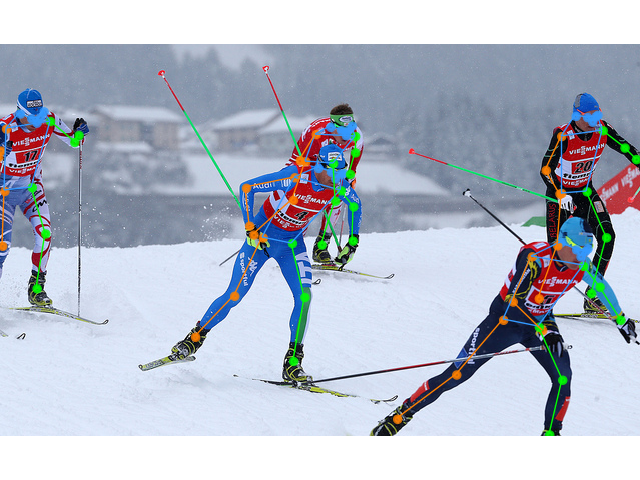
效果展示:
### MMDeploy SDK 预编译包 (推荐)
MMDeploy 提供了预编译的 SDK,用于对 RTMPose 项目进行 Pipeline 推理,其中推理所用的模型为 SDK 版本。
- 所有的模型必须经过 `tools/deploy.py` 导出后才能使用 PoseTracker 进行推理。
- 导出 SDK 版模型的教程见 [SDK 推理](#%EF%B8%8F-sdk-推理),推理的详细参数设置见 [Pipeline 推理](#-pipeline-推理)。
- 你可以从 [硬件模型库](https://platform.openmmlab.com/deploee) 直接下载 SDK 版模型(ONNX、 TRT、ncnn 等)。
- 同时我们也支持 [在线模型转换](https://platform.openmmlab.com/deploee/task-convert-list)。
#### Linux\\
说明:
- GCC 版本需大于 7.5
- cmake 版本需大于 3.20
##### Python 推理
1. 安装 mmdeploy_runtime 或者 mmdeploy_runtime_gpu
```shell
# for onnxruntime
pip install mmdeploy-runtime
# for onnxruntime-gpu / tensorrt
pip install mmdeploy-runtime-gpu
```
2. 下载预编译包:
```shell
# onnxruntime
# for ubuntu
wget -c https://github.com/open-mmlab/mmdeploy/releases/download/v1.0.0/mmdeploy-1.0.0-linux-x86_64-cxx11abi.tar.gz
# 解压并将 third_party 中第三方推理库的动态库添加到 PATH
# for centos7 and lower
wget -c https://github.com/open-mmlab/mmdeploy/releases/download/v1.0.0/mmdeploy-1.0.0-linux-x86_64.tar.gz
# 解压并将 third_party 中第三方推理库的动态库添加到 PATH
# onnxruntime-gpu / tensorrt
# for ubuntu
wget -c https://github.com/open-mmlab/mmdeploy/releases/download/v1.0.0/mmdeploy-1.0.0-linux-x86_64-cxx11abi-cuda11.3.tar.gz
# 解压并将 third_party 中第三方推理库的动态库添加到 PATH
# for centos7 and lower
wget -c https://github.com/open-mmlab/mmdeploy/releases/download/v1.0.0/mmdeploy-1.0.0-linux-x86_64-cuda11.3.tar.gz
# 解压并将 third_party 中第三方推理库的动态库添加到 PATH
```
3. 下载 sdk 模型并解压到 `./example/python` 下。(该模型只用于演示,如需其他模型,请参考 [SDK 推理](#%EF%B8%8F-sdk-推理))
```shell
# rtmdet-nano + rtmpose-m for cpu sdk
wget https://download.openmmlab.com/mmpose/v1/projects/rtmpose/rtmpose-cpu.zip
unzip rtmpose-cpu.zip
```
4. 使用 `pose_tracker.py` 进行推理:
```shell
# 进入 ./example/python
# 请传入模型目录,而不是模型文件
# 格式:
# python pose_tracker.py cpu {det work-dir} {pose work-dir} {your_video.mp4}
# 示例:
python pose_tracker.py cpu rtmpose-ort/rtmdet-nano/ rtmpose-ort/rtmpose-m/ your_video.mp4
# 摄像头
python pose_tracker.py cpu rtmpose-ort/rtmdet-nano/ rtmpose-ort/rtmpose-m/ 0
```
##### ONNX
```shell
# 下载预编译包
wget https://github.com/open-mmlab/mmdeploy/releases/download/v1.0.0/mmdeploy-1.0.0-linux-x86_64-cxx11abi.tar.gz
# 解压文件
tar -xzvf mmdeploy-1.0.0-linux-x86_64-cxx11abi.tar.gz
# 切换到 sdk 目录
cd mmdeploy-1.0.0-linux-x86_64-cxx11abi
# 设置环境变量
source set_env.sh
# 如果系统中没有安装 opencv 3+,请执行以下命令。如果已安装,可略过
bash install_opencv.sh
# 编译可执行程序
bash build_sdk.sh
# 图片推理
# 请传入模型目录,而不是模型文件
./bin/det_pose rtmpose-ort/rtmdet-nano/ rtmpose-ort/rtmpose-m/ your_img.jpg --device cpu
# 视频推理
# 请传入模型目录,而不是模型文件
./bin/pose_tracker rtmpose-ort/rtmdet-nano/ rtmpose-ort/rtmpose-m/ your_video.mp4 --device cpu
# 摄像头推理
# 请传入模型目录,而不是模型文件
./bin/pose_tracker rtmpose-ort/rtmdet-nano/ rtmpose-ort/rtmpose-m/ 0 --device cpu
```
##### TensorRT
```shell
# 下载预编译包
wget https://github.com/open-mmlab/mmdeploy/releases/download/v1.0.0/mmdeploy-1.0.0-linux-x86_64-cxx11abi-cuda11.3.tar.gz
# 解压文件
tar -xzvf mmdeploy-1.0.0-linux-x86_64-cxx11abi-cuda11.3.tar.gz
# 切换到 sdk 目录
cd mmdeploy-1.0.0-linux-x86_64-cxx11abi-cuda11.3
# 设置环境变量
source set_env.sh
# 如果系统中没有安装 opencv 3+,请执行以下命令。如果已安装,可略过
bash install_opencv.sh
# 编译可执行程序
bash build_sdk.sh
# 图片推理
# 请传入模型目录,而不是模型文件
./bin/det_pose rtmpose-ort/rtmdet-nano/ rtmpose-ort/rtmpose-m/ your_img.jpg --device cuda
# 视频推理
# 请传入模型目录,而不是模型文件
./bin/pose_tracker rtmpose-ort/rtmdet-nano/ rtmpose-ort/rtmpose-m/ your_video.mp4 --device cuda
# 摄像头推理
# 请传入模型目录,而不是模型文件
./bin/pose_tracker rtmpose-ort/rtmdet-nano/ rtmpose-ort/rtmpose-m/ 0 --device cuda
```
详细参数设置见 [Pipeline 推理](#-pipeline-推理)。
#### Windows
##### Python 推理
1. 安装 mmdeploy_runtime 或者 mmdeploy_runtime_gpu
```shell
# for onnxruntime
pip install mmdeploy-runtime
# 下载 [sdk](https://github.com/open-mmlab/mmdeploy/releases/download/v1.0.0/mmdeploy-1.0.0-windows-amd64.zip) 并将 third_party 中第三方推理库的动态库添加到 PATH
# for onnxruntime-gpu / tensorrt
pip install mmdeploy-runtime-gpu
# 下载 [sdk](https://github.com/open-mmlab/mmdeploy/releases/download/v1.0.0/mmdeploy-1.0.0-windows-amd64-cuda11.3.zip) 并将 third_party 中第三方推理库的动态库添加到 PATH
```
2. 下载 sdk 模型并解压到 `./example/python` 下。(该模型只用于演示,如需其他模型,请参考 [SDK 推理](#%EF%B8%8F-sdk-推理))
```shell
# rtmdet-nano + rtmpose-m for cpu sdk
wget https://download.openmmlab.com/mmpose/v1/projects/rtmpose/rtmpose-cpu.zip
unzip rtmpose-cpu.zip
```
3. 使用 `pose_tracker.py` 进行推理:
```shell
# 进入 ./example/python
# 请传入模型目录,而不是模型文件
python pose_tracker.py cpu rtmpose-ort/rtmdet-nano/ rtmpose-ort/rtmpose-m/ your_video.mp4
# 摄像头
# 请传入模型目录,而不是模型文件
python pose_tracker.py cpu rtmpose-ort/rtmdet-nano/ rtmpose-ort/rtmpose-m/ 0
```
##### 可执行文件推理
1. 安装 [cmake](https://cmake.org/download/)。
2. 前往 [mmdeploy](https://github.com/open-mmlab/mmdeploy/releases) 下载 win 预编译包。
3. 解压文件,进入 sdk 目录。
4. 使用管理员权限打开 PowerShell,执行以下命令:
```shell
set-ExecutionPolicy RemoteSigned
```
5. 安装 OpenCV:
```shell
# in sdk folder:
.\install_opencv.ps1
```
6. 配置环境变量:
```shell
# in sdk folder:
. .\set_env.ps1
```
7. 编译 sdk:
```shell
# in sdk folder:
# 如果你通过 .\install_opencv.ps1 安装 opencv,直接运行如下指令:
.\build_sdk.ps1
# 如果你自行安装了 opencv,需要指定 OpenCVConfig.cmake 的路径:
.\build_sdk.ps1 "path/to/folder/of/OpenCVConfig.cmake"
```
8. 可执行文件会在如下路径生成:
```shell
example\cpp\build\Release
```
### MMPose demo 脚本
通过 MMPose 提供的 demo 脚本可以基于 Pytorch 快速进行[模型推理](https://mmpose.readthedocs.io/en/latest/user_guides/inference.html)和效果验证。
**提示:**
- 基于 Pytorch 推理并不能达到 RTMPose 模型的真实推理速度,只用于模型效果验证。
```shell
# 前往 mmpose 目录
cd ${PATH_TO_MMPOSE}
# RTMDet 与 RTMPose 联合推理
python demo/topdown_demo_with_mmdet.py \
projects/rtmpose/rtmdet/person/rtmdet_nano_320-8xb32_coco-person.py \
{PATH_TO_CHECKPOINT}/rtmdet_nano_8xb32-100e_coco-obj365-person-05d8511e.pth \
projects/rtmpose/rtmpose/body_2d_keypoint/rtmpose-m_8xb256-420e_coco-256x192.py \
{PATH_TO_CHECKPOINT}/rtmpose-m_simcc-aic-coco_pt-aic-coco_420e-256x192-63eb25f7_20230126.pth \
--input {YOUR_TEST_IMG_or_VIDEO} \
--show
# 摄像头推理
python demo/topdown_demo_with_mmdet.py \
projects/rtmpose/rtmdet/person/rtmdet_nano_320-8xb32_coco-person.py \
{PATH_TO_CHECKPOINT}/rtmdet_nano_8xb32-100e_coco-obj365-person-05d8511e.pth \
projects/rtmpose/rtmpose/body_2d_keypoint/rtmpose-m_8xb256-420e_coco-256x192.py \
{PATH_TO_CHECKPOINT}/rtmpose-m_simcc-aic-coco_pt-aic-coco_420e-256x192-63eb25f7_20230126.pth \
--input webcam \
--show
```
效果展示:

## 👨🏫 模型训练 [🔝](#-table-of-contents)
请参考 [训练与测试](https://mmpose.readthedocs.io/en/latest/user_guides/train_and_test.html) 进行 RTMPose 的训练。
**提示**:
- 当用户的数据集较小时请根据情况缩小 `batch_size` 和 `base_lr`。
- 模型选择
- m:推荐首选使用
- t/s:适用于极端低算力的移动设备,或对推理速度要求严格的场景
- l:适用于算力较强、对速度不敏感的场景
## 🏗️ 部署教程 [🔝](#-table-of-contents)
本教程将展示如何通过 [MMDeploy](https://github.com/open-mmlab/mmdeploy/tree/main) 部署 RTMPose 项目。
- 你可以从 [硬件模型库](https://platform.openmmlab.com/deploee) 直接下载 SDK 版模型(ONNX、 TRT、ncnn 等)。
- 同时我们也支持 [在线模型转换](https://platform.openmmlab.com/deploee/task-convert-list)。
### 🧩 安装
在开始部署之前,首先你需要确保正确安装了 MMPose, MMDetection, MMDeploy,相关安装教程如下:
- [安装 MMPose 与 MMDetection](https://mmpose.readthedocs.io/zh_CN/latest/installation.html)
- [安装 MMDeploy](https://mmdeploy.readthedocs.io/zh_CN/latest/04-supported-codebases/mmpose.html)
根据部署后端的不同,有的后端需要对自定义算子进行编译,请根据需求前往对应的文档确保环境搭建正确:
- [ONNX](https://mmdeploy.readthedocs.io/zh_CN/latest/05-supported-backends/onnxruntime.html)
- [TensorRT](https://mmdeploy.readthedocs.io/zh_CN/latest/05-supported-backends/tensorrt.html)
- [OpenVINO](https://mmdeploy.readthedocs.io/zh_CN/latest/05-supported-backends/openvino.html)
- [TorchScript](https://mmdeploy.readthedocs.io/en/latest/05-supported-backends/torchscript.html)
- [更多](https://github.com/open-mmlab/mmdeploy/tree/main/docs/en/05-supported-backends)
### 🛠️ 模型转换
在完成安装之后,你就可以开始模型部署了。通过 MMDeploy 提供的 `tools/deploy.py` 可以方便地将 Pytorch 模型转换到不同的部署后端。
我们本节演示将 RTMDet 和 RTMPose 模型导出为 ONNX 和 TensorRT 格式,如果你希望了解更多内容请前往 [MMDeploy 文档](https://mmdeploy.readthedocs.io/zh_CN/latest/02-how-to-run/convert_model.html)。
- ONNX 配置
\- RTMDet:[`detection_onnxruntime_static.py`](https://github.com/open-mmlab/mmdeploy/blob/main/configs/mmdet/detection/detection_onnxruntime_static.py)
\- RTMPose:[`pose-detection_simcc_onnxruntime_dynamic.py`](https://github.com/open-mmlab/mmdeploy/blob/main/configs/mmpose/pose-detection_simcc_onnxruntime_dynamic.py)
- TensorRT 配置
\- RTMDet:[`detection_tensorrt_static-320x320.py`](https://github.com/open-mmlab/mmdeploy/blob/main/configs/mmdet/detection/detection_tensorrt_static-320x320.py)
\- RTMPose:[`pose-detection_simcc_tensorrt_dynamic-256x192.py`](https://github.com/open-mmlab/mmdeploy/blob/main/configs/mmpose/pose-detection_simcc_tensorrt_dynamic-256x192.py)
- 更多
| Backend | Config |
| :---------: | :------------------------------------------------------------------------------------------------------------------------------------------------------------------: |
| ncnn-fp16 | [pose-detection_simcc_ncnn-fp16_static-256x192.py](https://github.com/open-mmlab/mmdeploy/blob/main/configs/mmpose/pose-detection_simcc_ncnn-fp16_static-256x192.py) |
| CoreML | [pose-detection_simcc_coreml_static-256x192.py](https://github.com/open-mmlab/mmdeploy/blob/main/configs/mmpose/pose-detection_simcc_coreml_static-256x192.py) |
| OpenVINO | [pose-detection_simcc_openvino_static-256x192.py](https://github.com/open-mmlab/mmdeploy/blob/main/configs/mmpose/pose-detection_simcc_openvino_static-256x192.py) |
| RKNN | [pose-detection_simcc_rknn-fp16_static-256x192.py](https://github.com/open-mmlab/mmdeploy/blob/main/configs/mmpose/pose-detection_simcc_rknn-fp16_static-256x192.py) |
| TorchScript | [pose-detection_torchscript.py](https://github.com/open-mmlab/mmdeploy/blob/main/configs/mmpose/pose-detection_torchscript.py) |
如果你需要对部署配置进行修改,请参考 [MMDeploy config tutorial](https://mmdeploy.readthedocs.io/zh_CN/latest/02-how-to-run/write_config.html).
本教程中使用的文件结构如下:
```shell
|----mmdeploy
|----mmdetection
|----mmpose
```
#### ONNX
运行如下命令:
```shell
# 前往 mmdeploy 目录
cd ${PATH_TO_MMDEPLOY}
# 转换 RTMDet
# 输入模型路径可以是本地路径,也可以是下载链接。
python tools/deploy.py \
configs/mmdet/detection/detection_onnxruntime_static.py \
../mmpose/projects/rtmpose/rtmdet/person/rtmdet_nano_320-8xb32_coco-person.py \
https://download.openmmlab.com/mmpose/v1/projects/rtmpose/rtmdet_nano_8xb32-100e_coco-obj365-person-05d8511e.pth \
demo/resources/human-pose.jpg \
--work-dir rtmpose-ort/rtmdet-nano \
--device cpu \
--show \
--dump-info # 导出 sdk info
# 转换 RTMPose
# 输入模型路径可以是本地路径,也可以是下载链接。
python tools/deploy.py \
configs/mmpose/pose-detection_simcc_onnxruntime_dynamic.py \
../mmpose/projects/rtmpose/rtmpose/body_2d_keypoint/rtmpose-m_8xb256-420e_coco-256x192.py \
https://download.openmmlab.com/mmpose/v1/projects/rtmposev1/rtmpose-m_simcc-aic-coco_pt-aic-coco_420e-256x192-63eb25f7_20230126.pth \
demo/resources/human-pose.jpg \
--work-dir rtmpose-ort/rtmpose-m \
--device cpu \
--show \
--dump-info # 导出 sdk info
```
默认导出模型文件为 `{work-dir}/end2end.onnx`
#### TensorRT
运行如下命令:
```shell
# 前往 mmdeploy 目录
cd ${PATH_TO_MMDEPLOY}
# 转换 RTMDet
# 输入模型路径可以是本地路径,也可以是下载链接。
python tools/deploy.py \
configs/mmdet/detection/detection_tensorrt_static-320x320.py \
../mmpose/projects/rtmpose/rtmdet/person/rtmdet_nano_320-8xb32_coco-person.py \
https://download.openmmlab.com/mmpose/v1/projects/rtmpose/rtmdet_nano_8xb32-100e_coco-obj365-person-05d8511e.pth \
demo/resources/human-pose.jpg \
--work-dir rtmpose-trt/rtmdet-nano \
--device cuda:0 \
--show \
--dump-info # 导出 sdk info
# 转换 RTMPose
# 输入模型路径可以是本地路径,也可以是下载链接。
python tools/deploy.py \
configs/mmpose/pose-detection_simcc_tensorrt_dynamic-256x192.py \
../mmpose/projects/rtmpose/rtmpose/body_2d_keypoint/rtmpose-m_8xb256-420e_coco-256x192.py \
https://download.openmmlab.com/mmpose/v1/projects/rtmposev1/rtmpose-m_simcc-aic-coco_pt-aic-coco_420e-256x192-63eb25f7_20230126.pth \
demo/resources/human-pose.jpg \
--work-dir rtmpose-trt/rtmpose-m \
--device cuda:0 \
--show \
--dump-info # 导出 sdk info
```
默认导出模型文件为 `{work-dir}/end2end.engine`
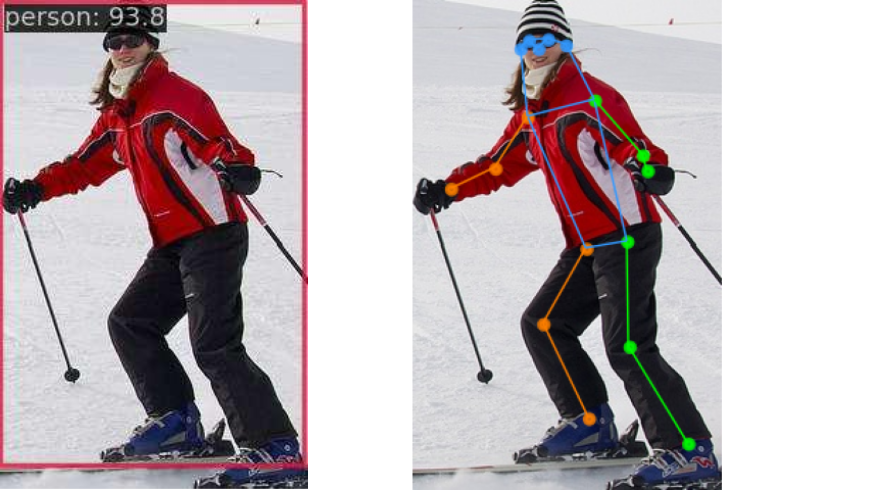
🎊 如果模型顺利导出,你将会看到样例图片上的检测结果:
#### 高级设置
如果需要使用 TensorRT-FP16,你可以通过修改以下配置开启:
```Python
# in MMDeploy config
backend_config = dict(
type='tensorrt',
common_config=dict(
fp16_mode=True # 打开 fp16
))
```
### 🕹️ SDK 推理
要进行 Pipeline 推理,需要先用 MMDeploy 导出 SDK 版本的 det 和 pose 模型,只需要在参数中加上`--dump-info`。
此处以 onnxruntime 的 cpu 模型为例,运行如下命令:
```shell
# RTMDet
# 输入模型路径可以是本地路径,也可以是下载链接。
python tools/deploy.py \
configs/mmdet/detection/detection_onnxruntime_dynamic.py \
../mmpose/projects/rtmpose/rtmdet/person/rtmdet_nano_320-8xb32_coco-person.py \
https://download.openmmlab.com/mmpose/v1/projects/rtmpose/rtmdet_nano_8xb32-100e_coco-obj365-person-05d8511e.pth \
demo/resources/human-pose.jpg \
--work-dir rtmpose-ort/rtmdet-nano \
--device cpu \
--show \
--dump-info # 导出 sdk info
# RTMPose
# 输入模型路径可以是本地路径,也可以是下载链接。
python tools/deploy.py \
configs/mmpose/pose-detection_simcc_onnxruntime_dynamic.py \
../mmpose/projects/rtmpose/rtmpose/body_2d_keypoint/rtmpose-m_8xb256-420e_coco-256x192.py \
https://download.openmmlab.com/mmpose/v1/projects/rtmposev1/rtmpose-m_simcc-aic-coco_pt-aic-coco_420e-256x192-63eb25f7_20230126.pth \
demo/resources/human-pose.jpg \
--work-dir rtmpose-ort/rtmpose-m \
--device cpu \
--show \
--dump-info # 导出 sdk info
```
默认会导出三个 json 文件:
```shell
|----sdk
|----end2end.onnx # ONNX model
|----end2end.engine # TensorRT engine file
|----pipeline.json #
|----deploy.json # json files for the SDK
|----detail.json #
```
#### Python API
```Python
# Copyright (c) OpenMMLab. All rights reserved.
import argparse
import cv2
import numpy as np
from mmdeploy_runtime import PoseDetector
def parse_args():
parser = argparse.ArgumentParser(
description='show how to use sdk python api')
parser.add_argument('device_name', help='name of device, cuda or cpu')
parser.add_argument(
'model_path',
help='path of mmdeploy SDK model dumped by model converter')
parser.add_argument('image_path', help='path of an image')
parser.add_argument(
'--bbox',
default=None,
nargs='+',
type=int,
help='bounding box of an object in format (x, y, w, h)')
args = parser.parse_args()
return args
def main():
args = parse_args()
img = cv2.imread(args.image_path)
detector = PoseDetector(
model_path=args.model_path, device_name=args.device_name, device_id=0)
if args.bbox is None:
result = detector(img)
else:
# converter (x, y, w, h) -> (left, top, right, bottom)
print(args.bbox)
bbox = np.array(args.bbox, dtype=int)
bbox[2:] += bbox[:2]
result = detector(img, bbox)
print(result)
_, point_num, _ = result.shape
points = result[:, :, :2].reshape(point_num, 2)
for [x, y] in points.astype(int):
cv2.circle(img, (x, y), 1, (0, 255, 0), 2)
cv2.imwrite('output_pose.png', img)
if __name__ == '__main__':
main()
```
#### C++ API
```C++
#include "mmdeploy/pose_detector.hpp"
#include "opencv2/imgcodecs.hpp"
#include "opencv2/imgproc.hpp"
#include "utils/argparse.h" // See: https://github.com/open-mmlab/mmdeploy/blob/main/demo/csrc/cpp/utils/argparse.h
DEFINE_ARG_string(model_path, "Model path");
DEFINE_ARG_string(image_path, "Input image path");
DEFINE_string(device_name, "cpu", R"(Device name, e.g. "cpu", "cuda")");
DEFINE_int32(bbox_x, -1, R"(x position of the bounding box)");
DEFINE_int32(bbox_y, -1, R"(y position of the bounding box)");
DEFINE_int32(bbox_w, -1, R"(width of the bounding box)");
DEFINE_int32(bbox_h, -1, R"(height of the bounding box)");
int main(int argc, char* argv[]) {
if (!utils::ParseArguments(argc, argv)) {
return -1;
}
cv::Mat img = cv::imread(ARGS_image_path);
mmdeploy::PoseDetector detector(mmdeploy::Model{ARGS_model_path}, mmdeploy::Device{FLAGS_device_name, 0});
mmdeploy::PoseDetector::Result result{0, 0, nullptr};
if (FLAGS_bbox_x == -1 || FLAGS_bbox_y == -1 || FLAGS_bbox_w == -1 || FLAGS_bbox_h == -1) {
result = detector.Apply(img);
} else {
// convert (x, y, w, h) -> (left, top, right, bottom)
mmdeploy::cxx::Rect rect;
rect.left = FLAGS_bbox_x;
rect.top = FLAGS_bbox_y;
rect.right = FLAGS_bbox_x + FLAGS_bbox_w;
rect.bottom = FLAGS_bbox_y + FLAGS_bbox_h;
result = detector.Apply(img, {rect});
}
// Draw circles at detected keypoints
for (size_t i = 0; i < result[0].length; ++i) {
cv::Point keypoint(result[0].point[i].x, result[0].point[i].y);
cv::circle(img, keypoint, 1, cv::Scalar(0, 255, 0), 2); // Draw filled circle
}
// Save the output image
cv::imwrite("output_pose.png", img);
return 0;
}
```
对于 C++ API 示例,请将 MMDeploy 加入到 CMake 项目中:
```CMake
find_package(MMDeploy REQUIRED)
target_link_libraries(${name} PRIVATE mmdeploy ${OpenCV_LIBS})
```
#### 其他语言
- [C# API 示例](https://github.com/open-mmlab/mmdeploy/tree/main/demo/csharp)
- [JAVA API 示例](https://github.com/open-mmlab/mmdeploy/tree/main/demo/java)
### 🚀 Pipeline 推理
#### 图片推理
如果用户有跟随 MMDeploy 安装教程进行正确编译,在 `mmdeploy/build/bin/` 路径下会看到 `det_pose` 的可执行文件。
```shell
# 前往 mmdeploy 目录
cd ${PATH_TO_MMDEPLOY}/build/bin/
# 单张图片推理
./det_pose rtmpose-ort/rtmdet-nano/ rtmpose-ort/rtmpose-m/ your_img.jpg --device cpu
required arguments:
det_model Detection 模型路径 [string]
pose_model Pose 模型路径 [string]
image 输入图片路径 [string]
optional arguments:
--device 推理设备 "cpu", "cuda" [string = "cpu"]
--output 导出图片路径 [string = "det_pose_output.jpg"]
--skeleton 骨架定义文件路径,或使用预定义骨架:
"coco" [string = "coco", "coco-wholoebody"]
--det_label 用于姿势估计的检测标签 [int32 = 0]
(0 在 coco 中对应 person)
--det_thr 检测分数阈值 [double = 0.5]
--det_min_bbox_size 最小检测框大小 [double = -1]
--pose_thr 关键点置信度阈值 [double = 0]
```
**API** **示例**
\- [`det_pose.py`](https://github.com/open-mmlab/mmdeploy/blob/main/demo/python/det_pose.py)
\- [`det_pose.cxx`](https://github.com/open-mmlab/mmdeploy/blob/main/demo/csrc/cpp/det_pose.cxx)
#### 视频推理
如果用户有跟随 MMDeploy 安装教程进行正确编译,在 `mmdeploy/build/bin/` 路径下会看到 `pose_tracker` 的可执行文件。
- 将 `input` 输入 `0` 可以使用摄像头推理
```shell
# 前往 mmdeploy 目录
cd ${PATH_TO_MMDEPLOY}/build/bin/
# 视频推理
./pose_tracker rtmpose-ort/rtmdet-nano/ rtmpose-ort/rtmpose-m/ your_video.mp4 --device cpu
required arguments:
det_model Detection 模型路径 [string]
pose_model Pose 模型路径 [string]
input 输入图片路径或摄像头序号 [string]
optional arguments:
--device 推理设备 "cpu", "cuda" [string = "cpu"]
--output 导出视频路径 [string = ""]
--output_size 输出视频帧的长边 [int32 = 0]
--flip 设置为1,用于水平翻转输入 [int32 = 0]
--show 使用`cv::imshow`时,传递给`cv::waitKey`的延迟;
-1: 关闭 [int32 = 1]
--skeleton 骨架数据的路径或预定义骨架的名称:
"coco", "coco-wholebody" [string = "coco"]
--background 导出视频背景颜色, "default": 原图, "black":
纯黑背景 [string = "default"]
--det_interval 检测间隔 [int32 = 1]
--det_label 用于姿势估计的检测标签 [int32 = 0]
(0 在 coco 中对应 person)
--det_thr 检测分数阈值 [double = 0.5]
--det_min_bbox_size 最小检测框大小 [double = -1]
--det_nms_thr NMS IOU阈值,用于合并检测到的bboxes和
追踪到的目标的 bboxes [double = 0.7]
--pose_max_num_bboxes 每一帧用于姿势估计的 bboxes 的最大数量
[int32 = -1]
--pose_kpt_thr 可见关键点的阈值 [double = 0.5]
--pose_min_keypoints 有效姿势的最小关键点数量,-1表示上限(n_kpts/2) [int32 = -1]
--pose_bbox_scale 将关键点扩展到 bbox 的比例 [double = 1.25]
--pose_min_bbox_size 最小追踪尺寸,尺寸小于阈值的 bbox 将被剔除 [double = -1]
--pose_nms_thr 用于抑制重叠姿势的 NMS OKS/IOU阈值。
当多个姿态估计重叠到同一目标时非常有用 [double = 0.5]
--track_iou_thr 追踪 IOU 阈值 [double = 0.4]
--track_max_missing 最大追踪容错 [int32 = 10]
```
**API** **示例**
\- [`pose_tracker.py`](https://github.com/open-mmlab/mmdeploy/blob/main/demo/python/pose_tracker.py)
\- [`pose_tracker.cxx`](https://github.com/open-mmlab/mmdeploy/blob/main/demo/csrc/cpp/pose_tracker.cxx)
## 📚 常用功能 [🔝](#-table-of-contents)
### 🚀 模型测速 [🔝](#-table-of-contents)
如果需要测试模型在部署框架下的推理速度,MMDeploy 提供了方便的 `tools/profiler.py` 脚本。
用户需要准备一个存放测试图片的文件夹`./test_images`,profiler 将随机从该目录下抽取图片用于模型测速。
```shell
python tools/profiler.py \
configs/mmpose/pose-detection_simcc_onnxruntime_dynamic.py \
{RTMPOSE_PROJECT}/rtmpose/body_2d_keypoint/rtmpose-m_8xb256-420e_coco-256x192.py \
../test_images \
--model {WORK_DIR}/end2end.onnx \
--shape 256x192 \
--device cpu \
--warmup 50 \
--num-iter 200
```
测试结果如下:
```shell
01/30 15:06:35 - mmengine - INFO - [onnxruntime]-70 times per count: 8.73 ms, 114.50 FPS
01/30 15:06:36 - mmengine - INFO - [onnxruntime]-90 times per count: 9.05 ms, 110.48 FPS
01/30 15:06:37 - mmengine - INFO - [onnxruntime]-110 times per count: 9.87 ms, 101.32 FPS
01/30 15:06:37 - mmengine - INFO - [onnxruntime]-130 times per count: 9.99 ms, 100.10 FPS
01/30 15:06:38 - mmengine - INFO - [onnxruntime]-150 times per count: 10.39 ms, 96.29 FPS
01/30 15:06:39 - mmengine - INFO - [onnxruntime]-170 times per count: 10.77 ms, 92.86 FPS
01/30 15:06:40 - mmengine - INFO - [onnxruntime]-190 times per count: 10.98 ms, 91.05 FPS
01/30 15:06:40 - mmengine - INFO - [onnxruntime]-210 times per count: 11.19 ms, 89.33 FPS
01/30 15:06:41 - mmengine - INFO - [onnxruntime]-230 times per count: 11.16 ms, 89.58 FPS
01/30 15:06:42 - mmengine - INFO - [onnxruntime]-250 times per count: 11.06 ms, 90.41 FPS
----- Settings:
+------------+---------+
| batch size | 1 |
| shape | 256x192 |
| iterations | 200 |
| warmup | 50 |
+------------+---------+
----- Results:
+--------+------------+---------+
| Stats | Latency/ms | FPS |
+--------+------------+---------+
| Mean | 11.060 | 90.412 |
| Median | 11.852 | 84.375 |
| Min | 7.812 | 128.007 |
| Max | 13.690 | 73.044 |
+--------+------------+---------+
```
如果你希望详细了解 profiler 的更多参数设置与功能,可以前往 [Profiler Docs](https://mmdeploy.readthedocs.io/en/main/02-how-to-run/useful_tools.html#profiler)
### 📊 精度验证 [🔝](#-table-of-contents)
如果需要测试模型在部署框架下的推理精度,MMDeploy 提供了方便的 `tools/test.py` 脚本。
```shell
python tools/test.py \
configs/mmpose/pose-detection_simcc_onnxruntime_dynamic.py \
{RTMPOSE_PROJECT}/rtmpose/body_2d_keypoint/rtmpose-m_8xb256-420e_coco-256x192.py \
--model {PATH_TO_MODEL}/rtmpose_m.pth \
--device cpu
```
详细内容请参考 [MMDeploys Docs](https://github.com/open-mmlab/mmdeploy/blob/main/docs/zh_cn/02-how-to-run/profile_model.md)
## 📜 引用 [🔝](#-table-of-contents)
如果您觉得 RTMPose 对您的研究工作有所帮助,请考虑引用它:
```bibtex
@misc{https://doi.org/10.48550/arxiv.2303.07399,
doi = {10.48550/ARXIV.2303.07399},
url = {https://arxiv.org/abs/2303.07399},
author = {Jiang, Tao and Lu, Peng and Zhang, Li and Ma, Ningsheng and Han, Rui and Lyu, Chengqi and Li, Yining and Chen, Kai},
keywords = {Computer Vision and Pattern Recognition (cs.CV), FOS: Computer and information sciences, FOS: Computer and information sciences},
title = {RTMPose: Real-Time Multi-Person Pose Estimation based on MMPose},
publisher = {arXiv},
year = {2023},
copyright = {Creative Commons Attribution 4.0 International}
}
@misc{mmpose2020,
title={OpenMMLab Pose Estimation Toolbox and Benchmark},
author={MMPose Contributors},
howpublished = {\url{https://github.com/open-mmlab/mmpose}},
year={2020}
}
```