# Sol
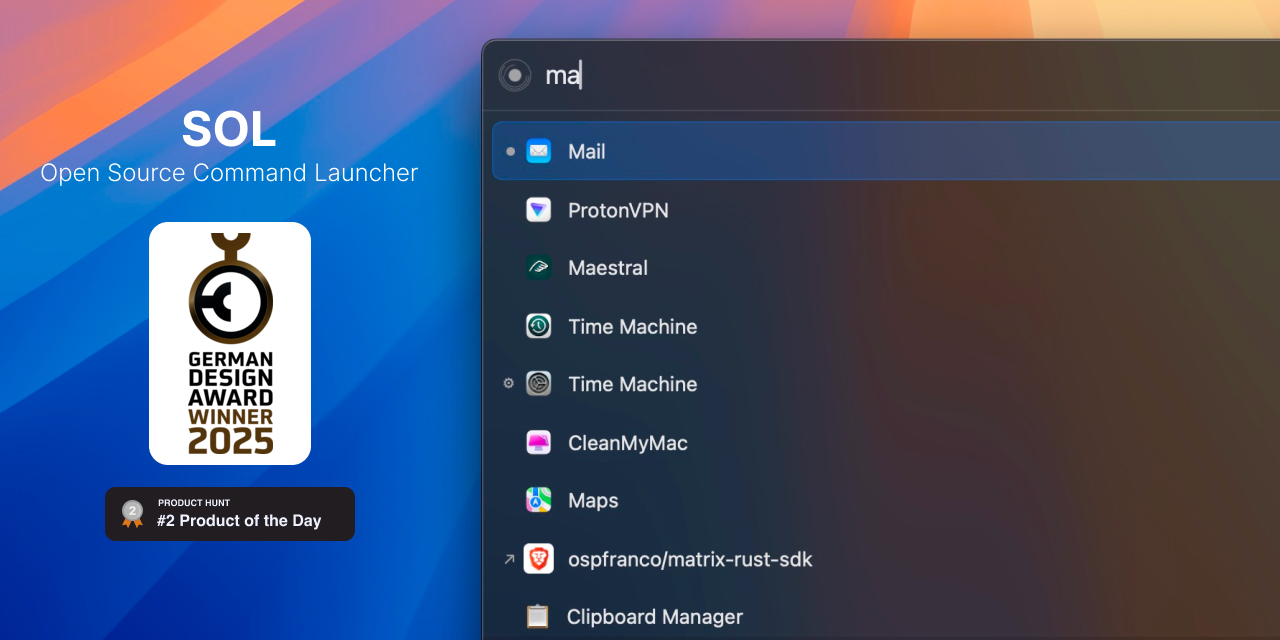
Sol is an open source app launcher, focused on ease of use and speed. It has minimal configuration and runs natively.
[Visit official site](https://sol.ospfranco.com)
## Download
Install via brew
```
brew install --cask sol
```
Or manually download the latest [release](https://github.com/ospfranco/sol/tree/main/releases).
## Discord
Join the Discord
https://discord.gg/W9XmqCQCKP
## Features
- App search
- Custom shortcuts
- Google translate
- Calendar
- Show upcoming appointement in Menu Bar
- Custom AppleScript commands
- Custom links
- Imports browser bookmarks
- Window Manager
- Emoji picker with emoji through [Emoji 17.0](https://unicode.org/Public/17.0.0/emoji/emoji-test.txt), macOS compatibility filtering, and a preferred skin tone
- Clipboard manager
- Notes Scratchpad
- Retrieve Wi-Fi password
- Show IP address
- Start a google meet
- Switch OS theme
- Process killer
- Generate NanoID
- Generate UUID
- Generate lorem ipsum
- Format and paste JSON
- Forward media keys to Spotify/Apple Music
- Blacken Menu Bar
- Quickly evaluate math operations
- Script Runner
- Symbolic Link Support
## Emoji compatibility
Sol keeps its macOS 14.0 minimum and shows only emoji supported by the installed macOS version.
Newer entries carry a minimum macOS version in the bundled catalog:
| Emoji additions | Minimum macOS |
| --- | --- |
| Through Emoji 15.0 | 14.0 (Sol's minimum) |
| Emoji 15.1 | [14.4](https://support.apple.com/en-us/109035) |
| Emoji 16.0 | [15.4](https://support.apple.com/en-us/120283) |
| Emoji 17.0 | [26.4](https://support.apple.com/en-us/122868) |
Version checks compare numeric components and accept later releases automatically; no annual compatibility update is required for existing entries.
Unsupported emoji are excluded from browsing, search, and the seven-entry favorites row, but their saved usage counts are retained.
When those emoji become supported after an OS upgrade, they participate in the normal top-seven favorites ranking.
### Preferred skin tone
Set the preferred skin tone under Settings → General → Emoji Skin Tone.
Choose default yellow or one of five skin tones; the preference is saved as `emojiSkinTone` in `~/.config/sol/config.json`.
Browsing, search, favorites, and insertion use the selected tone wherever Unicode defines a matching variant.
Emoji without tone variants remain unchanged.
Changing the preference preserves favorites and usage counts, which remain associated with the original default emoji.
For multi-person emoji, the global preference applies the same tone to everyone where Unicode defines that variant; mixed tones and one-off overrides are not included.
Tone variants follow their own minimum macOS version, which can be newer than the default emoji.
For example, bunny-ear and wrestling emoji gained tones in Emoji 17.0 and require macOS 26.4 for those variants.
When the preferred variant is unsupported, Sol keeps the supported default emoji available.
## Contributing
You need to set up your machine for macOS development with React Native. Basically you need to install:
- Mise (https://mise.jdx.dev/)
- Xcode
- Cocoapods
Follow any of the online tutorials to set up your machine for iOS/MacOS React Native development.
Once you have everything installed run the following commands
```sh
mise plugin add cocoapods
# To enable hooks
mise settings experimental=true
# Will install all bun, ruby and run the installation of dependencies
mise install
# You can then run the app with
bun macos
```
## License
MIT License
