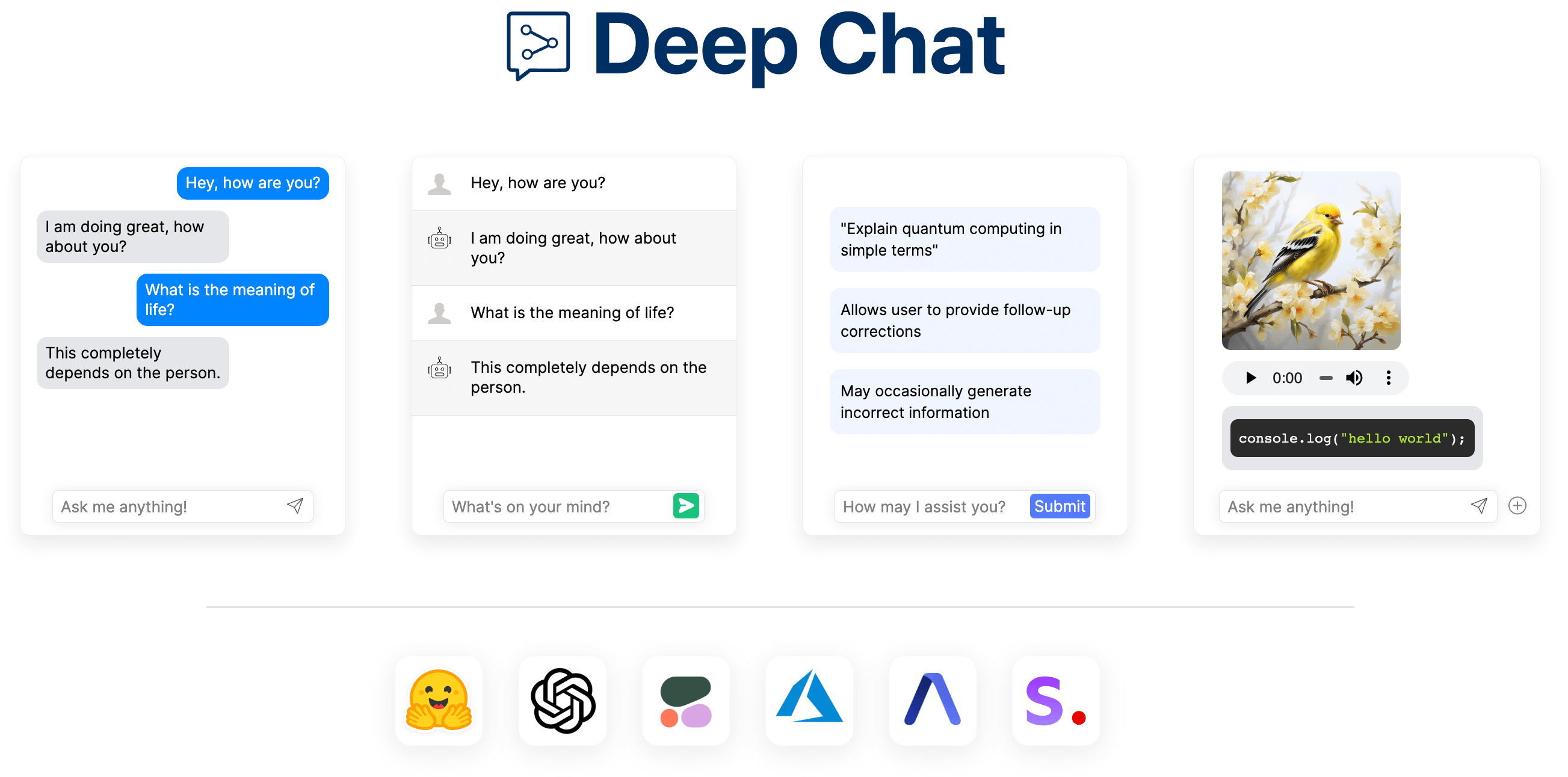
Deep Chat is a fully customizable AI chat component that can be injected into your website with just _one line of code_. Whether you want to create a chatbot that leverages popular APIs such as ChatGPT or connect to your own custom service, this component can do it all! Explore [deepchat.dev](https://deepchat.dev/) to view all of the available features, how to use them, examples and more!
### :rocket: Main Features
- Connect to any API
- Avatars
- Names
- Send/Receive files
- Capture photos via webcam
- Record audio via microphone
- Speech To Speech communication
- Speech To Text for message input
- Text To Speech to hear message responses
- Support for MarkDown and custom elements to help structure text and render code
- Introduction panel and dynamic modals to help describe functionality for your users
- Connect to more than 20 popular AI APIs such as OpenAI or Claude directly from the browser
- Communicate with Speech to Speech models
- Support for all major ui frameworks/libraries
- Host a model on the browser
- Focus mode to only display the latest messages
- Everything is customizable!
### :computer: Getting started
```
npm install deep-chat-react
```
Simply add the following to your markup:
```
```
Explore live examples for React and other frameworks [here](https://deepchat.dev/examples/frameworks).
### :computer: Install with AI
Use the [llms.txt](https://github.com/OvidijusParsiunas/deep-chat/blob/main/llms.txt) file as a reference for installing and configuring Deep Chat with your code assistant:
```
"Use https://github.com/OvidijusParsiunas/deep-chat/blob/main/llms.txt to add a chat component to my website."
```
### :zap: Connect
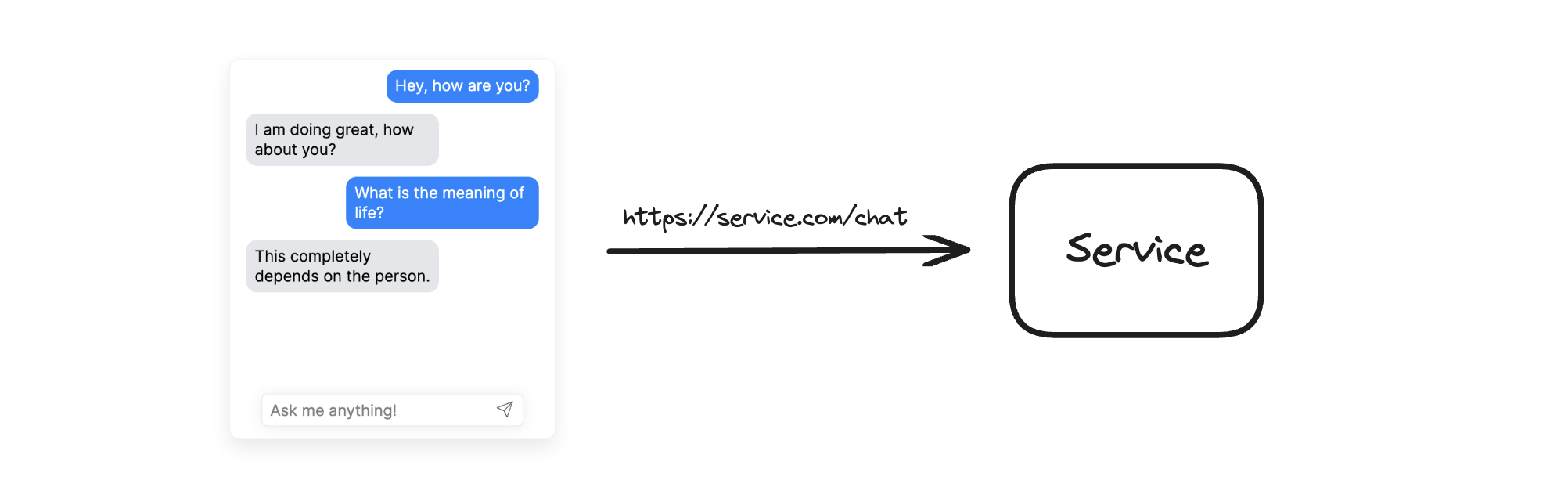
Connecting to a service is simple, all you need to do is define its API details using the [`connect`](https://deepchat.dev/docs/connect#connect-1) property:
```
```
The service will need to be able to handle request and response formats used in Deep Chat. Please read the [Connect](https://deepchat.dev/docs/connect) section in documentation and check out the [server template](https://deepchat.dev/examples/servers) examples.
Alternatively, if you want to connect without changing the target service, use the [`interceptor`](https://deepchat.dev/docs/interceptors) properties to augment the transferred objects or the [`handler`](https://deepchat.dev/docs/connect#Handler) function to control the request code.
### :electric_plug: Direct connection
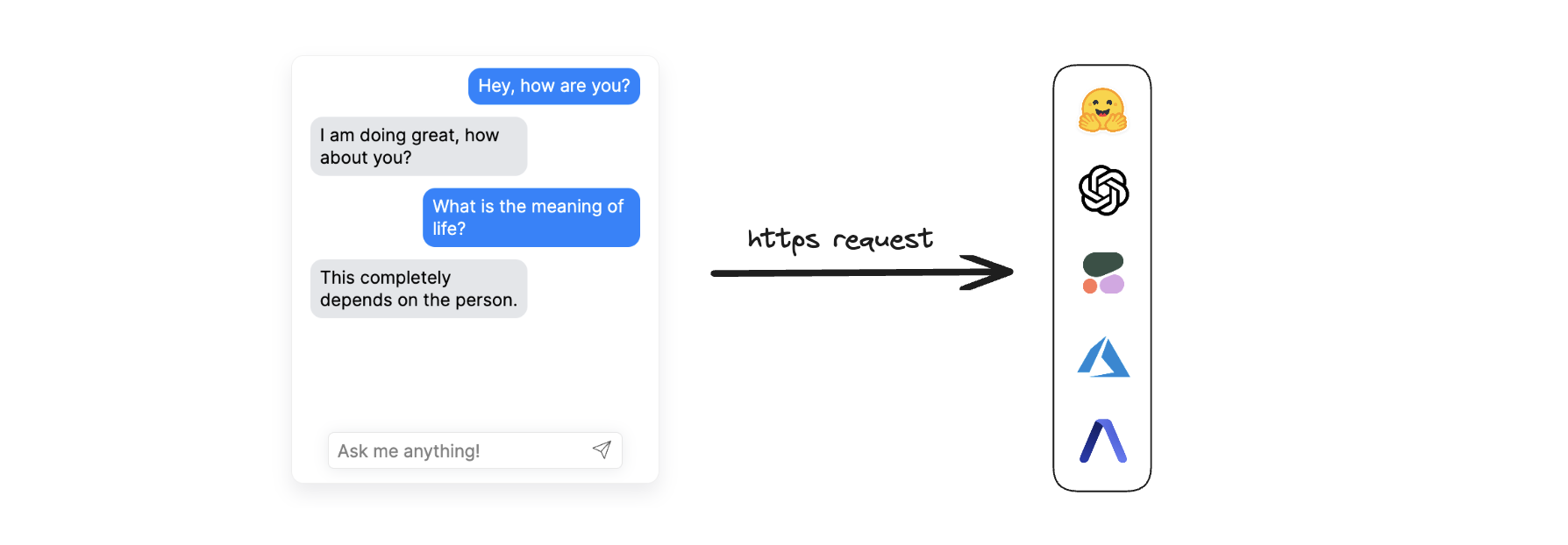
Connect to popular AI APIs directly from the browser via the use of the [`directConnection`](https://deepchat.dev/docs/directConnection/#directConnection) property:
```
```
Please note that this approach should be used for local/prototyping/demo purposes ONLY as it exposes the API Key to the browser. When ready to go live, please switch to using the [`connect`](https://deepchat.dev/docs/connect#connect-1) property described above along with a [proxy service](https://github.com/OvidijusParsiunas/deep-chat/tree/main/example-servers).
### :robot: Web model

No servers, no connections, host an LLM model entirely on your browser.
Simply add the [deep-chat-web-llm](https://deepchat.dev/examples/externalModules) module and define the [webModel](https://deepchat.dev/docs/webModel) property:
```
```
### :camera: :microphone: Camera and Microphone
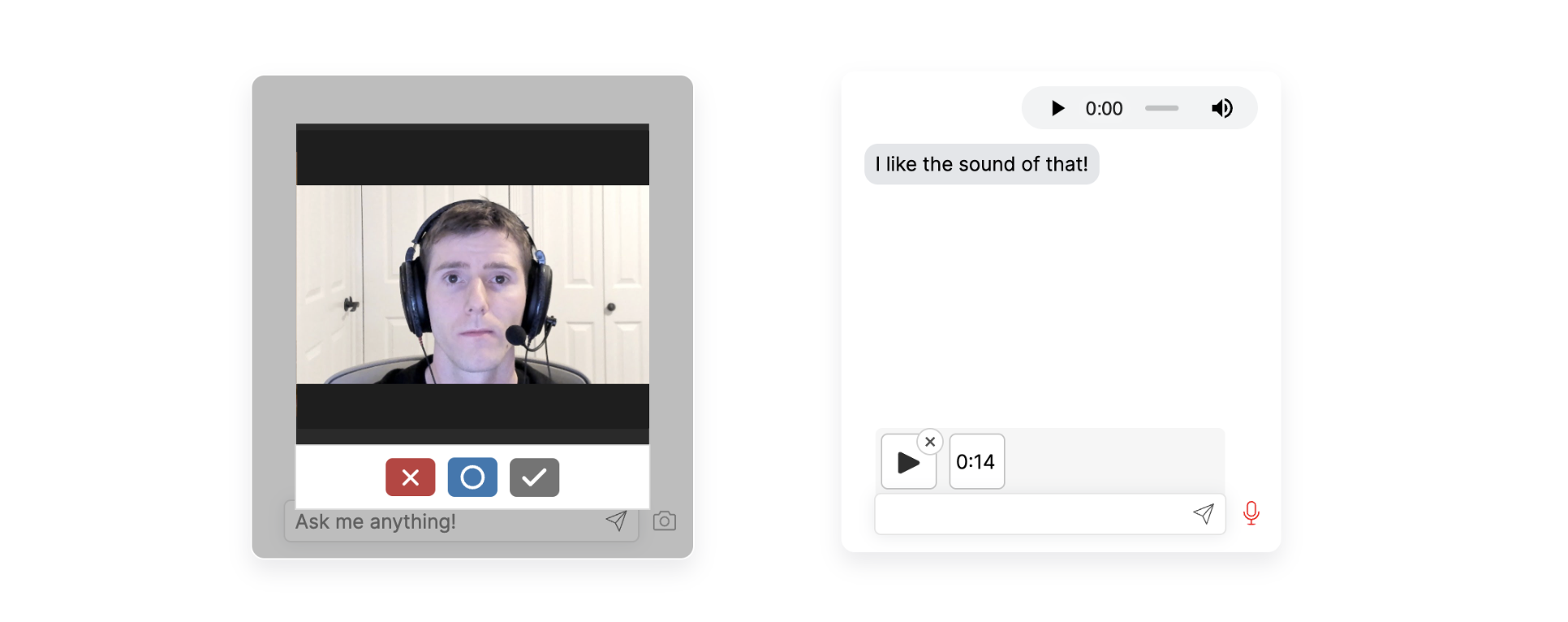
Use Deep Chat to capture photos with your webcam and record audio with the microphone. You can enable this using the [`camera`](https://deepchat.dev/docs/files#camera) and [`microphone`](https://deepchat.dev/docs/files#microphone) properties:
```
```
### :microphone: :sound: Speech
https://github.com/OvidijusParsiunas/deep-chat/assets/18709577/e103a42e-b3a7-4449-b9db-73fed6d7876e
Input text with your voice using Speech To Text capabilities and have the responses read out to you with Text To Speech. You can enable this functionality via the [`speechToText`](https://deepchat.dev/docs/speech#speechToText) and [`textToSpeech`](https://deepchat.dev/docs/speech#textToSpeech) properties.
```
```
### :beginner: Examples
Check out live codepen examples for your [UI framework/library](https://deepchat.dev/examples/frameworks) of choice:
| React | Vue 2 | Vue 3 | Svelte | SvelteKit | Angular | Solid | Next | Nuxt | VanillaJS |
| ------------------------------------------------------------------------------------------------------------------------------------------------------------------------------------------------------------------------ | ------------------------------------------------------------------------------------------------------------------------------------------------------------------------------------------------------------------------ | --------------------------------------------------------------------------------------------------------------------------------------------------------------------------------------------------------------------- | ----------------------------------------------------------------------------------------------------------------------------------------------------------------------------------------------------------------------------- | ------------------------------------------------------------------------------------------------------------------------------------------------------------------------------------------------------------------------------------------------------------------------ | ---------------------------------------------------------------------------------------------------------------------------------------------------------------------------------------------------------------------------------------------------- | ------------------------------------------------------------------------------------------------------------------------------------------------------------------------------------------------------------------------ | ------------------------------------------------------------------------------------------------------------------------------------------------------------------------------------------------------ | --------------------------------------------------------------------------------------------------------------------------------------------------------------------------------------------------------------------- | ---------------------------------------------------------------------------------------------------------------------------------------------------------------------------------------------------------------------------------- |
|  |
 | |
 | |
 |
 |
 |
 |
 |
Setting up your own server has never been easier with the following [server templates](https://deepchat.dev/examples/servers). From creating your own service to establishing proxies for other APIs such as OpenAI, everything has been documented with clear examples to get you up and running in seconds:
| Express | Nest | Flask | Spring | Go | SvelteKit | Next |
| ------------------------------------------------------------------------------------------------------------------------------------------------------------------------------------------------------------------------------------------------- | --------------------------------------------------------------------------------------------------------------------------------------------------------------------------------------------------------------------------------------------- | ----------------------------------------------------------------------------------------------------------------------------------------------------------------------------------------------------------------------------------------------- | ------------------------------------------------------------------------------------------------------------------------------------------------------------------------------------------------------------------------------------------------------- | ---------------------------------------------------------------------------------------------------------------------------------------------------------------------------------------------------------------------------------- | ------------------------------------------------------------------------------------------------------------------------------------------------------------------------------------------------------------------------------------------------------------------------ | ---------------------------------------------------------------------------------------------------------------------------------------------------------------------------------------------------------------------------------------- |
|
 |
 |
 |
 |
 | | |
All examples are ready to be deployed on a hosting platform such as [Vercel](https://vercel.com/).
## :tv: Tutorials
Demo videos are available on [YouTube](https://www.youtube.com/@ovi-il4rg/videos):

## :construction_worker: Local setup
```
# Install node dependencies:
$ npm install
# Build the wrapper:
$ npm run build
```
If you wish to edit the component functionality, please see the core [Deep Chat](https://www.npmjs.com/package/deep-chat) package and import your forked package into this component as has been done for `deep-chat`.
## :heart: Contributions
Open source is built by the community for the community. All contributions to this project are welcome!
Additionally, if you have any suggestions for enhancements, ideas on how to take the project further or have discovered a bug, do not hesitate to create a new issue ticket and we will look into it as soon as possible!