
MoRead · 墨知
English · 简体中文
A minimal, native Android reader for local books, with a customizable AI reading companion.



MoRead is a local-first reading app with no account requirement or analytics. Import your own books and, optionally, connect directly to an AI provider using your own API key (BYOK)—there is no MoRead proxy server. Without a network connection or API key, it remains a fully usable offline reader.
> **App language:** the interface is currently primarily Chinese. An Android string-resource foundation and partial English translations are available; a complete English UI is not yet included. See the [localization guide](docs/LOCALIZATION.md) to help translate.
## Screenshots
These are direct app screenshots from an Android emulator at **1080 × 2280, portrait**. The books contain original sample text. Chats and annotations are preset demo data, **not results from live model testing**.
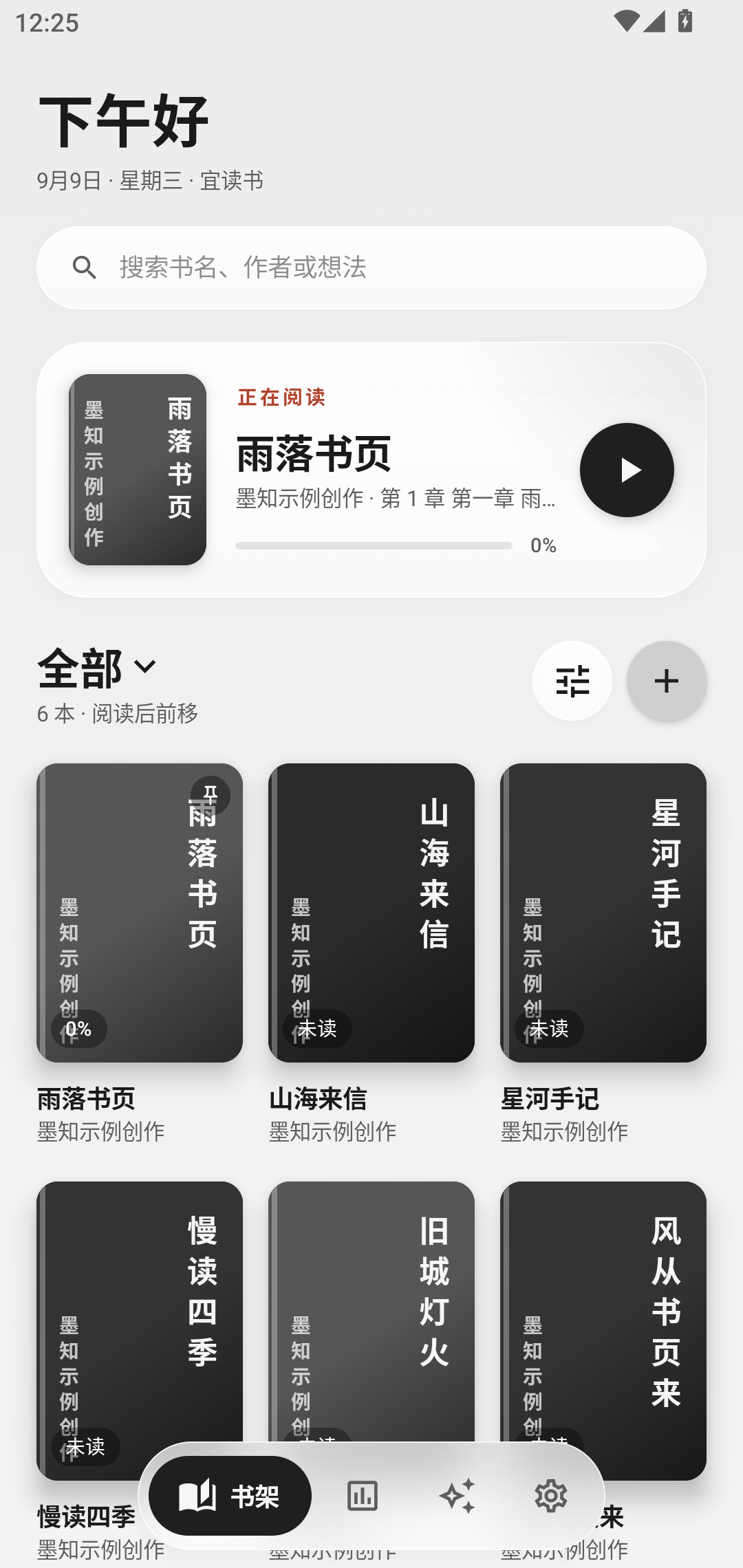
Bookshelf · Continue reading and organize books |
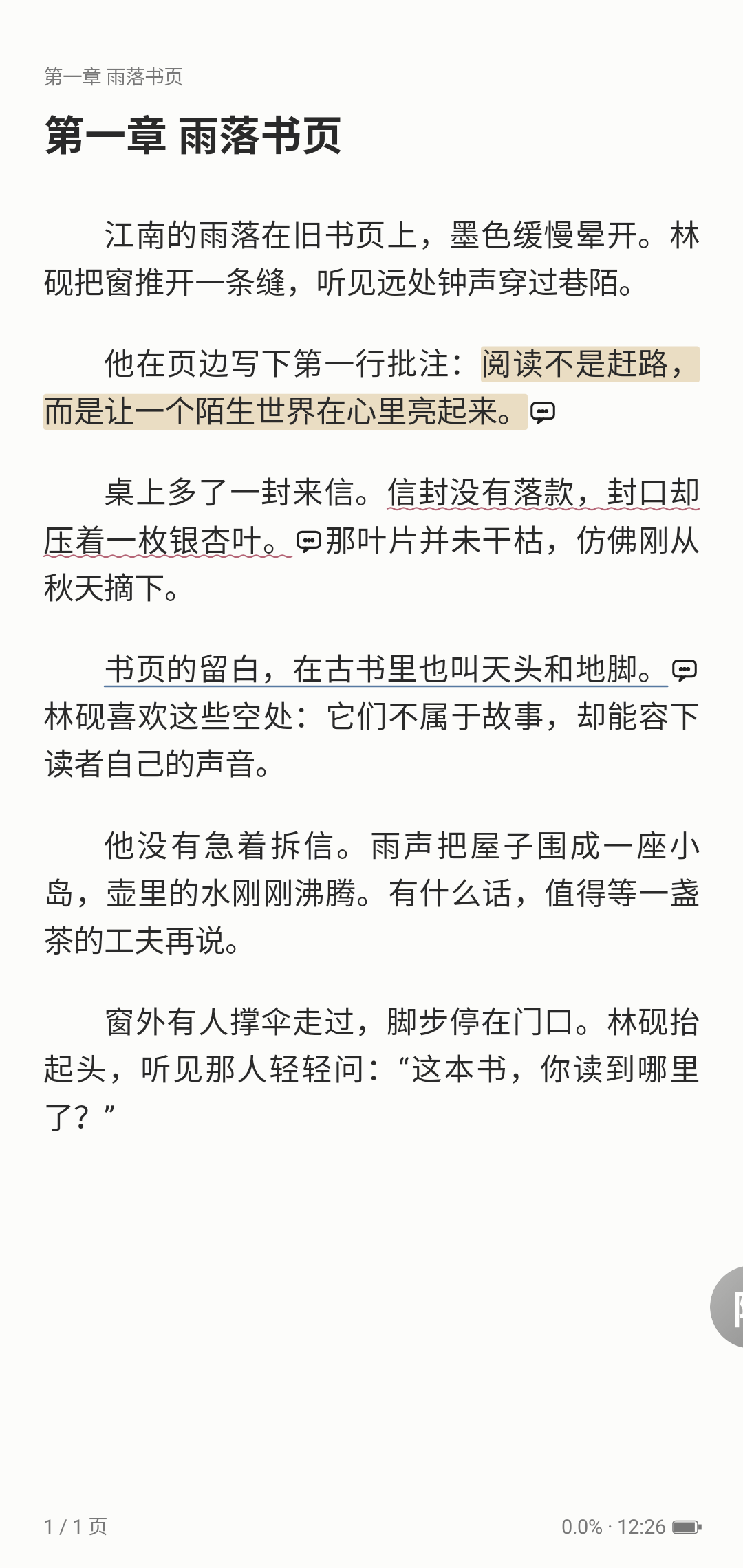
Reader · Spacious typography and three annotation styles |
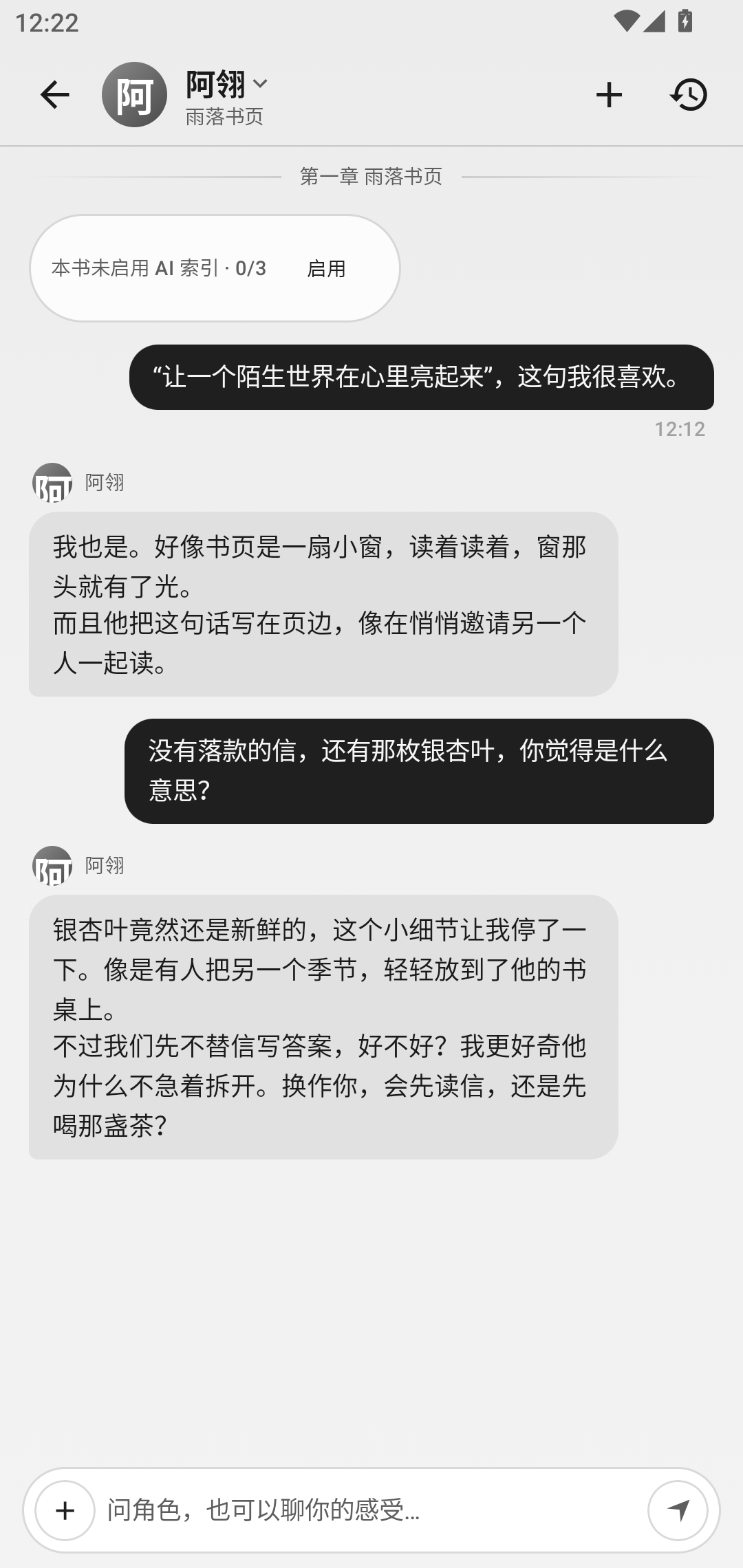
AI companion · Discuss your book with a character |
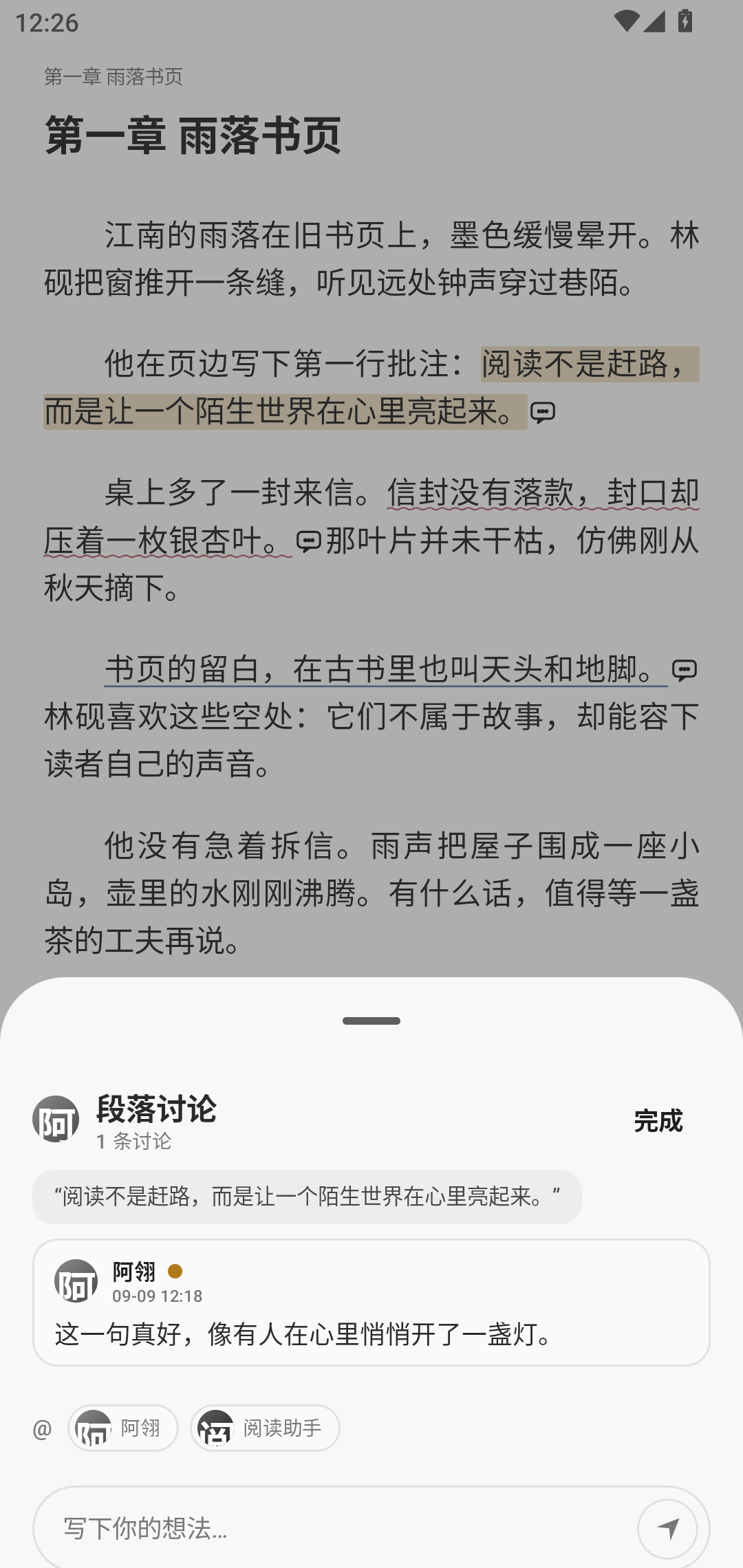
Paragraph discussion · Start a conversation from a passage |
## Features
This list describes the current source tree. For features in a packaged release, check its release notes.
### Reading
- **Automatic reading:** adjustable continuous scrolling or timed page turns, with a compact reader control sheet and explicit pause behavior.
- **Chapter outlines:** open **Contents → Outline** to save coherent chapter recaps with expandable source evidence. Chapters generate independently, with up to two model requests at a time; the navigation panel keeps its position while scrolling or switching tabs.
- **Whole-book characters:** the adjacent **Characters** tab can scan the entire book, including unread chapters, after confirmation. Stop and resume extraction, search saved character cards, and open their source passages.
- **TXT and EPUB import:** automatic encoding detection, regex-based chapter splitting using Legado’s rule set, and a preview with customizable chapter rules.
- **Native rendering:** classic and modern page-curl, cover, and slide animations; EPUB parsing and layout for supported CSS, block/inline content, floats, tables, backgrounds, and images. Includes text-selection handles, paragraph annotations and comments, bookmarks, and in-book search.
- **Quick bookmarks:** in paginated mode, pull down until the release cue appears, then release to add a bookmark. Repeating the gesture never removes an existing bookmark. It is disabled in continuous vertical scrolling mode.
- **Typography and themes:** font size, line spacing, margins, light/dark themes, custom three-color reading palettes, and generated vertical-text covers for books without artwork.
- **Reading tools:** local MDX/MDD dictionaries, selection lookup, saved vocabulary, and optional bilingual reading with paragraph translation, glosses, and phonetics. Customize tap zones, physical page-turn keys, heading styles, and gradient or image highlighting; preview text cleanup before applying.
- **Highlights and notes review:** filter by books, companions, and content; browse cards or full-screen excerpts, invite companion commentary and co-writing, and export with reusable share templates.
- **Continuous read-aloud:** system TTS or cloud AI TTS, sentence highlighting, automatic page/chapter advancement, and notification playback controls.
- **Library organization:** groups, collections, drag-to-reorder, pinning, and reading states. Collection targets stay in place while a book is dragged into them; long-press menus adapt to available space and appear above the bottom navigation. Simplified/Traditional Chinese conversion preserves reading position.
- **Large-screen support:** adaptive bookshelf grids, settings and conversation sidebars, split book-detail and audiobook views, optional two-page spreads, and side-by-side reading and companion chat.
- **Reading statistics:** all-time, yearly, monthly, weekly, and daily views with large heatmaps, a book-cover calendar, reading timelines, time-of-day analysis, and colorful tag/author clouds. See consecutive reading days for each book and open a date for its full reading record. Choose and reorder widgets; export notes as Markdown.
### AI companion · bring your own API key
- **Library companion:** talk without picking a book first, search across local books on demand, and verify citations in the original text. Edit messages, branch a conversation, regenerate a reply, or retry an interrupted turn. Bookshelf organization proposals require confirmation.
- **Optional reranking:** assign a dedicated rerank model to reorder retrieved evidence. Input size and time are bounded, unread text is excluded, and failures keep the original retrieval order. Leaving it unassigned makes no rerank requests.
- **Four streaming protocols:** OpenAI-compatible, OpenAI Responses, Claude, and Gemini. Assign chat, embedding, speech, and image models independently, including from the same provider. Base URLs support HTTPS and trusted local-network HTTP.
- **Character cards:** import SillyTavern PNG/JSON cards, world books, and custom avatars.
- **Reading agent:** understands the current chapter and reading progress, locates chapters through the volume/part table of contents, retrieves source text using vector and lexical search, and reads back existing highlights, notes, and the plot summary.
- **Companion actions:** annotate passages, create or update notes, maintain a single rolling plot summary, generate illustrations, and read text aloud. Separate settings control the character’s write permissions.
- **Spoiler boundaries:** companion conversations and chapter outlines respect your reading progress. Whole-book character extraction has a separate confirmation and can include later plot details.
- **Proactive paragraph annotations:** character-voiced comments within the read portion of the book, with highlights, wavy underlines, or straight underlines. Global and per-book quotas, serialized background jobs, deduplication, and cancellation keep generation bounded.
- **Character reactions:** free, built-in count notices by default; optionally use a fast model for a short in-character reaction, or turn notices off entirely.
- **Chat experience:** streaming responses, conversation history, manual scrolling, stop controls, stable positioning when opening history, and reuse of layout caches when returning to the reader.
- **Long-term memory:** conversations are summarized into retrievable memories, scoped to the book, character, and user persona.
- **Ask about a selection:** translation, explanations, questions, suggested replies, and one-tap plot summaries.
- **Media generation:** OpenAI image endpoints, image output through chat endpoints, and NovelAI; speech through system engines, MiniMax, and OpenAI-compatible endpoints. Speech and image generation can also be configured independently of model assignments.
### Privacy
- A dedicated storage page manages book data, indexes, speech, and retained records. Removing a book can preserve personal records; permanent removal is a separate choice. Image categories, image export, and an independent app font help manage local resources.
- Books, annotations, notes, and chats are stored on your device. MoRead has no proprietary backend service.
- Optional WebDAV offers full manual backups, lightweight automatic backups, transfer progress, and validation before restore. Restore preparation runs in the background before a safe restart.
- API keys are stored in Android EncryptedSharedPreferences. Enabled AI features connect directly to the providers you configure.
- Books are imported through the system file picker; the app does not request all-files storage access.
## Download
Get the latest officially signed APK from [Releases](https://github.com/ovo066/MoRead/releases). Requires **Android 8.0 (API 26) or later**.
## Getting started
1. Import a book from the bookshelf, or use **Open with → MoRead** on a TXT/EPUB file in your file manager.
2. Optionally open **Settings → AI providers**, add a provider and API key, and assign chat, embedding, speech, and image models. Speech and image generation also have their own configuration pages.
3. Long-press text in the reader to translate, explain, or ask a question. The reader toolbar opens the table of contents, read-aloud controls, and companion chat.
## Contributing
Start with the [code map](docs/CODE_MAP.md) (Chinese) for module boundaries, call paths, and regression-test entry points. Translation contributions are welcome; see [Localization](docs/LOCALIZATION.md) for the current scope and resource conventions.
## Build from source
- Requires **JDK 21** and **Android SDK 37**. Open the project in Android Studio or run `./gradlew :app:assembleDebug`. Android bytecode still targets Java 17; JVM UI tests load the Markdown renderer's Java 21 classes.
- On Windows, if the checkout path contains Chinese characters, use `powershell -ExecutionPolicy Bypass -File scripts/gradle.ps1 ` to avoid path issues.
- Run regression and packaging checks with `./gradlew :app:testDebugUnitTest :app:assembleRelease :app:assemblePerformance`.
- **Release signing:** no signing keys are included. Place a local `keystore.properties` file at the repository root with `storeFile`, `storePassword`, `keyAlias`, and `keyPassword`, then run `:app:assembleRelease`. Without a signing configuration, the release APK is unsigned. Never commit keys or signing passwords.
## Disclaimer
MoRead does not provide, bundle, recommend, or distribute book content, and has no online book-source feature. All reading content comes from local files imported by the user, who is responsible for complying with applicable copyright requirements. AI output is generated by user-configured third-party models and does not represent this project’s views.
## License
Licensed under [GPL-3.0](LICENSE). MoRead reuses Legado’s GPL-3.0 chapter-splitting rules and draws on its reader-rendering design. See [THIRD_PARTY_NOTICES.md](THIRD_PARTY_NOTICES.md) for the complete third-party notices.