**Fast · Workflow-first · Open source**
# Neo
### Built for real engineering.
Neo turns complex repository work into a visible workflow. Keep the plan,
tools, tests, reviews, and delivery moving in one terminal.
[](https://go.dev/) [](https://github.com/owainlewis/neo/releases/latest) [](LICENSE)
[Quick start](#quick-start) · [Documentation](website/src/content/docs/docs/quick-start.md) · [Releases](https://github.com/owainlewis/neo/releases)
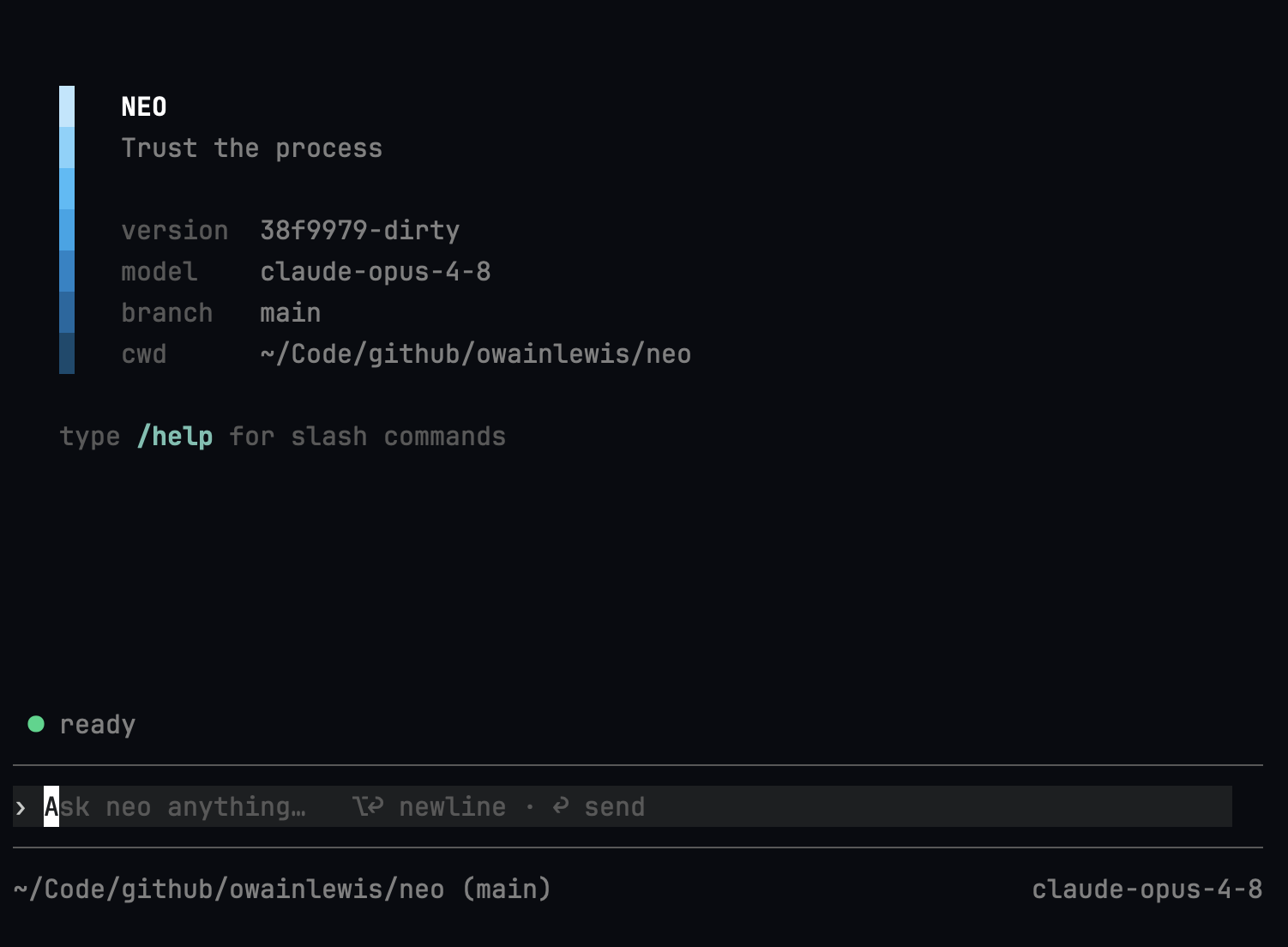 ## From task to verified change
Neo works where engineering happens: in your repository, with your project
instructions, tools, and git history. Give it a real task and follow the work
from first inspection to tested change.
- **Visible by default.** See the plan, active work, tool activity, tests, and
delegated tasks without reading a wall of chat.
- **One coordinator, focused workers.** Delegate bounded work to subagents and
bring their evidence back into one coherent workflow. Independent reads,
searches, and inspection subagents can run in parallel.
- **Your model, your choice.** Use Anthropic, OpenAI, Google Gemini, or
OpenRouter, and switch models for the active provider without leaving the terminal.
- **Sandbox-first execution.** Let the runtime contain tools, and optionally
confirm selected interactive tool calls. Steer active work or queue the next
instruction at any time.
- **A small, dependable foundation.** One native Go binary, built-in tools,
local sessions, no runtime or plugin stack, and no product telemetry.
## Quick start
### 1. Install Neo
```bash
curl -fsSL https://raw.githubusercontent.com/owainlewis/neo/main/install.sh | bash
```
The installer downloads the matching GitHub release and verifies its SHA-256
checksum before installing it. See the [installation guide](website/src/content/docs/docs/install.md)
for version pinning and custom install directories.
### 2. Connect a model
Neo uses Anthropic by default:
```bash
export ANTHROPIC_API_KEY="sk-ant-..."
```
Prefer OpenAI, Gemini, or OpenRouter? The
[provider guide](website/src/content/docs/docs/quick-start.md) covers API keys,
ChatGPT/Codex subscription login, and the small `neo.yaml` config.
### 3. Start in a repository
```bash
cd your-project
neo
```
Then give Neo the outcome and the process you expect:
```text
Find the cause of the failing test, plan the fix, implement it, run the
relevant checks, and review the final diff.
```
## Make the workflow yours
Neo follows repository instructions from `AGENTS.md` and reusable skills from
`.neo/skills/`. Define how your team plans, tests, reviews, and ships once, then
let every task follow the same process.
Neo also ships with focused `/design`, `/plan`, `/build`, and `/review` phases.
Each phase is a named prompt shown in the workflow UI for that turn. Add or
override phases through `neo.yaml` without installing a skill.
Continue with the [user guide](website/src/content/docs/docs/quick-start.md),
or explore the [technical reference](docs/developer/index.md) for configuration,
sandboxing, tool approvals, sessions, tools, skills, and the CLI.
## Contributing
```bash
git clone https://github.com/owainlewis/neo.git
cd neo
go test ./...
go run ./cmd/neo
```
Start with the [developer documentation](docs/developer/index.md) before
changing the agent loop, providers, tools, or TUI.
## License
[MIT](LICENSE) © Neo Contributors
## From task to verified change
Neo works where engineering happens: in your repository, with your project
instructions, tools, and git history. Give it a real task and follow the work
from first inspection to tested change.
- **Visible by default.** See the plan, active work, tool activity, tests, and
delegated tasks without reading a wall of chat.
- **One coordinator, focused workers.** Delegate bounded work to subagents and
bring their evidence back into one coherent workflow. Independent reads,
searches, and inspection subagents can run in parallel.
- **Your model, your choice.** Use Anthropic, OpenAI, Google Gemini, or
OpenRouter, and switch models for the active provider without leaving the terminal.
- **Sandbox-first execution.** Let the runtime contain tools, and optionally
confirm selected interactive tool calls. Steer active work or queue the next
instruction at any time.
- **A small, dependable foundation.** One native Go binary, built-in tools,
local sessions, no runtime or plugin stack, and no product telemetry.
## Quick start
### 1. Install Neo
```bash
curl -fsSL https://raw.githubusercontent.com/owainlewis/neo/main/install.sh | bash
```
The installer downloads the matching GitHub release and verifies its SHA-256
checksum before installing it. See the [installation guide](website/src/content/docs/docs/install.md)
for version pinning and custom install directories.
### 2. Connect a model
Neo uses Anthropic by default:
```bash
export ANTHROPIC_API_KEY="sk-ant-..."
```
Prefer OpenAI, Gemini, or OpenRouter? The
[provider guide](website/src/content/docs/docs/quick-start.md) covers API keys,
ChatGPT/Codex subscription login, and the small `neo.yaml` config.
### 3. Start in a repository
```bash
cd your-project
neo
```
Then give Neo the outcome and the process you expect:
```text
Find the cause of the failing test, plan the fix, implement it, run the
relevant checks, and review the final diff.
```
## Make the workflow yours
Neo follows repository instructions from `AGENTS.md` and reusable skills from
`.neo/skills/`. Define how your team plans, tests, reviews, and ships once, then
let every task follow the same process.
Neo also ships with focused `/design`, `/plan`, `/build`, and `/review` phases.
Each phase is a named prompt shown in the workflow UI for that turn. Add or
override phases through `neo.yaml` without installing a skill.
Continue with the [user guide](website/src/content/docs/docs/quick-start.md),
or explore the [technical reference](docs/developer/index.md) for configuration,
sandboxing, tool approvals, sessions, tools, skills, and the CLI.
## Contributing
```bash
git clone https://github.com/owainlewis/neo.git
cd neo
go test ./...
go run ./cmd/neo
```
Start with the [developer documentation](docs/developer/index.md) before
changing the agent loop, providers, tools, or TUI.
## License
[MIT](LICENSE) © Neo Contributors