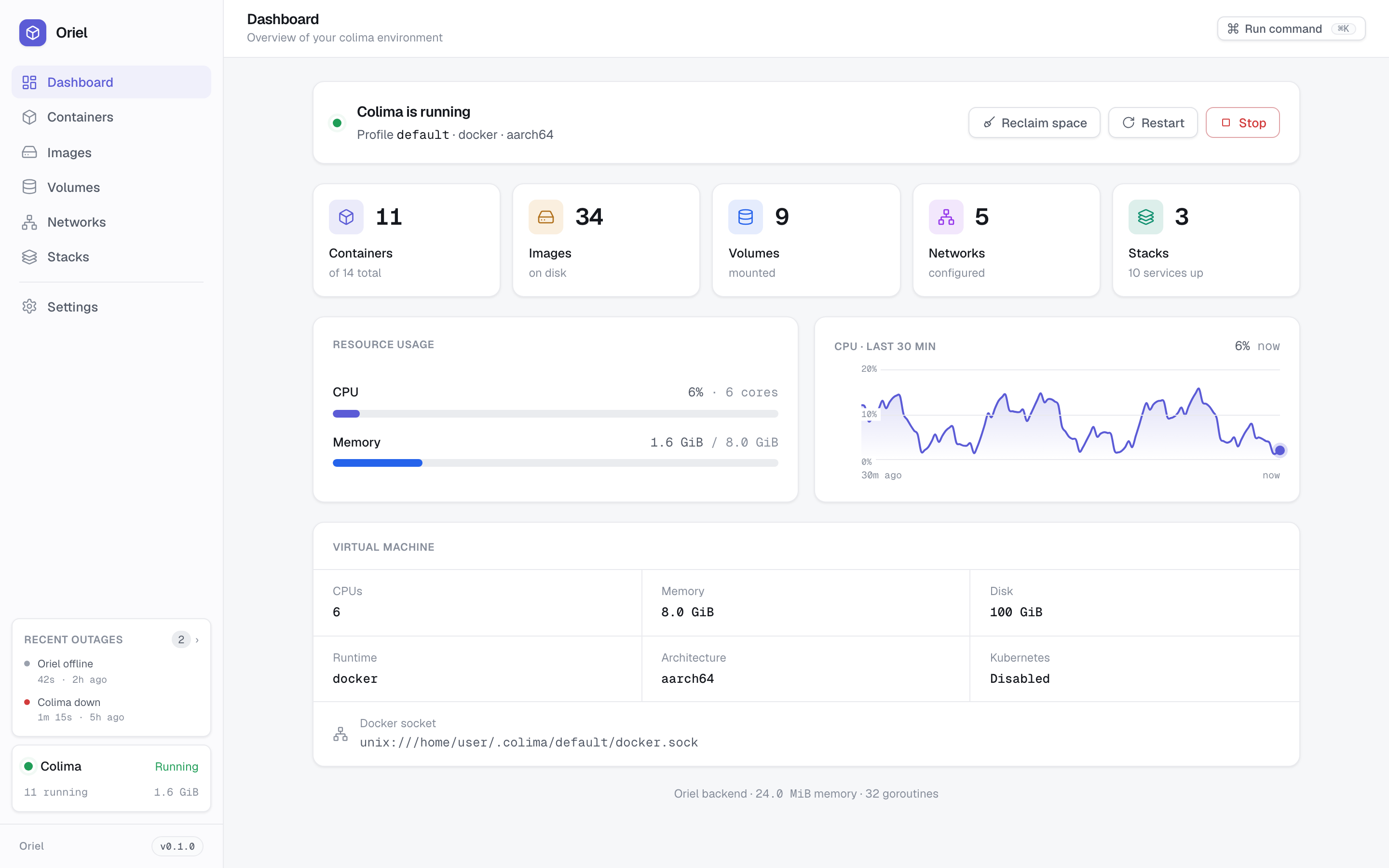
Oriel # Oriel **The local Docker GUI an AI can drive, safely.** Manage containers, images, volumes, networks, and Compose from a clean browser UI. Or hand the job to an AI: any MCP client (Claude, Cursor, a local LLM) drives the same tools the UI does, with the same secret masking and destructive-action grant. It works with **any Docker engine on macOS and Linux** (Colima, Docker Engine, OrbStack, Podman, or a remote daemon). A free, open-source Docker Desktop alternative in one ~13 MB binary that idles at 15–30 MB of RAM, with no Electron, no account, and an Apache-2.0 license. [![CI](https://github.com/ParadoxInfinite/oriel/actions/workflows/ci.yml/badge.svg)](https://github.com/ParadoxInfinite/oriel/actions/workflows/ci.yml) [![Go Report Card](https://goreportcard.com/badge/github.com/ParadoxInfinite/oriel)](https://goreportcard.com/report/github.com/ParadoxInfinite/oriel) [![Release](https://img.shields.io/github/v/release/ParadoxInfinite/oriel?sort=semver)](https://github.com/ParadoxInfinite/oriel/releases) [![License: Apache-2.0](https://img.shields.io/badge/License-Apache_2.0-blue.svg)](LICENSE)

Try it live ↗ · the full UI in your browser, mock data, no install.

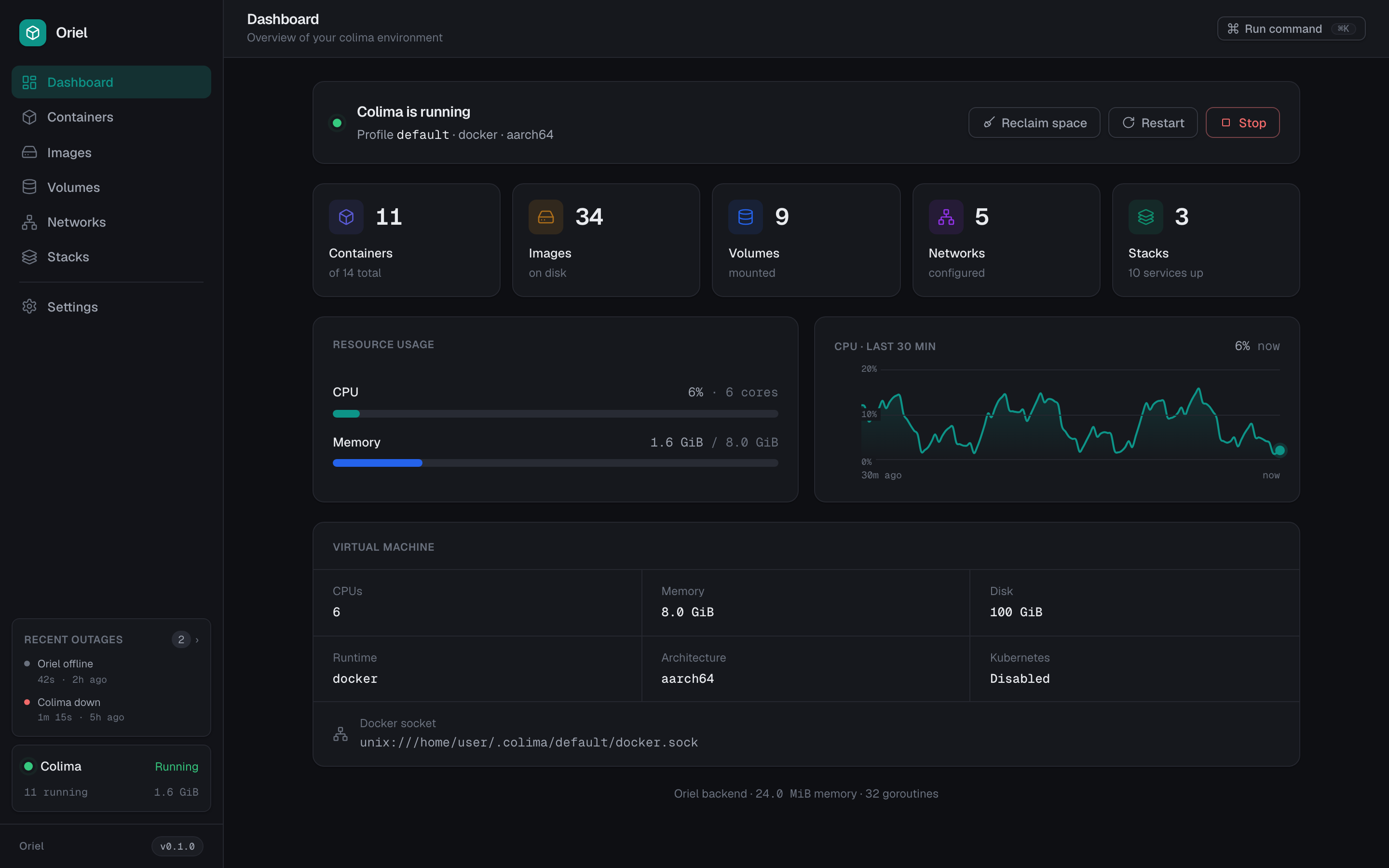
Oriel Studio (light) Oriel Studio (dark)

## Drive it with AI Point any MCP client at Oriel and ask in plain English. It calls the same validated, secret-masked tools the UI does, and it can chain several to actually answer a question instead of firing just one: > **you:** why does `api` keep restarting? > > **assistant:** *reads `container.list`, `container.inspect`, then the logs.* It's exiting **137 (OOM)**: the container is capped at 256 MB and the Node heap runs past it. Raise the memory limit or fix the leak in `worker.js`. ```sh oriel mcp # stdio MCP server for Claude, Cursor, or a local LLM ``` No model ships in the binary; your client brings its own. Reads run anytime, and destructive actions stay locked behind a grant. [Setup & tool list ↓](#ai-control-mcp) ## Install **Homebrew** (macOS & Linux): ```sh brew install ParadoxInfinite/oriel/oriel ``` **Script** (detects your platform and verifies the checksum): ```sh curl -fsSL https://raw.githubusercontent.com/ParadoxInfinite/oriel/main/install.sh | sh ``` Add `-s -- --edge` to track pre-releases (newest builds first), or `-s -- --uninstall` to remove it: ```sh curl -fsSL https://raw.githubusercontent.com/ParadoxInfinite/oriel/main/install.sh | sh -s -- --edge ``` > ⚠️ **Piping a script to `sh` runs code from the internet on your machine.** [Read `install.sh`](https://github.com/ParadoxInfinite/oriel/blob/main/install.sh) before you run it, or download a binary from [releases](https://github.com/ParadoxInfinite/oriel/releases/latest) instead.
Manual binary, Go, or source Download a binary from [releases](https://github.com/ParadoxInfinite/oriel/releases/latest) (`oriel-darwin-arm64` for Apple Silicon, `oriel-darwin-amd64` for Intel, `oriel-linux-arm64`, or `oriel-linux-amd64`), then `chmod +x`. Or: ```sh go install github.com/ParadoxInfinite/oriel@latest # with Go make build # from source (builds + embeds the UI) ```
## Run ```sh ./oriel # opens http://127.0.0.1:4321 ``` Flags: `--port ` (default 4321), `--no-open`. Run on login: `./oriel service install` (launchd / systemd; also `status`, `uninstall`). Needs any Docker Engine–compatible runtime + the `docker` CLI. [Colima](https://github.com/abiosoft/colima) is first-class (adds VM start/stop); Docker Engine, OrbStack, Rancher/Docker Desktop, Podman, and remote daemons also work ([docs/DAEMONS.md](docs/DAEMONS.md)). For remote access over a private network, see [docs/REVERSE-PROXY.md](docs/REVERSE-PROXY.md); read the [security note](#security) first. ## Features - **Containers:** live CPU/mem, exit codes, bulk actions, streaming logs, full inspect. - **In-browser shell:** open an interactive terminal into any running container, straight from its details drawer. - **AI control (MCP):** any MCP client drives Docker/Colima through the same validated, secret-masked tools, with destructive actions behind a grant. [More ↓](#ai-control-mcp) - **Images:** pull with registry search, prune, one-click tag. - **Compose:** manage stacks, plus discover & deploy projects from disk. - **Dashboard:** CPU history, memory, disk, uptime/outage tracking. - **Command palette** (`⌘K`): fuzzy-run any action or jump to any view. - **Editions, themes & languages:** swap the whole UI (Studio, or drop in your own), light/dark/system, custom accents, and a translatable interface (English ships; other languages load on demand). - **Light & live:** ~15–30 MB RAM, one SSE stream (no polling), checksum-verified self-update. ## How it compares The usual ways to run containers on a Mac or Linux box, and where Oriel fits. (Figures drift; treat as a snapshot.) | | **Oriel** | Docker Desktop | OrbStack | lazydocker | Portainer | |---|---|---|---|---|---| | License | **Apache-2.0, free** | Proprietary (paid for larger orgs) | Proprietary (paid for commercial use) | MIT, free | Free (CE) | | Interface | Graphical web UI | Desktop app | Native app | Terminal (TUI) | Web UI (server) | | Footprint | **~15–30 MB RAM, ~13 MB binary** | Heavy (~3–4 GB VM) | Light (native) | Light | Container, ~200–300 MB | | Install | **Single static binary** | Installer | Installer | Single binary | Run a container | | Bring-your-own engine | **Colima · Docker · OrbStack · Podman · remote** | Bundled engine | Bundled engine | Any Docker socket | Any Docker socket | | Runs locally, no account | **Yes** | Account/sign-in | Account | Yes | Server + auth | | AI control (MCP) | **Built-in, safety-gated** | MCP Toolkit (runs *other* servers) | No | No | No | It's the only one here an AI can drive directly, through the same checks the UI gives you. Reach for it over Docker Desktop / OrbStack (no paid license, bundled VM, or menu-bar app), over lazydocker (a real graphical UI, not a terminal one), or over Portainer (a binary you run for yourself, not a server to deploy and lock down). For the full breakdown, including where Oriel loses (Windows, Kubernetes, multi-host), see the exhaustive comparison in the live demo. ## AI control (MCP) `oriel mcp` runs Oriel as a [Model Context Protocol](https://modelcontextprotocol.io) server, so an MCP client (Claude Desktop, Claude Code, Cursor, a local LLM) manages your Docker/Colima in plain English, headless, with no GUI needed. Same tools, same guardrails: - **Secrets stay masked.** `container.inspect` and `container.logs` redact secret-shaped values before they reach a model; an MCP client never gets fully-raw env or logs (the "off" setting applies only to the local UI). Log redaction is best-effort over free-form text. - **Destructive actions are locked** until you open a short, time-boxed window (`oriel ai allow-destructive --for 15m`). Reads always work; remove/prune don't, until you say so. - **Every action is logged.** An audit log records each tool call an assistant makes: what ran, with which arguments, and when (Settings → AI activity). Your own clicks aren't. - **No model in the binary.** Your client brings the model, so Oriel stays vendor-neutral. Point any MCP client at it. With Oriel installed: ```json { "mcpServers": { "oriel": { "command": "oriel", "args": ["mcp"] } } } ``` Or with no install, via the published image (Linux hosts; mounts the Docker socket): ```json { "mcpServers": { "oriel": { "command": "docker", "args": ["run", "-i", "--rm", "-v", "/var/run/docker.sock:/var/run/docker.sock", "ghcr.io/paradoxinfinite/oriel"] } } } ``` Claude Code: `claude mcp add oriel -- oriel mcp`. Setup, HTTP, scoping, and the full tool list: [docs/MCP.md](docs/MCP.md). ## Editions & themes The UI is a swappable plugin on a stable platform SDK: **Studio** (light/dark/system, custom accents). Recolor it, or drop in your own edition (see [docs/THEMES.md](docs/THEMES.md)). ## Security Out of the box Oriel has **no login**, and driving Docker is effectively **root on the host**. An optional bearer token gates remote and MCP-over-HTTP access (off by default), but the safe default is local use, or a **private network only** (Tailscale, ZeroTier, WireGuard, and the like). **Never the public internet.** Full trust model: [SECURITY.md](SECURITY.md). ## FAQ **Is there a GUI for Colima?** Yes. Colima ships CLI-only by design, and Oriel is the browser UI it never shipped. It also drives Docker Engine, OrbStack, Podman, and remote daemons. **A free Docker Desktop alternative?** Yes. Apache-2.0 licensed, no license fees, no account. Point it at any Docker-compatible engine. **Can an AI manage my containers?** Yes. Run `oriel mcp` and point any MCP client (Claude, Cursor, a local LLM) at it. It gets the same validated, secret-masked tools as the UI, and destructive actions stay locked until you grant them. **How is it different from lazydocker?** lazydocker is a terminal UI; Oriel is a graphical browser UI with dashboards, streaming logs, registry search, Compose discovery, and themeable editions. **Footprint and platforms?** ~15–30 MB RAM, ~13 MB binary, no Electron. macOS (Apple Silicon + Intel) and Linux (amd64 + arm64). ## Develop `make dev` + `make dev-web` (Vite hot reload), `make test`. See [CONTRIBUTING.md](CONTRIBUTING.md). ## License [Apache-2.0](LICENSE) © The Oriel contributors. See [NOTICE](NOTICE).