Universal Installer

Universal Installer is a modern Android package manager that handles what the default installer can't.

Install APK, APK+, APKS, XAPK, APKM (with split APKs and OBB files), download packages from URLs, manage installed apps, and silent-install via Shizuku — all in one Material 3 app. Now with Android TV support.




Download

Get it on F-Droid

Get it at IzzyOnDroid

Website · Privacy · Terms
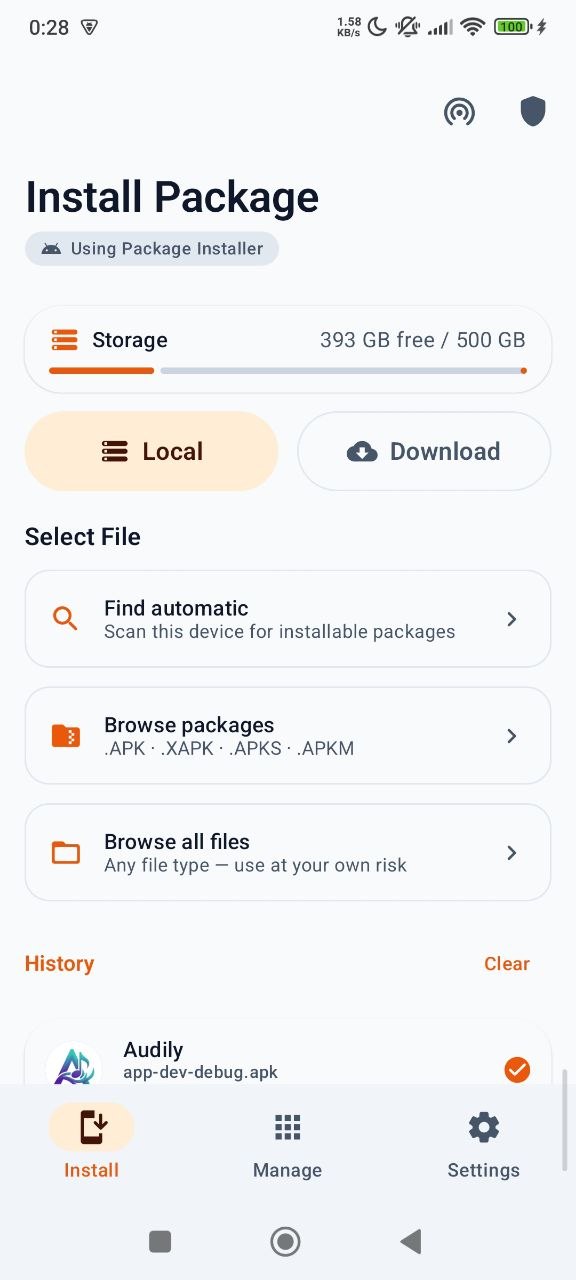
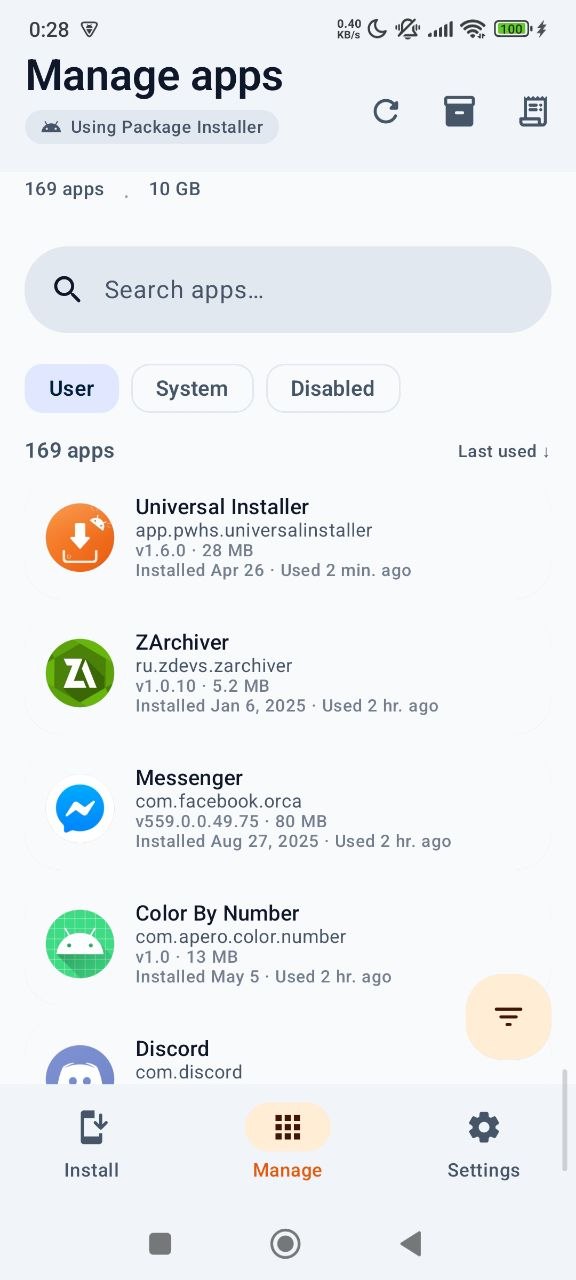
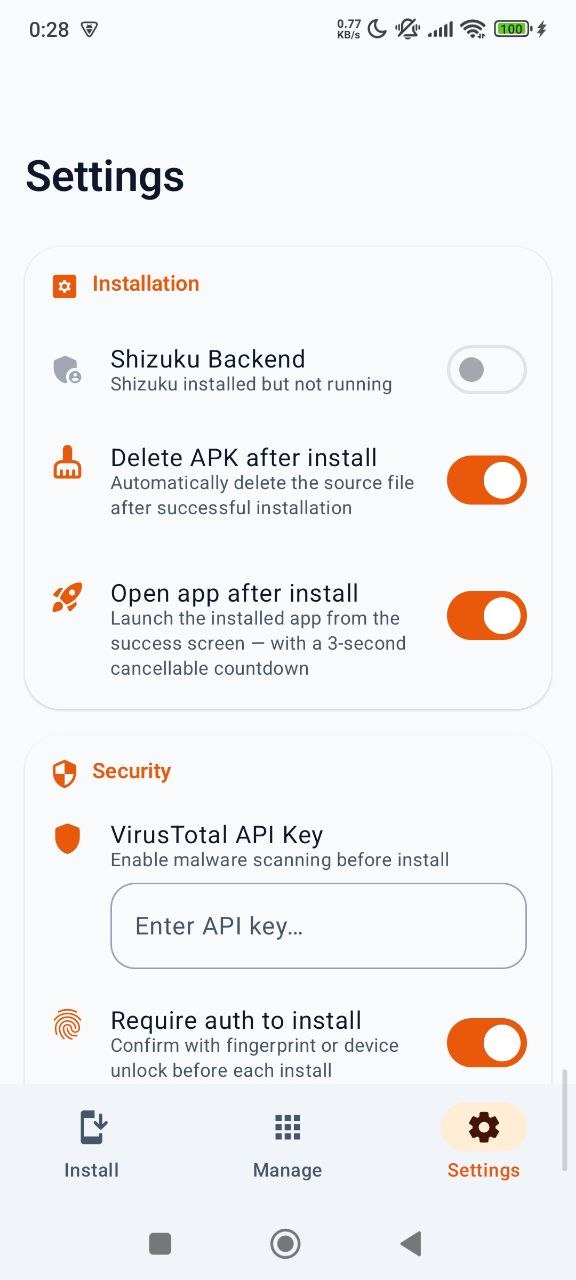
--- ## Screenshots
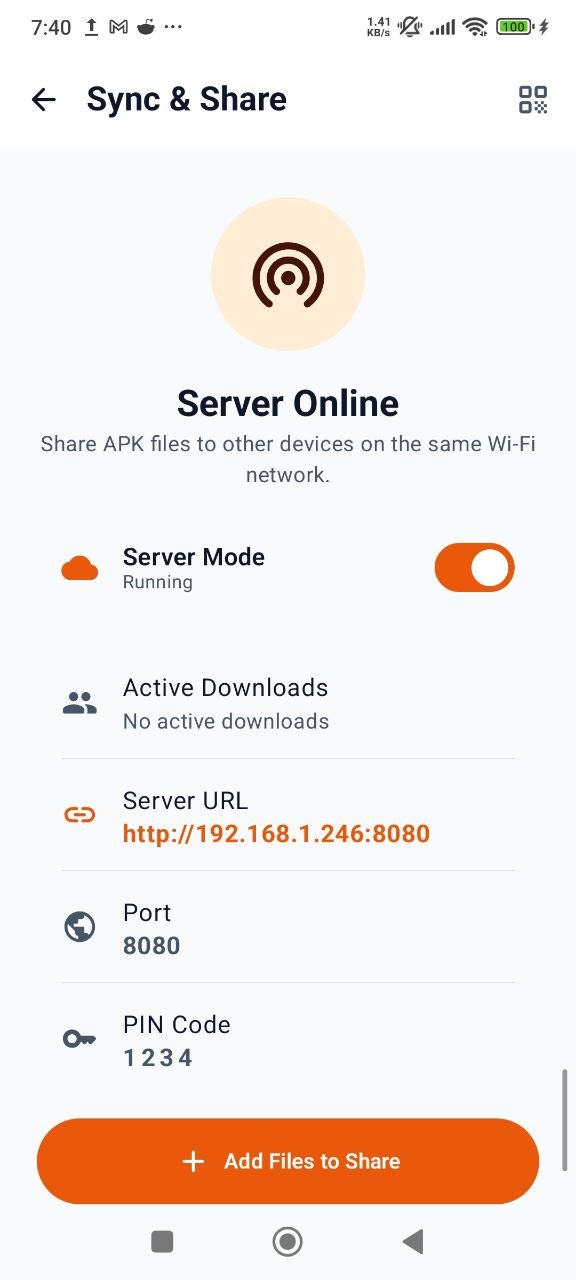
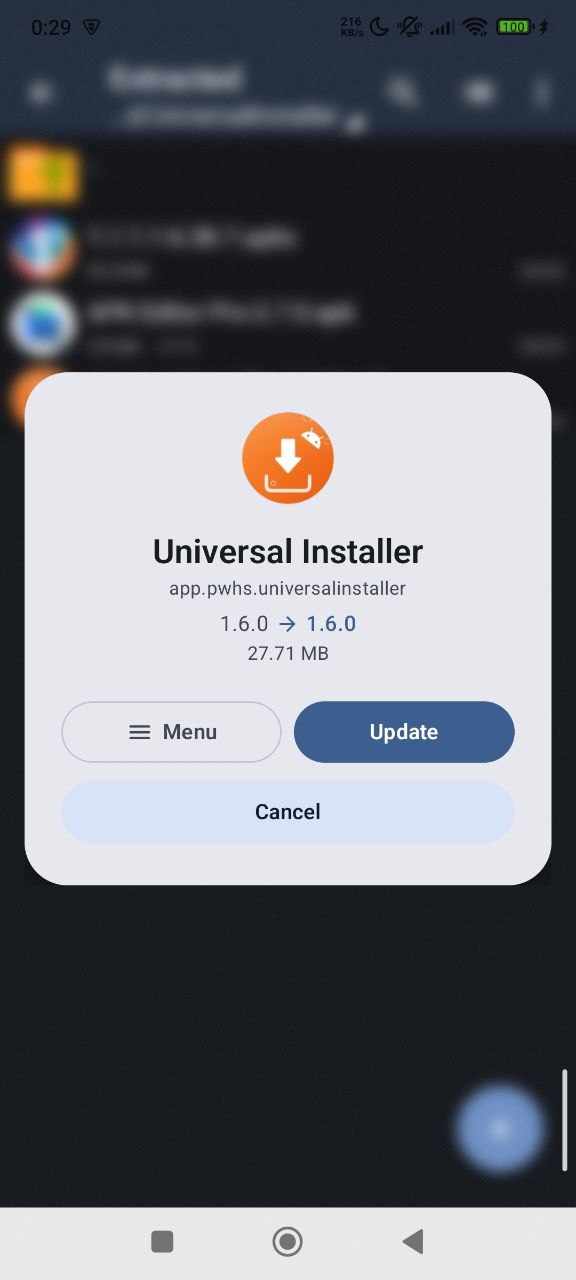
--- ## Features ### Visuals & UX * **Expressive UI** — Beautiful, bouncy spring animations (inspired by InstallerX-Revived) that make the dialog card "living" and responsive. * **Brand Identity** — Sleek default Orange theme for a premium, high-contrast look (Dynamic Color still available as an option). ### Install * **Multi-format** — `.apk`, `.apk+`, `.apks`, `.xapk`, `.apkm` with split APK handling (via [Ackpine](https://ackpine.solrudev.ru/)) * **Merge split APKs** — Group multiple individual `.apk` files (e.g. from a manual split extraction) into a single installation session. Perfect for installing apps served as a collection of separate splits. * **Modern Android Support** — Fully compatible with **Android 14, 15, 16**, and ready for **Android 17**. Fixes common parsing errors (e.g. `aconfig_flags.pb`) found on newer system versions. * **Package preview** — App name, icon, version, package, size, min/target SDK, supported ABIs, languages, permissions, OBB count, split count — shown in a bottom sheet before you commit * **Three local pick modes** — Find automatic (scans device storage), Browse packages (APK/XAPK/APKS/APKM only), Browse all files * **Remote download** — Paste a URL, download package directly. Files land in `/sdcard/Download/UniversalInstaller/` with their Content-Disposition name so they're easy to re-find in any file manager * **Download history** — Every download is logged; re-install later, copy the source URL, or delete from the dedicated history screen * **Intent handling** — Open APK/XAPK files from Chrome downloads, Gmail attachments, Telegram, or any file manager — even when the URL has no extension ### OBB support * **Bundle-embedded OBBs** — XAPK/APKM/APKS archives containing `.obb` files are auto-detected and copied to `Android/obb//` after the APK installs * **Standalone attach** — Pick a base APK, then attach one or more `.obb` files via the preview sheet; they're installed alongside * **Runs in a foreground worker** — OBB copy survives app closure, with progress on the notification shade * **Three write strategies** — Falls back in order based on what the device permits: 1. Direct I/O (pre-Android 11) 2. Shizuku (`shell` UID can write to any app's OBB dir on modern Android) 3. SAF tree grant (user grants access to `Android/obb//` once per package; reused on subsequent installs) ### Security * **VirusTotal integration** — Auto SHA-256 hash lookup on every picked file; if VirusTotal doesn't know the file yet, optionally upload it for a full multi-engine scan (supports files up to 650 MB via VirusTotal's large-file endpoint) * **Clear verdict** — See engine counts (malicious / suspicious / harmless / undetected) before you install ### Shizuku & Root power-user features When Root access or Shizuku is enabled, unlocks: * **Installer Profiles** — Save and reuse custom install configurations (installer package spoofing, privileged flags, targeted users) per app or globally. * **Silent install / uninstall** — No system confirmation prompt * **Replace existing**, **Allow downgrade**, **Grant all requested permissions**, **Allow test packages**, **Bypass low target SDK block**, **Install for all users** * **Set install source** — Spoof the installer package name (Google Play, Aurora, F-Droid, Amazon, Samsung, Huawei, Xiaomi presets, or custom) so apps with "installed from Play Store" checks accept your sideload ### Sync & Share (LAN File Server & TV) * **Send to TV** — Quickly transfer and install packages on your Android TV by scanning a QR code. * **Built-in HTTP server** — Share and manage your packages across a local Wi-Fi network from any browser. * **Web dashboard** — Download APKs straight to your PC or upload new packages directly to your phone. * **Live tracking** — Real-time progress updates visible inside the app as files transfer. * **PIN security** — Set an optional 4–8 digit PIN code to restrict local access to your shared folder. ### Uninstall / app manager * **Full app list** — Browse user apps (system apps optional) * **Rich metadata** — App name, package, version, APK size, first install date, last used time * **Sort** — By Name / Size / Installed date / Last used — each with ascending/descending toggle * **Batch select** — Long-press to enter selection mode, uninstall many at once * **Filter sheet** — Tap FAB for sort/filter options; long-press FAB to scroll to top * **Usage access hint** — "Last used" sort prompts user to grant the Usage Access permission only when needed * **Uninstall logs** — Separate log screen for every uninstall attempt (success / failure with reason) ### Device utilities * **Storage card on Install screen** — At-a-glance internal storage usage (free / total, color-coded warning at 75% / 90%) * **Install history** — Every install attempt logged with app name, package, version, success/failure, and error reason ### Other * **Material 3** — Orange brand theme (default) + Dynamic color + Light / Dark / System theme * **Multi-language** — Arabic, German, Greek, English, Spanish, French, Hindi, Indonesian, Italian, Japanese, Korean, Portuguese (BR), Russian, Turkish, Ukrainian, Vietnamese, Chinese * **Progress notifications** — Download, install, and OBB copy all surface their progress in the notification shade --- ## Tech Stack * **Kotlin** + **Jetpack Compose** — UI * **[Ackpine](https://ackpine.solrudev.ru/)** — Package install/uninstall with split APK, Shizuku, and libsu plugins * **[Shizuku](https://shizuku.rikka.app/)** — Privileged operations via ADB/root * **Ktor** — HTTP client for VirusTotal and remote downloads * **WorkManager** — Foreground worker for OBB copy (survives app process death) * **Room** — Local DB for install / uninstall / download history * **Koin** — Dependency injection * **DataStore** — Preferences storage * **Coil 3** — App icon loading --- ## Build Instructions ### Requirements * [Android Studio](https://developer.android.com/studio) * JDK 17+ (required by AGP 8.11) * Android SDK 36 ### Modules The project is a multi-module Gradle build: | Module | Type | What it is | |-----------|-------------|-----------------------------------------------------------------------| | `:app` | application | The phone/tablet app (the main, shipping app) | | `:tv` | application | The Android TV (10-foot, D-pad) app | | `:core` | library | Shared, UI-agnostic install/manage engine consumed by `:app`/`:tv` | > A single distribution ships Shizuku, Root (libsu), and the default system > installer together — the old `store` / `full` product flavors were removed. ### Steps 1. Clone the repository: ```bash git clone https://github.com/pass-with-high-score/universal-installer.git cd universal-installer ``` 2. Open the project in Android Studio 3. Pick the **`app`** (phone) or **`tv`** run configuration, sync Gradle, and run on a device (an emulator works for most features except Shizuku-backed install) ### Gradle ```bash # Phone app ./gradlew :app:assembleDebug ./gradlew :app:assembleRelease # Android TV app ./gradlew :tv:assembleDebug ./gradlew :tv:assembleRelease # Release App Bundle (phone + TV) ./gradlew assembleBundleRelease # Everything at once ./gradlew assembleDebug ``` ### Fastlane ```bash # Install dependencies bundle install # Build debug APK bundle exec fastlane build_debug # Build release APK bundle exec fastlane build_release # Deploy beta to Firebase App Distribution bundle exec fastlane beta # Deploy to Play Store internal track bundle exec fastlane internal # Bump version code bundle exec fastlane bump_version # Bump version code + name bundle exec fastlane bump_version version_name:"2.0" ``` --- ## Configuration ### Shizuku (silent install, install source spoofing, OBB copy) 1. Install [Shizuku](https://shizuku.rikka.app/) on your device 2. Start the Shizuku service via ADB (or via the Shizuku app if rooted) 3. Open Universal Installer → **Settings → Installation → Shizuku Backend** → grant permission when prompted 4. Optional: enable **Set install source** to pick the installer package name apps will see ### VirusTotal 1. Get a free API key at [virustotal.com/gui/my-apikey](https://www.virustotal.com/gui/my-apikey) 2. **Settings → Security → VirusTotal API Key** → paste key 3. Every picked APK is hashed and looked up automatically; unknown files can be uploaded on demand from the preview sheet ### Storage permissions (for OBB copy + device scan) * **Android 11+**: grant **All files access** when prompted (used for `Find automatic` device scan and for the direct-write OBB path). If you decline, OBB copy falls back to Shizuku or a per-package SAF tree grant * **Pre-Android 11**: falls back to legacy `READ/WRITE_EXTERNAL_STORAGE` * **Usage access** (optional, Uninstall screen only): grant when you tap the "Last used" sort option — enables sorting and date metadata per row --- ## Contributing Pull requests and issue reports are welcome. Help us improve Universal Installer! * Found a bug? [Open an issue](https://github.com/pass-with-high-score/universal-installer/issues) * Want a feature? Start a discussion or submit a PR * Translation fixes / new locales also welcome --- ## Sponsor If Universal Installer saves you time, consider supporting the project. Sponsorships help cover maintenance, new features, and keeping the app free. [![Sponsor](https://img.shields.io/badge/Sponsor-%E2%9D%A4%EF%B8%8F-red?logo=github-sponsors)](https://github.com/sponsors/pass-with-high-score) --- ## License [![GPL-3.0-only](https://img.shields.io/badge/License-GPL--3.0--only-blue.svg)](https://spdx.org/licenses/GPL-3.0-only.html) This project is licensed under the **GNU General Public License v3.0 only (GPL-3.0-only)**. You are free to use, modify, and distribute it. See the full [LICENSE](LICENSE) file for details. --- ## Credits * Built and maintained by [Nguyen Quang Minh](https://github.com/nqmgaming) --- ## Star History [![Star History Chart](https://api.star-history.com/svg?repos=pass-with-high-score/universal-installer&type=Date)](https://www.star-history.com/#pass-with-high-score/universal-installer&Date)