Sniffing Protocol for Haier Appliance Communication
====================================================
If your Haier appliance is not supported or lacks certain features, you may attempt to log the communication between the native dongle and the appliance to "sniff" the protocol.
Requirements
------------
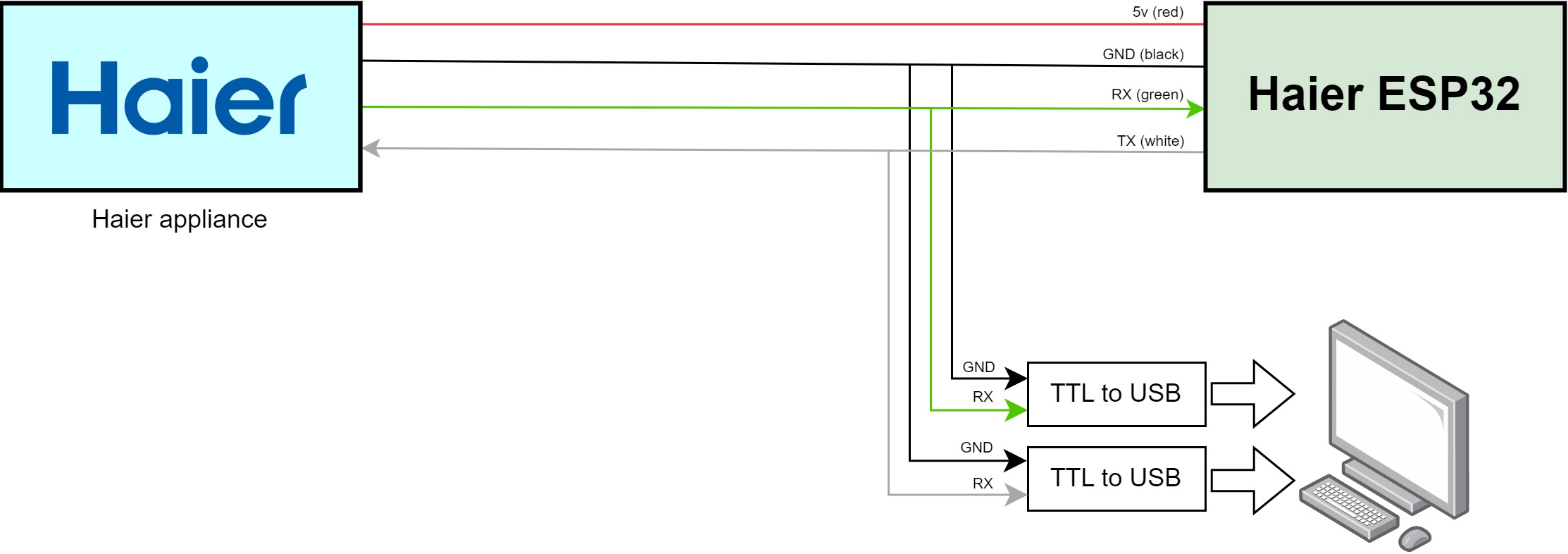
To achieve this, you will need to add additional wires to provide input for a device that will perform the sniffing. This device can be a computer equipped with two TTL to USB converters or an ESP32 module with the ESHome firmware.
Concept Overview
----------------
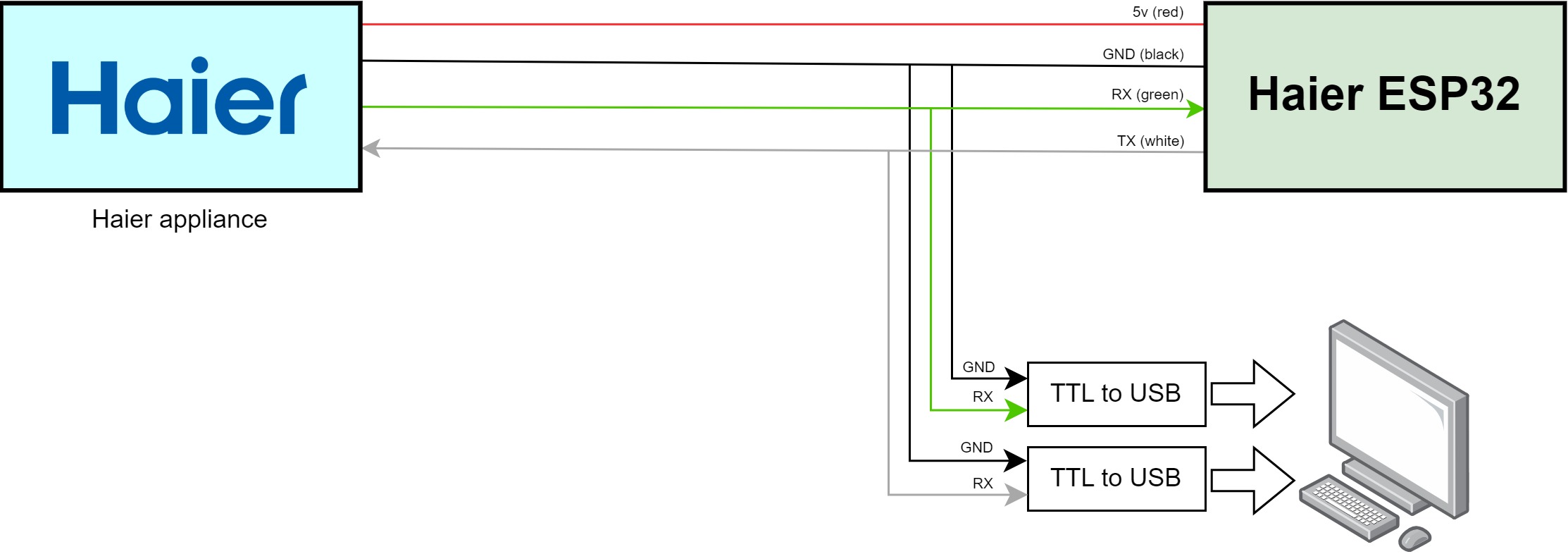
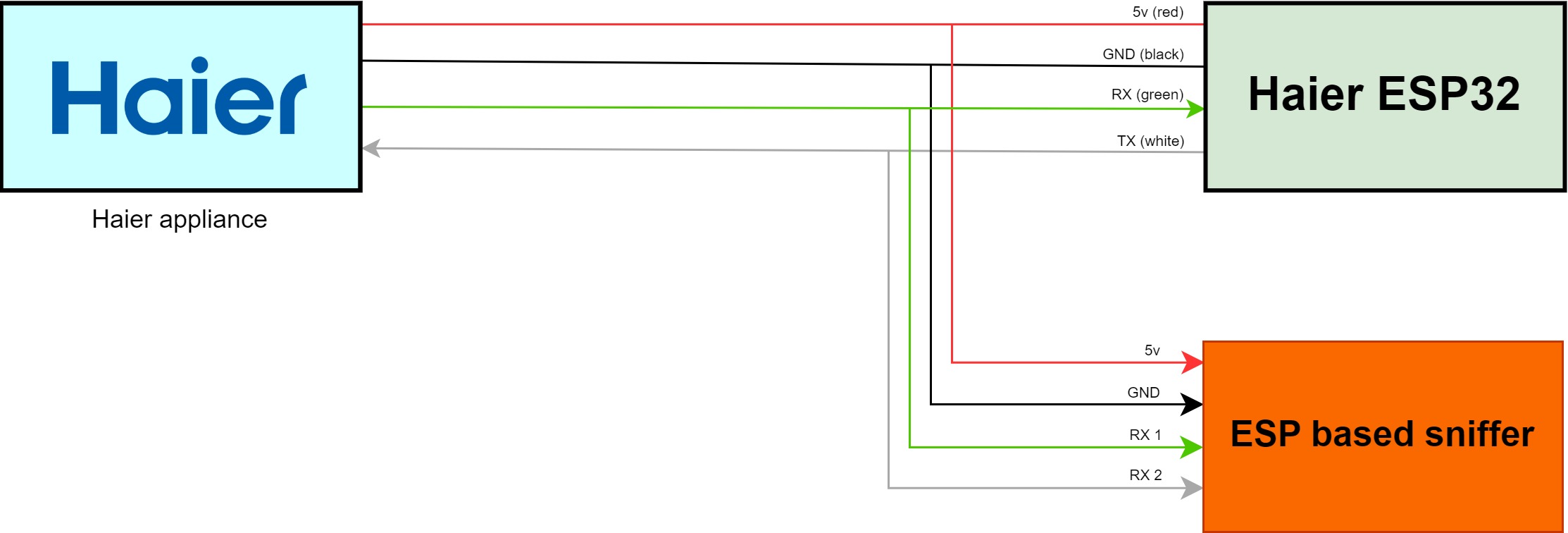
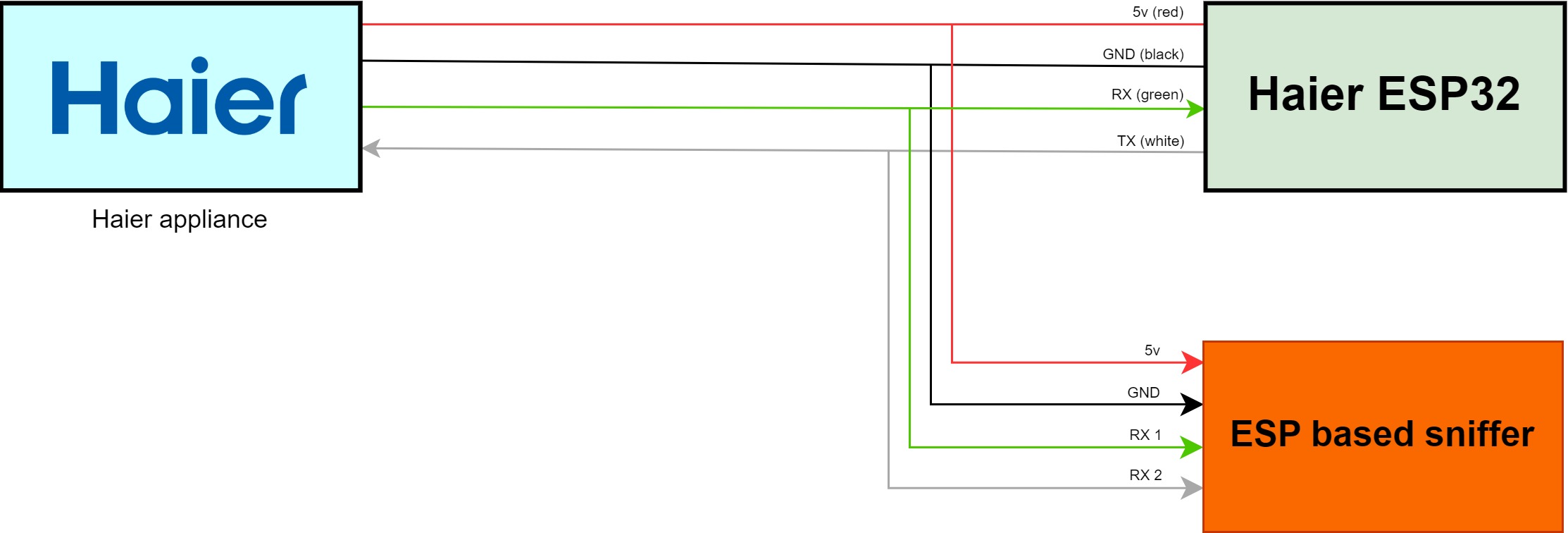
Haier appliances typically have four wires to connect to the native dongle: +5V, Ground (GND), RX, and TX. For sniffing, we will need three of these wires (RX, TX, GND). The +5V wire can be used to power the ESP device if it is being used for sniffing.
We will create two pairs from these three wires: RX and GND, and TX and GND. Each pair will connect to a separate UART port on a PC or ESP device, serving as input data. Only RX and GND will be used on the "sniffer" side, as we are merely listening, not transmitting. This setup allows us to monitor the communication between the Haier dongle and the appliance separately.
.. note::
Ensure that cutting wires is acceptable before proceeding.
Using a PC with Two TTL to USB Converters
-----------------------------------------
**Wiring Diagram:**
.. raw:: HTML
To capture the data, you will need to use terminal applications such as Termite, HTerm, CoolTerm, etc. The port configuration should be set as follows:
- Baud rate: 9600
- Data bits: 8
- Stop bits: 1
- Parity: None
Using an ESP Module
-------------------
The approach is similar, but instead of a PC, we will use an ESP device with two UART ports (one for each direction).
**Wiring Diagram:**
.. raw:: HTML
**Sample Configuration for ESP32 Sniffer Board:**
.. code-block:: yaml
substitutions:
device_name: "Dual UART Sniffer for Haier Project"
device_id: uart_sniffer
esphome:
name: ${device_id}
comment: ${device_name}
esp32:
board: esp32dev
wifi:
ssid: !secret wifi_ssid
password: !secret wifi_password
api:
reboot_timeout: 0s
ota:
web_server:
logger:
tx_buffer_size: 4096
baud_rate: 0
level: DEBUG
uart:
- id: esp_board
rx_pin: GPIO3
baud_rate: 9600
debug:
direction: RX
dummy_receiver: true
sequence:
- lambda: UARTDebug::log_hex(uart::UART_DIRECTION_RX, bytes, ' ');
- id: haier_appliance
rx_pin: GPIO16
baud_rate: 9600
debug:
direction: RX
dummy_receiver: true
sequence:
- lambda: UARTDebug::log_hex(uart::UART_DIRECTION_TX, bytes, ' ');
This configuration will enable you to capture and analyze the communication between the Haier dongle and the appliance effectively.