
Turn your Discord status into a simple, eye-catching image for easy sharing and display. With your username and just a few clicks, setting things up is quick and easy!
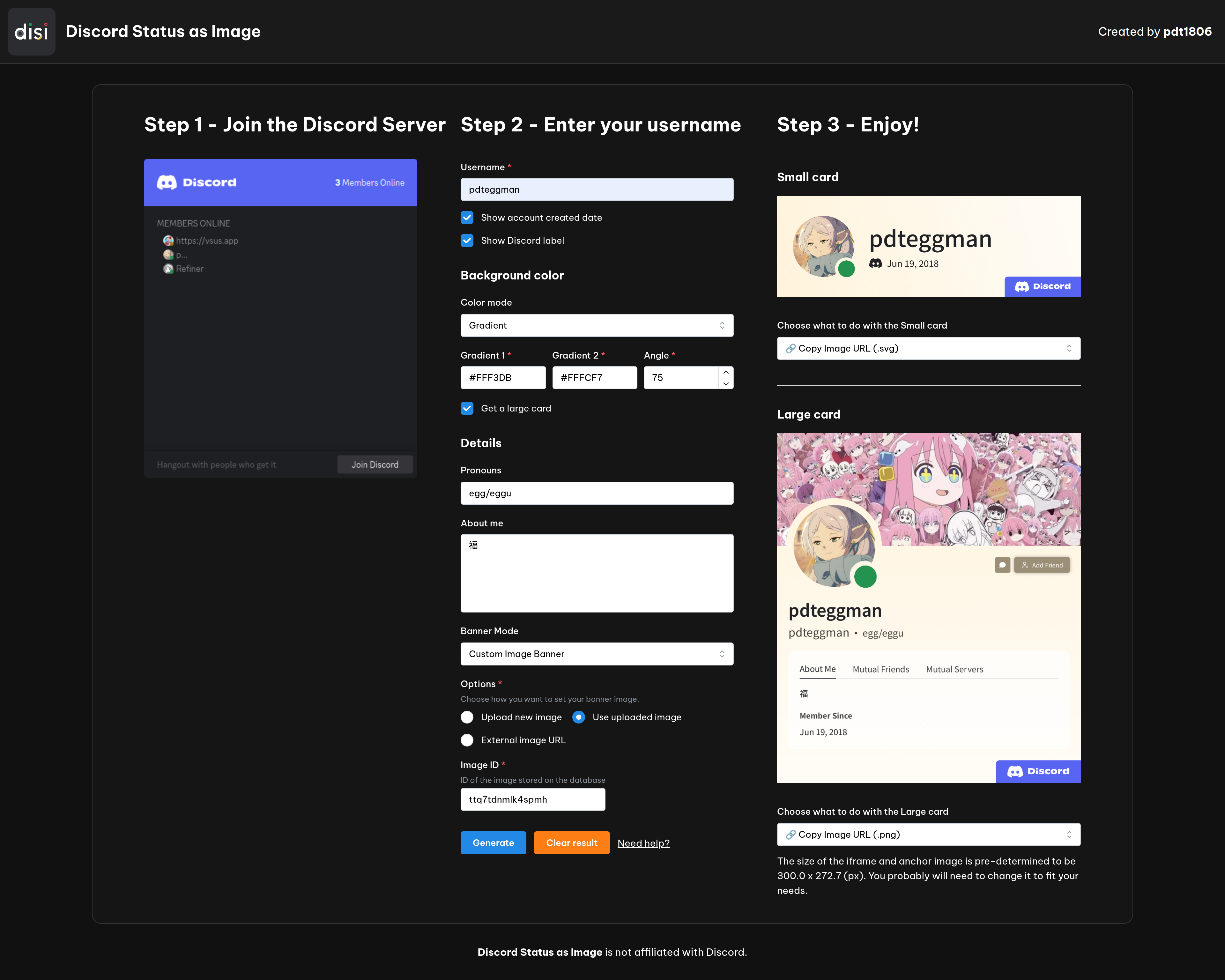 ## Features - ✅ **Simple**: Just input your Discord username and you're all set. - ✅ **Customizable**: Set your own banner (yes, even your own image), background color, etc. to make your status image unique. - ✅ **Live**: Your status image updates in real-time, so you don't have to worry about it being outdated. - ✅ **Multiple formats**: Deliver your status image in multiple formats, including .png, .svg, and embeddable iframe. - ✅ **Shareable**: Share your status image with friends or on social media with just a click of a button. ## How to get a Discord Status image? 1. Access this website: https://disi.bennynguyen.dev 2. Following the instructions on the website 1. Click on the invite link to join the server. 2. Fill out the form with your Discord username and the desired settings. 3. Hit Generate and you're all set. ## Technologies - [React](https://reactjs.org/) - [Mantine](https://mantine.dev/) - [Cloudflare Pages](https://pages.cloudflare.com/) - [Node.js](https://nodejs.org/en/) - [Express](https://expressjs.com/) - [Playwright](https://playwright.dev/) - [Refiner Discord Bot](https://github.com/pdt1806/refiner-discord-bot) - [discord.py](https://discordpy.readthedocs.io/en/latest/) - [FastAPI](https://fastapi.tiangolo.com/) - [Uvicorn](https://www.uvicorn.org/) ## Main developer | |
| :-----------------------------------------------------------------------------------------------------------------------------------------------------------: |
| [pdt1806](https://github.com/pdt1806) |
## License
Discord Status as Image is licensed under the MIT License. See the [`LICENSE`](https://github.com/pdt1806/discord-status-as-image/blob/main/LICENSE).
## An example use case
Go to [my GitHub profile](https://github.com/pdt1806) and look at the README to see how I use this tool to display my Discord status.
## Contributions
Any contribution is appreciated. Just create an issue/pull request and I will review it ASAP.
|
| :-----------------------------------------------------------------------------------------------------------------------------------------------------------: |
| [pdt1806](https://github.com/pdt1806) |
## License
Discord Status as Image is licensed under the MIT License. See the [`LICENSE`](https://github.com/pdt1806/discord-status-as-image/blob/main/LICENSE).
## An example use case
Go to [my GitHub profile](https://github.com/pdt1806) and look at the README to see how I use this tool to display my Discord status.
## Contributions
Any contribution is appreciated. Just create an issue/pull request and I will review it ASAP.