https://github.com/user-attachments/assets/a5610874-e611-41bb-be22-7d99f0d64b62
> **18+** For adults managing their own adult-content collections. The repository contains no media or site data. Access to outside sites requires the appropriate accounts and permissions.
## Features
- **Local and cloud together**: browse hard drives and mounted cloud drives, including 115, PikPak and OneDrive, in one library.
- **Pick from the video wall**: drag through a full-screen cover wall and play in place, with versions and parts of the same title grouped together.
- **Player subtitles**: load local subtitles, search SubtitleCat for simplified and traditional Chinese subtitles by video code, then adjust fonts, size, colors and backgrounds. No API key is required; results may include machine translations.
- **Bring your existing collection**: read NFO files and posters, then fill missing titles, performers, studios and covers from multiple sources while keeping your edits.
- **Follow across sites**: combine a creator's updates from FANBOX, Patreon, Kemono and other sites, with matching posts grouped into one card.
- **Find your next watch**: subscribe to performers' new releases, discover titles based on your taste and save them to your want list.
- **Cloud download**: search by video code or paste a magnet link, send it to 115 or PikPak and organize the downloaded video into your library automatically.
- **Add JAV from your browser**: detect or select a video code on JavDB, MissAV, Jable and other sites, then send it to Peach for cloud download and library ingestion. The [userscript](https://github.com/peach-mitao/peach-userscript) is maintained independently; see [installation and pairing](docs/JAV_BROWSER.md).
- **Taste preferences**: combine viewing, feedback, your library, browser history, bookmarks and follows to understand your preferences. Read history and bookmarks from supported local browsers in one action, or import HTML bookmarks and Chromium Bookmarks JSON. Stop reading a source or remove it when needed. See [taste data sources](docs/TASTE_SOURCES.md).
Watch history, favorites and settings stay on your computer. Scanning leaves original files untouched; manual organization offers a preview and an undo for the last batch.
Scanning, follow updates and new-release metadata collection save their progress and continue unfinished items after the app restarts. See [task recovery](docs/OPERATIONS.md#长时任务断点续跑) for recovery boundaries.
The combined "Send version statistics and error diagnostics (recommended)" option is checked by default. Clear it during installation, first setup or in settings to disable both. Saved opt-out choices are preserved. While enabled, it sends the listed technical fields to Sentry; full logs, diagnostic ZIPs, media details and watch history are excluded. See [remote diagnostics](docs/DIAGNOSTICS.md#可选远程诊断).
Sharing library and taste details is a separate option in the installer and settings, off by default. Review the complete fields and local preview before explicitly consenting to weekly snapshots of works, tags, ratings, viewing summaries and every preference dimension. Account, device and installation identifiers are excluded. Detailed snapshots can still be linked or re-identified, and the receiving service can see the connection IP. See the [diagnostics reference](docs/DIAGNOSTICS.md#馆藏与口味群体研究).
## Screenshots
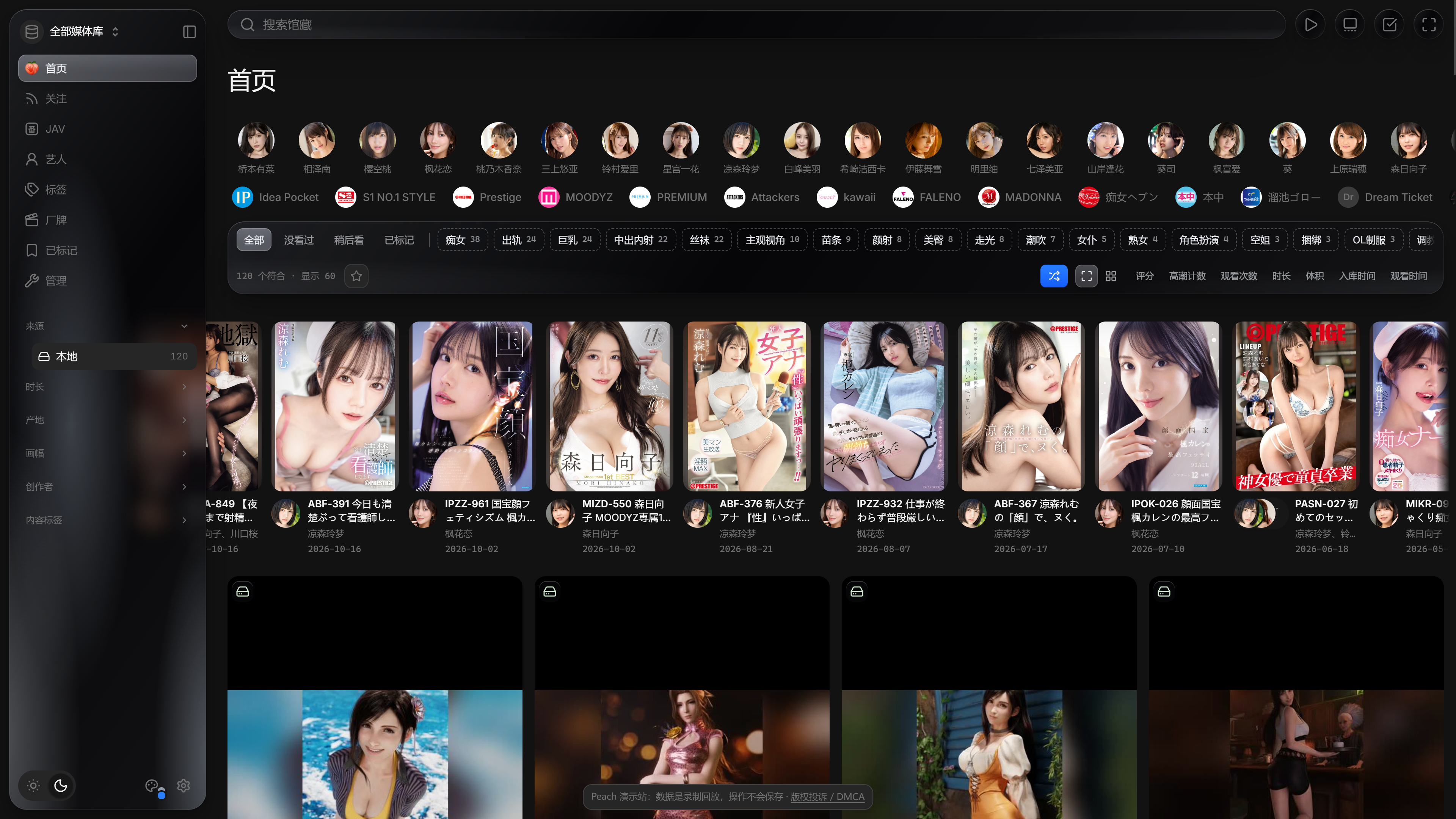
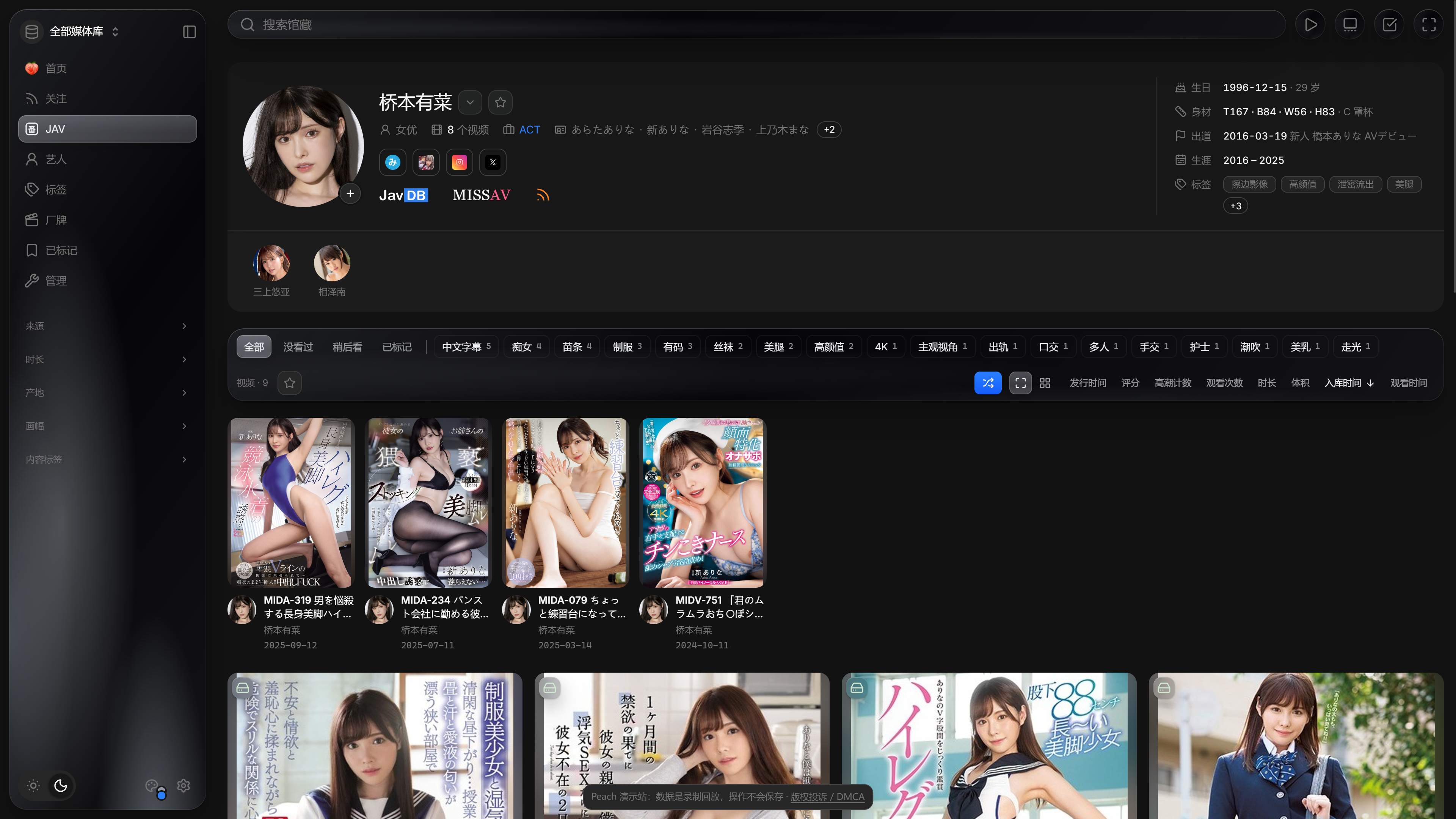
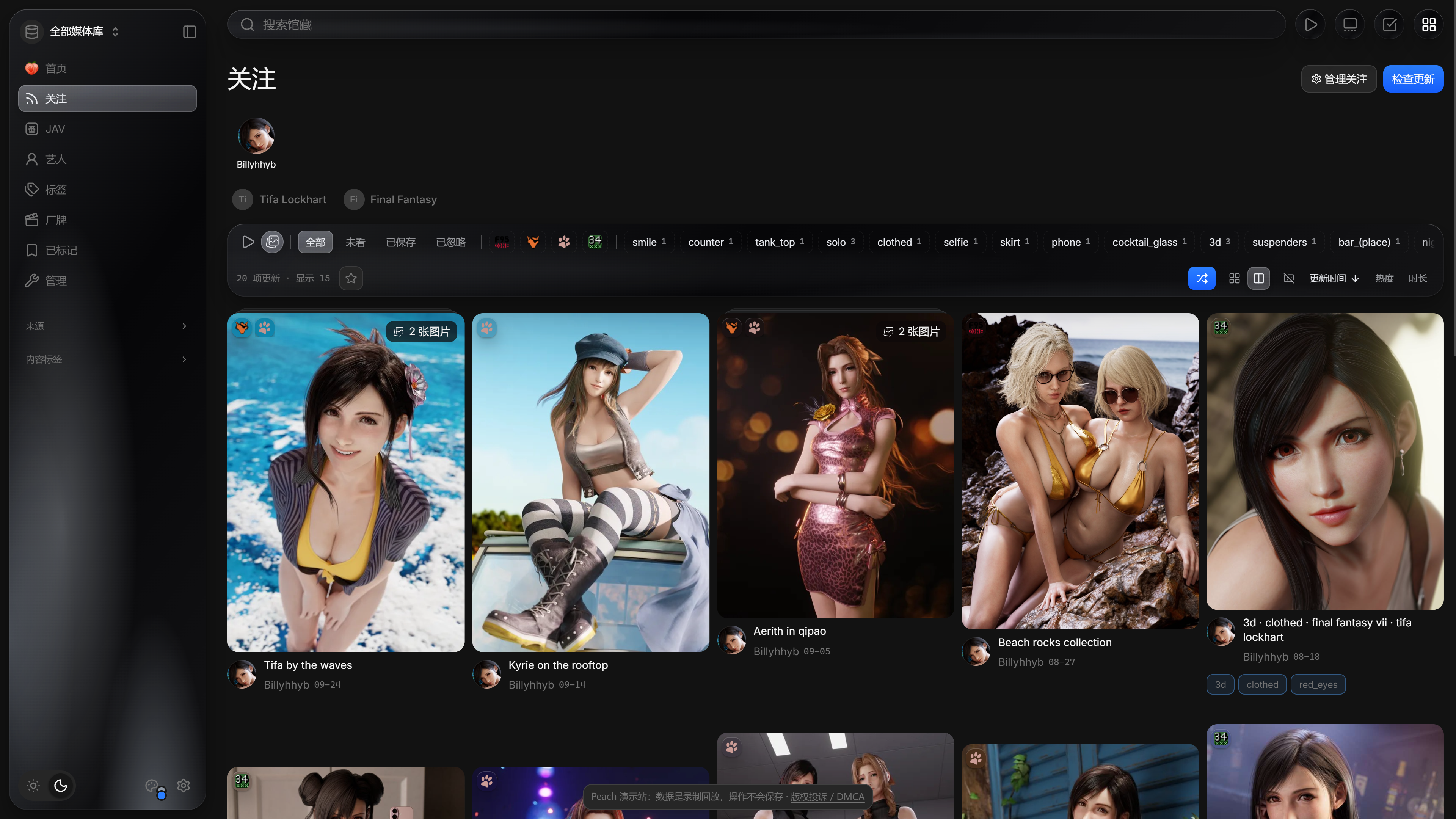
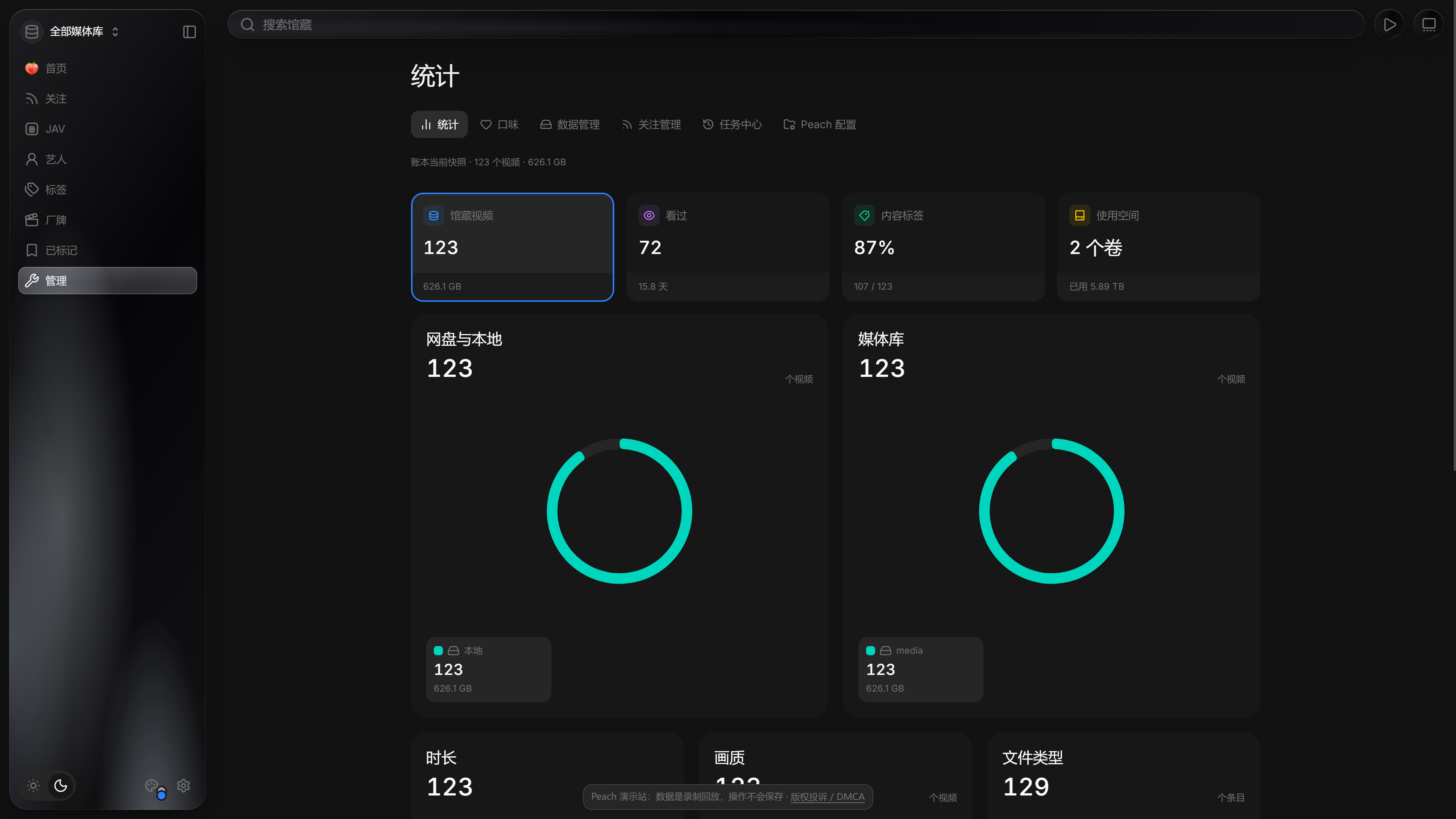
Try search, filters and profiles in the [read-only demo](https://demo.peach.video). Click a screenshot for the original image.
Library: browse by performer, source and tag
Performer profile: details, aliases and all videos
Following: creator updates across sites
Statistics: storage and watch history
Video wall: drag to browse, play in place
## Download and use
### Windows
1. Download the full installer, `Peach--windows-x64-setup.exe`, from [Releases](https://github.com/peach-mitao/peach/releases) and run it. No administrator rights needed. Alternatively, extract the full portable package and run `Peach.exe`.
2. Choose media directories and access permissions on the setup page that opens in your browser.
3. Start scanning, then browse and play in your browser.
The full installer includes media tools for offline installation. The smaller lite installer downloads tools as needed during setup.
Test builds are unsigned. If Windows says “Windows protected your PC”, confirm the file came from this project's Releases, then choose “More info → Run anyway”. See the [Windows guide](docs/TESTING_DESKTOP.md) for installation, updates and troubleshooting.
### Build on macOS
Build a self-contained `.app` and DMG locally on macOS. Running it requires neither Python, a source checkout, nor another computer. See [the macOS build guide](docs/OPERATIONS.md#macos-独立测试包).
The release workflow generates separate Apple Silicon (`macos-arm64.dmg`) and Intel (`macos-x86_64.dmg`) test packages. Check the actual assets on [Releases](https://github.com/peach-mitao/peach/releases) for availability. Check your chip in About This Mac, open the matching image, and drag Peach into Applications. Test packages are not notarized; media tools must be installed separately.
### Run from source (Windows, macOS)
Requires Git, uv and Python 3.14 or newer. See [running from source](docs/OPERATIONS.md#从源码运行windowsmacos).
### Docker (VPS / NAS)
See [Docker deployment](docs/DOCKER.md) for setup and supported configurations.
## FAQ
- **Will it change my files?** Scanning and filling in details leave originals untouched. Manual organization renames or moves files; emptying the trash deletes files, and resource-sync cleanup removes empty folders. Each requires confirmation.
- **Which cloud drives work?** Drives mounted as local folders through tools such as CloudDrive2; see [cloud drive mounts](docs/CLOUDDRIVE.md). Cloud download supports 115 and PikPak, with sign-in tokens stored locally.
- **How do I watch on my phone?** Allow devices on the same network during setup, connect your phone to that network, open the address shown and set an access password.
- **Where is my data?** In the local `peach-data` folder. The Windows build defaults to `%LOCALAPPDATA%\Peach\peach-data`.
## Reporting problems
Check [user feedback](https://github.com/peach-mitao/peach/issues), or [open an issue](https://github.com/peach-mitao/peach/issues/new/choose) with the version, steps, expected result and actual result. Hide credentials, LAN addresses and full paths in screenshots; do not upload databases or media. Report security issues privately through the [security policy](SECURITY.md).
## Documentation
[Operations](docs/OPERATIONS.md) · [Sourcing](docs/SOURCING.md) · [External players](docs/EXTERNAL_PLAYERS.md) · [Changelog](CHANGELOG.md)
Contributing: [Development guide](AGENTS.md) · [Testing and dependencies](docs/TESTING.md)
## Related projects
Thanks to [amane](https://github.com/sqzw-x/amane), [Gfriends](https://github.com/gfriends/gfriends), [CloudDrive2](https://www.clouddrive2.com/) and others. See the [reuse inventory](docs/REUSE.md) for full credits and details.
## Star History
## License
[AGPL-3.0-or-later](LICENSE) · Copyright (C) 2026 longmeidao. Third-party components retain their own licenses.