中文 | English
# CloudflareWarpSpeedTest
## Introduction
Cloudflare WARP Speed Test is a command-line tool for testing the latency and speed of Cloudflare WARP IP addresses and obtaining information about the minimum latency and available ports. It provides various options to customize test parameters and filter results based on specific conditions.
Inspired(Copied) by [CloudflareSpeedTest](https://github.com/XIU2/CloudflareSpeedTest)
## Installation
### Package Manager
#### Homebrew
```bash
brew tap peanut996/tap && brew install cloudflarewarpspeedtest
```
#### WinGet
```bash
winget install peanut996.CloudflareWarpSpeedTest
```
#### Scoop
```pwsh
scoop bucket add peanut996 https://github.com/peanut996/scoop-bucket
scoop install peanut996/cloudflarewarpspeedtest
```
#### Archlinux(AUR)
Require `paru` or `yay`.
```bash
paru -S cloudflarewarpspeedtest-bin
```
#### Go Install
use go tool to install(go version recommend 1.22)
```bash
go install github.com/peanut996/CloudflareWarpSpeedTest@latest
```
### Release
go to [Releases](https://github.com/peanut996/CloudflareWarpSpeedTest/releases) page, download the pre-compiled binary file.
## Usage
To use CloudflareWarpSpeedTest, you can run the following command-line options:
```bash
CloudflareWarpSpeedTest -n 200 -t 10 -c 5000 -tl 300 -q -tll 0 -tlr 0.2 -p 10 -f ip.txt -ip 1.1.1.1 -o result.csv -all
```
Here is an explanation of the main available options:
+ `-n` 200: Specifies the number of latency test threads. Increasing this value can speed up the latency testing process, but it may not be suitable for lower-performance devices like routers. The default value is 200, with a maximum of 1000.
+ `-t` 10: Sets the number of times latency tests are performed for each IP address. The default value is 10 times.
+ `-c` 5000: The addressed number to be scanned. The default value is 5000.
+ `-ipv6` IPv6 mode. Only scan ipv6 addresses.
+ `-o` result.csv: Sets the output result file. The default file is \"result.csv\".
+ `-all` This flag indicates that all ip and port will be scanned.
+ `-pri` Custom Wireguard private key.
+ `-pub` Custom Wireguard public key. Default is the Warp public key.
+ `-reserved` Custom Reserved. Format: `[0, 0, 0]`
For more usage instructions, please use `-h`.
## Note
Please note that adjusting test parameters can affect test speed and results. Choosing the appropriate settings is crucial based on the performance of your device and the specific conditions you want to apply.
**Disclaimer**: This tool is not affiliated with or endorsed by Cloudflare. Please use it responsibly and comply with their terms of service.
## License
This software is released under the [GPL v3 license](LICENSE).
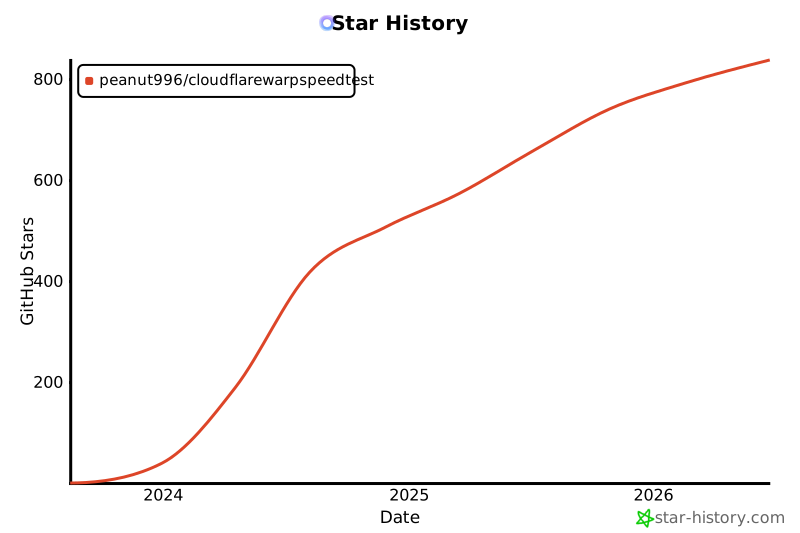
## Star History
[](https://star-history.com/#peanut996/CloudflareWarpSpeedTest&Date)
## Sponsors
 [
[ ](https://api.gitsponsors.com/api/badge/link?p=2SeJSlCMAbiZovmC7aZir+Nc2xhJA2v0sMIffn+tDszOoGUadNayD4B6695a0uFID86bmIzyh6QbC87NPszQtS4GNYQd/VhGU41MisFC0/sXac31NdmXuEELTevJBxxL5EGjw0dJZNOUDLVGCu2l5Q==)