---
title: "CSSS 508, Lecture 2"
subtitle: "Visualizing Data"
author: "Michael Pearce
(based on slides from Chuck Lanfear)"
date: "April 5, 2023"
output:
xaringan::moon_reader:
lib_dir: libs
css: xaringan-themer.css
nature:
highlightStyle: tomorrow-night-bright
highlightLines: true
countIncrementalSlides: false
titleSlideClass: ["center","top"]
---
```{r setup, include=FALSE, purl=FALSE}
options(htmltools.dir.version = FALSE, width = 70)
knitr::opts_chunk$set(comment = "##")
```
class: inverse
# Topics
Last time, we learned about,
1. R and RStudio
1. RMarkdown headers, syntax, and chunks
1. Basics of functions, objects, and vectors
1. Dataframes and basic plots
--
Today, we will cover,
1. Useful coding tips: packages, directories, and saving data
1. Basics of ggplot: layers and aesthetics
1. Advanced ggplot tools
---
class: inverse
# 1. Useful Coding Tips
---
# Packages
Packages are **collections of functions and tools** that make your life easier! The best part of R is the huge number of user-created packages. The `Packages` tab in the bottom-right pane of RStudio lists your installed packages.
--
To install a new package in R, run the line of code:
```{r eval=FALSE}
install.packages("gapminder")
```
We always install packages in the **console**, because we only want to do it **once**
---
# Loading Packages
Installing a packages *does not* mean it's loaded in our R session. To do so, we call the package:
```{r eval=FALSE}
library(gapminder)
```
**NOTE:** Use quotes when installing packages, but not when loading packages!
--
We need to run this code every time we open a new R session: **Where should we put this code?**
--
**Answer:** In R/Rmd files, and not the console!
---
# Working Directories
R saves files and looks for files to open in your current **working directory**. You
can ask R what this is:
```{r}
getwd()
```
--
Similarly, we can set a working directory like so:
```{r, eval=FALSE}
setwd("C:/Users/pearce790/CSSS508/HW2")
```
--
*Don't set a working directory in R Markdown documents!* They automatically set the directory they are in as the working directory.
---
# Managing Files
When managing R projects, it is normally best to give each project (such as a homework
assignment) its own folder. I use the following system:
* Every class or project has its own folder
* Each assignment or task has a folder inside that, which is the working directory for that item.
* `.Rmd` and `.R` files are named clearly and completely
--
For example, this presentation is located and named this:
`GitHub/CSSS508/Lectures/Lecture2/CSSS508_Lecture2_ggplot2.Rmd`
**Be consistent** so your projects are organized! You don't want to lose files!!
---
class: inverse
# Aside: Gapminder Data
---
# Gapminder Data
In today's lecture and Homework 2, we'll use data from Hans Rosling's [Gapminder](http://www.gapminder.org) project. The data can be accessed through the `gapminder` R package.
--
If you didn't already, run in the console: `install.packages("gapminder")`, and then load the package:
```{r}
library(gapminder)
```
---
# Exploring Gapminder
The data is in a dataframe called `gapminder`, which is available after loading the package. Let's explore it using functions from last week:
.small[
```{r}
str(gapminder)
```
]
---
# What's Interesting Here?
* **Factor** variables `country` and `continent`
+ Factors are categorical data
+ We'll spend a lot of time on factors later!
--
* Many observations: $n=`r nrow(gapminder)`$ rows
--
* For each observation, a few variables: $p=`r ncol(gapminder)`$ columns
--
* A nested/hierarchical structure: `year` in `country` in `continent`
+ These are panel data!
---
class: inverse
# 2. Basics of `ggplot2`
---
## Basic Plots
.pull-left[
.small[
```{r, eval=FALSE}
China <- subset(gapminder,
gapminder$country == "China")
plot(lifeExp ~ year,
data = China,
xlab = "Year",
ylab = "Life expectancy",
main = "Life expectancy in China",
col = "red",
pch = 16)
```
]
The plot is made with *one function* and *many arguments*
]
.pull-right[
```{r, echo=FALSE}
China <- subset(gapminder,gapminder$country == "China")
plot(lifeExp ~ year, data = China, xlab = "Year", ylab = "Life expectancy",
main = "Life expectancy in China", col = "red", pch = 16)
```
]
Note: Don't worry about the code used to create the object `China`. We'll explore data manipulation next week!
---
## Fancier: `ggplot`
.pull-left[
.small[
```{r, dev='svg', eval=FALSE}
ggplot(data = China,
aes(x = year, y = lifeExp)) +
geom_point(color = "red", size = 3) +
xlab("Year") +
ylab("Life expectancy") +
ggtitle("Life expectancy in China") +
theme_bw(base_size=18)
```
]
This `ggplot` is made with *many functions* and *fewer arguments* in each.
]
.pull-right[
```{r, dev='svg', warning=FALSE, message=FALSE, echo=FALSE}
library(ggplot2)
ggplot(data = China,
aes(x = year, y = lifeExp)) +
geom_point(color = "red", size = 3) +
xlab("Year") +
ylab("Life expectancy") +
ggtitle("Life expectancy in China") +
theme_bw(base_size=18)
detach("package:ggplot2")
```
]
---
# `ggplot2`
The `ggplot2` package provides an alternative toolbox for plotting.
```{r}
# install.packages("ggplot2")
library(ggplot2)
```
The core idea underlying this package is the [**layered grammar of graphics**](https://doi.org/10.1198/jcgs.2009.07098): we can break up elements of a plot into pieces and combine them.
--
`ggplot`s are a bit harder to create, but are usually:
* prettier,
* more professional, and
* more customizable!
---
# Structure of a ggplot
`ggplot` graphics objects consist of two primary components:
--
1. **Layers**, the components of a graph.
* We *add* layers to a `ggplot` object using `+`.
* This includes adding lines, shapes, and text to a plot.
--
2. **Aesthetics**, which determine how the layers appear.
* We *set* aesthetics using *arguments* (e.g. `color="red"`) inside layer functions.
* This includes modifying locations, colors, and sizes of the layers.
---
# Layers
**Layers** are the components of the graph, such as:
* `ggplot()`: initializes basic plotting object, specifies input data
* `geom_point()`: layer of scatterplot points
* `geom_line()`: layer of lines
* `geom_histogram()`: layer of a histogram
* `ggtitle()`, `xlab()`, `ylab()`: layers of labels
* `facet_wrap()`: layer creating multiple plot panels
* `theme_bw()`: layer replacing default gray background with black-and-white
Layers are separated by a `+` sign. For clarity, I usually put each layer on a new line.
---
# Aesthetics
**Aesthetics** control the appearance of the layers:
* `x`, `y`: $x$ and $y$ coordinate values to use
* `color`: set color of elements based on some data value
* `group`: describe which points are conceptually grouped together for the plot (often used with lines)
* `size`: set size of points/lines based on some data value (greater than 0)
* `alpha`: set transparency based on some data value (between 0 and 1)
---
class: inverse
# Examples: Basic Jargon in Action!
We'll now build up two `ggplot`s together that demonstrate common layers and aesthetics.
---
## Axis Labels, Points, No Background
### 1: Base Plot
.pull-left[
.small[
```{r, fig.height=4, dev='svg', eval=FALSE}
ggplot(data = China, #<<
aes(x = year, y = lifeExp)) #<<
```
]
]
.pull-right[
```{r, dev='svg', echo=FALSE}
ggplot(data = China,
aes(x = year, y = lifeExp))
```
]
.footnote[Initialize the plot with `ggplot()` and `x` and `y` aesthetics **mapped** to variables. These aesthetics will be accessible to any future layers since they're in the primary layer.]
---
## Axis Labels, Points, No Background
### 2: Scatterplot
.pull-left[
.small[
```{r, fig.height=4, dev='svg', eval=FALSE}
ggplot(data = China,
aes(x = year, y = lifeExp)) +
geom_point() #<<
```
]
]
.pull-right[
```{r, dev='svg', echo=FALSE}
ggplot(data = China,
aes(x = year, y = lifeExp)) +
geom_point()
```
]
.footnote[Add a scatterplot **layer**.]
---
## Axis Labels, Points, No Background
### 3: Point Color and Size
.pull-left[
.small[
```{r, fig.height=4, dev='svg', eval=FALSE}
ggplot(data = China,
aes(x = year, y = lifeExp)) +
geom_point(color = "red", size = 3) #<<
```
]
]
.pull-right[
```{r, dev='svg', echo=FALSE}
ggplot(data = China,
aes(x = year, y = lifeExp)) +
geom_point(color = "red", size = 3)
```
]
.footnote[**Set** aesthetics to make the points large and red.]
---
## Axis Labels, Points, No Background
### 4: X-Axis Label
.pull-left[
.small[
```{r, fig.height=4, dev='svg', eval=FALSE}
ggplot(data = China,
aes(x = year, y = lifeExp)) +
geom_point(color = "red", size = 3) +
xlab("Year") #<<
```
]
]
.pull-right[
```{r, dev='svg', echo=FALSE}
ggplot(data = China,
aes(x = year, y = lifeExp)) +
geom_point(color = "red", size = 3) +
xlab("Year")
```
]
.footnote[Add a layer to capitalize the x-axis label.]
---
## Axis Labels, Points, No Background
### 5: Y-Axis Label
.pull-left[
.small[
```{r, fig.height=4, dev='svg', eval=FALSE}
ggplot(data = China,
aes(x = year, y = lifeExp)) +
geom_point(color = "red", size = 3) +
xlab("Year") +
ylab("Life expectancy") #<<
```
]
]
.pull-right[
```{r, dev='svg', echo=FALSE}
ggplot(data = China,
aes(x = year, y = lifeExp)) +
geom_point(color = "red", size = 3) +
xlab("Year") +
ylab("Life expectancy")
```
]
.footnote[Add a layer to clean up the y-axis label.]
---
## Axis Labels, Points, No Background
### 6: Title
.pull-left[
.small[
```{r, fig.height=4, dev='svg', eval=FALSE}
ggplot(data = China,
aes(x = year, y = lifeExp)) +
geom_point(color = "red", size = 3) +
xlab("Year") +
ylab("Life expectancy") +
ggtitle("Life expectancy in China") #<<
```
]
]
.pull-right[
```{r, dev='svg', echo=FALSE}
ggplot(data = China,
aes(x = year, y = lifeExp)) +
geom_point(color = "red", size = 3) +
xlab("Year") +
ylab("Life expectancy") +
ggtitle("Life expectancy in China")
```
]
.footnote[Add a title layer.]
---
## Axis Labels, Points, No Background
### 7: Theme
.pull-left[
.small[
```{r, fig.height=4, dev='svg', eval=FALSE}
ggplot(data = China,
aes(x = year, y = lifeExp)) +
geom_point(color = "red", size = 3) +
xlab("Year") +
ylab("Life expectancy") +
ggtitle("Life expectancy in China") +
theme_bw() #<<
```
]
]
.pull-right[
```{r, dev='svg', echo=FALSE}
ggplot(data = China,
aes(x = year, y = lifeExp)) +
geom_point(color = "red", size = 3) +
xlab("Year") +
ylab("Life expectancy") +
ggtitle("Life expectancy in China") +
theme_bw() #<<
```
]
.footnote[Pick a nicer theme with a new layer.]
---
## Axis Labels, Points, No Background
### 8: Text Size
.pull-left[
.small[
```{r, fig.height=4, dev='svg', eval=FALSE}
ggplot(data = China,
aes(x = year, y = lifeExp)) +
geom_point(color = "red", size = 3) +
xlab("Year") +
ylab("Life expectancy") +
ggtitle("Life expectancy in China") +
theme_bw(base_size=18) #<<
```
]
]
.pull-right[
```{r, dev='svg', echo=FALSE}
ggplot(data = China,
aes(x = year, y = lifeExp)) +
geom_point(color = "red", size = 3) +
xlab("Year") +
ylab("Life expectancy") +
ggtitle("Life expectancy in China") +
theme_bw(base_size=18) #<<
```
]
.footnote[Increase the base text size.]
---
# Plotting All Countries
We have a plot we like for China...
... but what if we want *all the countries*?
---
# Plotting All Countries
### 1: A Mess!
.pull-left[
.small[
```{r, fig.height=4, dev='svg', eval=FALSE}
ggplot(data = gapminder,#<<
aes(x = year, y = lifeExp)) +
geom_point(color = "red", size = 3) +
xlab("Year") +
ylab("Life expectancy") +
ggtitle("Life expectancy over time") +
theme_bw(base_size=18)
```
]
]
.pull-right[
```{r, dev='svg', echo=FALSE}
ggplot(data = gapminder, #<<
aes(x = year, y = lifeExp)) +
geom_point(color = "red", size = 3) +
xlab("Year") +
ylab("Life expectancy") +
ggtitle("Life expectancy over time") +
theme_bw(base_size=18)
```
]
.footnote[We can't tell countries apart! Maybe we could follow *lines*?]
---
# Plotting All Countries
### 2: Lines
.pull-left[
.small[
```{r, fig.height=4, dev='svg', eval=FALSE}
ggplot(data = gapminder,
aes(x = year, y = lifeExp)) +
geom_line(color = "red", size = 3) + #<<
xlab("Year") +
ylab("Life expectancy") +
ggtitle("Life expectancy over time") +
theme_bw(base_size=18)
```
]
]
.pull-right[
```{r, dev='svg', echo=FALSE}
ggplot(data = gapminder,
aes(x = year, y = lifeExp)) +
geom_line(color = "red", size = 3) + #<<
xlab("Year") +
ylab("Life expectancy") +
ggtitle("Life expectancy over time") +
theme_bw(base_size=18)
```
]
.footnote[`ggplot2` doesn't know how to connect the lines!]
---
# Plotting All Countries
### 3: Grouping
.pull-left[
.small[
```{r, fig.height=4, dev='svg', eval=FALSE}
ggplot(data = gapminder,
aes(x = year, y = lifeExp,
group = country)) + #<<
geom_line(color = "red", size = 3) +
xlab("Year") +
ylab("Life expectancy") +
ggtitle("Life expectancy over time") +
theme_bw(base_size=18)
```
]
]
.pull-right[
```{r, dev='svg', echo=FALSE}
ggplot(data = gapminder,
aes(x = year, y = lifeExp,
group = country)) + #<<
geom_line(color = "red", size = 3) +
xlab("Year") +
ylab("Life expectancy") +
ggtitle("Life expectancy over time") +
theme_bw(base_size=18)
```
]
.footnote[That looks more reasonable... but the lines are too thick!]
---
# Plotting All Countries
### 4: Size
.pull-left[
.small[
```{r, fig.height=4, dev='svg', eval=FALSE}
ggplot(data = gapminder,
aes(x = year, y = lifeExp,
group = country)) +
geom_line(color = "red") + #<<
xlab("Year") +
ylab("Life expectancy") +
ggtitle("Life expectancy over time") +
theme_bw(base_size=18)
```
]
]
.pull-right[
```{r, dev='svg', echo=FALSE}
ggplot(data = gapminder,
aes(x = year, y = lifeExp,
group = country)) +
geom_line(color = "red") + #<<
xlab("Year") +
ylab("Life expectancy") +
ggtitle("Life expectancy over time") +
theme_bw(base_size=18)
```
]
.footnote[Much better... but maybe we can do highlight regional differences?]
---
# Plotting All Countries
### 5: Color
.pull-left[
.small[
```{r, fig.height=4, dev='svg', eval=FALSE}
ggplot(data = gapminder,
aes(x = year, y = lifeExp,
group = country,
color = continent)) + #<<
geom_line() + #<<
xlab("Year") +
ylab("Life expectancy") +
ggtitle("Life expectancy over time") +
theme_bw(base_size=18)
```
]
]
.pull-right[
```{r, dev='svg', echo=FALSE}
ggplot(data = gapminder,
aes(x = year, y = lifeExp,
group = country,
color = continent)) + #<<
geom_line() + #<<
xlab("Year") +
ylab("Life expectancy") +
ggtitle("Life expectancy over time") +
theme_bw(base_size=18) #<<
```
]
.footnote[Patterns are obvious... but why not separate continents completely?]
---
# Plotting All Countries
### 6: Facets
.pull-left[
.small[
```{r, fig.height=4, dev='svg', eval=FALSE}
ggplot(data = gapminder,
aes(x = year, y = lifeExp,
group = country,
color = continent)) +
geom_line() +
xlab("Year") +
ylab("Life expectancy") +
ggtitle("Life expectancy over time") +
theme_bw(base_size=18) +
facet_wrap(~ continent) #<<
```
]
]
.pull-right[
```{r, dev='svg', echo=FALSE}
ggplot(data = gapminder,
aes(x = year, y = lifeExp,
group = country,
color = continent)) +
geom_line() +
xlab("Year") +
ylab("Life expectancy") +
ggtitle("Life expectancy over time") +
theme_bw(base_size=18) +
facet_wrap(~ continent) #<<
```
]
.footnote[Now the text is too big!]
---
# Plotting All Countries
### 7: Text Size
.pull-left[
.small[
```{r, fig.height=4, dev='svg', eval=FALSE}
ggplot(data = gapminder,
aes(x = year, y = lifeExp,
group = country,
color = continent)) +
geom_line() +
xlab("Year") +
ylab("Life expectancy") +
ggtitle("Life expectancy over time") +
theme_bw() + #<<
facet_wrap(~ continent)
```
]
]
.pull-right[
```{r, dev='svg', echo=FALSE}
ggplot(data = gapminder,
aes(x = year, y = lifeExp,
group = country,
color = continent)) +
geom_line() +
xlab("Year") +
ylab("Life expectancy") +
ggtitle("Life expectancy over time") +
theme_bw() + #<<
facet_wrap(~ continent)
```
]
.footnote[Better. Do we even need the legend anymore?]
---
# Plotting All Countries
### 8: No Legend
.pull-left[
.small[
```{r, fig.height=4, dev='svg', eval=FALSE}
ggplot(data = gapminder,
aes(x = year, y = lifeExp,
group = country,
color = continent)) +
geom_line() +
xlab("Year") +
ylab("Life expectancy") +
ggtitle("Life expectancy over time") +
theme_bw() +
facet_wrap(~ continent) +
theme(legend.position = "none") #<<
```
]
]
.pull-right[
```{r, dev='svg', echo=FALSE}
ggplot(data = gapminder,
aes(x = year, y = lifeExp,
group = country,
color = continent)) +
geom_line() +
xlab("Year") +
ylab("Life expectancy") +
ggtitle("Life expectancy over time") +
theme_bw() +
facet_wrap(~ continent) +
theme(legend.position = "none") #<<
```
]
.footnote[Looking good!]
---
class: inverse
# 4. Advanced ggplot tools
*(10 minute break!)*
Next, we'll discuss:
* Storing, modifying, and saving ggplots
* Advanced axis changes (scales, text, ticks)
* Legend changes (scales, colors, locations)
---
# Storing Plots
We can assign a `ggplot` object to a name:
```{r}
lifeExp_by_year <-
ggplot(data = gapminder,
aes(x = year, y = lifeExp,
group = country,
color = continent)) +
geom_line() +
xlab("Year") +
ylab("Life expectancy") +
ggtitle("Life expectancy over time") +
theme_bw() +
facet_wrap(~ continent) +
theme(legend.position = "none")
```
Afterwards, you can display or modify `ggplot`s...
---
# Showing a Stored Graph
```{r, fig.height=4, dev='svg'}
lifeExp_by_year
```
---
# Adding More Layers
```{r, fig.height=4, dev='svg'}
lifeExp_by_year +
theme(legend.position = "bottom")
```
---
# Saving `ggplot` Plots
If you want to save a ggplot, use `ggsave()`:
```{r, eval=FALSE}
ggsave("I_saved_a_file.pdf", plot = lifeExp_by_year,
height = 3, width = 5, units = "in")
```
If you didn't manually set font sizes, these will usually come out at a reasonable size given the dimensions of your output file.
---
# Changing the Axes
We can modify the axes in a variety of ways, such as:
* Change the $x$ or $y$ range using `xlim()` or `ylim()` layers
* Change to a logarithmic or square-root scale on either axis: `scale_x_log10()`, `scale_y_sqrt()`
* Change where the major/minor breaks are: `scale_x_continuous(breaks =, minor_breaks = )`
---
# Axis Changes
```{r, fig.height=3.5, dev='svg'}
ggplot(data = China, aes(x = year, y = gdpPercap)) +
geom_line() +
scale_y_log10(breaks = c(1000, 2000, 3000, 4000, 5000)) + #<<
xlim(1940, 2010) + ggtitle("Chinese GDP per capita")
```
---
## Precise Legend Position
.small[
```{r, fig.height=4, dev='svg'}
lifeExp_by_year +
theme(legend.position = c(0.8, 0.2))
```
]
Instead of coordinates, you could also use "top", "bottom", "left", or "right".
---
# Scales for Color, Shape, etc.
**Scales** are layers that control how the mapped aesthetics appear.
You can modify these with a `scale_[aesthetic]_[option]()` layer:
--
* `[aesthetic]` is `color`, `shape`, `linetype`, `alpha`, `size`, `fill`, etc.
--
* `[option]` is something like `manual`, `continuous` or `discrete` (depending on nature of the variable).
--
**Examples:**
* `scale_linetype_manual()`: manually specify the linetype for each different value
* `scale_color_manual()`: manually specify colors
---
## Legend Name and Manual Colors
.small[
```{r, fig.height=4, dev='svg'}
lifeExp_by_year +
theme(legend.position = c(0.8, 0.2)) +
scale_color_manual(
name = "Which continent are\nwe looking at?", # \n adds a line break #<<
values = c("Africa" = "seagreen", "Americas" = "turquoise1",
"Asia" = "royalblue", "Europe" = "violetred1", "Oceania" = "yellow"))
```
]
---
class: inverse
# Bonus: Advanced Example!
---
## End Result
We're going to *slowly* build up a *really detailed plot* now!
```{r, echo=FALSE, fig.height=4.5, dev='svg', fig.show="hold", warning=FALSE, message=FALSE}
ggplot(data = gapminder, aes(x = year, y = lifeExp, group = country)) +
geom_line(alpha = 0.5, aes(color = "Country", size = "Country")) +
geom_line(stat = "smooth", method = "loess",
aes(group = continent, color = "Continent", size = "Continent"), alpha = 0.5) +
facet_wrap(~ continent, nrow = 2) +
scale_color_manual(name = "Life Exp. for:", values = c("Country" = "black", "Continent" = "blue")) +
scale_size_manual(name = "Life Exp. for:", values = c("Country" = 0.25, "Continent" = 3)) +
theme_minimal(base_size = 14) + ylab("Years") + xlab("") +
ggtitle("Life Expectancy, 1952-2007", subtitle = "By continent and country") +
theme(legend.position=c(0.82, 0.15), axis.text.x = element_text(angle = 45)) #<<
```
---
## 1. Base Plot
.smaller[
```{r, echo=TRUE, fig.height=3.5, dev='svg', fig.show="hold", warning=FALSE}
ggplot(data = gapminder, aes(x = year, y = lifeExp, group = country)) #<<
#
#
#
#
#
#
#
#
#
```
]
---
## 2. Lines
.smaller[
```{r, echo=TRUE, fig.height=3.5, dev='svg', fig.show="hold", warning=FALSE, message=FALSE}
ggplot(data = gapminder, aes(x = year, y = lifeExp, group = country)) +
geom_line() #<<
#
#
#
#
#
#
#
#
```
]
---
## 3. Continent Average
.smaller[
```{r, echo=TRUE, fig.height=3.5, dev='svg', fig.show="hold", warning=FALSE, message=FALSE}
ggplot(data = gapminder, aes(x = year, y = lifeExp, group = country)) +
geom_line() +
geom_line(stat = "smooth", method = "loess", #<<
aes(group = continent)) #<<
#
#
#
#
#
#
```
]
.footnote[Note: A [*loess* curve](https://en.wikipedia.org/wiki/Local_regression) is something like a moving average.]
---
## 4. Facets
.smaller[
```{r, echo=TRUE, fig.height=3.5, dev='svg', fig.show="hold", warning=FALSE, message=FALSE}
ggplot(data = gapminder, aes(x = year, y = lifeExp, group = country)) +
geom_line() +
geom_line(stat = "smooth", method = "loess",
aes(group = continent)) +
facet_wrap(~ continent, nrow = 2) #<<
#
#
#
#
#
```
]
---
## 5. Color Scale
.smaller[
```{r, echo=TRUE, fig.height=3.5, dev='svg', fig.show="hold", warning=FALSE, message=FALSE}
ggplot(data = gapminder, aes(x = year, y = lifeExp, group = country)) +
geom_line(aes(color = "Country")) + #<<
geom_line(stat = "smooth", method = "loess",
aes(group = continent, color = "Continent")) + #<<
facet_wrap(~ continent, nrow = 2) +
scale_color_manual(name = "Life Exp. for:", values = c("Country" = "black", "Continent" = "blue")) #<<
#
#
#
#
```
]
---
## 6. Size Scale
.smaller[
```{r, echo=TRUE, fig.height=3.5, dev='svg', fig.show="hold", warning=FALSE, message=FALSE}
ggplot(data = gapminder, aes(x = year, y = lifeExp, group = country)) +
geom_line(aes(color = "Country", size = "Country")) + #<<
geom_line(stat = "smooth", method = "loess",
aes(group = continent, color = "Continent", size = "Continent")) + #<<
facet_wrap(~ continent, nrow = 2) +
scale_color_manual(name = "Life Exp. for:", values = c("Country" = "black", "Continent" = "blue")) +
scale_size_manual(name = "Life Exp. for:", values = c("Country" = 0.25, "Continent" = 3)) #<<
#
#
#
```
]
---
## 7. Alpha (Transparency)
.smaller[
```{r, echo=TRUE, fig.height=3.5, dev='svg', fig.show="hold", warning=FALSE, message=FALSE}
ggplot(data = gapminder, aes(x = year, y = lifeExp, group = country)) +
geom_line(alpha = 0.5, aes(color = "Country", size = "Country")) + #<<
geom_line(stat = "smooth", method = "loess",
aes(group = continent, color = "Continent", size = "Continent"), alpha = 0.5) + #<<
facet_wrap(~ continent, nrow = 2) +
scale_color_manual(name = "Life Exp. for:", values = c("Country" = "black", "Continent" = "blue")) +
scale_size_manual(name = "Life Exp. for:", values = c("Country" = 0.25, "Continent" = 3))
#
#
#
```
]
---
## 8. Theme and Labels
.smaller[
```{r, echo=TRUE, fig.height=3.5, dev='svg', fig.show="hold", warning=FALSE, message=FALSE}
ggplot(data = gapminder, aes(x = year, y = lifeExp, group = country)) +
geom_line(alpha = 0.5, aes(color = "Country", size = "Country")) +
geom_line(stat = "smooth", method = "loess",
aes(group = continent, color = "Continent", size = "Continent"), alpha = 0.5) +
facet_wrap(~ continent, nrow = 2) +
scale_color_manual(name = "Life Exp. for:", values = c("Country" = "black", "Continent" = "blue")) +
scale_size_manual(name = "Life Exp. for:", values = c("Country" = 0.25, "Continent" = 3)) +
theme_minimal(base_size = 14) + ylab("Years") + xlab("") #<<
#
#
```
]
---
## 9. Title and Subtitle
.smaller[
```{r, echo=TRUE, fig.height=3.5, dev='svg', fig.show="hold", warning=FALSE, message=FALSE}
ggplot(data = gapminder, aes(x = year, y = lifeExp, group = country)) +
geom_line(alpha = 0.5, aes(color = "Country", size = "Country")) +
geom_line(stat = "smooth", method = "loess",
aes(group = continent, color = "Continent", size = "Continent"), alpha = 0.5) +
facet_wrap(~ continent, nrow = 2) +
scale_color_manual(name = "Life Exp. for:", values = c("Country" = "black", "Continent" = "blue")) +
scale_size_manual(name = "Life Exp. for:", values = c("Country" = 0.25, "Continent" = 3)) +
theme_minimal(base_size = 14) + ylab("Years") + xlab("") +
ggtitle("Life Expectancy, 1952-2007", subtitle = "By continent and country") #<<
#
```
]
---
## 10. Angled Tick Values
.smaller[
```{r, echo=TRUE, fig.height=3.5, dev='svg', fig.show="hold", warning=FALSE, message=FALSE}
ggplot(data = gapminder, aes(x = year, y = lifeExp, group = country)) +
geom_line(alpha = 0.5, aes(color = "Country", size = "Country")) +
geom_line(stat = "smooth", method = "loess",
aes(group = continent, color = "Continent", size = "Continent"), alpha = 0.5) +
facet_wrap(~ continent, nrow = 2) +
scale_color_manual(name = "Life Exp. for:", values = c("Country" = "black", "Continent" = "blue")) +
scale_size_manual(name = "Life Exp. for:", values = c("Country" = 0.25, "Continent" = 3)) +
theme_minimal(base_size = 14) + ylab("Years") + xlab("") +
ggtitle("Life Expectancy, 1952-2007", subtitle = "By continent and country") +
theme(axis.text.x = element_text(angle = 45)) #<<
```
]
.footnote[Note: Fewer values might be better than angled labels!]
---
## 11. Legend Position
.smaller[
```{r, echo=TRUE, fig.height=3.5, dev='svg', fig.show="hold", warning=FALSE, message=FALSE}
ggplot(data = gapminder, aes(x = year, y = lifeExp, group = country)) +
geom_line(alpha = 0.5, aes(color = "Country", size = "Country")) +
geom_line(stat = "smooth", method = "loess",
aes(group = continent, color = "Continent", size = "Continent"), alpha = 0.5) +
facet_wrap(~ continent, nrow = 2) +
scale_color_manual(name = "Life Exp. for:", values = c("Country" = "black", "Continent" = "blue")) +
scale_size_manual(name = "Life Exp. for:", values = c("Country" = 0.25, "Continent" = 3)) +
theme_minimal(base_size = 14) + ylab("Years") + xlab("") +
ggtitle("Life Expectancy, 1952-2007", subtitle = "By continent and country") +
theme(legend.position=c(0.82, 0.15), axis.text.x = element_text(angle = 45)) #<<
```
]
---
class:inverse
# Summary
---
## Summary
`ggplot2` can do a LOT! I won't expect you to remember all these tools.
.pull-left[
.small[
* With time and practice, you'll start to remember the key tools
* When in doubt, Google it! ("*R ggplot rename title*")
* There are lots of great resources out there:
+ The [Cookbook for R website](http://www.cookbook-r.com/Graphs/Legends_%28ggplot2%29)
+ The [RStudio ggplot Cheatsheets](https://www.rstudio.com/wp-content/uploads/2016/11/ggplot2-cheatsheet-2.1.pdf).
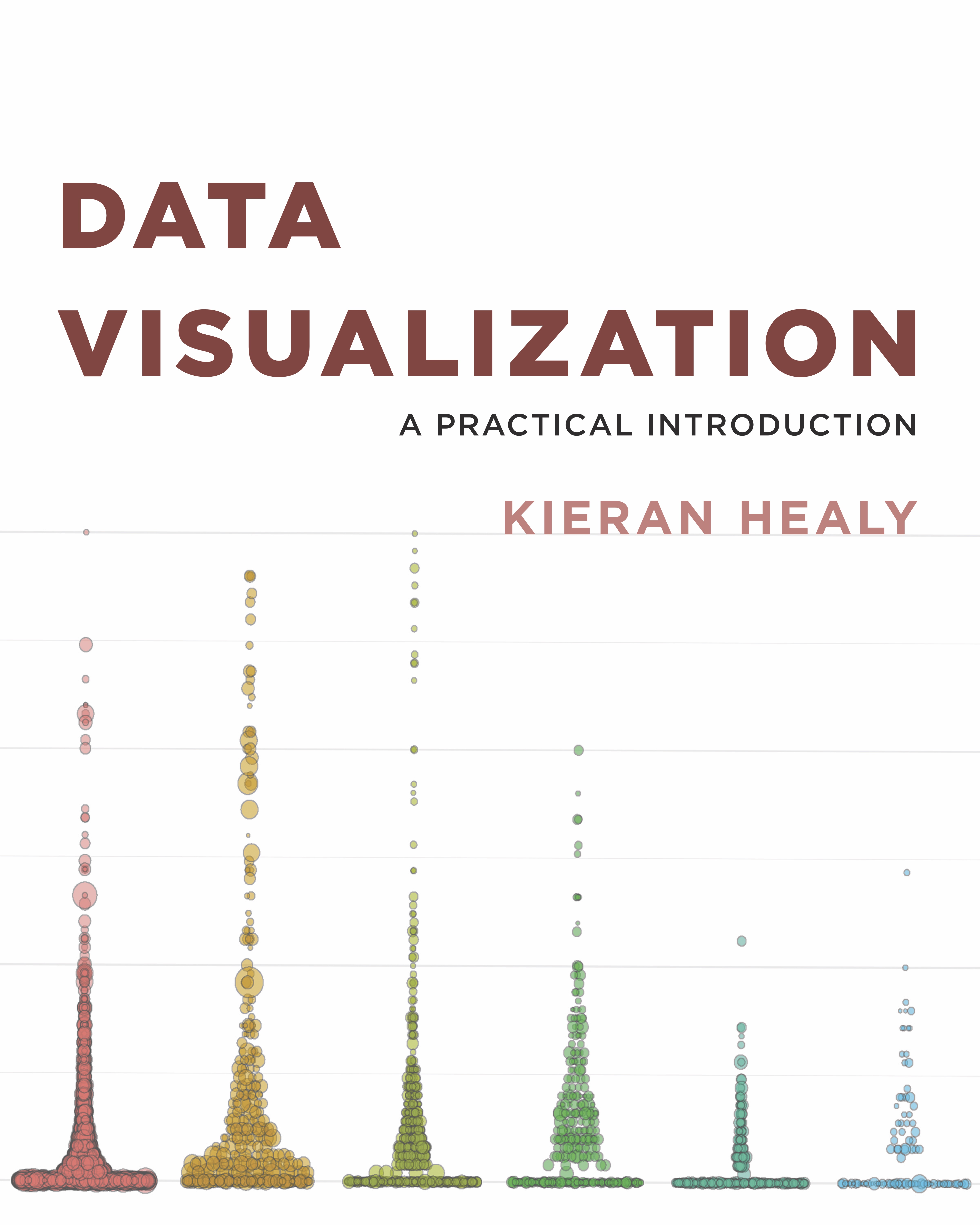
+ Kieran Healy's book [Data Visualization: A Practical Introduction](https://socviz.co/) (right) which is targeted at social scientists without technical backgrounds.
]
]
.pull-right[
 ]
---
class: inverse
# Exercise: Histograms
In pairs, you will create a histogram of life expectancy observations in the complete Gapminder dataset.
1. Set the base layer by specifying the data as `gapminder` and the x variable as `lifeExp`
2. Add a second layer to create a histogram using the function `geom_histogram()`
3. Customize your plot with nice axis labels and a title.
---
# My Solution
### 1: Set Base Layer
.pull-left[
.small[
```{r, fig.height=4, dev='svg', eval=FALSE}
ggplot(gapminder,aes(x=lifeExp))
```
]
]
.pull-right[
```{r, dev='svg', echo=FALSE}
ggplot(gapminder,aes(x=lifeExp))
```
]
---
# My Solution
### 2: Add Histogram Layer
.pull-left[
.small[
```{r, fig.height=4, dev='svg', eval=FALSE}
ggplot(gapminder,aes(x=lifeExp))+
geom_histogram(bins=30)
```
]
]
.pull-right[
```{r, dev='svg', echo=FALSE}
ggplot(gapminder,aes(x=lifeExp))+
geom_histogram(bins=30)
```
]
.footnote[Setting the `bins` aesthetic removes a pesky message!]
---
# My Solution
### 3: Add Label Layers
.pull-left[
.small[
```{r, fig.height=4, dev='svg', eval=FALSE}
ggplot(gapminder,aes(x=lifeExp))+
geom_histogram(bins=30)+
xlab("Life Expectancy")+
ylab("Count")+
ggtitle("Histogram of Life Expectancy
in Gapminder Data")
```
]
]
.pull-right[
```{r, dev='svg', echo=FALSE}
ggplot(gapminder,aes(x=lifeExp))+
geom_histogram(bins=30)+
xlab("Life Expectancy")+
ylab("Count")+
ggtitle("Histogram of Life Expectancy in Gapminder Data")
```
]
---
class: inverse
# Homework 2
In this homework, you'll pose a question regarding the Gapminder dataset and investigate it graphically.
* At the beginning of your document, write down a research question that is based on the Gapminder dataset (e.g., "How does population change over time in different countries?")
* Create 3-6 plots to answer/investigate your research question. Consider histograms (`geom_histogram()`), scatterplots (`geom_point()`), or lineplots (`geom_line()`).
* Be sure all titles, axes, and legends are clearly labelled.
* Include at least one plot with `facet_wrap()` or `facet_grid()`.
Your document should be pleasant for a peer to look at, with some organization. You must write up your observations in words as well as showing the graphs. Upload both the `.Rmd` file and the `.html` file to Canvas.
]
---
class: inverse
# Exercise: Histograms
In pairs, you will create a histogram of life expectancy observations in the complete Gapminder dataset.
1. Set the base layer by specifying the data as `gapminder` and the x variable as `lifeExp`
2. Add a second layer to create a histogram using the function `geom_histogram()`
3. Customize your plot with nice axis labels and a title.
---
# My Solution
### 1: Set Base Layer
.pull-left[
.small[
```{r, fig.height=4, dev='svg', eval=FALSE}
ggplot(gapminder,aes(x=lifeExp))
```
]
]
.pull-right[
```{r, dev='svg', echo=FALSE}
ggplot(gapminder,aes(x=lifeExp))
```
]
---
# My Solution
### 2: Add Histogram Layer
.pull-left[
.small[
```{r, fig.height=4, dev='svg', eval=FALSE}
ggplot(gapminder,aes(x=lifeExp))+
geom_histogram(bins=30)
```
]
]
.pull-right[
```{r, dev='svg', echo=FALSE}
ggplot(gapminder,aes(x=lifeExp))+
geom_histogram(bins=30)
```
]
.footnote[Setting the `bins` aesthetic removes a pesky message!]
---
# My Solution
### 3: Add Label Layers
.pull-left[
.small[
```{r, fig.height=4, dev='svg', eval=FALSE}
ggplot(gapminder,aes(x=lifeExp))+
geom_histogram(bins=30)+
xlab("Life Expectancy")+
ylab("Count")+
ggtitle("Histogram of Life Expectancy
in Gapminder Data")
```
]
]
.pull-right[
```{r, dev='svg', echo=FALSE}
ggplot(gapminder,aes(x=lifeExp))+
geom_histogram(bins=30)+
xlab("Life Expectancy")+
ylab("Count")+
ggtitle("Histogram of Life Expectancy in Gapminder Data")
```
]
---
class: inverse
# Homework 2
In this homework, you'll pose a question regarding the Gapminder dataset and investigate it graphically.
* At the beginning of your document, write down a research question that is based on the Gapminder dataset (e.g., "How does population change over time in different countries?")
* Create 3-6 plots to answer/investigate your research question. Consider histograms (`geom_histogram()`), scatterplots (`geom_point()`), or lineplots (`geom_line()`).
* Be sure all titles, axes, and legends are clearly labelled.
* Include at least one plot with `facet_wrap()` or `facet_grid()`.
Your document should be pleasant for a peer to look at, with some organization. You must write up your observations in words as well as showing the graphs. Upload both the `.Rmd` file and the `.html` file to Canvas.