# AI Landing Page - Stunning, Responsive & Animated
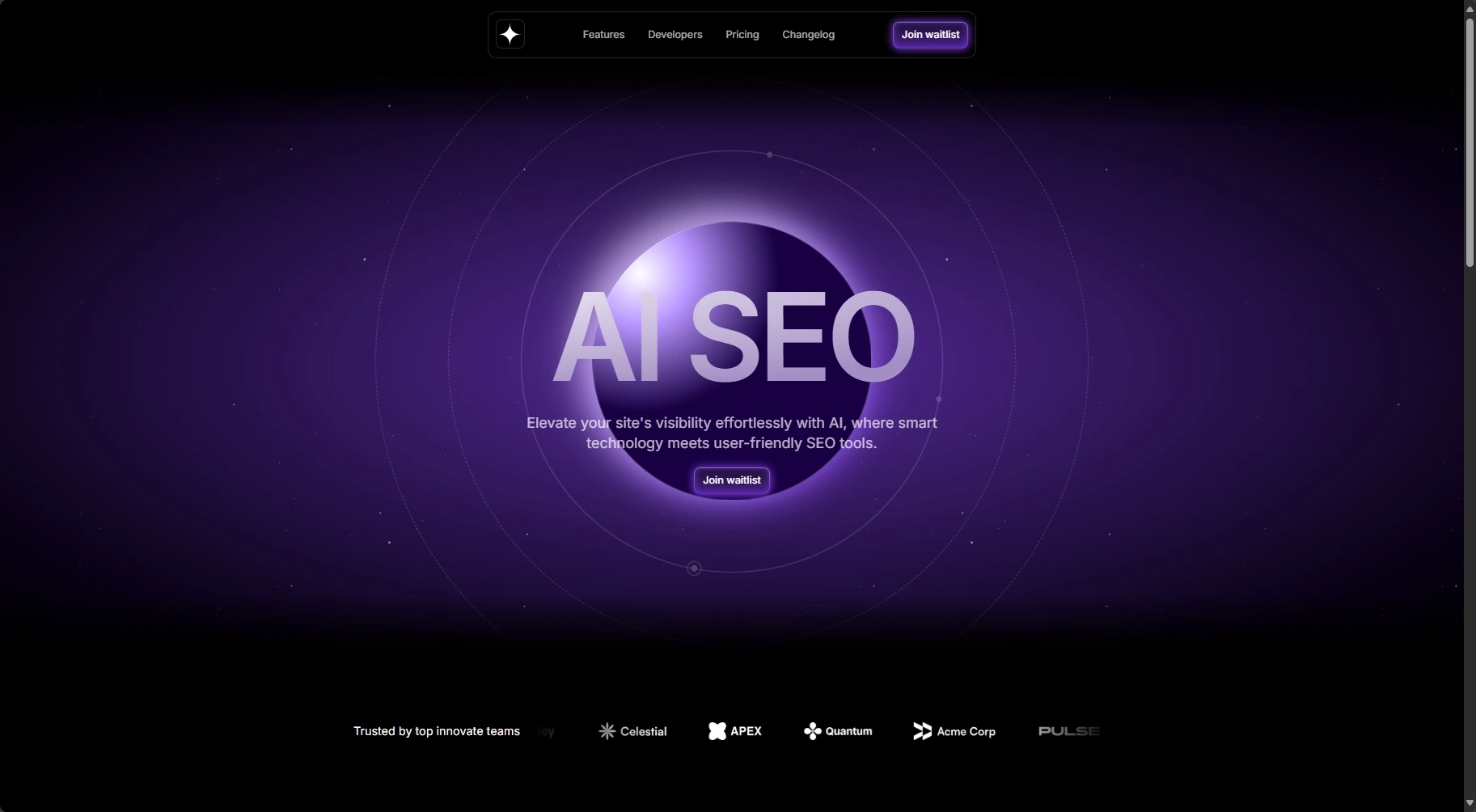
A pixel-perfect **AI-themed marketing landing page** built with **React**, **Next.js 14 (App Router)**, **Tailwind CSS**, and **Framer Motion**. 100 % responsive, production-ready, and packed with smooth micro-interactions to captivate your visitors.
## Key Features
- **Instant load** – Optimized images & Next.js dynamic imports
- **Fully responsive** – Mobile-first layout that scales to 4K
- **Framer Motion animations** – Hero reveal, logo ticker, parallax mockups, fade-in testimonials, and more
- **Reusable components** – Header, Button, Section, TestimonialCard, etc.
- **Static & dynamic images** – Next `` component with blur placeholders
## Tech Stack
The project was built using the following technologies and tools:
- [Next.js (App Router)](https://nextjs.org/) - React framework for web applications.
- [React](https://react.dev/) - JavaScript library for building user interfaces.
- [TypeScript](https://www.typescriptlang.org/) - JavaScript superset for static typing.
- [Tailwind CSS](https://tailwindcss.com/) - Utility-first CSS framework for fast and customizable design.
- [Motion](https://motion.dev/) - A robust animation library for modern web projects using JavaScript, React, or Vue.
## Figma Design
- [AI Startup Landing Page — Frontend Tribe](https://www.figma.com/design/vln3nOGGr36JKPsIFdQMU4/AI-Startup-Landing-Page-%E2%80%94-Frontend-Tribe?node-id=4007-681&p=f&t=jrDYhgDNS5C70BRL-0)
## Setup & Installation
### 1. Clone the repository
```bash
git clone https://github.com/pedroestevaodev/stunning-ia-lp.git
cd stunning-ia-lp
```
### 2. Install dependencies
```bash
$ npm install
```
### 3. Start the development server
```bash
$ npm run dev
```
Open your browser and visit `http://localhost:3000` to see the project in action.
You can start editing the homepage by modifying the `app/page.tsx` file. The browser will automatically update as you make changes to the code.
## Available Commands
Here are the main commands available for the project:
| Command | Description |
| ---------------- | ----------------------------- |
| `dev` | Starts the development server |
| `build` | Builds the app for production |
| `start` | Runs the built app |
| `lint` | Lints the code using ESLint |
## Deploy
The easiest way to deploy your Next.js application is by using the [Vercel Platform](https://vercel.com/new), created by the developers of Next.js.
Check out the [Next.js deployment documentation](https://nextjs.org/docs/deployment) for more details.
## License
This project is open source and available under the [MIT License](https://mit-license.org/).
---
**Built with ☕ by [Pedro Estevão](https://www.pedroestevao.com)**