**Brooklyn is not actively maintained, as it doesn’t generate income to justify the time investment. If you need a bug fixed, feel free to contact the author via email to discuss having it resolved for a fee.**
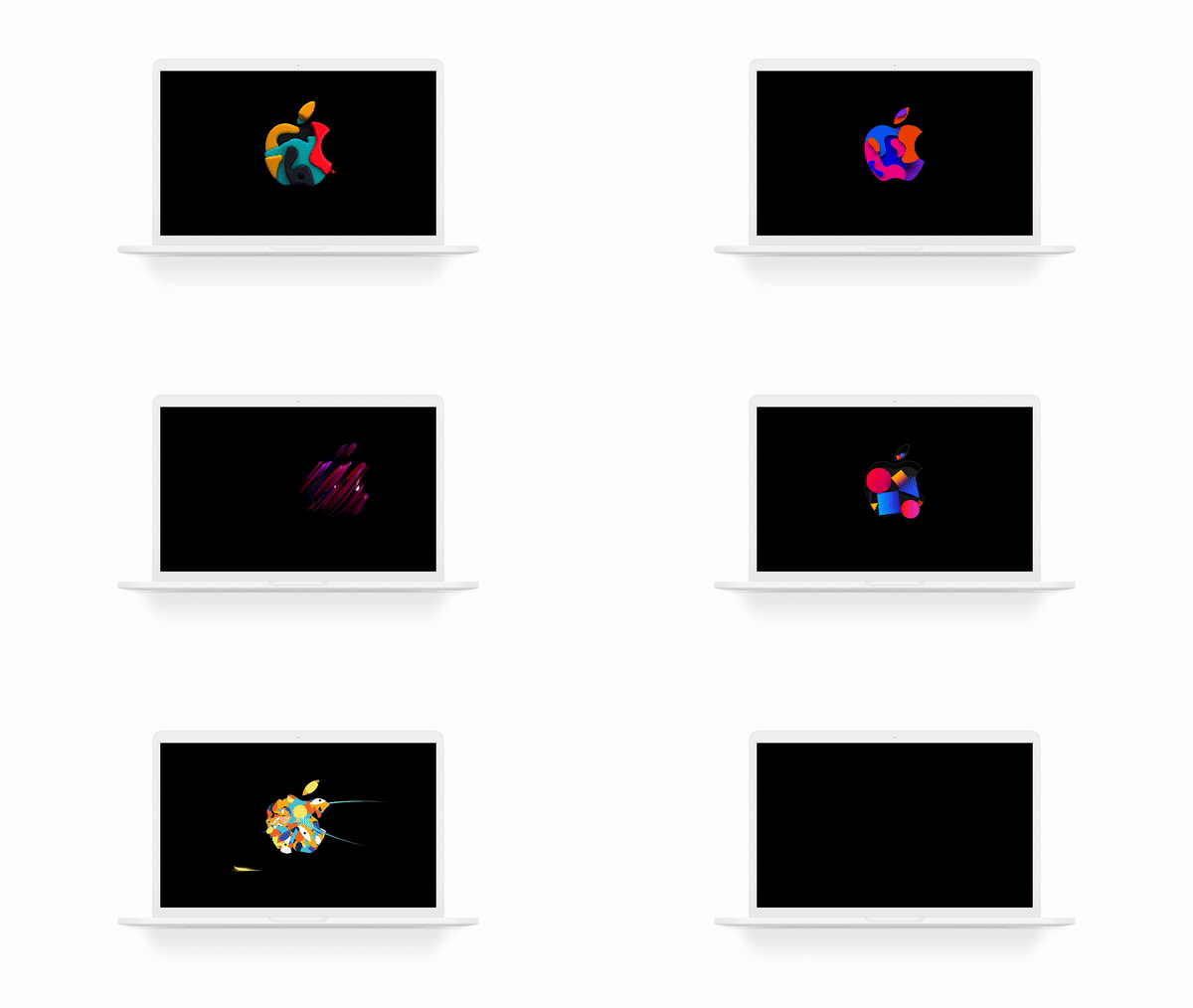
> Screen Saver by [Pedro Carrasco](https://twitter.com/pedrommcarrasco) based on the animations presented during **[Apple Special Event](https://www.youtube.com/watch?v=bfHEnw6Rm-4)** (October 30, 2018) from the Brooklyn Academy of Music, Howard Gilman Opera House.
 [](https://travis-ci.org/pedrommcarrasco/Brooklyn)  [](https://github.com/pedrommcarrasco/Brooklyn/blob/master/LICENSE)
## Features ✅
* Doesn't require internet connection
* Homebrew support
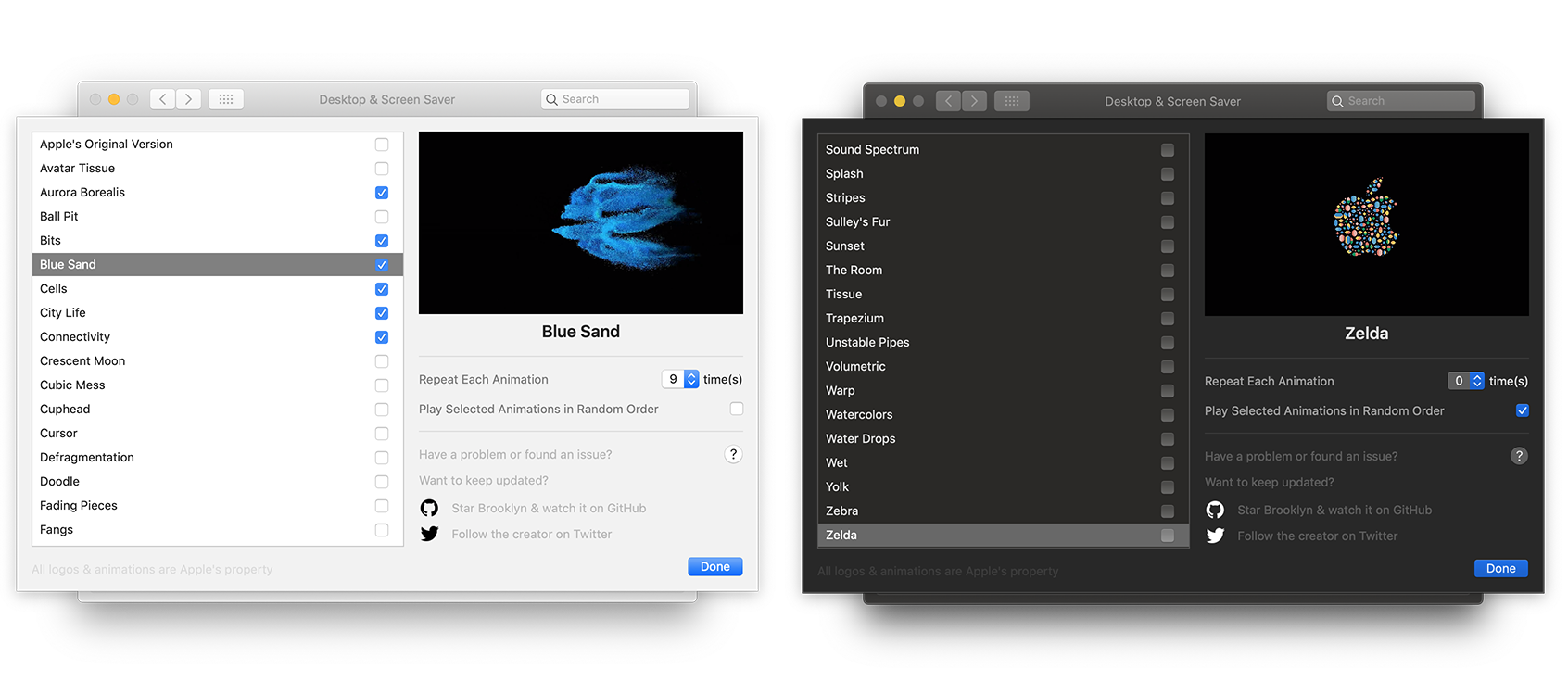
* Light & Dark theme
* Select which animations you want to see
* Loop each animation how many times you want
* Make the animations' order random
## Installation 📦
Independently of how you install **Brooklyn**, please **close your System Preferences**.
Screen savers can be set programmatically with this Terminal command :
```shell
defaults -currentHost write com.apple.screensaver moduleDict -dict moduleName Brooklyn path "$HOME/Library/Screen Savers/Brooklyn.saver"
```
### Manual :hand:
1. [Click here to Download](https://github.com/pedrommcarrasco/Brooklyn/releases/download/2.1.0/Brooklyn.saver.zip)
2. Open **Brooklyn.saver** (double click)
3. `"Brooklyn.saver" can't be opened because it is from an unidentified developer` will appear, press `OK`
4. Open `Preferences`
5. Select `Security & Privacy`
6. Select `General`
7. On the bottom side, select `Open Anyway`
### Homebrew 🍺
1. Open terminal
2. Enter `brew install --cask brooklyn --no-quarantine`
## Uninstallation 🗑️
### Manual :hand:
- Right-click on Brooklyn in System Preferences and select `Delete Brooklyn`, or
- Delete `Brooklyn.saver` either in `/Library/Screen Savers` or `/Users/USERNAME/Library/Screen Savers`.
### Homebrew 🍺
1. Open terminal
2. Enter `brew uninstall --cask brooklyn`
## Compatibility 🔧
Requires OS X El Capitan (10.11) or above.
## Troubleshooting 🤕
The Brooklyn screen saver can be blocked by the system as a malicious software. Sometimes on macOS Big Sur clicking `Open Anyway` in `Security & Privacy` is not fixing the issue.
To bypass this quarantine made by apple, you can use this command in your terminal :
```shell
sudo xattr -d com.apple.quarantine ~/"Library/Screen Savers/Brooklyn.saver"
```
## Support Brooklyn ❤️
Hello there 👋
I’m Pedro, a Portuguese iOS Engineer since February 2017. I’m an avid OSS enthusiast and contributor - help by sharing, learn by what’s shared.
I've built and open-sourced multiple frameworks and applications, including **[Brooklyn](https://github.com/pedrommcarrasco/Brooklyn)** and **[CocoaHub](https://cocoahub.app)**.
I'm also a conference and meetup organizer, being part of **[SwiftAveiro](https://swiftaveiro.xyz)** and **[CocoaHeads Porto](https://www.meetup.com/CocoaHeads-Porto/)**.
If you enjoy my work and would like to help me continue it, please consider:
* https://github.com/users/pedrommcarrasco/sponsorship
* https://www.buymeacoffee.com/pedrommcarrasco
* https://www.paypal.me/pedrommcarrasco
## Contributing 🙌
Feel free to contribute to this project by providing [ideas](https://github.com/pedrommcarrasco/Brooklyn/issues?q=is%3Aissue+is%3Aopen+sort%3Aupdated-desc) or opening [pull requests](https://github.com/pedrommcarrasco/Brooklyn/pulls?q=is%3Apr+is%3Aopen+sort%3Aupdated-desc) with new features or solving an existing issue.
## License ⛔
Brooklyn's available under the MIT license. See the [LICENSE](https://github.com/pedrommcarrasco/Brooklyn/blob/master/LICENSE) file for more information. Logo & original animations are Apple's property.