Open source monitoring and query analytics for MySQL, PostgreSQL, MongoDB and Valkey/Redis.
Self-hosted, and every feature is open source: there is no paid edition.
## Quickstart
**1. Start PMM Server** (needs Docker; the script installs it if it's missing)
```sh
curl -fsSL https://www.percona.com/get/pmm | /bin/bash
```
Open `https://` and log in as `admin` / `admin`, then set a new password.
**2. Connect a database** (on the database host; Debian/Ubuntu shown)
```sh
wget https://repo.percona.com/apt/percona-release_latest.generic_all.deb
sudo dpkg -i percona-release_latest.generic_all.deb
sudo percona-release enable pmm3-client release
sudo apt update && sudo apt install -y pmm-client
sudo pmm-admin config --server-insecure-tls --server-url=https://admin:@:443
sudo pmm-admin add mysql --username=pmm --password= --query-source=perfschema
```
This assumes a fresh server with its self-signed certificate. For production, use a trusted certificate (drop `--server-insecure-tls`) and register with a [service account token](https://docs.percona.com/percona-monitoring-and-management/3/api/authentication.html) instead of the admin password.
Open **Query Analytics** and your queries appear within a minute. The `pmm` database user needs [these privileges](https://docs.percona.com/percona-monitoring-and-management/3/install-pmm/install-pmm-client/connect-database/mysql/mysql.html). Guides for RHEL, Docker, [PostgreSQL, MongoDB, Valkey/Redis, Amazon RDS/Aurora, Azure and Google Cloud](https://docs.percona.com/percona-monitoring-and-management/3/install-pmm/install-pmm-client/connect-database/index.html) are in the [full quickstart](https://docs.percona.com/percona-monitoring-and-management/3/quickstart/quickstart.html).
Other ways to run PMM Server: [Docker](https://docs.percona.com/percona-monitoring-and-management/3/install-pmm/install-pmm-server/deployment-options/docker/index.html) · [Podman](https://docs.percona.com/percona-monitoring-and-management/3/install-pmm/install-pmm-server/deployment-options/podman/index.html) · [Kubernetes (Helm)](https://docs.percona.com/percona-monitoring-and-management/3/install-pmm/install-pmm-server/deployment-options/helm/index.html) · [AWS Marketplace](https://docs.percona.com/percona-monitoring-and-management/3/install-pmm/install-pmm-server/deployment-options/aws/deploy_aws.html)
## Product tour
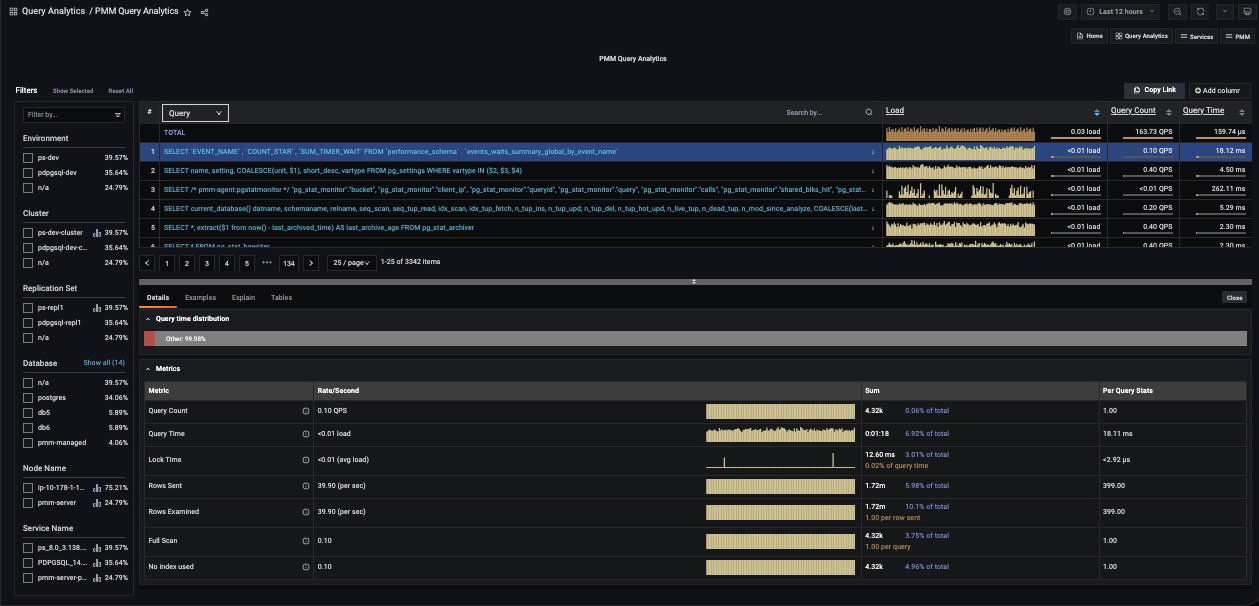
Query Analytics: find the queries that cost the most
Every query ranked by load, with examples, EXPLAIN plans and table stats. See the [Query Analytics docs](https://docs.percona.com/percona-monitoring-and-management/3/use/qan/index.html).
Dashboards for every layer: node → instance → query
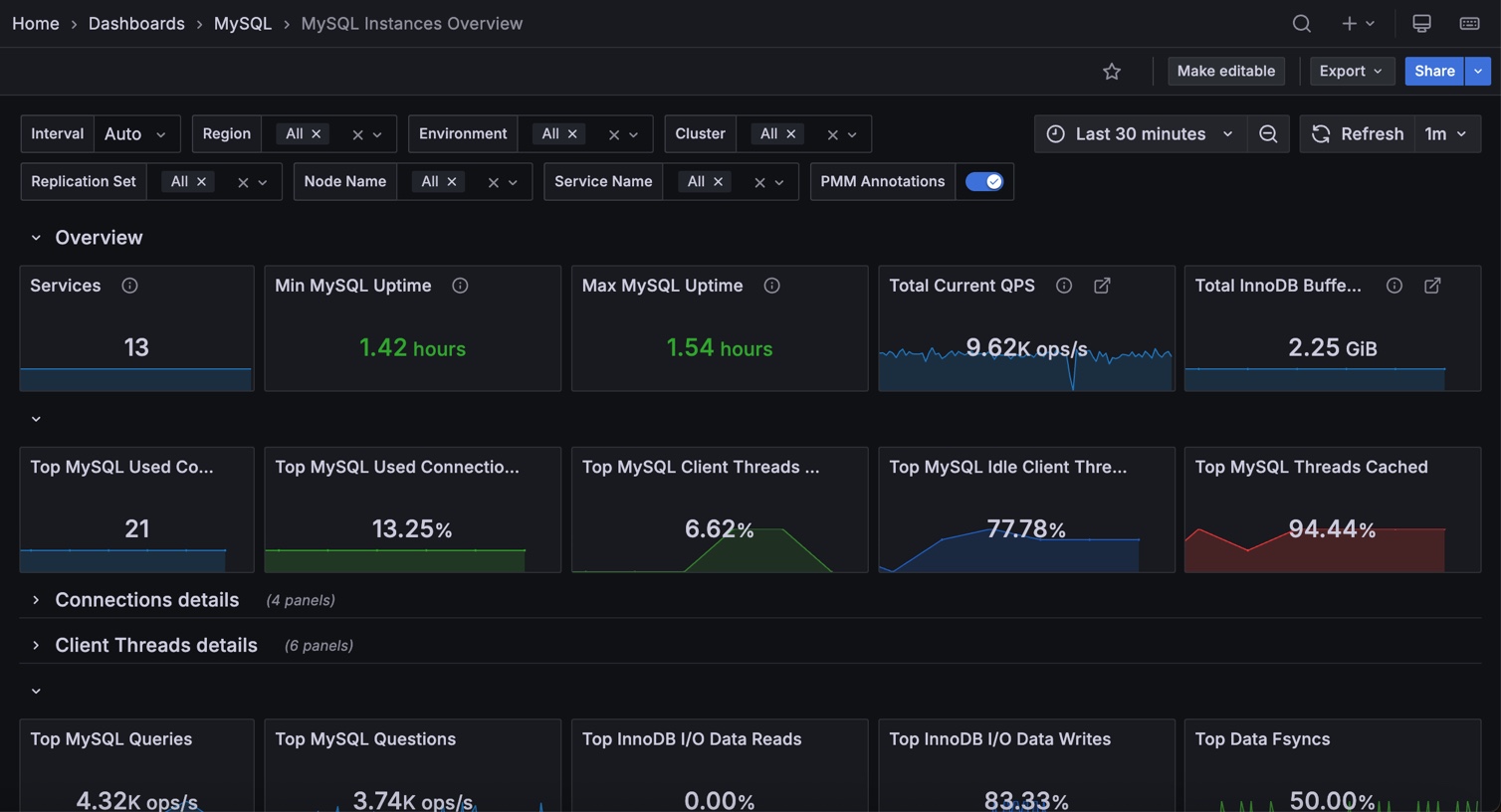
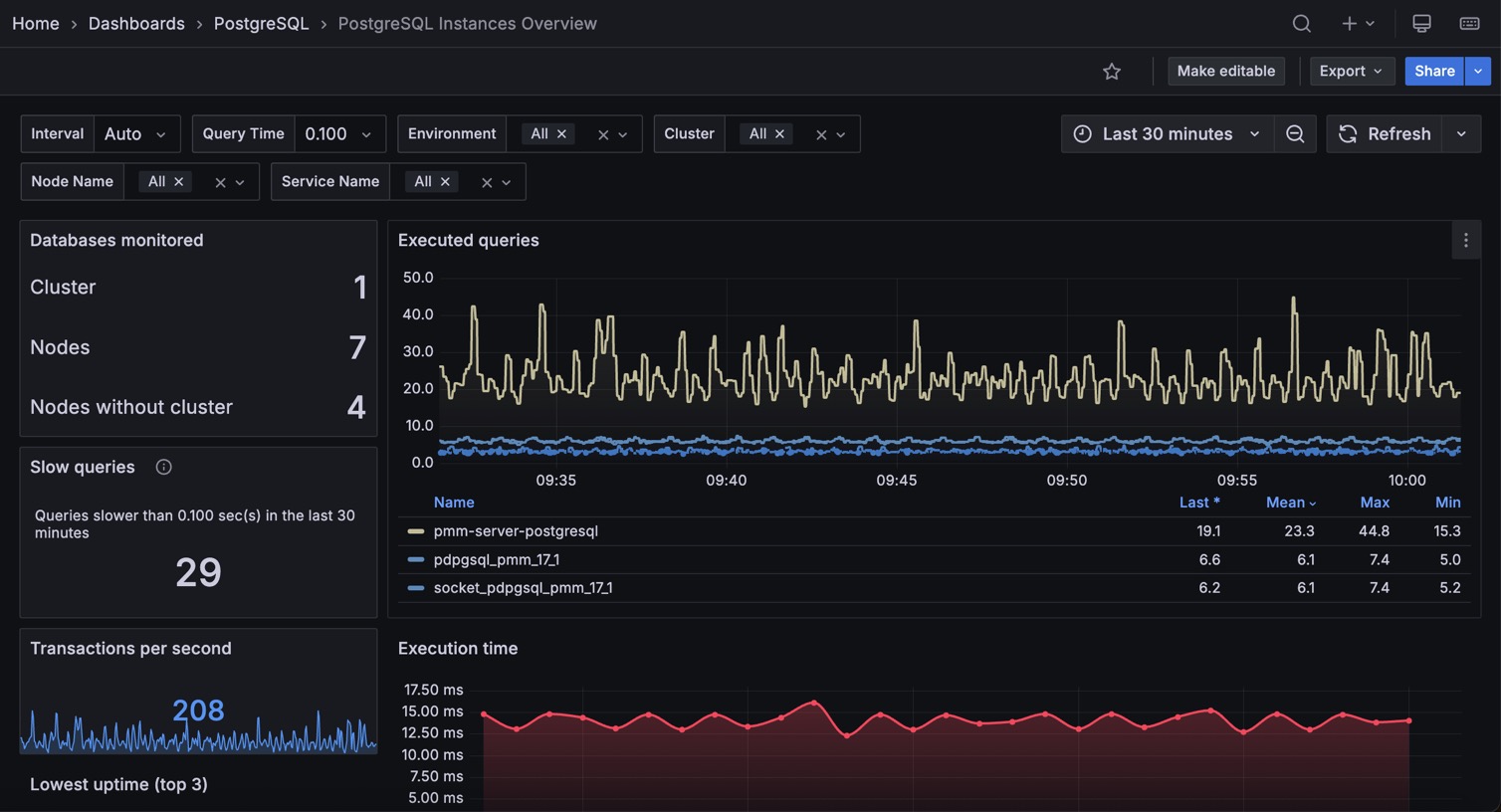
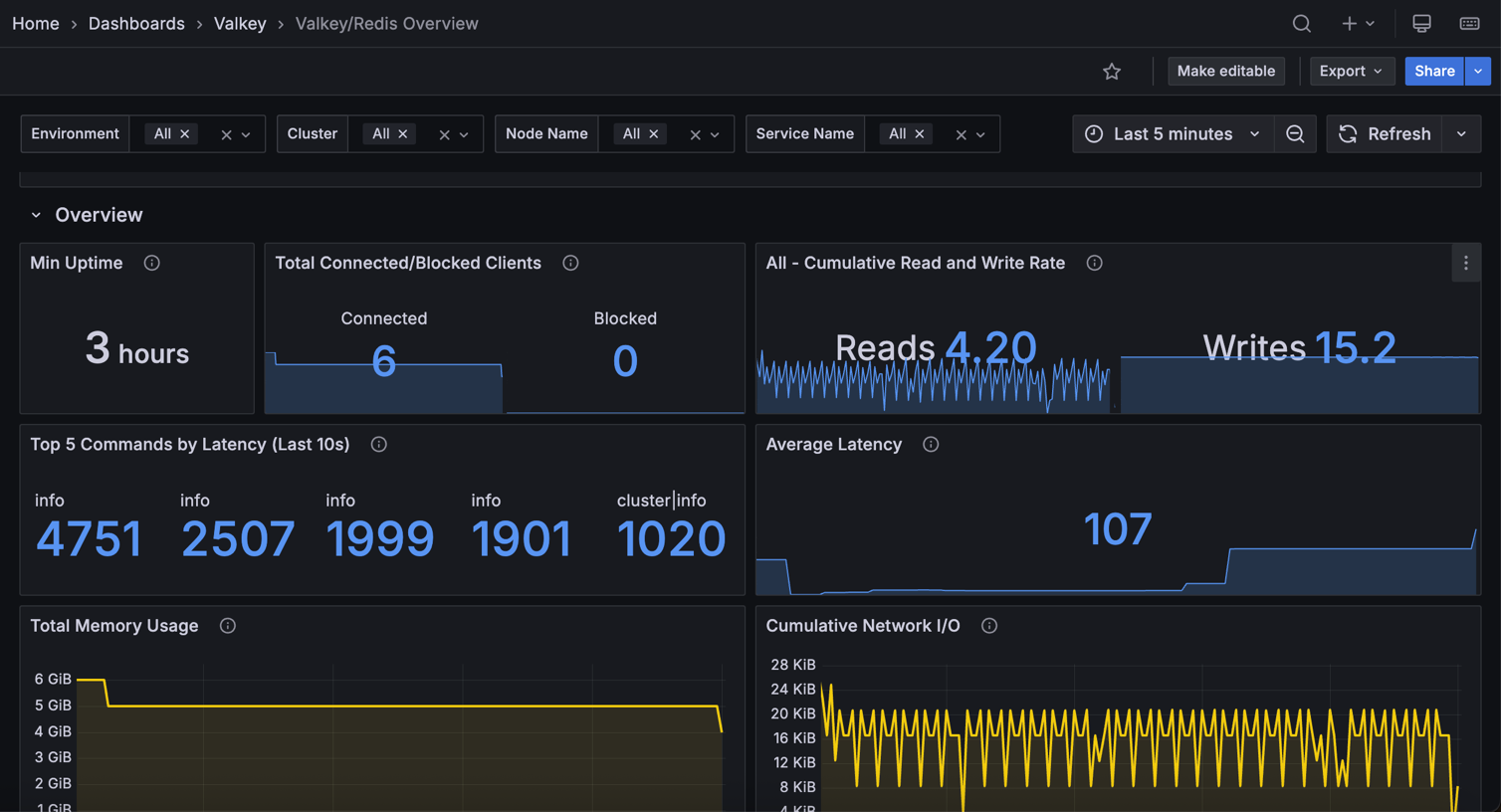
For MySQL, PostgreSQL, MongoDB, Valkey/Redis, ProxySQL and HAProxy. Built on Grafana.
MySQL
PostgreSQL
Valkey / Redis
Advisors: automatic checks for security, configuration and performance

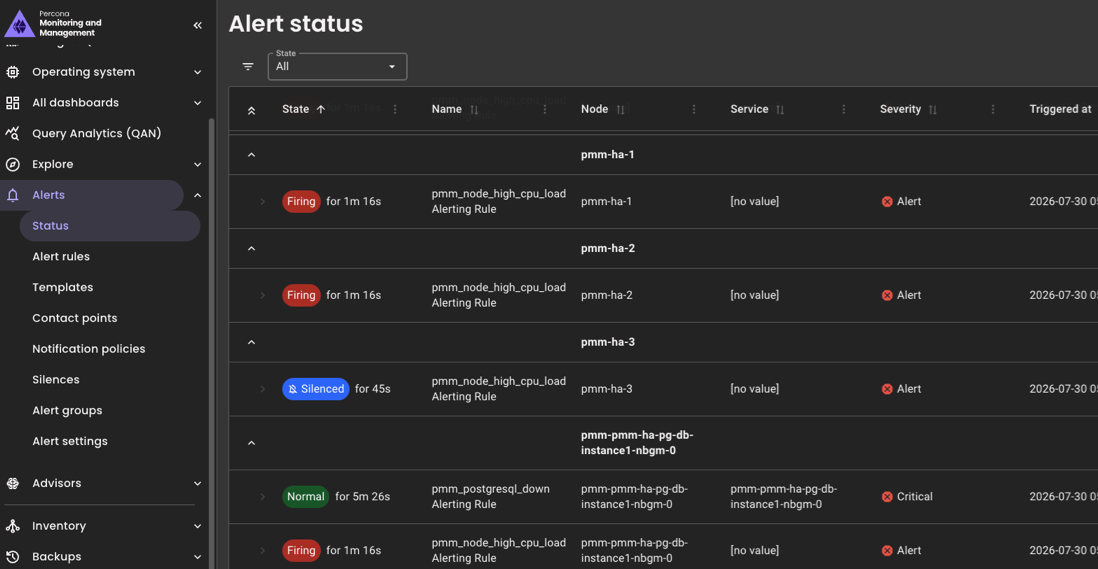
Alerting: ready-made templates, any Grafana contact point
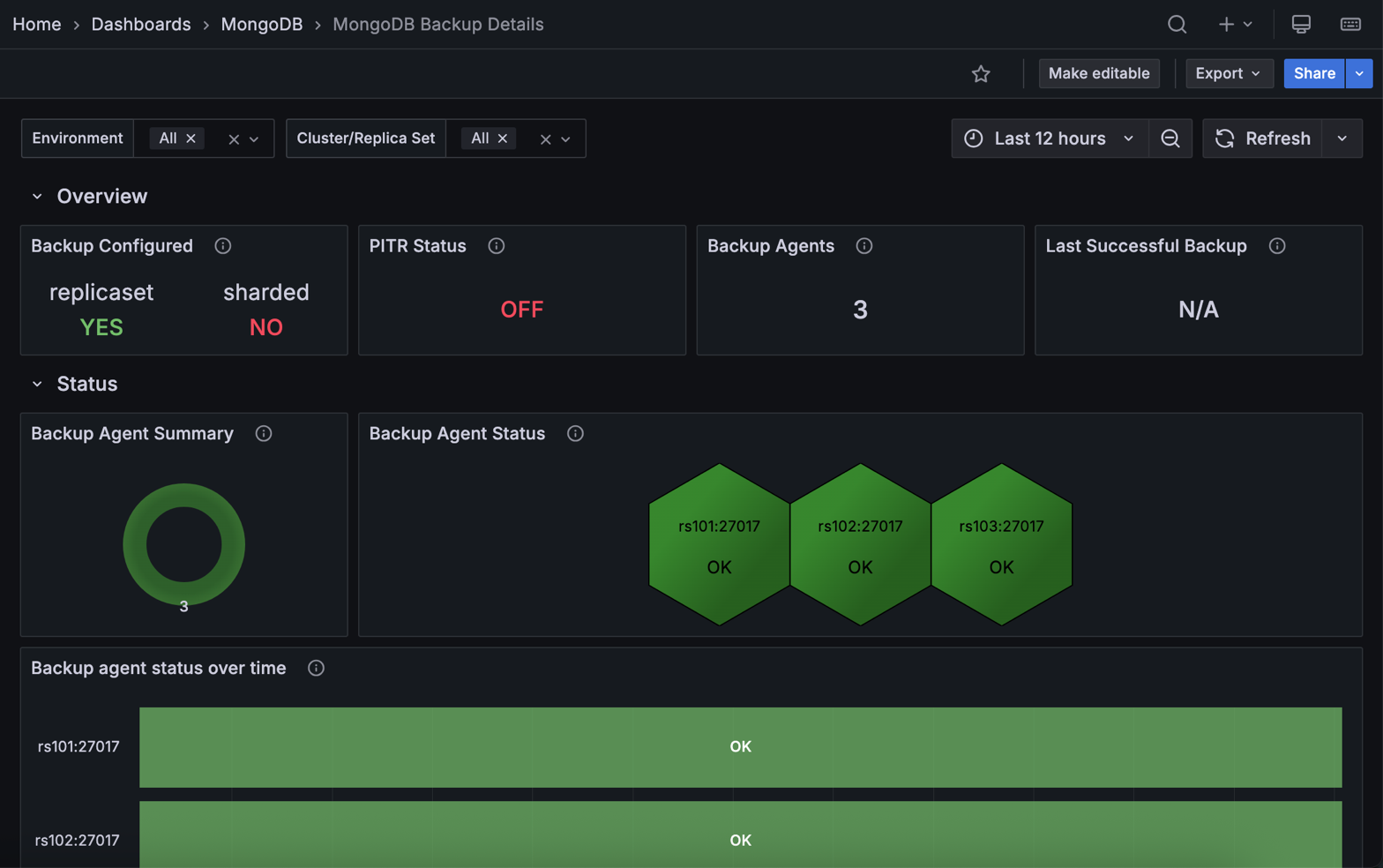
Backup and restore: MongoDB with point-in-time recovery, MySQL in Technical Preview
**Runs where your databases run**: bare metal, VMs, Kubernetes, Amazon RDS/Aurora, Azure and Google Cloud.
## Why PMM?
| | PMM | Prometheus + Grafana, self-built | Hosted DB monitoring |
|------------------------------------------|-------------------|----------------------------------|----------------------|
| Per-query analytics | Built in | Build it yourself | Yes |
| DB dashboards, advisors, alert templates | Built in | Assemble by hand | Yes |
| Where your data lives | Your servers | Your servers | Vendor cloud |
| Cost | Free, open source | Free + your time | Per host, per month |
### Compared with tools you know
**Prometheus + exporters**
Good if you want to assemble it yourself. PMM ships the exporters, curated dashboards, query analytics, advisors and alert templates as one install with one upgrade path.
**Datadog Database Monitoring**
SaaS, priced per database host. PMM is self-hosted, so query text and samples stay on your servers.
**pganalyze**
Commercial and PostgreSQL only. PMM covers PostgreSQL, MySQL, MongoDB and Valkey in one tool.
## How it works
**PMM Server** (Grafana, VictoriaMetrics, ClickHouse, PostgreSQL) stores metrics and query data. **PMM Client** (`pmm-agent` plus exporters) runs next to each database and sends them. Details are in the [architecture reference](https://docs.percona.com/percona-monitoring-and-management/3/reference/index.html).
Architecture diagrams
## FAQ
How is PMM different from Prometheus + Grafana?
PMM is built on Grafana and VictoriaMetrics (PromQL-compatible) and adds the database parts: exporters configured for you, query analytics stored in ClickHouse, curated dashboards, advisors, alert templates and backups. It installs and upgrades as one product.
Will it slow down my database?
The client reads statistics the database already collects (Performance Schema or the slow log, `pg_stat_statements` or `pg_stat_monitor`, the MongoDB profiler or log), and you choose the query source for each service. See [choosing a query source](https://docs.percona.com/percona-monitoring-and-management/3/install-pmm/install-pmm-client/connect-database/mysql/mysql.html).
Can I monitor Amazon RDS, Aurora or Azure without access to the host?
Yes. Add the instance from the PMM web interface; nothing is installed on the database host. For RDS, PMM also reads Enhanced Monitoring metrics through the AWS API. See [Connect Amazon RDS](https://docs.percona.com/percona-monitoring-and-management/3/install-pmm/install-pmm-client/connect-database/aws.html).
Is any feature paid?
No. Every feature is in the open source release. Percona sells [support](https://hubs.ly/Q02_Fs100), not features.
How do I upgrade?
PMM Server: pull the new image for Docker or Podman, or run `helm upgrade` for Helm. PMM Client: your package manager. See the [upgrade guide](https://docs.percona.com/percona-monitoring-and-management/3/pmm-upgrade/index.html).
## Community and support
- **Questions and ideas**: [Percona Forum](https://forums.percona.com/c/percona-monitoring-and-management-pmm)
- **Bugs**: [PMM on Jira](https://perconadev.atlassian.net/issues/?jql=project=PMM). See [how to report a bug](CONTRIBUTING.md#submitting-a-bug).
- **Contributing**: [CONTRIBUTING.md](CONTRIBUTING.md) · [good first issues](https://github.com/percona/pmm/labels/good%20first%20issue)
- **Commercial support**: [Percona Support](https://hubs.ly/Q02_Fs100) for production deployments
If PMM saves you time, give the repo a ⭐. It helps other DBAs find it.
## License
- PMM Server: [GNU AGPLv3](./LICENSE)
- PMM Client: [Apache 2.0](./agent/LICENSE)
- PMM Documentation: [GNU AGPLv3](./documentation/LICENSE)