English · Русский
> **Deprecated.** CodexNest has evolved into [Nest Apps](https://github.com/petrovichest/nest-apps). > Further development continues there. This repository is retained for reference. ## Switching to Nest Apps For a standard installation made with `install.sh`, run these commands as the same Linux user who installed CodexNest: ```bash sed -i \ -e 's|petrovichest/codex-nest|petrovichest/nest-apps|g' \ -e 's|android-latest/CodexNest-latest.json|rolling-latest/NestApps-latest.json|g' \ "$HOME/.local/bin/codexnest" git -C "${CODEXNEST_ROOT:-$HOME/.local/share/codexnest}/source" \ remote set-url origin https://github.com/petrovichest/nest-apps.git codexnest check-update ``` This switches the updater and Git source to Nest Apps without reinstalling or restarting anything. Projects, conversations, settings and authentication stay in place; the running build is unchanged until you apply an update. To install the new build, open **Settings → Maintenance → Check for updates → Update**. Applying the update briefly restarts only the CodexNest application; in daemon mode, the Codex daemon keeps running. No computer reboot is needed.
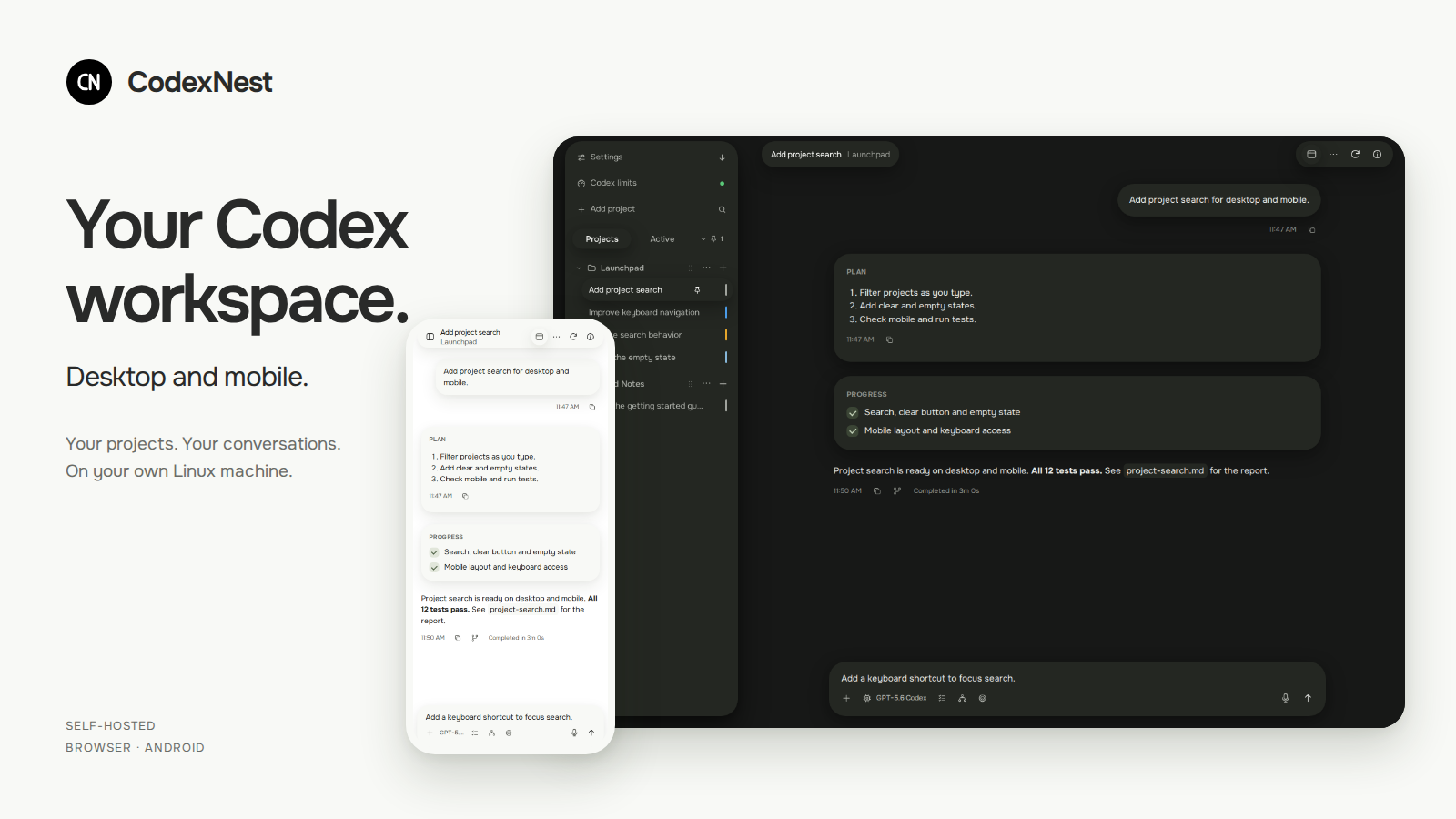
Your Codex workspace. Desktop and mobile.
Manage projects and Codex CLI conversations on your own Linux machine, from your browser or Android phone.



Quick start · How it works · Screenshots · Android APK · Documentation
CodexNest is an unofficial, self-hosted project for a single owner. It is not affiliated with or endorsed by OpenAI. ## Quick start Use an Ubuntu or Debian machine (`amd64` or `arm64`) with Codex CLI installed and signed in. Run the installer as a regular user: > **Private access only.** Keep CodexNest on the host, a fully trusted LAN, or your > private VPN. Do not expose port `4310` to the public internet. > Read the [security boundary](#security-boundary) before connecting. ```bash curl -fsSL https://github.com/petrovichest/codex-nest/releases/latest/download/install.sh | bash ``` The installer supplies its pinned Node.js runtime and managed user services; it does not install or sign in to Codex CLI. Follow the [first connection instructions](./deploy/DEPLOYMENT.md#6-проверка-и-первый-вход) to open the browser client or connect the [Android app](https://github.com/petrovichest/codex-nest/releases/latest/download/CodexNest-latest.apk). ## What you can do - **Keep projects together.** Organize server-side folders and sessions; resume, fork or archive conversations as work evolves. - **Guide work as it happens.** Follow streamed answers and plans, inspect commands and file changes, answer questions, queue follow-ups or interrupt a turn. - **Run several sessions.** Follow concurrent work and use [CodexNest Team](#codexnest-team) for application-managed child tasks. - **Take the workspace with you.** Use the browser or Android app, keep drafts and recent session data across temporary disconnects. On iOS, add the HTTPS site to your Home Screen as a web app. - **Make it comfortable.** Choose English or Russian, system, light or dark appearance, and separate font sizes for navigation, conversations and editors. - **Open the result.** Preview artifacts inside the conversation workspace and download the finished files. - **Use voice and browser tools.** Dictate prompts, receive completion and attention notifications, and attach Chrome tabs through the [browser extension](#browser-extension). ## How it works **One ChatGPT account. All your devices.** Run Codex and the CodexNest backend on your own Linux computer, mini-PC or server. The host can run headless, without a desktop interface. Sign in to ChatGPT through Codex on that host; project files, development tools and running tasks stay there. [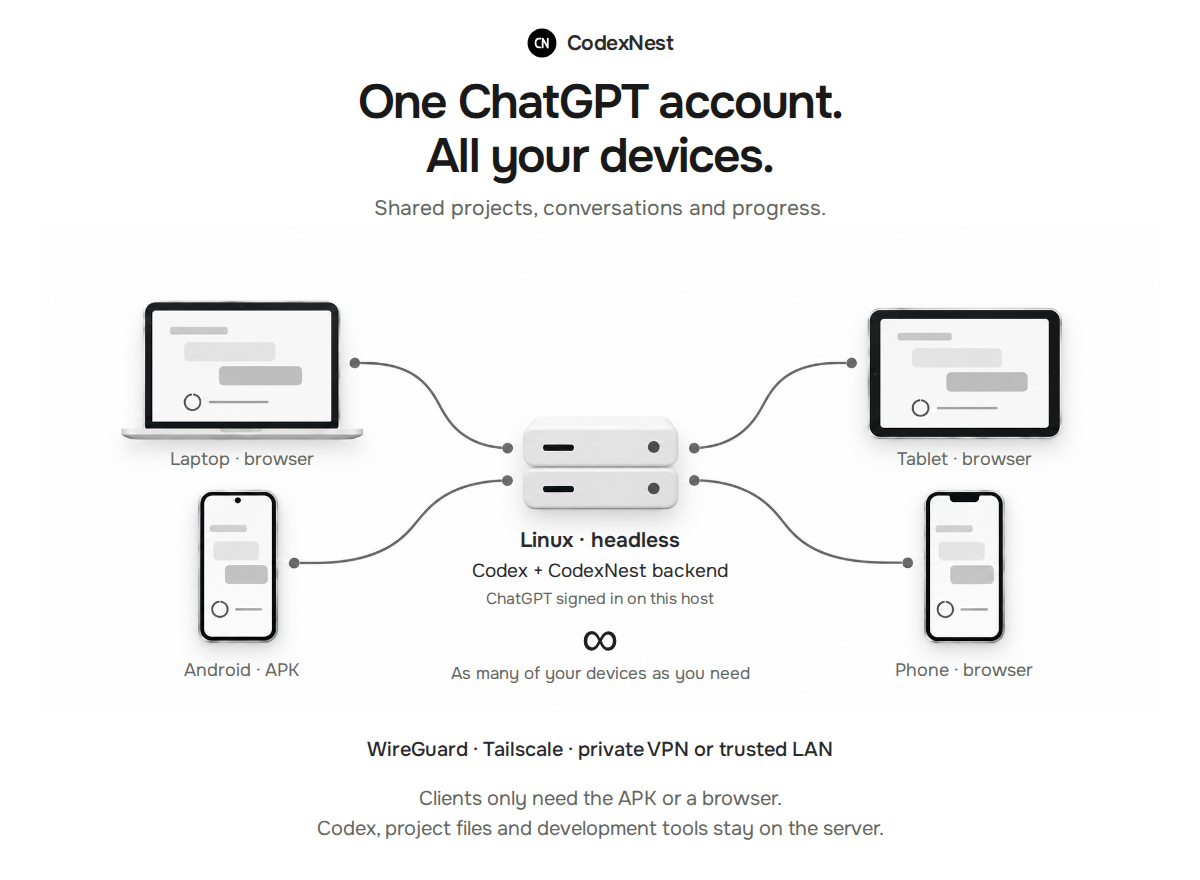](./docs/assets/how-it-works.png) Connect as many of **your own devices** as you need, using the Android APK or a browser. Reach the host through WireGuard, Tailscale, another private VPN, or a fully trusted LAN. Clients need no Codex installation, development tools or project checkout. Connected clients share projects, conversation history and live execution state; each device can navigate independently. Settings, credentials, drafts and recent session data may be stored locally, while the development environment stays on the host. ## Screenshots The redesigned interface uses floating panels, a compact composer and consistent controls across desktop and mobile. Follow a prepared **Launchpad** demo: adding project search, reviewing progress and opening the result. All projects and conversations shown here are demonstration data. Select an image to view it at full size. Captured from the v0.1.9 interface at [`b8805aa`](https://github.com/petrovichest/codex-nest/commit/b8805aa0ee30e5617de06497ff310d0bbc0c24cc), on September 21, 2026. ### A workspace for your projects The floating sidebar keeps projects and sessions alongside the conversation. Read the plan, follow progress and send the next instruction from the compact composer at the bottom of the screen. [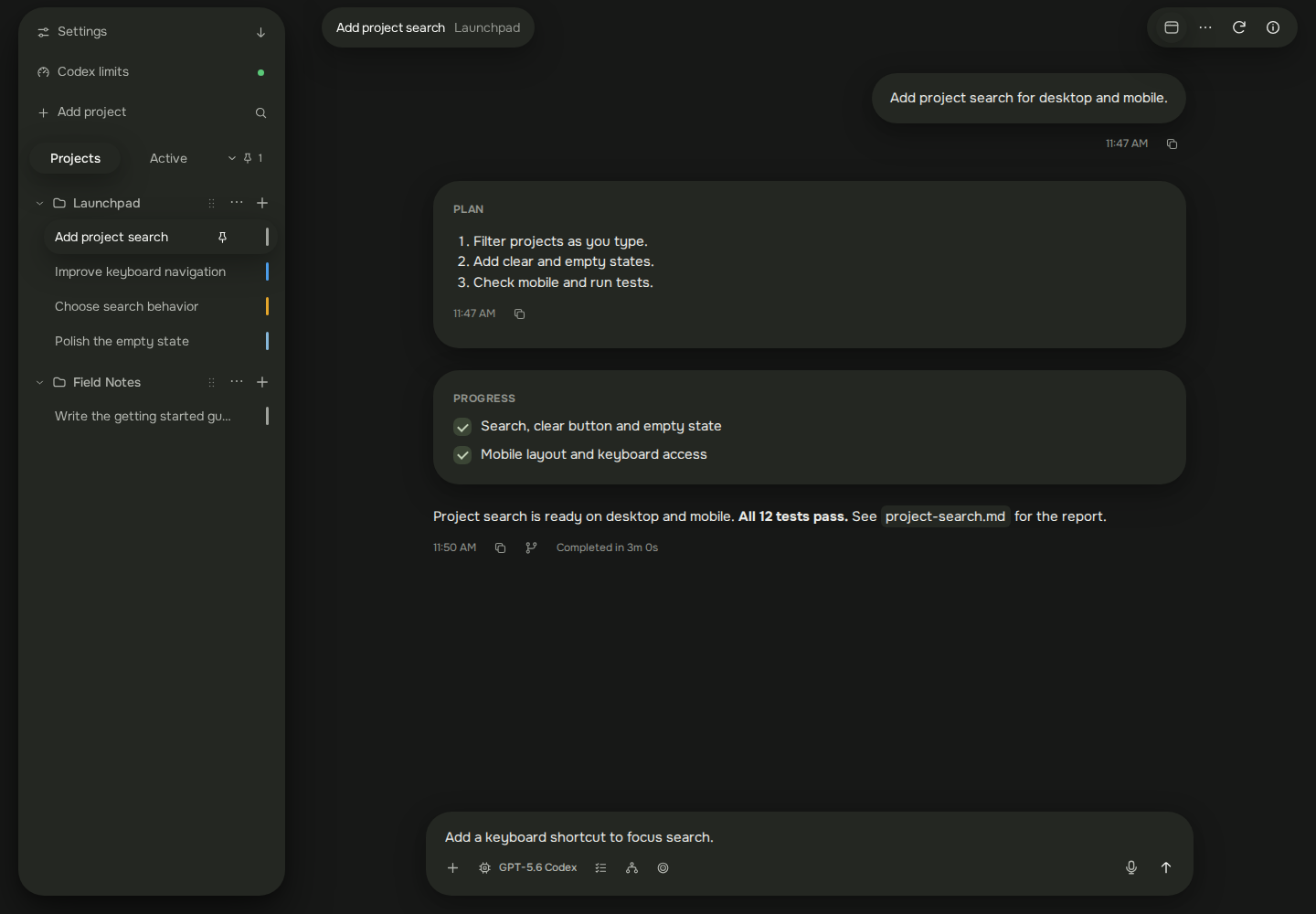](./docs/assets/desktop-session.png) ### Keep the next step in view Choose an answer or write your own while a follow-up waits in the queue. The light theme uses the same layout and controls as the dark theme. [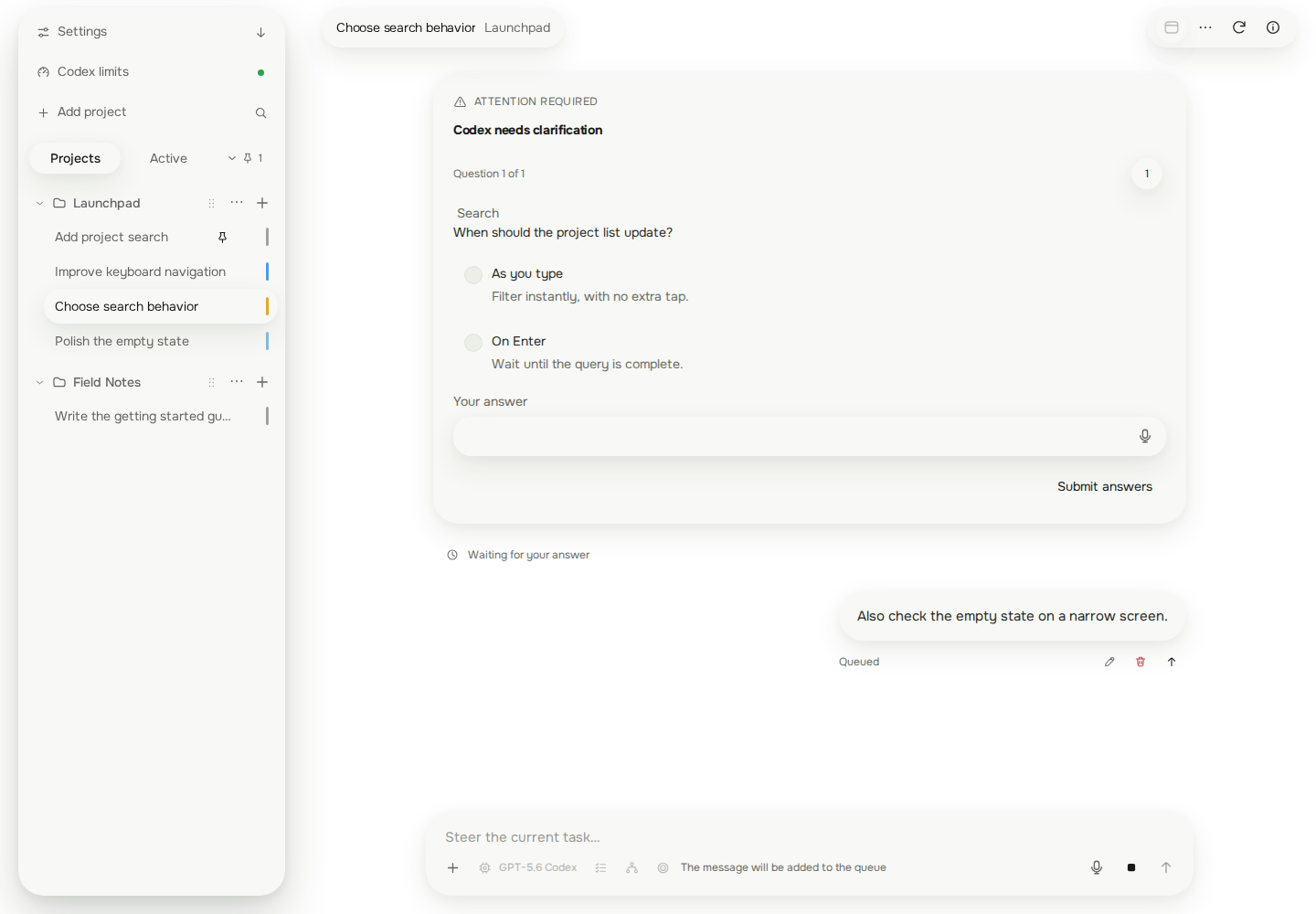](./docs/assets/desktop-queue.png) ### Keep decisions in context Submitted answers keep the full question beside your choice, grouped in one floating card. Return to the conversation to see what was agreed and why. [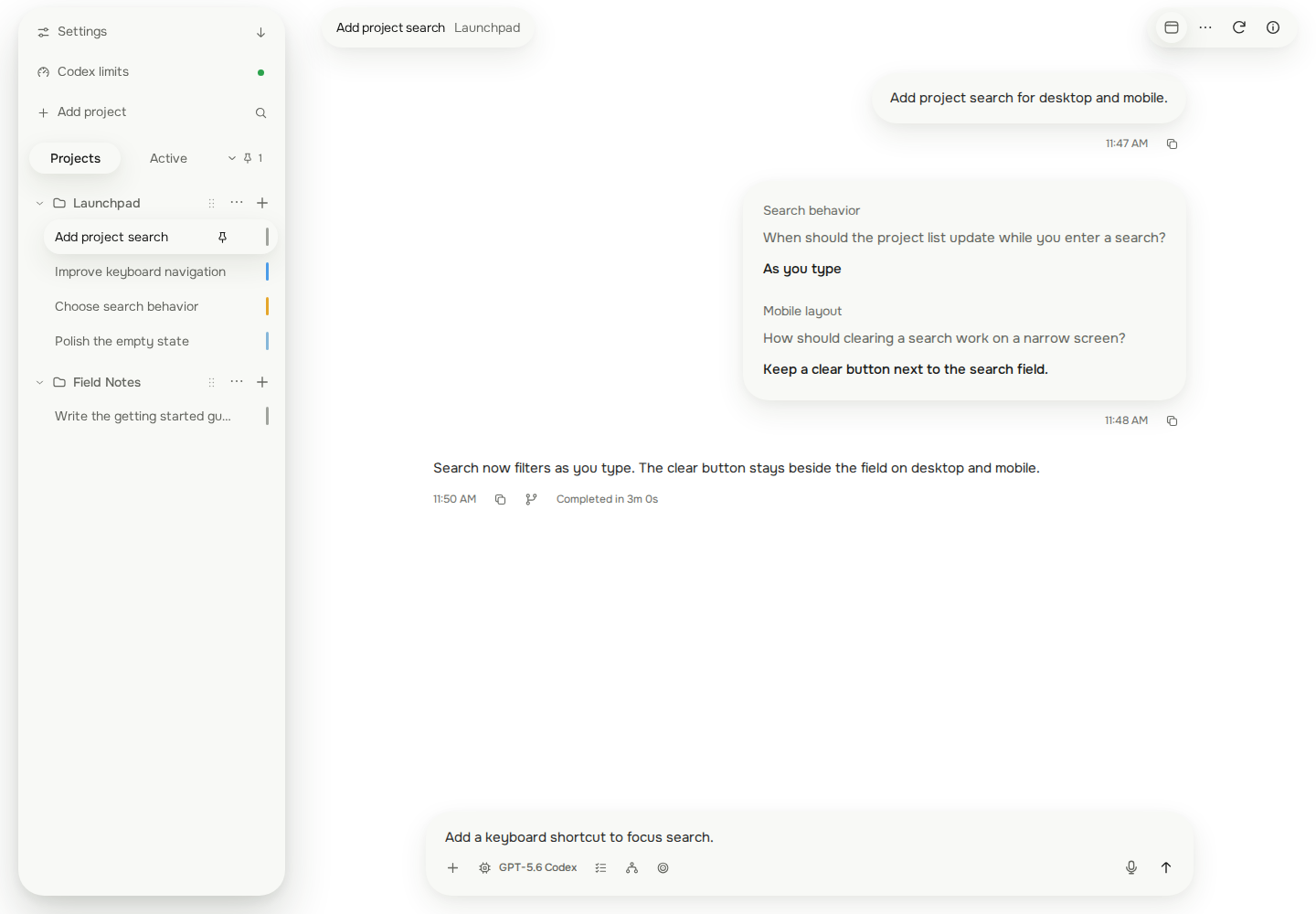](./docs/assets/desktop-answers.png) ### Inspect the work behind the answer Open the activity log to review commands, test output and file changes alongside the answer. Expand individual entries when you need the details. [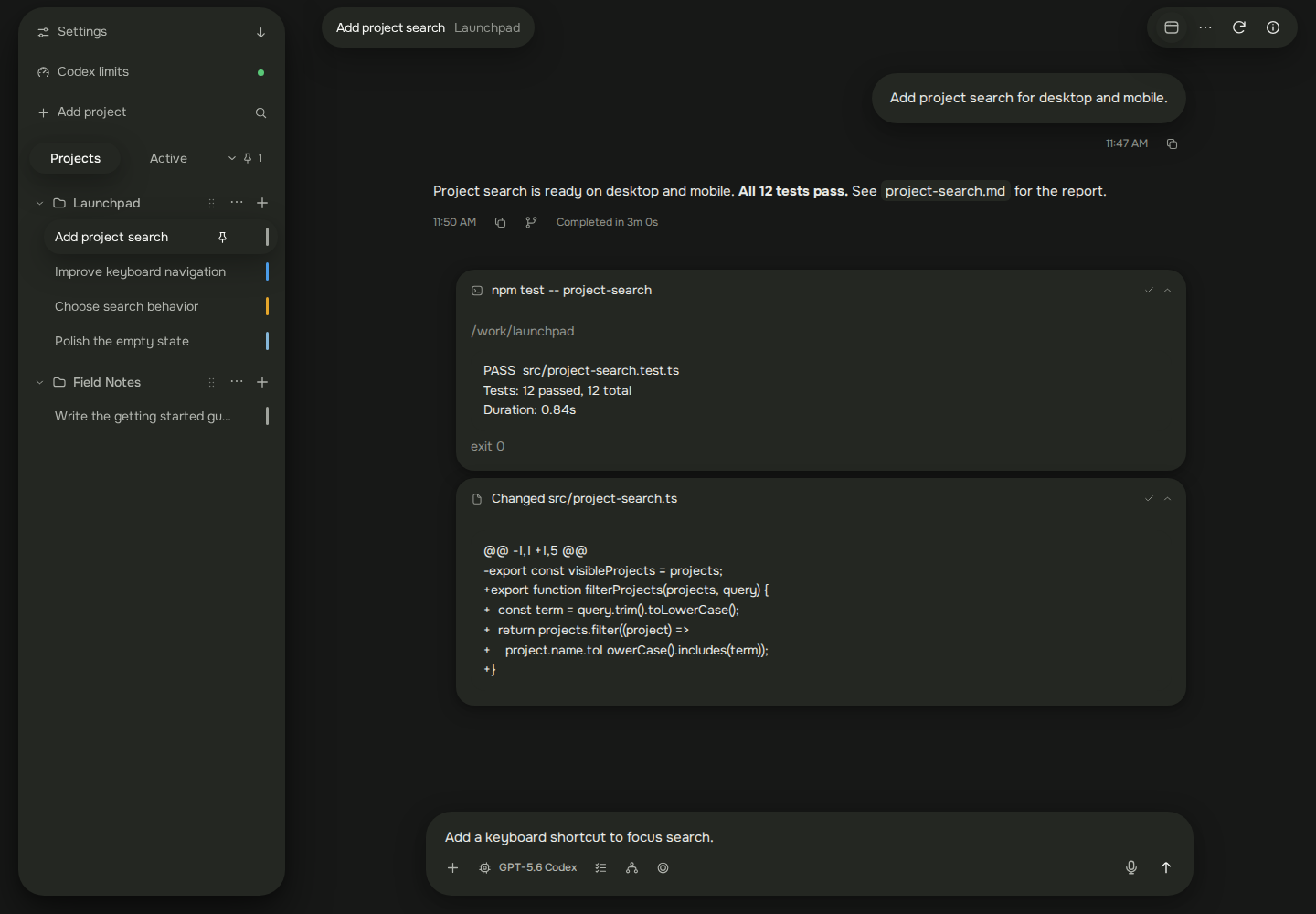](./docs/assets/desktop-activity.png) ### The same workspace on your phone Open the session list to switch between projects and conversations. Read the plan, continue the session, answer a clarification, or open the finished report. These are mobile web views, also used inside the Android app.
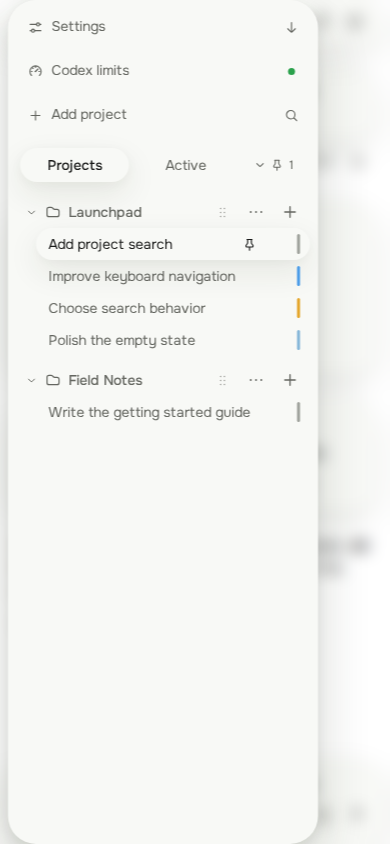
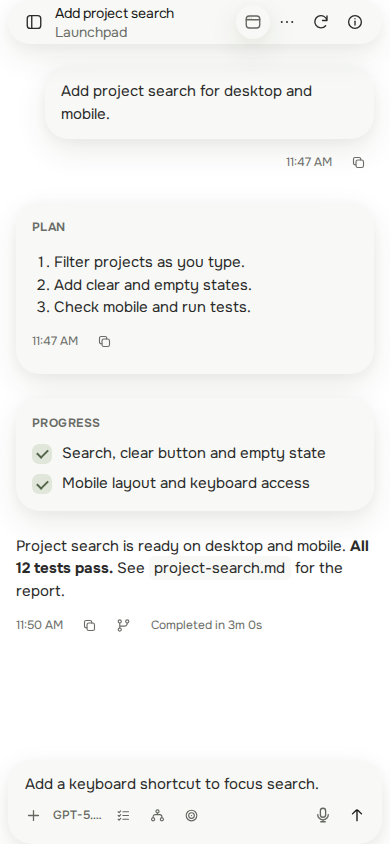
Switch between sessions · Continue the conversation
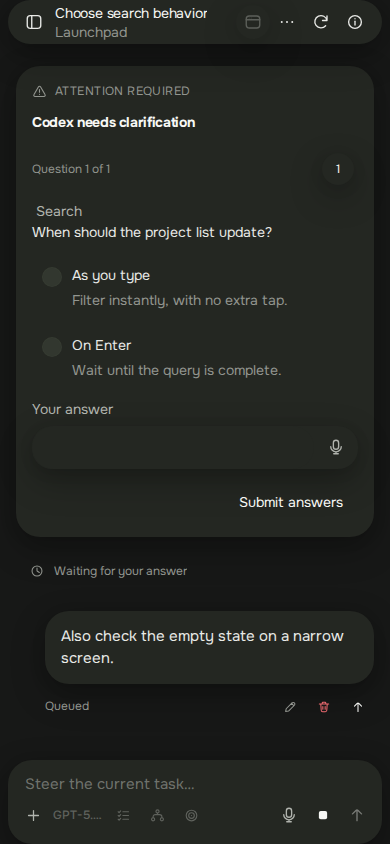
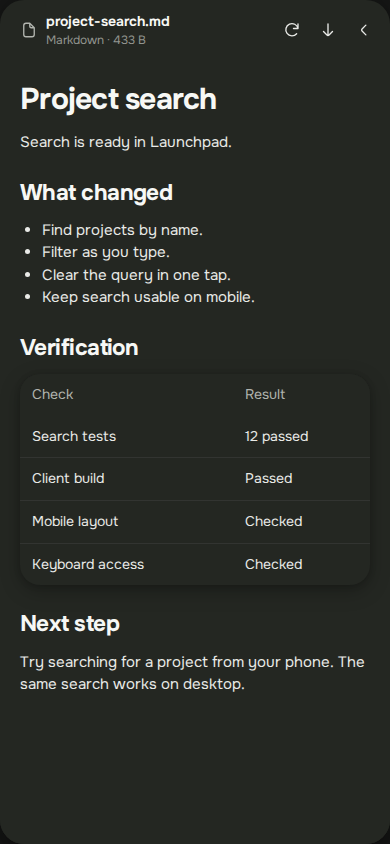
Make a decision · Read the result
--- ## Security boundary CodexNest is a single-owner, local-first application. Run it only on the host, a fully trusted private LAN, or the owner's private WireGuard/Tailscale network. Never expose port `4310` through public port forwarding, UPnP, a public reverse proxy or tunnel, or a public cloud firewall rule. The bearer token grants owner-level control over CodexNest, and the server has the same filesystem permissions as the Linux user running Codex CLI. Plain HTTP does not protect the token, prompts, output, paths, or approval decisions; use it only inside an encrypted private VPN or on a fully trusted LAN. Use private HTTPS for shared or otherwise untrusted networks. See the [deployment security guidance](./deploy/DEPLOYMENT.md) and the [Android network caveat](./apps/client/android/README.md). ## Architecture and sources of truth ```text Browser / Capacitor Android app | authenticated HTTP + WebSocket | CodexNest server (Fastify) | | | +-- CodexNest metadata (SQLite + rollback JSON) | +-- Codex app-server daemon over a local Unix socket (production) or JSONL over stdio (development) ``` The server is the only component that talks to Codex app-server. Production can use the managed daemon so active turns survive a CodexNest restart; direct stdio is the zero-setup development fallback. Codex remains the source of truth for threads, turns, and conversation history. CodexNest stores only application-owned state such as projects, token verification, read/pin/outcome metadata, queues, preferences, and Team orchestration state. The repository is an npm workspace: - `apps/server` — authenticated API/WebSocket server and Codex bridge; - `apps/client` — React/Vite UI and Capacitor Android project; - `apps/extension` — the separately packaged Chrome browser-control extension; - `packages/protocol` — the public client/server DTO contract; and - `deploy` — installer, service, proxy, STT, update, and recovery artifacts. The current implementation and tests are authoritative for product behavior. Generated app-server types under `apps/server/src/codex/generated` are pinned by `apps/server/src/codex/PROTOCOL_VERSION`. This README is the product entry point; [deploy/DEPLOYMENT.md](./deploy/DEPLOYMENT.md) is the operational source of truth. ## CodexNest Team CodexNest Team is the application's own managed orchestration mechanism, not Codex native multi-agent or subagent mode. A root CodexNest session coordinates managed child tasks through CodexNest tools and persisted `teamOrchestration` state, remains responsible for integration and the final answer, and is the only session allowed to delegate. Managed children cannot create more children. Children are read-only and offline by default. A root may grant scoped network or repository-relative write access; writable work is normally isolated in detached worktrees until the root integrates it. Team parent and child sessions disable native agent tools to preserve this boundary. Native subagents elsewhere in the Codex projection are separate and are not the implementation of Team. ## Browser extension The Chrome extension exposes browser-control tools and complete network-exchange storage to CodexNest. The toolbar icon opens a compact popup. Choose **Open side panel** there to keep the same controls open in Chrome Side Panel while working with web pages. The panel follows the active tab and stays open until you close it with the browser's native control; the extension never opens it automatically. Download `codexnest-browser-