# HumDex: Humanoid Dexterous Manipulation Made Easy
By [Liang Heng](https://liangheng121.github.io/), [Yihe Tang](https://tangyihe.com/), [Jiajun Xu](https://georginhsu.github.io/), [Henghui Bao](https://scholar.google.com/citations?user=88XEeKAAAAAJ&hl=en), Di Huang, [Yue Wang](https://yuewang.xyz/)
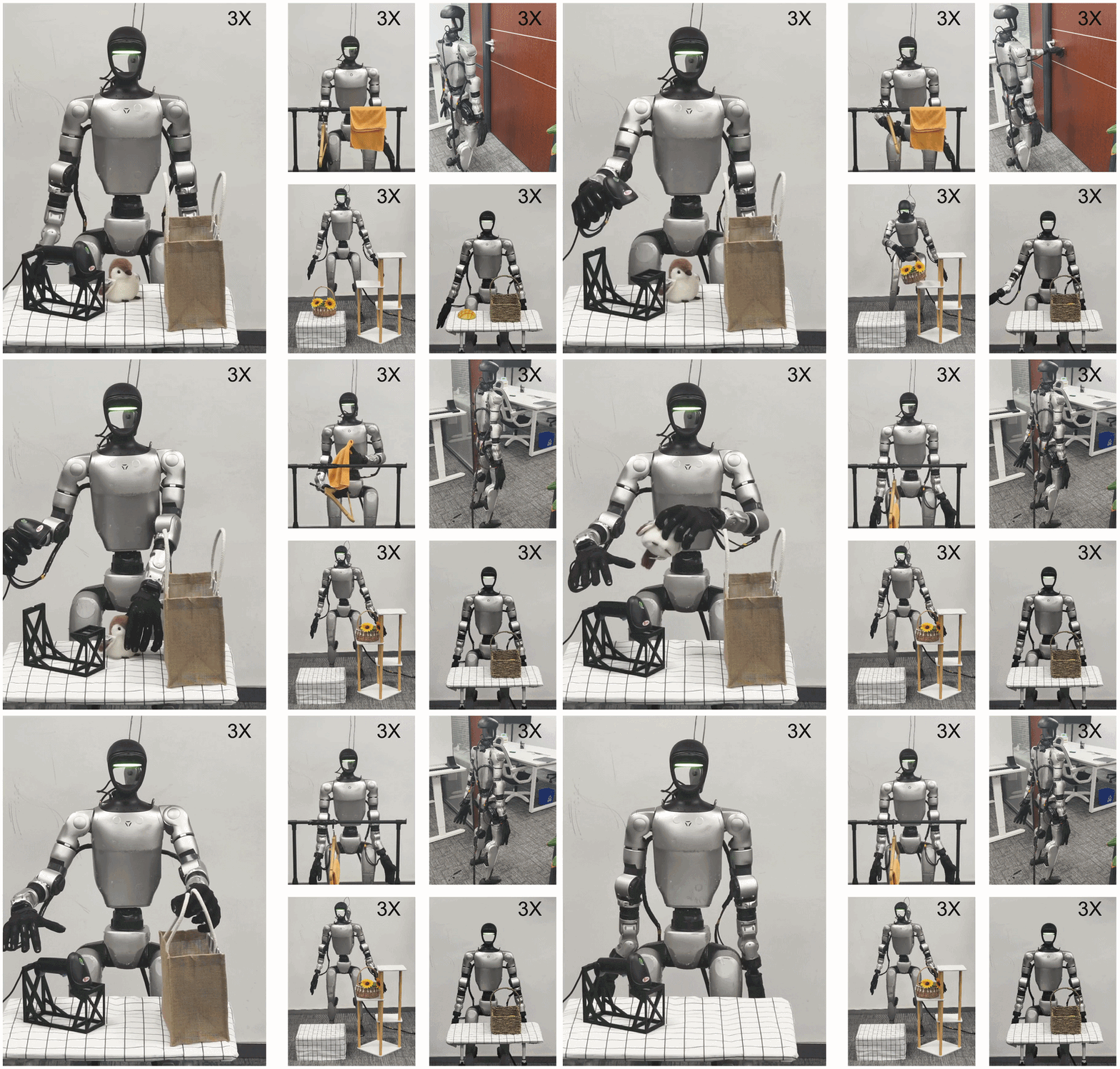




## News
- **2026-05-31**. ***Sonic*** channel: fixed teleop turning and latency (apply the one-time [controller patch](#3-clone-gr00t-wholebodycontrol-for-sonic)), and added token-level data collection, training, and inference.
- **2026-03-27**. ***Xsens*** body teleoperation is available in HumDex (`body_source: xsens`).
- **2026-03-16**. ***Manus*** hand tracking has been integrated into the teleop pipeline (`hand_source: manus`).
- **2026-03-10**. Added ***Sonic*** teleoperation support (`policy: sonic`).
## Content Table
- [Installation](#installation)
- [Teleop](#teleop)
- [G1 Controller](#g1-controller)
- [Wuji Hand Controller](#wuji-hand-controller)
- [Wuji Policy](#wuji-policy)
- [Data Collection](#data-collection)
- [Policy Learning](#policy-learning)
- [Citation](#citation)
---
## Installation
We will have two conda environments for Humdex. One is called `humdex`, which can be used for controller training, controller deployment, and teleop data collection. The other is called `gmr`, which can be used for online motion retargeting.
### 1) Create `gmr` Environment
```bash
conda create -n gmr python=3.10 -y
conda activate gmr
git clone https://github.com/YanjieZe/GMR.git
cd GMR
# install GMR
pip install -e .
cd ..
pip install python-osc zmq pyyaml
conda install -c conda-forge libstdcxx-ng -y
```
### 2) Create `humdex` Environment
```bash
conda create -n humdex python=3.8 -y
conda activate humdex
# install wuji-retargeting
cd wuji-retargeting
git submodule update --init --recursive
pip install -r requirements.txt
pip install -e . && cd ..
# install wuji_policy
cd wuji_policy
pip install -r requirements.txt
pip install -e . && cd ..
# install for act
cd act
pip install -r requirements.txt
cd ..
```
For the rest of `humdex` environment setup, follow TWIST2 README:
- [Step 2: Install Isaac Gym](https://github.com/LiangHeng121/TWIST2?tab=readme-ov-file#step-2-install-isaac-gym)
- [Step 3: Install Packages](https://github.com/LiangHeng121/TWIST2?tab=readme-ov-file#step-3-install-packages)
- [Step 4: Install Unitree SDK2 for Laptop Sim2Real](https://github.com/LiangHeng121/TWIST2?tab=readme-ov-file#step-4-install-unitree-sdk2-for-laptop-sim2real)
### 3) Clone `GR00T-WholeBodyControl` (for sonic)
```bash
cd ..
git clone https://github.com/NVlabs/GR00T-WholeBodyControl.git
cd GR00T-WholeBodyControl
git lfs pull
```
Then follow the official [doc](https://nvlabs.github.io/GR00T-WholeBodyControl/) to install its environment.
To lower teleop latency, patch line 3392 of `gear_sonic_deploy/src/g1/g1_deploy_onnx_ref/src/g1_deploy_onnx_ref.cpp` (in `CurrentFrameAdvancement()`), as discussed in the [Sonic issue #60](https://github.com/NVlabs/GR00T-WholeBodyControl/issues/60):
```diff
- if (current_frame_ >= current_motion_->timesteps - saved_frame_for_observation_window_) {
+ constexpr int kStreamWindowCap = 10;
+ const int eff_window = std::min(saved_frame_for_observation_window_, kStreamWindowCap);
+ if (current_frame_ >= current_motion_->timesteps - eff_window) {
```
---
## Teleop
For a concise end-to-end setup flow, see [`doc/teleop.md`](doc/teleop.md).
### 1) Unified Entry
```bash
conda activate gmr
bash scripts/teleop.sh [options] [-- extra_args]
```
Supported selectors:
- `--policy {twist2|sonic}` (default `twist2`)
- `--body {vdmocap|slimevr|xsens}` (default `vdmocap`)
- `--hand {vdhand|manus}` (default `vdhand`)
### 2) Common Examples
Run sonic + vdmocap + manus:
```bash
bash scripts/teleop.sh --policy sonic --body vdmocap --hand manus
```
Run twist2 + slimevr + vdhand:
```bash
bash scripts/teleop.sh --policy twist2 --body slimevr --hand vdhand
```
Run twist2 + xsens + manus:
```bash
bash scripts/teleop.sh --policy twist2 --body xsens --hand manus
```
### 3) Config Files
Main YAML:
- `deploy_real/config/teleop.yaml`
Config Structure:
- `runtime`: loop settings like `target_fps`, `print_every`, `max_steps`
- `network`: redis + mocap transport (`network.redis`, `network.mocap.default/body/hand`)
- `retarget`: retarget core settings (`actual_human_height`, `hands`, `format`, `offset_to_ground`)
- `control`: runtime control settings (`safe_idle_pose_id`, `ramp_*_seconds`, `ramp_ease`)
- `adapters`: source-specific settings (`vdmocap`, `vdhand`, `manus`, `slimevr`, `xsens`)
- `policy`: policy-specific settings (`policy.sonic`, `policy.twist2`)
### 4) Keyboard Behavior
- `k`: toggle send/default mode
- `p`: toggle send/hold mode
---
## G1 Controller
### 1) Sim Controller
```bash
## for --policy twist2
conda activate humdex
# Warm arp the redis server at first time
bash scripts/run_motion_server.sh
bash scripts/sim2sim.sh
## for --policy sonic
# Terminal 1 — MuJoCo simulator
cd ../GR00T-WholeBodyControl
source .venv_sim/bin/activate
python gear_sonic/scripts/run_sim_loop.py
# Terminal 2 — C++ deployment
cd ../GR00T-WholeBodyControl/gear_sonic_deploy
source scripts/setup_env.sh
bash deploy.sh sim --input-type zmq
```
### 2) Real Controller
```bash
## for --policy twist2
conda activate humdex
bash scripts/run_motion_server.sh
# edit `net` in `scripts/sim2real.sh` to your real NIC name before running
bash scripts/sim2real.sh
## for --policy sonic
cd ../GR00T-WholeBodyControl/gear_sonic_deploy
source scripts/setup_env.sh
bash deploy.sh real --input-type zmq
```
---
## Wuji Hand Controller
For Wuji device setup details, see [`doc/wuji.md`](doc/wuji.md).
### 1) Sim Hand Controller
```bash
conda activate humdex
bash scripts/wuji_hand_sim.sh
```
### 2) Real Hand Controller
```bash
conda activate humdex
bash scripts/wuji_hand_real.sh
```
---
## Wuji Policy
### 1) Build training `.npz` from collected data
```bash
conda activate humdex
bash scripts/wuji_data_collect.sh
```
This generates:
- `wuji_policy/data/wuji_right.npz`
### 2) Training
```bash
conda activate humdex
# default: wuji_policy/data/wuji_right_000.npz -> checkpoint tag wuji_right_000
bash scripts/wuji_hand_training.sh
```
Edit top variables in `wuji_hand_training.sh` to switch dataset/tag/hyperparameters:
- `human_data_name`
- `hand_config` (`wuji_right` / `wuji_left`)
- `ckpt_tag`
- `epoch`, `n_samples`, `batch_size`, `lr`, `save_every`
### 3) Inference
The scripts in [Wuji Hand Controller](#wuji-hand-controller) use `wuji-retargeting` by default.
To use a trained policy instead:
1. In `wuji_hand_real.sh` and `wuji_hand_sim.sh`, set:
- `policy_tag` to your checkpoint tag
- `policy_epoch` to your checkpoint epoch (use `-1` for latest)
2. In both scripts, uncomment:
- `--use_model`
- `--policy_tag ${policy_tag}`
- `--policy_epoch ${policy_epoch}`
---
## Data Collection
For robot/human recording workflow and saved data layout, see [`doc/data_collection.md`](doc/data_collection.md).
### 1) Start Camera Stream on g1
```bash
bash scripts/realsense_zmq_pub_g1.sh
```
### 2) Teleop Data Recording
```bash
bash scripts/data_record.sh
# sonic channel
bash scripts/data_record.sh --channel sonic
```
### 3) Human Data Recording
```bash
bash scripts/data_record_human.sh
# sonic channel
bash scripts/data_record_human.sh --channel sonic
```
---
## Policy Learning
### 1) Data Processing
**a) Human data preprocessing:**
For human tracking data, approximate proprioceptive state with previous-frame action.
Skip this step for robot data and sonic human data.
```bash
cd act
python scripts/convert_human_data.py \
--dataset_dir /path/to/human_dataset
```
Processes `episode_*` folders in-place (creates `data_original.json` + `rgb_original/` backups).
`--no_backup` to skip creating backups.
**b) Convert dataset to HDF5:**
```bash
cd act
python convert_to_hdf5.py \
--dataset_dir /path/to/dataset \
--output /path/to/output.hdf5 \
--verify
```
To merge multiple data folders into one HDF5:
```bash
python convert_to_hdf5.py \
--dataset_dirs /path/to/dataset1 /path/to/dataset2 \
--output merged.hdf5
```
HDF5 per-episode structure:
- `state_body` (T, 31), `action_body` (T, 35) — twist2 (joint-level)
- `state_body` (T, 29), `action_token` (T, 64) — sonic (token-level)
- `state_wuji_hand_{left,right}` (T, 20), `action_wuji_qpos_target_{left,right}` (T, 20)
- `head` (T,) JPEG bytes
### 2) Policy Training
```bash
cd act
python imitate_episodes.py \
--ckpt_root ./checkpoints \
--policy_class ACT \
--task_name my_task \
--batch_size 8 \
--seed 42 \
--num_epochs 3000 \
--lr 1e-5 \
--dataset_path /path/to/dataset.hdf5 \
--hand_side right \
--kl_weight 10 \
--chunk_size 50 \
--hidden_dim 512 \
--dim_feedforward 3200 \
--temporal_agg \
--wandb
```
`--hand_side`: `left`, `right`, or `both`.
`--channel`: `twist2` (default, joint `action_body`) or `sonic` (token-level `action_token`).
`--sequential_training --epochs_per_dataset epoch_num_stage_1 epoch_num_stage_2`: train on multiple datasets sequentially.
`--resume --ckpt_dir ./checkpoints/my_task/`: resume from checkpoint.
Checkpoint location: `///`
### 3) Policy Inference
#### a) Twist2 channel, Offline
Run the policy on recorded dataset observations and render a side-by-side sim comparison video:
```bash
cd act
MUJOCO_GL=egl python policy_inference.py eval_offline \
--ckpt_dir ./checkpoints/my_task/ \
--dataset /path/to/dataset.hdf5 \
--episode 0 \
--hand_side both \
--chunk_size 300 \
--temporal_agg
```
Output video is saved to `/eval_ep{N}.mp4`. Use `--save_actions` to also dump predicted/GT actions as `.npy`. Set `MUJOCO_GL=egl` on headless servers.
#### b) Twist2 channel, Online
Online inference drives the real robot — first start the G1 controller ([G1 Controller](#g1-controller)), the camera (`scripts/realsense_zmq_pub_g1.sh`), and the hand controller `scripts/wuji_hand_qpos_real.sh`.
Our trained policy and robot initial poses are available at https://huggingface.co/heng222/humdex.
**Step 1 — (Optional) Move robot to initial pose:**
```bash
cd act
python policy_inference.py init_pose \
--init_pose_file ./checkpoints/my_task/init_pose.json \
--ramp_seconds 3.0
```
Publishes a fixed body+hand pose and holds until Ctrl-C. Use `--ramp_seconds` to smoothly interpolate from the current position.
Alternatively, load from a dataset instead of JSON:
```bash
python policy_inference.py init_pose \
--dataset /path/to/dataset.hdf5 --episode 0 --hand_side both
```
**Step 2 — Run policy inference:**
```bash
cd act
python policy_inference.py eval_online \
--ckpt_dir ./checkpoints/my_task/ \
--hand_side both \
--chunk_size YOUR_CHUNK_SIZE \
--vision_ip \
--temporal_agg
```
Toggle inference on/off with keyboard (`k` = send, `p` = hold position, same as teleoperation).
#### c) Sonic channel, Online
Same prerequisites as above, but the body controller is the sonic `deploy.sh` (see [G1 Controller](#g1-controller)).
```bash
cd act
python policy_inference_sonic.py \
--ckpt_dir ./checkpoints/my_task/ \
--hand_side both \
--vision_ip
```
`k` = send/stop, `p` = hold (same as teleop).
---
## Citation
If you find this work useful, please cite:
```bibtex
@misc{heng2026humdexhumanoiddexterousmanipulation,
title={HumDex: Humanoid Dexterous Manipulation Made Easy},
author={Liang Heng and Yihe Tang and Jiajun Xu and Henghui Bao and Di Huang and Yue Wang},
year={2026},
eprint={2603.12260},
archivePrefix={arXiv},
primaryClass={cs.RO},
url={https://arxiv.org/abs/2603.12260},
}
```