DJSync
Find music, put it on your Rekordbox USB drive, ready for Pioneer CDJs — without going through Rekordbox.
One file on your USB drive, any computer: Windows, macOS, Linux.




---
## What DJSync does
DJSync is a **portable** desktop app — it runs straight from the USB drive, on any Windows, macOS or
Linux computer, nothing to install — that works on a drive exported by Rekordbox:
- **Search and download** from YouTube Music (results as you type, preview before downloading), or
**import a link** from Spotify, YouTube or SoundCloud (single track or playlist).
- **Write directly into the drive's library**: `exportLibrary.db` (OneLibrary, recent players) **and**
`export.pdb` (older players), with date added and artwork.
- **Analyse tracks** without Rekordbox: BPM, beat grid, key (shown in Camelot notation), Pioneer waveforms
(ANLZ files), in the background (Library ▸ *Not analysed*). Tracks already analysed by Rekordbox are never
changed.
- **Manage the library** like a mini Rekordbox: playlists and folders, drag and drop, track order,
harmonic filter, built-in player with waveform.
- **Fix** a shifted beat grid (also straight from the player), **find and merge duplicates**, edit title / artist.
- **Update the Rekordbox collection of this computer** too (Rekordbox 6/7, `master.db`): same features as
for a USB drive — download into the collection, playlists and folders, analysis, beat grid, title/artist,
duplicates. DJSync only writes while Rekordbox is closed.
- **Copy playlists between libraries** (USB drive ↔ this computer, drive ↔ drive) with their analysis,
**complete missing metadata** of existing tracks, add a **memory cue on the first downbeat**.
- **Backups and one-click restore**: the drive's original library (before DJSync) is kept forever, plus
manual backups and yearly / monthly / weekly / recent ones (`DJSync_Backups/` on the drive). DJSync can
also **remove itself from the drive** (Settings ▸ Drive backups).
- **Eject** the drive safely from DJSync.
English interface (French available in Settings; other languages can be added — see below), 20 colour
themes, zoom from 80 to 200 %. Fast Qt interface (PySide6), no animations.
> ⚠️ Personal project, not affiliated with Pioneer DJ / AlphaTheta. The drive formats are reverse-engineered:
> **keep a copy of your drive** and close Rekordbox while DJSync writes to it.
## Videos
| Full tour — every menu (3 min, 1080p) | Short — the main workflow (1 min 30, vertical) |
|---|---|
| [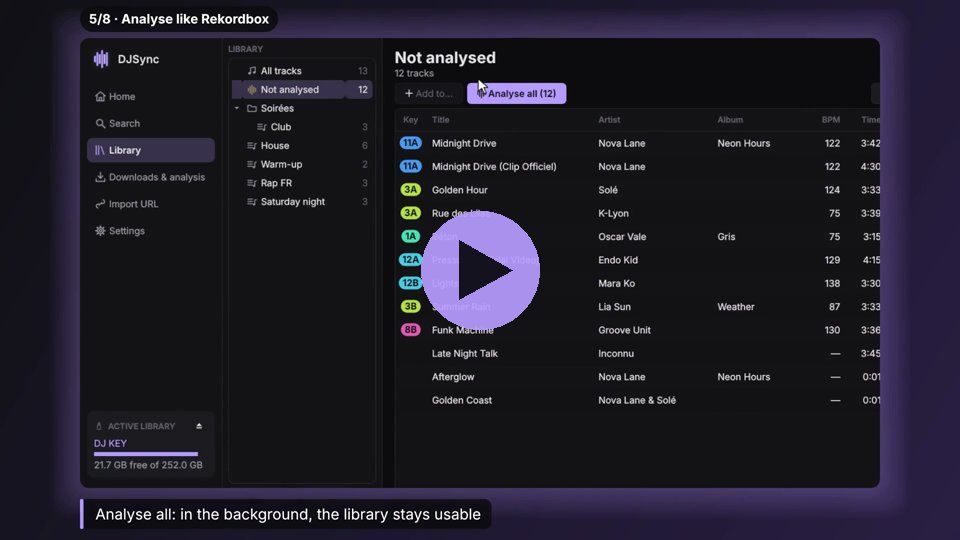](https://github.com/user-attachments/assets/202ed7d1-8311-40cf-93b4-9a8f64c88e1d) | [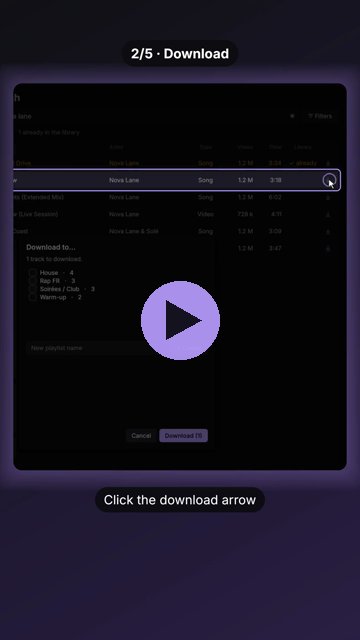](https://github.com/user-attachments/assets/7ceb08e1-6a5e-4979-b6a6-39328b6b4e94) |
Click a picture to play the video. Demo library with made-up artists; regenerate them with
`python tools/tour_video.py tour.mp4` and `python tools/teaser_video.py short.mp4`.
## Screenshots
| Library | Beat grid editor |
|---|---|
| 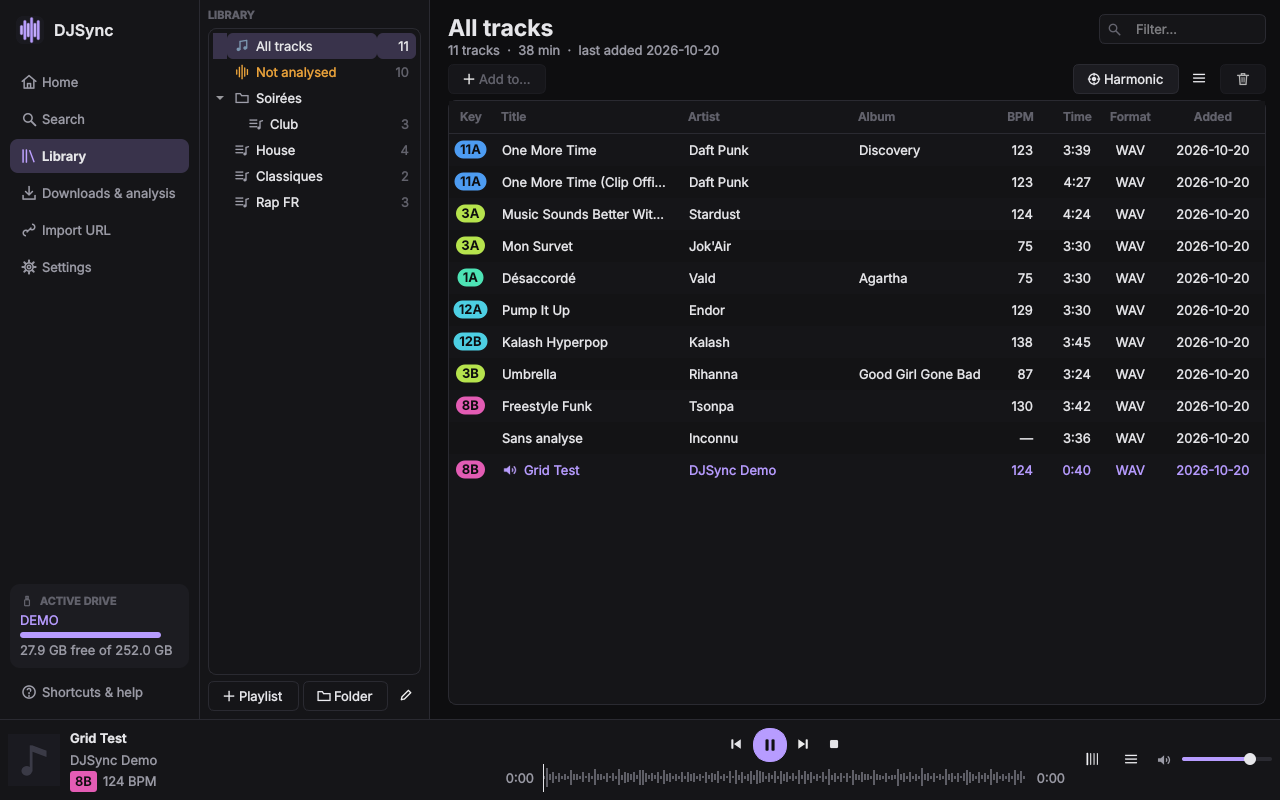 | 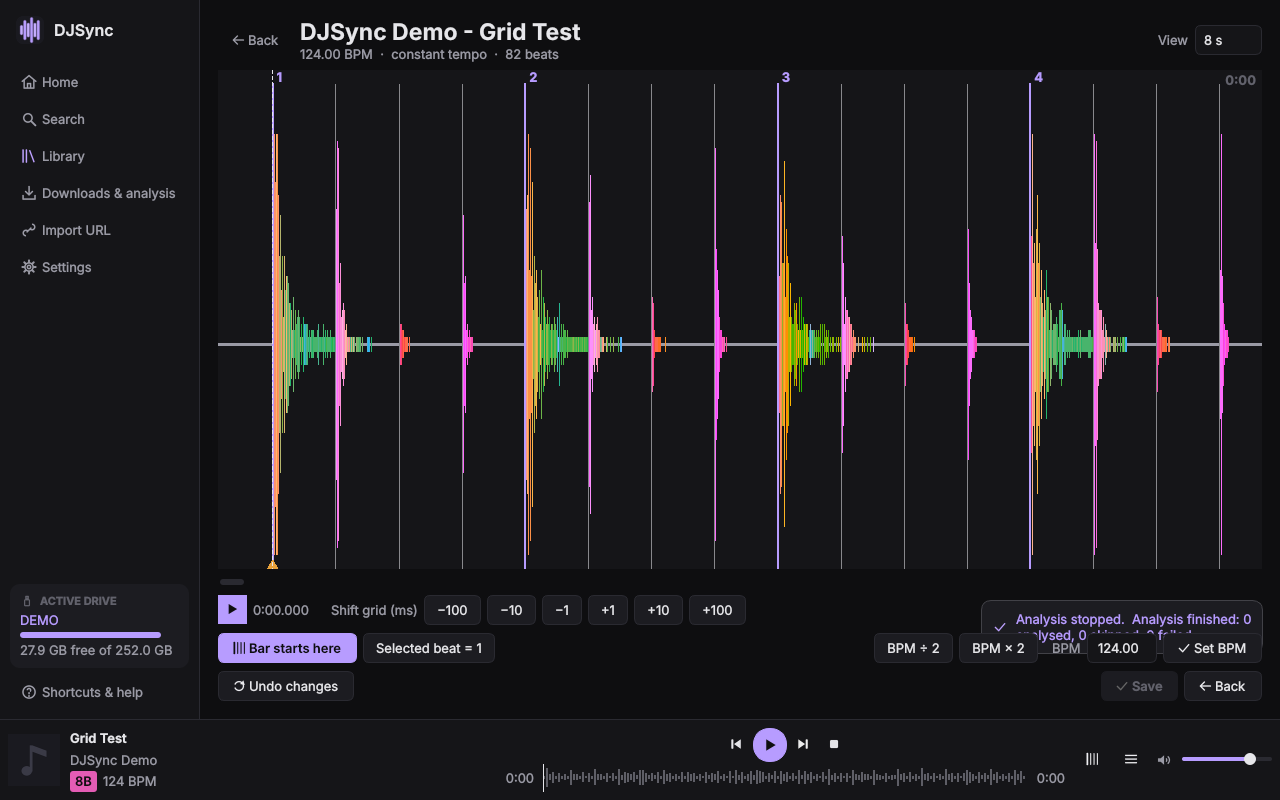 |
## Download
| Your computer | Download |
|---|---|
| **Windows** 10 / 11 | ⬇ [**DJSync.exe**](https://github.com/Pikkol0/djsync/releases/latest/download/DJSync.exe) — one file |
| **macOS** 11+ (Apple silicon) — *beta* | ⬇ [**DJSync-macOS.dmg**](https://github.com/Pikkol0/djsync/releases/latest/download/DJSync-macOS.dmg) — drag DJSync onto your drive |
| **Linux** x86-64 — *beta* | ⬇ [**DJSync-Linux-x86_64.tar.gz**](https://github.com/Pikkol0/djsync/releases/latest/download/DJSync-Linux-x86_64.tar.gz) — DJSync folder |
Put it on your USB drive and open it: nothing to install on the computer, FFmpeg and the JavaScript
runtime needed for YouTube are included, settings stay on the drive. DJSync tells you when a new
version is out.
> **How light is it?** Rekordbox needs **2 GB** free on your computer to install. DJSync fits **on your
> USB drive in ~250 MB** (~300 MB with its backups) — less than 25 tracks in MP3 320 — and runs on any
> computer you plug the drive into.
Step by step: **[quick installation guide](docs/INSTALL.md)** ([français](docs/INSTALL.fr.md)) ·
pre-releases and older versions: [all releases](https://github.com/Pikkol0/djsync/releases).
## Help test DJSync (beta)
Testers wanted — especially **with real players** (CDJ / XDJ, not a controller). Download the latest
[pre-release](https://github.com/Pikkol0/djsync/releases), follow the **[tester guide](docs/TESTING.md)**
([français](docs/TESTING.fr.md)) and send a
[test report](https://github.com/Pikkol0/djsync/issues/new?template=deck_test.yml) or a
[bug report](https://github.com/Pikkol0/djsync/issues/new?template=bug.yml) with the log file.
## Run from source
### Requirements
- **Python 3.10+** (developed and tested with 3.12)
- **FFmpeg** (`ffmpeg`): download, m4a playback, analysis. In the `PATH`, or the folder set in
*Settings ▸ FFmpeg*.
- A **JavaScript runtime** for YouTube downloads (yt-dlp): Deno, Node.js or
[QuickJS-NG](https://github.com/quickjs-ng/quickjs) (`qjs`, 2.5 MB — the one shipped with the builds).
### Steps
```bash
git clone https://github.com/Pikkol0/djsync.git
cd djsync
python -m venv .venv
.venv\Scripts\activate # Windows (Linux/macOS: source .venv/bin/activate)
pip install -r requirements.txt
python app.py
```
### Building the executables
The **Build** GitHub workflow (`.github/workflows/windows.yml`, run it from the *Actions* tab or by
pushing a `v*` tag) builds Windows, macOS and Linux. **macOS**: `DJSync.app` (Apple silicon), ad-hoc
signed, in a `.dmg` (dmgbuild: background telling to drag it onto the USB drive). Not signed by Apple: the
first launch needs *Open Anyway* once; DJSync then lifts the quarantine of its copy on the drive and
relaunches from it (`portable.leave_translocation`). **Linux**: the `DJSync` folder (built on Ubuntu 22.04 for an old glibc), tar.gz. Both
ship an audio-only FFmpeg (`TARGET=native packaging/build_ffmpeg.sh`) and QuickJS, and are self-tested.
**Windows**: a **single `DJSync.exe`**: a 150 KB launcher (`packaging/launcher`, C +
miniz) with the application folder zipped behind it. On first launch (or after an update, or if the
folder was deleted) it extracts the application into the hidden `.djsync/app` next to itself, keeps
`.djsync/data` (settings), then starts it — later launches are instant. Unlike a PyInstaller one-file
exe, nothing is unpacked to the computer at every launch. The workflow tests the result like a user would
(DJSync.exe alone in an empty folder, self-test of the application). Optional code signing with the
`SIGN_CERT_PFX` / `SIGN_CERT_PASSWORD` secrets. By hand:
```bash
pip install pyinstaller
pyinstaller packaging/DJSync.spec # -> dist/DJSync/ (DJSync.exe + _internal)
packaging/build_ffmpeg.sh out/ # (Linux, mingw-w64) -> ffmpeg.exe, ffprobe.exe -> dist/DJSync/tools/
packaging/build_launcher.sh out/ # (Linux, mingw-w64) -> launcher.exe
python packaging/pack_single_exe.py out/launcher.exe dist/DJSync 1.0.0 DJSync.exe
```
### Download engine updates
yt-dlp is **never updated on its own**. When a download or a link import fails in a way that looks like
"YouTube changed", DJSync offers once to install the new version (official wheel from PyPI, SHA-256
checked, installed in the settings folder — the exe is not modified, no restart needed, failed downloads
are retried). *Settings ▸ Download engine* checks / installs by hand and goes back to the previous version.
## Quick use
| Shortcut | Action |
|---|---|
| `Ctrl+K` | Search a track or paste a link, from anywhere |
| `Ctrl+1` … `Ctrl+6` | Home, Search, Library, Downloads, Import URL, Settings |
| `Ctrl+F` | Search / filter field of the page |
| `Space` | Play / pause |
| `Ctrl+→` / `Ctrl+←` | Next / previous track |
| `F1` | Help |
The in-app **Shortcuts & help** button has a short guide.
## Command-line tools (read-only)
```bash
python -m djsync.db.diagnose E: # check a drive's database
python -m djsync.db.pdb.check E: # check export.pdb
python -m djsync.analysis track.m4a # analyse a file (BPM, key, grid) without writing anything
python -m djsync.analysis --compare E: # compare DJSync's analysis with Rekordbox's on a drive
```
## Languages
Everything (interface, error messages, logs, command-line output) is written in **English**. Other languages
only translate the interface: `djsync/i18n/fr.py` is a dictionary `key -> text`; **a missing key simply falls
back to English**, so a translation can be partial. To add a language, copy `fr.py`, translate what you want
and register it in `djsync/i18n/__init__.py`.
## Code layout
```
app.py entry point (python app.py)
djsync/
core/ YouTube Music search, download (yt-dlp), Spotify import, duplicates, Camelot
db/ USB drive: exportLibrary.db (SQLCipher) in library/, export.pdb in pdb/, artwork
analysis/ BPM, grid, key, waveforms, ANLZ files (numpy + FFmpeg only)
audio/ built-in player, artwork
ui/ Qt interface (PySide6): app, controller (ctrl/), views (views/), table, dialogs
i18n/ English (en.py, reference) and French (fr.py) texts
tests/ pytest tests (fake drive, synthetic tracks)
tools/ development tools: screenshots, logo export
packaging/ PyInstaller spec + icon
docs/ technical notes (in French for now)
```
## Tests
```bash
pip install pytest
python -m pytest -q # everything, UI included (Qt "offscreen": no display needed)
```
Tests use neither the network nor a real drive: generated Rekordbox database, synthetic tracks.
A test also checks that no French text is hard-coded outside the translation file.
Screenshot tool (no display needed): `python tools/ui_screenshots.py shots --sizes 860x560,1280x800 --lang en --dialogs`.
## Technical notes (French)
- [Audio analysis, artwork, date added](docs/analyse_audio.md) — calibration on a real drive
- [Comparing DJSync's analysis with Rekordbox's](docs/comparaison_rekordbox.md) — procedure and sample size
- [export.pdb (older players)](docs/export_pdb.md)
- [V0.2.0 interface, beat grid, duplicates](docs/interface_v020.md)
## Version history
| Version | Changes |
|---|---|
| **1.2.2** | **Edit info** (right-click a track, the player or Tools): title, artists, album, year, genre and artwork (keep, pick one found on Deezer, an image from the computer, or none) — the audio file is never touched. **Uniformise** a playlist or the whole library: clean titles (no *feat.*, no *Official Video*), artists separated by commas with guests taken from the title, album / year / genre / artwork filled in when empty; a review page where nothing is written until you validate track by track and *Save*, progress kept between sessions, suggestions unticked for tracks not downloaded by DJSync. **Playlists by genre** (off by default): a *DJSync ▸ Genres* folder, one playlist per genre or group of genres, kept up to date as you download or edit, even once moved or renamed; tracks you add yourself are never removed. Developer: voice-over and subtitles for the tour video (`tools/narrate.py`), French tour (`--lang fr`). |
| **1.2.1** | **Feedback tab**: report bugs, ideas and comments from the app, several remarks per sending, each with its type, text and up to 3 screenshots (capture of the DJSync window, image picked or dropped), technical details and the end of the log without personal paths if wanted; sent by e-mail through a small Google Apps Script of the author (`tools/feedback/`, setup in `docs/FEEDBACK_SETUP.fr.md`), otherwise a pre-filled GitHub issue. **Library**: choose the columns shown (right-click a header), widths and the sort of each playlist remembered, `#` wide enough for 700+ tracks, new **Source** column (YouTube Music, YouTube, SoundCloud…). **Playlist picker** as a folder tree with search, new playlists created in the selected folder. **Search**: Everything / Title / Artist / Album selector (an artist's tracks, not tracks named after them), albums opened in one double-click with all their tracks ready to download, maximum duration and "hide tracks already owned" filters. Grid editor zoom (Ctrl/⌘ + wheel, pinch, − / +). Duplicates: playlists of each version, *Start* / *Middle* listening. Progress bars in each download row, overall download progress, estimated progress of the track being analysed, one *Activity* card in the sidebar. |
| 1.2.0 | **macOS (Apple silicon, .dmg) and Linux builds** (beta), built and self-tested by the *Build* workflow next to Windows; on macOS, the first launch lifts the quarantine by itself and relaunches from the drive. DJSync tells you when a new version is out (Settings, once a day; test versions also see pre-releases). Grid backups and the grid waveform cache are capped. GPL-3.0 license, tester guide (computer, Rekordbox, players) and issue forms. Presentation videos (`tools/tour_video.py`, `tools/teaser_video.py`). rc.3: drive restore points (Settings ▸ Drive backups), remove DJSync from a drive, clearer computer-library errors. **rc.4**: **update DJSync from the app** (Settings ▸ DJSync: download, SHA-256 check, restart into the new version; stable or test channel), exact version shown everywhere (a test build now sees the next test build); **m4a beat grids no longer early in Rekordbox** (measured −32.5 ms on 52 tracks, now compensated: re-analyse m4a tracks, *Tools* ▸ *Analyse selection* ▸ *Re-analyse*), ½-beat button in the grid editor, half-beat count in `--compare`; Rekordbox saving master.db in place is picked up before DJSync writes; click-to-seek bar, spinner while a track loads, Space after *Listen* and keyboard media keys; collapse/expand button for the sidebar; playlist picker with search and full-height list; dialogs stay above the window on macOS (full screen too); French fixes; About (license, third-party components, credits). |
| 1.1.0 | **Library diagnostic** (Home ▸ *Diagnostic*, one button per library: USB drive and computer): duplicates, low-quality files (MP3 < 192 kbps, AAC < 112 kbps, < 44.1 kHz) and bad sources (music video, live, lyrics, visualizer, sped up…). For each problem: keep one of the versions, or **download a clean version** (YouTube Music, SoundCloud as a fallback) that replaces the old one(s) in all their playlists, at the same position, and is analysed again; *Ignore* is remembered. Beat grid editor: no more old waveform for 2 s, the Rekordbox-style waveform is cached (instant on reopening). `python -m djsync.analysis --compare` also reads this computer's Rekordbox collection (`--compare local --under E:\Contents`), ignores tracks analysed by DJSync itself and gives 95 % confidence intervals ([procedure](docs/comparaison_rekordbox.md)). Presentation video tool (`tools/demo_video.py`). |
| 1.0.0 | First release: ONE file to download, DJSync.exe (prepares itself on first launch, repairs itself if moved or deleted, keeps settings across updates), published as a GitHub release with its SHA-256 and notes built from this table. Everything from 0.1 to 0.5: search and download from YouTube Music, Spotify/YouTube/SoundCloud import, USB drives (exportLibrary.db + export.pdb) and the Rekordbox library of the computer, BPM/key/grid/waveform analysis, beat grid editor, duplicates, playlist copy between libraries, metadata completion, memory cue, eject, yt-dlp updates on demand. |
| 0.5.1 | Windows CI: full test suite passes on Windows (280 tests); failing tests are reported as annotations on the run page; GitHub actions moved to Node 24. |
| 0.5.0 | Portable build that looks like a single file (DJSync.exe + hidden `.djsync` folder), audio-only FFmpeg and QuickJS instead of full FFmpeg + Deno (≈ 250 MB less), GitHub workflow for the Windows build with optional signing. Player on miniaudio instead of pygame (streams, nothing decoded in full). yt-dlp updated only on failure or by hand (Settings ▸ Download engine), with rollback. Eject button; when running from a USB drive, the host computer's Rekordbox library is opened only after asking (remembered per computer). Copy a playlist to another library (USB ↔ computer, drive ↔ drive) with its analysis reused, not recomputed. Complete missing metadata (Deezer) of existing tracks. Memory cue on the first downbeat (ANLZ + database). Download format M4A (original) or MP3 320, optional loudness normalisation. Analysis memory peak reduced (≈ -30 % on a long mix, same results). |
| 0.4.0 | Rekordbox library of this computer (`master.db`, Rekordbox 6/7): opened automatically when no drive is plugged in, or from Home / Settings. Downloads go to Music/DJSync (configurable) and into the collection with analysis (ANLZ files under `share`, named after the track UUID), artwork (640/240/80 px), album, genre, label, year; playlists and folders (masterPlaylists6.xml kept in sync), beat grid, title/artist, duplicates, delete. Never writes while Rekordbox is open; master.db copied before each change. Built on pyrekordbox. |
| 0.3.1 | Polished interface: icons on buttons, menus, tables and the sidebar, rounded cards, key pills, larger search fields, messages as small pop-ups; explanations moved to tooltips (ⓘ) and needless texts removed. New "Downloads & analysis" page: downloads table + analysis table (every unanalysed track, search in the whole library to re-analyse, beat grid editor icon on each analysed track). |
| 0.3.0 | New Qt interface (PySide6) replacing customtkinter: native widgets, much smoother scrolling, resizing and table updates. Zoom and theme colour apply instantly without rebuilding the window; the zoom no longer follows the window size. Plainer look: flat dark theme, square corners, no shadows or animations, no per-row artwork or placeholder rows. Beat grid editor: drag the listening cursor on the waveform, "Bar starts here" (a downbeat exactly on the cursor), shift by ±1/±10/±100 ms, BPM ×2 / ÷2. Rekordbox 3-band waveforms (`.2EX`): track previews now look like Rekordbox's own instead of blue (re-analyse older tracks). Downloads complete album, year, genre, label, track number and ISRC (Deezer, can be turned off). Same features as 0.2.4 otherwise; UI tests run without a display. |
| 0.2.4 | Background analysis: Library ▸ *Not analysed* section with "Analyse all" / "Stop", progress card in the sidebar, the rest of the app stays usable. Player: beat grid button and track options (title/artist, analyse again, compatible keys, show in library). export.pdb: track updates no longer eat the free space (in-place rewrite, deleted rows reclaimed), clearer "export.pdb is full" message. Beat grid editor is now a page of the main window (the separate window vanished or froze the app on Windows). Fixes: dialogs sized for the zoom and kept on screen, key pill now shown right after analysis. |
| 0.2.3 | Windows start-up fix: the main window stayed invisible after the splash screen, and the splash shrank to a corner (DPI awareness set too late). |
| 0.2.2 | Window always opens inside the screen (saved size/position clamped, maximised state remembered); lightweight splash screen at launch (also a native splash for the Windows executable). |
| 0.2.1 | Fully English software: error messages, logs and command-line tools included; French kept as an optional interface translation (partial translations fall back to English). English README, obsolete console demos removed. |
| 0.2.0 | New interface: Home + omnibar, search as you type, "All tracks", Camelot pills, drag and drop onto playlists, harmonic filter, player previous/next + waveform, zoom and small windows, English by default, logo per colour. On-demand analysis, beat grid editor, duplicates tool, help and shortcuts. Code split (library, controller). |
| 0.1.6 | Local BPM / key / ANLZ waveform analysis, date added and artwork in both databases, calibration on a real drive (MP3 encoder delay). |
| 0.1.x | YouTube Music search and download, Spotify/YouTube/SoundCloud import, writing to exportLibrary.db then export.pdb, library and playlists, player, portable mode. |
## Releasing
`djsync/__init__.py` holds the version. Add its row to the table above, then push a tag:
`git tag v1.0.0-rc.1 && git push origin v1.0.0-rc.1` publishes a **pre-release** to test on real hardware;
`git tag v1.0.0 && git push origin v1.0.0` publishes the release. The *Build* workflow refuses a tag
that does not match the version, runs the tests on Windows, macOS and Linux, builds the three downloads
and attaches them to the release.
## Roadmap
- [ ] Beta with testers, on real players (recent CDJ/XDJ reading OneLibrary, older ones reading export.pdb)
- [ ] Compare the analysis with Rekordbox on 300–500 varied tracks ([procedure](docs/comparaison_rekordbox.md))
- [ ] Signed executables (no Windows SmartScreen / macOS Gatekeeper warning)
- [ ] macOS on Intel Macs; Linux as a single AppImage file
- [ ] Public release
## Credits
- [pyrekordbox](https://github.com/dylanljones/pyrekordbox) and the community documentation
[Deep Symmetry / crate-digger](https://djl-analysis.deepsymmetry.org/) for the Rekordbox formats.
- [yt-dlp](https://github.com/yt-dlp/yt-dlp), [ytmusicapi](https://github.com/sigma67/ytmusicapi),
[Qt for Python (PySide6)](https://doc.qt.io/qtforpython-6/), [SQLCipher](https://www.zetetic.net/sqlcipher/).
## License
DJSync is free software under the [GNU General Public License v3.0](LICENSE): you can use, study,
share and modify it; modified versions you distribute must stay under the GPL, with their source code.
Bundled components keep their own licenses: see [THIRD_PARTY_NOTICES.md](THIRD_PARTY_NOTICES.md).
Only download content you have the right to use.