 MuTracer MuTracer
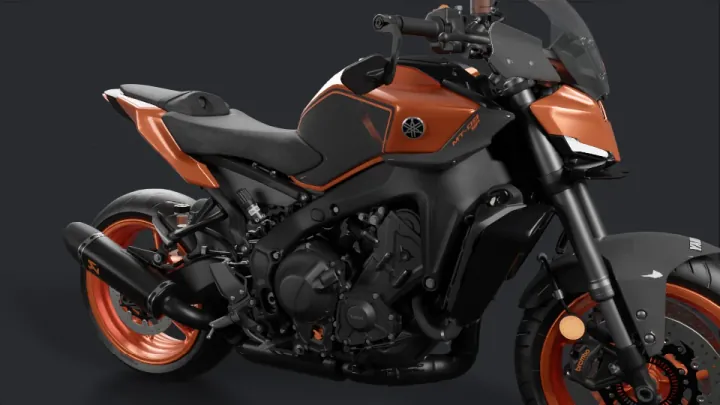 Yamaha MT-09 · metal and coat · VTX, CC-BY-NC-SA 4.0 |
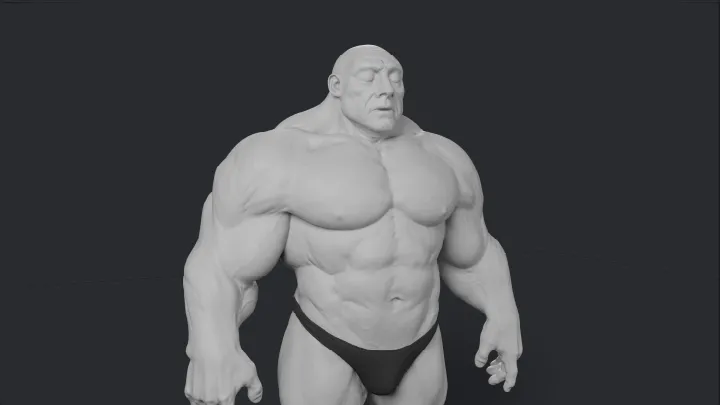 Super Human · subsurface skin · Davyd Vidiger, CC-BY 4.0 |
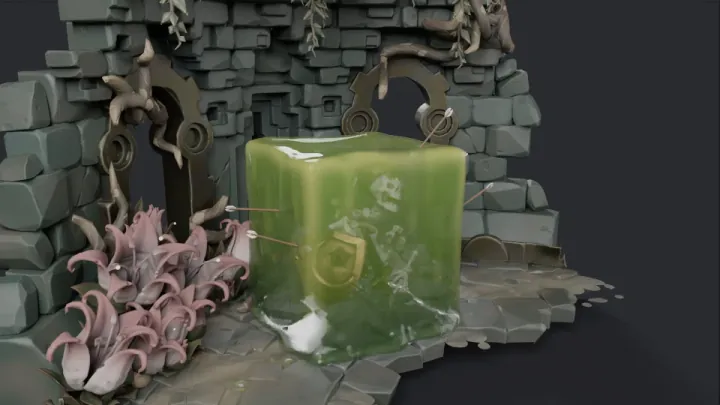 Gelatinous Cube · transmission · glenatron, CC-BY-NC 4.0 |
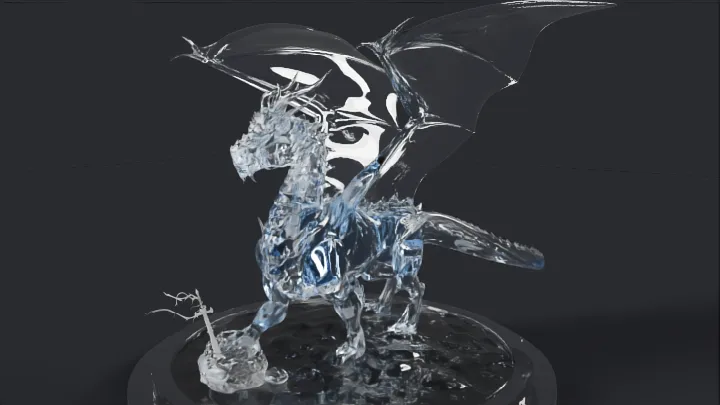 Dragon · glass · Delatronic, CC-BY 3.0 |
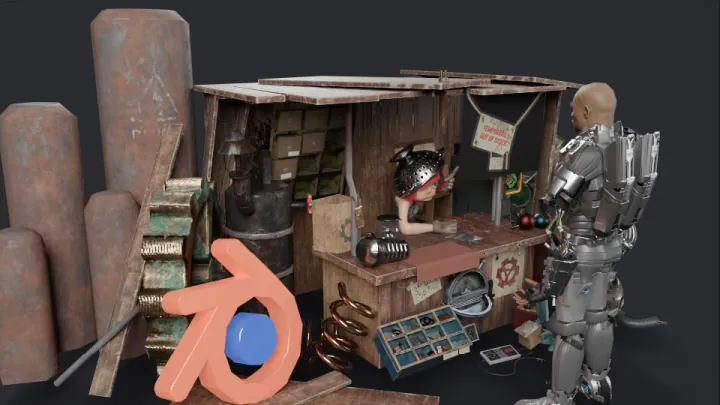 Blender Cover Remix · characters · bandinopla, CC-BY 4.0 |
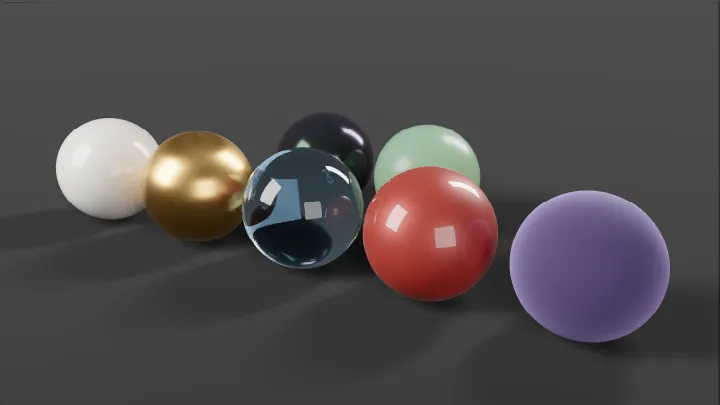 Material spheres · OpenPBR layers · procedural, CC0 |
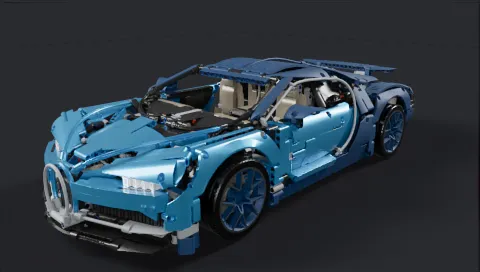 The [LEGO Technic Bugatti Chiron](https://mutracer.meimu-studio.com/viewer/#model=bugatti-chiron)
(VTX, CC-BY-NC-SA 4.0)
is a heavy scene that path traces interactively in the viewer:
| | Bugatti Chiron |
| --- | --- |
| Rendered triangles | 4.6 M (2.5 M unique, 341 geometries in 560 meshes) |
| Materials | 35 |
| Download | 12.8 MB `.glb` |
| BVH build, 1 thread | 1.7 s (built-in builder) / 1.0 s (TinyBVH WebAssembly) |
| BVH build, 4 workers (default) | 0.50 s (built-in builder) / 0.28 s (TinyBVH WebAssembly) |
| 1920 × 1080, 64 spp | 12.1 s path tracing, 12.4 s with OIDN denoising |
Measured on an Apple M4 Max: rendering in Chrome with WebGPU at the viewer's
default settings (6 bounces), BVH builds on CPU threads excluding worker startup.
## Install
```bash
npm install @meimu/mutracer
```
Install `three` to load glTF with `GLTFLoader` + `THREESync` or to use
the Three.js helpers. The quick start below also uses `gl-matrix` for matrix math.
The package is ESM with TypeScript declarations (`lib/main.js`). A UMD build
with a `MuTracer` global is at `dist/mutracer.umd.js`; deploy its `dist/assets/`
alongside it. See [loading and deployment](./docs/getting-started.md#loading-and-deployment).
## Quick start
### With Three.js
Build or load a Three.js scene as usual and let `THREESync` keep MuTracer in
sync with it. `RenderLoop` renders progressively and calls the sync each frame.
```ts
import * as THREE from 'three';
import { GLTFLoader } from 'three/examples/jsm/loaders/GLTFLoader.js';
import { OrbitControls } from 'three/examples/jsm/controls/OrbitControls.js';
import { Engine, RenderLoop, THREESync } from '@meimu/mutracer';
const canvas = document.querySelector('canvas')!;
const scene = new THREE.Scene();
scene.add((await new GLTFLoader().loadAsync('model.glb')).scene);
const camera = new THREE.PerspectiveCamera(40, canvas.width / canvas.height, .1, 100);
camera.position.set(0, 2, 6);
const controls = new OrbitControls(camera, canvas);
const engine = new Engine({ canvas });
const sync = new THREESync(engine, { scene, camera, controls });
const loop = new RenderLoop(engine, { sync });
loop.start();
```
Custom Three.js materials and lights can use `convertMaterial` / `convertLight`
in the same sync options; see [Three.js integration](./docs/threejs.md).
### With MuTracer scene classes
Describe meshes, materials, lights and the camera directly with MuTracer.
```ts
import { mat4 } from 'gl-matrix';
import {
Camera, EnvironmentLight, Mesh, OpenPBRMaterial, RectLight, Engine, RenderLoop,
Texture, createPlaneGeometry, createSphereGeometry, type Scene
} from '@meimu/mutracer';
const canvas = document.querySelector('canvas')!;
const red = new OpenPBRMaterial({ baseColor: [0.8, 0.1, 0.1], specularRoughness: 0.3 });
const ball = new Mesh(createSphereGeometry(64, 32), red);
mat4.fromTranslation(ball.transform, [0, 1, 0]);
const floor = new Mesh(createPlaneGeometry(), new OpenPBRMaterial());
mat4.fromScaling(floor.transform, [5, 1, 5]);
// Rect lights emit along their local -Z axis.
const light = new RectLight({ size: [2, 2], color: [1, 1, 1], intensity: 5 });
mat4.fromTranslation(light.transform, [0, 4, 0]);
mat4.rotateX(light.transform, light.transform, -Math.PI / 2);
// A constant grey sky as a 1x1 float environment map.
const sky = new Texture({ data: new Float32Array([0.3, 0.3, 0.3, 1]), width: 1, height: 1 });
const scene: Scene = {
meshes: [ball, floor],
lights: [light, new EnvironmentLight({ map: sky })]
};
const camera = new Camera({ projection: 'perspective', fov: 40, near: .1, far: 100 });
camera.position = [0, 2, 6];
camera.lookAt([0, 1, 0]);
const engine = new Engine({ canvas });
engine.on('error', error => console.error(error));
engine.scene = scene;
engine.camera = camera;
const loop = new RenderLoop(engine);
loop.start();
```
For many copies of one geometry, use [`InstancedMesh`](./docs/updates.md#instanced-meshes)
with shared materials and a Float32 matrix array. `THREESync` converts Three.js
instancing into the same batches automatically. See the [instancing example](./examples/instancing.ts).
### Rendering options
Enable denoising on an individual result:
```ts
loop.final.setDenoiser({ type: 'jnlm' }); // required type; call again to change it
loop.final.setDenoiser({ type: 'oidn', model: 'standard' }); // WebGPU; custom weightsUrl also supported
// Third-party WebGPU filters: { type: 'custom', denoiser: yourCallerOwnedDenoiser }.
```
Borrow WebGPU output with `render.getOutputTexture('hdr')` or `render.getOutputTexture('display')`, or add
a display overlay through `engine.display.addPostProcess(pass)`. Passes also
run during PNG export; see the [overlay example and texture lifetime](./docs/post-processing.md).
Batch quality or display edits use `Object.assign(loop.final, settings)` or
`Object.assign(engine.display, settings)`, typed with `RenderSettings` or
`DisplaySettings`; see the [setting defaults](./docs/api.md).
RenderLoop provides preview and final results. For custom frame control, use
Engine / Render / Display directly with a fallback, or a fixed-size
invisible render for export. See [independent render results](./docs/progressive-rendering.md).
## Documentation
| Guide | Contents |
| --- | --- |
| [Getting started](./docs/getting-started.md) | Scene model, render loop, lights, export |
| [Scene updates](./docs/updates.md) | Editing a rendering scene, animation, update costs |
| [API reference](./docs/api.md) | Engine, Display and Render options, methods and scene types |
| [Materials](./docs/materials.md) | OpenPBR inputs, textures, alpha, bevel, displacement |
| [Three.js](./docs/threejs.md) | `THREESync`, supported materials and lights, `userData` keys |
| [Denoising](./docs/denoising.md) | JNLM and OIDN denoisers, OIDN weights hosting, denoising while converging |
| [Sampling](./docs/sampling.md) | Patterns, dimensions and progressive budgets |
| [BVH](./docs/bvh.md) | BVH builders, TinyBVH layouts, worker preparation |
| [Performance](./docs/performance.md) | Tuning checklist |
| [`llms.txt`](./llms.txt) | Compact usage guide for coding agents |
The [examples](./examples) cover a procedural scene, a Three.js/glTF scene and
an OpenPBR gallery with denoising and PNG export. Run them with:
```bash
npm install
npm run dev
```
## Browser support
- **WebGPU** (recommended): any browser with WebGPU, such as current Chrome,
Edge and Safari. Required for OIDN denoising, HDR output and
the options marked WebGPU in the [API reference](./docs/api.md).
- **WebGL 2** fallback: requires `EXT_color_buffer_float`. Pass
`backend: 'webgl'` to force it.
The first frame compiles large shaders, which can take several seconds on some
platforms; `refine()` reports the progress through its return status.
## Contributing
Pull requests are not accepted at the moment; please open an
[issue](https://github.com/pissang/mutracer/issues) instead. See
[CONTRIBUTING.md](./CONTRIBUTING.md) for development setup, required checks
and GPU validation.
## License
MuTracer is released under the [MIT License](./LICENSE). It includes third-party
code and data under MIT, Apache-2.0 and CC0 licenses; see
[THIRD_PARTY_NOTICES.md](./THIRD_PARTY_NOTICES.md).
For host WebGPU integration, [supply your own GPUDevice](docs/getting-started.md#using-your-own-gpudevice).
Render on an OffscreenCanvas in a Worker with the [worker integration guide](docs/getting-started.md#running-in-a-worker).
The [LEGO Technic Bugatti Chiron](https://mutracer.meimu-studio.com/viewer/#model=bugatti-chiron)
(VTX, CC-BY-NC-SA 4.0)
is a heavy scene that path traces interactively in the viewer:
| | Bugatti Chiron |
| --- | --- |
| Rendered triangles | 4.6 M (2.5 M unique, 341 geometries in 560 meshes) |
| Materials | 35 |
| Download | 12.8 MB `.glb` |
| BVH build, 1 thread | 1.7 s (built-in builder) / 1.0 s (TinyBVH WebAssembly) |
| BVH build, 4 workers (default) | 0.50 s (built-in builder) / 0.28 s (TinyBVH WebAssembly) |
| 1920 × 1080, 64 spp | 12.1 s path tracing, 12.4 s with OIDN denoising |
Measured on an Apple M4 Max: rendering in Chrome with WebGPU at the viewer's
default settings (6 bounces), BVH builds on CPU threads excluding worker startup.
## Install
```bash
npm install @meimu/mutracer
```
Install `three` to load glTF with `GLTFLoader` + `THREESync` or to use
the Three.js helpers. The quick start below also uses `gl-matrix` for matrix math.
The package is ESM with TypeScript declarations (`lib/main.js`). A UMD build
with a `MuTracer` global is at `dist/mutracer.umd.js`; deploy its `dist/assets/`
alongside it. See [loading and deployment](./docs/getting-started.md#loading-and-deployment).
## Quick start
### With Three.js
Build or load a Three.js scene as usual and let `THREESync` keep MuTracer in
sync with it. `RenderLoop` renders progressively and calls the sync each frame.
```ts
import * as THREE from 'three';
import { GLTFLoader } from 'three/examples/jsm/loaders/GLTFLoader.js';
import { OrbitControls } from 'three/examples/jsm/controls/OrbitControls.js';
import { Engine, RenderLoop, THREESync } from '@meimu/mutracer';
const canvas = document.querySelector('canvas')!;
const scene = new THREE.Scene();
scene.add((await new GLTFLoader().loadAsync('model.glb')).scene);
const camera = new THREE.PerspectiveCamera(40, canvas.width / canvas.height, .1, 100);
camera.position.set(0, 2, 6);
const controls = new OrbitControls(camera, canvas);
const engine = new Engine({ canvas });
const sync = new THREESync(engine, { scene, camera, controls });
const loop = new RenderLoop(engine, { sync });
loop.start();
```
Custom Three.js materials and lights can use `convertMaterial` / `convertLight`
in the same sync options; see [Three.js integration](./docs/threejs.md).
### With MuTracer scene classes
Describe meshes, materials, lights and the camera directly with MuTracer.
```ts
import { mat4 } from 'gl-matrix';
import {
Camera, EnvironmentLight, Mesh, OpenPBRMaterial, RectLight, Engine, RenderLoop,
Texture, createPlaneGeometry, createSphereGeometry, type Scene
} from '@meimu/mutracer';
const canvas = document.querySelector('canvas')!;
const red = new OpenPBRMaterial({ baseColor: [0.8, 0.1, 0.1], specularRoughness: 0.3 });
const ball = new Mesh(createSphereGeometry(64, 32), red);
mat4.fromTranslation(ball.transform, [0, 1, 0]);
const floor = new Mesh(createPlaneGeometry(), new OpenPBRMaterial());
mat4.fromScaling(floor.transform, [5, 1, 5]);
// Rect lights emit along their local -Z axis.
const light = new RectLight({ size: [2, 2], color: [1, 1, 1], intensity: 5 });
mat4.fromTranslation(light.transform, [0, 4, 0]);
mat4.rotateX(light.transform, light.transform, -Math.PI / 2);
// A constant grey sky as a 1x1 float environment map.
const sky = new Texture({ data: new Float32Array([0.3, 0.3, 0.3, 1]), width: 1, height: 1 });
const scene: Scene = {
meshes: [ball, floor],
lights: [light, new EnvironmentLight({ map: sky })]
};
const camera = new Camera({ projection: 'perspective', fov: 40, near: .1, far: 100 });
camera.position = [0, 2, 6];
camera.lookAt([0, 1, 0]);
const engine = new Engine({ canvas });
engine.on('error', error => console.error(error));
engine.scene = scene;
engine.camera = camera;
const loop = new RenderLoop(engine);
loop.start();
```
For many copies of one geometry, use [`InstancedMesh`](./docs/updates.md#instanced-meshes)
with shared materials and a Float32 matrix array. `THREESync` converts Three.js
instancing into the same batches automatically. See the [instancing example](./examples/instancing.ts).
### Rendering options
Enable denoising on an individual result:
```ts
loop.final.setDenoiser({ type: 'jnlm' }); // required type; call again to change it
loop.final.setDenoiser({ type: 'oidn', model: 'standard' }); // WebGPU; custom weightsUrl also supported
// Third-party WebGPU filters: { type: 'custom', denoiser: yourCallerOwnedDenoiser }.
```
Borrow WebGPU output with `render.getOutputTexture('hdr')` or `render.getOutputTexture('display')`, or add
a display overlay through `engine.display.addPostProcess(pass)`. Passes also
run during PNG export; see the [overlay example and texture lifetime](./docs/post-processing.md).
Batch quality or display edits use `Object.assign(loop.final, settings)` or
`Object.assign(engine.display, settings)`, typed with `RenderSettings` or
`DisplaySettings`; see the [setting defaults](./docs/api.md).
RenderLoop provides preview and final results. For custom frame control, use
Engine / Render / Display directly with a fallback, or a fixed-size
invisible render for export. See [independent render results](./docs/progressive-rendering.md).
## Documentation
| Guide | Contents |
| --- | --- |
| [Getting started](./docs/getting-started.md) | Scene model, render loop, lights, export |
| [Scene updates](./docs/updates.md) | Editing a rendering scene, animation, update costs |
| [API reference](./docs/api.md) | Engine, Display and Render options, methods and scene types |
| [Materials](./docs/materials.md) | OpenPBR inputs, textures, alpha, bevel, displacement |
| [Three.js](./docs/threejs.md) | `THREESync`, supported materials and lights, `userData` keys |
| [Denoising](./docs/denoising.md) | JNLM and OIDN denoisers, OIDN weights hosting, denoising while converging |
| [Sampling](./docs/sampling.md) | Patterns, dimensions and progressive budgets |
| [BVH](./docs/bvh.md) | BVH builders, TinyBVH layouts, worker preparation |
| [Performance](./docs/performance.md) | Tuning checklist |
| [`llms.txt`](./llms.txt) | Compact usage guide for coding agents |
The [examples](./examples) cover a procedural scene, a Three.js/glTF scene and
an OpenPBR gallery with denoising and PNG export. Run them with:
```bash
npm install
npm run dev
```
## Browser support
- **WebGPU** (recommended): any browser with WebGPU, such as current Chrome,
Edge and Safari. Required for OIDN denoising, HDR output and
the options marked WebGPU in the [API reference](./docs/api.md).
- **WebGL 2** fallback: requires `EXT_color_buffer_float`. Pass
`backend: 'webgl'` to force it.
The first frame compiles large shaders, which can take several seconds on some
platforms; `refine()` reports the progress through its return status.
## Contributing
Pull requests are not accepted at the moment; please open an
[issue](https://github.com/pissang/mutracer/issues) instead. See
[CONTRIBUTING.md](./CONTRIBUTING.md) for development setup, required checks
and GPU validation.
## License
MuTracer is released under the [MIT License](./LICENSE). It includes third-party
code and data under MIT, Apache-2.0 and CC0 licenses; see
[THIRD_PARTY_NOTICES.md](./THIRD_PARTY_NOTICES.md).
For host WebGPU integration, [supply your own GPUDevice](docs/getting-started.md#using-your-own-gpudevice).
Render on an OffscreenCanvas in a Worker with the [worker integration guide](docs/getting-started.md#running-in-a-worker).