{
"cells": [
{
"cell_type": "markdown",
"metadata": {},
"source": [
"#### New to Plotly?\n",
"Plotly's Python library is free and open source! [Get started](https://plotly.com/python/getting-started/) by downloading the client and [reading the primer](https://plotly.com/python/getting-started/).\n",
" You can set up Plotly to work in [online](https://plotly.com/python/getting-started/#initialization-for-online-plotting) or [offline](https://plotly.com/python/getting-started/#initialization-for-offline-plotting) mode, or in [jupyter notebooks](https://plotly.com/python/getting-started/#start-plotting-online).\n",
" We also have a quick-reference [cheatsheet](https://images.plot.ly/plotly-documentation/images/python_cheat_sheet.pdf) (new!) to help you get started!"
]
},
{
"cell_type": "markdown",
"metadata": {},
"source": [
"#### Create a Simple FigureWidget\n",
"Create an empty FigureWidget and then view it."
]
},
{
"cell_type": "code",
"execution_count": null,
"metadata": {},
"outputs": [],
"source": [
"import plotly.graph_objs as go\n",
"\n",
"f = go.FigureWidget()\n",
"f"
]
},
{
"cell_type": "markdown",
"metadata": {},
"source": [
""
]
},
{
"cell_type": "markdown",
"metadata": {},
"source": [
"Add traces or update the layout and then watch the output above update in real time."
]
},
{
"cell_type": "code",
"execution_count": null,
"metadata": {},
"outputs": [],
"source": [
"f.add_scatter(y=[2, 1, 4, 3])"
]
},
{
"cell_type": "code",
"execution_count": null,
"metadata": {},
"outputs": [],
"source": [
"f.add_bar(y=[1, 4, 3, 2])"
]
},
{
"cell_type": "code",
"execution_count": 6,
"metadata": {},
"outputs": [],
"source": [
"f.layout.title = 'Hello FigureWidget'"
]
},
{
"cell_type": "markdown",
"metadata": {},
"source": [
""
]
},
{
"cell_type": "markdown",
"metadata": {},
"source": [
"#### Update the Data and the Layout"
]
},
{
"cell_type": "code",
"execution_count": 8,
"metadata": {},
"outputs": [],
"source": [
"# update scatter data\n",
"scatter = f.data[0]\n",
"scatter.y = [3, 1, 4, 3]"
]
},
{
"cell_type": "code",
"execution_count": 9,
"metadata": {},
"outputs": [],
"source": [
"# update bar data\n",
"bar = f.data[1]\n",
"bar.y = [5, 3, 2, 8]"
]
},
{
"cell_type": "code",
"execution_count": 10,
"metadata": {},
"outputs": [],
"source": [
"f.layout.title = 'This is a new title'"
]
},
{
"cell_type": "markdown",
"metadata": {},
"source": [
"#### Construct a FigureWidget With Data and Layout Arguments"
]
},
{
"cell_type": "markdown",
"metadata": {},
"source": [
"We can construct a FigureWidget with the same arguments that `py.iplot` and `py.plot` use in order to convert an example of the latter using go.FigureWidget and we can also use a FigureWidget in the argument of iplot."
]
},
{
"cell_type": "markdown",
"metadata": {},
"source": [
"Using *Data* and *Layout*:"
]
},
{
"cell_type": "code",
"execution_count": 11,
"metadata": {},
"outputs": [
{
"data": {
"text/html": [
""
],
"text/vnd.plotly.v1+html": [
""
]
},
"metadata": {},
"output_type": "display_data"
},
{
"data": {
"application/vnd.plotly.v1+json": {
"data": [
{
"type": "heatmap",
"uid": "3989468a-a573-11e8-85a9-9c4e36a18f28",
"x": [
"Monday",
"Tuesday",
"Wednesday",
"Thursday",
"Friday"
],
"y": [
"Morning",
"Afternoon",
"Evening"
],
"z": [
[
1,
20,
30,
50,
1
],
[
20,
1,
60,
80,
30
],
[
30,
60,
1,
-10,
20
]
],
"zauto": true,
"zmax": 80,
"zmin": -10
}
],
"layout": {
"autosize": true,
"title": "Activity Heatmap",
"xaxis": {
"autorange": true,
"range": [
-0.5,
4.5
],
"type": "category"
},
"yaxis": {
"autorange": true,
"range": [
-0.5,
2.5
],
"type": "category"
}
}
},
"text/html": [
""
],
"text/vnd.plotly.v1+html": [
""
]
},
"metadata": {},
"output_type": "display_data"
},
{
"data": {
"application/vnd.jupyter.widget-view+json": {
"model_id": "5a1a3b089c7040e18bdc193ea15fb81a",
"version_major": 2,
"version_minor": 0
},
"text/plain": [
"RmlndXJlV2lkZ2V0KHsKICAgICdkYXRhJzogW3sndHlwZSc6ICdoZWF0bWFwJywKICAgICAgICAgICAgICAndWlkJzogJzM5ODk0NjhhLWE1NzMtMTFlOC04NWE5LTljNGUzNmExOGYyOCcsCiDigKY=\n"
]
},
"metadata": {},
"output_type": "display_data"
}
],
"source": [
"import plotly.offline as py\n",
"py.init_notebook_mode()\n",
"\n",
"trace = go.Heatmap(z=[[1, 20, 30, 50, 1], [20, 1, 60, 80, 30], [30, 60, 1, -10, 20]],\n",
" x=['Monday', 'Tuesday', 'Wednesday', 'Thursday', 'Friday'],\n",
" y=['Morning', 'Afternoon', 'Evening'])\n",
"data=[trace]\n",
"layout = go.Layout(title='Activity Heatmap')\n",
"\n",
"f2 = go.FigureWidget(data,layout)\n",
"\n",
"# two different ways to view f2\n",
"py.iplot(f2)\n",
"f2"
]
},
{
"cell_type": "markdown",
"metadata": {},
"source": [
"Construct using a `go.Figure` object:"
]
},
{
"cell_type": "code",
"execution_count": 12,
"metadata": {},
"outputs": [],
"source": [
"figure = go.Figure(data=data, layout=layout)\n",
"f3 = go.FigureWidget(figure)"
]
},
{
"cell_type": "markdown",
"metadata": {},
"source": [
"#### Reference"
]
},
{
"cell_type": "markdown",
"metadata": {},
"source": [
"See [these Jupyter notebooks](https://github.com/jonmmease/plotly_ipywidget_notebooks) for even more FigureWidget examples."
]
},
{
"cell_type": "code",
"execution_count": 13,
"metadata": {},
"outputs": [
{
"name": "stdout",
"output_type": "stream",
"text": [
"Help on class FigureWidget in module plotly.graph_objs._figurewidget:\n",
"\n",
"class FigureWidget(plotly.basewidget.BaseFigureWidget)\n",
" | Method resolution order:\n",
" | FigureWidget\n",
" | plotly.basewidget.BaseFigureWidget\n",
" | plotly.basedatatypes.BaseFigure\n",
" | ipywidgets.widgets.domwidget.DOMWidget\n",
" | ipywidgets.widgets.widget.Widget\n",
" | ipywidgets.widgets.widget.LoggingHasTraits\n",
" | traitlets.traitlets.HasTraits\n",
" | traitlets.traitlets.HasDescriptors\n",
" | __builtin__.object\n",
" | \n",
" | Methods defined here:\n",
" | \n",
" | __init__(self, data=None, layout=None, frames=None)\n",
" | Create a new FigureWidget instance\n",
" | \n",
" | Parameters\n",
" | ----------\n",
" | data\n",
" | The 'data' property is a tuple of trace instances\n",
" | that may be specified as:\n",
" | - A list or tuple of trace instances\n",
" | (e.g. [Scatter(...), Bar(...)])\n",
" | - A list or tuple of dicts of string/value properties where:\n",
" | - The 'type' property specifies the trace type\n",
" | One of: ['area', 'bar', 'box', 'candlestick', 'carpet',\n",
" | 'choropleth', 'cone', 'contour',\n",
" | 'contourcarpet', 'heatmap', 'heatmapgl',\n",
" | 'histogram', 'histogram2d',\n",
" | 'histogram2dcontour', 'mesh3d', 'ohlc',\n",
" | 'parcoords', 'pie', 'pointcloud', 'sankey',\n",
" | 'scatter', 'scatter3d', 'scattercarpet',\n",
" | 'scattergeo', 'scattergl', 'scattermapbox',\n",
" | 'scatterpolar', 'scatterpolargl',\n",
" | 'scatterternary', 'splom', 'surface', 'table',\n",
" | 'violin']\n",
" | \n",
" | - All remaining properties are passed to the constructor of\n",
" | the specified trace type\n",
" | \n",
" | (e.g. [{'type': 'scatter', ...}, {'type': 'bar, ...}])\n",
" | layout\n",
" | The 'layout' property is an instance of Layout\n",
" | that may be specified as:\n",
" | - An instance of plotly.graph_objs.Layout\n",
" | - A dict of string/value properties that will be passed\n",
" | to the Layout constructor\n",
" | \n",
" | Supported dict properties:\n",
" | \n",
" | angularaxis\n",
" | plotly.graph_objs.layout.AngularAxis instance\n",
" | or dict with compatible properties\n",
" | annotations\n",
" | plotly.graph_objs.layout.Annotation instance or\n",
" | dict with compatible properties\n",
" | autosize\n",
" | Determines whether or not a layout width or\n",
" | height that has been left undefined by the user\n",
" | is initialized on each relayout. Note that,\n",
" | regardless of this attribute, an undefined\n",
" | layout width or height is always initialized on\n",
" | the first call to plot.\n",
" | bargap\n",
" | Sets the gap (in plot fraction) between bars of\n",
" | adjacent location coordinates.\n",
" | bargroupgap\n",
" | Sets the gap (in plot fraction) between bars of\n",
" | the same location coordinate.\n",
" | barmode\n",
" | Determines how bars at the same location\n",
" | coordinate are displayed on the graph. With\n",
" | *stack*, the bars are stacked on top of one\n",
" | another With *relative*, the bars are stacked\n",
" | on top of one another, with negative values\n",
" | below the axis, positive values above With\n",
" | *group*, the bars are plotted next to one\n",
" | another centered around the shared location.\n",
" | With *overlay*, the bars are plotted over one\n",
" | another, you might need to an *opacity* to see\n",
" | multiple bars.\n",
" | barnorm\n",
" | Sets the normalization for bar traces on the\n",
" | graph. With *fraction*, the value of each bar\n",
" | is divide by the sum of the values at the\n",
" | location coordinate. With *percent*, the\n",
" | results form *fraction* are presented in\n",
" | percents.\n",
" | boxgap\n",
" | Sets the gap (in plot fraction) between boxes\n",
" | of adjacent location coordinates.\n",
" | boxgroupgap\n",
" | Sets the gap (in plot fraction) between boxes\n",
" | of the same location coordinate.\n",
" | boxmode\n",
" | Determines how boxes at the same location\n",
" | coordinate are displayed on the graph. If\n",
" | *group*, the boxes are plotted next to one\n",
" | another centered around the shared location. If\n",
" | *overlay*, the boxes are plotted over one\n",
" | another, you might need to set *opacity* to see\n",
" | them multiple boxes.\n",
" | calendar\n",
" | Sets the default calendar system to use for\n",
" | interpreting and displaying dates throughout\n",
" | the plot.\n",
" | colorway\n",
" | Sets the default trace colors.\n",
" | datarevision\n",
" | If provided, a changed value tells\n",
" | `Plotly.react` that one or more data arrays has\n",
" | changed. This way you can modify arrays in-\n",
" | place rather than making a complete new copy\n",
" | for an incremental change. If NOT provided,\n",
" | `Plotly.react` assumes that data arrays are\n",
" | being treated as immutable, thus any data array\n",
" | with a different identity from its predecessor\n",
" | contains new data.\n",
" | direction\n",
" | For polar plots only. Sets the direction\n",
" | corresponding to positive angles.\n",
" | dragmode\n",
" | Determines the mode of drag interactions.\n",
" | *select* and *lasso* apply only to scatter\n",
" | traces with markers or text. *orbit* and\n",
" | *turntable* apply only to 3D scenes.\n",
" | font\n",
" | Sets the global font. Note that fonts used in\n",
" | traces and other layout components inherit from\n",
" | the global font.\n",
" | geo\n",
" | plotly.graph_objs.layout.Geo instance or dict\n",
" | with compatible properties\n",
" | grid\n",
" | plotly.graph_objs.layout.Grid instance or dict\n",
" | with compatible properties\n",
" | height\n",
" | Sets the plot's height (in px).\n",
" | hiddenlabels\n",
" | \n",
" | hiddenlabelssrc\n",
" | Sets the source reference on plot.ly for\n",
" | hiddenlabels .\n",
" | hidesources\n",
" | Determines whether or not a text link citing\n",
" | the data source is placed at the bottom-right\n",
" | cored of the figure. Has only an effect only on\n",
" | graphs that have been generated via forked\n",
" | graphs from the plotly service (at\n",
" | https://plotly.com or on-premise).\n",
" | hoverdistance\n",
" | Sets the default distance (in pixels) to look\n",
" | for data to add hover labels (-1 means no\n",
" | cutoff, 0 means no looking for data). This is\n",
" | only a real distance for hovering on point-like\n",
" | objects, like scatter points. For area-like\n",
" | objects (bars, scatter fills, etc) hovering is\n",
" | on inside the area and off outside, but these\n",
" | objects will not supersede hover on point-like\n",
" | objects in case of conflict.\n",
" | hoverlabel\n",
" | plotly.graph_objs.layout.Hoverlabel instance or\n",
" | dict with compatible properties\n",
" | hovermode\n",
" | Determines the mode of hover interactions.\n",
" | images\n",
" | plotly.graph_objs.layout.Image instance or dict\n",
" | with compatible properties\n",
" | legend\n",
" | plotly.graph_objs.layout.Legend instance or\n",
" | dict with compatible properties\n",
" | mapbox\n",
" | plotly.graph_objs.layout.Mapbox instance or\n",
" | dict with compatible properties\n",
" | margin\n",
" | plotly.graph_objs.layout.Margin instance or\n",
" | dict with compatible properties\n",
" | orientation\n",
" | For polar plots only. Rotates the entire polar\n",
" | by the given angle.\n",
" | paper_bgcolor\n",
" | Sets the color of paper where the graph is\n",
" | drawn.\n",
" | plot_bgcolor\n",
" | Sets the color of plotting area in-between x\n",
" | and y axes.\n",
" | polar\n",
" | plotly.graph_objs.layout.Polar instance or dict\n",
" | with compatible properties\n",
" | radialaxis\n",
" | plotly.graph_objs.layout.RadialAxis instance or\n",
" | dict with compatible properties\n",
" | scene\n",
" | plotly.graph_objs.layout.Scene instance or dict\n",
" | with compatible properties\n",
" | selectdirection\n",
" | When \"dragmode\" is set to \"select\", this limits\n",
" | the selection of the drag to horizontal,\n",
" | vertical or diagonal. \"h\" only allows\n",
" | horizontal selection, \"v\" only vertical, \"d\"\n",
" | only diagonal and \"any\" sets no limit.\n",
" | separators\n",
" | Sets the decimal and thousand separators. For\n",
" | example, *. * puts a '.' before decimals and a\n",
" | space between thousands. In English locales,\n",
" | dflt is *.,* but other locales may alter this\n",
" | default.\n",
" | shapes\n",
" | plotly.graph_objs.layout.Shape instance or dict\n",
" | with compatible properties\n",
" | showlegend\n",
" | Determines whether or not a legend is drawn.\n",
" | sliders\n",
" | plotly.graph_objs.layout.Slider instance or\n",
" | dict with compatible properties\n",
" | spikedistance\n",
" | Sets the default distance (in pixels) to look\n",
" | for data to draw spikelines to (-1 means no\n",
" | cutoff, 0 means no looking for data). As with\n",
" | hoverdistance, distance does not apply to area-\n",
" | like objects. In addition, some objects can be\n",
" | hovered on but will not generate spikelines,\n",
" | such as scatter fills.\n",
" | ternary\n",
" | plotly.graph_objs.layout.Ternary instance or\n",
" | dict with compatible properties\n",
" | title\n",
" | Sets the plot's title.\n",
" | titlefont\n",
" | Sets the title font.\n",
" | updatemenus\n",
" | plotly.graph_objs.layout.Updatemenu instance or\n",
" | dict with compatible properties\n",
" | violingap\n",
" | Sets the gap (in plot fraction) between violins\n",
" | of adjacent location coordinates.\n",
" | violingroupgap\n",
" | Sets the gap (in plot fraction) between violins\n",
" | of the same location coordinate.\n",
" | violinmode\n",
" | Determines how violins at the same location\n",
" | coordinate are displayed on the graph. If\n",
" | *group*, the violins are plotted next to one\n",
" | another centered around the shared location. If\n",
" | *overlay*, the violins are plotted over one\n",
" | another, you might need to set *opacity* to see\n",
" | them multiple violins.\n",
" | width\n",
" | Sets the plot's width (in px).\n",
" | xaxis\n",
" | plotly.graph_objs.layout.XAxis instance or dict\n",
" | with compatible properties\n",
" | yaxis\n",
" | plotly.graph_objs.layout.YAxis instance or dict\n",
" | with compatible properties\n",
" | frames\n",
" | The 'frames' property is a tuple of instances of\n",
" | Frame that may be specified as:\n",
" | - A list or tuple of instances of plotly.graph_objs.Frame\n",
" | - A list or tuple of dicts of string/value properties that\n",
" | will be passed to the Frame constructor\n",
" | \n",
" | Supported dict properties:\n",
" | \n",
" | baseframe\n",
" | The name of the frame into which this frame's\n",
" | properties are merged before applying. This is\n",
" | used to unify properties and avoid needing to\n",
" | specify the same values for the same properties\n",
" | in multiple frames.\n",
" | data\n",
" | A list of traces this frame modifies. The\n",
" | format is identical to the normal trace\n",
" | definition.\n",
" | group\n",
" | An identifier that specifies the group to which\n",
" | the frame belongs, used by animate to select a\n",
" | subset of frames.\n",
" | layout\n",
" | Layout properties which this frame modifies.\n",
" | The format is identical to the normal layout\n",
" | definition.\n",
" | name\n",
" | A label by which to identify the frame\n",
" | traces\n",
" | A list of trace indices that identify the\n",
" | respective traces in the data attribute\n",
" | \n",
" | add_area(self, customdata=None, customdatasrc=None, hoverinfo=None, hoverinfosrc=None, hoverlabel=None, ids=None, idssrc=None, legendgroup=None, marker=None, name=None, opacity=None, r=None, rsrc=None, selectedpoints=None, showlegend=None, stream=None, t=None, tsrc=None, uid=None, visible=None, row=None, col=None, **kwargs)\n",
" | Add a new Area trace\n",
" | \n",
" | Parameters\n",
" | ----------\n",
" | customdata\n",
" | Assigns extra data each datum. This may be useful when\n",
" | listening to hover, click and selection events. Note\n",
" | that, *scatter* traces also appends customdata items in\n",
" | the markers DOM elements\n",
" | customdatasrc\n",
" | Sets the source reference on plot.ly for customdata .\n",
" | hoverinfo\n",
" | Determines which trace information appear on hover. If\n",
" | `none` or `skip` are set, no information is displayed\n",
" | upon hovering. But, if `none` is set, click and hover\n",
" | events are still fired.\n",
" | hoverinfosrc\n",
" | Sets the source reference on plot.ly for hoverinfo .\n",
" | hoverlabel\n",
" | plotly.graph_objs.area.Hoverlabel instance or dict with\n",
" | compatible properties\n",
" | ids\n",
" | Assigns id labels to each datum. These ids for object\n",
" | constancy of data points during animation. Should be an\n",
" | array of strings, not numbers or any other type.\n",
" | idssrc\n",
" | Sets the source reference on plot.ly for ids .\n",
" | legendgroup\n",
" | Sets the legend group for this trace. Traces part of\n",
" | the same legend group hide/show at the same time when\n",
" | toggling legend items.\n",
" | marker\n",
" | plotly.graph_objs.area.Marker instance or dict with\n",
" | compatible properties\n",
" | name\n",
" | Sets the trace name. The trace name appear as the\n",
" | legend item and on hover.\n",
" | opacity\n",
" | Sets the opacity of the trace.\n",
" | r\n",
" | For legacy polar chart only.Please switch to\n",
" | *scatterpolar* trace type.Sets the radial coordinates.\n",
" | rsrc\n",
" | Sets the source reference on plot.ly for r .\n",
" | selectedpoints\n",
" | Array containing integer indices of selected points.\n",
" | Has an effect only for traces that support selections.\n",
" | Note that an empty array means an empty selection where\n",
" | the `unselected` are turned on for all points, whereas,\n",
" | any other non-array values means no selection all where\n",
" | the `selected` and `unselected` styles have no effect.\n",
" | showlegend\n",
" | Determines whether or not an item corresponding to this\n",
" | trace is shown in the legend.\n",
" | stream\n",
" | plotly.graph_objs.area.Stream instance or dict with\n",
" | compatible properties\n",
" | t\n",
" | For legacy polar chart only.Please switch to\n",
" | *scatterpolar* trace type.Sets the angular coordinates.\n",
" | tsrc\n",
" | Sets the source reference on plot.ly for t .\n",
" | uid\n",
" | \n",
" | visible\n",
" | Determines whether or not this trace is visible. If\n",
" | *legendonly*, the trace is not drawn, but can appear as\n",
" | a legend item (provided that the legend itself is\n",
" | visible).\n",
" | row : int or None (default)\n",
" | Subplot row index (starting from 1) for the trace to be\n",
" | added. Only valid if figure was created using\n",
" | `plotly.tools.make_subplots`\n",
" | col : int or None (default)\n",
" | Subplot col index (starting from 1) for the trace to be\n",
" | added. Only valid if figure was created using\n",
" | `plotly.tools.make_subplots`\n",
" | \n",
" | Returns\n",
" | -------\n",
" | Area\n",
" | \n",
" | add_bar(self, base=None, basesrc=None, cliponaxis=None, constraintext=None, customdata=None, customdatasrc=None, dx=None, dy=None, error_x=None, error_y=None, hoverinfo=None, hoverinfosrc=None, hoverlabel=None, hovertext=None, hovertextsrc=None, ids=None, idssrc=None, insidetextfont=None, legendgroup=None, marker=None, name=None, offset=None, offsetsrc=None, opacity=None, orientation=None, outsidetextfont=None, r=None, rsrc=None, selected=None, selectedpoints=None, showlegend=None, stream=None, t=None, text=None, textfont=None, textposition=None, textpositionsrc=None, textsrc=None, tsrc=None, uid=None, unselected=None, visible=None, width=None, widthsrc=None, x=None, x0=None, xaxis=None, xcalendar=None, xsrc=None, y=None, y0=None, yaxis=None, ycalendar=None, ysrc=None, row=None, col=None, **kwargs)\n",
" | Add a new Bar trace\n",
" | \n",
" | The data visualized by the span of the bars is set in `y` if\n",
" | `orientation` is set th *v* (the default) and the labels are\n",
" | set in `x`. By setting `orientation` to *h*, the roles are\n",
" | interchanged.\n",
" | \n",
" | Parameters\n",
" | ----------\n",
" | base\n",
" | Sets where the bar base is drawn (in position axis\n",
" | units). In *stack* or *relative* barmode, traces that\n",
" | set *base* will be excluded and drawn in *overlay* mode\n",
" | instead.\n",
" | basesrc\n",
" | Sets the source reference on plot.ly for base .\n",
" | cliponaxis\n",
" | Determines whether the text nodes are clipped about the\n",
" | subplot axes. To show the text nodes above axis lines\n",
" | and tick labels, make sure to set `xaxis.layer` and\n",
" | `yaxis.layer` to *below traces*.\n",
" | constraintext\n",
" | Constrain the size of text inside or outside a bar to\n",
" | be no larger than the bar itself.\n",
" | customdata\n",
" | Assigns extra data each datum. This may be useful when\n",
" | listening to hover, click and selection events. Note\n",
" | that, *scatter* traces also appends customdata items in\n",
" | the markers DOM elements\n",
" | customdatasrc\n",
" | Sets the source reference on plot.ly for customdata .\n",
" | dx\n",
" | Sets the x coordinate step. See `x0` for more info.\n",
" | dy\n",
" | Sets the y coordinate step. See `y0` for more info.\n",
" | error_x\n",
" | plotly.graph_objs.bar.ErrorX instance or dict with\n",
" | compatible properties\n",
" | error_y\n",
" | plotly.graph_objs.bar.ErrorY instance or dict with\n",
" | compatible properties\n",
" | hoverinfo\n",
" | Determines which trace information appear on hover. If\n",
" | `none` or `skip` are set, no information is displayed\n",
" | upon hovering. But, if `none` is set, click and hover\n",
" | events are still fired.\n",
" | hoverinfosrc\n",
" | Sets the source reference on plot.ly for hoverinfo .\n",
" | hoverlabel\n",
" | plotly.graph_objs.bar.Hoverlabel instance or dict with\n",
" | compatible properties\n",
" | hovertext\n",
" | Sets hover text elements associated with each (x,y)\n",
" | pair. If a single string, the same string appears over\n",
" | all the data points. If an array of string, the items\n",
" | are mapped in order to the this trace's (x,y)\n",
" | coordinates. To be seen, trace `hoverinfo` must contain\n",
" | a *text* flag.\n",
" | hovertextsrc\n",
" | Sets the source reference on plot.ly for hovertext .\n",
" | ids\n",
" | Assigns id labels to each datum. These ids for object\n",
" | constancy of data points during animation. Should be an\n",
" | array of strings, not numbers or any other type.\n",
" | idssrc\n",
" | Sets the source reference on plot.ly for ids .\n",
" | insidetextfont\n",
" | Sets the font used for `text` lying inside the bar.\n",
" | legendgroup\n",
" | Sets the legend group for this trace. Traces part of\n",
" | the same legend group hide/show at the same time when\n",
" | toggling legend items.\n",
" | marker\n",
" | plotly.graph_objs.bar.Marker instance or dict with\n",
" | compatible properties\n",
" | name\n",
" | Sets the trace name. The trace name appear as the\n",
" | legend item and on hover.\n",
" | offset\n",
" | Shifts the position where the bar is drawn (in position\n",
" | axis units). In *group* barmode, traces that set\n",
" | *offset* will be excluded and drawn in *overlay* mode\n",
" | instead.\n",
" | offsetsrc\n",
" | Sets the source reference on plot.ly for offset .\n",
" | opacity\n",
" | Sets the opacity of the trace.\n",
" | orientation\n",
" | Sets the orientation of the bars. With *v* (*h*), the\n",
" | value of the each bar spans along the vertical\n",
" | (horizontal).\n",
" | outsidetextfont\n",
" | Sets the font used for `text` lying outside the bar.\n",
" | r\n",
" | For legacy polar chart only.Please switch to\n",
" | *scatterpolar* trace type.Sets the radial coordinates.\n",
" | rsrc\n",
" | Sets the source reference on plot.ly for r .\n",
" | selected\n",
" | plotly.graph_objs.bar.Selected instance or dict with\n",
" | compatible properties\n",
" | selectedpoints\n",
" | Array containing integer indices of selected points.\n",
" | Has an effect only for traces that support selections.\n",
" | Note that an empty array means an empty selection where\n",
" | the `unselected` are turned on for all points, whereas,\n",
" | any other non-array values means no selection all where\n",
" | the `selected` and `unselected` styles have no effect.\n",
" | showlegend\n",
" | Determines whether or not an item corresponding to this\n",
" | trace is shown in the legend.\n",
" | stream\n",
" | plotly.graph_objs.bar.Stream instance or dict with\n",
" | compatible properties\n",
" | t\n",
" | For legacy polar chart only.Please switch to\n",
" | *scatterpolar* trace type.Sets the angular coordinates.\n",
" | text\n",
" | Sets text elements associated with each (x,y) pair. If\n",
" | a single string, the same string appears over all the\n",
" | data points. If an array of string, the items are\n",
" | mapped in order to the this trace's (x,y) coordinates.\n",
" | If trace `hoverinfo` contains a *text* flag and\n",
" | *hovertext* is not set, these elements will be seen in\n",
" | the hover labels.\n",
" | textfont\n",
" | Sets the font used for `text`.\n",
" | textposition\n",
" | Specifies the location of the `text`. *inside*\n",
" | positions `text` inside, next to the bar end (rotated\n",
" | and scaled if needed). *outside* positions `text`\n",
" | outside, next to the bar end (scaled if needed). *auto*\n",
" | positions `text` inside or outside so that `text` size\n",
" | is maximized.\n",
" | textpositionsrc\n",
" | Sets the source reference on plot.ly for textposition\n",
" | .\n",
" | textsrc\n",
" | Sets the source reference on plot.ly for text .\n",
" | tsrc\n",
" | Sets the source reference on plot.ly for t .\n",
" | uid\n",
" | \n",
" | unselected\n",
" | plotly.graph_objs.bar.Unselected instance or dict with\n",
" | compatible properties\n",
" | visible\n",
" | Determines whether or not this trace is visible. If\n",
" | *legendonly*, the trace is not drawn, but can appear as\n",
" | a legend item (provided that the legend itself is\n",
" | visible).\n",
" | width\n",
" | Sets the bar width (in position axis units).\n",
" | widthsrc\n",
" | Sets the source reference on plot.ly for width .\n",
" | x\n",
" | Sets the x coordinates.\n",
" | x0\n",
" | Alternate to `x`. Builds a linear space of x\n",
" | coordinates. Use with `dx` where `x0` is the starting\n",
" | coordinate and `dx` the step.\n",
" | xaxis\n",
" | Sets a reference between this trace's x coordinates and\n",
" | a 2D cartesian x axis. If *x* (the default value), the\n",
" | x coordinates refer to `layout.xaxis`. If *x2*, the x\n",
" | coordinates refer to `layout.xaxis2`, and so on.\n",
" | xcalendar\n",
" | Sets the calendar system to use with `x` date data.\n",
" | xsrc\n",
" | Sets the source reference on plot.ly for x .\n",
" | y\n",
" | Sets the y coordinates.\n",
" | y0\n",
" | Alternate to `y`. Builds a linear space of y\n",
" | coordinates. Use with `dy` where `y0` is the starting\n",
" | coordinate and `dy` the step.\n",
" | yaxis\n",
" | Sets a reference between this trace's y coordinates and\n",
" | a 2D cartesian y axis. If *y* (the default value), the\n",
" | y coordinates refer to `layout.yaxis`. If *y2*, the y\n",
" | coordinates refer to `layout.yaxis2`, and so on.\n",
" | ycalendar\n",
" | Sets the calendar system to use with `y` date data.\n",
" | ysrc\n",
" | Sets the source reference on plot.ly for y .\n",
" | row : int or None (default)\n",
" | Subplot row index (starting from 1) for the trace to be\n",
" | added. Only valid if figure was created using\n",
" | `plotly.tools.make_subplots`\n",
" | col : int or None (default)\n",
" | Subplot col index (starting from 1) for the trace to be\n",
" | added. Only valid if figure was created using\n",
" | `plotly.tools.make_subplots`\n",
" | \n",
" | Returns\n",
" | -------\n",
" | Bar\n",
" | \n",
" | add_box(self, boxmean=None, boxpoints=None, customdata=None, customdatasrc=None, fillcolor=None, hoverinfo=None, hoverinfosrc=None, hoverlabel=None, hoveron=None, ids=None, idssrc=None, jitter=None, legendgroup=None, line=None, marker=None, name=None, notched=None, notchwidth=None, opacity=None, orientation=None, pointpos=None, selected=None, selectedpoints=None, showlegend=None, stream=None, text=None, textsrc=None, uid=None, unselected=None, visible=None, whiskerwidth=None, x=None, x0=None, xaxis=None, xcalendar=None, xsrc=None, y=None, y0=None, yaxis=None, ycalendar=None, ysrc=None, row=None, col=None, **kwargs)\n",
" | Add a new Box trace\n",
" | \n",
" | In vertical (horizontal) box plots, statistics are computed\n",
" | using `y` (`x`) values. By supplying an `x` (`y`) array, one\n",
" | box per distinct x (y) value is drawn If no `x` (`y`) {array}\n",
" | is provided, a single box is drawn. That box position is then\n",
" | positioned with with `name` or with `x0` (`y0`) if provided.\n",
" | Each box spans from quartile 1 (Q1) to quartile 3 (Q3). The\n",
" | second quartile (Q2) is marked by a line inside the box. By\n",
" | default, the whiskers correspond to the box' edges +/- 1.5\n",
" | times the interquartile range (IQR = Q3-Q1), see *boxpoints*\n",
" | for other options.\n",
" | \n",
" | Parameters\n",
" | ----------\n",
" | boxmean\n",
" | If *true*, the mean of the box(es)' underlying\n",
" | distribution is drawn as a dashed line inside the\n",
" | box(es). If *sd* the standard deviation is also drawn.\n",
" | boxpoints\n",
" | If *outliers*, only the sample points lying outside the\n",
" | whiskers are shown If *suspectedoutliers*, the outlier\n",
" | points are shown and points either less than 4*Q1-3*Q3\n",
" | or greater than 4*Q3-3*Q1 are highlighted (see\n",
" | `outliercolor`) If *all*, all sample points are shown\n",
" | If *false*, only the box(es) are shown with no sample\n",
" | points\n",
" | customdata\n",
" | Assigns extra data each datum. This may be useful when\n",
" | listening to hover, click and selection events. Note\n",
" | that, *scatter* traces also appends customdata items in\n",
" | the markers DOM elements\n",
" | customdatasrc\n",
" | Sets the source reference on plot.ly for customdata .\n",
" | fillcolor\n",
" | Sets the fill color. Defaults to a half-transparent\n",
" | variant of the line color, marker color, or marker line\n",
" | color, whichever is available.\n",
" | hoverinfo\n",
" | Determines which trace information appear on hover. If\n",
" | `none` or `skip` are set, no information is displayed\n",
" | upon hovering. But, if `none` is set, click and hover\n",
" | events are still fired.\n",
" | hoverinfosrc\n",
" | Sets the source reference on plot.ly for hoverinfo .\n",
" | hoverlabel\n",
" | plotly.graph_objs.box.Hoverlabel instance or dict with\n",
" | compatible properties\n",
" | hoveron\n",
" | Do the hover effects highlight individual boxes or\n",
" | sample points or both?\n",
" | ids\n",
" | Assigns id labels to each datum. These ids for object\n",
" | constancy of data points during animation. Should be an\n",
" | array of strings, not numbers or any other type.\n",
" | idssrc\n",
" | Sets the source reference on plot.ly for ids .\n",
" | jitter\n",
" | Sets the amount of jitter in the sample points drawn.\n",
" | If *0*, the sample points align along the distribution\n",
" | axis. If *1*, the sample points are drawn in a random\n",
" | jitter of width equal to the width of the box(es).\n",
" | legendgroup\n",
" | Sets the legend group for this trace. Traces part of\n",
" | the same legend group hide/show at the same time when\n",
" | toggling legend items.\n",
" | line\n",
" | plotly.graph_objs.box.Line instance or dict with\n",
" | compatible properties\n",
" | marker\n",
" | plotly.graph_objs.box.Marker instance or dict with\n",
" | compatible properties\n",
" | name\n",
" | Sets the trace name. The trace name appear as the\n",
" | legend item and on hover. For box traces, the name will\n",
" | also be used for the position coordinate, if `x` and\n",
" | `x0` (`y` and `y0` if horizontal) are missing and the\n",
" | position axis is categorical\n",
" | notched\n",
" | Determines whether or not notches should be drawn.\n",
" | notchwidth\n",
" | Sets the width of the notches relative to the box'\n",
" | width. For example, with 0, the notches are as wide as\n",
" | the box(es).\n",
" | opacity\n",
" | Sets the opacity of the trace.\n",
" | orientation\n",
" | Sets the orientation of the box(es). If *v* (*h*), the\n",
" | distribution is visualized along the vertical\n",
" | (horizontal).\n",
" | pointpos\n",
" | Sets the position of the sample points in relation to\n",
" | the box(es). If *0*, the sample points are places over\n",
" | the center of the box(es). Positive (negative) values\n",
" | correspond to positions to the right (left) for\n",
" | vertical boxes and above (below) for horizontal boxes\n",
" | selected\n",
" | plotly.graph_objs.box.Selected instance or dict with\n",
" | compatible properties\n",
" | selectedpoints\n",
" | Array containing integer indices of selected points.\n",
" | Has an effect only for traces that support selections.\n",
" | Note that an empty array means an empty selection where\n",
" | the `unselected` are turned on for all points, whereas,\n",
" | any other non-array values means no selection all where\n",
" | the `selected` and `unselected` styles have no effect.\n",
" | showlegend\n",
" | Determines whether or not an item corresponding to this\n",
" | trace is shown in the legend.\n",
" | stream\n",
" | plotly.graph_objs.box.Stream instance or dict with\n",
" | compatible properties\n",
" | text\n",
" | Sets the text elements associated with each sample\n",
" | value. If a single string, the same string appears over\n",
" | all the data points. If an array of string, the items\n",
" | are mapped in order to the this trace's (x,y)\n",
" | coordinates. To be seen, trace `hoverinfo` must contain\n",
" | a *text* flag.\n",
" | textsrc\n",
" | Sets the source reference on plot.ly for text .\n",
" | uid\n",
" | \n",
" | unselected\n",
" | plotly.graph_objs.box.Unselected instance or dict with\n",
" | compatible properties\n",
" | visible\n",
" | Determines whether or not this trace is visible. If\n",
" | *legendonly*, the trace is not drawn, but can appear as\n",
" | a legend item (provided that the legend itself is\n",
" | visible).\n",
" | whiskerwidth\n",
" | Sets the width of the whiskers relative to the box'\n",
" | width. For example, with 1, the whiskers are as wide as\n",
" | the box(es).\n",
" | x\n",
" | Sets the x sample data or coordinates. See overview for\n",
" | more info.\n",
" | x0\n",
" | Sets the x coordinate of the box. See overview for more\n",
" | info.\n",
" | xaxis\n",
" | Sets a reference between this trace's x coordinates and\n",
" | a 2D cartesian x axis. If *x* (the default value), the\n",
" | x coordinates refer to `layout.xaxis`. If *x2*, the x\n",
" | coordinates refer to `layout.xaxis2`, and so on.\n",
" | xcalendar\n",
" | Sets the calendar system to use with `x` date data.\n",
" | xsrc\n",
" | Sets the source reference on plot.ly for x .\n",
" | y\n",
" | Sets the y sample data or coordinates. See overview for\n",
" | more info.\n",
" | y0\n",
" | Sets the y coordinate of the box. See overview for more\n",
" | info.\n",
" | yaxis\n",
" | Sets a reference between this trace's y coordinates and\n",
" | a 2D cartesian y axis. If *y* (the default value), the\n",
" | y coordinates refer to `layout.yaxis`. If *y2*, the y\n",
" | coordinates refer to `layout.yaxis2`, and so on.\n",
" | ycalendar\n",
" | Sets the calendar system to use with `y` date data.\n",
" | ysrc\n",
" | Sets the source reference on plot.ly for y .\n",
" | row : int or None (default)\n",
" | Subplot row index (starting from 1) for the trace to be\n",
" | added. Only valid if figure was created using\n",
" | `plotly.tools.make_subplots`\n",
" | col : int or None (default)\n",
" | Subplot col index (starting from 1) for the trace to be\n",
" | added. Only valid if figure was created using\n",
" | `plotly.tools.make_subplots`\n",
" | \n",
" | Returns\n",
" | -------\n",
" | Box\n",
" | \n",
" | add_candlestick(self, close=None, closesrc=None, customdata=None, customdatasrc=None, decreasing=None, high=None, highsrc=None, hoverinfo=None, hoverinfosrc=None, hoverlabel=None, ids=None, idssrc=None, increasing=None, legendgroup=None, line=None, low=None, lowsrc=None, name=None, opacity=None, open=None, opensrc=None, selectedpoints=None, showlegend=None, stream=None, text=None, textsrc=None, uid=None, visible=None, whiskerwidth=None, x=None, xaxis=None, xcalendar=None, xsrc=None, yaxis=None, row=None, col=None, **kwargs)\n",
" | Add a new Candlestick trace\n",
" | \n",
" | The candlestick is a style of financial chart describing open,\n",
" | high, low and close for a given `x` coordinate (most likely\n",
" | time). The boxes represent the spread between the `open` and\n",
" | `close` values and the lines represent the spread between the\n",
" | `low` and `high` values Sample points where the close value is\n",
" | higher (lower) then the open value are called increasing\n",
" | (decreasing). By default, increasing candles are drawn in green\n",
" | whereas decreasing are drawn in red.\n",
" | \n",
" | Parameters\n",
" | ----------\n",
" | close\n",
" | Sets the close values.\n",
" | closesrc\n",
" | Sets the source reference on plot.ly for close .\n",
" | customdata\n",
" | Assigns extra data each datum. This may be useful when\n",
" | listening to hover, click and selection events. Note\n",
" | that, *scatter* traces also appends customdata items in\n",
" | the markers DOM elements\n",
" | customdatasrc\n",
" | Sets the source reference on plot.ly for customdata .\n",
" | decreasing\n",
" | plotly.graph_objs.candlestick.Decreasing instance or\n",
" | dict with compatible properties\n",
" | high\n",
" | Sets the high values.\n",
" | highsrc\n",
" | Sets the source reference on plot.ly for high .\n",
" | hoverinfo\n",
" | Determines which trace information appear on hover. If\n",
" | `none` or `skip` are set, no information is displayed\n",
" | upon hovering. But, if `none` is set, click and hover\n",
" | events are still fired.\n",
" | hoverinfosrc\n",
" | Sets the source reference on plot.ly for hoverinfo .\n",
" | hoverlabel\n",
" | plotly.graph_objs.candlestick.Hoverlabel instance or\n",
" | dict with compatible properties\n",
" | ids\n",
" | Assigns id labels to each datum. These ids for object\n",
" | constancy of data points during animation. Should be an\n",
" | array of strings, not numbers or any other type.\n",
" | idssrc\n",
" | Sets the source reference on plot.ly for ids .\n",
" | increasing\n",
" | plotly.graph_objs.candlestick.Increasing instance or\n",
" | dict with compatible properties\n",
" | legendgroup\n",
" | Sets the legend group for this trace. Traces part of\n",
" | the same legend group hide/show at the same time when\n",
" | toggling legend items.\n",
" | line\n",
" | plotly.graph_objs.candlestick.Line instance or dict\n",
" | with compatible properties\n",
" | low\n",
" | Sets the low values.\n",
" | lowsrc\n",
" | Sets the source reference on plot.ly for low .\n",
" | name\n",
" | Sets the trace name. The trace name appear as the\n",
" | legend item and on hover.\n",
" | opacity\n",
" | Sets the opacity of the trace.\n",
" | open\n",
" | Sets the open values.\n",
" | opensrc\n",
" | Sets the source reference on plot.ly for open .\n",
" | selectedpoints\n",
" | Array containing integer indices of selected points.\n",
" | Has an effect only for traces that support selections.\n",
" | Note that an empty array means an empty selection where\n",
" | the `unselected` are turned on for all points, whereas,\n",
" | any other non-array values means no selection all where\n",
" | the `selected` and `unselected` styles have no effect.\n",
" | showlegend\n",
" | Determines whether or not an item corresponding to this\n",
" | trace is shown in the legend.\n",
" | stream\n",
" | plotly.graph_objs.candlestick.Stream instance or dict\n",
" | with compatible properties\n",
" | text\n",
" | Sets hover text elements associated with each sample\n",
" | point. If a single string, the same string appears over\n",
" | all the data points. If an array of string, the items\n",
" | are mapped in order to this trace's sample points.\n",
" | textsrc\n",
" | Sets the source reference on plot.ly for text .\n",
" | uid\n",
" | \n",
" | visible\n",
" | Determines whether or not this trace is visible. If\n",
" | *legendonly*, the trace is not drawn, but can appear as\n",
" | a legend item (provided that the legend itself is\n",
" | visible).\n",
" | whiskerwidth\n",
" | Sets the width of the whiskers relative to the box'\n",
" | width. For example, with 1, the whiskers are as wide as\n",
" | the box(es).\n",
" | x\n",
" | Sets the x coordinates. If absent, linear coordinate\n",
" | will be generated.\n",
" | xaxis\n",
" | Sets a reference between this trace's x coordinates and\n",
" | a 2D cartesian x axis. If *x* (the default value), the\n",
" | x coordinates refer to `layout.xaxis`. If *x2*, the x\n",
" | coordinates refer to `layout.xaxis2`, and so on.\n",
" | xcalendar\n",
" | Sets the calendar system to use with `x` date data.\n",
" | xsrc\n",
" | Sets the source reference on plot.ly for x .\n",
" | yaxis\n",
" | Sets a reference between this trace's y coordinates and\n",
" | a 2D cartesian y axis. If *y* (the default value), the\n",
" | y coordinates refer to `layout.yaxis`. If *y2*, the y\n",
" | coordinates refer to `layout.yaxis2`, and so on.\n",
" | row : int or None (default)\n",
" | Subplot row index (starting from 1) for the trace to be\n",
" | added. Only valid if figure was created using\n",
" | `plotly.tools.make_subplots`\n",
" | col : int or None (default)\n",
" | Subplot col index (starting from 1) for the trace to be\n",
" | added. Only valid if figure was created using\n",
" | `plotly.tools.make_subplots`\n",
" | \n",
" | Returns\n",
" | -------\n",
" | Candlestick\n",
" | \n",
" | add_carpet(self, a=None, a0=None, aaxis=None, asrc=None, b=None, b0=None, baxis=None, bsrc=None, carpet=None, cheaterslope=None, color=None, customdata=None, customdatasrc=None, da=None, db=None, font=None, hoverinfo=None, hoverinfosrc=None, hoverlabel=None, ids=None, idssrc=None, legendgroup=None, name=None, opacity=None, selectedpoints=None, showlegend=None, stream=None, uid=None, visible=None, x=None, xaxis=None, xsrc=None, y=None, yaxis=None, ysrc=None, row=None, col=None, **kwargs)\n",
" | Add a new Carpet trace\n",
" | \n",
" | The data describing carpet axis layout is set in `y` and\n",
" | (optionally) also `x`. If only `y` is present, `x` the plot is\n",
" | interpreted as a cheater plot and is filled in using the `y`\n",
" | values. `x` and `y` may either be 2D arrays matching with each\n",
" | dimension matching that of `a` and `b`, or they may be 1D\n",
" | arrays with total length equal to that of `a` and `b`.\n",
" | \n",
" | Parameters\n",
" | ----------\n",
" | a\n",
" | An array containing values of the first parameter value\n",
" | a0\n",
" | Alternate to `a`. Builds a linear space of a\n",
" | coordinates. Use with `da` where `a0` is the starting\n",
" | coordinate and `da` the step.\n",
" | aaxis\n",
" | plotly.graph_objs.carpet.Aaxis instance or dict with\n",
" | compatible properties\n",
" | asrc\n",
" | Sets the source reference on plot.ly for a .\n",
" | b\n",
" | A two dimensional array of y coordinates at each carpet\n",
" | point.\n",
" | b0\n",
" | Alternate to `b`. Builds a linear space of a\n",
" | coordinates. Use with `db` where `b0` is the starting\n",
" | coordinate and `db` the step.\n",
" | baxis\n",
" | plotly.graph_objs.carpet.Baxis instance or dict with\n",
" | compatible properties\n",
" | bsrc\n",
" | Sets the source reference on plot.ly for b .\n",
" | carpet\n",
" | An identifier for this carpet, so that `scattercarpet`\n",
" | and `scattercontour` traces can specify a carpet plot\n",
" | on which they lie\n",
" | cheaterslope\n",
" | The shift applied to each successive row of data in\n",
" | creating a cheater plot. Only used if `x` is been\n",
" | ommitted.\n",
" | color\n",
" | Sets default for all colors associated with this axis\n",
" | all at once: line, font, tick, and grid colors. Grid\n",
" | color is lightened by blending this with the plot\n",
" | background Individual pieces can override this.\n",
" | customdata\n",
" | Assigns extra data each datum. This may be useful when\n",
" | listening to hover, click and selection events. Note\n",
" | that, *scatter* traces also appends customdata items in\n",
" | the markers DOM elements\n",
" | customdatasrc\n",
" | Sets the source reference on plot.ly for customdata .\n",
" | da\n",
" | Sets the a coordinate step. See `a0` for more info.\n",
" | db\n",
" | Sets the b coordinate step. See `b0` for more info.\n",
" | font\n",
" | The default font used for axis & tick labels on this\n",
" | carpet\n",
" | hoverinfo\n",
" | Determines which trace information appear on hover. If\n",
" | `none` or `skip` are set, no information is displayed\n",
" | upon hovering. But, if `none` is set, click and hover\n",
" | events are still fired.\n",
" | hoverinfosrc\n",
" | Sets the source reference on plot.ly for hoverinfo .\n",
" | hoverlabel\n",
" | plotly.graph_objs.carpet.Hoverlabel instance or dict\n",
" | with compatible properties\n",
" | ids\n",
" | Assigns id labels to each datum. These ids for object\n",
" | constancy of data points during animation. Should be an\n",
" | array of strings, not numbers or any other type.\n",
" | idssrc\n",
" | Sets the source reference on plot.ly for ids .\n",
" | legendgroup\n",
" | Sets the legend group for this trace. Traces part of\n",
" | the same legend group hide/show at the same time when\n",
" | toggling legend items.\n",
" | name\n",
" | Sets the trace name. The trace name appear as the\n",
" | legend item and on hover.\n",
" | opacity\n",
" | Sets the opacity of the trace.\n",
" | selectedpoints\n",
" | Array containing integer indices of selected points.\n",
" | Has an effect only for traces that support selections.\n",
" | Note that an empty array means an empty selection where\n",
" | the `unselected` are turned on for all points, whereas,\n",
" | any other non-array values means no selection all where\n",
" | the `selected` and `unselected` styles have no effect.\n",
" | showlegend\n",
" | Determines whether or not an item corresponding to this\n",
" | trace is shown in the legend.\n",
" | stream\n",
" | plotly.graph_objs.carpet.Stream instance or dict with\n",
" | compatible properties\n",
" | uid\n",
" | \n",
" | visible\n",
" | Determines whether or not this trace is visible. If\n",
" | *legendonly*, the trace is not drawn, but can appear as\n",
" | a legend item (provided that the legend itself is\n",
" | visible).\n",
" | x\n",
" | A two dimensional array of x coordinates at each carpet\n",
" | point. If ommitted, the plot is a cheater plot and the\n",
" | xaxis is hidden by default.\n",
" | xaxis\n",
" | Sets a reference between this trace's x coordinates and\n",
" | a 2D cartesian x axis. If *x* (the default value), the\n",
" | x coordinates refer to `layout.xaxis`. If *x2*, the x\n",
" | coordinates refer to `layout.xaxis2`, and so on.\n",
" | xsrc\n",
" | Sets the source reference on plot.ly for x .\n",
" | y\n",
" | A two dimensional array of y coordinates at each carpet\n",
" | point.\n",
" | yaxis\n",
" | Sets a reference between this trace's y coordinates and\n",
" | a 2D cartesian y axis. If *y* (the default value), the\n",
" | y coordinates refer to `layout.yaxis`. If *y2*, the y\n",
" | coordinates refer to `layout.yaxis2`, and so on.\n",
" | ysrc\n",
" | Sets the source reference on plot.ly for y .\n",
" | row : int or None (default)\n",
" | Subplot row index (starting from 1) for the trace to be\n",
" | added. Only valid if figure was created using\n",
" | `plotly.tools.make_subplots`\n",
" | col : int or None (default)\n",
" | Subplot col index (starting from 1) for the trace to be\n",
" | added. Only valid if figure was created using\n",
" | `plotly.tools.make_subplots`\n",
" | \n",
" | Returns\n",
" | -------\n",
" | Carpet\n",
" | \n",
" | add_choropleth(self, autocolorscale=None, colorbar=None, colorscale=None, customdata=None, customdatasrc=None, geo=None, hoverinfo=None, hoverinfosrc=None, hoverlabel=None, ids=None, idssrc=None, legendgroup=None, locationmode=None, locations=None, locationssrc=None, marker=None, name=None, opacity=None, reversescale=None, selected=None, selectedpoints=None, showlegend=None, showscale=None, stream=None, text=None, textsrc=None, uid=None, unselected=None, visible=None, z=None, zauto=None, zmax=None, zmin=None, zsrc=None, row=None, col=None, **kwargs)\n",
" | Add a new Choropleth trace\n",
" | \n",
" | The data that describes the choropleth value-to-color mapping\n",
" | is set in `z`. The geographic locations corresponding to each\n",
" | value in `z` are set in `locations`.\n",
" | \n",
" | Parameters\n",
" | ----------\n",
" | autocolorscale\n",
" | Determines whether or not the colorscale is picked\n",
" | using the sign of the input z values.\n",
" | colorbar\n",
" | plotly.graph_objs.choropleth.ColorBar instance or dict\n",
" | with compatible properties\n",
" | colorscale\n",
" | Sets the colorscale. The colorscale must be an array\n",
" | containing arrays mapping a normalized value to an rgb,\n",
" | rgba, hex, hsl, hsv, or named color string. At minimum,\n",
" | a mapping for the lowest (0) and highest (1) values are\n",
" | required. For example, `[[0, 'rgb(0,0,255)', [1,\n",
" | 'rgb(255,0,0)']]`. To control the bounds of the\n",
" | colorscale in z space, use zmin and zmax\n",
" | customdata\n",
" | Assigns extra data each datum. This may be useful when\n",
" | listening to hover, click and selection events. Note\n",
" | that, *scatter* traces also appends customdata items in\n",
" | the markers DOM elements\n",
" | customdatasrc\n",
" | Sets the source reference on plot.ly for customdata .\n",
" | geo\n",
" | Sets a reference between this trace's geospatial\n",
" | coordinates and a geographic map. If *geo* (the default\n",
" | value), the geospatial coordinates refer to\n",
" | `layout.geo`. If *geo2*, the geospatial coordinates\n",
" | refer to `layout.geo2`, and so on.\n",
" | hoverinfo\n",
" | Determines which trace information appear on hover. If\n",
" | `none` or `skip` are set, no information is displayed\n",
" | upon hovering. But, if `none` is set, click and hover\n",
" | events are still fired.\n",
" | hoverinfosrc\n",
" | Sets the source reference on plot.ly for hoverinfo .\n",
" | hoverlabel\n",
" | plotly.graph_objs.choropleth.Hoverlabel instance or\n",
" | dict with compatible properties\n",
" | ids\n",
" | Assigns id labels to each datum. These ids for object\n",
" | constancy of data points during animation. Should be an\n",
" | array of strings, not numbers or any other type.\n",
" | idssrc\n",
" | Sets the source reference on plot.ly for ids .\n",
" | legendgroup\n",
" | Sets the legend group for this trace. Traces part of\n",
" | the same legend group hide/show at the same time when\n",
" | toggling legend items.\n",
" | locationmode\n",
" | Determines the set of locations used to match entries\n",
" | in `locations` to regions on the map.\n",
" | locations\n",
" | Sets the coordinates via location IDs or names. See\n",
" | `locationmode` for more info.\n",
" | locationssrc\n",
" | Sets the source reference on plot.ly for locations .\n",
" | marker\n",
" | plotly.graph_objs.choropleth.Marker instance or dict\n",
" | with compatible properties\n",
" | name\n",
" | Sets the trace name. The trace name appear as the\n",
" | legend item and on hover.\n",
" | opacity\n",
" | Sets the opacity of the trace.\n",
" | reversescale\n",
" | Reverses the colorscale.\n",
" | selected\n",
" | plotly.graph_objs.choropleth.Selected instance or dict\n",
" | with compatible properties\n",
" | selectedpoints\n",
" | Array containing integer indices of selected points.\n",
" | Has an effect only for traces that support selections.\n",
" | Note that an empty array means an empty selection where\n",
" | the `unselected` are turned on for all points, whereas,\n",
" | any other non-array values means no selection all where\n",
" | the `selected` and `unselected` styles have no effect.\n",
" | showlegend\n",
" | Determines whether or not an item corresponding to this\n",
" | trace is shown in the legend.\n",
" | showscale\n",
" | Determines whether or not a colorbar is displayed for\n",
" | this trace.\n",
" | stream\n",
" | plotly.graph_objs.choropleth.Stream instance or dict\n",
" | with compatible properties\n",
" | text\n",
" | Sets the text elements associated with each location.\n",
" | textsrc\n",
" | Sets the source reference on plot.ly for text .\n",
" | uid\n",
" | \n",
" | unselected\n",
" | plotly.graph_objs.choropleth.Unselected instance or\n",
" | dict with compatible properties\n",
" | visible\n",
" | Determines whether or not this trace is visible. If\n",
" | *legendonly*, the trace is not drawn, but can appear as\n",
" | a legend item (provided that the legend itself is\n",
" | visible).\n",
" | z\n",
" | Sets the color values.\n",
" | zauto\n",
" | Determines the whether or not the color domain is\n",
" | computed with respect to the input data.\n",
" | zmax\n",
" | Sets the upper bound of color domain.\n",
" | zmin\n",
" | Sets the lower bound of color domain.\n",
" | zsrc\n",
" | Sets the source reference on plot.ly for z .\n",
" | row : int or None (default)\n",
" | Subplot row index (starting from 1) for the trace to be\n",
" | added. Only valid if figure was created using\n",
" | `plotly.tools.make_subplots`\n",
" | col : int or None (default)\n",
" | Subplot col index (starting from 1) for the trace to be\n",
" | added. Only valid if figure was created using\n",
" | `plotly.tools.make_subplots`\n",
" | \n",
" | Returns\n",
" | -------\n",
" | Choropleth\n",
" | \n",
" | add_cone(self, anchor=None, autocolorscale=None, cauto=None, cmax=None, cmin=None, colorbar=None, colorscale=None, customdata=None, customdatasrc=None, hoverinfo=None, hoverinfosrc=None, hoverlabel=None, ids=None, idssrc=None, legendgroup=None, lighting=None, lightposition=None, name=None, opacity=None, reversescale=None, scene=None, selectedpoints=None, showlegend=None, showscale=None, sizemode=None, sizeref=None, stream=None, text=None, textsrc=None, u=None, uid=None, usrc=None, v=None, visible=None, vsrc=None, w=None, wsrc=None, x=None, xsrc=None, y=None, ysrc=None, z=None, zsrc=None, row=None, col=None, **kwargs)\n",
" | Add a new Cone trace\n",
" | \n",
" | Use cone traces to visualize vector fields. Specify a vector\n",
" | field using 6 1D arrays, 3 position arrays `x`, `y` and `z` and\n",
" | 3 vector component arrays `u`, `v`, `w`. The cones are drawn\n",
" | exactly at the positions given by `x`, `y` and `z`.\n",
" | \n",
" | Parameters\n",
" | ----------\n",
" | anchor\n",
" | Sets the cones' anchor with respect to their x/y/z\n",
" | positions. Note that *cm* denote the cone's center of\n",
" | mass which corresponds to 1/4 from the tail to tip.\n",
" | autocolorscale\n",
" | Has an effect only if `color` is set to a numerical\n",
" | array. Determines whether the colorscale is a default\n",
" | palette (`autocolorscale: true`) or the palette\n",
" | determined by `colorscale`. In case `colorscale` is\n",
" | unspecified or `autocolorscale` is true, the default\n",
" | palette will be chosen according to whether numbers in\n",
" | the `color` array are all positive, all negative or\n",
" | mixed.\n",
" | cauto\n",
" | Has an effect only if `color` is set to a numerical\n",
" | array and `cmin`, `cmax` are set by the user. In this\n",
" | case, it controls whether the range of colors in\n",
" | `colorscale` is mapped to the range of values in the\n",
" | `color` array (`cauto: true`), or the `cmin`/`cmax`\n",
" | values (`cauto: false`). Defaults to `false` when\n",
" | `cmin`, `cmax` are set by the user.\n",
" | cmax\n",
" | Has an effect only if `color` is set to a numerical\n",
" | array. Sets the upper bound of the color domain. Value\n",
" | should be associated to the `color` array index, and if\n",
" | set, `cmin` must be set as well.\n",
" | cmin\n",
" | Has an effect only if `color` is set to a numerical\n",
" | array. Sets the lower bound of the color domain. Value\n",
" | should be associated to the `color` array index, and if\n",
" | set, `cmax` must be set as well.\n",
" | colorbar\n",
" | plotly.graph_objs.cone.ColorBar instance or dict with\n",
" | compatible properties\n",
" | colorscale\n",
" | Sets the colorscale and only has an effect if `color`\n",
" | is set to a numerical array. The colorscale must be an\n",
" | array containing arrays mapping a normalized value to\n",
" | an rgb, rgba, hex, hsl, hsv, or named color string. At\n",
" | minimum, a mapping for the lowest (0) and highest (1)\n",
" | values are required. For example, `[[0, 'rgb(0,0,255)',\n",
" | [1, 'rgb(255,0,0)']]`. To control the bounds of the\n",
" | colorscale in color space, use `cmin` and `cmax`.\n",
" | Alternatively, `colorscale` may be a palette name\n",
" | string of the following list: Greys, YlGnBu, Greens,\n",
" | YlOrRd, Bluered, RdBu, Reds, Blues, Picnic, Rainbow,\n",
" | Portland, Jet, Hot, Blackbody, Earth, Electric,\n",
" | Viridis, Cividis\n",
" | customdata\n",
" | Assigns extra data each datum. This may be useful when\n",
" | listening to hover, click and selection events. Note\n",
" | that, *scatter* traces also appends customdata items in\n",
" | the markers DOM elements\n",
" | customdatasrc\n",
" | Sets the source reference on plot.ly for customdata .\n",
" | hoverinfo\n",
" | Determines which trace information appear on hover. If\n",
" | `none` or `skip` are set, no information is displayed\n",
" | upon hovering. But, if `none` is set, click and hover\n",
" | events are still fired.\n",
" | hoverinfosrc\n",
" | Sets the source reference on plot.ly for hoverinfo .\n",
" | hoverlabel\n",
" | plotly.graph_objs.cone.Hoverlabel instance or dict with\n",
" | compatible properties\n",
" | ids\n",
" | Assigns id labels to each datum. These ids for object\n",
" | constancy of data points during animation. Should be an\n",
" | array of strings, not numbers or any other type.\n",
" | idssrc\n",
" | Sets the source reference on plot.ly for ids .\n",
" | legendgroup\n",
" | Sets the legend group for this trace. Traces part of\n",
" | the same legend group hide/show at the same time when\n",
" | toggling legend items.\n",
" | lighting\n",
" | plotly.graph_objs.cone.Lighting instance or dict with\n",
" | compatible properties\n",
" | lightposition\n",
" | plotly.graph_objs.cone.Lightposition instance or dict\n",
" | with compatible properties\n",
" | name\n",
" | Sets the trace name. The trace name appear as the\n",
" | legend item and on hover.\n",
" | opacity\n",
" | Sets the opacity of the surface.\n",
" | reversescale\n",
" | Has an effect only if `color` is set to a numerical\n",
" | array. Reverses the color mapping if true (`cmin` will\n",
" | correspond to the last color in the array and `cmax`\n",
" | will correspond to the first color).\n",
" | scene\n",
" | Sets a reference between this trace's 3D coordinate\n",
" | system and a 3D scene. If *scene* (the default value),\n",
" | the (x,y,z) coordinates refer to `layout.scene`. If\n",
" | *scene2*, the (x,y,z) coordinates refer to\n",
" | `layout.scene2`, and so on.\n",
" | selectedpoints\n",
" | Array containing integer indices of selected points.\n",
" | Has an effect only for traces that support selections.\n",
" | Note that an empty array means an empty selection where\n",
" | the `unselected` are turned on for all points, whereas,\n",
" | any other non-array values means no selection all where\n",
" | the `selected` and `unselected` styles have no effect.\n",
" | showlegend\n",
" | Determines whether or not an item corresponding to this\n",
" | trace is shown in the legend.\n",
" | showscale\n",
" | Determines whether or not a colorbar is displayed for\n",
" | this trace.\n",
" | sizemode\n",
" | Determines whether `sizeref` is set as a *scaled* (i.e\n",
" | unitless) scalar (normalized by the max u/v/w norm in\n",
" | the vector field) or as *absolute* value (in the same\n",
" | units as the vector field).\n",
" | sizeref\n",
" | Adjusts the cone size scaling. The size of the cones is\n",
" | determined by their u/v/w norm multiplied a factor and\n",
" | `sizeref`. This factor (computed internally)\n",
" | corresponds to the minimum \"time\" to travel across two\n",
" | successive x/y/z positions at the average velocity of\n",
" | those two successive positions. All cones in a given\n",
" | trace use the same factor. With `sizemode` set to\n",
" | *scaled*, `sizeref` is unitless, its default value is\n",
" | *0.5* With `sizemode` set to *absolute*, `sizeref` has\n",
" | the same units as the u/v/w vector field, its the\n",
" | default value is half the sample's maximum vector norm.\n",
" | stream\n",
" | plotly.graph_objs.cone.Stream instance or dict with\n",
" | compatible properties\n",
" | text\n",
" | Sets the text elements associated with the cones. If\n",
" | trace `hoverinfo` contains a *text* flag and\n",
" | *hovertext* is not set, these elements will be seen in\n",
" | the hover labels.\n",
" | textsrc\n",
" | Sets the source reference on plot.ly for text .\n",
" | u\n",
" | Sets the x components of the vector field.\n",
" | uid\n",
" | \n",
" | usrc\n",
" | Sets the source reference on plot.ly for u .\n",
" | v\n",
" | Sets the y components of the vector field.\n",
" | visible\n",
" | Determines whether or not this trace is visible. If\n",
" | *legendonly*, the trace is not drawn, but can appear as\n",
" | a legend item (provided that the legend itself is\n",
" | visible).\n",
" | vsrc\n",
" | Sets the source reference on plot.ly for v .\n",
" | w\n",
" | Sets the z components of the vector field.\n",
" | wsrc\n",
" | Sets the source reference on plot.ly for w .\n",
" | x\n",
" | Sets the x coordinates of the vector field and of the\n",
" | displayed cones.\n",
" | xsrc\n",
" | Sets the source reference on plot.ly for x .\n",
" | y\n",
" | Sets the y coordinates of the vector field and of the\n",
" | displayed cones.\n",
" | ysrc\n",
" | Sets the source reference on plot.ly for y .\n",
" | z\n",
" | Sets the z coordinates of the vector field and of the\n",
" | displayed cones.\n",
" | zsrc\n",
" | Sets the source reference on plot.ly for z .\n",
" | row : int or None (default)\n",
" | Subplot row index (starting from 1) for the trace to be\n",
" | added. Only valid if figure was created using\n",
" | `plotly.tools.make_subplots`\n",
" | col : int or None (default)\n",
" | Subplot col index (starting from 1) for the trace to be\n",
" | added. Only valid if figure was created using\n",
" | `plotly.tools.make_subplots`\n",
" | \n",
" | Returns\n",
" | -------\n",
" | Cone\n",
" | \n",
" | add_contour(self, autocolorscale=None, autocontour=None, colorbar=None, colorscale=None, connectgaps=None, contours=None, customdata=None, customdatasrc=None, dx=None, dy=None, fillcolor=None, hoverinfo=None, hoverinfosrc=None, hoverlabel=None, ids=None, idssrc=None, legendgroup=None, line=None, name=None, ncontours=None, opacity=None, reversescale=None, selectedpoints=None, showlegend=None, showscale=None, stream=None, text=None, textsrc=None, transpose=None, uid=None, visible=None, x=None, x0=None, xaxis=None, xcalendar=None, xsrc=None, xtype=None, y=None, y0=None, yaxis=None, ycalendar=None, ysrc=None, ytype=None, z=None, zauto=None, zhoverformat=None, zmax=None, zmin=None, zsrc=None, row=None, col=None, **kwargs)\n",
" | Add a new Contour trace\n",
" | \n",
" | The data from which contour lines are computed is set in `z`.\n",
" | Data in `z` must be a {2D array} of numbers. Say that `z` has N\n",
" | rows and M columns, then by default, these N rows correspond to\n",
" | N y coordinates (set in `y` or auto-generated) and the M\n",
" | columns correspond to M x coordinates (set in `x` or auto-\n",
" | generated). By setting `transpose` to *true*, the above\n",
" | behavior is flipped.\n",
" | \n",
" | Parameters\n",
" | ----------\n",
" | autocolorscale\n",
" | Determines whether or not the colorscale is picked\n",
" | using the sign of the input z values.\n",
" | autocontour\n",
" | Determines whether or not the contour level attributes\n",
" | are picked by an algorithm. If *true*, the number of\n",
" | contour levels can be set in `ncontours`. If *false*,\n",
" | set the contour level attributes in `contours`.\n",
" | colorbar\n",
" | plotly.graph_objs.contour.ColorBar instance or dict\n",
" | with compatible properties\n",
" | colorscale\n",
" | Sets the colorscale. The colorscale must be an array\n",
" | containing arrays mapping a normalized value to an rgb,\n",
" | rgba, hex, hsl, hsv, or named color string. At minimum,\n",
" | a mapping for the lowest (0) and highest (1) values are\n",
" | required. For example, `[[0, 'rgb(0,0,255)', [1,\n",
" | 'rgb(255,0,0)']]`. To control the bounds of the\n",
" | colorscale in z space, use zmin and zmax\n",
" | connectgaps\n",
" | Determines whether or not gaps (i.e. {nan} or missing\n",
" | values) in the `z` data are filled in.\n",
" | contours\n",
" | plotly.graph_objs.contour.Contours instance or dict\n",
" | with compatible properties\n",
" | customdata\n",
" | Assigns extra data each datum. This may be useful when\n",
" | listening to hover, click and selection events. Note\n",
" | that, *scatter* traces also appends customdata items in\n",
" | the markers DOM elements\n",
" | customdatasrc\n",
" | Sets the source reference on plot.ly for customdata .\n",
" | dx\n",
" | Sets the x coordinate step. See `x0` for more info.\n",
" | dy\n",
" | Sets the y coordinate step. See `y0` for more info.\n",
" | fillcolor\n",
" | Sets the fill color if `contours.type` is *constraint*.\n",
" | Defaults to a half-transparent variant of the line\n",
" | color, marker color, or marker line color, whichever is\n",
" | available.\n",
" | hoverinfo\n",
" | Determines which trace information appear on hover. If\n",
" | `none` or `skip` are set, no information is displayed\n",
" | upon hovering. But, if `none` is set, click and hover\n",
" | events are still fired.\n",
" | hoverinfosrc\n",
" | Sets the source reference on plot.ly for hoverinfo .\n",
" | hoverlabel\n",
" | plotly.graph_objs.contour.Hoverlabel instance or dict\n",
" | with compatible properties\n",
" | ids\n",
" | Assigns id labels to each datum. These ids for object\n",
" | constancy of data points during animation. Should be an\n",
" | array of strings, not numbers or any other type.\n",
" | idssrc\n",
" | Sets the source reference on plot.ly for ids .\n",
" | legendgroup\n",
" | Sets the legend group for this trace. Traces part of\n",
" | the same legend group hide/show at the same time when\n",
" | toggling legend items.\n",
" | line\n",
" | plotly.graph_objs.contour.Line instance or dict with\n",
" | compatible properties\n",
" | name\n",
" | Sets the trace name. The trace name appear as the\n",
" | legend item and on hover.\n",
" | ncontours\n",
" | Sets the maximum number of contour levels. The actual\n",
" | number of contours will be chosen automatically to be\n",
" | less than or equal to the value of `ncontours`. Has an\n",
" | effect only if `autocontour` is *true* or if\n",
" | `contours.size` is missing.\n",
" | opacity\n",
" | Sets the opacity of the trace.\n",
" | reversescale\n",
" | Reverses the colorscale.\n",
" | selectedpoints\n",
" | Array containing integer indices of selected points.\n",
" | Has an effect only for traces that support selections.\n",
" | Note that an empty array means an empty selection where\n",
" | the `unselected` are turned on for all points, whereas,\n",
" | any other non-array values means no selection all where\n",
" | the `selected` and `unselected` styles have no effect.\n",
" | showlegend\n",
" | Determines whether or not an item corresponding to this\n",
" | trace is shown in the legend.\n",
" | showscale\n",
" | Determines whether or not a colorbar is displayed for\n",
" | this trace.\n",
" | stream\n",
" | plotly.graph_objs.contour.Stream instance or dict with\n",
" | compatible properties\n",
" | text\n",
" | Sets the text elements associated with each z value.\n",
" | textsrc\n",
" | Sets the source reference on plot.ly for text .\n",
" | transpose\n",
" | Transposes the z data.\n",
" | uid\n",
" | \n",
" | visible\n",
" | Determines whether or not this trace is visible. If\n",
" | *legendonly*, the trace is not drawn, but can appear as\n",
" | a legend item (provided that the legend itself is\n",
" | visible).\n",
" | x\n",
" | Sets the x coordinates.\n",
" | x0\n",
" | Alternate to `x`. Builds a linear space of x\n",
" | coordinates. Use with `dx` where `x0` is the starting\n",
" | coordinate and `dx` the step.\n",
" | xaxis\n",
" | Sets a reference between this trace's x coordinates and\n",
" | a 2D cartesian x axis. If *x* (the default value), the\n",
" | x coordinates refer to `layout.xaxis`. If *x2*, the x\n",
" | coordinates refer to `layout.xaxis2`, and so on.\n",
" | xcalendar\n",
" | Sets the calendar system to use with `x` date data.\n",
" | xsrc\n",
" | Sets the source reference on plot.ly for x .\n",
" | xtype\n",
" | If *array*, the heatmap's x coordinates are given by\n",
" | *x* (the default behavior when `x` is provided). If\n",
" | *scaled*, the heatmap's x coordinates are given by *x0*\n",
" | and *dx* (the default behavior when `x` is not\n",
" | provided).\n",
" | y\n",
" | Sets the y coordinates.\n",
" | y0\n",
" | Alternate to `y`. Builds a linear space of y\n",
" | coordinates. Use with `dy` where `y0` is the starting\n",
" | coordinate and `dy` the step.\n",
" | yaxis\n",
" | Sets a reference between this trace's y coordinates and\n",
" | a 2D cartesian y axis. If *y* (the default value), the\n",
" | y coordinates refer to `layout.yaxis`. If *y2*, the y\n",
" | coordinates refer to `layout.yaxis2`, and so on.\n",
" | ycalendar\n",
" | Sets the calendar system to use with `y` date data.\n",
" | ysrc\n",
" | Sets the source reference on plot.ly for y .\n",
" | ytype\n",
" | If *array*, the heatmap's y coordinates are given by\n",
" | *y* (the default behavior when `y` is provided) If\n",
" | *scaled*, the heatmap's y coordinates are given by *y0*\n",
" | and *dy* (the default behavior when `y` is not\n",
" | provided)\n",
" | z\n",
" | Sets the z data.\n",
" | zauto\n",
" | Determines the whether or not the color domain is\n",
" | computed with respect to the input data.\n",
" | zhoverformat\n",
" | Sets the hover text formatting rule using d3 formatting\n",
" | mini-languages which are very similar to those in\n",
" | Python. See: https://github.com/d3/d3-format/blob/maste\n",
" | r/README.md#locale_format\n",
" | zmax\n",
" | Sets the upper bound of color domain.\n",
" | zmin\n",
" | Sets the lower bound of color domain.\n",
" | zsrc\n",
" | Sets the source reference on plot.ly for z .\n",
" | row : int or None (default)\n",
" | Subplot row index (starting from 1) for the trace to be\n",
" | added. Only valid if figure was created using\n",
" | `plotly.tools.make_subplots`\n",
" | col : int or None (default)\n",
" | Subplot col index (starting from 1) for the trace to be\n",
" | added. Only valid if figure was created using\n",
" | `plotly.tools.make_subplots`\n",
" | \n",
" | Returns\n",
" | -------\n",
" | Contour\n",
" | \n",
" | add_contourcarpet(self, a=None, a0=None, asrc=None, atype=None, autocolorscale=None, autocontour=None, b=None, b0=None, bsrc=None, btype=None, carpet=None, colorbar=None, colorscale=None, contours=None, customdata=None, customdatasrc=None, da=None, db=None, fillcolor=None, hoverinfo=None, hoverinfosrc=None, hoverlabel=None, ids=None, idssrc=None, legendgroup=None, line=None, name=None, ncontours=None, opacity=None, reversescale=None, selectedpoints=None, showlegend=None, showscale=None, stream=None, text=None, textsrc=None, transpose=None, uid=None, visible=None, xaxis=None, yaxis=None, z=None, zauto=None, zmax=None, zmin=None, zsrc=None, row=None, col=None, **kwargs)\n",
" | Add a new Contourcarpet trace\n",
" | \n",
" | Plots contours on either the first carpet axis or the carpet\n",
" | axis with a matching `carpet` attribute. Data `z` is\n",
" | interpreted as matching that of the corresponding carpet axis.\n",
" | \n",
" | Parameters\n",
" | ----------\n",
" | a\n",
" | Sets the x coordinates.\n",
" | a0\n",
" | Alternate to `x`. Builds a linear space of x\n",
" | coordinates. Use with `dx` where `x0` is the starting\n",
" | coordinate and `dx` the step.\n",
" | asrc\n",
" | Sets the source reference on plot.ly for a .\n",
" | atype\n",
" | If *array*, the heatmap's x coordinates are given by\n",
" | *x* (the default behavior when `x` is provided). If\n",
" | *scaled*, the heatmap's x coordinates are given by *x0*\n",
" | and *dx* (the default behavior when `x` is not\n",
" | provided).\n",
" | autocolorscale\n",
" | Determines whether or not the colorscale is picked\n",
" | using the sign of the input z values.\n",
" | autocontour\n",
" | Determines whether or not the contour level attributes\n",
" | are picked by an algorithm. If *true*, the number of\n",
" | contour levels can be set in `ncontours`. If *false*,\n",
" | set the contour level attributes in `contours`.\n",
" | b\n",
" | Sets the y coordinates.\n",
" | b0\n",
" | Alternate to `y`. Builds a linear space of y\n",
" | coordinates. Use with `dy` where `y0` is the starting\n",
" | coordinate and `dy` the step.\n",
" | bsrc\n",
" | Sets the source reference on plot.ly for b .\n",
" | btype\n",
" | If *array*, the heatmap's y coordinates are given by\n",
" | *y* (the default behavior when `y` is provided) If\n",
" | *scaled*, the heatmap's y coordinates are given by *y0*\n",
" | and *dy* (the default behavior when `y` is not\n",
" | provided)\n",
" | carpet\n",
" | The `carpet` of the carpet axes on which this contour\n",
" | trace lies\n",
" | colorbar\n",
" | plotly.graph_objs.contourcarpet.ColorBar instance or\n",
" | dict with compatible properties\n",
" | colorscale\n",
" | Sets the colorscale. The colorscale must be an array\n",
" | containing arrays mapping a normalized value to an rgb,\n",
" | rgba, hex, hsl, hsv, or named color string. At minimum,\n",
" | a mapping for the lowest (0) and highest (1) values are\n",
" | required. For example, `[[0, 'rgb(0,0,255)', [1,\n",
" | 'rgb(255,0,0)']]`. To control the bounds of the\n",
" | colorscale in z space, use zmin and zmax\n",
" | contours\n",
" | plotly.graph_objs.contourcarpet.Contours instance or\n",
" | dict with compatible properties\n",
" | customdata\n",
" | Assigns extra data each datum. This may be useful when\n",
" | listening to hover, click and selection events. Note\n",
" | that, *scatter* traces also appends customdata items in\n",
" | the markers DOM elements\n",
" | customdatasrc\n",
" | Sets the source reference on plot.ly for customdata .\n",
" | da\n",
" | Sets the x coordinate step. See `x0` for more info.\n",
" | db\n",
" | Sets the y coordinate step. See `y0` for more info.\n",
" | fillcolor\n",
" | Sets the fill color if `contours.type` is *constraint*.\n",
" | Defaults to a half-transparent variant of the line\n",
" | color, marker color, or marker line color, whichever is\n",
" | available.\n",
" | hoverinfo\n",
" | Determines which trace information appear on hover. If\n",
" | `none` or `skip` are set, no information is displayed\n",
" | upon hovering. But, if `none` is set, click and hover\n",
" | events are still fired.\n",
" | hoverinfosrc\n",
" | Sets the source reference on plot.ly for hoverinfo .\n",
" | hoverlabel\n",
" | plotly.graph_objs.contourcarpet.Hoverlabel instance or\n",
" | dict with compatible properties\n",
" | ids\n",
" | Assigns id labels to each datum. These ids for object\n",
" | constancy of data points during animation. Should be an\n",
" | array of strings, not numbers or any other type.\n",
" | idssrc\n",
" | Sets the source reference on plot.ly for ids .\n",
" | legendgroup\n",
" | Sets the legend group for this trace. Traces part of\n",
" | the same legend group hide/show at the same time when\n",
" | toggling legend items.\n",
" | line\n",
" | plotly.graph_objs.contourcarpet.Line instance or dict\n",
" | with compatible properties\n",
" | name\n",
" | Sets the trace name. The trace name appear as the\n",
" | legend item and on hover.\n",
" | ncontours\n",
" | Sets the maximum number of contour levels. The actual\n",
" | number of contours will be chosen automatically to be\n",
" | less than or equal to the value of `ncontours`. Has an\n",
" | effect only if `autocontour` is *true* or if\n",
" | `contours.size` is missing.\n",
" | opacity\n",
" | Sets the opacity of the trace.\n",
" | reversescale\n",
" | Reverses the colorscale.\n",
" | selectedpoints\n",
" | Array containing integer indices of selected points.\n",
" | Has an effect only for traces that support selections.\n",
" | Note that an empty array means an empty selection where\n",
" | the `unselected` are turned on for all points, whereas,\n",
" | any other non-array values means no selection all where\n",
" | the `selected` and `unselected` styles have no effect.\n",
" | showlegend\n",
" | Determines whether or not an item corresponding to this\n",
" | trace is shown in the legend.\n",
" | showscale\n",
" | Determines whether or not a colorbar is displayed for\n",
" | this trace.\n",
" | stream\n",
" | plotly.graph_objs.contourcarpet.Stream instance or dict\n",
" | with compatible properties\n",
" | text\n",
" | Sets the text elements associated with each z value.\n",
" | textsrc\n",
" | Sets the source reference on plot.ly for text .\n",
" | transpose\n",
" | Transposes the z data.\n",
" | uid\n",
" | \n",
" | visible\n",
" | Determines whether or not this trace is visible. If\n",
" | *legendonly*, the trace is not drawn, but can appear as\n",
" | a legend item (provided that the legend itself is\n",
" | visible).\n",
" | xaxis\n",
" | Sets a reference between this trace's x coordinates and\n",
" | a 2D cartesian x axis. If *x* (the default value), the\n",
" | x coordinates refer to `layout.xaxis`. If *x2*, the x\n",
" | coordinates refer to `layout.xaxis2`, and so on.\n",
" | yaxis\n",
" | Sets a reference between this trace's y coordinates and\n",
" | a 2D cartesian y axis. If *y* (the default value), the\n",
" | y coordinates refer to `layout.yaxis`. If *y2*, the y\n",
" | coordinates refer to `layout.yaxis2`, and so on.\n",
" | z\n",
" | Sets the z data.\n",
" | zauto\n",
" | Determines the whether or not the color domain is\n",
" | computed with respect to the input data.\n",
" | zmax\n",
" | Sets the upper bound of color domain.\n",
" | zmin\n",
" | Sets the lower bound of color domain.\n",
" | zsrc\n",
" | Sets the source reference on plot.ly for z .\n",
" | row : int or None (default)\n",
" | Subplot row index (starting from 1) for the trace to be\n",
" | added. Only valid if figure was created using\n",
" | `plotly.tools.make_subplots`\n",
" | col : int or None (default)\n",
" | Subplot col index (starting from 1) for the trace to be\n",
" | added. Only valid if figure was created using\n",
" | `plotly.tools.make_subplots`\n",
" | \n",
" | Returns\n",
" | -------\n",
" | Contourcarpet\n",
" | \n",
" | add_heatmap(self, autocolorscale=None, colorbar=None, colorscale=None, connectgaps=None, customdata=None, customdatasrc=None, dx=None, dy=None, hoverinfo=None, hoverinfosrc=None, hoverlabel=None, ids=None, idssrc=None, legendgroup=None, name=None, opacity=None, reversescale=None, selectedpoints=None, showlegend=None, showscale=None, stream=None, text=None, textsrc=None, transpose=None, uid=None, visible=None, x=None, x0=None, xaxis=None, xcalendar=None, xgap=None, xsrc=None, xtype=None, y=None, y0=None, yaxis=None, ycalendar=None, ygap=None, ysrc=None, ytype=None, z=None, zauto=None, zhoverformat=None, zmax=None, zmin=None, zsmooth=None, zsrc=None, row=None, col=None, **kwargs)\n",
" | Add a new Heatmap trace\n",
" | \n",
" | The data that describes the heatmap value-to-color mapping is\n",
" | set in `z`. Data in `z` can either be a {2D array} of values\n",
" | (ragged or not) or a 1D array of values. In the case where `z`\n",
" | is a {2D array}, say that `z` has N rows and M columns. Then,\n",
" | by default, the resulting heatmap will have N partitions along\n",
" | the y axis and M partitions along the x axis. In other words,\n",
" | the i-th row/ j-th column cell in `z` is mapped to the i-th\n",
" | partition of the y axis (starting from the bottom of the plot)\n",
" | and the j-th partition of the x-axis (starting from the left of\n",
" | the plot). This behavior can be flipped by using `transpose`.\n",
" | Moreover, `x` (`y`) can be provided with M or M+1 (N or N+1)\n",
" | elements. If M (N), then the coordinates correspond to the\n",
" | center of the heatmap cells and the cells have equal width. If\n",
" | M+1 (N+1), then the coordinates correspond to the edges of the\n",
" | heatmap cells. In the case where `z` is a 1D {array}, the x and\n",
" | y coordinates must be provided in `x` and `y` respectively to\n",
" | form data triplets.\n",
" | \n",
" | Parameters\n",
" | ----------\n",
" | autocolorscale\n",
" | Determines whether or not the colorscale is picked\n",
" | using the sign of the input z values.\n",
" | colorbar\n",
" | plotly.graph_objs.heatmap.ColorBar instance or dict\n",
" | with compatible properties\n",
" | colorscale\n",
" | Sets the colorscale. The colorscale must be an array\n",
" | containing arrays mapping a normalized value to an rgb,\n",
" | rgba, hex, hsl, hsv, or named color string. At minimum,\n",
" | a mapping for the lowest (0) and highest (1) values are\n",
" | required. For example, `[[0, 'rgb(0,0,255)', [1,\n",
" | 'rgb(255,0,0)']]`. To control the bounds of the\n",
" | colorscale in z space, use zmin and zmax\n",
" | connectgaps\n",
" | Determines whether or not gaps (i.e. {nan} or missing\n",
" | values) in the `z` data are filled in.\n",
" | customdata\n",
" | Assigns extra data each datum. This may be useful when\n",
" | listening to hover, click and selection events. Note\n",
" | that, *scatter* traces also appends customdata items in\n",
" | the markers DOM elements\n",
" | customdatasrc\n",
" | Sets the source reference on plot.ly for customdata .\n",
" | dx\n",
" | Sets the x coordinate step. See `x0` for more info.\n",
" | dy\n",
" | Sets the y coordinate step. See `y0` for more info.\n",
" | hoverinfo\n",
" | Determines which trace information appear on hover. If\n",
" | `none` or `skip` are set, no information is displayed\n",
" | upon hovering. But, if `none` is set, click and hover\n",
" | events are still fired.\n",
" | hoverinfosrc\n",
" | Sets the source reference on plot.ly for hoverinfo .\n",
" | hoverlabel\n",
" | plotly.graph_objs.heatmap.Hoverlabel instance or dict\n",
" | with compatible properties\n",
" | ids\n",
" | Assigns id labels to each datum. These ids for object\n",
" | constancy of data points during animation. Should be an\n",
" | array of strings, not numbers or any other type.\n",
" | idssrc\n",
" | Sets the source reference on plot.ly for ids .\n",
" | legendgroup\n",
" | Sets the legend group for this trace. Traces part of\n",
" | the same legend group hide/show at the same time when\n",
" | toggling legend items.\n",
" | name\n",
" | Sets the trace name. The trace name appear as the\n",
" | legend item and on hover.\n",
" | opacity\n",
" | Sets the opacity of the trace.\n",
" | reversescale\n",
" | Reverses the colorscale.\n",
" | selectedpoints\n",
" | Array containing integer indices of selected points.\n",
" | Has an effect only for traces that support selections.\n",
" | Note that an empty array means an empty selection where\n",
" | the `unselected` are turned on for all points, whereas,\n",
" | any other non-array values means no selection all where\n",
" | the `selected` and `unselected` styles have no effect.\n",
" | showlegend\n",
" | Determines whether or not an item corresponding to this\n",
" | trace is shown in the legend.\n",
" | showscale\n",
" | Determines whether or not a colorbar is displayed for\n",
" | this trace.\n",
" | stream\n",
" | plotly.graph_objs.heatmap.Stream instance or dict with\n",
" | compatible properties\n",
" | text\n",
" | Sets the text elements associated with each z value.\n",
" | textsrc\n",
" | Sets the source reference on plot.ly for text .\n",
" | transpose\n",
" | Transposes the z data.\n",
" | uid\n",
" | \n",
" | visible\n",
" | Determines whether or not this trace is visible. If\n",
" | *legendonly*, the trace is not drawn, but can appear as\n",
" | a legend item (provided that the legend itself is\n",
" | visible).\n",
" | x\n",
" | Sets the x coordinates.\n",
" | x0\n",
" | Alternate to `x`. Builds a linear space of x\n",
" | coordinates. Use with `dx` where `x0` is the starting\n",
" | coordinate and `dx` the step.\n",
" | xaxis\n",
" | Sets a reference between this trace's x coordinates and\n",
" | a 2D cartesian x axis. If *x* (the default value), the\n",
" | x coordinates refer to `layout.xaxis`. If *x2*, the x\n",
" | coordinates refer to `layout.xaxis2`, and so on.\n",
" | xcalendar\n",
" | Sets the calendar system to use with `x` date data.\n",
" | xgap\n",
" | Sets the horizontal gap (in pixels) between bricks.\n",
" | xsrc\n",
" | Sets the source reference on plot.ly for x .\n",
" | xtype\n",
" | If *array*, the heatmap's x coordinates are given by\n",
" | *x* (the default behavior when `x` is provided). If\n",
" | *scaled*, the heatmap's x coordinates are given by *x0*\n",
" | and *dx* (the default behavior when `x` is not\n",
" | provided).\n",
" | y\n",
" | Sets the y coordinates.\n",
" | y0\n",
" | Alternate to `y`. Builds a linear space of y\n",
" | coordinates. Use with `dy` where `y0` is the starting\n",
" | coordinate and `dy` the step.\n",
" | yaxis\n",
" | Sets a reference between this trace's y coordinates and\n",
" | a 2D cartesian y axis. If *y* (the default value), the\n",
" | y coordinates refer to `layout.yaxis`. If *y2*, the y\n",
" | coordinates refer to `layout.yaxis2`, and so on.\n",
" | ycalendar\n",
" | Sets the calendar system to use with `y` date data.\n",
" | ygap\n",
" | Sets the vertical gap (in pixels) between bricks.\n",
" | ysrc\n",
" | Sets the source reference on plot.ly for y .\n",
" | ytype\n",
" | If *array*, the heatmap's y coordinates are given by\n",
" | *y* (the default behavior when `y` is provided) If\n",
" | *scaled*, the heatmap's y coordinates are given by *y0*\n",
" | and *dy* (the default behavior when `y` is not\n",
" | provided)\n",
" | z\n",
" | Sets the z data.\n",
" | zauto\n",
" | Determines the whether or not the color domain is\n",
" | computed with respect to the input data.\n",
" | zhoverformat\n",
" | Sets the hover text formatting rule using d3 formatting\n",
" | mini-languages which are very similar to those in\n",
" | Python. See: https://github.com/d3/d3-format/blob/maste\n",
" | r/README.md#locale_format\n",
" | zmax\n",
" | Sets the upper bound of color domain.\n",
" | zmin\n",
" | Sets the lower bound of color domain.\n",
" | zsmooth\n",
" | Picks a smoothing algorithm use to smooth `z` data.\n",
" | zsrc\n",
" | Sets the source reference on plot.ly for z .\n",
" | row : int or None (default)\n",
" | Subplot row index (starting from 1) for the trace to be\n",
" | added. Only valid if figure was created using\n",
" | `plotly.tools.make_subplots`\n",
" | col : int or None (default)\n",
" | Subplot col index (starting from 1) for the trace to be\n",
" | added. Only valid if figure was created using\n",
" | `plotly.tools.make_subplots`\n",
" | \n",
" | Returns\n",
" | -------\n",
" | Heatmap\n",
" | \n",
" | add_heatmapgl(self, autocolorscale=None, colorbar=None, colorscale=None, customdata=None, customdatasrc=None, dx=None, dy=None, hoverinfo=None, hoverinfosrc=None, hoverlabel=None, ids=None, idssrc=None, legendgroup=None, name=None, opacity=None, reversescale=None, selectedpoints=None, showlegend=None, showscale=None, stream=None, text=None, textsrc=None, transpose=None, uid=None, visible=None, x=None, x0=None, xaxis=None, xsrc=None, xtype=None, y=None, y0=None, yaxis=None, ysrc=None, ytype=None, z=None, zauto=None, zmax=None, zmin=None, zsrc=None, row=None, col=None, **kwargs)\n",
" | Add a new Heatmapgl trace\n",
" | \n",
" | WebGL version of the heatmap trace type.\n",
" | \n",
" | Parameters\n",
" | ----------\n",
" | autocolorscale\n",
" | Determines whether or not the colorscale is picked\n",
" | using the sign of the input z values.\n",
" | colorbar\n",
" | plotly.graph_objs.heatmapgl.ColorBar instance or dict\n",
" | with compatible properties\n",
" | colorscale\n",
" | Sets the colorscale. The colorscale must be an array\n",
" | containing arrays mapping a normalized value to an rgb,\n",
" | rgba, hex, hsl, hsv, or named color string. At minimum,\n",
" | a mapping for the lowest (0) and highest (1) values are\n",
" | required. For example, `[[0, 'rgb(0,0,255)', [1,\n",
" | 'rgb(255,0,0)']]`. To control the bounds of the\n",
" | colorscale in z space, use zmin and zmax\n",
" | customdata\n",
" | Assigns extra data each datum. This may be useful when\n",
" | listening to hover, click and selection events. Note\n",
" | that, *scatter* traces also appends customdata items in\n",
" | the markers DOM elements\n",
" | customdatasrc\n",
" | Sets the source reference on plot.ly for customdata .\n",
" | dx\n",
" | Sets the x coordinate step. See `x0` for more info.\n",
" | dy\n",
" | Sets the y coordinate step. See `y0` for more info.\n",
" | hoverinfo\n",
" | Determines which trace information appear on hover. If\n",
" | `none` or `skip` are set, no information is displayed\n",
" | upon hovering. But, if `none` is set, click and hover\n",
" | events are still fired.\n",
" | hoverinfosrc\n",
" | Sets the source reference on plot.ly for hoverinfo .\n",
" | hoverlabel\n",
" | plotly.graph_objs.heatmapgl.Hoverlabel instance or dict\n",
" | with compatible properties\n",
" | ids\n",
" | Assigns id labels to each datum. These ids for object\n",
" | constancy of data points during animation. Should be an\n",
" | array of strings, not numbers or any other type.\n",
" | idssrc\n",
" | Sets the source reference on plot.ly for ids .\n",
" | legendgroup\n",
" | Sets the legend group for this trace. Traces part of\n",
" | the same legend group hide/show at the same time when\n",
" | toggling legend items.\n",
" | name\n",
" | Sets the trace name. The trace name appear as the\n",
" | legend item and on hover.\n",
" | opacity\n",
" | Sets the opacity of the trace.\n",
" | reversescale\n",
" | Reverses the colorscale.\n",
" | selectedpoints\n",
" | Array containing integer indices of selected points.\n",
" | Has an effect only for traces that support selections.\n",
" | Note that an empty array means an empty selection where\n",
" | the `unselected` are turned on for all points, whereas,\n",
" | any other non-array values means no selection all where\n",
" | the `selected` and `unselected` styles have no effect.\n",
" | showlegend\n",
" | Determines whether or not an item corresponding to this\n",
" | trace is shown in the legend.\n",
" | showscale\n",
" | Determines whether or not a colorbar is displayed for\n",
" | this trace.\n",
" | stream\n",
" | plotly.graph_objs.heatmapgl.Stream instance or dict\n",
" | with compatible properties\n",
" | text\n",
" | Sets the text elements associated with each z value.\n",
" | textsrc\n",
" | Sets the source reference on plot.ly for text .\n",
" | transpose\n",
" | Transposes the z data.\n",
" | uid\n",
" | \n",
" | visible\n",
" | Determines whether or not this trace is visible. If\n",
" | *legendonly*, the trace is not drawn, but can appear as\n",
" | a legend item (provided that the legend itself is\n",
" | visible).\n",
" | x\n",
" | Sets the x coordinates.\n",
" | x0\n",
" | Alternate to `x`. Builds a linear space of x\n",
" | coordinates. Use with `dx` where `x0` is the starting\n",
" | coordinate and `dx` the step.\n",
" | xaxis\n",
" | Sets a reference between this trace's x coordinates and\n",
" | a 2D cartesian x axis. If *x* (the default value), the\n",
" | x coordinates refer to `layout.xaxis`. If *x2*, the x\n",
" | coordinates refer to `layout.xaxis2`, and so on.\n",
" | xsrc\n",
" | Sets the source reference on plot.ly for x .\n",
" | xtype\n",
" | If *array*, the heatmap's x coordinates are given by\n",
" | *x* (the default behavior when `x` is provided). If\n",
" | *scaled*, the heatmap's x coordinates are given by *x0*\n",
" | and *dx* (the default behavior when `x` is not\n",
" | provided).\n",
" | y\n",
" | Sets the y coordinates.\n",
" | y0\n",
" | Alternate to `y`. Builds a linear space of y\n",
" | coordinates. Use with `dy` where `y0` is the starting\n",
" | coordinate and `dy` the step.\n",
" | yaxis\n",
" | Sets a reference between this trace's y coordinates and\n",
" | a 2D cartesian y axis. If *y* (the default value), the\n",
" | y coordinates refer to `layout.yaxis`. If *y2*, the y\n",
" | coordinates refer to `layout.yaxis2`, and so on.\n",
" | ysrc\n",
" | Sets the source reference on plot.ly for y .\n",
" | ytype\n",
" | If *array*, the heatmap's y coordinates are given by\n",
" | *y* (the default behavior when `y` is provided) If\n",
" | *scaled*, the heatmap's y coordinates are given by *y0*\n",
" | and *dy* (the default behavior when `y` is not\n",
" | provided)\n",
" | z\n",
" | Sets the z data.\n",
" | zauto\n",
" | Determines the whether or not the color domain is\n",
" | computed with respect to the input data.\n",
" | zmax\n",
" | Sets the upper bound of color domain.\n",
" | zmin\n",
" | Sets the lower bound of color domain.\n",
" | zsrc\n",
" | Sets the source reference on plot.ly for z .\n",
" | row : int or None (default)\n",
" | Subplot row index (starting from 1) for the trace to be\n",
" | added. Only valid if figure was created using\n",
" | `plotly.tools.make_subplots`\n",
" | col : int or None (default)\n",
" | Subplot col index (starting from 1) for the trace to be\n",
" | added. Only valid if figure was created using\n",
" | `plotly.tools.make_subplots`\n",
" | \n",
" | Returns\n",
" | -------\n",
" | Heatmapgl\n",
" | \n",
" | add_histogram(self, autobinx=None, autobiny=None, cumulative=None, customdata=None, customdatasrc=None, error_x=None, error_y=None, histfunc=None, histnorm=None, hoverinfo=None, hoverinfosrc=None, hoverlabel=None, ids=None, idssrc=None, legendgroup=None, marker=None, name=None, nbinsx=None, nbinsy=None, opacity=None, orientation=None, selected=None, selectedpoints=None, showlegend=None, stream=None, text=None, textsrc=None, uid=None, unselected=None, visible=None, x=None, xaxis=None, xbins=None, xcalendar=None, xsrc=None, y=None, yaxis=None, ybins=None, ycalendar=None, ysrc=None, row=None, col=None, **kwargs)\n",
" | Add a new Histogram trace\n",
" | \n",
" | The sample data from which statistics are computed is set in\n",
" | `x` for vertically spanning histograms and in `y` for\n",
" | horizontally spanning histograms. Binning options are set\n",
" | `xbins` and `ybins` respectively if no aggregation data is\n",
" | provided.\n",
" | \n",
" | Parameters\n",
" | ----------\n",
" | autobinx\n",
" | Determines whether or not the x axis bin attributes are\n",
" | picked by an algorithm. Note that this should be set to\n",
" | false if you want to manually set the number of bins\n",
" | using the attributes in xbins.\n",
" | autobiny\n",
" | Determines whether or not the y axis bin attributes are\n",
" | picked by an algorithm. Note that this should be set to\n",
" | false if you want to manually set the number of bins\n",
" | using the attributes in ybins.\n",
" | cumulative\n",
" | plotly.graph_objs.histogram.Cumulative instance or dict\n",
" | with compatible properties\n",
" | customdata\n",
" | Assigns extra data each datum. This may be useful when\n",
" | listening to hover, click and selection events. Note\n",
" | that, *scatter* traces also appends customdata items in\n",
" | the markers DOM elements\n",
" | customdatasrc\n",
" | Sets the source reference on plot.ly for customdata .\n",
" | error_x\n",
" | plotly.graph_objs.histogram.ErrorX instance or dict\n",
" | with compatible properties\n",
" | error_y\n",
" | plotly.graph_objs.histogram.ErrorY instance or dict\n",
" | with compatible properties\n",
" | histfunc\n",
" | Specifies the binning function used for this histogram\n",
" | trace. If *count*, the histogram values are computed by\n",
" | counting the number of values lying inside each bin. If\n",
" | *sum*, *avg*, *min*, *max*, the histogram values are\n",
" | computed using the sum, the average, the minimum or the\n",
" | maximum of the values lying inside each bin\n",
" | respectively.\n",
" | histnorm\n",
" | Specifies the type of normalization used for this\n",
" | histogram trace. If **, the span of each bar\n",
" | corresponds to the number of occurrences (i.e. the\n",
" | number of data points lying inside the bins). If\n",
" | *percent* / *probability*, the span of each bar\n",
" | corresponds to the percentage / fraction of occurrences\n",
" | with respect to the total number of sample points\n",
" | (here, the sum of all bin HEIGHTS equals 100% / 1). If\n",
" | *density*, the span of each bar corresponds to the\n",
" | number of occurrences in a bin divided by the size of\n",
" | the bin interval (here, the sum of all bin AREAS equals\n",
" | the total number of sample points). If *probability\n",
" | density*, the area of each bar corresponds to the\n",
" | probability that an event will fall into the\n",
" | corresponding bin (here, the sum of all bin AREAS\n",
" | equals 1).\n",
" | hoverinfo\n",
" | Determines which trace information appear on hover. If\n",
" | `none` or `skip` are set, no information is displayed\n",
" | upon hovering. But, if `none` is set, click and hover\n",
" | events are still fired.\n",
" | hoverinfosrc\n",
" | Sets the source reference on plot.ly for hoverinfo .\n",
" | hoverlabel\n",
" | plotly.graph_objs.histogram.Hoverlabel instance or dict\n",
" | with compatible properties\n",
" | ids\n",
" | Assigns id labels to each datum. These ids for object\n",
" | constancy of data points during animation. Should be an\n",
" | array of strings, not numbers or any other type.\n",
" | idssrc\n",
" | Sets the source reference on plot.ly for ids .\n",
" | legendgroup\n",
" | Sets the legend group for this trace. Traces part of\n",
" | the same legend group hide/show at the same time when\n",
" | toggling legend items.\n",
" | marker\n",
" | plotly.graph_objs.histogram.Marker instance or dict\n",
" | with compatible properties\n",
" | name\n",
" | Sets the trace name. The trace name appear as the\n",
" | legend item and on hover.\n",
" | nbinsx\n",
" | Specifies the maximum number of desired bins. This\n",
" | value will be used in an algorithm that will decide the\n",
" | optimal bin size such that the histogram best\n",
" | visualizes the distribution of the data.\n",
" | nbinsy\n",
" | Specifies the maximum number of desired bins. This\n",
" | value will be used in an algorithm that will decide the\n",
" | optimal bin size such that the histogram best\n",
" | visualizes the distribution of the data.\n",
" | opacity\n",
" | Sets the opacity of the trace.\n",
" | orientation\n",
" | Sets the orientation of the bars. With *v* (*h*), the\n",
" | value of the each bar spans along the vertical\n",
" | (horizontal).\n",
" | selected\n",
" | plotly.graph_objs.histogram.Selected instance or dict\n",
" | with compatible properties\n",
" | selectedpoints\n",
" | Array containing integer indices of selected points.\n",
" | Has an effect only for traces that support selections.\n",
" | Note that an empty array means an empty selection where\n",
" | the `unselected` are turned on for all points, whereas,\n",
" | any other non-array values means no selection all where\n",
" | the `selected` and `unselected` styles have no effect.\n",
" | showlegend\n",
" | Determines whether or not an item corresponding to this\n",
" | trace is shown in the legend.\n",
" | stream\n",
" | plotly.graph_objs.histogram.Stream instance or dict\n",
" | with compatible properties\n",
" | text\n",
" | Sets text elements associated with each (x,y) pair. If\n",
" | a single string, the same string appears over all the\n",
" | data points. If an array of string, the items are\n",
" | mapped in order to the this trace's (x,y) coordinates.\n",
" | If trace `hoverinfo` contains a *text* flag and\n",
" | *hovertext* is not set, these elements will be seen in\n",
" | the hover labels.\n",
" | textsrc\n",
" | Sets the source reference on plot.ly for text .\n",
" | uid\n",
" | \n",
" | unselected\n",
" | plotly.graph_objs.histogram.Unselected instance or dict\n",
" | with compatible properties\n",
" | visible\n",
" | Determines whether or not this trace is visible. If\n",
" | *legendonly*, the trace is not drawn, but can appear as\n",
" | a legend item (provided that the legend itself is\n",
" | visible).\n",
" | x\n",
" | Sets the sample data to be binned on the x axis.\n",
" | xaxis\n",
" | Sets a reference between this trace's x coordinates and\n",
" | a 2D cartesian x axis. If *x* (the default value), the\n",
" | x coordinates refer to `layout.xaxis`. If *x2*, the x\n",
" | coordinates refer to `layout.xaxis2`, and so on.\n",
" | xbins\n",
" | plotly.graph_objs.histogram.XBins instance or dict with\n",
" | compatible properties\n",
" | xcalendar\n",
" | Sets the calendar system to use with `x` date data.\n",
" | xsrc\n",
" | Sets the source reference on plot.ly for x .\n",
" | y\n",
" | Sets the sample data to be binned on the y axis.\n",
" | yaxis\n",
" | Sets a reference between this trace's y coordinates and\n",
" | a 2D cartesian y axis. If *y* (the default value), the\n",
" | y coordinates refer to `layout.yaxis`. If *y2*, the y\n",
" | coordinates refer to `layout.yaxis2`, and so on.\n",
" | ybins\n",
" | plotly.graph_objs.histogram.YBins instance or dict with\n",
" | compatible properties\n",
" | ycalendar\n",
" | Sets the calendar system to use with `y` date data.\n",
" | ysrc\n",
" | Sets the source reference on plot.ly for y .\n",
" | row : int or None (default)\n",
" | Subplot row index (starting from 1) for the trace to be\n",
" | added. Only valid if figure was created using\n",
" | `plotly.tools.make_subplots`\n",
" | col : int or None (default)\n",
" | Subplot col index (starting from 1) for the trace to be\n",
" | added. Only valid if figure was created using\n",
" | `plotly.tools.make_subplots`\n",
" | \n",
" | Returns\n",
" | -------\n",
" | Histogram\n",
" | \n",
" | add_histogram2d(self, autobinx=None, autobiny=None, autocolorscale=None, colorbar=None, colorscale=None, customdata=None, customdatasrc=None, histfunc=None, histnorm=None, hoverinfo=None, hoverinfosrc=None, hoverlabel=None, ids=None, idssrc=None, legendgroup=None, marker=None, name=None, nbinsx=None, nbinsy=None, opacity=None, reversescale=None, selectedpoints=None, showlegend=None, showscale=None, stream=None, uid=None, visible=None, x=None, xaxis=None, xbins=None, xcalendar=None, xgap=None, xsrc=None, y=None, yaxis=None, ybins=None, ycalendar=None, ygap=None, ysrc=None, z=None, zauto=None, zhoverformat=None, zmax=None, zmin=None, zsmooth=None, zsrc=None, row=None, col=None, **kwargs)\n",
" | Add a new Histogram2d trace\n",
" | \n",
" | The sample data from which statistics are computed is set in\n",
" | `x` and `y` (where `x` and `y` represent marginal\n",
" | distributions, binning is set in `xbins` and `ybins` in this\n",
" | case) or `z` (where `z` represent the 2D distribution and\n",
" | binning set, binning is set by `x` and `y` in this case). The\n",
" | resulting distribution is visualized as a heatmap.\n",
" | \n",
" | Parameters\n",
" | ----------\n",
" | autobinx\n",
" | Determines whether or not the x axis bin attributes are\n",
" | picked by an algorithm. Note that this should be set to\n",
" | false if you want to manually set the number of bins\n",
" | using the attributes in xbins.\n",
" | autobiny\n",
" | Determines whether or not the y axis bin attributes are\n",
" | picked by an algorithm. Note that this should be set to\n",
" | false if you want to manually set the number of bins\n",
" | using the attributes in ybins.\n",
" | autocolorscale\n",
" | Determines whether or not the colorscale is picked\n",
" | using the sign of the input z values.\n",
" | colorbar\n",
" | plotly.graph_objs.histogram2d.ColorBar instance or dict\n",
" | with compatible properties\n",
" | colorscale\n",
" | Sets the colorscale. The colorscale must be an array\n",
" | containing arrays mapping a normalized value to an rgb,\n",
" | rgba, hex, hsl, hsv, or named color string. At minimum,\n",
" | a mapping for the lowest (0) and highest (1) values are\n",
" | required. For example, `[[0, 'rgb(0,0,255)', [1,\n",
" | 'rgb(255,0,0)']]`. To control the bounds of the\n",
" | colorscale in z space, use zmin and zmax\n",
" | customdata\n",
" | Assigns extra data each datum. This may be useful when\n",
" | listening to hover, click and selection events. Note\n",
" | that, *scatter* traces also appends customdata items in\n",
" | the markers DOM elements\n",
" | customdatasrc\n",
" | Sets the source reference on plot.ly for customdata .\n",
" | histfunc\n",
" | Specifies the binning function used for this histogram\n",
" | trace. If *count*, the histogram values are computed by\n",
" | counting the number of values lying inside each bin. If\n",
" | *sum*, *avg*, *min*, *max*, the histogram values are\n",
" | computed using the sum, the average, the minimum or the\n",
" | maximum of the values lying inside each bin\n",
" | respectively.\n",
" | histnorm\n",
" | Specifies the type of normalization used for this\n",
" | histogram trace. If **, the span of each bar\n",
" | corresponds to the number of occurrences (i.e. the\n",
" | number of data points lying inside the bins). If\n",
" | *percent* / *probability*, the span of each bar\n",
" | corresponds to the percentage / fraction of occurrences\n",
" | with respect to the total number of sample points\n",
" | (here, the sum of all bin HEIGHTS equals 100% / 1). If\n",
" | *density*, the span of each bar corresponds to the\n",
" | number of occurrences in a bin divided by the size of\n",
" | the bin interval (here, the sum of all bin AREAS equals\n",
" | the total number of sample points). If *probability\n",
" | density*, the area of each bar corresponds to the\n",
" | probability that an event will fall into the\n",
" | corresponding bin (here, the sum of all bin AREAS\n",
" | equals 1).\n",
" | hoverinfo\n",
" | Determines which trace information appear on hover. If\n",
" | `none` or `skip` are set, no information is displayed\n",
" | upon hovering. But, if `none` is set, click and hover\n",
" | events are still fired.\n",
" | hoverinfosrc\n",
" | Sets the source reference on plot.ly for hoverinfo .\n",
" | hoverlabel\n",
" | plotly.graph_objs.histogram2d.Hoverlabel instance or\n",
" | dict with compatible properties\n",
" | ids\n",
" | Assigns id labels to each datum. These ids for object\n",
" | constancy of data points during animation. Should be an\n",
" | array of strings, not numbers or any other type.\n",
" | idssrc\n",
" | Sets the source reference on plot.ly for ids .\n",
" | legendgroup\n",
" | Sets the legend group for this trace. Traces part of\n",
" | the same legend group hide/show at the same time when\n",
" | toggling legend items.\n",
" | marker\n",
" | plotly.graph_objs.histogram2d.Marker instance or dict\n",
" | with compatible properties\n",
" | name\n",
" | Sets the trace name. The trace name appear as the\n",
" | legend item and on hover.\n",
" | nbinsx\n",
" | Specifies the maximum number of desired bins. This\n",
" | value will be used in an algorithm that will decide the\n",
" | optimal bin size such that the histogram best\n",
" | visualizes the distribution of the data.\n",
" | nbinsy\n",
" | Specifies the maximum number of desired bins. This\n",
" | value will be used in an algorithm that will decide the\n",
" | optimal bin size such that the histogram best\n",
" | visualizes the distribution of the data.\n",
" | opacity\n",
" | Sets the opacity of the trace.\n",
" | reversescale\n",
" | Reverses the colorscale.\n",
" | selectedpoints\n",
" | Array containing integer indices of selected points.\n",
" | Has an effect only for traces that support selections.\n",
" | Note that an empty array means an empty selection where\n",
" | the `unselected` are turned on for all points, whereas,\n",
" | any other non-array values means no selection all where\n",
" | the `selected` and `unselected` styles have no effect.\n",
" | showlegend\n",
" | Determines whether or not an item corresponding to this\n",
" | trace is shown in the legend.\n",
" | showscale\n",
" | Determines whether or not a colorbar is displayed for\n",
" | this trace.\n",
" | stream\n",
" | plotly.graph_objs.histogram2d.Stream instance or dict\n",
" | with compatible properties\n",
" | uid\n",
" | \n",
" | visible\n",
" | Determines whether or not this trace is visible. If\n",
" | *legendonly*, the trace is not drawn, but can appear as\n",
" | a legend item (provided that the legend itself is\n",
" | visible).\n",
" | x\n",
" | Sets the sample data to be binned on the x axis.\n",
" | xaxis\n",
" | Sets a reference between this trace's x coordinates and\n",
" | a 2D cartesian x axis. If *x* (the default value), the\n",
" | x coordinates refer to `layout.xaxis`. If *x2*, the x\n",
" | coordinates refer to `layout.xaxis2`, and so on.\n",
" | xbins\n",
" | plotly.graph_objs.histogram2d.XBins instance or dict\n",
" | with compatible properties\n",
" | xcalendar\n",
" | Sets the calendar system to use with `x` date data.\n",
" | xgap\n",
" | Sets the horizontal gap (in pixels) between bricks.\n",
" | xsrc\n",
" | Sets the source reference on plot.ly for x .\n",
" | y\n",
" | Sets the sample data to be binned on the y axis.\n",
" | yaxis\n",
" | Sets a reference between this trace's y coordinates and\n",
" | a 2D cartesian y axis. If *y* (the default value), the\n",
" | y coordinates refer to `layout.yaxis`. If *y2*, the y\n",
" | coordinates refer to `layout.yaxis2`, and so on.\n",
" | ybins\n",
" | plotly.graph_objs.histogram2d.YBins instance or dict\n",
" | with compatible properties\n",
" | ycalendar\n",
" | Sets the calendar system to use with `y` date data.\n",
" | ygap\n",
" | Sets the vertical gap (in pixels) between bricks.\n",
" | ysrc\n",
" | Sets the source reference on plot.ly for y .\n",
" | z\n",
" | Sets the aggregation data.\n",
" | zauto\n",
" | Determines the whether or not the color domain is\n",
" | computed with respect to the input data.\n",
" | zhoverformat\n",
" | Sets the hover text formatting rule using d3 formatting\n",
" | mini-languages which are very similar to those in\n",
" | Python. See: https://github.com/d3/d3-format/blob/maste\n",
" | r/README.md#locale_format\n",
" | zmax\n",
" | Sets the upper bound of color domain.\n",
" | zmin\n",
" | Sets the lower bound of color domain.\n",
" | zsmooth\n",
" | Picks a smoothing algorithm use to smooth `z` data.\n",
" | zsrc\n",
" | Sets the source reference on plot.ly for z .\n",
" | row : int or None (default)\n",
" | Subplot row index (starting from 1) for the trace to be\n",
" | added. Only valid if figure was created using\n",
" | `plotly.tools.make_subplots`\n",
" | col : int or None (default)\n",
" | Subplot col index (starting from 1) for the trace to be\n",
" | added. Only valid if figure was created using\n",
" | `plotly.tools.make_subplots`\n",
" | \n",
" | Returns\n",
" | -------\n",
" | Histogram2d\n",
" | \n",
" | add_histogram2dcontour(self, autobinx=None, autobiny=None, autocolorscale=None, autocontour=None, colorbar=None, colorscale=None, contours=None, customdata=None, customdatasrc=None, histfunc=None, histnorm=None, hoverinfo=None, hoverinfosrc=None, hoverlabel=None, ids=None, idssrc=None, legendgroup=None, line=None, marker=None, name=None, nbinsx=None, nbinsy=None, ncontours=None, opacity=None, reversescale=None, selectedpoints=None, showlegend=None, showscale=None, stream=None, uid=None, visible=None, x=None, xaxis=None, xbins=None, xcalendar=None, xsrc=None, y=None, yaxis=None, ybins=None, ycalendar=None, ysrc=None, z=None, zauto=None, zhoverformat=None, zmax=None, zmin=None, zsrc=None, row=None, col=None, **kwargs)\n",
" | Add a new Histogram2dContour trace\n",
" | \n",
" | The sample data from which statistics are computed is set in\n",
" | `x` and `y` (where `x` and `y` represent marginal\n",
" | distributions, binning is set in `xbins` and `ybins` in this\n",
" | case) or `z` (where `z` represent the 2D distribution and\n",
" | binning set, binning is set by `x` and `y` in this case). The\n",
" | resulting distribution is visualized as a contour plot.\n",
" | \n",
" | Parameters\n",
" | ----------\n",
" | autobinx\n",
" | Determines whether or not the x axis bin attributes are\n",
" | picked by an algorithm. Note that this should be set to\n",
" | false if you want to manually set the number of bins\n",
" | using the attributes in xbins.\n",
" | autobiny\n",
" | Determines whether or not the y axis bin attributes are\n",
" | picked by an algorithm. Note that this should be set to\n",
" | false if you want to manually set the number of bins\n",
" | using the attributes in ybins.\n",
" | autocolorscale\n",
" | Determines whether or not the colorscale is picked\n",
" | using the sign of the input z values.\n",
" | autocontour\n",
" | Determines whether or not the contour level attributes\n",
" | are picked by an algorithm. If *true*, the number of\n",
" | contour levels can be set in `ncontours`. If *false*,\n",
" | set the contour level attributes in `contours`.\n",
" | colorbar\n",
" | plotly.graph_objs.histogram2dcontour.ColorBar instance\n",
" | or dict with compatible properties\n",
" | colorscale\n",
" | Sets the colorscale. The colorscale must be an array\n",
" | containing arrays mapping a normalized value to an rgb,\n",
" | rgba, hex, hsl, hsv, or named color string. At minimum,\n",
" | a mapping for the lowest (0) and highest (1) values are\n",
" | required. For example, `[[0, 'rgb(0,0,255)', [1,\n",
" | 'rgb(255,0,0)']]`. To control the bounds of the\n",
" | colorscale in z space, use zmin and zmax\n",
" | contours\n",
" | plotly.graph_objs.histogram2dcontour.Contours instance\n",
" | or dict with compatible properties\n",
" | customdata\n",
" | Assigns extra data each datum. This may be useful when\n",
" | listening to hover, click and selection events. Note\n",
" | that, *scatter* traces also appends customdata items in\n",
" | the markers DOM elements\n",
" | customdatasrc\n",
" | Sets the source reference on plot.ly for customdata .\n",
" | histfunc\n",
" | Specifies the binning function used for this histogram\n",
" | trace. If *count*, the histogram values are computed by\n",
" | counting the number of values lying inside each bin. If\n",
" | *sum*, *avg*, *min*, *max*, the histogram values are\n",
" | computed using the sum, the average, the minimum or the\n",
" | maximum of the values lying inside each bin\n",
" | respectively.\n",
" | histnorm\n",
" | Specifies the type of normalization used for this\n",
" | histogram trace. If **, the span of each bar\n",
" | corresponds to the number of occurrences (i.e. the\n",
" | number of data points lying inside the bins). If\n",
" | *percent* / *probability*, the span of each bar\n",
" | corresponds to the percentage / fraction of occurrences\n",
" | with respect to the total number of sample points\n",
" | (here, the sum of all bin HEIGHTS equals 100% / 1). If\n",
" | *density*, the span of each bar corresponds to the\n",
" | number of occurrences in a bin divided by the size of\n",
" | the bin interval (here, the sum of all bin AREAS equals\n",
" | the total number of sample points). If *probability\n",
" | density*, the area of each bar corresponds to the\n",
" | probability that an event will fall into the\n",
" | corresponding bin (here, the sum of all bin AREAS\n",
" | equals 1).\n",
" | hoverinfo\n",
" | Determines which trace information appear on hover. If\n",
" | `none` or `skip` are set, no information is displayed\n",
" | upon hovering. But, if `none` is set, click and hover\n",
" | events are still fired.\n",
" | hoverinfosrc\n",
" | Sets the source reference on plot.ly for hoverinfo .\n",
" | hoverlabel\n",
" | plotly.graph_objs.histogram2dcontour.Hoverlabel\n",
" | instance or dict with compatible properties\n",
" | ids\n",
" | Assigns id labels to each datum. These ids for object\n",
" | constancy of data points during animation. Should be an\n",
" | array of strings, not numbers or any other type.\n",
" | idssrc\n",
" | Sets the source reference on plot.ly for ids .\n",
" | legendgroup\n",
" | Sets the legend group for this trace. Traces part of\n",
" | the same legend group hide/show at the same time when\n",
" | toggling legend items.\n",
" | line\n",
" | plotly.graph_objs.histogram2dcontour.Line instance or\n",
" | dict with compatible properties\n",
" | marker\n",
" | plotly.graph_objs.histogram2dcontour.Marker instance or\n",
" | dict with compatible properties\n",
" | name\n",
" | Sets the trace name. The trace name appear as the\n",
" | legend item and on hover.\n",
" | nbinsx\n",
" | Specifies the maximum number of desired bins. This\n",
" | value will be used in an algorithm that will decide the\n",
" | optimal bin size such that the histogram best\n",
" | visualizes the distribution of the data.\n",
" | nbinsy\n",
" | Specifies the maximum number of desired bins. This\n",
" | value will be used in an algorithm that will decide the\n",
" | optimal bin size such that the histogram best\n",
" | visualizes the distribution of the data.\n",
" | ncontours\n",
" | Sets the maximum number of contour levels. The actual\n",
" | number of contours will be chosen automatically to be\n",
" | less than or equal to the value of `ncontours`. Has an\n",
" | effect only if `autocontour` is *true* or if\n",
" | `contours.size` is missing.\n",
" | opacity\n",
" | Sets the opacity of the trace.\n",
" | reversescale\n",
" | Reverses the colorscale.\n",
" | selectedpoints\n",
" | Array containing integer indices of selected points.\n",
" | Has an effect only for traces that support selections.\n",
" | Note that an empty array means an empty selection where\n",
" | the `unselected` are turned on for all points, whereas,\n",
" | any other non-array values means no selection all where\n",
" | the `selected` and `unselected` styles have no effect.\n",
" | showlegend\n",
" | Determines whether or not an item corresponding to this\n",
" | trace is shown in the legend.\n",
" | showscale\n",
" | Determines whether or not a colorbar is displayed for\n",
" | this trace.\n",
" | stream\n",
" | plotly.graph_objs.histogram2dcontour.Stream instance or\n",
" | dict with compatible properties\n",
" | uid\n",
" | \n",
" | visible\n",
" | Determines whether or not this trace is visible. If\n",
" | *legendonly*, the trace is not drawn, but can appear as\n",
" | a legend item (provided that the legend itself is\n",
" | visible).\n",
" | x\n",
" | Sets the sample data to be binned on the x axis.\n",
" | xaxis\n",
" | Sets a reference between this trace's x coordinates and\n",
" | a 2D cartesian x axis. If *x* (the default value), the\n",
" | x coordinates refer to `layout.xaxis`. If *x2*, the x\n",
" | coordinates refer to `layout.xaxis2`, and so on.\n",
" | xbins\n",
" | plotly.graph_objs.histogram2dcontour.XBins instance or\n",
" | dict with compatible properties\n",
" | xcalendar\n",
" | Sets the calendar system to use with `x` date data.\n",
" | xsrc\n",
" | Sets the source reference on plot.ly for x .\n",
" | y\n",
" | Sets the sample data to be binned on the y axis.\n",
" | yaxis\n",
" | Sets a reference between this trace's y coordinates and\n",
" | a 2D cartesian y axis. If *y* (the default value), the\n",
" | y coordinates refer to `layout.yaxis`. If *y2*, the y\n",
" | coordinates refer to `layout.yaxis2`, and so on.\n",
" | ybins\n",
" | plotly.graph_objs.histogram2dcontour.YBins instance or\n",
" | dict with compatible properties\n",
" | ycalendar\n",
" | Sets the calendar system to use with `y` date data.\n",
" | ysrc\n",
" | Sets the source reference on plot.ly for y .\n",
" | z\n",
" | Sets the aggregation data.\n",
" | zauto\n",
" | Determines the whether or not the color domain is\n",
" | computed with respect to the input data.\n",
" | zhoverformat\n",
" | Sets the hover text formatting rule using d3 formatting\n",
" | mini-languages which are very similar to those in\n",
" | Python. See: https://github.com/d3/d3-format/blob/maste\n",
" | r/README.md#locale_format\n",
" | zmax\n",
" | Sets the upper bound of color domain.\n",
" | zmin\n",
" | Sets the lower bound of color domain.\n",
" | zsrc\n",
" | Sets the source reference on plot.ly for z .\n",
" | row : int or None (default)\n",
" | Subplot row index (starting from 1) for the trace to be\n",
" | added. Only valid if figure was created using\n",
" | `plotly.tools.make_subplots`\n",
" | col : int or None (default)\n",
" | Subplot col index (starting from 1) for the trace to be\n",
" | added. Only valid if figure was created using\n",
" | `plotly.tools.make_subplots`\n",
" | \n",
" | Returns\n",
" | -------\n",
" | Histogram2dContour\n",
" | \n",
" | add_mesh3d(self, alphahull=None, autocolorscale=None, cauto=None, cmax=None, cmin=None, color=None, colorbar=None, colorscale=None, contour=None, customdata=None, customdatasrc=None, delaunayaxis=None, facecolor=None, facecolorsrc=None, flatshading=None, hoverinfo=None, hoverinfosrc=None, hoverlabel=None, i=None, ids=None, idssrc=None, intensity=None, intensitysrc=None, isrc=None, j=None, jsrc=None, k=None, ksrc=None, legendgroup=None, lighting=None, lightposition=None, name=None, opacity=None, reversescale=None, scene=None, selectedpoints=None, showlegend=None, showscale=None, stream=None, text=None, textsrc=None, uid=None, vertexcolor=None, vertexcolorsrc=None, visible=None, x=None, xcalendar=None, xsrc=None, y=None, ycalendar=None, ysrc=None, z=None, zcalendar=None, zsrc=None, row=None, col=None, **kwargs)\n",
" | Add a new Mesh3d trace\n",
" | \n",
" | Draws sets of triangles with coordinates given by three\n",
" | 1-dimensional arrays in `x`, `y`, `z` and (1) a sets of `i`,\n",
" | `j`, `k` indices (2) Delaunay triangulation or (3) the Alpha-\n",
" | shape algorithm or (4) the Convex-hull algorithm\n",
" | \n",
" | Parameters\n",
" | ----------\n",
" | alphahull\n",
" | Determines how the mesh surface triangles are derived\n",
" | from the set of vertices (points) represented by the\n",
" | `x`, `y` and `z` arrays, if the `i`, `j`, `k` arrays\n",
" | are not supplied. For general use of `mesh3d` it is\n",
" | preferred that `i`, `j`, `k` are supplied. If *-1*,\n",
" | Delaunay triangulation is used, which is mainly\n",
" | suitable if the mesh is a single, more or less layer\n",
" | surface that is perpendicular to `delaunayaxis`. In\n",
" | case the `delaunayaxis` intersects the mesh surface at\n",
" | more than one point it will result triangles that are\n",
" | very long in the dimension of `delaunayaxis`. If *>0*,\n",
" | the alpha-shape algorithm is used. In this case, the\n",
" | positive `alphahull` value signals the use of the\n",
" | alpha-shape algorithm, _and_ its value acts as the\n",
" | parameter for the mesh fitting. If *0*, the convex-\n",
" | hull algorithm is used. It is suitable for convex\n",
" | bodies or if the intention is to enclose the `x`, `y`\n",
" | and `z` point set into a convex hull.\n",
" | autocolorscale\n",
" | Has an effect only if `color` is set to a numerical\n",
" | array. Determines whether the colorscale is a default\n",
" | palette (`autocolorscale: true`) or the palette\n",
" | determined by `colorscale`. In case `colorscale` is\n",
" | unspecified or `autocolorscale` is true, the default\n",
" | palette will be chosen according to whether numbers in\n",
" | the `color` array are all positive, all negative or\n",
" | mixed.\n",
" | cauto\n",
" | Has an effect only if `color` is set to a numerical\n",
" | array and `cmin`, `cmax` are set by the user. In this\n",
" | case, it controls whether the range of colors in\n",
" | `colorscale` is mapped to the range of values in the\n",
" | `color` array (`cauto: true`), or the `cmin`/`cmax`\n",
" | values (`cauto: false`). Defaults to `false` when\n",
" | `cmin`, `cmax` are set by the user.\n",
" | cmax\n",
" | Has an effect only if `color` is set to a numerical\n",
" | array. Sets the upper bound of the color domain. Value\n",
" | should be associated to the `color` array index, and if\n",
" | set, `cmin` must be set as well.\n",
" | cmin\n",
" | Has an effect only if `color` is set to a numerical\n",
" | array. Sets the lower bound of the color domain. Value\n",
" | should be associated to the `color` array index, and if\n",
" | set, `cmax` must be set as well.\n",
" | color\n",
" | Sets the color of the whole mesh\n",
" | colorbar\n",
" | plotly.graph_objs.mesh3d.ColorBar instance or dict with\n",
" | compatible properties\n",
" | colorscale\n",
" | Sets the colorscale and only has an effect if `color`\n",
" | is set to a numerical array. The colorscale must be an\n",
" | array containing arrays mapping a normalized value to\n",
" | an rgb, rgba, hex, hsl, hsv, or named color string. At\n",
" | minimum, a mapping for the lowest (0) and highest (1)\n",
" | values are required. For example, `[[0, 'rgb(0,0,255)',\n",
" | [1, 'rgb(255,0,0)']]`. To control the bounds of the\n",
" | colorscale in color space, use `cmin` and `cmax`.\n",
" | Alternatively, `colorscale` may be a palette name\n",
" | string of the following list: Greys, YlGnBu, Greens,\n",
" | YlOrRd, Bluered, RdBu, Reds, Blues, Picnic, Rainbow,\n",
" | Portland, Jet, Hot, Blackbody, Earth, Electric,\n",
" | Viridis, Cividis\n",
" | contour\n",
" | plotly.graph_objs.mesh3d.Contour instance or dict with\n",
" | compatible properties\n",
" | customdata\n",
" | Assigns extra data each datum. This may be useful when\n",
" | listening to hover, click and selection events. Note\n",
" | that, *scatter* traces also appends customdata items in\n",
" | the markers DOM elements\n",
" | customdatasrc\n",
" | Sets the source reference on plot.ly for customdata .\n",
" | delaunayaxis\n",
" | Sets the Delaunay axis, which is the axis that is\n",
" | perpendicular to the surface of the Delaunay\n",
" | triangulation. It has an effect if `i`, `j`, `k` are\n",
" | not provided and `alphahull` is set to indicate\n",
" | Delaunay triangulation.\n",
" | facecolor\n",
" | Sets the color of each face Overrides *color* and\n",
" | *vertexcolor*.\n",
" | facecolorsrc\n",
" | Sets the source reference on plot.ly for facecolor .\n",
" | flatshading\n",
" | Determines whether or not normal smoothing is applied\n",
" | to the meshes, creating meshes with an angular, low-\n",
" | poly look via flat reflections.\n",
" | hoverinfo\n",
" | Determines which trace information appear on hover. If\n",
" | `none` or `skip` are set, no information is displayed\n",
" | upon hovering. But, if `none` is set, click and hover\n",
" | events are still fired.\n",
" | hoverinfosrc\n",
" | Sets the source reference on plot.ly for hoverinfo .\n",
" | hoverlabel\n",
" | plotly.graph_objs.mesh3d.Hoverlabel instance or dict\n",
" | with compatible properties\n",
" | i\n",
" | A vector of vertex indices, i.e. integer values between\n",
" | 0 and the length of the vertex vectors, representing\n",
" | the *first* vertex of a triangle. For example, `{i[m],\n",
" | j[m], k[m]}` together represent face m (triangle m) in\n",
" | the mesh, where `i[m] = n` points to the triplet\n",
" | `{x[n], y[n], z[n]}` in the vertex arrays. Therefore,\n",
" | each element in `i` represents a point in space, which\n",
" | is the first vertex of a triangle.\n",
" | ids\n",
" | Assigns id labels to each datum. These ids for object\n",
" | constancy of data points during animation. Should be an\n",
" | array of strings, not numbers or any other type.\n",
" | idssrc\n",
" | Sets the source reference on plot.ly for ids .\n",
" | intensity\n",
" | Sets the vertex intensity values, used for plotting\n",
" | fields on meshes\n",
" | intensitysrc\n",
" | Sets the source reference on plot.ly for intensity .\n",
" | isrc\n",
" | Sets the source reference on plot.ly for i .\n",
" | j\n",
" | A vector of vertex indices, i.e. integer values between\n",
" | 0 and the length of the vertex vectors, representing\n",
" | the *second* vertex of a triangle. For example, `{i[m],\n",
" | j[m], k[m]}` together represent face m (triangle m) in\n",
" | the mesh, where `j[m] = n` points to the triplet\n",
" | `{x[n], y[n], z[n]}` in the vertex arrays. Therefore,\n",
" | each element in `j` represents a point in space, which\n",
" | is the second vertex of a triangle.\n",
" | jsrc\n",
" | Sets the source reference on plot.ly for j .\n",
" | k\n",
" | A vector of vertex indices, i.e. integer values between\n",
" | 0 and the length of the vertex vectors, representing\n",
" | the *third* vertex of a triangle. For example, `{i[m],\n",
" | j[m], k[m]}` together represent face m (triangle m) in\n",
" | the mesh, where `k[m] = n` points to the triplet\n",
" | `{x[n], y[n], z[n]}` in the vertex arrays. Therefore,\n",
" | each element in `k` represents a point in space, which\n",
" | is the third vertex of a triangle.\n",
" | ksrc\n",
" | Sets the source reference on plot.ly for k .\n",
" | legendgroup\n",
" | Sets the legend group for this trace. Traces part of\n",
" | the same legend group hide/show at the same time when\n",
" | toggling legend items.\n",
" | lighting\n",
" | plotly.graph_objs.mesh3d.Lighting instance or dict with\n",
" | compatible properties\n",
" | lightposition\n",
" | plotly.graph_objs.mesh3d.Lightposition instance or dict\n",
" | with compatible properties\n",
" | name\n",
" | Sets the trace name. The trace name appear as the\n",
" | legend item and on hover.\n",
" | opacity\n",
" | Sets the opacity of the surface.\n",
" | reversescale\n",
" | Has an effect only if `color` is set to a numerical\n",
" | array. Reverses the color mapping if true (`cmin` will\n",
" | correspond to the last color in the array and `cmax`\n",
" | will correspond to the first color).\n",
" | scene\n",
" | Sets a reference between this trace's 3D coordinate\n",
" | system and a 3D scene. If *scene* (the default value),\n",
" | the (x,y,z) coordinates refer to `layout.scene`. If\n",
" | *scene2*, the (x,y,z) coordinates refer to\n",
" | `layout.scene2`, and so on.\n",
" | selectedpoints\n",
" | Array containing integer indices of selected points.\n",
" | Has an effect only for traces that support selections.\n",
" | Note that an empty array means an empty selection where\n",
" | the `unselected` are turned on for all points, whereas,\n",
" | any other non-array values means no selection all where\n",
" | the `selected` and `unselected` styles have no effect.\n",
" | showlegend\n",
" | Determines whether or not an item corresponding to this\n",
" | trace is shown in the legend.\n",
" | showscale\n",
" | Determines whether or not a colorbar is displayed for\n",
" | this trace.\n",
" | stream\n",
" | plotly.graph_objs.mesh3d.Stream instance or dict with\n",
" | compatible properties\n",
" | text\n",
" | Sets the text elements associated with the vertices. If\n",
" | trace `hoverinfo` contains a *text* flag and\n",
" | *hovertext* is not set, these elements will be seen in\n",
" | the hover labels.\n",
" | textsrc\n",
" | Sets the source reference on plot.ly for text .\n",
" | uid\n",
" | \n",
" | vertexcolor\n",
" | Sets the color of each vertex Overrides *color*.\n",
" | vertexcolorsrc\n",
" | Sets the source reference on plot.ly for vertexcolor .\n",
" | visible\n",
" | Determines whether or not this trace is visible. If\n",
" | *legendonly*, the trace is not drawn, but can appear as\n",
" | a legend item (provided that the legend itself is\n",
" | visible).\n",
" | x\n",
" | Sets the X coordinates of the vertices. The nth element\n",
" | of vectors `x`, `y` and `z` jointly represent the X, Y\n",
" | and Z coordinates of the nth vertex.\n",
" | xcalendar\n",
" | Sets the calendar system to use with `x` date data.\n",
" | xsrc\n",
" | Sets the source reference on plot.ly for x .\n",
" | y\n",
" | Sets the Y coordinates of the vertices. The nth element\n",
" | of vectors `x`, `y` and `z` jointly represent the X, Y\n",
" | and Z coordinates of the nth vertex.\n",
" | ycalendar\n",
" | Sets the calendar system to use with `y` date data.\n",
" | ysrc\n",
" | Sets the source reference on plot.ly for y .\n",
" | z\n",
" | Sets the Z coordinates of the vertices. The nth element\n",
" | of vectors `x`, `y` and `z` jointly represent the X, Y\n",
" | and Z coordinates of the nth vertex.\n",
" | zcalendar\n",
" | Sets the calendar system to use with `z` date data.\n",
" | zsrc\n",
" | Sets the source reference on plot.ly for z .\n",
" | row : int or None (default)\n",
" | Subplot row index (starting from 1) for the trace to be\n",
" | added. Only valid if figure was created using\n",
" | `plotly.tools.make_subplots`\n",
" | col : int or None (default)\n",
" | Subplot col index (starting from 1) for the trace to be\n",
" | added. Only valid if figure was created using\n",
" | `plotly.tools.make_subplots`\n",
" | \n",
" | Returns\n",
" | -------\n",
" | Mesh3d\n",
" | \n",
" | add_ohlc(self, close=None, closesrc=None, customdata=None, customdatasrc=None, decreasing=None, high=None, highsrc=None, hoverinfo=None, hoverinfosrc=None, hoverlabel=None, ids=None, idssrc=None, increasing=None, legendgroup=None, line=None, low=None, lowsrc=None, name=None, opacity=None, open=None, opensrc=None, selectedpoints=None, showlegend=None, stream=None, text=None, textsrc=None, tickwidth=None, uid=None, visible=None, x=None, xaxis=None, xcalendar=None, xsrc=None, yaxis=None, row=None, col=None, **kwargs)\n",
" | Add a new Ohlc trace\n",
" | \n",
" | The ohlc (short for Open-High-Low-Close) is a style of\n",
" | financial chart describing open, high, low and close for a\n",
" | given `x` coordinate (most likely time). The tip of the lines\n",
" | represent the `low` and `high` values and the horizontal\n",
" | segments represent the `open` and `close` values. Sample points\n",
" | where the close value is higher (lower) then the open value are\n",
" | called increasing (decreasing). By default, increasing items\n",
" | are drawn in green whereas decreasing are drawn in red.\n",
" | \n",
" | Parameters\n",
" | ----------\n",
" | close\n",
" | Sets the close values.\n",
" | closesrc\n",
" | Sets the source reference on plot.ly for close .\n",
" | customdata\n",
" | Assigns extra data each datum. This may be useful when\n",
" | listening to hover, click and selection events. Note\n",
" | that, *scatter* traces also appends customdata items in\n",
" | the markers DOM elements\n",
" | customdatasrc\n",
" | Sets the source reference on plot.ly for customdata .\n",
" | decreasing\n",
" | plotly.graph_objs.ohlc.Decreasing instance or dict with\n",
" | compatible properties\n",
" | high\n",
" | Sets the high values.\n",
" | highsrc\n",
" | Sets the source reference on plot.ly for high .\n",
" | hoverinfo\n",
" | Determines which trace information appear on hover. If\n",
" | `none` or `skip` are set, no information is displayed\n",
" | upon hovering. But, if `none` is set, click and hover\n",
" | events are still fired.\n",
" | hoverinfosrc\n",
" | Sets the source reference on plot.ly for hoverinfo .\n",
" | hoverlabel\n",
" | plotly.graph_objs.ohlc.Hoverlabel instance or dict with\n",
" | compatible properties\n",
" | ids\n",
" | Assigns id labels to each datum. These ids for object\n",
" | constancy of data points during animation. Should be an\n",
" | array of strings, not numbers or any other type.\n",
" | idssrc\n",
" | Sets the source reference on plot.ly for ids .\n",
" | increasing\n",
" | plotly.graph_objs.ohlc.Increasing instance or dict with\n",
" | compatible properties\n",
" | legendgroup\n",
" | Sets the legend group for this trace. Traces part of\n",
" | the same legend group hide/show at the same time when\n",
" | toggling legend items.\n",
" | line\n",
" | plotly.graph_objs.ohlc.Line instance or dict with\n",
" | compatible properties\n",
" | low\n",
" | Sets the low values.\n",
" | lowsrc\n",
" | Sets the source reference on plot.ly for low .\n",
" | name\n",
" | Sets the trace name. The trace name appear as the\n",
" | legend item and on hover.\n",
" | opacity\n",
" | Sets the opacity of the trace.\n",
" | open\n",
" | Sets the open values.\n",
" | opensrc\n",
" | Sets the source reference on plot.ly for open .\n",
" | selectedpoints\n",
" | Array containing integer indices of selected points.\n",
" | Has an effect only for traces that support selections.\n",
" | Note that an empty array means an empty selection where\n",
" | the `unselected` are turned on for all points, whereas,\n",
" | any other non-array values means no selection all where\n",
" | the `selected` and `unselected` styles have no effect.\n",
" | showlegend\n",
" | Determines whether or not an item corresponding to this\n",
" | trace is shown in the legend.\n",
" | stream\n",
" | plotly.graph_objs.ohlc.Stream instance or dict with\n",
" | compatible properties\n",
" | text\n",
" | Sets hover text elements associated with each sample\n",
" | point. If a single string, the same string appears over\n",
" | all the data points. If an array of string, the items\n",
" | are mapped in order to this trace's sample points.\n",
" | textsrc\n",
" | Sets the source reference on plot.ly for text .\n",
" | tickwidth\n",
" | Sets the width of the open/close tick marks relative to\n",
" | the *x* minimal interval.\n",
" | uid\n",
" | \n",
" | visible\n",
" | Determines whether or not this trace is visible. If\n",
" | *legendonly*, the trace is not drawn, but can appear as\n",
" | a legend item (provided that the legend itself is\n",
" | visible).\n",
" | x\n",
" | Sets the x coordinates. If absent, linear coordinate\n",
" | will be generated.\n",
" | xaxis\n",
" | Sets a reference between this trace's x coordinates and\n",
" | a 2D cartesian x axis. If *x* (the default value), the\n",
" | x coordinates refer to `layout.xaxis`. If *x2*, the x\n",
" | coordinates refer to `layout.xaxis2`, and so on.\n",
" | xcalendar\n",
" | Sets the calendar system to use with `x` date data.\n",
" | xsrc\n",
" | Sets the source reference on plot.ly for x .\n",
" | yaxis\n",
" | Sets a reference between this trace's y coordinates and\n",
" | a 2D cartesian y axis. If *y* (the default value), the\n",
" | y coordinates refer to `layout.yaxis`. If *y2*, the y\n",
" | coordinates refer to `layout.yaxis2`, and so on.\n",
" | row : int or None (default)\n",
" | Subplot row index (starting from 1) for the trace to be\n",
" | added. Only valid if figure was created using\n",
" | `plotly.tools.make_subplots`\n",
" | col : int or None (default)\n",
" | Subplot col index (starting from 1) for the trace to be\n",
" | added. Only valid if figure was created using\n",
" | `plotly.tools.make_subplots`\n",
" | \n",
" | Returns\n",
" | -------\n",
" | Ohlc\n",
" | \n",
" | add_parcoords(self, customdata=None, customdatasrc=None, dimensions=None, domain=None, hoverinfo=None, hoverinfosrc=None, hoverlabel=None, ids=None, idssrc=None, labelfont=None, legendgroup=None, line=None, name=None, opacity=None, rangefont=None, selectedpoints=None, showlegend=None, stream=None, tickfont=None, uid=None, visible=None, row=None, col=None, **kwargs)\n",
" | Add a new Parcoords trace\n",
" | \n",
" | Parallel coordinates for multidimensional exploratory data\n",
" | analysis. The samples are specified in `dimensions`. The colors\n",
" | are set in `line.color`.\n",
" | \n",
" | Parameters\n",
" | ----------\n",
" | customdata\n",
" | Assigns extra data each datum. This may be useful when\n",
" | listening to hover, click and selection events. Note\n",
" | that, *scatter* traces also appends customdata items in\n",
" | the markers DOM elements\n",
" | customdatasrc\n",
" | Sets the source reference on plot.ly for customdata .\n",
" | dimensions\n",
" | The dimensions (variables) of the parallel coordinates\n",
" | chart. 2..60 dimensions are supported.\n",
" | domain\n",
" | plotly.graph_objs.parcoords.Domain instance or dict\n",
" | with compatible properties\n",
" | hoverinfo\n",
" | Determines which trace information appear on hover. If\n",
" | `none` or `skip` are set, no information is displayed\n",
" | upon hovering. But, if `none` is set, click and hover\n",
" | events are still fired.\n",
" | hoverinfosrc\n",
" | Sets the source reference on plot.ly for hoverinfo .\n",
" | hoverlabel\n",
" | plotly.graph_objs.parcoords.Hoverlabel instance or dict\n",
" | with compatible properties\n",
" | ids\n",
" | Assigns id labels to each datum. These ids for object\n",
" | constancy of data points during animation. Should be an\n",
" | array of strings, not numbers or any other type.\n",
" | idssrc\n",
" | Sets the source reference on plot.ly for ids .\n",
" | labelfont\n",
" | Sets the font for the `dimension` labels.\n",
" | legendgroup\n",
" | Sets the legend group for this trace. Traces part of\n",
" | the same legend group hide/show at the same time when\n",
" | toggling legend items.\n",
" | line\n",
" | plotly.graph_objs.parcoords.Line instance or dict with\n",
" | compatible properties\n",
" | name\n",
" | Sets the trace name. The trace name appear as the\n",
" | legend item and on hover.\n",
" | opacity\n",
" | Sets the opacity of the trace.\n",
" | rangefont\n",
" | Sets the font for the `dimension` range values.\n",
" | selectedpoints\n",
" | Array containing integer indices of selected points.\n",
" | Has an effect only for traces that support selections.\n",
" | Note that an empty array means an empty selection where\n",
" | the `unselected` are turned on for all points, whereas,\n",
" | any other non-array values means no selection all where\n",
" | the `selected` and `unselected` styles have no effect.\n",
" | showlegend\n",
" | Determines whether or not an item corresponding to this\n",
" | trace is shown in the legend.\n",
" | stream\n",
" | plotly.graph_objs.parcoords.Stream instance or dict\n",
" | with compatible properties\n",
" | tickfont\n",
" | Sets the font for the `dimension` tick values.\n",
" | uid\n",
" | \n",
" | visible\n",
" | Determines whether or not this trace is visible. If\n",
" | *legendonly*, the trace is not drawn, but can appear as\n",
" | a legend item (provided that the legend itself is\n",
" | visible).\n",
" | row : int or None (default)\n",
" | Subplot row index (starting from 1) for the trace to be\n",
" | added. Only valid if figure was created using\n",
" | `plotly.tools.make_subplots`\n",
" | col : int or None (default)\n",
" | Subplot col index (starting from 1) for the trace to be\n",
" | added. Only valid if figure was created using\n",
" | `plotly.tools.make_subplots`\n",
" | \n",
" | Returns\n",
" | -------\n",
" | Parcoords\n",
" | \n",
" | add_pie(self, customdata=None, customdatasrc=None, direction=None, dlabel=None, domain=None, hole=None, hoverinfo=None, hoverinfosrc=None, hoverlabel=None, hovertext=None, hovertextsrc=None, ids=None, idssrc=None, insidetextfont=None, label0=None, labels=None, labelssrc=None, legendgroup=None, marker=None, name=None, opacity=None, outsidetextfont=None, pull=None, pullsrc=None, rotation=None, scalegroup=None, selectedpoints=None, showlegend=None, sort=None, stream=None, text=None, textfont=None, textinfo=None, textposition=None, textpositionsrc=None, textsrc=None, uid=None, values=None, valuessrc=None, visible=None, row=None, col=None, **kwargs)\n",
" | Add a new Pie trace\n",
" | \n",
" | A data visualized by the sectors of the pie is set in `values`.\n",
" | The sector labels are set in `labels`. The sector colors are\n",
" | set in `marker.colors`\n",
" | \n",
" | Parameters\n",
" | ----------\n",
" | customdata\n",
" | Assigns extra data each datum. This may be useful when\n",
" | listening to hover, click and selection events. Note\n",
" | that, *scatter* traces also appends customdata items in\n",
" | the markers DOM elements\n",
" | customdatasrc\n",
" | Sets the source reference on plot.ly for customdata .\n",
" | direction\n",
" | Specifies the direction at which succeeding sectors\n",
" | follow one another.\n",
" | dlabel\n",
" | Sets the label step. See `label0` for more info.\n",
" | domain\n",
" | plotly.graph_objs.pie.Domain instance or dict with\n",
" | compatible properties\n",
" | hole\n",
" | Sets the fraction of the radius to cut out of the pie.\n",
" | Use this to make a donut chart.\n",
" | hoverinfo\n",
" | Determines which trace information appear on hover. If\n",
" | `none` or `skip` are set, no information is displayed\n",
" | upon hovering. But, if `none` is set, click and hover\n",
" | events are still fired.\n",
" | hoverinfosrc\n",
" | Sets the source reference on plot.ly for hoverinfo .\n",
" | hoverlabel\n",
" | plotly.graph_objs.pie.Hoverlabel instance or dict with\n",
" | compatible properties\n",
" | hovertext\n",
" | Sets hover text elements associated with each sector.\n",
" | If a single string, the same string appears for all\n",
" | data points. If an array of string, the items are\n",
" | mapped in order of this trace's sectors. To be seen,\n",
" | trace `hoverinfo` must contain a *text* flag.\n",
" | hovertextsrc\n",
" | Sets the source reference on plot.ly for hovertext .\n",
" | ids\n",
" | Assigns id labels to each datum. These ids for object\n",
" | constancy of data points during animation. Should be an\n",
" | array of strings, not numbers or any other type.\n",
" | idssrc\n",
" | Sets the source reference on plot.ly for ids .\n",
" | insidetextfont\n",
" | Sets the font used for `textinfo` lying inside the pie.\n",
" | label0\n",
" | Alternate to `labels`. Builds a numeric set of labels.\n",
" | Use with `dlabel` where `label0` is the starting label\n",
" | and `dlabel` the step.\n",
" | labels\n",
" | Sets the sector labels. If `labels` entries are\n",
" | duplicated, we sum associated `values` or simply count\n",
" | occurrences if `values` is not provided. For other\n",
" | array attributes (including color) we use the first\n",
" | non-empty entry among all occurrences of the label.\n",
" | labelssrc\n",
" | Sets the source reference on plot.ly for labels .\n",
" | legendgroup\n",
" | Sets the legend group for this trace. Traces part of\n",
" | the same legend group hide/show at the same time when\n",
" | toggling legend items.\n",
" | marker\n",
" | plotly.graph_objs.pie.Marker instance or dict with\n",
" | compatible properties\n",
" | name\n",
" | Sets the trace name. The trace name appear as the\n",
" | legend item and on hover.\n",
" | opacity\n",
" | Sets the opacity of the trace.\n",
" | outsidetextfont\n",
" | Sets the font used for `textinfo` lying outside the\n",
" | pie.\n",
" | pull\n",
" | Sets the fraction of larger radius to pull the sectors\n",
" | out from the center. This can be a constant to pull all\n",
" | slices apart from each other equally or an array to\n",
" | highlight one or more slices.\n",
" | pullsrc\n",
" | Sets the source reference on plot.ly for pull .\n",
" | rotation\n",
" | Instead of the first slice starting at 12 o'clock,\n",
" | rotate to some other angle.\n",
" | scalegroup\n",
" | If there are multiple pies that should be sized\n",
" | according to their totals, link them by providing a\n",
" | non-empty group id here shared by every trace in the\n",
" | same group.\n",
" | selectedpoints\n",
" | Array containing integer indices of selected points.\n",
" | Has an effect only for traces that support selections.\n",
" | Note that an empty array means an empty selection where\n",
" | the `unselected` are turned on for all points, whereas,\n",
" | any other non-array values means no selection all where\n",
" | the `selected` and `unselected` styles have no effect.\n",
" | showlegend\n",
" | Determines whether or not an item corresponding to this\n",
" | trace is shown in the legend.\n",
" | sort\n",
" | Determines whether or not the sectors are reordered\n",
" | from largest to smallest.\n",
" | stream\n",
" | plotly.graph_objs.pie.Stream instance or dict with\n",
" | compatible properties\n",
" | text\n",
" | Sets text elements associated with each sector. If\n",
" | trace `textinfo` contains a *text* flag, these elements\n",
" | will seen on the chart. If trace `hoverinfo` contains a\n",
" | *text* flag and *hovertext* is not set, these elements\n",
" | will be seen in the hover labels.\n",
" | textfont\n",
" | Sets the font used for `textinfo`.\n",
" | textinfo\n",
" | Determines which trace information appear on the graph.\n",
" | textposition\n",
" | Specifies the location of the `textinfo`.\n",
" | textpositionsrc\n",
" | Sets the source reference on plot.ly for textposition\n",
" | .\n",
" | textsrc\n",
" | Sets the source reference on plot.ly for text .\n",
" | uid\n",
" | \n",
" | values\n",
" | Sets the values of the sectors of this pie chart. If\n",
" | omitted, we count occurrences of each label.\n",
" | valuessrc\n",
" | Sets the source reference on plot.ly for values .\n",
" | visible\n",
" | Determines whether or not this trace is visible. If\n",
" | *legendonly*, the trace is not drawn, but can appear as\n",
" | a legend item (provided that the legend itself is\n",
" | visible).\n",
" | row : int or None (default)\n",
" | Subplot row index (starting from 1) for the trace to be\n",
" | added. Only valid if figure was created using\n",
" | `plotly.tools.make_subplots`\n",
" | col : int or None (default)\n",
" | Subplot col index (starting from 1) for the trace to be\n",
" | added. Only valid if figure was created using\n",
" | `plotly.tools.make_subplots`\n",
" | \n",
" | Returns\n",
" | -------\n",
" | Pie\n",
" | \n",
" | add_pointcloud(self, customdata=None, customdatasrc=None, hoverinfo=None, hoverinfosrc=None, hoverlabel=None, ids=None, idssrc=None, indices=None, indicessrc=None, legendgroup=None, marker=None, name=None, opacity=None, selectedpoints=None, showlegend=None, stream=None, text=None, textsrc=None, uid=None, visible=None, x=None, xaxis=None, xbounds=None, xboundssrc=None, xsrc=None, xy=None, xysrc=None, y=None, yaxis=None, ybounds=None, yboundssrc=None, ysrc=None, row=None, col=None, **kwargs)\n",
" | Add a new Pointcloud trace\n",
" | \n",
" | The data visualized as a point cloud set in `x` and `y` using\n",
" | the WebGl plotting engine.\n",
" | \n",
" | Parameters\n",
" | ----------\n",
" | customdata\n",
" | Assigns extra data each datum. This may be useful when\n",
" | listening to hover, click and selection events. Note\n",
" | that, *scatter* traces also appends customdata items in\n",
" | the markers DOM elements\n",
" | customdatasrc\n",
" | Sets the source reference on plot.ly for customdata .\n",
" | hoverinfo\n",
" | Determines which trace information appear on hover. If\n",
" | `none` or `skip` are set, no information is displayed\n",
" | upon hovering. But, if `none` is set, click and hover\n",
" | events are still fired.\n",
" | hoverinfosrc\n",
" | Sets the source reference on plot.ly for hoverinfo .\n",
" | hoverlabel\n",
" | plotly.graph_objs.pointcloud.Hoverlabel instance or\n",
" | dict with compatible properties\n",
" | ids\n",
" | Assigns id labels to each datum. These ids for object\n",
" | constancy of data points during animation. Should be an\n",
" | array of strings, not numbers or any other type.\n",
" | idssrc\n",
" | Sets the source reference on plot.ly for ids .\n",
" | indices\n",
" | A sequential value, 0..n, supply it to avoid creating\n",
" | this array inside plotting. If specified, it must be a\n",
" | typed `Int32Array` array. Its length must be equal to\n",
" | or greater than the number of points. For the best\n",
" | performance and memory use, create one large `indices`\n",
" | typed array that is guaranteed to be at least as long\n",
" | as the largest number of points during use, and reuse\n",
" | it on each `Plotly.restyle()` call.\n",
" | indicessrc\n",
" | Sets the source reference on plot.ly for indices .\n",
" | legendgroup\n",
" | Sets the legend group for this trace. Traces part of\n",
" | the same legend group hide/show at the same time when\n",
" | toggling legend items.\n",
" | marker\n",
" | plotly.graph_objs.pointcloud.Marker instance or dict\n",
" | with compatible properties\n",
" | name\n",
" | Sets the trace name. The trace name appear as the\n",
" | legend item and on hover.\n",
" | opacity\n",
" | Sets the opacity of the trace.\n",
" | selectedpoints\n",
" | Array containing integer indices of selected points.\n",
" | Has an effect only for traces that support selections.\n",
" | Note that an empty array means an empty selection where\n",
" | the `unselected` are turned on for all points, whereas,\n",
" | any other non-array values means no selection all where\n",
" | the `selected` and `unselected` styles have no effect.\n",
" | showlegend\n",
" | Determines whether or not an item corresponding to this\n",
" | trace is shown in the legend.\n",
" | stream\n",
" | plotly.graph_objs.pointcloud.Stream instance or dict\n",
" | with compatible properties\n",
" | text\n",
" | Sets text elements associated with each (x,y) pair. If\n",
" | a single string, the same string appears over all the\n",
" | data points. If an array of string, the items are\n",
" | mapped in order to the this trace's (x,y) coordinates.\n",
" | If trace `hoverinfo` contains a *text* flag and\n",
" | *hovertext* is not set, these elements will be seen in\n",
" | the hover labels.\n",
" | textsrc\n",
" | Sets the source reference on plot.ly for text .\n",
" | uid\n",
" | \n",
" | visible\n",
" | Determines whether or not this trace is visible. If\n",
" | *legendonly*, the trace is not drawn, but can appear as\n",
" | a legend item (provided that the legend itself is\n",
" | visible).\n",
" | x\n",
" | Sets the x coordinates.\n",
" | xaxis\n",
" | Sets a reference between this trace's x coordinates and\n",
" | a 2D cartesian x axis. If *x* (the default value), the\n",
" | x coordinates refer to `layout.xaxis`. If *x2*, the x\n",
" | coordinates refer to `layout.xaxis2`, and so on.\n",
" | xbounds\n",
" | Specify `xbounds` in the shape of `[xMin, xMax] to\n",
" | avoid looping through the `xy` typed array. Use it in\n",
" | conjunction with `xy` and `ybounds` for the performance\n",
" | benefits.\n",
" | xboundssrc\n",
" | Sets the source reference on plot.ly for xbounds .\n",
" | xsrc\n",
" | Sets the source reference on plot.ly for x .\n",
" | xy\n",
" | Faster alternative to specifying `x` and `y`\n",
" | separately. If supplied, it must be a typed\n",
" | `Float32Array` array that represents points such that\n",
" | `xy[i * 2] = x[i]` and `xy[i * 2 + 1] = y[i]`\n",
" | xysrc\n",
" | Sets the source reference on plot.ly for xy .\n",
" | y\n",
" | Sets the y coordinates.\n",
" | yaxis\n",
" | Sets a reference between this trace's y coordinates and\n",
" | a 2D cartesian y axis. If *y* (the default value), the\n",
" | y coordinates refer to `layout.yaxis`. If *y2*, the y\n",
" | coordinates refer to `layout.yaxis2`, and so on.\n",
" | ybounds\n",
" | Specify `ybounds` in the shape of `[yMin, yMax] to\n",
" | avoid looping through the `xy` typed array. Use it in\n",
" | conjunction with `xy` and `xbounds` for the performance\n",
" | benefits.\n",
" | yboundssrc\n",
" | Sets the source reference on plot.ly for ybounds .\n",
" | ysrc\n",
" | Sets the source reference on plot.ly for y .\n",
" | row : int or None (default)\n",
" | Subplot row index (starting from 1) for the trace to be\n",
" | added. Only valid if figure was created using\n",
" | `plotly.tools.make_subplots`\n",
" | col : int or None (default)\n",
" | Subplot col index (starting from 1) for the trace to be\n",
" | added. Only valid if figure was created using\n",
" | `plotly.tools.make_subplots`\n",
" | \n",
" | Returns\n",
" | -------\n",
" | Pointcloud\n",
" | \n",
" | add_sankey(self, arrangement=None, customdata=None, customdatasrc=None, domain=None, hoverinfo=None, hoverinfosrc=None, hoverlabel=None, ids=None, idssrc=None, legendgroup=None, link=None, name=None, node=None, opacity=None, orientation=None, selectedpoints=None, showlegend=None, stream=None, textfont=None, uid=None, valueformat=None, valuesuffix=None, visible=None, row=None, col=None, **kwargs)\n",
" | Add a new Sankey trace\n",
" | \n",
" | Sankey plots for network flow data analysis. The nodes are\n",
" | specified in `nodes` and the links between sources and targets\n",
" | in `links`. The colors are set in `nodes[i].color` and\n",
" | `links[i].color`; otherwise defaults are used.\n",
" | \n",
" | Parameters\n",
" | ----------\n",
" | arrangement\n",
" | If value is `snap` (the default), the node arrangement\n",
" | is assisted by automatic snapping of elements to\n",
" | preserve space between nodes specified via `nodepad`.\n",
" | If value is `perpendicular`, the nodes can only move\n",
" | along a line perpendicular to the flow. If value is\n",
" | `freeform`, the nodes can freely move on the plane. If\n",
" | value is `fixed`, the nodes are stationary.\n",
" | customdata\n",
" | Assigns extra data each datum. This may be useful when\n",
" | listening to hover, click and selection events. Note\n",
" | that, *scatter* traces also appends customdata items in\n",
" | the markers DOM elements\n",
" | customdatasrc\n",
" | Sets the source reference on plot.ly for customdata .\n",
" | domain\n",
" | plotly.graph_objs.sankey.Domain instance or dict with\n",
" | compatible properties\n",
" | hoverinfo\n",
" | Determines which trace information appear on hover. If\n",
" | `none` or `skip` are set, no information is displayed\n",
" | upon hovering. But, if `none` is set, click and hover\n",
" | events are still fired.\n",
" | hoverinfosrc\n",
" | Sets the source reference on plot.ly for hoverinfo .\n",
" | hoverlabel\n",
" | plotly.graph_objs.sankey.Hoverlabel instance or dict\n",
" | with compatible properties\n",
" | ids\n",
" | Assigns id labels to each datum. These ids for object\n",
" | constancy of data points during animation. Should be an\n",
" | array of strings, not numbers or any other type.\n",
" | idssrc\n",
" | Sets the source reference on plot.ly for ids .\n",
" | legendgroup\n",
" | Sets the legend group for this trace. Traces part of\n",
" | the same legend group hide/show at the same time when\n",
" | toggling legend items.\n",
" | link\n",
" | The links of the Sankey plot.\n",
" | name\n",
" | Sets the trace name. The trace name appear as the\n",
" | legend item and on hover.\n",
" | node\n",
" | The nodes of the Sankey plot.\n",
" | opacity\n",
" | Sets the opacity of the trace.\n",
" | orientation\n",
" | Sets the orientation of the Sankey diagram.\n",
" | selectedpoints\n",
" | Array containing integer indices of selected points.\n",
" | Has an effect only for traces that support selections.\n",
" | Note that an empty array means an empty selection where\n",
" | the `unselected` are turned on for all points, whereas,\n",
" | any other non-array values means no selection all where\n",
" | the `selected` and `unselected` styles have no effect.\n",
" | showlegend\n",
" | Determines whether or not an item corresponding to this\n",
" | trace is shown in the legend.\n",
" | stream\n",
" | plotly.graph_objs.sankey.Stream instance or dict with\n",
" | compatible properties\n",
" | textfont\n",
" | Sets the font for node labels\n",
" | uid\n",
" | \n",
" | valueformat\n",
" | Sets the value formatting rule using d3 formatting\n",
" | mini-language which is similar to those of Python. See \n",
" | https://github.com/d3/d3-format/blob/master/README.md#l\n",
" | ocale_format\n",
" | valuesuffix\n",
" | Adds a unit to follow the value in the hover tooltip.\n",
" | Add a space if a separation is necessary from the\n",
" | value.\n",
" | visible\n",
" | Determines whether or not this trace is visible. If\n",
" | *legendonly*, the trace is not drawn, but can appear as\n",
" | a legend item (provided that the legend itself is\n",
" | visible).\n",
" | row : int or None (default)\n",
" | Subplot row index (starting from 1) for the trace to be\n",
" | added. Only valid if figure was created using\n",
" | `plotly.tools.make_subplots`\n",
" | col : int or None (default)\n",
" | Subplot col index (starting from 1) for the trace to be\n",
" | added. Only valid if figure was created using\n",
" | `plotly.tools.make_subplots`\n",
" | \n",
" | Returns\n",
" | -------\n",
" | Sankey\n",
" | \n",
" | add_scatter(self, cliponaxis=None, connectgaps=None, customdata=None, customdatasrc=None, dx=None, dy=None, error_x=None, error_y=None, fill=None, fillcolor=None, hoverinfo=None, hoverinfosrc=None, hoverlabel=None, hoveron=None, hovertext=None, hovertextsrc=None, ids=None, idssrc=None, legendgroup=None, line=None, marker=None, mode=None, name=None, opacity=None, r=None, rsrc=None, selected=None, selectedpoints=None, showlegend=None, stream=None, t=None, text=None, textfont=None, textposition=None, textpositionsrc=None, textsrc=None, tsrc=None, uid=None, unselected=None, visible=None, x=None, x0=None, xaxis=None, xcalendar=None, xsrc=None, y=None, y0=None, yaxis=None, ycalendar=None, ysrc=None, row=None, col=None, **kwargs)\n",
" | Add a new Scatter trace\n",
" | \n",
" | The scatter trace type encompasses line charts, scatter charts,\n",
" | text charts, and bubble charts. The data visualized as scatter\n",
" | point or lines is set in `x` and `y`. Text (appearing either on\n",
" | the chart or on hover only) is via `text`. Bubble charts are\n",
" | achieved by setting `marker.size` and/or `marker.color` to\n",
" | numerical arrays.\n",
" | \n",
" | Parameters\n",
" | ----------\n",
" | cliponaxis\n",
" | Determines whether or not markers and text nodes are\n",
" | clipped about the subplot axes. To show markers and\n",
" | text nodes above axis lines and tick labels, make sure\n",
" | to set `xaxis.layer` and `yaxis.layer` to *below\n",
" | traces*.\n",
" | connectgaps\n",
" | Determines whether or not gaps (i.e. {nan} or missing\n",
" | values) in the provided data arrays are connected.\n",
" | customdata\n",
" | Assigns extra data each datum. This may be useful when\n",
" | listening to hover, click and selection events. Note\n",
" | that, *scatter* traces also appends customdata items in\n",
" | the markers DOM elements\n",
" | customdatasrc\n",
" | Sets the source reference on plot.ly for customdata .\n",
" | dx\n",
" | Sets the x coordinate step. See `x0` for more info.\n",
" | dy\n",
" | Sets the y coordinate step. See `y0` for more info.\n",
" | error_x\n",
" | plotly.graph_objs.scatter.ErrorX instance or dict with\n",
" | compatible properties\n",
" | error_y\n",
" | plotly.graph_objs.scatter.ErrorY instance or dict with\n",
" | compatible properties\n",
" | fill\n",
" | Sets the area to fill with a solid color. Use with\n",
" | `fillcolor` if not *none*. *tozerox* and *tozeroy* fill\n",
" | to x=0 and y=0 respectively. *tonextx* and *tonexty*\n",
" | fill between the endpoints of this trace and the\n",
" | endpoints of the trace before it, connecting those\n",
" | endpoints with straight lines (to make a stacked area\n",
" | graph); if there is no trace before it, they behave\n",
" | like *tozerox* and *tozeroy*. *toself* connects the\n",
" | endpoints of the trace (or each segment of the trace if\n",
" | it has gaps) into a closed shape. *tonext* fills the\n",
" | space between two traces if one completely encloses the\n",
" | other (eg consecutive contour lines), and behaves like\n",
" | *toself* if there is no trace before it. *tonext*\n",
" | should not be used if one trace does not enclose the\n",
" | other.\n",
" | fillcolor\n",
" | Sets the fill color. Defaults to a half-transparent\n",
" | variant of the line color, marker color, or marker line\n",
" | color, whichever is available.\n",
" | hoverinfo\n",
" | Determines which trace information appear on hover. If\n",
" | `none` or `skip` are set, no information is displayed\n",
" | upon hovering. But, if `none` is set, click and hover\n",
" | events are still fired.\n",
" | hoverinfosrc\n",
" | Sets the source reference on plot.ly for hoverinfo .\n",
" | hoverlabel\n",
" | plotly.graph_objs.scatter.Hoverlabel instance or dict\n",
" | with compatible properties\n",
" | hoveron\n",
" | Do the hover effects highlight individual points\n",
" | (markers or line points) or do they highlight filled\n",
" | regions? If the fill is *toself* or *tonext* and there\n",
" | are no markers or text, then the default is *fills*,\n",
" | otherwise it is *points*.\n",
" | hovertext\n",
" | Sets hover text elements associated with each (x,y)\n",
" | pair. If a single string, the same string appears over\n",
" | all the data points. If an array of string, the items\n",
" | are mapped in order to the this trace's (x,y)\n",
" | coordinates. To be seen, trace `hoverinfo` must contain\n",
" | a *text* flag.\n",
" | hovertextsrc\n",
" | Sets the source reference on plot.ly for hovertext .\n",
" | ids\n",
" | Assigns id labels to each datum. These ids for object\n",
" | constancy of data points during animation. Should be an\n",
" | array of strings, not numbers or any other type.\n",
" | idssrc\n",
" | Sets the source reference on plot.ly for ids .\n",
" | legendgroup\n",
" | Sets the legend group for this trace. Traces part of\n",
" | the same legend group hide/show at the same time when\n",
" | toggling legend items.\n",
" | line\n",
" | plotly.graph_objs.scatter.Line instance or dict with\n",
" | compatible properties\n",
" | marker\n",
" | plotly.graph_objs.scatter.Marker instance or dict with\n",
" | compatible properties\n",
" | mode\n",
" | Determines the drawing mode for this scatter trace. If\n",
" | the provided `mode` includes *text* then the `text`\n",
" | elements appear at the coordinates. Otherwise, the\n",
" | `text` elements appear on hover. If there are less than\n",
" | 20 points, then the default is *lines+markers*.\n",
" | Otherwise, *lines*.\n",
" | name\n",
" | Sets the trace name. The trace name appear as the\n",
" | legend item and on hover.\n",
" | opacity\n",
" | Sets the opacity of the trace.\n",
" | r\n",
" | For legacy polar chart only.Please switch to\n",
" | *scatterpolar* trace type.Sets the radial coordinates.\n",
" | rsrc\n",
" | Sets the source reference on plot.ly for r .\n",
" | selected\n",
" | plotly.graph_objs.scatter.Selected instance or dict\n",
" | with compatible properties\n",
" | selectedpoints\n",
" | Array containing integer indices of selected points.\n",
" | Has an effect only for traces that support selections.\n",
" | Note that an empty array means an empty selection where\n",
" | the `unselected` are turned on for all points, whereas,\n",
" | any other non-array values means no selection all where\n",
" | the `selected` and `unselected` styles have no effect.\n",
" | showlegend\n",
" | Determines whether or not an item corresponding to this\n",
" | trace is shown in the legend.\n",
" | stream\n",
" | plotly.graph_objs.scatter.Stream instance or dict with\n",
" | compatible properties\n",
" | t\n",
" | For legacy polar chart only.Please switch to\n",
" | *scatterpolar* trace type.Sets the angular coordinates.\n",
" | text\n",
" | Sets text elements associated with each (x,y) pair. If\n",
" | a single string, the same string appears over all the\n",
" | data points. If an array of string, the items are\n",
" | mapped in order to the this trace's (x,y) coordinates.\n",
" | If trace `hoverinfo` contains a *text* flag and\n",
" | *hovertext* is not set, these elements will be seen in\n",
" | the hover labels.\n",
" | textfont\n",
" | Sets the text font.\n",
" | textposition\n",
" | Sets the positions of the `text` elements with respects\n",
" | to the (x,y) coordinates.\n",
" | textpositionsrc\n",
" | Sets the source reference on plot.ly for textposition\n",
" | .\n",
" | textsrc\n",
" | Sets the source reference on plot.ly for text .\n",
" | tsrc\n",
" | Sets the source reference on plot.ly for t .\n",
" | uid\n",
" | \n",
" | unselected\n",
" | plotly.graph_objs.scatter.Unselected instance or dict\n",
" | with compatible properties\n",
" | visible\n",
" | Determines whether or not this trace is visible. If\n",
" | *legendonly*, the trace is not drawn, but can appear as\n",
" | a legend item (provided that the legend itself is\n",
" | visible).\n",
" | x\n",
" | Sets the x coordinates.\n",
" | x0\n",
" | Alternate to `x`. Builds a linear space of x\n",
" | coordinates. Use with `dx` where `x0` is the starting\n",
" | coordinate and `dx` the step.\n",
" | xaxis\n",
" | Sets a reference between this trace's x coordinates and\n",
" | a 2D cartesian x axis. If *x* (the default value), the\n",
" | x coordinates refer to `layout.xaxis`. If *x2*, the x\n",
" | coordinates refer to `layout.xaxis2`, and so on.\n",
" | xcalendar\n",
" | Sets the calendar system to use with `x` date data.\n",
" | xsrc\n",
" | Sets the source reference on plot.ly for x .\n",
" | y\n",
" | Sets the y coordinates.\n",
" | y0\n",
" | Alternate to `y`. Builds a linear space of y\n",
" | coordinates. Use with `dy` where `y0` is the starting\n",
" | coordinate and `dy` the step.\n",
" | yaxis\n",
" | Sets a reference between this trace's y coordinates and\n",
" | a 2D cartesian y axis. If *y* (the default value), the\n",
" | y coordinates refer to `layout.yaxis`. If *y2*, the y\n",
" | coordinates refer to `layout.yaxis2`, and so on.\n",
" | ycalendar\n",
" | Sets the calendar system to use with `y` date data.\n",
" | ysrc\n",
" | Sets the source reference on plot.ly for y .\n",
" | row : int or None (default)\n",
" | Subplot row index (starting from 1) for the trace to be\n",
" | added. Only valid if figure was created using\n",
" | `plotly.tools.make_subplots`\n",
" | col : int or None (default)\n",
" | Subplot col index (starting from 1) for the trace to be\n",
" | added. Only valid if figure was created using\n",
" | `plotly.tools.make_subplots`\n",
" | \n",
" | Returns\n",
" | -------\n",
" | Scatter\n",
" | \n",
" | add_scatter3d(self, connectgaps=None, customdata=None, customdatasrc=None, error_x=None, error_y=None, error_z=None, hoverinfo=None, hoverinfosrc=None, hoverlabel=None, hovertext=None, hovertextsrc=None, ids=None, idssrc=None, legendgroup=None, line=None, marker=None, mode=None, name=None, opacity=None, projection=None, scene=None, selectedpoints=None, showlegend=None, stream=None, surfaceaxis=None, surfacecolor=None, text=None, textfont=None, textposition=None, textpositionsrc=None, textsrc=None, uid=None, visible=None, x=None, xcalendar=None, xsrc=None, y=None, ycalendar=None, ysrc=None, z=None, zcalendar=None, zsrc=None, row=None, col=None, **kwargs)\n",
" | Add a new Scatter3d trace\n",
" | \n",
" | The data visualized as scatter point or lines in 3D dimension\n",
" | is set in `x`, `y`, `z`. Text (appearing either on the chart or\n",
" | on hover only) is via `text`. Bubble charts are achieved by\n",
" | setting `marker.size` and/or `marker.color` Projections are\n",
" | achieved via `projection`. Surface fills are achieved via\n",
" | `surfaceaxis`.\n",
" | \n",
" | Parameters\n",
" | ----------\n",
" | connectgaps\n",
" | Determines whether or not gaps (i.e. {nan} or missing\n",
" | values) in the provided data arrays are connected.\n",
" | customdata\n",
" | Assigns extra data each datum. This may be useful when\n",
" | listening to hover, click and selection events. Note\n",
" | that, *scatter* traces also appends customdata items in\n",
" | the markers DOM elements\n",
" | customdatasrc\n",
" | Sets the source reference on plot.ly for customdata .\n",
" | error_x\n",
" | plotly.graph_objs.scatter3d.ErrorX instance or dict\n",
" | with compatible properties\n",
" | error_y\n",
" | plotly.graph_objs.scatter3d.ErrorY instance or dict\n",
" | with compatible properties\n",
" | error_z\n",
" | plotly.graph_objs.scatter3d.ErrorZ instance or dict\n",
" | with compatible properties\n",
" | hoverinfo\n",
" | Determines which trace information appear on hover. If\n",
" | `none` or `skip` are set, no information is displayed\n",
" | upon hovering. But, if `none` is set, click and hover\n",
" | events are still fired.\n",
" | hoverinfosrc\n",
" | Sets the source reference on plot.ly for hoverinfo .\n",
" | hoverlabel\n",
" | plotly.graph_objs.scatter3d.Hoverlabel instance or dict\n",
" | with compatible properties\n",
" | hovertext\n",
" | Sets text elements associated with each (x,y,z)\n",
" | triplet. If a single string, the same string appears\n",
" | over all the data points. If an array of string, the\n",
" | items are mapped in order to the this trace's (x,y,z)\n",
" | coordinates. To be seen, trace `hoverinfo` must contain\n",
" | a *text* flag.\n",
" | hovertextsrc\n",
" | Sets the source reference on plot.ly for hovertext .\n",
" | ids\n",
" | Assigns id labels to each datum. These ids for object\n",
" | constancy of data points during animation. Should be an\n",
" | array of strings, not numbers or any other type.\n",
" | idssrc\n",
" | Sets the source reference on plot.ly for ids .\n",
" | legendgroup\n",
" | Sets the legend group for this trace. Traces part of\n",
" | the same legend group hide/show at the same time when\n",
" | toggling legend items.\n",
" | line\n",
" | plotly.graph_objs.scatter3d.Line instance or dict with\n",
" | compatible properties\n",
" | marker\n",
" | plotly.graph_objs.scatter3d.Marker instance or dict\n",
" | with compatible properties\n",
" | mode\n",
" | Determines the drawing mode for this scatter trace. If\n",
" | the provided `mode` includes *text* then the `text`\n",
" | elements appear at the coordinates. Otherwise, the\n",
" | `text` elements appear on hover. If there are less than\n",
" | 20 points, then the default is *lines+markers*.\n",
" | Otherwise, *lines*.\n",
" | name\n",
" | Sets the trace name. The trace name appear as the\n",
" | legend item and on hover.\n",
" | opacity\n",
" | Sets the opacity of the trace.\n",
" | projection\n",
" | plotly.graph_objs.scatter3d.Projection instance or dict\n",
" | with compatible properties\n",
" | scene\n",
" | Sets a reference between this trace's 3D coordinate\n",
" | system and a 3D scene. If *scene* (the default value),\n",
" | the (x,y,z) coordinates refer to `layout.scene`. If\n",
" | *scene2*, the (x,y,z) coordinates refer to\n",
" | `layout.scene2`, and so on.\n",
" | selectedpoints\n",
" | Array containing integer indices of selected points.\n",
" | Has an effect only for traces that support selections.\n",
" | Note that an empty array means an empty selection where\n",
" | the `unselected` are turned on for all points, whereas,\n",
" | any other non-array values means no selection all where\n",
" | the `selected` and `unselected` styles have no effect.\n",
" | showlegend\n",
" | Determines whether or not an item corresponding to this\n",
" | trace is shown in the legend.\n",
" | stream\n",
" | plotly.graph_objs.scatter3d.Stream instance or dict\n",
" | with compatible properties\n",
" | surfaceaxis\n",
" | If *-1*, the scatter points are not fill with a surface\n",
" | If *0*, *1*, *2*, the scatter points are filled with a\n",
" | Delaunay surface about the x, y, z respectively.\n",
" | surfacecolor\n",
" | Sets the surface fill color.\n",
" | text\n",
" | Sets text elements associated with each (x,y,z)\n",
" | triplet. If a single string, the same string appears\n",
" | over all the data points. If an array of string, the\n",
" | items are mapped in order to the this trace's (x,y,z)\n",
" | coordinates. If trace `hoverinfo` contains a *text*\n",
" | flag and *hovertext* is not set, these elements will be\n",
" | seen in the hover labels.\n",
" | textfont\n",
" | Sets the text font.\n",
" | textposition\n",
" | Sets the positions of the `text` elements with respects\n",
" | to the (x,y) coordinates.\n",
" | textpositionsrc\n",
" | Sets the source reference on plot.ly for textposition\n",
" | .\n",
" | textsrc\n",
" | Sets the source reference on plot.ly for text .\n",
" | uid\n",
" | \n",
" | visible\n",
" | Determines whether or not this trace is visible. If\n",
" | *legendonly*, the trace is not drawn, but can appear as\n",
" | a legend item (provided that the legend itself is\n",
" | visible).\n",
" | x\n",
" | Sets the x coordinates.\n",
" | xcalendar\n",
" | Sets the calendar system to use with `x` date data.\n",
" | xsrc\n",
" | Sets the source reference on plot.ly for x .\n",
" | y\n",
" | Sets the y coordinates.\n",
" | ycalendar\n",
" | Sets the calendar system to use with `y` date data.\n",
" | ysrc\n",
" | Sets the source reference on plot.ly for y .\n",
" | z\n",
" | Sets the z coordinates.\n",
" | zcalendar\n",
" | Sets the calendar system to use with `z` date data.\n",
" | zsrc\n",
" | Sets the source reference on plot.ly for z .\n",
" | row : int or None (default)\n",
" | Subplot row index (starting from 1) for the trace to be\n",
" | added. Only valid if figure was created using\n",
" | `plotly.tools.make_subplots`\n",
" | col : int or None (default)\n",
" | Subplot col index (starting from 1) for the trace to be\n",
" | added. Only valid if figure was created using\n",
" | `plotly.tools.make_subplots`\n",
" | \n",
" | Returns\n",
" | -------\n",
" | Scatter3d\n",
" | \n",
" | add_scattercarpet(self, a=None, asrc=None, b=None, bsrc=None, carpet=None, connectgaps=None, customdata=None, customdatasrc=None, fill=None, fillcolor=None, hoverinfo=None, hoverinfosrc=None, hoverlabel=None, hoveron=None, ids=None, idssrc=None, legendgroup=None, line=None, marker=None, mode=None, name=None, opacity=None, selected=None, selectedpoints=None, showlegend=None, stream=None, text=None, textfont=None, textposition=None, textpositionsrc=None, textsrc=None, uid=None, unselected=None, visible=None, xaxis=None, yaxis=None, row=None, col=None, **kwargs)\n",
" | Add a new Scattercarpet trace\n",
" | \n",
" | Plots a scatter trace on either the first carpet axis or the\n",
" | carpet axis with a matching `carpet` attribute.\n",
" | \n",
" | Parameters\n",
" | ----------\n",
" | a\n",
" | Sets the quantity of component `a` in each data point.\n",
" | If `a`, `b`, and `c` are all provided, they need not be\n",
" | normalized, only the relative values matter. If only\n",
" | two arrays are provided they must be normalized to\n",
" | match `ternary.sum`.\n",
" | asrc\n",
" | Sets the source reference on plot.ly for a .\n",
" | b\n",
" | Sets the quantity of component `a` in each data point.\n",
" | If `a`, `b`, and `c` are all provided, they need not be\n",
" | normalized, only the relative values matter. If only\n",
" | two arrays are provided they must be normalized to\n",
" | match `ternary.sum`.\n",
" | bsrc\n",
" | Sets the source reference on plot.ly for b .\n",
" | carpet\n",
" | An identifier for this carpet, so that `scattercarpet`\n",
" | and `scattercontour` traces can specify a carpet plot\n",
" | on which they lie\n",
" | connectgaps\n",
" | Determines whether or not gaps (i.e. {nan} or missing\n",
" | values) in the provided data arrays are connected.\n",
" | customdata\n",
" | Assigns extra data each datum. This may be useful when\n",
" | listening to hover, click and selection events. Note\n",
" | that, *scatter* traces also appends customdata items in\n",
" | the markers DOM elements\n",
" | customdatasrc\n",
" | Sets the source reference on plot.ly for customdata .\n",
" | fill\n",
" | Sets the area to fill with a solid color. Use with\n",
" | `fillcolor` if not *none*. scatterternary has a subset\n",
" | of the options available to scatter. *toself* connects\n",
" | the endpoints of the trace (or each segment of the\n",
" | trace if it has gaps) into a closed shape. *tonext*\n",
" | fills the space between two traces if one completely\n",
" | encloses the other (eg consecutive contour lines), and\n",
" | behaves like *toself* if there is no trace before it.\n",
" | *tonext* should not be used if one trace does not\n",
" | enclose the other.\n",
" | fillcolor\n",
" | Sets the fill color. Defaults to a half-transparent\n",
" | variant of the line color, marker color, or marker line\n",
" | color, whichever is available.\n",
" | hoverinfo\n",
" | Determines which trace information appear on hover. If\n",
" | `none` or `skip` are set, no information is displayed\n",
" | upon hovering. But, if `none` is set, click and hover\n",
" | events are still fired.\n",
" | hoverinfosrc\n",
" | Sets the source reference on plot.ly for hoverinfo .\n",
" | hoverlabel\n",
" | plotly.graph_objs.scattercarpet.Hoverlabel instance or\n",
" | dict with compatible properties\n",
" | hoveron\n",
" | Do the hover effects highlight individual points\n",
" | (markers or line points) or do they highlight filled\n",
" | regions? If the fill is *toself* or *tonext* and there\n",
" | are no markers or text, then the default is *fills*,\n",
" | otherwise it is *points*.\n",
" | ids\n",
" | Assigns id labels to each datum. These ids for object\n",
" | constancy of data points during animation. Should be an\n",
" | array of strings, not numbers or any other type.\n",
" | idssrc\n",
" | Sets the source reference on plot.ly for ids .\n",
" | legendgroup\n",
" | Sets the legend group for this trace. Traces part of\n",
" | the same legend group hide/show at the same time when\n",
" | toggling legend items.\n",
" | line\n",
" | plotly.graph_objs.scattercarpet.Line instance or dict\n",
" | with compatible properties\n",
" | marker\n",
" | plotly.graph_objs.scattercarpet.Marker instance or dict\n",
" | with compatible properties\n",
" | mode\n",
" | Determines the drawing mode for this scatter trace. If\n",
" | the provided `mode` includes *text* then the `text`\n",
" | elements appear at the coordinates. Otherwise, the\n",
" | `text` elements appear on hover. If there are less than\n",
" | 20 points, then the default is *lines+markers*.\n",
" | Otherwise, *lines*.\n",
" | name\n",
" | Sets the trace name. The trace name appear as the\n",
" | legend item and on hover.\n",
" | opacity\n",
" | Sets the opacity of the trace.\n",
" | selected\n",
" | plotly.graph_objs.scattercarpet.Selected instance or\n",
" | dict with compatible properties\n",
" | selectedpoints\n",
" | Array containing integer indices of selected points.\n",
" | Has an effect only for traces that support selections.\n",
" | Note that an empty array means an empty selection where\n",
" | the `unselected` are turned on for all points, whereas,\n",
" | any other non-array values means no selection all where\n",
" | the `selected` and `unselected` styles have no effect.\n",
" | showlegend\n",
" | Determines whether or not an item corresponding to this\n",
" | trace is shown in the legend.\n",
" | stream\n",
" | plotly.graph_objs.scattercarpet.Stream instance or dict\n",
" | with compatible properties\n",
" | text\n",
" | Sets text elements associated with each (a,b,c) point.\n",
" | If a single string, the same string appears over all\n",
" | the data points. If an array of strings, the items are\n",
" | mapped in order to the the data points in (a,b,c).\n",
" | textfont\n",
" | Sets the text font.\n",
" | textposition\n",
" | Sets the positions of the `text` elements with respects\n",
" | to the (x,y) coordinates.\n",
" | textpositionsrc\n",
" | Sets the source reference on plot.ly for textposition\n",
" | .\n",
" | textsrc\n",
" | Sets the source reference on plot.ly for text .\n",
" | uid\n",
" | \n",
" | unselected\n",
" | plotly.graph_objs.scattercarpet.Unselected instance or\n",
" | dict with compatible properties\n",
" | visible\n",
" | Determines whether or not this trace is visible. If\n",
" | *legendonly*, the trace is not drawn, but can appear as\n",
" | a legend item (provided that the legend itself is\n",
" | visible).\n",
" | xaxis\n",
" | Sets a reference between this trace's x coordinates and\n",
" | a 2D cartesian x axis. If *x* (the default value), the\n",
" | x coordinates refer to `layout.xaxis`. If *x2*, the x\n",
" | coordinates refer to `layout.xaxis2`, and so on.\n",
" | yaxis\n",
" | Sets a reference between this trace's y coordinates and\n",
" | a 2D cartesian y axis. If *y* (the default value), the\n",
" | y coordinates refer to `layout.yaxis`. If *y2*, the y\n",
" | coordinates refer to `layout.yaxis2`, and so on.\n",
" | row : int or None (default)\n",
" | Subplot row index (starting from 1) for the trace to be\n",
" | added. Only valid if figure was created using\n",
" | `plotly.tools.make_subplots`\n",
" | col : int or None (default)\n",
" | Subplot col index (starting from 1) for the trace to be\n",
" | added. Only valid if figure was created using\n",
" | `plotly.tools.make_subplots`\n",
" | \n",
" | Returns\n",
" | -------\n",
" | Scattercarpet\n",
" | \n",
" | add_scattergeo(self, connectgaps=None, customdata=None, customdatasrc=None, fill=None, fillcolor=None, geo=None, hoverinfo=None, hoverinfosrc=None, hoverlabel=None, hovertext=None, hovertextsrc=None, ids=None, idssrc=None, lat=None, latsrc=None, legendgroup=None, line=None, locationmode=None, locations=None, locationssrc=None, lon=None, lonsrc=None, marker=None, mode=None, name=None, opacity=None, selected=None, selectedpoints=None, showlegend=None, stream=None, text=None, textfont=None, textposition=None, textpositionsrc=None, textsrc=None, uid=None, unselected=None, visible=None, row=None, col=None, **kwargs)\n",
" | Add a new Scattergeo trace\n",
" | \n",
" | The data visualized as scatter point or lines on a geographic\n",
" | map is provided either by longitude/latitude pairs in `lon` and\n",
" | `lat` respectively or by geographic location IDs or names in\n",
" | `locations`.\n",
" | \n",
" | Parameters\n",
" | ----------\n",
" | connectgaps\n",
" | Determines whether or not gaps (i.e. {nan} or missing\n",
" | values) in the provided data arrays are connected.\n",
" | customdata\n",
" | Assigns extra data each datum. This may be useful when\n",
" | listening to hover, click and selection events. Note\n",
" | that, *scatter* traces also appends customdata items in\n",
" | the markers DOM elements\n",
" | customdatasrc\n",
" | Sets the source reference on plot.ly for customdata .\n",
" | fill\n",
" | Sets the area to fill with a solid color. Use with\n",
" | `fillcolor` if not *none*. *toself* connects the\n",
" | endpoints of the trace (or each segment of the trace if\n",
" | it has gaps) into a closed shape.\n",
" | fillcolor\n",
" | Sets the fill color. Defaults to a half-transparent\n",
" | variant of the line color, marker color, or marker line\n",
" | color, whichever is available.\n",
" | geo\n",
" | Sets a reference between this trace's geospatial\n",
" | coordinates and a geographic map. If *geo* (the default\n",
" | value), the geospatial coordinates refer to\n",
" | `layout.geo`. If *geo2*, the geospatial coordinates\n",
" | refer to `layout.geo2`, and so on.\n",
" | hoverinfo\n",
" | Determines which trace information appear on hover. If\n",
" | `none` or `skip` are set, no information is displayed\n",
" | upon hovering. But, if `none` is set, click and hover\n",
" | events are still fired.\n",
" | hoverinfosrc\n",
" | Sets the source reference on plot.ly for hoverinfo .\n",
" | hoverlabel\n",
" | plotly.graph_objs.scattergeo.Hoverlabel instance or\n",
" | dict with compatible properties\n",
" | hovertext\n",
" | Sets hover text elements associated with each (lon,lat)\n",
" | pair or item in `locations`. If a single string, the\n",
" | same string appears over all the data points. If an\n",
" | array of string, the items are mapped in order to the\n",
" | this trace's (lon,lat) or `locations` coordinates. To\n",
" | be seen, trace `hoverinfo` must contain a *text* flag.\n",
" | hovertextsrc\n",
" | Sets the source reference on plot.ly for hovertext .\n",
" | ids\n",
" | Assigns id labels to each datum. These ids for object\n",
" | constancy of data points during animation. Should be an\n",
" | array of strings, not numbers or any other type.\n",
" | idssrc\n",
" | Sets the source reference on plot.ly for ids .\n",
" | lat\n",
" | Sets the latitude coordinates (in degrees North).\n",
" | latsrc\n",
" | Sets the source reference on plot.ly for lat .\n",
" | legendgroup\n",
" | Sets the legend group for this trace. Traces part of\n",
" | the same legend group hide/show at the same time when\n",
" | toggling legend items.\n",
" | line\n",
" | plotly.graph_objs.scattergeo.Line instance or dict with\n",
" | compatible properties\n",
" | locationmode\n",
" | Determines the set of locations used to match entries\n",
" | in `locations` to regions on the map.\n",
" | locations\n",
" | Sets the coordinates via location IDs or names.\n",
" | Coordinates correspond to the centroid of each location\n",
" | given. See `locationmode` for more info.\n",
" | locationssrc\n",
" | Sets the source reference on plot.ly for locations .\n",
" | lon\n",
" | Sets the longitude coordinates (in degrees East).\n",
" | lonsrc\n",
" | Sets the source reference on plot.ly for lon .\n",
" | marker\n",
" | plotly.graph_objs.scattergeo.Marker instance or dict\n",
" | with compatible properties\n",
" | mode\n",
" | Determines the drawing mode for this scatter trace. If\n",
" | the provided `mode` includes *text* then the `text`\n",
" | elements appear at the coordinates. Otherwise, the\n",
" | `text` elements appear on hover. If there are less than\n",
" | 20 points, then the default is *lines+markers*.\n",
" | Otherwise, *lines*.\n",
" | name\n",
" | Sets the trace name. The trace name appear as the\n",
" | legend item and on hover.\n",
" | opacity\n",
" | Sets the opacity of the trace.\n",
" | selected\n",
" | plotly.graph_objs.scattergeo.Selected instance or dict\n",
" | with compatible properties\n",
" | selectedpoints\n",
" | Array containing integer indices of selected points.\n",
" | Has an effect only for traces that support selections.\n",
" | Note that an empty array means an empty selection where\n",
" | the `unselected` are turned on for all points, whereas,\n",
" | any other non-array values means no selection all where\n",
" | the `selected` and `unselected` styles have no effect.\n",
" | showlegend\n",
" | Determines whether or not an item corresponding to this\n",
" | trace is shown in the legend.\n",
" | stream\n",
" | plotly.graph_objs.scattergeo.Stream instance or dict\n",
" | with compatible properties\n",
" | text\n",
" | Sets text elements associated with each (lon,lat) pair\n",
" | or item in `locations`. If a single string, the same\n",
" | string appears over all the data points. If an array of\n",
" | string, the items are mapped in order to the this\n",
" | trace's (lon,lat) or `locations` coordinates. If trace\n",
" | `hoverinfo` contains a *text* flag and *hovertext* is\n",
" | not set, these elements will be seen in the hover\n",
" | labels.\n",
" | textfont\n",
" | Sets the text font.\n",
" | textposition\n",
" | Sets the positions of the `text` elements with respects\n",
" | to the (x,y) coordinates.\n",
" | textpositionsrc\n",
" | Sets the source reference on plot.ly for textposition\n",
" | .\n",
" | textsrc\n",
" | Sets the source reference on plot.ly for text .\n",
" | uid\n",
" | \n",
" | unselected\n",
" | plotly.graph_objs.scattergeo.Unselected instance or\n",
" | dict with compatible properties\n",
" | visible\n",
" | Determines whether or not this trace is visible. If\n",
" | *legendonly*, the trace is not drawn, but can appear as\n",
" | a legend item (provided that the legend itself is\n",
" | visible).\n",
" | row : int or None (default)\n",
" | Subplot row index (starting from 1) for the trace to be\n",
" | added. Only valid if figure was created using\n",
" | `plotly.tools.make_subplots`\n",
" | col : int or None (default)\n",
" | Subplot col index (starting from 1) for the trace to be\n",
" | added. Only valid if figure was created using\n",
" | `plotly.tools.make_subplots`\n",
" | \n",
" | Returns\n",
" | -------\n",
" | Scattergeo\n",
" | \n",
" | add_scattergl(self, connectgaps=None, customdata=None, customdatasrc=None, dx=None, dy=None, error_x=None, error_y=None, fill=None, fillcolor=None, hoverinfo=None, hoverinfosrc=None, hoverlabel=None, hoveron=None, ids=None, idssrc=None, legendgroup=None, line=None, marker=None, mode=None, name=None, opacity=None, selected=None, selectedpoints=None, showlegend=None, stream=None, text=None, textsrc=None, uid=None, unselected=None, visible=None, x=None, x0=None, xaxis=None, xcalendar=None, xsrc=None, y=None, y0=None, yaxis=None, ycalendar=None, ysrc=None, row=None, col=None, **kwargs)\n",
" | Add a new Scattergl trace\n",
" | \n",
" | The data visualized as scatter point or lines is set in `x` and\n",
" | `y` using the WebGL plotting engine. Bubble charts are achieved\n",
" | by setting `marker.size` and/or `marker.color` to a numerical\n",
" | arrays.\n",
" | \n",
" | Parameters\n",
" | ----------\n",
" | connectgaps\n",
" | Determines whether or not gaps (i.e. {nan} or missing\n",
" | values) in the provided data arrays are connected.\n",
" | customdata\n",
" | Assigns extra data each datum. This may be useful when\n",
" | listening to hover, click and selection events. Note\n",
" | that, *scatter* traces also appends customdata items in\n",
" | the markers DOM elements\n",
" | customdatasrc\n",
" | Sets the source reference on plot.ly for customdata .\n",
" | dx\n",
" | Sets the x coordinate step. See `x0` for more info.\n",
" | dy\n",
" | Sets the y coordinate step. See `y0` for more info.\n",
" | error_x\n",
" | plotly.graph_objs.scattergl.ErrorX instance or dict\n",
" | with compatible properties\n",
" | error_y\n",
" | plotly.graph_objs.scattergl.ErrorY instance or dict\n",
" | with compatible properties\n",
" | fill\n",
" | Sets the area to fill with a solid color. Use with\n",
" | `fillcolor` if not *none*. *tozerox* and *tozeroy* fill\n",
" | to x=0 and y=0 respectively. *tonextx* and *tonexty*\n",
" | fill between the endpoints of this trace and the\n",
" | endpoints of the trace before it, connecting those\n",
" | endpoints with straight lines (to make a stacked area\n",
" | graph); if there is no trace before it, they behave\n",
" | like *tozerox* and *tozeroy*. *toself* connects the\n",
" | endpoints of the trace (or each segment of the trace if\n",
" | it has gaps) into a closed shape. *tonext* fills the\n",
" | space between two traces if one completely encloses the\n",
" | other (eg consecutive contour lines), and behaves like\n",
" | *toself* if there is no trace before it. *tonext*\n",
" | should not be used if one trace does not enclose the\n",
" | other.\n",
" | fillcolor\n",
" | Sets the fill color. Defaults to a half-transparent\n",
" | variant of the line color, marker color, or marker line\n",
" | color, whichever is available.\n",
" | hoverinfo\n",
" | Determines which trace information appear on hover. If\n",
" | `none` or `skip` are set, no information is displayed\n",
" | upon hovering. But, if `none` is set, click and hover\n",
" | events are still fired.\n",
" | hoverinfosrc\n",
" | Sets the source reference on plot.ly for hoverinfo .\n",
" | hoverlabel\n",
" | plotly.graph_objs.scattergl.Hoverlabel instance or dict\n",
" | with compatible properties\n",
" | hoveron\n",
" | Do the hover effects highlight individual points\n",
" | (markers or line points) or do they highlight filled\n",
" | regions? If the fill is *toself* or *tonext* and there\n",
" | are no markers or text, then the default is *fills*,\n",
" | otherwise it is *points*.\n",
" | ids\n",
" | Assigns id labels to each datum. These ids for object\n",
" | constancy of data points during animation. Should be an\n",
" | array of strings, not numbers or any other type.\n",
" | idssrc\n",
" | Sets the source reference on plot.ly for ids .\n",
" | legendgroup\n",
" | Sets the legend group for this trace. Traces part of\n",
" | the same legend group hide/show at the same time when\n",
" | toggling legend items.\n",
" | line\n",
" | plotly.graph_objs.scattergl.Line instance or dict with\n",
" | compatible properties\n",
" | marker\n",
" | plotly.graph_objs.scattergl.Marker instance or dict\n",
" | with compatible properties\n",
" | mode\n",
" | Determines the drawing mode for this scatter trace.\n",
" | name\n",
" | Sets the trace name. The trace name appear as the\n",
" | legend item and on hover.\n",
" | opacity\n",
" | Sets the opacity of the trace.\n",
" | selected\n",
" | plotly.graph_objs.scattergl.Selected instance or dict\n",
" | with compatible properties\n",
" | selectedpoints\n",
" | Array containing integer indices of selected points.\n",
" | Has an effect only for traces that support selections.\n",
" | Note that an empty array means an empty selection where\n",
" | the `unselected` are turned on for all points, whereas,\n",
" | any other non-array values means no selection all where\n",
" | the `selected` and `unselected` styles have no effect.\n",
" | showlegend\n",
" | Determines whether or not an item corresponding to this\n",
" | trace is shown in the legend.\n",
" | stream\n",
" | plotly.graph_objs.scattergl.Stream instance or dict\n",
" | with compatible properties\n",
" | text\n",
" | Sets text elements associated with each (x,y) pair to\n",
" | appear on hover. If a single string, the same string\n",
" | appears over all the data points. If an array of\n",
" | string, the items are mapped in order to the this\n",
" | trace's (x,y) coordinates.\n",
" | textsrc\n",
" | Sets the source reference on plot.ly for text .\n",
" | uid\n",
" | \n",
" | unselected\n",
" | plotly.graph_objs.scattergl.Unselected instance or dict\n",
" | with compatible properties\n",
" | visible\n",
" | Determines whether or not this trace is visible. If\n",
" | *legendonly*, the trace is not drawn, but can appear as\n",
" | a legend item (provided that the legend itself is\n",
" | visible).\n",
" | x\n",
" | Sets the x coordinates.\n",
" | x0\n",
" | Alternate to `x`. Builds a linear space of x\n",
" | coordinates. Use with `dx` where `x0` is the starting\n",
" | coordinate and `dx` the step.\n",
" | xaxis\n",
" | Sets a reference between this trace's x coordinates and\n",
" | a 2D cartesian x axis. If *x* (the default value), the\n",
" | x coordinates refer to `layout.xaxis`. If *x2*, the x\n",
" | coordinates refer to `layout.xaxis2`, and so on.\n",
" | xcalendar\n",
" | Sets the calendar system to use with `x` date data.\n",
" | xsrc\n",
" | Sets the source reference on plot.ly for x .\n",
" | y\n",
" | Sets the y coordinates.\n",
" | y0\n",
" | Alternate to `y`. Builds a linear space of y\n",
" | coordinates. Use with `dy` where `y0` is the starting\n",
" | coordinate and `dy` the step.\n",
" | yaxis\n",
" | Sets a reference between this trace's y coordinates and\n",
" | a 2D cartesian y axis. If *y* (the default value), the\n",
" | y coordinates refer to `layout.yaxis`. If *y2*, the y\n",
" | coordinates refer to `layout.yaxis2`, and so on.\n",
" | ycalendar\n",
" | Sets the calendar system to use with `y` date data.\n",
" | ysrc\n",
" | Sets the source reference on plot.ly for y .\n",
" | row : int or None (default)\n",
" | Subplot row index (starting from 1) for the trace to be\n",
" | added. Only valid if figure was created using\n",
" | `plotly.tools.make_subplots`\n",
" | col : int or None (default)\n",
" | Subplot col index (starting from 1) for the trace to be\n",
" | added. Only valid if figure was created using\n",
" | `plotly.tools.make_subplots`\n",
" | \n",
" | Returns\n",
" | -------\n",
" | Scattergl\n",
" | \n",
" | add_scattermapbox(self, connectgaps=None, customdata=None, customdatasrc=None, fill=None, fillcolor=None, hoverinfo=None, hoverinfosrc=None, hoverlabel=None, hovertext=None, hovertextsrc=None, ids=None, idssrc=None, lat=None, latsrc=None, legendgroup=None, line=None, lon=None, lonsrc=None, marker=None, mode=None, name=None, opacity=None, selected=None, selectedpoints=None, showlegend=None, stream=None, subplot=None, text=None, textfont=None, textposition=None, textsrc=None, uid=None, unselected=None, visible=None, row=None, col=None, **kwargs)\n",
" | Add a new Scattermapbox trace\n",
" | \n",
" | The data visualized as scatter point, lines or marker symbols\n",
" | on a Mapbox GL geographic map is provided by longitude/latitude\n",
" | pairs in `lon` and `lat`.\n",
" | \n",
" | Parameters\n",
" | ----------\n",
" | connectgaps\n",
" | Determines whether or not gaps (i.e. {nan} or missing\n",
" | values) in the provided data arrays are connected.\n",
" | customdata\n",
" | Assigns extra data each datum. This may be useful when\n",
" | listening to hover, click and selection events. Note\n",
" | that, *scatter* traces also appends customdata items in\n",
" | the markers DOM elements\n",
" | customdatasrc\n",
" | Sets the source reference on plot.ly for customdata .\n",
" | fill\n",
" | Sets the area to fill with a solid color. Use with\n",
" | `fillcolor` if not *none*. *toself* connects the\n",
" | endpoints of the trace (or each segment of the trace if\n",
" | it has gaps) into a closed shape.\n",
" | fillcolor\n",
" | Sets the fill color. Defaults to a half-transparent\n",
" | variant of the line color, marker color, or marker line\n",
" | color, whichever is available.\n",
" | hoverinfo\n",
" | Determines which trace information appear on hover. If\n",
" | `none` or `skip` are set, no information is displayed\n",
" | upon hovering. But, if `none` is set, click and hover\n",
" | events are still fired.\n",
" | hoverinfosrc\n",
" | Sets the source reference on plot.ly for hoverinfo .\n",
" | hoverlabel\n",
" | plotly.graph_objs.scattermapbox.Hoverlabel instance or\n",
" | dict with compatible properties\n",
" | hovertext\n",
" | Sets hover text elements associated with each (lon,lat)\n",
" | pair If a single string, the same string appears over\n",
" | all the data points. If an array of string, the items\n",
" | are mapped in order to the this trace's (lon,lat)\n",
" | coordinates. To be seen, trace `hoverinfo` must contain\n",
" | a *text* flag.\n",
" | hovertextsrc\n",
" | Sets the source reference on plot.ly for hovertext .\n",
" | ids\n",
" | Assigns id labels to each datum. These ids for object\n",
" | constancy of data points during animation. Should be an\n",
" | array of strings, not numbers or any other type.\n",
" | idssrc\n",
" | Sets the source reference on plot.ly for ids .\n",
" | lat\n",
" | Sets the latitude coordinates (in degrees North).\n",
" | latsrc\n",
" | Sets the source reference on plot.ly for lat .\n",
" | legendgroup\n",
" | Sets the legend group for this trace. Traces part of\n",
" | the same legend group hide/show at the same time when\n",
" | toggling legend items.\n",
" | line\n",
" | plotly.graph_objs.scattermapbox.Line instance or dict\n",
" | with compatible properties\n",
" | lon\n",
" | Sets the longitude coordinates (in degrees East).\n",
" | lonsrc\n",
" | Sets the source reference on plot.ly for lon .\n",
" | marker\n",
" | plotly.graph_objs.scattermapbox.Marker instance or dict\n",
" | with compatible properties\n",
" | mode\n",
" | Determines the drawing mode for this scatter trace. If\n",
" | the provided `mode` includes *text* then the `text`\n",
" | elements appear at the coordinates. Otherwise, the\n",
" | `text` elements appear on hover.\n",
" | name\n",
" | Sets the trace name. The trace name appear as the\n",
" | legend item and on hover.\n",
" | opacity\n",
" | Sets the opacity of the trace.\n",
" | selected\n",
" | plotly.graph_objs.scattermapbox.Selected instance or\n",
" | dict with compatible properties\n",
" | selectedpoints\n",
" | Array containing integer indices of selected points.\n",
" | Has an effect only for traces that support selections.\n",
" | Note that an empty array means an empty selection where\n",
" | the `unselected` are turned on for all points, whereas,\n",
" | any other non-array values means no selection all where\n",
" | the `selected` and `unselected` styles have no effect.\n",
" | showlegend\n",
" | Determines whether or not an item corresponding to this\n",
" | trace is shown in the legend.\n",
" | stream\n",
" | plotly.graph_objs.scattermapbox.Stream instance or dict\n",
" | with compatible properties\n",
" | subplot\n",
" | Sets a reference between this trace's data coordinates\n",
" | and a mapbox subplot. If *mapbox* (the default value),\n",
" | the data refer to `layout.mapbox`. If *mapbox2*, the\n",
" | data refer to `layout.mapbox2`, and so on.\n",
" | text\n",
" | Sets text elements associated with each (lon,lat) pair\n",
" | If a single string, the same string appears over all\n",
" | the data points. If an array of string, the items are\n",
" | mapped in order to the this trace's (lon,lat)\n",
" | coordinates. If trace `hoverinfo` contains a *text*\n",
" | flag and *hovertext* is not set, these elements will be\n",
" | seen in the hover labels.\n",
" | textfont\n",
" | Sets the icon text font. Has an effect only when `type`\n",
" | is set to *symbol*.\n",
" | textposition\n",
" | Sets the positions of the `text` elements with respects\n",
" | to the (x,y) coordinates.\n",
" | textsrc\n",
" | Sets the source reference on plot.ly for text .\n",
" | uid\n",
" | \n",
" | unselected\n",
" | plotly.graph_objs.scattermapbox.Unselected instance or\n",
" | dict with compatible properties\n",
" | visible\n",
" | Determines whether or not this trace is visible. If\n",
" | *legendonly*, the trace is not drawn, but can appear as\n",
" | a legend item (provided that the legend itself is\n",
" | visible).\n",
" | row : int or None (default)\n",
" | Subplot row index (starting from 1) for the trace to be\n",
" | added. Only valid if figure was created using\n",
" | `plotly.tools.make_subplots`\n",
" | col : int or None (default)\n",
" | Subplot col index (starting from 1) for the trace to be\n",
" | added. Only valid if figure was created using\n",
" | `plotly.tools.make_subplots`\n",
" | \n",
" | Returns\n",
" | -------\n",
" | Scattermapbox\n",
" | \n",
" | add_scatterpolar(self, cliponaxis=None, connectgaps=None, customdata=None, customdatasrc=None, fill=None, fillcolor=None, hoverinfo=None, hoverinfosrc=None, hoverlabel=None, hoveron=None, hovertext=None, hovertextsrc=None, ids=None, idssrc=None, legendgroup=None, line=None, marker=None, mode=None, name=None, opacity=None, r=None, rsrc=None, selected=None, selectedpoints=None, showlegend=None, stream=None, subplot=None, text=None, textfont=None, textposition=None, textpositionsrc=None, textsrc=None, theta=None, thetasrc=None, thetaunit=None, uid=None, unselected=None, visible=None, row=None, col=None, **kwargs)\n",
" | Add a new Scatterpolar trace\n",
" | \n",
" | The scatterpolar trace type encompasses line charts, scatter\n",
" | charts, text charts, and bubble charts in polar coordinates.\n",
" | The data visualized as scatter point or lines is set in `r`\n",
" | (radial) and `theta` (angular) coordinates Text (appearing\n",
" | either on the chart or on hover only) is via `text`. Bubble\n",
" | charts are achieved by setting `marker.size` and/or\n",
" | `marker.color` to numerical arrays.\n",
" | \n",
" | Parameters\n",
" | ----------\n",
" | cliponaxis\n",
" | Determines whether or not markers and text nodes are\n",
" | clipped about the subplot axes. To show markers and\n",
" | text nodes above axis lines and tick labels, make sure\n",
" | to set `xaxis.layer` and `yaxis.layer` to *below\n",
" | traces*.\n",
" | connectgaps\n",
" | Determines whether or not gaps (i.e. {nan} or missing\n",
" | values) in the provided data arrays are connected.\n",
" | customdata\n",
" | Assigns extra data each datum. This may be useful when\n",
" | listening to hover, click and selection events. Note\n",
" | that, *scatter* traces also appends customdata items in\n",
" | the markers DOM elements\n",
" | customdatasrc\n",
" | Sets the source reference on plot.ly for customdata .\n",
" | fill\n",
" | Sets the area to fill with a solid color. Use with\n",
" | `fillcolor` if not *none*. scatterpolar has a subset of\n",
" | the options available to scatter. *toself* connects the\n",
" | endpoints of the trace (or each segment of the trace if\n",
" | it has gaps) into a closed shape. *tonext* fills the\n",
" | space between two traces if one completely encloses the\n",
" | other (eg consecutive contour lines), and behaves like\n",
" | *toself* if there is no trace before it. *tonext*\n",
" | should not be used if one trace does not enclose the\n",
" | other.\n",
" | fillcolor\n",
" | Sets the fill color. Defaults to a half-transparent\n",
" | variant of the line color, marker color, or marker line\n",
" | color, whichever is available.\n",
" | hoverinfo\n",
" | Determines which trace information appear on hover. If\n",
" | `none` or `skip` are set, no information is displayed\n",
" | upon hovering. But, if `none` is set, click and hover\n",
" | events are still fired.\n",
" | hoverinfosrc\n",
" | Sets the source reference on plot.ly for hoverinfo .\n",
" | hoverlabel\n",
" | plotly.graph_objs.scatterpolar.Hoverlabel instance or\n",
" | dict with compatible properties\n",
" | hoveron\n",
" | Do the hover effects highlight individual points\n",
" | (markers or line points) or do they highlight filled\n",
" | regions? If the fill is *toself* or *tonext* and there\n",
" | are no markers or text, then the default is *fills*,\n",
" | otherwise it is *points*.\n",
" | hovertext\n",
" | Sets hover text elements associated with each (x,y)\n",
" | pair. If a single string, the same string appears over\n",
" | all the data points. If an array of string, the items\n",
" | are mapped in order to the this trace's (x,y)\n",
" | coordinates. To be seen, trace `hoverinfo` must contain\n",
" | a *text* flag.\n",
" | hovertextsrc\n",
" | Sets the source reference on plot.ly for hovertext .\n",
" | ids\n",
" | Assigns id labels to each datum. These ids for object\n",
" | constancy of data points during animation. Should be an\n",
" | array of strings, not numbers or any other type.\n",
" | idssrc\n",
" | Sets the source reference on plot.ly for ids .\n",
" | legendgroup\n",
" | Sets the legend group for this trace. Traces part of\n",
" | the same legend group hide/show at the same time when\n",
" | toggling legend items.\n",
" | line\n",
" | plotly.graph_objs.scatterpolar.Line instance or dict\n",
" | with compatible properties\n",
" | marker\n",
" | plotly.graph_objs.scatterpolar.Marker instance or dict\n",
" | with compatible properties\n",
" | mode\n",
" | Determines the drawing mode for this scatter trace. If\n",
" | the provided `mode` includes *text* then the `text`\n",
" | elements appear at the coordinates. Otherwise, the\n",
" | `text` elements appear on hover. If there are less than\n",
" | 20 points, then the default is *lines+markers*.\n",
" | Otherwise, *lines*.\n",
" | name\n",
" | Sets the trace name. The trace name appear as the\n",
" | legend item and on hover.\n",
" | opacity\n",
" | Sets the opacity of the trace.\n",
" | r\n",
" | Sets the radial coordinates\n",
" | rsrc\n",
" | Sets the source reference on plot.ly for r .\n",
" | selected\n",
" | plotly.graph_objs.scatterpolar.Selected instance or\n",
" | dict with compatible properties\n",
" | selectedpoints\n",
" | Array containing integer indices of selected points.\n",
" | Has an effect only for traces that support selections.\n",
" | Note that an empty array means an empty selection where\n",
" | the `unselected` are turned on for all points, whereas,\n",
" | any other non-array values means no selection all where\n",
" | the `selected` and `unselected` styles have no effect.\n",
" | showlegend\n",
" | Determines whether or not an item corresponding to this\n",
" | trace is shown in the legend.\n",
" | stream\n",
" | plotly.graph_objs.scatterpolar.Stream instance or dict\n",
" | with compatible properties\n",
" | subplot\n",
" | Sets a reference between this trace's data coordinates\n",
" | and a polar subplot. If *polar* (the default value),\n",
" | the data refer to `layout.polar`. If *polar2*, the data\n",
" | refer to `layout.polar2`, and so on.\n",
" | text\n",
" | Sets text elements associated with each (x,y) pair. If\n",
" | a single string, the same string appears over all the\n",
" | data points. If an array of string, the items are\n",
" | mapped in order to the this trace's (x,y) coordinates.\n",
" | If trace `hoverinfo` contains a *text* flag and\n",
" | *hovertext* is not set, these elements will be seen in\n",
" | the hover labels.\n",
" | textfont\n",
" | Sets the text font.\n",
" | textposition\n",
" | Sets the positions of the `text` elements with respects\n",
" | to the (x,y) coordinates.\n",
" | textpositionsrc\n",
" | Sets the source reference on plot.ly for textposition\n",
" | .\n",
" | textsrc\n",
" | Sets the source reference on plot.ly for text .\n",
" | theta\n",
" | Sets the angular coordinates\n",
" | thetasrc\n",
" | Sets the source reference on plot.ly for theta .\n",
" | thetaunit\n",
" | Sets the unit of input *theta* values. Has an effect\n",
" | only when on *linear* angular axes.\n",
" | uid\n",
" | \n",
" | unselected\n",
" | plotly.graph_objs.scatterpolar.Unselected instance or\n",
" | dict with compatible properties\n",
" | visible\n",
" | Determines whether or not this trace is visible. If\n",
" | *legendonly*, the trace is not drawn, but can appear as\n",
" | a legend item (provided that the legend itself is\n",
" | visible).\n",
" | row : int or None (default)\n",
" | Subplot row index (starting from 1) for the trace to be\n",
" | added. Only valid if figure was created using\n",
" | `plotly.tools.make_subplots`\n",
" | col : int or None (default)\n",
" | Subplot col index (starting from 1) for the trace to be\n",
" | added. Only valid if figure was created using\n",
" | `plotly.tools.make_subplots`\n",
" | \n",
" | Returns\n",
" | -------\n",
" | Scatterpolar\n",
" | \n",
" | add_scatterpolargl(self, connectgaps=None, customdata=None, customdatasrc=None, fill=None, fillcolor=None, hoverinfo=None, hoverinfosrc=None, hoverlabel=None, hoveron=None, ids=None, idssrc=None, legendgroup=None, line=None, marker=None, mode=None, name=None, opacity=None, r=None, rsrc=None, selected=None, selectedpoints=None, showlegend=None, stream=None, subplot=None, text=None, textsrc=None, theta=None, thetasrc=None, thetaunit=None, uid=None, unselected=None, visible=None, row=None, col=None, **kwargs)\n",
" | Add a new Scatterpolargl trace\n",
" | \n",
" | The scatterpolargl trace type encompasses line charts, scatter\n",
" | charts, and bubble charts in polar coordinates using the WebGL\n",
" | plotting engine. The data visualized as scatter point or lines\n",
" | is set in `r` (radial) and `theta` (angular) coordinates Bubble\n",
" | charts are achieved by setting `marker.size` and/or\n",
" | `marker.color` to numerical arrays.\n",
" | \n",
" | Parameters\n",
" | ----------\n",
" | connectgaps\n",
" | Determines whether or not gaps (i.e. {nan} or missing\n",
" | values) in the provided data arrays are connected.\n",
" | customdata\n",
" | Assigns extra data each datum. This may be useful when\n",
" | listening to hover, click and selection events. Note\n",
" | that, *scatter* traces also appends customdata items in\n",
" | the markers DOM elements\n",
" | customdatasrc\n",
" | Sets the source reference on plot.ly for customdata .\n",
" | fill\n",
" | Sets the area to fill with a solid color. Use with\n",
" | `fillcolor` if not *none*. *tozerox* and *tozeroy* fill\n",
" | to x=0 and y=0 respectively. *tonextx* and *tonexty*\n",
" | fill between the endpoints of this trace and the\n",
" | endpoints of the trace before it, connecting those\n",
" | endpoints with straight lines (to make a stacked area\n",
" | graph); if there is no trace before it, they behave\n",
" | like *tozerox* and *tozeroy*. *toself* connects the\n",
" | endpoints of the trace (or each segment of the trace if\n",
" | it has gaps) into a closed shape. *tonext* fills the\n",
" | space between two traces if one completely encloses the\n",
" | other (eg consecutive contour lines), and behaves like\n",
" | *toself* if there is no trace before it. *tonext*\n",
" | should not be used if one trace does not enclose the\n",
" | other.\n",
" | fillcolor\n",
" | Sets the fill color. Defaults to a half-transparent\n",
" | variant of the line color, marker color, or marker line\n",
" | color, whichever is available.\n",
" | hoverinfo\n",
" | Determines which trace information appear on hover. If\n",
" | `none` or `skip` are set, no information is displayed\n",
" | upon hovering. But, if `none` is set, click and hover\n",
" | events are still fired.\n",
" | hoverinfosrc\n",
" | Sets the source reference on plot.ly for hoverinfo .\n",
" | hoverlabel\n",
" | plotly.graph_objs.scatterpolargl.Hoverlabel instance or\n",
" | dict with compatible properties\n",
" | hoveron\n",
" | Do the hover effects highlight individual points\n",
" | (markers or line points) or do they highlight filled\n",
" | regions? If the fill is *toself* or *tonext* and there\n",
" | are no markers or text, then the default is *fills*,\n",
" | otherwise it is *points*.\n",
" | ids\n",
" | Assigns id labels to each datum. These ids for object\n",
" | constancy of data points during animation. Should be an\n",
" | array of strings, not numbers or any other type.\n",
" | idssrc\n",
" | Sets the source reference on plot.ly for ids .\n",
" | legendgroup\n",
" | Sets the legend group for this trace. Traces part of\n",
" | the same legend group hide/show at the same time when\n",
" | toggling legend items.\n",
" | line\n",
" | plotly.graph_objs.scatterpolargl.Line instance or dict\n",
" | with compatible properties\n",
" | marker\n",
" | plotly.graph_objs.scatterpolargl.Marker instance or\n",
" | dict with compatible properties\n",
" | mode\n",
" | Determines the drawing mode for this scatter trace. If\n",
" | the provided `mode` includes *text* then the `text`\n",
" | elements appear at the coordinates. Otherwise, the\n",
" | `text` elements appear on hover. If there are less than\n",
" | 20 points, then the default is *lines+markers*.\n",
" | Otherwise, *lines*.\n",
" | name\n",
" | Sets the trace name. The trace name appear as the\n",
" | legend item and on hover.\n",
" | opacity\n",
" | Sets the opacity of the trace.\n",
" | r\n",
" | Sets the radial coordinates\n",
" | rsrc\n",
" | Sets the source reference on plot.ly for r .\n",
" | selected\n",
" | plotly.graph_objs.scatterpolargl.Selected instance or\n",
" | dict with compatible properties\n",
" | selectedpoints\n",
" | Array containing integer indices of selected points.\n",
" | Has an effect only for traces that support selections.\n",
" | Note that an empty array means an empty selection where\n",
" | the `unselected` are turned on for all points, whereas,\n",
" | any other non-array values means no selection all where\n",
" | the `selected` and `unselected` styles have no effect.\n",
" | showlegend\n",
" | Determines whether or not an item corresponding to this\n",
" | trace is shown in the legend.\n",
" | stream\n",
" | plotly.graph_objs.scatterpolargl.Stream instance or\n",
" | dict with compatible properties\n",
" | subplot\n",
" | Sets a reference between this trace's data coordinates\n",
" | and a polar subplot. If *polar* (the default value),\n",
" | the data refer to `layout.polar`. If *polar2*, the data\n",
" | refer to `layout.polar2`, and so on.\n",
" | text\n",
" | Sets text elements associated with each (x,y) pair. If\n",
" | a single string, the same string appears over all the\n",
" | data points. If an array of string, the items are\n",
" | mapped in order to the this trace's (x,y) coordinates.\n",
" | If trace `hoverinfo` contains a *text* flag and\n",
" | *hovertext* is not set, these elements will be seen in\n",
" | the hover labels.\n",
" | textsrc\n",
" | Sets the source reference on plot.ly for text .\n",
" | theta\n",
" | Sets the angular coordinates\n",
" | thetasrc\n",
" | Sets the source reference on plot.ly for theta .\n",
" | thetaunit\n",
" | Sets the unit of input *theta* values. Has an effect\n",
" | only when on *linear* angular axes.\n",
" | uid\n",
" | \n",
" | unselected\n",
" | plotly.graph_objs.scatterpolargl.Unselected instance or\n",
" | dict with compatible properties\n",
" | visible\n",
" | Determines whether or not this trace is visible. If\n",
" | *legendonly*, the trace is not drawn, but can appear as\n",
" | a legend item (provided that the legend itself is\n",
" | visible).\n",
" | row : int or None (default)\n",
" | Subplot row index (starting from 1) for the trace to be\n",
" | added. Only valid if figure was created using\n",
" | `plotly.tools.make_subplots`\n",
" | col : int or None (default)\n",
" | Subplot col index (starting from 1) for the trace to be\n",
" | added. Only valid if figure was created using\n",
" | `plotly.tools.make_subplots`\n",
" | \n",
" | Returns\n",
" | -------\n",
" | Scatterpolargl\n",
" | \n",
" | add_scatterternary(self, a=None, asrc=None, b=None, bsrc=None, c=None, cliponaxis=None, connectgaps=None, csrc=None, customdata=None, customdatasrc=None, fill=None, fillcolor=None, hoverinfo=None, hoverinfosrc=None, hoverlabel=None, hoveron=None, hovertext=None, hovertextsrc=None, ids=None, idssrc=None, legendgroup=None, line=None, marker=None, mode=None, name=None, opacity=None, selected=None, selectedpoints=None, showlegend=None, stream=None, subplot=None, sum=None, text=None, textfont=None, textposition=None, textpositionsrc=None, textsrc=None, uid=None, unselected=None, visible=None, row=None, col=None, **kwargs)\n",
" | Add a new Scatterternary trace\n",
" | \n",
" | Provides similar functionality to the *scatter* type but on a\n",
" | ternary phase diagram. The data is provided by at least two\n",
" | arrays out of `a`, `b`, `c` triplets.\n",
" | \n",
" | Parameters\n",
" | ----------\n",
" | a\n",
" | Sets the quantity of component `a` in each data point.\n",
" | If `a`, `b`, and `c` are all provided, they need not be\n",
" | normalized, only the relative values matter. If only\n",
" | two arrays are provided they must be normalized to\n",
" | match `ternary.sum`.\n",
" | asrc\n",
" | Sets the source reference on plot.ly for a .\n",
" | b\n",
" | Sets the quantity of component `a` in each data point.\n",
" | If `a`, `b`, and `c` are all provided, they need not be\n",
" | normalized, only the relative values matter. If only\n",
" | two arrays are provided they must be normalized to\n",
" | match `ternary.sum`.\n",
" | bsrc\n",
" | Sets the source reference on plot.ly for b .\n",
" | c\n",
" | Sets the quantity of component `a` in each data point.\n",
" | If `a`, `b`, and `c` are all provided, they need not be\n",
" | normalized, only the relative values matter. If only\n",
" | two arrays are provided they must be normalized to\n",
" | match `ternary.sum`.\n",
" | cliponaxis\n",
" | Determines whether or not markers and text nodes are\n",
" | clipped about the subplot axes. To show markers and\n",
" | text nodes above axis lines and tick labels, make sure\n",
" | to set `xaxis.layer` and `yaxis.layer` to *below\n",
" | traces*.\n",
" | connectgaps\n",
" | Determines whether or not gaps (i.e. {nan} or missing\n",
" | values) in the provided data arrays are connected.\n",
" | csrc\n",
" | Sets the source reference on plot.ly for c .\n",
" | customdata\n",
" | Assigns extra data each datum. This may be useful when\n",
" | listening to hover, click and selection events. Note\n",
" | that, *scatter* traces also appends customdata items in\n",
" | the markers DOM elements\n",
" | customdatasrc\n",
" | Sets the source reference on plot.ly for customdata .\n",
" | fill\n",
" | Sets the area to fill with a solid color. Use with\n",
" | `fillcolor` if not *none*. scatterternary has a subset\n",
" | of the options available to scatter. *toself* connects\n",
" | the endpoints of the trace (or each segment of the\n",
" | trace if it has gaps) into a closed shape. *tonext*\n",
" | fills the space between two traces if one completely\n",
" | encloses the other (eg consecutive contour lines), and\n",
" | behaves like *toself* if there is no trace before it.\n",
" | *tonext* should not be used if one trace does not\n",
" | enclose the other.\n",
" | fillcolor\n",
" | Sets the fill color. Defaults to a half-transparent\n",
" | variant of the line color, marker color, or marker line\n",
" | color, whichever is available.\n",
" | hoverinfo\n",
" | Determines which trace information appear on hover. If\n",
" | `none` or `skip` are set, no information is displayed\n",
" | upon hovering. But, if `none` is set, click and hover\n",
" | events are still fired.\n",
" | hoverinfosrc\n",
" | Sets the source reference on plot.ly for hoverinfo .\n",
" | hoverlabel\n",
" | plotly.graph_objs.scatterternary.Hoverlabel instance or\n",
" | dict with compatible properties\n",
" | hoveron\n",
" | Do the hover effects highlight individual points\n",
" | (markers or line points) or do they highlight filled\n",
" | regions? If the fill is *toself* or *tonext* and there\n",
" | are no markers or text, then the default is *fills*,\n",
" | otherwise it is *points*.\n",
" | hovertext\n",
" | Sets hover text elements associated with each (a,b,c)\n",
" | point. If a single string, the same string appears over\n",
" | all the data points. If an array of strings, the items\n",
" | are mapped in order to the the data points in (a,b,c).\n",
" | To be seen, trace `hoverinfo` must contain a *text*\n",
" | flag.\n",
" | hovertextsrc\n",
" | Sets the source reference on plot.ly for hovertext .\n",
" | ids\n",
" | Assigns id labels to each datum. These ids for object\n",
" | constancy of data points during animation. Should be an\n",
" | array of strings, not numbers or any other type.\n",
" | idssrc\n",
" | Sets the source reference on plot.ly for ids .\n",
" | legendgroup\n",
" | Sets the legend group for this trace. Traces part of\n",
" | the same legend group hide/show at the same time when\n",
" | toggling legend items.\n",
" | line\n",
" | plotly.graph_objs.scatterternary.Line instance or dict\n",
" | with compatible properties\n",
" | marker\n",
" | plotly.graph_objs.scatterternary.Marker instance or\n",
" | dict with compatible properties\n",
" | mode\n",
" | Determines the drawing mode for this scatter trace. If\n",
" | the provided `mode` includes *text* then the `text`\n",
" | elements appear at the coordinates. Otherwise, the\n",
" | `text` elements appear on hover. If there are less than\n",
" | 20 points, then the default is *lines+markers*.\n",
" | Otherwise, *lines*.\n",
" | name\n",
" | Sets the trace name. The trace name appear as the\n",
" | legend item and on hover.\n",
" | opacity\n",
" | Sets the opacity of the trace.\n",
" | selected\n",
" | plotly.graph_objs.scatterternary.Selected instance or\n",
" | dict with compatible properties\n",
" | selectedpoints\n",
" | Array containing integer indices of selected points.\n",
" | Has an effect only for traces that support selections.\n",
" | Note that an empty array means an empty selection where\n",
" | the `unselected` are turned on for all points, whereas,\n",
" | any other non-array values means no selection all where\n",
" | the `selected` and `unselected` styles have no effect.\n",
" | showlegend\n",
" | Determines whether or not an item corresponding to this\n",
" | trace is shown in the legend.\n",
" | stream\n",
" | plotly.graph_objs.scatterternary.Stream instance or\n",
" | dict with compatible properties\n",
" | subplot\n",
" | Sets a reference between this trace's data coordinates\n",
" | and a ternary subplot. If *ternary* (the default\n",
" | value), the data refer to `layout.ternary`. If\n",
" | *ternary2*, the data refer to `layout.ternary2`, and so\n",
" | on.\n",
" | sum\n",
" | The number each triplet should sum to, if only two of\n",
" | `a`, `b`, and `c` are provided. This overrides\n",
" | `ternary.sum` to normalize this specific trace, but\n",
" | does not affect the values displayed on the axes. 0 (or\n",
" | missing) means to use ternary.sum\n",
" | text\n",
" | Sets text elements associated with each (a,b,c) point.\n",
" | If a single string, the same string appears over all\n",
" | the data points. If an array of strings, the items are\n",
" | mapped in order to the the data points in (a,b,c). If\n",
" | trace `hoverinfo` contains a *text* flag and\n",
" | *hovertext* is not set, these elements will be seen in\n",
" | the hover labels.\n",
" | textfont\n",
" | Sets the text font.\n",
" | textposition\n",
" | Sets the positions of the `text` elements with respects\n",
" | to the (x,y) coordinates.\n",
" | textpositionsrc\n",
" | Sets the source reference on plot.ly for textposition\n",
" | .\n",
" | textsrc\n",
" | Sets the source reference on plot.ly for text .\n",
" | uid\n",
" | \n",
" | unselected\n",
" | plotly.graph_objs.scatterternary.Unselected instance or\n",
" | dict with compatible properties\n",
" | visible\n",
" | Determines whether or not this trace is visible. If\n",
" | *legendonly*, the trace is not drawn, but can appear as\n",
" | a legend item (provided that the legend itself is\n",
" | visible).\n",
" | row : int or None (default)\n",
" | Subplot row index (starting from 1) for the trace to be\n",
" | added. Only valid if figure was created using\n",
" | `plotly.tools.make_subplots`\n",
" | col : int or None (default)\n",
" | Subplot col index (starting from 1) for the trace to be\n",
" | added. Only valid if figure was created using\n",
" | `plotly.tools.make_subplots`\n",
" | \n",
" | Returns\n",
" | -------\n",
" | Scatterternary\n",
" | \n",
" | add_splom(self, customdata=None, customdatasrc=None, diagonal=None, dimensions=None, hoverinfo=None, hoverinfosrc=None, hoverlabel=None, ids=None, idssrc=None, legendgroup=None, marker=None, name=None, opacity=None, selected=None, selectedpoints=None, showlegend=None, showlowerhalf=None, showupperhalf=None, stream=None, text=None, textsrc=None, uid=None, unselected=None, visible=None, xaxes=None, yaxes=None, row=None, col=None, **kwargs)\n",
" | Add a new Splom trace\n",
" | \n",
" | Splom traces generate scatter plot matrix visualizations. Each\n",
" | splom `dimensions` items correspond to a generated axis. Values\n",
" | for each of those dimensions are set in `dimensions[i].values`.\n",
" | Splom traces support all `scattergl` marker style attributes.\n",
" | Specify `layout.grid` attributes and/or layout x-axis and\n",
" | y-axis attributes for more control over the axis positioning\n",
" | and style.\n",
" | \n",
" | Parameters\n",
" | ----------\n",
" | customdata\n",
" | Assigns extra data each datum. This may be useful when\n",
" | listening to hover, click and selection events. Note\n",
" | that, *scatter* traces also appends customdata items in\n",
" | the markers DOM elements\n",
" | customdatasrc\n",
" | Sets the source reference on plot.ly for customdata .\n",
" | diagonal\n",
" | plotly.graph_objs.splom.Diagonal instance or dict with\n",
" | compatible properties\n",
" | dimensions\n",
" | plotly.graph_objs.splom.Dimension instance or dict with\n",
" | compatible properties\n",
" | hoverinfo\n",
" | Determines which trace information appear on hover. If\n",
" | `none` or `skip` are set, no information is displayed\n",
" | upon hovering. But, if `none` is set, click and hover\n",
" | events are still fired.\n",
" | hoverinfosrc\n",
" | Sets the source reference on plot.ly for hoverinfo .\n",
" | hoverlabel\n",
" | plotly.graph_objs.splom.Hoverlabel instance or dict\n",
" | with compatible properties\n",
" | ids\n",
" | Assigns id labels to each datum. These ids for object\n",
" | constancy of data points during animation. Should be an\n",
" | array of strings, not numbers or any other type.\n",
" | idssrc\n",
" | Sets the source reference on plot.ly for ids .\n",
" | legendgroup\n",
" | Sets the legend group for this trace. Traces part of\n",
" | the same legend group hide/show at the same time when\n",
" | toggling legend items.\n",
" | marker\n",
" | plotly.graph_objs.splom.Marker instance or dict with\n",
" | compatible properties\n",
" | name\n",
" | Sets the trace name. The trace name appear as the\n",
" | legend item and on hover.\n",
" | opacity\n",
" | Sets the opacity of the trace.\n",
" | selected\n",
" | plotly.graph_objs.splom.Selected instance or dict with\n",
" | compatible properties\n",
" | selectedpoints\n",
" | Array containing integer indices of selected points.\n",
" | Has an effect only for traces that support selections.\n",
" | Note that an empty array means an empty selection where\n",
" | the `unselected` are turned on for all points, whereas,\n",
" | any other non-array values means no selection all where\n",
" | the `selected` and `unselected` styles have no effect.\n",
" | showlegend\n",
" | Determines whether or not an item corresponding to this\n",
" | trace is shown in the legend.\n",
" | showlowerhalf\n",
" | Determines whether or not subplots on the lower half\n",
" | from the diagonal are displayed.\n",
" | showupperhalf\n",
" | Determines whether or not subplots on the upper half\n",
" | from the diagonal are displayed.\n",
" | stream\n",
" | plotly.graph_objs.splom.Stream instance or dict with\n",
" | compatible properties\n",
" | text\n",
" | Sets text elements associated with each (x,y) pair to\n",
" | appear on hover. If a single string, the same string\n",
" | appears over all the data points. If an array of\n",
" | string, the items are mapped in order to the this\n",
" | trace's (x,y) coordinates.\n",
" | textsrc\n",
" | Sets the source reference on plot.ly for text .\n",
" | uid\n",
" | \n",
" | unselected\n",
" | plotly.graph_objs.splom.Unselected instance or dict\n",
" | with compatible properties\n",
" | visible\n",
" | Determines whether or not this trace is visible. If\n",
" | *legendonly*, the trace is not drawn, but can appear as\n",
" | a legend item (provided that the legend itself is\n",
" | visible).\n",
" | xaxes\n",
" | Sets the list of x axes corresponding to this splom\n",
" | trace. By default, a splom will match the first N xaxes\n",
" | where N is the number of input dimensions.\n",
" | yaxes\n",
" | Sets the list of y axes corresponding to this splom\n",
" | trace. By default, a splom will match the first N yaxes\n",
" | where N is the number of input dimensions.\n",
" | row : int or None (default)\n",
" | Subplot row index (starting from 1) for the trace to be\n",
" | added. Only valid if figure was created using\n",
" | `plotly.tools.make_subplots`\n",
" | col : int or None (default)\n",
" | Subplot col index (starting from 1) for the trace to be\n",
" | added. Only valid if figure was created using\n",
" | `plotly.tools.make_subplots`\n",
" | \n",
" | Returns\n",
" | -------\n",
" | Splom\n",
" | \n",
" | add_surface(self, autocolorscale=None, cauto=None, cmax=None, cmin=None, colorbar=None, colorscale=None, contours=None, customdata=None, customdatasrc=None, hidesurface=None, hoverinfo=None, hoverinfosrc=None, hoverlabel=None, ids=None, idssrc=None, legendgroup=None, lighting=None, lightposition=None, name=None, opacity=None, reversescale=None, scene=None, selectedpoints=None, showlegend=None, showscale=None, stream=None, surfacecolor=None, surfacecolorsrc=None, text=None, textsrc=None, uid=None, visible=None, x=None, xcalendar=None, xsrc=None, y=None, ycalendar=None, ysrc=None, z=None, zcalendar=None, zsrc=None, row=None, col=None, **kwargs)\n",
" | Add a new Surface trace\n",
" | \n",
" | The data the describes the coordinates of the surface is set in\n",
" | `z`. Data in `z` should be a {2D array}. Coordinates in `x` and\n",
" | `y` can either be 1D {arrays} or {2D arrays} (e.g. to graph\n",
" | parametric surfaces). If not provided in `x` and `y`, the x and\n",
" | y coordinates are assumed to be linear starting at 0 with a\n",
" | unit step. The color scale corresponds to the `z` values by\n",
" | default. For custom color scales, use `surfacecolor` which\n",
" | should be a {2D array}, where its bounds can be controlled\n",
" | using `cmin` and `cmax`.\n",
" | \n",
" | Parameters\n",
" | ----------\n",
" | autocolorscale\n",
" | Determines whether or not the colorscale is picked\n",
" | using the sign of the input z values.\n",
" | cauto\n",
" | Determines the whether or not the color domain is\n",
" | computed with respect to the input data.\n",
" | cmax\n",
" | Sets the upper bound of color domain.\n",
" | cmin\n",
" | Sets the lower bound of color domain.\n",
" | colorbar\n",
" | plotly.graph_objs.surface.ColorBar instance or dict\n",
" | with compatible properties\n",
" | colorscale\n",
" | Sets the colorscale. The colorscale must be an array\n",
" | containing arrays mapping a normalized value to an rgb,\n",
" | rgba, hex, hsl, hsv, or named color string. At minimum,\n",
" | a mapping for the lowest (0) and highest (1) values are\n",
" | required. For example, `[[0, 'rgb(0,0,255)', [1,\n",
" | 'rgb(255,0,0)']]`. To control the bounds of the\n",
" | colorscale in z space, use zmin and zmax\n",
" | contours\n",
" | plotly.graph_objs.surface.Contours instance or dict\n",
" | with compatible properties\n",
" | customdata\n",
" | Assigns extra data each datum. This may be useful when\n",
" | listening to hover, click and selection events. Note\n",
" | that, *scatter* traces also appends customdata items in\n",
" | the markers DOM elements\n",
" | customdatasrc\n",
" | Sets the source reference on plot.ly for customdata .\n",
" | hidesurface\n",
" | Determines whether or not a surface is drawn. For\n",
" | example, set `hidesurface` to *false* `contours.x.show`\n",
" | to *true* and `contours.y.show` to *true* to draw a\n",
" | wire frame plot.\n",
" | hoverinfo\n",
" | Determines which trace information appear on hover. If\n",
" | `none` or `skip` are set, no information is displayed\n",
" | upon hovering. But, if `none` is set, click and hover\n",
" | events are still fired.\n",
" | hoverinfosrc\n",
" | Sets the source reference on plot.ly for hoverinfo .\n",
" | hoverlabel\n",
" | plotly.graph_objs.surface.Hoverlabel instance or dict\n",
" | with compatible properties\n",
" | ids\n",
" | Assigns id labels to each datum. These ids for object\n",
" | constancy of data points during animation. Should be an\n",
" | array of strings, not numbers or any other type.\n",
" | idssrc\n",
" | Sets the source reference on plot.ly for ids .\n",
" | legendgroup\n",
" | Sets the legend group for this trace. Traces part of\n",
" | the same legend group hide/show at the same time when\n",
" | toggling legend items.\n",
" | lighting\n",
" | plotly.graph_objs.surface.Lighting instance or dict\n",
" | with compatible properties\n",
" | lightposition\n",
" | plotly.graph_objs.surface.Lightposition instance or\n",
" | dict with compatible properties\n",
" | name\n",
" | Sets the trace name. The trace name appear as the\n",
" | legend item and on hover.\n",
" | opacity\n",
" | Sets the opacity of the surface.\n",
" | reversescale\n",
" | Reverses the colorscale.\n",
" | scene\n",
" | Sets a reference between this trace's 3D coordinate\n",
" | system and a 3D scene. If *scene* (the default value),\n",
" | the (x,y,z) coordinates refer to `layout.scene`. If\n",
" | *scene2*, the (x,y,z) coordinates refer to\n",
" | `layout.scene2`, and so on.\n",
" | selectedpoints\n",
" | Array containing integer indices of selected points.\n",
" | Has an effect only for traces that support selections.\n",
" | Note that an empty array means an empty selection where\n",
" | the `unselected` are turned on for all points, whereas,\n",
" | any other non-array values means no selection all where\n",
" | the `selected` and `unselected` styles have no effect.\n",
" | showlegend\n",
" | Determines whether or not an item corresponding to this\n",
" | trace is shown in the legend.\n",
" | showscale\n",
" | Determines whether or not a colorbar is displayed for\n",
" | this trace.\n",
" | stream\n",
" | plotly.graph_objs.surface.Stream instance or dict with\n",
" | compatible properties\n",
" | surfacecolor\n",
" | Sets the surface color values, used for setting a color\n",
" | scale independent of `z`.\n",
" | surfacecolorsrc\n",
" | Sets the source reference on plot.ly for surfacecolor\n",
" | .\n",
" | text\n",
" | Sets the text elements associated with each z value. If\n",
" | trace `hoverinfo` contains a *text* flag and\n",
" | *hovertext* is not set, these elements will be seen in\n",
" | the hover labels.\n",
" | textsrc\n",
" | Sets the source reference on plot.ly for text .\n",
" | uid\n",
" | \n",
" | visible\n",
" | Determines whether or not this trace is visible. If\n",
" | *legendonly*, the trace is not drawn, but can appear as\n",
" | a legend item (provided that the legend itself is\n",
" | visible).\n",
" | x\n",
" | Sets the x coordinates.\n",
" | xcalendar\n",
" | Sets the calendar system to use with `x` date data.\n",
" | xsrc\n",
" | Sets the source reference on plot.ly for x .\n",
" | y\n",
" | Sets the y coordinates.\n",
" | ycalendar\n",
" | Sets the calendar system to use with `y` date data.\n",
" | ysrc\n",
" | Sets the source reference on plot.ly for y .\n",
" | z\n",
" | Sets the z coordinates.\n",
" | zcalendar\n",
" | Sets the calendar system to use with `z` date data.\n",
" | zsrc\n",
" | Sets the source reference on plot.ly for z .\n",
" | row : int or None (default)\n",
" | Subplot row index (starting from 1) for the trace to be\n",
" | added. Only valid if figure was created using\n",
" | `plotly.tools.make_subplots`\n",
" | col : int or None (default)\n",
" | Subplot col index (starting from 1) for the trace to be\n",
" | added. Only valid if figure was created using\n",
" | `plotly.tools.make_subplots`\n",
" | \n",
" | Returns\n",
" | -------\n",
" | Surface\n",
" | \n",
" | add_table(self, cells=None, columnorder=None, columnordersrc=None, columnwidth=None, columnwidthsrc=None, customdata=None, customdatasrc=None, domain=None, header=None, hoverinfo=None, hoverinfosrc=None, hoverlabel=None, ids=None, idssrc=None, legendgroup=None, name=None, opacity=None, selectedpoints=None, showlegend=None, stream=None, uid=None, visible=None, row=None, col=None, **kwargs)\n",
" | Add a new Table trace\n",
" | \n",
" | Table view for detailed data viewing. The data are arranged in\n",
" | a grid of rows and columns. Most styling can be specified for\n",
" | columns, rows or individual cells. Table is using a column-\n",
" | major order, ie. the grid is represented as a vector of column\n",
" | vectors.\n",
" | \n",
" | Parameters\n",
" | ----------\n",
" | cells\n",
" | plotly.graph_objs.table.Cells instance or dict with\n",
" | compatible properties\n",
" | columnorder\n",
" | Specifies the rendered order of the data columns; for\n",
" | example, a value `2` at position `0` means that column\n",
" | index `0` in the data will be rendered as the third\n",
" | column, as columns have an index base of zero.\n",
" | columnordersrc\n",
" | Sets the source reference on plot.ly for columnorder .\n",
" | columnwidth\n",
" | The width of columns expressed as a ratio. Columns fill\n",
" | the available width in proportion of their specified\n",
" | column widths.\n",
" | columnwidthsrc\n",
" | Sets the source reference on plot.ly for columnwidth .\n",
" | customdata\n",
" | Assigns extra data each datum. This may be useful when\n",
" | listening to hover, click and selection events. Note\n",
" | that, *scatter* traces also appends customdata items in\n",
" | the markers DOM elements\n",
" | customdatasrc\n",
" | Sets the source reference on plot.ly for customdata .\n",
" | domain\n",
" | plotly.graph_objs.table.Domain instance or dict with\n",
" | compatible properties\n",
" | header\n",
" | plotly.graph_objs.table.Header instance or dict with\n",
" | compatible properties\n",
" | hoverinfo\n",
" | Determines which trace information appear on hover. If\n",
" | `none` or `skip` are set, no information is displayed\n",
" | upon hovering. But, if `none` is set, click and hover\n",
" | events are still fired.\n",
" | hoverinfosrc\n",
" | Sets the source reference on plot.ly for hoverinfo .\n",
" | hoverlabel\n",
" | plotly.graph_objs.table.Hoverlabel instance or dict\n",
" | with compatible properties\n",
" | ids\n",
" | Assigns id labels to each datum. These ids for object\n",
" | constancy of data points during animation. Should be an\n",
" | array of strings, not numbers or any other type.\n",
" | idssrc\n",
" | Sets the source reference on plot.ly for ids .\n",
" | legendgroup\n",
" | Sets the legend group for this trace. Traces part of\n",
" | the same legend group hide/show at the same time when\n",
" | toggling legend items.\n",
" | name\n",
" | Sets the trace name. The trace name appear as the\n",
" | legend item and on hover.\n",
" | opacity\n",
" | Sets the opacity of the trace.\n",
" | selectedpoints\n",
" | Array containing integer indices of selected points.\n",
" | Has an effect only for traces that support selections.\n",
" | Note that an empty array means an empty selection where\n",
" | the `unselected` are turned on for all points, whereas,\n",
" | any other non-array values means no selection all where\n",
" | the `selected` and `unselected` styles have no effect.\n",
" | showlegend\n",
" | Determines whether or not an item corresponding to this\n",
" | trace is shown in the legend.\n",
" | stream\n",
" | plotly.graph_objs.table.Stream instance or dict with\n",
" | compatible properties\n",
" | uid\n",
" | \n",
" | visible\n",
" | Determines whether or not this trace is visible. If\n",
" | *legendonly*, the trace is not drawn, but can appear as\n",
" | a legend item (provided that the legend itself is\n",
" | visible).\n",
" | row : int or None (default)\n",
" | Subplot row index (starting from 1) for the trace to be\n",
" | added. Only valid if figure was created using\n",
" | `plotly.tools.make_subplots`\n",
" | col : int or None (default)\n",
" | Subplot col index (starting from 1) for the trace to be\n",
" | added. Only valid if figure was created using\n",
" | `plotly.tools.make_subplots`\n",
" | \n",
" | Returns\n",
" | -------\n",
" | Table\n",
" | \n",
" | add_violin(self, bandwidth=None, box=None, customdata=None, customdatasrc=None, fillcolor=None, hoverinfo=None, hoverinfosrc=None, hoverlabel=None, hoveron=None, ids=None, idssrc=None, jitter=None, legendgroup=None, line=None, marker=None, meanline=None, name=None, opacity=None, orientation=None, pointpos=None, points=None, scalegroup=None, scalemode=None, selected=None, selectedpoints=None, showlegend=None, side=None, span=None, spanmode=None, stream=None, text=None, textsrc=None, uid=None, unselected=None, visible=None, x=None, x0=None, xaxis=None, xsrc=None, y=None, y0=None, yaxis=None, ysrc=None, row=None, col=None, **kwargs)\n",
" | Add a new Violin trace\n",
" | \n",
" | In vertical (horizontal) violin plots, statistics are computed\n",
" | using `y` (`x`) values. By supplying an `x` (`y`) array, one\n",
" | violin per distinct x (y) value is drawn If no `x` (`y`)\n",
" | {array} is provided, a single violin is drawn. That violin\n",
" | position is then positioned with with `name` or with `x0`\n",
" | (`y0`) if provided.\n",
" | \n",
" | Parameters\n",
" | ----------\n",
" | bandwidth\n",
" | Sets the bandwidth used to compute the kernel density\n",
" | estimate. By default, the bandwidth is determined by\n",
" | Silverman's rule of thumb.\n",
" | box\n",
" | plotly.graph_objs.violin.Box instance or dict with\n",
" | compatible properties\n",
" | customdata\n",
" | Assigns extra data each datum. This may be useful when\n",
" | listening to hover, click and selection events. Note\n",
" | that, *scatter* traces also appends customdata items in\n",
" | the markers DOM elements\n",
" | customdatasrc\n",
" | Sets the source reference on plot.ly for customdata .\n",
" | fillcolor\n",
" | Sets the fill color. Defaults to a half-transparent\n",
" | variant of the line color, marker color, or marker line\n",
" | color, whichever is available.\n",
" | hoverinfo\n",
" | Determines which trace information appear on hover. If\n",
" | `none` or `skip` are set, no information is displayed\n",
" | upon hovering. But, if `none` is set, click and hover\n",
" | events are still fired.\n",
" | hoverinfosrc\n",
" | Sets the source reference on plot.ly for hoverinfo .\n",
" | hoverlabel\n",
" | plotly.graph_objs.violin.Hoverlabel instance or dict\n",
" | with compatible properties\n",
" | hoveron\n",
" | Do the hover effects highlight individual violins or\n",
" | sample points or the kernel density estimate or any\n",
" | combination of them?\n",
" | ids\n",
" | Assigns id labels to each datum. These ids for object\n",
" | constancy of data points during animation. Should be an\n",
" | array of strings, not numbers or any other type.\n",
" | idssrc\n",
" | Sets the source reference on plot.ly for ids .\n",
" | jitter\n",
" | Sets the amount of jitter in the sample points drawn.\n",
" | If *0*, the sample points align along the distribution\n",
" | axis. If *1*, the sample points are drawn in a random\n",
" | jitter of width equal to the width of the violins.\n",
" | legendgroup\n",
" | Sets the legend group for this trace. Traces part of\n",
" | the same legend group hide/show at the same time when\n",
" | toggling legend items.\n",
" | line\n",
" | plotly.graph_objs.violin.Line instance or dict with\n",
" | compatible properties\n",
" | marker\n",
" | plotly.graph_objs.violin.Marker instance or dict with\n",
" | compatible properties\n",
" | meanline\n",
" | plotly.graph_objs.violin.Meanline instance or dict with\n",
" | compatible properties\n",
" | name\n",
" | Sets the trace name. The trace name appear as the\n",
" | legend item and on hover. For box traces, the name will\n",
" | also be used for the position coordinate, if `x` and\n",
" | `x0` (`y` and `y0` if horizontal) are missing and the\n",
" | position axis is categorical\n",
" | opacity\n",
" | Sets the opacity of the trace.\n",
" | orientation\n",
" | Sets the orientation of the violin(s). If *v* (*h*),\n",
" | the distribution is visualized along the vertical\n",
" | (horizontal).\n",
" | pointpos\n",
" | Sets the position of the sample points in relation to\n",
" | the violins. If *0*, the sample points are places over\n",
" | the center of the violins. Positive (negative) values\n",
" | correspond to positions to the right (left) for\n",
" | vertical violins and above (below) for horizontal\n",
" | violins.\n",
" | points\n",
" | If *outliers*, only the sample points lying outside the\n",
" | whiskers are shown If *suspectedoutliers*, the outlier\n",
" | points are shown and points either less than 4*Q1-3*Q3\n",
" | or greater than 4*Q3-3*Q1 are highlighted (see\n",
" | `outliercolor`) If *all*, all sample points are shown\n",
" | If *false*, only the violins are shown with no sample\n",
" | points\n",
" | scalegroup\n",
" | If there are multiple violins that should be sized\n",
" | according to to some metric (see `scalemode`), link\n",
" | them by providing a non-empty group id here shared by\n",
" | every trace in the same group.\n",
" | scalemode\n",
" | Sets the metric by which the width of each violin is\n",
" | determined.*width* means each violin has the same (max)\n",
" | width*count* means the violins are scaled by the number\n",
" | of sample points makingup each violin.\n",
" | selected\n",
" | plotly.graph_objs.violin.Selected instance or dict with\n",
" | compatible properties\n",
" | selectedpoints\n",
" | Array containing integer indices of selected points.\n",
" | Has an effect only for traces that support selections.\n",
" | Note that an empty array means an empty selection where\n",
" | the `unselected` are turned on for all points, whereas,\n",
" | any other non-array values means no selection all where\n",
" | the `selected` and `unselected` styles have no effect.\n",
" | showlegend\n",
" | Determines whether or not an item corresponding to this\n",
" | trace is shown in the legend.\n",
" | side\n",
" | Determines on which side of the position value the\n",
" | density function making up one half of a violin is\n",
" | plotted. Useful when comparing two violin traces under\n",
" | *overlay* mode, where one trace has `side` set to\n",
" | *positive* and the other to *negative*.\n",
" | span\n",
" | Sets the span in data space for which the density\n",
" | function will be computed. Has an effect only when\n",
" | `spanmode` is set to *manual*.\n",
" | spanmode\n",
" | Sets the method by which the span in data space where\n",
" | the density function will be computed. *soft* means the\n",
" | span goes from the sample's minimum value minus two\n",
" | bandwidths to the sample's maximum value plus two\n",
" | bandwidths. *hard* means the span goes from the\n",
" | sample's minimum to its maximum value. For custom span\n",
" | settings, use mode *manual* and fill in the `span`\n",
" | attribute.\n",
" | stream\n",
" | plotly.graph_objs.violin.Stream instance or dict with\n",
" | compatible properties\n",
" | text\n",
" | Sets the text elements associated with each sample\n",
" | value. If a single string, the same string appears over\n",
" | all the data points. If an array of string, the items\n",
" | are mapped in order to the this trace's (x,y)\n",
" | coordinates. To be seen, trace `hoverinfo` must contain\n",
" | a *text* flag.\n",
" | textsrc\n",
" | Sets the source reference on plot.ly for text .\n",
" | uid\n",
" | \n",
" | unselected\n",
" | plotly.graph_objs.violin.Unselected instance or dict\n",
" | with compatible properties\n",
" | visible\n",
" | Determines whether or not this trace is visible. If\n",
" | *legendonly*, the trace is not drawn, but can appear as\n",
" | a legend item (provided that the legend itself is\n",
" | visible).\n",
" | x\n",
" | Sets the x sample data or coordinates. See overview for\n",
" | more info.\n",
" | x0\n",
" | Sets the x coordinate of the box. See overview for more\n",
" | info.\n",
" | xaxis\n",
" | Sets a reference between this trace's x coordinates and\n",
" | a 2D cartesian x axis. If *x* (the default value), the\n",
" | x coordinates refer to `layout.xaxis`. If *x2*, the x\n",
" | coordinates refer to `layout.xaxis2`, and so on.\n",
" | xsrc\n",
" | Sets the source reference on plot.ly for x .\n",
" | y\n",
" | Sets the y sample data or coordinates. See overview for\n",
" | more info.\n",
" | y0\n",
" | Sets the y coordinate of the box. See overview for more\n",
" | info.\n",
" | yaxis\n",
" | Sets a reference between this trace's y coordinates and\n",
" | a 2D cartesian y axis. If *y* (the default value), the\n",
" | y coordinates refer to `layout.yaxis`. If *y2*, the y\n",
" | coordinates refer to `layout.yaxis2`, and so on.\n",
" | ysrc\n",
" | Sets the source reference on plot.ly for y .\n",
" | row : int or None (default)\n",
" | Subplot row index (starting from 1) for the trace to be\n",
" | added. Only valid if figure was created using\n",
" | `plotly.tools.make_subplots`\n",
" | col : int or None (default)\n",
" | Subplot col index (starting from 1) for the trace to be\n",
" | added. Only valid if figure was created using\n",
" | `plotly.tools.make_subplots`\n",
" | \n",
" | Returns\n",
" | -------\n",
" | Violin\n",
" | \n",
" | ----------------------------------------------------------------------\n",
" | Methods inherited from plotly.basewidget.BaseFigureWidget:\n",
" | \n",
" | on_edits_completed(self, fn)\n",
" | Register a function to be called after all pending trace and layout\n",
" | edit operations have completed\n",
" | \n",
" | If there are no pending edit operations then function is called\n",
" | immediately\n",
" | \n",
" | Parameters\n",
" | ----------\n",
" | fn : callable\n",
" | Function of zero arguments to be called when all pending edit\n",
" | operations have completed\n",
" | \n",
" | ----------------------------------------------------------------------\n",
" | Data descriptors inherited from plotly.basewidget.BaseFigureWidget:\n",
" | \n",
" | frames\n",
" | \n",
" | ----------------------------------------------------------------------\n",
" | Methods inherited from plotly.basedatatypes.BaseFigure:\n",
" | \n",
" | __contains__(self, prop)\n",
" | \n",
" | __eq__(self, other)\n",
" | \n",
" | __getitem__(self, prop)\n",
" | \n",
" | __iter__(self)\n",
" | \n",
" | __repr__(self)\n",
" | Customize Figure representation when displayed in the\n",
" | terminal/notebook\n",
" | \n",
" | __setattr__(self, prop, value)\n",
" | Parameters\n",
" | ----------\n",
" | prop : str\n",
" | The name of a direct child of this object\n",
" | value\n",
" | New property value\n",
" | Returns\n",
" | -------\n",
" | None\n",
" | \n",
" | __setitem__(self, prop, value)\n",
" | # Magic Methods\n",
" | # -------------\n",
" | \n",
" | add_trace(self, trace, row=None, col=None)\n",
" | Add a trace to the figure\n",
" | \n",
" | Parameters\n",
" | ----------\n",
" | trace : BaseTraceType or dict\n",
" | Either:\n",
" | - An instances of a trace classe from the plotly.graph_objs\n",
" | package (e.g plotly.graph_objs.Scatter, plotly.graph_objs.Bar)\n",
" | - or a dicts where:\n",
" | \n",
" | - The 'type' property specifies the trace type (e.g.\n",
" | 'scatter', 'bar', 'area', etc.). If the dict has no 'type'\n",
" | property then 'scatter' is assumed.\n",
" | - All remaining properties are passed to the constructor\n",
" | of the specified trace type.\n",
" | \n",
" | row : int or None (default)\n",
" | Subplot row index (starting from 1) for the trace to be added.\n",
" | Only valid if figure was created using\n",
" | `plotly.tools.make_subplots`\n",
" | col : int or None (default)\n",
" | Subplot col index (starting from 1) for the trace to be added.\n",
" | Only valid if figure was created using\n",
" | `plotly.tools.make_subplots`\n",
" | \n",
" | Returns\n",
" | -------\n",
" | BaseTraceType\n",
" | The newly added trace\n",
" | \n",
" | Examples\n",
" | --------\n",
" | >>> from plotly import tools\n",
" | >>> import plotly.graph_objs as go\n",
" | \n",
" | Add two Scatter traces to a figure\n",
" | >>> fig = go.Figure()\n",
" | >>> fig.add_trace(go.Scatter(x=[1,2,3], y=[2,1,2]))\n",
" | >>> fig.add_trace(go.Scatter(x=[1,2,3], y=[2,1,2]))\n",
" | \n",
" | \n",
" | Add two Scatter traces to vertically stacked subplots\n",
" | >>> fig = tools.make_subplots(rows=2)\n",
" | This is the format of your plot grid:\n",
" | [ (1,1) x1,y1 ]\n",
" | [ (2,1) x2,y2 ]\n",
" | \n",
" | >>> fig.add_trace(go.Scatter(x=[1,2,3], y=[2,1,2]), row=1, col=1)\n",
" | >>> fig.add_trace(go.Scatter(x=[1,2,3], y=[2,1,2]), row=2, col=1)\n",
" | \n",
" | add_traces(self, data, rows=None, cols=None)\n",
" | Add traces to the figure\n",
" | \n",
" | Parameters\n",
" | ----------\n",
" | data : list[BaseTraceType or dict]\n",
" | A list of trace specifications to be added.\n",
" | Trace specifications may be either:\n",
" | \n",
" | - Instances of trace classes from the plotly.graph_objs\n",
" | package (e.g plotly.graph_objs.Scatter, plotly.graph_objs.Bar)\n",
" | - Dicts where:\n",
" | \n",
" | - The 'type' property specifies the trace type (e.g.\n",
" | 'scatter', 'bar', 'area', etc.). If the dict has no 'type'\n",
" | property then 'scatter' is assumed.\n",
" | - All remaining properties are passed to the constructor\n",
" | of the specified trace type.\n",
" | \n",
" | rows : None or list[int] (default None)\n",
" | List of subplot row indexes (starting from 1) for the traces to be\n",
" | added. Only valid if figure was created using\n",
" | `plotly.tools.make_subplots`\n",
" | cols : None or list[int] (default None)\n",
" | List of subplot column indexes (starting from 1) for the traces\n",
" | to be added. Only valid if figure was created using\n",
" | `plotly.tools.make_subplots`\n",
" | \n",
" | Returns\n",
" | -------\n",
" | tuple[BaseTraceType]\n",
" | Tuple of the newly added traces\n",
" | \n",
" | Examples\n",
" | --------\n",
" | >>> from plotly import tools\n",
" | >>> import plotly.graph_objs as go\n",
" | \n",
" | Add two Scatter traces to a figure\n",
" | >>> fig = go.Figure()\n",
" | >>> fig.add_traces([go.Scatter(x=[1,2,3], y=[2,1,2]),\n",
" | ... go.Scatter(x=[1,2,3], y=[2,1,2])])\n",
" | \n",
" | Add two Scatter traces to vertically stacked subplots\n",
" | >>> fig = tools.make_subplots(rows=2)\n",
" | This is the format of your plot grid:\n",
" | [ (1,1) x1,y1 ]\n",
" | [ (2,1) x2,y2 ]\n",
" | \n",
" | >>> fig.add_traces([go.Scatter(x=[1,2,3], y=[2,1,2]),\n",
" | ... go.Scatter(x=[1,2,3], y=[2,1,2])],\n",
" | ... rows=[1, 2], cols=[1, 1])\n",
" | \n",
" | append_trace(self, trace, row, col)\n",
" | Add a trace to the figure bound to axes at the specified row,\n",
" | col index.\n",
" | \n",
" | A row, col index grid is generated for figures created with\n",
" | plotly.tools.make_subplots, and can be viewed with the `print_grid`\n",
" | method\n",
" | \n",
" | Parameters\n",
" | ----------\n",
" | trace\n",
" | The data trace to be bound\n",
" | row: int\n",
" | Subplot row index (see Figure.print_grid)\n",
" | col: int\n",
" | Subplot column index (see Figure.print_grid)\n",
" | \n",
" | Examples\n",
" | --------\n",
" | >>> from plotly import tools\n",
" | >>> import plotly.graph_objs as go\n",
" | # stack two subplots vertically\n",
" | >>> fig = tools.make_subplots(rows=2)\n",
" | This is the format of your plot grid:\n",
" | [ (1,1) x1,y1 ]\n",
" | [ (2,1) x2,y2 ]\n",
" | \n",
" | >>> fig.append_trace(go.Scatter(x=[1,2,3], y=[2,1,2]), row=1, col=1)\n",
" | >>> fig.append_trace(go.Scatter(x=[1,2,3], y=[2,1,2]), row=2, col=1)\n",
" | \n",
" | batch_animate(*args, **kwds)\n",
" | Context manager to animate trace / layout updates\n",
" | \n",
" | Parameters\n",
" | ----------\n",
" | duration : number\n",
" | The duration of the transition, in milliseconds.\n",
" | If equal to zero, updates are synchronous.\n",
" | easing : string\n",
" | The easing function used for the transition.\n",
" | One of:\n",
" | - linear\n",
" | - quad\n",
" | - cubic\n",
" | - sin\n",
" | - exp\n",
" | - circle\n",
" | - elastic\n",
" | - back\n",
" | - bounce\n",
" | - linear-in\n",
" | - quad-in\n",
" | - cubic-in\n",
" | - sin-in\n",
" | - exp-in\n",
" | - circle-in\n",
" | - elastic-in\n",
" | - back-in\n",
" | - bounce-in\n",
" | - linear-out\n",
" | - quad-out\n",
" | - cubic-out\n",
" | - sin-out\n",
" | - exp-out\n",
" | - circle-out\n",
" | - elastic-out\n",
" | - back-out\n",
" | - bounce-out\n",
" | - linear-in-out\n",
" | - quad-in-out\n",
" | - cubic-in-out\n",
" | - sin-in-out\n",
" | - exp-in-out\n",
" | - circle-in-out\n",
" | - elastic-in-out\n",
" | - back-in-out\n",
" | - bounce-in-out\n",
" | \n",
" | Examples\n",
" | --------\n",
" | Suppose we have a figure widget, `fig`, with a single trace.\n",
" | \n",
" | >>> import plotly.graph_objs as go\n",
" | >>> fig = go.FigureWidget(data=[{'y': [3, 4, 2]}])\n",
" | \n",
" | 1) Animate a change in the xaxis and yaxis ranges using default\n",
" | duration and easing parameters.\n",
" | \n",
" | >>> with fig.batch_animate():\n",
" | ... fig.layout.xaxis.range = [0, 5]\n",
" | ... fig.layout.yaxis.range = [0, 10]\n",
" | \n",
" | 2) Animate a change in the size and color of the trace's markers\n",
" | over 2 seconds using the elastic-in-out easing method\n",
" | >>> with fig.batch_update(duration=2000, easing='elastic-in-out'):\n",
" | ... fig.data[0].marker.color = 'green'\n",
" | ... fig.data[0].marker.size = 20\n",
" | \n",
" | batch_update(*args, **kwds)\n",
" | A context manager that batches up trace and layout assignment\n",
" | operations into a singe plotly_update message that is executed when\n",
" | the context exits.\n",
" | \n",
" | Examples\n",
" | --------\n",
" | For example, suppose we have a figure widget, `fig`, with a single\n",
" | trace.\n",
" | >>> import plotly.graph_objs as go\n",
" | >>> fig = go.FigureWidget(data=[{'y': [3, 4, 2]}])\n",
" | \n",
" | If we want to update the xaxis range, the yaxis range, and the\n",
" | marker color, we could do so using a series of three property\n",
" | assignments as follows:\n",
" | \n",
" | >>> fig.layout.xaxis.range = [0, 5]\n",
" | >>> fig.layout.yaxis.range = [0, 10]\n",
" | >>> fig.data[0].marker.color = 'green'\n",
" | \n",
" | This will work, however it will result in three messages being\n",
" | sent to the front end (two relayout messages for the axis range\n",
" | updates followed by one restyle message for the marker color\n",
" | update). This can cause the plot to appear to stutter as the\n",
" | three updates are applied incrementally.\n",
" | \n",
" | We can avoid this problem by performing these three assignments in a\n",
" | `batch_update` context as follows:\n",
" | \n",
" | >>> with fig.batch_update():\n",
" | ... fig.layout.xaxis.range = [0, 5]\n",
" | ... fig.layout.yaxis.range = [0, 10]\n",
" | ... fig.data[0].marker.color = 'green'\n",
" | \n",
" | Now, these three property updates will be sent to the frontend in a\n",
" | single update message, and they will be applied by the front end\n",
" | simultaneously.\n",
" | \n",
" | plotly_relayout(self, relayout_data, **kwargs)\n",
" | Perform a Plotly relayout operation on the figure's layout\n",
" | \n",
" | Parameters\n",
" | ----------\n",
" | relayout_data : dict\n",
" | Dict of layout updates\n",
" | \n",
" | dict keys are strings that specify the properties to be updated.\n",
" | Nested properties are expressed by joining successive keys on\n",
" | '.' characters (e.g. 'xaxis.range')\n",
" | \n",
" | dict values are the values to use to update the layout.\n",
" | \n",
" | Returns\n",
" | -------\n",
" | None\n",
" | \n",
" | plotly_restyle(self, restyle_data, trace_indexes=None, **kwargs)\n",
" | Perform a Plotly restyle operation on the figure's traces\n",
" | \n",
" | Parameters\n",
" | ----------\n",
" | restyle_data : dict\n",
" | Dict of trace style updates.\n",
" | \n",
" | Keys are strings that specify the properties to be updated.\n",
" | Nested properties are expressed by joining successive keys on\n",
" | '.' characters (e.g. 'marker.color').\n",
" | \n",
" | Values may be scalars or lists. When values are scalars,\n",
" | that scalar value is applied to all traces specified by the\n",
" | `trace_indexes` parameter. When values are lists,\n",
" | the restyle operation will cycle through the elements\n",
" | of the list as it cycles through the traces specified by the\n",
" | `trace_indexes` parameter.\n",
" | \n",
" | Caution: To use plotly_restyle to update a list property (e.g.\n",
" | the `x` property of the scatter trace), the property value\n",
" | should be a scalar list containing the list to update with. For\n",
" | example, the following command would be used to update the 'x'\n",
" | property of the first trace to the list [1, 2, 3]\n",
" | \n",
" | >>> fig.plotly_restyle({'x': [[1, 2, 3]]}, 0)\n",
" | \n",
" | trace_indexes : int or list of int\n",
" | Trace index, or list of trace indexes, that the restyle operation\n",
" | applies to. Defaults to all trace indexes.\n",
" | \n",
" | Returns\n",
" | -------\n",
" | None\n",
" | \n",
" | plotly_update(self, restyle_data=None, relayout_data=None, trace_indexes=None, **kwargs)\n",
" | Perform a Plotly update operation on the figure.\n",
" | \n",
" | Note: This operation both mutates and returns the figure\n",
" | \n",
" | Parameters\n",
" | ----------\n",
" | restyle_data : dict\n",
" | Traces update specification. See the docstring for the\n",
" | `plotly_restyle` method for details\n",
" | relayout_data : dict\n",
" | Layout update specification. See the docstring for the\n",
" | `plotly_relayout` method for details\n",
" | trace_indexes :\n",
" | Trace index, or list of trace indexes, that the update operation\n",
" | applies to. Defaults to all trace indexes.\n",
" | \n",
" | Returns\n",
" | -------\n",
" | BaseFigure\n",
" | None\n",
" | \n",
" | print_grid(self)\n",
" | Print a visual layout of the figure's axes arrangement.\n",
" | This is only valid for figures that are created\n",
" | with plotly.tools.make_subplots.\n",
" | \n",
" | to_dict(self)\n",
" | Convert figure to a dictionary\n",
" | \n",
" | Note: the dictionary includes the properties explicitly set by the\n",
" | user, it does not include default values of unspecified properties\n",
" | \n",
" | Returns\n",
" | -------\n",
" | dict\n",
" | \n",
" | to_plotly_json(self)\n",
" | Convert figure to a JSON representation as a Python dict\n",
" | \n",
" | Returns\n",
" | -------\n",
" | dict\n",
" | \n",
" | update(self, dict1=None, **kwargs)\n",
" | Update the properties of the figure with a dict and/or with\n",
" | keyword arguments.\n",
" | \n",
" | This recursively updates the structure of the figure\n",
" | object with the values in the input dict / keyword arguments.\n",
" | \n",
" | Parameters\n",
" | ----------\n",
" | dict1 : dict\n",
" | Dictionary of properties to be updated\n",
" | kwargs :\n",
" | Keyword/value pair of properties to be updated\n",
" | \n",
" | Examples\n",
" | --------\n",
" | >>> import plotly.graph_objs as go\n",
" | >>> fig = go.Figure(data=[{'y': [1, 2, 3]}])\n",
" | >>> fig.update(data=[{'y': [4, 5, 6]}])\n",
" | >>> fig.to_plotly_json()\n",
" | {'data': [{'type': 'scatter',\n",
" | 'uid': 'e86a7c7a-346a-11e8-8aa8-a0999b0c017b',\n",
" | 'y': array([4, 5, 6], dtype=int32)}],\n",
" | 'layout': {}}\n",
" | \n",
" | >>> fig = go.Figure(layout={'xaxis':\n",
" | ... {'color': 'green',\n",
" | ... 'range': [0, 1]}})\n",
" | >>> fig.update({'layout': {'xaxis': {'color': 'pink'}}})\n",
" | >>> fig.to_plotly_json()\n",
" | {'data': [],\n",
" | 'layout': {'xaxis':\n",
" | {'color': 'pink',\n",
" | 'range': [0, 1]}}}\n",
" | \n",
" | Returns\n",
" | -------\n",
" | BaseFigure\n",
" | Updated figure\n",
" | \n",
" | ----------------------------------------------------------------------\n",
" | Data descriptors inherited from plotly.basedatatypes.BaseFigure:\n",
" | \n",
" | __dict__\n",
" | dictionary for instance variables (if defined)\n",
" | \n",
" | __weakref__\n",
" | list of weak references to the object (if defined)\n",
" | \n",
" | data\n",
" | The `data` property is a tuple of the figure's trace objects\n",
" | \n",
" | Returns\n",
" | -------\n",
" | tuple[BaseTraceType]\n",
" | \n",
" | layout\n",
" | The `layout` property of the figure\n",
" | \n",
" | Returns\n",
" | -------\n",
" | plotly.graph_objs.Layout\n",
" | \n",
" | ----------------------------------------------------------------------\n",
" | Methods inherited from ipywidgets.widgets.domwidget.DOMWidget:\n",
" | \n",
" | add_class(self, className)\n",
" | Adds a class to the top level element of the widget.\n",
" | \n",
" | Doesn't add the class if it already exists.\n",
" | \n",
" | remove_class(self, className)\n",
" | Removes a class from the top level element of the widget.\n",
" | \n",
" | Doesn't remove the class if it doesn't exist.\n",
" | \n",
" | ----------------------------------------------------------------------\n",
" | Methods inherited from ipywidgets.widgets.widget.Widget:\n",
" | \n",
" | __del__(self)\n",
" | Object disposal\n",
" | \n",
" | add_traits(self, **traits)\n",
" | Dynamically add trait attributes to the Widget.\n",
" | \n",
" | close(self)\n",
" | Close method.\n",
" | \n",
" | Closes the underlying comm.\n",
" | When the comm is closed, all of the widget views are automatically\n",
" | removed from the front-end.\n",
" | \n",
" | get_state(self, key=None, drop_defaults=False)\n",
" | Gets the widget state, or a piece of it.\n",
" | \n",
" | Parameters\n",
" | ----------\n",
" | key : unicode or iterable (optional)\n",
" | A single property's name or iterable of property names to get.\n",
" | \n",
" | Returns\n",
" | -------\n",
" | state : dict of states\n",
" | metadata : dict\n",
" | metadata for each field: {key: metadata}\n",
" | \n",
" | get_view_spec(self)\n",
" | \n",
" | hold_sync(*args, **kwds)\n",
" | Hold syncing any state until the outermost context manager exits\n",
" | \n",
" | notify_change(self, change)\n",
" | Called when a property has changed.\n",
" | \n",
" | on_displayed(self, callback, remove=False)\n",
" | (Un)Register a widget displayed callback.\n",
" | \n",
" | Parameters\n",
" | ----------\n",
" | callback: method handler\n",
" | Must have a signature of::\n",
" | \n",
" | callback(widget, **kwargs)\n",
" | \n",
" | kwargs from display are passed through without modification.\n",
" | remove: bool\n",
" | True if the callback should be unregistered.\n",
" | \n",
" | on_msg(self, callback, remove=False)\n",
" | (Un)Register a custom msg receive callback.\n",
" | \n",
" | Parameters\n",
" | ----------\n",
" | callback: callable\n",
" | callback will be passed three arguments when a message arrives::\n",
" | \n",
" | callback(widget, content, buffers)\n",
" | \n",
" | remove: bool\n",
" | True if the callback should be unregistered.\n",
" | \n",
" | open(self)\n",
" | Open a comm to the frontend if one isn't already open.\n",
" | \n",
" | send(self, content, buffers=None)\n",
" | Sends a custom msg to the widget model in the front-end.\n",
" | \n",
" | Parameters\n",
" | ----------\n",
" | content : dict\n",
" | Content of the message to send.\n",
" | buffers : list of binary buffers\n",
" | Binary buffers to send with message\n",
" | \n",
" | send_state(self, key=None)\n",
" | Sends the widget state, or a piece of it, to the front-end, if it exists.\n",
" | \n",
" | Parameters\n",
" | ----------\n",
" | key : unicode, or iterable (optional)\n",
" | A single property's name or iterable of property names to sync with the front-end.\n",
" | \n",
" | set_state(self, sync_data)\n",
" | Called when a state is received from the front-end.\n",
" | \n",
" | ----------------------------------------------------------------------\n",
" | Class methods inherited from ipywidgets.widgets.widget.Widget:\n",
" | \n",
" | close_all(cls) from traitlets.traitlets.MetaHasTraits\n",
" | \n",
" | ----------------------------------------------------------------------\n",
" | Static methods inherited from ipywidgets.widgets.widget.Widget:\n",
" | \n",
" | get_manager_state(drop_defaults=False, widgets=None)\n",
" | Returns the full state for a widget manager for embedding\n",
" | \n",
" | :param drop_defaults: when True, it will not include default value\n",
" | :param widgets: list with widgets to include in the state (or all widgets when None)\n",
" | :return:\n",
" | \n",
" | handle_comm_opened(comm, msg)\n",
" | Static method, called when a widget is constructed.\n",
" | \n",
" | on_widget_constructed(callback)\n",
" | Registers a callback to be called when a widget is constructed.\n",
" | \n",
" | The callback must have the following signature:\n",
" | callback(widget)\n",
" | \n",
" | ----------------------------------------------------------------------\n",
" | Data descriptors inherited from ipywidgets.widgets.widget.Widget:\n",
" | \n",
" | comm\n",
" | A trait whose value must be an instance of a specified class.\n",
" | \n",
" | The value can also be an instance of a subclass of the specified class.\n",
" | \n",
" | Subclasses can declare default classes by overriding the klass attribute\n",
" | \n",
" | keys\n",
" | An instance of a Python list.\n",
" | \n",
" | model_id\n",
" | Gets the model id of this widget.\n",
" | \n",
" | If a Comm doesn't exist yet, a Comm will be created automagically.\n",
" | \n",
" | ----------------------------------------------------------------------\n",
" | Data and other attributes inherited from ipywidgets.widgets.widget.Widget:\n",
" | \n",
" | widget_types = \n",
" | \n",
" | widgets = {u'3dd67e35efd94bb6b3a602ab26481132': FigureWidget({\n",
" | 'da...\n",
" | \n",
" | ----------------------------------------------------------------------\n",
" | Data descriptors inherited from ipywidgets.widgets.widget.LoggingHasTraits:\n",
" | \n",
" | log\n",
" | A trait whose value must be an instance of a specified class.\n",
" | \n",
" | The value can also be an instance of a subclass of the specified class.\n",
" | \n",
" | Subclasses can declare default classes by overriding the klass attribute\n",
" | \n",
" | ----------------------------------------------------------------------\n",
" | Methods inherited from traitlets.traitlets.HasTraits:\n",
" | \n",
" | __getstate__(self)\n",
" | \n",
" | __setstate__(self, state)\n",
" | \n",
" | has_trait(self, name)\n",
" | Returns True if the object has a trait with the specified name.\n",
" | \n",
" | hold_trait_notifications(*args, **kwds)\n",
" | Context manager for bundling trait change notifications and cross\n",
" | validation.\n",
" | \n",
" | Use this when doing multiple trait assignments (init, config), to avoid\n",
" | race conditions in trait notifiers requesting other trait values.\n",
" | All trait notifications will fire after all values have been assigned.\n",
" | \n",
" | observe(self, handler, names=traitlets.All, type='change')\n",
" | Setup a handler to be called when a trait changes.\n",
" | \n",
" | This is used to setup dynamic notifications of trait changes.\n",
" | \n",
" | Parameters\n",
" | ----------\n",
" | handler : callable\n",
" | A callable that is called when a trait changes. Its\n",
" | signature should be ``handler(change)``, where ``change`` is a\n",
" | dictionary. The change dictionary at least holds a 'type' key.\n",
" | * ``type``: the type of notification.\n",
" | Other keys may be passed depending on the value of 'type'. In the\n",
" | case where type is 'change', we also have the following keys:\n",
" | * ``owner`` : the HasTraits instance\n",
" | * ``old`` : the old value of the modified trait attribute\n",
" | * ``new`` : the new value of the modified trait attribute\n",
" | * ``name`` : the name of the modified trait attribute.\n",
" | names : list, str, All\n",
" | If names is All, the handler will apply to all traits. If a list\n",
" | of str, handler will apply to all names in the list. If a\n",
" | str, the handler will apply just to that name.\n",
" | type : str, All (default: 'change')\n",
" | The type of notification to filter by. If equal to All, then all\n",
" | notifications are passed to the observe handler.\n",
" | \n",
" | on_trait_change(self, handler=None, name=None, remove=False)\n",
" | DEPRECATED: Setup a handler to be called when a trait changes.\n",
" | \n",
" | This is used to setup dynamic notifications of trait changes.\n",
" | \n",
" | Static handlers can be created by creating methods on a HasTraits\n",
" | subclass with the naming convention '_[traitname]_changed'. Thus,\n",
" | to create static handler for the trait 'a', create the method\n",
" | _a_changed(self, name, old, new) (fewer arguments can be used, see\n",
" | below).\n",
" | \n",
" | If `remove` is True and `handler` is not specified, all change\n",
" | handlers for the specified name are uninstalled.\n",
" | \n",
" | Parameters\n",
" | ----------\n",
" | handler : callable, None\n",
" | A callable that is called when a trait changes. Its\n",
" | signature can be handler(), handler(name), handler(name, new),\n",
" | handler(name, old, new), or handler(name, old, new, self).\n",
" | name : list, str, None\n",
" | If None, the handler will apply to all traits. If a list\n",
" | of str, handler will apply to all names in the list. If a\n",
" | str, the handler will apply just to that name.\n",
" | remove : bool\n",
" | If False (the default), then install the handler. If True\n",
" | then unintall it.\n",
" | \n",
" | set_trait(self, name, value)\n",
" | Forcibly sets trait attribute, including read-only attributes.\n",
" | \n",
" | setup_instance(self, *args, **kwargs)\n",
" | \n",
" | trait_metadata(self, traitname, key, default=None)\n",
" | Get metadata values for trait by key.\n",
" | \n",
" | trait_names(self, **metadata)\n",
" | Get a list of all the names of this class' traits.\n",
" | \n",
" | traits(self, **metadata)\n",
" | Get a ``dict`` of all the traits of this class. The dictionary\n",
" | is keyed on the name and the values are the TraitType objects.\n",
" | \n",
" | The TraitTypes returned don't know anything about the values\n",
" | that the various HasTrait's instances are holding.\n",
" | \n",
" | The metadata kwargs allow functions to be passed in which\n",
" | filter traits based on metadata values. The functions should\n",
" | take a single value as an argument and return a boolean. If\n",
" | any function returns False, then the trait is not included in\n",
" | the output. If a metadata key doesn't exist, None will be passed\n",
" | to the function.\n",
" | \n",
" | unobserve(self, handler, names=traitlets.All, type='change')\n",
" | Remove a trait change handler.\n",
" | \n",
" | This is used to unregister handlers to trait change notifications.\n",
" | \n",
" | Parameters\n",
" | ----------\n",
" | handler : callable\n",
" | The callable called when a trait attribute changes.\n",
" | names : list, str, All (default: All)\n",
" | The names of the traits for which the specified handler should be\n",
" | uninstalled. If names is All, the specified handler is uninstalled\n",
" | from the list of notifiers corresponding to all changes.\n",
" | type : str or All (default: 'change')\n",
" | The type of notification to filter by. If All, the specified handler\n",
" | is uninstalled from the list of notifiers corresponding to all types.\n",
" | \n",
" | unobserve_all(self, name=traitlets.All)\n",
" | Remove trait change handlers of any type for the specified name.\n",
" | If name is not specified, removes all trait notifiers.\n",
" | \n",
" | ----------------------------------------------------------------------\n",
" | Class methods inherited from traitlets.traitlets.HasTraits:\n",
" | \n",
" | class_own_trait_events(cls, name) from traitlets.traitlets.MetaHasTraits\n",
" | Get a dict of all event handlers defined on this class, not a parent.\n",
" | \n",
" | Works like ``event_handlers``, except for excluding traits from parents.\n",
" | \n",
" | class_own_traits(cls, **metadata) from traitlets.traitlets.MetaHasTraits\n",
" | Get a dict of all the traitlets defined on this class, not a parent.\n",
" | \n",
" | Works like `class_traits`, except for excluding traits from parents.\n",
" | \n",
" | class_trait_names(cls, **metadata) from traitlets.traitlets.MetaHasTraits\n",
" | Get a list of all the names of this class' traits.\n",
" | \n",
" | This method is just like the :meth:`trait_names` method,\n",
" | but is unbound.\n",
" | \n",
" | class_traits(cls, **metadata) from traitlets.traitlets.MetaHasTraits\n",
" | Get a ``dict`` of all the traits of this class. The dictionary\n",
" | is keyed on the name and the values are the TraitType objects.\n",
" | \n",
" | This method is just like the :meth:`traits` method, but is unbound.\n",
" | \n",
" | The TraitTypes returned don't know anything about the values\n",
" | that the various HasTrait's instances are holding.\n",
" | \n",
" | The metadata kwargs allow functions to be passed in which\n",
" | filter traits based on metadata values. The functions should\n",
" | take a single value as an argument and return a boolean. If\n",
" | any function returns False, then the trait is not included in\n",
" | the output. If a metadata key doesn't exist, None will be passed\n",
" | to the function.\n",
" | \n",
" | trait_events(cls, name=None) from traitlets.traitlets.MetaHasTraits\n",
" | Get a ``dict`` of all the event handlers of this class.\n",
" | \n",
" | Parameters\n",
" | ----------\n",
" | name: str (default: None)\n",
" | The name of a trait of this class. If name is ``None`` then all\n",
" | the event handlers of this class will be returned instead.\n",
" | \n",
" | Returns\n",
" | -------\n",
" | The event handlers associated with a trait name, or all event handlers.\n",
" | \n",
" | ----------------------------------------------------------------------\n",
" | Data descriptors inherited from traitlets.traitlets.HasTraits:\n",
" | \n",
" | cross_validation_lock\n",
" | A contextmanager for running a block with our cross validation lock set\n",
" | to True.\n",
" | \n",
" | At the end of the block, the lock's value is restored to its value\n",
" | prior to entering the block.\n",
" | \n",
" | ----------------------------------------------------------------------\n",
" | Static methods inherited from traitlets.traitlets.HasDescriptors:\n",
" | \n",
" | __new__(cls, *args, **kwargs)\n",
"\n"
]
}
],
"source": [
"help(go.FigureWidget)"
]
},
{
"cell_type": "code",
"execution_count": 14,
"metadata": {},
"outputs": [
{
"data": {
"text/html": [
""
],
"text/plain": [
""
]
},
"metadata": {},
"output_type": "display_data"
},
{
"data": {
"text/html": [
""
],
"text/plain": [
""
]
},
"metadata": {},
"output_type": "display_data"
},
{
"name": "stdout",
"output_type": "stream",
"text": [
"Collecting git+https://github.com/plotly/publisher.git\n",
" Cloning https://github.com/plotly/publisher.git to /tmp/pip-req-build-ybPPmf\n",
"Building wheels for collected packages: publisher\n",
" Running setup.py bdist_wheel for publisher ... \u001b[?25ldone\n",
"\u001b[?25h Stored in directory: /tmp/pip-ephem-wheel-cache-re5onz/wheels/99/3e/a0/fbd22ba24cca72bdbaba53dbc23c1768755fb17b3af0f33966\n",
"Successfully built publisher\n",
"Installing collected packages: publisher\n",
" Found existing installation: publisher 0.11\n",
" Uninstalling publisher-0.11:\n",
" Successfully uninstalled publisher-0.11\n",
"Successfully installed publisher-0.11\n",
"\u001b[33mYou are using pip version 10.0.1, however version 18.0 is available.\n",
"You should consider upgrading via the 'pip install --upgrade pip' command.\u001b[0m\n"
]
}
],
"source": [
"from IPython.display import display, HTML\n",
"\n",
"display(HTML(''))\n",
"display(HTML(''))\n",
"\n",
"! pip install git+https://github.com/plotly/publisher.git --upgrade\n",
" \n",
"import publisher\n",
"publisher.publish(\n",
" 'figurewidget-overview.ipynb', 'python/figurewidget/', 'FigureWidget | Plotly',\n",
" 'Introduction to the new Plotly FigureWidget',\n",
" title = 'Plotly FigureWidget Overview',\n",
" name = 'Plotly FigureWidget Overview',\n",
" uses_plotly_offline=True,\n",
" has_thumbnail='true', thumbnail='thumbnail/figurewidget-overview.gif', \n",
" language='python', page_type='example_index', \n",
" display_as='chart_events', order=0,\n",
" ipynb= '~notebook_demo/235')"
]
},
{
"cell_type": "code",
"execution_count": null,
"metadata": {},
"outputs": [],
"source": []
}
],
"metadata": {
"kernelspec": {
"display_name": "Python 3",
"language": "python",
"name": "python3"
},
"language_info": {
"codemirror_mode": {
"name": "ipython",
"version": 3
},
"file_extension": ".py",
"mimetype": "text/x-python",
"name": "python",
"nbconvert_exporter": "python",
"pygments_lexer": "ipython3",
"version": "3.6.5"
},
"widgets": {
"application/vnd.jupyter.widget-state+json": {
"state": {
"02f25edffcfb46a99fb86486af08a770": {
"model_module": "plotlywidget",
"model_module_version": "^0.1.1",
"model_name": "FigureModel",
"state": {
"_data": [
{
"type": "scatter",
"uid": "7b65df72-a565-11e8-85a9-9c4e36a18f28",
"y": [
2,
1,
4,
3
]
}
],
"_js2py_pointsCallback": {},
"_js2py_relayout": {},
"_js2py_restyle": {},
"_js2py_update": {},
"_last_layout_edit_id": 1,
"_last_trace_edit_id": 1,
"_py2js_animate": {},
"_py2js_deleteTraces": {},
"_py2js_moveTraces": {},
"_py2js_relayout": {},
"_py2js_removeLayoutProps": {},
"_py2js_removeTraceProps": {},
"_py2js_restyle": {},
"_py2js_update": {},
"_view_count": 0
}
},
"0533a9baa3d44792b66b863712a36a6f": {
"model_module": "plotlywidget",
"model_module_version": "^0.1.1",
"model_name": "FigureModel",
"state": {
"_data": [
{
"type": "scatter",
"uid": "f2b12eda-a56d-11e8-85a9-9c4e36a18f28",
"y": [
3,
1,
4,
3
]
},
{
"type": "bar",
"uid": "f2b12edb-a56d-11e8-85a9-9c4e36a18f28",
"y": [
5,
3,
2,
8
]
}
],
"_js2py_relayout": {},
"_js2py_restyle": {},
"_js2py_update": {},
"_last_layout_edit_id": 6,
"_last_trace_edit_id": 4,
"_layout": {
"title": "This is a new title"
},
"_py2js_animate": {},
"_py2js_deleteTraces": {},
"_py2js_moveTraces": {},
"_py2js_removeLayoutProps": {},
"_py2js_removeTraceProps": {},
"_py2js_update": {},
"_view_count": 1
}
},
"0e6b7fd1249d467d9b208ae6915aa1b2": {
"model_module": "plotlywidget",
"model_module_version": "^0.1.1",
"model_name": "FigureModel",
"state": {
"_data": [
{
"type": "heatmap",
"uid": "f655f908-a56d-11e8-85a9-9c4e36a18f28",
"x": [
"Monday",
"Tuesday",
"Wednesday",
"Thursday",
"Friday"
],
"y": [
"Morning",
"Afternoon",
"Evening"
],
"z": [
[
1,
20,
30,
50,
1
],
[
20,
1,
60,
80,
30
],
[
30,
60,
1,
-10,
20
]
]
}
],
"_js2py_relayout": {},
"_js2py_restyle": {},
"_js2py_update": {},
"_layout": {
"title": "Activity Heatmap"
},
"_py2js_addTraces": {},
"_py2js_animate": {},
"_py2js_deleteTraces": {},
"_py2js_moveTraces": {},
"_py2js_relayout": {},
"_py2js_removeLayoutProps": {},
"_py2js_removeTraceProps": {},
"_py2js_restyle": {},
"_py2js_update": {},
"_view_count": 1
}
},
"34ef7d9c4512464ca08c62c15c3d6190": {
"model_module": "plotlywidget",
"model_module_version": "^0.1.1",
"model_name": "FigureModel",
"state": {
"_data": [
{
"type": "heatmap",
"uid": "f655f90a-a56d-11e8-85a9-9c4e36a18f28",
"x": [
"Monday",
"Tuesday",
"Wednesday",
"Thursday",
"Friday"
],
"y": [
"Morning",
"Afternoon",
"Evening"
],
"z": [
[
1,
20,
30,
50,
1
],
[
20,
1,
60,
80,
30
],
[
30,
60,
1,
-10,
20
]
]
}
],
"_js2py_pointsCallback": {},
"_js2py_relayout": {},
"_js2py_restyle": {},
"_js2py_update": {},
"_layout": {
"title": "Activity Heatmap"
},
"_py2js_addTraces": {},
"_py2js_animate": {},
"_py2js_deleteTraces": {},
"_py2js_moveTraces": {},
"_py2js_relayout": {},
"_py2js_removeLayoutProps": {},
"_py2js_removeTraceProps": {},
"_py2js_restyle": {},
"_py2js_update": {},
"_view_count": 1
}
},
"700185120b4d4658b98f9cefdfd7c30e": {
"model_module": "plotlywidget",
"model_module_version": "^0.1.1",
"model_name": "FigureModel",
"state": {
"_data": [
{
"type": "heatmap",
"uid": "814b6d08-a565-11e8-85a9-9c4e36a18f28",
"x": [
"Monday",
"Tuesday",
"Wednesday",
"Thursday",
"Friday"
],
"y": [
"Morning",
"Afternoon",
"Evening"
],
"z": [
[
1,
20,
30,
50,
1
],
[
20,
1,
60,
80,
30
],
[
30,
60,
1,
-10,
20
]
]
}
],
"_js2py_pointsCallback": {},
"_js2py_relayout": {},
"_js2py_restyle": {},
"_js2py_update": {},
"_layout": {
"title": "Activity Heatmap"
},
"_py2js_addTraces": {},
"_py2js_animate": {},
"_py2js_deleteTraces": {},
"_py2js_moveTraces": {},
"_py2js_relayout": {},
"_py2js_removeLayoutProps": {},
"_py2js_removeTraceProps": {},
"_py2js_restyle": {},
"_py2js_update": {},
"_view_count": 0
}
},
"b8c6b30c170e4a8f8aae00fe2785f4bc": {
"model_module": "plotlywidget",
"model_module_version": "^0.1.1",
"model_name": "FigureModel",
"state": {
"_data": [
{
"type": "heatmap",
"uid": "82fa1a1f-a565-11e8-85a9-9c4e36a18f28",
"x": [
"Monday",
"Tuesday",
"Wednesday",
"Thursday",
"Friday"
],
"y": [
"Morning",
"Afternoon",
"Evening"
],
"z": [
[
1,
20,
30,
50,
1
],
[
20,
1,
60,
80,
30
],
[
30,
60,
1,
-10,
20
]
]
}
],
"_js2py_pointsCallback": {},
"_js2py_relayout": {},
"_js2py_restyle": {},
"_js2py_update": {},
"_layout": {
"title": "Activity Heatmap"
},
"_py2js_addTraces": {},
"_py2js_animate": {},
"_py2js_deleteTraces": {},
"_py2js_moveTraces": {},
"_py2js_relayout": {},
"_py2js_removeLayoutProps": {},
"_py2js_removeTraceProps": {},
"_py2js_restyle": {},
"_py2js_update": {},
"_view_count": 0
}
}
},
"version_major": 2,
"version_minor": 0
}
}
},
"nbformat": 4,
"nbformat_minor": 2
}
 "
]
},
{
"cell_type": "markdown",
"metadata": {},
"source": [
"Add traces or update the layout and then watch the output above update in real time."
]
},
{
"cell_type": "code",
"execution_count": null,
"metadata": {},
"outputs": [],
"source": [
"f.add_scatter(y=[2, 1, 4, 3])"
]
},
{
"cell_type": "code",
"execution_count": null,
"metadata": {},
"outputs": [],
"source": [
"f.add_bar(y=[1, 4, 3, 2])"
]
},
{
"cell_type": "code",
"execution_count": 6,
"metadata": {},
"outputs": [],
"source": [
"f.layout.title = 'Hello FigureWidget'"
]
},
{
"cell_type": "markdown",
"metadata": {},
"source": [
"
"
]
},
{
"cell_type": "markdown",
"metadata": {},
"source": [
"Add traces or update the layout and then watch the output above update in real time."
]
},
{
"cell_type": "code",
"execution_count": null,
"metadata": {},
"outputs": [],
"source": [
"f.add_scatter(y=[2, 1, 4, 3])"
]
},
{
"cell_type": "code",
"execution_count": null,
"metadata": {},
"outputs": [],
"source": [
"f.add_bar(y=[1, 4, 3, 2])"
]
},
{
"cell_type": "code",
"execution_count": 6,
"metadata": {},
"outputs": [],
"source": [
"f.layout.title = 'Hello FigureWidget'"
]
},
{
"cell_type": "markdown",
"metadata": {},
"source": [
"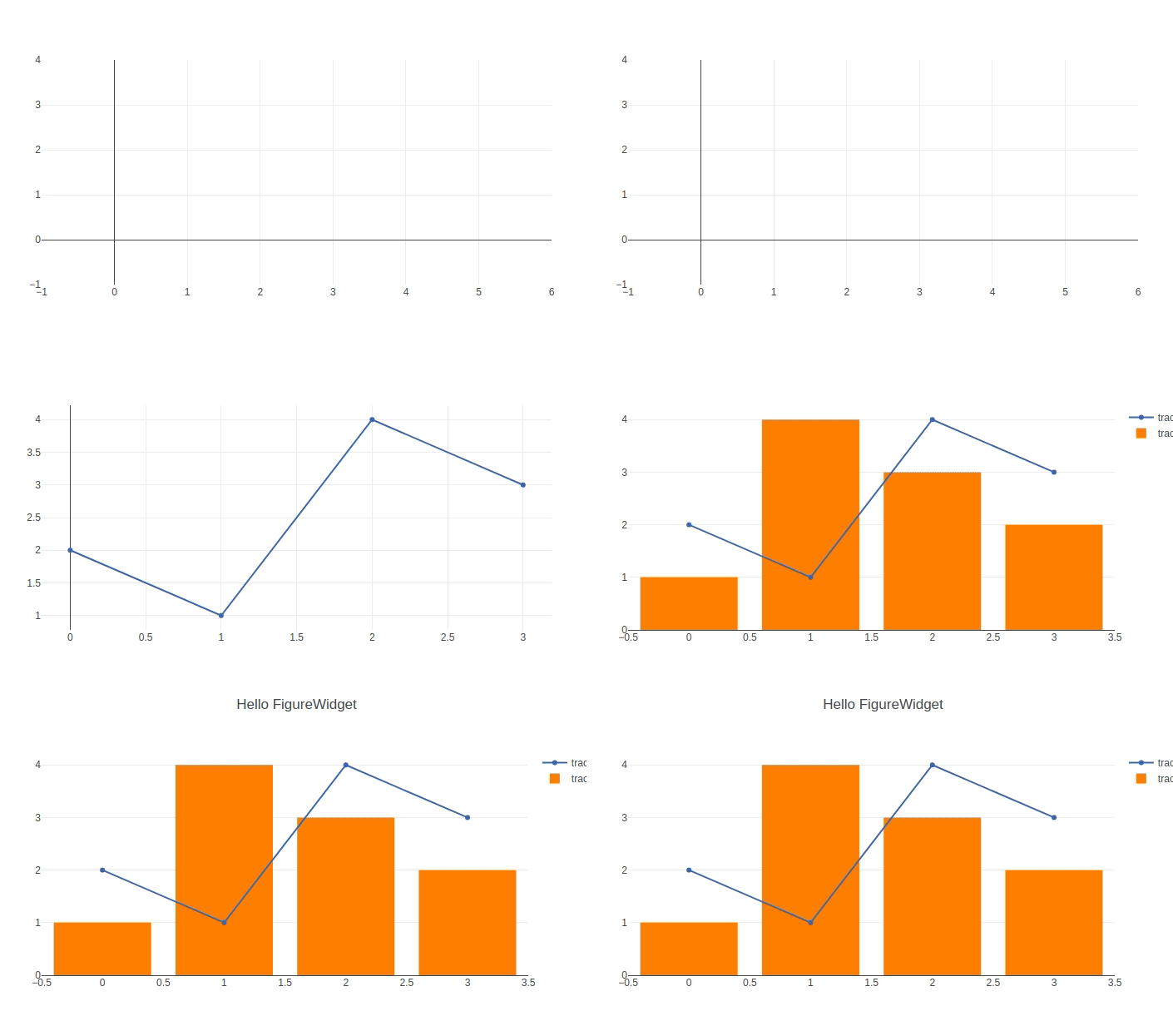 "
]
},
{
"cell_type": "markdown",
"metadata": {},
"source": [
"#### Update the Data and the Layout"
]
},
{
"cell_type": "code",
"execution_count": 8,
"metadata": {},
"outputs": [],
"source": [
"# update scatter data\n",
"scatter = f.data[0]\n",
"scatter.y = [3, 1, 4, 3]"
]
},
{
"cell_type": "code",
"execution_count": 9,
"metadata": {},
"outputs": [],
"source": [
"# update bar data\n",
"bar = f.data[1]\n",
"bar.y = [5, 3, 2, 8]"
]
},
{
"cell_type": "code",
"execution_count": 10,
"metadata": {},
"outputs": [],
"source": [
"f.layout.title = 'This is a new title'"
]
},
{
"cell_type": "markdown",
"metadata": {},
"source": [
"#### Construct a FigureWidget With Data and Layout Arguments"
]
},
{
"cell_type": "markdown",
"metadata": {},
"source": [
"We can construct a FigureWidget with the same arguments that `py.iplot` and `py.plot` use in order to convert an example of the latter using go.FigureWidget and we can also use a FigureWidget in the argument of iplot."
]
},
{
"cell_type": "markdown",
"metadata": {},
"source": [
"Using *Data* and *Layout*:"
]
},
{
"cell_type": "code",
"execution_count": 11,
"metadata": {},
"outputs": [
{
"data": {
"text/html": [
""
],
"text/vnd.plotly.v1+html": [
""
]
},
"metadata": {},
"output_type": "display_data"
},
{
"data": {
"application/vnd.plotly.v1+json": {
"data": [
{
"type": "heatmap",
"uid": "3989468a-a573-11e8-85a9-9c4e36a18f28",
"x": [
"Monday",
"Tuesday",
"Wednesday",
"Thursday",
"Friday"
],
"y": [
"Morning",
"Afternoon",
"Evening"
],
"z": [
[
1,
20,
30,
50,
1
],
[
20,
1,
60,
80,
30
],
[
30,
60,
1,
-10,
20
]
],
"zauto": true,
"zmax": 80,
"zmin": -10
}
],
"layout": {
"autosize": true,
"title": "Activity Heatmap",
"xaxis": {
"autorange": true,
"range": [
-0.5,
4.5
],
"type": "category"
},
"yaxis": {
"autorange": true,
"range": [
-0.5,
2.5
],
"type": "category"
}
}
},
"text/html": [
""
],
"text/vnd.plotly.v1+html": [
""
]
},
"metadata": {},
"output_type": "display_data"
},
{
"data": {
"application/vnd.jupyter.widget-view+json": {
"model_id": "5a1a3b089c7040e18bdc193ea15fb81a",
"version_major": 2,
"version_minor": 0
},
"text/plain": [
"RmlndXJlV2lkZ2V0KHsKICAgICdkYXRhJzogW3sndHlwZSc6ICdoZWF0bWFwJywKICAgICAgICAgICAgICAndWlkJzogJzM5ODk0NjhhLWE1NzMtMTFlOC04NWE5LTljNGUzNmExOGYyOCcsCiDigKY=\n"
]
},
"metadata": {},
"output_type": "display_data"
}
],
"source": [
"import plotly.offline as py\n",
"py.init_notebook_mode()\n",
"\n",
"trace = go.Heatmap(z=[[1, 20, 30, 50, 1], [20, 1, 60, 80, 30], [30, 60, 1, -10, 20]],\n",
" x=['Monday', 'Tuesday', 'Wednesday', 'Thursday', 'Friday'],\n",
" y=['Morning', 'Afternoon', 'Evening'])\n",
"data=[trace]\n",
"layout = go.Layout(title='Activity Heatmap')\n",
"\n",
"f2 = go.FigureWidget(data,layout)\n",
"\n",
"# two different ways to view f2\n",
"py.iplot(f2)\n",
"f2"
]
},
{
"cell_type": "markdown",
"metadata": {},
"source": [
"Construct using a `go.Figure` object:"
]
},
{
"cell_type": "code",
"execution_count": 12,
"metadata": {},
"outputs": [],
"source": [
"figure = go.Figure(data=data, layout=layout)\n",
"f3 = go.FigureWidget(figure)"
]
},
{
"cell_type": "markdown",
"metadata": {},
"source": [
"#### Reference"
]
},
{
"cell_type": "markdown",
"metadata": {},
"source": [
"See [these Jupyter notebooks](https://github.com/jonmmease/plotly_ipywidget_notebooks) for even more FigureWidget examples."
]
},
{
"cell_type": "code",
"execution_count": 13,
"metadata": {},
"outputs": [
{
"name": "stdout",
"output_type": "stream",
"text": [
"Help on class FigureWidget in module plotly.graph_objs._figurewidget:\n",
"\n",
"class FigureWidget(plotly.basewidget.BaseFigureWidget)\n",
" | Method resolution order:\n",
" | FigureWidget\n",
" | plotly.basewidget.BaseFigureWidget\n",
" | plotly.basedatatypes.BaseFigure\n",
" | ipywidgets.widgets.domwidget.DOMWidget\n",
" | ipywidgets.widgets.widget.Widget\n",
" | ipywidgets.widgets.widget.LoggingHasTraits\n",
" | traitlets.traitlets.HasTraits\n",
" | traitlets.traitlets.HasDescriptors\n",
" | __builtin__.object\n",
" | \n",
" | Methods defined here:\n",
" | \n",
" | __init__(self, data=None, layout=None, frames=None)\n",
" | Create a new FigureWidget instance\n",
" | \n",
" | Parameters\n",
" | ----------\n",
" | data\n",
" | The 'data' property is a tuple of trace instances\n",
" | that may be specified as:\n",
" | - A list or tuple of trace instances\n",
" | (e.g. [Scatter(...), Bar(...)])\n",
" | - A list or tuple of dicts of string/value properties where:\n",
" | - The 'type' property specifies the trace type\n",
" | One of: ['area', 'bar', 'box', 'candlestick', 'carpet',\n",
" | 'choropleth', 'cone', 'contour',\n",
" | 'contourcarpet', 'heatmap', 'heatmapgl',\n",
" | 'histogram', 'histogram2d',\n",
" | 'histogram2dcontour', 'mesh3d', 'ohlc',\n",
" | 'parcoords', 'pie', 'pointcloud', 'sankey',\n",
" | 'scatter', 'scatter3d', 'scattercarpet',\n",
" | 'scattergeo', 'scattergl', 'scattermapbox',\n",
" | 'scatterpolar', 'scatterpolargl',\n",
" | 'scatterternary', 'splom', 'surface', 'table',\n",
" | 'violin']\n",
" | \n",
" | - All remaining properties are passed to the constructor of\n",
" | the specified trace type\n",
" | \n",
" | (e.g. [{'type': 'scatter', ...}, {'type': 'bar, ...}])\n",
" | layout\n",
" | The 'layout' property is an instance of Layout\n",
" | that may be specified as:\n",
" | - An instance of plotly.graph_objs.Layout\n",
" | - A dict of string/value properties that will be passed\n",
" | to the Layout constructor\n",
" | \n",
" | Supported dict properties:\n",
" | \n",
" | angularaxis\n",
" | plotly.graph_objs.layout.AngularAxis instance\n",
" | or dict with compatible properties\n",
" | annotations\n",
" | plotly.graph_objs.layout.Annotation instance or\n",
" | dict with compatible properties\n",
" | autosize\n",
" | Determines whether or not a layout width or\n",
" | height that has been left undefined by the user\n",
" | is initialized on each relayout. Note that,\n",
" | regardless of this attribute, an undefined\n",
" | layout width or height is always initialized on\n",
" | the first call to plot.\n",
" | bargap\n",
" | Sets the gap (in plot fraction) between bars of\n",
" | adjacent location coordinates.\n",
" | bargroupgap\n",
" | Sets the gap (in plot fraction) between bars of\n",
" | the same location coordinate.\n",
" | barmode\n",
" | Determines how bars at the same location\n",
" | coordinate are displayed on the graph. With\n",
" | *stack*, the bars are stacked on top of one\n",
" | another With *relative*, the bars are stacked\n",
" | on top of one another, with negative values\n",
" | below the axis, positive values above With\n",
" | *group*, the bars are plotted next to one\n",
" | another centered around the shared location.\n",
" | With *overlay*, the bars are plotted over one\n",
" | another, you might need to an *opacity* to see\n",
" | multiple bars.\n",
" | barnorm\n",
" | Sets the normalization for bar traces on the\n",
" | graph. With *fraction*, the value of each bar\n",
" | is divide by the sum of the values at the\n",
" | location coordinate. With *percent*, the\n",
" | results form *fraction* are presented in\n",
" | percents.\n",
" | boxgap\n",
" | Sets the gap (in plot fraction) between boxes\n",
" | of adjacent location coordinates.\n",
" | boxgroupgap\n",
" | Sets the gap (in plot fraction) between boxes\n",
" | of the same location coordinate.\n",
" | boxmode\n",
" | Determines how boxes at the same location\n",
" | coordinate are displayed on the graph. If\n",
" | *group*, the boxes are plotted next to one\n",
" | another centered around the shared location. If\n",
" | *overlay*, the boxes are plotted over one\n",
" | another, you might need to set *opacity* to see\n",
" | them multiple boxes.\n",
" | calendar\n",
" | Sets the default calendar system to use for\n",
" | interpreting and displaying dates throughout\n",
" | the plot.\n",
" | colorway\n",
" | Sets the default trace colors.\n",
" | datarevision\n",
" | If provided, a changed value tells\n",
" | `Plotly.react` that one or more data arrays has\n",
" | changed. This way you can modify arrays in-\n",
" | place rather than making a complete new copy\n",
" | for an incremental change. If NOT provided,\n",
" | `Plotly.react` assumes that data arrays are\n",
" | being treated as immutable, thus any data array\n",
" | with a different identity from its predecessor\n",
" | contains new data.\n",
" | direction\n",
" | For polar plots only. Sets the direction\n",
" | corresponding to positive angles.\n",
" | dragmode\n",
" | Determines the mode of drag interactions.\n",
" | *select* and *lasso* apply only to scatter\n",
" | traces with markers or text. *orbit* and\n",
" | *turntable* apply only to 3D scenes.\n",
" | font\n",
" | Sets the global font. Note that fonts used in\n",
" | traces and other layout components inherit from\n",
" | the global font.\n",
" | geo\n",
" | plotly.graph_objs.layout.Geo instance or dict\n",
" | with compatible properties\n",
" | grid\n",
" | plotly.graph_objs.layout.Grid instance or dict\n",
" | with compatible properties\n",
" | height\n",
" | Sets the plot's height (in px).\n",
" | hiddenlabels\n",
" | \n",
" | hiddenlabelssrc\n",
" | Sets the source reference on plot.ly for\n",
" | hiddenlabels .\n",
" | hidesources\n",
" | Determines whether or not a text link citing\n",
" | the data source is placed at the bottom-right\n",
" | cored of the figure. Has only an effect only on\n",
" | graphs that have been generated via forked\n",
" | graphs from the plotly service (at\n",
" | https://plotly.com or on-premise).\n",
" | hoverdistance\n",
" | Sets the default distance (in pixels) to look\n",
" | for data to add hover labels (-1 means no\n",
" | cutoff, 0 means no looking for data). This is\n",
" | only a real distance for hovering on point-like\n",
" | objects, like scatter points. For area-like\n",
" | objects (bars, scatter fills, etc) hovering is\n",
" | on inside the area and off outside, but these\n",
" | objects will not supersede hover on point-like\n",
" | objects in case of conflict.\n",
" | hoverlabel\n",
" | plotly.graph_objs.layout.Hoverlabel instance or\n",
" | dict with compatible properties\n",
" | hovermode\n",
" | Determines the mode of hover interactions.\n",
" | images\n",
" | plotly.graph_objs.layout.Image instance or dict\n",
" | with compatible properties\n",
" | legend\n",
" | plotly.graph_objs.layout.Legend instance or\n",
" | dict with compatible properties\n",
" | mapbox\n",
" | plotly.graph_objs.layout.Mapbox instance or\n",
" | dict with compatible properties\n",
" | margin\n",
" | plotly.graph_objs.layout.Margin instance or\n",
" | dict with compatible properties\n",
" | orientation\n",
" | For polar plots only. Rotates the entire polar\n",
" | by the given angle.\n",
" | paper_bgcolor\n",
" | Sets the color of paper where the graph is\n",
" | drawn.\n",
" | plot_bgcolor\n",
" | Sets the color of plotting area in-between x\n",
" | and y axes.\n",
" | polar\n",
" | plotly.graph_objs.layout.Polar instance or dict\n",
" | with compatible properties\n",
" | radialaxis\n",
" | plotly.graph_objs.layout.RadialAxis instance or\n",
" | dict with compatible properties\n",
" | scene\n",
" | plotly.graph_objs.layout.Scene instance or dict\n",
" | with compatible properties\n",
" | selectdirection\n",
" | When \"dragmode\" is set to \"select\", this limits\n",
" | the selection of the drag to horizontal,\n",
" | vertical or diagonal. \"h\" only allows\n",
" | horizontal selection, \"v\" only vertical, \"d\"\n",
" | only diagonal and \"any\" sets no limit.\n",
" | separators\n",
" | Sets the decimal and thousand separators. For\n",
" | example, *. * puts a '.' before decimals and a\n",
" | space between thousands. In English locales,\n",
" | dflt is *.,* but other locales may alter this\n",
" | default.\n",
" | shapes\n",
" | plotly.graph_objs.layout.Shape instance or dict\n",
" | with compatible properties\n",
" | showlegend\n",
" | Determines whether or not a legend is drawn.\n",
" | sliders\n",
" | plotly.graph_objs.layout.Slider instance or\n",
" | dict with compatible properties\n",
" | spikedistance\n",
" | Sets the default distance (in pixels) to look\n",
" | for data to draw spikelines to (-1 means no\n",
" | cutoff, 0 means no looking for data). As with\n",
" | hoverdistance, distance does not apply to area-\n",
" | like objects. In addition, some objects can be\n",
" | hovered on but will not generate spikelines,\n",
" | such as scatter fills.\n",
" | ternary\n",
" | plotly.graph_objs.layout.Ternary instance or\n",
" | dict with compatible properties\n",
" | title\n",
" | Sets the plot's title.\n",
" | titlefont\n",
" | Sets the title font.\n",
" | updatemenus\n",
" | plotly.graph_objs.layout.Updatemenu instance or\n",
" | dict with compatible properties\n",
" | violingap\n",
" | Sets the gap (in plot fraction) between violins\n",
" | of adjacent location coordinates.\n",
" | violingroupgap\n",
" | Sets the gap (in plot fraction) between violins\n",
" | of the same location coordinate.\n",
" | violinmode\n",
" | Determines how violins at the same location\n",
" | coordinate are displayed on the graph. If\n",
" | *group*, the violins are plotted next to one\n",
" | another centered around the shared location. If\n",
" | *overlay*, the violins are plotted over one\n",
" | another, you might need to set *opacity* to see\n",
" | them multiple violins.\n",
" | width\n",
" | Sets the plot's width (in px).\n",
" | xaxis\n",
" | plotly.graph_objs.layout.XAxis instance or dict\n",
" | with compatible properties\n",
" | yaxis\n",
" | plotly.graph_objs.layout.YAxis instance or dict\n",
" | with compatible properties\n",
" | frames\n",
" | The 'frames' property is a tuple of instances of\n",
" | Frame that may be specified as:\n",
" | - A list or tuple of instances of plotly.graph_objs.Frame\n",
" | - A list or tuple of dicts of string/value properties that\n",
" | will be passed to the Frame constructor\n",
" | \n",
" | Supported dict properties:\n",
" | \n",
" | baseframe\n",
" | The name of the frame into which this frame's\n",
" | properties are merged before applying. This is\n",
" | used to unify properties and avoid needing to\n",
" | specify the same values for the same properties\n",
" | in multiple frames.\n",
" | data\n",
" | A list of traces this frame modifies. The\n",
" | format is identical to the normal trace\n",
" | definition.\n",
" | group\n",
" | An identifier that specifies the group to which\n",
" | the frame belongs, used by animate to select a\n",
" | subset of frames.\n",
" | layout\n",
" | Layout properties which this frame modifies.\n",
" | The format is identical to the normal layout\n",
" | definition.\n",
" | name\n",
" | A label by which to identify the frame\n",
" | traces\n",
" | A list of trace indices that identify the\n",
" | respective traces in the data attribute\n",
" | \n",
" | add_area(self, customdata=None, customdatasrc=None, hoverinfo=None, hoverinfosrc=None, hoverlabel=None, ids=None, idssrc=None, legendgroup=None, marker=None, name=None, opacity=None, r=None, rsrc=None, selectedpoints=None, showlegend=None, stream=None, t=None, tsrc=None, uid=None, visible=None, row=None, col=None, **kwargs)\n",
" | Add a new Area trace\n",
" | \n",
" | Parameters\n",
" | ----------\n",
" | customdata\n",
" | Assigns extra data each datum. This may be useful when\n",
" | listening to hover, click and selection events. Note\n",
" | that, *scatter* traces also appends customdata items in\n",
" | the markers DOM elements\n",
" | customdatasrc\n",
" | Sets the source reference on plot.ly for customdata .\n",
" | hoverinfo\n",
" | Determines which trace information appear on hover. If\n",
" | `none` or `skip` are set, no information is displayed\n",
" | upon hovering. But, if `none` is set, click and hover\n",
" | events are still fired.\n",
" | hoverinfosrc\n",
" | Sets the source reference on plot.ly for hoverinfo .\n",
" | hoverlabel\n",
" | plotly.graph_objs.area.Hoverlabel instance or dict with\n",
" | compatible properties\n",
" | ids\n",
" | Assigns id labels to each datum. These ids for object\n",
" | constancy of data points during animation. Should be an\n",
" | array of strings, not numbers or any other type.\n",
" | idssrc\n",
" | Sets the source reference on plot.ly for ids .\n",
" | legendgroup\n",
" | Sets the legend group for this trace. Traces part of\n",
" | the same legend group hide/show at the same time when\n",
" | toggling legend items.\n",
" | marker\n",
" | plotly.graph_objs.area.Marker instance or dict with\n",
" | compatible properties\n",
" | name\n",
" | Sets the trace name. The trace name appear as the\n",
" | legend item and on hover.\n",
" | opacity\n",
" | Sets the opacity of the trace.\n",
" | r\n",
" | For legacy polar chart only.Please switch to\n",
" | *scatterpolar* trace type.Sets the radial coordinates.\n",
" | rsrc\n",
" | Sets the source reference on plot.ly for r .\n",
" | selectedpoints\n",
" | Array containing integer indices of selected points.\n",
" | Has an effect only for traces that support selections.\n",
" | Note that an empty array means an empty selection where\n",
" | the `unselected` are turned on for all points, whereas,\n",
" | any other non-array values means no selection all where\n",
" | the `selected` and `unselected` styles have no effect.\n",
" | showlegend\n",
" | Determines whether or not an item corresponding to this\n",
" | trace is shown in the legend.\n",
" | stream\n",
" | plotly.graph_objs.area.Stream instance or dict with\n",
" | compatible properties\n",
" | t\n",
" | For legacy polar chart only.Please switch to\n",
" | *scatterpolar* trace type.Sets the angular coordinates.\n",
" | tsrc\n",
" | Sets the source reference on plot.ly for t .\n",
" | uid\n",
" | \n",
" | visible\n",
" | Determines whether or not this trace is visible. If\n",
" | *legendonly*, the trace is not drawn, but can appear as\n",
" | a legend item (provided that the legend itself is\n",
" | visible).\n",
" | row : int or None (default)\n",
" | Subplot row index (starting from 1) for the trace to be\n",
" | added. Only valid if figure was created using\n",
" | `plotly.tools.make_subplots`\n",
" | col : int or None (default)\n",
" | Subplot col index (starting from 1) for the trace to be\n",
" | added. Only valid if figure was created using\n",
" | `plotly.tools.make_subplots`\n",
" | \n",
" | Returns\n",
" | -------\n",
" | Area\n",
" | \n",
" | add_bar(self, base=None, basesrc=None, cliponaxis=None, constraintext=None, customdata=None, customdatasrc=None, dx=None, dy=None, error_x=None, error_y=None, hoverinfo=None, hoverinfosrc=None, hoverlabel=None, hovertext=None, hovertextsrc=None, ids=None, idssrc=None, insidetextfont=None, legendgroup=None, marker=None, name=None, offset=None, offsetsrc=None, opacity=None, orientation=None, outsidetextfont=None, r=None, rsrc=None, selected=None, selectedpoints=None, showlegend=None, stream=None, t=None, text=None, textfont=None, textposition=None, textpositionsrc=None, textsrc=None, tsrc=None, uid=None, unselected=None, visible=None, width=None, widthsrc=None, x=None, x0=None, xaxis=None, xcalendar=None, xsrc=None, y=None, y0=None, yaxis=None, ycalendar=None, ysrc=None, row=None, col=None, **kwargs)\n",
" | Add a new Bar trace\n",
" | \n",
" | The data visualized by the span of the bars is set in `y` if\n",
" | `orientation` is set th *v* (the default) and the labels are\n",
" | set in `x`. By setting `orientation` to *h*, the roles are\n",
" | interchanged.\n",
" | \n",
" | Parameters\n",
" | ----------\n",
" | base\n",
" | Sets where the bar base is drawn (in position axis\n",
" | units). In *stack* or *relative* barmode, traces that\n",
" | set *base* will be excluded and drawn in *overlay* mode\n",
" | instead.\n",
" | basesrc\n",
" | Sets the source reference on plot.ly for base .\n",
" | cliponaxis\n",
" | Determines whether the text nodes are clipped about the\n",
" | subplot axes. To show the text nodes above axis lines\n",
" | and tick labels, make sure to set `xaxis.layer` and\n",
" | `yaxis.layer` to *below traces*.\n",
" | constraintext\n",
" | Constrain the size of text inside or outside a bar to\n",
" | be no larger than the bar itself.\n",
" | customdata\n",
" | Assigns extra data each datum. This may be useful when\n",
" | listening to hover, click and selection events. Note\n",
" | that, *scatter* traces also appends customdata items in\n",
" | the markers DOM elements\n",
" | customdatasrc\n",
" | Sets the source reference on plot.ly for customdata .\n",
" | dx\n",
" | Sets the x coordinate step. See `x0` for more info.\n",
" | dy\n",
" | Sets the y coordinate step. See `y0` for more info.\n",
" | error_x\n",
" | plotly.graph_objs.bar.ErrorX instance or dict with\n",
" | compatible properties\n",
" | error_y\n",
" | plotly.graph_objs.bar.ErrorY instance or dict with\n",
" | compatible properties\n",
" | hoverinfo\n",
" | Determines which trace information appear on hover. If\n",
" | `none` or `skip` are set, no information is displayed\n",
" | upon hovering. But, if `none` is set, click and hover\n",
" | events are still fired.\n",
" | hoverinfosrc\n",
" | Sets the source reference on plot.ly for hoverinfo .\n",
" | hoverlabel\n",
" | plotly.graph_objs.bar.Hoverlabel instance or dict with\n",
" | compatible properties\n",
" | hovertext\n",
" | Sets hover text elements associated with each (x,y)\n",
" | pair. If a single string, the same string appears over\n",
" | all the data points. If an array of string, the items\n",
" | are mapped in order to the this trace's (x,y)\n",
" | coordinates. To be seen, trace `hoverinfo` must contain\n",
" | a *text* flag.\n",
" | hovertextsrc\n",
" | Sets the source reference on plot.ly for hovertext .\n",
" | ids\n",
" | Assigns id labels to each datum. These ids for object\n",
" | constancy of data points during animation. Should be an\n",
" | array of strings, not numbers or any other type.\n",
" | idssrc\n",
" | Sets the source reference on plot.ly for ids .\n",
" | insidetextfont\n",
" | Sets the font used for `text` lying inside the bar.\n",
" | legendgroup\n",
" | Sets the legend group for this trace. Traces part of\n",
" | the same legend group hide/show at the same time when\n",
" | toggling legend items.\n",
" | marker\n",
" | plotly.graph_objs.bar.Marker instance or dict with\n",
" | compatible properties\n",
" | name\n",
" | Sets the trace name. The trace name appear as the\n",
" | legend item and on hover.\n",
" | offset\n",
" | Shifts the position where the bar is drawn (in position\n",
" | axis units). In *group* barmode, traces that set\n",
" | *offset* will be excluded and drawn in *overlay* mode\n",
" | instead.\n",
" | offsetsrc\n",
" | Sets the source reference on plot.ly for offset .\n",
" | opacity\n",
" | Sets the opacity of the trace.\n",
" | orientation\n",
" | Sets the orientation of the bars. With *v* (*h*), the\n",
" | value of the each bar spans along the vertical\n",
" | (horizontal).\n",
" | outsidetextfont\n",
" | Sets the font used for `text` lying outside the bar.\n",
" | r\n",
" | For legacy polar chart only.Please switch to\n",
" | *scatterpolar* trace type.Sets the radial coordinates.\n",
" | rsrc\n",
" | Sets the source reference on plot.ly for r .\n",
" | selected\n",
" | plotly.graph_objs.bar.Selected instance or dict with\n",
" | compatible properties\n",
" | selectedpoints\n",
" | Array containing integer indices of selected points.\n",
" | Has an effect only for traces that support selections.\n",
" | Note that an empty array means an empty selection where\n",
" | the `unselected` are turned on for all points, whereas,\n",
" | any other non-array values means no selection all where\n",
" | the `selected` and `unselected` styles have no effect.\n",
" | showlegend\n",
" | Determines whether or not an item corresponding to this\n",
" | trace is shown in the legend.\n",
" | stream\n",
" | plotly.graph_objs.bar.Stream instance or dict with\n",
" | compatible properties\n",
" | t\n",
" | For legacy polar chart only.Please switch to\n",
" | *scatterpolar* trace type.Sets the angular coordinates.\n",
" | text\n",
" | Sets text elements associated with each (x,y) pair. If\n",
" | a single string, the same string appears over all the\n",
" | data points. If an array of string, the items are\n",
" | mapped in order to the this trace's (x,y) coordinates.\n",
" | If trace `hoverinfo` contains a *text* flag and\n",
" | *hovertext* is not set, these elements will be seen in\n",
" | the hover labels.\n",
" | textfont\n",
" | Sets the font used for `text`.\n",
" | textposition\n",
" | Specifies the location of the `text`. *inside*\n",
" | positions `text` inside, next to the bar end (rotated\n",
" | and scaled if needed). *outside* positions `text`\n",
" | outside, next to the bar end (scaled if needed). *auto*\n",
" | positions `text` inside or outside so that `text` size\n",
" | is maximized.\n",
" | textpositionsrc\n",
" | Sets the source reference on plot.ly for textposition\n",
" | .\n",
" | textsrc\n",
" | Sets the source reference on plot.ly for text .\n",
" | tsrc\n",
" | Sets the source reference on plot.ly for t .\n",
" | uid\n",
" | \n",
" | unselected\n",
" | plotly.graph_objs.bar.Unselected instance or dict with\n",
" | compatible properties\n",
" | visible\n",
" | Determines whether or not this trace is visible. If\n",
" | *legendonly*, the trace is not drawn, but can appear as\n",
" | a legend item (provided that the legend itself is\n",
" | visible).\n",
" | width\n",
" | Sets the bar width (in position axis units).\n",
" | widthsrc\n",
" | Sets the source reference on plot.ly for width .\n",
" | x\n",
" | Sets the x coordinates.\n",
" | x0\n",
" | Alternate to `x`. Builds a linear space of x\n",
" | coordinates. Use with `dx` where `x0` is the starting\n",
" | coordinate and `dx` the step.\n",
" | xaxis\n",
" | Sets a reference between this trace's x coordinates and\n",
" | a 2D cartesian x axis. If *x* (the default value), the\n",
" | x coordinates refer to `layout.xaxis`. If *x2*, the x\n",
" | coordinates refer to `layout.xaxis2`, and so on.\n",
" | xcalendar\n",
" | Sets the calendar system to use with `x` date data.\n",
" | xsrc\n",
" | Sets the source reference on plot.ly for x .\n",
" | y\n",
" | Sets the y coordinates.\n",
" | y0\n",
" | Alternate to `y`. Builds a linear space of y\n",
" | coordinates. Use with `dy` where `y0` is the starting\n",
" | coordinate and `dy` the step.\n",
" | yaxis\n",
" | Sets a reference between this trace's y coordinates and\n",
" | a 2D cartesian y axis. If *y* (the default value), the\n",
" | y coordinates refer to `layout.yaxis`. If *y2*, the y\n",
" | coordinates refer to `layout.yaxis2`, and so on.\n",
" | ycalendar\n",
" | Sets the calendar system to use with `y` date data.\n",
" | ysrc\n",
" | Sets the source reference on plot.ly for y .\n",
" | row : int or None (default)\n",
" | Subplot row index (starting from 1) for the trace to be\n",
" | added. Only valid if figure was created using\n",
" | `plotly.tools.make_subplots`\n",
" | col : int or None (default)\n",
" | Subplot col index (starting from 1) for the trace to be\n",
" | added. Only valid if figure was created using\n",
" | `plotly.tools.make_subplots`\n",
" | \n",
" | Returns\n",
" | -------\n",
" | Bar\n",
" | \n",
" | add_box(self, boxmean=None, boxpoints=None, customdata=None, customdatasrc=None, fillcolor=None, hoverinfo=None, hoverinfosrc=None, hoverlabel=None, hoveron=None, ids=None, idssrc=None, jitter=None, legendgroup=None, line=None, marker=None, name=None, notched=None, notchwidth=None, opacity=None, orientation=None, pointpos=None, selected=None, selectedpoints=None, showlegend=None, stream=None, text=None, textsrc=None, uid=None, unselected=None, visible=None, whiskerwidth=None, x=None, x0=None, xaxis=None, xcalendar=None, xsrc=None, y=None, y0=None, yaxis=None, ycalendar=None, ysrc=None, row=None, col=None, **kwargs)\n",
" | Add a new Box trace\n",
" | \n",
" | In vertical (horizontal) box plots, statistics are computed\n",
" | using `y` (`x`) values. By supplying an `x` (`y`) array, one\n",
" | box per distinct x (y) value is drawn If no `x` (`y`) {array}\n",
" | is provided, a single box is drawn. That box position is then\n",
" | positioned with with `name` or with `x0` (`y0`) if provided.\n",
" | Each box spans from quartile 1 (Q1) to quartile 3 (Q3). The\n",
" | second quartile (Q2) is marked by a line inside the box. By\n",
" | default, the whiskers correspond to the box' edges +/- 1.5\n",
" | times the interquartile range (IQR = Q3-Q1), see *boxpoints*\n",
" | for other options.\n",
" | \n",
" | Parameters\n",
" | ----------\n",
" | boxmean\n",
" | If *true*, the mean of the box(es)' underlying\n",
" | distribution is drawn as a dashed line inside the\n",
" | box(es). If *sd* the standard deviation is also drawn.\n",
" | boxpoints\n",
" | If *outliers*, only the sample points lying outside the\n",
" | whiskers are shown If *suspectedoutliers*, the outlier\n",
" | points are shown and points either less than 4*Q1-3*Q3\n",
" | or greater than 4*Q3-3*Q1 are highlighted (see\n",
" | `outliercolor`) If *all*, all sample points are shown\n",
" | If *false*, only the box(es) are shown with no sample\n",
" | points\n",
" | customdata\n",
" | Assigns extra data each datum. This may be useful when\n",
" | listening to hover, click and selection events. Note\n",
" | that, *scatter* traces also appends customdata items in\n",
" | the markers DOM elements\n",
" | customdatasrc\n",
" | Sets the source reference on plot.ly for customdata .\n",
" | fillcolor\n",
" | Sets the fill color. Defaults to a half-transparent\n",
" | variant of the line color, marker color, or marker line\n",
" | color, whichever is available.\n",
" | hoverinfo\n",
" | Determines which trace information appear on hover. If\n",
" | `none` or `skip` are set, no information is displayed\n",
" | upon hovering. But, if `none` is set, click and hover\n",
" | events are still fired.\n",
" | hoverinfosrc\n",
" | Sets the source reference on plot.ly for hoverinfo .\n",
" | hoverlabel\n",
" | plotly.graph_objs.box.Hoverlabel instance or dict with\n",
" | compatible properties\n",
" | hoveron\n",
" | Do the hover effects highlight individual boxes or\n",
" | sample points or both?\n",
" | ids\n",
" | Assigns id labels to each datum. These ids for object\n",
" | constancy of data points during animation. Should be an\n",
" | array of strings, not numbers or any other type.\n",
" | idssrc\n",
" | Sets the source reference on plot.ly for ids .\n",
" | jitter\n",
" | Sets the amount of jitter in the sample points drawn.\n",
" | If *0*, the sample points align along the distribution\n",
" | axis. If *1*, the sample points are drawn in a random\n",
" | jitter of width equal to the width of the box(es).\n",
" | legendgroup\n",
" | Sets the legend group for this trace. Traces part of\n",
" | the same legend group hide/show at the same time when\n",
" | toggling legend items.\n",
" | line\n",
" | plotly.graph_objs.box.Line instance or dict with\n",
" | compatible properties\n",
" | marker\n",
" | plotly.graph_objs.box.Marker instance or dict with\n",
" | compatible properties\n",
" | name\n",
" | Sets the trace name. The trace name appear as the\n",
" | legend item and on hover. For box traces, the name will\n",
" | also be used for the position coordinate, if `x` and\n",
" | `x0` (`y` and `y0` if horizontal) are missing and the\n",
" | position axis is categorical\n",
" | notched\n",
" | Determines whether or not notches should be drawn.\n",
" | notchwidth\n",
" | Sets the width of the notches relative to the box'\n",
" | width. For example, with 0, the notches are as wide as\n",
" | the box(es).\n",
" | opacity\n",
" | Sets the opacity of the trace.\n",
" | orientation\n",
" | Sets the orientation of the box(es). If *v* (*h*), the\n",
" | distribution is visualized along the vertical\n",
" | (horizontal).\n",
" | pointpos\n",
" | Sets the position of the sample points in relation to\n",
" | the box(es). If *0*, the sample points are places over\n",
" | the center of the box(es). Positive (negative) values\n",
" | correspond to positions to the right (left) for\n",
" | vertical boxes and above (below) for horizontal boxes\n",
" | selected\n",
" | plotly.graph_objs.box.Selected instance or dict with\n",
" | compatible properties\n",
" | selectedpoints\n",
" | Array containing integer indices of selected points.\n",
" | Has an effect only for traces that support selections.\n",
" | Note that an empty array means an empty selection where\n",
" | the `unselected` are turned on for all points, whereas,\n",
" | any other non-array values means no selection all where\n",
" | the `selected` and `unselected` styles have no effect.\n",
" | showlegend\n",
" | Determines whether or not an item corresponding to this\n",
" | trace is shown in the legend.\n",
" | stream\n",
" | plotly.graph_objs.box.Stream instance or dict with\n",
" | compatible properties\n",
" | text\n",
" | Sets the text elements associated with each sample\n",
" | value. If a single string, the same string appears over\n",
" | all the data points. If an array of string, the items\n",
" | are mapped in order to the this trace's (x,y)\n",
" | coordinates. To be seen, trace `hoverinfo` must contain\n",
" | a *text* flag.\n",
" | textsrc\n",
" | Sets the source reference on plot.ly for text .\n",
" | uid\n",
" | \n",
" | unselected\n",
" | plotly.graph_objs.box.Unselected instance or dict with\n",
" | compatible properties\n",
" | visible\n",
" | Determines whether or not this trace is visible. If\n",
" | *legendonly*, the trace is not drawn, but can appear as\n",
" | a legend item (provided that the legend itself is\n",
" | visible).\n",
" | whiskerwidth\n",
" | Sets the width of the whiskers relative to the box'\n",
" | width. For example, with 1, the whiskers are as wide as\n",
" | the box(es).\n",
" | x\n",
" | Sets the x sample data or coordinates. See overview for\n",
" | more info.\n",
" | x0\n",
" | Sets the x coordinate of the box. See overview for more\n",
" | info.\n",
" | xaxis\n",
" | Sets a reference between this trace's x coordinates and\n",
" | a 2D cartesian x axis. If *x* (the default value), the\n",
" | x coordinates refer to `layout.xaxis`. If *x2*, the x\n",
" | coordinates refer to `layout.xaxis2`, and so on.\n",
" | xcalendar\n",
" | Sets the calendar system to use with `x` date data.\n",
" | xsrc\n",
" | Sets the source reference on plot.ly for x .\n",
" | y\n",
" | Sets the y sample data or coordinates. See overview for\n",
" | more info.\n",
" | y0\n",
" | Sets the y coordinate of the box. See overview for more\n",
" | info.\n",
" | yaxis\n",
" | Sets a reference between this trace's y coordinates and\n",
" | a 2D cartesian y axis. If *y* (the default value), the\n",
" | y coordinates refer to `layout.yaxis`. If *y2*, the y\n",
" | coordinates refer to `layout.yaxis2`, and so on.\n",
" | ycalendar\n",
" | Sets the calendar system to use with `y` date data.\n",
" | ysrc\n",
" | Sets the source reference on plot.ly for y .\n",
" | row : int or None (default)\n",
" | Subplot row index (starting from 1) for the trace to be\n",
" | added. Only valid if figure was created using\n",
" | `plotly.tools.make_subplots`\n",
" | col : int or None (default)\n",
" | Subplot col index (starting from 1) for the trace to be\n",
" | added. Only valid if figure was created using\n",
" | `plotly.tools.make_subplots`\n",
" | \n",
" | Returns\n",
" | -------\n",
" | Box\n",
" | \n",
" | add_candlestick(self, close=None, closesrc=None, customdata=None, customdatasrc=None, decreasing=None, high=None, highsrc=None, hoverinfo=None, hoverinfosrc=None, hoverlabel=None, ids=None, idssrc=None, increasing=None, legendgroup=None, line=None, low=None, lowsrc=None, name=None, opacity=None, open=None, opensrc=None, selectedpoints=None, showlegend=None, stream=None, text=None, textsrc=None, uid=None, visible=None, whiskerwidth=None, x=None, xaxis=None, xcalendar=None, xsrc=None, yaxis=None, row=None, col=None, **kwargs)\n",
" | Add a new Candlestick trace\n",
" | \n",
" | The candlestick is a style of financial chart describing open,\n",
" | high, low and close for a given `x` coordinate (most likely\n",
" | time). The boxes represent the spread between the `open` and\n",
" | `close` values and the lines represent the spread between the\n",
" | `low` and `high` values Sample points where the close value is\n",
" | higher (lower) then the open value are called increasing\n",
" | (decreasing). By default, increasing candles are drawn in green\n",
" | whereas decreasing are drawn in red.\n",
" | \n",
" | Parameters\n",
" | ----------\n",
" | close\n",
" | Sets the close values.\n",
" | closesrc\n",
" | Sets the source reference on plot.ly for close .\n",
" | customdata\n",
" | Assigns extra data each datum. This may be useful when\n",
" | listening to hover, click and selection events. Note\n",
" | that, *scatter* traces also appends customdata items in\n",
" | the markers DOM elements\n",
" | customdatasrc\n",
" | Sets the source reference on plot.ly for customdata .\n",
" | decreasing\n",
" | plotly.graph_objs.candlestick.Decreasing instance or\n",
" | dict with compatible properties\n",
" | high\n",
" | Sets the high values.\n",
" | highsrc\n",
" | Sets the source reference on plot.ly for high .\n",
" | hoverinfo\n",
" | Determines which trace information appear on hover. If\n",
" | `none` or `skip` are set, no information is displayed\n",
" | upon hovering. But, if `none` is set, click and hover\n",
" | events are still fired.\n",
" | hoverinfosrc\n",
" | Sets the source reference on plot.ly for hoverinfo .\n",
" | hoverlabel\n",
" | plotly.graph_objs.candlestick.Hoverlabel instance or\n",
" | dict with compatible properties\n",
" | ids\n",
" | Assigns id labels to each datum. These ids for object\n",
" | constancy of data points during animation. Should be an\n",
" | array of strings, not numbers or any other type.\n",
" | idssrc\n",
" | Sets the source reference on plot.ly for ids .\n",
" | increasing\n",
" | plotly.graph_objs.candlestick.Increasing instance or\n",
" | dict with compatible properties\n",
" | legendgroup\n",
" | Sets the legend group for this trace. Traces part of\n",
" | the same legend group hide/show at the same time when\n",
" | toggling legend items.\n",
" | line\n",
" | plotly.graph_objs.candlestick.Line instance or dict\n",
" | with compatible properties\n",
" | low\n",
" | Sets the low values.\n",
" | lowsrc\n",
" | Sets the source reference on plot.ly for low .\n",
" | name\n",
" | Sets the trace name. The trace name appear as the\n",
" | legend item and on hover.\n",
" | opacity\n",
" | Sets the opacity of the trace.\n",
" | open\n",
" | Sets the open values.\n",
" | opensrc\n",
" | Sets the source reference on plot.ly for open .\n",
" | selectedpoints\n",
" | Array containing integer indices of selected points.\n",
" | Has an effect only for traces that support selections.\n",
" | Note that an empty array means an empty selection where\n",
" | the `unselected` are turned on for all points, whereas,\n",
" | any other non-array values means no selection all where\n",
" | the `selected` and `unselected` styles have no effect.\n",
" | showlegend\n",
" | Determines whether or not an item corresponding to this\n",
" | trace is shown in the legend.\n",
" | stream\n",
" | plotly.graph_objs.candlestick.Stream instance or dict\n",
" | with compatible properties\n",
" | text\n",
" | Sets hover text elements associated with each sample\n",
" | point. If a single string, the same string appears over\n",
" | all the data points. If an array of string, the items\n",
" | are mapped in order to this trace's sample points.\n",
" | textsrc\n",
" | Sets the source reference on plot.ly for text .\n",
" | uid\n",
" | \n",
" | visible\n",
" | Determines whether or not this trace is visible. If\n",
" | *legendonly*, the trace is not drawn, but can appear as\n",
" | a legend item (provided that the legend itself is\n",
" | visible).\n",
" | whiskerwidth\n",
" | Sets the width of the whiskers relative to the box'\n",
" | width. For example, with 1, the whiskers are as wide as\n",
" | the box(es).\n",
" | x\n",
" | Sets the x coordinates. If absent, linear coordinate\n",
" | will be generated.\n",
" | xaxis\n",
" | Sets a reference between this trace's x coordinates and\n",
" | a 2D cartesian x axis. If *x* (the default value), the\n",
" | x coordinates refer to `layout.xaxis`. If *x2*, the x\n",
" | coordinates refer to `layout.xaxis2`, and so on.\n",
" | xcalendar\n",
" | Sets the calendar system to use with `x` date data.\n",
" | xsrc\n",
" | Sets the source reference on plot.ly for x .\n",
" | yaxis\n",
" | Sets a reference between this trace's y coordinates and\n",
" | a 2D cartesian y axis. If *y* (the default value), the\n",
" | y coordinates refer to `layout.yaxis`. If *y2*, the y\n",
" | coordinates refer to `layout.yaxis2`, and so on.\n",
" | row : int or None (default)\n",
" | Subplot row index (starting from 1) for the trace to be\n",
" | added. Only valid if figure was created using\n",
" | `plotly.tools.make_subplots`\n",
" | col : int or None (default)\n",
" | Subplot col index (starting from 1) for the trace to be\n",
" | added. Only valid if figure was created using\n",
" | `plotly.tools.make_subplots`\n",
" | \n",
" | Returns\n",
" | -------\n",
" | Candlestick\n",
" | \n",
" | add_carpet(self, a=None, a0=None, aaxis=None, asrc=None, b=None, b0=None, baxis=None, bsrc=None, carpet=None, cheaterslope=None, color=None, customdata=None, customdatasrc=None, da=None, db=None, font=None, hoverinfo=None, hoverinfosrc=None, hoverlabel=None, ids=None, idssrc=None, legendgroup=None, name=None, opacity=None, selectedpoints=None, showlegend=None, stream=None, uid=None, visible=None, x=None, xaxis=None, xsrc=None, y=None, yaxis=None, ysrc=None, row=None, col=None, **kwargs)\n",
" | Add a new Carpet trace\n",
" | \n",
" | The data describing carpet axis layout is set in `y` and\n",
" | (optionally) also `x`. If only `y` is present, `x` the plot is\n",
" | interpreted as a cheater plot and is filled in using the `y`\n",
" | values. `x` and `y` may either be 2D arrays matching with each\n",
" | dimension matching that of `a` and `b`, or they may be 1D\n",
" | arrays with total length equal to that of `a` and `b`.\n",
" | \n",
" | Parameters\n",
" | ----------\n",
" | a\n",
" | An array containing values of the first parameter value\n",
" | a0\n",
" | Alternate to `a`. Builds a linear space of a\n",
" | coordinates. Use with `da` where `a0` is the starting\n",
" | coordinate and `da` the step.\n",
" | aaxis\n",
" | plotly.graph_objs.carpet.Aaxis instance or dict with\n",
" | compatible properties\n",
" | asrc\n",
" | Sets the source reference on plot.ly for a .\n",
" | b\n",
" | A two dimensional array of y coordinates at each carpet\n",
" | point.\n",
" | b0\n",
" | Alternate to `b`. Builds a linear space of a\n",
" | coordinates. Use with `db` where `b0` is the starting\n",
" | coordinate and `db` the step.\n",
" | baxis\n",
" | plotly.graph_objs.carpet.Baxis instance or dict with\n",
" | compatible properties\n",
" | bsrc\n",
" | Sets the source reference on plot.ly for b .\n",
" | carpet\n",
" | An identifier for this carpet, so that `scattercarpet`\n",
" | and `scattercontour` traces can specify a carpet plot\n",
" | on which they lie\n",
" | cheaterslope\n",
" | The shift applied to each successive row of data in\n",
" | creating a cheater plot. Only used if `x` is been\n",
" | ommitted.\n",
" | color\n",
" | Sets default for all colors associated with this axis\n",
" | all at once: line, font, tick, and grid colors. Grid\n",
" | color is lightened by blending this with the plot\n",
" | background Individual pieces can override this.\n",
" | customdata\n",
" | Assigns extra data each datum. This may be useful when\n",
" | listening to hover, click and selection events. Note\n",
" | that, *scatter* traces also appends customdata items in\n",
" | the markers DOM elements\n",
" | customdatasrc\n",
" | Sets the source reference on plot.ly for customdata .\n",
" | da\n",
" | Sets the a coordinate step. See `a0` for more info.\n",
" | db\n",
" | Sets the b coordinate step. See `b0` for more info.\n",
" | font\n",
" | The default font used for axis & tick labels on this\n",
" | carpet\n",
" | hoverinfo\n",
" | Determines which trace information appear on hover. If\n",
" | `none` or `skip` are set, no information is displayed\n",
" | upon hovering. But, if `none` is set, click and hover\n",
" | events are still fired.\n",
" | hoverinfosrc\n",
" | Sets the source reference on plot.ly for hoverinfo .\n",
" | hoverlabel\n",
" | plotly.graph_objs.carpet.Hoverlabel instance or dict\n",
" | with compatible properties\n",
" | ids\n",
" | Assigns id labels to each datum. These ids for object\n",
" | constancy of data points during animation. Should be an\n",
" | array of strings, not numbers or any other type.\n",
" | idssrc\n",
" | Sets the source reference on plot.ly for ids .\n",
" | legendgroup\n",
" | Sets the legend group for this trace. Traces part of\n",
" | the same legend group hide/show at the same time when\n",
" | toggling legend items.\n",
" | name\n",
" | Sets the trace name. The trace name appear as the\n",
" | legend item and on hover.\n",
" | opacity\n",
" | Sets the opacity of the trace.\n",
" | selectedpoints\n",
" | Array containing integer indices of selected points.\n",
" | Has an effect only for traces that support selections.\n",
" | Note that an empty array means an empty selection where\n",
" | the `unselected` are turned on for all points, whereas,\n",
" | any other non-array values means no selection all where\n",
" | the `selected` and `unselected` styles have no effect.\n",
" | showlegend\n",
" | Determines whether or not an item corresponding to this\n",
" | trace is shown in the legend.\n",
" | stream\n",
" | plotly.graph_objs.carpet.Stream instance or dict with\n",
" | compatible properties\n",
" | uid\n",
" | \n",
" | visible\n",
" | Determines whether or not this trace is visible. If\n",
" | *legendonly*, the trace is not drawn, but can appear as\n",
" | a legend item (provided that the legend itself is\n",
" | visible).\n",
" | x\n",
" | A two dimensional array of x coordinates at each carpet\n",
" | point. If ommitted, the plot is a cheater plot and the\n",
" | xaxis is hidden by default.\n",
" | xaxis\n",
" | Sets a reference between this trace's x coordinates and\n",
" | a 2D cartesian x axis. If *x* (the default value), the\n",
" | x coordinates refer to `layout.xaxis`. If *x2*, the x\n",
" | coordinates refer to `layout.xaxis2`, and so on.\n",
" | xsrc\n",
" | Sets the source reference on plot.ly for x .\n",
" | y\n",
" | A two dimensional array of y coordinates at each carpet\n",
" | point.\n",
" | yaxis\n",
" | Sets a reference between this trace's y coordinates and\n",
" | a 2D cartesian y axis. If *y* (the default value), the\n",
" | y coordinates refer to `layout.yaxis`. If *y2*, the y\n",
" | coordinates refer to `layout.yaxis2`, and so on.\n",
" | ysrc\n",
" | Sets the source reference on plot.ly for y .\n",
" | row : int or None (default)\n",
" | Subplot row index (starting from 1) for the trace to be\n",
" | added. Only valid if figure was created using\n",
" | `plotly.tools.make_subplots`\n",
" | col : int or None (default)\n",
" | Subplot col index (starting from 1) for the trace to be\n",
" | added. Only valid if figure was created using\n",
" | `plotly.tools.make_subplots`\n",
" | \n",
" | Returns\n",
" | -------\n",
" | Carpet\n",
" | \n",
" | add_choropleth(self, autocolorscale=None, colorbar=None, colorscale=None, customdata=None, customdatasrc=None, geo=None, hoverinfo=None, hoverinfosrc=None, hoverlabel=None, ids=None, idssrc=None, legendgroup=None, locationmode=None, locations=None, locationssrc=None, marker=None, name=None, opacity=None, reversescale=None, selected=None, selectedpoints=None, showlegend=None, showscale=None, stream=None, text=None, textsrc=None, uid=None, unselected=None, visible=None, z=None, zauto=None, zmax=None, zmin=None, zsrc=None, row=None, col=None, **kwargs)\n",
" | Add a new Choropleth trace\n",
" | \n",
" | The data that describes the choropleth value-to-color mapping\n",
" | is set in `z`. The geographic locations corresponding to each\n",
" | value in `z` are set in `locations`.\n",
" | \n",
" | Parameters\n",
" | ----------\n",
" | autocolorscale\n",
" | Determines whether or not the colorscale is picked\n",
" | using the sign of the input z values.\n",
" | colorbar\n",
" | plotly.graph_objs.choropleth.ColorBar instance or dict\n",
" | with compatible properties\n",
" | colorscale\n",
" | Sets the colorscale. The colorscale must be an array\n",
" | containing arrays mapping a normalized value to an rgb,\n",
" | rgba, hex, hsl, hsv, or named color string. At minimum,\n",
" | a mapping for the lowest (0) and highest (1) values are\n",
" | required. For example, `[[0, 'rgb(0,0,255)', [1,\n",
" | 'rgb(255,0,0)']]`. To control the bounds of the\n",
" | colorscale in z space, use zmin and zmax\n",
" | customdata\n",
" | Assigns extra data each datum. This may be useful when\n",
" | listening to hover, click and selection events. Note\n",
" | that, *scatter* traces also appends customdata items in\n",
" | the markers DOM elements\n",
" | customdatasrc\n",
" | Sets the source reference on plot.ly for customdata .\n",
" | geo\n",
" | Sets a reference between this trace's geospatial\n",
" | coordinates and a geographic map. If *geo* (the default\n",
" | value), the geospatial coordinates refer to\n",
" | `layout.geo`. If *geo2*, the geospatial coordinates\n",
" | refer to `layout.geo2`, and so on.\n",
" | hoverinfo\n",
" | Determines which trace information appear on hover. If\n",
" | `none` or `skip` are set, no information is displayed\n",
" | upon hovering. But, if `none` is set, click and hover\n",
" | events are still fired.\n",
" | hoverinfosrc\n",
" | Sets the source reference on plot.ly for hoverinfo .\n",
" | hoverlabel\n",
" | plotly.graph_objs.choropleth.Hoverlabel instance or\n",
" | dict with compatible properties\n",
" | ids\n",
" | Assigns id labels to each datum. These ids for object\n",
" | constancy of data points during animation. Should be an\n",
" | array of strings, not numbers or any other type.\n",
" | idssrc\n",
" | Sets the source reference on plot.ly for ids .\n",
" | legendgroup\n",
" | Sets the legend group for this trace. Traces part of\n",
" | the same legend group hide/show at the same time when\n",
" | toggling legend items.\n",
" | locationmode\n",
" | Determines the set of locations used to match entries\n",
" | in `locations` to regions on the map.\n",
" | locations\n",
" | Sets the coordinates via location IDs or names. See\n",
" | `locationmode` for more info.\n",
" | locationssrc\n",
" | Sets the source reference on plot.ly for locations .\n",
" | marker\n",
" | plotly.graph_objs.choropleth.Marker instance or dict\n",
" | with compatible properties\n",
" | name\n",
" | Sets the trace name. The trace name appear as the\n",
" | legend item and on hover.\n",
" | opacity\n",
" | Sets the opacity of the trace.\n",
" | reversescale\n",
" | Reverses the colorscale.\n",
" | selected\n",
" | plotly.graph_objs.choropleth.Selected instance or dict\n",
" | with compatible properties\n",
" | selectedpoints\n",
" | Array containing integer indices of selected points.\n",
" | Has an effect only for traces that support selections.\n",
" | Note that an empty array means an empty selection where\n",
" | the `unselected` are turned on for all points, whereas,\n",
" | any other non-array values means no selection all where\n",
" | the `selected` and `unselected` styles have no effect.\n",
" | showlegend\n",
" | Determines whether or not an item corresponding to this\n",
" | trace is shown in the legend.\n",
" | showscale\n",
" | Determines whether or not a colorbar is displayed for\n",
" | this trace.\n",
" | stream\n",
" | plotly.graph_objs.choropleth.Stream instance or dict\n",
" | with compatible properties\n",
" | text\n",
" | Sets the text elements associated with each location.\n",
" | textsrc\n",
" | Sets the source reference on plot.ly for text .\n",
" | uid\n",
" | \n",
" | unselected\n",
" | plotly.graph_objs.choropleth.Unselected instance or\n",
" | dict with compatible properties\n",
" | visible\n",
" | Determines whether or not this trace is visible. If\n",
" | *legendonly*, the trace is not drawn, but can appear as\n",
" | a legend item (provided that the legend itself is\n",
" | visible).\n",
" | z\n",
" | Sets the color values.\n",
" | zauto\n",
" | Determines the whether or not the color domain is\n",
" | computed with respect to the input data.\n",
" | zmax\n",
" | Sets the upper bound of color domain.\n",
" | zmin\n",
" | Sets the lower bound of color domain.\n",
" | zsrc\n",
" | Sets the source reference on plot.ly for z .\n",
" | row : int or None (default)\n",
" | Subplot row index (starting from 1) for the trace to be\n",
" | added. Only valid if figure was created using\n",
" | `plotly.tools.make_subplots`\n",
" | col : int or None (default)\n",
" | Subplot col index (starting from 1) for the trace to be\n",
" | added. Only valid if figure was created using\n",
" | `plotly.tools.make_subplots`\n",
" | \n",
" | Returns\n",
" | -------\n",
" | Choropleth\n",
" | \n",
" | add_cone(self, anchor=None, autocolorscale=None, cauto=None, cmax=None, cmin=None, colorbar=None, colorscale=None, customdata=None, customdatasrc=None, hoverinfo=None, hoverinfosrc=None, hoverlabel=None, ids=None, idssrc=None, legendgroup=None, lighting=None, lightposition=None, name=None, opacity=None, reversescale=None, scene=None, selectedpoints=None, showlegend=None, showscale=None, sizemode=None, sizeref=None, stream=None, text=None, textsrc=None, u=None, uid=None, usrc=None, v=None, visible=None, vsrc=None, w=None, wsrc=None, x=None, xsrc=None, y=None, ysrc=None, z=None, zsrc=None, row=None, col=None, **kwargs)\n",
" | Add a new Cone trace\n",
" | \n",
" | Use cone traces to visualize vector fields. Specify a vector\n",
" | field using 6 1D arrays, 3 position arrays `x`, `y` and `z` and\n",
" | 3 vector component arrays `u`, `v`, `w`. The cones are drawn\n",
" | exactly at the positions given by `x`, `y` and `z`.\n",
" | \n",
" | Parameters\n",
" | ----------\n",
" | anchor\n",
" | Sets the cones' anchor with respect to their x/y/z\n",
" | positions. Note that *cm* denote the cone's center of\n",
" | mass which corresponds to 1/4 from the tail to tip.\n",
" | autocolorscale\n",
" | Has an effect only if `color` is set to a numerical\n",
" | array. Determines whether the colorscale is a default\n",
" | palette (`autocolorscale: true`) or the palette\n",
" | determined by `colorscale`. In case `colorscale` is\n",
" | unspecified or `autocolorscale` is true, the default\n",
" | palette will be chosen according to whether numbers in\n",
" | the `color` array are all positive, all negative or\n",
" | mixed.\n",
" | cauto\n",
" | Has an effect only if `color` is set to a numerical\n",
" | array and `cmin`, `cmax` are set by the user. In this\n",
" | case, it controls whether the range of colors in\n",
" | `colorscale` is mapped to the range of values in the\n",
" | `color` array (`cauto: true`), or the `cmin`/`cmax`\n",
" | values (`cauto: false`). Defaults to `false` when\n",
" | `cmin`, `cmax` are set by the user.\n",
" | cmax\n",
" | Has an effect only if `color` is set to a numerical\n",
" | array. Sets the upper bound of the color domain. Value\n",
" | should be associated to the `color` array index, and if\n",
" | set, `cmin` must be set as well.\n",
" | cmin\n",
" | Has an effect only if `color` is set to a numerical\n",
" | array. Sets the lower bound of the color domain. Value\n",
" | should be associated to the `color` array index, and if\n",
" | set, `cmax` must be set as well.\n",
" | colorbar\n",
" | plotly.graph_objs.cone.ColorBar instance or dict with\n",
" | compatible properties\n",
" | colorscale\n",
" | Sets the colorscale and only has an effect if `color`\n",
" | is set to a numerical array. The colorscale must be an\n",
" | array containing arrays mapping a normalized value to\n",
" | an rgb, rgba, hex, hsl, hsv, or named color string. At\n",
" | minimum, a mapping for the lowest (0) and highest (1)\n",
" | values are required. For example, `[[0, 'rgb(0,0,255)',\n",
" | [1, 'rgb(255,0,0)']]`. To control the bounds of the\n",
" | colorscale in color space, use `cmin` and `cmax`.\n",
" | Alternatively, `colorscale` may be a palette name\n",
" | string of the following list: Greys, YlGnBu, Greens,\n",
" | YlOrRd, Bluered, RdBu, Reds, Blues, Picnic, Rainbow,\n",
" | Portland, Jet, Hot, Blackbody, Earth, Electric,\n",
" | Viridis, Cividis\n",
" | customdata\n",
" | Assigns extra data each datum. This may be useful when\n",
" | listening to hover, click and selection events. Note\n",
" | that, *scatter* traces also appends customdata items in\n",
" | the markers DOM elements\n",
" | customdatasrc\n",
" | Sets the source reference on plot.ly for customdata .\n",
" | hoverinfo\n",
" | Determines which trace information appear on hover. If\n",
" | `none` or `skip` are set, no information is displayed\n",
" | upon hovering. But, if `none` is set, click and hover\n",
" | events are still fired.\n",
" | hoverinfosrc\n",
" | Sets the source reference on plot.ly for hoverinfo .\n",
" | hoverlabel\n",
" | plotly.graph_objs.cone.Hoverlabel instance or dict with\n",
" | compatible properties\n",
" | ids\n",
" | Assigns id labels to each datum. These ids for object\n",
" | constancy of data points during animation. Should be an\n",
" | array of strings, not numbers or any other type.\n",
" | idssrc\n",
" | Sets the source reference on plot.ly for ids .\n",
" | legendgroup\n",
" | Sets the legend group for this trace. Traces part of\n",
" | the same legend group hide/show at the same time when\n",
" | toggling legend items.\n",
" | lighting\n",
" | plotly.graph_objs.cone.Lighting instance or dict with\n",
" | compatible properties\n",
" | lightposition\n",
" | plotly.graph_objs.cone.Lightposition instance or dict\n",
" | with compatible properties\n",
" | name\n",
" | Sets the trace name. The trace name appear as the\n",
" | legend item and on hover.\n",
" | opacity\n",
" | Sets the opacity of the surface.\n",
" | reversescale\n",
" | Has an effect only if `color` is set to a numerical\n",
" | array. Reverses the color mapping if true (`cmin` will\n",
" | correspond to the last color in the array and `cmax`\n",
" | will correspond to the first color).\n",
" | scene\n",
" | Sets a reference between this trace's 3D coordinate\n",
" | system and a 3D scene. If *scene* (the default value),\n",
" | the (x,y,z) coordinates refer to `layout.scene`. If\n",
" | *scene2*, the (x,y,z) coordinates refer to\n",
" | `layout.scene2`, and so on.\n",
" | selectedpoints\n",
" | Array containing integer indices of selected points.\n",
" | Has an effect only for traces that support selections.\n",
" | Note that an empty array means an empty selection where\n",
" | the `unselected` are turned on for all points, whereas,\n",
" | any other non-array values means no selection all where\n",
" | the `selected` and `unselected` styles have no effect.\n",
" | showlegend\n",
" | Determines whether or not an item corresponding to this\n",
" | trace is shown in the legend.\n",
" | showscale\n",
" | Determines whether or not a colorbar is displayed for\n",
" | this trace.\n",
" | sizemode\n",
" | Determines whether `sizeref` is set as a *scaled* (i.e\n",
" | unitless) scalar (normalized by the max u/v/w norm in\n",
" | the vector field) or as *absolute* value (in the same\n",
" | units as the vector field).\n",
" | sizeref\n",
" | Adjusts the cone size scaling. The size of the cones is\n",
" | determined by their u/v/w norm multiplied a factor and\n",
" | `sizeref`. This factor (computed internally)\n",
" | corresponds to the minimum \"time\" to travel across two\n",
" | successive x/y/z positions at the average velocity of\n",
" | those two successive positions. All cones in a given\n",
" | trace use the same factor. With `sizemode` set to\n",
" | *scaled*, `sizeref` is unitless, its default value is\n",
" | *0.5* With `sizemode` set to *absolute*, `sizeref` has\n",
" | the same units as the u/v/w vector field, its the\n",
" | default value is half the sample's maximum vector norm.\n",
" | stream\n",
" | plotly.graph_objs.cone.Stream instance or dict with\n",
" | compatible properties\n",
" | text\n",
" | Sets the text elements associated with the cones. If\n",
" | trace `hoverinfo` contains a *text* flag and\n",
" | *hovertext* is not set, these elements will be seen in\n",
" | the hover labels.\n",
" | textsrc\n",
" | Sets the source reference on plot.ly for text .\n",
" | u\n",
" | Sets the x components of the vector field.\n",
" | uid\n",
" | \n",
" | usrc\n",
" | Sets the source reference on plot.ly for u .\n",
" | v\n",
" | Sets the y components of the vector field.\n",
" | visible\n",
" | Determines whether or not this trace is visible. If\n",
" | *legendonly*, the trace is not drawn, but can appear as\n",
" | a legend item (provided that the legend itself is\n",
" | visible).\n",
" | vsrc\n",
" | Sets the source reference on plot.ly for v .\n",
" | w\n",
" | Sets the z components of the vector field.\n",
" | wsrc\n",
" | Sets the source reference on plot.ly for w .\n",
" | x\n",
" | Sets the x coordinates of the vector field and of the\n",
" | displayed cones.\n",
" | xsrc\n",
" | Sets the source reference on plot.ly for x .\n",
" | y\n",
" | Sets the y coordinates of the vector field and of the\n",
" | displayed cones.\n",
" | ysrc\n",
" | Sets the source reference on plot.ly for y .\n",
" | z\n",
" | Sets the z coordinates of the vector field and of the\n",
" | displayed cones.\n",
" | zsrc\n",
" | Sets the source reference on plot.ly for z .\n",
" | row : int or None (default)\n",
" | Subplot row index (starting from 1) for the trace to be\n",
" | added. Only valid if figure was created using\n",
" | `plotly.tools.make_subplots`\n",
" | col : int or None (default)\n",
" | Subplot col index (starting from 1) for the trace to be\n",
" | added. Only valid if figure was created using\n",
" | `plotly.tools.make_subplots`\n",
" | \n",
" | Returns\n",
" | -------\n",
" | Cone\n",
" | \n",
" | add_contour(self, autocolorscale=None, autocontour=None, colorbar=None, colorscale=None, connectgaps=None, contours=None, customdata=None, customdatasrc=None, dx=None, dy=None, fillcolor=None, hoverinfo=None, hoverinfosrc=None, hoverlabel=None, ids=None, idssrc=None, legendgroup=None, line=None, name=None, ncontours=None, opacity=None, reversescale=None, selectedpoints=None, showlegend=None, showscale=None, stream=None, text=None, textsrc=None, transpose=None, uid=None, visible=None, x=None, x0=None, xaxis=None, xcalendar=None, xsrc=None, xtype=None, y=None, y0=None, yaxis=None, ycalendar=None, ysrc=None, ytype=None, z=None, zauto=None, zhoverformat=None, zmax=None, zmin=None, zsrc=None, row=None, col=None, **kwargs)\n",
" | Add a new Contour trace\n",
" | \n",
" | The data from which contour lines are computed is set in `z`.\n",
" | Data in `z` must be a {2D array} of numbers. Say that `z` has N\n",
" | rows and M columns, then by default, these N rows correspond to\n",
" | N y coordinates (set in `y` or auto-generated) and the M\n",
" | columns correspond to M x coordinates (set in `x` or auto-\n",
" | generated). By setting `transpose` to *true*, the above\n",
" | behavior is flipped.\n",
" | \n",
" | Parameters\n",
" | ----------\n",
" | autocolorscale\n",
" | Determines whether or not the colorscale is picked\n",
" | using the sign of the input z values.\n",
" | autocontour\n",
" | Determines whether or not the contour level attributes\n",
" | are picked by an algorithm. If *true*, the number of\n",
" | contour levels can be set in `ncontours`. If *false*,\n",
" | set the contour level attributes in `contours`.\n",
" | colorbar\n",
" | plotly.graph_objs.contour.ColorBar instance or dict\n",
" | with compatible properties\n",
" | colorscale\n",
" | Sets the colorscale. The colorscale must be an array\n",
" | containing arrays mapping a normalized value to an rgb,\n",
" | rgba, hex, hsl, hsv, or named color string. At minimum,\n",
" | a mapping for the lowest (0) and highest (1) values are\n",
" | required. For example, `[[0, 'rgb(0,0,255)', [1,\n",
" | 'rgb(255,0,0)']]`. To control the bounds of the\n",
" | colorscale in z space, use zmin and zmax\n",
" | connectgaps\n",
" | Determines whether or not gaps (i.e. {nan} or missing\n",
" | values) in the `z` data are filled in.\n",
" | contours\n",
" | plotly.graph_objs.contour.Contours instance or dict\n",
" | with compatible properties\n",
" | customdata\n",
" | Assigns extra data each datum. This may be useful when\n",
" | listening to hover, click and selection events. Note\n",
" | that, *scatter* traces also appends customdata items in\n",
" | the markers DOM elements\n",
" | customdatasrc\n",
" | Sets the source reference on plot.ly for customdata .\n",
" | dx\n",
" | Sets the x coordinate step. See `x0` for more info.\n",
" | dy\n",
" | Sets the y coordinate step. See `y0` for more info.\n",
" | fillcolor\n",
" | Sets the fill color if `contours.type` is *constraint*.\n",
" | Defaults to a half-transparent variant of the line\n",
" | color, marker color, or marker line color, whichever is\n",
" | available.\n",
" | hoverinfo\n",
" | Determines which trace information appear on hover. If\n",
" | `none` or `skip` are set, no information is displayed\n",
" | upon hovering. But, if `none` is set, click and hover\n",
" | events are still fired.\n",
" | hoverinfosrc\n",
" | Sets the source reference on plot.ly for hoverinfo .\n",
" | hoverlabel\n",
" | plotly.graph_objs.contour.Hoverlabel instance or dict\n",
" | with compatible properties\n",
" | ids\n",
" | Assigns id labels to each datum. These ids for object\n",
" | constancy of data points during animation. Should be an\n",
" | array of strings, not numbers or any other type.\n",
" | idssrc\n",
" | Sets the source reference on plot.ly for ids .\n",
" | legendgroup\n",
" | Sets the legend group for this trace. Traces part of\n",
" | the same legend group hide/show at the same time when\n",
" | toggling legend items.\n",
" | line\n",
" | plotly.graph_objs.contour.Line instance or dict with\n",
" | compatible properties\n",
" | name\n",
" | Sets the trace name. The trace name appear as the\n",
" | legend item and on hover.\n",
" | ncontours\n",
" | Sets the maximum number of contour levels. The actual\n",
" | number of contours will be chosen automatically to be\n",
" | less than or equal to the value of `ncontours`. Has an\n",
" | effect only if `autocontour` is *true* or if\n",
" | `contours.size` is missing.\n",
" | opacity\n",
" | Sets the opacity of the trace.\n",
" | reversescale\n",
" | Reverses the colorscale.\n",
" | selectedpoints\n",
" | Array containing integer indices of selected points.\n",
" | Has an effect only for traces that support selections.\n",
" | Note that an empty array means an empty selection where\n",
" | the `unselected` are turned on for all points, whereas,\n",
" | any other non-array values means no selection all where\n",
" | the `selected` and `unselected` styles have no effect.\n",
" | showlegend\n",
" | Determines whether or not an item corresponding to this\n",
" | trace is shown in the legend.\n",
" | showscale\n",
" | Determines whether or not a colorbar is displayed for\n",
" | this trace.\n",
" | stream\n",
" | plotly.graph_objs.contour.Stream instance or dict with\n",
" | compatible properties\n",
" | text\n",
" | Sets the text elements associated with each z value.\n",
" | textsrc\n",
" | Sets the source reference on plot.ly for text .\n",
" | transpose\n",
" | Transposes the z data.\n",
" | uid\n",
" | \n",
" | visible\n",
" | Determines whether or not this trace is visible. If\n",
" | *legendonly*, the trace is not drawn, but can appear as\n",
" | a legend item (provided that the legend itself is\n",
" | visible).\n",
" | x\n",
" | Sets the x coordinates.\n",
" | x0\n",
" | Alternate to `x`. Builds a linear space of x\n",
" | coordinates. Use with `dx` where `x0` is the starting\n",
" | coordinate and `dx` the step.\n",
" | xaxis\n",
" | Sets a reference between this trace's x coordinates and\n",
" | a 2D cartesian x axis. If *x* (the default value), the\n",
" | x coordinates refer to `layout.xaxis`. If *x2*, the x\n",
" | coordinates refer to `layout.xaxis2`, and so on.\n",
" | xcalendar\n",
" | Sets the calendar system to use with `x` date data.\n",
" | xsrc\n",
" | Sets the source reference on plot.ly for x .\n",
" | xtype\n",
" | If *array*, the heatmap's x coordinates are given by\n",
" | *x* (the default behavior when `x` is provided). If\n",
" | *scaled*, the heatmap's x coordinates are given by *x0*\n",
" | and *dx* (the default behavior when `x` is not\n",
" | provided).\n",
" | y\n",
" | Sets the y coordinates.\n",
" | y0\n",
" | Alternate to `y`. Builds a linear space of y\n",
" | coordinates. Use with `dy` where `y0` is the starting\n",
" | coordinate and `dy` the step.\n",
" | yaxis\n",
" | Sets a reference between this trace's y coordinates and\n",
" | a 2D cartesian y axis. If *y* (the default value), the\n",
" | y coordinates refer to `layout.yaxis`. If *y2*, the y\n",
" | coordinates refer to `layout.yaxis2`, and so on.\n",
" | ycalendar\n",
" | Sets the calendar system to use with `y` date data.\n",
" | ysrc\n",
" | Sets the source reference on plot.ly for y .\n",
" | ytype\n",
" | If *array*, the heatmap's y coordinates are given by\n",
" | *y* (the default behavior when `y` is provided) If\n",
" | *scaled*, the heatmap's y coordinates are given by *y0*\n",
" | and *dy* (the default behavior when `y` is not\n",
" | provided)\n",
" | z\n",
" | Sets the z data.\n",
" | zauto\n",
" | Determines the whether or not the color domain is\n",
" | computed with respect to the input data.\n",
" | zhoverformat\n",
" | Sets the hover text formatting rule using d3 formatting\n",
" | mini-languages which are very similar to those in\n",
" | Python. See: https://github.com/d3/d3-format/blob/maste\n",
" | r/README.md#locale_format\n",
" | zmax\n",
" | Sets the upper bound of color domain.\n",
" | zmin\n",
" | Sets the lower bound of color domain.\n",
" | zsrc\n",
" | Sets the source reference on plot.ly for z .\n",
" | row : int or None (default)\n",
" | Subplot row index (starting from 1) for the trace to be\n",
" | added. Only valid if figure was created using\n",
" | `plotly.tools.make_subplots`\n",
" | col : int or None (default)\n",
" | Subplot col index (starting from 1) for the trace to be\n",
" | added. Only valid if figure was created using\n",
" | `plotly.tools.make_subplots`\n",
" | \n",
" | Returns\n",
" | -------\n",
" | Contour\n",
" | \n",
" | add_contourcarpet(self, a=None, a0=None, asrc=None, atype=None, autocolorscale=None, autocontour=None, b=None, b0=None, bsrc=None, btype=None, carpet=None, colorbar=None, colorscale=None, contours=None, customdata=None, customdatasrc=None, da=None, db=None, fillcolor=None, hoverinfo=None, hoverinfosrc=None, hoverlabel=None, ids=None, idssrc=None, legendgroup=None, line=None, name=None, ncontours=None, opacity=None, reversescale=None, selectedpoints=None, showlegend=None, showscale=None, stream=None, text=None, textsrc=None, transpose=None, uid=None, visible=None, xaxis=None, yaxis=None, z=None, zauto=None, zmax=None, zmin=None, zsrc=None, row=None, col=None, **kwargs)\n",
" | Add a new Contourcarpet trace\n",
" | \n",
" | Plots contours on either the first carpet axis or the carpet\n",
" | axis with a matching `carpet` attribute. Data `z` is\n",
" | interpreted as matching that of the corresponding carpet axis.\n",
" | \n",
" | Parameters\n",
" | ----------\n",
" | a\n",
" | Sets the x coordinates.\n",
" | a0\n",
" | Alternate to `x`. Builds a linear space of x\n",
" | coordinates. Use with `dx` where `x0` is the starting\n",
" | coordinate and `dx` the step.\n",
" | asrc\n",
" | Sets the source reference on plot.ly for a .\n",
" | atype\n",
" | If *array*, the heatmap's x coordinates are given by\n",
" | *x* (the default behavior when `x` is provided). If\n",
" | *scaled*, the heatmap's x coordinates are given by *x0*\n",
" | and *dx* (the default behavior when `x` is not\n",
" | provided).\n",
" | autocolorscale\n",
" | Determines whether or not the colorscale is picked\n",
" | using the sign of the input z values.\n",
" | autocontour\n",
" | Determines whether or not the contour level attributes\n",
" | are picked by an algorithm. If *true*, the number of\n",
" | contour levels can be set in `ncontours`. If *false*,\n",
" | set the contour level attributes in `contours`.\n",
" | b\n",
" | Sets the y coordinates.\n",
" | b0\n",
" | Alternate to `y`. Builds a linear space of y\n",
" | coordinates. Use with `dy` where `y0` is the starting\n",
" | coordinate and `dy` the step.\n",
" | bsrc\n",
" | Sets the source reference on plot.ly for b .\n",
" | btype\n",
" | If *array*, the heatmap's y coordinates are given by\n",
" | *y* (the default behavior when `y` is provided) If\n",
" | *scaled*, the heatmap's y coordinates are given by *y0*\n",
" | and *dy* (the default behavior when `y` is not\n",
" | provided)\n",
" | carpet\n",
" | The `carpet` of the carpet axes on which this contour\n",
" | trace lies\n",
" | colorbar\n",
" | plotly.graph_objs.contourcarpet.ColorBar instance or\n",
" | dict with compatible properties\n",
" | colorscale\n",
" | Sets the colorscale. The colorscale must be an array\n",
" | containing arrays mapping a normalized value to an rgb,\n",
" | rgba, hex, hsl, hsv, or named color string. At minimum,\n",
" | a mapping for the lowest (0) and highest (1) values are\n",
" | required. For example, `[[0, 'rgb(0,0,255)', [1,\n",
" | 'rgb(255,0,0)']]`. To control the bounds of the\n",
" | colorscale in z space, use zmin and zmax\n",
" | contours\n",
" | plotly.graph_objs.contourcarpet.Contours instance or\n",
" | dict with compatible properties\n",
" | customdata\n",
" | Assigns extra data each datum. This may be useful when\n",
" | listening to hover, click and selection events. Note\n",
" | that, *scatter* traces also appends customdata items in\n",
" | the markers DOM elements\n",
" | customdatasrc\n",
" | Sets the source reference on plot.ly for customdata .\n",
" | da\n",
" | Sets the x coordinate step. See `x0` for more info.\n",
" | db\n",
" | Sets the y coordinate step. See `y0` for more info.\n",
" | fillcolor\n",
" | Sets the fill color if `contours.type` is *constraint*.\n",
" | Defaults to a half-transparent variant of the line\n",
" | color, marker color, or marker line color, whichever is\n",
" | available.\n",
" | hoverinfo\n",
" | Determines which trace information appear on hover. If\n",
" | `none` or `skip` are set, no information is displayed\n",
" | upon hovering. But, if `none` is set, click and hover\n",
" | events are still fired.\n",
" | hoverinfosrc\n",
" | Sets the source reference on plot.ly for hoverinfo .\n",
" | hoverlabel\n",
" | plotly.graph_objs.contourcarpet.Hoverlabel instance or\n",
" | dict with compatible properties\n",
" | ids\n",
" | Assigns id labels to each datum. These ids for object\n",
" | constancy of data points during animation. Should be an\n",
" | array of strings, not numbers or any other type.\n",
" | idssrc\n",
" | Sets the source reference on plot.ly for ids .\n",
" | legendgroup\n",
" | Sets the legend group for this trace. Traces part of\n",
" | the same legend group hide/show at the same time when\n",
" | toggling legend items.\n",
" | line\n",
" | plotly.graph_objs.contourcarpet.Line instance or dict\n",
" | with compatible properties\n",
" | name\n",
" | Sets the trace name. The trace name appear as the\n",
" | legend item and on hover.\n",
" | ncontours\n",
" | Sets the maximum number of contour levels. The actual\n",
" | number of contours will be chosen automatically to be\n",
" | less than or equal to the value of `ncontours`. Has an\n",
" | effect only if `autocontour` is *true* or if\n",
" | `contours.size` is missing.\n",
" | opacity\n",
" | Sets the opacity of the trace.\n",
" | reversescale\n",
" | Reverses the colorscale.\n",
" | selectedpoints\n",
" | Array containing integer indices of selected points.\n",
" | Has an effect only for traces that support selections.\n",
" | Note that an empty array means an empty selection where\n",
" | the `unselected` are turned on for all points, whereas,\n",
" | any other non-array values means no selection all where\n",
" | the `selected` and `unselected` styles have no effect.\n",
" | showlegend\n",
" | Determines whether or not an item corresponding to this\n",
" | trace is shown in the legend.\n",
" | showscale\n",
" | Determines whether or not a colorbar is displayed for\n",
" | this trace.\n",
" | stream\n",
" | plotly.graph_objs.contourcarpet.Stream instance or dict\n",
" | with compatible properties\n",
" | text\n",
" | Sets the text elements associated with each z value.\n",
" | textsrc\n",
" | Sets the source reference on plot.ly for text .\n",
" | transpose\n",
" | Transposes the z data.\n",
" | uid\n",
" | \n",
" | visible\n",
" | Determines whether or not this trace is visible. If\n",
" | *legendonly*, the trace is not drawn, but can appear as\n",
" | a legend item (provided that the legend itself is\n",
" | visible).\n",
" | xaxis\n",
" | Sets a reference between this trace's x coordinates and\n",
" | a 2D cartesian x axis. If *x* (the default value), the\n",
" | x coordinates refer to `layout.xaxis`. If *x2*, the x\n",
" | coordinates refer to `layout.xaxis2`, and so on.\n",
" | yaxis\n",
" | Sets a reference between this trace's y coordinates and\n",
" | a 2D cartesian y axis. If *y* (the default value), the\n",
" | y coordinates refer to `layout.yaxis`. If *y2*, the y\n",
" | coordinates refer to `layout.yaxis2`, and so on.\n",
" | z\n",
" | Sets the z data.\n",
" | zauto\n",
" | Determines the whether or not the color domain is\n",
" | computed with respect to the input data.\n",
" | zmax\n",
" | Sets the upper bound of color domain.\n",
" | zmin\n",
" | Sets the lower bound of color domain.\n",
" | zsrc\n",
" | Sets the source reference on plot.ly for z .\n",
" | row : int or None (default)\n",
" | Subplot row index (starting from 1) for the trace to be\n",
" | added. Only valid if figure was created using\n",
" | `plotly.tools.make_subplots`\n",
" | col : int or None (default)\n",
" | Subplot col index (starting from 1) for the trace to be\n",
" | added. Only valid if figure was created using\n",
" | `plotly.tools.make_subplots`\n",
" | \n",
" | Returns\n",
" | -------\n",
" | Contourcarpet\n",
" | \n",
" | add_heatmap(self, autocolorscale=None, colorbar=None, colorscale=None, connectgaps=None, customdata=None, customdatasrc=None, dx=None, dy=None, hoverinfo=None, hoverinfosrc=None, hoverlabel=None, ids=None, idssrc=None, legendgroup=None, name=None, opacity=None, reversescale=None, selectedpoints=None, showlegend=None, showscale=None, stream=None, text=None, textsrc=None, transpose=None, uid=None, visible=None, x=None, x0=None, xaxis=None, xcalendar=None, xgap=None, xsrc=None, xtype=None, y=None, y0=None, yaxis=None, ycalendar=None, ygap=None, ysrc=None, ytype=None, z=None, zauto=None, zhoverformat=None, zmax=None, zmin=None, zsmooth=None, zsrc=None, row=None, col=None, **kwargs)\n",
" | Add a new Heatmap trace\n",
" | \n",
" | The data that describes the heatmap value-to-color mapping is\n",
" | set in `z`. Data in `z` can either be a {2D array} of values\n",
" | (ragged or not) or a 1D array of values. In the case where `z`\n",
" | is a {2D array}, say that `z` has N rows and M columns. Then,\n",
" | by default, the resulting heatmap will have N partitions along\n",
" | the y axis and M partitions along the x axis. In other words,\n",
" | the i-th row/ j-th column cell in `z` is mapped to the i-th\n",
" | partition of the y axis (starting from the bottom of the plot)\n",
" | and the j-th partition of the x-axis (starting from the left of\n",
" | the plot). This behavior can be flipped by using `transpose`.\n",
" | Moreover, `x` (`y`) can be provided with M or M+1 (N or N+1)\n",
" | elements. If M (N), then the coordinates correspond to the\n",
" | center of the heatmap cells and the cells have equal width. If\n",
" | M+1 (N+1), then the coordinates correspond to the edges of the\n",
" | heatmap cells. In the case where `z` is a 1D {array}, the x and\n",
" | y coordinates must be provided in `x` and `y` respectively to\n",
" | form data triplets.\n",
" | \n",
" | Parameters\n",
" | ----------\n",
" | autocolorscale\n",
" | Determines whether or not the colorscale is picked\n",
" | using the sign of the input z values.\n",
" | colorbar\n",
" | plotly.graph_objs.heatmap.ColorBar instance or dict\n",
" | with compatible properties\n",
" | colorscale\n",
" | Sets the colorscale. The colorscale must be an array\n",
" | containing arrays mapping a normalized value to an rgb,\n",
" | rgba, hex, hsl, hsv, or named color string. At minimum,\n",
" | a mapping for the lowest (0) and highest (1) values are\n",
" | required. For example, `[[0, 'rgb(0,0,255)', [1,\n",
" | 'rgb(255,0,0)']]`. To control the bounds of the\n",
" | colorscale in z space, use zmin and zmax\n",
" | connectgaps\n",
" | Determines whether or not gaps (i.e. {nan} or missing\n",
" | values) in the `z` data are filled in.\n",
" | customdata\n",
" | Assigns extra data each datum. This may be useful when\n",
" | listening to hover, click and selection events. Note\n",
" | that, *scatter* traces also appends customdata items in\n",
" | the markers DOM elements\n",
" | customdatasrc\n",
" | Sets the source reference on plot.ly for customdata .\n",
" | dx\n",
" | Sets the x coordinate step. See `x0` for more info.\n",
" | dy\n",
" | Sets the y coordinate step. See `y0` for more info.\n",
" | hoverinfo\n",
" | Determines which trace information appear on hover. If\n",
" | `none` or `skip` are set, no information is displayed\n",
" | upon hovering. But, if `none` is set, click and hover\n",
" | events are still fired.\n",
" | hoverinfosrc\n",
" | Sets the source reference on plot.ly for hoverinfo .\n",
" | hoverlabel\n",
" | plotly.graph_objs.heatmap.Hoverlabel instance or dict\n",
" | with compatible properties\n",
" | ids\n",
" | Assigns id labels to each datum. These ids for object\n",
" | constancy of data points during animation. Should be an\n",
" | array of strings, not numbers or any other type.\n",
" | idssrc\n",
" | Sets the source reference on plot.ly for ids .\n",
" | legendgroup\n",
" | Sets the legend group for this trace. Traces part of\n",
" | the same legend group hide/show at the same time when\n",
" | toggling legend items.\n",
" | name\n",
" | Sets the trace name. The trace name appear as the\n",
" | legend item and on hover.\n",
" | opacity\n",
" | Sets the opacity of the trace.\n",
" | reversescale\n",
" | Reverses the colorscale.\n",
" | selectedpoints\n",
" | Array containing integer indices of selected points.\n",
" | Has an effect only for traces that support selections.\n",
" | Note that an empty array means an empty selection where\n",
" | the `unselected` are turned on for all points, whereas,\n",
" | any other non-array values means no selection all where\n",
" | the `selected` and `unselected` styles have no effect.\n",
" | showlegend\n",
" | Determines whether or not an item corresponding to this\n",
" | trace is shown in the legend.\n",
" | showscale\n",
" | Determines whether or not a colorbar is displayed for\n",
" | this trace.\n",
" | stream\n",
" | plotly.graph_objs.heatmap.Stream instance or dict with\n",
" | compatible properties\n",
" | text\n",
" | Sets the text elements associated with each z value.\n",
" | textsrc\n",
" | Sets the source reference on plot.ly for text .\n",
" | transpose\n",
" | Transposes the z data.\n",
" | uid\n",
" | \n",
" | visible\n",
" | Determines whether or not this trace is visible. If\n",
" | *legendonly*, the trace is not drawn, but can appear as\n",
" | a legend item (provided that the legend itself is\n",
" | visible).\n",
" | x\n",
" | Sets the x coordinates.\n",
" | x0\n",
" | Alternate to `x`. Builds a linear space of x\n",
" | coordinates. Use with `dx` where `x0` is the starting\n",
" | coordinate and `dx` the step.\n",
" | xaxis\n",
" | Sets a reference between this trace's x coordinates and\n",
" | a 2D cartesian x axis. If *x* (the default value), the\n",
" | x coordinates refer to `layout.xaxis`. If *x2*, the x\n",
" | coordinates refer to `layout.xaxis2`, and so on.\n",
" | xcalendar\n",
" | Sets the calendar system to use with `x` date data.\n",
" | xgap\n",
" | Sets the horizontal gap (in pixels) between bricks.\n",
" | xsrc\n",
" | Sets the source reference on plot.ly for x .\n",
" | xtype\n",
" | If *array*, the heatmap's x coordinates are given by\n",
" | *x* (the default behavior when `x` is provided). If\n",
" | *scaled*, the heatmap's x coordinates are given by *x0*\n",
" | and *dx* (the default behavior when `x` is not\n",
" | provided).\n",
" | y\n",
" | Sets the y coordinates.\n",
" | y0\n",
" | Alternate to `y`. Builds a linear space of y\n",
" | coordinates. Use with `dy` where `y0` is the starting\n",
" | coordinate and `dy` the step.\n",
" | yaxis\n",
" | Sets a reference between this trace's y coordinates and\n",
" | a 2D cartesian y axis. If *y* (the default value), the\n",
" | y coordinates refer to `layout.yaxis`. If *y2*, the y\n",
" | coordinates refer to `layout.yaxis2`, and so on.\n",
" | ycalendar\n",
" | Sets the calendar system to use with `y` date data.\n",
" | ygap\n",
" | Sets the vertical gap (in pixels) between bricks.\n",
" | ysrc\n",
" | Sets the source reference on plot.ly for y .\n",
" | ytype\n",
" | If *array*, the heatmap's y coordinates are given by\n",
" | *y* (the default behavior when `y` is provided) If\n",
" | *scaled*, the heatmap's y coordinates are given by *y0*\n",
" | and *dy* (the default behavior when `y` is not\n",
" | provided)\n",
" | z\n",
" | Sets the z data.\n",
" | zauto\n",
" | Determines the whether or not the color domain is\n",
" | computed with respect to the input data.\n",
" | zhoverformat\n",
" | Sets the hover text formatting rule using d3 formatting\n",
" | mini-languages which are very similar to those in\n",
" | Python. See: https://github.com/d3/d3-format/blob/maste\n",
" | r/README.md#locale_format\n",
" | zmax\n",
" | Sets the upper bound of color domain.\n",
" | zmin\n",
" | Sets the lower bound of color domain.\n",
" | zsmooth\n",
" | Picks a smoothing algorithm use to smooth `z` data.\n",
" | zsrc\n",
" | Sets the source reference on plot.ly for z .\n",
" | row : int or None (default)\n",
" | Subplot row index (starting from 1) for the trace to be\n",
" | added. Only valid if figure was created using\n",
" | `plotly.tools.make_subplots`\n",
" | col : int or None (default)\n",
" | Subplot col index (starting from 1) for the trace to be\n",
" | added. Only valid if figure was created using\n",
" | `plotly.tools.make_subplots`\n",
" | \n",
" | Returns\n",
" | -------\n",
" | Heatmap\n",
" | \n",
" | add_heatmapgl(self, autocolorscale=None, colorbar=None, colorscale=None, customdata=None, customdatasrc=None, dx=None, dy=None, hoverinfo=None, hoverinfosrc=None, hoverlabel=None, ids=None, idssrc=None, legendgroup=None, name=None, opacity=None, reversescale=None, selectedpoints=None, showlegend=None, showscale=None, stream=None, text=None, textsrc=None, transpose=None, uid=None, visible=None, x=None, x0=None, xaxis=None, xsrc=None, xtype=None, y=None, y0=None, yaxis=None, ysrc=None, ytype=None, z=None, zauto=None, zmax=None, zmin=None, zsrc=None, row=None, col=None, **kwargs)\n",
" | Add a new Heatmapgl trace\n",
" | \n",
" | WebGL version of the heatmap trace type.\n",
" | \n",
" | Parameters\n",
" | ----------\n",
" | autocolorscale\n",
" | Determines whether or not the colorscale is picked\n",
" | using the sign of the input z values.\n",
" | colorbar\n",
" | plotly.graph_objs.heatmapgl.ColorBar instance or dict\n",
" | with compatible properties\n",
" | colorscale\n",
" | Sets the colorscale. The colorscale must be an array\n",
" | containing arrays mapping a normalized value to an rgb,\n",
" | rgba, hex, hsl, hsv, or named color string. At minimum,\n",
" | a mapping for the lowest (0) and highest (1) values are\n",
" | required. For example, `[[0, 'rgb(0,0,255)', [1,\n",
" | 'rgb(255,0,0)']]`. To control the bounds of the\n",
" | colorscale in z space, use zmin and zmax\n",
" | customdata\n",
" | Assigns extra data each datum. This may be useful when\n",
" | listening to hover, click and selection events. Note\n",
" | that, *scatter* traces also appends customdata items in\n",
" | the markers DOM elements\n",
" | customdatasrc\n",
" | Sets the source reference on plot.ly for customdata .\n",
" | dx\n",
" | Sets the x coordinate step. See `x0` for more info.\n",
" | dy\n",
" | Sets the y coordinate step. See `y0` for more info.\n",
" | hoverinfo\n",
" | Determines which trace information appear on hover. If\n",
" | `none` or `skip` are set, no information is displayed\n",
" | upon hovering. But, if `none` is set, click and hover\n",
" | events are still fired.\n",
" | hoverinfosrc\n",
" | Sets the source reference on plot.ly for hoverinfo .\n",
" | hoverlabel\n",
" | plotly.graph_objs.heatmapgl.Hoverlabel instance or dict\n",
" | with compatible properties\n",
" | ids\n",
" | Assigns id labels to each datum. These ids for object\n",
" | constancy of data points during animation. Should be an\n",
" | array of strings, not numbers or any other type.\n",
" | idssrc\n",
" | Sets the source reference on plot.ly for ids .\n",
" | legendgroup\n",
" | Sets the legend group for this trace. Traces part of\n",
" | the same legend group hide/show at the same time when\n",
" | toggling legend items.\n",
" | name\n",
" | Sets the trace name. The trace name appear as the\n",
" | legend item and on hover.\n",
" | opacity\n",
" | Sets the opacity of the trace.\n",
" | reversescale\n",
" | Reverses the colorscale.\n",
" | selectedpoints\n",
" | Array containing integer indices of selected points.\n",
" | Has an effect only for traces that support selections.\n",
" | Note that an empty array means an empty selection where\n",
" | the `unselected` are turned on for all points, whereas,\n",
" | any other non-array values means no selection all where\n",
" | the `selected` and `unselected` styles have no effect.\n",
" | showlegend\n",
" | Determines whether or not an item corresponding to this\n",
" | trace is shown in the legend.\n",
" | showscale\n",
" | Determines whether or not a colorbar is displayed for\n",
" | this trace.\n",
" | stream\n",
" | plotly.graph_objs.heatmapgl.Stream instance or dict\n",
" | with compatible properties\n",
" | text\n",
" | Sets the text elements associated with each z value.\n",
" | textsrc\n",
" | Sets the source reference on plot.ly for text .\n",
" | transpose\n",
" | Transposes the z data.\n",
" | uid\n",
" | \n",
" | visible\n",
" | Determines whether or not this trace is visible. If\n",
" | *legendonly*, the trace is not drawn, but can appear as\n",
" | a legend item (provided that the legend itself is\n",
" | visible).\n",
" | x\n",
" | Sets the x coordinates.\n",
" | x0\n",
" | Alternate to `x`. Builds a linear space of x\n",
" | coordinates. Use with `dx` where `x0` is the starting\n",
" | coordinate and `dx` the step.\n",
" | xaxis\n",
" | Sets a reference between this trace's x coordinates and\n",
" | a 2D cartesian x axis. If *x* (the default value), the\n",
" | x coordinates refer to `layout.xaxis`. If *x2*, the x\n",
" | coordinates refer to `layout.xaxis2`, and so on.\n",
" | xsrc\n",
" | Sets the source reference on plot.ly for x .\n",
" | xtype\n",
" | If *array*, the heatmap's x coordinates are given by\n",
" | *x* (the default behavior when `x` is provided). If\n",
" | *scaled*, the heatmap's x coordinates are given by *x0*\n",
" | and *dx* (the default behavior when `x` is not\n",
" | provided).\n",
" | y\n",
" | Sets the y coordinates.\n",
" | y0\n",
" | Alternate to `y`. Builds a linear space of y\n",
" | coordinates. Use with `dy` where `y0` is the starting\n",
" | coordinate and `dy` the step.\n",
" | yaxis\n",
" | Sets a reference between this trace's y coordinates and\n",
" | a 2D cartesian y axis. If *y* (the default value), the\n",
" | y coordinates refer to `layout.yaxis`. If *y2*, the y\n",
" | coordinates refer to `layout.yaxis2`, and so on.\n",
" | ysrc\n",
" | Sets the source reference on plot.ly for y .\n",
" | ytype\n",
" | If *array*, the heatmap's y coordinates are given by\n",
" | *y* (the default behavior when `y` is provided) If\n",
" | *scaled*, the heatmap's y coordinates are given by *y0*\n",
" | and *dy* (the default behavior when `y` is not\n",
" | provided)\n",
" | z\n",
" | Sets the z data.\n",
" | zauto\n",
" | Determines the whether or not the color domain is\n",
" | computed with respect to the input data.\n",
" | zmax\n",
" | Sets the upper bound of color domain.\n",
" | zmin\n",
" | Sets the lower bound of color domain.\n",
" | zsrc\n",
" | Sets the source reference on plot.ly for z .\n",
" | row : int or None (default)\n",
" | Subplot row index (starting from 1) for the trace to be\n",
" | added. Only valid if figure was created using\n",
" | `plotly.tools.make_subplots`\n",
" | col : int or None (default)\n",
" | Subplot col index (starting from 1) for the trace to be\n",
" | added. Only valid if figure was created using\n",
" | `plotly.tools.make_subplots`\n",
" | \n",
" | Returns\n",
" | -------\n",
" | Heatmapgl\n",
" | \n",
" | add_histogram(self, autobinx=None, autobiny=None, cumulative=None, customdata=None, customdatasrc=None, error_x=None, error_y=None, histfunc=None, histnorm=None, hoverinfo=None, hoverinfosrc=None, hoverlabel=None, ids=None, idssrc=None, legendgroup=None, marker=None, name=None, nbinsx=None, nbinsy=None, opacity=None, orientation=None, selected=None, selectedpoints=None, showlegend=None, stream=None, text=None, textsrc=None, uid=None, unselected=None, visible=None, x=None, xaxis=None, xbins=None, xcalendar=None, xsrc=None, y=None, yaxis=None, ybins=None, ycalendar=None, ysrc=None, row=None, col=None, **kwargs)\n",
" | Add a new Histogram trace\n",
" | \n",
" | The sample data from which statistics are computed is set in\n",
" | `x` for vertically spanning histograms and in `y` for\n",
" | horizontally spanning histograms. Binning options are set\n",
" | `xbins` and `ybins` respectively if no aggregation data is\n",
" | provided.\n",
" | \n",
" | Parameters\n",
" | ----------\n",
" | autobinx\n",
" | Determines whether or not the x axis bin attributes are\n",
" | picked by an algorithm. Note that this should be set to\n",
" | false if you want to manually set the number of bins\n",
" | using the attributes in xbins.\n",
" | autobiny\n",
" | Determines whether or not the y axis bin attributes are\n",
" | picked by an algorithm. Note that this should be set to\n",
" | false if you want to manually set the number of bins\n",
" | using the attributes in ybins.\n",
" | cumulative\n",
" | plotly.graph_objs.histogram.Cumulative instance or dict\n",
" | with compatible properties\n",
" | customdata\n",
" | Assigns extra data each datum. This may be useful when\n",
" | listening to hover, click and selection events. Note\n",
" | that, *scatter* traces also appends customdata items in\n",
" | the markers DOM elements\n",
" | customdatasrc\n",
" | Sets the source reference on plot.ly for customdata .\n",
" | error_x\n",
" | plotly.graph_objs.histogram.ErrorX instance or dict\n",
" | with compatible properties\n",
" | error_y\n",
" | plotly.graph_objs.histogram.ErrorY instance or dict\n",
" | with compatible properties\n",
" | histfunc\n",
" | Specifies the binning function used for this histogram\n",
" | trace. If *count*, the histogram values are computed by\n",
" | counting the number of values lying inside each bin. If\n",
" | *sum*, *avg*, *min*, *max*, the histogram values are\n",
" | computed using the sum, the average, the minimum or the\n",
" | maximum of the values lying inside each bin\n",
" | respectively.\n",
" | histnorm\n",
" | Specifies the type of normalization used for this\n",
" | histogram trace. If **, the span of each bar\n",
" | corresponds to the number of occurrences (i.e. the\n",
" | number of data points lying inside the bins). If\n",
" | *percent* / *probability*, the span of each bar\n",
" | corresponds to the percentage / fraction of occurrences\n",
" | with respect to the total number of sample points\n",
" | (here, the sum of all bin HEIGHTS equals 100% / 1). If\n",
" | *density*, the span of each bar corresponds to the\n",
" | number of occurrences in a bin divided by the size of\n",
" | the bin interval (here, the sum of all bin AREAS equals\n",
" | the total number of sample points). If *probability\n",
" | density*, the area of each bar corresponds to the\n",
" | probability that an event will fall into the\n",
" | corresponding bin (here, the sum of all bin AREAS\n",
" | equals 1).\n",
" | hoverinfo\n",
" | Determines which trace information appear on hover. If\n",
" | `none` or `skip` are set, no information is displayed\n",
" | upon hovering. But, if `none` is set, click and hover\n",
" | events are still fired.\n",
" | hoverinfosrc\n",
" | Sets the source reference on plot.ly for hoverinfo .\n",
" | hoverlabel\n",
" | plotly.graph_objs.histogram.Hoverlabel instance or dict\n",
" | with compatible properties\n",
" | ids\n",
" | Assigns id labels to each datum. These ids for object\n",
" | constancy of data points during animation. Should be an\n",
" | array of strings, not numbers or any other type.\n",
" | idssrc\n",
" | Sets the source reference on plot.ly for ids .\n",
" | legendgroup\n",
" | Sets the legend group for this trace. Traces part of\n",
" | the same legend group hide/show at the same time when\n",
" | toggling legend items.\n",
" | marker\n",
" | plotly.graph_objs.histogram.Marker instance or dict\n",
" | with compatible properties\n",
" | name\n",
" | Sets the trace name. The trace name appear as the\n",
" | legend item and on hover.\n",
" | nbinsx\n",
" | Specifies the maximum number of desired bins. This\n",
" | value will be used in an algorithm that will decide the\n",
" | optimal bin size such that the histogram best\n",
" | visualizes the distribution of the data.\n",
" | nbinsy\n",
" | Specifies the maximum number of desired bins. This\n",
" | value will be used in an algorithm that will decide the\n",
" | optimal bin size such that the histogram best\n",
" | visualizes the distribution of the data.\n",
" | opacity\n",
" | Sets the opacity of the trace.\n",
" | orientation\n",
" | Sets the orientation of the bars. With *v* (*h*), the\n",
" | value of the each bar spans along the vertical\n",
" | (horizontal).\n",
" | selected\n",
" | plotly.graph_objs.histogram.Selected instance or dict\n",
" | with compatible properties\n",
" | selectedpoints\n",
" | Array containing integer indices of selected points.\n",
" | Has an effect only for traces that support selections.\n",
" | Note that an empty array means an empty selection where\n",
" | the `unselected` are turned on for all points, whereas,\n",
" | any other non-array values means no selection all where\n",
" | the `selected` and `unselected` styles have no effect.\n",
" | showlegend\n",
" | Determines whether or not an item corresponding to this\n",
" | trace is shown in the legend.\n",
" | stream\n",
" | plotly.graph_objs.histogram.Stream instance or dict\n",
" | with compatible properties\n",
" | text\n",
" | Sets text elements associated with each (x,y) pair. If\n",
" | a single string, the same string appears over all the\n",
" | data points. If an array of string, the items are\n",
" | mapped in order to the this trace's (x,y) coordinates.\n",
" | If trace `hoverinfo` contains a *text* flag and\n",
" | *hovertext* is not set, these elements will be seen in\n",
" | the hover labels.\n",
" | textsrc\n",
" | Sets the source reference on plot.ly for text .\n",
" | uid\n",
" | \n",
" | unselected\n",
" | plotly.graph_objs.histogram.Unselected instance or dict\n",
" | with compatible properties\n",
" | visible\n",
" | Determines whether or not this trace is visible. If\n",
" | *legendonly*, the trace is not drawn, but can appear as\n",
" | a legend item (provided that the legend itself is\n",
" | visible).\n",
" | x\n",
" | Sets the sample data to be binned on the x axis.\n",
" | xaxis\n",
" | Sets a reference between this trace's x coordinates and\n",
" | a 2D cartesian x axis. If *x* (the default value), the\n",
" | x coordinates refer to `layout.xaxis`. If *x2*, the x\n",
" | coordinates refer to `layout.xaxis2`, and so on.\n",
" | xbins\n",
" | plotly.graph_objs.histogram.XBins instance or dict with\n",
" | compatible properties\n",
" | xcalendar\n",
" | Sets the calendar system to use with `x` date data.\n",
" | xsrc\n",
" | Sets the source reference on plot.ly for x .\n",
" | y\n",
" | Sets the sample data to be binned on the y axis.\n",
" | yaxis\n",
" | Sets a reference between this trace's y coordinates and\n",
" | a 2D cartesian y axis. If *y* (the default value), the\n",
" | y coordinates refer to `layout.yaxis`. If *y2*, the y\n",
" | coordinates refer to `layout.yaxis2`, and so on.\n",
" | ybins\n",
" | plotly.graph_objs.histogram.YBins instance or dict with\n",
" | compatible properties\n",
" | ycalendar\n",
" | Sets the calendar system to use with `y` date data.\n",
" | ysrc\n",
" | Sets the source reference on plot.ly for y .\n",
" | row : int or None (default)\n",
" | Subplot row index (starting from 1) for the trace to be\n",
" | added. Only valid if figure was created using\n",
" | `plotly.tools.make_subplots`\n",
" | col : int or None (default)\n",
" | Subplot col index (starting from 1) for the trace to be\n",
" | added. Only valid if figure was created using\n",
" | `plotly.tools.make_subplots`\n",
" | \n",
" | Returns\n",
" | -------\n",
" | Histogram\n",
" | \n",
" | add_histogram2d(self, autobinx=None, autobiny=None, autocolorscale=None, colorbar=None, colorscale=None, customdata=None, customdatasrc=None, histfunc=None, histnorm=None, hoverinfo=None, hoverinfosrc=None, hoverlabel=None, ids=None, idssrc=None, legendgroup=None, marker=None, name=None, nbinsx=None, nbinsy=None, opacity=None, reversescale=None, selectedpoints=None, showlegend=None, showscale=None, stream=None, uid=None, visible=None, x=None, xaxis=None, xbins=None, xcalendar=None, xgap=None, xsrc=None, y=None, yaxis=None, ybins=None, ycalendar=None, ygap=None, ysrc=None, z=None, zauto=None, zhoverformat=None, zmax=None, zmin=None, zsmooth=None, zsrc=None, row=None, col=None, **kwargs)\n",
" | Add a new Histogram2d trace\n",
" | \n",
" | The sample data from which statistics are computed is set in\n",
" | `x` and `y` (where `x` and `y` represent marginal\n",
" | distributions, binning is set in `xbins` and `ybins` in this\n",
" | case) or `z` (where `z` represent the 2D distribution and\n",
" | binning set, binning is set by `x` and `y` in this case). The\n",
" | resulting distribution is visualized as a heatmap.\n",
" | \n",
" | Parameters\n",
" | ----------\n",
" | autobinx\n",
" | Determines whether or not the x axis bin attributes are\n",
" | picked by an algorithm. Note that this should be set to\n",
" | false if you want to manually set the number of bins\n",
" | using the attributes in xbins.\n",
" | autobiny\n",
" | Determines whether or not the y axis bin attributes are\n",
" | picked by an algorithm. Note that this should be set to\n",
" | false if you want to manually set the number of bins\n",
" | using the attributes in ybins.\n",
" | autocolorscale\n",
" | Determines whether or not the colorscale is picked\n",
" | using the sign of the input z values.\n",
" | colorbar\n",
" | plotly.graph_objs.histogram2d.ColorBar instance or dict\n",
" | with compatible properties\n",
" | colorscale\n",
" | Sets the colorscale. The colorscale must be an array\n",
" | containing arrays mapping a normalized value to an rgb,\n",
" | rgba, hex, hsl, hsv, or named color string. At minimum,\n",
" | a mapping for the lowest (0) and highest (1) values are\n",
" | required. For example, `[[0, 'rgb(0,0,255)', [1,\n",
" | 'rgb(255,0,0)']]`. To control the bounds of the\n",
" | colorscale in z space, use zmin and zmax\n",
" | customdata\n",
" | Assigns extra data each datum. This may be useful when\n",
" | listening to hover, click and selection events. Note\n",
" | that, *scatter* traces also appends customdata items in\n",
" | the markers DOM elements\n",
" | customdatasrc\n",
" | Sets the source reference on plot.ly for customdata .\n",
" | histfunc\n",
" | Specifies the binning function used for this histogram\n",
" | trace. If *count*, the histogram values are computed by\n",
" | counting the number of values lying inside each bin. If\n",
" | *sum*, *avg*, *min*, *max*, the histogram values are\n",
" | computed using the sum, the average, the minimum or the\n",
" | maximum of the values lying inside each bin\n",
" | respectively.\n",
" | histnorm\n",
" | Specifies the type of normalization used for this\n",
" | histogram trace. If **, the span of each bar\n",
" | corresponds to the number of occurrences (i.e. the\n",
" | number of data points lying inside the bins). If\n",
" | *percent* / *probability*, the span of each bar\n",
" | corresponds to the percentage / fraction of occurrences\n",
" | with respect to the total number of sample points\n",
" | (here, the sum of all bin HEIGHTS equals 100% / 1). If\n",
" | *density*, the span of each bar corresponds to the\n",
" | number of occurrences in a bin divided by the size of\n",
" | the bin interval (here, the sum of all bin AREAS equals\n",
" | the total number of sample points). If *probability\n",
" | density*, the area of each bar corresponds to the\n",
" | probability that an event will fall into the\n",
" | corresponding bin (here, the sum of all bin AREAS\n",
" | equals 1).\n",
" | hoverinfo\n",
" | Determines which trace information appear on hover. If\n",
" | `none` or `skip` are set, no information is displayed\n",
" | upon hovering. But, if `none` is set, click and hover\n",
" | events are still fired.\n",
" | hoverinfosrc\n",
" | Sets the source reference on plot.ly for hoverinfo .\n",
" | hoverlabel\n",
" | plotly.graph_objs.histogram2d.Hoverlabel instance or\n",
" | dict with compatible properties\n",
" | ids\n",
" | Assigns id labels to each datum. These ids for object\n",
" | constancy of data points during animation. Should be an\n",
" | array of strings, not numbers or any other type.\n",
" | idssrc\n",
" | Sets the source reference on plot.ly for ids .\n",
" | legendgroup\n",
" | Sets the legend group for this trace. Traces part of\n",
" | the same legend group hide/show at the same time when\n",
" | toggling legend items.\n",
" | marker\n",
" | plotly.graph_objs.histogram2d.Marker instance or dict\n",
" | with compatible properties\n",
" | name\n",
" | Sets the trace name. The trace name appear as the\n",
" | legend item and on hover.\n",
" | nbinsx\n",
" | Specifies the maximum number of desired bins. This\n",
" | value will be used in an algorithm that will decide the\n",
" | optimal bin size such that the histogram best\n",
" | visualizes the distribution of the data.\n",
" | nbinsy\n",
" | Specifies the maximum number of desired bins. This\n",
" | value will be used in an algorithm that will decide the\n",
" | optimal bin size such that the histogram best\n",
" | visualizes the distribution of the data.\n",
" | opacity\n",
" | Sets the opacity of the trace.\n",
" | reversescale\n",
" | Reverses the colorscale.\n",
" | selectedpoints\n",
" | Array containing integer indices of selected points.\n",
" | Has an effect only for traces that support selections.\n",
" | Note that an empty array means an empty selection where\n",
" | the `unselected` are turned on for all points, whereas,\n",
" | any other non-array values means no selection all where\n",
" | the `selected` and `unselected` styles have no effect.\n",
" | showlegend\n",
" | Determines whether or not an item corresponding to this\n",
" | trace is shown in the legend.\n",
" | showscale\n",
" | Determines whether or not a colorbar is displayed for\n",
" | this trace.\n",
" | stream\n",
" | plotly.graph_objs.histogram2d.Stream instance or dict\n",
" | with compatible properties\n",
" | uid\n",
" | \n",
" | visible\n",
" | Determines whether or not this trace is visible. If\n",
" | *legendonly*, the trace is not drawn, but can appear as\n",
" | a legend item (provided that the legend itself is\n",
" | visible).\n",
" | x\n",
" | Sets the sample data to be binned on the x axis.\n",
" | xaxis\n",
" | Sets a reference between this trace's x coordinates and\n",
" | a 2D cartesian x axis. If *x* (the default value), the\n",
" | x coordinates refer to `layout.xaxis`. If *x2*, the x\n",
" | coordinates refer to `layout.xaxis2`, and so on.\n",
" | xbins\n",
" | plotly.graph_objs.histogram2d.XBins instance or dict\n",
" | with compatible properties\n",
" | xcalendar\n",
" | Sets the calendar system to use with `x` date data.\n",
" | xgap\n",
" | Sets the horizontal gap (in pixels) between bricks.\n",
" | xsrc\n",
" | Sets the source reference on plot.ly for x .\n",
" | y\n",
" | Sets the sample data to be binned on the y axis.\n",
" | yaxis\n",
" | Sets a reference between this trace's y coordinates and\n",
" | a 2D cartesian y axis. If *y* (the default value), the\n",
" | y coordinates refer to `layout.yaxis`. If *y2*, the y\n",
" | coordinates refer to `layout.yaxis2`, and so on.\n",
" | ybins\n",
" | plotly.graph_objs.histogram2d.YBins instance or dict\n",
" | with compatible properties\n",
" | ycalendar\n",
" | Sets the calendar system to use with `y` date data.\n",
" | ygap\n",
" | Sets the vertical gap (in pixels) between bricks.\n",
" | ysrc\n",
" | Sets the source reference on plot.ly for y .\n",
" | z\n",
" | Sets the aggregation data.\n",
" | zauto\n",
" | Determines the whether or not the color domain is\n",
" | computed with respect to the input data.\n",
" | zhoverformat\n",
" | Sets the hover text formatting rule using d3 formatting\n",
" | mini-languages which are very similar to those in\n",
" | Python. See: https://github.com/d3/d3-format/blob/maste\n",
" | r/README.md#locale_format\n",
" | zmax\n",
" | Sets the upper bound of color domain.\n",
" | zmin\n",
" | Sets the lower bound of color domain.\n",
" | zsmooth\n",
" | Picks a smoothing algorithm use to smooth `z` data.\n",
" | zsrc\n",
" | Sets the source reference on plot.ly for z .\n",
" | row : int or None (default)\n",
" | Subplot row index (starting from 1) for the trace to be\n",
" | added. Only valid if figure was created using\n",
" | `plotly.tools.make_subplots`\n",
" | col : int or None (default)\n",
" | Subplot col index (starting from 1) for the trace to be\n",
" | added. Only valid if figure was created using\n",
" | `plotly.tools.make_subplots`\n",
" | \n",
" | Returns\n",
" | -------\n",
" | Histogram2d\n",
" | \n",
" | add_histogram2dcontour(self, autobinx=None, autobiny=None, autocolorscale=None, autocontour=None, colorbar=None, colorscale=None, contours=None, customdata=None, customdatasrc=None, histfunc=None, histnorm=None, hoverinfo=None, hoverinfosrc=None, hoverlabel=None, ids=None, idssrc=None, legendgroup=None, line=None, marker=None, name=None, nbinsx=None, nbinsy=None, ncontours=None, opacity=None, reversescale=None, selectedpoints=None, showlegend=None, showscale=None, stream=None, uid=None, visible=None, x=None, xaxis=None, xbins=None, xcalendar=None, xsrc=None, y=None, yaxis=None, ybins=None, ycalendar=None, ysrc=None, z=None, zauto=None, zhoverformat=None, zmax=None, zmin=None, zsrc=None, row=None, col=None, **kwargs)\n",
" | Add a new Histogram2dContour trace\n",
" | \n",
" | The sample data from which statistics are computed is set in\n",
" | `x` and `y` (where `x` and `y` represent marginal\n",
" | distributions, binning is set in `xbins` and `ybins` in this\n",
" | case) or `z` (where `z` represent the 2D distribution and\n",
" | binning set, binning is set by `x` and `y` in this case). The\n",
" | resulting distribution is visualized as a contour plot.\n",
" | \n",
" | Parameters\n",
" | ----------\n",
" | autobinx\n",
" | Determines whether or not the x axis bin attributes are\n",
" | picked by an algorithm. Note that this should be set to\n",
" | false if you want to manually set the number of bins\n",
" | using the attributes in xbins.\n",
" | autobiny\n",
" | Determines whether or not the y axis bin attributes are\n",
" | picked by an algorithm. Note that this should be set to\n",
" | false if you want to manually set the number of bins\n",
" | using the attributes in ybins.\n",
" | autocolorscale\n",
" | Determines whether or not the colorscale is picked\n",
" | using the sign of the input z values.\n",
" | autocontour\n",
" | Determines whether or not the contour level attributes\n",
" | are picked by an algorithm. If *true*, the number of\n",
" | contour levels can be set in `ncontours`. If *false*,\n",
" | set the contour level attributes in `contours`.\n",
" | colorbar\n",
" | plotly.graph_objs.histogram2dcontour.ColorBar instance\n",
" | or dict with compatible properties\n",
" | colorscale\n",
" | Sets the colorscale. The colorscale must be an array\n",
" | containing arrays mapping a normalized value to an rgb,\n",
" | rgba, hex, hsl, hsv, or named color string. At minimum,\n",
" | a mapping for the lowest (0) and highest (1) values are\n",
" | required. For example, `[[0, 'rgb(0,0,255)', [1,\n",
" | 'rgb(255,0,0)']]`. To control the bounds of the\n",
" | colorscale in z space, use zmin and zmax\n",
" | contours\n",
" | plotly.graph_objs.histogram2dcontour.Contours instance\n",
" | or dict with compatible properties\n",
" | customdata\n",
" | Assigns extra data each datum. This may be useful when\n",
" | listening to hover, click and selection events. Note\n",
" | that, *scatter* traces also appends customdata items in\n",
" | the markers DOM elements\n",
" | customdatasrc\n",
" | Sets the source reference on plot.ly for customdata .\n",
" | histfunc\n",
" | Specifies the binning function used for this histogram\n",
" | trace. If *count*, the histogram values are computed by\n",
" | counting the number of values lying inside each bin. If\n",
" | *sum*, *avg*, *min*, *max*, the histogram values are\n",
" | computed using the sum, the average, the minimum or the\n",
" | maximum of the values lying inside each bin\n",
" | respectively.\n",
" | histnorm\n",
" | Specifies the type of normalization used for this\n",
" | histogram trace. If **, the span of each bar\n",
" | corresponds to the number of occurrences (i.e. the\n",
" | number of data points lying inside the bins). If\n",
" | *percent* / *probability*, the span of each bar\n",
" | corresponds to the percentage / fraction of occurrences\n",
" | with respect to the total number of sample points\n",
" | (here, the sum of all bin HEIGHTS equals 100% / 1). If\n",
" | *density*, the span of each bar corresponds to the\n",
" | number of occurrences in a bin divided by the size of\n",
" | the bin interval (here, the sum of all bin AREAS equals\n",
" | the total number of sample points). If *probability\n",
" | density*, the area of each bar corresponds to the\n",
" | probability that an event will fall into the\n",
" | corresponding bin (here, the sum of all bin AREAS\n",
" | equals 1).\n",
" | hoverinfo\n",
" | Determines which trace information appear on hover. If\n",
" | `none` or `skip` are set, no information is displayed\n",
" | upon hovering. But, if `none` is set, click and hover\n",
" | events are still fired.\n",
" | hoverinfosrc\n",
" | Sets the source reference on plot.ly for hoverinfo .\n",
" | hoverlabel\n",
" | plotly.graph_objs.histogram2dcontour.Hoverlabel\n",
" | instance or dict with compatible properties\n",
" | ids\n",
" | Assigns id labels to each datum. These ids for object\n",
" | constancy of data points during animation. Should be an\n",
" | array of strings, not numbers or any other type.\n",
" | idssrc\n",
" | Sets the source reference on plot.ly for ids .\n",
" | legendgroup\n",
" | Sets the legend group for this trace. Traces part of\n",
" | the same legend group hide/show at the same time when\n",
" | toggling legend items.\n",
" | line\n",
" | plotly.graph_objs.histogram2dcontour.Line instance or\n",
" | dict with compatible properties\n",
" | marker\n",
" | plotly.graph_objs.histogram2dcontour.Marker instance or\n",
" | dict with compatible properties\n",
" | name\n",
" | Sets the trace name. The trace name appear as the\n",
" | legend item and on hover.\n",
" | nbinsx\n",
" | Specifies the maximum number of desired bins. This\n",
" | value will be used in an algorithm that will decide the\n",
" | optimal bin size such that the histogram best\n",
" | visualizes the distribution of the data.\n",
" | nbinsy\n",
" | Specifies the maximum number of desired bins. This\n",
" | value will be used in an algorithm that will decide the\n",
" | optimal bin size such that the histogram best\n",
" | visualizes the distribution of the data.\n",
" | ncontours\n",
" | Sets the maximum number of contour levels. The actual\n",
" | number of contours will be chosen automatically to be\n",
" | less than or equal to the value of `ncontours`. Has an\n",
" | effect only if `autocontour` is *true* or if\n",
" | `contours.size` is missing.\n",
" | opacity\n",
" | Sets the opacity of the trace.\n",
" | reversescale\n",
" | Reverses the colorscale.\n",
" | selectedpoints\n",
" | Array containing integer indices of selected points.\n",
" | Has an effect only for traces that support selections.\n",
" | Note that an empty array means an empty selection where\n",
" | the `unselected` are turned on for all points, whereas,\n",
" | any other non-array values means no selection all where\n",
" | the `selected` and `unselected` styles have no effect.\n",
" | showlegend\n",
" | Determines whether or not an item corresponding to this\n",
" | trace is shown in the legend.\n",
" | showscale\n",
" | Determines whether or not a colorbar is displayed for\n",
" | this trace.\n",
" | stream\n",
" | plotly.graph_objs.histogram2dcontour.Stream instance or\n",
" | dict with compatible properties\n",
" | uid\n",
" | \n",
" | visible\n",
" | Determines whether or not this trace is visible. If\n",
" | *legendonly*, the trace is not drawn, but can appear as\n",
" | a legend item (provided that the legend itself is\n",
" | visible).\n",
" | x\n",
" | Sets the sample data to be binned on the x axis.\n",
" | xaxis\n",
" | Sets a reference between this trace's x coordinates and\n",
" | a 2D cartesian x axis. If *x* (the default value), the\n",
" | x coordinates refer to `layout.xaxis`. If *x2*, the x\n",
" | coordinates refer to `layout.xaxis2`, and so on.\n",
" | xbins\n",
" | plotly.graph_objs.histogram2dcontour.XBins instance or\n",
" | dict with compatible properties\n",
" | xcalendar\n",
" | Sets the calendar system to use with `x` date data.\n",
" | xsrc\n",
" | Sets the source reference on plot.ly for x .\n",
" | y\n",
" | Sets the sample data to be binned on the y axis.\n",
" | yaxis\n",
" | Sets a reference between this trace's y coordinates and\n",
" | a 2D cartesian y axis. If *y* (the default value), the\n",
" | y coordinates refer to `layout.yaxis`. If *y2*, the y\n",
" | coordinates refer to `layout.yaxis2`, and so on.\n",
" | ybins\n",
" | plotly.graph_objs.histogram2dcontour.YBins instance or\n",
" | dict with compatible properties\n",
" | ycalendar\n",
" | Sets the calendar system to use with `y` date data.\n",
" | ysrc\n",
" | Sets the source reference on plot.ly for y .\n",
" | z\n",
" | Sets the aggregation data.\n",
" | zauto\n",
" | Determines the whether or not the color domain is\n",
" | computed with respect to the input data.\n",
" | zhoverformat\n",
" | Sets the hover text formatting rule using d3 formatting\n",
" | mini-languages which are very similar to those in\n",
" | Python. See: https://github.com/d3/d3-format/blob/maste\n",
" | r/README.md#locale_format\n",
" | zmax\n",
" | Sets the upper bound of color domain.\n",
" | zmin\n",
" | Sets the lower bound of color domain.\n",
" | zsrc\n",
" | Sets the source reference on plot.ly for z .\n",
" | row : int or None (default)\n",
" | Subplot row index (starting from 1) for the trace to be\n",
" | added. Only valid if figure was created using\n",
" | `plotly.tools.make_subplots`\n",
" | col : int or None (default)\n",
" | Subplot col index (starting from 1) for the trace to be\n",
" | added. Only valid if figure was created using\n",
" | `plotly.tools.make_subplots`\n",
" | \n",
" | Returns\n",
" | -------\n",
" | Histogram2dContour\n",
" | \n",
" | add_mesh3d(self, alphahull=None, autocolorscale=None, cauto=None, cmax=None, cmin=None, color=None, colorbar=None, colorscale=None, contour=None, customdata=None, customdatasrc=None, delaunayaxis=None, facecolor=None, facecolorsrc=None, flatshading=None, hoverinfo=None, hoverinfosrc=None, hoverlabel=None, i=None, ids=None, idssrc=None, intensity=None, intensitysrc=None, isrc=None, j=None, jsrc=None, k=None, ksrc=None, legendgroup=None, lighting=None, lightposition=None, name=None, opacity=None, reversescale=None, scene=None, selectedpoints=None, showlegend=None, showscale=None, stream=None, text=None, textsrc=None, uid=None, vertexcolor=None, vertexcolorsrc=None, visible=None, x=None, xcalendar=None, xsrc=None, y=None, ycalendar=None, ysrc=None, z=None, zcalendar=None, zsrc=None, row=None, col=None, **kwargs)\n",
" | Add a new Mesh3d trace\n",
" | \n",
" | Draws sets of triangles with coordinates given by three\n",
" | 1-dimensional arrays in `x`, `y`, `z` and (1) a sets of `i`,\n",
" | `j`, `k` indices (2) Delaunay triangulation or (3) the Alpha-\n",
" | shape algorithm or (4) the Convex-hull algorithm\n",
" | \n",
" | Parameters\n",
" | ----------\n",
" | alphahull\n",
" | Determines how the mesh surface triangles are derived\n",
" | from the set of vertices (points) represented by the\n",
" | `x`, `y` and `z` arrays, if the `i`, `j`, `k` arrays\n",
" | are not supplied. For general use of `mesh3d` it is\n",
" | preferred that `i`, `j`, `k` are supplied. If *-1*,\n",
" | Delaunay triangulation is used, which is mainly\n",
" | suitable if the mesh is a single, more or less layer\n",
" | surface that is perpendicular to `delaunayaxis`. In\n",
" | case the `delaunayaxis` intersects the mesh surface at\n",
" | more than one point it will result triangles that are\n",
" | very long in the dimension of `delaunayaxis`. If *>0*,\n",
" | the alpha-shape algorithm is used. In this case, the\n",
" | positive `alphahull` value signals the use of the\n",
" | alpha-shape algorithm, _and_ its value acts as the\n",
" | parameter for the mesh fitting. If *0*, the convex-\n",
" | hull algorithm is used. It is suitable for convex\n",
" | bodies or if the intention is to enclose the `x`, `y`\n",
" | and `z` point set into a convex hull.\n",
" | autocolorscale\n",
" | Has an effect only if `color` is set to a numerical\n",
" | array. Determines whether the colorscale is a default\n",
" | palette (`autocolorscale: true`) or the palette\n",
" | determined by `colorscale`. In case `colorscale` is\n",
" | unspecified or `autocolorscale` is true, the default\n",
" | palette will be chosen according to whether numbers in\n",
" | the `color` array are all positive, all negative or\n",
" | mixed.\n",
" | cauto\n",
" | Has an effect only if `color` is set to a numerical\n",
" | array and `cmin`, `cmax` are set by the user. In this\n",
" | case, it controls whether the range of colors in\n",
" | `colorscale` is mapped to the range of values in the\n",
" | `color` array (`cauto: true`), or the `cmin`/`cmax`\n",
" | values (`cauto: false`). Defaults to `false` when\n",
" | `cmin`, `cmax` are set by the user.\n",
" | cmax\n",
" | Has an effect only if `color` is set to a numerical\n",
" | array. Sets the upper bound of the color domain. Value\n",
" | should be associated to the `color` array index, and if\n",
" | set, `cmin` must be set as well.\n",
" | cmin\n",
" | Has an effect only if `color` is set to a numerical\n",
" | array. Sets the lower bound of the color domain. Value\n",
" | should be associated to the `color` array index, and if\n",
" | set, `cmax` must be set as well.\n",
" | color\n",
" | Sets the color of the whole mesh\n",
" | colorbar\n",
" | plotly.graph_objs.mesh3d.ColorBar instance or dict with\n",
" | compatible properties\n",
" | colorscale\n",
" | Sets the colorscale and only has an effect if `color`\n",
" | is set to a numerical array. The colorscale must be an\n",
" | array containing arrays mapping a normalized value to\n",
" | an rgb, rgba, hex, hsl, hsv, or named color string. At\n",
" | minimum, a mapping for the lowest (0) and highest (1)\n",
" | values are required. For example, `[[0, 'rgb(0,0,255)',\n",
" | [1, 'rgb(255,0,0)']]`. To control the bounds of the\n",
" | colorscale in color space, use `cmin` and `cmax`.\n",
" | Alternatively, `colorscale` may be a palette name\n",
" | string of the following list: Greys, YlGnBu, Greens,\n",
" | YlOrRd, Bluered, RdBu, Reds, Blues, Picnic, Rainbow,\n",
" | Portland, Jet, Hot, Blackbody, Earth, Electric,\n",
" | Viridis, Cividis\n",
" | contour\n",
" | plotly.graph_objs.mesh3d.Contour instance or dict with\n",
" | compatible properties\n",
" | customdata\n",
" | Assigns extra data each datum. This may be useful when\n",
" | listening to hover, click and selection events. Note\n",
" | that, *scatter* traces also appends customdata items in\n",
" | the markers DOM elements\n",
" | customdatasrc\n",
" | Sets the source reference on plot.ly for customdata .\n",
" | delaunayaxis\n",
" | Sets the Delaunay axis, which is the axis that is\n",
" | perpendicular to the surface of the Delaunay\n",
" | triangulation. It has an effect if `i`, `j`, `k` are\n",
" | not provided and `alphahull` is set to indicate\n",
" | Delaunay triangulation.\n",
" | facecolor\n",
" | Sets the color of each face Overrides *color* and\n",
" | *vertexcolor*.\n",
" | facecolorsrc\n",
" | Sets the source reference on plot.ly for facecolor .\n",
" | flatshading\n",
" | Determines whether or not normal smoothing is applied\n",
" | to the meshes, creating meshes with an angular, low-\n",
" | poly look via flat reflections.\n",
" | hoverinfo\n",
" | Determines which trace information appear on hover. If\n",
" | `none` or `skip` are set, no information is displayed\n",
" | upon hovering. But, if `none` is set, click and hover\n",
" | events are still fired.\n",
" | hoverinfosrc\n",
" | Sets the source reference on plot.ly for hoverinfo .\n",
" | hoverlabel\n",
" | plotly.graph_objs.mesh3d.Hoverlabel instance or dict\n",
" | with compatible properties\n",
" | i\n",
" | A vector of vertex indices, i.e. integer values between\n",
" | 0 and the length of the vertex vectors, representing\n",
" | the *first* vertex of a triangle. For example, `{i[m],\n",
" | j[m], k[m]}` together represent face m (triangle m) in\n",
" | the mesh, where `i[m] = n` points to the triplet\n",
" | `{x[n], y[n], z[n]}` in the vertex arrays. Therefore,\n",
" | each element in `i` represents a point in space, which\n",
" | is the first vertex of a triangle.\n",
" | ids\n",
" | Assigns id labels to each datum. These ids for object\n",
" | constancy of data points during animation. Should be an\n",
" | array of strings, not numbers or any other type.\n",
" | idssrc\n",
" | Sets the source reference on plot.ly for ids .\n",
" | intensity\n",
" | Sets the vertex intensity values, used for plotting\n",
" | fields on meshes\n",
" | intensitysrc\n",
" | Sets the source reference on plot.ly for intensity .\n",
" | isrc\n",
" | Sets the source reference on plot.ly for i .\n",
" | j\n",
" | A vector of vertex indices, i.e. integer values between\n",
" | 0 and the length of the vertex vectors, representing\n",
" | the *second* vertex of a triangle. For example, `{i[m],\n",
" | j[m], k[m]}` together represent face m (triangle m) in\n",
" | the mesh, where `j[m] = n` points to the triplet\n",
" | `{x[n], y[n], z[n]}` in the vertex arrays. Therefore,\n",
" | each element in `j` represents a point in space, which\n",
" | is the second vertex of a triangle.\n",
" | jsrc\n",
" | Sets the source reference on plot.ly for j .\n",
" | k\n",
" | A vector of vertex indices, i.e. integer values between\n",
" | 0 and the length of the vertex vectors, representing\n",
" | the *third* vertex of a triangle. For example, `{i[m],\n",
" | j[m], k[m]}` together represent face m (triangle m) in\n",
" | the mesh, where `k[m] = n` points to the triplet\n",
" | `{x[n], y[n], z[n]}` in the vertex arrays. Therefore,\n",
" | each element in `k` represents a point in space, which\n",
" | is the third vertex of a triangle.\n",
" | ksrc\n",
" | Sets the source reference on plot.ly for k .\n",
" | legendgroup\n",
" | Sets the legend group for this trace. Traces part of\n",
" | the same legend group hide/show at the same time when\n",
" | toggling legend items.\n",
" | lighting\n",
" | plotly.graph_objs.mesh3d.Lighting instance or dict with\n",
" | compatible properties\n",
" | lightposition\n",
" | plotly.graph_objs.mesh3d.Lightposition instance or dict\n",
" | with compatible properties\n",
" | name\n",
" | Sets the trace name. The trace name appear as the\n",
" | legend item and on hover.\n",
" | opacity\n",
" | Sets the opacity of the surface.\n",
" | reversescale\n",
" | Has an effect only if `color` is set to a numerical\n",
" | array. Reverses the color mapping if true (`cmin` will\n",
" | correspond to the last color in the array and `cmax`\n",
" | will correspond to the first color).\n",
" | scene\n",
" | Sets a reference between this trace's 3D coordinate\n",
" | system and a 3D scene. If *scene* (the default value),\n",
" | the (x,y,z) coordinates refer to `layout.scene`. If\n",
" | *scene2*, the (x,y,z) coordinates refer to\n",
" | `layout.scene2`, and so on.\n",
" | selectedpoints\n",
" | Array containing integer indices of selected points.\n",
" | Has an effect only for traces that support selections.\n",
" | Note that an empty array means an empty selection where\n",
" | the `unselected` are turned on for all points, whereas,\n",
" | any other non-array values means no selection all where\n",
" | the `selected` and `unselected` styles have no effect.\n",
" | showlegend\n",
" | Determines whether or not an item corresponding to this\n",
" | trace is shown in the legend.\n",
" | showscale\n",
" | Determines whether or not a colorbar is displayed for\n",
" | this trace.\n",
" | stream\n",
" | plotly.graph_objs.mesh3d.Stream instance or dict with\n",
" | compatible properties\n",
" | text\n",
" | Sets the text elements associated with the vertices. If\n",
" | trace `hoverinfo` contains a *text* flag and\n",
" | *hovertext* is not set, these elements will be seen in\n",
" | the hover labels.\n",
" | textsrc\n",
" | Sets the source reference on plot.ly for text .\n",
" | uid\n",
" | \n",
" | vertexcolor\n",
" | Sets the color of each vertex Overrides *color*.\n",
" | vertexcolorsrc\n",
" | Sets the source reference on plot.ly for vertexcolor .\n",
" | visible\n",
" | Determines whether or not this trace is visible. If\n",
" | *legendonly*, the trace is not drawn, but can appear as\n",
" | a legend item (provided that the legend itself is\n",
" | visible).\n",
" | x\n",
" | Sets the X coordinates of the vertices. The nth element\n",
" | of vectors `x`, `y` and `z` jointly represent the X, Y\n",
" | and Z coordinates of the nth vertex.\n",
" | xcalendar\n",
" | Sets the calendar system to use with `x` date data.\n",
" | xsrc\n",
" | Sets the source reference on plot.ly for x .\n",
" | y\n",
" | Sets the Y coordinates of the vertices. The nth element\n",
" | of vectors `x`, `y` and `z` jointly represent the X, Y\n",
" | and Z coordinates of the nth vertex.\n",
" | ycalendar\n",
" | Sets the calendar system to use with `y` date data.\n",
" | ysrc\n",
" | Sets the source reference on plot.ly for y .\n",
" | z\n",
" | Sets the Z coordinates of the vertices. The nth element\n",
" | of vectors `x`, `y` and `z` jointly represent the X, Y\n",
" | and Z coordinates of the nth vertex.\n",
" | zcalendar\n",
" | Sets the calendar system to use with `z` date data.\n",
" | zsrc\n",
" | Sets the source reference on plot.ly for z .\n",
" | row : int or None (default)\n",
" | Subplot row index (starting from 1) for the trace to be\n",
" | added. Only valid if figure was created using\n",
" | `plotly.tools.make_subplots`\n",
" | col : int or None (default)\n",
" | Subplot col index (starting from 1) for the trace to be\n",
" | added. Only valid if figure was created using\n",
" | `plotly.tools.make_subplots`\n",
" | \n",
" | Returns\n",
" | -------\n",
" | Mesh3d\n",
" | \n",
" | add_ohlc(self, close=None, closesrc=None, customdata=None, customdatasrc=None, decreasing=None, high=None, highsrc=None, hoverinfo=None, hoverinfosrc=None, hoverlabel=None, ids=None, idssrc=None, increasing=None, legendgroup=None, line=None, low=None, lowsrc=None, name=None, opacity=None, open=None, opensrc=None, selectedpoints=None, showlegend=None, stream=None, text=None, textsrc=None, tickwidth=None, uid=None, visible=None, x=None, xaxis=None, xcalendar=None, xsrc=None, yaxis=None, row=None, col=None, **kwargs)\n",
" | Add a new Ohlc trace\n",
" | \n",
" | The ohlc (short for Open-High-Low-Close) is a style of\n",
" | financial chart describing open, high, low and close for a\n",
" | given `x` coordinate (most likely time). The tip of the lines\n",
" | represent the `low` and `high` values and the horizontal\n",
" | segments represent the `open` and `close` values. Sample points\n",
" | where the close value is higher (lower) then the open value are\n",
" | called increasing (decreasing). By default, increasing items\n",
" | are drawn in green whereas decreasing are drawn in red.\n",
" | \n",
" | Parameters\n",
" | ----------\n",
" | close\n",
" | Sets the close values.\n",
" | closesrc\n",
" | Sets the source reference on plot.ly for close .\n",
" | customdata\n",
" | Assigns extra data each datum. This may be useful when\n",
" | listening to hover, click and selection events. Note\n",
" | that, *scatter* traces also appends customdata items in\n",
" | the markers DOM elements\n",
" | customdatasrc\n",
" | Sets the source reference on plot.ly for customdata .\n",
" | decreasing\n",
" | plotly.graph_objs.ohlc.Decreasing instance or dict with\n",
" | compatible properties\n",
" | high\n",
" | Sets the high values.\n",
" | highsrc\n",
" | Sets the source reference on plot.ly for high .\n",
" | hoverinfo\n",
" | Determines which trace information appear on hover. If\n",
" | `none` or `skip` are set, no information is displayed\n",
" | upon hovering. But, if `none` is set, click and hover\n",
" | events are still fired.\n",
" | hoverinfosrc\n",
" | Sets the source reference on plot.ly for hoverinfo .\n",
" | hoverlabel\n",
" | plotly.graph_objs.ohlc.Hoverlabel instance or dict with\n",
" | compatible properties\n",
" | ids\n",
" | Assigns id labels to each datum. These ids for object\n",
" | constancy of data points during animation. Should be an\n",
" | array of strings, not numbers or any other type.\n",
" | idssrc\n",
" | Sets the source reference on plot.ly for ids .\n",
" | increasing\n",
" | plotly.graph_objs.ohlc.Increasing instance or dict with\n",
" | compatible properties\n",
" | legendgroup\n",
" | Sets the legend group for this trace. Traces part of\n",
" | the same legend group hide/show at the same time when\n",
" | toggling legend items.\n",
" | line\n",
" | plotly.graph_objs.ohlc.Line instance or dict with\n",
" | compatible properties\n",
" | low\n",
" | Sets the low values.\n",
" | lowsrc\n",
" | Sets the source reference on plot.ly for low .\n",
" | name\n",
" | Sets the trace name. The trace name appear as the\n",
" | legend item and on hover.\n",
" | opacity\n",
" | Sets the opacity of the trace.\n",
" | open\n",
" | Sets the open values.\n",
" | opensrc\n",
" | Sets the source reference on plot.ly for open .\n",
" | selectedpoints\n",
" | Array containing integer indices of selected points.\n",
" | Has an effect only for traces that support selections.\n",
" | Note that an empty array means an empty selection where\n",
" | the `unselected` are turned on for all points, whereas,\n",
" | any other non-array values means no selection all where\n",
" | the `selected` and `unselected` styles have no effect.\n",
" | showlegend\n",
" | Determines whether or not an item corresponding to this\n",
" | trace is shown in the legend.\n",
" | stream\n",
" | plotly.graph_objs.ohlc.Stream instance or dict with\n",
" | compatible properties\n",
" | text\n",
" | Sets hover text elements associated with each sample\n",
" | point. If a single string, the same string appears over\n",
" | all the data points. If an array of string, the items\n",
" | are mapped in order to this trace's sample points.\n",
" | textsrc\n",
" | Sets the source reference on plot.ly for text .\n",
" | tickwidth\n",
" | Sets the width of the open/close tick marks relative to\n",
" | the *x* minimal interval.\n",
" | uid\n",
" | \n",
" | visible\n",
" | Determines whether or not this trace is visible. If\n",
" | *legendonly*, the trace is not drawn, but can appear as\n",
" | a legend item (provided that the legend itself is\n",
" | visible).\n",
" | x\n",
" | Sets the x coordinates. If absent, linear coordinate\n",
" | will be generated.\n",
" | xaxis\n",
" | Sets a reference between this trace's x coordinates and\n",
" | a 2D cartesian x axis. If *x* (the default value), the\n",
" | x coordinates refer to `layout.xaxis`. If *x2*, the x\n",
" | coordinates refer to `layout.xaxis2`, and so on.\n",
" | xcalendar\n",
" | Sets the calendar system to use with `x` date data.\n",
" | xsrc\n",
" | Sets the source reference on plot.ly for x .\n",
" | yaxis\n",
" | Sets a reference between this trace's y coordinates and\n",
" | a 2D cartesian y axis. If *y* (the default value), the\n",
" | y coordinates refer to `layout.yaxis`. If *y2*, the y\n",
" | coordinates refer to `layout.yaxis2`, and so on.\n",
" | row : int or None (default)\n",
" | Subplot row index (starting from 1) for the trace to be\n",
" | added. Only valid if figure was created using\n",
" | `plotly.tools.make_subplots`\n",
" | col : int or None (default)\n",
" | Subplot col index (starting from 1) for the trace to be\n",
" | added. Only valid if figure was created using\n",
" | `plotly.tools.make_subplots`\n",
" | \n",
" | Returns\n",
" | -------\n",
" | Ohlc\n",
" | \n",
" | add_parcoords(self, customdata=None, customdatasrc=None, dimensions=None, domain=None, hoverinfo=None, hoverinfosrc=None, hoverlabel=None, ids=None, idssrc=None, labelfont=None, legendgroup=None, line=None, name=None, opacity=None, rangefont=None, selectedpoints=None, showlegend=None, stream=None, tickfont=None, uid=None, visible=None, row=None, col=None, **kwargs)\n",
" | Add a new Parcoords trace\n",
" | \n",
" | Parallel coordinates for multidimensional exploratory data\n",
" | analysis. The samples are specified in `dimensions`. The colors\n",
" | are set in `line.color`.\n",
" | \n",
" | Parameters\n",
" | ----------\n",
" | customdata\n",
" | Assigns extra data each datum. This may be useful when\n",
" | listening to hover, click and selection events. Note\n",
" | that, *scatter* traces also appends customdata items in\n",
" | the markers DOM elements\n",
" | customdatasrc\n",
" | Sets the source reference on plot.ly for customdata .\n",
" | dimensions\n",
" | The dimensions (variables) of the parallel coordinates\n",
" | chart. 2..60 dimensions are supported.\n",
" | domain\n",
" | plotly.graph_objs.parcoords.Domain instance or dict\n",
" | with compatible properties\n",
" | hoverinfo\n",
" | Determines which trace information appear on hover. If\n",
" | `none` or `skip` are set, no information is displayed\n",
" | upon hovering. But, if `none` is set, click and hover\n",
" | events are still fired.\n",
" | hoverinfosrc\n",
" | Sets the source reference on plot.ly for hoverinfo .\n",
" | hoverlabel\n",
" | plotly.graph_objs.parcoords.Hoverlabel instance or dict\n",
" | with compatible properties\n",
" | ids\n",
" | Assigns id labels to each datum. These ids for object\n",
" | constancy of data points during animation. Should be an\n",
" | array of strings, not numbers or any other type.\n",
" | idssrc\n",
" | Sets the source reference on plot.ly for ids .\n",
" | labelfont\n",
" | Sets the font for the `dimension` labels.\n",
" | legendgroup\n",
" | Sets the legend group for this trace. Traces part of\n",
" | the same legend group hide/show at the same time when\n",
" | toggling legend items.\n",
" | line\n",
" | plotly.graph_objs.parcoords.Line instance or dict with\n",
" | compatible properties\n",
" | name\n",
" | Sets the trace name. The trace name appear as the\n",
" | legend item and on hover.\n",
" | opacity\n",
" | Sets the opacity of the trace.\n",
" | rangefont\n",
" | Sets the font for the `dimension` range values.\n",
" | selectedpoints\n",
" | Array containing integer indices of selected points.\n",
" | Has an effect only for traces that support selections.\n",
" | Note that an empty array means an empty selection where\n",
" | the `unselected` are turned on for all points, whereas,\n",
" | any other non-array values means no selection all where\n",
" | the `selected` and `unselected` styles have no effect.\n",
" | showlegend\n",
" | Determines whether or not an item corresponding to this\n",
" | trace is shown in the legend.\n",
" | stream\n",
" | plotly.graph_objs.parcoords.Stream instance or dict\n",
" | with compatible properties\n",
" | tickfont\n",
" | Sets the font for the `dimension` tick values.\n",
" | uid\n",
" | \n",
" | visible\n",
" | Determines whether or not this trace is visible. If\n",
" | *legendonly*, the trace is not drawn, but can appear as\n",
" | a legend item (provided that the legend itself is\n",
" | visible).\n",
" | row : int or None (default)\n",
" | Subplot row index (starting from 1) for the trace to be\n",
" | added. Only valid if figure was created using\n",
" | `plotly.tools.make_subplots`\n",
" | col : int or None (default)\n",
" | Subplot col index (starting from 1) for the trace to be\n",
" | added. Only valid if figure was created using\n",
" | `plotly.tools.make_subplots`\n",
" | \n",
" | Returns\n",
" | -------\n",
" | Parcoords\n",
" | \n",
" | add_pie(self, customdata=None, customdatasrc=None, direction=None, dlabel=None, domain=None, hole=None, hoverinfo=None, hoverinfosrc=None, hoverlabel=None, hovertext=None, hovertextsrc=None, ids=None, idssrc=None, insidetextfont=None, label0=None, labels=None, labelssrc=None, legendgroup=None, marker=None, name=None, opacity=None, outsidetextfont=None, pull=None, pullsrc=None, rotation=None, scalegroup=None, selectedpoints=None, showlegend=None, sort=None, stream=None, text=None, textfont=None, textinfo=None, textposition=None, textpositionsrc=None, textsrc=None, uid=None, values=None, valuessrc=None, visible=None, row=None, col=None, **kwargs)\n",
" | Add a new Pie trace\n",
" | \n",
" | A data visualized by the sectors of the pie is set in `values`.\n",
" | The sector labels are set in `labels`. The sector colors are\n",
" | set in `marker.colors`\n",
" | \n",
" | Parameters\n",
" | ----------\n",
" | customdata\n",
" | Assigns extra data each datum. This may be useful when\n",
" | listening to hover, click and selection events. Note\n",
" | that, *scatter* traces also appends customdata items in\n",
" | the markers DOM elements\n",
" | customdatasrc\n",
" | Sets the source reference on plot.ly for customdata .\n",
" | direction\n",
" | Specifies the direction at which succeeding sectors\n",
" | follow one another.\n",
" | dlabel\n",
" | Sets the label step. See `label0` for more info.\n",
" | domain\n",
" | plotly.graph_objs.pie.Domain instance or dict with\n",
" | compatible properties\n",
" | hole\n",
" | Sets the fraction of the radius to cut out of the pie.\n",
" | Use this to make a donut chart.\n",
" | hoverinfo\n",
" | Determines which trace information appear on hover. If\n",
" | `none` or `skip` are set, no information is displayed\n",
" | upon hovering. But, if `none` is set, click and hover\n",
" | events are still fired.\n",
" | hoverinfosrc\n",
" | Sets the source reference on plot.ly for hoverinfo .\n",
" | hoverlabel\n",
" | plotly.graph_objs.pie.Hoverlabel instance or dict with\n",
" | compatible properties\n",
" | hovertext\n",
" | Sets hover text elements associated with each sector.\n",
" | If a single string, the same string appears for all\n",
" | data points. If an array of string, the items are\n",
" | mapped in order of this trace's sectors. To be seen,\n",
" | trace `hoverinfo` must contain a *text* flag.\n",
" | hovertextsrc\n",
" | Sets the source reference on plot.ly for hovertext .\n",
" | ids\n",
" | Assigns id labels to each datum. These ids for object\n",
" | constancy of data points during animation. Should be an\n",
" | array of strings, not numbers or any other type.\n",
" | idssrc\n",
" | Sets the source reference on plot.ly for ids .\n",
" | insidetextfont\n",
" | Sets the font used for `textinfo` lying inside the pie.\n",
" | label0\n",
" | Alternate to `labels`. Builds a numeric set of labels.\n",
" | Use with `dlabel` where `label0` is the starting label\n",
" | and `dlabel` the step.\n",
" | labels\n",
" | Sets the sector labels. If `labels` entries are\n",
" | duplicated, we sum associated `values` or simply count\n",
" | occurrences if `values` is not provided. For other\n",
" | array attributes (including color) we use the first\n",
" | non-empty entry among all occurrences of the label.\n",
" | labelssrc\n",
" | Sets the source reference on plot.ly for labels .\n",
" | legendgroup\n",
" | Sets the legend group for this trace. Traces part of\n",
" | the same legend group hide/show at the same time when\n",
" | toggling legend items.\n",
" | marker\n",
" | plotly.graph_objs.pie.Marker instance or dict with\n",
" | compatible properties\n",
" | name\n",
" | Sets the trace name. The trace name appear as the\n",
" | legend item and on hover.\n",
" | opacity\n",
" | Sets the opacity of the trace.\n",
" | outsidetextfont\n",
" | Sets the font used for `textinfo` lying outside the\n",
" | pie.\n",
" | pull\n",
" | Sets the fraction of larger radius to pull the sectors\n",
" | out from the center. This can be a constant to pull all\n",
" | slices apart from each other equally or an array to\n",
" | highlight one or more slices.\n",
" | pullsrc\n",
" | Sets the source reference on plot.ly for pull .\n",
" | rotation\n",
" | Instead of the first slice starting at 12 o'clock,\n",
" | rotate to some other angle.\n",
" | scalegroup\n",
" | If there are multiple pies that should be sized\n",
" | according to their totals, link them by providing a\n",
" | non-empty group id here shared by every trace in the\n",
" | same group.\n",
" | selectedpoints\n",
" | Array containing integer indices of selected points.\n",
" | Has an effect only for traces that support selections.\n",
" | Note that an empty array means an empty selection where\n",
" | the `unselected` are turned on for all points, whereas,\n",
" | any other non-array values means no selection all where\n",
" | the `selected` and `unselected` styles have no effect.\n",
" | showlegend\n",
" | Determines whether or not an item corresponding to this\n",
" | trace is shown in the legend.\n",
" | sort\n",
" | Determines whether or not the sectors are reordered\n",
" | from largest to smallest.\n",
" | stream\n",
" | plotly.graph_objs.pie.Stream instance or dict with\n",
" | compatible properties\n",
" | text\n",
" | Sets text elements associated with each sector. If\n",
" | trace `textinfo` contains a *text* flag, these elements\n",
" | will seen on the chart. If trace `hoverinfo` contains a\n",
" | *text* flag and *hovertext* is not set, these elements\n",
" | will be seen in the hover labels.\n",
" | textfont\n",
" | Sets the font used for `textinfo`.\n",
" | textinfo\n",
" | Determines which trace information appear on the graph.\n",
" | textposition\n",
" | Specifies the location of the `textinfo`.\n",
" | textpositionsrc\n",
" | Sets the source reference on plot.ly for textposition\n",
" | .\n",
" | textsrc\n",
" | Sets the source reference on plot.ly for text .\n",
" | uid\n",
" | \n",
" | values\n",
" | Sets the values of the sectors of this pie chart. If\n",
" | omitted, we count occurrences of each label.\n",
" | valuessrc\n",
" | Sets the source reference on plot.ly for values .\n",
" | visible\n",
" | Determines whether or not this trace is visible. If\n",
" | *legendonly*, the trace is not drawn, but can appear as\n",
" | a legend item (provided that the legend itself is\n",
" | visible).\n",
" | row : int or None (default)\n",
" | Subplot row index (starting from 1) for the trace to be\n",
" | added. Only valid if figure was created using\n",
" | `plotly.tools.make_subplots`\n",
" | col : int or None (default)\n",
" | Subplot col index (starting from 1) for the trace to be\n",
" | added. Only valid if figure was created using\n",
" | `plotly.tools.make_subplots`\n",
" | \n",
" | Returns\n",
" | -------\n",
" | Pie\n",
" | \n",
" | add_pointcloud(self, customdata=None, customdatasrc=None, hoverinfo=None, hoverinfosrc=None, hoverlabel=None, ids=None, idssrc=None, indices=None, indicessrc=None, legendgroup=None, marker=None, name=None, opacity=None, selectedpoints=None, showlegend=None, stream=None, text=None, textsrc=None, uid=None, visible=None, x=None, xaxis=None, xbounds=None, xboundssrc=None, xsrc=None, xy=None, xysrc=None, y=None, yaxis=None, ybounds=None, yboundssrc=None, ysrc=None, row=None, col=None, **kwargs)\n",
" | Add a new Pointcloud trace\n",
" | \n",
" | The data visualized as a point cloud set in `x` and `y` using\n",
" | the WebGl plotting engine.\n",
" | \n",
" | Parameters\n",
" | ----------\n",
" | customdata\n",
" | Assigns extra data each datum. This may be useful when\n",
" | listening to hover, click and selection events. Note\n",
" | that, *scatter* traces also appends customdata items in\n",
" | the markers DOM elements\n",
" | customdatasrc\n",
" | Sets the source reference on plot.ly for customdata .\n",
" | hoverinfo\n",
" | Determines which trace information appear on hover. If\n",
" | `none` or `skip` are set, no information is displayed\n",
" | upon hovering. But, if `none` is set, click and hover\n",
" | events are still fired.\n",
" | hoverinfosrc\n",
" | Sets the source reference on plot.ly for hoverinfo .\n",
" | hoverlabel\n",
" | plotly.graph_objs.pointcloud.Hoverlabel instance or\n",
" | dict with compatible properties\n",
" | ids\n",
" | Assigns id labels to each datum. These ids for object\n",
" | constancy of data points during animation. Should be an\n",
" | array of strings, not numbers or any other type.\n",
" | idssrc\n",
" | Sets the source reference on plot.ly for ids .\n",
" | indices\n",
" | A sequential value, 0..n, supply it to avoid creating\n",
" | this array inside plotting. If specified, it must be a\n",
" | typed `Int32Array` array. Its length must be equal to\n",
" | or greater than the number of points. For the best\n",
" | performance and memory use, create one large `indices`\n",
" | typed array that is guaranteed to be at least as long\n",
" | as the largest number of points during use, and reuse\n",
" | it on each `Plotly.restyle()` call.\n",
" | indicessrc\n",
" | Sets the source reference on plot.ly for indices .\n",
" | legendgroup\n",
" | Sets the legend group for this trace. Traces part of\n",
" | the same legend group hide/show at the same time when\n",
" | toggling legend items.\n",
" | marker\n",
" | plotly.graph_objs.pointcloud.Marker instance or dict\n",
" | with compatible properties\n",
" | name\n",
" | Sets the trace name. The trace name appear as the\n",
" | legend item and on hover.\n",
" | opacity\n",
" | Sets the opacity of the trace.\n",
" | selectedpoints\n",
" | Array containing integer indices of selected points.\n",
" | Has an effect only for traces that support selections.\n",
" | Note that an empty array means an empty selection where\n",
" | the `unselected` are turned on for all points, whereas,\n",
" | any other non-array values means no selection all where\n",
" | the `selected` and `unselected` styles have no effect.\n",
" | showlegend\n",
" | Determines whether or not an item corresponding to this\n",
" | trace is shown in the legend.\n",
" | stream\n",
" | plotly.graph_objs.pointcloud.Stream instance or dict\n",
" | with compatible properties\n",
" | text\n",
" | Sets text elements associated with each (x,y) pair. If\n",
" | a single string, the same string appears over all the\n",
" | data points. If an array of string, the items are\n",
" | mapped in order to the this trace's (x,y) coordinates.\n",
" | If trace `hoverinfo` contains a *text* flag and\n",
" | *hovertext* is not set, these elements will be seen in\n",
" | the hover labels.\n",
" | textsrc\n",
" | Sets the source reference on plot.ly for text .\n",
" | uid\n",
" | \n",
" | visible\n",
" | Determines whether or not this trace is visible. If\n",
" | *legendonly*, the trace is not drawn, but can appear as\n",
" | a legend item (provided that the legend itself is\n",
" | visible).\n",
" | x\n",
" | Sets the x coordinates.\n",
" | xaxis\n",
" | Sets a reference between this trace's x coordinates and\n",
" | a 2D cartesian x axis. If *x* (the default value), the\n",
" | x coordinates refer to `layout.xaxis`. If *x2*, the x\n",
" | coordinates refer to `layout.xaxis2`, and so on.\n",
" | xbounds\n",
" | Specify `xbounds` in the shape of `[xMin, xMax] to\n",
" | avoid looping through the `xy` typed array. Use it in\n",
" | conjunction with `xy` and `ybounds` for the performance\n",
" | benefits.\n",
" | xboundssrc\n",
" | Sets the source reference on plot.ly for xbounds .\n",
" | xsrc\n",
" | Sets the source reference on plot.ly for x .\n",
" | xy\n",
" | Faster alternative to specifying `x` and `y`\n",
" | separately. If supplied, it must be a typed\n",
" | `Float32Array` array that represents points such that\n",
" | `xy[i * 2] = x[i]` and `xy[i * 2 + 1] = y[i]`\n",
" | xysrc\n",
" | Sets the source reference on plot.ly for xy .\n",
" | y\n",
" | Sets the y coordinates.\n",
" | yaxis\n",
" | Sets a reference between this trace's y coordinates and\n",
" | a 2D cartesian y axis. If *y* (the default value), the\n",
" | y coordinates refer to `layout.yaxis`. If *y2*, the y\n",
" | coordinates refer to `layout.yaxis2`, and so on.\n",
" | ybounds\n",
" | Specify `ybounds` in the shape of `[yMin, yMax] to\n",
" | avoid looping through the `xy` typed array. Use it in\n",
" | conjunction with `xy` and `xbounds` for the performance\n",
" | benefits.\n",
" | yboundssrc\n",
" | Sets the source reference on plot.ly for ybounds .\n",
" | ysrc\n",
" | Sets the source reference on plot.ly for y .\n",
" | row : int or None (default)\n",
" | Subplot row index (starting from 1) for the trace to be\n",
" | added. Only valid if figure was created using\n",
" | `plotly.tools.make_subplots`\n",
" | col : int or None (default)\n",
" | Subplot col index (starting from 1) for the trace to be\n",
" | added. Only valid if figure was created using\n",
" | `plotly.tools.make_subplots`\n",
" | \n",
" | Returns\n",
" | -------\n",
" | Pointcloud\n",
" | \n",
" | add_sankey(self, arrangement=None, customdata=None, customdatasrc=None, domain=None, hoverinfo=None, hoverinfosrc=None, hoverlabel=None, ids=None, idssrc=None, legendgroup=None, link=None, name=None, node=None, opacity=None, orientation=None, selectedpoints=None, showlegend=None, stream=None, textfont=None, uid=None, valueformat=None, valuesuffix=None, visible=None, row=None, col=None, **kwargs)\n",
" | Add a new Sankey trace\n",
" | \n",
" | Sankey plots for network flow data analysis. The nodes are\n",
" | specified in `nodes` and the links between sources and targets\n",
" | in `links`. The colors are set in `nodes[i].color` and\n",
" | `links[i].color`; otherwise defaults are used.\n",
" | \n",
" | Parameters\n",
" | ----------\n",
" | arrangement\n",
" | If value is `snap` (the default), the node arrangement\n",
" | is assisted by automatic snapping of elements to\n",
" | preserve space between nodes specified via `nodepad`.\n",
" | If value is `perpendicular`, the nodes can only move\n",
" | along a line perpendicular to the flow. If value is\n",
" | `freeform`, the nodes can freely move on the plane. If\n",
" | value is `fixed`, the nodes are stationary.\n",
" | customdata\n",
" | Assigns extra data each datum. This may be useful when\n",
" | listening to hover, click and selection events. Note\n",
" | that, *scatter* traces also appends customdata items in\n",
" | the markers DOM elements\n",
" | customdatasrc\n",
" | Sets the source reference on plot.ly for customdata .\n",
" | domain\n",
" | plotly.graph_objs.sankey.Domain instance or dict with\n",
" | compatible properties\n",
" | hoverinfo\n",
" | Determines which trace information appear on hover. If\n",
" | `none` or `skip` are set, no information is displayed\n",
" | upon hovering. But, if `none` is set, click and hover\n",
" | events are still fired.\n",
" | hoverinfosrc\n",
" | Sets the source reference on plot.ly for hoverinfo .\n",
" | hoverlabel\n",
" | plotly.graph_objs.sankey.Hoverlabel instance or dict\n",
" | with compatible properties\n",
" | ids\n",
" | Assigns id labels to each datum. These ids for object\n",
" | constancy of data points during animation. Should be an\n",
" | array of strings, not numbers or any other type.\n",
" | idssrc\n",
" | Sets the source reference on plot.ly for ids .\n",
" | legendgroup\n",
" | Sets the legend group for this trace. Traces part of\n",
" | the same legend group hide/show at the same time when\n",
" | toggling legend items.\n",
" | link\n",
" | The links of the Sankey plot.\n",
" | name\n",
" | Sets the trace name. The trace name appear as the\n",
" | legend item and on hover.\n",
" | node\n",
" | The nodes of the Sankey plot.\n",
" | opacity\n",
" | Sets the opacity of the trace.\n",
" | orientation\n",
" | Sets the orientation of the Sankey diagram.\n",
" | selectedpoints\n",
" | Array containing integer indices of selected points.\n",
" | Has an effect only for traces that support selections.\n",
" | Note that an empty array means an empty selection where\n",
" | the `unselected` are turned on for all points, whereas,\n",
" | any other non-array values means no selection all where\n",
" | the `selected` and `unselected` styles have no effect.\n",
" | showlegend\n",
" | Determines whether or not an item corresponding to this\n",
" | trace is shown in the legend.\n",
" | stream\n",
" | plotly.graph_objs.sankey.Stream instance or dict with\n",
" | compatible properties\n",
" | textfont\n",
" | Sets the font for node labels\n",
" | uid\n",
" | \n",
" | valueformat\n",
" | Sets the value formatting rule using d3 formatting\n",
" | mini-language which is similar to those of Python. See \n",
" | https://github.com/d3/d3-format/blob/master/README.md#l\n",
" | ocale_format\n",
" | valuesuffix\n",
" | Adds a unit to follow the value in the hover tooltip.\n",
" | Add a space if a separation is necessary from the\n",
" | value.\n",
" | visible\n",
" | Determines whether or not this trace is visible. If\n",
" | *legendonly*, the trace is not drawn, but can appear as\n",
" | a legend item (provided that the legend itself is\n",
" | visible).\n",
" | row : int or None (default)\n",
" | Subplot row index (starting from 1) for the trace to be\n",
" | added. Only valid if figure was created using\n",
" | `plotly.tools.make_subplots`\n",
" | col : int or None (default)\n",
" | Subplot col index (starting from 1) for the trace to be\n",
" | added. Only valid if figure was created using\n",
" | `plotly.tools.make_subplots`\n",
" | \n",
" | Returns\n",
" | -------\n",
" | Sankey\n",
" | \n",
" | add_scatter(self, cliponaxis=None, connectgaps=None, customdata=None, customdatasrc=None, dx=None, dy=None, error_x=None, error_y=None, fill=None, fillcolor=None, hoverinfo=None, hoverinfosrc=None, hoverlabel=None, hoveron=None, hovertext=None, hovertextsrc=None, ids=None, idssrc=None, legendgroup=None, line=None, marker=None, mode=None, name=None, opacity=None, r=None, rsrc=None, selected=None, selectedpoints=None, showlegend=None, stream=None, t=None, text=None, textfont=None, textposition=None, textpositionsrc=None, textsrc=None, tsrc=None, uid=None, unselected=None, visible=None, x=None, x0=None, xaxis=None, xcalendar=None, xsrc=None, y=None, y0=None, yaxis=None, ycalendar=None, ysrc=None, row=None, col=None, **kwargs)\n",
" | Add a new Scatter trace\n",
" | \n",
" | The scatter trace type encompasses line charts, scatter charts,\n",
" | text charts, and bubble charts. The data visualized as scatter\n",
" | point or lines is set in `x` and `y`. Text (appearing either on\n",
" | the chart or on hover only) is via `text`. Bubble charts are\n",
" | achieved by setting `marker.size` and/or `marker.color` to\n",
" | numerical arrays.\n",
" | \n",
" | Parameters\n",
" | ----------\n",
" | cliponaxis\n",
" | Determines whether or not markers and text nodes are\n",
" | clipped about the subplot axes. To show markers and\n",
" | text nodes above axis lines and tick labels, make sure\n",
" | to set `xaxis.layer` and `yaxis.layer` to *below\n",
" | traces*.\n",
" | connectgaps\n",
" | Determines whether or not gaps (i.e. {nan} or missing\n",
" | values) in the provided data arrays are connected.\n",
" | customdata\n",
" | Assigns extra data each datum. This may be useful when\n",
" | listening to hover, click and selection events. Note\n",
" | that, *scatter* traces also appends customdata items in\n",
" | the markers DOM elements\n",
" | customdatasrc\n",
" | Sets the source reference on plot.ly for customdata .\n",
" | dx\n",
" | Sets the x coordinate step. See `x0` for more info.\n",
" | dy\n",
" | Sets the y coordinate step. See `y0` for more info.\n",
" | error_x\n",
" | plotly.graph_objs.scatter.ErrorX instance or dict with\n",
" | compatible properties\n",
" | error_y\n",
" | plotly.graph_objs.scatter.ErrorY instance or dict with\n",
" | compatible properties\n",
" | fill\n",
" | Sets the area to fill with a solid color. Use with\n",
" | `fillcolor` if not *none*. *tozerox* and *tozeroy* fill\n",
" | to x=0 and y=0 respectively. *tonextx* and *tonexty*\n",
" | fill between the endpoints of this trace and the\n",
" | endpoints of the trace before it, connecting those\n",
" | endpoints with straight lines (to make a stacked area\n",
" | graph); if there is no trace before it, they behave\n",
" | like *tozerox* and *tozeroy*. *toself* connects the\n",
" | endpoints of the trace (or each segment of the trace if\n",
" | it has gaps) into a closed shape. *tonext* fills the\n",
" | space between two traces if one completely encloses the\n",
" | other (eg consecutive contour lines), and behaves like\n",
" | *toself* if there is no trace before it. *tonext*\n",
" | should not be used if one trace does not enclose the\n",
" | other.\n",
" | fillcolor\n",
" | Sets the fill color. Defaults to a half-transparent\n",
" | variant of the line color, marker color, or marker line\n",
" | color, whichever is available.\n",
" | hoverinfo\n",
" | Determines which trace information appear on hover. If\n",
" | `none` or `skip` are set, no information is displayed\n",
" | upon hovering. But, if `none` is set, click and hover\n",
" | events are still fired.\n",
" | hoverinfosrc\n",
" | Sets the source reference on plot.ly for hoverinfo .\n",
" | hoverlabel\n",
" | plotly.graph_objs.scatter.Hoverlabel instance or dict\n",
" | with compatible properties\n",
" | hoveron\n",
" | Do the hover effects highlight individual points\n",
" | (markers or line points) or do they highlight filled\n",
" | regions? If the fill is *toself* or *tonext* and there\n",
" | are no markers or text, then the default is *fills*,\n",
" | otherwise it is *points*.\n",
" | hovertext\n",
" | Sets hover text elements associated with each (x,y)\n",
" | pair. If a single string, the same string appears over\n",
" | all the data points. If an array of string, the items\n",
" | are mapped in order to the this trace's (x,y)\n",
" | coordinates. To be seen, trace `hoverinfo` must contain\n",
" | a *text* flag.\n",
" | hovertextsrc\n",
" | Sets the source reference on plot.ly for hovertext .\n",
" | ids\n",
" | Assigns id labels to each datum. These ids for object\n",
" | constancy of data points during animation. Should be an\n",
" | array of strings, not numbers or any other type.\n",
" | idssrc\n",
" | Sets the source reference on plot.ly for ids .\n",
" | legendgroup\n",
" | Sets the legend group for this trace. Traces part of\n",
" | the same legend group hide/show at the same time when\n",
" | toggling legend items.\n",
" | line\n",
" | plotly.graph_objs.scatter.Line instance or dict with\n",
" | compatible properties\n",
" | marker\n",
" | plotly.graph_objs.scatter.Marker instance or dict with\n",
" | compatible properties\n",
" | mode\n",
" | Determines the drawing mode for this scatter trace. If\n",
" | the provided `mode` includes *text* then the `text`\n",
" | elements appear at the coordinates. Otherwise, the\n",
" | `text` elements appear on hover. If there are less than\n",
" | 20 points, then the default is *lines+markers*.\n",
" | Otherwise, *lines*.\n",
" | name\n",
" | Sets the trace name. The trace name appear as the\n",
" | legend item and on hover.\n",
" | opacity\n",
" | Sets the opacity of the trace.\n",
" | r\n",
" | For legacy polar chart only.Please switch to\n",
" | *scatterpolar* trace type.Sets the radial coordinates.\n",
" | rsrc\n",
" | Sets the source reference on plot.ly for r .\n",
" | selected\n",
" | plotly.graph_objs.scatter.Selected instance or dict\n",
" | with compatible properties\n",
" | selectedpoints\n",
" | Array containing integer indices of selected points.\n",
" | Has an effect only for traces that support selections.\n",
" | Note that an empty array means an empty selection where\n",
" | the `unselected` are turned on for all points, whereas,\n",
" | any other non-array values means no selection all where\n",
" | the `selected` and `unselected` styles have no effect.\n",
" | showlegend\n",
" | Determines whether or not an item corresponding to this\n",
" | trace is shown in the legend.\n",
" | stream\n",
" | plotly.graph_objs.scatter.Stream instance or dict with\n",
" | compatible properties\n",
" | t\n",
" | For legacy polar chart only.Please switch to\n",
" | *scatterpolar* trace type.Sets the angular coordinates.\n",
" | text\n",
" | Sets text elements associated with each (x,y) pair. If\n",
" | a single string, the same string appears over all the\n",
" | data points. If an array of string, the items are\n",
" | mapped in order to the this trace's (x,y) coordinates.\n",
" | If trace `hoverinfo` contains a *text* flag and\n",
" | *hovertext* is not set, these elements will be seen in\n",
" | the hover labels.\n",
" | textfont\n",
" | Sets the text font.\n",
" | textposition\n",
" | Sets the positions of the `text` elements with respects\n",
" | to the (x,y) coordinates.\n",
" | textpositionsrc\n",
" | Sets the source reference on plot.ly for textposition\n",
" | .\n",
" | textsrc\n",
" | Sets the source reference on plot.ly for text .\n",
" | tsrc\n",
" | Sets the source reference on plot.ly for t .\n",
" | uid\n",
" | \n",
" | unselected\n",
" | plotly.graph_objs.scatter.Unselected instance or dict\n",
" | with compatible properties\n",
" | visible\n",
" | Determines whether or not this trace is visible. If\n",
" | *legendonly*, the trace is not drawn, but can appear as\n",
" | a legend item (provided that the legend itself is\n",
" | visible).\n",
" | x\n",
" | Sets the x coordinates.\n",
" | x0\n",
" | Alternate to `x`. Builds a linear space of x\n",
" | coordinates. Use with `dx` where `x0` is the starting\n",
" | coordinate and `dx` the step.\n",
" | xaxis\n",
" | Sets a reference between this trace's x coordinates and\n",
" | a 2D cartesian x axis. If *x* (the default value), the\n",
" | x coordinates refer to `layout.xaxis`. If *x2*, the x\n",
" | coordinates refer to `layout.xaxis2`, and so on.\n",
" | xcalendar\n",
" | Sets the calendar system to use with `x` date data.\n",
" | xsrc\n",
" | Sets the source reference on plot.ly for x .\n",
" | y\n",
" | Sets the y coordinates.\n",
" | y0\n",
" | Alternate to `y`. Builds a linear space of y\n",
" | coordinates. Use with `dy` where `y0` is the starting\n",
" | coordinate and `dy` the step.\n",
" | yaxis\n",
" | Sets a reference between this trace's y coordinates and\n",
" | a 2D cartesian y axis. If *y* (the default value), the\n",
" | y coordinates refer to `layout.yaxis`. If *y2*, the y\n",
" | coordinates refer to `layout.yaxis2`, and so on.\n",
" | ycalendar\n",
" | Sets the calendar system to use with `y` date data.\n",
" | ysrc\n",
" | Sets the source reference on plot.ly for y .\n",
" | row : int or None (default)\n",
" | Subplot row index (starting from 1) for the trace to be\n",
" | added. Only valid if figure was created using\n",
" | `plotly.tools.make_subplots`\n",
" | col : int or None (default)\n",
" | Subplot col index (starting from 1) for the trace to be\n",
" | added. Only valid if figure was created using\n",
" | `plotly.tools.make_subplots`\n",
" | \n",
" | Returns\n",
" | -------\n",
" | Scatter\n",
" | \n",
" | add_scatter3d(self, connectgaps=None, customdata=None, customdatasrc=None, error_x=None, error_y=None, error_z=None, hoverinfo=None, hoverinfosrc=None, hoverlabel=None, hovertext=None, hovertextsrc=None, ids=None, idssrc=None, legendgroup=None, line=None, marker=None, mode=None, name=None, opacity=None, projection=None, scene=None, selectedpoints=None, showlegend=None, stream=None, surfaceaxis=None, surfacecolor=None, text=None, textfont=None, textposition=None, textpositionsrc=None, textsrc=None, uid=None, visible=None, x=None, xcalendar=None, xsrc=None, y=None, ycalendar=None, ysrc=None, z=None, zcalendar=None, zsrc=None, row=None, col=None, **kwargs)\n",
" | Add a new Scatter3d trace\n",
" | \n",
" | The data visualized as scatter point or lines in 3D dimension\n",
" | is set in `x`, `y`, `z`. Text (appearing either on the chart or\n",
" | on hover only) is via `text`. Bubble charts are achieved by\n",
" | setting `marker.size` and/or `marker.color` Projections are\n",
" | achieved via `projection`. Surface fills are achieved via\n",
" | `surfaceaxis`.\n",
" | \n",
" | Parameters\n",
" | ----------\n",
" | connectgaps\n",
" | Determines whether or not gaps (i.e. {nan} or missing\n",
" | values) in the provided data arrays are connected.\n",
" | customdata\n",
" | Assigns extra data each datum. This may be useful when\n",
" | listening to hover, click and selection events. Note\n",
" | that, *scatter* traces also appends customdata items in\n",
" | the markers DOM elements\n",
" | customdatasrc\n",
" | Sets the source reference on plot.ly for customdata .\n",
" | error_x\n",
" | plotly.graph_objs.scatter3d.ErrorX instance or dict\n",
" | with compatible properties\n",
" | error_y\n",
" | plotly.graph_objs.scatter3d.ErrorY instance or dict\n",
" | with compatible properties\n",
" | error_z\n",
" | plotly.graph_objs.scatter3d.ErrorZ instance or dict\n",
" | with compatible properties\n",
" | hoverinfo\n",
" | Determines which trace information appear on hover. If\n",
" | `none` or `skip` are set, no information is displayed\n",
" | upon hovering. But, if `none` is set, click and hover\n",
" | events are still fired.\n",
" | hoverinfosrc\n",
" | Sets the source reference on plot.ly for hoverinfo .\n",
" | hoverlabel\n",
" | plotly.graph_objs.scatter3d.Hoverlabel instance or dict\n",
" | with compatible properties\n",
" | hovertext\n",
" | Sets text elements associated with each (x,y,z)\n",
" | triplet. If a single string, the same string appears\n",
" | over all the data points. If an array of string, the\n",
" | items are mapped in order to the this trace's (x,y,z)\n",
" | coordinates. To be seen, trace `hoverinfo` must contain\n",
" | a *text* flag.\n",
" | hovertextsrc\n",
" | Sets the source reference on plot.ly for hovertext .\n",
" | ids\n",
" | Assigns id labels to each datum. These ids for object\n",
" | constancy of data points during animation. Should be an\n",
" | array of strings, not numbers or any other type.\n",
" | idssrc\n",
" | Sets the source reference on plot.ly for ids .\n",
" | legendgroup\n",
" | Sets the legend group for this trace. Traces part of\n",
" | the same legend group hide/show at the same time when\n",
" | toggling legend items.\n",
" | line\n",
" | plotly.graph_objs.scatter3d.Line instance or dict with\n",
" | compatible properties\n",
" | marker\n",
" | plotly.graph_objs.scatter3d.Marker instance or dict\n",
" | with compatible properties\n",
" | mode\n",
" | Determines the drawing mode for this scatter trace. If\n",
" | the provided `mode` includes *text* then the `text`\n",
" | elements appear at the coordinates. Otherwise, the\n",
" | `text` elements appear on hover. If there are less than\n",
" | 20 points, then the default is *lines+markers*.\n",
" | Otherwise, *lines*.\n",
" | name\n",
" | Sets the trace name. The trace name appear as the\n",
" | legend item and on hover.\n",
" | opacity\n",
" | Sets the opacity of the trace.\n",
" | projection\n",
" | plotly.graph_objs.scatter3d.Projection instance or dict\n",
" | with compatible properties\n",
" | scene\n",
" | Sets a reference between this trace's 3D coordinate\n",
" | system and a 3D scene. If *scene* (the default value),\n",
" | the (x,y,z) coordinates refer to `layout.scene`. If\n",
" | *scene2*, the (x,y,z) coordinates refer to\n",
" | `layout.scene2`, and so on.\n",
" | selectedpoints\n",
" | Array containing integer indices of selected points.\n",
" | Has an effect only for traces that support selections.\n",
" | Note that an empty array means an empty selection where\n",
" | the `unselected` are turned on for all points, whereas,\n",
" | any other non-array values means no selection all where\n",
" | the `selected` and `unselected` styles have no effect.\n",
" | showlegend\n",
" | Determines whether or not an item corresponding to this\n",
" | trace is shown in the legend.\n",
" | stream\n",
" | plotly.graph_objs.scatter3d.Stream instance or dict\n",
" | with compatible properties\n",
" | surfaceaxis\n",
" | If *-1*, the scatter points are not fill with a surface\n",
" | If *0*, *1*, *2*, the scatter points are filled with a\n",
" | Delaunay surface about the x, y, z respectively.\n",
" | surfacecolor\n",
" | Sets the surface fill color.\n",
" | text\n",
" | Sets text elements associated with each (x,y,z)\n",
" | triplet. If a single string, the same string appears\n",
" | over all the data points. If an array of string, the\n",
" | items are mapped in order to the this trace's (x,y,z)\n",
" | coordinates. If trace `hoverinfo` contains a *text*\n",
" | flag and *hovertext* is not set, these elements will be\n",
" | seen in the hover labels.\n",
" | textfont\n",
" | Sets the text font.\n",
" | textposition\n",
" | Sets the positions of the `text` elements with respects\n",
" | to the (x,y) coordinates.\n",
" | textpositionsrc\n",
" | Sets the source reference on plot.ly for textposition\n",
" | .\n",
" | textsrc\n",
" | Sets the source reference on plot.ly for text .\n",
" | uid\n",
" | \n",
" | visible\n",
" | Determines whether or not this trace is visible. If\n",
" | *legendonly*, the trace is not drawn, but can appear as\n",
" | a legend item (provided that the legend itself is\n",
" | visible).\n",
" | x\n",
" | Sets the x coordinates.\n",
" | xcalendar\n",
" | Sets the calendar system to use with `x` date data.\n",
" | xsrc\n",
" | Sets the source reference on plot.ly for x .\n",
" | y\n",
" | Sets the y coordinates.\n",
" | ycalendar\n",
" | Sets the calendar system to use with `y` date data.\n",
" | ysrc\n",
" | Sets the source reference on plot.ly for y .\n",
" | z\n",
" | Sets the z coordinates.\n",
" | zcalendar\n",
" | Sets the calendar system to use with `z` date data.\n",
" | zsrc\n",
" | Sets the source reference on plot.ly for z .\n",
" | row : int or None (default)\n",
" | Subplot row index (starting from 1) for the trace to be\n",
" | added. Only valid if figure was created using\n",
" | `plotly.tools.make_subplots`\n",
" | col : int or None (default)\n",
" | Subplot col index (starting from 1) for the trace to be\n",
" | added. Only valid if figure was created using\n",
" | `plotly.tools.make_subplots`\n",
" | \n",
" | Returns\n",
" | -------\n",
" | Scatter3d\n",
" | \n",
" | add_scattercarpet(self, a=None, asrc=None, b=None, bsrc=None, carpet=None, connectgaps=None, customdata=None, customdatasrc=None, fill=None, fillcolor=None, hoverinfo=None, hoverinfosrc=None, hoverlabel=None, hoveron=None, ids=None, idssrc=None, legendgroup=None, line=None, marker=None, mode=None, name=None, opacity=None, selected=None, selectedpoints=None, showlegend=None, stream=None, text=None, textfont=None, textposition=None, textpositionsrc=None, textsrc=None, uid=None, unselected=None, visible=None, xaxis=None, yaxis=None, row=None, col=None, **kwargs)\n",
" | Add a new Scattercarpet trace\n",
" | \n",
" | Plots a scatter trace on either the first carpet axis or the\n",
" | carpet axis with a matching `carpet` attribute.\n",
" | \n",
" | Parameters\n",
" | ----------\n",
" | a\n",
" | Sets the quantity of component `a` in each data point.\n",
" | If `a`, `b`, and `c` are all provided, they need not be\n",
" | normalized, only the relative values matter. If only\n",
" | two arrays are provided they must be normalized to\n",
" | match `ternary.sum`.\n",
" | asrc\n",
" | Sets the source reference on plot.ly for a .\n",
" | b\n",
" | Sets the quantity of component `a` in each data point.\n",
" | If `a`, `b`, and `c` are all provided, they need not be\n",
" | normalized, only the relative values matter. If only\n",
" | two arrays are provided they must be normalized to\n",
" | match `ternary.sum`.\n",
" | bsrc\n",
" | Sets the source reference on plot.ly for b .\n",
" | carpet\n",
" | An identifier for this carpet, so that `scattercarpet`\n",
" | and `scattercontour` traces can specify a carpet plot\n",
" | on which they lie\n",
" | connectgaps\n",
" | Determines whether or not gaps (i.e. {nan} or missing\n",
" | values) in the provided data arrays are connected.\n",
" | customdata\n",
" | Assigns extra data each datum. This may be useful when\n",
" | listening to hover, click and selection events. Note\n",
" | that, *scatter* traces also appends customdata items in\n",
" | the markers DOM elements\n",
" | customdatasrc\n",
" | Sets the source reference on plot.ly for customdata .\n",
" | fill\n",
" | Sets the area to fill with a solid color. Use with\n",
" | `fillcolor` if not *none*. scatterternary has a subset\n",
" | of the options available to scatter. *toself* connects\n",
" | the endpoints of the trace (or each segment of the\n",
" | trace if it has gaps) into a closed shape. *tonext*\n",
" | fills the space between two traces if one completely\n",
" | encloses the other (eg consecutive contour lines), and\n",
" | behaves like *toself* if there is no trace before it.\n",
" | *tonext* should not be used if one trace does not\n",
" | enclose the other.\n",
" | fillcolor\n",
" | Sets the fill color. Defaults to a half-transparent\n",
" | variant of the line color, marker color, or marker line\n",
" | color, whichever is available.\n",
" | hoverinfo\n",
" | Determines which trace information appear on hover. If\n",
" | `none` or `skip` are set, no information is displayed\n",
" | upon hovering. But, if `none` is set, click and hover\n",
" | events are still fired.\n",
" | hoverinfosrc\n",
" | Sets the source reference on plot.ly for hoverinfo .\n",
" | hoverlabel\n",
" | plotly.graph_objs.scattercarpet.Hoverlabel instance or\n",
" | dict with compatible properties\n",
" | hoveron\n",
" | Do the hover effects highlight individual points\n",
" | (markers or line points) or do they highlight filled\n",
" | regions? If the fill is *toself* or *tonext* and there\n",
" | are no markers or text, then the default is *fills*,\n",
" | otherwise it is *points*.\n",
" | ids\n",
" | Assigns id labels to each datum. These ids for object\n",
" | constancy of data points during animation. Should be an\n",
" | array of strings, not numbers or any other type.\n",
" | idssrc\n",
" | Sets the source reference on plot.ly for ids .\n",
" | legendgroup\n",
" | Sets the legend group for this trace. Traces part of\n",
" | the same legend group hide/show at the same time when\n",
" | toggling legend items.\n",
" | line\n",
" | plotly.graph_objs.scattercarpet.Line instance or dict\n",
" | with compatible properties\n",
" | marker\n",
" | plotly.graph_objs.scattercarpet.Marker instance or dict\n",
" | with compatible properties\n",
" | mode\n",
" | Determines the drawing mode for this scatter trace. If\n",
" | the provided `mode` includes *text* then the `text`\n",
" | elements appear at the coordinates. Otherwise, the\n",
" | `text` elements appear on hover. If there are less than\n",
" | 20 points, then the default is *lines+markers*.\n",
" | Otherwise, *lines*.\n",
" | name\n",
" | Sets the trace name. The trace name appear as the\n",
" | legend item and on hover.\n",
" | opacity\n",
" | Sets the opacity of the trace.\n",
" | selected\n",
" | plotly.graph_objs.scattercarpet.Selected instance or\n",
" | dict with compatible properties\n",
" | selectedpoints\n",
" | Array containing integer indices of selected points.\n",
" | Has an effect only for traces that support selections.\n",
" | Note that an empty array means an empty selection where\n",
" | the `unselected` are turned on for all points, whereas,\n",
" | any other non-array values means no selection all where\n",
" | the `selected` and `unselected` styles have no effect.\n",
" | showlegend\n",
" | Determines whether or not an item corresponding to this\n",
" | trace is shown in the legend.\n",
" | stream\n",
" | plotly.graph_objs.scattercarpet.Stream instance or dict\n",
" | with compatible properties\n",
" | text\n",
" | Sets text elements associated with each (a,b,c) point.\n",
" | If a single string, the same string appears over all\n",
" | the data points. If an array of strings, the items are\n",
" | mapped in order to the the data points in (a,b,c).\n",
" | textfont\n",
" | Sets the text font.\n",
" | textposition\n",
" | Sets the positions of the `text` elements with respects\n",
" | to the (x,y) coordinates.\n",
" | textpositionsrc\n",
" | Sets the source reference on plot.ly for textposition\n",
" | .\n",
" | textsrc\n",
" | Sets the source reference on plot.ly for text .\n",
" | uid\n",
" | \n",
" | unselected\n",
" | plotly.graph_objs.scattercarpet.Unselected instance or\n",
" | dict with compatible properties\n",
" | visible\n",
" | Determines whether or not this trace is visible. If\n",
" | *legendonly*, the trace is not drawn, but can appear as\n",
" | a legend item (provided that the legend itself is\n",
" | visible).\n",
" | xaxis\n",
" | Sets a reference between this trace's x coordinates and\n",
" | a 2D cartesian x axis. If *x* (the default value), the\n",
" | x coordinates refer to `layout.xaxis`. If *x2*, the x\n",
" | coordinates refer to `layout.xaxis2`, and so on.\n",
" | yaxis\n",
" | Sets a reference between this trace's y coordinates and\n",
" | a 2D cartesian y axis. If *y* (the default value), the\n",
" | y coordinates refer to `layout.yaxis`. If *y2*, the y\n",
" | coordinates refer to `layout.yaxis2`, and so on.\n",
" | row : int or None (default)\n",
" | Subplot row index (starting from 1) for the trace to be\n",
" | added. Only valid if figure was created using\n",
" | `plotly.tools.make_subplots`\n",
" | col : int or None (default)\n",
" | Subplot col index (starting from 1) for the trace to be\n",
" | added. Only valid if figure was created using\n",
" | `plotly.tools.make_subplots`\n",
" | \n",
" | Returns\n",
" | -------\n",
" | Scattercarpet\n",
" | \n",
" | add_scattergeo(self, connectgaps=None, customdata=None, customdatasrc=None, fill=None, fillcolor=None, geo=None, hoverinfo=None, hoverinfosrc=None, hoverlabel=None, hovertext=None, hovertextsrc=None, ids=None, idssrc=None, lat=None, latsrc=None, legendgroup=None, line=None, locationmode=None, locations=None, locationssrc=None, lon=None, lonsrc=None, marker=None, mode=None, name=None, opacity=None, selected=None, selectedpoints=None, showlegend=None, stream=None, text=None, textfont=None, textposition=None, textpositionsrc=None, textsrc=None, uid=None, unselected=None, visible=None, row=None, col=None, **kwargs)\n",
" | Add a new Scattergeo trace\n",
" | \n",
" | The data visualized as scatter point or lines on a geographic\n",
" | map is provided either by longitude/latitude pairs in `lon` and\n",
" | `lat` respectively or by geographic location IDs or names in\n",
" | `locations`.\n",
" | \n",
" | Parameters\n",
" | ----------\n",
" | connectgaps\n",
" | Determines whether or not gaps (i.e. {nan} or missing\n",
" | values) in the provided data arrays are connected.\n",
" | customdata\n",
" | Assigns extra data each datum. This may be useful when\n",
" | listening to hover, click and selection events. Note\n",
" | that, *scatter* traces also appends customdata items in\n",
" | the markers DOM elements\n",
" | customdatasrc\n",
" | Sets the source reference on plot.ly for customdata .\n",
" | fill\n",
" | Sets the area to fill with a solid color. Use with\n",
" | `fillcolor` if not *none*. *toself* connects the\n",
" | endpoints of the trace (or each segment of the trace if\n",
" | it has gaps) into a closed shape.\n",
" | fillcolor\n",
" | Sets the fill color. Defaults to a half-transparent\n",
" | variant of the line color, marker color, or marker line\n",
" | color, whichever is available.\n",
" | geo\n",
" | Sets a reference between this trace's geospatial\n",
" | coordinates and a geographic map. If *geo* (the default\n",
" | value), the geospatial coordinates refer to\n",
" | `layout.geo`. If *geo2*, the geospatial coordinates\n",
" | refer to `layout.geo2`, and so on.\n",
" | hoverinfo\n",
" | Determines which trace information appear on hover. If\n",
" | `none` or `skip` are set, no information is displayed\n",
" | upon hovering. But, if `none` is set, click and hover\n",
" | events are still fired.\n",
" | hoverinfosrc\n",
" | Sets the source reference on plot.ly for hoverinfo .\n",
" | hoverlabel\n",
" | plotly.graph_objs.scattergeo.Hoverlabel instance or\n",
" | dict with compatible properties\n",
" | hovertext\n",
" | Sets hover text elements associated with each (lon,lat)\n",
" | pair or item in `locations`. If a single string, the\n",
" | same string appears over all the data points. If an\n",
" | array of string, the items are mapped in order to the\n",
" | this trace's (lon,lat) or `locations` coordinates. To\n",
" | be seen, trace `hoverinfo` must contain a *text* flag.\n",
" | hovertextsrc\n",
" | Sets the source reference on plot.ly for hovertext .\n",
" | ids\n",
" | Assigns id labels to each datum. These ids for object\n",
" | constancy of data points during animation. Should be an\n",
" | array of strings, not numbers or any other type.\n",
" | idssrc\n",
" | Sets the source reference on plot.ly for ids .\n",
" | lat\n",
" | Sets the latitude coordinates (in degrees North).\n",
" | latsrc\n",
" | Sets the source reference on plot.ly for lat .\n",
" | legendgroup\n",
" | Sets the legend group for this trace. Traces part of\n",
" | the same legend group hide/show at the same time when\n",
" | toggling legend items.\n",
" | line\n",
" | plotly.graph_objs.scattergeo.Line instance or dict with\n",
" | compatible properties\n",
" | locationmode\n",
" | Determines the set of locations used to match entries\n",
" | in `locations` to regions on the map.\n",
" | locations\n",
" | Sets the coordinates via location IDs or names.\n",
" | Coordinates correspond to the centroid of each location\n",
" | given. See `locationmode` for more info.\n",
" | locationssrc\n",
" | Sets the source reference on plot.ly for locations .\n",
" | lon\n",
" | Sets the longitude coordinates (in degrees East).\n",
" | lonsrc\n",
" | Sets the source reference on plot.ly for lon .\n",
" | marker\n",
" | plotly.graph_objs.scattergeo.Marker instance or dict\n",
" | with compatible properties\n",
" | mode\n",
" | Determines the drawing mode for this scatter trace. If\n",
" | the provided `mode` includes *text* then the `text`\n",
" | elements appear at the coordinates. Otherwise, the\n",
" | `text` elements appear on hover. If there are less than\n",
" | 20 points, then the default is *lines+markers*.\n",
" | Otherwise, *lines*.\n",
" | name\n",
" | Sets the trace name. The trace name appear as the\n",
" | legend item and on hover.\n",
" | opacity\n",
" | Sets the opacity of the trace.\n",
" | selected\n",
" | plotly.graph_objs.scattergeo.Selected instance or dict\n",
" | with compatible properties\n",
" | selectedpoints\n",
" | Array containing integer indices of selected points.\n",
" | Has an effect only for traces that support selections.\n",
" | Note that an empty array means an empty selection where\n",
" | the `unselected` are turned on for all points, whereas,\n",
" | any other non-array values means no selection all where\n",
" | the `selected` and `unselected` styles have no effect.\n",
" | showlegend\n",
" | Determines whether or not an item corresponding to this\n",
" | trace is shown in the legend.\n",
" | stream\n",
" | plotly.graph_objs.scattergeo.Stream instance or dict\n",
" | with compatible properties\n",
" | text\n",
" | Sets text elements associated with each (lon,lat) pair\n",
" | or item in `locations`. If a single string, the same\n",
" | string appears over all the data points. If an array of\n",
" | string, the items are mapped in order to the this\n",
" | trace's (lon,lat) or `locations` coordinates. If trace\n",
" | `hoverinfo` contains a *text* flag and *hovertext* is\n",
" | not set, these elements will be seen in the hover\n",
" | labels.\n",
" | textfont\n",
" | Sets the text font.\n",
" | textposition\n",
" | Sets the positions of the `text` elements with respects\n",
" | to the (x,y) coordinates.\n",
" | textpositionsrc\n",
" | Sets the source reference on plot.ly for textposition\n",
" | .\n",
" | textsrc\n",
" | Sets the source reference on plot.ly for text .\n",
" | uid\n",
" | \n",
" | unselected\n",
" | plotly.graph_objs.scattergeo.Unselected instance or\n",
" | dict with compatible properties\n",
" | visible\n",
" | Determines whether or not this trace is visible. If\n",
" | *legendonly*, the trace is not drawn, but can appear as\n",
" | a legend item (provided that the legend itself is\n",
" | visible).\n",
" | row : int or None (default)\n",
" | Subplot row index (starting from 1) for the trace to be\n",
" | added. Only valid if figure was created using\n",
" | `plotly.tools.make_subplots`\n",
" | col : int or None (default)\n",
" | Subplot col index (starting from 1) for the trace to be\n",
" | added. Only valid if figure was created using\n",
" | `plotly.tools.make_subplots`\n",
" | \n",
" | Returns\n",
" | -------\n",
" | Scattergeo\n",
" | \n",
" | add_scattergl(self, connectgaps=None, customdata=None, customdatasrc=None, dx=None, dy=None, error_x=None, error_y=None, fill=None, fillcolor=None, hoverinfo=None, hoverinfosrc=None, hoverlabel=None, hoveron=None, ids=None, idssrc=None, legendgroup=None, line=None, marker=None, mode=None, name=None, opacity=None, selected=None, selectedpoints=None, showlegend=None, stream=None, text=None, textsrc=None, uid=None, unselected=None, visible=None, x=None, x0=None, xaxis=None, xcalendar=None, xsrc=None, y=None, y0=None, yaxis=None, ycalendar=None, ysrc=None, row=None, col=None, **kwargs)\n",
" | Add a new Scattergl trace\n",
" | \n",
" | The data visualized as scatter point or lines is set in `x` and\n",
" | `y` using the WebGL plotting engine. Bubble charts are achieved\n",
" | by setting `marker.size` and/or `marker.color` to a numerical\n",
" | arrays.\n",
" | \n",
" | Parameters\n",
" | ----------\n",
" | connectgaps\n",
" | Determines whether or not gaps (i.e. {nan} or missing\n",
" | values) in the provided data arrays are connected.\n",
" | customdata\n",
" | Assigns extra data each datum. This may be useful when\n",
" | listening to hover, click and selection events. Note\n",
" | that, *scatter* traces also appends customdata items in\n",
" | the markers DOM elements\n",
" | customdatasrc\n",
" | Sets the source reference on plot.ly for customdata .\n",
" | dx\n",
" | Sets the x coordinate step. See `x0` for more info.\n",
" | dy\n",
" | Sets the y coordinate step. See `y0` for more info.\n",
" | error_x\n",
" | plotly.graph_objs.scattergl.ErrorX instance or dict\n",
" | with compatible properties\n",
" | error_y\n",
" | plotly.graph_objs.scattergl.ErrorY instance or dict\n",
" | with compatible properties\n",
" | fill\n",
" | Sets the area to fill with a solid color. Use with\n",
" | `fillcolor` if not *none*. *tozerox* and *tozeroy* fill\n",
" | to x=0 and y=0 respectively. *tonextx* and *tonexty*\n",
" | fill between the endpoints of this trace and the\n",
" | endpoints of the trace before it, connecting those\n",
" | endpoints with straight lines (to make a stacked area\n",
" | graph); if there is no trace before it, they behave\n",
" | like *tozerox* and *tozeroy*. *toself* connects the\n",
" | endpoints of the trace (or each segment of the trace if\n",
" | it has gaps) into a closed shape. *tonext* fills the\n",
" | space between two traces if one completely encloses the\n",
" | other (eg consecutive contour lines), and behaves like\n",
" | *toself* if there is no trace before it. *tonext*\n",
" | should not be used if one trace does not enclose the\n",
" | other.\n",
" | fillcolor\n",
" | Sets the fill color. Defaults to a half-transparent\n",
" | variant of the line color, marker color, or marker line\n",
" | color, whichever is available.\n",
" | hoverinfo\n",
" | Determines which trace information appear on hover. If\n",
" | `none` or `skip` are set, no information is displayed\n",
" | upon hovering. But, if `none` is set, click and hover\n",
" | events are still fired.\n",
" | hoverinfosrc\n",
" | Sets the source reference on plot.ly for hoverinfo .\n",
" | hoverlabel\n",
" | plotly.graph_objs.scattergl.Hoverlabel instance or dict\n",
" | with compatible properties\n",
" | hoveron\n",
" | Do the hover effects highlight individual points\n",
" | (markers or line points) or do they highlight filled\n",
" | regions? If the fill is *toself* or *tonext* and there\n",
" | are no markers or text, then the default is *fills*,\n",
" | otherwise it is *points*.\n",
" | ids\n",
" | Assigns id labels to each datum. These ids for object\n",
" | constancy of data points during animation. Should be an\n",
" | array of strings, not numbers or any other type.\n",
" | idssrc\n",
" | Sets the source reference on plot.ly for ids .\n",
" | legendgroup\n",
" | Sets the legend group for this trace. Traces part of\n",
" | the same legend group hide/show at the same time when\n",
" | toggling legend items.\n",
" | line\n",
" | plotly.graph_objs.scattergl.Line instance or dict with\n",
" | compatible properties\n",
" | marker\n",
" | plotly.graph_objs.scattergl.Marker instance or dict\n",
" | with compatible properties\n",
" | mode\n",
" | Determines the drawing mode for this scatter trace.\n",
" | name\n",
" | Sets the trace name. The trace name appear as the\n",
" | legend item and on hover.\n",
" | opacity\n",
" | Sets the opacity of the trace.\n",
" | selected\n",
" | plotly.graph_objs.scattergl.Selected instance or dict\n",
" | with compatible properties\n",
" | selectedpoints\n",
" | Array containing integer indices of selected points.\n",
" | Has an effect only for traces that support selections.\n",
" | Note that an empty array means an empty selection where\n",
" | the `unselected` are turned on for all points, whereas,\n",
" | any other non-array values means no selection all where\n",
" | the `selected` and `unselected` styles have no effect.\n",
" | showlegend\n",
" | Determines whether or not an item corresponding to this\n",
" | trace is shown in the legend.\n",
" | stream\n",
" | plotly.graph_objs.scattergl.Stream instance or dict\n",
" | with compatible properties\n",
" | text\n",
" | Sets text elements associated with each (x,y) pair to\n",
" | appear on hover. If a single string, the same string\n",
" | appears over all the data points. If an array of\n",
" | string, the items are mapped in order to the this\n",
" | trace's (x,y) coordinates.\n",
" | textsrc\n",
" | Sets the source reference on plot.ly for text .\n",
" | uid\n",
" | \n",
" | unselected\n",
" | plotly.graph_objs.scattergl.Unselected instance or dict\n",
" | with compatible properties\n",
" | visible\n",
" | Determines whether or not this trace is visible. If\n",
" | *legendonly*, the trace is not drawn, but can appear as\n",
" | a legend item (provided that the legend itself is\n",
" | visible).\n",
" | x\n",
" | Sets the x coordinates.\n",
" | x0\n",
" | Alternate to `x`. Builds a linear space of x\n",
" | coordinates. Use with `dx` where `x0` is the starting\n",
" | coordinate and `dx` the step.\n",
" | xaxis\n",
" | Sets a reference between this trace's x coordinates and\n",
" | a 2D cartesian x axis. If *x* (the default value), the\n",
" | x coordinates refer to `layout.xaxis`. If *x2*, the x\n",
" | coordinates refer to `layout.xaxis2`, and so on.\n",
" | xcalendar\n",
" | Sets the calendar system to use with `x` date data.\n",
" | xsrc\n",
" | Sets the source reference on plot.ly for x .\n",
" | y\n",
" | Sets the y coordinates.\n",
" | y0\n",
" | Alternate to `y`. Builds a linear space of y\n",
" | coordinates. Use with `dy` where `y0` is the starting\n",
" | coordinate and `dy` the step.\n",
" | yaxis\n",
" | Sets a reference between this trace's y coordinates and\n",
" | a 2D cartesian y axis. If *y* (the default value), the\n",
" | y coordinates refer to `layout.yaxis`. If *y2*, the y\n",
" | coordinates refer to `layout.yaxis2`, and so on.\n",
" | ycalendar\n",
" | Sets the calendar system to use with `y` date data.\n",
" | ysrc\n",
" | Sets the source reference on plot.ly for y .\n",
" | row : int or None (default)\n",
" | Subplot row index (starting from 1) for the trace to be\n",
" | added. Only valid if figure was created using\n",
" | `plotly.tools.make_subplots`\n",
" | col : int or None (default)\n",
" | Subplot col index (starting from 1) for the trace to be\n",
" | added. Only valid if figure was created using\n",
" | `plotly.tools.make_subplots`\n",
" | \n",
" | Returns\n",
" | -------\n",
" | Scattergl\n",
" | \n",
" | add_scattermapbox(self, connectgaps=None, customdata=None, customdatasrc=None, fill=None, fillcolor=None, hoverinfo=None, hoverinfosrc=None, hoverlabel=None, hovertext=None, hovertextsrc=None, ids=None, idssrc=None, lat=None, latsrc=None, legendgroup=None, line=None, lon=None, lonsrc=None, marker=None, mode=None, name=None, opacity=None, selected=None, selectedpoints=None, showlegend=None, stream=None, subplot=None, text=None, textfont=None, textposition=None, textsrc=None, uid=None, unselected=None, visible=None, row=None, col=None, **kwargs)\n",
" | Add a new Scattermapbox trace\n",
" | \n",
" | The data visualized as scatter point, lines or marker symbols\n",
" | on a Mapbox GL geographic map is provided by longitude/latitude\n",
" | pairs in `lon` and `lat`.\n",
" | \n",
" | Parameters\n",
" | ----------\n",
" | connectgaps\n",
" | Determines whether or not gaps (i.e. {nan} or missing\n",
" | values) in the provided data arrays are connected.\n",
" | customdata\n",
" | Assigns extra data each datum. This may be useful when\n",
" | listening to hover, click and selection events. Note\n",
" | that, *scatter* traces also appends customdata items in\n",
" | the markers DOM elements\n",
" | customdatasrc\n",
" | Sets the source reference on plot.ly for customdata .\n",
" | fill\n",
" | Sets the area to fill with a solid color. Use with\n",
" | `fillcolor` if not *none*. *toself* connects the\n",
" | endpoints of the trace (or each segment of the trace if\n",
" | it has gaps) into a closed shape.\n",
" | fillcolor\n",
" | Sets the fill color. Defaults to a half-transparent\n",
" | variant of the line color, marker color, or marker line\n",
" | color, whichever is available.\n",
" | hoverinfo\n",
" | Determines which trace information appear on hover. If\n",
" | `none` or `skip` are set, no information is displayed\n",
" | upon hovering. But, if `none` is set, click and hover\n",
" | events are still fired.\n",
" | hoverinfosrc\n",
" | Sets the source reference on plot.ly for hoverinfo .\n",
" | hoverlabel\n",
" | plotly.graph_objs.scattermapbox.Hoverlabel instance or\n",
" | dict with compatible properties\n",
" | hovertext\n",
" | Sets hover text elements associated with each (lon,lat)\n",
" | pair If a single string, the same string appears over\n",
" | all the data points. If an array of string, the items\n",
" | are mapped in order to the this trace's (lon,lat)\n",
" | coordinates. To be seen, trace `hoverinfo` must contain\n",
" | a *text* flag.\n",
" | hovertextsrc\n",
" | Sets the source reference on plot.ly for hovertext .\n",
" | ids\n",
" | Assigns id labels to each datum. These ids for object\n",
" | constancy of data points during animation. Should be an\n",
" | array of strings, not numbers or any other type.\n",
" | idssrc\n",
" | Sets the source reference on plot.ly for ids .\n",
" | lat\n",
" | Sets the latitude coordinates (in degrees North).\n",
" | latsrc\n",
" | Sets the source reference on plot.ly for lat .\n",
" | legendgroup\n",
" | Sets the legend group for this trace. Traces part of\n",
" | the same legend group hide/show at the same time when\n",
" | toggling legend items.\n",
" | line\n",
" | plotly.graph_objs.scattermapbox.Line instance or dict\n",
" | with compatible properties\n",
" | lon\n",
" | Sets the longitude coordinates (in degrees East).\n",
" | lonsrc\n",
" | Sets the source reference on plot.ly for lon .\n",
" | marker\n",
" | plotly.graph_objs.scattermapbox.Marker instance or dict\n",
" | with compatible properties\n",
" | mode\n",
" | Determines the drawing mode for this scatter trace. If\n",
" | the provided `mode` includes *text* then the `text`\n",
" | elements appear at the coordinates. Otherwise, the\n",
" | `text` elements appear on hover.\n",
" | name\n",
" | Sets the trace name. The trace name appear as the\n",
" | legend item and on hover.\n",
" | opacity\n",
" | Sets the opacity of the trace.\n",
" | selected\n",
" | plotly.graph_objs.scattermapbox.Selected instance or\n",
" | dict with compatible properties\n",
" | selectedpoints\n",
" | Array containing integer indices of selected points.\n",
" | Has an effect only for traces that support selections.\n",
" | Note that an empty array means an empty selection where\n",
" | the `unselected` are turned on for all points, whereas,\n",
" | any other non-array values means no selection all where\n",
" | the `selected` and `unselected` styles have no effect.\n",
" | showlegend\n",
" | Determines whether or not an item corresponding to this\n",
" | trace is shown in the legend.\n",
" | stream\n",
" | plotly.graph_objs.scattermapbox.Stream instance or dict\n",
" | with compatible properties\n",
" | subplot\n",
" | Sets a reference between this trace's data coordinates\n",
" | and a mapbox subplot. If *mapbox* (the default value),\n",
" | the data refer to `layout.mapbox`. If *mapbox2*, the\n",
" | data refer to `layout.mapbox2`, and so on.\n",
" | text\n",
" | Sets text elements associated with each (lon,lat) pair\n",
" | If a single string, the same string appears over all\n",
" | the data points. If an array of string, the items are\n",
" | mapped in order to the this trace's (lon,lat)\n",
" | coordinates. If trace `hoverinfo` contains a *text*\n",
" | flag and *hovertext* is not set, these elements will be\n",
" | seen in the hover labels.\n",
" | textfont\n",
" | Sets the icon text font. Has an effect only when `type`\n",
" | is set to *symbol*.\n",
" | textposition\n",
" | Sets the positions of the `text` elements with respects\n",
" | to the (x,y) coordinates.\n",
" | textsrc\n",
" | Sets the source reference on plot.ly for text .\n",
" | uid\n",
" | \n",
" | unselected\n",
" | plotly.graph_objs.scattermapbox.Unselected instance or\n",
" | dict with compatible properties\n",
" | visible\n",
" | Determines whether or not this trace is visible. If\n",
" | *legendonly*, the trace is not drawn, but can appear as\n",
" | a legend item (provided that the legend itself is\n",
" | visible).\n",
" | row : int or None (default)\n",
" | Subplot row index (starting from 1) for the trace to be\n",
" | added. Only valid if figure was created using\n",
" | `plotly.tools.make_subplots`\n",
" | col : int or None (default)\n",
" | Subplot col index (starting from 1) for the trace to be\n",
" | added. Only valid if figure was created using\n",
" | `plotly.tools.make_subplots`\n",
" | \n",
" | Returns\n",
" | -------\n",
" | Scattermapbox\n",
" | \n",
" | add_scatterpolar(self, cliponaxis=None, connectgaps=None, customdata=None, customdatasrc=None, fill=None, fillcolor=None, hoverinfo=None, hoverinfosrc=None, hoverlabel=None, hoveron=None, hovertext=None, hovertextsrc=None, ids=None, idssrc=None, legendgroup=None, line=None, marker=None, mode=None, name=None, opacity=None, r=None, rsrc=None, selected=None, selectedpoints=None, showlegend=None, stream=None, subplot=None, text=None, textfont=None, textposition=None, textpositionsrc=None, textsrc=None, theta=None, thetasrc=None, thetaunit=None, uid=None, unselected=None, visible=None, row=None, col=None, **kwargs)\n",
" | Add a new Scatterpolar trace\n",
" | \n",
" | The scatterpolar trace type encompasses line charts, scatter\n",
" | charts, text charts, and bubble charts in polar coordinates.\n",
" | The data visualized as scatter point or lines is set in `r`\n",
" | (radial) and `theta` (angular) coordinates Text (appearing\n",
" | either on the chart or on hover only) is via `text`. Bubble\n",
" | charts are achieved by setting `marker.size` and/or\n",
" | `marker.color` to numerical arrays.\n",
" | \n",
" | Parameters\n",
" | ----------\n",
" | cliponaxis\n",
" | Determines whether or not markers and text nodes are\n",
" | clipped about the subplot axes. To show markers and\n",
" | text nodes above axis lines and tick labels, make sure\n",
" | to set `xaxis.layer` and `yaxis.layer` to *below\n",
" | traces*.\n",
" | connectgaps\n",
" | Determines whether or not gaps (i.e. {nan} or missing\n",
" | values) in the provided data arrays are connected.\n",
" | customdata\n",
" | Assigns extra data each datum. This may be useful when\n",
" | listening to hover, click and selection events. Note\n",
" | that, *scatter* traces also appends customdata items in\n",
" | the markers DOM elements\n",
" | customdatasrc\n",
" | Sets the source reference on plot.ly for customdata .\n",
" | fill\n",
" | Sets the area to fill with a solid color. Use with\n",
" | `fillcolor` if not *none*. scatterpolar has a subset of\n",
" | the options available to scatter. *toself* connects the\n",
" | endpoints of the trace (or each segment of the trace if\n",
" | it has gaps) into a closed shape. *tonext* fills the\n",
" | space between two traces if one completely encloses the\n",
" | other (eg consecutive contour lines), and behaves like\n",
" | *toself* if there is no trace before it. *tonext*\n",
" | should not be used if one trace does not enclose the\n",
" | other.\n",
" | fillcolor\n",
" | Sets the fill color. Defaults to a half-transparent\n",
" | variant of the line color, marker color, or marker line\n",
" | color, whichever is available.\n",
" | hoverinfo\n",
" | Determines which trace information appear on hover. If\n",
" | `none` or `skip` are set, no information is displayed\n",
" | upon hovering. But, if `none` is set, click and hover\n",
" | events are still fired.\n",
" | hoverinfosrc\n",
" | Sets the source reference on plot.ly for hoverinfo .\n",
" | hoverlabel\n",
" | plotly.graph_objs.scatterpolar.Hoverlabel instance or\n",
" | dict with compatible properties\n",
" | hoveron\n",
" | Do the hover effects highlight individual points\n",
" | (markers or line points) or do they highlight filled\n",
" | regions? If the fill is *toself* or *tonext* and there\n",
" | are no markers or text, then the default is *fills*,\n",
" | otherwise it is *points*.\n",
" | hovertext\n",
" | Sets hover text elements associated with each (x,y)\n",
" | pair. If a single string, the same string appears over\n",
" | all the data points. If an array of string, the items\n",
" | are mapped in order to the this trace's (x,y)\n",
" | coordinates. To be seen, trace `hoverinfo` must contain\n",
" | a *text* flag.\n",
" | hovertextsrc\n",
" | Sets the source reference on plot.ly for hovertext .\n",
" | ids\n",
" | Assigns id labels to each datum. These ids for object\n",
" | constancy of data points during animation. Should be an\n",
" | array of strings, not numbers or any other type.\n",
" | idssrc\n",
" | Sets the source reference on plot.ly for ids .\n",
" | legendgroup\n",
" | Sets the legend group for this trace. Traces part of\n",
" | the same legend group hide/show at the same time when\n",
" | toggling legend items.\n",
" | line\n",
" | plotly.graph_objs.scatterpolar.Line instance or dict\n",
" | with compatible properties\n",
" | marker\n",
" | plotly.graph_objs.scatterpolar.Marker instance or dict\n",
" | with compatible properties\n",
" | mode\n",
" | Determines the drawing mode for this scatter trace. If\n",
" | the provided `mode` includes *text* then the `text`\n",
" | elements appear at the coordinates. Otherwise, the\n",
" | `text` elements appear on hover. If there are less than\n",
" | 20 points, then the default is *lines+markers*.\n",
" | Otherwise, *lines*.\n",
" | name\n",
" | Sets the trace name. The trace name appear as the\n",
" | legend item and on hover.\n",
" | opacity\n",
" | Sets the opacity of the trace.\n",
" | r\n",
" | Sets the radial coordinates\n",
" | rsrc\n",
" | Sets the source reference on plot.ly for r .\n",
" | selected\n",
" | plotly.graph_objs.scatterpolar.Selected instance or\n",
" | dict with compatible properties\n",
" | selectedpoints\n",
" | Array containing integer indices of selected points.\n",
" | Has an effect only for traces that support selections.\n",
" | Note that an empty array means an empty selection where\n",
" | the `unselected` are turned on for all points, whereas,\n",
" | any other non-array values means no selection all where\n",
" | the `selected` and `unselected` styles have no effect.\n",
" | showlegend\n",
" | Determines whether or not an item corresponding to this\n",
" | trace is shown in the legend.\n",
" | stream\n",
" | plotly.graph_objs.scatterpolar.Stream instance or dict\n",
" | with compatible properties\n",
" | subplot\n",
" | Sets a reference between this trace's data coordinates\n",
" | and a polar subplot. If *polar* (the default value),\n",
" | the data refer to `layout.polar`. If *polar2*, the data\n",
" | refer to `layout.polar2`, and so on.\n",
" | text\n",
" | Sets text elements associated with each (x,y) pair. If\n",
" | a single string, the same string appears over all the\n",
" | data points. If an array of string, the items are\n",
" | mapped in order to the this trace's (x,y) coordinates.\n",
" | If trace `hoverinfo` contains a *text* flag and\n",
" | *hovertext* is not set, these elements will be seen in\n",
" | the hover labels.\n",
" | textfont\n",
" | Sets the text font.\n",
" | textposition\n",
" | Sets the positions of the `text` elements with respects\n",
" | to the (x,y) coordinates.\n",
" | textpositionsrc\n",
" | Sets the source reference on plot.ly for textposition\n",
" | .\n",
" | textsrc\n",
" | Sets the source reference on plot.ly for text .\n",
" | theta\n",
" | Sets the angular coordinates\n",
" | thetasrc\n",
" | Sets the source reference on plot.ly for theta .\n",
" | thetaunit\n",
" | Sets the unit of input *theta* values. Has an effect\n",
" | only when on *linear* angular axes.\n",
" | uid\n",
" | \n",
" | unselected\n",
" | plotly.graph_objs.scatterpolar.Unselected instance or\n",
" | dict with compatible properties\n",
" | visible\n",
" | Determines whether or not this trace is visible. If\n",
" | *legendonly*, the trace is not drawn, but can appear as\n",
" | a legend item (provided that the legend itself is\n",
" | visible).\n",
" | row : int or None (default)\n",
" | Subplot row index (starting from 1) for the trace to be\n",
" | added. Only valid if figure was created using\n",
" | `plotly.tools.make_subplots`\n",
" | col : int or None (default)\n",
" | Subplot col index (starting from 1) for the trace to be\n",
" | added. Only valid if figure was created using\n",
" | `plotly.tools.make_subplots`\n",
" | \n",
" | Returns\n",
" | -------\n",
" | Scatterpolar\n",
" | \n",
" | add_scatterpolargl(self, connectgaps=None, customdata=None, customdatasrc=None, fill=None, fillcolor=None, hoverinfo=None, hoverinfosrc=None, hoverlabel=None, hoveron=None, ids=None, idssrc=None, legendgroup=None, line=None, marker=None, mode=None, name=None, opacity=None, r=None, rsrc=None, selected=None, selectedpoints=None, showlegend=None, stream=None, subplot=None, text=None, textsrc=None, theta=None, thetasrc=None, thetaunit=None, uid=None, unselected=None, visible=None, row=None, col=None, **kwargs)\n",
" | Add a new Scatterpolargl trace\n",
" | \n",
" | The scatterpolargl trace type encompasses line charts, scatter\n",
" | charts, and bubble charts in polar coordinates using the WebGL\n",
" | plotting engine. The data visualized as scatter point or lines\n",
" | is set in `r` (radial) and `theta` (angular) coordinates Bubble\n",
" | charts are achieved by setting `marker.size` and/or\n",
" | `marker.color` to numerical arrays.\n",
" | \n",
" | Parameters\n",
" | ----------\n",
" | connectgaps\n",
" | Determines whether or not gaps (i.e. {nan} or missing\n",
" | values) in the provided data arrays are connected.\n",
" | customdata\n",
" | Assigns extra data each datum. This may be useful when\n",
" | listening to hover, click and selection events. Note\n",
" | that, *scatter* traces also appends customdata items in\n",
" | the markers DOM elements\n",
" | customdatasrc\n",
" | Sets the source reference on plot.ly for customdata .\n",
" | fill\n",
" | Sets the area to fill with a solid color. Use with\n",
" | `fillcolor` if not *none*. *tozerox* and *tozeroy* fill\n",
" | to x=0 and y=0 respectively. *tonextx* and *tonexty*\n",
" | fill between the endpoints of this trace and the\n",
" | endpoints of the trace before it, connecting those\n",
" | endpoints with straight lines (to make a stacked area\n",
" | graph); if there is no trace before it, they behave\n",
" | like *tozerox* and *tozeroy*. *toself* connects the\n",
" | endpoints of the trace (or each segment of the trace if\n",
" | it has gaps) into a closed shape. *tonext* fills the\n",
" | space between two traces if one completely encloses the\n",
" | other (eg consecutive contour lines), and behaves like\n",
" | *toself* if there is no trace before it. *tonext*\n",
" | should not be used if one trace does not enclose the\n",
" | other.\n",
" | fillcolor\n",
" | Sets the fill color. Defaults to a half-transparent\n",
" | variant of the line color, marker color, or marker line\n",
" | color, whichever is available.\n",
" | hoverinfo\n",
" | Determines which trace information appear on hover. If\n",
" | `none` or `skip` are set, no information is displayed\n",
" | upon hovering. But, if `none` is set, click and hover\n",
" | events are still fired.\n",
" | hoverinfosrc\n",
" | Sets the source reference on plot.ly for hoverinfo .\n",
" | hoverlabel\n",
" | plotly.graph_objs.scatterpolargl.Hoverlabel instance or\n",
" | dict with compatible properties\n",
" | hoveron\n",
" | Do the hover effects highlight individual points\n",
" | (markers or line points) or do they highlight filled\n",
" | regions? If the fill is *toself* or *tonext* and there\n",
" | are no markers or text, then the default is *fills*,\n",
" | otherwise it is *points*.\n",
" | ids\n",
" | Assigns id labels to each datum. These ids for object\n",
" | constancy of data points during animation. Should be an\n",
" | array of strings, not numbers or any other type.\n",
" | idssrc\n",
" | Sets the source reference on plot.ly for ids .\n",
" | legendgroup\n",
" | Sets the legend group for this trace. Traces part of\n",
" | the same legend group hide/show at the same time when\n",
" | toggling legend items.\n",
" | line\n",
" | plotly.graph_objs.scatterpolargl.Line instance or dict\n",
" | with compatible properties\n",
" | marker\n",
" | plotly.graph_objs.scatterpolargl.Marker instance or\n",
" | dict with compatible properties\n",
" | mode\n",
" | Determines the drawing mode for this scatter trace. If\n",
" | the provided `mode` includes *text* then the `text`\n",
" | elements appear at the coordinates. Otherwise, the\n",
" | `text` elements appear on hover. If there are less than\n",
" | 20 points, then the default is *lines+markers*.\n",
" | Otherwise, *lines*.\n",
" | name\n",
" | Sets the trace name. The trace name appear as the\n",
" | legend item and on hover.\n",
" | opacity\n",
" | Sets the opacity of the trace.\n",
" | r\n",
" | Sets the radial coordinates\n",
" | rsrc\n",
" | Sets the source reference on plot.ly for r .\n",
" | selected\n",
" | plotly.graph_objs.scatterpolargl.Selected instance or\n",
" | dict with compatible properties\n",
" | selectedpoints\n",
" | Array containing integer indices of selected points.\n",
" | Has an effect only for traces that support selections.\n",
" | Note that an empty array means an empty selection where\n",
" | the `unselected` are turned on for all points, whereas,\n",
" | any other non-array values means no selection all where\n",
" | the `selected` and `unselected` styles have no effect.\n",
" | showlegend\n",
" | Determines whether or not an item corresponding to this\n",
" | trace is shown in the legend.\n",
" | stream\n",
" | plotly.graph_objs.scatterpolargl.Stream instance or\n",
" | dict with compatible properties\n",
" | subplot\n",
" | Sets a reference between this trace's data coordinates\n",
" | and a polar subplot. If *polar* (the default value),\n",
" | the data refer to `layout.polar`. If *polar2*, the data\n",
" | refer to `layout.polar2`, and so on.\n",
" | text\n",
" | Sets text elements associated with each (x,y) pair. If\n",
" | a single string, the same string appears over all the\n",
" | data points. If an array of string, the items are\n",
" | mapped in order to the this trace's (x,y) coordinates.\n",
" | If trace `hoverinfo` contains a *text* flag and\n",
" | *hovertext* is not set, these elements will be seen in\n",
" | the hover labels.\n",
" | textsrc\n",
" | Sets the source reference on plot.ly for text .\n",
" | theta\n",
" | Sets the angular coordinates\n",
" | thetasrc\n",
" | Sets the source reference on plot.ly for theta .\n",
" | thetaunit\n",
" | Sets the unit of input *theta* values. Has an effect\n",
" | only when on *linear* angular axes.\n",
" | uid\n",
" | \n",
" | unselected\n",
" | plotly.graph_objs.scatterpolargl.Unselected instance or\n",
" | dict with compatible properties\n",
" | visible\n",
" | Determines whether or not this trace is visible. If\n",
" | *legendonly*, the trace is not drawn, but can appear as\n",
" | a legend item (provided that the legend itself is\n",
" | visible).\n",
" | row : int or None (default)\n",
" | Subplot row index (starting from 1) for the trace to be\n",
" | added. Only valid if figure was created using\n",
" | `plotly.tools.make_subplots`\n",
" | col : int or None (default)\n",
" | Subplot col index (starting from 1) for the trace to be\n",
" | added. Only valid if figure was created using\n",
" | `plotly.tools.make_subplots`\n",
" | \n",
" | Returns\n",
" | -------\n",
" | Scatterpolargl\n",
" | \n",
" | add_scatterternary(self, a=None, asrc=None, b=None, bsrc=None, c=None, cliponaxis=None, connectgaps=None, csrc=None, customdata=None, customdatasrc=None, fill=None, fillcolor=None, hoverinfo=None, hoverinfosrc=None, hoverlabel=None, hoveron=None, hovertext=None, hovertextsrc=None, ids=None, idssrc=None, legendgroup=None, line=None, marker=None, mode=None, name=None, opacity=None, selected=None, selectedpoints=None, showlegend=None, stream=None, subplot=None, sum=None, text=None, textfont=None, textposition=None, textpositionsrc=None, textsrc=None, uid=None, unselected=None, visible=None, row=None, col=None, **kwargs)\n",
" | Add a new Scatterternary trace\n",
" | \n",
" | Provides similar functionality to the *scatter* type but on a\n",
" | ternary phase diagram. The data is provided by at least two\n",
" | arrays out of `a`, `b`, `c` triplets.\n",
" | \n",
" | Parameters\n",
" | ----------\n",
" | a\n",
" | Sets the quantity of component `a` in each data point.\n",
" | If `a`, `b`, and `c` are all provided, they need not be\n",
" | normalized, only the relative values matter. If only\n",
" | two arrays are provided they must be normalized to\n",
" | match `ternary.sum`.\n",
" | asrc\n",
" | Sets the source reference on plot.ly for a .\n",
" | b\n",
" | Sets the quantity of component `a` in each data point.\n",
" | If `a`, `b`, and `c` are all provided, they need not be\n",
" | normalized, only the relative values matter. If only\n",
" | two arrays are provided they must be normalized to\n",
" | match `ternary.sum`.\n",
" | bsrc\n",
" | Sets the source reference on plot.ly for b .\n",
" | c\n",
" | Sets the quantity of component `a` in each data point.\n",
" | If `a`, `b`, and `c` are all provided, they need not be\n",
" | normalized, only the relative values matter. If only\n",
" | two arrays are provided they must be normalized to\n",
" | match `ternary.sum`.\n",
" | cliponaxis\n",
" | Determines whether or not markers and text nodes are\n",
" | clipped about the subplot axes. To show markers and\n",
" | text nodes above axis lines and tick labels, make sure\n",
" | to set `xaxis.layer` and `yaxis.layer` to *below\n",
" | traces*.\n",
" | connectgaps\n",
" | Determines whether or not gaps (i.e. {nan} or missing\n",
" | values) in the provided data arrays are connected.\n",
" | csrc\n",
" | Sets the source reference on plot.ly for c .\n",
" | customdata\n",
" | Assigns extra data each datum. This may be useful when\n",
" | listening to hover, click and selection events. Note\n",
" | that, *scatter* traces also appends customdata items in\n",
" | the markers DOM elements\n",
" | customdatasrc\n",
" | Sets the source reference on plot.ly for customdata .\n",
" | fill\n",
" | Sets the area to fill with a solid color. Use with\n",
" | `fillcolor` if not *none*. scatterternary has a subset\n",
" | of the options available to scatter. *toself* connects\n",
" | the endpoints of the trace (or each segment of the\n",
" | trace if it has gaps) into a closed shape. *tonext*\n",
" | fills the space between two traces if one completely\n",
" | encloses the other (eg consecutive contour lines), and\n",
" | behaves like *toself* if there is no trace before it.\n",
" | *tonext* should not be used if one trace does not\n",
" | enclose the other.\n",
" | fillcolor\n",
" | Sets the fill color. Defaults to a half-transparent\n",
" | variant of the line color, marker color, or marker line\n",
" | color, whichever is available.\n",
" | hoverinfo\n",
" | Determines which trace information appear on hover. If\n",
" | `none` or `skip` are set, no information is displayed\n",
" | upon hovering. But, if `none` is set, click and hover\n",
" | events are still fired.\n",
" | hoverinfosrc\n",
" | Sets the source reference on plot.ly for hoverinfo .\n",
" | hoverlabel\n",
" | plotly.graph_objs.scatterternary.Hoverlabel instance or\n",
" | dict with compatible properties\n",
" | hoveron\n",
" | Do the hover effects highlight individual points\n",
" | (markers or line points) or do they highlight filled\n",
" | regions? If the fill is *toself* or *tonext* and there\n",
" | are no markers or text, then the default is *fills*,\n",
" | otherwise it is *points*.\n",
" | hovertext\n",
" | Sets hover text elements associated with each (a,b,c)\n",
" | point. If a single string, the same string appears over\n",
" | all the data points. If an array of strings, the items\n",
" | are mapped in order to the the data points in (a,b,c).\n",
" | To be seen, trace `hoverinfo` must contain a *text*\n",
" | flag.\n",
" | hovertextsrc\n",
" | Sets the source reference on plot.ly for hovertext .\n",
" | ids\n",
" | Assigns id labels to each datum. These ids for object\n",
" | constancy of data points during animation. Should be an\n",
" | array of strings, not numbers or any other type.\n",
" | idssrc\n",
" | Sets the source reference on plot.ly for ids .\n",
" | legendgroup\n",
" | Sets the legend group for this trace. Traces part of\n",
" | the same legend group hide/show at the same time when\n",
" | toggling legend items.\n",
" | line\n",
" | plotly.graph_objs.scatterternary.Line instance or dict\n",
" | with compatible properties\n",
" | marker\n",
" | plotly.graph_objs.scatterternary.Marker instance or\n",
" | dict with compatible properties\n",
" | mode\n",
" | Determines the drawing mode for this scatter trace. If\n",
" | the provided `mode` includes *text* then the `text`\n",
" | elements appear at the coordinates. Otherwise, the\n",
" | `text` elements appear on hover. If there are less than\n",
" | 20 points, then the default is *lines+markers*.\n",
" | Otherwise, *lines*.\n",
" | name\n",
" | Sets the trace name. The trace name appear as the\n",
" | legend item and on hover.\n",
" | opacity\n",
" | Sets the opacity of the trace.\n",
" | selected\n",
" | plotly.graph_objs.scatterternary.Selected instance or\n",
" | dict with compatible properties\n",
" | selectedpoints\n",
" | Array containing integer indices of selected points.\n",
" | Has an effect only for traces that support selections.\n",
" | Note that an empty array means an empty selection where\n",
" | the `unselected` are turned on for all points, whereas,\n",
" | any other non-array values means no selection all where\n",
" | the `selected` and `unselected` styles have no effect.\n",
" | showlegend\n",
" | Determines whether or not an item corresponding to this\n",
" | trace is shown in the legend.\n",
" | stream\n",
" | plotly.graph_objs.scatterternary.Stream instance or\n",
" | dict with compatible properties\n",
" | subplot\n",
" | Sets a reference between this trace's data coordinates\n",
" | and a ternary subplot. If *ternary* (the default\n",
" | value), the data refer to `layout.ternary`. If\n",
" | *ternary2*, the data refer to `layout.ternary2`, and so\n",
" | on.\n",
" | sum\n",
" | The number each triplet should sum to, if only two of\n",
" | `a`, `b`, and `c` are provided. This overrides\n",
" | `ternary.sum` to normalize this specific trace, but\n",
" | does not affect the values displayed on the axes. 0 (or\n",
" | missing) means to use ternary.sum\n",
" | text\n",
" | Sets text elements associated with each (a,b,c) point.\n",
" | If a single string, the same string appears over all\n",
" | the data points. If an array of strings, the items are\n",
" | mapped in order to the the data points in (a,b,c). If\n",
" | trace `hoverinfo` contains a *text* flag and\n",
" | *hovertext* is not set, these elements will be seen in\n",
" | the hover labels.\n",
" | textfont\n",
" | Sets the text font.\n",
" | textposition\n",
" | Sets the positions of the `text` elements with respects\n",
" | to the (x,y) coordinates.\n",
" | textpositionsrc\n",
" | Sets the source reference on plot.ly for textposition\n",
" | .\n",
" | textsrc\n",
" | Sets the source reference on plot.ly for text .\n",
" | uid\n",
" | \n",
" | unselected\n",
" | plotly.graph_objs.scatterternary.Unselected instance or\n",
" | dict with compatible properties\n",
" | visible\n",
" | Determines whether or not this trace is visible. If\n",
" | *legendonly*, the trace is not drawn, but can appear as\n",
" | a legend item (provided that the legend itself is\n",
" | visible).\n",
" | row : int or None (default)\n",
" | Subplot row index (starting from 1) for the trace to be\n",
" | added. Only valid if figure was created using\n",
" | `plotly.tools.make_subplots`\n",
" | col : int or None (default)\n",
" | Subplot col index (starting from 1) for the trace to be\n",
" | added. Only valid if figure was created using\n",
" | `plotly.tools.make_subplots`\n",
" | \n",
" | Returns\n",
" | -------\n",
" | Scatterternary\n",
" | \n",
" | add_splom(self, customdata=None, customdatasrc=None, diagonal=None, dimensions=None, hoverinfo=None, hoverinfosrc=None, hoverlabel=None, ids=None, idssrc=None, legendgroup=None, marker=None, name=None, opacity=None, selected=None, selectedpoints=None, showlegend=None, showlowerhalf=None, showupperhalf=None, stream=None, text=None, textsrc=None, uid=None, unselected=None, visible=None, xaxes=None, yaxes=None, row=None, col=None, **kwargs)\n",
" | Add a new Splom trace\n",
" | \n",
" | Splom traces generate scatter plot matrix visualizations. Each\n",
" | splom `dimensions` items correspond to a generated axis. Values\n",
" | for each of those dimensions are set in `dimensions[i].values`.\n",
" | Splom traces support all `scattergl` marker style attributes.\n",
" | Specify `layout.grid` attributes and/or layout x-axis and\n",
" | y-axis attributes for more control over the axis positioning\n",
" | and style.\n",
" | \n",
" | Parameters\n",
" | ----------\n",
" | customdata\n",
" | Assigns extra data each datum. This may be useful when\n",
" | listening to hover, click and selection events. Note\n",
" | that, *scatter* traces also appends customdata items in\n",
" | the markers DOM elements\n",
" | customdatasrc\n",
" | Sets the source reference on plot.ly for customdata .\n",
" | diagonal\n",
" | plotly.graph_objs.splom.Diagonal instance or dict with\n",
" | compatible properties\n",
" | dimensions\n",
" | plotly.graph_objs.splom.Dimension instance or dict with\n",
" | compatible properties\n",
" | hoverinfo\n",
" | Determines which trace information appear on hover. If\n",
" | `none` or `skip` are set, no information is displayed\n",
" | upon hovering. But, if `none` is set, click and hover\n",
" | events are still fired.\n",
" | hoverinfosrc\n",
" | Sets the source reference on plot.ly for hoverinfo .\n",
" | hoverlabel\n",
" | plotly.graph_objs.splom.Hoverlabel instance or dict\n",
" | with compatible properties\n",
" | ids\n",
" | Assigns id labels to each datum. These ids for object\n",
" | constancy of data points during animation. Should be an\n",
" | array of strings, not numbers or any other type.\n",
" | idssrc\n",
" | Sets the source reference on plot.ly for ids .\n",
" | legendgroup\n",
" | Sets the legend group for this trace. Traces part of\n",
" | the same legend group hide/show at the same time when\n",
" | toggling legend items.\n",
" | marker\n",
" | plotly.graph_objs.splom.Marker instance or dict with\n",
" | compatible properties\n",
" | name\n",
" | Sets the trace name. The trace name appear as the\n",
" | legend item and on hover.\n",
" | opacity\n",
" | Sets the opacity of the trace.\n",
" | selected\n",
" | plotly.graph_objs.splom.Selected instance or dict with\n",
" | compatible properties\n",
" | selectedpoints\n",
" | Array containing integer indices of selected points.\n",
" | Has an effect only for traces that support selections.\n",
" | Note that an empty array means an empty selection where\n",
" | the `unselected` are turned on for all points, whereas,\n",
" | any other non-array values means no selection all where\n",
" | the `selected` and `unselected` styles have no effect.\n",
" | showlegend\n",
" | Determines whether or not an item corresponding to this\n",
" | trace is shown in the legend.\n",
" | showlowerhalf\n",
" | Determines whether or not subplots on the lower half\n",
" | from the diagonal are displayed.\n",
" | showupperhalf\n",
" | Determines whether or not subplots on the upper half\n",
" | from the diagonal are displayed.\n",
" | stream\n",
" | plotly.graph_objs.splom.Stream instance or dict with\n",
" | compatible properties\n",
" | text\n",
" | Sets text elements associated with each (x,y) pair to\n",
" | appear on hover. If a single string, the same string\n",
" | appears over all the data points. If an array of\n",
" | string, the items are mapped in order to the this\n",
" | trace's (x,y) coordinates.\n",
" | textsrc\n",
" | Sets the source reference on plot.ly for text .\n",
" | uid\n",
" | \n",
" | unselected\n",
" | plotly.graph_objs.splom.Unselected instance or dict\n",
" | with compatible properties\n",
" | visible\n",
" | Determines whether or not this trace is visible. If\n",
" | *legendonly*, the trace is not drawn, but can appear as\n",
" | a legend item (provided that the legend itself is\n",
" | visible).\n",
" | xaxes\n",
" | Sets the list of x axes corresponding to this splom\n",
" | trace. By default, a splom will match the first N xaxes\n",
" | where N is the number of input dimensions.\n",
" | yaxes\n",
" | Sets the list of y axes corresponding to this splom\n",
" | trace. By default, a splom will match the first N yaxes\n",
" | where N is the number of input dimensions.\n",
" | row : int or None (default)\n",
" | Subplot row index (starting from 1) for the trace to be\n",
" | added. Only valid if figure was created using\n",
" | `plotly.tools.make_subplots`\n",
" | col : int or None (default)\n",
" | Subplot col index (starting from 1) for the trace to be\n",
" | added. Only valid if figure was created using\n",
" | `plotly.tools.make_subplots`\n",
" | \n",
" | Returns\n",
" | -------\n",
" | Splom\n",
" | \n",
" | add_surface(self, autocolorscale=None, cauto=None, cmax=None, cmin=None, colorbar=None, colorscale=None, contours=None, customdata=None, customdatasrc=None, hidesurface=None, hoverinfo=None, hoverinfosrc=None, hoverlabel=None, ids=None, idssrc=None, legendgroup=None, lighting=None, lightposition=None, name=None, opacity=None, reversescale=None, scene=None, selectedpoints=None, showlegend=None, showscale=None, stream=None, surfacecolor=None, surfacecolorsrc=None, text=None, textsrc=None, uid=None, visible=None, x=None, xcalendar=None, xsrc=None, y=None, ycalendar=None, ysrc=None, z=None, zcalendar=None, zsrc=None, row=None, col=None, **kwargs)\n",
" | Add a new Surface trace\n",
" | \n",
" | The data the describes the coordinates of the surface is set in\n",
" | `z`. Data in `z` should be a {2D array}. Coordinates in `x` and\n",
" | `y` can either be 1D {arrays} or {2D arrays} (e.g. to graph\n",
" | parametric surfaces). If not provided in `x` and `y`, the x and\n",
" | y coordinates are assumed to be linear starting at 0 with a\n",
" | unit step. The color scale corresponds to the `z` values by\n",
" | default. For custom color scales, use `surfacecolor` which\n",
" | should be a {2D array}, where its bounds can be controlled\n",
" | using `cmin` and `cmax`.\n",
" | \n",
" | Parameters\n",
" | ----------\n",
" | autocolorscale\n",
" | Determines whether or not the colorscale is picked\n",
" | using the sign of the input z values.\n",
" | cauto\n",
" | Determines the whether or not the color domain is\n",
" | computed with respect to the input data.\n",
" | cmax\n",
" | Sets the upper bound of color domain.\n",
" | cmin\n",
" | Sets the lower bound of color domain.\n",
" | colorbar\n",
" | plotly.graph_objs.surface.ColorBar instance or dict\n",
" | with compatible properties\n",
" | colorscale\n",
" | Sets the colorscale. The colorscale must be an array\n",
" | containing arrays mapping a normalized value to an rgb,\n",
" | rgba, hex, hsl, hsv, or named color string. At minimum,\n",
" | a mapping for the lowest (0) and highest (1) values are\n",
" | required. For example, `[[0, 'rgb(0,0,255)', [1,\n",
" | 'rgb(255,0,0)']]`. To control the bounds of the\n",
" | colorscale in z space, use zmin and zmax\n",
" | contours\n",
" | plotly.graph_objs.surface.Contours instance or dict\n",
" | with compatible properties\n",
" | customdata\n",
" | Assigns extra data each datum. This may be useful when\n",
" | listening to hover, click and selection events. Note\n",
" | that, *scatter* traces also appends customdata items in\n",
" | the markers DOM elements\n",
" | customdatasrc\n",
" | Sets the source reference on plot.ly for customdata .\n",
" | hidesurface\n",
" | Determines whether or not a surface is drawn. For\n",
" | example, set `hidesurface` to *false* `contours.x.show`\n",
" | to *true* and `contours.y.show` to *true* to draw a\n",
" | wire frame plot.\n",
" | hoverinfo\n",
" | Determines which trace information appear on hover. If\n",
" | `none` or `skip` are set, no information is displayed\n",
" | upon hovering. But, if `none` is set, click and hover\n",
" | events are still fired.\n",
" | hoverinfosrc\n",
" | Sets the source reference on plot.ly for hoverinfo .\n",
" | hoverlabel\n",
" | plotly.graph_objs.surface.Hoverlabel instance or dict\n",
" | with compatible properties\n",
" | ids\n",
" | Assigns id labels to each datum. These ids for object\n",
" | constancy of data points during animation. Should be an\n",
" | array of strings, not numbers or any other type.\n",
" | idssrc\n",
" | Sets the source reference on plot.ly for ids .\n",
" | legendgroup\n",
" | Sets the legend group for this trace. Traces part of\n",
" | the same legend group hide/show at the same time when\n",
" | toggling legend items.\n",
" | lighting\n",
" | plotly.graph_objs.surface.Lighting instance or dict\n",
" | with compatible properties\n",
" | lightposition\n",
" | plotly.graph_objs.surface.Lightposition instance or\n",
" | dict with compatible properties\n",
" | name\n",
" | Sets the trace name. The trace name appear as the\n",
" | legend item and on hover.\n",
" | opacity\n",
" | Sets the opacity of the surface.\n",
" | reversescale\n",
" | Reverses the colorscale.\n",
" | scene\n",
" | Sets a reference between this trace's 3D coordinate\n",
" | system and a 3D scene. If *scene* (the default value),\n",
" | the (x,y,z) coordinates refer to `layout.scene`. If\n",
" | *scene2*, the (x,y,z) coordinates refer to\n",
" | `layout.scene2`, and so on.\n",
" | selectedpoints\n",
" | Array containing integer indices of selected points.\n",
" | Has an effect only for traces that support selections.\n",
" | Note that an empty array means an empty selection where\n",
" | the `unselected` are turned on for all points, whereas,\n",
" | any other non-array values means no selection all where\n",
" | the `selected` and `unselected` styles have no effect.\n",
" | showlegend\n",
" | Determines whether or not an item corresponding to this\n",
" | trace is shown in the legend.\n",
" | showscale\n",
" | Determines whether or not a colorbar is displayed for\n",
" | this trace.\n",
" | stream\n",
" | plotly.graph_objs.surface.Stream instance or dict with\n",
" | compatible properties\n",
" | surfacecolor\n",
" | Sets the surface color values, used for setting a color\n",
" | scale independent of `z`.\n",
" | surfacecolorsrc\n",
" | Sets the source reference on plot.ly for surfacecolor\n",
" | .\n",
" | text\n",
" | Sets the text elements associated with each z value. If\n",
" | trace `hoverinfo` contains a *text* flag and\n",
" | *hovertext* is not set, these elements will be seen in\n",
" | the hover labels.\n",
" | textsrc\n",
" | Sets the source reference on plot.ly for text .\n",
" | uid\n",
" | \n",
" | visible\n",
" | Determines whether or not this trace is visible. If\n",
" | *legendonly*, the trace is not drawn, but can appear as\n",
" | a legend item (provided that the legend itself is\n",
" | visible).\n",
" | x\n",
" | Sets the x coordinates.\n",
" | xcalendar\n",
" | Sets the calendar system to use with `x` date data.\n",
" | xsrc\n",
" | Sets the source reference on plot.ly for x .\n",
" | y\n",
" | Sets the y coordinates.\n",
" | ycalendar\n",
" | Sets the calendar system to use with `y` date data.\n",
" | ysrc\n",
" | Sets the source reference on plot.ly for y .\n",
" | z\n",
" | Sets the z coordinates.\n",
" | zcalendar\n",
" | Sets the calendar system to use with `z` date data.\n",
" | zsrc\n",
" | Sets the source reference on plot.ly for z .\n",
" | row : int or None (default)\n",
" | Subplot row index (starting from 1) for the trace to be\n",
" | added. Only valid if figure was created using\n",
" | `plotly.tools.make_subplots`\n",
" | col : int or None (default)\n",
" | Subplot col index (starting from 1) for the trace to be\n",
" | added. Only valid if figure was created using\n",
" | `plotly.tools.make_subplots`\n",
" | \n",
" | Returns\n",
" | -------\n",
" | Surface\n",
" | \n",
" | add_table(self, cells=None, columnorder=None, columnordersrc=None, columnwidth=None, columnwidthsrc=None, customdata=None, customdatasrc=None, domain=None, header=None, hoverinfo=None, hoverinfosrc=None, hoverlabel=None, ids=None, idssrc=None, legendgroup=None, name=None, opacity=None, selectedpoints=None, showlegend=None, stream=None, uid=None, visible=None, row=None, col=None, **kwargs)\n",
" | Add a new Table trace\n",
" | \n",
" | Table view for detailed data viewing. The data are arranged in\n",
" | a grid of rows and columns. Most styling can be specified for\n",
" | columns, rows or individual cells. Table is using a column-\n",
" | major order, ie. the grid is represented as a vector of column\n",
" | vectors.\n",
" | \n",
" | Parameters\n",
" | ----------\n",
" | cells\n",
" | plotly.graph_objs.table.Cells instance or dict with\n",
" | compatible properties\n",
" | columnorder\n",
" | Specifies the rendered order of the data columns; for\n",
" | example, a value `2` at position `0` means that column\n",
" | index `0` in the data will be rendered as the third\n",
" | column, as columns have an index base of zero.\n",
" | columnordersrc\n",
" | Sets the source reference on plot.ly for columnorder .\n",
" | columnwidth\n",
" | The width of columns expressed as a ratio. Columns fill\n",
" | the available width in proportion of their specified\n",
" | column widths.\n",
" | columnwidthsrc\n",
" | Sets the source reference on plot.ly for columnwidth .\n",
" | customdata\n",
" | Assigns extra data each datum. This may be useful when\n",
" | listening to hover, click and selection events. Note\n",
" | that, *scatter* traces also appends customdata items in\n",
" | the markers DOM elements\n",
" | customdatasrc\n",
" | Sets the source reference on plot.ly for customdata .\n",
" | domain\n",
" | plotly.graph_objs.table.Domain instance or dict with\n",
" | compatible properties\n",
" | header\n",
" | plotly.graph_objs.table.Header instance or dict with\n",
" | compatible properties\n",
" | hoverinfo\n",
" | Determines which trace information appear on hover. If\n",
" | `none` or `skip` are set, no information is displayed\n",
" | upon hovering. But, if `none` is set, click and hover\n",
" | events are still fired.\n",
" | hoverinfosrc\n",
" | Sets the source reference on plot.ly for hoverinfo .\n",
" | hoverlabel\n",
" | plotly.graph_objs.table.Hoverlabel instance or dict\n",
" | with compatible properties\n",
" | ids\n",
" | Assigns id labels to each datum. These ids for object\n",
" | constancy of data points during animation. Should be an\n",
" | array of strings, not numbers or any other type.\n",
" | idssrc\n",
" | Sets the source reference on plot.ly for ids .\n",
" | legendgroup\n",
" | Sets the legend group for this trace. Traces part of\n",
" | the same legend group hide/show at the same time when\n",
" | toggling legend items.\n",
" | name\n",
" | Sets the trace name. The trace name appear as the\n",
" | legend item and on hover.\n",
" | opacity\n",
" | Sets the opacity of the trace.\n",
" | selectedpoints\n",
" | Array containing integer indices of selected points.\n",
" | Has an effect only for traces that support selections.\n",
" | Note that an empty array means an empty selection where\n",
" | the `unselected` are turned on for all points, whereas,\n",
" | any other non-array values means no selection all where\n",
" | the `selected` and `unselected` styles have no effect.\n",
" | showlegend\n",
" | Determines whether or not an item corresponding to this\n",
" | trace is shown in the legend.\n",
" | stream\n",
" | plotly.graph_objs.table.Stream instance or dict with\n",
" | compatible properties\n",
" | uid\n",
" | \n",
" | visible\n",
" | Determines whether or not this trace is visible. If\n",
" | *legendonly*, the trace is not drawn, but can appear as\n",
" | a legend item (provided that the legend itself is\n",
" | visible).\n",
" | row : int or None (default)\n",
" | Subplot row index (starting from 1) for the trace to be\n",
" | added. Only valid if figure was created using\n",
" | `plotly.tools.make_subplots`\n",
" | col : int or None (default)\n",
" | Subplot col index (starting from 1) for the trace to be\n",
" | added. Only valid if figure was created using\n",
" | `plotly.tools.make_subplots`\n",
" | \n",
" | Returns\n",
" | -------\n",
" | Table\n",
" | \n",
" | add_violin(self, bandwidth=None, box=None, customdata=None, customdatasrc=None, fillcolor=None, hoverinfo=None, hoverinfosrc=None, hoverlabel=None, hoveron=None, ids=None, idssrc=None, jitter=None, legendgroup=None, line=None, marker=None, meanline=None, name=None, opacity=None, orientation=None, pointpos=None, points=None, scalegroup=None, scalemode=None, selected=None, selectedpoints=None, showlegend=None, side=None, span=None, spanmode=None, stream=None, text=None, textsrc=None, uid=None, unselected=None, visible=None, x=None, x0=None, xaxis=None, xsrc=None, y=None, y0=None, yaxis=None, ysrc=None, row=None, col=None, **kwargs)\n",
" | Add a new Violin trace\n",
" | \n",
" | In vertical (horizontal) violin plots, statistics are computed\n",
" | using `y` (`x`) values. By supplying an `x` (`y`) array, one\n",
" | violin per distinct x (y) value is drawn If no `x` (`y`)\n",
" | {array} is provided, a single violin is drawn. That violin\n",
" | position is then positioned with with `name` or with `x0`\n",
" | (`y0`) if provided.\n",
" | \n",
" | Parameters\n",
" | ----------\n",
" | bandwidth\n",
" | Sets the bandwidth used to compute the kernel density\n",
" | estimate. By default, the bandwidth is determined by\n",
" | Silverman's rule of thumb.\n",
" | box\n",
" | plotly.graph_objs.violin.Box instance or dict with\n",
" | compatible properties\n",
" | customdata\n",
" | Assigns extra data each datum. This may be useful when\n",
" | listening to hover, click and selection events. Note\n",
" | that, *scatter* traces also appends customdata items in\n",
" | the markers DOM elements\n",
" | customdatasrc\n",
" | Sets the source reference on plot.ly for customdata .\n",
" | fillcolor\n",
" | Sets the fill color. Defaults to a half-transparent\n",
" | variant of the line color, marker color, or marker line\n",
" | color, whichever is available.\n",
" | hoverinfo\n",
" | Determines which trace information appear on hover. If\n",
" | `none` or `skip` are set, no information is displayed\n",
" | upon hovering. But, if `none` is set, click and hover\n",
" | events are still fired.\n",
" | hoverinfosrc\n",
" | Sets the source reference on plot.ly for hoverinfo .\n",
" | hoverlabel\n",
" | plotly.graph_objs.violin.Hoverlabel instance or dict\n",
" | with compatible properties\n",
" | hoveron\n",
" | Do the hover effects highlight individual violins or\n",
" | sample points or the kernel density estimate or any\n",
" | combination of them?\n",
" | ids\n",
" | Assigns id labels to each datum. These ids for object\n",
" | constancy of data points during animation. Should be an\n",
" | array of strings, not numbers or any other type.\n",
" | idssrc\n",
" | Sets the source reference on plot.ly for ids .\n",
" | jitter\n",
" | Sets the amount of jitter in the sample points drawn.\n",
" | If *0*, the sample points align along the distribution\n",
" | axis. If *1*, the sample points are drawn in a random\n",
" | jitter of width equal to the width of the violins.\n",
" | legendgroup\n",
" | Sets the legend group for this trace. Traces part of\n",
" | the same legend group hide/show at the same time when\n",
" | toggling legend items.\n",
" | line\n",
" | plotly.graph_objs.violin.Line instance or dict with\n",
" | compatible properties\n",
" | marker\n",
" | plotly.graph_objs.violin.Marker instance or dict with\n",
" | compatible properties\n",
" | meanline\n",
" | plotly.graph_objs.violin.Meanline instance or dict with\n",
" | compatible properties\n",
" | name\n",
" | Sets the trace name. The trace name appear as the\n",
" | legend item and on hover. For box traces, the name will\n",
" | also be used for the position coordinate, if `x` and\n",
" | `x0` (`y` and `y0` if horizontal) are missing and the\n",
" | position axis is categorical\n",
" | opacity\n",
" | Sets the opacity of the trace.\n",
" | orientation\n",
" | Sets the orientation of the violin(s). If *v* (*h*),\n",
" | the distribution is visualized along the vertical\n",
" | (horizontal).\n",
" | pointpos\n",
" | Sets the position of the sample points in relation to\n",
" | the violins. If *0*, the sample points are places over\n",
" | the center of the violins. Positive (negative) values\n",
" | correspond to positions to the right (left) for\n",
" | vertical violins and above (below) for horizontal\n",
" | violins.\n",
" | points\n",
" | If *outliers*, only the sample points lying outside the\n",
" | whiskers are shown If *suspectedoutliers*, the outlier\n",
" | points are shown and points either less than 4*Q1-3*Q3\n",
" | or greater than 4*Q3-3*Q1 are highlighted (see\n",
" | `outliercolor`) If *all*, all sample points are shown\n",
" | If *false*, only the violins are shown with no sample\n",
" | points\n",
" | scalegroup\n",
" | If there are multiple violins that should be sized\n",
" | according to to some metric (see `scalemode`), link\n",
" | them by providing a non-empty group id here shared by\n",
" | every trace in the same group.\n",
" | scalemode\n",
" | Sets the metric by which the width of each violin is\n",
" | determined.*width* means each violin has the same (max)\n",
" | width*count* means the violins are scaled by the number\n",
" | of sample points makingup each violin.\n",
" | selected\n",
" | plotly.graph_objs.violin.Selected instance or dict with\n",
" | compatible properties\n",
" | selectedpoints\n",
" | Array containing integer indices of selected points.\n",
" | Has an effect only for traces that support selections.\n",
" | Note that an empty array means an empty selection where\n",
" | the `unselected` are turned on for all points, whereas,\n",
" | any other non-array values means no selection all where\n",
" | the `selected` and `unselected` styles have no effect.\n",
" | showlegend\n",
" | Determines whether or not an item corresponding to this\n",
" | trace is shown in the legend.\n",
" | side\n",
" | Determines on which side of the position value the\n",
" | density function making up one half of a violin is\n",
" | plotted. Useful when comparing two violin traces under\n",
" | *overlay* mode, where one trace has `side` set to\n",
" | *positive* and the other to *negative*.\n",
" | span\n",
" | Sets the span in data space for which the density\n",
" | function will be computed. Has an effect only when\n",
" | `spanmode` is set to *manual*.\n",
" | spanmode\n",
" | Sets the method by which the span in data space where\n",
" | the density function will be computed. *soft* means the\n",
" | span goes from the sample's minimum value minus two\n",
" | bandwidths to the sample's maximum value plus two\n",
" | bandwidths. *hard* means the span goes from the\n",
" | sample's minimum to its maximum value. For custom span\n",
" | settings, use mode *manual* and fill in the `span`\n",
" | attribute.\n",
" | stream\n",
" | plotly.graph_objs.violin.Stream instance or dict with\n",
" | compatible properties\n",
" | text\n",
" | Sets the text elements associated with each sample\n",
" | value. If a single string, the same string appears over\n",
" | all the data points. If an array of string, the items\n",
" | are mapped in order to the this trace's (x,y)\n",
" | coordinates. To be seen, trace `hoverinfo` must contain\n",
" | a *text* flag.\n",
" | textsrc\n",
" | Sets the source reference on plot.ly for text .\n",
" | uid\n",
" | \n",
" | unselected\n",
" | plotly.graph_objs.violin.Unselected instance or dict\n",
" | with compatible properties\n",
" | visible\n",
" | Determines whether or not this trace is visible. If\n",
" | *legendonly*, the trace is not drawn, but can appear as\n",
" | a legend item (provided that the legend itself is\n",
" | visible).\n",
" | x\n",
" | Sets the x sample data or coordinates. See overview for\n",
" | more info.\n",
" | x0\n",
" | Sets the x coordinate of the box. See overview for more\n",
" | info.\n",
" | xaxis\n",
" | Sets a reference between this trace's x coordinates and\n",
" | a 2D cartesian x axis. If *x* (the default value), the\n",
" | x coordinates refer to `layout.xaxis`. If *x2*, the x\n",
" | coordinates refer to `layout.xaxis2`, and so on.\n",
" | xsrc\n",
" | Sets the source reference on plot.ly for x .\n",
" | y\n",
" | Sets the y sample data or coordinates. See overview for\n",
" | more info.\n",
" | y0\n",
" | Sets the y coordinate of the box. See overview for more\n",
" | info.\n",
" | yaxis\n",
" | Sets a reference between this trace's y coordinates and\n",
" | a 2D cartesian y axis. If *y* (the default value), the\n",
" | y coordinates refer to `layout.yaxis`. If *y2*, the y\n",
" | coordinates refer to `layout.yaxis2`, and so on.\n",
" | ysrc\n",
" | Sets the source reference on plot.ly for y .\n",
" | row : int or None (default)\n",
" | Subplot row index (starting from 1) for the trace to be\n",
" | added. Only valid if figure was created using\n",
" | `plotly.tools.make_subplots`\n",
" | col : int or None (default)\n",
" | Subplot col index (starting from 1) for the trace to be\n",
" | added. Only valid if figure was created using\n",
" | `plotly.tools.make_subplots`\n",
" | \n",
" | Returns\n",
" | -------\n",
" | Violin\n",
" | \n",
" | ----------------------------------------------------------------------\n",
" | Methods inherited from plotly.basewidget.BaseFigureWidget:\n",
" | \n",
" | on_edits_completed(self, fn)\n",
" | Register a function to be called after all pending trace and layout\n",
" | edit operations have completed\n",
" | \n",
" | If there are no pending edit operations then function is called\n",
" | immediately\n",
" | \n",
" | Parameters\n",
" | ----------\n",
" | fn : callable\n",
" | Function of zero arguments to be called when all pending edit\n",
" | operations have completed\n",
" | \n",
" | ----------------------------------------------------------------------\n",
" | Data descriptors inherited from plotly.basewidget.BaseFigureWidget:\n",
" | \n",
" | frames\n",
" | \n",
" | ----------------------------------------------------------------------\n",
" | Methods inherited from plotly.basedatatypes.BaseFigure:\n",
" | \n",
" | __contains__(self, prop)\n",
" | \n",
" | __eq__(self, other)\n",
" | \n",
" | __getitem__(self, prop)\n",
" | \n",
" | __iter__(self)\n",
" | \n",
" | __repr__(self)\n",
" | Customize Figure representation when displayed in the\n",
" | terminal/notebook\n",
" | \n",
" | __setattr__(self, prop, value)\n",
" | Parameters\n",
" | ----------\n",
" | prop : str\n",
" | The name of a direct child of this object\n",
" | value\n",
" | New property value\n",
" | Returns\n",
" | -------\n",
" | None\n",
" | \n",
" | __setitem__(self, prop, value)\n",
" | # Magic Methods\n",
" | # -------------\n",
" | \n",
" | add_trace(self, trace, row=None, col=None)\n",
" | Add a trace to the figure\n",
" | \n",
" | Parameters\n",
" | ----------\n",
" | trace : BaseTraceType or dict\n",
" | Either:\n",
" | - An instances of a trace classe from the plotly.graph_objs\n",
" | package (e.g plotly.graph_objs.Scatter, plotly.graph_objs.Bar)\n",
" | - or a dicts where:\n",
" | \n",
" | - The 'type' property specifies the trace type (e.g.\n",
" | 'scatter', 'bar', 'area', etc.). If the dict has no 'type'\n",
" | property then 'scatter' is assumed.\n",
" | - All remaining properties are passed to the constructor\n",
" | of the specified trace type.\n",
" | \n",
" | row : int or None (default)\n",
" | Subplot row index (starting from 1) for the trace to be added.\n",
" | Only valid if figure was created using\n",
" | `plotly.tools.make_subplots`\n",
" | col : int or None (default)\n",
" | Subplot col index (starting from 1) for the trace to be added.\n",
" | Only valid if figure was created using\n",
" | `plotly.tools.make_subplots`\n",
" | \n",
" | Returns\n",
" | -------\n",
" | BaseTraceType\n",
" | The newly added trace\n",
" | \n",
" | Examples\n",
" | --------\n",
" | >>> from plotly import tools\n",
" | >>> import plotly.graph_objs as go\n",
" | \n",
" | Add two Scatter traces to a figure\n",
" | >>> fig = go.Figure()\n",
" | >>> fig.add_trace(go.Scatter(x=[1,2,3], y=[2,1,2]))\n",
" | >>> fig.add_trace(go.Scatter(x=[1,2,3], y=[2,1,2]))\n",
" | \n",
" | \n",
" | Add two Scatter traces to vertically stacked subplots\n",
" | >>> fig = tools.make_subplots(rows=2)\n",
" | This is the format of your plot grid:\n",
" | [ (1,1) x1,y1 ]\n",
" | [ (2,1) x2,y2 ]\n",
" | \n",
" | >>> fig.add_trace(go.Scatter(x=[1,2,3], y=[2,1,2]), row=1, col=1)\n",
" | >>> fig.add_trace(go.Scatter(x=[1,2,3], y=[2,1,2]), row=2, col=1)\n",
" | \n",
" | add_traces(self, data, rows=None, cols=None)\n",
" | Add traces to the figure\n",
" | \n",
" | Parameters\n",
" | ----------\n",
" | data : list[BaseTraceType or dict]\n",
" | A list of trace specifications to be added.\n",
" | Trace specifications may be either:\n",
" | \n",
" | - Instances of trace classes from the plotly.graph_objs\n",
" | package (e.g plotly.graph_objs.Scatter, plotly.graph_objs.Bar)\n",
" | - Dicts where:\n",
" | \n",
" | - The 'type' property specifies the trace type (e.g.\n",
" | 'scatter', 'bar', 'area', etc.). If the dict has no 'type'\n",
" | property then 'scatter' is assumed.\n",
" | - All remaining properties are passed to the constructor\n",
" | of the specified trace type.\n",
" | \n",
" | rows : None or list[int] (default None)\n",
" | List of subplot row indexes (starting from 1) for the traces to be\n",
" | added. Only valid if figure was created using\n",
" | `plotly.tools.make_subplots`\n",
" | cols : None or list[int] (default None)\n",
" | List of subplot column indexes (starting from 1) for the traces\n",
" | to be added. Only valid if figure was created using\n",
" | `plotly.tools.make_subplots`\n",
" | \n",
" | Returns\n",
" | -------\n",
" | tuple[BaseTraceType]\n",
" | Tuple of the newly added traces\n",
" | \n",
" | Examples\n",
" | --------\n",
" | >>> from plotly import tools\n",
" | >>> import plotly.graph_objs as go\n",
" | \n",
" | Add two Scatter traces to a figure\n",
" | >>> fig = go.Figure()\n",
" | >>> fig.add_traces([go.Scatter(x=[1,2,3], y=[2,1,2]),\n",
" | ... go.Scatter(x=[1,2,3], y=[2,1,2])])\n",
" | \n",
" | Add two Scatter traces to vertically stacked subplots\n",
" | >>> fig = tools.make_subplots(rows=2)\n",
" | This is the format of your plot grid:\n",
" | [ (1,1) x1,y1 ]\n",
" | [ (2,1) x2,y2 ]\n",
" | \n",
" | >>> fig.add_traces([go.Scatter(x=[1,2,3], y=[2,1,2]),\n",
" | ... go.Scatter(x=[1,2,3], y=[2,1,2])],\n",
" | ... rows=[1, 2], cols=[1, 1])\n",
" | \n",
" | append_trace(self, trace, row, col)\n",
" | Add a trace to the figure bound to axes at the specified row,\n",
" | col index.\n",
" | \n",
" | A row, col index grid is generated for figures created with\n",
" | plotly.tools.make_subplots, and can be viewed with the `print_grid`\n",
" | method\n",
" | \n",
" | Parameters\n",
" | ----------\n",
" | trace\n",
" | The data trace to be bound\n",
" | row: int\n",
" | Subplot row index (see Figure.print_grid)\n",
" | col: int\n",
" | Subplot column index (see Figure.print_grid)\n",
" | \n",
" | Examples\n",
" | --------\n",
" | >>> from plotly import tools\n",
" | >>> import plotly.graph_objs as go\n",
" | # stack two subplots vertically\n",
" | >>> fig = tools.make_subplots(rows=2)\n",
" | This is the format of your plot grid:\n",
" | [ (1,1) x1,y1 ]\n",
" | [ (2,1) x2,y2 ]\n",
" | \n",
" | >>> fig.append_trace(go.Scatter(x=[1,2,3], y=[2,1,2]), row=1, col=1)\n",
" | >>> fig.append_trace(go.Scatter(x=[1,2,3], y=[2,1,2]), row=2, col=1)\n",
" | \n",
" | batch_animate(*args, **kwds)\n",
" | Context manager to animate trace / layout updates\n",
" | \n",
" | Parameters\n",
" | ----------\n",
" | duration : number\n",
" | The duration of the transition, in milliseconds.\n",
" | If equal to zero, updates are synchronous.\n",
" | easing : string\n",
" | The easing function used for the transition.\n",
" | One of:\n",
" | - linear\n",
" | - quad\n",
" | - cubic\n",
" | - sin\n",
" | - exp\n",
" | - circle\n",
" | - elastic\n",
" | - back\n",
" | - bounce\n",
" | - linear-in\n",
" | - quad-in\n",
" | - cubic-in\n",
" | - sin-in\n",
" | - exp-in\n",
" | - circle-in\n",
" | - elastic-in\n",
" | - back-in\n",
" | - bounce-in\n",
" | - linear-out\n",
" | - quad-out\n",
" | - cubic-out\n",
" | - sin-out\n",
" | - exp-out\n",
" | - circle-out\n",
" | - elastic-out\n",
" | - back-out\n",
" | - bounce-out\n",
" | - linear-in-out\n",
" | - quad-in-out\n",
" | - cubic-in-out\n",
" | - sin-in-out\n",
" | - exp-in-out\n",
" | - circle-in-out\n",
" | - elastic-in-out\n",
" | - back-in-out\n",
" | - bounce-in-out\n",
" | \n",
" | Examples\n",
" | --------\n",
" | Suppose we have a figure widget, `fig`, with a single trace.\n",
" | \n",
" | >>> import plotly.graph_objs as go\n",
" | >>> fig = go.FigureWidget(data=[{'y': [3, 4, 2]}])\n",
" | \n",
" | 1) Animate a change in the xaxis and yaxis ranges using default\n",
" | duration and easing parameters.\n",
" | \n",
" | >>> with fig.batch_animate():\n",
" | ... fig.layout.xaxis.range = [0, 5]\n",
" | ... fig.layout.yaxis.range = [0, 10]\n",
" | \n",
" | 2) Animate a change in the size and color of the trace's markers\n",
" | over 2 seconds using the elastic-in-out easing method\n",
" | >>> with fig.batch_update(duration=2000, easing='elastic-in-out'):\n",
" | ... fig.data[0].marker.color = 'green'\n",
" | ... fig.data[0].marker.size = 20\n",
" | \n",
" | batch_update(*args, **kwds)\n",
" | A context manager that batches up trace and layout assignment\n",
" | operations into a singe plotly_update message that is executed when\n",
" | the context exits.\n",
" | \n",
" | Examples\n",
" | --------\n",
" | For example, suppose we have a figure widget, `fig`, with a single\n",
" | trace.\n",
" | >>> import plotly.graph_objs as go\n",
" | >>> fig = go.FigureWidget(data=[{'y': [3, 4, 2]}])\n",
" | \n",
" | If we want to update the xaxis range, the yaxis range, and the\n",
" | marker color, we could do so using a series of three property\n",
" | assignments as follows:\n",
" | \n",
" | >>> fig.layout.xaxis.range = [0, 5]\n",
" | >>> fig.layout.yaxis.range = [0, 10]\n",
" | >>> fig.data[0].marker.color = 'green'\n",
" | \n",
" | This will work, however it will result in three messages being\n",
" | sent to the front end (two relayout messages for the axis range\n",
" | updates followed by one restyle message for the marker color\n",
" | update). This can cause the plot to appear to stutter as the\n",
" | three updates are applied incrementally.\n",
" | \n",
" | We can avoid this problem by performing these three assignments in a\n",
" | `batch_update` context as follows:\n",
" | \n",
" | >>> with fig.batch_update():\n",
" | ... fig.layout.xaxis.range = [0, 5]\n",
" | ... fig.layout.yaxis.range = [0, 10]\n",
" | ... fig.data[0].marker.color = 'green'\n",
" | \n",
" | Now, these three property updates will be sent to the frontend in a\n",
" | single update message, and they will be applied by the front end\n",
" | simultaneously.\n",
" | \n",
" | plotly_relayout(self, relayout_data, **kwargs)\n",
" | Perform a Plotly relayout operation on the figure's layout\n",
" | \n",
" | Parameters\n",
" | ----------\n",
" | relayout_data : dict\n",
" | Dict of layout updates\n",
" | \n",
" | dict keys are strings that specify the properties to be updated.\n",
" | Nested properties are expressed by joining successive keys on\n",
" | '.' characters (e.g. 'xaxis.range')\n",
" | \n",
" | dict values are the values to use to update the layout.\n",
" | \n",
" | Returns\n",
" | -------\n",
" | None\n",
" | \n",
" | plotly_restyle(self, restyle_data, trace_indexes=None, **kwargs)\n",
" | Perform a Plotly restyle operation on the figure's traces\n",
" | \n",
" | Parameters\n",
" | ----------\n",
" | restyle_data : dict\n",
" | Dict of trace style updates.\n",
" | \n",
" | Keys are strings that specify the properties to be updated.\n",
" | Nested properties are expressed by joining successive keys on\n",
" | '.' characters (e.g. 'marker.color').\n",
" | \n",
" | Values may be scalars or lists. When values are scalars,\n",
" | that scalar value is applied to all traces specified by the\n",
" | `trace_indexes` parameter. When values are lists,\n",
" | the restyle operation will cycle through the elements\n",
" | of the list as it cycles through the traces specified by the\n",
" | `trace_indexes` parameter.\n",
" | \n",
" | Caution: To use plotly_restyle to update a list property (e.g.\n",
" | the `x` property of the scatter trace), the property value\n",
" | should be a scalar list containing the list to update with. For\n",
" | example, the following command would be used to update the 'x'\n",
" | property of the first trace to the list [1, 2, 3]\n",
" | \n",
" | >>> fig.plotly_restyle({'x': [[1, 2, 3]]}, 0)\n",
" | \n",
" | trace_indexes : int or list of int\n",
" | Trace index, or list of trace indexes, that the restyle operation\n",
" | applies to. Defaults to all trace indexes.\n",
" | \n",
" | Returns\n",
" | -------\n",
" | None\n",
" | \n",
" | plotly_update(self, restyle_data=None, relayout_data=None, trace_indexes=None, **kwargs)\n",
" | Perform a Plotly update operation on the figure.\n",
" | \n",
" | Note: This operation both mutates and returns the figure\n",
" | \n",
" | Parameters\n",
" | ----------\n",
" | restyle_data : dict\n",
" | Traces update specification. See the docstring for the\n",
" | `plotly_restyle` method for details\n",
" | relayout_data : dict\n",
" | Layout update specification. See the docstring for the\n",
" | `plotly_relayout` method for details\n",
" | trace_indexes :\n",
" | Trace index, or list of trace indexes, that the update operation\n",
" | applies to. Defaults to all trace indexes.\n",
" | \n",
" | Returns\n",
" | -------\n",
" | BaseFigure\n",
" | None\n",
" | \n",
" | print_grid(self)\n",
" | Print a visual layout of the figure's axes arrangement.\n",
" | This is only valid for figures that are created\n",
" | with plotly.tools.make_subplots.\n",
" | \n",
" | to_dict(self)\n",
" | Convert figure to a dictionary\n",
" | \n",
" | Note: the dictionary includes the properties explicitly set by the\n",
" | user, it does not include default values of unspecified properties\n",
" | \n",
" | Returns\n",
" | -------\n",
" | dict\n",
" | \n",
" | to_plotly_json(self)\n",
" | Convert figure to a JSON representation as a Python dict\n",
" | \n",
" | Returns\n",
" | -------\n",
" | dict\n",
" | \n",
" | update(self, dict1=None, **kwargs)\n",
" | Update the properties of the figure with a dict and/or with\n",
" | keyword arguments.\n",
" | \n",
" | This recursively updates the structure of the figure\n",
" | object with the values in the input dict / keyword arguments.\n",
" | \n",
" | Parameters\n",
" | ----------\n",
" | dict1 : dict\n",
" | Dictionary of properties to be updated\n",
" | kwargs :\n",
" | Keyword/value pair of properties to be updated\n",
" | \n",
" | Examples\n",
" | --------\n",
" | >>> import plotly.graph_objs as go\n",
" | >>> fig = go.Figure(data=[{'y': [1, 2, 3]}])\n",
" | >>> fig.update(data=[{'y': [4, 5, 6]}])\n",
" | >>> fig.to_plotly_json()\n",
" | {'data': [{'type': 'scatter',\n",
" | 'uid': 'e86a7c7a-346a-11e8-8aa8-a0999b0c017b',\n",
" | 'y': array([4, 5, 6], dtype=int32)}],\n",
" | 'layout': {}}\n",
" | \n",
" | >>> fig = go.Figure(layout={'xaxis':\n",
" | ... {'color': 'green',\n",
" | ... 'range': [0, 1]}})\n",
" | >>> fig.update({'layout': {'xaxis': {'color': 'pink'}}})\n",
" | >>> fig.to_plotly_json()\n",
" | {'data': [],\n",
" | 'layout': {'xaxis':\n",
" | {'color': 'pink',\n",
" | 'range': [0, 1]}}}\n",
" | \n",
" | Returns\n",
" | -------\n",
" | BaseFigure\n",
" | Updated figure\n",
" | \n",
" | ----------------------------------------------------------------------\n",
" | Data descriptors inherited from plotly.basedatatypes.BaseFigure:\n",
" | \n",
" | __dict__\n",
" | dictionary for instance variables (if defined)\n",
" | \n",
" | __weakref__\n",
" | list of weak references to the object (if defined)\n",
" | \n",
" | data\n",
" | The `data` property is a tuple of the figure's trace objects\n",
" | \n",
" | Returns\n",
" | -------\n",
" | tuple[BaseTraceType]\n",
" | \n",
" | layout\n",
" | The `layout` property of the figure\n",
" | \n",
" | Returns\n",
" | -------\n",
" | plotly.graph_objs.Layout\n",
" | \n",
" | ----------------------------------------------------------------------\n",
" | Methods inherited from ipywidgets.widgets.domwidget.DOMWidget:\n",
" | \n",
" | add_class(self, className)\n",
" | Adds a class to the top level element of the widget.\n",
" | \n",
" | Doesn't add the class if it already exists.\n",
" | \n",
" | remove_class(self, className)\n",
" | Removes a class from the top level element of the widget.\n",
" | \n",
" | Doesn't remove the class if it doesn't exist.\n",
" | \n",
" | ----------------------------------------------------------------------\n",
" | Methods inherited from ipywidgets.widgets.widget.Widget:\n",
" | \n",
" | __del__(self)\n",
" | Object disposal\n",
" | \n",
" | add_traits(self, **traits)\n",
" | Dynamically add trait attributes to the Widget.\n",
" | \n",
" | close(self)\n",
" | Close method.\n",
" | \n",
" | Closes the underlying comm.\n",
" | When the comm is closed, all of the widget views are automatically\n",
" | removed from the front-end.\n",
" | \n",
" | get_state(self, key=None, drop_defaults=False)\n",
" | Gets the widget state, or a piece of it.\n",
" | \n",
" | Parameters\n",
" | ----------\n",
" | key : unicode or iterable (optional)\n",
" | A single property's name or iterable of property names to get.\n",
" | \n",
" | Returns\n",
" | -------\n",
" | state : dict of states\n",
" | metadata : dict\n",
" | metadata for each field: {key: metadata}\n",
" | \n",
" | get_view_spec(self)\n",
" | \n",
" | hold_sync(*args, **kwds)\n",
" | Hold syncing any state until the outermost context manager exits\n",
" | \n",
" | notify_change(self, change)\n",
" | Called when a property has changed.\n",
" | \n",
" | on_displayed(self, callback, remove=False)\n",
" | (Un)Register a widget displayed callback.\n",
" | \n",
" | Parameters\n",
" | ----------\n",
" | callback: method handler\n",
" | Must have a signature of::\n",
" | \n",
" | callback(widget, **kwargs)\n",
" | \n",
" | kwargs from display are passed through without modification.\n",
" | remove: bool\n",
" | True if the callback should be unregistered.\n",
" | \n",
" | on_msg(self, callback, remove=False)\n",
" | (Un)Register a custom msg receive callback.\n",
" | \n",
" | Parameters\n",
" | ----------\n",
" | callback: callable\n",
" | callback will be passed three arguments when a message arrives::\n",
" | \n",
" | callback(widget, content, buffers)\n",
" | \n",
" | remove: bool\n",
" | True if the callback should be unregistered.\n",
" | \n",
" | open(self)\n",
" | Open a comm to the frontend if one isn't already open.\n",
" | \n",
" | send(self, content, buffers=None)\n",
" | Sends a custom msg to the widget model in the front-end.\n",
" | \n",
" | Parameters\n",
" | ----------\n",
" | content : dict\n",
" | Content of the message to send.\n",
" | buffers : list of binary buffers\n",
" | Binary buffers to send with message\n",
" | \n",
" | send_state(self, key=None)\n",
" | Sends the widget state, or a piece of it, to the front-end, if it exists.\n",
" | \n",
" | Parameters\n",
" | ----------\n",
" | key : unicode, or iterable (optional)\n",
" | A single property's name or iterable of property names to sync with the front-end.\n",
" | \n",
" | set_state(self, sync_data)\n",
" | Called when a state is received from the front-end.\n",
" | \n",
" | ----------------------------------------------------------------------\n",
" | Class methods inherited from ipywidgets.widgets.widget.Widget:\n",
" | \n",
" | close_all(cls) from traitlets.traitlets.MetaHasTraits\n",
" | \n",
" | ----------------------------------------------------------------------\n",
" | Static methods inherited from ipywidgets.widgets.widget.Widget:\n",
" | \n",
" | get_manager_state(drop_defaults=False, widgets=None)\n",
" | Returns the full state for a widget manager for embedding\n",
" | \n",
" | :param drop_defaults: when True, it will not include default value\n",
" | :param widgets: list with widgets to include in the state (or all widgets when None)\n",
" | :return:\n",
" | \n",
" | handle_comm_opened(comm, msg)\n",
" | Static method, called when a widget is constructed.\n",
" | \n",
" | on_widget_constructed(callback)\n",
" | Registers a callback to be called when a widget is constructed.\n",
" | \n",
" | The callback must have the following signature:\n",
" | callback(widget)\n",
" | \n",
" | ----------------------------------------------------------------------\n",
" | Data descriptors inherited from ipywidgets.widgets.widget.Widget:\n",
" | \n",
" | comm\n",
" | A trait whose value must be an instance of a specified class.\n",
" | \n",
" | The value can also be an instance of a subclass of the specified class.\n",
" | \n",
" | Subclasses can declare default classes by overriding the klass attribute\n",
" | \n",
" | keys\n",
" | An instance of a Python list.\n",
" | \n",
" | model_id\n",
" | Gets the model id of this widget.\n",
" | \n",
" | If a Comm doesn't exist yet, a Comm will be created automagically.\n",
" | \n",
" | ----------------------------------------------------------------------\n",
" | Data and other attributes inherited from ipywidgets.widgets.widget.Widget:\n",
" | \n",
" | widget_types =
"
]
},
{
"cell_type": "markdown",
"metadata": {},
"source": [
"#### Update the Data and the Layout"
]
},
{
"cell_type": "code",
"execution_count": 8,
"metadata": {},
"outputs": [],
"source": [
"# update scatter data\n",
"scatter = f.data[0]\n",
"scatter.y = [3, 1, 4, 3]"
]
},
{
"cell_type": "code",
"execution_count": 9,
"metadata": {},
"outputs": [],
"source": [
"# update bar data\n",
"bar = f.data[1]\n",
"bar.y = [5, 3, 2, 8]"
]
},
{
"cell_type": "code",
"execution_count": 10,
"metadata": {},
"outputs": [],
"source": [
"f.layout.title = 'This is a new title'"
]
},
{
"cell_type": "markdown",
"metadata": {},
"source": [
"#### Construct a FigureWidget With Data and Layout Arguments"
]
},
{
"cell_type": "markdown",
"metadata": {},
"source": [
"We can construct a FigureWidget with the same arguments that `py.iplot` and `py.plot` use in order to convert an example of the latter using go.FigureWidget and we can also use a FigureWidget in the argument of iplot."
]
},
{
"cell_type": "markdown",
"metadata": {},
"source": [
"Using *Data* and *Layout*:"
]
},
{
"cell_type": "code",
"execution_count": 11,
"metadata": {},
"outputs": [
{
"data": {
"text/html": [
""
],
"text/vnd.plotly.v1+html": [
""
]
},
"metadata": {},
"output_type": "display_data"
},
{
"data": {
"application/vnd.plotly.v1+json": {
"data": [
{
"type": "heatmap",
"uid": "3989468a-a573-11e8-85a9-9c4e36a18f28",
"x": [
"Monday",
"Tuesday",
"Wednesday",
"Thursday",
"Friday"
],
"y": [
"Morning",
"Afternoon",
"Evening"
],
"z": [
[
1,
20,
30,
50,
1
],
[
20,
1,
60,
80,
30
],
[
30,
60,
1,
-10,
20
]
],
"zauto": true,
"zmax": 80,
"zmin": -10
}
],
"layout": {
"autosize": true,
"title": "Activity Heatmap",
"xaxis": {
"autorange": true,
"range": [
-0.5,
4.5
],
"type": "category"
},
"yaxis": {
"autorange": true,
"range": [
-0.5,
2.5
],
"type": "category"
}
}
},
"text/html": [
""
],
"text/vnd.plotly.v1+html": [
""
]
},
"metadata": {},
"output_type": "display_data"
},
{
"data": {
"application/vnd.jupyter.widget-view+json": {
"model_id": "5a1a3b089c7040e18bdc193ea15fb81a",
"version_major": 2,
"version_minor": 0
},
"text/plain": [
"RmlndXJlV2lkZ2V0KHsKICAgICdkYXRhJzogW3sndHlwZSc6ICdoZWF0bWFwJywKICAgICAgICAgICAgICAndWlkJzogJzM5ODk0NjhhLWE1NzMtMTFlOC04NWE5LTljNGUzNmExOGYyOCcsCiDigKY=\n"
]
},
"metadata": {},
"output_type": "display_data"
}
],
"source": [
"import plotly.offline as py\n",
"py.init_notebook_mode()\n",
"\n",
"trace = go.Heatmap(z=[[1, 20, 30, 50, 1], [20, 1, 60, 80, 30], [30, 60, 1, -10, 20]],\n",
" x=['Monday', 'Tuesday', 'Wednesday', 'Thursday', 'Friday'],\n",
" y=['Morning', 'Afternoon', 'Evening'])\n",
"data=[trace]\n",
"layout = go.Layout(title='Activity Heatmap')\n",
"\n",
"f2 = go.FigureWidget(data,layout)\n",
"\n",
"# two different ways to view f2\n",
"py.iplot(f2)\n",
"f2"
]
},
{
"cell_type": "markdown",
"metadata": {},
"source": [
"Construct using a `go.Figure` object:"
]
},
{
"cell_type": "code",
"execution_count": 12,
"metadata": {},
"outputs": [],
"source": [
"figure = go.Figure(data=data, layout=layout)\n",
"f3 = go.FigureWidget(figure)"
]
},
{
"cell_type": "markdown",
"metadata": {},
"source": [
"#### Reference"
]
},
{
"cell_type": "markdown",
"metadata": {},
"source": [
"See [these Jupyter notebooks](https://github.com/jonmmease/plotly_ipywidget_notebooks) for even more FigureWidget examples."
]
},
{
"cell_type": "code",
"execution_count": 13,
"metadata": {},
"outputs": [
{
"name": "stdout",
"output_type": "stream",
"text": [
"Help on class FigureWidget in module plotly.graph_objs._figurewidget:\n",
"\n",
"class FigureWidget(plotly.basewidget.BaseFigureWidget)\n",
" | Method resolution order:\n",
" | FigureWidget\n",
" | plotly.basewidget.BaseFigureWidget\n",
" | plotly.basedatatypes.BaseFigure\n",
" | ipywidgets.widgets.domwidget.DOMWidget\n",
" | ipywidgets.widgets.widget.Widget\n",
" | ipywidgets.widgets.widget.LoggingHasTraits\n",
" | traitlets.traitlets.HasTraits\n",
" | traitlets.traitlets.HasDescriptors\n",
" | __builtin__.object\n",
" | \n",
" | Methods defined here:\n",
" | \n",
" | __init__(self, data=None, layout=None, frames=None)\n",
" | Create a new FigureWidget instance\n",
" | \n",
" | Parameters\n",
" | ----------\n",
" | data\n",
" | The 'data' property is a tuple of trace instances\n",
" | that may be specified as:\n",
" | - A list or tuple of trace instances\n",
" | (e.g. [Scatter(...), Bar(...)])\n",
" | - A list or tuple of dicts of string/value properties where:\n",
" | - The 'type' property specifies the trace type\n",
" | One of: ['area', 'bar', 'box', 'candlestick', 'carpet',\n",
" | 'choropleth', 'cone', 'contour',\n",
" | 'contourcarpet', 'heatmap', 'heatmapgl',\n",
" | 'histogram', 'histogram2d',\n",
" | 'histogram2dcontour', 'mesh3d', 'ohlc',\n",
" | 'parcoords', 'pie', 'pointcloud', 'sankey',\n",
" | 'scatter', 'scatter3d', 'scattercarpet',\n",
" | 'scattergeo', 'scattergl', 'scattermapbox',\n",
" | 'scatterpolar', 'scatterpolargl',\n",
" | 'scatterternary', 'splom', 'surface', 'table',\n",
" | 'violin']\n",
" | \n",
" | - All remaining properties are passed to the constructor of\n",
" | the specified trace type\n",
" | \n",
" | (e.g. [{'type': 'scatter', ...}, {'type': 'bar, ...}])\n",
" | layout\n",
" | The 'layout' property is an instance of Layout\n",
" | that may be specified as:\n",
" | - An instance of plotly.graph_objs.Layout\n",
" | - A dict of string/value properties that will be passed\n",
" | to the Layout constructor\n",
" | \n",
" | Supported dict properties:\n",
" | \n",
" | angularaxis\n",
" | plotly.graph_objs.layout.AngularAxis instance\n",
" | or dict with compatible properties\n",
" | annotations\n",
" | plotly.graph_objs.layout.Annotation instance or\n",
" | dict with compatible properties\n",
" | autosize\n",
" | Determines whether or not a layout width or\n",
" | height that has been left undefined by the user\n",
" | is initialized on each relayout. Note that,\n",
" | regardless of this attribute, an undefined\n",
" | layout width or height is always initialized on\n",
" | the first call to plot.\n",
" | bargap\n",
" | Sets the gap (in plot fraction) between bars of\n",
" | adjacent location coordinates.\n",
" | bargroupgap\n",
" | Sets the gap (in plot fraction) between bars of\n",
" | the same location coordinate.\n",
" | barmode\n",
" | Determines how bars at the same location\n",
" | coordinate are displayed on the graph. With\n",
" | *stack*, the bars are stacked on top of one\n",
" | another With *relative*, the bars are stacked\n",
" | on top of one another, with negative values\n",
" | below the axis, positive values above With\n",
" | *group*, the bars are plotted next to one\n",
" | another centered around the shared location.\n",
" | With *overlay*, the bars are plotted over one\n",
" | another, you might need to an *opacity* to see\n",
" | multiple bars.\n",
" | barnorm\n",
" | Sets the normalization for bar traces on the\n",
" | graph. With *fraction*, the value of each bar\n",
" | is divide by the sum of the values at the\n",
" | location coordinate. With *percent*, the\n",
" | results form *fraction* are presented in\n",
" | percents.\n",
" | boxgap\n",
" | Sets the gap (in plot fraction) between boxes\n",
" | of adjacent location coordinates.\n",
" | boxgroupgap\n",
" | Sets the gap (in plot fraction) between boxes\n",
" | of the same location coordinate.\n",
" | boxmode\n",
" | Determines how boxes at the same location\n",
" | coordinate are displayed on the graph. If\n",
" | *group*, the boxes are plotted next to one\n",
" | another centered around the shared location. If\n",
" | *overlay*, the boxes are plotted over one\n",
" | another, you might need to set *opacity* to see\n",
" | them multiple boxes.\n",
" | calendar\n",
" | Sets the default calendar system to use for\n",
" | interpreting and displaying dates throughout\n",
" | the plot.\n",
" | colorway\n",
" | Sets the default trace colors.\n",
" | datarevision\n",
" | If provided, a changed value tells\n",
" | `Plotly.react` that one or more data arrays has\n",
" | changed. This way you can modify arrays in-\n",
" | place rather than making a complete new copy\n",
" | for an incremental change. If NOT provided,\n",
" | `Plotly.react` assumes that data arrays are\n",
" | being treated as immutable, thus any data array\n",
" | with a different identity from its predecessor\n",
" | contains new data.\n",
" | direction\n",
" | For polar plots only. Sets the direction\n",
" | corresponding to positive angles.\n",
" | dragmode\n",
" | Determines the mode of drag interactions.\n",
" | *select* and *lasso* apply only to scatter\n",
" | traces with markers or text. *orbit* and\n",
" | *turntable* apply only to 3D scenes.\n",
" | font\n",
" | Sets the global font. Note that fonts used in\n",
" | traces and other layout components inherit from\n",
" | the global font.\n",
" | geo\n",
" | plotly.graph_objs.layout.Geo instance or dict\n",
" | with compatible properties\n",
" | grid\n",
" | plotly.graph_objs.layout.Grid instance or dict\n",
" | with compatible properties\n",
" | height\n",
" | Sets the plot's height (in px).\n",
" | hiddenlabels\n",
" | \n",
" | hiddenlabelssrc\n",
" | Sets the source reference on plot.ly for\n",
" | hiddenlabels .\n",
" | hidesources\n",
" | Determines whether or not a text link citing\n",
" | the data source is placed at the bottom-right\n",
" | cored of the figure. Has only an effect only on\n",
" | graphs that have been generated via forked\n",
" | graphs from the plotly service (at\n",
" | https://plotly.com or on-premise).\n",
" | hoverdistance\n",
" | Sets the default distance (in pixels) to look\n",
" | for data to add hover labels (-1 means no\n",
" | cutoff, 0 means no looking for data). This is\n",
" | only a real distance for hovering on point-like\n",
" | objects, like scatter points. For area-like\n",
" | objects (bars, scatter fills, etc) hovering is\n",
" | on inside the area and off outside, but these\n",
" | objects will not supersede hover on point-like\n",
" | objects in case of conflict.\n",
" | hoverlabel\n",
" | plotly.graph_objs.layout.Hoverlabel instance or\n",
" | dict with compatible properties\n",
" | hovermode\n",
" | Determines the mode of hover interactions.\n",
" | images\n",
" | plotly.graph_objs.layout.Image instance or dict\n",
" | with compatible properties\n",
" | legend\n",
" | plotly.graph_objs.layout.Legend instance or\n",
" | dict with compatible properties\n",
" | mapbox\n",
" | plotly.graph_objs.layout.Mapbox instance or\n",
" | dict with compatible properties\n",
" | margin\n",
" | plotly.graph_objs.layout.Margin instance or\n",
" | dict with compatible properties\n",
" | orientation\n",
" | For polar plots only. Rotates the entire polar\n",
" | by the given angle.\n",
" | paper_bgcolor\n",
" | Sets the color of paper where the graph is\n",
" | drawn.\n",
" | plot_bgcolor\n",
" | Sets the color of plotting area in-between x\n",
" | and y axes.\n",
" | polar\n",
" | plotly.graph_objs.layout.Polar instance or dict\n",
" | with compatible properties\n",
" | radialaxis\n",
" | plotly.graph_objs.layout.RadialAxis instance or\n",
" | dict with compatible properties\n",
" | scene\n",
" | plotly.graph_objs.layout.Scene instance or dict\n",
" | with compatible properties\n",
" | selectdirection\n",
" | When \"dragmode\" is set to \"select\", this limits\n",
" | the selection of the drag to horizontal,\n",
" | vertical or diagonal. \"h\" only allows\n",
" | horizontal selection, \"v\" only vertical, \"d\"\n",
" | only diagonal and \"any\" sets no limit.\n",
" | separators\n",
" | Sets the decimal and thousand separators. For\n",
" | example, *. * puts a '.' before decimals and a\n",
" | space between thousands. In English locales,\n",
" | dflt is *.,* but other locales may alter this\n",
" | default.\n",
" | shapes\n",
" | plotly.graph_objs.layout.Shape instance or dict\n",
" | with compatible properties\n",
" | showlegend\n",
" | Determines whether or not a legend is drawn.\n",
" | sliders\n",
" | plotly.graph_objs.layout.Slider instance or\n",
" | dict with compatible properties\n",
" | spikedistance\n",
" | Sets the default distance (in pixels) to look\n",
" | for data to draw spikelines to (-1 means no\n",
" | cutoff, 0 means no looking for data). As with\n",
" | hoverdistance, distance does not apply to area-\n",
" | like objects. In addition, some objects can be\n",
" | hovered on but will not generate spikelines,\n",
" | such as scatter fills.\n",
" | ternary\n",
" | plotly.graph_objs.layout.Ternary instance or\n",
" | dict with compatible properties\n",
" | title\n",
" | Sets the plot's title.\n",
" | titlefont\n",
" | Sets the title font.\n",
" | updatemenus\n",
" | plotly.graph_objs.layout.Updatemenu instance or\n",
" | dict with compatible properties\n",
" | violingap\n",
" | Sets the gap (in plot fraction) between violins\n",
" | of adjacent location coordinates.\n",
" | violingroupgap\n",
" | Sets the gap (in plot fraction) between violins\n",
" | of the same location coordinate.\n",
" | violinmode\n",
" | Determines how violins at the same location\n",
" | coordinate are displayed on the graph. If\n",
" | *group*, the violins are plotted next to one\n",
" | another centered around the shared location. If\n",
" | *overlay*, the violins are plotted over one\n",
" | another, you might need to set *opacity* to see\n",
" | them multiple violins.\n",
" | width\n",
" | Sets the plot's width (in px).\n",
" | xaxis\n",
" | plotly.graph_objs.layout.XAxis instance or dict\n",
" | with compatible properties\n",
" | yaxis\n",
" | plotly.graph_objs.layout.YAxis instance or dict\n",
" | with compatible properties\n",
" | frames\n",
" | The 'frames' property is a tuple of instances of\n",
" | Frame that may be specified as:\n",
" | - A list or tuple of instances of plotly.graph_objs.Frame\n",
" | - A list or tuple of dicts of string/value properties that\n",
" | will be passed to the Frame constructor\n",
" | \n",
" | Supported dict properties:\n",
" | \n",
" | baseframe\n",
" | The name of the frame into which this frame's\n",
" | properties are merged before applying. This is\n",
" | used to unify properties and avoid needing to\n",
" | specify the same values for the same properties\n",
" | in multiple frames.\n",
" | data\n",
" | A list of traces this frame modifies. The\n",
" | format is identical to the normal trace\n",
" | definition.\n",
" | group\n",
" | An identifier that specifies the group to which\n",
" | the frame belongs, used by animate to select a\n",
" | subset of frames.\n",
" | layout\n",
" | Layout properties which this frame modifies.\n",
" | The format is identical to the normal layout\n",
" | definition.\n",
" | name\n",
" | A label by which to identify the frame\n",
" | traces\n",
" | A list of trace indices that identify the\n",
" | respective traces in the data attribute\n",
" | \n",
" | add_area(self, customdata=None, customdatasrc=None, hoverinfo=None, hoverinfosrc=None, hoverlabel=None, ids=None, idssrc=None, legendgroup=None, marker=None, name=None, opacity=None, r=None, rsrc=None, selectedpoints=None, showlegend=None, stream=None, t=None, tsrc=None, uid=None, visible=None, row=None, col=None, **kwargs)\n",
" | Add a new Area trace\n",
" | \n",
" | Parameters\n",
" | ----------\n",
" | customdata\n",
" | Assigns extra data each datum. This may be useful when\n",
" | listening to hover, click and selection events. Note\n",
" | that, *scatter* traces also appends customdata items in\n",
" | the markers DOM elements\n",
" | customdatasrc\n",
" | Sets the source reference on plot.ly for customdata .\n",
" | hoverinfo\n",
" | Determines which trace information appear on hover. If\n",
" | `none` or `skip` are set, no information is displayed\n",
" | upon hovering. But, if `none` is set, click and hover\n",
" | events are still fired.\n",
" | hoverinfosrc\n",
" | Sets the source reference on plot.ly for hoverinfo .\n",
" | hoverlabel\n",
" | plotly.graph_objs.area.Hoverlabel instance or dict with\n",
" | compatible properties\n",
" | ids\n",
" | Assigns id labels to each datum. These ids for object\n",
" | constancy of data points during animation. Should be an\n",
" | array of strings, not numbers or any other type.\n",
" | idssrc\n",
" | Sets the source reference on plot.ly for ids .\n",
" | legendgroup\n",
" | Sets the legend group for this trace. Traces part of\n",
" | the same legend group hide/show at the same time when\n",
" | toggling legend items.\n",
" | marker\n",
" | plotly.graph_objs.area.Marker instance or dict with\n",
" | compatible properties\n",
" | name\n",
" | Sets the trace name. The trace name appear as the\n",
" | legend item and on hover.\n",
" | opacity\n",
" | Sets the opacity of the trace.\n",
" | r\n",
" | For legacy polar chart only.Please switch to\n",
" | *scatterpolar* trace type.Sets the radial coordinates.\n",
" | rsrc\n",
" | Sets the source reference on plot.ly for r .\n",
" | selectedpoints\n",
" | Array containing integer indices of selected points.\n",
" | Has an effect only for traces that support selections.\n",
" | Note that an empty array means an empty selection where\n",
" | the `unselected` are turned on for all points, whereas,\n",
" | any other non-array values means no selection all where\n",
" | the `selected` and `unselected` styles have no effect.\n",
" | showlegend\n",
" | Determines whether or not an item corresponding to this\n",
" | trace is shown in the legend.\n",
" | stream\n",
" | plotly.graph_objs.area.Stream instance or dict with\n",
" | compatible properties\n",
" | t\n",
" | For legacy polar chart only.Please switch to\n",
" | *scatterpolar* trace type.Sets the angular coordinates.\n",
" | tsrc\n",
" | Sets the source reference on plot.ly for t .\n",
" | uid\n",
" | \n",
" | visible\n",
" | Determines whether or not this trace is visible. If\n",
" | *legendonly*, the trace is not drawn, but can appear as\n",
" | a legend item (provided that the legend itself is\n",
" | visible).\n",
" | row : int or None (default)\n",
" | Subplot row index (starting from 1) for the trace to be\n",
" | added. Only valid if figure was created using\n",
" | `plotly.tools.make_subplots`\n",
" | col : int or None (default)\n",
" | Subplot col index (starting from 1) for the trace to be\n",
" | added. Only valid if figure was created using\n",
" | `plotly.tools.make_subplots`\n",
" | \n",
" | Returns\n",
" | -------\n",
" | Area\n",
" | \n",
" | add_bar(self, base=None, basesrc=None, cliponaxis=None, constraintext=None, customdata=None, customdatasrc=None, dx=None, dy=None, error_x=None, error_y=None, hoverinfo=None, hoverinfosrc=None, hoverlabel=None, hovertext=None, hovertextsrc=None, ids=None, idssrc=None, insidetextfont=None, legendgroup=None, marker=None, name=None, offset=None, offsetsrc=None, opacity=None, orientation=None, outsidetextfont=None, r=None, rsrc=None, selected=None, selectedpoints=None, showlegend=None, stream=None, t=None, text=None, textfont=None, textposition=None, textpositionsrc=None, textsrc=None, tsrc=None, uid=None, unselected=None, visible=None, width=None, widthsrc=None, x=None, x0=None, xaxis=None, xcalendar=None, xsrc=None, y=None, y0=None, yaxis=None, ycalendar=None, ysrc=None, row=None, col=None, **kwargs)\n",
" | Add a new Bar trace\n",
" | \n",
" | The data visualized by the span of the bars is set in `y` if\n",
" | `orientation` is set th *v* (the default) and the labels are\n",
" | set in `x`. By setting `orientation` to *h*, the roles are\n",
" | interchanged.\n",
" | \n",
" | Parameters\n",
" | ----------\n",
" | base\n",
" | Sets where the bar base is drawn (in position axis\n",
" | units). In *stack* or *relative* barmode, traces that\n",
" | set *base* will be excluded and drawn in *overlay* mode\n",
" | instead.\n",
" | basesrc\n",
" | Sets the source reference on plot.ly for base .\n",
" | cliponaxis\n",
" | Determines whether the text nodes are clipped about the\n",
" | subplot axes. To show the text nodes above axis lines\n",
" | and tick labels, make sure to set `xaxis.layer` and\n",
" | `yaxis.layer` to *below traces*.\n",
" | constraintext\n",
" | Constrain the size of text inside or outside a bar to\n",
" | be no larger than the bar itself.\n",
" | customdata\n",
" | Assigns extra data each datum. This may be useful when\n",
" | listening to hover, click and selection events. Note\n",
" | that, *scatter* traces also appends customdata items in\n",
" | the markers DOM elements\n",
" | customdatasrc\n",
" | Sets the source reference on plot.ly for customdata .\n",
" | dx\n",
" | Sets the x coordinate step. See `x0` for more info.\n",
" | dy\n",
" | Sets the y coordinate step. See `y0` for more info.\n",
" | error_x\n",
" | plotly.graph_objs.bar.ErrorX instance or dict with\n",
" | compatible properties\n",
" | error_y\n",
" | plotly.graph_objs.bar.ErrorY instance or dict with\n",
" | compatible properties\n",
" | hoverinfo\n",
" | Determines which trace information appear on hover. If\n",
" | `none` or `skip` are set, no information is displayed\n",
" | upon hovering. But, if `none` is set, click and hover\n",
" | events are still fired.\n",
" | hoverinfosrc\n",
" | Sets the source reference on plot.ly for hoverinfo .\n",
" | hoverlabel\n",
" | plotly.graph_objs.bar.Hoverlabel instance or dict with\n",
" | compatible properties\n",
" | hovertext\n",
" | Sets hover text elements associated with each (x,y)\n",
" | pair. If a single string, the same string appears over\n",
" | all the data points. If an array of string, the items\n",
" | are mapped in order to the this trace's (x,y)\n",
" | coordinates. To be seen, trace `hoverinfo` must contain\n",
" | a *text* flag.\n",
" | hovertextsrc\n",
" | Sets the source reference on plot.ly for hovertext .\n",
" | ids\n",
" | Assigns id labels to each datum. These ids for object\n",
" | constancy of data points during animation. Should be an\n",
" | array of strings, not numbers or any other type.\n",
" | idssrc\n",
" | Sets the source reference on plot.ly for ids .\n",
" | insidetextfont\n",
" | Sets the font used for `text` lying inside the bar.\n",
" | legendgroup\n",
" | Sets the legend group for this trace. Traces part of\n",
" | the same legend group hide/show at the same time when\n",
" | toggling legend items.\n",
" | marker\n",
" | plotly.graph_objs.bar.Marker instance or dict with\n",
" | compatible properties\n",
" | name\n",
" | Sets the trace name. The trace name appear as the\n",
" | legend item and on hover.\n",
" | offset\n",
" | Shifts the position where the bar is drawn (in position\n",
" | axis units). In *group* barmode, traces that set\n",
" | *offset* will be excluded and drawn in *overlay* mode\n",
" | instead.\n",
" | offsetsrc\n",
" | Sets the source reference on plot.ly for offset .\n",
" | opacity\n",
" | Sets the opacity of the trace.\n",
" | orientation\n",
" | Sets the orientation of the bars. With *v* (*h*), the\n",
" | value of the each bar spans along the vertical\n",
" | (horizontal).\n",
" | outsidetextfont\n",
" | Sets the font used for `text` lying outside the bar.\n",
" | r\n",
" | For legacy polar chart only.Please switch to\n",
" | *scatterpolar* trace type.Sets the radial coordinates.\n",
" | rsrc\n",
" | Sets the source reference on plot.ly for r .\n",
" | selected\n",
" | plotly.graph_objs.bar.Selected instance or dict with\n",
" | compatible properties\n",
" | selectedpoints\n",
" | Array containing integer indices of selected points.\n",
" | Has an effect only for traces that support selections.\n",
" | Note that an empty array means an empty selection where\n",
" | the `unselected` are turned on for all points, whereas,\n",
" | any other non-array values means no selection all where\n",
" | the `selected` and `unselected` styles have no effect.\n",
" | showlegend\n",
" | Determines whether or not an item corresponding to this\n",
" | trace is shown in the legend.\n",
" | stream\n",
" | plotly.graph_objs.bar.Stream instance or dict with\n",
" | compatible properties\n",
" | t\n",
" | For legacy polar chart only.Please switch to\n",
" | *scatterpolar* trace type.Sets the angular coordinates.\n",
" | text\n",
" | Sets text elements associated with each (x,y) pair. If\n",
" | a single string, the same string appears over all the\n",
" | data points. If an array of string, the items are\n",
" | mapped in order to the this trace's (x,y) coordinates.\n",
" | If trace `hoverinfo` contains a *text* flag and\n",
" | *hovertext* is not set, these elements will be seen in\n",
" | the hover labels.\n",
" | textfont\n",
" | Sets the font used for `text`.\n",
" | textposition\n",
" | Specifies the location of the `text`. *inside*\n",
" | positions `text` inside, next to the bar end (rotated\n",
" | and scaled if needed). *outside* positions `text`\n",
" | outside, next to the bar end (scaled if needed). *auto*\n",
" | positions `text` inside or outside so that `text` size\n",
" | is maximized.\n",
" | textpositionsrc\n",
" | Sets the source reference on plot.ly for textposition\n",
" | .\n",
" | textsrc\n",
" | Sets the source reference on plot.ly for text .\n",
" | tsrc\n",
" | Sets the source reference on plot.ly for t .\n",
" | uid\n",
" | \n",
" | unselected\n",
" | plotly.graph_objs.bar.Unselected instance or dict with\n",
" | compatible properties\n",
" | visible\n",
" | Determines whether or not this trace is visible. If\n",
" | *legendonly*, the trace is not drawn, but can appear as\n",
" | a legend item (provided that the legend itself is\n",
" | visible).\n",
" | width\n",
" | Sets the bar width (in position axis units).\n",
" | widthsrc\n",
" | Sets the source reference on plot.ly for width .\n",
" | x\n",
" | Sets the x coordinates.\n",
" | x0\n",
" | Alternate to `x`. Builds a linear space of x\n",
" | coordinates. Use with `dx` where `x0` is the starting\n",
" | coordinate and `dx` the step.\n",
" | xaxis\n",
" | Sets a reference between this trace's x coordinates and\n",
" | a 2D cartesian x axis. If *x* (the default value), the\n",
" | x coordinates refer to `layout.xaxis`. If *x2*, the x\n",
" | coordinates refer to `layout.xaxis2`, and so on.\n",
" | xcalendar\n",
" | Sets the calendar system to use with `x` date data.\n",
" | xsrc\n",
" | Sets the source reference on plot.ly for x .\n",
" | y\n",
" | Sets the y coordinates.\n",
" | y0\n",
" | Alternate to `y`. Builds a linear space of y\n",
" | coordinates. Use with `dy` where `y0` is the starting\n",
" | coordinate and `dy` the step.\n",
" | yaxis\n",
" | Sets a reference between this trace's y coordinates and\n",
" | a 2D cartesian y axis. If *y* (the default value), the\n",
" | y coordinates refer to `layout.yaxis`. If *y2*, the y\n",
" | coordinates refer to `layout.yaxis2`, and so on.\n",
" | ycalendar\n",
" | Sets the calendar system to use with `y` date data.\n",
" | ysrc\n",
" | Sets the source reference on plot.ly for y .\n",
" | row : int or None (default)\n",
" | Subplot row index (starting from 1) for the trace to be\n",
" | added. Only valid if figure was created using\n",
" | `plotly.tools.make_subplots`\n",
" | col : int or None (default)\n",
" | Subplot col index (starting from 1) for the trace to be\n",
" | added. Only valid if figure was created using\n",
" | `plotly.tools.make_subplots`\n",
" | \n",
" | Returns\n",
" | -------\n",
" | Bar\n",
" | \n",
" | add_box(self, boxmean=None, boxpoints=None, customdata=None, customdatasrc=None, fillcolor=None, hoverinfo=None, hoverinfosrc=None, hoverlabel=None, hoveron=None, ids=None, idssrc=None, jitter=None, legendgroup=None, line=None, marker=None, name=None, notched=None, notchwidth=None, opacity=None, orientation=None, pointpos=None, selected=None, selectedpoints=None, showlegend=None, stream=None, text=None, textsrc=None, uid=None, unselected=None, visible=None, whiskerwidth=None, x=None, x0=None, xaxis=None, xcalendar=None, xsrc=None, y=None, y0=None, yaxis=None, ycalendar=None, ysrc=None, row=None, col=None, **kwargs)\n",
" | Add a new Box trace\n",
" | \n",
" | In vertical (horizontal) box plots, statistics are computed\n",
" | using `y` (`x`) values. By supplying an `x` (`y`) array, one\n",
" | box per distinct x (y) value is drawn If no `x` (`y`) {array}\n",
" | is provided, a single box is drawn. That box position is then\n",
" | positioned with with `name` or with `x0` (`y0`) if provided.\n",
" | Each box spans from quartile 1 (Q1) to quartile 3 (Q3). The\n",
" | second quartile (Q2) is marked by a line inside the box. By\n",
" | default, the whiskers correspond to the box' edges +/- 1.5\n",
" | times the interquartile range (IQR = Q3-Q1), see *boxpoints*\n",
" | for other options.\n",
" | \n",
" | Parameters\n",
" | ----------\n",
" | boxmean\n",
" | If *true*, the mean of the box(es)' underlying\n",
" | distribution is drawn as a dashed line inside the\n",
" | box(es). If *sd* the standard deviation is also drawn.\n",
" | boxpoints\n",
" | If *outliers*, only the sample points lying outside the\n",
" | whiskers are shown If *suspectedoutliers*, the outlier\n",
" | points are shown and points either less than 4*Q1-3*Q3\n",
" | or greater than 4*Q3-3*Q1 are highlighted (see\n",
" | `outliercolor`) If *all*, all sample points are shown\n",
" | If *false*, only the box(es) are shown with no sample\n",
" | points\n",
" | customdata\n",
" | Assigns extra data each datum. This may be useful when\n",
" | listening to hover, click and selection events. Note\n",
" | that, *scatter* traces also appends customdata items in\n",
" | the markers DOM elements\n",
" | customdatasrc\n",
" | Sets the source reference on plot.ly for customdata .\n",
" | fillcolor\n",
" | Sets the fill color. Defaults to a half-transparent\n",
" | variant of the line color, marker color, or marker line\n",
" | color, whichever is available.\n",
" | hoverinfo\n",
" | Determines which trace information appear on hover. If\n",
" | `none` or `skip` are set, no information is displayed\n",
" | upon hovering. But, if `none` is set, click and hover\n",
" | events are still fired.\n",
" | hoverinfosrc\n",
" | Sets the source reference on plot.ly for hoverinfo .\n",
" | hoverlabel\n",
" | plotly.graph_objs.box.Hoverlabel instance or dict with\n",
" | compatible properties\n",
" | hoveron\n",
" | Do the hover effects highlight individual boxes or\n",
" | sample points or both?\n",
" | ids\n",
" | Assigns id labels to each datum. These ids for object\n",
" | constancy of data points during animation. Should be an\n",
" | array of strings, not numbers or any other type.\n",
" | idssrc\n",
" | Sets the source reference on plot.ly for ids .\n",
" | jitter\n",
" | Sets the amount of jitter in the sample points drawn.\n",
" | If *0*, the sample points align along the distribution\n",
" | axis. If *1*, the sample points are drawn in a random\n",
" | jitter of width equal to the width of the box(es).\n",
" | legendgroup\n",
" | Sets the legend group for this trace. Traces part of\n",
" | the same legend group hide/show at the same time when\n",
" | toggling legend items.\n",
" | line\n",
" | plotly.graph_objs.box.Line instance or dict with\n",
" | compatible properties\n",
" | marker\n",
" | plotly.graph_objs.box.Marker instance or dict with\n",
" | compatible properties\n",
" | name\n",
" | Sets the trace name. The trace name appear as the\n",
" | legend item and on hover. For box traces, the name will\n",
" | also be used for the position coordinate, if `x` and\n",
" | `x0` (`y` and `y0` if horizontal) are missing and the\n",
" | position axis is categorical\n",
" | notched\n",
" | Determines whether or not notches should be drawn.\n",
" | notchwidth\n",
" | Sets the width of the notches relative to the box'\n",
" | width. For example, with 0, the notches are as wide as\n",
" | the box(es).\n",
" | opacity\n",
" | Sets the opacity of the trace.\n",
" | orientation\n",
" | Sets the orientation of the box(es). If *v* (*h*), the\n",
" | distribution is visualized along the vertical\n",
" | (horizontal).\n",
" | pointpos\n",
" | Sets the position of the sample points in relation to\n",
" | the box(es). If *0*, the sample points are places over\n",
" | the center of the box(es). Positive (negative) values\n",
" | correspond to positions to the right (left) for\n",
" | vertical boxes and above (below) for horizontal boxes\n",
" | selected\n",
" | plotly.graph_objs.box.Selected instance or dict with\n",
" | compatible properties\n",
" | selectedpoints\n",
" | Array containing integer indices of selected points.\n",
" | Has an effect only for traces that support selections.\n",
" | Note that an empty array means an empty selection where\n",
" | the `unselected` are turned on for all points, whereas,\n",
" | any other non-array values means no selection all where\n",
" | the `selected` and `unselected` styles have no effect.\n",
" | showlegend\n",
" | Determines whether or not an item corresponding to this\n",
" | trace is shown in the legend.\n",
" | stream\n",
" | plotly.graph_objs.box.Stream instance or dict with\n",
" | compatible properties\n",
" | text\n",
" | Sets the text elements associated with each sample\n",
" | value. If a single string, the same string appears over\n",
" | all the data points. If an array of string, the items\n",
" | are mapped in order to the this trace's (x,y)\n",
" | coordinates. To be seen, trace `hoverinfo` must contain\n",
" | a *text* flag.\n",
" | textsrc\n",
" | Sets the source reference on plot.ly for text .\n",
" | uid\n",
" | \n",
" | unselected\n",
" | plotly.graph_objs.box.Unselected instance or dict with\n",
" | compatible properties\n",
" | visible\n",
" | Determines whether or not this trace is visible. If\n",
" | *legendonly*, the trace is not drawn, but can appear as\n",
" | a legend item (provided that the legend itself is\n",
" | visible).\n",
" | whiskerwidth\n",
" | Sets the width of the whiskers relative to the box'\n",
" | width. For example, with 1, the whiskers are as wide as\n",
" | the box(es).\n",
" | x\n",
" | Sets the x sample data or coordinates. See overview for\n",
" | more info.\n",
" | x0\n",
" | Sets the x coordinate of the box. See overview for more\n",
" | info.\n",
" | xaxis\n",
" | Sets a reference between this trace's x coordinates and\n",
" | a 2D cartesian x axis. If *x* (the default value), the\n",
" | x coordinates refer to `layout.xaxis`. If *x2*, the x\n",
" | coordinates refer to `layout.xaxis2`, and so on.\n",
" | xcalendar\n",
" | Sets the calendar system to use with `x` date data.\n",
" | xsrc\n",
" | Sets the source reference on plot.ly for x .\n",
" | y\n",
" | Sets the y sample data or coordinates. See overview for\n",
" | more info.\n",
" | y0\n",
" | Sets the y coordinate of the box. See overview for more\n",
" | info.\n",
" | yaxis\n",
" | Sets a reference between this trace's y coordinates and\n",
" | a 2D cartesian y axis. If *y* (the default value), the\n",
" | y coordinates refer to `layout.yaxis`. If *y2*, the y\n",
" | coordinates refer to `layout.yaxis2`, and so on.\n",
" | ycalendar\n",
" | Sets the calendar system to use with `y` date data.\n",
" | ysrc\n",
" | Sets the source reference on plot.ly for y .\n",
" | row : int or None (default)\n",
" | Subplot row index (starting from 1) for the trace to be\n",
" | added. Only valid if figure was created using\n",
" | `plotly.tools.make_subplots`\n",
" | col : int or None (default)\n",
" | Subplot col index (starting from 1) for the trace to be\n",
" | added. Only valid if figure was created using\n",
" | `plotly.tools.make_subplots`\n",
" | \n",
" | Returns\n",
" | -------\n",
" | Box\n",
" | \n",
" | add_candlestick(self, close=None, closesrc=None, customdata=None, customdatasrc=None, decreasing=None, high=None, highsrc=None, hoverinfo=None, hoverinfosrc=None, hoverlabel=None, ids=None, idssrc=None, increasing=None, legendgroup=None, line=None, low=None, lowsrc=None, name=None, opacity=None, open=None, opensrc=None, selectedpoints=None, showlegend=None, stream=None, text=None, textsrc=None, uid=None, visible=None, whiskerwidth=None, x=None, xaxis=None, xcalendar=None, xsrc=None, yaxis=None, row=None, col=None, **kwargs)\n",
" | Add a new Candlestick trace\n",
" | \n",
" | The candlestick is a style of financial chart describing open,\n",
" | high, low and close for a given `x` coordinate (most likely\n",
" | time). The boxes represent the spread between the `open` and\n",
" | `close` values and the lines represent the spread between the\n",
" | `low` and `high` values Sample points where the close value is\n",
" | higher (lower) then the open value are called increasing\n",
" | (decreasing). By default, increasing candles are drawn in green\n",
" | whereas decreasing are drawn in red.\n",
" | \n",
" | Parameters\n",
" | ----------\n",
" | close\n",
" | Sets the close values.\n",
" | closesrc\n",
" | Sets the source reference on plot.ly for close .\n",
" | customdata\n",
" | Assigns extra data each datum. This may be useful when\n",
" | listening to hover, click and selection events. Note\n",
" | that, *scatter* traces also appends customdata items in\n",
" | the markers DOM elements\n",
" | customdatasrc\n",
" | Sets the source reference on plot.ly for customdata .\n",
" | decreasing\n",
" | plotly.graph_objs.candlestick.Decreasing instance or\n",
" | dict with compatible properties\n",
" | high\n",
" | Sets the high values.\n",
" | highsrc\n",
" | Sets the source reference on plot.ly for high .\n",
" | hoverinfo\n",
" | Determines which trace information appear on hover. If\n",
" | `none` or `skip` are set, no information is displayed\n",
" | upon hovering. But, if `none` is set, click and hover\n",
" | events are still fired.\n",
" | hoverinfosrc\n",
" | Sets the source reference on plot.ly for hoverinfo .\n",
" | hoverlabel\n",
" | plotly.graph_objs.candlestick.Hoverlabel instance or\n",
" | dict with compatible properties\n",
" | ids\n",
" | Assigns id labels to each datum. These ids for object\n",
" | constancy of data points during animation. Should be an\n",
" | array of strings, not numbers or any other type.\n",
" | idssrc\n",
" | Sets the source reference on plot.ly for ids .\n",
" | increasing\n",
" | plotly.graph_objs.candlestick.Increasing instance or\n",
" | dict with compatible properties\n",
" | legendgroup\n",
" | Sets the legend group for this trace. Traces part of\n",
" | the same legend group hide/show at the same time when\n",
" | toggling legend items.\n",
" | line\n",
" | plotly.graph_objs.candlestick.Line instance or dict\n",
" | with compatible properties\n",
" | low\n",
" | Sets the low values.\n",
" | lowsrc\n",
" | Sets the source reference on plot.ly for low .\n",
" | name\n",
" | Sets the trace name. The trace name appear as the\n",
" | legend item and on hover.\n",
" | opacity\n",
" | Sets the opacity of the trace.\n",
" | open\n",
" | Sets the open values.\n",
" | opensrc\n",
" | Sets the source reference on plot.ly for open .\n",
" | selectedpoints\n",
" | Array containing integer indices of selected points.\n",
" | Has an effect only for traces that support selections.\n",
" | Note that an empty array means an empty selection where\n",
" | the `unselected` are turned on for all points, whereas,\n",
" | any other non-array values means no selection all where\n",
" | the `selected` and `unselected` styles have no effect.\n",
" | showlegend\n",
" | Determines whether or not an item corresponding to this\n",
" | trace is shown in the legend.\n",
" | stream\n",
" | plotly.graph_objs.candlestick.Stream instance or dict\n",
" | with compatible properties\n",
" | text\n",
" | Sets hover text elements associated with each sample\n",
" | point. If a single string, the same string appears over\n",
" | all the data points. If an array of string, the items\n",
" | are mapped in order to this trace's sample points.\n",
" | textsrc\n",
" | Sets the source reference on plot.ly for text .\n",
" | uid\n",
" | \n",
" | visible\n",
" | Determines whether or not this trace is visible. If\n",
" | *legendonly*, the trace is not drawn, but can appear as\n",
" | a legend item (provided that the legend itself is\n",
" | visible).\n",
" | whiskerwidth\n",
" | Sets the width of the whiskers relative to the box'\n",
" | width. For example, with 1, the whiskers are as wide as\n",
" | the box(es).\n",
" | x\n",
" | Sets the x coordinates. If absent, linear coordinate\n",
" | will be generated.\n",
" | xaxis\n",
" | Sets a reference between this trace's x coordinates and\n",
" | a 2D cartesian x axis. If *x* (the default value), the\n",
" | x coordinates refer to `layout.xaxis`. If *x2*, the x\n",
" | coordinates refer to `layout.xaxis2`, and so on.\n",
" | xcalendar\n",
" | Sets the calendar system to use with `x` date data.\n",
" | xsrc\n",
" | Sets the source reference on plot.ly for x .\n",
" | yaxis\n",
" | Sets a reference between this trace's y coordinates and\n",
" | a 2D cartesian y axis. If *y* (the default value), the\n",
" | y coordinates refer to `layout.yaxis`. If *y2*, the y\n",
" | coordinates refer to `layout.yaxis2`, and so on.\n",
" | row : int or None (default)\n",
" | Subplot row index (starting from 1) for the trace to be\n",
" | added. Only valid if figure was created using\n",
" | `plotly.tools.make_subplots`\n",
" | col : int or None (default)\n",
" | Subplot col index (starting from 1) for the trace to be\n",
" | added. Only valid if figure was created using\n",
" | `plotly.tools.make_subplots`\n",
" | \n",
" | Returns\n",
" | -------\n",
" | Candlestick\n",
" | \n",
" | add_carpet(self, a=None, a0=None, aaxis=None, asrc=None, b=None, b0=None, baxis=None, bsrc=None, carpet=None, cheaterslope=None, color=None, customdata=None, customdatasrc=None, da=None, db=None, font=None, hoverinfo=None, hoverinfosrc=None, hoverlabel=None, ids=None, idssrc=None, legendgroup=None, name=None, opacity=None, selectedpoints=None, showlegend=None, stream=None, uid=None, visible=None, x=None, xaxis=None, xsrc=None, y=None, yaxis=None, ysrc=None, row=None, col=None, **kwargs)\n",
" | Add a new Carpet trace\n",
" | \n",
" | The data describing carpet axis layout is set in `y` and\n",
" | (optionally) also `x`. If only `y` is present, `x` the plot is\n",
" | interpreted as a cheater plot and is filled in using the `y`\n",
" | values. `x` and `y` may either be 2D arrays matching with each\n",
" | dimension matching that of `a` and `b`, or they may be 1D\n",
" | arrays with total length equal to that of `a` and `b`.\n",
" | \n",
" | Parameters\n",
" | ----------\n",
" | a\n",
" | An array containing values of the first parameter value\n",
" | a0\n",
" | Alternate to `a`. Builds a linear space of a\n",
" | coordinates. Use with `da` where `a0` is the starting\n",
" | coordinate and `da` the step.\n",
" | aaxis\n",
" | plotly.graph_objs.carpet.Aaxis instance or dict with\n",
" | compatible properties\n",
" | asrc\n",
" | Sets the source reference on plot.ly for a .\n",
" | b\n",
" | A two dimensional array of y coordinates at each carpet\n",
" | point.\n",
" | b0\n",
" | Alternate to `b`. Builds a linear space of a\n",
" | coordinates. Use with `db` where `b0` is the starting\n",
" | coordinate and `db` the step.\n",
" | baxis\n",
" | plotly.graph_objs.carpet.Baxis instance or dict with\n",
" | compatible properties\n",
" | bsrc\n",
" | Sets the source reference on plot.ly for b .\n",
" | carpet\n",
" | An identifier for this carpet, so that `scattercarpet`\n",
" | and `scattercontour` traces can specify a carpet plot\n",
" | on which they lie\n",
" | cheaterslope\n",
" | The shift applied to each successive row of data in\n",
" | creating a cheater plot. Only used if `x` is been\n",
" | ommitted.\n",
" | color\n",
" | Sets default for all colors associated with this axis\n",
" | all at once: line, font, tick, and grid colors. Grid\n",
" | color is lightened by blending this with the plot\n",
" | background Individual pieces can override this.\n",
" | customdata\n",
" | Assigns extra data each datum. This may be useful when\n",
" | listening to hover, click and selection events. Note\n",
" | that, *scatter* traces also appends customdata items in\n",
" | the markers DOM elements\n",
" | customdatasrc\n",
" | Sets the source reference on plot.ly for customdata .\n",
" | da\n",
" | Sets the a coordinate step. See `a0` for more info.\n",
" | db\n",
" | Sets the b coordinate step. See `b0` for more info.\n",
" | font\n",
" | The default font used for axis & tick labels on this\n",
" | carpet\n",
" | hoverinfo\n",
" | Determines which trace information appear on hover. If\n",
" | `none` or `skip` are set, no information is displayed\n",
" | upon hovering. But, if `none` is set, click and hover\n",
" | events are still fired.\n",
" | hoverinfosrc\n",
" | Sets the source reference on plot.ly for hoverinfo .\n",
" | hoverlabel\n",
" | plotly.graph_objs.carpet.Hoverlabel instance or dict\n",
" | with compatible properties\n",
" | ids\n",
" | Assigns id labels to each datum. These ids for object\n",
" | constancy of data points during animation. Should be an\n",
" | array of strings, not numbers or any other type.\n",
" | idssrc\n",
" | Sets the source reference on plot.ly for ids .\n",
" | legendgroup\n",
" | Sets the legend group for this trace. Traces part of\n",
" | the same legend group hide/show at the same time when\n",
" | toggling legend items.\n",
" | name\n",
" | Sets the trace name. The trace name appear as the\n",
" | legend item and on hover.\n",
" | opacity\n",
" | Sets the opacity of the trace.\n",
" | selectedpoints\n",
" | Array containing integer indices of selected points.\n",
" | Has an effect only for traces that support selections.\n",
" | Note that an empty array means an empty selection where\n",
" | the `unselected` are turned on for all points, whereas,\n",
" | any other non-array values means no selection all where\n",
" | the `selected` and `unselected` styles have no effect.\n",
" | showlegend\n",
" | Determines whether or not an item corresponding to this\n",
" | trace is shown in the legend.\n",
" | stream\n",
" | plotly.graph_objs.carpet.Stream instance or dict with\n",
" | compatible properties\n",
" | uid\n",
" | \n",
" | visible\n",
" | Determines whether or not this trace is visible. If\n",
" | *legendonly*, the trace is not drawn, but can appear as\n",
" | a legend item (provided that the legend itself is\n",
" | visible).\n",
" | x\n",
" | A two dimensional array of x coordinates at each carpet\n",
" | point. If ommitted, the plot is a cheater plot and the\n",
" | xaxis is hidden by default.\n",
" | xaxis\n",
" | Sets a reference between this trace's x coordinates and\n",
" | a 2D cartesian x axis. If *x* (the default value), the\n",
" | x coordinates refer to `layout.xaxis`. If *x2*, the x\n",
" | coordinates refer to `layout.xaxis2`, and so on.\n",
" | xsrc\n",
" | Sets the source reference on plot.ly for x .\n",
" | y\n",
" | A two dimensional array of y coordinates at each carpet\n",
" | point.\n",
" | yaxis\n",
" | Sets a reference between this trace's y coordinates and\n",
" | a 2D cartesian y axis. If *y* (the default value), the\n",
" | y coordinates refer to `layout.yaxis`. If *y2*, the y\n",
" | coordinates refer to `layout.yaxis2`, and so on.\n",
" | ysrc\n",
" | Sets the source reference on plot.ly for y .\n",
" | row : int or None (default)\n",
" | Subplot row index (starting from 1) for the trace to be\n",
" | added. Only valid if figure was created using\n",
" | `plotly.tools.make_subplots`\n",
" | col : int or None (default)\n",
" | Subplot col index (starting from 1) for the trace to be\n",
" | added. Only valid if figure was created using\n",
" | `plotly.tools.make_subplots`\n",
" | \n",
" | Returns\n",
" | -------\n",
" | Carpet\n",
" | \n",
" | add_choropleth(self, autocolorscale=None, colorbar=None, colorscale=None, customdata=None, customdatasrc=None, geo=None, hoverinfo=None, hoverinfosrc=None, hoverlabel=None, ids=None, idssrc=None, legendgroup=None, locationmode=None, locations=None, locationssrc=None, marker=None, name=None, opacity=None, reversescale=None, selected=None, selectedpoints=None, showlegend=None, showscale=None, stream=None, text=None, textsrc=None, uid=None, unselected=None, visible=None, z=None, zauto=None, zmax=None, zmin=None, zsrc=None, row=None, col=None, **kwargs)\n",
" | Add a new Choropleth trace\n",
" | \n",
" | The data that describes the choropleth value-to-color mapping\n",
" | is set in `z`. The geographic locations corresponding to each\n",
" | value in `z` are set in `locations`.\n",
" | \n",
" | Parameters\n",
" | ----------\n",
" | autocolorscale\n",
" | Determines whether or not the colorscale is picked\n",
" | using the sign of the input z values.\n",
" | colorbar\n",
" | plotly.graph_objs.choropleth.ColorBar instance or dict\n",
" | with compatible properties\n",
" | colorscale\n",
" | Sets the colorscale. The colorscale must be an array\n",
" | containing arrays mapping a normalized value to an rgb,\n",
" | rgba, hex, hsl, hsv, or named color string. At minimum,\n",
" | a mapping for the lowest (0) and highest (1) values are\n",
" | required. For example, `[[0, 'rgb(0,0,255)', [1,\n",
" | 'rgb(255,0,0)']]`. To control the bounds of the\n",
" | colorscale in z space, use zmin and zmax\n",
" | customdata\n",
" | Assigns extra data each datum. This may be useful when\n",
" | listening to hover, click and selection events. Note\n",
" | that, *scatter* traces also appends customdata items in\n",
" | the markers DOM elements\n",
" | customdatasrc\n",
" | Sets the source reference on plot.ly for customdata .\n",
" | geo\n",
" | Sets a reference between this trace's geospatial\n",
" | coordinates and a geographic map. If *geo* (the default\n",
" | value), the geospatial coordinates refer to\n",
" | `layout.geo`. If *geo2*, the geospatial coordinates\n",
" | refer to `layout.geo2`, and so on.\n",
" | hoverinfo\n",
" | Determines which trace information appear on hover. If\n",
" | `none` or `skip` are set, no information is displayed\n",
" | upon hovering. But, if `none` is set, click and hover\n",
" | events are still fired.\n",
" | hoverinfosrc\n",
" | Sets the source reference on plot.ly for hoverinfo .\n",
" | hoverlabel\n",
" | plotly.graph_objs.choropleth.Hoverlabel instance or\n",
" | dict with compatible properties\n",
" | ids\n",
" | Assigns id labels to each datum. These ids for object\n",
" | constancy of data points during animation. Should be an\n",
" | array of strings, not numbers or any other type.\n",
" | idssrc\n",
" | Sets the source reference on plot.ly for ids .\n",
" | legendgroup\n",
" | Sets the legend group for this trace. Traces part of\n",
" | the same legend group hide/show at the same time when\n",
" | toggling legend items.\n",
" | locationmode\n",
" | Determines the set of locations used to match entries\n",
" | in `locations` to regions on the map.\n",
" | locations\n",
" | Sets the coordinates via location IDs or names. See\n",
" | `locationmode` for more info.\n",
" | locationssrc\n",
" | Sets the source reference on plot.ly for locations .\n",
" | marker\n",
" | plotly.graph_objs.choropleth.Marker instance or dict\n",
" | with compatible properties\n",
" | name\n",
" | Sets the trace name. The trace name appear as the\n",
" | legend item and on hover.\n",
" | opacity\n",
" | Sets the opacity of the trace.\n",
" | reversescale\n",
" | Reverses the colorscale.\n",
" | selected\n",
" | plotly.graph_objs.choropleth.Selected instance or dict\n",
" | with compatible properties\n",
" | selectedpoints\n",
" | Array containing integer indices of selected points.\n",
" | Has an effect only for traces that support selections.\n",
" | Note that an empty array means an empty selection where\n",
" | the `unselected` are turned on for all points, whereas,\n",
" | any other non-array values means no selection all where\n",
" | the `selected` and `unselected` styles have no effect.\n",
" | showlegend\n",
" | Determines whether or not an item corresponding to this\n",
" | trace is shown in the legend.\n",
" | showscale\n",
" | Determines whether or not a colorbar is displayed for\n",
" | this trace.\n",
" | stream\n",
" | plotly.graph_objs.choropleth.Stream instance or dict\n",
" | with compatible properties\n",
" | text\n",
" | Sets the text elements associated with each location.\n",
" | textsrc\n",
" | Sets the source reference on plot.ly for text .\n",
" | uid\n",
" | \n",
" | unselected\n",
" | plotly.graph_objs.choropleth.Unselected instance or\n",
" | dict with compatible properties\n",
" | visible\n",
" | Determines whether or not this trace is visible. If\n",
" | *legendonly*, the trace is not drawn, but can appear as\n",
" | a legend item (provided that the legend itself is\n",
" | visible).\n",
" | z\n",
" | Sets the color values.\n",
" | zauto\n",
" | Determines the whether or not the color domain is\n",
" | computed with respect to the input data.\n",
" | zmax\n",
" | Sets the upper bound of color domain.\n",
" | zmin\n",
" | Sets the lower bound of color domain.\n",
" | zsrc\n",
" | Sets the source reference on plot.ly for z .\n",
" | row : int or None (default)\n",
" | Subplot row index (starting from 1) for the trace to be\n",
" | added. Only valid if figure was created using\n",
" | `plotly.tools.make_subplots`\n",
" | col : int or None (default)\n",
" | Subplot col index (starting from 1) for the trace to be\n",
" | added. Only valid if figure was created using\n",
" | `plotly.tools.make_subplots`\n",
" | \n",
" | Returns\n",
" | -------\n",
" | Choropleth\n",
" | \n",
" | add_cone(self, anchor=None, autocolorscale=None, cauto=None, cmax=None, cmin=None, colorbar=None, colorscale=None, customdata=None, customdatasrc=None, hoverinfo=None, hoverinfosrc=None, hoverlabel=None, ids=None, idssrc=None, legendgroup=None, lighting=None, lightposition=None, name=None, opacity=None, reversescale=None, scene=None, selectedpoints=None, showlegend=None, showscale=None, sizemode=None, sizeref=None, stream=None, text=None, textsrc=None, u=None, uid=None, usrc=None, v=None, visible=None, vsrc=None, w=None, wsrc=None, x=None, xsrc=None, y=None, ysrc=None, z=None, zsrc=None, row=None, col=None, **kwargs)\n",
" | Add a new Cone trace\n",
" | \n",
" | Use cone traces to visualize vector fields. Specify a vector\n",
" | field using 6 1D arrays, 3 position arrays `x`, `y` and `z` and\n",
" | 3 vector component arrays `u`, `v`, `w`. The cones are drawn\n",
" | exactly at the positions given by `x`, `y` and `z`.\n",
" | \n",
" | Parameters\n",
" | ----------\n",
" | anchor\n",
" | Sets the cones' anchor with respect to their x/y/z\n",
" | positions. Note that *cm* denote the cone's center of\n",
" | mass which corresponds to 1/4 from the tail to tip.\n",
" | autocolorscale\n",
" | Has an effect only if `color` is set to a numerical\n",
" | array. Determines whether the colorscale is a default\n",
" | palette (`autocolorscale: true`) or the palette\n",
" | determined by `colorscale`. In case `colorscale` is\n",
" | unspecified or `autocolorscale` is true, the default\n",
" | palette will be chosen according to whether numbers in\n",
" | the `color` array are all positive, all negative or\n",
" | mixed.\n",
" | cauto\n",
" | Has an effect only if `color` is set to a numerical\n",
" | array and `cmin`, `cmax` are set by the user. In this\n",
" | case, it controls whether the range of colors in\n",
" | `colorscale` is mapped to the range of values in the\n",
" | `color` array (`cauto: true`), or the `cmin`/`cmax`\n",
" | values (`cauto: false`). Defaults to `false` when\n",
" | `cmin`, `cmax` are set by the user.\n",
" | cmax\n",
" | Has an effect only if `color` is set to a numerical\n",
" | array. Sets the upper bound of the color domain. Value\n",
" | should be associated to the `color` array index, and if\n",
" | set, `cmin` must be set as well.\n",
" | cmin\n",
" | Has an effect only if `color` is set to a numerical\n",
" | array. Sets the lower bound of the color domain. Value\n",
" | should be associated to the `color` array index, and if\n",
" | set, `cmax` must be set as well.\n",
" | colorbar\n",
" | plotly.graph_objs.cone.ColorBar instance or dict with\n",
" | compatible properties\n",
" | colorscale\n",
" | Sets the colorscale and only has an effect if `color`\n",
" | is set to a numerical array. The colorscale must be an\n",
" | array containing arrays mapping a normalized value to\n",
" | an rgb, rgba, hex, hsl, hsv, or named color string. At\n",
" | minimum, a mapping for the lowest (0) and highest (1)\n",
" | values are required. For example, `[[0, 'rgb(0,0,255)',\n",
" | [1, 'rgb(255,0,0)']]`. To control the bounds of the\n",
" | colorscale in color space, use `cmin` and `cmax`.\n",
" | Alternatively, `colorscale` may be a palette name\n",
" | string of the following list: Greys, YlGnBu, Greens,\n",
" | YlOrRd, Bluered, RdBu, Reds, Blues, Picnic, Rainbow,\n",
" | Portland, Jet, Hot, Blackbody, Earth, Electric,\n",
" | Viridis, Cividis\n",
" | customdata\n",
" | Assigns extra data each datum. This may be useful when\n",
" | listening to hover, click and selection events. Note\n",
" | that, *scatter* traces also appends customdata items in\n",
" | the markers DOM elements\n",
" | customdatasrc\n",
" | Sets the source reference on plot.ly for customdata .\n",
" | hoverinfo\n",
" | Determines which trace information appear on hover. If\n",
" | `none` or `skip` are set, no information is displayed\n",
" | upon hovering. But, if `none` is set, click and hover\n",
" | events are still fired.\n",
" | hoverinfosrc\n",
" | Sets the source reference on plot.ly for hoverinfo .\n",
" | hoverlabel\n",
" | plotly.graph_objs.cone.Hoverlabel instance or dict with\n",
" | compatible properties\n",
" | ids\n",
" | Assigns id labels to each datum. These ids for object\n",
" | constancy of data points during animation. Should be an\n",
" | array of strings, not numbers or any other type.\n",
" | idssrc\n",
" | Sets the source reference on plot.ly for ids .\n",
" | legendgroup\n",
" | Sets the legend group for this trace. Traces part of\n",
" | the same legend group hide/show at the same time when\n",
" | toggling legend items.\n",
" | lighting\n",
" | plotly.graph_objs.cone.Lighting instance or dict with\n",
" | compatible properties\n",
" | lightposition\n",
" | plotly.graph_objs.cone.Lightposition instance or dict\n",
" | with compatible properties\n",
" | name\n",
" | Sets the trace name. The trace name appear as the\n",
" | legend item and on hover.\n",
" | opacity\n",
" | Sets the opacity of the surface.\n",
" | reversescale\n",
" | Has an effect only if `color` is set to a numerical\n",
" | array. Reverses the color mapping if true (`cmin` will\n",
" | correspond to the last color in the array and `cmax`\n",
" | will correspond to the first color).\n",
" | scene\n",
" | Sets a reference between this trace's 3D coordinate\n",
" | system and a 3D scene. If *scene* (the default value),\n",
" | the (x,y,z) coordinates refer to `layout.scene`. If\n",
" | *scene2*, the (x,y,z) coordinates refer to\n",
" | `layout.scene2`, and so on.\n",
" | selectedpoints\n",
" | Array containing integer indices of selected points.\n",
" | Has an effect only for traces that support selections.\n",
" | Note that an empty array means an empty selection where\n",
" | the `unselected` are turned on for all points, whereas,\n",
" | any other non-array values means no selection all where\n",
" | the `selected` and `unselected` styles have no effect.\n",
" | showlegend\n",
" | Determines whether or not an item corresponding to this\n",
" | trace is shown in the legend.\n",
" | showscale\n",
" | Determines whether or not a colorbar is displayed for\n",
" | this trace.\n",
" | sizemode\n",
" | Determines whether `sizeref` is set as a *scaled* (i.e\n",
" | unitless) scalar (normalized by the max u/v/w norm in\n",
" | the vector field) or as *absolute* value (in the same\n",
" | units as the vector field).\n",
" | sizeref\n",
" | Adjusts the cone size scaling. The size of the cones is\n",
" | determined by their u/v/w norm multiplied a factor and\n",
" | `sizeref`. This factor (computed internally)\n",
" | corresponds to the minimum \"time\" to travel across two\n",
" | successive x/y/z positions at the average velocity of\n",
" | those two successive positions. All cones in a given\n",
" | trace use the same factor. With `sizemode` set to\n",
" | *scaled*, `sizeref` is unitless, its default value is\n",
" | *0.5* With `sizemode` set to *absolute*, `sizeref` has\n",
" | the same units as the u/v/w vector field, its the\n",
" | default value is half the sample's maximum vector norm.\n",
" | stream\n",
" | plotly.graph_objs.cone.Stream instance or dict with\n",
" | compatible properties\n",
" | text\n",
" | Sets the text elements associated with the cones. If\n",
" | trace `hoverinfo` contains a *text* flag and\n",
" | *hovertext* is not set, these elements will be seen in\n",
" | the hover labels.\n",
" | textsrc\n",
" | Sets the source reference on plot.ly for text .\n",
" | u\n",
" | Sets the x components of the vector field.\n",
" | uid\n",
" | \n",
" | usrc\n",
" | Sets the source reference on plot.ly for u .\n",
" | v\n",
" | Sets the y components of the vector field.\n",
" | visible\n",
" | Determines whether or not this trace is visible. If\n",
" | *legendonly*, the trace is not drawn, but can appear as\n",
" | a legend item (provided that the legend itself is\n",
" | visible).\n",
" | vsrc\n",
" | Sets the source reference on plot.ly for v .\n",
" | w\n",
" | Sets the z components of the vector field.\n",
" | wsrc\n",
" | Sets the source reference on plot.ly for w .\n",
" | x\n",
" | Sets the x coordinates of the vector field and of the\n",
" | displayed cones.\n",
" | xsrc\n",
" | Sets the source reference on plot.ly for x .\n",
" | y\n",
" | Sets the y coordinates of the vector field and of the\n",
" | displayed cones.\n",
" | ysrc\n",
" | Sets the source reference on plot.ly for y .\n",
" | z\n",
" | Sets the z coordinates of the vector field and of the\n",
" | displayed cones.\n",
" | zsrc\n",
" | Sets the source reference on plot.ly for z .\n",
" | row : int or None (default)\n",
" | Subplot row index (starting from 1) for the trace to be\n",
" | added. Only valid if figure was created using\n",
" | `plotly.tools.make_subplots`\n",
" | col : int or None (default)\n",
" | Subplot col index (starting from 1) for the trace to be\n",
" | added. Only valid if figure was created using\n",
" | `plotly.tools.make_subplots`\n",
" | \n",
" | Returns\n",
" | -------\n",
" | Cone\n",
" | \n",
" | add_contour(self, autocolorscale=None, autocontour=None, colorbar=None, colorscale=None, connectgaps=None, contours=None, customdata=None, customdatasrc=None, dx=None, dy=None, fillcolor=None, hoverinfo=None, hoverinfosrc=None, hoverlabel=None, ids=None, idssrc=None, legendgroup=None, line=None, name=None, ncontours=None, opacity=None, reversescale=None, selectedpoints=None, showlegend=None, showscale=None, stream=None, text=None, textsrc=None, transpose=None, uid=None, visible=None, x=None, x0=None, xaxis=None, xcalendar=None, xsrc=None, xtype=None, y=None, y0=None, yaxis=None, ycalendar=None, ysrc=None, ytype=None, z=None, zauto=None, zhoverformat=None, zmax=None, zmin=None, zsrc=None, row=None, col=None, **kwargs)\n",
" | Add a new Contour trace\n",
" | \n",
" | The data from which contour lines are computed is set in `z`.\n",
" | Data in `z` must be a {2D array} of numbers. Say that `z` has N\n",
" | rows and M columns, then by default, these N rows correspond to\n",
" | N y coordinates (set in `y` or auto-generated) and the M\n",
" | columns correspond to M x coordinates (set in `x` or auto-\n",
" | generated). By setting `transpose` to *true*, the above\n",
" | behavior is flipped.\n",
" | \n",
" | Parameters\n",
" | ----------\n",
" | autocolorscale\n",
" | Determines whether or not the colorscale is picked\n",
" | using the sign of the input z values.\n",
" | autocontour\n",
" | Determines whether or not the contour level attributes\n",
" | are picked by an algorithm. If *true*, the number of\n",
" | contour levels can be set in `ncontours`. If *false*,\n",
" | set the contour level attributes in `contours`.\n",
" | colorbar\n",
" | plotly.graph_objs.contour.ColorBar instance or dict\n",
" | with compatible properties\n",
" | colorscale\n",
" | Sets the colorscale. The colorscale must be an array\n",
" | containing arrays mapping a normalized value to an rgb,\n",
" | rgba, hex, hsl, hsv, or named color string. At minimum,\n",
" | a mapping for the lowest (0) and highest (1) values are\n",
" | required. For example, `[[0, 'rgb(0,0,255)', [1,\n",
" | 'rgb(255,0,0)']]`. To control the bounds of the\n",
" | colorscale in z space, use zmin and zmax\n",
" | connectgaps\n",
" | Determines whether or not gaps (i.e. {nan} or missing\n",
" | values) in the `z` data are filled in.\n",
" | contours\n",
" | plotly.graph_objs.contour.Contours instance or dict\n",
" | with compatible properties\n",
" | customdata\n",
" | Assigns extra data each datum. This may be useful when\n",
" | listening to hover, click and selection events. Note\n",
" | that, *scatter* traces also appends customdata items in\n",
" | the markers DOM elements\n",
" | customdatasrc\n",
" | Sets the source reference on plot.ly for customdata .\n",
" | dx\n",
" | Sets the x coordinate step. See `x0` for more info.\n",
" | dy\n",
" | Sets the y coordinate step. See `y0` for more info.\n",
" | fillcolor\n",
" | Sets the fill color if `contours.type` is *constraint*.\n",
" | Defaults to a half-transparent variant of the line\n",
" | color, marker color, or marker line color, whichever is\n",
" | available.\n",
" | hoverinfo\n",
" | Determines which trace information appear on hover. If\n",
" | `none` or `skip` are set, no information is displayed\n",
" | upon hovering. But, if `none` is set, click and hover\n",
" | events are still fired.\n",
" | hoverinfosrc\n",
" | Sets the source reference on plot.ly for hoverinfo .\n",
" | hoverlabel\n",
" | plotly.graph_objs.contour.Hoverlabel instance or dict\n",
" | with compatible properties\n",
" | ids\n",
" | Assigns id labels to each datum. These ids for object\n",
" | constancy of data points during animation. Should be an\n",
" | array of strings, not numbers or any other type.\n",
" | idssrc\n",
" | Sets the source reference on plot.ly for ids .\n",
" | legendgroup\n",
" | Sets the legend group for this trace. Traces part of\n",
" | the same legend group hide/show at the same time when\n",
" | toggling legend items.\n",
" | line\n",
" | plotly.graph_objs.contour.Line instance or dict with\n",
" | compatible properties\n",
" | name\n",
" | Sets the trace name. The trace name appear as the\n",
" | legend item and on hover.\n",
" | ncontours\n",
" | Sets the maximum number of contour levels. The actual\n",
" | number of contours will be chosen automatically to be\n",
" | less than or equal to the value of `ncontours`. Has an\n",
" | effect only if `autocontour` is *true* or if\n",
" | `contours.size` is missing.\n",
" | opacity\n",
" | Sets the opacity of the trace.\n",
" | reversescale\n",
" | Reverses the colorscale.\n",
" | selectedpoints\n",
" | Array containing integer indices of selected points.\n",
" | Has an effect only for traces that support selections.\n",
" | Note that an empty array means an empty selection where\n",
" | the `unselected` are turned on for all points, whereas,\n",
" | any other non-array values means no selection all where\n",
" | the `selected` and `unselected` styles have no effect.\n",
" | showlegend\n",
" | Determines whether or not an item corresponding to this\n",
" | trace is shown in the legend.\n",
" | showscale\n",
" | Determines whether or not a colorbar is displayed for\n",
" | this trace.\n",
" | stream\n",
" | plotly.graph_objs.contour.Stream instance or dict with\n",
" | compatible properties\n",
" | text\n",
" | Sets the text elements associated with each z value.\n",
" | textsrc\n",
" | Sets the source reference on plot.ly for text .\n",
" | transpose\n",
" | Transposes the z data.\n",
" | uid\n",
" | \n",
" | visible\n",
" | Determines whether or not this trace is visible. If\n",
" | *legendonly*, the trace is not drawn, but can appear as\n",
" | a legend item (provided that the legend itself is\n",
" | visible).\n",
" | x\n",
" | Sets the x coordinates.\n",
" | x0\n",
" | Alternate to `x`. Builds a linear space of x\n",
" | coordinates. Use with `dx` where `x0` is the starting\n",
" | coordinate and `dx` the step.\n",
" | xaxis\n",
" | Sets a reference between this trace's x coordinates and\n",
" | a 2D cartesian x axis. If *x* (the default value), the\n",
" | x coordinates refer to `layout.xaxis`. If *x2*, the x\n",
" | coordinates refer to `layout.xaxis2`, and so on.\n",
" | xcalendar\n",
" | Sets the calendar system to use with `x` date data.\n",
" | xsrc\n",
" | Sets the source reference on plot.ly for x .\n",
" | xtype\n",
" | If *array*, the heatmap's x coordinates are given by\n",
" | *x* (the default behavior when `x` is provided). If\n",
" | *scaled*, the heatmap's x coordinates are given by *x0*\n",
" | and *dx* (the default behavior when `x` is not\n",
" | provided).\n",
" | y\n",
" | Sets the y coordinates.\n",
" | y0\n",
" | Alternate to `y`. Builds a linear space of y\n",
" | coordinates. Use with `dy` where `y0` is the starting\n",
" | coordinate and `dy` the step.\n",
" | yaxis\n",
" | Sets a reference between this trace's y coordinates and\n",
" | a 2D cartesian y axis. If *y* (the default value), the\n",
" | y coordinates refer to `layout.yaxis`. If *y2*, the y\n",
" | coordinates refer to `layout.yaxis2`, and so on.\n",
" | ycalendar\n",
" | Sets the calendar system to use with `y` date data.\n",
" | ysrc\n",
" | Sets the source reference on plot.ly for y .\n",
" | ytype\n",
" | If *array*, the heatmap's y coordinates are given by\n",
" | *y* (the default behavior when `y` is provided) If\n",
" | *scaled*, the heatmap's y coordinates are given by *y0*\n",
" | and *dy* (the default behavior when `y` is not\n",
" | provided)\n",
" | z\n",
" | Sets the z data.\n",
" | zauto\n",
" | Determines the whether or not the color domain is\n",
" | computed with respect to the input data.\n",
" | zhoverformat\n",
" | Sets the hover text formatting rule using d3 formatting\n",
" | mini-languages which are very similar to those in\n",
" | Python. See: https://github.com/d3/d3-format/blob/maste\n",
" | r/README.md#locale_format\n",
" | zmax\n",
" | Sets the upper bound of color domain.\n",
" | zmin\n",
" | Sets the lower bound of color domain.\n",
" | zsrc\n",
" | Sets the source reference on plot.ly for z .\n",
" | row : int or None (default)\n",
" | Subplot row index (starting from 1) for the trace to be\n",
" | added. Only valid if figure was created using\n",
" | `plotly.tools.make_subplots`\n",
" | col : int or None (default)\n",
" | Subplot col index (starting from 1) for the trace to be\n",
" | added. Only valid if figure was created using\n",
" | `plotly.tools.make_subplots`\n",
" | \n",
" | Returns\n",
" | -------\n",
" | Contour\n",
" | \n",
" | add_contourcarpet(self, a=None, a0=None, asrc=None, atype=None, autocolorscale=None, autocontour=None, b=None, b0=None, bsrc=None, btype=None, carpet=None, colorbar=None, colorscale=None, contours=None, customdata=None, customdatasrc=None, da=None, db=None, fillcolor=None, hoverinfo=None, hoverinfosrc=None, hoverlabel=None, ids=None, idssrc=None, legendgroup=None, line=None, name=None, ncontours=None, opacity=None, reversescale=None, selectedpoints=None, showlegend=None, showscale=None, stream=None, text=None, textsrc=None, transpose=None, uid=None, visible=None, xaxis=None, yaxis=None, z=None, zauto=None, zmax=None, zmin=None, zsrc=None, row=None, col=None, **kwargs)\n",
" | Add a new Contourcarpet trace\n",
" | \n",
" | Plots contours on either the first carpet axis or the carpet\n",
" | axis with a matching `carpet` attribute. Data `z` is\n",
" | interpreted as matching that of the corresponding carpet axis.\n",
" | \n",
" | Parameters\n",
" | ----------\n",
" | a\n",
" | Sets the x coordinates.\n",
" | a0\n",
" | Alternate to `x`. Builds a linear space of x\n",
" | coordinates. Use with `dx` where `x0` is the starting\n",
" | coordinate and `dx` the step.\n",
" | asrc\n",
" | Sets the source reference on plot.ly for a .\n",
" | atype\n",
" | If *array*, the heatmap's x coordinates are given by\n",
" | *x* (the default behavior when `x` is provided). If\n",
" | *scaled*, the heatmap's x coordinates are given by *x0*\n",
" | and *dx* (the default behavior when `x` is not\n",
" | provided).\n",
" | autocolorscale\n",
" | Determines whether or not the colorscale is picked\n",
" | using the sign of the input z values.\n",
" | autocontour\n",
" | Determines whether or not the contour level attributes\n",
" | are picked by an algorithm. If *true*, the number of\n",
" | contour levels can be set in `ncontours`. If *false*,\n",
" | set the contour level attributes in `contours`.\n",
" | b\n",
" | Sets the y coordinates.\n",
" | b0\n",
" | Alternate to `y`. Builds a linear space of y\n",
" | coordinates. Use with `dy` where `y0` is the starting\n",
" | coordinate and `dy` the step.\n",
" | bsrc\n",
" | Sets the source reference on plot.ly for b .\n",
" | btype\n",
" | If *array*, the heatmap's y coordinates are given by\n",
" | *y* (the default behavior when `y` is provided) If\n",
" | *scaled*, the heatmap's y coordinates are given by *y0*\n",
" | and *dy* (the default behavior when `y` is not\n",
" | provided)\n",
" | carpet\n",
" | The `carpet` of the carpet axes on which this contour\n",
" | trace lies\n",
" | colorbar\n",
" | plotly.graph_objs.contourcarpet.ColorBar instance or\n",
" | dict with compatible properties\n",
" | colorscale\n",
" | Sets the colorscale. The colorscale must be an array\n",
" | containing arrays mapping a normalized value to an rgb,\n",
" | rgba, hex, hsl, hsv, or named color string. At minimum,\n",
" | a mapping for the lowest (0) and highest (1) values are\n",
" | required. For example, `[[0, 'rgb(0,0,255)', [1,\n",
" | 'rgb(255,0,0)']]`. To control the bounds of the\n",
" | colorscale in z space, use zmin and zmax\n",
" | contours\n",
" | plotly.graph_objs.contourcarpet.Contours instance or\n",
" | dict with compatible properties\n",
" | customdata\n",
" | Assigns extra data each datum. This may be useful when\n",
" | listening to hover, click and selection events. Note\n",
" | that, *scatter* traces also appends customdata items in\n",
" | the markers DOM elements\n",
" | customdatasrc\n",
" | Sets the source reference on plot.ly for customdata .\n",
" | da\n",
" | Sets the x coordinate step. See `x0` for more info.\n",
" | db\n",
" | Sets the y coordinate step. See `y0` for more info.\n",
" | fillcolor\n",
" | Sets the fill color if `contours.type` is *constraint*.\n",
" | Defaults to a half-transparent variant of the line\n",
" | color, marker color, or marker line color, whichever is\n",
" | available.\n",
" | hoverinfo\n",
" | Determines which trace information appear on hover. If\n",
" | `none` or `skip` are set, no information is displayed\n",
" | upon hovering. But, if `none` is set, click and hover\n",
" | events are still fired.\n",
" | hoverinfosrc\n",
" | Sets the source reference on plot.ly for hoverinfo .\n",
" | hoverlabel\n",
" | plotly.graph_objs.contourcarpet.Hoverlabel instance or\n",
" | dict with compatible properties\n",
" | ids\n",
" | Assigns id labels to each datum. These ids for object\n",
" | constancy of data points during animation. Should be an\n",
" | array of strings, not numbers or any other type.\n",
" | idssrc\n",
" | Sets the source reference on plot.ly for ids .\n",
" | legendgroup\n",
" | Sets the legend group for this trace. Traces part of\n",
" | the same legend group hide/show at the same time when\n",
" | toggling legend items.\n",
" | line\n",
" | plotly.graph_objs.contourcarpet.Line instance or dict\n",
" | with compatible properties\n",
" | name\n",
" | Sets the trace name. The trace name appear as the\n",
" | legend item and on hover.\n",
" | ncontours\n",
" | Sets the maximum number of contour levels. The actual\n",
" | number of contours will be chosen automatically to be\n",
" | less than or equal to the value of `ncontours`. Has an\n",
" | effect only if `autocontour` is *true* or if\n",
" | `contours.size` is missing.\n",
" | opacity\n",
" | Sets the opacity of the trace.\n",
" | reversescale\n",
" | Reverses the colorscale.\n",
" | selectedpoints\n",
" | Array containing integer indices of selected points.\n",
" | Has an effect only for traces that support selections.\n",
" | Note that an empty array means an empty selection where\n",
" | the `unselected` are turned on for all points, whereas,\n",
" | any other non-array values means no selection all where\n",
" | the `selected` and `unselected` styles have no effect.\n",
" | showlegend\n",
" | Determines whether or not an item corresponding to this\n",
" | trace is shown in the legend.\n",
" | showscale\n",
" | Determines whether or not a colorbar is displayed for\n",
" | this trace.\n",
" | stream\n",
" | plotly.graph_objs.contourcarpet.Stream instance or dict\n",
" | with compatible properties\n",
" | text\n",
" | Sets the text elements associated with each z value.\n",
" | textsrc\n",
" | Sets the source reference on plot.ly for text .\n",
" | transpose\n",
" | Transposes the z data.\n",
" | uid\n",
" | \n",
" | visible\n",
" | Determines whether or not this trace is visible. If\n",
" | *legendonly*, the trace is not drawn, but can appear as\n",
" | a legend item (provided that the legend itself is\n",
" | visible).\n",
" | xaxis\n",
" | Sets a reference between this trace's x coordinates and\n",
" | a 2D cartesian x axis. If *x* (the default value), the\n",
" | x coordinates refer to `layout.xaxis`. If *x2*, the x\n",
" | coordinates refer to `layout.xaxis2`, and so on.\n",
" | yaxis\n",
" | Sets a reference between this trace's y coordinates and\n",
" | a 2D cartesian y axis. If *y* (the default value), the\n",
" | y coordinates refer to `layout.yaxis`. If *y2*, the y\n",
" | coordinates refer to `layout.yaxis2`, and so on.\n",
" | z\n",
" | Sets the z data.\n",
" | zauto\n",
" | Determines the whether or not the color domain is\n",
" | computed with respect to the input data.\n",
" | zmax\n",
" | Sets the upper bound of color domain.\n",
" | zmin\n",
" | Sets the lower bound of color domain.\n",
" | zsrc\n",
" | Sets the source reference on plot.ly for z .\n",
" | row : int or None (default)\n",
" | Subplot row index (starting from 1) for the trace to be\n",
" | added. Only valid if figure was created using\n",
" | `plotly.tools.make_subplots`\n",
" | col : int or None (default)\n",
" | Subplot col index (starting from 1) for the trace to be\n",
" | added. Only valid if figure was created using\n",
" | `plotly.tools.make_subplots`\n",
" | \n",
" | Returns\n",
" | -------\n",
" | Contourcarpet\n",
" | \n",
" | add_heatmap(self, autocolorscale=None, colorbar=None, colorscale=None, connectgaps=None, customdata=None, customdatasrc=None, dx=None, dy=None, hoverinfo=None, hoverinfosrc=None, hoverlabel=None, ids=None, idssrc=None, legendgroup=None, name=None, opacity=None, reversescale=None, selectedpoints=None, showlegend=None, showscale=None, stream=None, text=None, textsrc=None, transpose=None, uid=None, visible=None, x=None, x0=None, xaxis=None, xcalendar=None, xgap=None, xsrc=None, xtype=None, y=None, y0=None, yaxis=None, ycalendar=None, ygap=None, ysrc=None, ytype=None, z=None, zauto=None, zhoverformat=None, zmax=None, zmin=None, zsmooth=None, zsrc=None, row=None, col=None, **kwargs)\n",
" | Add a new Heatmap trace\n",
" | \n",
" | The data that describes the heatmap value-to-color mapping is\n",
" | set in `z`. Data in `z` can either be a {2D array} of values\n",
" | (ragged or not) or a 1D array of values. In the case where `z`\n",
" | is a {2D array}, say that `z` has N rows and M columns. Then,\n",
" | by default, the resulting heatmap will have N partitions along\n",
" | the y axis and M partitions along the x axis. In other words,\n",
" | the i-th row/ j-th column cell in `z` is mapped to the i-th\n",
" | partition of the y axis (starting from the bottom of the plot)\n",
" | and the j-th partition of the x-axis (starting from the left of\n",
" | the plot). This behavior can be flipped by using `transpose`.\n",
" | Moreover, `x` (`y`) can be provided with M or M+1 (N or N+1)\n",
" | elements. If M (N), then the coordinates correspond to the\n",
" | center of the heatmap cells and the cells have equal width. If\n",
" | M+1 (N+1), then the coordinates correspond to the edges of the\n",
" | heatmap cells. In the case where `z` is a 1D {array}, the x and\n",
" | y coordinates must be provided in `x` and `y` respectively to\n",
" | form data triplets.\n",
" | \n",
" | Parameters\n",
" | ----------\n",
" | autocolorscale\n",
" | Determines whether or not the colorscale is picked\n",
" | using the sign of the input z values.\n",
" | colorbar\n",
" | plotly.graph_objs.heatmap.ColorBar instance or dict\n",
" | with compatible properties\n",
" | colorscale\n",
" | Sets the colorscale. The colorscale must be an array\n",
" | containing arrays mapping a normalized value to an rgb,\n",
" | rgba, hex, hsl, hsv, or named color string. At minimum,\n",
" | a mapping for the lowest (0) and highest (1) values are\n",
" | required. For example, `[[0, 'rgb(0,0,255)', [1,\n",
" | 'rgb(255,0,0)']]`. To control the bounds of the\n",
" | colorscale in z space, use zmin and zmax\n",
" | connectgaps\n",
" | Determines whether or not gaps (i.e. {nan} or missing\n",
" | values) in the `z` data are filled in.\n",
" | customdata\n",
" | Assigns extra data each datum. This may be useful when\n",
" | listening to hover, click and selection events. Note\n",
" | that, *scatter* traces also appends customdata items in\n",
" | the markers DOM elements\n",
" | customdatasrc\n",
" | Sets the source reference on plot.ly for customdata .\n",
" | dx\n",
" | Sets the x coordinate step. See `x0` for more info.\n",
" | dy\n",
" | Sets the y coordinate step. See `y0` for more info.\n",
" | hoverinfo\n",
" | Determines which trace information appear on hover. If\n",
" | `none` or `skip` are set, no information is displayed\n",
" | upon hovering. But, if `none` is set, click and hover\n",
" | events are still fired.\n",
" | hoverinfosrc\n",
" | Sets the source reference on plot.ly for hoverinfo .\n",
" | hoverlabel\n",
" | plotly.graph_objs.heatmap.Hoverlabel instance or dict\n",
" | with compatible properties\n",
" | ids\n",
" | Assigns id labels to each datum. These ids for object\n",
" | constancy of data points during animation. Should be an\n",
" | array of strings, not numbers or any other type.\n",
" | idssrc\n",
" | Sets the source reference on plot.ly for ids .\n",
" | legendgroup\n",
" | Sets the legend group for this trace. Traces part of\n",
" | the same legend group hide/show at the same time when\n",
" | toggling legend items.\n",
" | name\n",
" | Sets the trace name. The trace name appear as the\n",
" | legend item and on hover.\n",
" | opacity\n",
" | Sets the opacity of the trace.\n",
" | reversescale\n",
" | Reverses the colorscale.\n",
" | selectedpoints\n",
" | Array containing integer indices of selected points.\n",
" | Has an effect only for traces that support selections.\n",
" | Note that an empty array means an empty selection where\n",
" | the `unselected` are turned on for all points, whereas,\n",
" | any other non-array values means no selection all where\n",
" | the `selected` and `unselected` styles have no effect.\n",
" | showlegend\n",
" | Determines whether or not an item corresponding to this\n",
" | trace is shown in the legend.\n",
" | showscale\n",
" | Determines whether or not a colorbar is displayed for\n",
" | this trace.\n",
" | stream\n",
" | plotly.graph_objs.heatmap.Stream instance or dict with\n",
" | compatible properties\n",
" | text\n",
" | Sets the text elements associated with each z value.\n",
" | textsrc\n",
" | Sets the source reference on plot.ly for text .\n",
" | transpose\n",
" | Transposes the z data.\n",
" | uid\n",
" | \n",
" | visible\n",
" | Determines whether or not this trace is visible. If\n",
" | *legendonly*, the trace is not drawn, but can appear as\n",
" | a legend item (provided that the legend itself is\n",
" | visible).\n",
" | x\n",
" | Sets the x coordinates.\n",
" | x0\n",
" | Alternate to `x`. Builds a linear space of x\n",
" | coordinates. Use with `dx` where `x0` is the starting\n",
" | coordinate and `dx` the step.\n",
" | xaxis\n",
" | Sets a reference between this trace's x coordinates and\n",
" | a 2D cartesian x axis. If *x* (the default value), the\n",
" | x coordinates refer to `layout.xaxis`. If *x2*, the x\n",
" | coordinates refer to `layout.xaxis2`, and so on.\n",
" | xcalendar\n",
" | Sets the calendar system to use with `x` date data.\n",
" | xgap\n",
" | Sets the horizontal gap (in pixels) between bricks.\n",
" | xsrc\n",
" | Sets the source reference on plot.ly for x .\n",
" | xtype\n",
" | If *array*, the heatmap's x coordinates are given by\n",
" | *x* (the default behavior when `x` is provided). If\n",
" | *scaled*, the heatmap's x coordinates are given by *x0*\n",
" | and *dx* (the default behavior when `x` is not\n",
" | provided).\n",
" | y\n",
" | Sets the y coordinates.\n",
" | y0\n",
" | Alternate to `y`. Builds a linear space of y\n",
" | coordinates. Use with `dy` where `y0` is the starting\n",
" | coordinate and `dy` the step.\n",
" | yaxis\n",
" | Sets a reference between this trace's y coordinates and\n",
" | a 2D cartesian y axis. If *y* (the default value), the\n",
" | y coordinates refer to `layout.yaxis`. If *y2*, the y\n",
" | coordinates refer to `layout.yaxis2`, and so on.\n",
" | ycalendar\n",
" | Sets the calendar system to use with `y` date data.\n",
" | ygap\n",
" | Sets the vertical gap (in pixels) between bricks.\n",
" | ysrc\n",
" | Sets the source reference on plot.ly for y .\n",
" | ytype\n",
" | If *array*, the heatmap's y coordinates are given by\n",
" | *y* (the default behavior when `y` is provided) If\n",
" | *scaled*, the heatmap's y coordinates are given by *y0*\n",
" | and *dy* (the default behavior when `y` is not\n",
" | provided)\n",
" | z\n",
" | Sets the z data.\n",
" | zauto\n",
" | Determines the whether or not the color domain is\n",
" | computed with respect to the input data.\n",
" | zhoverformat\n",
" | Sets the hover text formatting rule using d3 formatting\n",
" | mini-languages which are very similar to those in\n",
" | Python. See: https://github.com/d3/d3-format/blob/maste\n",
" | r/README.md#locale_format\n",
" | zmax\n",
" | Sets the upper bound of color domain.\n",
" | zmin\n",
" | Sets the lower bound of color domain.\n",
" | zsmooth\n",
" | Picks a smoothing algorithm use to smooth `z` data.\n",
" | zsrc\n",
" | Sets the source reference on plot.ly for z .\n",
" | row : int or None (default)\n",
" | Subplot row index (starting from 1) for the trace to be\n",
" | added. Only valid if figure was created using\n",
" | `plotly.tools.make_subplots`\n",
" | col : int or None (default)\n",
" | Subplot col index (starting from 1) for the trace to be\n",
" | added. Only valid if figure was created using\n",
" | `plotly.tools.make_subplots`\n",
" | \n",
" | Returns\n",
" | -------\n",
" | Heatmap\n",
" | \n",
" | add_heatmapgl(self, autocolorscale=None, colorbar=None, colorscale=None, customdata=None, customdatasrc=None, dx=None, dy=None, hoverinfo=None, hoverinfosrc=None, hoverlabel=None, ids=None, idssrc=None, legendgroup=None, name=None, opacity=None, reversescale=None, selectedpoints=None, showlegend=None, showscale=None, stream=None, text=None, textsrc=None, transpose=None, uid=None, visible=None, x=None, x0=None, xaxis=None, xsrc=None, xtype=None, y=None, y0=None, yaxis=None, ysrc=None, ytype=None, z=None, zauto=None, zmax=None, zmin=None, zsrc=None, row=None, col=None, **kwargs)\n",
" | Add a new Heatmapgl trace\n",
" | \n",
" | WebGL version of the heatmap trace type.\n",
" | \n",
" | Parameters\n",
" | ----------\n",
" | autocolorscale\n",
" | Determines whether or not the colorscale is picked\n",
" | using the sign of the input z values.\n",
" | colorbar\n",
" | plotly.graph_objs.heatmapgl.ColorBar instance or dict\n",
" | with compatible properties\n",
" | colorscale\n",
" | Sets the colorscale. The colorscale must be an array\n",
" | containing arrays mapping a normalized value to an rgb,\n",
" | rgba, hex, hsl, hsv, or named color string. At minimum,\n",
" | a mapping for the lowest (0) and highest (1) values are\n",
" | required. For example, `[[0, 'rgb(0,0,255)', [1,\n",
" | 'rgb(255,0,0)']]`. To control the bounds of the\n",
" | colorscale in z space, use zmin and zmax\n",
" | customdata\n",
" | Assigns extra data each datum. This may be useful when\n",
" | listening to hover, click and selection events. Note\n",
" | that, *scatter* traces also appends customdata items in\n",
" | the markers DOM elements\n",
" | customdatasrc\n",
" | Sets the source reference on plot.ly for customdata .\n",
" | dx\n",
" | Sets the x coordinate step. See `x0` for more info.\n",
" | dy\n",
" | Sets the y coordinate step. See `y0` for more info.\n",
" | hoverinfo\n",
" | Determines which trace information appear on hover. If\n",
" | `none` or `skip` are set, no information is displayed\n",
" | upon hovering. But, if `none` is set, click and hover\n",
" | events are still fired.\n",
" | hoverinfosrc\n",
" | Sets the source reference on plot.ly for hoverinfo .\n",
" | hoverlabel\n",
" | plotly.graph_objs.heatmapgl.Hoverlabel instance or dict\n",
" | with compatible properties\n",
" | ids\n",
" | Assigns id labels to each datum. These ids for object\n",
" | constancy of data points during animation. Should be an\n",
" | array of strings, not numbers or any other type.\n",
" | idssrc\n",
" | Sets the source reference on plot.ly for ids .\n",
" | legendgroup\n",
" | Sets the legend group for this trace. Traces part of\n",
" | the same legend group hide/show at the same time when\n",
" | toggling legend items.\n",
" | name\n",
" | Sets the trace name. The trace name appear as the\n",
" | legend item and on hover.\n",
" | opacity\n",
" | Sets the opacity of the trace.\n",
" | reversescale\n",
" | Reverses the colorscale.\n",
" | selectedpoints\n",
" | Array containing integer indices of selected points.\n",
" | Has an effect only for traces that support selections.\n",
" | Note that an empty array means an empty selection where\n",
" | the `unselected` are turned on for all points, whereas,\n",
" | any other non-array values means no selection all where\n",
" | the `selected` and `unselected` styles have no effect.\n",
" | showlegend\n",
" | Determines whether or not an item corresponding to this\n",
" | trace is shown in the legend.\n",
" | showscale\n",
" | Determines whether or not a colorbar is displayed for\n",
" | this trace.\n",
" | stream\n",
" | plotly.graph_objs.heatmapgl.Stream instance or dict\n",
" | with compatible properties\n",
" | text\n",
" | Sets the text elements associated with each z value.\n",
" | textsrc\n",
" | Sets the source reference on plot.ly for text .\n",
" | transpose\n",
" | Transposes the z data.\n",
" | uid\n",
" | \n",
" | visible\n",
" | Determines whether or not this trace is visible. If\n",
" | *legendonly*, the trace is not drawn, but can appear as\n",
" | a legend item (provided that the legend itself is\n",
" | visible).\n",
" | x\n",
" | Sets the x coordinates.\n",
" | x0\n",
" | Alternate to `x`. Builds a linear space of x\n",
" | coordinates. Use with `dx` where `x0` is the starting\n",
" | coordinate and `dx` the step.\n",
" | xaxis\n",
" | Sets a reference between this trace's x coordinates and\n",
" | a 2D cartesian x axis. If *x* (the default value), the\n",
" | x coordinates refer to `layout.xaxis`. If *x2*, the x\n",
" | coordinates refer to `layout.xaxis2`, and so on.\n",
" | xsrc\n",
" | Sets the source reference on plot.ly for x .\n",
" | xtype\n",
" | If *array*, the heatmap's x coordinates are given by\n",
" | *x* (the default behavior when `x` is provided). If\n",
" | *scaled*, the heatmap's x coordinates are given by *x0*\n",
" | and *dx* (the default behavior when `x` is not\n",
" | provided).\n",
" | y\n",
" | Sets the y coordinates.\n",
" | y0\n",
" | Alternate to `y`. Builds a linear space of y\n",
" | coordinates. Use with `dy` where `y0` is the starting\n",
" | coordinate and `dy` the step.\n",
" | yaxis\n",
" | Sets a reference between this trace's y coordinates and\n",
" | a 2D cartesian y axis. If *y* (the default value), the\n",
" | y coordinates refer to `layout.yaxis`. If *y2*, the y\n",
" | coordinates refer to `layout.yaxis2`, and so on.\n",
" | ysrc\n",
" | Sets the source reference on plot.ly for y .\n",
" | ytype\n",
" | If *array*, the heatmap's y coordinates are given by\n",
" | *y* (the default behavior when `y` is provided) If\n",
" | *scaled*, the heatmap's y coordinates are given by *y0*\n",
" | and *dy* (the default behavior when `y` is not\n",
" | provided)\n",
" | z\n",
" | Sets the z data.\n",
" | zauto\n",
" | Determines the whether or not the color domain is\n",
" | computed with respect to the input data.\n",
" | zmax\n",
" | Sets the upper bound of color domain.\n",
" | zmin\n",
" | Sets the lower bound of color domain.\n",
" | zsrc\n",
" | Sets the source reference on plot.ly for z .\n",
" | row : int or None (default)\n",
" | Subplot row index (starting from 1) for the trace to be\n",
" | added. Only valid if figure was created using\n",
" | `plotly.tools.make_subplots`\n",
" | col : int or None (default)\n",
" | Subplot col index (starting from 1) for the trace to be\n",
" | added. Only valid if figure was created using\n",
" | `plotly.tools.make_subplots`\n",
" | \n",
" | Returns\n",
" | -------\n",
" | Heatmapgl\n",
" | \n",
" | add_histogram(self, autobinx=None, autobiny=None, cumulative=None, customdata=None, customdatasrc=None, error_x=None, error_y=None, histfunc=None, histnorm=None, hoverinfo=None, hoverinfosrc=None, hoverlabel=None, ids=None, idssrc=None, legendgroup=None, marker=None, name=None, nbinsx=None, nbinsy=None, opacity=None, orientation=None, selected=None, selectedpoints=None, showlegend=None, stream=None, text=None, textsrc=None, uid=None, unselected=None, visible=None, x=None, xaxis=None, xbins=None, xcalendar=None, xsrc=None, y=None, yaxis=None, ybins=None, ycalendar=None, ysrc=None, row=None, col=None, **kwargs)\n",
" | Add a new Histogram trace\n",
" | \n",
" | The sample data from which statistics are computed is set in\n",
" | `x` for vertically spanning histograms and in `y` for\n",
" | horizontally spanning histograms. Binning options are set\n",
" | `xbins` and `ybins` respectively if no aggregation data is\n",
" | provided.\n",
" | \n",
" | Parameters\n",
" | ----------\n",
" | autobinx\n",
" | Determines whether or not the x axis bin attributes are\n",
" | picked by an algorithm. Note that this should be set to\n",
" | false if you want to manually set the number of bins\n",
" | using the attributes in xbins.\n",
" | autobiny\n",
" | Determines whether or not the y axis bin attributes are\n",
" | picked by an algorithm. Note that this should be set to\n",
" | false if you want to manually set the number of bins\n",
" | using the attributes in ybins.\n",
" | cumulative\n",
" | plotly.graph_objs.histogram.Cumulative instance or dict\n",
" | with compatible properties\n",
" | customdata\n",
" | Assigns extra data each datum. This may be useful when\n",
" | listening to hover, click and selection events. Note\n",
" | that, *scatter* traces also appends customdata items in\n",
" | the markers DOM elements\n",
" | customdatasrc\n",
" | Sets the source reference on plot.ly for customdata .\n",
" | error_x\n",
" | plotly.graph_objs.histogram.ErrorX instance or dict\n",
" | with compatible properties\n",
" | error_y\n",
" | plotly.graph_objs.histogram.ErrorY instance or dict\n",
" | with compatible properties\n",
" | histfunc\n",
" | Specifies the binning function used for this histogram\n",
" | trace. If *count*, the histogram values are computed by\n",
" | counting the number of values lying inside each bin. If\n",
" | *sum*, *avg*, *min*, *max*, the histogram values are\n",
" | computed using the sum, the average, the minimum or the\n",
" | maximum of the values lying inside each bin\n",
" | respectively.\n",
" | histnorm\n",
" | Specifies the type of normalization used for this\n",
" | histogram trace. If **, the span of each bar\n",
" | corresponds to the number of occurrences (i.e. the\n",
" | number of data points lying inside the bins). If\n",
" | *percent* / *probability*, the span of each bar\n",
" | corresponds to the percentage / fraction of occurrences\n",
" | with respect to the total number of sample points\n",
" | (here, the sum of all bin HEIGHTS equals 100% / 1). If\n",
" | *density*, the span of each bar corresponds to the\n",
" | number of occurrences in a bin divided by the size of\n",
" | the bin interval (here, the sum of all bin AREAS equals\n",
" | the total number of sample points). If *probability\n",
" | density*, the area of each bar corresponds to the\n",
" | probability that an event will fall into the\n",
" | corresponding bin (here, the sum of all bin AREAS\n",
" | equals 1).\n",
" | hoverinfo\n",
" | Determines which trace information appear on hover. If\n",
" | `none` or `skip` are set, no information is displayed\n",
" | upon hovering. But, if `none` is set, click and hover\n",
" | events are still fired.\n",
" | hoverinfosrc\n",
" | Sets the source reference on plot.ly for hoverinfo .\n",
" | hoverlabel\n",
" | plotly.graph_objs.histogram.Hoverlabel instance or dict\n",
" | with compatible properties\n",
" | ids\n",
" | Assigns id labels to each datum. These ids for object\n",
" | constancy of data points during animation. Should be an\n",
" | array of strings, not numbers or any other type.\n",
" | idssrc\n",
" | Sets the source reference on plot.ly for ids .\n",
" | legendgroup\n",
" | Sets the legend group for this trace. Traces part of\n",
" | the same legend group hide/show at the same time when\n",
" | toggling legend items.\n",
" | marker\n",
" | plotly.graph_objs.histogram.Marker instance or dict\n",
" | with compatible properties\n",
" | name\n",
" | Sets the trace name. The trace name appear as the\n",
" | legend item and on hover.\n",
" | nbinsx\n",
" | Specifies the maximum number of desired bins. This\n",
" | value will be used in an algorithm that will decide the\n",
" | optimal bin size such that the histogram best\n",
" | visualizes the distribution of the data.\n",
" | nbinsy\n",
" | Specifies the maximum number of desired bins. This\n",
" | value will be used in an algorithm that will decide the\n",
" | optimal bin size such that the histogram best\n",
" | visualizes the distribution of the data.\n",
" | opacity\n",
" | Sets the opacity of the trace.\n",
" | orientation\n",
" | Sets the orientation of the bars. With *v* (*h*), the\n",
" | value of the each bar spans along the vertical\n",
" | (horizontal).\n",
" | selected\n",
" | plotly.graph_objs.histogram.Selected instance or dict\n",
" | with compatible properties\n",
" | selectedpoints\n",
" | Array containing integer indices of selected points.\n",
" | Has an effect only for traces that support selections.\n",
" | Note that an empty array means an empty selection where\n",
" | the `unselected` are turned on for all points, whereas,\n",
" | any other non-array values means no selection all where\n",
" | the `selected` and `unselected` styles have no effect.\n",
" | showlegend\n",
" | Determines whether or not an item corresponding to this\n",
" | trace is shown in the legend.\n",
" | stream\n",
" | plotly.graph_objs.histogram.Stream instance or dict\n",
" | with compatible properties\n",
" | text\n",
" | Sets text elements associated with each (x,y) pair. If\n",
" | a single string, the same string appears over all the\n",
" | data points. If an array of string, the items are\n",
" | mapped in order to the this trace's (x,y) coordinates.\n",
" | If trace `hoverinfo` contains a *text* flag and\n",
" | *hovertext* is not set, these elements will be seen in\n",
" | the hover labels.\n",
" | textsrc\n",
" | Sets the source reference on plot.ly for text .\n",
" | uid\n",
" | \n",
" | unselected\n",
" | plotly.graph_objs.histogram.Unselected instance or dict\n",
" | with compatible properties\n",
" | visible\n",
" | Determines whether or not this trace is visible. If\n",
" | *legendonly*, the trace is not drawn, but can appear as\n",
" | a legend item (provided that the legend itself is\n",
" | visible).\n",
" | x\n",
" | Sets the sample data to be binned on the x axis.\n",
" | xaxis\n",
" | Sets a reference between this trace's x coordinates and\n",
" | a 2D cartesian x axis. If *x* (the default value), the\n",
" | x coordinates refer to `layout.xaxis`. If *x2*, the x\n",
" | coordinates refer to `layout.xaxis2`, and so on.\n",
" | xbins\n",
" | plotly.graph_objs.histogram.XBins instance or dict with\n",
" | compatible properties\n",
" | xcalendar\n",
" | Sets the calendar system to use with `x` date data.\n",
" | xsrc\n",
" | Sets the source reference on plot.ly for x .\n",
" | y\n",
" | Sets the sample data to be binned on the y axis.\n",
" | yaxis\n",
" | Sets a reference between this trace's y coordinates and\n",
" | a 2D cartesian y axis. If *y* (the default value), the\n",
" | y coordinates refer to `layout.yaxis`. If *y2*, the y\n",
" | coordinates refer to `layout.yaxis2`, and so on.\n",
" | ybins\n",
" | plotly.graph_objs.histogram.YBins instance or dict with\n",
" | compatible properties\n",
" | ycalendar\n",
" | Sets the calendar system to use with `y` date data.\n",
" | ysrc\n",
" | Sets the source reference on plot.ly for y .\n",
" | row : int or None (default)\n",
" | Subplot row index (starting from 1) for the trace to be\n",
" | added. Only valid if figure was created using\n",
" | `plotly.tools.make_subplots`\n",
" | col : int or None (default)\n",
" | Subplot col index (starting from 1) for the trace to be\n",
" | added. Only valid if figure was created using\n",
" | `plotly.tools.make_subplots`\n",
" | \n",
" | Returns\n",
" | -------\n",
" | Histogram\n",
" | \n",
" | add_histogram2d(self, autobinx=None, autobiny=None, autocolorscale=None, colorbar=None, colorscale=None, customdata=None, customdatasrc=None, histfunc=None, histnorm=None, hoverinfo=None, hoverinfosrc=None, hoverlabel=None, ids=None, idssrc=None, legendgroup=None, marker=None, name=None, nbinsx=None, nbinsy=None, opacity=None, reversescale=None, selectedpoints=None, showlegend=None, showscale=None, stream=None, uid=None, visible=None, x=None, xaxis=None, xbins=None, xcalendar=None, xgap=None, xsrc=None, y=None, yaxis=None, ybins=None, ycalendar=None, ygap=None, ysrc=None, z=None, zauto=None, zhoverformat=None, zmax=None, zmin=None, zsmooth=None, zsrc=None, row=None, col=None, **kwargs)\n",
" | Add a new Histogram2d trace\n",
" | \n",
" | The sample data from which statistics are computed is set in\n",
" | `x` and `y` (where `x` and `y` represent marginal\n",
" | distributions, binning is set in `xbins` and `ybins` in this\n",
" | case) or `z` (where `z` represent the 2D distribution and\n",
" | binning set, binning is set by `x` and `y` in this case). The\n",
" | resulting distribution is visualized as a heatmap.\n",
" | \n",
" | Parameters\n",
" | ----------\n",
" | autobinx\n",
" | Determines whether or not the x axis bin attributes are\n",
" | picked by an algorithm. Note that this should be set to\n",
" | false if you want to manually set the number of bins\n",
" | using the attributes in xbins.\n",
" | autobiny\n",
" | Determines whether or not the y axis bin attributes are\n",
" | picked by an algorithm. Note that this should be set to\n",
" | false if you want to manually set the number of bins\n",
" | using the attributes in ybins.\n",
" | autocolorscale\n",
" | Determines whether or not the colorscale is picked\n",
" | using the sign of the input z values.\n",
" | colorbar\n",
" | plotly.graph_objs.histogram2d.ColorBar instance or dict\n",
" | with compatible properties\n",
" | colorscale\n",
" | Sets the colorscale. The colorscale must be an array\n",
" | containing arrays mapping a normalized value to an rgb,\n",
" | rgba, hex, hsl, hsv, or named color string. At minimum,\n",
" | a mapping for the lowest (0) and highest (1) values are\n",
" | required. For example, `[[0, 'rgb(0,0,255)', [1,\n",
" | 'rgb(255,0,0)']]`. To control the bounds of the\n",
" | colorscale in z space, use zmin and zmax\n",
" | customdata\n",
" | Assigns extra data each datum. This may be useful when\n",
" | listening to hover, click and selection events. Note\n",
" | that, *scatter* traces also appends customdata items in\n",
" | the markers DOM elements\n",
" | customdatasrc\n",
" | Sets the source reference on plot.ly for customdata .\n",
" | histfunc\n",
" | Specifies the binning function used for this histogram\n",
" | trace. If *count*, the histogram values are computed by\n",
" | counting the number of values lying inside each bin. If\n",
" | *sum*, *avg*, *min*, *max*, the histogram values are\n",
" | computed using the sum, the average, the minimum or the\n",
" | maximum of the values lying inside each bin\n",
" | respectively.\n",
" | histnorm\n",
" | Specifies the type of normalization used for this\n",
" | histogram trace. If **, the span of each bar\n",
" | corresponds to the number of occurrences (i.e. the\n",
" | number of data points lying inside the bins). If\n",
" | *percent* / *probability*, the span of each bar\n",
" | corresponds to the percentage / fraction of occurrences\n",
" | with respect to the total number of sample points\n",
" | (here, the sum of all bin HEIGHTS equals 100% / 1). If\n",
" | *density*, the span of each bar corresponds to the\n",
" | number of occurrences in a bin divided by the size of\n",
" | the bin interval (here, the sum of all bin AREAS equals\n",
" | the total number of sample points). If *probability\n",
" | density*, the area of each bar corresponds to the\n",
" | probability that an event will fall into the\n",
" | corresponding bin (here, the sum of all bin AREAS\n",
" | equals 1).\n",
" | hoverinfo\n",
" | Determines which trace information appear on hover. If\n",
" | `none` or `skip` are set, no information is displayed\n",
" | upon hovering. But, if `none` is set, click and hover\n",
" | events are still fired.\n",
" | hoverinfosrc\n",
" | Sets the source reference on plot.ly for hoverinfo .\n",
" | hoverlabel\n",
" | plotly.graph_objs.histogram2d.Hoverlabel instance or\n",
" | dict with compatible properties\n",
" | ids\n",
" | Assigns id labels to each datum. These ids for object\n",
" | constancy of data points during animation. Should be an\n",
" | array of strings, not numbers or any other type.\n",
" | idssrc\n",
" | Sets the source reference on plot.ly for ids .\n",
" | legendgroup\n",
" | Sets the legend group for this trace. Traces part of\n",
" | the same legend group hide/show at the same time when\n",
" | toggling legend items.\n",
" | marker\n",
" | plotly.graph_objs.histogram2d.Marker instance or dict\n",
" | with compatible properties\n",
" | name\n",
" | Sets the trace name. The trace name appear as the\n",
" | legend item and on hover.\n",
" | nbinsx\n",
" | Specifies the maximum number of desired bins. This\n",
" | value will be used in an algorithm that will decide the\n",
" | optimal bin size such that the histogram best\n",
" | visualizes the distribution of the data.\n",
" | nbinsy\n",
" | Specifies the maximum number of desired bins. This\n",
" | value will be used in an algorithm that will decide the\n",
" | optimal bin size such that the histogram best\n",
" | visualizes the distribution of the data.\n",
" | opacity\n",
" | Sets the opacity of the trace.\n",
" | reversescale\n",
" | Reverses the colorscale.\n",
" | selectedpoints\n",
" | Array containing integer indices of selected points.\n",
" | Has an effect only for traces that support selections.\n",
" | Note that an empty array means an empty selection where\n",
" | the `unselected` are turned on for all points, whereas,\n",
" | any other non-array values means no selection all where\n",
" | the `selected` and `unselected` styles have no effect.\n",
" | showlegend\n",
" | Determines whether or not an item corresponding to this\n",
" | trace is shown in the legend.\n",
" | showscale\n",
" | Determines whether or not a colorbar is displayed for\n",
" | this trace.\n",
" | stream\n",
" | plotly.graph_objs.histogram2d.Stream instance or dict\n",
" | with compatible properties\n",
" | uid\n",
" | \n",
" | visible\n",
" | Determines whether or not this trace is visible. If\n",
" | *legendonly*, the trace is not drawn, but can appear as\n",
" | a legend item (provided that the legend itself is\n",
" | visible).\n",
" | x\n",
" | Sets the sample data to be binned on the x axis.\n",
" | xaxis\n",
" | Sets a reference between this trace's x coordinates and\n",
" | a 2D cartesian x axis. If *x* (the default value), the\n",
" | x coordinates refer to `layout.xaxis`. If *x2*, the x\n",
" | coordinates refer to `layout.xaxis2`, and so on.\n",
" | xbins\n",
" | plotly.graph_objs.histogram2d.XBins instance or dict\n",
" | with compatible properties\n",
" | xcalendar\n",
" | Sets the calendar system to use with `x` date data.\n",
" | xgap\n",
" | Sets the horizontal gap (in pixels) between bricks.\n",
" | xsrc\n",
" | Sets the source reference on plot.ly for x .\n",
" | y\n",
" | Sets the sample data to be binned on the y axis.\n",
" | yaxis\n",
" | Sets a reference between this trace's y coordinates and\n",
" | a 2D cartesian y axis. If *y* (the default value), the\n",
" | y coordinates refer to `layout.yaxis`. If *y2*, the y\n",
" | coordinates refer to `layout.yaxis2`, and so on.\n",
" | ybins\n",
" | plotly.graph_objs.histogram2d.YBins instance or dict\n",
" | with compatible properties\n",
" | ycalendar\n",
" | Sets the calendar system to use with `y` date data.\n",
" | ygap\n",
" | Sets the vertical gap (in pixels) between bricks.\n",
" | ysrc\n",
" | Sets the source reference on plot.ly for y .\n",
" | z\n",
" | Sets the aggregation data.\n",
" | zauto\n",
" | Determines the whether or not the color domain is\n",
" | computed with respect to the input data.\n",
" | zhoverformat\n",
" | Sets the hover text formatting rule using d3 formatting\n",
" | mini-languages which are very similar to those in\n",
" | Python. See: https://github.com/d3/d3-format/blob/maste\n",
" | r/README.md#locale_format\n",
" | zmax\n",
" | Sets the upper bound of color domain.\n",
" | zmin\n",
" | Sets the lower bound of color domain.\n",
" | zsmooth\n",
" | Picks a smoothing algorithm use to smooth `z` data.\n",
" | zsrc\n",
" | Sets the source reference on plot.ly for z .\n",
" | row : int or None (default)\n",
" | Subplot row index (starting from 1) for the trace to be\n",
" | added. Only valid if figure was created using\n",
" | `plotly.tools.make_subplots`\n",
" | col : int or None (default)\n",
" | Subplot col index (starting from 1) for the trace to be\n",
" | added. Only valid if figure was created using\n",
" | `plotly.tools.make_subplots`\n",
" | \n",
" | Returns\n",
" | -------\n",
" | Histogram2d\n",
" | \n",
" | add_histogram2dcontour(self, autobinx=None, autobiny=None, autocolorscale=None, autocontour=None, colorbar=None, colorscale=None, contours=None, customdata=None, customdatasrc=None, histfunc=None, histnorm=None, hoverinfo=None, hoverinfosrc=None, hoverlabel=None, ids=None, idssrc=None, legendgroup=None, line=None, marker=None, name=None, nbinsx=None, nbinsy=None, ncontours=None, opacity=None, reversescale=None, selectedpoints=None, showlegend=None, showscale=None, stream=None, uid=None, visible=None, x=None, xaxis=None, xbins=None, xcalendar=None, xsrc=None, y=None, yaxis=None, ybins=None, ycalendar=None, ysrc=None, z=None, zauto=None, zhoverformat=None, zmax=None, zmin=None, zsrc=None, row=None, col=None, **kwargs)\n",
" | Add a new Histogram2dContour trace\n",
" | \n",
" | The sample data from which statistics are computed is set in\n",
" | `x` and `y` (where `x` and `y` represent marginal\n",
" | distributions, binning is set in `xbins` and `ybins` in this\n",
" | case) or `z` (where `z` represent the 2D distribution and\n",
" | binning set, binning is set by `x` and `y` in this case). The\n",
" | resulting distribution is visualized as a contour plot.\n",
" | \n",
" | Parameters\n",
" | ----------\n",
" | autobinx\n",
" | Determines whether or not the x axis bin attributes are\n",
" | picked by an algorithm. Note that this should be set to\n",
" | false if you want to manually set the number of bins\n",
" | using the attributes in xbins.\n",
" | autobiny\n",
" | Determines whether or not the y axis bin attributes are\n",
" | picked by an algorithm. Note that this should be set to\n",
" | false if you want to manually set the number of bins\n",
" | using the attributes in ybins.\n",
" | autocolorscale\n",
" | Determines whether or not the colorscale is picked\n",
" | using the sign of the input z values.\n",
" | autocontour\n",
" | Determines whether or not the contour level attributes\n",
" | are picked by an algorithm. If *true*, the number of\n",
" | contour levels can be set in `ncontours`. If *false*,\n",
" | set the contour level attributes in `contours`.\n",
" | colorbar\n",
" | plotly.graph_objs.histogram2dcontour.ColorBar instance\n",
" | or dict with compatible properties\n",
" | colorscale\n",
" | Sets the colorscale. The colorscale must be an array\n",
" | containing arrays mapping a normalized value to an rgb,\n",
" | rgba, hex, hsl, hsv, or named color string. At minimum,\n",
" | a mapping for the lowest (0) and highest (1) values are\n",
" | required. For example, `[[0, 'rgb(0,0,255)', [1,\n",
" | 'rgb(255,0,0)']]`. To control the bounds of the\n",
" | colorscale in z space, use zmin and zmax\n",
" | contours\n",
" | plotly.graph_objs.histogram2dcontour.Contours instance\n",
" | or dict with compatible properties\n",
" | customdata\n",
" | Assigns extra data each datum. This may be useful when\n",
" | listening to hover, click and selection events. Note\n",
" | that, *scatter* traces also appends customdata items in\n",
" | the markers DOM elements\n",
" | customdatasrc\n",
" | Sets the source reference on plot.ly for customdata .\n",
" | histfunc\n",
" | Specifies the binning function used for this histogram\n",
" | trace. If *count*, the histogram values are computed by\n",
" | counting the number of values lying inside each bin. If\n",
" | *sum*, *avg*, *min*, *max*, the histogram values are\n",
" | computed using the sum, the average, the minimum or the\n",
" | maximum of the values lying inside each bin\n",
" | respectively.\n",
" | histnorm\n",
" | Specifies the type of normalization used for this\n",
" | histogram trace. If **, the span of each bar\n",
" | corresponds to the number of occurrences (i.e. the\n",
" | number of data points lying inside the bins). If\n",
" | *percent* / *probability*, the span of each bar\n",
" | corresponds to the percentage / fraction of occurrences\n",
" | with respect to the total number of sample points\n",
" | (here, the sum of all bin HEIGHTS equals 100% / 1). If\n",
" | *density*, the span of each bar corresponds to the\n",
" | number of occurrences in a bin divided by the size of\n",
" | the bin interval (here, the sum of all bin AREAS equals\n",
" | the total number of sample points). If *probability\n",
" | density*, the area of each bar corresponds to the\n",
" | probability that an event will fall into the\n",
" | corresponding bin (here, the sum of all bin AREAS\n",
" | equals 1).\n",
" | hoverinfo\n",
" | Determines which trace information appear on hover. If\n",
" | `none` or `skip` are set, no information is displayed\n",
" | upon hovering. But, if `none` is set, click and hover\n",
" | events are still fired.\n",
" | hoverinfosrc\n",
" | Sets the source reference on plot.ly for hoverinfo .\n",
" | hoverlabel\n",
" | plotly.graph_objs.histogram2dcontour.Hoverlabel\n",
" | instance or dict with compatible properties\n",
" | ids\n",
" | Assigns id labels to each datum. These ids for object\n",
" | constancy of data points during animation. Should be an\n",
" | array of strings, not numbers or any other type.\n",
" | idssrc\n",
" | Sets the source reference on plot.ly for ids .\n",
" | legendgroup\n",
" | Sets the legend group for this trace. Traces part of\n",
" | the same legend group hide/show at the same time when\n",
" | toggling legend items.\n",
" | line\n",
" | plotly.graph_objs.histogram2dcontour.Line instance or\n",
" | dict with compatible properties\n",
" | marker\n",
" | plotly.graph_objs.histogram2dcontour.Marker instance or\n",
" | dict with compatible properties\n",
" | name\n",
" | Sets the trace name. The trace name appear as the\n",
" | legend item and on hover.\n",
" | nbinsx\n",
" | Specifies the maximum number of desired bins. This\n",
" | value will be used in an algorithm that will decide the\n",
" | optimal bin size such that the histogram best\n",
" | visualizes the distribution of the data.\n",
" | nbinsy\n",
" | Specifies the maximum number of desired bins. This\n",
" | value will be used in an algorithm that will decide the\n",
" | optimal bin size such that the histogram best\n",
" | visualizes the distribution of the data.\n",
" | ncontours\n",
" | Sets the maximum number of contour levels. The actual\n",
" | number of contours will be chosen automatically to be\n",
" | less than or equal to the value of `ncontours`. Has an\n",
" | effect only if `autocontour` is *true* or if\n",
" | `contours.size` is missing.\n",
" | opacity\n",
" | Sets the opacity of the trace.\n",
" | reversescale\n",
" | Reverses the colorscale.\n",
" | selectedpoints\n",
" | Array containing integer indices of selected points.\n",
" | Has an effect only for traces that support selections.\n",
" | Note that an empty array means an empty selection where\n",
" | the `unselected` are turned on for all points, whereas,\n",
" | any other non-array values means no selection all where\n",
" | the `selected` and `unselected` styles have no effect.\n",
" | showlegend\n",
" | Determines whether or not an item corresponding to this\n",
" | trace is shown in the legend.\n",
" | showscale\n",
" | Determines whether or not a colorbar is displayed for\n",
" | this trace.\n",
" | stream\n",
" | plotly.graph_objs.histogram2dcontour.Stream instance or\n",
" | dict with compatible properties\n",
" | uid\n",
" | \n",
" | visible\n",
" | Determines whether or not this trace is visible. If\n",
" | *legendonly*, the trace is not drawn, but can appear as\n",
" | a legend item (provided that the legend itself is\n",
" | visible).\n",
" | x\n",
" | Sets the sample data to be binned on the x axis.\n",
" | xaxis\n",
" | Sets a reference between this trace's x coordinates and\n",
" | a 2D cartesian x axis. If *x* (the default value), the\n",
" | x coordinates refer to `layout.xaxis`. If *x2*, the x\n",
" | coordinates refer to `layout.xaxis2`, and so on.\n",
" | xbins\n",
" | plotly.graph_objs.histogram2dcontour.XBins instance or\n",
" | dict with compatible properties\n",
" | xcalendar\n",
" | Sets the calendar system to use with `x` date data.\n",
" | xsrc\n",
" | Sets the source reference on plot.ly for x .\n",
" | y\n",
" | Sets the sample data to be binned on the y axis.\n",
" | yaxis\n",
" | Sets a reference between this trace's y coordinates and\n",
" | a 2D cartesian y axis. If *y* (the default value), the\n",
" | y coordinates refer to `layout.yaxis`. If *y2*, the y\n",
" | coordinates refer to `layout.yaxis2`, and so on.\n",
" | ybins\n",
" | plotly.graph_objs.histogram2dcontour.YBins instance or\n",
" | dict with compatible properties\n",
" | ycalendar\n",
" | Sets the calendar system to use with `y` date data.\n",
" | ysrc\n",
" | Sets the source reference on plot.ly for y .\n",
" | z\n",
" | Sets the aggregation data.\n",
" | zauto\n",
" | Determines the whether or not the color domain is\n",
" | computed with respect to the input data.\n",
" | zhoverformat\n",
" | Sets the hover text formatting rule using d3 formatting\n",
" | mini-languages which are very similar to those in\n",
" | Python. See: https://github.com/d3/d3-format/blob/maste\n",
" | r/README.md#locale_format\n",
" | zmax\n",
" | Sets the upper bound of color domain.\n",
" | zmin\n",
" | Sets the lower bound of color domain.\n",
" | zsrc\n",
" | Sets the source reference on plot.ly for z .\n",
" | row : int or None (default)\n",
" | Subplot row index (starting from 1) for the trace to be\n",
" | added. Only valid if figure was created using\n",
" | `plotly.tools.make_subplots`\n",
" | col : int or None (default)\n",
" | Subplot col index (starting from 1) for the trace to be\n",
" | added. Only valid if figure was created using\n",
" | `plotly.tools.make_subplots`\n",
" | \n",
" | Returns\n",
" | -------\n",
" | Histogram2dContour\n",
" | \n",
" | add_mesh3d(self, alphahull=None, autocolorscale=None, cauto=None, cmax=None, cmin=None, color=None, colorbar=None, colorscale=None, contour=None, customdata=None, customdatasrc=None, delaunayaxis=None, facecolor=None, facecolorsrc=None, flatshading=None, hoverinfo=None, hoverinfosrc=None, hoverlabel=None, i=None, ids=None, idssrc=None, intensity=None, intensitysrc=None, isrc=None, j=None, jsrc=None, k=None, ksrc=None, legendgroup=None, lighting=None, lightposition=None, name=None, opacity=None, reversescale=None, scene=None, selectedpoints=None, showlegend=None, showscale=None, stream=None, text=None, textsrc=None, uid=None, vertexcolor=None, vertexcolorsrc=None, visible=None, x=None, xcalendar=None, xsrc=None, y=None, ycalendar=None, ysrc=None, z=None, zcalendar=None, zsrc=None, row=None, col=None, **kwargs)\n",
" | Add a new Mesh3d trace\n",
" | \n",
" | Draws sets of triangles with coordinates given by three\n",
" | 1-dimensional arrays in `x`, `y`, `z` and (1) a sets of `i`,\n",
" | `j`, `k` indices (2) Delaunay triangulation or (3) the Alpha-\n",
" | shape algorithm or (4) the Convex-hull algorithm\n",
" | \n",
" | Parameters\n",
" | ----------\n",
" | alphahull\n",
" | Determines how the mesh surface triangles are derived\n",
" | from the set of vertices (points) represented by the\n",
" | `x`, `y` and `z` arrays, if the `i`, `j`, `k` arrays\n",
" | are not supplied. For general use of `mesh3d` it is\n",
" | preferred that `i`, `j`, `k` are supplied. If *-1*,\n",
" | Delaunay triangulation is used, which is mainly\n",
" | suitable if the mesh is a single, more or less layer\n",
" | surface that is perpendicular to `delaunayaxis`. In\n",
" | case the `delaunayaxis` intersects the mesh surface at\n",
" | more than one point it will result triangles that are\n",
" | very long in the dimension of `delaunayaxis`. If *>0*,\n",
" | the alpha-shape algorithm is used. In this case, the\n",
" | positive `alphahull` value signals the use of the\n",
" | alpha-shape algorithm, _and_ its value acts as the\n",
" | parameter for the mesh fitting. If *0*, the convex-\n",
" | hull algorithm is used. It is suitable for convex\n",
" | bodies or if the intention is to enclose the `x`, `y`\n",
" | and `z` point set into a convex hull.\n",
" | autocolorscale\n",
" | Has an effect only if `color` is set to a numerical\n",
" | array. Determines whether the colorscale is a default\n",
" | palette (`autocolorscale: true`) or the palette\n",
" | determined by `colorscale`. In case `colorscale` is\n",
" | unspecified or `autocolorscale` is true, the default\n",
" | palette will be chosen according to whether numbers in\n",
" | the `color` array are all positive, all negative or\n",
" | mixed.\n",
" | cauto\n",
" | Has an effect only if `color` is set to a numerical\n",
" | array and `cmin`, `cmax` are set by the user. In this\n",
" | case, it controls whether the range of colors in\n",
" | `colorscale` is mapped to the range of values in the\n",
" | `color` array (`cauto: true`), or the `cmin`/`cmax`\n",
" | values (`cauto: false`). Defaults to `false` when\n",
" | `cmin`, `cmax` are set by the user.\n",
" | cmax\n",
" | Has an effect only if `color` is set to a numerical\n",
" | array. Sets the upper bound of the color domain. Value\n",
" | should be associated to the `color` array index, and if\n",
" | set, `cmin` must be set as well.\n",
" | cmin\n",
" | Has an effect only if `color` is set to a numerical\n",
" | array. Sets the lower bound of the color domain. Value\n",
" | should be associated to the `color` array index, and if\n",
" | set, `cmax` must be set as well.\n",
" | color\n",
" | Sets the color of the whole mesh\n",
" | colorbar\n",
" | plotly.graph_objs.mesh3d.ColorBar instance or dict with\n",
" | compatible properties\n",
" | colorscale\n",
" | Sets the colorscale and only has an effect if `color`\n",
" | is set to a numerical array. The colorscale must be an\n",
" | array containing arrays mapping a normalized value to\n",
" | an rgb, rgba, hex, hsl, hsv, or named color string. At\n",
" | minimum, a mapping for the lowest (0) and highest (1)\n",
" | values are required. For example, `[[0, 'rgb(0,0,255)',\n",
" | [1, 'rgb(255,0,0)']]`. To control the bounds of the\n",
" | colorscale in color space, use `cmin` and `cmax`.\n",
" | Alternatively, `colorscale` may be a palette name\n",
" | string of the following list: Greys, YlGnBu, Greens,\n",
" | YlOrRd, Bluered, RdBu, Reds, Blues, Picnic, Rainbow,\n",
" | Portland, Jet, Hot, Blackbody, Earth, Electric,\n",
" | Viridis, Cividis\n",
" | contour\n",
" | plotly.graph_objs.mesh3d.Contour instance or dict with\n",
" | compatible properties\n",
" | customdata\n",
" | Assigns extra data each datum. This may be useful when\n",
" | listening to hover, click and selection events. Note\n",
" | that, *scatter* traces also appends customdata items in\n",
" | the markers DOM elements\n",
" | customdatasrc\n",
" | Sets the source reference on plot.ly for customdata .\n",
" | delaunayaxis\n",
" | Sets the Delaunay axis, which is the axis that is\n",
" | perpendicular to the surface of the Delaunay\n",
" | triangulation. It has an effect if `i`, `j`, `k` are\n",
" | not provided and `alphahull` is set to indicate\n",
" | Delaunay triangulation.\n",
" | facecolor\n",
" | Sets the color of each face Overrides *color* and\n",
" | *vertexcolor*.\n",
" | facecolorsrc\n",
" | Sets the source reference on plot.ly for facecolor .\n",
" | flatshading\n",
" | Determines whether or not normal smoothing is applied\n",
" | to the meshes, creating meshes with an angular, low-\n",
" | poly look via flat reflections.\n",
" | hoverinfo\n",
" | Determines which trace information appear on hover. If\n",
" | `none` or `skip` are set, no information is displayed\n",
" | upon hovering. But, if `none` is set, click and hover\n",
" | events are still fired.\n",
" | hoverinfosrc\n",
" | Sets the source reference on plot.ly for hoverinfo .\n",
" | hoverlabel\n",
" | plotly.graph_objs.mesh3d.Hoverlabel instance or dict\n",
" | with compatible properties\n",
" | i\n",
" | A vector of vertex indices, i.e. integer values between\n",
" | 0 and the length of the vertex vectors, representing\n",
" | the *first* vertex of a triangle. For example, `{i[m],\n",
" | j[m], k[m]}` together represent face m (triangle m) in\n",
" | the mesh, where `i[m] = n` points to the triplet\n",
" | `{x[n], y[n], z[n]}` in the vertex arrays. Therefore,\n",
" | each element in `i` represents a point in space, which\n",
" | is the first vertex of a triangle.\n",
" | ids\n",
" | Assigns id labels to each datum. These ids for object\n",
" | constancy of data points during animation. Should be an\n",
" | array of strings, not numbers or any other type.\n",
" | idssrc\n",
" | Sets the source reference on plot.ly for ids .\n",
" | intensity\n",
" | Sets the vertex intensity values, used for plotting\n",
" | fields on meshes\n",
" | intensitysrc\n",
" | Sets the source reference on plot.ly for intensity .\n",
" | isrc\n",
" | Sets the source reference on plot.ly for i .\n",
" | j\n",
" | A vector of vertex indices, i.e. integer values between\n",
" | 0 and the length of the vertex vectors, representing\n",
" | the *second* vertex of a triangle. For example, `{i[m],\n",
" | j[m], k[m]}` together represent face m (triangle m) in\n",
" | the mesh, where `j[m] = n` points to the triplet\n",
" | `{x[n], y[n], z[n]}` in the vertex arrays. Therefore,\n",
" | each element in `j` represents a point in space, which\n",
" | is the second vertex of a triangle.\n",
" | jsrc\n",
" | Sets the source reference on plot.ly for j .\n",
" | k\n",
" | A vector of vertex indices, i.e. integer values between\n",
" | 0 and the length of the vertex vectors, representing\n",
" | the *third* vertex of a triangle. For example, `{i[m],\n",
" | j[m], k[m]}` together represent face m (triangle m) in\n",
" | the mesh, where `k[m] = n` points to the triplet\n",
" | `{x[n], y[n], z[n]}` in the vertex arrays. Therefore,\n",
" | each element in `k` represents a point in space, which\n",
" | is the third vertex of a triangle.\n",
" | ksrc\n",
" | Sets the source reference on plot.ly for k .\n",
" | legendgroup\n",
" | Sets the legend group for this trace. Traces part of\n",
" | the same legend group hide/show at the same time when\n",
" | toggling legend items.\n",
" | lighting\n",
" | plotly.graph_objs.mesh3d.Lighting instance or dict with\n",
" | compatible properties\n",
" | lightposition\n",
" | plotly.graph_objs.mesh3d.Lightposition instance or dict\n",
" | with compatible properties\n",
" | name\n",
" | Sets the trace name. The trace name appear as the\n",
" | legend item and on hover.\n",
" | opacity\n",
" | Sets the opacity of the surface.\n",
" | reversescale\n",
" | Has an effect only if `color` is set to a numerical\n",
" | array. Reverses the color mapping if true (`cmin` will\n",
" | correspond to the last color in the array and `cmax`\n",
" | will correspond to the first color).\n",
" | scene\n",
" | Sets a reference between this trace's 3D coordinate\n",
" | system and a 3D scene. If *scene* (the default value),\n",
" | the (x,y,z) coordinates refer to `layout.scene`. If\n",
" | *scene2*, the (x,y,z) coordinates refer to\n",
" | `layout.scene2`, and so on.\n",
" | selectedpoints\n",
" | Array containing integer indices of selected points.\n",
" | Has an effect only for traces that support selections.\n",
" | Note that an empty array means an empty selection where\n",
" | the `unselected` are turned on for all points, whereas,\n",
" | any other non-array values means no selection all where\n",
" | the `selected` and `unselected` styles have no effect.\n",
" | showlegend\n",
" | Determines whether or not an item corresponding to this\n",
" | trace is shown in the legend.\n",
" | showscale\n",
" | Determines whether or not a colorbar is displayed for\n",
" | this trace.\n",
" | stream\n",
" | plotly.graph_objs.mesh3d.Stream instance or dict with\n",
" | compatible properties\n",
" | text\n",
" | Sets the text elements associated with the vertices. If\n",
" | trace `hoverinfo` contains a *text* flag and\n",
" | *hovertext* is not set, these elements will be seen in\n",
" | the hover labels.\n",
" | textsrc\n",
" | Sets the source reference on plot.ly for text .\n",
" | uid\n",
" | \n",
" | vertexcolor\n",
" | Sets the color of each vertex Overrides *color*.\n",
" | vertexcolorsrc\n",
" | Sets the source reference on plot.ly for vertexcolor .\n",
" | visible\n",
" | Determines whether or not this trace is visible. If\n",
" | *legendonly*, the trace is not drawn, but can appear as\n",
" | a legend item (provided that the legend itself is\n",
" | visible).\n",
" | x\n",
" | Sets the X coordinates of the vertices. The nth element\n",
" | of vectors `x`, `y` and `z` jointly represent the X, Y\n",
" | and Z coordinates of the nth vertex.\n",
" | xcalendar\n",
" | Sets the calendar system to use with `x` date data.\n",
" | xsrc\n",
" | Sets the source reference on plot.ly for x .\n",
" | y\n",
" | Sets the Y coordinates of the vertices. The nth element\n",
" | of vectors `x`, `y` and `z` jointly represent the X, Y\n",
" | and Z coordinates of the nth vertex.\n",
" | ycalendar\n",
" | Sets the calendar system to use with `y` date data.\n",
" | ysrc\n",
" | Sets the source reference on plot.ly for y .\n",
" | z\n",
" | Sets the Z coordinates of the vertices. The nth element\n",
" | of vectors `x`, `y` and `z` jointly represent the X, Y\n",
" | and Z coordinates of the nth vertex.\n",
" | zcalendar\n",
" | Sets the calendar system to use with `z` date data.\n",
" | zsrc\n",
" | Sets the source reference on plot.ly for z .\n",
" | row : int or None (default)\n",
" | Subplot row index (starting from 1) for the trace to be\n",
" | added. Only valid if figure was created using\n",
" | `plotly.tools.make_subplots`\n",
" | col : int or None (default)\n",
" | Subplot col index (starting from 1) for the trace to be\n",
" | added. Only valid if figure was created using\n",
" | `plotly.tools.make_subplots`\n",
" | \n",
" | Returns\n",
" | -------\n",
" | Mesh3d\n",
" | \n",
" | add_ohlc(self, close=None, closesrc=None, customdata=None, customdatasrc=None, decreasing=None, high=None, highsrc=None, hoverinfo=None, hoverinfosrc=None, hoverlabel=None, ids=None, idssrc=None, increasing=None, legendgroup=None, line=None, low=None, lowsrc=None, name=None, opacity=None, open=None, opensrc=None, selectedpoints=None, showlegend=None, stream=None, text=None, textsrc=None, tickwidth=None, uid=None, visible=None, x=None, xaxis=None, xcalendar=None, xsrc=None, yaxis=None, row=None, col=None, **kwargs)\n",
" | Add a new Ohlc trace\n",
" | \n",
" | The ohlc (short for Open-High-Low-Close) is a style of\n",
" | financial chart describing open, high, low and close for a\n",
" | given `x` coordinate (most likely time). The tip of the lines\n",
" | represent the `low` and `high` values and the horizontal\n",
" | segments represent the `open` and `close` values. Sample points\n",
" | where the close value is higher (lower) then the open value are\n",
" | called increasing (decreasing). By default, increasing items\n",
" | are drawn in green whereas decreasing are drawn in red.\n",
" | \n",
" | Parameters\n",
" | ----------\n",
" | close\n",
" | Sets the close values.\n",
" | closesrc\n",
" | Sets the source reference on plot.ly for close .\n",
" | customdata\n",
" | Assigns extra data each datum. This may be useful when\n",
" | listening to hover, click and selection events. Note\n",
" | that, *scatter* traces also appends customdata items in\n",
" | the markers DOM elements\n",
" | customdatasrc\n",
" | Sets the source reference on plot.ly for customdata .\n",
" | decreasing\n",
" | plotly.graph_objs.ohlc.Decreasing instance or dict with\n",
" | compatible properties\n",
" | high\n",
" | Sets the high values.\n",
" | highsrc\n",
" | Sets the source reference on plot.ly for high .\n",
" | hoverinfo\n",
" | Determines which trace information appear on hover. If\n",
" | `none` or `skip` are set, no information is displayed\n",
" | upon hovering. But, if `none` is set, click and hover\n",
" | events are still fired.\n",
" | hoverinfosrc\n",
" | Sets the source reference on plot.ly for hoverinfo .\n",
" | hoverlabel\n",
" | plotly.graph_objs.ohlc.Hoverlabel instance or dict with\n",
" | compatible properties\n",
" | ids\n",
" | Assigns id labels to each datum. These ids for object\n",
" | constancy of data points during animation. Should be an\n",
" | array of strings, not numbers or any other type.\n",
" | idssrc\n",
" | Sets the source reference on plot.ly for ids .\n",
" | increasing\n",
" | plotly.graph_objs.ohlc.Increasing instance or dict with\n",
" | compatible properties\n",
" | legendgroup\n",
" | Sets the legend group for this trace. Traces part of\n",
" | the same legend group hide/show at the same time when\n",
" | toggling legend items.\n",
" | line\n",
" | plotly.graph_objs.ohlc.Line instance or dict with\n",
" | compatible properties\n",
" | low\n",
" | Sets the low values.\n",
" | lowsrc\n",
" | Sets the source reference on plot.ly for low .\n",
" | name\n",
" | Sets the trace name. The trace name appear as the\n",
" | legend item and on hover.\n",
" | opacity\n",
" | Sets the opacity of the trace.\n",
" | open\n",
" | Sets the open values.\n",
" | opensrc\n",
" | Sets the source reference on plot.ly for open .\n",
" | selectedpoints\n",
" | Array containing integer indices of selected points.\n",
" | Has an effect only for traces that support selections.\n",
" | Note that an empty array means an empty selection where\n",
" | the `unselected` are turned on for all points, whereas,\n",
" | any other non-array values means no selection all where\n",
" | the `selected` and `unselected` styles have no effect.\n",
" | showlegend\n",
" | Determines whether or not an item corresponding to this\n",
" | trace is shown in the legend.\n",
" | stream\n",
" | plotly.graph_objs.ohlc.Stream instance or dict with\n",
" | compatible properties\n",
" | text\n",
" | Sets hover text elements associated with each sample\n",
" | point. If a single string, the same string appears over\n",
" | all the data points. If an array of string, the items\n",
" | are mapped in order to this trace's sample points.\n",
" | textsrc\n",
" | Sets the source reference on plot.ly for text .\n",
" | tickwidth\n",
" | Sets the width of the open/close tick marks relative to\n",
" | the *x* minimal interval.\n",
" | uid\n",
" | \n",
" | visible\n",
" | Determines whether or not this trace is visible. If\n",
" | *legendonly*, the trace is not drawn, but can appear as\n",
" | a legend item (provided that the legend itself is\n",
" | visible).\n",
" | x\n",
" | Sets the x coordinates. If absent, linear coordinate\n",
" | will be generated.\n",
" | xaxis\n",
" | Sets a reference between this trace's x coordinates and\n",
" | a 2D cartesian x axis. If *x* (the default value), the\n",
" | x coordinates refer to `layout.xaxis`. If *x2*, the x\n",
" | coordinates refer to `layout.xaxis2`, and so on.\n",
" | xcalendar\n",
" | Sets the calendar system to use with `x` date data.\n",
" | xsrc\n",
" | Sets the source reference on plot.ly for x .\n",
" | yaxis\n",
" | Sets a reference between this trace's y coordinates and\n",
" | a 2D cartesian y axis. If *y* (the default value), the\n",
" | y coordinates refer to `layout.yaxis`. If *y2*, the y\n",
" | coordinates refer to `layout.yaxis2`, and so on.\n",
" | row : int or None (default)\n",
" | Subplot row index (starting from 1) for the trace to be\n",
" | added. Only valid if figure was created using\n",
" | `plotly.tools.make_subplots`\n",
" | col : int or None (default)\n",
" | Subplot col index (starting from 1) for the trace to be\n",
" | added. Only valid if figure was created using\n",
" | `plotly.tools.make_subplots`\n",
" | \n",
" | Returns\n",
" | -------\n",
" | Ohlc\n",
" | \n",
" | add_parcoords(self, customdata=None, customdatasrc=None, dimensions=None, domain=None, hoverinfo=None, hoverinfosrc=None, hoverlabel=None, ids=None, idssrc=None, labelfont=None, legendgroup=None, line=None, name=None, opacity=None, rangefont=None, selectedpoints=None, showlegend=None, stream=None, tickfont=None, uid=None, visible=None, row=None, col=None, **kwargs)\n",
" | Add a new Parcoords trace\n",
" | \n",
" | Parallel coordinates for multidimensional exploratory data\n",
" | analysis. The samples are specified in `dimensions`. The colors\n",
" | are set in `line.color`.\n",
" | \n",
" | Parameters\n",
" | ----------\n",
" | customdata\n",
" | Assigns extra data each datum. This may be useful when\n",
" | listening to hover, click and selection events. Note\n",
" | that, *scatter* traces also appends customdata items in\n",
" | the markers DOM elements\n",
" | customdatasrc\n",
" | Sets the source reference on plot.ly for customdata .\n",
" | dimensions\n",
" | The dimensions (variables) of the parallel coordinates\n",
" | chart. 2..60 dimensions are supported.\n",
" | domain\n",
" | plotly.graph_objs.parcoords.Domain instance or dict\n",
" | with compatible properties\n",
" | hoverinfo\n",
" | Determines which trace information appear on hover. If\n",
" | `none` or `skip` are set, no information is displayed\n",
" | upon hovering. But, if `none` is set, click and hover\n",
" | events are still fired.\n",
" | hoverinfosrc\n",
" | Sets the source reference on plot.ly for hoverinfo .\n",
" | hoverlabel\n",
" | plotly.graph_objs.parcoords.Hoverlabel instance or dict\n",
" | with compatible properties\n",
" | ids\n",
" | Assigns id labels to each datum. These ids for object\n",
" | constancy of data points during animation. Should be an\n",
" | array of strings, not numbers or any other type.\n",
" | idssrc\n",
" | Sets the source reference on plot.ly for ids .\n",
" | labelfont\n",
" | Sets the font for the `dimension` labels.\n",
" | legendgroup\n",
" | Sets the legend group for this trace. Traces part of\n",
" | the same legend group hide/show at the same time when\n",
" | toggling legend items.\n",
" | line\n",
" | plotly.graph_objs.parcoords.Line instance or dict with\n",
" | compatible properties\n",
" | name\n",
" | Sets the trace name. The trace name appear as the\n",
" | legend item and on hover.\n",
" | opacity\n",
" | Sets the opacity of the trace.\n",
" | rangefont\n",
" | Sets the font for the `dimension` range values.\n",
" | selectedpoints\n",
" | Array containing integer indices of selected points.\n",
" | Has an effect only for traces that support selections.\n",
" | Note that an empty array means an empty selection where\n",
" | the `unselected` are turned on for all points, whereas,\n",
" | any other non-array values means no selection all where\n",
" | the `selected` and `unselected` styles have no effect.\n",
" | showlegend\n",
" | Determines whether or not an item corresponding to this\n",
" | trace is shown in the legend.\n",
" | stream\n",
" | plotly.graph_objs.parcoords.Stream instance or dict\n",
" | with compatible properties\n",
" | tickfont\n",
" | Sets the font for the `dimension` tick values.\n",
" | uid\n",
" | \n",
" | visible\n",
" | Determines whether or not this trace is visible. If\n",
" | *legendonly*, the trace is not drawn, but can appear as\n",
" | a legend item (provided that the legend itself is\n",
" | visible).\n",
" | row : int or None (default)\n",
" | Subplot row index (starting from 1) for the trace to be\n",
" | added. Only valid if figure was created using\n",
" | `plotly.tools.make_subplots`\n",
" | col : int or None (default)\n",
" | Subplot col index (starting from 1) for the trace to be\n",
" | added. Only valid if figure was created using\n",
" | `plotly.tools.make_subplots`\n",
" | \n",
" | Returns\n",
" | -------\n",
" | Parcoords\n",
" | \n",
" | add_pie(self, customdata=None, customdatasrc=None, direction=None, dlabel=None, domain=None, hole=None, hoverinfo=None, hoverinfosrc=None, hoverlabel=None, hovertext=None, hovertextsrc=None, ids=None, idssrc=None, insidetextfont=None, label0=None, labels=None, labelssrc=None, legendgroup=None, marker=None, name=None, opacity=None, outsidetextfont=None, pull=None, pullsrc=None, rotation=None, scalegroup=None, selectedpoints=None, showlegend=None, sort=None, stream=None, text=None, textfont=None, textinfo=None, textposition=None, textpositionsrc=None, textsrc=None, uid=None, values=None, valuessrc=None, visible=None, row=None, col=None, **kwargs)\n",
" | Add a new Pie trace\n",
" | \n",
" | A data visualized by the sectors of the pie is set in `values`.\n",
" | The sector labels are set in `labels`. The sector colors are\n",
" | set in `marker.colors`\n",
" | \n",
" | Parameters\n",
" | ----------\n",
" | customdata\n",
" | Assigns extra data each datum. This may be useful when\n",
" | listening to hover, click and selection events. Note\n",
" | that, *scatter* traces also appends customdata items in\n",
" | the markers DOM elements\n",
" | customdatasrc\n",
" | Sets the source reference on plot.ly for customdata .\n",
" | direction\n",
" | Specifies the direction at which succeeding sectors\n",
" | follow one another.\n",
" | dlabel\n",
" | Sets the label step. See `label0` for more info.\n",
" | domain\n",
" | plotly.graph_objs.pie.Domain instance or dict with\n",
" | compatible properties\n",
" | hole\n",
" | Sets the fraction of the radius to cut out of the pie.\n",
" | Use this to make a donut chart.\n",
" | hoverinfo\n",
" | Determines which trace information appear on hover. If\n",
" | `none` or `skip` are set, no information is displayed\n",
" | upon hovering. But, if `none` is set, click and hover\n",
" | events are still fired.\n",
" | hoverinfosrc\n",
" | Sets the source reference on plot.ly for hoverinfo .\n",
" | hoverlabel\n",
" | plotly.graph_objs.pie.Hoverlabel instance or dict with\n",
" | compatible properties\n",
" | hovertext\n",
" | Sets hover text elements associated with each sector.\n",
" | If a single string, the same string appears for all\n",
" | data points. If an array of string, the items are\n",
" | mapped in order of this trace's sectors. To be seen,\n",
" | trace `hoverinfo` must contain a *text* flag.\n",
" | hovertextsrc\n",
" | Sets the source reference on plot.ly for hovertext .\n",
" | ids\n",
" | Assigns id labels to each datum. These ids for object\n",
" | constancy of data points during animation. Should be an\n",
" | array of strings, not numbers or any other type.\n",
" | idssrc\n",
" | Sets the source reference on plot.ly for ids .\n",
" | insidetextfont\n",
" | Sets the font used for `textinfo` lying inside the pie.\n",
" | label0\n",
" | Alternate to `labels`. Builds a numeric set of labels.\n",
" | Use with `dlabel` where `label0` is the starting label\n",
" | and `dlabel` the step.\n",
" | labels\n",
" | Sets the sector labels. If `labels` entries are\n",
" | duplicated, we sum associated `values` or simply count\n",
" | occurrences if `values` is not provided. For other\n",
" | array attributes (including color) we use the first\n",
" | non-empty entry among all occurrences of the label.\n",
" | labelssrc\n",
" | Sets the source reference on plot.ly for labels .\n",
" | legendgroup\n",
" | Sets the legend group for this trace. Traces part of\n",
" | the same legend group hide/show at the same time when\n",
" | toggling legend items.\n",
" | marker\n",
" | plotly.graph_objs.pie.Marker instance or dict with\n",
" | compatible properties\n",
" | name\n",
" | Sets the trace name. The trace name appear as the\n",
" | legend item and on hover.\n",
" | opacity\n",
" | Sets the opacity of the trace.\n",
" | outsidetextfont\n",
" | Sets the font used for `textinfo` lying outside the\n",
" | pie.\n",
" | pull\n",
" | Sets the fraction of larger radius to pull the sectors\n",
" | out from the center. This can be a constant to pull all\n",
" | slices apart from each other equally or an array to\n",
" | highlight one or more slices.\n",
" | pullsrc\n",
" | Sets the source reference on plot.ly for pull .\n",
" | rotation\n",
" | Instead of the first slice starting at 12 o'clock,\n",
" | rotate to some other angle.\n",
" | scalegroup\n",
" | If there are multiple pies that should be sized\n",
" | according to their totals, link them by providing a\n",
" | non-empty group id here shared by every trace in the\n",
" | same group.\n",
" | selectedpoints\n",
" | Array containing integer indices of selected points.\n",
" | Has an effect only for traces that support selections.\n",
" | Note that an empty array means an empty selection where\n",
" | the `unselected` are turned on for all points, whereas,\n",
" | any other non-array values means no selection all where\n",
" | the `selected` and `unselected` styles have no effect.\n",
" | showlegend\n",
" | Determines whether or not an item corresponding to this\n",
" | trace is shown in the legend.\n",
" | sort\n",
" | Determines whether or not the sectors are reordered\n",
" | from largest to smallest.\n",
" | stream\n",
" | plotly.graph_objs.pie.Stream instance or dict with\n",
" | compatible properties\n",
" | text\n",
" | Sets text elements associated with each sector. If\n",
" | trace `textinfo` contains a *text* flag, these elements\n",
" | will seen on the chart. If trace `hoverinfo` contains a\n",
" | *text* flag and *hovertext* is not set, these elements\n",
" | will be seen in the hover labels.\n",
" | textfont\n",
" | Sets the font used for `textinfo`.\n",
" | textinfo\n",
" | Determines which trace information appear on the graph.\n",
" | textposition\n",
" | Specifies the location of the `textinfo`.\n",
" | textpositionsrc\n",
" | Sets the source reference on plot.ly for textposition\n",
" | .\n",
" | textsrc\n",
" | Sets the source reference on plot.ly for text .\n",
" | uid\n",
" | \n",
" | values\n",
" | Sets the values of the sectors of this pie chart. If\n",
" | omitted, we count occurrences of each label.\n",
" | valuessrc\n",
" | Sets the source reference on plot.ly for values .\n",
" | visible\n",
" | Determines whether or not this trace is visible. If\n",
" | *legendonly*, the trace is not drawn, but can appear as\n",
" | a legend item (provided that the legend itself is\n",
" | visible).\n",
" | row : int or None (default)\n",
" | Subplot row index (starting from 1) for the trace to be\n",
" | added. Only valid if figure was created using\n",
" | `plotly.tools.make_subplots`\n",
" | col : int or None (default)\n",
" | Subplot col index (starting from 1) for the trace to be\n",
" | added. Only valid if figure was created using\n",
" | `plotly.tools.make_subplots`\n",
" | \n",
" | Returns\n",
" | -------\n",
" | Pie\n",
" | \n",
" | add_pointcloud(self, customdata=None, customdatasrc=None, hoverinfo=None, hoverinfosrc=None, hoverlabel=None, ids=None, idssrc=None, indices=None, indicessrc=None, legendgroup=None, marker=None, name=None, opacity=None, selectedpoints=None, showlegend=None, stream=None, text=None, textsrc=None, uid=None, visible=None, x=None, xaxis=None, xbounds=None, xboundssrc=None, xsrc=None, xy=None, xysrc=None, y=None, yaxis=None, ybounds=None, yboundssrc=None, ysrc=None, row=None, col=None, **kwargs)\n",
" | Add a new Pointcloud trace\n",
" | \n",
" | The data visualized as a point cloud set in `x` and `y` using\n",
" | the WebGl plotting engine.\n",
" | \n",
" | Parameters\n",
" | ----------\n",
" | customdata\n",
" | Assigns extra data each datum. This may be useful when\n",
" | listening to hover, click and selection events. Note\n",
" | that, *scatter* traces also appends customdata items in\n",
" | the markers DOM elements\n",
" | customdatasrc\n",
" | Sets the source reference on plot.ly for customdata .\n",
" | hoverinfo\n",
" | Determines which trace information appear on hover. If\n",
" | `none` or `skip` are set, no information is displayed\n",
" | upon hovering. But, if `none` is set, click and hover\n",
" | events are still fired.\n",
" | hoverinfosrc\n",
" | Sets the source reference on plot.ly for hoverinfo .\n",
" | hoverlabel\n",
" | plotly.graph_objs.pointcloud.Hoverlabel instance or\n",
" | dict with compatible properties\n",
" | ids\n",
" | Assigns id labels to each datum. These ids for object\n",
" | constancy of data points during animation. Should be an\n",
" | array of strings, not numbers or any other type.\n",
" | idssrc\n",
" | Sets the source reference on plot.ly for ids .\n",
" | indices\n",
" | A sequential value, 0..n, supply it to avoid creating\n",
" | this array inside plotting. If specified, it must be a\n",
" | typed `Int32Array` array. Its length must be equal to\n",
" | or greater than the number of points. For the best\n",
" | performance and memory use, create one large `indices`\n",
" | typed array that is guaranteed to be at least as long\n",
" | as the largest number of points during use, and reuse\n",
" | it on each `Plotly.restyle()` call.\n",
" | indicessrc\n",
" | Sets the source reference on plot.ly for indices .\n",
" | legendgroup\n",
" | Sets the legend group for this trace. Traces part of\n",
" | the same legend group hide/show at the same time when\n",
" | toggling legend items.\n",
" | marker\n",
" | plotly.graph_objs.pointcloud.Marker instance or dict\n",
" | with compatible properties\n",
" | name\n",
" | Sets the trace name. The trace name appear as the\n",
" | legend item and on hover.\n",
" | opacity\n",
" | Sets the opacity of the trace.\n",
" | selectedpoints\n",
" | Array containing integer indices of selected points.\n",
" | Has an effect only for traces that support selections.\n",
" | Note that an empty array means an empty selection where\n",
" | the `unselected` are turned on for all points, whereas,\n",
" | any other non-array values means no selection all where\n",
" | the `selected` and `unselected` styles have no effect.\n",
" | showlegend\n",
" | Determines whether or not an item corresponding to this\n",
" | trace is shown in the legend.\n",
" | stream\n",
" | plotly.graph_objs.pointcloud.Stream instance or dict\n",
" | with compatible properties\n",
" | text\n",
" | Sets text elements associated with each (x,y) pair. If\n",
" | a single string, the same string appears over all the\n",
" | data points. If an array of string, the items are\n",
" | mapped in order to the this trace's (x,y) coordinates.\n",
" | If trace `hoverinfo` contains a *text* flag and\n",
" | *hovertext* is not set, these elements will be seen in\n",
" | the hover labels.\n",
" | textsrc\n",
" | Sets the source reference on plot.ly for text .\n",
" | uid\n",
" | \n",
" | visible\n",
" | Determines whether or not this trace is visible. If\n",
" | *legendonly*, the trace is not drawn, but can appear as\n",
" | a legend item (provided that the legend itself is\n",
" | visible).\n",
" | x\n",
" | Sets the x coordinates.\n",
" | xaxis\n",
" | Sets a reference between this trace's x coordinates and\n",
" | a 2D cartesian x axis. If *x* (the default value), the\n",
" | x coordinates refer to `layout.xaxis`. If *x2*, the x\n",
" | coordinates refer to `layout.xaxis2`, and so on.\n",
" | xbounds\n",
" | Specify `xbounds` in the shape of `[xMin, xMax] to\n",
" | avoid looping through the `xy` typed array. Use it in\n",
" | conjunction with `xy` and `ybounds` for the performance\n",
" | benefits.\n",
" | xboundssrc\n",
" | Sets the source reference on plot.ly for xbounds .\n",
" | xsrc\n",
" | Sets the source reference on plot.ly for x .\n",
" | xy\n",
" | Faster alternative to specifying `x` and `y`\n",
" | separately. If supplied, it must be a typed\n",
" | `Float32Array` array that represents points such that\n",
" | `xy[i * 2] = x[i]` and `xy[i * 2 + 1] = y[i]`\n",
" | xysrc\n",
" | Sets the source reference on plot.ly for xy .\n",
" | y\n",
" | Sets the y coordinates.\n",
" | yaxis\n",
" | Sets a reference between this trace's y coordinates and\n",
" | a 2D cartesian y axis. If *y* (the default value), the\n",
" | y coordinates refer to `layout.yaxis`. If *y2*, the y\n",
" | coordinates refer to `layout.yaxis2`, and so on.\n",
" | ybounds\n",
" | Specify `ybounds` in the shape of `[yMin, yMax] to\n",
" | avoid looping through the `xy` typed array. Use it in\n",
" | conjunction with `xy` and `xbounds` for the performance\n",
" | benefits.\n",
" | yboundssrc\n",
" | Sets the source reference on plot.ly for ybounds .\n",
" | ysrc\n",
" | Sets the source reference on plot.ly for y .\n",
" | row : int or None (default)\n",
" | Subplot row index (starting from 1) for the trace to be\n",
" | added. Only valid if figure was created using\n",
" | `plotly.tools.make_subplots`\n",
" | col : int or None (default)\n",
" | Subplot col index (starting from 1) for the trace to be\n",
" | added. Only valid if figure was created using\n",
" | `plotly.tools.make_subplots`\n",
" | \n",
" | Returns\n",
" | -------\n",
" | Pointcloud\n",
" | \n",
" | add_sankey(self, arrangement=None, customdata=None, customdatasrc=None, domain=None, hoverinfo=None, hoverinfosrc=None, hoverlabel=None, ids=None, idssrc=None, legendgroup=None, link=None, name=None, node=None, opacity=None, orientation=None, selectedpoints=None, showlegend=None, stream=None, textfont=None, uid=None, valueformat=None, valuesuffix=None, visible=None, row=None, col=None, **kwargs)\n",
" | Add a new Sankey trace\n",
" | \n",
" | Sankey plots for network flow data analysis. The nodes are\n",
" | specified in `nodes` and the links between sources and targets\n",
" | in `links`. The colors are set in `nodes[i].color` and\n",
" | `links[i].color`; otherwise defaults are used.\n",
" | \n",
" | Parameters\n",
" | ----------\n",
" | arrangement\n",
" | If value is `snap` (the default), the node arrangement\n",
" | is assisted by automatic snapping of elements to\n",
" | preserve space between nodes specified via `nodepad`.\n",
" | If value is `perpendicular`, the nodes can only move\n",
" | along a line perpendicular to the flow. If value is\n",
" | `freeform`, the nodes can freely move on the plane. If\n",
" | value is `fixed`, the nodes are stationary.\n",
" | customdata\n",
" | Assigns extra data each datum. This may be useful when\n",
" | listening to hover, click and selection events. Note\n",
" | that, *scatter* traces also appends customdata items in\n",
" | the markers DOM elements\n",
" | customdatasrc\n",
" | Sets the source reference on plot.ly for customdata .\n",
" | domain\n",
" | plotly.graph_objs.sankey.Domain instance or dict with\n",
" | compatible properties\n",
" | hoverinfo\n",
" | Determines which trace information appear on hover. If\n",
" | `none` or `skip` are set, no information is displayed\n",
" | upon hovering. But, if `none` is set, click and hover\n",
" | events are still fired.\n",
" | hoverinfosrc\n",
" | Sets the source reference on plot.ly for hoverinfo .\n",
" | hoverlabel\n",
" | plotly.graph_objs.sankey.Hoverlabel instance or dict\n",
" | with compatible properties\n",
" | ids\n",
" | Assigns id labels to each datum. These ids for object\n",
" | constancy of data points during animation. Should be an\n",
" | array of strings, not numbers or any other type.\n",
" | idssrc\n",
" | Sets the source reference on plot.ly for ids .\n",
" | legendgroup\n",
" | Sets the legend group for this trace. Traces part of\n",
" | the same legend group hide/show at the same time when\n",
" | toggling legend items.\n",
" | link\n",
" | The links of the Sankey plot.\n",
" | name\n",
" | Sets the trace name. The trace name appear as the\n",
" | legend item and on hover.\n",
" | node\n",
" | The nodes of the Sankey plot.\n",
" | opacity\n",
" | Sets the opacity of the trace.\n",
" | orientation\n",
" | Sets the orientation of the Sankey diagram.\n",
" | selectedpoints\n",
" | Array containing integer indices of selected points.\n",
" | Has an effect only for traces that support selections.\n",
" | Note that an empty array means an empty selection where\n",
" | the `unselected` are turned on for all points, whereas,\n",
" | any other non-array values means no selection all where\n",
" | the `selected` and `unselected` styles have no effect.\n",
" | showlegend\n",
" | Determines whether or not an item corresponding to this\n",
" | trace is shown in the legend.\n",
" | stream\n",
" | plotly.graph_objs.sankey.Stream instance or dict with\n",
" | compatible properties\n",
" | textfont\n",
" | Sets the font for node labels\n",
" | uid\n",
" | \n",
" | valueformat\n",
" | Sets the value formatting rule using d3 formatting\n",
" | mini-language which is similar to those of Python. See \n",
" | https://github.com/d3/d3-format/blob/master/README.md#l\n",
" | ocale_format\n",
" | valuesuffix\n",
" | Adds a unit to follow the value in the hover tooltip.\n",
" | Add a space if a separation is necessary from the\n",
" | value.\n",
" | visible\n",
" | Determines whether or not this trace is visible. If\n",
" | *legendonly*, the trace is not drawn, but can appear as\n",
" | a legend item (provided that the legend itself is\n",
" | visible).\n",
" | row : int or None (default)\n",
" | Subplot row index (starting from 1) for the trace to be\n",
" | added. Only valid if figure was created using\n",
" | `plotly.tools.make_subplots`\n",
" | col : int or None (default)\n",
" | Subplot col index (starting from 1) for the trace to be\n",
" | added. Only valid if figure was created using\n",
" | `plotly.tools.make_subplots`\n",
" | \n",
" | Returns\n",
" | -------\n",
" | Sankey\n",
" | \n",
" | add_scatter(self, cliponaxis=None, connectgaps=None, customdata=None, customdatasrc=None, dx=None, dy=None, error_x=None, error_y=None, fill=None, fillcolor=None, hoverinfo=None, hoverinfosrc=None, hoverlabel=None, hoveron=None, hovertext=None, hovertextsrc=None, ids=None, idssrc=None, legendgroup=None, line=None, marker=None, mode=None, name=None, opacity=None, r=None, rsrc=None, selected=None, selectedpoints=None, showlegend=None, stream=None, t=None, text=None, textfont=None, textposition=None, textpositionsrc=None, textsrc=None, tsrc=None, uid=None, unselected=None, visible=None, x=None, x0=None, xaxis=None, xcalendar=None, xsrc=None, y=None, y0=None, yaxis=None, ycalendar=None, ysrc=None, row=None, col=None, **kwargs)\n",
" | Add a new Scatter trace\n",
" | \n",
" | The scatter trace type encompasses line charts, scatter charts,\n",
" | text charts, and bubble charts. The data visualized as scatter\n",
" | point or lines is set in `x` and `y`. Text (appearing either on\n",
" | the chart or on hover only) is via `text`. Bubble charts are\n",
" | achieved by setting `marker.size` and/or `marker.color` to\n",
" | numerical arrays.\n",
" | \n",
" | Parameters\n",
" | ----------\n",
" | cliponaxis\n",
" | Determines whether or not markers and text nodes are\n",
" | clipped about the subplot axes. To show markers and\n",
" | text nodes above axis lines and tick labels, make sure\n",
" | to set `xaxis.layer` and `yaxis.layer` to *below\n",
" | traces*.\n",
" | connectgaps\n",
" | Determines whether or not gaps (i.e. {nan} or missing\n",
" | values) in the provided data arrays are connected.\n",
" | customdata\n",
" | Assigns extra data each datum. This may be useful when\n",
" | listening to hover, click and selection events. Note\n",
" | that, *scatter* traces also appends customdata items in\n",
" | the markers DOM elements\n",
" | customdatasrc\n",
" | Sets the source reference on plot.ly for customdata .\n",
" | dx\n",
" | Sets the x coordinate step. See `x0` for more info.\n",
" | dy\n",
" | Sets the y coordinate step. See `y0` for more info.\n",
" | error_x\n",
" | plotly.graph_objs.scatter.ErrorX instance or dict with\n",
" | compatible properties\n",
" | error_y\n",
" | plotly.graph_objs.scatter.ErrorY instance or dict with\n",
" | compatible properties\n",
" | fill\n",
" | Sets the area to fill with a solid color. Use with\n",
" | `fillcolor` if not *none*. *tozerox* and *tozeroy* fill\n",
" | to x=0 and y=0 respectively. *tonextx* and *tonexty*\n",
" | fill between the endpoints of this trace and the\n",
" | endpoints of the trace before it, connecting those\n",
" | endpoints with straight lines (to make a stacked area\n",
" | graph); if there is no trace before it, they behave\n",
" | like *tozerox* and *tozeroy*. *toself* connects the\n",
" | endpoints of the trace (or each segment of the trace if\n",
" | it has gaps) into a closed shape. *tonext* fills the\n",
" | space between two traces if one completely encloses the\n",
" | other (eg consecutive contour lines), and behaves like\n",
" | *toself* if there is no trace before it. *tonext*\n",
" | should not be used if one trace does not enclose the\n",
" | other.\n",
" | fillcolor\n",
" | Sets the fill color. Defaults to a half-transparent\n",
" | variant of the line color, marker color, or marker line\n",
" | color, whichever is available.\n",
" | hoverinfo\n",
" | Determines which trace information appear on hover. If\n",
" | `none` or `skip` are set, no information is displayed\n",
" | upon hovering. But, if `none` is set, click and hover\n",
" | events are still fired.\n",
" | hoverinfosrc\n",
" | Sets the source reference on plot.ly for hoverinfo .\n",
" | hoverlabel\n",
" | plotly.graph_objs.scatter.Hoverlabel instance or dict\n",
" | with compatible properties\n",
" | hoveron\n",
" | Do the hover effects highlight individual points\n",
" | (markers or line points) or do they highlight filled\n",
" | regions? If the fill is *toself* or *tonext* and there\n",
" | are no markers or text, then the default is *fills*,\n",
" | otherwise it is *points*.\n",
" | hovertext\n",
" | Sets hover text elements associated with each (x,y)\n",
" | pair. If a single string, the same string appears over\n",
" | all the data points. If an array of string, the items\n",
" | are mapped in order to the this trace's (x,y)\n",
" | coordinates. To be seen, trace `hoverinfo` must contain\n",
" | a *text* flag.\n",
" | hovertextsrc\n",
" | Sets the source reference on plot.ly for hovertext .\n",
" | ids\n",
" | Assigns id labels to each datum. These ids for object\n",
" | constancy of data points during animation. Should be an\n",
" | array of strings, not numbers or any other type.\n",
" | idssrc\n",
" | Sets the source reference on plot.ly for ids .\n",
" | legendgroup\n",
" | Sets the legend group for this trace. Traces part of\n",
" | the same legend group hide/show at the same time when\n",
" | toggling legend items.\n",
" | line\n",
" | plotly.graph_objs.scatter.Line instance or dict with\n",
" | compatible properties\n",
" | marker\n",
" | plotly.graph_objs.scatter.Marker instance or dict with\n",
" | compatible properties\n",
" | mode\n",
" | Determines the drawing mode for this scatter trace. If\n",
" | the provided `mode` includes *text* then the `text`\n",
" | elements appear at the coordinates. Otherwise, the\n",
" | `text` elements appear on hover. If there are less than\n",
" | 20 points, then the default is *lines+markers*.\n",
" | Otherwise, *lines*.\n",
" | name\n",
" | Sets the trace name. The trace name appear as the\n",
" | legend item and on hover.\n",
" | opacity\n",
" | Sets the opacity of the trace.\n",
" | r\n",
" | For legacy polar chart only.Please switch to\n",
" | *scatterpolar* trace type.Sets the radial coordinates.\n",
" | rsrc\n",
" | Sets the source reference on plot.ly for r .\n",
" | selected\n",
" | plotly.graph_objs.scatter.Selected instance or dict\n",
" | with compatible properties\n",
" | selectedpoints\n",
" | Array containing integer indices of selected points.\n",
" | Has an effect only for traces that support selections.\n",
" | Note that an empty array means an empty selection where\n",
" | the `unselected` are turned on for all points, whereas,\n",
" | any other non-array values means no selection all where\n",
" | the `selected` and `unselected` styles have no effect.\n",
" | showlegend\n",
" | Determines whether or not an item corresponding to this\n",
" | trace is shown in the legend.\n",
" | stream\n",
" | plotly.graph_objs.scatter.Stream instance or dict with\n",
" | compatible properties\n",
" | t\n",
" | For legacy polar chart only.Please switch to\n",
" | *scatterpolar* trace type.Sets the angular coordinates.\n",
" | text\n",
" | Sets text elements associated with each (x,y) pair. If\n",
" | a single string, the same string appears over all the\n",
" | data points. If an array of string, the items are\n",
" | mapped in order to the this trace's (x,y) coordinates.\n",
" | If trace `hoverinfo` contains a *text* flag and\n",
" | *hovertext* is not set, these elements will be seen in\n",
" | the hover labels.\n",
" | textfont\n",
" | Sets the text font.\n",
" | textposition\n",
" | Sets the positions of the `text` elements with respects\n",
" | to the (x,y) coordinates.\n",
" | textpositionsrc\n",
" | Sets the source reference on plot.ly for textposition\n",
" | .\n",
" | textsrc\n",
" | Sets the source reference on plot.ly for text .\n",
" | tsrc\n",
" | Sets the source reference on plot.ly for t .\n",
" | uid\n",
" | \n",
" | unselected\n",
" | plotly.graph_objs.scatter.Unselected instance or dict\n",
" | with compatible properties\n",
" | visible\n",
" | Determines whether or not this trace is visible. If\n",
" | *legendonly*, the trace is not drawn, but can appear as\n",
" | a legend item (provided that the legend itself is\n",
" | visible).\n",
" | x\n",
" | Sets the x coordinates.\n",
" | x0\n",
" | Alternate to `x`. Builds a linear space of x\n",
" | coordinates. Use with `dx` where `x0` is the starting\n",
" | coordinate and `dx` the step.\n",
" | xaxis\n",
" | Sets a reference between this trace's x coordinates and\n",
" | a 2D cartesian x axis. If *x* (the default value), the\n",
" | x coordinates refer to `layout.xaxis`. If *x2*, the x\n",
" | coordinates refer to `layout.xaxis2`, and so on.\n",
" | xcalendar\n",
" | Sets the calendar system to use with `x` date data.\n",
" | xsrc\n",
" | Sets the source reference on plot.ly for x .\n",
" | y\n",
" | Sets the y coordinates.\n",
" | y0\n",
" | Alternate to `y`. Builds a linear space of y\n",
" | coordinates. Use with `dy` where `y0` is the starting\n",
" | coordinate and `dy` the step.\n",
" | yaxis\n",
" | Sets a reference between this trace's y coordinates and\n",
" | a 2D cartesian y axis. If *y* (the default value), the\n",
" | y coordinates refer to `layout.yaxis`. If *y2*, the y\n",
" | coordinates refer to `layout.yaxis2`, and so on.\n",
" | ycalendar\n",
" | Sets the calendar system to use with `y` date data.\n",
" | ysrc\n",
" | Sets the source reference on plot.ly for y .\n",
" | row : int or None (default)\n",
" | Subplot row index (starting from 1) for the trace to be\n",
" | added. Only valid if figure was created using\n",
" | `plotly.tools.make_subplots`\n",
" | col : int or None (default)\n",
" | Subplot col index (starting from 1) for the trace to be\n",
" | added. Only valid if figure was created using\n",
" | `plotly.tools.make_subplots`\n",
" | \n",
" | Returns\n",
" | -------\n",
" | Scatter\n",
" | \n",
" | add_scatter3d(self, connectgaps=None, customdata=None, customdatasrc=None, error_x=None, error_y=None, error_z=None, hoverinfo=None, hoverinfosrc=None, hoverlabel=None, hovertext=None, hovertextsrc=None, ids=None, idssrc=None, legendgroup=None, line=None, marker=None, mode=None, name=None, opacity=None, projection=None, scene=None, selectedpoints=None, showlegend=None, stream=None, surfaceaxis=None, surfacecolor=None, text=None, textfont=None, textposition=None, textpositionsrc=None, textsrc=None, uid=None, visible=None, x=None, xcalendar=None, xsrc=None, y=None, ycalendar=None, ysrc=None, z=None, zcalendar=None, zsrc=None, row=None, col=None, **kwargs)\n",
" | Add a new Scatter3d trace\n",
" | \n",
" | The data visualized as scatter point or lines in 3D dimension\n",
" | is set in `x`, `y`, `z`. Text (appearing either on the chart or\n",
" | on hover only) is via `text`. Bubble charts are achieved by\n",
" | setting `marker.size` and/or `marker.color` Projections are\n",
" | achieved via `projection`. Surface fills are achieved via\n",
" | `surfaceaxis`.\n",
" | \n",
" | Parameters\n",
" | ----------\n",
" | connectgaps\n",
" | Determines whether or not gaps (i.e. {nan} or missing\n",
" | values) in the provided data arrays are connected.\n",
" | customdata\n",
" | Assigns extra data each datum. This may be useful when\n",
" | listening to hover, click and selection events. Note\n",
" | that, *scatter* traces also appends customdata items in\n",
" | the markers DOM elements\n",
" | customdatasrc\n",
" | Sets the source reference on plot.ly for customdata .\n",
" | error_x\n",
" | plotly.graph_objs.scatter3d.ErrorX instance or dict\n",
" | with compatible properties\n",
" | error_y\n",
" | plotly.graph_objs.scatter3d.ErrorY instance or dict\n",
" | with compatible properties\n",
" | error_z\n",
" | plotly.graph_objs.scatter3d.ErrorZ instance or dict\n",
" | with compatible properties\n",
" | hoverinfo\n",
" | Determines which trace information appear on hover. If\n",
" | `none` or `skip` are set, no information is displayed\n",
" | upon hovering. But, if `none` is set, click and hover\n",
" | events are still fired.\n",
" | hoverinfosrc\n",
" | Sets the source reference on plot.ly for hoverinfo .\n",
" | hoverlabel\n",
" | plotly.graph_objs.scatter3d.Hoverlabel instance or dict\n",
" | with compatible properties\n",
" | hovertext\n",
" | Sets text elements associated with each (x,y,z)\n",
" | triplet. If a single string, the same string appears\n",
" | over all the data points. If an array of string, the\n",
" | items are mapped in order to the this trace's (x,y,z)\n",
" | coordinates. To be seen, trace `hoverinfo` must contain\n",
" | a *text* flag.\n",
" | hovertextsrc\n",
" | Sets the source reference on plot.ly for hovertext .\n",
" | ids\n",
" | Assigns id labels to each datum. These ids for object\n",
" | constancy of data points during animation. Should be an\n",
" | array of strings, not numbers or any other type.\n",
" | idssrc\n",
" | Sets the source reference on plot.ly for ids .\n",
" | legendgroup\n",
" | Sets the legend group for this trace. Traces part of\n",
" | the same legend group hide/show at the same time when\n",
" | toggling legend items.\n",
" | line\n",
" | plotly.graph_objs.scatter3d.Line instance or dict with\n",
" | compatible properties\n",
" | marker\n",
" | plotly.graph_objs.scatter3d.Marker instance or dict\n",
" | with compatible properties\n",
" | mode\n",
" | Determines the drawing mode for this scatter trace. If\n",
" | the provided `mode` includes *text* then the `text`\n",
" | elements appear at the coordinates. Otherwise, the\n",
" | `text` elements appear on hover. If there are less than\n",
" | 20 points, then the default is *lines+markers*.\n",
" | Otherwise, *lines*.\n",
" | name\n",
" | Sets the trace name. The trace name appear as the\n",
" | legend item and on hover.\n",
" | opacity\n",
" | Sets the opacity of the trace.\n",
" | projection\n",
" | plotly.graph_objs.scatter3d.Projection instance or dict\n",
" | with compatible properties\n",
" | scene\n",
" | Sets a reference between this trace's 3D coordinate\n",
" | system and a 3D scene. If *scene* (the default value),\n",
" | the (x,y,z) coordinates refer to `layout.scene`. If\n",
" | *scene2*, the (x,y,z) coordinates refer to\n",
" | `layout.scene2`, and so on.\n",
" | selectedpoints\n",
" | Array containing integer indices of selected points.\n",
" | Has an effect only for traces that support selections.\n",
" | Note that an empty array means an empty selection where\n",
" | the `unselected` are turned on for all points, whereas,\n",
" | any other non-array values means no selection all where\n",
" | the `selected` and `unselected` styles have no effect.\n",
" | showlegend\n",
" | Determines whether or not an item corresponding to this\n",
" | trace is shown in the legend.\n",
" | stream\n",
" | plotly.graph_objs.scatter3d.Stream instance or dict\n",
" | with compatible properties\n",
" | surfaceaxis\n",
" | If *-1*, the scatter points are not fill with a surface\n",
" | If *0*, *1*, *2*, the scatter points are filled with a\n",
" | Delaunay surface about the x, y, z respectively.\n",
" | surfacecolor\n",
" | Sets the surface fill color.\n",
" | text\n",
" | Sets text elements associated with each (x,y,z)\n",
" | triplet. If a single string, the same string appears\n",
" | over all the data points. If an array of string, the\n",
" | items are mapped in order to the this trace's (x,y,z)\n",
" | coordinates. If trace `hoverinfo` contains a *text*\n",
" | flag and *hovertext* is not set, these elements will be\n",
" | seen in the hover labels.\n",
" | textfont\n",
" | Sets the text font.\n",
" | textposition\n",
" | Sets the positions of the `text` elements with respects\n",
" | to the (x,y) coordinates.\n",
" | textpositionsrc\n",
" | Sets the source reference on plot.ly for textposition\n",
" | .\n",
" | textsrc\n",
" | Sets the source reference on plot.ly for text .\n",
" | uid\n",
" | \n",
" | visible\n",
" | Determines whether or not this trace is visible. If\n",
" | *legendonly*, the trace is not drawn, but can appear as\n",
" | a legend item (provided that the legend itself is\n",
" | visible).\n",
" | x\n",
" | Sets the x coordinates.\n",
" | xcalendar\n",
" | Sets the calendar system to use with `x` date data.\n",
" | xsrc\n",
" | Sets the source reference on plot.ly for x .\n",
" | y\n",
" | Sets the y coordinates.\n",
" | ycalendar\n",
" | Sets the calendar system to use with `y` date data.\n",
" | ysrc\n",
" | Sets the source reference on plot.ly for y .\n",
" | z\n",
" | Sets the z coordinates.\n",
" | zcalendar\n",
" | Sets the calendar system to use with `z` date data.\n",
" | zsrc\n",
" | Sets the source reference on plot.ly for z .\n",
" | row : int or None (default)\n",
" | Subplot row index (starting from 1) for the trace to be\n",
" | added. Only valid if figure was created using\n",
" | `plotly.tools.make_subplots`\n",
" | col : int or None (default)\n",
" | Subplot col index (starting from 1) for the trace to be\n",
" | added. Only valid if figure was created using\n",
" | `plotly.tools.make_subplots`\n",
" | \n",
" | Returns\n",
" | -------\n",
" | Scatter3d\n",
" | \n",
" | add_scattercarpet(self, a=None, asrc=None, b=None, bsrc=None, carpet=None, connectgaps=None, customdata=None, customdatasrc=None, fill=None, fillcolor=None, hoverinfo=None, hoverinfosrc=None, hoverlabel=None, hoveron=None, ids=None, idssrc=None, legendgroup=None, line=None, marker=None, mode=None, name=None, opacity=None, selected=None, selectedpoints=None, showlegend=None, stream=None, text=None, textfont=None, textposition=None, textpositionsrc=None, textsrc=None, uid=None, unselected=None, visible=None, xaxis=None, yaxis=None, row=None, col=None, **kwargs)\n",
" | Add a new Scattercarpet trace\n",
" | \n",
" | Plots a scatter trace on either the first carpet axis or the\n",
" | carpet axis with a matching `carpet` attribute.\n",
" | \n",
" | Parameters\n",
" | ----------\n",
" | a\n",
" | Sets the quantity of component `a` in each data point.\n",
" | If `a`, `b`, and `c` are all provided, they need not be\n",
" | normalized, only the relative values matter. If only\n",
" | two arrays are provided they must be normalized to\n",
" | match `ternary.sum`.\n",
" | asrc\n",
" | Sets the source reference on plot.ly for a .\n",
" | b\n",
" | Sets the quantity of component `a` in each data point.\n",
" | If `a`, `b`, and `c` are all provided, they need not be\n",
" | normalized, only the relative values matter. If only\n",
" | two arrays are provided they must be normalized to\n",
" | match `ternary.sum`.\n",
" | bsrc\n",
" | Sets the source reference on plot.ly for b .\n",
" | carpet\n",
" | An identifier for this carpet, so that `scattercarpet`\n",
" | and `scattercontour` traces can specify a carpet plot\n",
" | on which they lie\n",
" | connectgaps\n",
" | Determines whether or not gaps (i.e. {nan} or missing\n",
" | values) in the provided data arrays are connected.\n",
" | customdata\n",
" | Assigns extra data each datum. This may be useful when\n",
" | listening to hover, click and selection events. Note\n",
" | that, *scatter* traces also appends customdata items in\n",
" | the markers DOM elements\n",
" | customdatasrc\n",
" | Sets the source reference on plot.ly for customdata .\n",
" | fill\n",
" | Sets the area to fill with a solid color. Use with\n",
" | `fillcolor` if not *none*. scatterternary has a subset\n",
" | of the options available to scatter. *toself* connects\n",
" | the endpoints of the trace (or each segment of the\n",
" | trace if it has gaps) into a closed shape. *tonext*\n",
" | fills the space between two traces if one completely\n",
" | encloses the other (eg consecutive contour lines), and\n",
" | behaves like *toself* if there is no trace before it.\n",
" | *tonext* should not be used if one trace does not\n",
" | enclose the other.\n",
" | fillcolor\n",
" | Sets the fill color. Defaults to a half-transparent\n",
" | variant of the line color, marker color, or marker line\n",
" | color, whichever is available.\n",
" | hoverinfo\n",
" | Determines which trace information appear on hover. If\n",
" | `none` or `skip` are set, no information is displayed\n",
" | upon hovering. But, if `none` is set, click and hover\n",
" | events are still fired.\n",
" | hoverinfosrc\n",
" | Sets the source reference on plot.ly for hoverinfo .\n",
" | hoverlabel\n",
" | plotly.graph_objs.scattercarpet.Hoverlabel instance or\n",
" | dict with compatible properties\n",
" | hoveron\n",
" | Do the hover effects highlight individual points\n",
" | (markers or line points) or do they highlight filled\n",
" | regions? If the fill is *toself* or *tonext* and there\n",
" | are no markers or text, then the default is *fills*,\n",
" | otherwise it is *points*.\n",
" | ids\n",
" | Assigns id labels to each datum. These ids for object\n",
" | constancy of data points during animation. Should be an\n",
" | array of strings, not numbers or any other type.\n",
" | idssrc\n",
" | Sets the source reference on plot.ly for ids .\n",
" | legendgroup\n",
" | Sets the legend group for this trace. Traces part of\n",
" | the same legend group hide/show at the same time when\n",
" | toggling legend items.\n",
" | line\n",
" | plotly.graph_objs.scattercarpet.Line instance or dict\n",
" | with compatible properties\n",
" | marker\n",
" | plotly.graph_objs.scattercarpet.Marker instance or dict\n",
" | with compatible properties\n",
" | mode\n",
" | Determines the drawing mode for this scatter trace. If\n",
" | the provided `mode` includes *text* then the `text`\n",
" | elements appear at the coordinates. Otherwise, the\n",
" | `text` elements appear on hover. If there are less than\n",
" | 20 points, then the default is *lines+markers*.\n",
" | Otherwise, *lines*.\n",
" | name\n",
" | Sets the trace name. The trace name appear as the\n",
" | legend item and on hover.\n",
" | opacity\n",
" | Sets the opacity of the trace.\n",
" | selected\n",
" | plotly.graph_objs.scattercarpet.Selected instance or\n",
" | dict with compatible properties\n",
" | selectedpoints\n",
" | Array containing integer indices of selected points.\n",
" | Has an effect only for traces that support selections.\n",
" | Note that an empty array means an empty selection where\n",
" | the `unselected` are turned on for all points, whereas,\n",
" | any other non-array values means no selection all where\n",
" | the `selected` and `unselected` styles have no effect.\n",
" | showlegend\n",
" | Determines whether or not an item corresponding to this\n",
" | trace is shown in the legend.\n",
" | stream\n",
" | plotly.graph_objs.scattercarpet.Stream instance or dict\n",
" | with compatible properties\n",
" | text\n",
" | Sets text elements associated with each (a,b,c) point.\n",
" | If a single string, the same string appears over all\n",
" | the data points. If an array of strings, the items are\n",
" | mapped in order to the the data points in (a,b,c).\n",
" | textfont\n",
" | Sets the text font.\n",
" | textposition\n",
" | Sets the positions of the `text` elements with respects\n",
" | to the (x,y) coordinates.\n",
" | textpositionsrc\n",
" | Sets the source reference on plot.ly for textposition\n",
" | .\n",
" | textsrc\n",
" | Sets the source reference on plot.ly for text .\n",
" | uid\n",
" | \n",
" | unselected\n",
" | plotly.graph_objs.scattercarpet.Unselected instance or\n",
" | dict with compatible properties\n",
" | visible\n",
" | Determines whether or not this trace is visible. If\n",
" | *legendonly*, the trace is not drawn, but can appear as\n",
" | a legend item (provided that the legend itself is\n",
" | visible).\n",
" | xaxis\n",
" | Sets a reference between this trace's x coordinates and\n",
" | a 2D cartesian x axis. If *x* (the default value), the\n",
" | x coordinates refer to `layout.xaxis`. If *x2*, the x\n",
" | coordinates refer to `layout.xaxis2`, and so on.\n",
" | yaxis\n",
" | Sets a reference between this trace's y coordinates and\n",
" | a 2D cartesian y axis. If *y* (the default value), the\n",
" | y coordinates refer to `layout.yaxis`. If *y2*, the y\n",
" | coordinates refer to `layout.yaxis2`, and so on.\n",
" | row : int or None (default)\n",
" | Subplot row index (starting from 1) for the trace to be\n",
" | added. Only valid if figure was created using\n",
" | `plotly.tools.make_subplots`\n",
" | col : int or None (default)\n",
" | Subplot col index (starting from 1) for the trace to be\n",
" | added. Only valid if figure was created using\n",
" | `plotly.tools.make_subplots`\n",
" | \n",
" | Returns\n",
" | -------\n",
" | Scattercarpet\n",
" | \n",
" | add_scattergeo(self, connectgaps=None, customdata=None, customdatasrc=None, fill=None, fillcolor=None, geo=None, hoverinfo=None, hoverinfosrc=None, hoverlabel=None, hovertext=None, hovertextsrc=None, ids=None, idssrc=None, lat=None, latsrc=None, legendgroup=None, line=None, locationmode=None, locations=None, locationssrc=None, lon=None, lonsrc=None, marker=None, mode=None, name=None, opacity=None, selected=None, selectedpoints=None, showlegend=None, stream=None, text=None, textfont=None, textposition=None, textpositionsrc=None, textsrc=None, uid=None, unselected=None, visible=None, row=None, col=None, **kwargs)\n",
" | Add a new Scattergeo trace\n",
" | \n",
" | The data visualized as scatter point or lines on a geographic\n",
" | map is provided either by longitude/latitude pairs in `lon` and\n",
" | `lat` respectively or by geographic location IDs or names in\n",
" | `locations`.\n",
" | \n",
" | Parameters\n",
" | ----------\n",
" | connectgaps\n",
" | Determines whether or not gaps (i.e. {nan} or missing\n",
" | values) in the provided data arrays are connected.\n",
" | customdata\n",
" | Assigns extra data each datum. This may be useful when\n",
" | listening to hover, click and selection events. Note\n",
" | that, *scatter* traces also appends customdata items in\n",
" | the markers DOM elements\n",
" | customdatasrc\n",
" | Sets the source reference on plot.ly for customdata .\n",
" | fill\n",
" | Sets the area to fill with a solid color. Use with\n",
" | `fillcolor` if not *none*. *toself* connects the\n",
" | endpoints of the trace (or each segment of the trace if\n",
" | it has gaps) into a closed shape.\n",
" | fillcolor\n",
" | Sets the fill color. Defaults to a half-transparent\n",
" | variant of the line color, marker color, or marker line\n",
" | color, whichever is available.\n",
" | geo\n",
" | Sets a reference between this trace's geospatial\n",
" | coordinates and a geographic map. If *geo* (the default\n",
" | value), the geospatial coordinates refer to\n",
" | `layout.geo`. If *geo2*, the geospatial coordinates\n",
" | refer to `layout.geo2`, and so on.\n",
" | hoverinfo\n",
" | Determines which trace information appear on hover. If\n",
" | `none` or `skip` are set, no information is displayed\n",
" | upon hovering. But, if `none` is set, click and hover\n",
" | events are still fired.\n",
" | hoverinfosrc\n",
" | Sets the source reference on plot.ly for hoverinfo .\n",
" | hoverlabel\n",
" | plotly.graph_objs.scattergeo.Hoverlabel instance or\n",
" | dict with compatible properties\n",
" | hovertext\n",
" | Sets hover text elements associated with each (lon,lat)\n",
" | pair or item in `locations`. If a single string, the\n",
" | same string appears over all the data points. If an\n",
" | array of string, the items are mapped in order to the\n",
" | this trace's (lon,lat) or `locations` coordinates. To\n",
" | be seen, trace `hoverinfo` must contain a *text* flag.\n",
" | hovertextsrc\n",
" | Sets the source reference on plot.ly for hovertext .\n",
" | ids\n",
" | Assigns id labels to each datum. These ids for object\n",
" | constancy of data points during animation. Should be an\n",
" | array of strings, not numbers or any other type.\n",
" | idssrc\n",
" | Sets the source reference on plot.ly for ids .\n",
" | lat\n",
" | Sets the latitude coordinates (in degrees North).\n",
" | latsrc\n",
" | Sets the source reference on plot.ly for lat .\n",
" | legendgroup\n",
" | Sets the legend group for this trace. Traces part of\n",
" | the same legend group hide/show at the same time when\n",
" | toggling legend items.\n",
" | line\n",
" | plotly.graph_objs.scattergeo.Line instance or dict with\n",
" | compatible properties\n",
" | locationmode\n",
" | Determines the set of locations used to match entries\n",
" | in `locations` to regions on the map.\n",
" | locations\n",
" | Sets the coordinates via location IDs or names.\n",
" | Coordinates correspond to the centroid of each location\n",
" | given. See `locationmode` for more info.\n",
" | locationssrc\n",
" | Sets the source reference on plot.ly for locations .\n",
" | lon\n",
" | Sets the longitude coordinates (in degrees East).\n",
" | lonsrc\n",
" | Sets the source reference on plot.ly for lon .\n",
" | marker\n",
" | plotly.graph_objs.scattergeo.Marker instance or dict\n",
" | with compatible properties\n",
" | mode\n",
" | Determines the drawing mode for this scatter trace. If\n",
" | the provided `mode` includes *text* then the `text`\n",
" | elements appear at the coordinates. Otherwise, the\n",
" | `text` elements appear on hover. If there are less than\n",
" | 20 points, then the default is *lines+markers*.\n",
" | Otherwise, *lines*.\n",
" | name\n",
" | Sets the trace name. The trace name appear as the\n",
" | legend item and on hover.\n",
" | opacity\n",
" | Sets the opacity of the trace.\n",
" | selected\n",
" | plotly.graph_objs.scattergeo.Selected instance or dict\n",
" | with compatible properties\n",
" | selectedpoints\n",
" | Array containing integer indices of selected points.\n",
" | Has an effect only for traces that support selections.\n",
" | Note that an empty array means an empty selection where\n",
" | the `unselected` are turned on for all points, whereas,\n",
" | any other non-array values means no selection all where\n",
" | the `selected` and `unselected` styles have no effect.\n",
" | showlegend\n",
" | Determines whether or not an item corresponding to this\n",
" | trace is shown in the legend.\n",
" | stream\n",
" | plotly.graph_objs.scattergeo.Stream instance or dict\n",
" | with compatible properties\n",
" | text\n",
" | Sets text elements associated with each (lon,lat) pair\n",
" | or item in `locations`. If a single string, the same\n",
" | string appears over all the data points. If an array of\n",
" | string, the items are mapped in order to the this\n",
" | trace's (lon,lat) or `locations` coordinates. If trace\n",
" | `hoverinfo` contains a *text* flag and *hovertext* is\n",
" | not set, these elements will be seen in the hover\n",
" | labels.\n",
" | textfont\n",
" | Sets the text font.\n",
" | textposition\n",
" | Sets the positions of the `text` elements with respects\n",
" | to the (x,y) coordinates.\n",
" | textpositionsrc\n",
" | Sets the source reference on plot.ly for textposition\n",
" | .\n",
" | textsrc\n",
" | Sets the source reference on plot.ly for text .\n",
" | uid\n",
" | \n",
" | unselected\n",
" | plotly.graph_objs.scattergeo.Unselected instance or\n",
" | dict with compatible properties\n",
" | visible\n",
" | Determines whether or not this trace is visible. If\n",
" | *legendonly*, the trace is not drawn, but can appear as\n",
" | a legend item (provided that the legend itself is\n",
" | visible).\n",
" | row : int or None (default)\n",
" | Subplot row index (starting from 1) for the trace to be\n",
" | added. Only valid if figure was created using\n",
" | `plotly.tools.make_subplots`\n",
" | col : int or None (default)\n",
" | Subplot col index (starting from 1) for the trace to be\n",
" | added. Only valid if figure was created using\n",
" | `plotly.tools.make_subplots`\n",
" | \n",
" | Returns\n",
" | -------\n",
" | Scattergeo\n",
" | \n",
" | add_scattergl(self, connectgaps=None, customdata=None, customdatasrc=None, dx=None, dy=None, error_x=None, error_y=None, fill=None, fillcolor=None, hoverinfo=None, hoverinfosrc=None, hoverlabel=None, hoveron=None, ids=None, idssrc=None, legendgroup=None, line=None, marker=None, mode=None, name=None, opacity=None, selected=None, selectedpoints=None, showlegend=None, stream=None, text=None, textsrc=None, uid=None, unselected=None, visible=None, x=None, x0=None, xaxis=None, xcalendar=None, xsrc=None, y=None, y0=None, yaxis=None, ycalendar=None, ysrc=None, row=None, col=None, **kwargs)\n",
" | Add a new Scattergl trace\n",
" | \n",
" | The data visualized as scatter point or lines is set in `x` and\n",
" | `y` using the WebGL plotting engine. Bubble charts are achieved\n",
" | by setting `marker.size` and/or `marker.color` to a numerical\n",
" | arrays.\n",
" | \n",
" | Parameters\n",
" | ----------\n",
" | connectgaps\n",
" | Determines whether or not gaps (i.e. {nan} or missing\n",
" | values) in the provided data arrays are connected.\n",
" | customdata\n",
" | Assigns extra data each datum. This may be useful when\n",
" | listening to hover, click and selection events. Note\n",
" | that, *scatter* traces also appends customdata items in\n",
" | the markers DOM elements\n",
" | customdatasrc\n",
" | Sets the source reference on plot.ly for customdata .\n",
" | dx\n",
" | Sets the x coordinate step. See `x0` for more info.\n",
" | dy\n",
" | Sets the y coordinate step. See `y0` for more info.\n",
" | error_x\n",
" | plotly.graph_objs.scattergl.ErrorX instance or dict\n",
" | with compatible properties\n",
" | error_y\n",
" | plotly.graph_objs.scattergl.ErrorY instance or dict\n",
" | with compatible properties\n",
" | fill\n",
" | Sets the area to fill with a solid color. Use with\n",
" | `fillcolor` if not *none*. *tozerox* and *tozeroy* fill\n",
" | to x=0 and y=0 respectively. *tonextx* and *tonexty*\n",
" | fill between the endpoints of this trace and the\n",
" | endpoints of the trace before it, connecting those\n",
" | endpoints with straight lines (to make a stacked area\n",
" | graph); if there is no trace before it, they behave\n",
" | like *tozerox* and *tozeroy*. *toself* connects the\n",
" | endpoints of the trace (or each segment of the trace if\n",
" | it has gaps) into a closed shape. *tonext* fills the\n",
" | space between two traces if one completely encloses the\n",
" | other (eg consecutive contour lines), and behaves like\n",
" | *toself* if there is no trace before it. *tonext*\n",
" | should not be used if one trace does not enclose the\n",
" | other.\n",
" | fillcolor\n",
" | Sets the fill color. Defaults to a half-transparent\n",
" | variant of the line color, marker color, or marker line\n",
" | color, whichever is available.\n",
" | hoverinfo\n",
" | Determines which trace information appear on hover. If\n",
" | `none` or `skip` are set, no information is displayed\n",
" | upon hovering. But, if `none` is set, click and hover\n",
" | events are still fired.\n",
" | hoverinfosrc\n",
" | Sets the source reference on plot.ly for hoverinfo .\n",
" | hoverlabel\n",
" | plotly.graph_objs.scattergl.Hoverlabel instance or dict\n",
" | with compatible properties\n",
" | hoveron\n",
" | Do the hover effects highlight individual points\n",
" | (markers or line points) or do they highlight filled\n",
" | regions? If the fill is *toself* or *tonext* and there\n",
" | are no markers or text, then the default is *fills*,\n",
" | otherwise it is *points*.\n",
" | ids\n",
" | Assigns id labels to each datum. These ids for object\n",
" | constancy of data points during animation. Should be an\n",
" | array of strings, not numbers or any other type.\n",
" | idssrc\n",
" | Sets the source reference on plot.ly for ids .\n",
" | legendgroup\n",
" | Sets the legend group for this trace. Traces part of\n",
" | the same legend group hide/show at the same time when\n",
" | toggling legend items.\n",
" | line\n",
" | plotly.graph_objs.scattergl.Line instance or dict with\n",
" | compatible properties\n",
" | marker\n",
" | plotly.graph_objs.scattergl.Marker instance or dict\n",
" | with compatible properties\n",
" | mode\n",
" | Determines the drawing mode for this scatter trace.\n",
" | name\n",
" | Sets the trace name. The trace name appear as the\n",
" | legend item and on hover.\n",
" | opacity\n",
" | Sets the opacity of the trace.\n",
" | selected\n",
" | plotly.graph_objs.scattergl.Selected instance or dict\n",
" | with compatible properties\n",
" | selectedpoints\n",
" | Array containing integer indices of selected points.\n",
" | Has an effect only for traces that support selections.\n",
" | Note that an empty array means an empty selection where\n",
" | the `unselected` are turned on for all points, whereas,\n",
" | any other non-array values means no selection all where\n",
" | the `selected` and `unselected` styles have no effect.\n",
" | showlegend\n",
" | Determines whether or not an item corresponding to this\n",
" | trace is shown in the legend.\n",
" | stream\n",
" | plotly.graph_objs.scattergl.Stream instance or dict\n",
" | with compatible properties\n",
" | text\n",
" | Sets text elements associated with each (x,y) pair to\n",
" | appear on hover. If a single string, the same string\n",
" | appears over all the data points. If an array of\n",
" | string, the items are mapped in order to the this\n",
" | trace's (x,y) coordinates.\n",
" | textsrc\n",
" | Sets the source reference on plot.ly for text .\n",
" | uid\n",
" | \n",
" | unselected\n",
" | plotly.graph_objs.scattergl.Unselected instance or dict\n",
" | with compatible properties\n",
" | visible\n",
" | Determines whether or not this trace is visible. If\n",
" | *legendonly*, the trace is not drawn, but can appear as\n",
" | a legend item (provided that the legend itself is\n",
" | visible).\n",
" | x\n",
" | Sets the x coordinates.\n",
" | x0\n",
" | Alternate to `x`. Builds a linear space of x\n",
" | coordinates. Use with `dx` where `x0` is the starting\n",
" | coordinate and `dx` the step.\n",
" | xaxis\n",
" | Sets a reference between this trace's x coordinates and\n",
" | a 2D cartesian x axis. If *x* (the default value), the\n",
" | x coordinates refer to `layout.xaxis`. If *x2*, the x\n",
" | coordinates refer to `layout.xaxis2`, and so on.\n",
" | xcalendar\n",
" | Sets the calendar system to use with `x` date data.\n",
" | xsrc\n",
" | Sets the source reference on plot.ly for x .\n",
" | y\n",
" | Sets the y coordinates.\n",
" | y0\n",
" | Alternate to `y`. Builds a linear space of y\n",
" | coordinates. Use with `dy` where `y0` is the starting\n",
" | coordinate and `dy` the step.\n",
" | yaxis\n",
" | Sets a reference between this trace's y coordinates and\n",
" | a 2D cartesian y axis. If *y* (the default value), the\n",
" | y coordinates refer to `layout.yaxis`. If *y2*, the y\n",
" | coordinates refer to `layout.yaxis2`, and so on.\n",
" | ycalendar\n",
" | Sets the calendar system to use with `y` date data.\n",
" | ysrc\n",
" | Sets the source reference on plot.ly for y .\n",
" | row : int or None (default)\n",
" | Subplot row index (starting from 1) for the trace to be\n",
" | added. Only valid if figure was created using\n",
" | `plotly.tools.make_subplots`\n",
" | col : int or None (default)\n",
" | Subplot col index (starting from 1) for the trace to be\n",
" | added. Only valid if figure was created using\n",
" | `plotly.tools.make_subplots`\n",
" | \n",
" | Returns\n",
" | -------\n",
" | Scattergl\n",
" | \n",
" | add_scattermapbox(self, connectgaps=None, customdata=None, customdatasrc=None, fill=None, fillcolor=None, hoverinfo=None, hoverinfosrc=None, hoverlabel=None, hovertext=None, hovertextsrc=None, ids=None, idssrc=None, lat=None, latsrc=None, legendgroup=None, line=None, lon=None, lonsrc=None, marker=None, mode=None, name=None, opacity=None, selected=None, selectedpoints=None, showlegend=None, stream=None, subplot=None, text=None, textfont=None, textposition=None, textsrc=None, uid=None, unselected=None, visible=None, row=None, col=None, **kwargs)\n",
" | Add a new Scattermapbox trace\n",
" | \n",
" | The data visualized as scatter point, lines or marker symbols\n",
" | on a Mapbox GL geographic map is provided by longitude/latitude\n",
" | pairs in `lon` and `lat`.\n",
" | \n",
" | Parameters\n",
" | ----------\n",
" | connectgaps\n",
" | Determines whether or not gaps (i.e. {nan} or missing\n",
" | values) in the provided data arrays are connected.\n",
" | customdata\n",
" | Assigns extra data each datum. This may be useful when\n",
" | listening to hover, click and selection events. Note\n",
" | that, *scatter* traces also appends customdata items in\n",
" | the markers DOM elements\n",
" | customdatasrc\n",
" | Sets the source reference on plot.ly for customdata .\n",
" | fill\n",
" | Sets the area to fill with a solid color. Use with\n",
" | `fillcolor` if not *none*. *toself* connects the\n",
" | endpoints of the trace (or each segment of the trace if\n",
" | it has gaps) into a closed shape.\n",
" | fillcolor\n",
" | Sets the fill color. Defaults to a half-transparent\n",
" | variant of the line color, marker color, or marker line\n",
" | color, whichever is available.\n",
" | hoverinfo\n",
" | Determines which trace information appear on hover. If\n",
" | `none` or `skip` are set, no information is displayed\n",
" | upon hovering. But, if `none` is set, click and hover\n",
" | events are still fired.\n",
" | hoverinfosrc\n",
" | Sets the source reference on plot.ly for hoverinfo .\n",
" | hoverlabel\n",
" | plotly.graph_objs.scattermapbox.Hoverlabel instance or\n",
" | dict with compatible properties\n",
" | hovertext\n",
" | Sets hover text elements associated with each (lon,lat)\n",
" | pair If a single string, the same string appears over\n",
" | all the data points. If an array of string, the items\n",
" | are mapped in order to the this trace's (lon,lat)\n",
" | coordinates. To be seen, trace `hoverinfo` must contain\n",
" | a *text* flag.\n",
" | hovertextsrc\n",
" | Sets the source reference on plot.ly for hovertext .\n",
" | ids\n",
" | Assigns id labels to each datum. These ids for object\n",
" | constancy of data points during animation. Should be an\n",
" | array of strings, not numbers or any other type.\n",
" | idssrc\n",
" | Sets the source reference on plot.ly for ids .\n",
" | lat\n",
" | Sets the latitude coordinates (in degrees North).\n",
" | latsrc\n",
" | Sets the source reference on plot.ly for lat .\n",
" | legendgroup\n",
" | Sets the legend group for this trace. Traces part of\n",
" | the same legend group hide/show at the same time when\n",
" | toggling legend items.\n",
" | line\n",
" | plotly.graph_objs.scattermapbox.Line instance or dict\n",
" | with compatible properties\n",
" | lon\n",
" | Sets the longitude coordinates (in degrees East).\n",
" | lonsrc\n",
" | Sets the source reference on plot.ly for lon .\n",
" | marker\n",
" | plotly.graph_objs.scattermapbox.Marker instance or dict\n",
" | with compatible properties\n",
" | mode\n",
" | Determines the drawing mode for this scatter trace. If\n",
" | the provided `mode` includes *text* then the `text`\n",
" | elements appear at the coordinates. Otherwise, the\n",
" | `text` elements appear on hover.\n",
" | name\n",
" | Sets the trace name. The trace name appear as the\n",
" | legend item and on hover.\n",
" | opacity\n",
" | Sets the opacity of the trace.\n",
" | selected\n",
" | plotly.graph_objs.scattermapbox.Selected instance or\n",
" | dict with compatible properties\n",
" | selectedpoints\n",
" | Array containing integer indices of selected points.\n",
" | Has an effect only for traces that support selections.\n",
" | Note that an empty array means an empty selection where\n",
" | the `unselected` are turned on for all points, whereas,\n",
" | any other non-array values means no selection all where\n",
" | the `selected` and `unselected` styles have no effect.\n",
" | showlegend\n",
" | Determines whether or not an item corresponding to this\n",
" | trace is shown in the legend.\n",
" | stream\n",
" | plotly.graph_objs.scattermapbox.Stream instance or dict\n",
" | with compatible properties\n",
" | subplot\n",
" | Sets a reference between this trace's data coordinates\n",
" | and a mapbox subplot. If *mapbox* (the default value),\n",
" | the data refer to `layout.mapbox`. If *mapbox2*, the\n",
" | data refer to `layout.mapbox2`, and so on.\n",
" | text\n",
" | Sets text elements associated with each (lon,lat) pair\n",
" | If a single string, the same string appears over all\n",
" | the data points. If an array of string, the items are\n",
" | mapped in order to the this trace's (lon,lat)\n",
" | coordinates. If trace `hoverinfo` contains a *text*\n",
" | flag and *hovertext* is not set, these elements will be\n",
" | seen in the hover labels.\n",
" | textfont\n",
" | Sets the icon text font. Has an effect only when `type`\n",
" | is set to *symbol*.\n",
" | textposition\n",
" | Sets the positions of the `text` elements with respects\n",
" | to the (x,y) coordinates.\n",
" | textsrc\n",
" | Sets the source reference on plot.ly for text .\n",
" | uid\n",
" | \n",
" | unselected\n",
" | plotly.graph_objs.scattermapbox.Unselected instance or\n",
" | dict with compatible properties\n",
" | visible\n",
" | Determines whether or not this trace is visible. If\n",
" | *legendonly*, the trace is not drawn, but can appear as\n",
" | a legend item (provided that the legend itself is\n",
" | visible).\n",
" | row : int or None (default)\n",
" | Subplot row index (starting from 1) for the trace to be\n",
" | added. Only valid if figure was created using\n",
" | `plotly.tools.make_subplots`\n",
" | col : int or None (default)\n",
" | Subplot col index (starting from 1) for the trace to be\n",
" | added. Only valid if figure was created using\n",
" | `plotly.tools.make_subplots`\n",
" | \n",
" | Returns\n",
" | -------\n",
" | Scattermapbox\n",
" | \n",
" | add_scatterpolar(self, cliponaxis=None, connectgaps=None, customdata=None, customdatasrc=None, fill=None, fillcolor=None, hoverinfo=None, hoverinfosrc=None, hoverlabel=None, hoveron=None, hovertext=None, hovertextsrc=None, ids=None, idssrc=None, legendgroup=None, line=None, marker=None, mode=None, name=None, opacity=None, r=None, rsrc=None, selected=None, selectedpoints=None, showlegend=None, stream=None, subplot=None, text=None, textfont=None, textposition=None, textpositionsrc=None, textsrc=None, theta=None, thetasrc=None, thetaunit=None, uid=None, unselected=None, visible=None, row=None, col=None, **kwargs)\n",
" | Add a new Scatterpolar trace\n",
" | \n",
" | The scatterpolar trace type encompasses line charts, scatter\n",
" | charts, text charts, and bubble charts in polar coordinates.\n",
" | The data visualized as scatter point or lines is set in `r`\n",
" | (radial) and `theta` (angular) coordinates Text (appearing\n",
" | either on the chart or on hover only) is via `text`. Bubble\n",
" | charts are achieved by setting `marker.size` and/or\n",
" | `marker.color` to numerical arrays.\n",
" | \n",
" | Parameters\n",
" | ----------\n",
" | cliponaxis\n",
" | Determines whether or not markers and text nodes are\n",
" | clipped about the subplot axes. To show markers and\n",
" | text nodes above axis lines and tick labels, make sure\n",
" | to set `xaxis.layer` and `yaxis.layer` to *below\n",
" | traces*.\n",
" | connectgaps\n",
" | Determines whether or not gaps (i.e. {nan} or missing\n",
" | values) in the provided data arrays are connected.\n",
" | customdata\n",
" | Assigns extra data each datum. This may be useful when\n",
" | listening to hover, click and selection events. Note\n",
" | that, *scatter* traces also appends customdata items in\n",
" | the markers DOM elements\n",
" | customdatasrc\n",
" | Sets the source reference on plot.ly for customdata .\n",
" | fill\n",
" | Sets the area to fill with a solid color. Use with\n",
" | `fillcolor` if not *none*. scatterpolar has a subset of\n",
" | the options available to scatter. *toself* connects the\n",
" | endpoints of the trace (or each segment of the trace if\n",
" | it has gaps) into a closed shape. *tonext* fills the\n",
" | space between two traces if one completely encloses the\n",
" | other (eg consecutive contour lines), and behaves like\n",
" | *toself* if there is no trace before it. *tonext*\n",
" | should not be used if one trace does not enclose the\n",
" | other.\n",
" | fillcolor\n",
" | Sets the fill color. Defaults to a half-transparent\n",
" | variant of the line color, marker color, or marker line\n",
" | color, whichever is available.\n",
" | hoverinfo\n",
" | Determines which trace information appear on hover. If\n",
" | `none` or `skip` are set, no information is displayed\n",
" | upon hovering. But, if `none` is set, click and hover\n",
" | events are still fired.\n",
" | hoverinfosrc\n",
" | Sets the source reference on plot.ly for hoverinfo .\n",
" | hoverlabel\n",
" | plotly.graph_objs.scatterpolar.Hoverlabel instance or\n",
" | dict with compatible properties\n",
" | hoveron\n",
" | Do the hover effects highlight individual points\n",
" | (markers or line points) or do they highlight filled\n",
" | regions? If the fill is *toself* or *tonext* and there\n",
" | are no markers or text, then the default is *fills*,\n",
" | otherwise it is *points*.\n",
" | hovertext\n",
" | Sets hover text elements associated with each (x,y)\n",
" | pair. If a single string, the same string appears over\n",
" | all the data points. If an array of string, the items\n",
" | are mapped in order to the this trace's (x,y)\n",
" | coordinates. To be seen, trace `hoverinfo` must contain\n",
" | a *text* flag.\n",
" | hovertextsrc\n",
" | Sets the source reference on plot.ly for hovertext .\n",
" | ids\n",
" | Assigns id labels to each datum. These ids for object\n",
" | constancy of data points during animation. Should be an\n",
" | array of strings, not numbers or any other type.\n",
" | idssrc\n",
" | Sets the source reference on plot.ly for ids .\n",
" | legendgroup\n",
" | Sets the legend group for this trace. Traces part of\n",
" | the same legend group hide/show at the same time when\n",
" | toggling legend items.\n",
" | line\n",
" | plotly.graph_objs.scatterpolar.Line instance or dict\n",
" | with compatible properties\n",
" | marker\n",
" | plotly.graph_objs.scatterpolar.Marker instance or dict\n",
" | with compatible properties\n",
" | mode\n",
" | Determines the drawing mode for this scatter trace. If\n",
" | the provided `mode` includes *text* then the `text`\n",
" | elements appear at the coordinates. Otherwise, the\n",
" | `text` elements appear on hover. If there are less than\n",
" | 20 points, then the default is *lines+markers*.\n",
" | Otherwise, *lines*.\n",
" | name\n",
" | Sets the trace name. The trace name appear as the\n",
" | legend item and on hover.\n",
" | opacity\n",
" | Sets the opacity of the trace.\n",
" | r\n",
" | Sets the radial coordinates\n",
" | rsrc\n",
" | Sets the source reference on plot.ly for r .\n",
" | selected\n",
" | plotly.graph_objs.scatterpolar.Selected instance or\n",
" | dict with compatible properties\n",
" | selectedpoints\n",
" | Array containing integer indices of selected points.\n",
" | Has an effect only for traces that support selections.\n",
" | Note that an empty array means an empty selection where\n",
" | the `unselected` are turned on for all points, whereas,\n",
" | any other non-array values means no selection all where\n",
" | the `selected` and `unselected` styles have no effect.\n",
" | showlegend\n",
" | Determines whether or not an item corresponding to this\n",
" | trace is shown in the legend.\n",
" | stream\n",
" | plotly.graph_objs.scatterpolar.Stream instance or dict\n",
" | with compatible properties\n",
" | subplot\n",
" | Sets a reference between this trace's data coordinates\n",
" | and a polar subplot. If *polar* (the default value),\n",
" | the data refer to `layout.polar`. If *polar2*, the data\n",
" | refer to `layout.polar2`, and so on.\n",
" | text\n",
" | Sets text elements associated with each (x,y) pair. If\n",
" | a single string, the same string appears over all the\n",
" | data points. If an array of string, the items are\n",
" | mapped in order to the this trace's (x,y) coordinates.\n",
" | If trace `hoverinfo` contains a *text* flag and\n",
" | *hovertext* is not set, these elements will be seen in\n",
" | the hover labels.\n",
" | textfont\n",
" | Sets the text font.\n",
" | textposition\n",
" | Sets the positions of the `text` elements with respects\n",
" | to the (x,y) coordinates.\n",
" | textpositionsrc\n",
" | Sets the source reference on plot.ly for textposition\n",
" | .\n",
" | textsrc\n",
" | Sets the source reference on plot.ly for text .\n",
" | theta\n",
" | Sets the angular coordinates\n",
" | thetasrc\n",
" | Sets the source reference on plot.ly for theta .\n",
" | thetaunit\n",
" | Sets the unit of input *theta* values. Has an effect\n",
" | only when on *linear* angular axes.\n",
" | uid\n",
" | \n",
" | unselected\n",
" | plotly.graph_objs.scatterpolar.Unselected instance or\n",
" | dict with compatible properties\n",
" | visible\n",
" | Determines whether or not this trace is visible. If\n",
" | *legendonly*, the trace is not drawn, but can appear as\n",
" | a legend item (provided that the legend itself is\n",
" | visible).\n",
" | row : int or None (default)\n",
" | Subplot row index (starting from 1) for the trace to be\n",
" | added. Only valid if figure was created using\n",
" | `plotly.tools.make_subplots`\n",
" | col : int or None (default)\n",
" | Subplot col index (starting from 1) for the trace to be\n",
" | added. Only valid if figure was created using\n",
" | `plotly.tools.make_subplots`\n",
" | \n",
" | Returns\n",
" | -------\n",
" | Scatterpolar\n",
" | \n",
" | add_scatterpolargl(self, connectgaps=None, customdata=None, customdatasrc=None, fill=None, fillcolor=None, hoverinfo=None, hoverinfosrc=None, hoverlabel=None, hoveron=None, ids=None, idssrc=None, legendgroup=None, line=None, marker=None, mode=None, name=None, opacity=None, r=None, rsrc=None, selected=None, selectedpoints=None, showlegend=None, stream=None, subplot=None, text=None, textsrc=None, theta=None, thetasrc=None, thetaunit=None, uid=None, unselected=None, visible=None, row=None, col=None, **kwargs)\n",
" | Add a new Scatterpolargl trace\n",
" | \n",
" | The scatterpolargl trace type encompasses line charts, scatter\n",
" | charts, and bubble charts in polar coordinates using the WebGL\n",
" | plotting engine. The data visualized as scatter point or lines\n",
" | is set in `r` (radial) and `theta` (angular) coordinates Bubble\n",
" | charts are achieved by setting `marker.size` and/or\n",
" | `marker.color` to numerical arrays.\n",
" | \n",
" | Parameters\n",
" | ----------\n",
" | connectgaps\n",
" | Determines whether or not gaps (i.e. {nan} or missing\n",
" | values) in the provided data arrays are connected.\n",
" | customdata\n",
" | Assigns extra data each datum. This may be useful when\n",
" | listening to hover, click and selection events. Note\n",
" | that, *scatter* traces also appends customdata items in\n",
" | the markers DOM elements\n",
" | customdatasrc\n",
" | Sets the source reference on plot.ly for customdata .\n",
" | fill\n",
" | Sets the area to fill with a solid color. Use with\n",
" | `fillcolor` if not *none*. *tozerox* and *tozeroy* fill\n",
" | to x=0 and y=0 respectively. *tonextx* and *tonexty*\n",
" | fill between the endpoints of this trace and the\n",
" | endpoints of the trace before it, connecting those\n",
" | endpoints with straight lines (to make a stacked area\n",
" | graph); if there is no trace before it, they behave\n",
" | like *tozerox* and *tozeroy*. *toself* connects the\n",
" | endpoints of the trace (or each segment of the trace if\n",
" | it has gaps) into a closed shape. *tonext* fills the\n",
" | space between two traces if one completely encloses the\n",
" | other (eg consecutive contour lines), and behaves like\n",
" | *toself* if there is no trace before it. *tonext*\n",
" | should not be used if one trace does not enclose the\n",
" | other.\n",
" | fillcolor\n",
" | Sets the fill color. Defaults to a half-transparent\n",
" | variant of the line color, marker color, or marker line\n",
" | color, whichever is available.\n",
" | hoverinfo\n",
" | Determines which trace information appear on hover. If\n",
" | `none` or `skip` are set, no information is displayed\n",
" | upon hovering. But, if `none` is set, click and hover\n",
" | events are still fired.\n",
" | hoverinfosrc\n",
" | Sets the source reference on plot.ly for hoverinfo .\n",
" | hoverlabel\n",
" | plotly.graph_objs.scatterpolargl.Hoverlabel instance or\n",
" | dict with compatible properties\n",
" | hoveron\n",
" | Do the hover effects highlight individual points\n",
" | (markers or line points) or do they highlight filled\n",
" | regions? If the fill is *toself* or *tonext* and there\n",
" | are no markers or text, then the default is *fills*,\n",
" | otherwise it is *points*.\n",
" | ids\n",
" | Assigns id labels to each datum. These ids for object\n",
" | constancy of data points during animation. Should be an\n",
" | array of strings, not numbers or any other type.\n",
" | idssrc\n",
" | Sets the source reference on plot.ly for ids .\n",
" | legendgroup\n",
" | Sets the legend group for this trace. Traces part of\n",
" | the same legend group hide/show at the same time when\n",
" | toggling legend items.\n",
" | line\n",
" | plotly.graph_objs.scatterpolargl.Line instance or dict\n",
" | with compatible properties\n",
" | marker\n",
" | plotly.graph_objs.scatterpolargl.Marker instance or\n",
" | dict with compatible properties\n",
" | mode\n",
" | Determines the drawing mode for this scatter trace. If\n",
" | the provided `mode` includes *text* then the `text`\n",
" | elements appear at the coordinates. Otherwise, the\n",
" | `text` elements appear on hover. If there are less than\n",
" | 20 points, then the default is *lines+markers*.\n",
" | Otherwise, *lines*.\n",
" | name\n",
" | Sets the trace name. The trace name appear as the\n",
" | legend item and on hover.\n",
" | opacity\n",
" | Sets the opacity of the trace.\n",
" | r\n",
" | Sets the radial coordinates\n",
" | rsrc\n",
" | Sets the source reference on plot.ly for r .\n",
" | selected\n",
" | plotly.graph_objs.scatterpolargl.Selected instance or\n",
" | dict with compatible properties\n",
" | selectedpoints\n",
" | Array containing integer indices of selected points.\n",
" | Has an effect only for traces that support selections.\n",
" | Note that an empty array means an empty selection where\n",
" | the `unselected` are turned on for all points, whereas,\n",
" | any other non-array values means no selection all where\n",
" | the `selected` and `unselected` styles have no effect.\n",
" | showlegend\n",
" | Determines whether or not an item corresponding to this\n",
" | trace is shown in the legend.\n",
" | stream\n",
" | plotly.graph_objs.scatterpolargl.Stream instance or\n",
" | dict with compatible properties\n",
" | subplot\n",
" | Sets a reference between this trace's data coordinates\n",
" | and a polar subplot. If *polar* (the default value),\n",
" | the data refer to `layout.polar`. If *polar2*, the data\n",
" | refer to `layout.polar2`, and so on.\n",
" | text\n",
" | Sets text elements associated with each (x,y) pair. If\n",
" | a single string, the same string appears over all the\n",
" | data points. If an array of string, the items are\n",
" | mapped in order to the this trace's (x,y) coordinates.\n",
" | If trace `hoverinfo` contains a *text* flag and\n",
" | *hovertext* is not set, these elements will be seen in\n",
" | the hover labels.\n",
" | textsrc\n",
" | Sets the source reference on plot.ly for text .\n",
" | theta\n",
" | Sets the angular coordinates\n",
" | thetasrc\n",
" | Sets the source reference on plot.ly for theta .\n",
" | thetaunit\n",
" | Sets the unit of input *theta* values. Has an effect\n",
" | only when on *linear* angular axes.\n",
" | uid\n",
" | \n",
" | unselected\n",
" | plotly.graph_objs.scatterpolargl.Unselected instance or\n",
" | dict with compatible properties\n",
" | visible\n",
" | Determines whether or not this trace is visible. If\n",
" | *legendonly*, the trace is not drawn, but can appear as\n",
" | a legend item (provided that the legend itself is\n",
" | visible).\n",
" | row : int or None (default)\n",
" | Subplot row index (starting from 1) for the trace to be\n",
" | added. Only valid if figure was created using\n",
" | `plotly.tools.make_subplots`\n",
" | col : int or None (default)\n",
" | Subplot col index (starting from 1) for the trace to be\n",
" | added. Only valid if figure was created using\n",
" | `plotly.tools.make_subplots`\n",
" | \n",
" | Returns\n",
" | -------\n",
" | Scatterpolargl\n",
" | \n",
" | add_scatterternary(self, a=None, asrc=None, b=None, bsrc=None, c=None, cliponaxis=None, connectgaps=None, csrc=None, customdata=None, customdatasrc=None, fill=None, fillcolor=None, hoverinfo=None, hoverinfosrc=None, hoverlabel=None, hoveron=None, hovertext=None, hovertextsrc=None, ids=None, idssrc=None, legendgroup=None, line=None, marker=None, mode=None, name=None, opacity=None, selected=None, selectedpoints=None, showlegend=None, stream=None, subplot=None, sum=None, text=None, textfont=None, textposition=None, textpositionsrc=None, textsrc=None, uid=None, unselected=None, visible=None, row=None, col=None, **kwargs)\n",
" | Add a new Scatterternary trace\n",
" | \n",
" | Provides similar functionality to the *scatter* type but on a\n",
" | ternary phase diagram. The data is provided by at least two\n",
" | arrays out of `a`, `b`, `c` triplets.\n",
" | \n",
" | Parameters\n",
" | ----------\n",
" | a\n",
" | Sets the quantity of component `a` in each data point.\n",
" | If `a`, `b`, and `c` are all provided, they need not be\n",
" | normalized, only the relative values matter. If only\n",
" | two arrays are provided they must be normalized to\n",
" | match `ternary.sum`.\n",
" | asrc\n",
" | Sets the source reference on plot.ly for a .\n",
" | b\n",
" | Sets the quantity of component `a` in each data point.\n",
" | If `a`, `b`, and `c` are all provided, they need not be\n",
" | normalized, only the relative values matter. If only\n",
" | two arrays are provided they must be normalized to\n",
" | match `ternary.sum`.\n",
" | bsrc\n",
" | Sets the source reference on plot.ly for b .\n",
" | c\n",
" | Sets the quantity of component `a` in each data point.\n",
" | If `a`, `b`, and `c` are all provided, they need not be\n",
" | normalized, only the relative values matter. If only\n",
" | two arrays are provided they must be normalized to\n",
" | match `ternary.sum`.\n",
" | cliponaxis\n",
" | Determines whether or not markers and text nodes are\n",
" | clipped about the subplot axes. To show markers and\n",
" | text nodes above axis lines and tick labels, make sure\n",
" | to set `xaxis.layer` and `yaxis.layer` to *below\n",
" | traces*.\n",
" | connectgaps\n",
" | Determines whether or not gaps (i.e. {nan} or missing\n",
" | values) in the provided data arrays are connected.\n",
" | csrc\n",
" | Sets the source reference on plot.ly for c .\n",
" | customdata\n",
" | Assigns extra data each datum. This may be useful when\n",
" | listening to hover, click and selection events. Note\n",
" | that, *scatter* traces also appends customdata items in\n",
" | the markers DOM elements\n",
" | customdatasrc\n",
" | Sets the source reference on plot.ly for customdata .\n",
" | fill\n",
" | Sets the area to fill with a solid color. Use with\n",
" | `fillcolor` if not *none*. scatterternary has a subset\n",
" | of the options available to scatter. *toself* connects\n",
" | the endpoints of the trace (or each segment of the\n",
" | trace if it has gaps) into a closed shape. *tonext*\n",
" | fills the space between two traces if one completely\n",
" | encloses the other (eg consecutive contour lines), and\n",
" | behaves like *toself* if there is no trace before it.\n",
" | *tonext* should not be used if one trace does not\n",
" | enclose the other.\n",
" | fillcolor\n",
" | Sets the fill color. Defaults to a half-transparent\n",
" | variant of the line color, marker color, or marker line\n",
" | color, whichever is available.\n",
" | hoverinfo\n",
" | Determines which trace information appear on hover. If\n",
" | `none` or `skip` are set, no information is displayed\n",
" | upon hovering. But, if `none` is set, click and hover\n",
" | events are still fired.\n",
" | hoverinfosrc\n",
" | Sets the source reference on plot.ly for hoverinfo .\n",
" | hoverlabel\n",
" | plotly.graph_objs.scatterternary.Hoverlabel instance or\n",
" | dict with compatible properties\n",
" | hoveron\n",
" | Do the hover effects highlight individual points\n",
" | (markers or line points) or do they highlight filled\n",
" | regions? If the fill is *toself* or *tonext* and there\n",
" | are no markers or text, then the default is *fills*,\n",
" | otherwise it is *points*.\n",
" | hovertext\n",
" | Sets hover text elements associated with each (a,b,c)\n",
" | point. If a single string, the same string appears over\n",
" | all the data points. If an array of strings, the items\n",
" | are mapped in order to the the data points in (a,b,c).\n",
" | To be seen, trace `hoverinfo` must contain a *text*\n",
" | flag.\n",
" | hovertextsrc\n",
" | Sets the source reference on plot.ly for hovertext .\n",
" | ids\n",
" | Assigns id labels to each datum. These ids for object\n",
" | constancy of data points during animation. Should be an\n",
" | array of strings, not numbers or any other type.\n",
" | idssrc\n",
" | Sets the source reference on plot.ly for ids .\n",
" | legendgroup\n",
" | Sets the legend group for this trace. Traces part of\n",
" | the same legend group hide/show at the same time when\n",
" | toggling legend items.\n",
" | line\n",
" | plotly.graph_objs.scatterternary.Line instance or dict\n",
" | with compatible properties\n",
" | marker\n",
" | plotly.graph_objs.scatterternary.Marker instance or\n",
" | dict with compatible properties\n",
" | mode\n",
" | Determines the drawing mode for this scatter trace. If\n",
" | the provided `mode` includes *text* then the `text`\n",
" | elements appear at the coordinates. Otherwise, the\n",
" | `text` elements appear on hover. If there are less than\n",
" | 20 points, then the default is *lines+markers*.\n",
" | Otherwise, *lines*.\n",
" | name\n",
" | Sets the trace name. The trace name appear as the\n",
" | legend item and on hover.\n",
" | opacity\n",
" | Sets the opacity of the trace.\n",
" | selected\n",
" | plotly.graph_objs.scatterternary.Selected instance or\n",
" | dict with compatible properties\n",
" | selectedpoints\n",
" | Array containing integer indices of selected points.\n",
" | Has an effect only for traces that support selections.\n",
" | Note that an empty array means an empty selection where\n",
" | the `unselected` are turned on for all points, whereas,\n",
" | any other non-array values means no selection all where\n",
" | the `selected` and `unselected` styles have no effect.\n",
" | showlegend\n",
" | Determines whether or not an item corresponding to this\n",
" | trace is shown in the legend.\n",
" | stream\n",
" | plotly.graph_objs.scatterternary.Stream instance or\n",
" | dict with compatible properties\n",
" | subplot\n",
" | Sets a reference between this trace's data coordinates\n",
" | and a ternary subplot. If *ternary* (the default\n",
" | value), the data refer to `layout.ternary`. If\n",
" | *ternary2*, the data refer to `layout.ternary2`, and so\n",
" | on.\n",
" | sum\n",
" | The number each triplet should sum to, if only two of\n",
" | `a`, `b`, and `c` are provided. This overrides\n",
" | `ternary.sum` to normalize this specific trace, but\n",
" | does not affect the values displayed on the axes. 0 (or\n",
" | missing) means to use ternary.sum\n",
" | text\n",
" | Sets text elements associated with each (a,b,c) point.\n",
" | If a single string, the same string appears over all\n",
" | the data points. If an array of strings, the items are\n",
" | mapped in order to the the data points in (a,b,c). If\n",
" | trace `hoverinfo` contains a *text* flag and\n",
" | *hovertext* is not set, these elements will be seen in\n",
" | the hover labels.\n",
" | textfont\n",
" | Sets the text font.\n",
" | textposition\n",
" | Sets the positions of the `text` elements with respects\n",
" | to the (x,y) coordinates.\n",
" | textpositionsrc\n",
" | Sets the source reference on plot.ly for textposition\n",
" | .\n",
" | textsrc\n",
" | Sets the source reference on plot.ly for text .\n",
" | uid\n",
" | \n",
" | unselected\n",
" | plotly.graph_objs.scatterternary.Unselected instance or\n",
" | dict with compatible properties\n",
" | visible\n",
" | Determines whether or not this trace is visible. If\n",
" | *legendonly*, the trace is not drawn, but can appear as\n",
" | a legend item (provided that the legend itself is\n",
" | visible).\n",
" | row : int or None (default)\n",
" | Subplot row index (starting from 1) for the trace to be\n",
" | added. Only valid if figure was created using\n",
" | `plotly.tools.make_subplots`\n",
" | col : int or None (default)\n",
" | Subplot col index (starting from 1) for the trace to be\n",
" | added. Only valid if figure was created using\n",
" | `plotly.tools.make_subplots`\n",
" | \n",
" | Returns\n",
" | -------\n",
" | Scatterternary\n",
" | \n",
" | add_splom(self, customdata=None, customdatasrc=None, diagonal=None, dimensions=None, hoverinfo=None, hoverinfosrc=None, hoverlabel=None, ids=None, idssrc=None, legendgroup=None, marker=None, name=None, opacity=None, selected=None, selectedpoints=None, showlegend=None, showlowerhalf=None, showupperhalf=None, stream=None, text=None, textsrc=None, uid=None, unselected=None, visible=None, xaxes=None, yaxes=None, row=None, col=None, **kwargs)\n",
" | Add a new Splom trace\n",
" | \n",
" | Splom traces generate scatter plot matrix visualizations. Each\n",
" | splom `dimensions` items correspond to a generated axis. Values\n",
" | for each of those dimensions are set in `dimensions[i].values`.\n",
" | Splom traces support all `scattergl` marker style attributes.\n",
" | Specify `layout.grid` attributes and/or layout x-axis and\n",
" | y-axis attributes for more control over the axis positioning\n",
" | and style.\n",
" | \n",
" | Parameters\n",
" | ----------\n",
" | customdata\n",
" | Assigns extra data each datum. This may be useful when\n",
" | listening to hover, click and selection events. Note\n",
" | that, *scatter* traces also appends customdata items in\n",
" | the markers DOM elements\n",
" | customdatasrc\n",
" | Sets the source reference on plot.ly for customdata .\n",
" | diagonal\n",
" | plotly.graph_objs.splom.Diagonal instance or dict with\n",
" | compatible properties\n",
" | dimensions\n",
" | plotly.graph_objs.splom.Dimension instance or dict with\n",
" | compatible properties\n",
" | hoverinfo\n",
" | Determines which trace information appear on hover. If\n",
" | `none` or `skip` are set, no information is displayed\n",
" | upon hovering. But, if `none` is set, click and hover\n",
" | events are still fired.\n",
" | hoverinfosrc\n",
" | Sets the source reference on plot.ly for hoverinfo .\n",
" | hoverlabel\n",
" | plotly.graph_objs.splom.Hoverlabel instance or dict\n",
" | with compatible properties\n",
" | ids\n",
" | Assigns id labels to each datum. These ids for object\n",
" | constancy of data points during animation. Should be an\n",
" | array of strings, not numbers or any other type.\n",
" | idssrc\n",
" | Sets the source reference on plot.ly for ids .\n",
" | legendgroup\n",
" | Sets the legend group for this trace. Traces part of\n",
" | the same legend group hide/show at the same time when\n",
" | toggling legend items.\n",
" | marker\n",
" | plotly.graph_objs.splom.Marker instance or dict with\n",
" | compatible properties\n",
" | name\n",
" | Sets the trace name. The trace name appear as the\n",
" | legend item and on hover.\n",
" | opacity\n",
" | Sets the opacity of the trace.\n",
" | selected\n",
" | plotly.graph_objs.splom.Selected instance or dict with\n",
" | compatible properties\n",
" | selectedpoints\n",
" | Array containing integer indices of selected points.\n",
" | Has an effect only for traces that support selections.\n",
" | Note that an empty array means an empty selection where\n",
" | the `unselected` are turned on for all points, whereas,\n",
" | any other non-array values means no selection all where\n",
" | the `selected` and `unselected` styles have no effect.\n",
" | showlegend\n",
" | Determines whether or not an item corresponding to this\n",
" | trace is shown in the legend.\n",
" | showlowerhalf\n",
" | Determines whether or not subplots on the lower half\n",
" | from the diagonal are displayed.\n",
" | showupperhalf\n",
" | Determines whether or not subplots on the upper half\n",
" | from the diagonal are displayed.\n",
" | stream\n",
" | plotly.graph_objs.splom.Stream instance or dict with\n",
" | compatible properties\n",
" | text\n",
" | Sets text elements associated with each (x,y) pair to\n",
" | appear on hover. If a single string, the same string\n",
" | appears over all the data points. If an array of\n",
" | string, the items are mapped in order to the this\n",
" | trace's (x,y) coordinates.\n",
" | textsrc\n",
" | Sets the source reference on plot.ly for text .\n",
" | uid\n",
" | \n",
" | unselected\n",
" | plotly.graph_objs.splom.Unselected instance or dict\n",
" | with compatible properties\n",
" | visible\n",
" | Determines whether or not this trace is visible. If\n",
" | *legendonly*, the trace is not drawn, but can appear as\n",
" | a legend item (provided that the legend itself is\n",
" | visible).\n",
" | xaxes\n",
" | Sets the list of x axes corresponding to this splom\n",
" | trace. By default, a splom will match the first N xaxes\n",
" | where N is the number of input dimensions.\n",
" | yaxes\n",
" | Sets the list of y axes corresponding to this splom\n",
" | trace. By default, a splom will match the first N yaxes\n",
" | where N is the number of input dimensions.\n",
" | row : int or None (default)\n",
" | Subplot row index (starting from 1) for the trace to be\n",
" | added. Only valid if figure was created using\n",
" | `plotly.tools.make_subplots`\n",
" | col : int or None (default)\n",
" | Subplot col index (starting from 1) for the trace to be\n",
" | added. Only valid if figure was created using\n",
" | `plotly.tools.make_subplots`\n",
" | \n",
" | Returns\n",
" | -------\n",
" | Splom\n",
" | \n",
" | add_surface(self, autocolorscale=None, cauto=None, cmax=None, cmin=None, colorbar=None, colorscale=None, contours=None, customdata=None, customdatasrc=None, hidesurface=None, hoverinfo=None, hoverinfosrc=None, hoverlabel=None, ids=None, idssrc=None, legendgroup=None, lighting=None, lightposition=None, name=None, opacity=None, reversescale=None, scene=None, selectedpoints=None, showlegend=None, showscale=None, stream=None, surfacecolor=None, surfacecolorsrc=None, text=None, textsrc=None, uid=None, visible=None, x=None, xcalendar=None, xsrc=None, y=None, ycalendar=None, ysrc=None, z=None, zcalendar=None, zsrc=None, row=None, col=None, **kwargs)\n",
" | Add a new Surface trace\n",
" | \n",
" | The data the describes the coordinates of the surface is set in\n",
" | `z`. Data in `z` should be a {2D array}. Coordinates in `x` and\n",
" | `y` can either be 1D {arrays} or {2D arrays} (e.g. to graph\n",
" | parametric surfaces). If not provided in `x` and `y`, the x and\n",
" | y coordinates are assumed to be linear starting at 0 with a\n",
" | unit step. The color scale corresponds to the `z` values by\n",
" | default. For custom color scales, use `surfacecolor` which\n",
" | should be a {2D array}, where its bounds can be controlled\n",
" | using `cmin` and `cmax`.\n",
" | \n",
" | Parameters\n",
" | ----------\n",
" | autocolorscale\n",
" | Determines whether or not the colorscale is picked\n",
" | using the sign of the input z values.\n",
" | cauto\n",
" | Determines the whether or not the color domain is\n",
" | computed with respect to the input data.\n",
" | cmax\n",
" | Sets the upper bound of color domain.\n",
" | cmin\n",
" | Sets the lower bound of color domain.\n",
" | colorbar\n",
" | plotly.graph_objs.surface.ColorBar instance or dict\n",
" | with compatible properties\n",
" | colorscale\n",
" | Sets the colorscale. The colorscale must be an array\n",
" | containing arrays mapping a normalized value to an rgb,\n",
" | rgba, hex, hsl, hsv, or named color string. At minimum,\n",
" | a mapping for the lowest (0) and highest (1) values are\n",
" | required. For example, `[[0, 'rgb(0,0,255)', [1,\n",
" | 'rgb(255,0,0)']]`. To control the bounds of the\n",
" | colorscale in z space, use zmin and zmax\n",
" | contours\n",
" | plotly.graph_objs.surface.Contours instance or dict\n",
" | with compatible properties\n",
" | customdata\n",
" | Assigns extra data each datum. This may be useful when\n",
" | listening to hover, click and selection events. Note\n",
" | that, *scatter* traces also appends customdata items in\n",
" | the markers DOM elements\n",
" | customdatasrc\n",
" | Sets the source reference on plot.ly for customdata .\n",
" | hidesurface\n",
" | Determines whether or not a surface is drawn. For\n",
" | example, set `hidesurface` to *false* `contours.x.show`\n",
" | to *true* and `contours.y.show` to *true* to draw a\n",
" | wire frame plot.\n",
" | hoverinfo\n",
" | Determines which trace information appear on hover. If\n",
" | `none` or `skip` are set, no information is displayed\n",
" | upon hovering. But, if `none` is set, click and hover\n",
" | events are still fired.\n",
" | hoverinfosrc\n",
" | Sets the source reference on plot.ly for hoverinfo .\n",
" | hoverlabel\n",
" | plotly.graph_objs.surface.Hoverlabel instance or dict\n",
" | with compatible properties\n",
" | ids\n",
" | Assigns id labels to each datum. These ids for object\n",
" | constancy of data points during animation. Should be an\n",
" | array of strings, not numbers or any other type.\n",
" | idssrc\n",
" | Sets the source reference on plot.ly for ids .\n",
" | legendgroup\n",
" | Sets the legend group for this trace. Traces part of\n",
" | the same legend group hide/show at the same time when\n",
" | toggling legend items.\n",
" | lighting\n",
" | plotly.graph_objs.surface.Lighting instance or dict\n",
" | with compatible properties\n",
" | lightposition\n",
" | plotly.graph_objs.surface.Lightposition instance or\n",
" | dict with compatible properties\n",
" | name\n",
" | Sets the trace name. The trace name appear as the\n",
" | legend item and on hover.\n",
" | opacity\n",
" | Sets the opacity of the surface.\n",
" | reversescale\n",
" | Reverses the colorscale.\n",
" | scene\n",
" | Sets a reference between this trace's 3D coordinate\n",
" | system and a 3D scene. If *scene* (the default value),\n",
" | the (x,y,z) coordinates refer to `layout.scene`. If\n",
" | *scene2*, the (x,y,z) coordinates refer to\n",
" | `layout.scene2`, and so on.\n",
" | selectedpoints\n",
" | Array containing integer indices of selected points.\n",
" | Has an effect only for traces that support selections.\n",
" | Note that an empty array means an empty selection where\n",
" | the `unselected` are turned on for all points, whereas,\n",
" | any other non-array values means no selection all where\n",
" | the `selected` and `unselected` styles have no effect.\n",
" | showlegend\n",
" | Determines whether or not an item corresponding to this\n",
" | trace is shown in the legend.\n",
" | showscale\n",
" | Determines whether or not a colorbar is displayed for\n",
" | this trace.\n",
" | stream\n",
" | plotly.graph_objs.surface.Stream instance or dict with\n",
" | compatible properties\n",
" | surfacecolor\n",
" | Sets the surface color values, used for setting a color\n",
" | scale independent of `z`.\n",
" | surfacecolorsrc\n",
" | Sets the source reference on plot.ly for surfacecolor\n",
" | .\n",
" | text\n",
" | Sets the text elements associated with each z value. If\n",
" | trace `hoverinfo` contains a *text* flag and\n",
" | *hovertext* is not set, these elements will be seen in\n",
" | the hover labels.\n",
" | textsrc\n",
" | Sets the source reference on plot.ly for text .\n",
" | uid\n",
" | \n",
" | visible\n",
" | Determines whether or not this trace is visible. If\n",
" | *legendonly*, the trace is not drawn, but can appear as\n",
" | a legend item (provided that the legend itself is\n",
" | visible).\n",
" | x\n",
" | Sets the x coordinates.\n",
" | xcalendar\n",
" | Sets the calendar system to use with `x` date data.\n",
" | xsrc\n",
" | Sets the source reference on plot.ly for x .\n",
" | y\n",
" | Sets the y coordinates.\n",
" | ycalendar\n",
" | Sets the calendar system to use with `y` date data.\n",
" | ysrc\n",
" | Sets the source reference on plot.ly for y .\n",
" | z\n",
" | Sets the z coordinates.\n",
" | zcalendar\n",
" | Sets the calendar system to use with `z` date data.\n",
" | zsrc\n",
" | Sets the source reference on plot.ly for z .\n",
" | row : int or None (default)\n",
" | Subplot row index (starting from 1) for the trace to be\n",
" | added. Only valid if figure was created using\n",
" | `plotly.tools.make_subplots`\n",
" | col : int or None (default)\n",
" | Subplot col index (starting from 1) for the trace to be\n",
" | added. Only valid if figure was created using\n",
" | `plotly.tools.make_subplots`\n",
" | \n",
" | Returns\n",
" | -------\n",
" | Surface\n",
" | \n",
" | add_table(self, cells=None, columnorder=None, columnordersrc=None, columnwidth=None, columnwidthsrc=None, customdata=None, customdatasrc=None, domain=None, header=None, hoverinfo=None, hoverinfosrc=None, hoverlabel=None, ids=None, idssrc=None, legendgroup=None, name=None, opacity=None, selectedpoints=None, showlegend=None, stream=None, uid=None, visible=None, row=None, col=None, **kwargs)\n",
" | Add a new Table trace\n",
" | \n",
" | Table view for detailed data viewing. The data are arranged in\n",
" | a grid of rows and columns. Most styling can be specified for\n",
" | columns, rows or individual cells. Table is using a column-\n",
" | major order, ie. the grid is represented as a vector of column\n",
" | vectors.\n",
" | \n",
" | Parameters\n",
" | ----------\n",
" | cells\n",
" | plotly.graph_objs.table.Cells instance or dict with\n",
" | compatible properties\n",
" | columnorder\n",
" | Specifies the rendered order of the data columns; for\n",
" | example, a value `2` at position `0` means that column\n",
" | index `0` in the data will be rendered as the third\n",
" | column, as columns have an index base of zero.\n",
" | columnordersrc\n",
" | Sets the source reference on plot.ly for columnorder .\n",
" | columnwidth\n",
" | The width of columns expressed as a ratio. Columns fill\n",
" | the available width in proportion of their specified\n",
" | column widths.\n",
" | columnwidthsrc\n",
" | Sets the source reference on plot.ly for columnwidth .\n",
" | customdata\n",
" | Assigns extra data each datum. This may be useful when\n",
" | listening to hover, click and selection events. Note\n",
" | that, *scatter* traces also appends customdata items in\n",
" | the markers DOM elements\n",
" | customdatasrc\n",
" | Sets the source reference on plot.ly for customdata .\n",
" | domain\n",
" | plotly.graph_objs.table.Domain instance or dict with\n",
" | compatible properties\n",
" | header\n",
" | plotly.graph_objs.table.Header instance or dict with\n",
" | compatible properties\n",
" | hoverinfo\n",
" | Determines which trace information appear on hover. If\n",
" | `none` or `skip` are set, no information is displayed\n",
" | upon hovering. But, if `none` is set, click and hover\n",
" | events are still fired.\n",
" | hoverinfosrc\n",
" | Sets the source reference on plot.ly for hoverinfo .\n",
" | hoverlabel\n",
" | plotly.graph_objs.table.Hoverlabel instance or dict\n",
" | with compatible properties\n",
" | ids\n",
" | Assigns id labels to each datum. These ids for object\n",
" | constancy of data points during animation. Should be an\n",
" | array of strings, not numbers or any other type.\n",
" | idssrc\n",
" | Sets the source reference on plot.ly for ids .\n",
" | legendgroup\n",
" | Sets the legend group for this trace. Traces part of\n",
" | the same legend group hide/show at the same time when\n",
" | toggling legend items.\n",
" | name\n",
" | Sets the trace name. The trace name appear as the\n",
" | legend item and on hover.\n",
" | opacity\n",
" | Sets the opacity of the trace.\n",
" | selectedpoints\n",
" | Array containing integer indices of selected points.\n",
" | Has an effect only for traces that support selections.\n",
" | Note that an empty array means an empty selection where\n",
" | the `unselected` are turned on for all points, whereas,\n",
" | any other non-array values means no selection all where\n",
" | the `selected` and `unselected` styles have no effect.\n",
" | showlegend\n",
" | Determines whether or not an item corresponding to this\n",
" | trace is shown in the legend.\n",
" | stream\n",
" | plotly.graph_objs.table.Stream instance or dict with\n",
" | compatible properties\n",
" | uid\n",
" | \n",
" | visible\n",
" | Determines whether or not this trace is visible. If\n",
" | *legendonly*, the trace is not drawn, but can appear as\n",
" | a legend item (provided that the legend itself is\n",
" | visible).\n",
" | row : int or None (default)\n",
" | Subplot row index (starting from 1) for the trace to be\n",
" | added. Only valid if figure was created using\n",
" | `plotly.tools.make_subplots`\n",
" | col : int or None (default)\n",
" | Subplot col index (starting from 1) for the trace to be\n",
" | added. Only valid if figure was created using\n",
" | `plotly.tools.make_subplots`\n",
" | \n",
" | Returns\n",
" | -------\n",
" | Table\n",
" | \n",
" | add_violin(self, bandwidth=None, box=None, customdata=None, customdatasrc=None, fillcolor=None, hoverinfo=None, hoverinfosrc=None, hoverlabel=None, hoveron=None, ids=None, idssrc=None, jitter=None, legendgroup=None, line=None, marker=None, meanline=None, name=None, opacity=None, orientation=None, pointpos=None, points=None, scalegroup=None, scalemode=None, selected=None, selectedpoints=None, showlegend=None, side=None, span=None, spanmode=None, stream=None, text=None, textsrc=None, uid=None, unselected=None, visible=None, x=None, x0=None, xaxis=None, xsrc=None, y=None, y0=None, yaxis=None, ysrc=None, row=None, col=None, **kwargs)\n",
" | Add a new Violin trace\n",
" | \n",
" | In vertical (horizontal) violin plots, statistics are computed\n",
" | using `y` (`x`) values. By supplying an `x` (`y`) array, one\n",
" | violin per distinct x (y) value is drawn If no `x` (`y`)\n",
" | {array} is provided, a single violin is drawn. That violin\n",
" | position is then positioned with with `name` or with `x0`\n",
" | (`y0`) if provided.\n",
" | \n",
" | Parameters\n",
" | ----------\n",
" | bandwidth\n",
" | Sets the bandwidth used to compute the kernel density\n",
" | estimate. By default, the bandwidth is determined by\n",
" | Silverman's rule of thumb.\n",
" | box\n",
" | plotly.graph_objs.violin.Box instance or dict with\n",
" | compatible properties\n",
" | customdata\n",
" | Assigns extra data each datum. This may be useful when\n",
" | listening to hover, click and selection events. Note\n",
" | that, *scatter* traces also appends customdata items in\n",
" | the markers DOM elements\n",
" | customdatasrc\n",
" | Sets the source reference on plot.ly for customdata .\n",
" | fillcolor\n",
" | Sets the fill color. Defaults to a half-transparent\n",
" | variant of the line color, marker color, or marker line\n",
" | color, whichever is available.\n",
" | hoverinfo\n",
" | Determines which trace information appear on hover. If\n",
" | `none` or `skip` are set, no information is displayed\n",
" | upon hovering. But, if `none` is set, click and hover\n",
" | events are still fired.\n",
" | hoverinfosrc\n",
" | Sets the source reference on plot.ly for hoverinfo .\n",
" | hoverlabel\n",
" | plotly.graph_objs.violin.Hoverlabel instance or dict\n",
" | with compatible properties\n",
" | hoveron\n",
" | Do the hover effects highlight individual violins or\n",
" | sample points or the kernel density estimate or any\n",
" | combination of them?\n",
" | ids\n",
" | Assigns id labels to each datum. These ids for object\n",
" | constancy of data points during animation. Should be an\n",
" | array of strings, not numbers or any other type.\n",
" | idssrc\n",
" | Sets the source reference on plot.ly for ids .\n",
" | jitter\n",
" | Sets the amount of jitter in the sample points drawn.\n",
" | If *0*, the sample points align along the distribution\n",
" | axis. If *1*, the sample points are drawn in a random\n",
" | jitter of width equal to the width of the violins.\n",
" | legendgroup\n",
" | Sets the legend group for this trace. Traces part of\n",
" | the same legend group hide/show at the same time when\n",
" | toggling legend items.\n",
" | line\n",
" | plotly.graph_objs.violin.Line instance or dict with\n",
" | compatible properties\n",
" | marker\n",
" | plotly.graph_objs.violin.Marker instance or dict with\n",
" | compatible properties\n",
" | meanline\n",
" | plotly.graph_objs.violin.Meanline instance or dict with\n",
" | compatible properties\n",
" | name\n",
" | Sets the trace name. The trace name appear as the\n",
" | legend item and on hover. For box traces, the name will\n",
" | also be used for the position coordinate, if `x` and\n",
" | `x0` (`y` and `y0` if horizontal) are missing and the\n",
" | position axis is categorical\n",
" | opacity\n",
" | Sets the opacity of the trace.\n",
" | orientation\n",
" | Sets the orientation of the violin(s). If *v* (*h*),\n",
" | the distribution is visualized along the vertical\n",
" | (horizontal).\n",
" | pointpos\n",
" | Sets the position of the sample points in relation to\n",
" | the violins. If *0*, the sample points are places over\n",
" | the center of the violins. Positive (negative) values\n",
" | correspond to positions to the right (left) for\n",
" | vertical violins and above (below) for horizontal\n",
" | violins.\n",
" | points\n",
" | If *outliers*, only the sample points lying outside the\n",
" | whiskers are shown If *suspectedoutliers*, the outlier\n",
" | points are shown and points either less than 4*Q1-3*Q3\n",
" | or greater than 4*Q3-3*Q1 are highlighted (see\n",
" | `outliercolor`) If *all*, all sample points are shown\n",
" | If *false*, only the violins are shown with no sample\n",
" | points\n",
" | scalegroup\n",
" | If there are multiple violins that should be sized\n",
" | according to to some metric (see `scalemode`), link\n",
" | them by providing a non-empty group id here shared by\n",
" | every trace in the same group.\n",
" | scalemode\n",
" | Sets the metric by which the width of each violin is\n",
" | determined.*width* means each violin has the same (max)\n",
" | width*count* means the violins are scaled by the number\n",
" | of sample points makingup each violin.\n",
" | selected\n",
" | plotly.graph_objs.violin.Selected instance or dict with\n",
" | compatible properties\n",
" | selectedpoints\n",
" | Array containing integer indices of selected points.\n",
" | Has an effect only for traces that support selections.\n",
" | Note that an empty array means an empty selection where\n",
" | the `unselected` are turned on for all points, whereas,\n",
" | any other non-array values means no selection all where\n",
" | the `selected` and `unselected` styles have no effect.\n",
" | showlegend\n",
" | Determines whether or not an item corresponding to this\n",
" | trace is shown in the legend.\n",
" | side\n",
" | Determines on which side of the position value the\n",
" | density function making up one half of a violin is\n",
" | plotted. Useful when comparing two violin traces under\n",
" | *overlay* mode, where one trace has `side` set to\n",
" | *positive* and the other to *negative*.\n",
" | span\n",
" | Sets the span in data space for which the density\n",
" | function will be computed. Has an effect only when\n",
" | `spanmode` is set to *manual*.\n",
" | spanmode\n",
" | Sets the method by which the span in data space where\n",
" | the density function will be computed. *soft* means the\n",
" | span goes from the sample's minimum value minus two\n",
" | bandwidths to the sample's maximum value plus two\n",
" | bandwidths. *hard* means the span goes from the\n",
" | sample's minimum to its maximum value. For custom span\n",
" | settings, use mode *manual* and fill in the `span`\n",
" | attribute.\n",
" | stream\n",
" | plotly.graph_objs.violin.Stream instance or dict with\n",
" | compatible properties\n",
" | text\n",
" | Sets the text elements associated with each sample\n",
" | value. If a single string, the same string appears over\n",
" | all the data points. If an array of string, the items\n",
" | are mapped in order to the this trace's (x,y)\n",
" | coordinates. To be seen, trace `hoverinfo` must contain\n",
" | a *text* flag.\n",
" | textsrc\n",
" | Sets the source reference on plot.ly for text .\n",
" | uid\n",
" | \n",
" | unselected\n",
" | plotly.graph_objs.violin.Unselected instance or dict\n",
" | with compatible properties\n",
" | visible\n",
" | Determines whether or not this trace is visible. If\n",
" | *legendonly*, the trace is not drawn, but can appear as\n",
" | a legend item (provided that the legend itself is\n",
" | visible).\n",
" | x\n",
" | Sets the x sample data or coordinates. See overview for\n",
" | more info.\n",
" | x0\n",
" | Sets the x coordinate of the box. See overview for more\n",
" | info.\n",
" | xaxis\n",
" | Sets a reference between this trace's x coordinates and\n",
" | a 2D cartesian x axis. If *x* (the default value), the\n",
" | x coordinates refer to `layout.xaxis`. If *x2*, the x\n",
" | coordinates refer to `layout.xaxis2`, and so on.\n",
" | xsrc\n",
" | Sets the source reference on plot.ly for x .\n",
" | y\n",
" | Sets the y sample data or coordinates. See overview for\n",
" | more info.\n",
" | y0\n",
" | Sets the y coordinate of the box. See overview for more\n",
" | info.\n",
" | yaxis\n",
" | Sets a reference between this trace's y coordinates and\n",
" | a 2D cartesian y axis. If *y* (the default value), the\n",
" | y coordinates refer to `layout.yaxis`. If *y2*, the y\n",
" | coordinates refer to `layout.yaxis2`, and so on.\n",
" | ysrc\n",
" | Sets the source reference on plot.ly for y .\n",
" | row : int or None (default)\n",
" | Subplot row index (starting from 1) for the trace to be\n",
" | added. Only valid if figure was created using\n",
" | `plotly.tools.make_subplots`\n",
" | col : int or None (default)\n",
" | Subplot col index (starting from 1) for the trace to be\n",
" | added. Only valid if figure was created using\n",
" | `plotly.tools.make_subplots`\n",
" | \n",
" | Returns\n",
" | -------\n",
" | Violin\n",
" | \n",
" | ----------------------------------------------------------------------\n",
" | Methods inherited from plotly.basewidget.BaseFigureWidget:\n",
" | \n",
" | on_edits_completed(self, fn)\n",
" | Register a function to be called after all pending trace and layout\n",
" | edit operations have completed\n",
" | \n",
" | If there are no pending edit operations then function is called\n",
" | immediately\n",
" | \n",
" | Parameters\n",
" | ----------\n",
" | fn : callable\n",
" | Function of zero arguments to be called when all pending edit\n",
" | operations have completed\n",
" | \n",
" | ----------------------------------------------------------------------\n",
" | Data descriptors inherited from plotly.basewidget.BaseFigureWidget:\n",
" | \n",
" | frames\n",
" | \n",
" | ----------------------------------------------------------------------\n",
" | Methods inherited from plotly.basedatatypes.BaseFigure:\n",
" | \n",
" | __contains__(self, prop)\n",
" | \n",
" | __eq__(self, other)\n",
" | \n",
" | __getitem__(self, prop)\n",
" | \n",
" | __iter__(self)\n",
" | \n",
" | __repr__(self)\n",
" | Customize Figure representation when displayed in the\n",
" | terminal/notebook\n",
" | \n",
" | __setattr__(self, prop, value)\n",
" | Parameters\n",
" | ----------\n",
" | prop : str\n",
" | The name of a direct child of this object\n",
" | value\n",
" | New property value\n",
" | Returns\n",
" | -------\n",
" | None\n",
" | \n",
" | __setitem__(self, prop, value)\n",
" | # Magic Methods\n",
" | # -------------\n",
" | \n",
" | add_trace(self, trace, row=None, col=None)\n",
" | Add a trace to the figure\n",
" | \n",
" | Parameters\n",
" | ----------\n",
" | trace : BaseTraceType or dict\n",
" | Either:\n",
" | - An instances of a trace classe from the plotly.graph_objs\n",
" | package (e.g plotly.graph_objs.Scatter, plotly.graph_objs.Bar)\n",
" | - or a dicts where:\n",
" | \n",
" | - The 'type' property specifies the trace type (e.g.\n",
" | 'scatter', 'bar', 'area', etc.). If the dict has no 'type'\n",
" | property then 'scatter' is assumed.\n",
" | - All remaining properties are passed to the constructor\n",
" | of the specified trace type.\n",
" | \n",
" | row : int or None (default)\n",
" | Subplot row index (starting from 1) for the trace to be added.\n",
" | Only valid if figure was created using\n",
" | `plotly.tools.make_subplots`\n",
" | col : int or None (default)\n",
" | Subplot col index (starting from 1) for the trace to be added.\n",
" | Only valid if figure was created using\n",
" | `plotly.tools.make_subplots`\n",
" | \n",
" | Returns\n",
" | -------\n",
" | BaseTraceType\n",
" | The newly added trace\n",
" | \n",
" | Examples\n",
" | --------\n",
" | >>> from plotly import tools\n",
" | >>> import plotly.graph_objs as go\n",
" | \n",
" | Add two Scatter traces to a figure\n",
" | >>> fig = go.Figure()\n",
" | >>> fig.add_trace(go.Scatter(x=[1,2,3], y=[2,1,2]))\n",
" | >>> fig.add_trace(go.Scatter(x=[1,2,3], y=[2,1,2]))\n",
" | \n",
" | \n",
" | Add two Scatter traces to vertically stacked subplots\n",
" | >>> fig = tools.make_subplots(rows=2)\n",
" | This is the format of your plot grid:\n",
" | [ (1,1) x1,y1 ]\n",
" | [ (2,1) x2,y2 ]\n",
" | \n",
" | >>> fig.add_trace(go.Scatter(x=[1,2,3], y=[2,1,2]), row=1, col=1)\n",
" | >>> fig.add_trace(go.Scatter(x=[1,2,3], y=[2,1,2]), row=2, col=1)\n",
" | \n",
" | add_traces(self, data, rows=None, cols=None)\n",
" | Add traces to the figure\n",
" | \n",
" | Parameters\n",
" | ----------\n",
" | data : list[BaseTraceType or dict]\n",
" | A list of trace specifications to be added.\n",
" | Trace specifications may be either:\n",
" | \n",
" | - Instances of trace classes from the plotly.graph_objs\n",
" | package (e.g plotly.graph_objs.Scatter, plotly.graph_objs.Bar)\n",
" | - Dicts where:\n",
" | \n",
" | - The 'type' property specifies the trace type (e.g.\n",
" | 'scatter', 'bar', 'area', etc.). If the dict has no 'type'\n",
" | property then 'scatter' is assumed.\n",
" | - All remaining properties are passed to the constructor\n",
" | of the specified trace type.\n",
" | \n",
" | rows : None or list[int] (default None)\n",
" | List of subplot row indexes (starting from 1) for the traces to be\n",
" | added. Only valid if figure was created using\n",
" | `plotly.tools.make_subplots`\n",
" | cols : None or list[int] (default None)\n",
" | List of subplot column indexes (starting from 1) for the traces\n",
" | to be added. Only valid if figure was created using\n",
" | `plotly.tools.make_subplots`\n",
" | \n",
" | Returns\n",
" | -------\n",
" | tuple[BaseTraceType]\n",
" | Tuple of the newly added traces\n",
" | \n",
" | Examples\n",
" | --------\n",
" | >>> from plotly import tools\n",
" | >>> import plotly.graph_objs as go\n",
" | \n",
" | Add two Scatter traces to a figure\n",
" | >>> fig = go.Figure()\n",
" | >>> fig.add_traces([go.Scatter(x=[1,2,3], y=[2,1,2]),\n",
" | ... go.Scatter(x=[1,2,3], y=[2,1,2])])\n",
" | \n",
" | Add two Scatter traces to vertically stacked subplots\n",
" | >>> fig = tools.make_subplots(rows=2)\n",
" | This is the format of your plot grid:\n",
" | [ (1,1) x1,y1 ]\n",
" | [ (2,1) x2,y2 ]\n",
" | \n",
" | >>> fig.add_traces([go.Scatter(x=[1,2,3], y=[2,1,2]),\n",
" | ... go.Scatter(x=[1,2,3], y=[2,1,2])],\n",
" | ... rows=[1, 2], cols=[1, 1])\n",
" | \n",
" | append_trace(self, trace, row, col)\n",
" | Add a trace to the figure bound to axes at the specified row,\n",
" | col index.\n",
" | \n",
" | A row, col index grid is generated for figures created with\n",
" | plotly.tools.make_subplots, and can be viewed with the `print_grid`\n",
" | method\n",
" | \n",
" | Parameters\n",
" | ----------\n",
" | trace\n",
" | The data trace to be bound\n",
" | row: int\n",
" | Subplot row index (see Figure.print_grid)\n",
" | col: int\n",
" | Subplot column index (see Figure.print_grid)\n",
" | \n",
" | Examples\n",
" | --------\n",
" | >>> from plotly import tools\n",
" | >>> import plotly.graph_objs as go\n",
" | # stack two subplots vertically\n",
" | >>> fig = tools.make_subplots(rows=2)\n",
" | This is the format of your plot grid:\n",
" | [ (1,1) x1,y1 ]\n",
" | [ (2,1) x2,y2 ]\n",
" | \n",
" | >>> fig.append_trace(go.Scatter(x=[1,2,3], y=[2,1,2]), row=1, col=1)\n",
" | >>> fig.append_trace(go.Scatter(x=[1,2,3], y=[2,1,2]), row=2, col=1)\n",
" | \n",
" | batch_animate(*args, **kwds)\n",
" | Context manager to animate trace / layout updates\n",
" | \n",
" | Parameters\n",
" | ----------\n",
" | duration : number\n",
" | The duration of the transition, in milliseconds.\n",
" | If equal to zero, updates are synchronous.\n",
" | easing : string\n",
" | The easing function used for the transition.\n",
" | One of:\n",
" | - linear\n",
" | - quad\n",
" | - cubic\n",
" | - sin\n",
" | - exp\n",
" | - circle\n",
" | - elastic\n",
" | - back\n",
" | - bounce\n",
" | - linear-in\n",
" | - quad-in\n",
" | - cubic-in\n",
" | - sin-in\n",
" | - exp-in\n",
" | - circle-in\n",
" | - elastic-in\n",
" | - back-in\n",
" | - bounce-in\n",
" | - linear-out\n",
" | - quad-out\n",
" | - cubic-out\n",
" | - sin-out\n",
" | - exp-out\n",
" | - circle-out\n",
" | - elastic-out\n",
" | - back-out\n",
" | - bounce-out\n",
" | - linear-in-out\n",
" | - quad-in-out\n",
" | - cubic-in-out\n",
" | - sin-in-out\n",
" | - exp-in-out\n",
" | - circle-in-out\n",
" | - elastic-in-out\n",
" | - back-in-out\n",
" | - bounce-in-out\n",
" | \n",
" | Examples\n",
" | --------\n",
" | Suppose we have a figure widget, `fig`, with a single trace.\n",
" | \n",
" | >>> import plotly.graph_objs as go\n",
" | >>> fig = go.FigureWidget(data=[{'y': [3, 4, 2]}])\n",
" | \n",
" | 1) Animate a change in the xaxis and yaxis ranges using default\n",
" | duration and easing parameters.\n",
" | \n",
" | >>> with fig.batch_animate():\n",
" | ... fig.layout.xaxis.range = [0, 5]\n",
" | ... fig.layout.yaxis.range = [0, 10]\n",
" | \n",
" | 2) Animate a change in the size and color of the trace's markers\n",
" | over 2 seconds using the elastic-in-out easing method\n",
" | >>> with fig.batch_update(duration=2000, easing='elastic-in-out'):\n",
" | ... fig.data[0].marker.color = 'green'\n",
" | ... fig.data[0].marker.size = 20\n",
" | \n",
" | batch_update(*args, **kwds)\n",
" | A context manager that batches up trace and layout assignment\n",
" | operations into a singe plotly_update message that is executed when\n",
" | the context exits.\n",
" | \n",
" | Examples\n",
" | --------\n",
" | For example, suppose we have a figure widget, `fig`, with a single\n",
" | trace.\n",
" | >>> import plotly.graph_objs as go\n",
" | >>> fig = go.FigureWidget(data=[{'y': [3, 4, 2]}])\n",
" | \n",
" | If we want to update the xaxis range, the yaxis range, and the\n",
" | marker color, we could do so using a series of three property\n",
" | assignments as follows:\n",
" | \n",
" | >>> fig.layout.xaxis.range = [0, 5]\n",
" | >>> fig.layout.yaxis.range = [0, 10]\n",
" | >>> fig.data[0].marker.color = 'green'\n",
" | \n",
" | This will work, however it will result in three messages being\n",
" | sent to the front end (two relayout messages for the axis range\n",
" | updates followed by one restyle message for the marker color\n",
" | update). This can cause the plot to appear to stutter as the\n",
" | three updates are applied incrementally.\n",
" | \n",
" | We can avoid this problem by performing these three assignments in a\n",
" | `batch_update` context as follows:\n",
" | \n",
" | >>> with fig.batch_update():\n",
" | ... fig.layout.xaxis.range = [0, 5]\n",
" | ... fig.layout.yaxis.range = [0, 10]\n",
" | ... fig.data[0].marker.color = 'green'\n",
" | \n",
" | Now, these three property updates will be sent to the frontend in a\n",
" | single update message, and they will be applied by the front end\n",
" | simultaneously.\n",
" | \n",
" | plotly_relayout(self, relayout_data, **kwargs)\n",
" | Perform a Plotly relayout operation on the figure's layout\n",
" | \n",
" | Parameters\n",
" | ----------\n",
" | relayout_data : dict\n",
" | Dict of layout updates\n",
" | \n",
" | dict keys are strings that specify the properties to be updated.\n",
" | Nested properties are expressed by joining successive keys on\n",
" | '.' characters (e.g. 'xaxis.range')\n",
" | \n",
" | dict values are the values to use to update the layout.\n",
" | \n",
" | Returns\n",
" | -------\n",
" | None\n",
" | \n",
" | plotly_restyle(self, restyle_data, trace_indexes=None, **kwargs)\n",
" | Perform a Plotly restyle operation on the figure's traces\n",
" | \n",
" | Parameters\n",
" | ----------\n",
" | restyle_data : dict\n",
" | Dict of trace style updates.\n",
" | \n",
" | Keys are strings that specify the properties to be updated.\n",
" | Nested properties are expressed by joining successive keys on\n",
" | '.' characters (e.g. 'marker.color').\n",
" | \n",
" | Values may be scalars or lists. When values are scalars,\n",
" | that scalar value is applied to all traces specified by the\n",
" | `trace_indexes` parameter. When values are lists,\n",
" | the restyle operation will cycle through the elements\n",
" | of the list as it cycles through the traces specified by the\n",
" | `trace_indexes` parameter.\n",
" | \n",
" | Caution: To use plotly_restyle to update a list property (e.g.\n",
" | the `x` property of the scatter trace), the property value\n",
" | should be a scalar list containing the list to update with. For\n",
" | example, the following command would be used to update the 'x'\n",
" | property of the first trace to the list [1, 2, 3]\n",
" | \n",
" | >>> fig.plotly_restyle({'x': [[1, 2, 3]]}, 0)\n",
" | \n",
" | trace_indexes : int or list of int\n",
" | Trace index, or list of trace indexes, that the restyle operation\n",
" | applies to. Defaults to all trace indexes.\n",
" | \n",
" | Returns\n",
" | -------\n",
" | None\n",
" | \n",
" | plotly_update(self, restyle_data=None, relayout_data=None, trace_indexes=None, **kwargs)\n",
" | Perform a Plotly update operation on the figure.\n",
" | \n",
" | Note: This operation both mutates and returns the figure\n",
" | \n",
" | Parameters\n",
" | ----------\n",
" | restyle_data : dict\n",
" | Traces update specification. See the docstring for the\n",
" | `plotly_restyle` method for details\n",
" | relayout_data : dict\n",
" | Layout update specification. See the docstring for the\n",
" | `plotly_relayout` method for details\n",
" | trace_indexes :\n",
" | Trace index, or list of trace indexes, that the update operation\n",
" | applies to. Defaults to all trace indexes.\n",
" | \n",
" | Returns\n",
" | -------\n",
" | BaseFigure\n",
" | None\n",
" | \n",
" | print_grid(self)\n",
" | Print a visual layout of the figure's axes arrangement.\n",
" | This is only valid for figures that are created\n",
" | with plotly.tools.make_subplots.\n",
" | \n",
" | to_dict(self)\n",
" | Convert figure to a dictionary\n",
" | \n",
" | Note: the dictionary includes the properties explicitly set by the\n",
" | user, it does not include default values of unspecified properties\n",
" | \n",
" | Returns\n",
" | -------\n",
" | dict\n",
" | \n",
" | to_plotly_json(self)\n",
" | Convert figure to a JSON representation as a Python dict\n",
" | \n",
" | Returns\n",
" | -------\n",
" | dict\n",
" | \n",
" | update(self, dict1=None, **kwargs)\n",
" | Update the properties of the figure with a dict and/or with\n",
" | keyword arguments.\n",
" | \n",
" | This recursively updates the structure of the figure\n",
" | object with the values in the input dict / keyword arguments.\n",
" | \n",
" | Parameters\n",
" | ----------\n",
" | dict1 : dict\n",
" | Dictionary of properties to be updated\n",
" | kwargs :\n",
" | Keyword/value pair of properties to be updated\n",
" | \n",
" | Examples\n",
" | --------\n",
" | >>> import plotly.graph_objs as go\n",
" | >>> fig = go.Figure(data=[{'y': [1, 2, 3]}])\n",
" | >>> fig.update(data=[{'y': [4, 5, 6]}])\n",
" | >>> fig.to_plotly_json()\n",
" | {'data': [{'type': 'scatter',\n",
" | 'uid': 'e86a7c7a-346a-11e8-8aa8-a0999b0c017b',\n",
" | 'y': array([4, 5, 6], dtype=int32)}],\n",
" | 'layout': {}}\n",
" | \n",
" | >>> fig = go.Figure(layout={'xaxis':\n",
" | ... {'color': 'green',\n",
" | ... 'range': [0, 1]}})\n",
" | >>> fig.update({'layout': {'xaxis': {'color': 'pink'}}})\n",
" | >>> fig.to_plotly_json()\n",
" | {'data': [],\n",
" | 'layout': {'xaxis':\n",
" | {'color': 'pink',\n",
" | 'range': [0, 1]}}}\n",
" | \n",
" | Returns\n",
" | -------\n",
" | BaseFigure\n",
" | Updated figure\n",
" | \n",
" | ----------------------------------------------------------------------\n",
" | Data descriptors inherited from plotly.basedatatypes.BaseFigure:\n",
" | \n",
" | __dict__\n",
" | dictionary for instance variables (if defined)\n",
" | \n",
" | __weakref__\n",
" | list of weak references to the object (if defined)\n",
" | \n",
" | data\n",
" | The `data` property is a tuple of the figure's trace objects\n",
" | \n",
" | Returns\n",
" | -------\n",
" | tuple[BaseTraceType]\n",
" | \n",
" | layout\n",
" | The `layout` property of the figure\n",
" | \n",
" | Returns\n",
" | -------\n",
" | plotly.graph_objs.Layout\n",
" | \n",
" | ----------------------------------------------------------------------\n",
" | Methods inherited from ipywidgets.widgets.domwidget.DOMWidget:\n",
" | \n",
" | add_class(self, className)\n",
" | Adds a class to the top level element of the widget.\n",
" | \n",
" | Doesn't add the class if it already exists.\n",
" | \n",
" | remove_class(self, className)\n",
" | Removes a class from the top level element of the widget.\n",
" | \n",
" | Doesn't remove the class if it doesn't exist.\n",
" | \n",
" | ----------------------------------------------------------------------\n",
" | Methods inherited from ipywidgets.widgets.widget.Widget:\n",
" | \n",
" | __del__(self)\n",
" | Object disposal\n",
" | \n",
" | add_traits(self, **traits)\n",
" | Dynamically add trait attributes to the Widget.\n",
" | \n",
" | close(self)\n",
" | Close method.\n",
" | \n",
" | Closes the underlying comm.\n",
" | When the comm is closed, all of the widget views are automatically\n",
" | removed from the front-end.\n",
" | \n",
" | get_state(self, key=None, drop_defaults=False)\n",
" | Gets the widget state, or a piece of it.\n",
" | \n",
" | Parameters\n",
" | ----------\n",
" | key : unicode or iterable (optional)\n",
" | A single property's name or iterable of property names to get.\n",
" | \n",
" | Returns\n",
" | -------\n",
" | state : dict of states\n",
" | metadata : dict\n",
" | metadata for each field: {key: metadata}\n",
" | \n",
" | get_view_spec(self)\n",
" | \n",
" | hold_sync(*args, **kwds)\n",
" | Hold syncing any state until the outermost context manager exits\n",
" | \n",
" | notify_change(self, change)\n",
" | Called when a property has changed.\n",
" | \n",
" | on_displayed(self, callback, remove=False)\n",
" | (Un)Register a widget displayed callback.\n",
" | \n",
" | Parameters\n",
" | ----------\n",
" | callback: method handler\n",
" | Must have a signature of::\n",
" | \n",
" | callback(widget, **kwargs)\n",
" | \n",
" | kwargs from display are passed through without modification.\n",
" | remove: bool\n",
" | True if the callback should be unregistered.\n",
" | \n",
" | on_msg(self, callback, remove=False)\n",
" | (Un)Register a custom msg receive callback.\n",
" | \n",
" | Parameters\n",
" | ----------\n",
" | callback: callable\n",
" | callback will be passed three arguments when a message arrives::\n",
" | \n",
" | callback(widget, content, buffers)\n",
" | \n",
" | remove: bool\n",
" | True if the callback should be unregistered.\n",
" | \n",
" | open(self)\n",
" | Open a comm to the frontend if one isn't already open.\n",
" | \n",
" | send(self, content, buffers=None)\n",
" | Sends a custom msg to the widget model in the front-end.\n",
" | \n",
" | Parameters\n",
" | ----------\n",
" | content : dict\n",
" | Content of the message to send.\n",
" | buffers : list of binary buffers\n",
" | Binary buffers to send with message\n",
" | \n",
" | send_state(self, key=None)\n",
" | Sends the widget state, or a piece of it, to the front-end, if it exists.\n",
" | \n",
" | Parameters\n",
" | ----------\n",
" | key : unicode, or iterable (optional)\n",
" | A single property's name or iterable of property names to sync with the front-end.\n",
" | \n",
" | set_state(self, sync_data)\n",
" | Called when a state is received from the front-end.\n",
" | \n",
" | ----------------------------------------------------------------------\n",
" | Class methods inherited from ipywidgets.widgets.widget.Widget:\n",
" | \n",
" | close_all(cls) from traitlets.traitlets.MetaHasTraits\n",
" | \n",
" | ----------------------------------------------------------------------\n",
" | Static methods inherited from ipywidgets.widgets.widget.Widget:\n",
" | \n",
" | get_manager_state(drop_defaults=False, widgets=None)\n",
" | Returns the full state for a widget manager for embedding\n",
" | \n",
" | :param drop_defaults: when True, it will not include default value\n",
" | :param widgets: list with widgets to include in the state (or all widgets when None)\n",
" | :return:\n",
" | \n",
" | handle_comm_opened(comm, msg)\n",
" | Static method, called when a widget is constructed.\n",
" | \n",
" | on_widget_constructed(callback)\n",
" | Registers a callback to be called when a widget is constructed.\n",
" | \n",
" | The callback must have the following signature:\n",
" | callback(widget)\n",
" | \n",
" | ----------------------------------------------------------------------\n",
" | Data descriptors inherited from ipywidgets.widgets.widget.Widget:\n",
" | \n",
" | comm\n",
" | A trait whose value must be an instance of a specified class.\n",
" | \n",
" | The value can also be an instance of a subclass of the specified class.\n",
" | \n",
" | Subclasses can declare default classes by overriding the klass attribute\n",
" | \n",
" | keys\n",
" | An instance of a Python list.\n",
" | \n",
" | model_id\n",
" | Gets the model id of this widget.\n",
" | \n",
" | If a Comm doesn't exist yet, a Comm will be created automagically.\n",
" | \n",
" | ----------------------------------------------------------------------\n",
" | Data and other attributes inherited from ipywidgets.widgets.widget.Widget:\n",
" | \n",
" | widget_types =