






中文 · EN
**A powerful visual web automation tool (with some support for Windows desktop automation and Android automation). Build automation workflows quickly by dragging and dropping modules — no coding required — to accomplish web data scraping, form filling, automated testing and more.** > **Important notice: This software is provided only as a technical tool. Users must comply with all applicable laws and regulations; the developer assumes no liability for how users use it. See the [Disclaimer](#disclaimer).** > **【Please download the latest 7z archive from Releases — the latest source code and runtime are all inside; extract and run.】** > > Support WebRPA development: [Afdian page](https://ifdian.net/a/qypmh) ## Overview WebRPA is a fully open-source, offline-capable visual Robotic Process Automation (RPA) tool. Built around a drag-and-drop workflow editor, it lets you compose web, desktop and mobile automation flows without writing a single line of code — covering data scraping, form filling, file processing, office automation and system integration. The project ships with 569 built-in modules and a self-healing AI assistant: describe what you need in one sentence and the AI builds, debugs and re-runs the workflow for you. Every runtime (Python 3.13, Node.js, the browser engine, and the media/document tools) is bundled — extract, double-click the launcher, and go. No internet and no extra installation required, which makes it a natural fit for intranet and LAN deployments. - **Who it's for**: operations, QA, data, office and development staff who want to offload repetitive work — with or without a coding background. - **What it is**: a zero-code, visual, ready-to-use and fully offline all-in-one automation platform. - **Licensing**: free for personal and non-commercial use (AGPL-3.0); commercial licenses are available for business use. --- ## Features ### Core advantages - **Zero-code development**: Visual drag-and-drop, no programming background required - **Ready to use**: Bundled Python and Node.js runtimes, one-click start - **Rich modules**: 569 functional modules covering 95% of automation scenarios (including DrissionPage-based anti-detection web automation modules) - **AI Assistant**: A built-in AI assistant that understands intent in chat, auto-builds/troubleshoots workflows, and has **self-healing** ability (on failure it diagnoses → fixes → re-runs). OpenAI-compatible protocol, supporting OpenAI / Zhipu / DeepSeek / Ollama and more. Three **permission levels** (Per-action confirm / Smart auto / Full access), and one-click **AI Diagnosis** when the editor errors out - **Never goes blank**: A global error boundary catches everything — any module exception shows an error card (with details and AI Diagnosis) instead of letting the editor white-screen - **Visual debugging**: Breakpoints, single-step execution, and **run from any node** (hover a node and click ▶ to start from it and skip its upstream — no need to re-run from the top every time you debug) - **Version history**: Git-style local snapshots (including nodes, edges and global variables) that can be restored / compared anytime; the assistant auto-saves a snapshot before big changes - **WebDAV remote storage**: Workflows can be saved to / loaded from NAS, Nextcloud, Jianguoyun, etc., shared across devices - **Custom shortcuts**: Common actions (run / stop / save / new, etc.) can be freely bound to key combinations - **Beautiful UI**: Modern UI design with lively Motion animations and smooth interactions, with Mermaid flowchart support - **High performance**: Built on FastAPI + React for fast responses - **Easy to extend**: Modular architecture, supports custom module development and MCP server integration - **Complete docs**: Built-in detailed tutorials covering all module categories - **Completely free**: Free for non-commercial use, open and transparent - **Smart search**: Modules and tutorials support fuzzy search by Chinese, Pinyin and Pinyin initials - **Visual flow**: Built-in Mermaid flowcharts intuitively show workflow logic - **Variable autocomplete**: Default variable names are added to the autocomplete list when modules are created - **One-click EXE packaging**: Compile any workflow into a standalone Windows executable, with a built-in visual "EXE runtime UI designer" to freely place controls — double-click to run, no runtime install needed on the target machine - **Theme switching**: Built-in default / dark / gray themes you can switch at will - **Fully offline**: All resources are local, no internet required, perfect for LAN deployment ### Key module capabilities Backed by 569 built-in modules (organized by scenario, drag onto the canvas to use), WebRPA covers the following key capabilities: - **Web automation**: page navigation, element interaction and query, data scraping, network capture, plus DrissionPage-based anti-detection automation - **Desktop automation**: real mouse/keyboard simulation, image-recognition clicking, screen recording, desktop control operations, system operations - **Mobile automation**: Android tap / swipe / input, screen mirroring, app management, file push/pull, image recognition - **Flow control & triggers**: condition, loop, subflow reuse, assertions, scheduled tasks, and triggers for Webhook / hotkeys / file watch / email / image / sound - **Data processing**: variable operations, text processing, list / dict / math & statistics, tables and CSV - **Excel & databases**: full openpyxl Excel automation, WPS / Feishu bitables, and databases such as MySQL / PostgreSQL / Redis - **AI capabilities**: AI chat and vision, AI data processing (extract / classify / summarize / translate / sentiment / normalize / semantic dedup / smart routing), AI generation (text-to-image / text-to-video), AI smart crawler and element locating, OCR and CAPTCHA recognition - **Media processing**: image editing, blind watermarking, video and audio processing, media format conversion - **Files & documents**: file management, file/folder comparison, PDF processing (merge / split / encrypt / watermark / to Word, etc.), document format conversion - **Integration & communication**: HTTP requests, email, 17 notification channels, QQ / WeChat bots, SSH remote, SAP automation, LAN sharing - **Utilities & testing**: encryption/encoding, color & time conversion, script execution (JS / Python), Allure test reports --- ## Screenshots 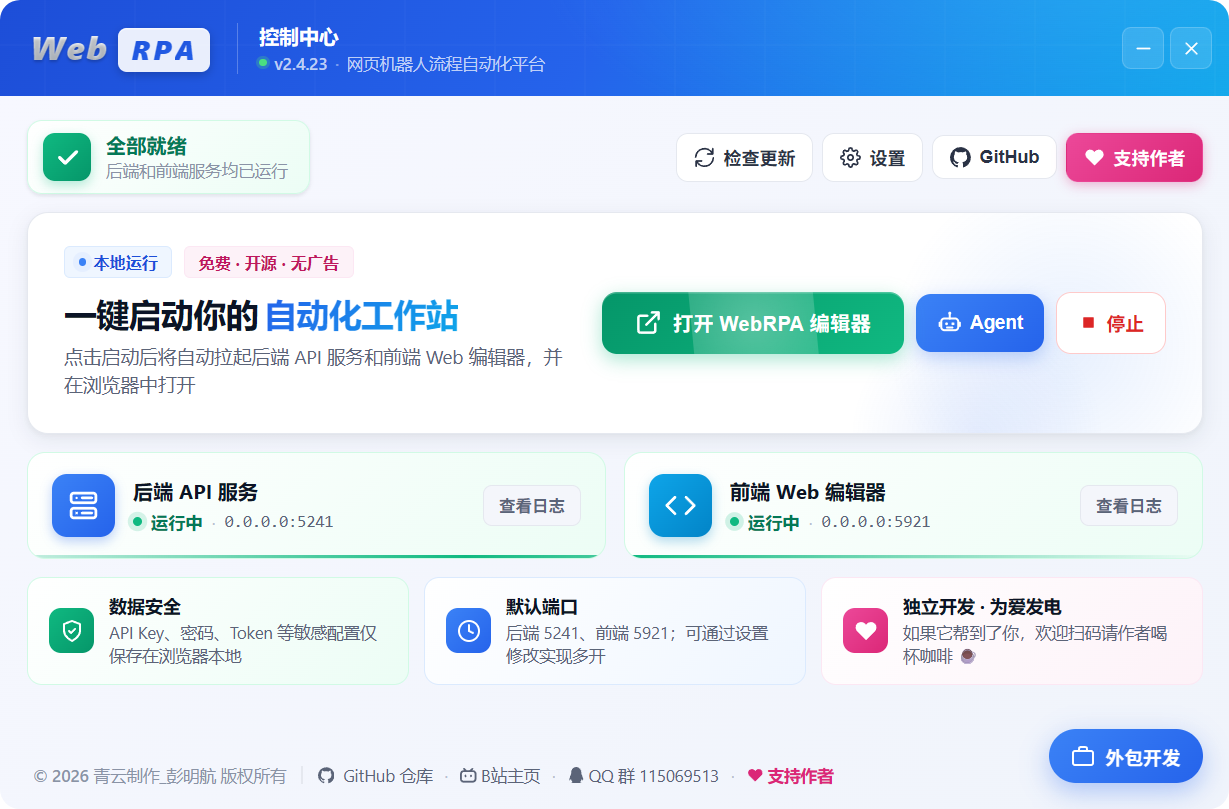 --- 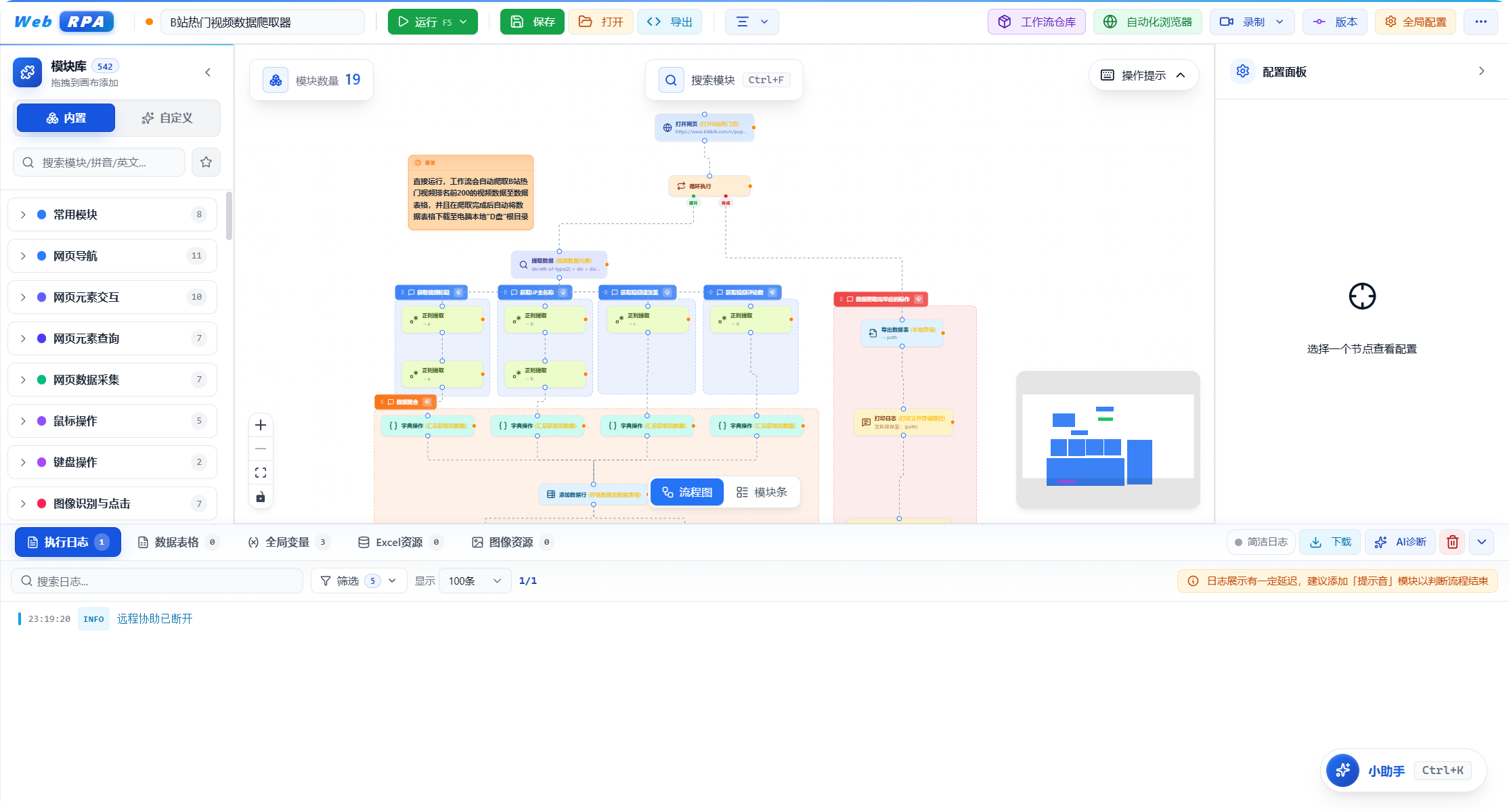 --- 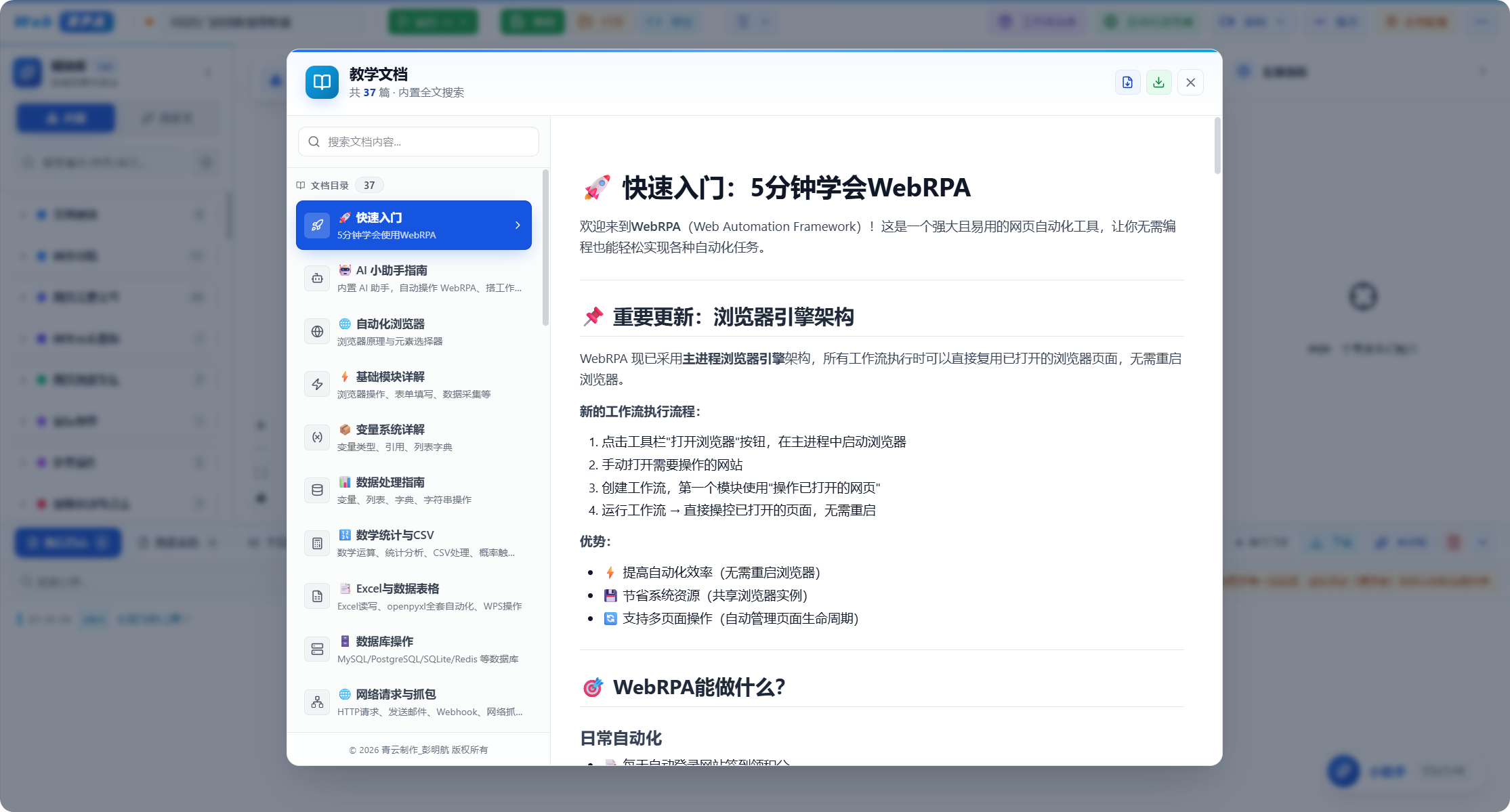 --- 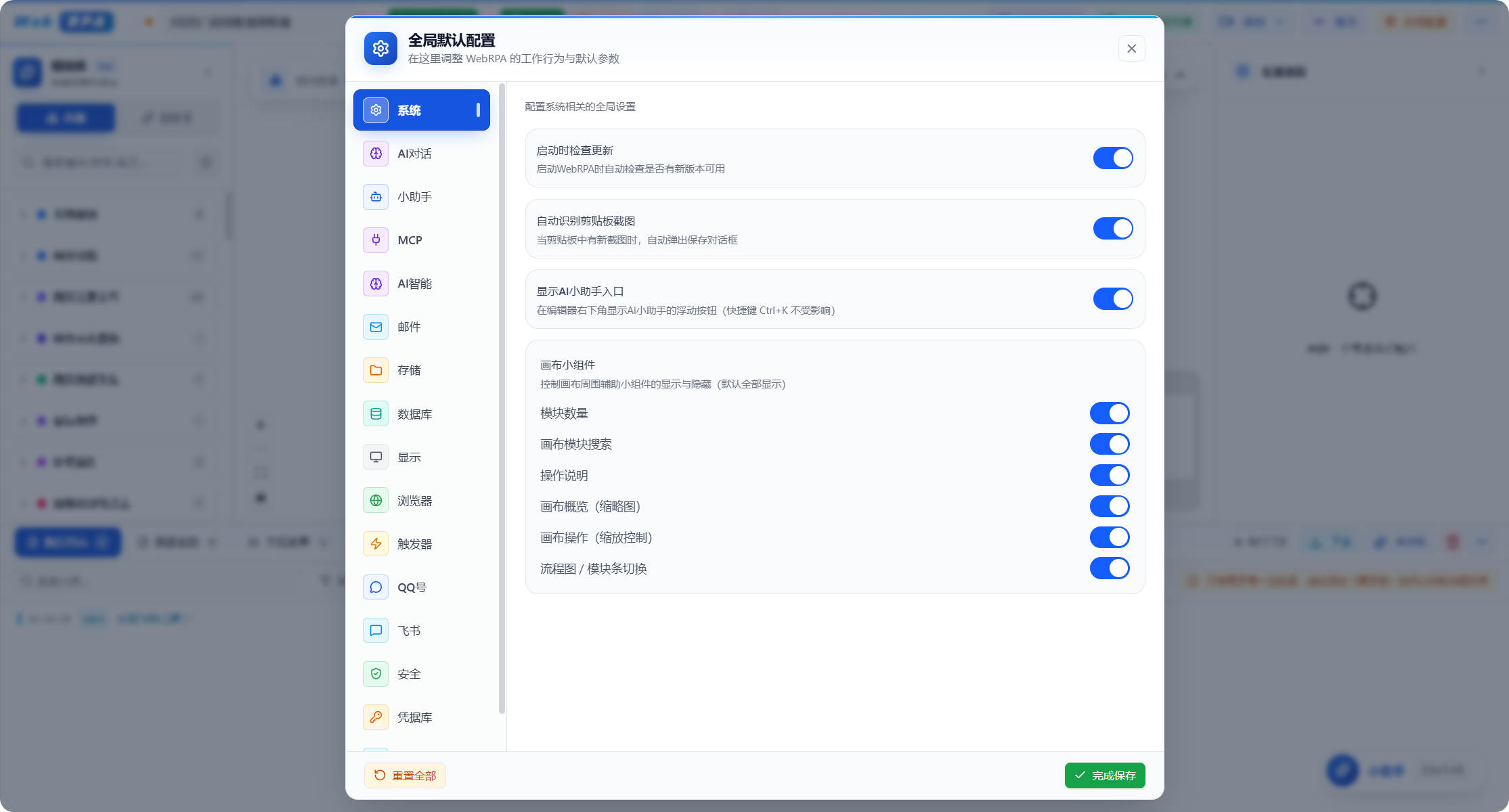 --- 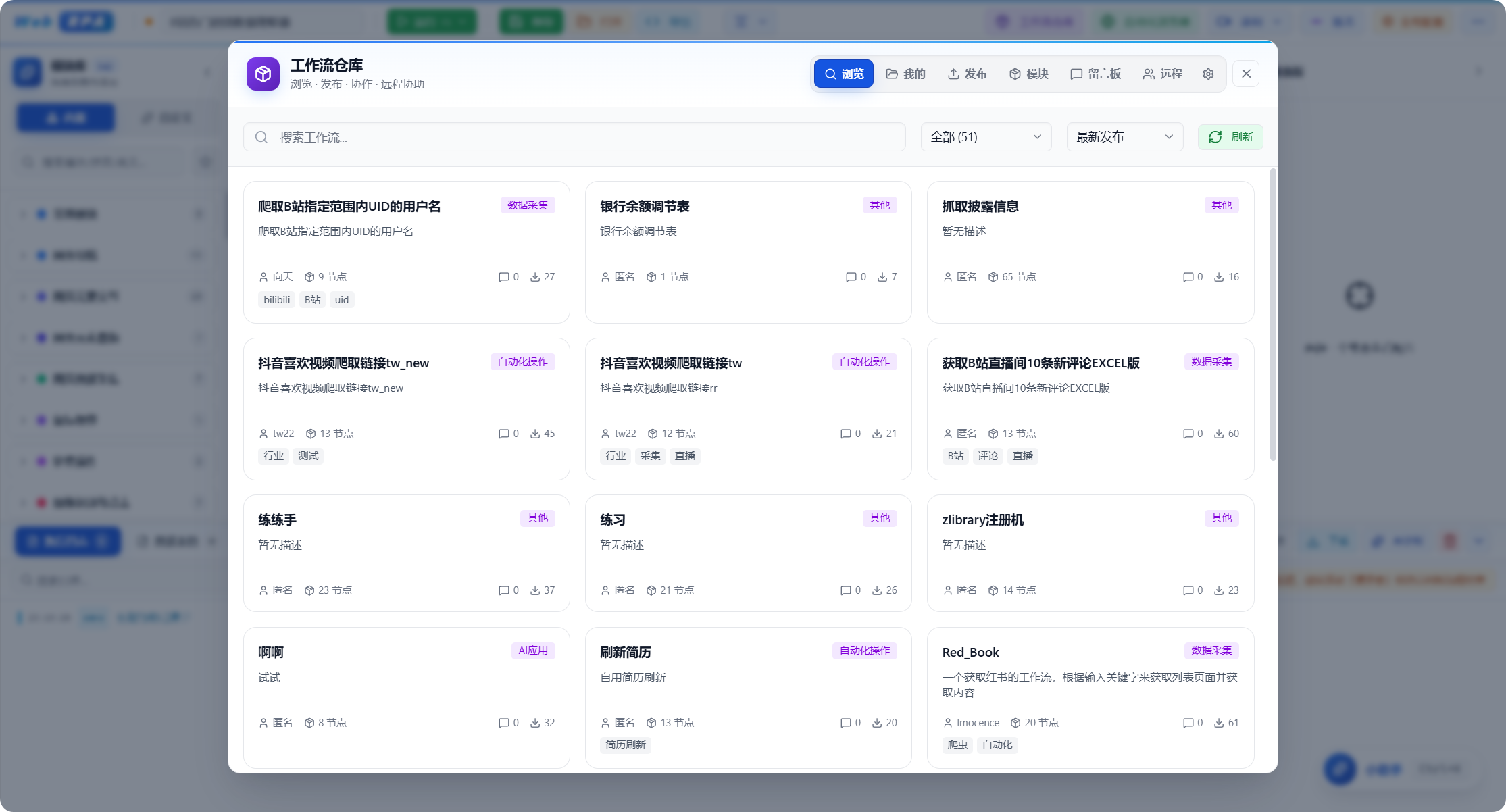 --- 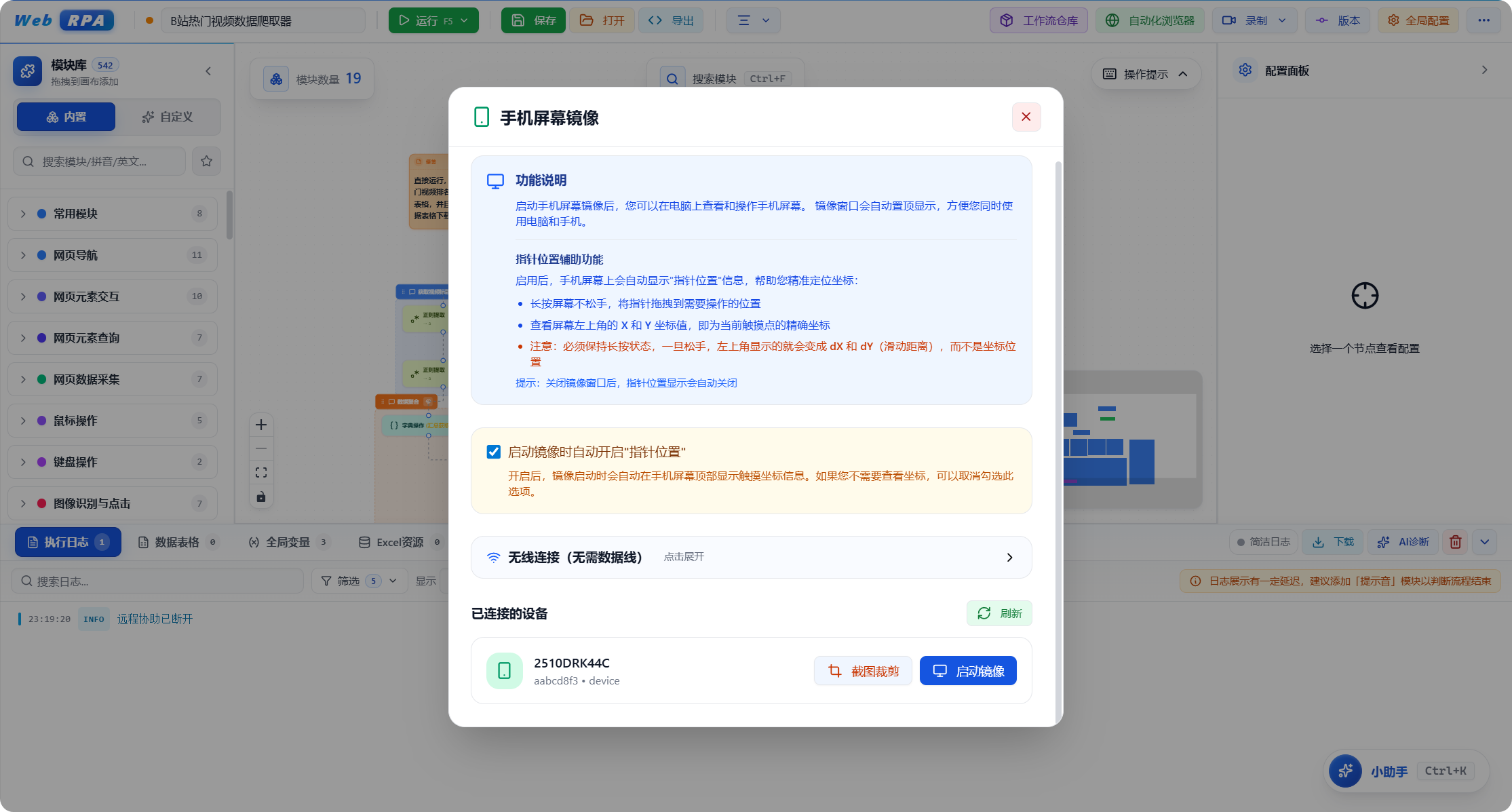 --- 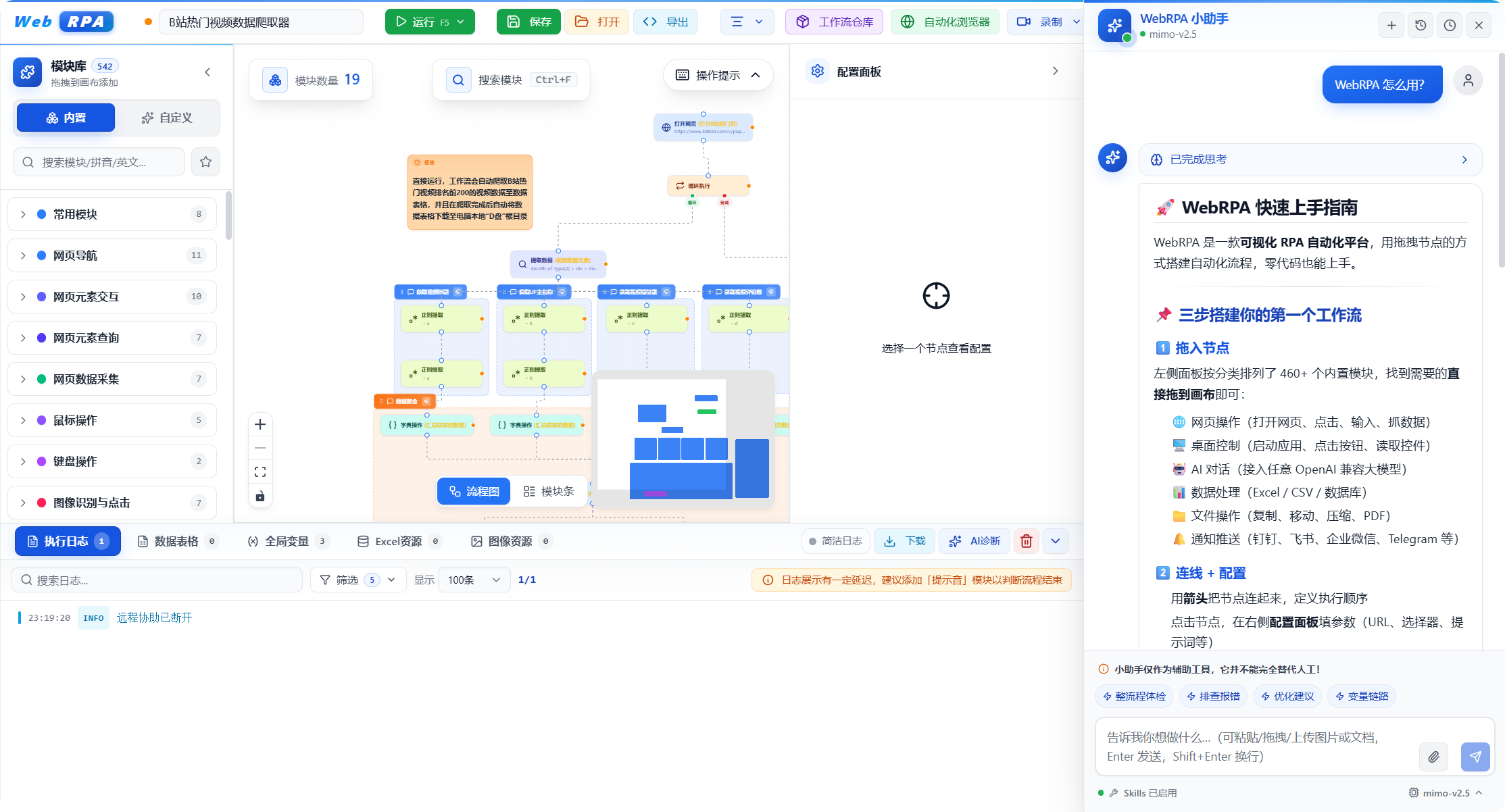 --- 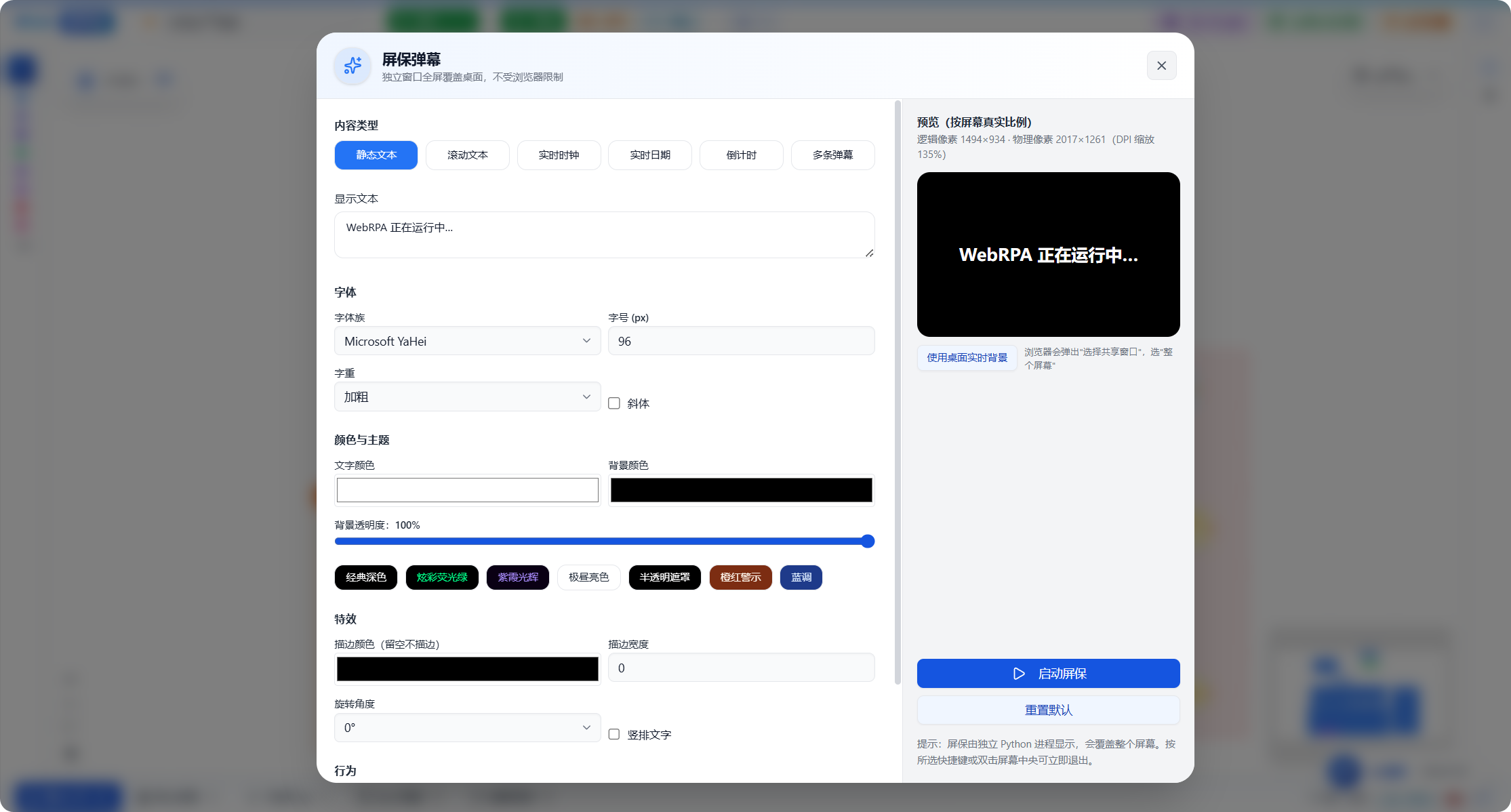 ------ ## Quick start ### Requirements - Windows 10/11 (this project supports Windows only) - Bundled Python 3.13 and Node.js (no extra installation needed) ### How to start Download the latest 7z archive from Releases, extract it, and launch the project with `WebRPA启动器.exe` (WebRPA Launcher): 1. Double-click `WebRPA启动器.exe` 2. Configure the backend and frontend ports in the launcher 3. Click the "Start WebRPA" button to start the services 4. The launcher automatically opens your browser to the frontend UI Default URLs: - Backend: http://localhost:5241 (default port, configurable in the launcher) - Frontend: http://localhost:5921 (default port, configurable in the launcher) ### Configuration file The `WebRPAConfig.json` file in the project root lets you customize service ports and host addresses: ```json { "backend": { "host": "0.0.0.0", "port": 5241, "reload": false }, "frontend": { "host": "0.0.0.0", "port": 5921 } } ``` **Configuration notes:** - `host`: service listening address (`0.0.0.0` allows LAN access, `127.0.0.1` is local-only) - `port`: service port (customizable to avoid conflicts) - `reload`: backend hot reload (`true` for development, `false` recommended for production) Restart the services after changing the configuration for it to take effect. **Notes:** - If a configured port is already in use, the service will fail to start and report a port conflict - Make sure the configured ports are free, or change them to other available ports - On Windows, use `netstat -ano | findstr :PORT` to check port usage - The launcher automatically reads and saves the port settings in the configuration file - You can also edit `WebRPAConfig.json` directly to configure ports ### Development mode To modify the code for development: ```bash # Backend cd backend ../Python313/python.exe -m pip install -r requirements.txt ../Python313/python.exe run.py # Frontend cd frontend ../nodejs/npm install ../nodejs/npm run dev ``` --- ## Project structure ``` WebRPA/ ├── backend/ # Backend service (Python FastAPI) │ ├── app/ │ │ ├── api/ # API routes (browser, system, triggers, etc.) │ │ ├── executors/ # Module executors (core logic of 569 modules) │ │ ├── models/ # Data models (workflows, variables, config, etc.) │ │ └── services/ # Core services (browser management, task scheduling, etc.) │ ├── data/ # Data files (AI models, config, etc.) │ ├── uploads/ # Temporary storage for uploaded files │ ├── ffmpeg.exe # Media processing tool │ ├── ffprobe.exe # Media info tool │ ├── pandoc.exe # Document conversion tool │ ├── m3u8.exe # M3U8 video downloader │ ├── requirements.txt # Python dependency list │ └── run.py # Backend entry point ├── frontend/ # Frontend UI (React + TypeScript) │ ├── src/ │ │ ├── components/ # UI components (workflow editor, config panel, etc.) │ │ ├── store/ # State management (Zustand) │ │ ├── services/ # API services, WebSocket communication │ │ ├── types/ # TypeScript type definitions │ │ └── lib/ # Utilities (Pinyin search, helpers, etc.) │ ├── public/ # Static assets │ ├── package.json # Frontend dependencies │ └── vite.config.ts # Vite build config ├── frameworkHub/ # Workflow hub service (Node.js + Express) │ ├── src/ │ │ ├── routes/ # API routes (workflow upload, download, search) │ │ ├── middleware/ # Middleware (auth, logging, etc.) │ │ └── utils/ # Utilities │ ├── data/ # Workflow data storage (SQLite) │ ├── package.json # Node.js dependencies │ └── ecosystem.config.cjs # PM2 process config ├── Python313/ # Bundled Python 3.13 runtime │ ├── Lib/ # Python standard library │ ├── Scripts/ # Python executables │ └── python.exe # Python interpreter ├── nodejs/ # Bundled Node.js 20 runtime │ ├── node_modules/ # Global npm packages │ └── node.exe # Node.js runtime ├── NapCat/ # QQ bot service (NapCat framework) ├── workflows/ # Local workflow storage directory ├── png/ # README screenshots ├── LICENSE # Open-source license (AGPL-3.0 + Commercial) ├── README.md # Project documentation ├── WebRPAConfig.json # Configuration file (ports, host, etc.) ├── WebRPA启动器.exe # One-click launcher (GUI) ├── WebRPA备用启动.bat # Fallback startup script (starts services without WebView) └── WebRPA停止服务.bat # Companion stop script (terminates services by port) ``` --- ## Usage The project ships with complete tutorials — click the "Tutorials" button in the toolbar to view them. ### Basic operations 1. **Create a workflow**: Drag modules from the left module list onto the canvas 2. **Connect modules**: Drag a wire from the bottom of one module to the top of the next 3. **Configure modules**: Click a module and set parameters in the right panel 4. **Use variables**: Reference variables in input fields with `{variableName}` 5. **Run the workflow**: Click the run button in the toolbar 6. **View results**: Check logs, data and variables in the bottom panel ### Documentation features - **Detailed tutorials** covering all 569 modules - **Third-level heading search**: results are pinpointed to third-level headings (###) for fast navigation - **Keyword highlighting**: search keywords are automatically highlighted in the docs - **Persistent search state**: search and highlighting are kept when switching docs, for easy comparison - **Mermaid flowcharts**: built-in beautiful flowcharts that intuitively show workflow logic - **Rich examples**: every module has detailed configuration notes and code examples - **Best practices**: workflow design patterns and optimization tips - **Quick onboarding**: a progressive learning path from basic to advanced - **Always up to date**: docs are updated with each release - **Doc export**: download a single doc or all docs as Markdown files --- ## Tech stack ### Frontend - **Core framework**: React 19 + TypeScript 5 - **Build tool**: Vite 7 (blazing-fast dev experience) - **UI library**: Radix UI + shadcn/ui (accessible, customizable) - **Styling**: TailwindCSS 4 (atomic CSS) - **Flowchart engine**: React Flow (visual workflow editing) - **State management**: Zustand (lightweight, high-performance) - **Icons**: Lucide React (1000+ beautiful icons) - **Animation**: Framer Motion (smooth, lively UI animations for better feel) - **Code editor**: Monaco Editor (same as VS Code) - **Markdown rendering**: custom renderer + Mermaid (flowchart visualization) - **Realtime communication**: Socket.IO Client (WebSocket) - **Flow visualization**: Mermaid (flowcharts, sequence diagrams and more) ### Backend - **Runtime**: Python 3.13 (latest stable) - **Web framework**: FastAPI (high-performance async framework) - **ASGI server**: Uvicorn (HTTP/2, WebSocket support) - **Realtime communication**: Socket.IO (bidirectional, event-driven) - **Data validation**: Pydantic V2 (type-safe) ### Browser automation - **Core engine**: Playwright (Microsoft Edge) - **Element locating**: CSS selectors, XPath, text matching - **Smart waiting**: auto-wait for elements to be visible / clickable - **Multi-tab**: multiple tabs and iframe switching - **Network interception**: request interception, response modification ### Data processing - **Database**: PyMySQL (MySQL connection) - **Excel**: openpyxl (read/write xlsx files) - **Data analysis**: Polars (high-performance DataFrame) - **HTTP client**: httpx (async HTTP requests) - **Email**: smtplib + email (SMTP protocol) ### Media processing - **Video/Audio**: FFmpeg 7.1 (all-in-one media tool) - **Image processing**: Pillow 11.0 (PIL fork, HEIC/WEBP support) - **Computer vision**: OpenCV 4 (image recognition, face detection) - **Audio**: pydub (audio editing, format conversion) - **PDF**: pypdf (MIT-licensed PDF library) - **Doc conversion**: Pandoc 3.6 (30+ document formats) ### AI & recognition - **AI chat**: OpenAI API-compatible interface (multiple AI providers) - **AI data processing**: information extraction, text classification, summarization, translation, sentiment analysis, data normalization, semantic dedup, smart routing (giving workflows "judgement") - **AI vision/crawler**: image understanding, AI smart crawler, AI element locating - **AI generation**: text-to-image, text-to-video - **OCR**: EasyOCR (multilingual text recognition) - **CAPTCHA**: ddddocr (slider and text CAPTCHAs) - **Speech recognition**: SpeechRecognition (speech-to-text) - **Face recognition**: face_recognition (based on dlib) - **QR codes**: qrcode + pyzbar (generation and decoding) ### System operations - **Mouse/keyboard simulation**: PyAutoGUI (cross-platform control) - **Mouse/keyboard listening**: pynput (global hotkeys, event listening) - **Screenshots**: mss (high-performance screen capture) - **Windows API**: pywin32 (system-level operations) - **Network capture**: mitmproxy (HTTP/HTTPS proxy) ### Workflow hub service - **Runtime**: Node.js 20 LTS - **Web framework**: Express 4 (lightweight web service) - **Data storage**: JSON files (lightweight persistence) - **Process management**: PM2 (production-grade process guardian) - **Realtime communication**: Socket.IO (workflow sync) ### Development tools - **Package management**: npm (frontend), pip (backend) - **Code style**: ESLint + Prettier (frontend) - **Type checking**: TypeScript (frontend), Pydantic (backend) - **Version control**: Git - **Build optimization**: code splitting, tree shaking, minification & obfuscation --- ## Author **QingYun Studio · Peng Minghang (a college freshman hopelessly obsessed with computer technology)** **Personal portal: [https://www.pmhs.top](https://www.pmhs.top)** --- ## License This project uses a **dual-license model**: ### 1. Open-source edition: GNU AGPL-3.0 - **Free for individuals**: completely free for study, research and non-commercial use - **Copyleft**: any modification or derivative work must be open-sourced under AGPL-3.0 - **Network-service copyleft**: providing a service over a network (e.g. SaaS) must also open-source the complete code - **Attribution required**: the original author "QingYun Studio · Peng Minghang" must be retained - **No closed-source commercial use**: you may not use this project commercially while keeping it closed-source ### 2. Commercial license: private commercial license - **Commercial use**: usable for commercial purposes after purchasing a commercial license - **Closed-source use**: can be used closed-source, free of AGPL-3.0 restrictions - **Technical support**: commercial technical support - **Contact**: QQ 2124691573 **For full license terms, see the [LICENSE](LICENSE) file.** --- ## Disclaimer ### Important legal notice **This software (WebRPA) is provided only as a technical tool. The developer assumes no legal liability for any actions taken by users with this software or their consequences.** ### Usage responsibility 1. **User responsibility** - When using WebRPA, users must strictly comply with the laws and regulations of their country and region - Users bear full responsibility for all activities conducted with this software - Users must ensure their use does not infringe others' rights or violate any laws or regulations 2. **Prohibited uses** - Do not use this software for any illegal or criminal activity - Do not use this software to infringe others' privacy, intellectual property or other lawful rights - Do not use this software for network attacks, data theft, malicious crawling, etc. - Do not use this software to bypass websites' anti-crawling mechanisms or violate their terms of service - Do not use this software for any activity that could harm others' interests 3. **Developer disclaimer** - **The WebRPA developer (QingYun Studio · Peng Minghang) assumes no responsibility for any actions users take with this software** - **The developer does not endorse, support or encourage any illegal use of this software** - **The developer is not liable for any direct or indirect loss caused by users' use of this software** - **The developer provides no express or implied warranty regarding the software's fitness, reliability or accuracy** ### Technical tool statement 1. **Nature of the tool** - WebRPA is a technical tool, similar to general-purpose software such as browsers and text editors - The software itself contains no illegal content or features - The legality depends on how and for what purpose the user uses it 2. **Recommendations** - Use this software only for lawful, legitimate automation tasks - Carefully read the target website's terms of service and robots.txt before use - Control access frequency reasonably to avoid overloading target servers - Respect websites' anti-crawling mechanisms and do not maliciously bypass them ### Applicable law 1. **Jurisdiction** - This disclaimer is governed by the laws of the People's Republic of China - Any dispute arising from use of this software shall be under the jurisdiction of the people's court at the developer's location 2. **Effect of the statement** - This disclaimer is an important part of the software license agreement - Downloading, installing or using this software constitutes agreement to all of this disclaimer - If you disagree with this disclaimer, stop using the software immediately and delete all related files ### Special reminder **Before performing any automation with WebRPA, please make sure to:** - Confirm your use complies with local laws and regulations - Obtain explicit authorization from the target website or system (where applicable) - Comply with the target website's terms of service and usage agreement - Respect others' intellectual property and privacy - Bear all risks and responsibility of using this software **Once again: any user behavior that violates laws and regulations or infringes others' rights while using WebRPA is unrelated to the WebRPA developer, who bears no joint liability.** --- ## Acknowledgements **Thanks to the following open-source projects and tech communities:** ### Frontend frameworks & UI - [React](https://react.dev/) - library for building user interfaces - [TypeScript](https://www.typescriptlang.org/) - a typed superset of JavaScript - [Vite](https://vitejs.dev/) - next-generation frontend build tool - [React Flow](https://reactflow.dev/) - powerful flowchart editor - [TailwindCSS](https://tailwindcss.com/) - utility-first CSS framework - [Radix UI](https://www.radix-ui.com/) - accessible unstyled UI components - [shadcn/ui](https://ui.shadcn.com/) - beautiful React component collection - [Zustand](https://zustand-demo.pmnd.rs/) - simple, efficient state management - [Lucide React](https://lucide.dev/) - beautiful open-source icon library - [Monaco Editor](https://microsoft.github.io/monaco-editor/) - the code editor that powers VS Code - [React Markdown](https://remarkjs.github.io/react-markdown/) - Markdown rendering component ### Backend frameworks & services - [FastAPI](https://fastapi.tiangolo.com/) - modern, high-performance Python web framework - [Uvicorn](https://www.uvicorn.org/) - lightning-fast ASGI server - [Pydantic](https://docs.pydantic.dev/) - data validation and settings management - [Socket.IO](https://socket.io/) - realtime bidirectional event-driven communication - [Express](https://expressjs.com/) - fast, unopinionated, minimalist Node.js web framework - [PM2](https://pm2.keymetrics.io/) - production-grade process manager for Node.js ### Browser automation - [Playwright](https://playwright.dev/) - modern browser automation by Microsoft - [Playwright for Python](https://playwright.dev/python/) - Python bindings for Playwright ### System operations & simulation - [PyAutoGUI](https://pyautogui.readthedocs.io/) - cross-platform GUI automation library - [pynput](https://pynput.readthedocs.io/) - monitor and control keyboard and mouse - [pywin32](https://github.com/mhammond/pywin32) - Python extensions for the Windows API - [mss](https://python-mss.readthedocs.io/) - ultra-fast cross-platform screenshot library ### Data processing & storage - [Polars](https://pola.rs/) - lightning-fast DataFrame library - [openpyxl](https://openpyxl.readthedocs.io/) - read/write Excel 2010 files - [PyMySQL](https://pymysql.readthedocs.io/) - pure-Python MySQL client - [httpx](https://www.python-httpx.org/) - next-generation HTTP client ### Media processing - [FFmpeg](https://ffmpeg.org/) - complete cross-platform audio/video solution - [Pillow](https://pillow.readthedocs.io/) - Python imaging library (PIL fork) - [OpenCV](https://opencv.org/) - open-source computer vision library - [pydub](https://github.com/jiaaro/pydub) - simple, easy-to-use audio processing - [pypdf](https://github.com/py-pdf/pypdf) - MIT-licensed PDF library - [Pandoc](https://pandoc.org/) - universal document converter - [pypandoc](https://github.com/JessicaTegner/pypandoc) - Python wrapper for Pandoc ### AI & recognition - [OpenAI](https://openai.com/) - AI chat interface standard - [EasyOCR](https://github.com/JaidedAI/EasyOCR) - ready-to-use OCR, 80+ languages - [ddddocr](https://github.com/sml2h3/ddddocr) - simple CAPTCHA recognition library - [face_recognition](https://github.com/ageitgey/face_recognition) - the world's simplest face recognition library - [SpeechRecognition](https://github.com/Uberi/speech_recognition) - speech recognition library - [pyttsx3](https://github.com/nateshmbhat/pyttsx3) - text-to-speech library - [qrcode](https://github.com/lincolnloop/python-qrcode) - QR code generator - [pyzbar](https://github.com/NaturalHistoryMuseum/pyzbar) - QR code and barcode decoder ### Dev tools & libraries - [mitmproxy](https://mitmproxy.org/) - interactive HTTPS proxy - [colorama](https://github.com/tartley/colorama) - cross-platform colored terminal output - [python-dotenv](https://github.com/theskumar/python-dotenv) - read config from .env files - [aiofiles](https://github.com/Tinche/aiofiles) - async file operations - [watchdog](https://github.com/gorakhargosh/watchdog) - filesystem event monitoring ### Special thanks - **Microsoft**- for excellent tools such as Playwright, VS Code and TypeScript - **The open-source community**- thanks to all developers contributing to open source --- ## Star History **This is the first product I've open-sourced. If this project helps you, please give it a Star to support it!**