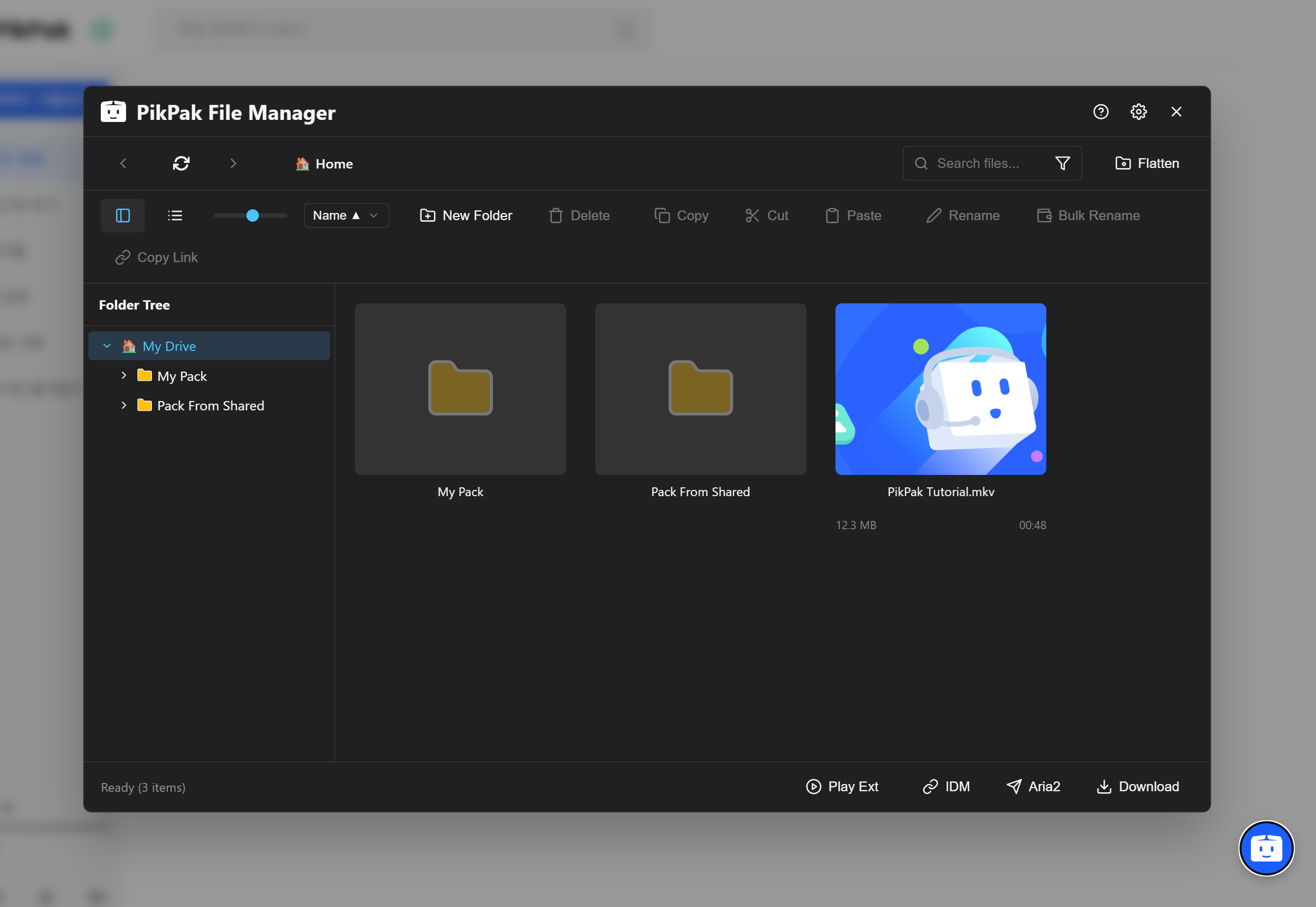
# .svg) PikPak File Manager
PikPak File Manager


**A file management script to enhance the user experience of the PikPak Web Client.**
To improve the existing PikPak web environment, various file management features have been implemented as a UserScript using Tampermonkey.
### 🌍 Supported Languages : [한국어](https://github.com/poihoii/PikPak_FileManager/blob/main/ReadMe.md) | [English](https://github.com/poihoii/PikPak_FileManager/blob/main/user.js/ReadMe(En).md) | [中文 (简体)](https://github.com/poihoii/PikPak_FileManager/blob/main/user.js/ReadMe(Zh).md) | [日本語](https://github.com/poihoii/PikPak_FileManager/blob/main/user.js/ReadMe(Ja).md)
## ✨ Key Features
### 🖥️ Desktop Style UI
- **List View**: Provides an intuitive list design similar to Windows Explorer.
- **Dark Mode**: Automatically supports a dark mode that matches your system theme.
- **Responsive Layout**: Optimizes the interface for various window sizes (Supports min-width 480px).
- **Status Display**: Real-time verification of selected file counts, loading status, and more.
### 📂 Advanced File Management
- **Structure Flattening**: Recursively searches for all files hidden in subfolders and flattens them into a **single list**.
- **Duplicate File Cleanup**: Identifies duplicate files by comparing Hash, Filename, and Playback Time.
- **Smart Organize**: Includes tools to automatically select files to delete based on size or date.
### ✏️ Batch Rename
- **Pattern Change**: Rename files in bulk using patterns like `Video {n}`.
- **String Replacement**: Find and replace or delete specific words in hundreds of filenames at once.
### 🚀 Download & Play
- **Aria2 Integration**: Send download tasks directly to a local Aria2 RPC server. (Includes connection test & secure token input)
- **IDM Support**: Generates export files (`.ef2`) for Internet Download Manager.
- **Streaming Play**: Instantly play videos using external players like **PotPlayer** or **VLC**.
- **Playlist**: Generates `.m3u` playlist files for selected videos.
### 📌 Other convenience features like Hotkeys, SVG Icons, and Custom Modals
## ⌨️ Hotkeys
| Key | Action | Key | Action |
| :--- | :--- | :--- | :--- |
| **Alt + ←** or **Backspace** | Previous Page (Mouse Button 4) | **Alt + →** | Next Page (Mouse Button 5) |
| **F5** | Refresh List | **F8** | New Folder |
| **F2** | Rename or Batch Rename | **Delete** | Move selected items to Trash |
| **Ctrl + A** | Select All | **Ctrl + C** or **+ X** or **+ V** | Copy / Cut / Paste |
| **Alt + S** | Open Settings | **Esc** | Deselect / Close Popup |
## 📥 Installation
This script is based on Tampermonkey.
You can apply the script code posted in the repository directly or download it from [GreasyFork](https://greasyfork.org/ko/scripts/556685-pikpak-%ED%8C%8C%EC%9D%BC-%EA%B4%80%EB%A6%AC%EC%9E%90).
1. Install the **[Tampermonkey](https://www.tampermonkey.net/)** browser extension. (Supports Chrome, Edge, Firefox)
2. Click the `+` button (Add new script) on the Tampermonkey dashboard.
3. Copy and paste the entire provided `user.js` code and press `Ctrl + S` to save.
4. Access the [PikPak Website](https://mypikpak.com) and click the **Floating Button** at the bottom right to run the manager.
## 🛠️ Development
This script was written by separating each function into **Modules**, and then built into a single script.
```bash
# 1. Clone Repository
git clone [https://github.com/poihoii/PikPak_FileManager.git](https://github.com/poihoii/PikPak_FileManager.git)
# 2. Install Dependencies
npm install
# 3. Real-time Build Test (Dev)
npm run dev
# 4. Final Build (Production)
npm run build