
Awesome CV
LaTeX template for your outstanding job application
## What is Awesome CV?
**Awesome CV** is LaTeX template for a **CV(Curriculum Vitae)**, **Résumé** or **Cover Letter** inspired by [Fancy CV](https://www.sharelatex.com/templates/cv-or-resume/fancy-cv). It is easy to customize your own template, especially since it is really written by a clean, semantic markup.
## Donate
Please help keep this project alive! Donations are welcome and will go towards further development of this project.
PayPal: paypal.me/posquit0
*Thank you for your support!*
## Preview
#### Résumé
You can see [PDF](https://raw.githubusercontent.com/posquit0/Awesome-CV/master/examples/resume.pdf)
| Page. 1 | Page. 2 |
|:---:|:---:|
| [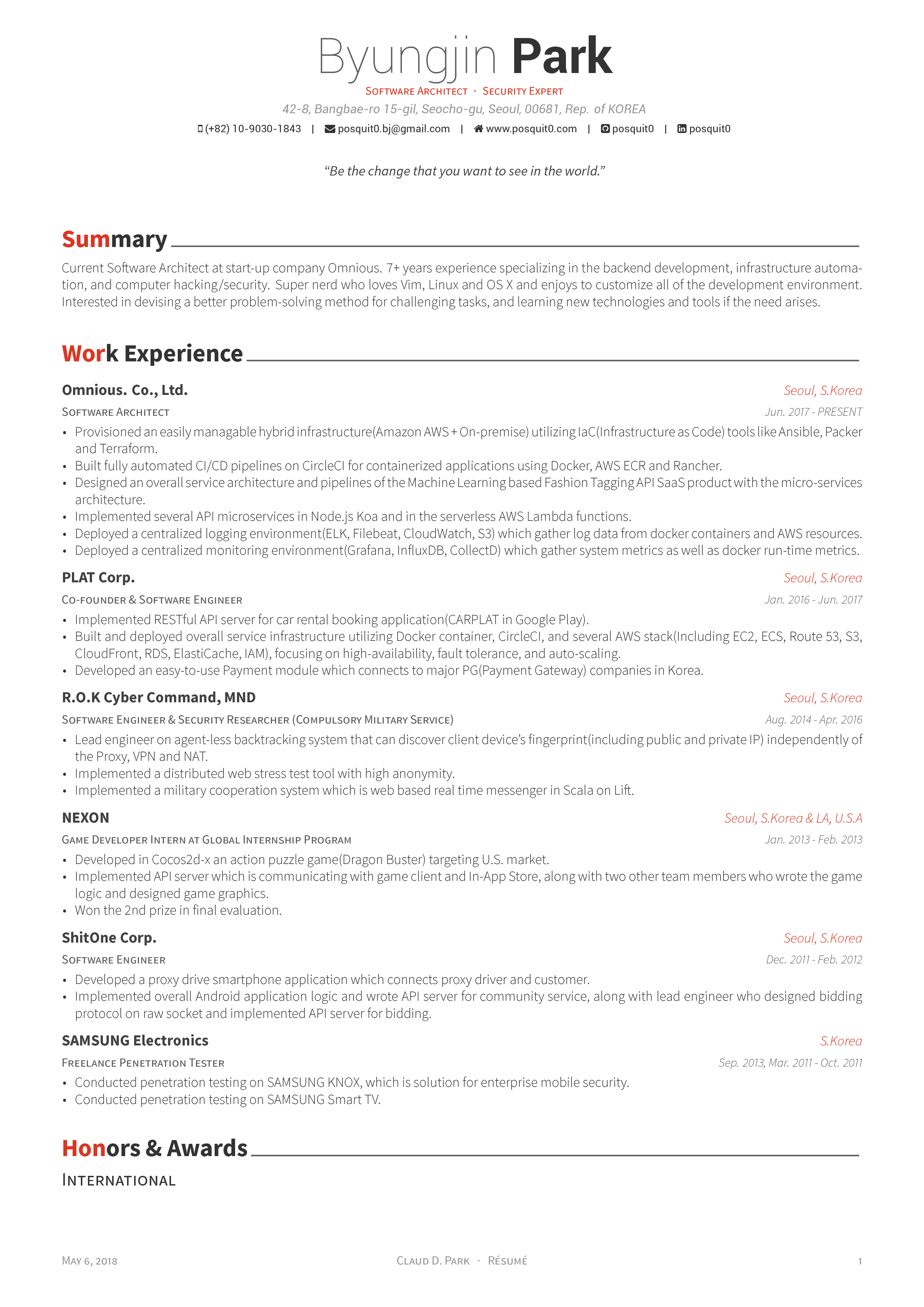](https://raw.githubusercontent.com/posquit0/Awesome-CV/master/examples/resume.pdf) | [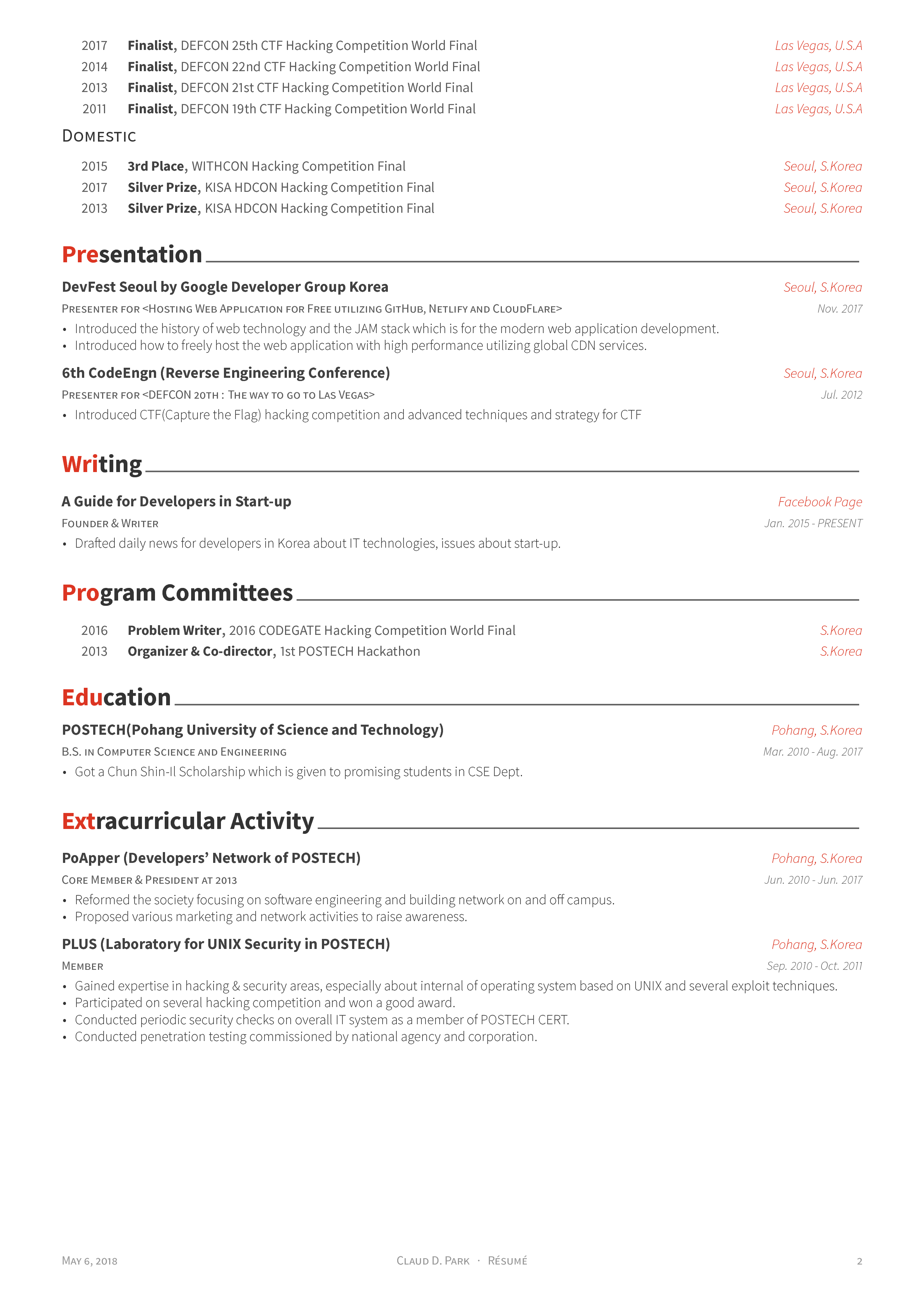](https://raw.githubusercontent.com/posquit0/Awesome-CV/master/examples/resume.pdf) |
#### Cover Letter
You can see [PDF](https://raw.githubusercontent.com/posquit0/Awesome-CV/master/examples/coverletter.pdf)
| Without Sections | With Sections |
|:---:|:---:|
| [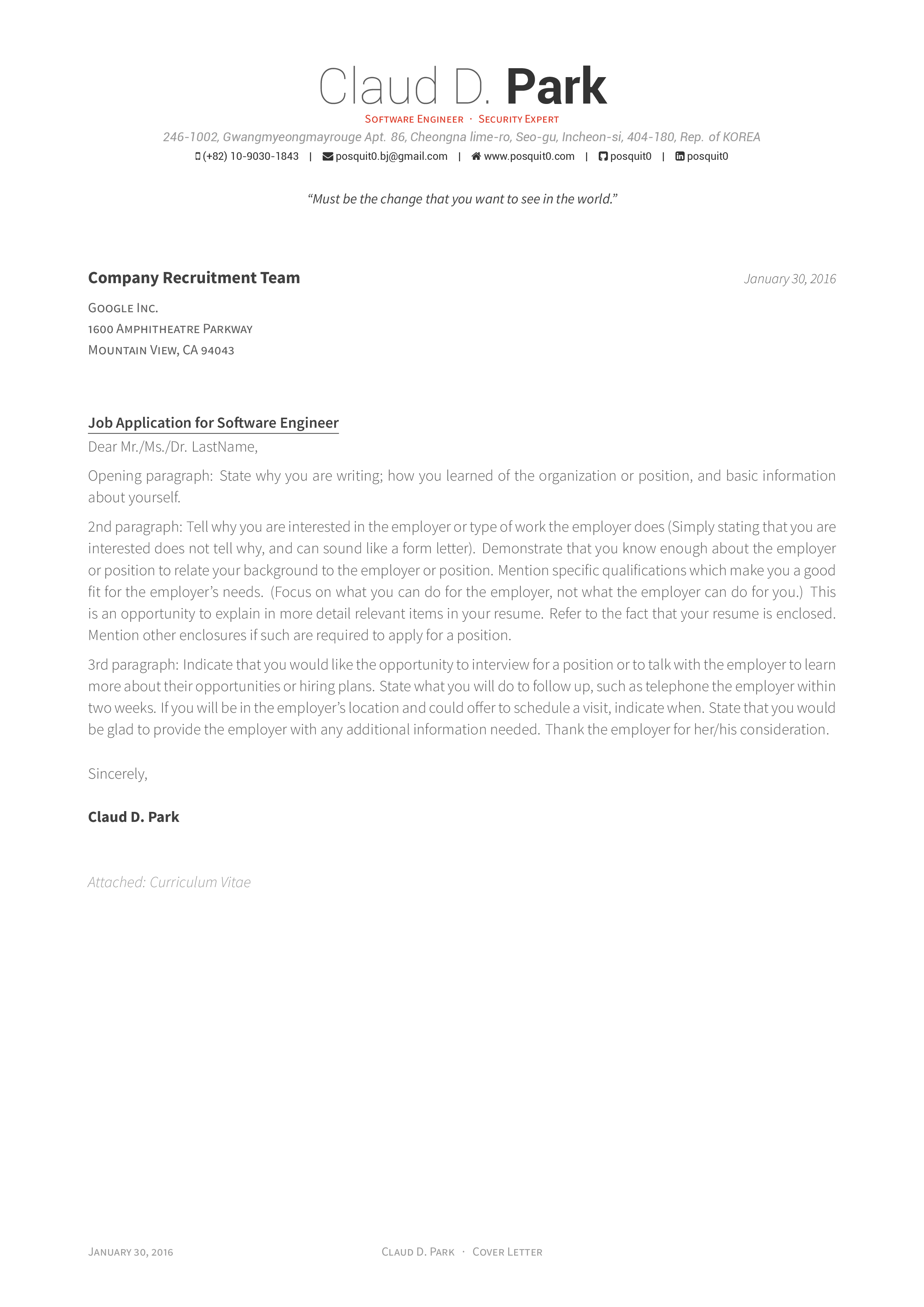](https://raw.githubusercontent.com/posquit0/Awesome-CV/master/examples/coverletter.pdf) | [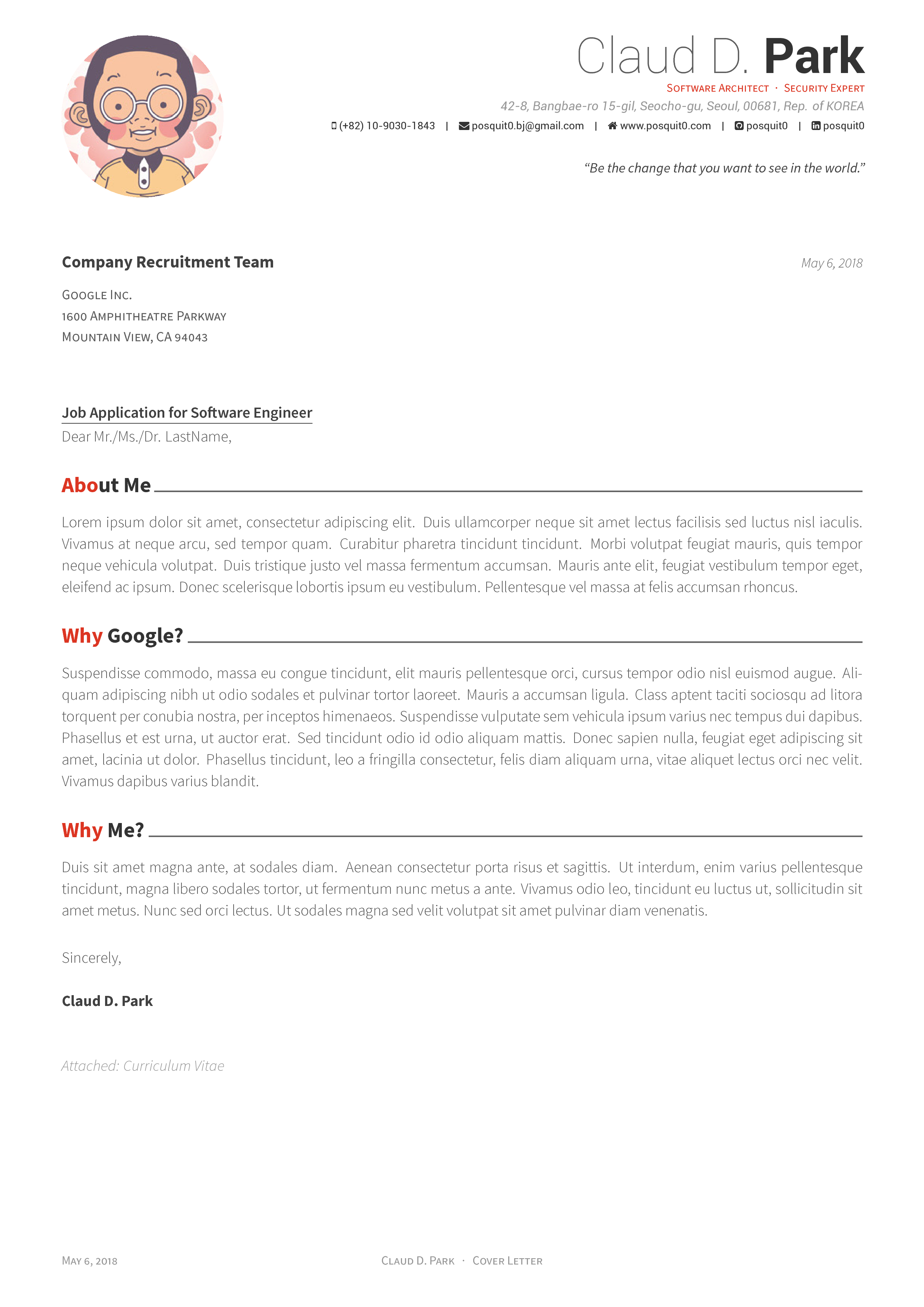](https://raw.githubusercontent.com/posquit0/Awesome-CV/master/examples/coverletter.pdf) |
## Quick Start
* [**Edit Résumé on OverLeaf.com**](https://www.overleaf.com/latex/templates/awesome-cv/tvmzpvdjfqxp)
* [**Edit Cover Letter on OverLeaf.com**](https://www.overleaf.com/latex/templates/awesome-cv-cover-letter/pfzzjspkthbk)
**_Note:_ These gallery templates may contain older source code. For this repository's version, upload its files and follow the Overleaf instructions below.**
## How to Use
#### Requirements
Awesome CV uses **LuaLaTeX with HarfBuzz**, driven by **latexmk**. XeLaTeX and pdfLaTeX are not supported by this version of the class.
Install a current full [TeX Live](https://tug.org/texlive/) distribution (or [MacTeX](https://tug.org/mactex/) on macOS), including `lualatex`, `latexmk`, and `fontawesome6`. TeX Live 2026 is the recommended starting point. `latexmk` also requires Perl, which is included with TeX Live on Windows. Make is optional.
Install the **Source Sans 3** and **Roboto** font families, including Regular, Italic, Bold, Bold Italic, Light, and Light Italic. Use the static desktop OTF/TTF fonts from [Source Sans 3](https://github.com/adobe-fonts/source-sans/releases) and [Roboto](https://github.com/googlefonts/roboto/releases); installing only a variable font may not provide the named faces required by the class. Fonts must be visible to LuaLaTeX under these family names. After installing fonts, run `luaotfload-tool --update` if they are not found.
Alternatively, place the static font files in the repository root. The included [luaotfload.conf](luaotfload.conf) enables discovery of fonts in the working directory, including files uploaded to Overleaf.
The [Dockerfile](Dockerfile) provides TeX Live and the required fonts together. It is also used by CI, so Docker is the reference environment for reproducing builds locally.
#### Usage
Run commands from the **repository root**, where `latexmkrc` and `awesome-cv.cls` are located. Paths in the examples are relative to this directory.
```bash
latexmk
```
This builds the cover letter, CV, and résumé into `build/coverletter.pdf`, `build/cv.pdf`, and `build/resume.pdf`. `make` runs the same command. Generated PDFs, logs, and SyncTeX files stay in `build/`; the committed PDFs in `examples/` are previews and are not overwritten.
To build one document, or rebuild it automatically while editing:
```bash
latexmk examples/resume.tex
latexmk -pvc examples/resume.tex
```
The existing `make resume.pdf`, `make cv.pdf`, and `make coverletter.pdf` shortcuts also write to `build/`. For your own document, run `latexmk your-cv.tex` from the repository root; keep its input and image paths relative to that root.
The shared [latexmkrc](latexmkrc) selects LuaLaTeX, enables SyncTeX, stops on compilation errors, and lets latexmk rerun the compiler and track dependencies. Repeating a build without changes skips compilation.
Use `make clean` (or `latexmk -c`) to remove the examples' auxiliary files while keeping their PDFs. Use `make distclean` (or `latexmk -C`) to remove the generated example PDFs as well. To clean a custom document, pass its filename, for example `latexmk -C your-cv.tex`.
#### Docker
From the repository root, build the environment and compile:
```bash
docker build --tag awesome-cv .
docker run --rm --user "$(id -u):$(id -g)" --volume "$PWD:/doc" awesome-cv
```
These commands work in a POSIX shell, including WSL on Windows. In PowerShell:
```powershell
docker build --tag awesome-cv .
docker run --rm --volume "${PWD}:/doc" awesome-cv
```
The image runs `make` by default. To build one document, append `latexmk examples/resume.tex` to `docker run`. Outputs are written to the host's `build/` directory. The image provides writable font and TeX caches for the non-root user used by the POSIX command and CI.
The base image is pinned to a multi-platform digest, and additional Debian packages come from a dated snapshot. Rebuilding a checkout therefore uses the same TeX and font package sources. Native installations and Overleaf can differ from this baseline. CI uses Linux amd64; Docker on Apple Silicon uses the pinned arm64 image. To reproduce CI's architecture, add `--platform linux/amd64` to both Docker commands (emulation may be slower).
This pins the toolchain, not the bytes of every PDF: examples use `\today`, and PDF metadata can include build timestamps. See [the build environment guide](docs/build-environment.md) for version inspection and dependency updates.
#### Editors and Overleaf
For **VS Code**, open the repository root as the workspace and install the recommended **LaTeX Workshop** extension. The committed workspace settings run latexmk from that root, use `latexmkrc`, and locate PDF/SyncTeX output in `build/`. Open `examples/resume.tex`, `examples/cv.tex`, or `examples/coverletter.tex` and run **Build LaTeX project**. Compilation magic comments are disabled in this workspace so they cannot bypass the shared recipe.
For other editors, configure `latexmk` as the build command with the repository root as its working directory. The examples' `TS-program` comments identify LuaLaTeX for editors that use them; the full build settings live in `latexmkrc`.
For **Overleaf**:
1. Upload the repository contents, keeping `awesome-cv.cls`, `latexmkrc`, and `luaotfload.conf` at the project root and preserving the `examples/` directory.
2. Copy the desired main file, such as `examples/resume.tex`, to `resume.tex` at the project root and select that copy as the **Main document**. Overleaf builds from the main file's directory, so a root-level main file keeps input, image, and configuration paths consistent.
3. Select **LuaLaTeX** and a current available **TeX Live** version in the compiler settings. Overleaf manages its own output location.
4. If the required font faces are unavailable, upload the static OTF/TTF files at the project root. `luaotfload.conf` lets LuaLaTeX discover their family names. Overleaf's environment is managed separately from the Docker image.
The root `awesome-cv.cls` is the source of truth. `examples/awesome-cv.cls` is a convenience symlink to it; it is not a second class to edit. If a ZIP tool or Windows checkout turns that symlink into a text file, omit the example-directory copy and keep the real class at the project root.
#### Contributing
Run `make test` before submitting changes. The Docker image includes the PDF inspection dependency; append `make test` to the Docker command above to run the same checks as CI. The suite checks page counts, text extraction, links, embedded fonts, compiler font warnings, and focused layout regressions. See [the test guide](tests/README.md) for native prerequisites and coverage.
CI uploads PDFs, compiler logs, a JSON report, and page images from `build/` for review, including available diagnostics after a failure. Check the page images for layout changes; automated checks do not cover every visual detail. When changing build settings, keep `latexmkrc`, the editor configuration, the Dockerfile, and these instructions aligned.
## Credit
[**LaTeX**](https://www.latex-project.org) is a fantastic typesetting program that a lot of people use these days, especially the math and computer science people in academia.
[**FontAwesome6 LaTeX Package**](https://github.com/braniii/fontawesome) is a LaTeX package that provides access to the [Font Awesome 6](https://fontawesome.com/v6/icons) icon set.
[**Roboto**](https://github.com/google/roboto) is the default font on Android and ChromeOS, and the recommended font for Google’s visual language, Material Design.
[**Source Sans 3**](https://github.com/adobe-fonts/source-sans) is a set of OpenType fonts that have been designed to work well in user interface (UI) environments.
## Contact
You are free to take my `.tex` file and modify it to create your own resume. Please don't use my resume for anything else without my permission, though!
If you have any questions, feel free to join me at [`#posquit0` on Freenode](irc://irc.freenode.net/posquit0) and ask away. Click [here](https://kiwiirc.com/client/irc.freenode.net/posquit0) to connect.
Good luck!
## Maintainers
- [posquit0](https://github.com/posquit0)
- [OJFord](https://github.com/OJFord)
## See Also
* [Awesome Identity](https://github.com/posquit0/hugo-awesome-identity) - A single-page Hugo theme to introduce yourself.




