# Android - EasyWayLocation
该库包含与谷歌位置相关的所有实用程序。例如,获取经纬度、地址和位置设置对话框、绘制路线等
[](https://android-arsenal.com/details/1/6880)
## 有什么新功能 Ver 2.4
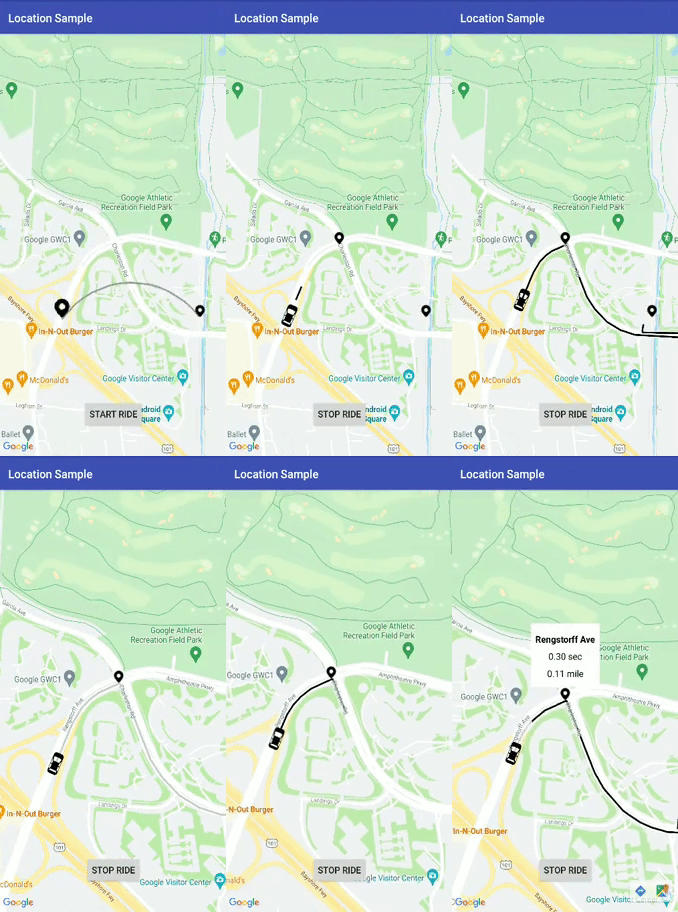
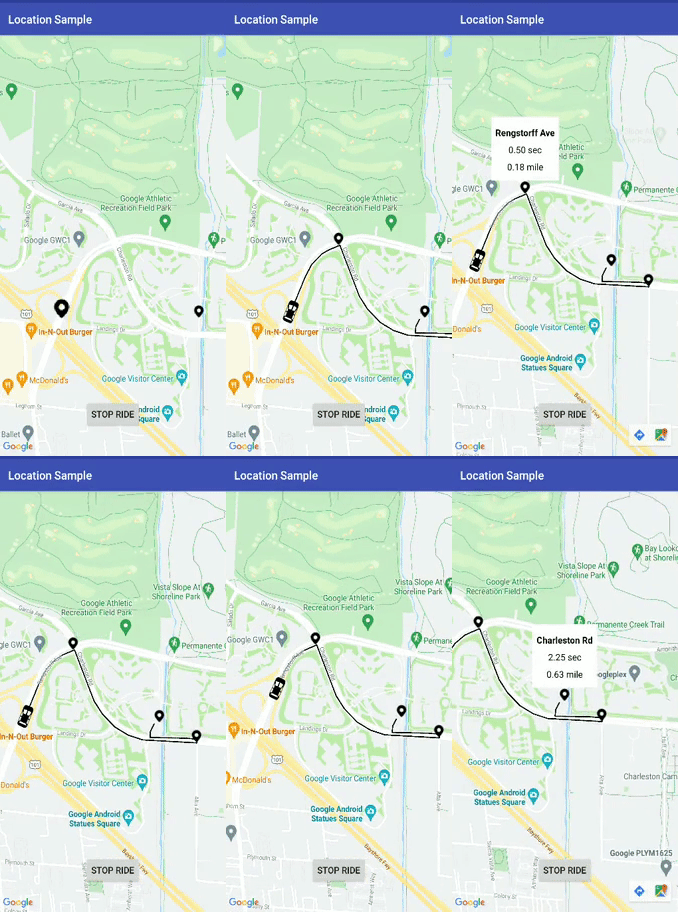
- 弧线绘制
a. 简单的
b. 动画.
- 在起点和终点之间绘制弧线路线
- 现在,Dev 可以动态更改参数,例如起点、航点等
- 获取arrayList和HashMap中的折线详细信息类
- 使用 TAG 为弧形和航路点折线清除折线
- 修复重大崩溃
- 在示例文件夹中创建了一个曲目演示以供更多使用帮助
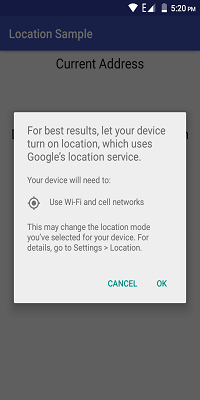
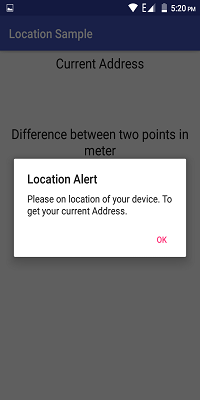
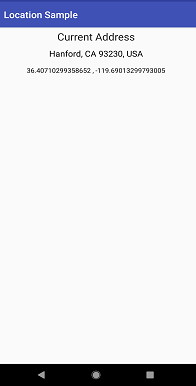
# 演示图像和 Gif:
# 先决条件
- Android 16
# 安装
## Step 1:- 将其添加到存储库末尾的根 build.gradle 中:
````
all projects {
repositories {
...
maven { url 'https://jitpack.io' }
}
}
````
## Step 2:- 添加 dependency:
````
dependencies {
implementation 'com.github.prabhat1707:EasyWayLocation:2.4'
}
````
### 库使用 java 8 字节码,所以不要忘记在应用程序的 build.gradle 文件中启用 java 8。
````
android {
compileOptions {
sourceCompatibility 1.8
targetCompatibility 1.8
}
}
````
# Usage
###### 如果设备运行 Android 6.0 或更高版本,并且您的应用的目标 SDK 为 29 或更高版本,则首先检查位置的权限,然后调用它。
## 添加所需的权限
为了优越的位置 (GPS location), 在您的添加以下权限 AndroidManifest.xml:
````
````
For coarse location (network location), add the following permission in your AndroidManifest.xml:
````
````
# 从设备中检索位置
````
public class MainActivity extends AppCompatActivity implements Listener {
EasyWayLocation easyWayLocation;
private TextView location, latLong, diff;
private Double lati, longi;
@Override
protected void onCreate(Bundle savedInstanceState) {
super.onCreate(savedInstanceState);
setContentView(R.layout.activity_main);
//--
easyWayLocation = new EasyWayLocation(this, false,false,this);
}
@Override
public void locationOn() {
Toast.makeText(this, "Location ON", Toast.LENGTH_SHORT).show();
}
@Override
public void currentLocation(Location location) {
StringBuilder data = new StringBuilder();
data.append(location.getLatitude());
data.append(" , ");
data.append(location.getLongitude());
latLong.setText(data);
getLocationDetail.getAddress(location.getLatitude(), location.getLongitude(), "xyz");
}
@Override
public void locationCancelled() {
Toast.makeText(this, "Location Cancelled", Toast.LENGTH_SHORT).show();
}
@Override
protected void onActivityResult(int requestCode, int resultCode, Intent data) {
super.onActivityResult(requestCode, resultCode, data);
switch (requestCode) {
case LOCATION_SETTING_REQUEST_CODE:
easyWayLocation.onActivityResult(resultCode);
break;
}
}
@Override
protected void onResume() {
super.onResume();
easyWayLocation.startLocation();
}
@Override
protected void onPause() {
super.onPause();
easyWayLocation.endUpdates();
}
}
````
# 位置通知器
````
@Override
public void locationOn() {
Toast.makeText(this, "Location ON", Toast.LENGTH_SHORT).show();
}
@Override
public void currentLocation(Location location){
// give lat and long at every interval
}
@Override
public void locationCancelled() {
// location not on
}
````
# 构造函数选项
## 要记住的要点
- 如果您只想要最后一个位置,则将其传递为 true,如果为 false,则根据默认位置请求为您提供位置更新。
- 如果您不通过,则它需要默认位置请求,或者您也可以通过您的位置请求(参见构造函数 2nd)。
````
Context context = this;
boolean requireFineGranularity = false;
new EasyWayLocation(this, requireLastLocation = false,isDebuggable = true/false,listner = this);
or
request = new LocationRequest();
request.setInterval(10000);
request.setPriority(LocationRequest.PRIORITY_BALANCED_POWER_ACCURACY);
new EasyWayLocation(this,locationRequest = request , requireLastLocation = false,isDebuggable = true/false,listner = this);
````
## 计算两点之间的距离
````
double startLatitude = 59.95;
double startLongitude = 30.3;
double endLatitude = 44.84;
double endLongitude = -0.58;
location.calculateDistance(startLatitude, startLongitude, endLatitude, endLongitude);
// or
Point startPoint = new EasyWayLocation.Point(59.95, 30.3);
Point endPoint = new EasyWayLocation.Point(44.84, -0.58);
location.calculateDistance(startPoint, endPoint);
````
## 更新获取位置的地址详细信息。
- if you want an address from the current location then you need to pass key and context.
- why I want key here if android already provides Geocoder because in some cases or some devices geocoder not work well and throws Exception, so in that case, I use google geocode API for fetch address.
- For this, you need to implement Callback, LocationData.AddressCallBack
````
GetLocationDetail getLocationDetail = new GetLocationDetail(callback = this, context = this);
getLocationDetail.getAddress(location.getLatitude(), location.getLongitude(), key = "xyz");
````
## 谷歌地图路线
#### 如果您想在您的应用程序中添加地图路线功能,您可以通过添加 DirectionUtil 类将其与此库一起使用,以使您更轻松地工作。这是 lib 将帮助您绘制两点 LatLng 与航点之间的路线图。
## 当您的 GoogleMap 准备就绪时
#### 确保在谷歌开发者控制台中启用谷歌地图和谷歌地图方向。
#### 首先初始化Direction Util
````
wayPoints.add(LatLng(37.423669, -122.090168))
wayPoints.add(LatLng(37.420930, -122.085362))
val directionUtil = DirectionUtil.Builder()
.setDirectionKey("xyz")
.setOrigin(LatLng(37.421481, -122.092156))
.setWayPoints(wayPoints)
.setGoogleMap(mMap)
.setPolyLinePrimaryColor(R.color.black)
.setPolyLineWidth(5)
.setPathAnimation(true)
.setCallback(this)
.setPolylineTag(WAY_POINT_TAG)
.setDestination(LatLng(37.421519, -122.086809))
.build()
````
#### 为路线绘制添加以下行
#### 先调用init再调用drawRoute
````
directionUtil.initPath()
directionUtil.drawPath(WAY_POINT_TAG)
````
#### 现在从 v2.4 开始,您可以在路径之间更改原点、颜色等
````
directionUtil.serOrigin(LatLng(driverCurrentLocation.latitude,driverCurrentLocation.longitude),wayPoints)
````
#### 为圆弧绘制添加下面的行
````
directionUtil.drawArcDirection(LatLng(37.421481, -122.092156),LatLng(37.421519, -122.086809),0.5,ARC_POINT_TAG)
````
#### 添加下面的行以根据相应的TAG删除折线
````
directionUtil.clearPolyline(WAY_POINT_TAG)
````
# 其中有两种情况:
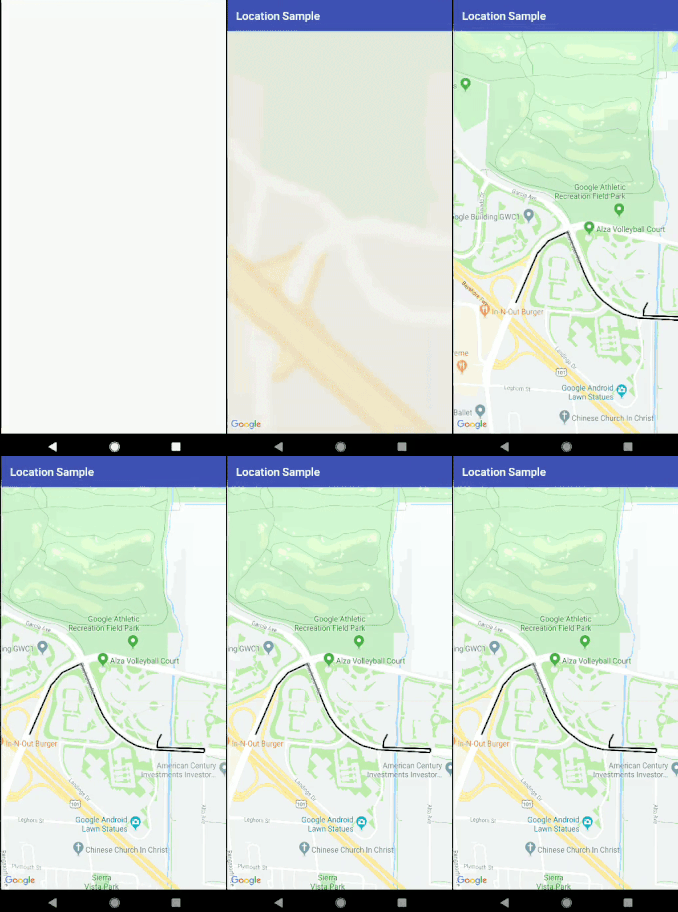
- 像优步这样的动画
- 没有动画。
1.带动画
- setPathAnimation = true

2.没有动画
- setPathAnimation = false
- change its color by, setPolyLinePrimaryColor() property
## 回调
#### 当路由绘制路径完成时,调用下面的回调
````
override fun pathFindFinish(polyLineDetails: HashMap) {
for (i in polyLineDetails.keys){
Log.v("sample",polyLineDetails[i]?.time)
}
}
````
here, polyLineDetails contain each polyline or route detail as time, distance and road summary.
#### 您还可以更改路线动画的不同属性,如延迟、原色、次要颜色等,只需探索它即可。
#### 错误,功能请求
发现错误?缺少什么?反馈是改进项目的重要组成部分,所以,请
open an issue
# 执照
````
版权所有 (c)
根据 Apache 许可证 2.0 版(“许可证”)获得许可;
除非遵守许可,否则您不得使用此文件。
您可以在以下网址获取许可证的副本
http://www.apache.org/licenses/LICENSE-2.0
除非适用法律要求
w 或书面同意,软件
根据许可分发是在“原样”基础上分发的,
没有任何明示或暗示的保证或条件。
请参阅许可以了解特定语言的管理权限和
许可证下的限制。
````