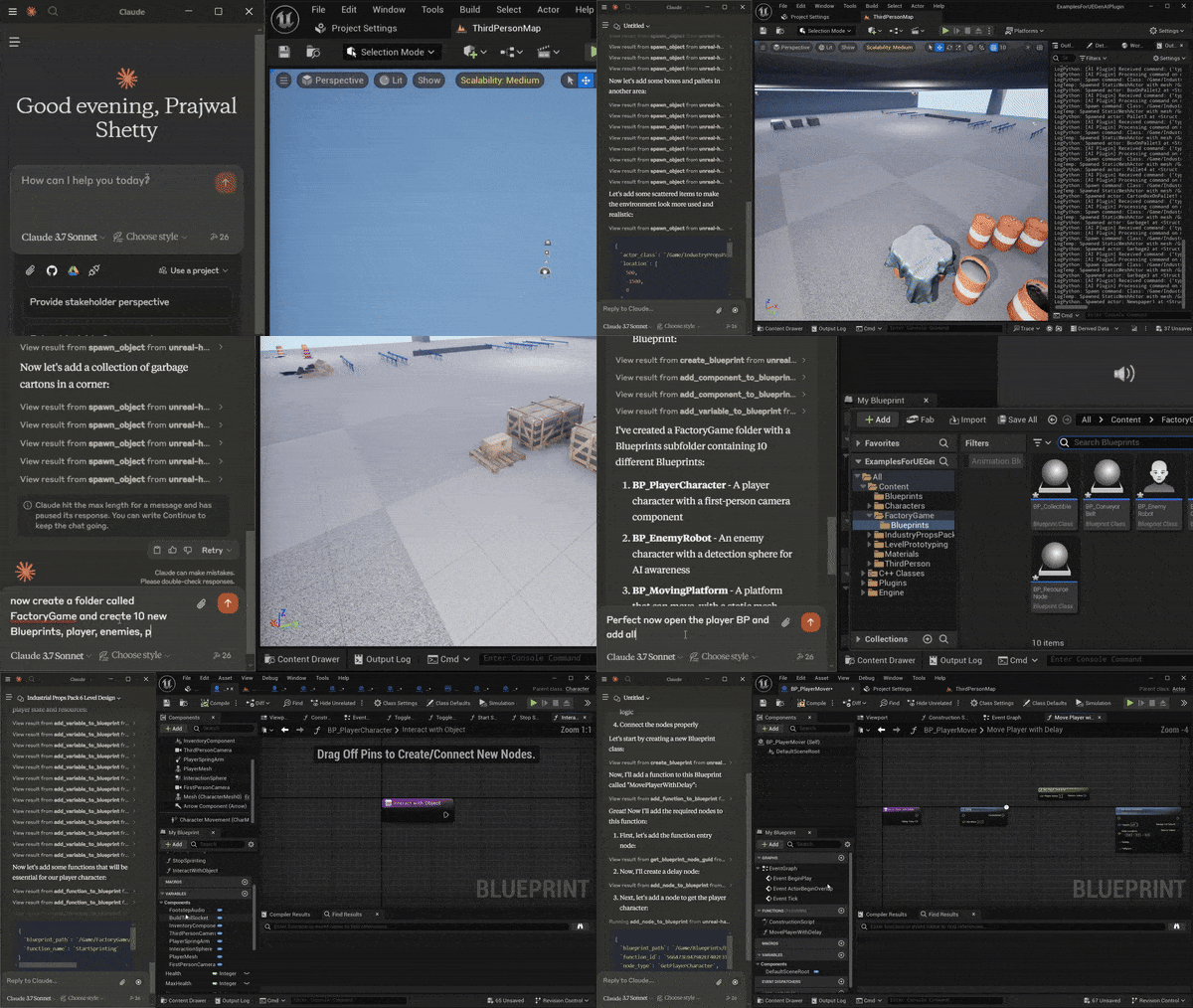
 #### API Example:
A project called become human, where NPCs are OpenAI agentic instances. Built using this plugin.
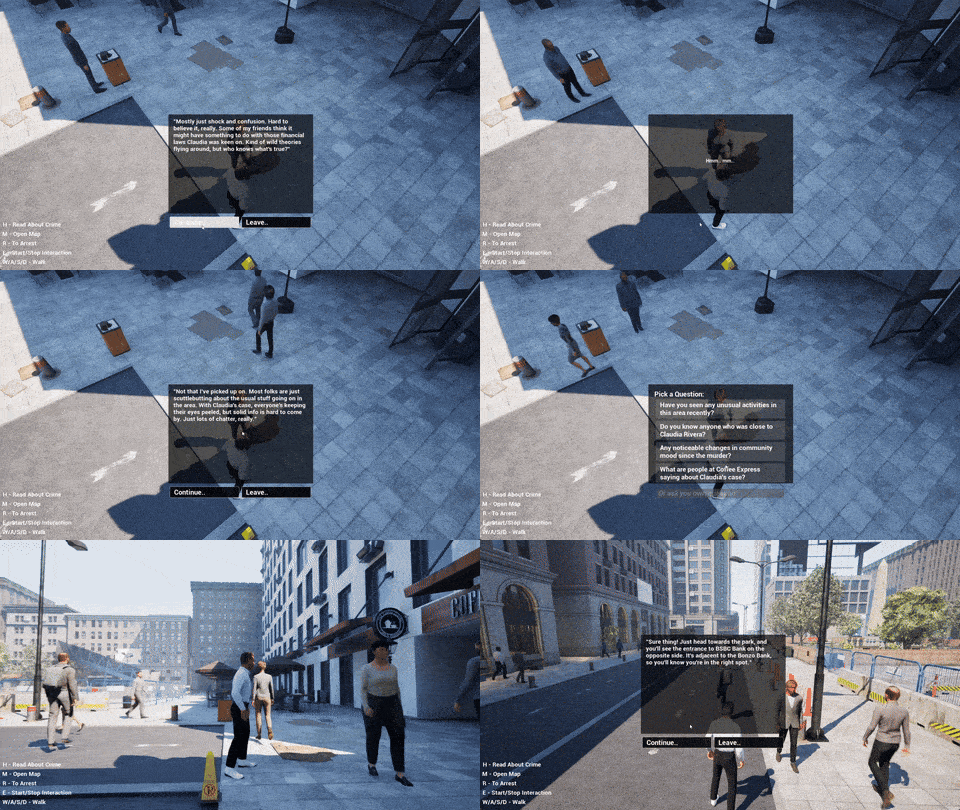
# Unreal Engine Generative AI Support Plugin:
Every month, hundreds of new AI models are released by various organizations, making it hard to keep up with the latest advancements.
The "Unreal Engine Generative AI Support Plugin" allows you to focus on game development without worrying about the LLM/GenAI integration layer.
## Current Progress:
**This plugin will continue to get updates with the latest features and models. Contributions are welcome.**
**For production-ready alternatives with 200+ AI models, guaranteed stability, automated testing, and UE 5.1-5.7+ support, check out the pro plugins below.**
**This free plugin covers many use cases (including the examples above) and you can use it for free, forever.**
### Pro Plugins on Fab.com
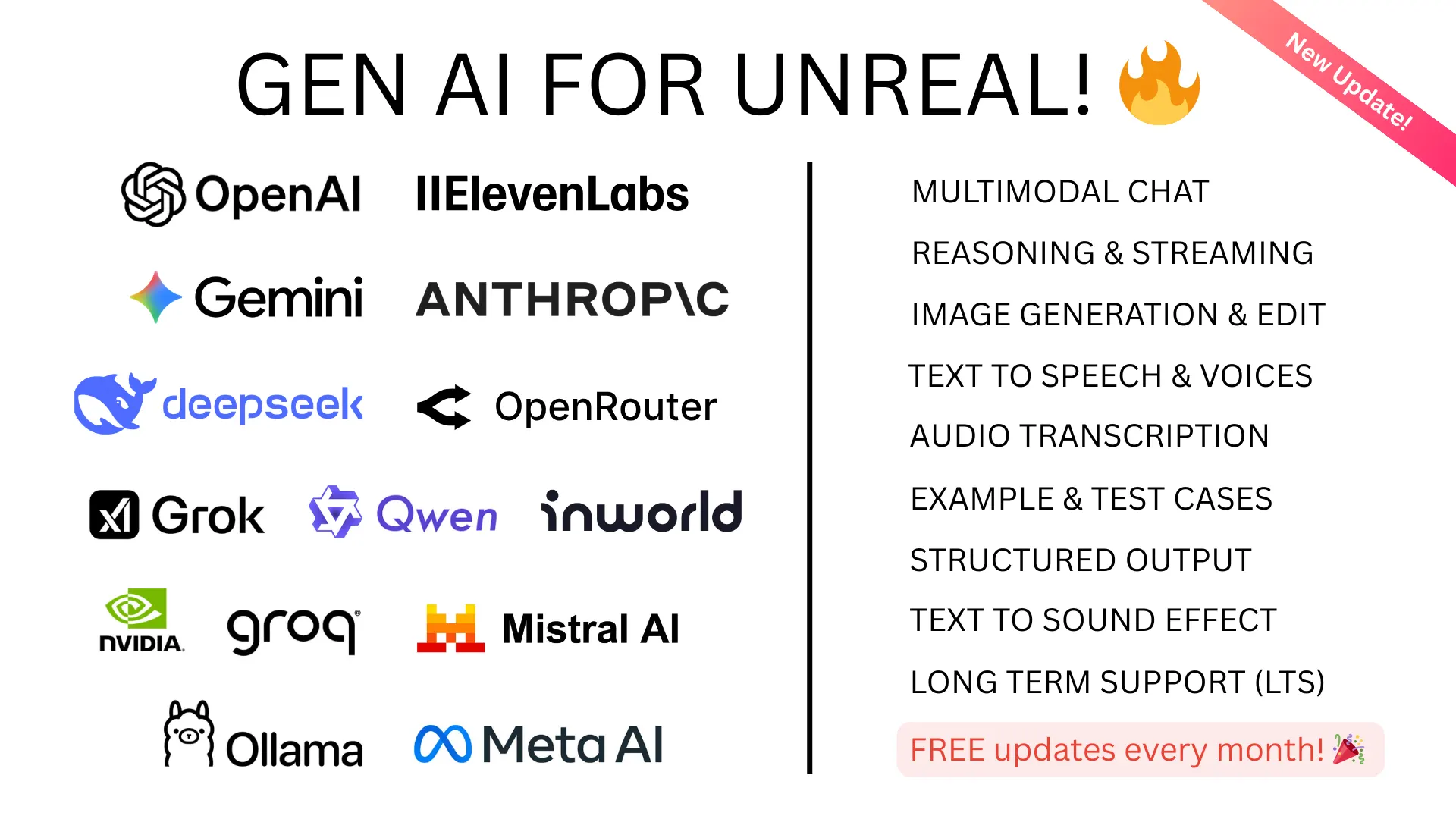
Gen AI Pro
gpt-5.4 claude-opus-4-6 gemini-3.1-pro grok-4.1 o3-pro eleven_v3
Chat, Vision, Streaming, Realtime, Image Gen, TTS, Structured Output, Tool Use

Gen AI Pro China
qwen3.5-plus kimi-k2.5 glm-5 seed-2-0 ernie-5.0 seedream-4
Worldwide support, Chat, Vision, Image Gen, TTS, Reasoning
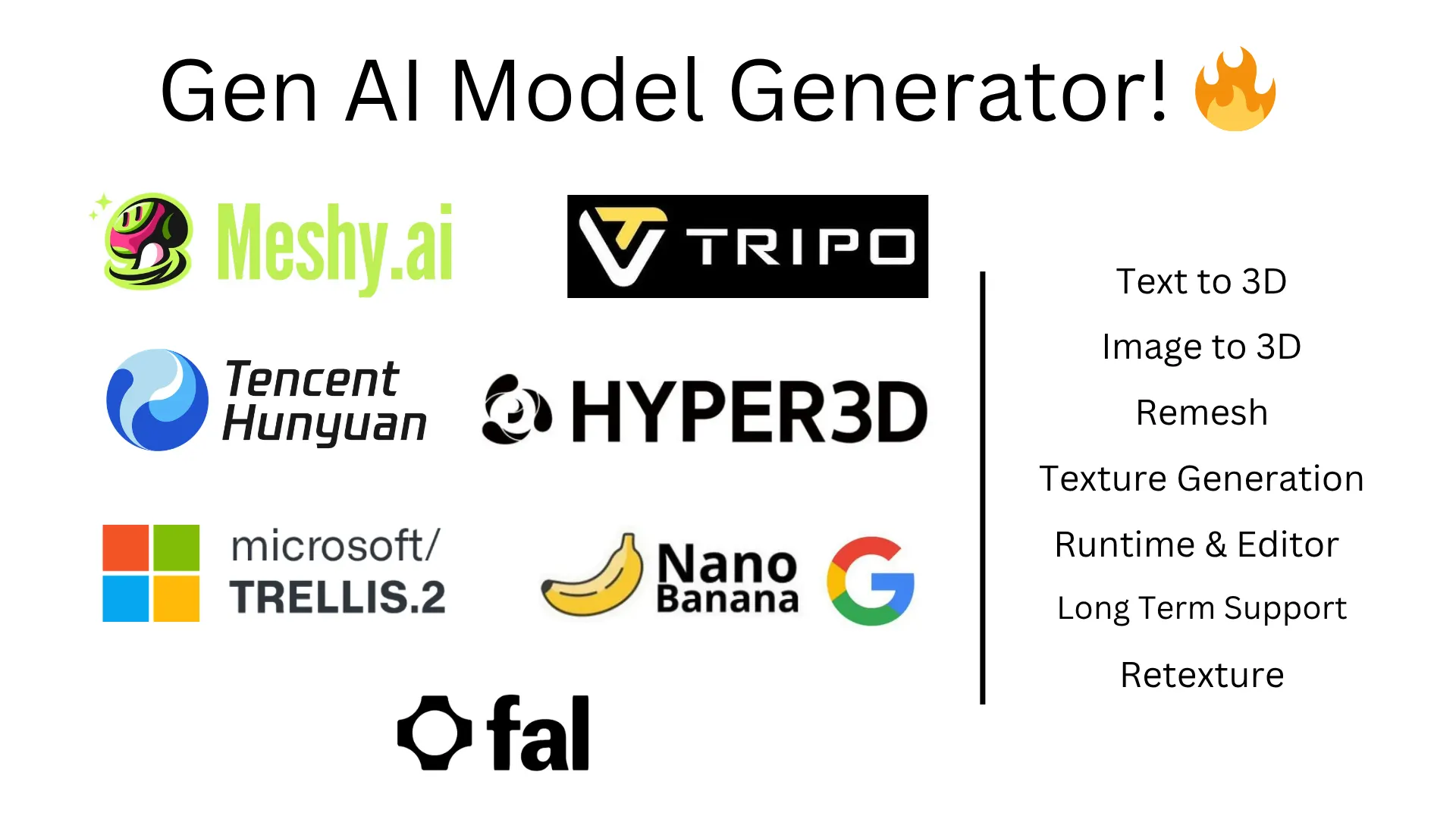
GenAI Model Generator
meshy-6 tripo-v2.5 hunyuan3d-v3.1 trellis-2 rodin-gen-2
Text-to-3D, Image-to-3D, Remesh, PBR Textures, Retexture, Auto-Rigging
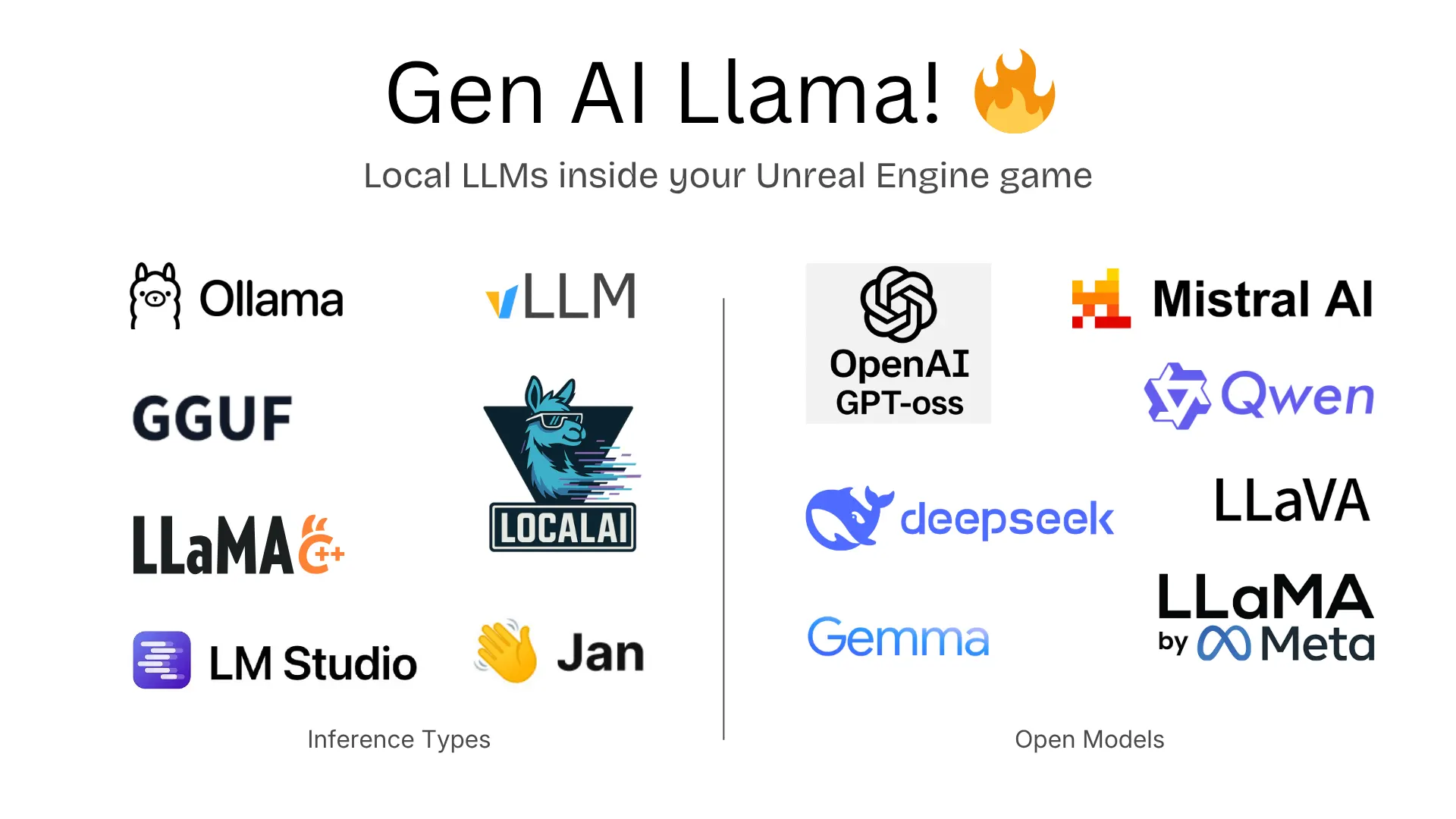
Gen AI Llama
Ollama vLLM LM Studio GGUF Jan LocalAI GPT-oss LLaVA
Local LLMs inside your Unreal Engine game - no API keys needed
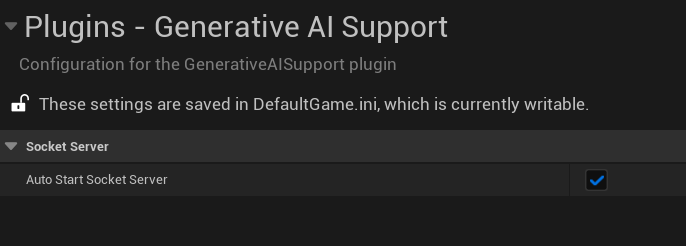 ## Adding the plugin to your project:
### With Git:
1. Add the Plugin Repository as a Submodule in your project's repository.
```cmd
git submodule add https://github.com/prajwalshettydev/UnrealGenAISupport Plugins/GenerativeAISupport
```
2. Regenerate Project Files:
Right-click your .uproject file and select Generate Visual Studio project files.
3. Enable the Plugin in Unreal Editor:
Open your project in Unreal Editor. Go to Edit > Plugins. Search for the Plugin in the list and enable it.
4. For Unreal C++ Projects, include the Plugin's module in your project's Build.cs file:
```cpp
PrivateDependencyModuleNames.AddRange(new string[] { "GenerativeAISupport" });
```
### With Perforce:
Still in development..
### With Fab (Unreal Marketplace):
This free plugin is available via Git (above). For the pro plugins, check [Fab.com](https://muddyterrain.com/t/genai-fab?utm_source=github.com&utm_medium=repo-free&utm_campaign=genai-plugin).
## Fetching the Latest Plugin Changes:
### With Git:
you can pull the latest changes with:
```cmd
cd Plugins/GenerativeAISupport
git pull origin main
```
Or update all submodules in the project:
```cmd
git submodule update --recursive --remote
```
### With Perforce:
Still in development..
## Usage:
There is a example Unreal project that already implements the plugin. You can find it [here](https://github.com/prajwalshettydev/unreal-llm-api-test-project).
### OpenAI:
Currently the plugin supports Chat and Structured Outputs from OpenAI API. Both for C++ and Blueprints.
Tested models: `gpt-4.1`, `gpt-4.1-mini`, `gpt-4.1-nano`, `o4-mini`, `o3`, `o3-pro`, `o3-mini`.
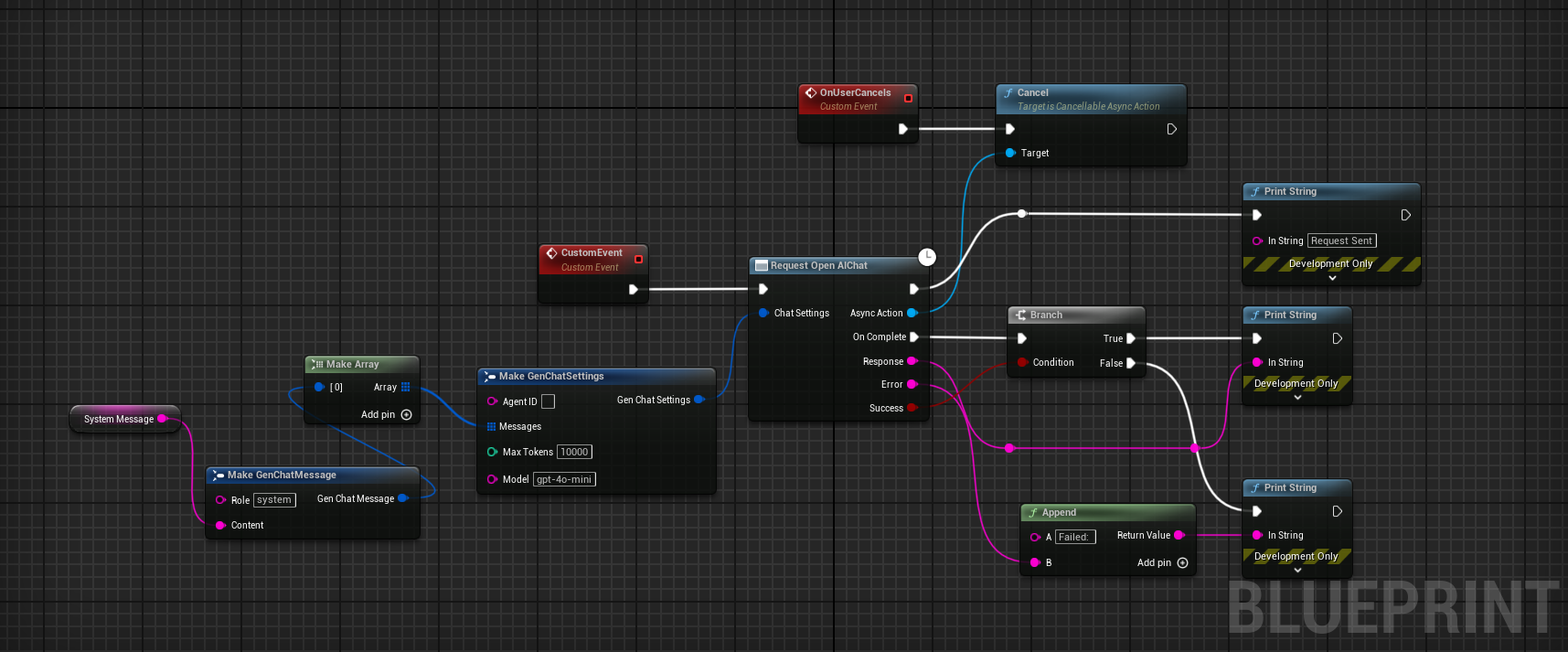
#### 1. Chat:
##### C++ Example:
```cpp
void SomeDebugSubsystem::CallGPT(const FString& Prompt,
const TFunction
 #### 2. Structured Outputs:
##### C++ Example 1:
Sending a custom schema json directly to function call
```cpp
FString MySchemaJson = R"({
"type": "object",
"properties": {
"count": {
"type": "integer",
"description": "The total number of users."
},
"users": {
"type": "array",
"items": {
"type": "object",
"properties": {
"name": { "type": "string", "description": "The user's name." },
"heading_to": { "type": "string", "description": "The user's destination." }
},
"required": ["name", "role", "age", "heading_to"]
}
}
},
"required": ["count", "users"]
})";
UGenAISchemaService::RequestStructuredOutput(
TEXT("Generate a list of users and their details"),
MySchemaJson,
[](const FString& Response, const FString& Error, bool Success) {
if (Success)
{
UE_LOG(LogTemp, Log, TEXT("Structured Output: %s"), *Response);
}
else
{
UE_LOG(LogTemp, Error, TEXT("Error: %s"), *Error);
}
}
);
```
##### C++ Example 2:
Sending a custom schema json from a file
```cpp
#include "Misc/FileHelper.h"
#include "Misc/Paths.h"
FString SchemaFilePath = FPaths::Combine(
FPaths::ProjectDir(),
TEXT("Source/:ProjectName/Public/AIPrompts/SomeSchema.json")
);
FString MySchemaJson;
if (FFileHelper::LoadFileToString(MySchemaJson, *SchemaFilePath))
{
UGenAISchemaService::RequestStructuredOutput(
TEXT("Generate a list of users and their details"),
MySchemaJson,
[](const FString& Response, const FString& Error, bool Success) {
if (Success)
{
UE_LOG(LogTemp, Log, TEXT("Structured Output: %s"), *Response);
}
else
{
UE_LOG(LogTemp, Error, TEXT("Error: %s"), *Error);
}
}
);
}
```
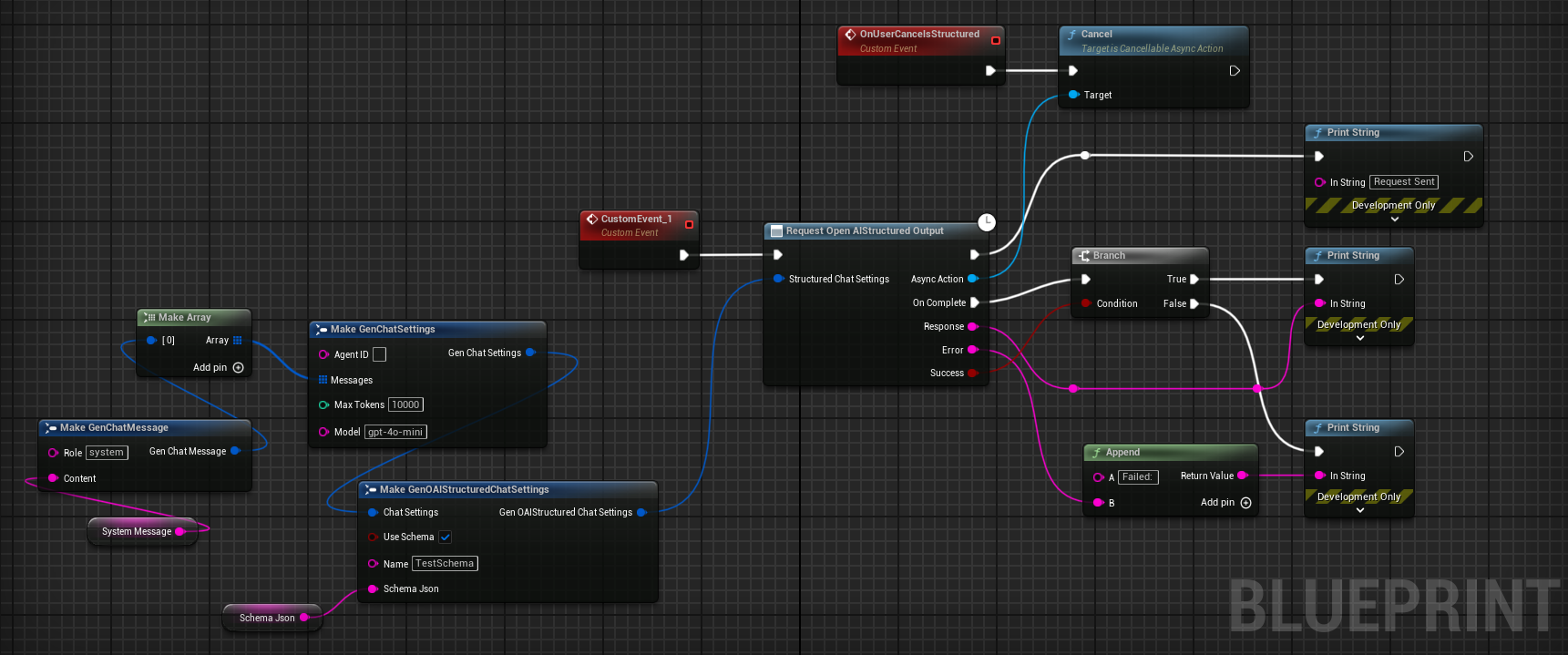
##### Blueprint Example:
 ### DeepSeek API:
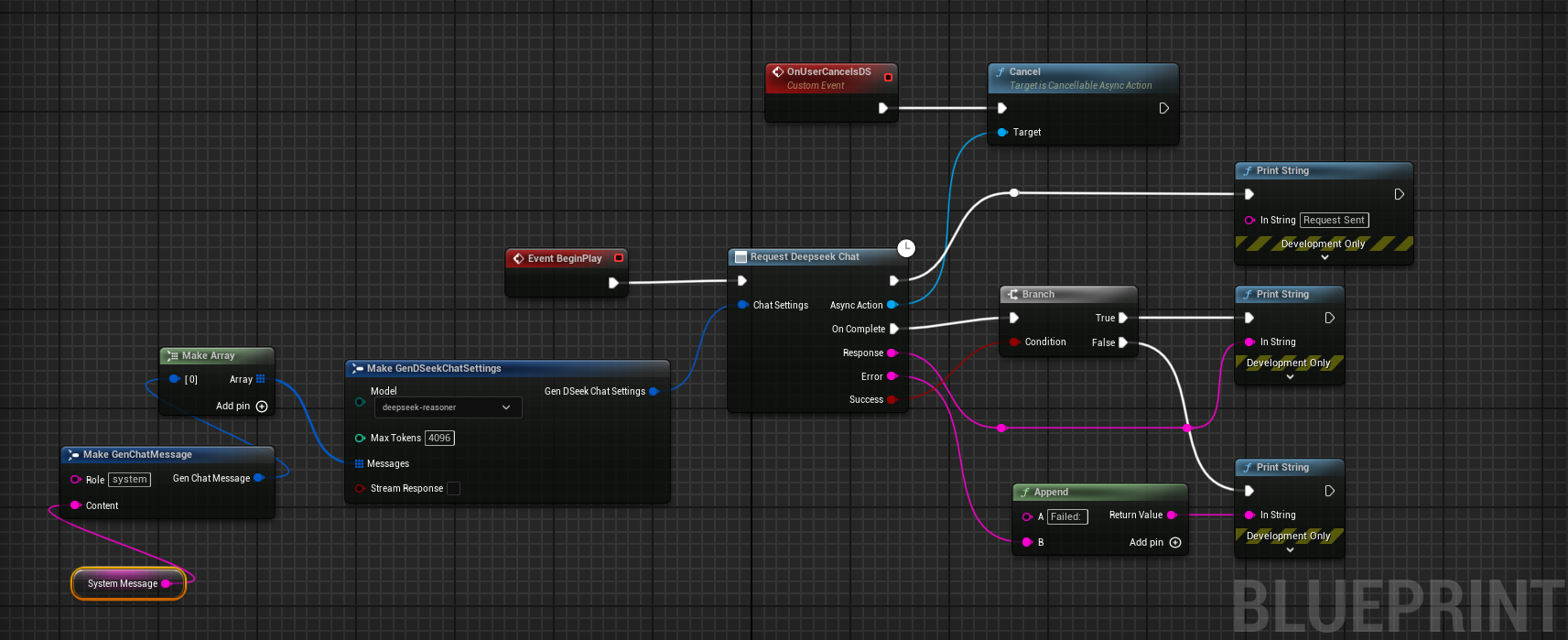
Currently the plugin supports Chat and Reasoning from DeepSeek API. Both for C++ and Blueprints.
Points to note:
* System messages are currently mandatory for the reasoning model. API otherwise seems to return null
* Also, from the documentation: "Please note that if the reasoning_content field is included in the sequence of input messages, the API will return a 400 error.
Read more about it [here](https://api-docs.deepseek.com/guides/reasoning_model)"
> [!WARNING]
> While using the R1 reasoning model, make sure the Unreal's HTTP timeouts are not the default values at 30 seconds.
> As these API calls can take longer than 30 seconds to respond. Simply setting the `HttpRequest->SetTimeout(
 ### Anthropic API:
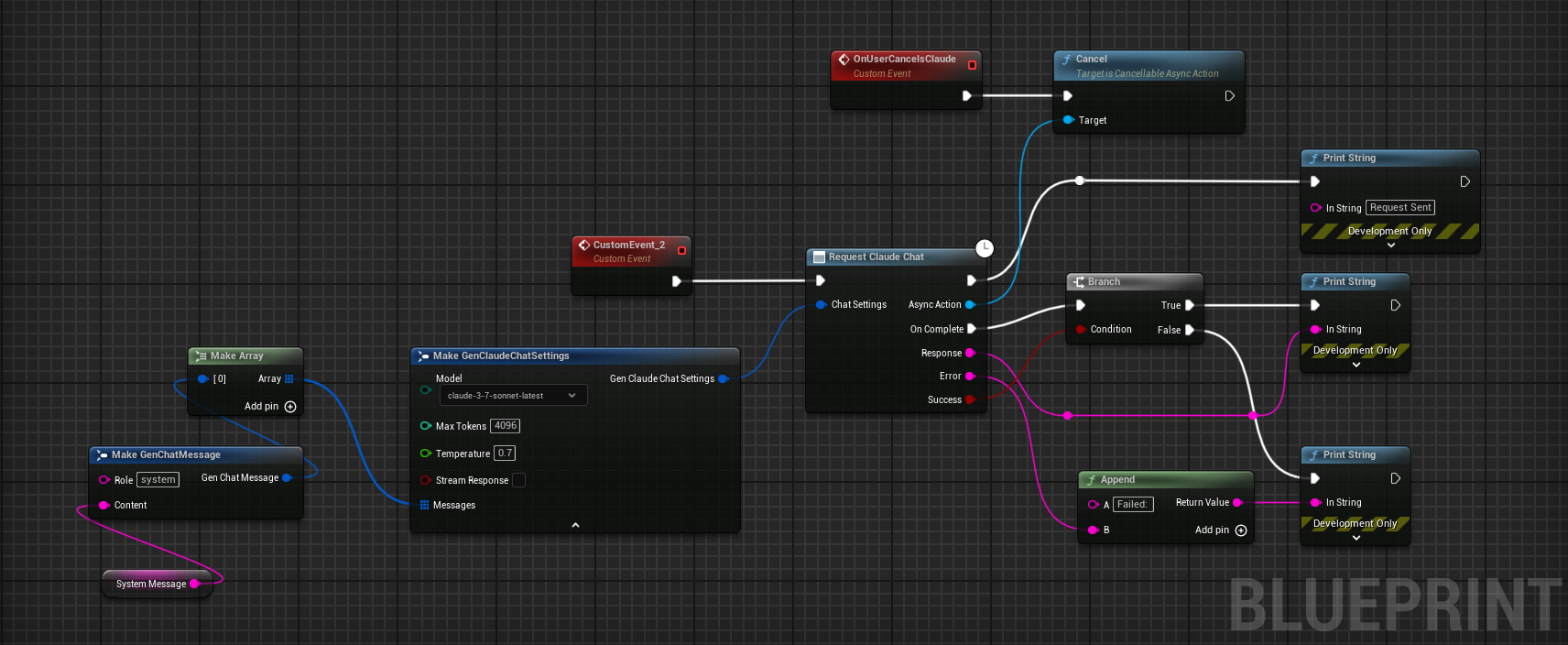
Currently the plugin supports Chat from Anthropic API. Both for C++ and Blueprints.
Tested models: `claude-4-latest`, `claude-3-7-sonnet-latest`, `claude-3-5-sonnet`, `claude-3-5-haiku-latest`.
#### 1. Chat:
##### C++ Example:
```cpp
// ---- Claude Chat Test ----
FGenClaudeChatSettings ChatSettings;
ChatSettings.Model = EClaudeModels::Claude_3_7_Sonnet; // Use Claude 3.7 Sonnet model
ChatSettings.MaxTokens = 4096;
ChatSettings.Temperature = 0.7f;
ChatSettings.Messages.Add(FGenChatMessage{TEXT("system"), TEXT("You are a helpful assistant.")});
ChatSettings.Messages.Add(FGenChatMessage{TEXT("user"), TEXT("What is the capital of France?")});
UGenClaudeChat::SendChatRequest(
ChatSettings,
FOnClaudeChatCompletionResponse::CreateLambda(
[this](const FString& Response, const FString& ErrorMessage, bool bSuccess)
{
if (!UTHelper::IsContextStillValid(this))
{
return;
}
if (bSuccess)
{
UE_LOG(LogTemp, Warning, TEXT("Claude Chat Response: %s"), *Response);
}
else
{
UE_LOG(LogTemp, Error, TEXT("Claude Chat Error: %s"), *ErrorMessage);
}
})
);
```
##### Blueprint Example:
 ### XAI's Grok 3 API:
Currently the plugin supports Chat from XAI's Grok 3 API. Both for C++ and Blueprints.
#### 1. Chat:
```cpp
FGenXAIChatSettings ChatSettings;
ChatSettings.Model = TEXT("grok-3-latest");
ChatSettings.Messages.Add(FGenXAIMessage{
TEXT("system"),
TEXT("You are a helpful AI assistant for a game. Please provide concise responses.")
});
ChatSettings.Messages.Add(FGenXAIMessage{TEXT("user"), TEXT("Create a brief description for a forest level in a fantasy game")});
ChatSettings.MaxTokens = 1000;
UGenXAIChat::SendChatRequest(
ChatSettings,
FOnXAIChatCompletionResponse::CreateLambda(
[this](const FString& Response, const FString& ErrorMessage, bool bSuccess)
{
if (!UTHelper::IsContextStillValid(this))
{
return;
}
UE_LOG(LogTemp, Warning, TEXT("XAI Chat response: %s"), *Response);
if (!bSuccess)
{
UE_LOG(LogTemp, Error, TEXT("XAI Chat error: %s"), *ErrorMessage);
}
})
);
```
## Model Control Protocol (MCP):
This is currently work in progress. The plugin supports various clients like Claude Desktop App, Cursor etc.
### Usage:
#### If Autostart MCP server is enabled: (In plugin's settings)
##### 1. Open the Unreal Engine Editor.
##### 2. Open the Claude Desktop App, Claude Code CLI, or Cursor IDE.
That's it! You can now use the MCP features of the plugin.
#### If Autostart MCP server is disabled:
##### 1. Run the MCP server from the plugin's python directory.
```bash
python