# pi-extensions
Minimal reference extensions for [`pi-coding-agent`](https://www.npmjs.com/package/@earendil-works/pi-coding-agent).
## Quick Setup
Install the package:
```bash
pi install npm:pi-hooks
pi config # enable/disable extensions
```
Dependencies are installed automatically during `pi install`.
To pull updates later:
```bash
pi update git:github.com/prateekmedia/pi-hooks
```
## Included Extensions
### `checkpoint/`
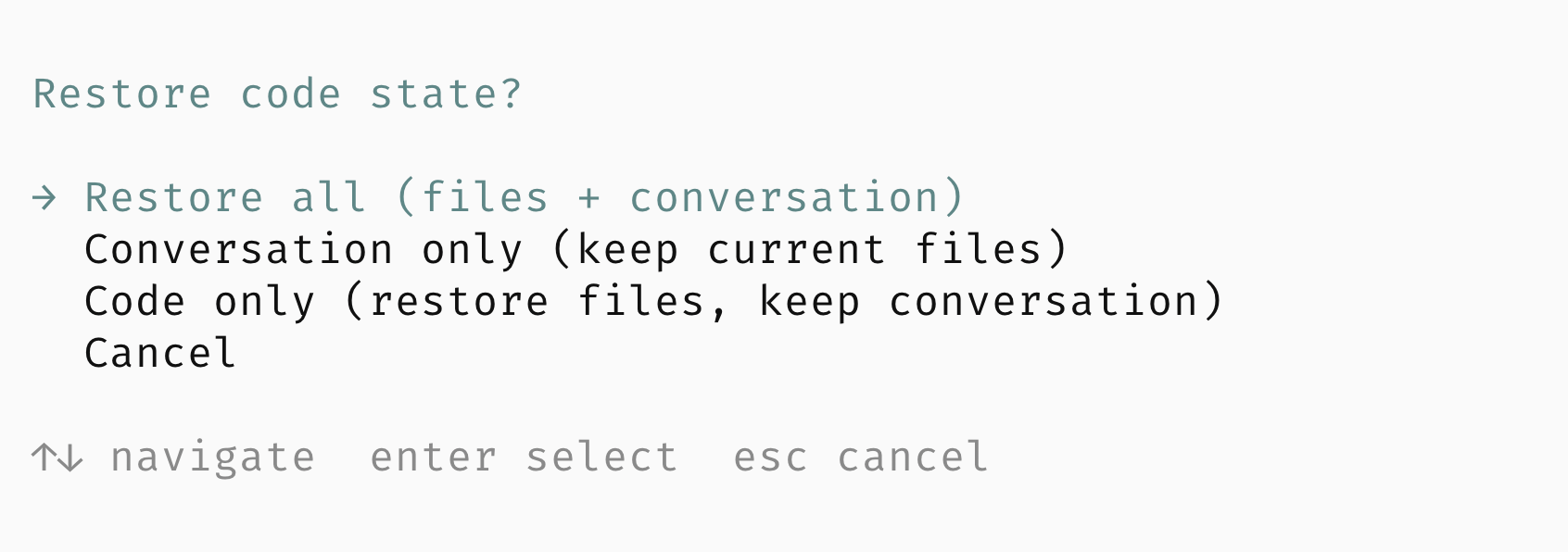
Git-based checkpoint system for restoring code state when forking conversations.
- Captures repo state at the start of every turn (tracked, staged, and untracked files)
- Stores checkpoints as Git refs for persistence across sessions
- Offers restore options: files + conversation, conversation only, or files only
- Automatically saves current state before restoring past snapshots
 ### `lsp/`
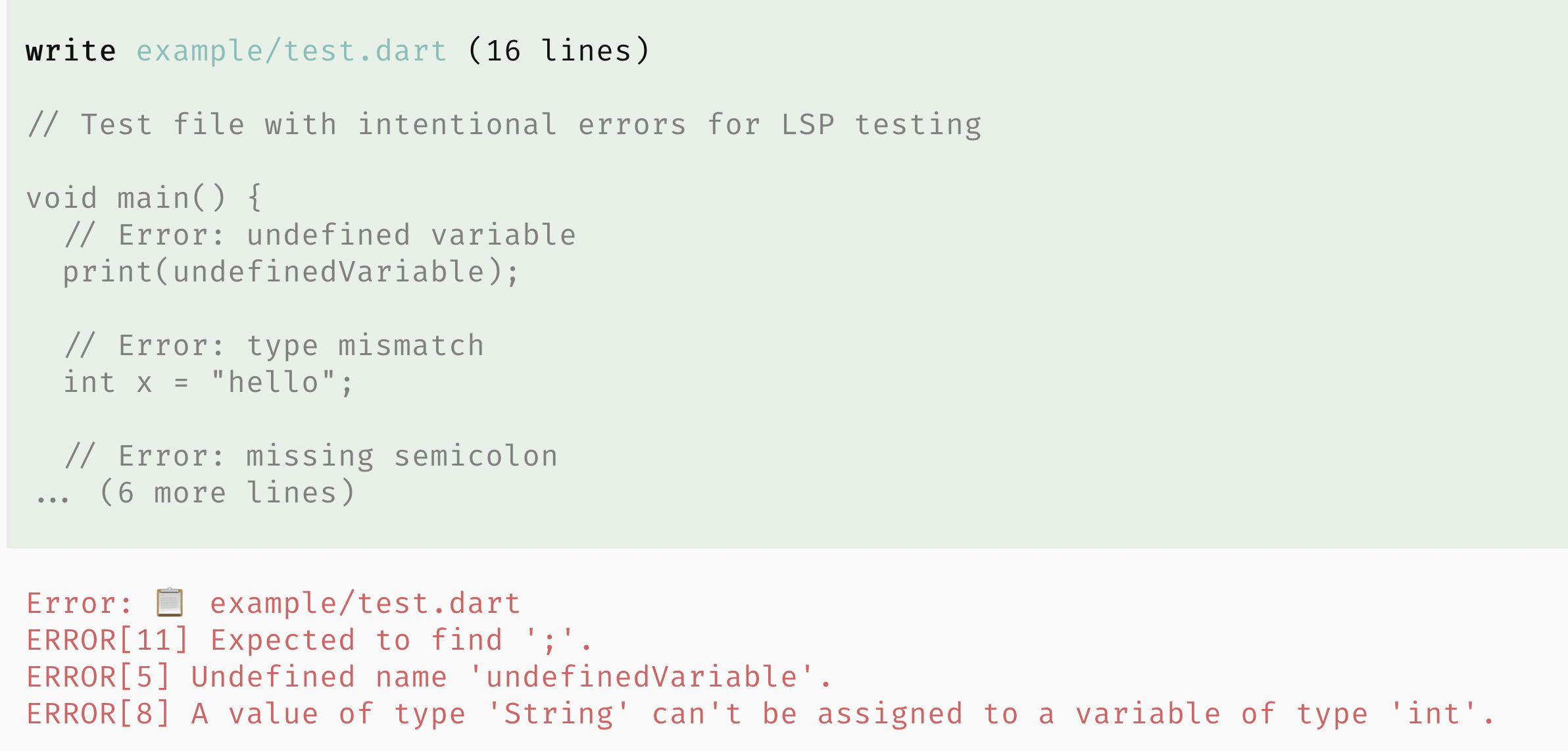
Language Server Protocol integration (hook + tool).
The package exports two extensions via `package.json`:
- `lsp-hook.ts` - Auto-diagnostics (default at agent end)
- `lsp-tool.ts` - On-demand LSP queries
**Hook** (auto-diagnostics):
- Default: runs diagnostics once at agent end for touched files
- Optional: run after each `write`/`edit`
- Configure via `/lsp` to switch to per-edit or disabled
- Supports web, Flutter, and common backend stacks
- Manages LSP server lifecycles per project root
**Tool** (on-demand queries):
- Definitions, references, hover, symbols, diagnostics, signatures
- Query by symbol name or line/column position
### `lsp/`
Language Server Protocol integration (hook + tool).
The package exports two extensions via `package.json`:
- `lsp-hook.ts` - Auto-diagnostics (default at agent end)
- `lsp-tool.ts` - On-demand LSP queries
**Hook** (auto-diagnostics):
- Default: runs diagnostics once at agent end for touched files
- Optional: run after each `write`/`edit`
- Configure via `/lsp` to switch to per-edit or disabled
- Supports web, Flutter, and common backend stacks
- Manages LSP server lifecycles per project root
**Tool** (on-demand queries):
- Definitions, references, hover, symbols, diagnostics, signatures
- Query by symbol name or line/column position
 ### `permission/`
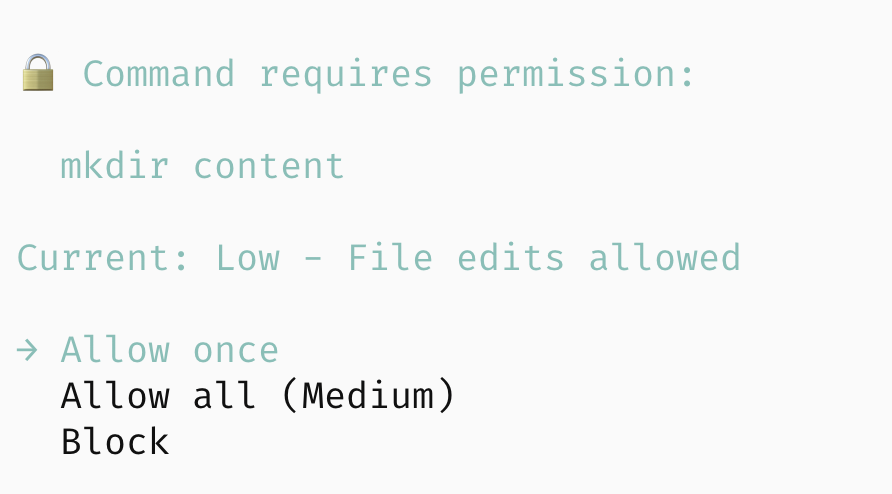
Layered permission control with four permission levels:
| Level | Description | What's allowed |
|---------|-----------------------|-----------------------------------------------------|
| Minimal | Read-only mode | Only read commands (ls, cat, git status, etc.) |
| Low | File edits | + write/edit files |
| Medium | Dev commands | + npm, git, make, cargo, etc. |
| High | Full access | Everything (dangerous commands still prompt) |
On first run you pick a level; it's saved globally. Use `/permission` to change levels and `/permission-mode` to switch between ask/block prompts.
### `permission/`
Layered permission control with four permission levels:
| Level | Description | What's allowed |
|---------|-----------------------|-----------------------------------------------------|
| Minimal | Read-only mode | Only read commands (ls, cat, git status, etc.) |
| Low | File edits | + write/edit files |
| Medium | Dev commands | + npm, git, make, cargo, etc. |
| High | Full access | Everything (dangerous commands still prompt) |
On first run you pick a level; it's saved globally. Use `/permission` to change levels and `/permission-mode` to switch between ask/block prompts.
 ### `ralph-loop/`
Looped subagent execution via the `ralph_loop` tool.
### `ralph-loop/`
Looped subagent execution via the `ralph_loop` tool.
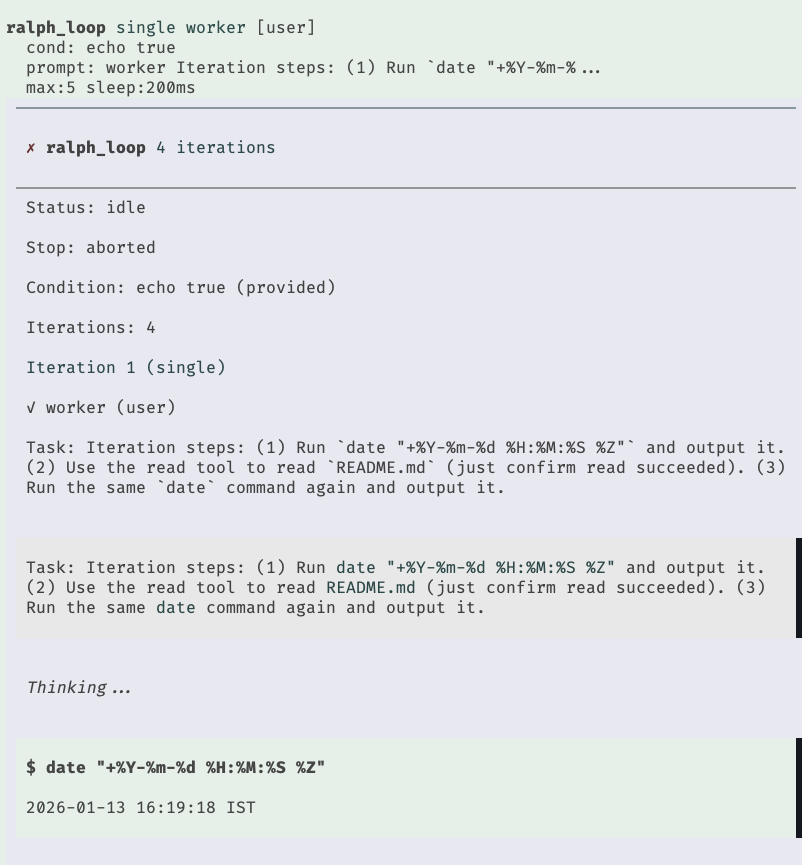 - Runs single or chain subagent tasks until a condition returns false
- Takes a prompt and exit condition (exit condition optional)
- Can supply max iterations and minimum delay between each
- Optionally supply model and thinking
- Supports `conditionCommand`, `maxIterations`, and `sleepMs` controls
- Interactive steering/follow-up + pause/resume/stop commands in UI mode
- Defaults to the `worker` agent and the last user prompt when omitted
- No npm install required
Example prompt: "Use ralph loop to check the current time five times, sleeping 1s between iterations."
### `repeat/`
Repeat past tool calls (bash/edit/write) from the current branch.
- `/repeat` shows a picker of recent bash/edit/write tool calls with type-to-search filtering
- Bash entries load as `!command` in the editor for tweak + run
- Write entries open a temp editor (if `$EDITOR` is set) and apply only when you save
- Edit entries can repeat the edit (may fail) or open `$EDITOR` at the first changed line; repeat uses a temp editor and applies on save
### `token-rate/`
Shows the average output tokens per second (TPS) in the footer status line.
- Runs single or chain subagent tasks until a condition returns false
- Takes a prompt and exit condition (exit condition optional)
- Can supply max iterations and minimum delay between each
- Optionally supply model and thinking
- Supports `conditionCommand`, `maxIterations`, and `sleepMs` controls
- Interactive steering/follow-up + pause/resume/stop commands in UI mode
- Defaults to the `worker` agent and the last user prompt when omitted
- No npm install required
Example prompt: "Use ralph loop to check the current time five times, sleeping 1s between iterations."
### `repeat/`
Repeat past tool calls (bash/edit/write) from the current branch.
- `/repeat` shows a picker of recent bash/edit/write tool calls with type-to-search filtering
- Bash entries load as `!command` in the editor for tweak + run
- Write entries open a temp editor (if `$EDITOR` is set) and apply only when you save
- Edit entries can repeat the edit (may fail) or open `$EDITOR` at the first changed line; repeat uses a temp editor and applies on save
### `token-rate/`
Shows the average output tokens per second (TPS) in the footer status line.
 ## Usage
1. Install the package and enable extensions:
```bash
pi install npm:pi-hooks
pi config
```
2. See inline comments in each extension for configuration options.
## Testing
```bash
cd lsp && npm install
cd ../permission && npm install
cd ../checkpoint && npm test
cd ../lsp && npm run test:all
cd ../permission && npm test
```
## License
MIT
## Usage
1. Install the package and enable extensions:
```bash
pi install npm:pi-hooks
pi config
```
2. See inline comments in each extension for configuration options.
## Testing
```bash
cd lsp && npm install
cd ../permission && npm install
cd ../checkpoint && npm test
cd ../lsp && npm run test:all
cd ../permission && npm test
```
## License
MIT